
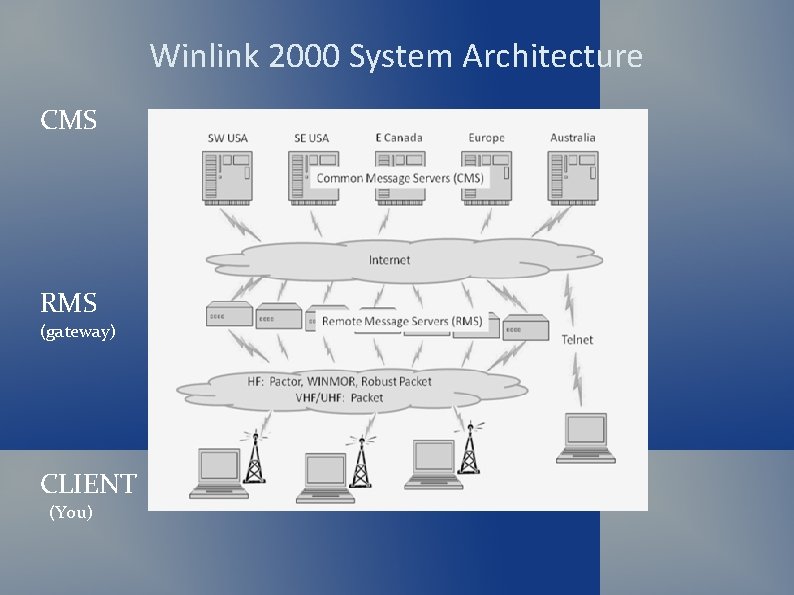
Winlink 2000 System Architecture CMS RMS gateway CLIENT

- Slides: 28
Winlink 2000 System Architecture CMS RMS (gateway) CLIENT (You)
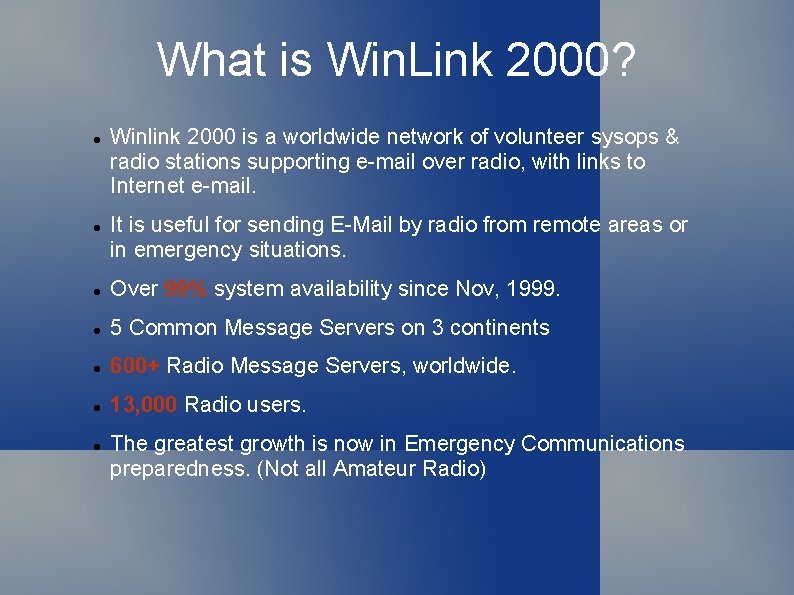
What is Win. Link 2000? Winlink 2000 is a worldwide network of volunteer sysops & radio stations supporting e-mail over radio, with links to Internet e-mail. It is useful for sending E-Mail by radio from remote areas or in emergency situations. Over 99% system availability since Nov, 1999. 5 Common Message Servers on 3 continents 600+ Radio Message Servers, worldwide. 13, 000 Radio users. The greatest growth is now in Emergency Communications preparedness. (Not all Amateur Radio)
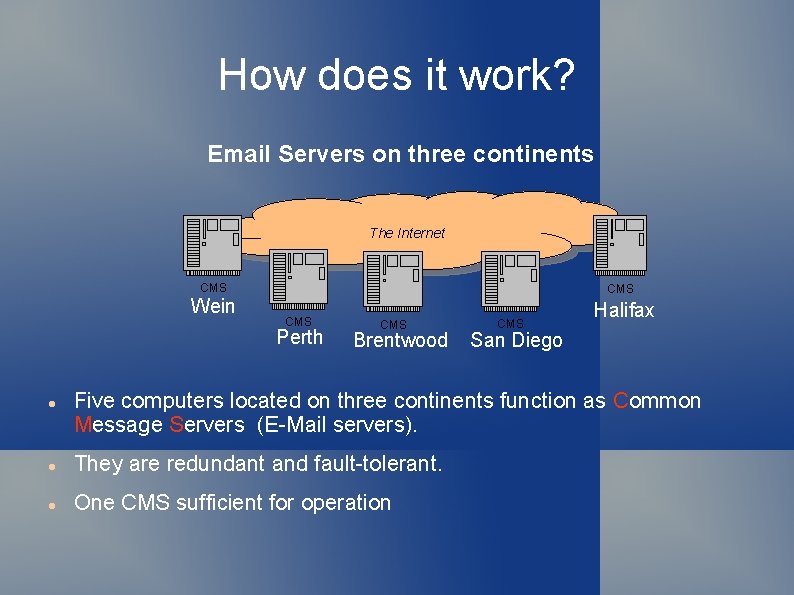
How does it work? Email Servers on three continents The Internet CMS Wein CMS Perth CMS Brentwood CMS Halifax San Diego Five computers located on three continents function as Common Message Servers (E-Mail servers). They are redundant and fault-tolerant. One CMS sufficient for operation
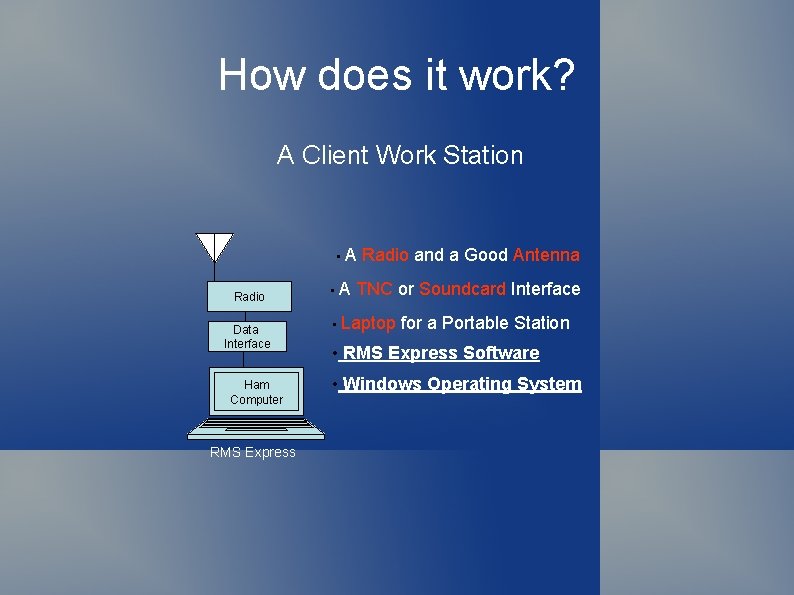
How does it work? A Client Work Station • A Radio Data Interface Ham Computer RMS Express • A Radio and a Good Antenna TNC or Soundcard Interface • Laptop for a Portable Station • RMS Express Software • Windows Operating System
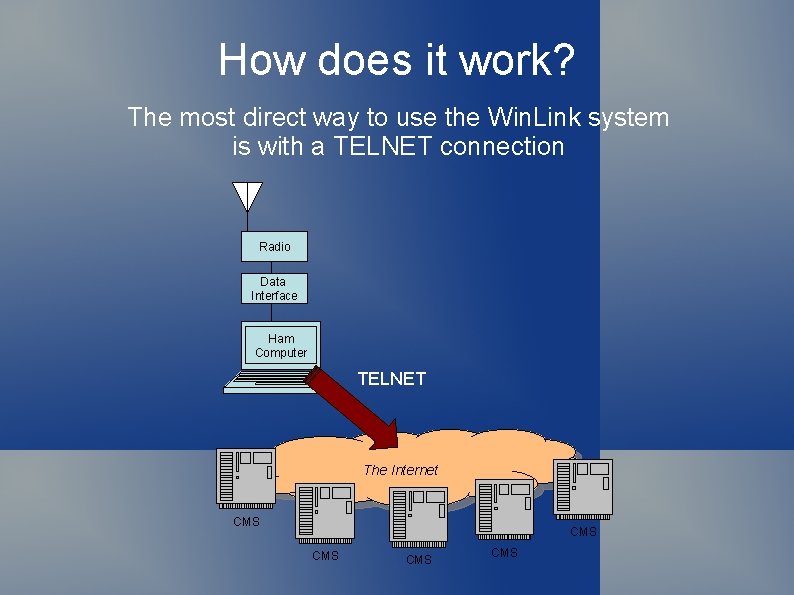
How does it work? The most direct way to use the Win. Link system is with a TELNET connection Radio Data Interface Ham Computer TELNET The Internet CMS CMS CMS
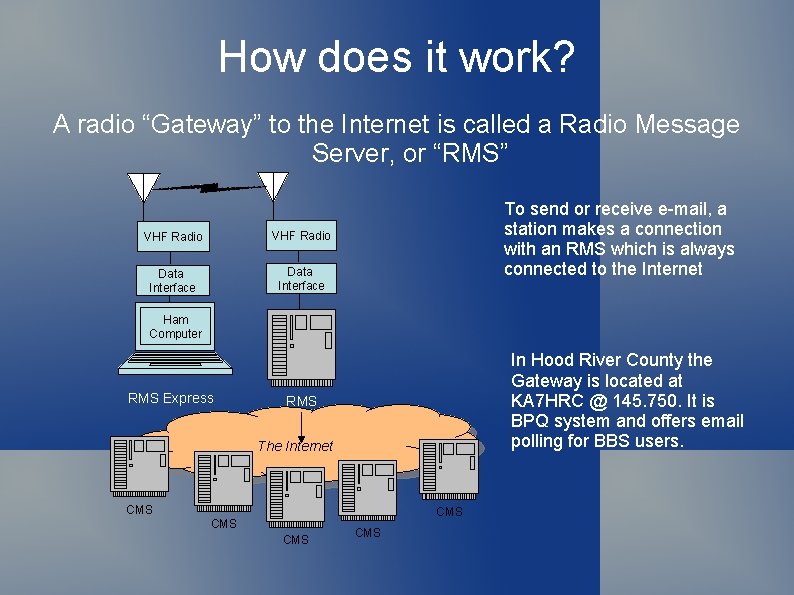
How does it work? A radio “Gateway” to the Internet is called a Radio Message Server, or “RMS” VHF Radio Data Interface To send or receive e-mail, a station makes a connection with an RMS which is always connected to the Internet Ham Computer RMS Express In Hood River County the Gateway is located at KA 7 HRC @ 145. 750. It is BPQ system and offers email polling for BBS users. RMS The Internet CMS CMS CMS
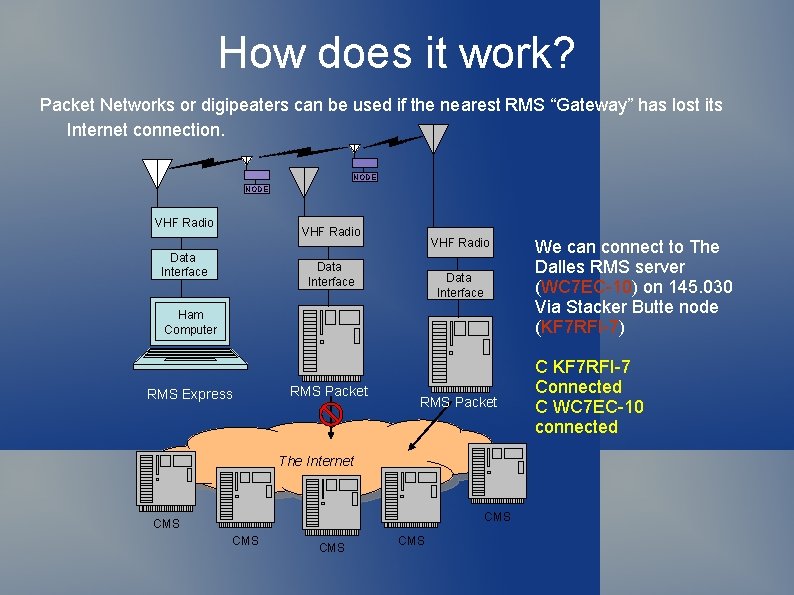
How does it work? Packet Networks or digipeaters can be used if the nearest RMS “Gateway” has lost its Internet connection. NODE VHF Radio Data Interface Ham Computer RMS Express RMS Packet The Internet CMS CMS CMS We can connect to The Dalles RMS server (WC 7 EC-10) on 145. 030 Via Stacker Butte node (KF 7 RFI-7) C KF 7 RFI-7 Connected C WC 7 EC-10 connected
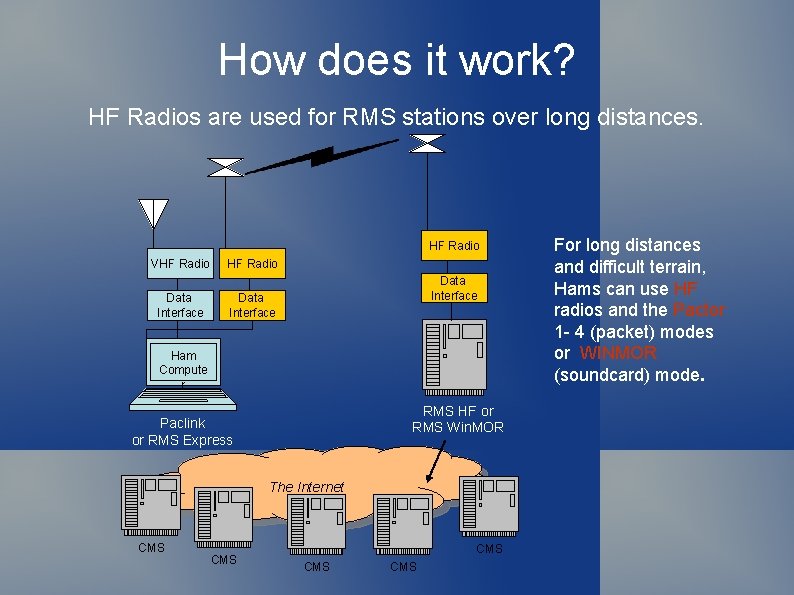
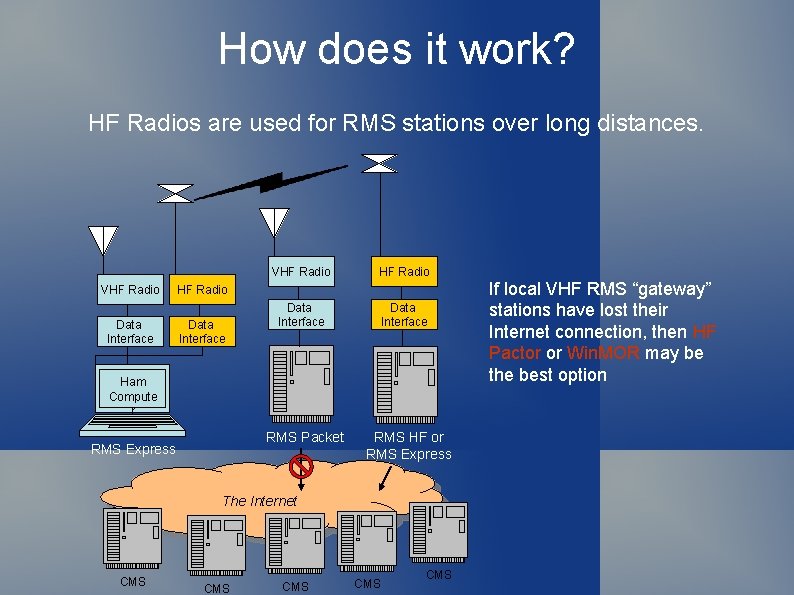
How does it work? HF Radios are used for RMS stations over long distances. HF Radio VHF Radio Data Interface Ham Compute r RMS HF or RMS Win. MOR Paclink or RMS Express The Internet CMS CMS CMS For long distances and difficult terrain, Hams can use HF radios and the Pactor 1 - 4 (packet) modes or WINMOR (soundcard) mode.
How does it work? HF Radios are used for RMS stations over long distances. VHF Radio Data Interface HF Radio Data Interface Ham Compute r RMS Packet RMS Express RMS HF or RMS Express The Internet CMS CMS CMS If local VHF RMS “gateway” stations have lost their Internet connection, then HF Pactor or Win. MOR may be the best option
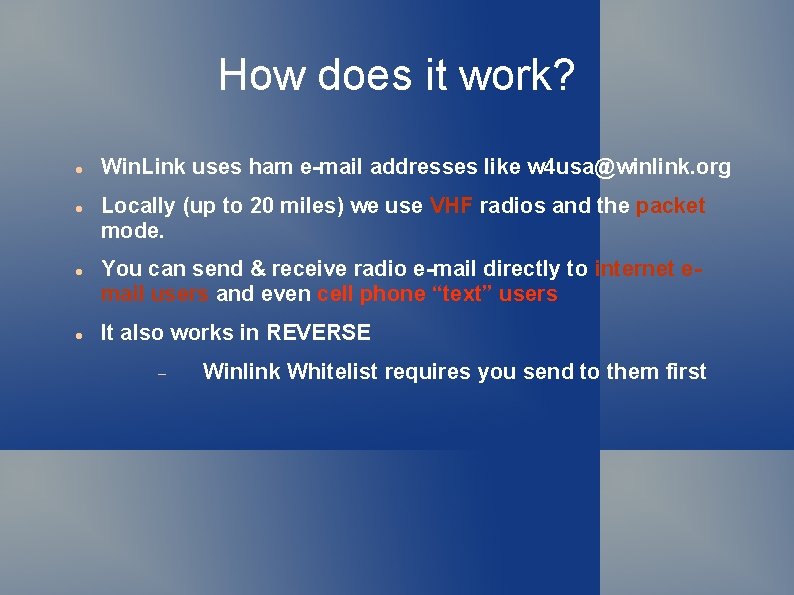
How does it work? Win. Link uses ham e-mail addresses like w 4 usa@winlink. org Locally (up to 20 miles) we use VHF radios and the packet mode. You can send & receive radio e-mail directly to internet email users and even cell phone “text” users It also works in REVERSE Winlink Whitelist requires you send to them first
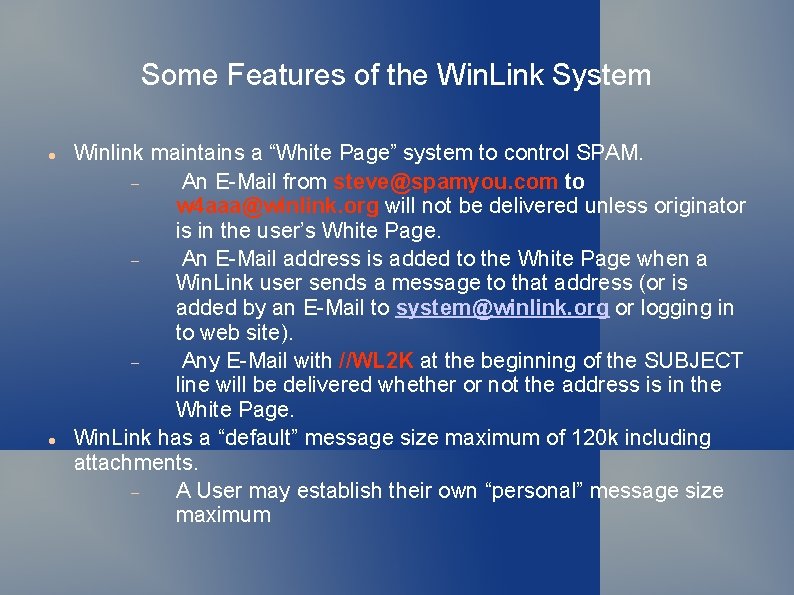
Some Features of the Win. Link System Winlink maintains a “White Page” system to control SPAM. An E-Mail from steve@spamyou. com to w 4 aaa@winlink. org will not be delivered unless originator is in the user’s White Page. An E-Mail address is added to the White Page when a Win. Link user sends a message to that address (or is added by an E-Mail to system@winlink. org or logging in to web site). Any E-Mail with //WL 2 K at the beginning of the SUBJECT line will be delivered whether or not the address is in the White Page. Win. Link has a “default” message size maximum of 120 k including attachments. A User may establish their own “personal” message size maximum
How to Get Started Download a Winlink Client From: Install and setup the Client Program. Your E-Mail address will be callsign@winlink. org Send an E-Mail either by Radio or Telnet. http: //www. winlink. org/Client. Software Email can be to any valid email address Establish an “account” on www. winlink. org (optional) Set password required on
The Win. Link Client RMS Express Supports VHF Packet Via TNC Soundcard Requires AGW Express Interface HF Pactor modem TNC HF Winmor Soundcard Requires Windows Operation System Based on. NET Framework Some success with Linux & Mac under Virtual Machine (VM) Soundcard issues with delay in VM
Resources Needed for RMS Express Computer running Windows XP through Windows 10 . NET 3. 5 framework + RMS Express program ITSHF propagation prediction program VHF and/or HF radio with data port and computer control Signa. Link USB soundcard AGW Express Interface program for VHF packet Software downloads RMS Express & ITSHF: ftp: //autoupdate. winlink. org/User%20 Programs/ Software downloads AGW Express Interface: http: //w 2 ygsoftware. com/Home/Downloads
Installing RMS Express Download zip file RMS_Express_intall_x-x-x-x. zip Extract the. msi installer from the zip file and run it Install in the default directory C: RMS Express Winmor will be installed automatically Download propagation prediction program itshfbc_xxxxxx. zip Extract itshfbc. exe installer file from zip file and run it Again allow default installation Download AGW Express Interface & implementation guide for your Windows version Run agw_express_interface_x-x-x-x. exe Allow all default locations Warning: When asked be sure to select STAND ALONE
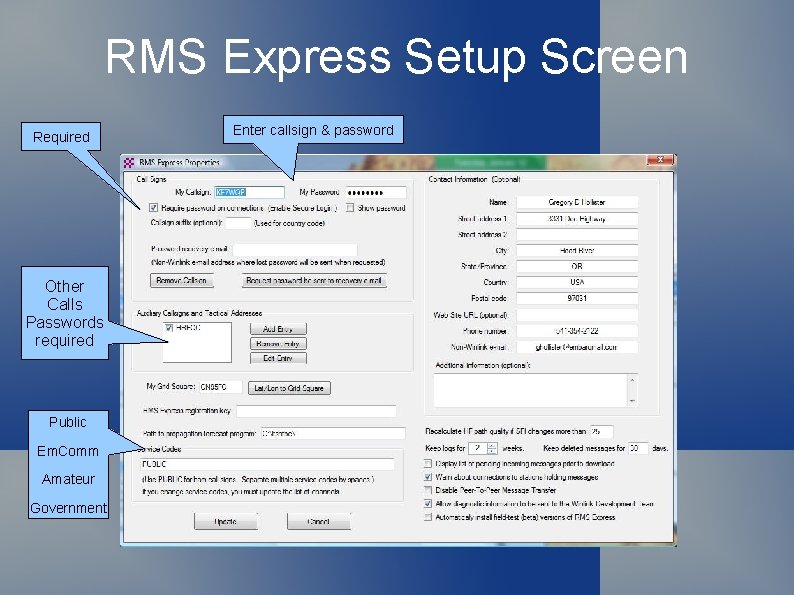
RMS Express Setup Screen Required Other Calls Passwords required Public Em. Comm Amateur Government Enter callsign & password
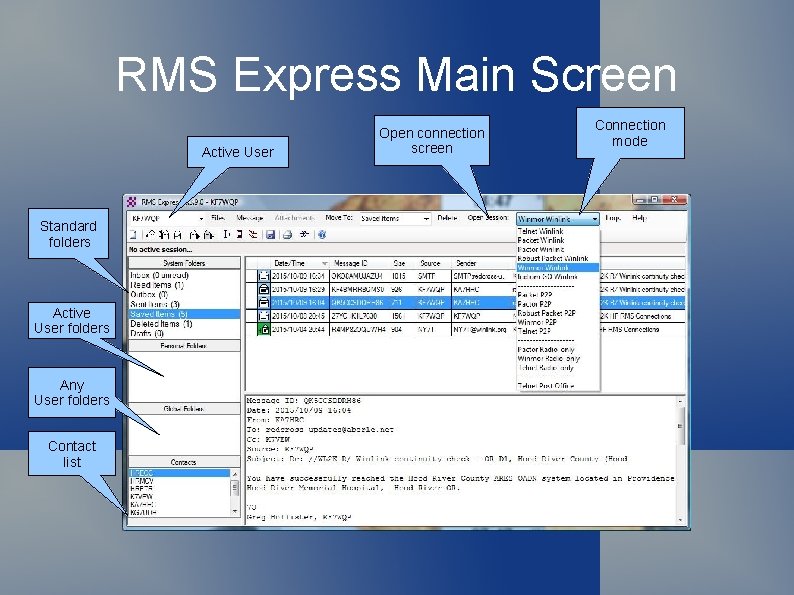
RMS Express Main Screen Active User Standard folders Active User folders Any User folders Contact list Open connection screen Connection mode
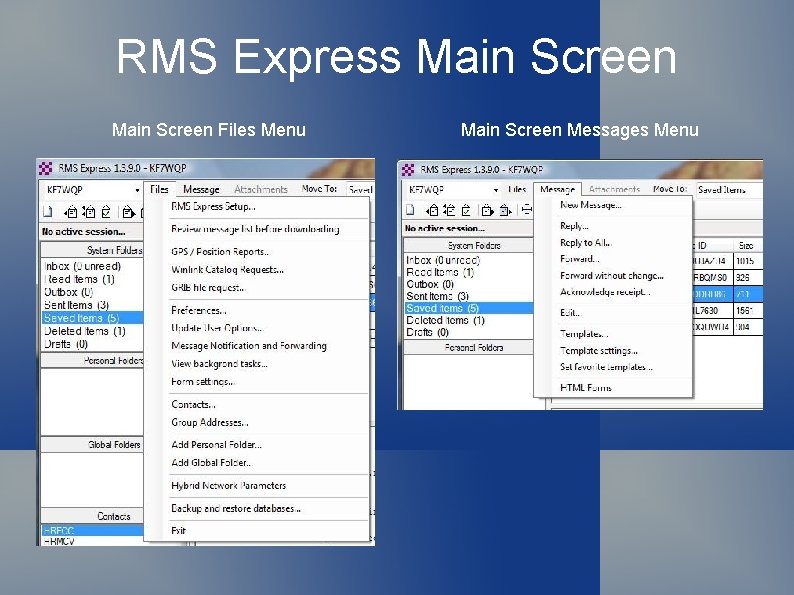
RMS Express Main Screen Files Menu Main Screen Messages Menu
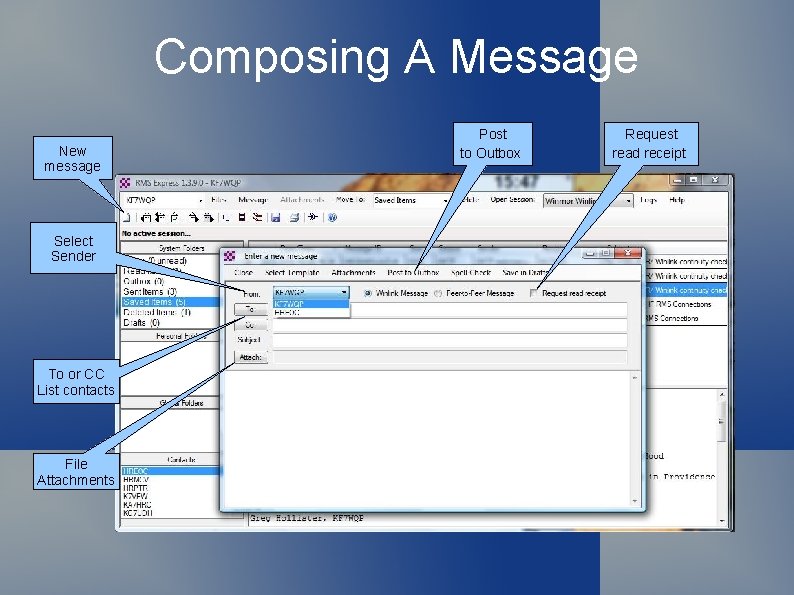
Composing A Message New message Select Sender To or CC List contacts File Attachments Post to Outbox Request read receipt
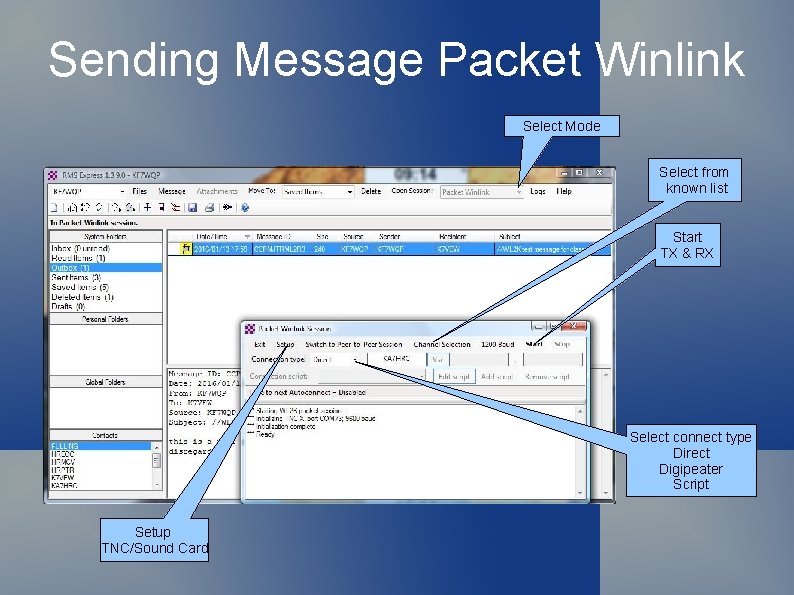
Sending Message Packet Winlink Select Mode Select from known list Start TX & RX Select connect type Direct Digipeater Script Setup TNC/Sound Card
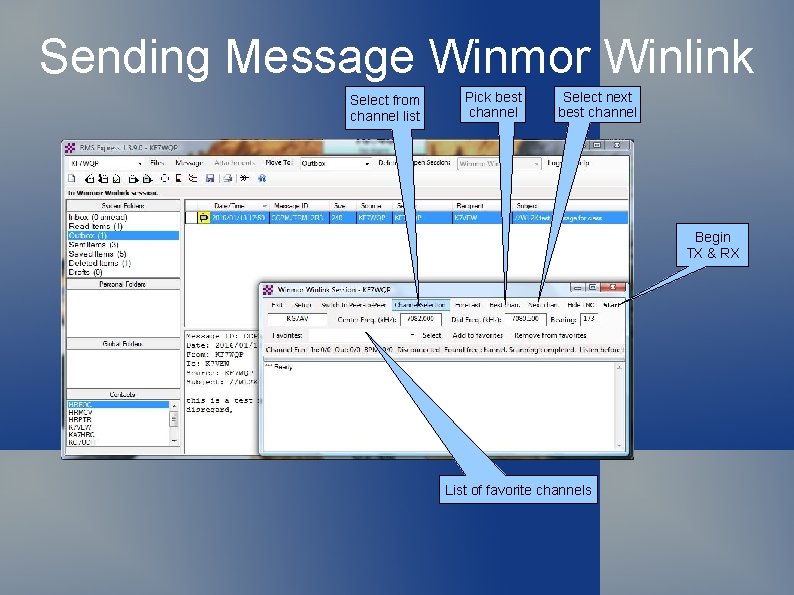
Sending Message Winmor Winlink Select from channel list Pick best channel Select next best channel Begin TX & RX List of favorite channels
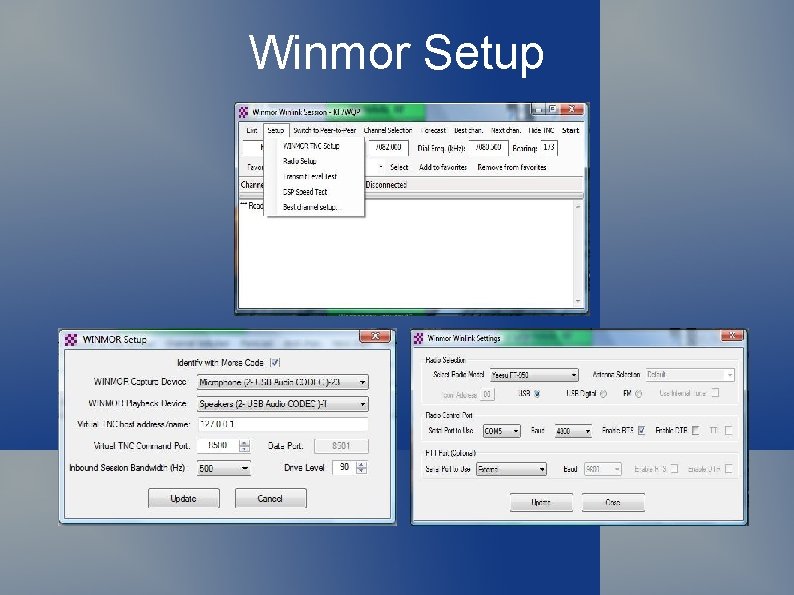
Winmor Setup
Winmor Channel List
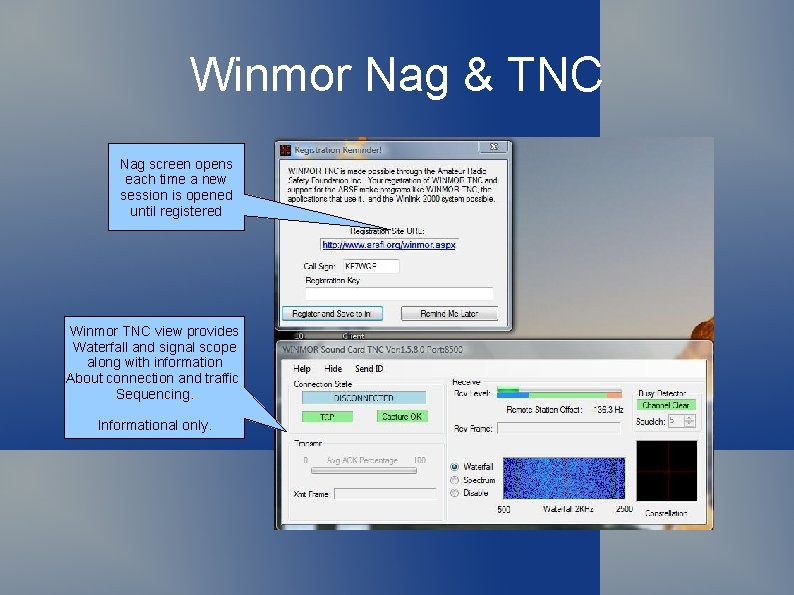
Winmor Nag & TNC Nag screen opens each time a new session is opened until registered Winmor TNC view provides Waterfall and signal scope along with information About connection and traffic Sequencing. Informational only.
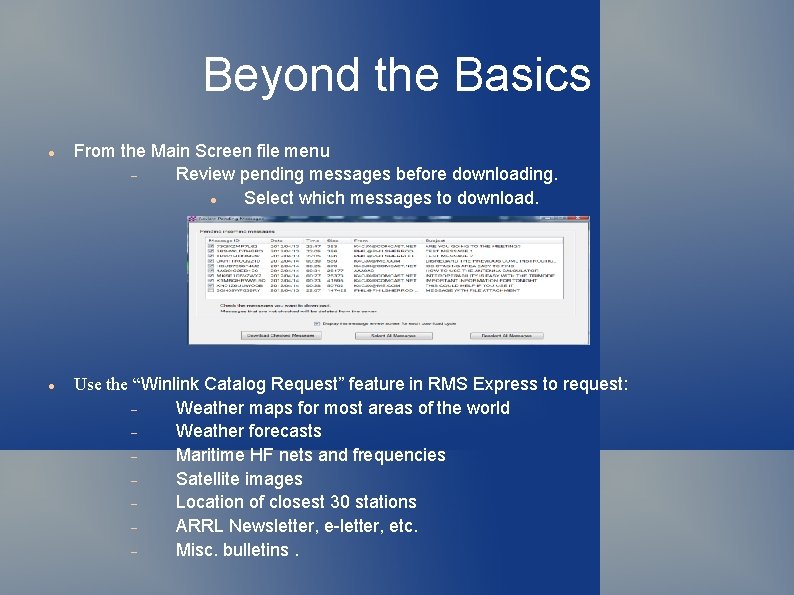
Beyond the Basics From the Main Screen file menu Review pending messages before downloading. Select which messages to download. Use the “Winlink Catalog Request” feature in RMS Express to request: Weather maps for most areas of the world Weather forecasts Maritime HF nets and frequencies Satellite images Location of closest 30 stations ARRL Newsletter, e-letter, etc. Misc. bulletins.
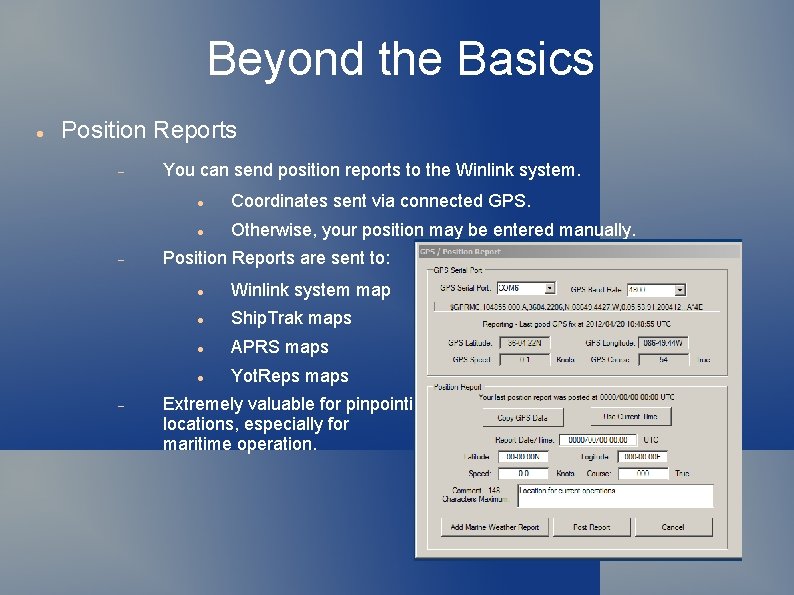
Beyond the Basics Position Reports You can send position reports to the Winlink system. Coordinates sent via connected GPS. Otherwise, your position may be entered manually. Position Reports are sent to: Winlink system map Ship. Trak maps APRS maps Yot. Reps maps Extremely valuable for pinpointing locations, especially for maritime operation.
Beyond the Basics Message Templates HTML Forms The next step in message templates Hybrid Network Parameters Formatted messages and forms with internal tags to collect input Define message flow when sending via radio only Scripts For automatic connection to remote locations and more
That's it how about a. . Demo