
Windows Vista and Longhorn Server Understanding Enhancing and

- Slides: 40
Windows Vista and “Longhorn” Server: Understanding, Enhancing and Extending Security End-to-end FUN 210 Andrew Tucker Avi Ben-Menahem Lead Program Manager Development Lead Microsoft Corporation 1
Agenda Windows Vista and “Longhorn” Server Security Overview Isolated Desktop Crypto Next Generation (a. k. a CNG) Base Smart Card CSP architecture X. 509 Enrollment classes Win. Logon Architecture User Account Protection and You 2
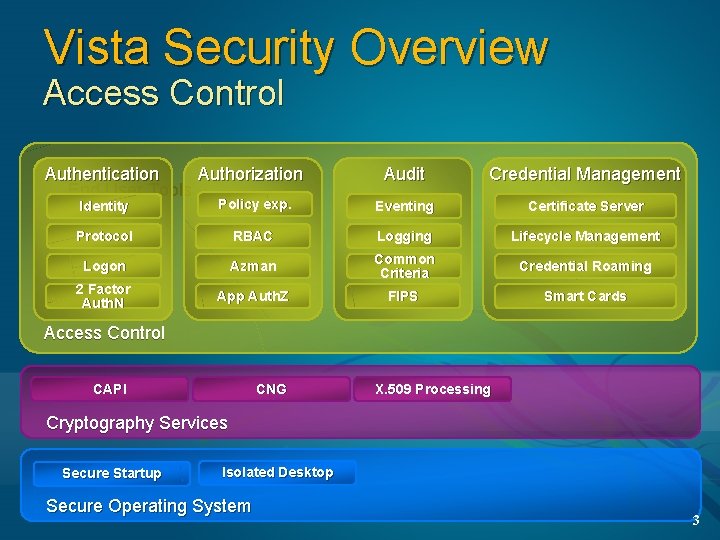
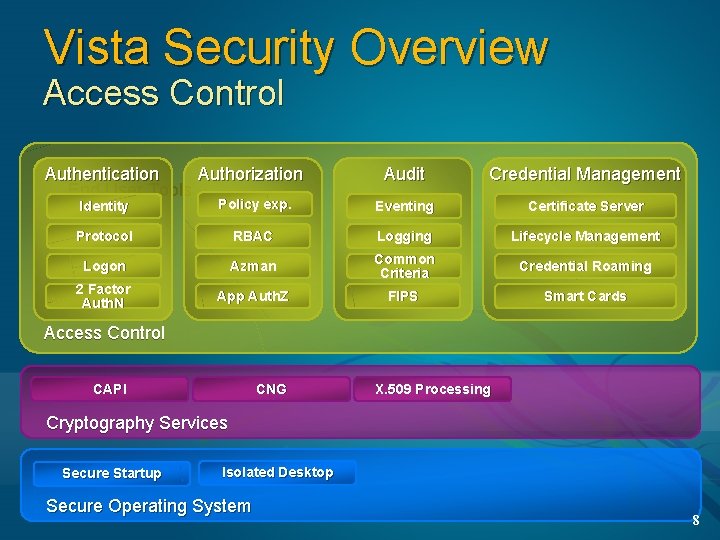
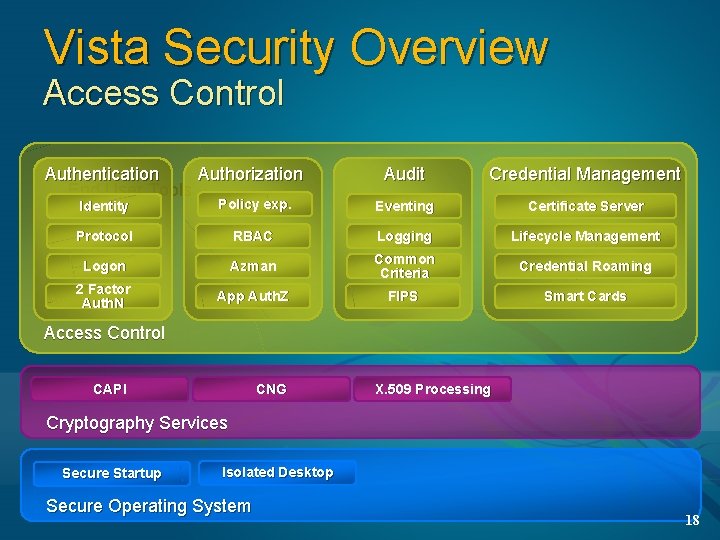
Vista Security Overview Access Control Authentication Authorization End User Tools Audit Credential Management Identity Policy exp. Eventing Certificate Server Protocol RBAC Logging Lifecycle Management Logon Azman Credential Roaming 2 Factor Auth. N Common Criteria App Auth. Z FIPS Smart Cards Access Control CAPI CNG X. 509 Processing Cryptography Services Secure Startup Isolated Desktop Secure Operating System 3
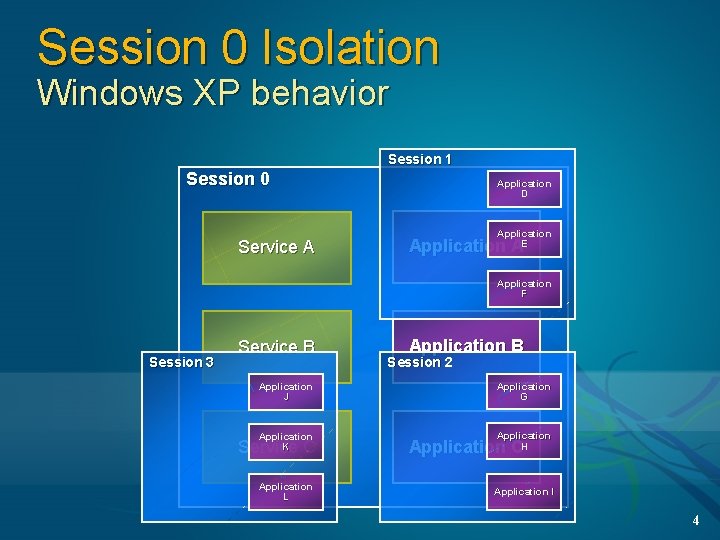
Session 0 Isolation Windows XP behavior Session 1 Session 0 Service A Application D Application E Application A Application F Session 3 Service B Application B Session 2 Application J Application G Application K Application H Service C Application L Application C Application I 4
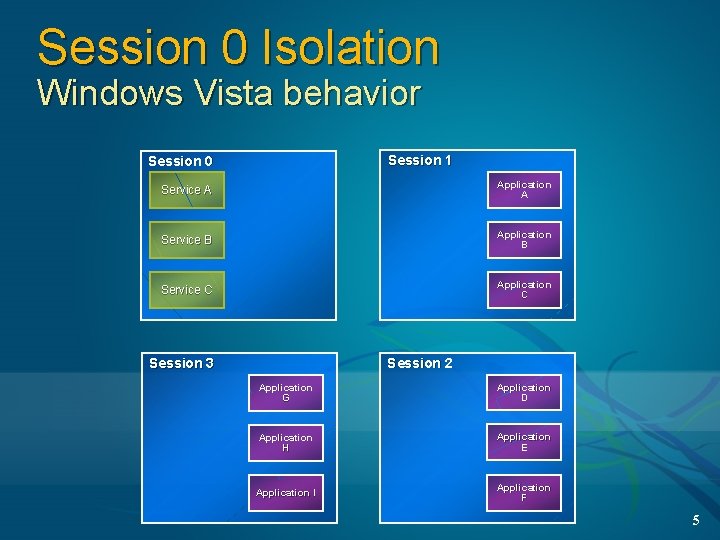
Session 0 Isolation Windows Vista behavior Session 1 Session 0 Service A Application A Service B Application B Service C Application C Session 2 Session 3 Application G Application D Application H Application E Application I Application F 5
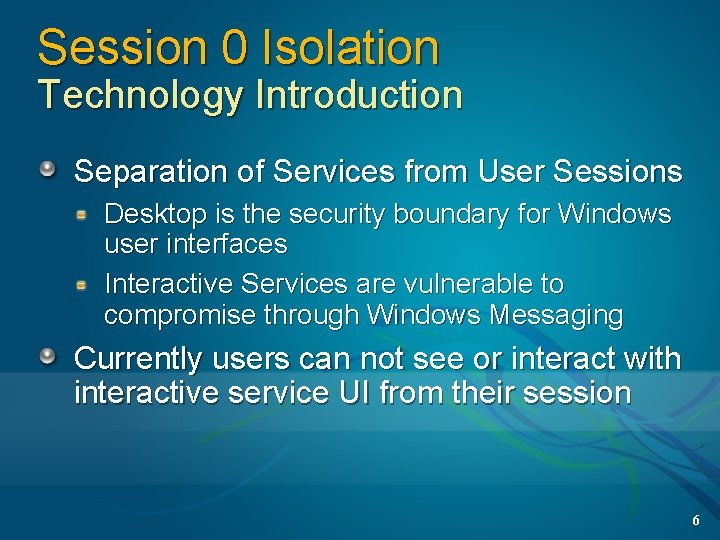
Session 0 Isolation Technology Introduction Separation of Services from User Sessions Desktop is the security boundary for Windows user interfaces Interactive Services are vulnerable to compromise through Windows Messaging Currently users can not see or interact with interactive service UI from their session 6
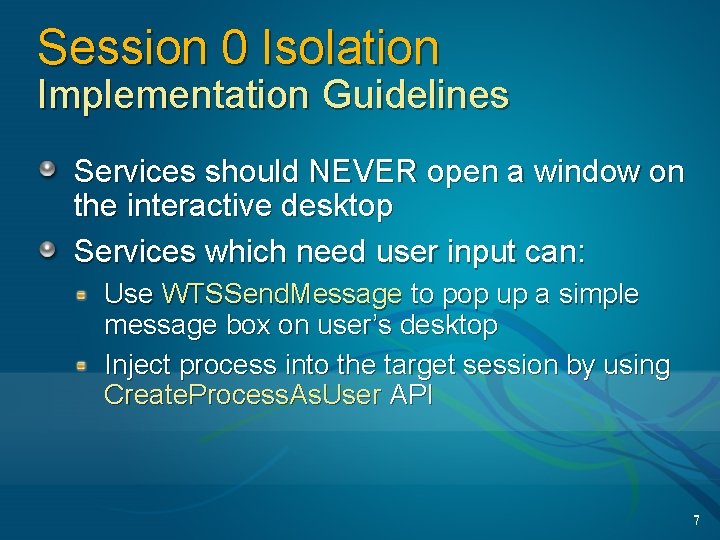
Session 0 Isolation Implementation Guidelines Services should NEVER open a window on the interactive desktop Services which need user input can: Use WTSSend. Message to pop up a simple message box on user’s desktop Inject process into the target session by using Create. Process. As. User API 7
Vista Security Overview Access Control Authentication Authorization End User Tools Audit Credential Management Identity Policy exp. Eventing Certificate Server Protocol RBAC Logging Lifecycle Management Logon Azman Credential Roaming 2 Factor Auth. N Common Criteria App Auth. Z FIPS Smart Cards Access Control CAPI CNG X. 509 Processing Cryptography Services Secure Startup Isolated Desktop Secure Operating System 8
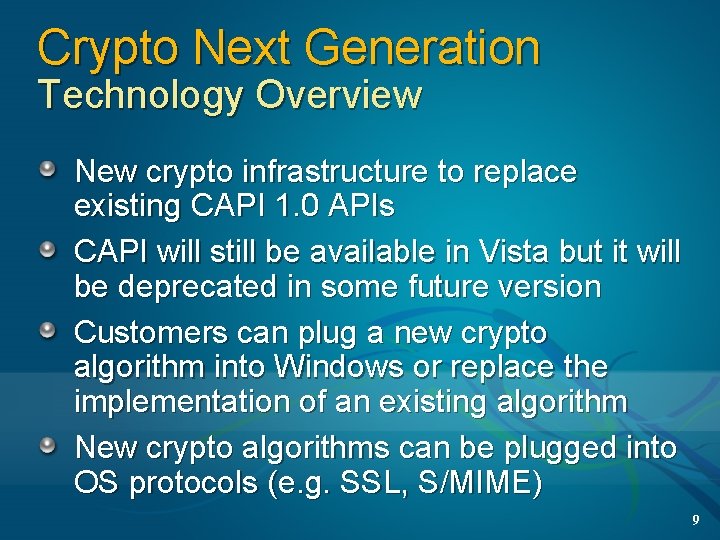
Crypto Next Generation Technology Overview New crypto infrastructure to replace existing CAPI 1. 0 APIs CAPI will still be available in Vista but it will be deprecated in some future version Customers can plug a new crypto algorithm into Windows or replace the implementation of an existing algorithm New crypto algorithms can be plugged into OS protocols (e. g. SSL, S/MIME) 9
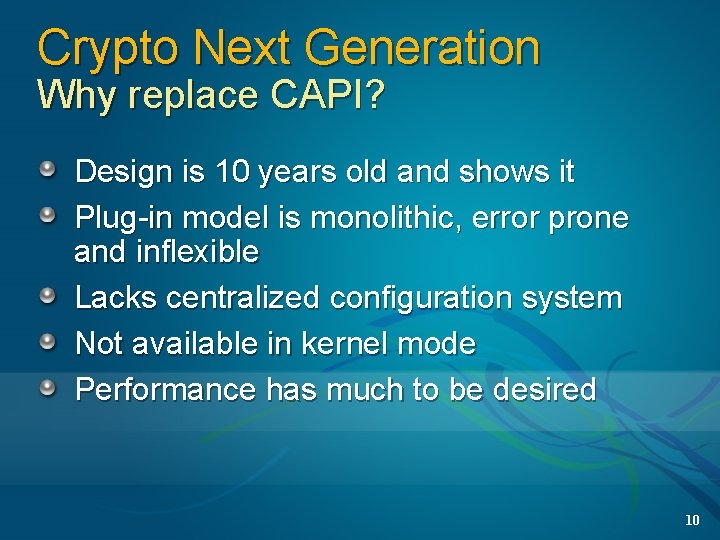
Crypto Next Generation Why replace CAPI? Design is 10 years old and shows it Plug-in model is monolithic, error prone and inflexible Lacks centralized configuration system Not available in kernel mode Performance has much to be desired 10
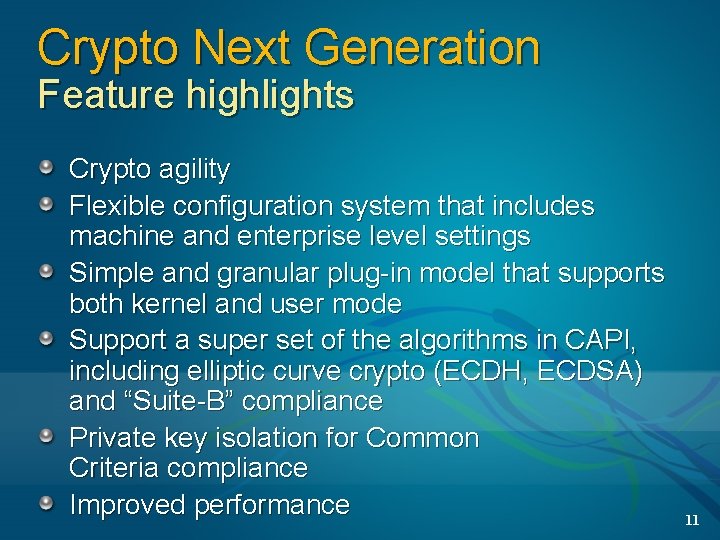
Crypto Next Generation Feature highlights Crypto agility Flexible configuration system that includes machine and enterprise level settings Simple and granular plug-in model that supports both kernel and user mode Support a super set of the algorithms in CAPI, including elliptic curve crypto (ECDH, ECDSA) and “Suite-B” compliance Private key isolation for Common Criteria compliance Improved performance 11
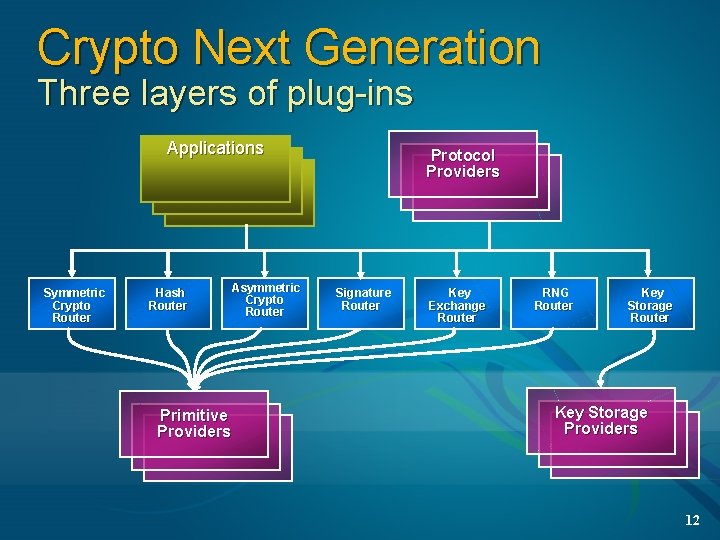
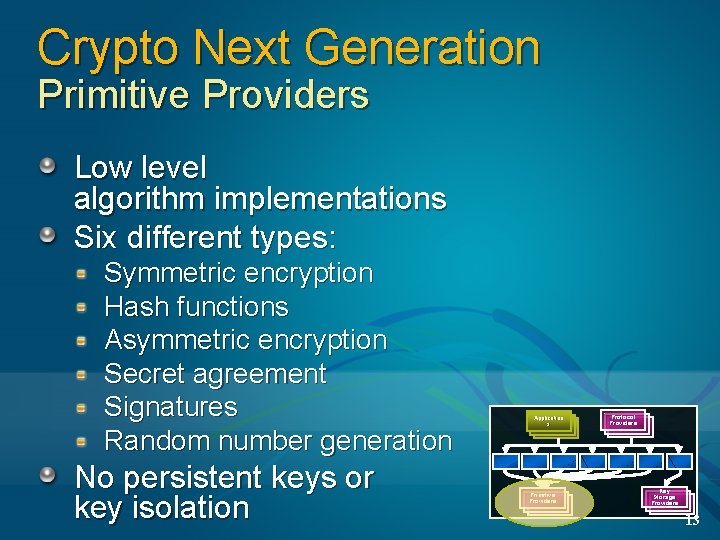
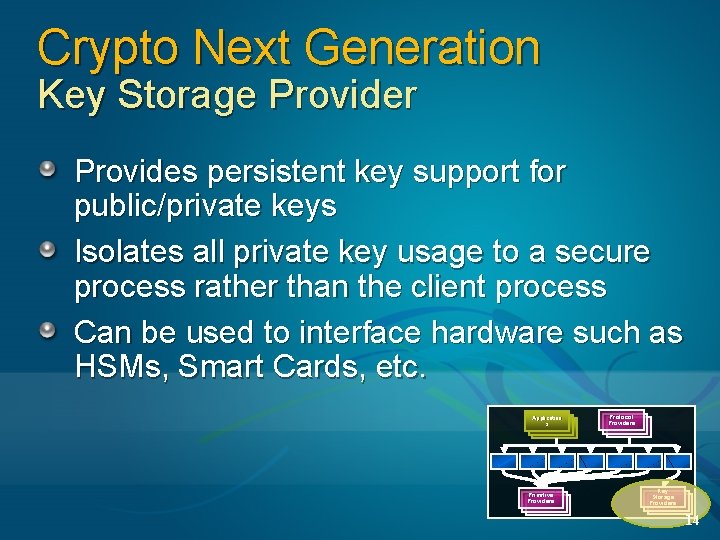
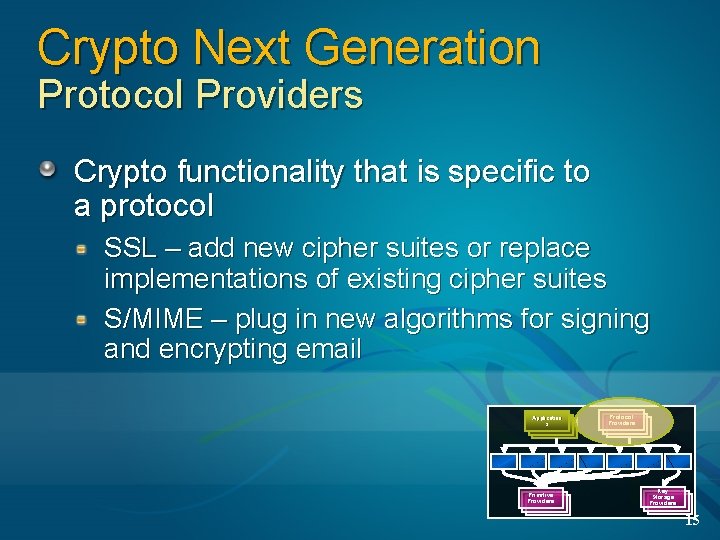
Crypto Next Generation Three layers of plug-ins Applications Symmetric Crypto Router Hash Router Primitive Providers Asymmetric Crypto Router Protocol Providers Signature Router Key Exchange Router RNG Router Key Storage Providers 12
Crypto Next Generation Primitive Providers Low level algorithm implementations Six different types: Symmetric encryption Hash functions Asymmetric encryption Secret agreement Signatures Random number generation No persistent keys or key isolation Application s Primitive Providers Protocol Providers Key Storage Providers 13
Crypto Next Generation Key Storage Provider Provides persistent key support for public/private keys Isolates all private key usage to a secure process rather than the client process Can be used to interface hardware such as HSMs, Smart Cards, etc. Application s Primitive Providers Protocol Providers Key Storage Providers 14
Crypto Next Generation Protocol Providers Crypto functionality that is specific to a protocol SSL – add new cipher suites or replace implementations of existing cipher suites S/MIME – plug in new algorithms for signing and encrypting email Application s Primitive Providers Protocol Providers Key Storage Providers 15
Crypto Next Generation CNG is expected to be an Open Cryptographic Interface (OCI) and will no longer require plug-ins to be signed by Microsoft We are working to enable this under US export law Eliminates one of the big headaches of CAPI CSPs 16
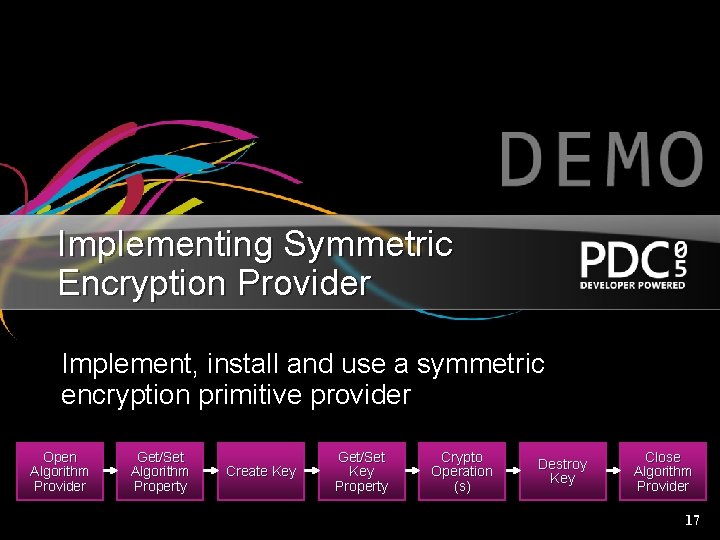
Implementing Symmetric Encryption Provider Implement, install and use a symmetric encryption primitive provider Open Algorithm Provider Get/Set Algorithm Property Create Key Get/Set Key Property Crypto Operation (s) Destroy Key Close Algorithm Provider 17
Vista Security Overview Access Control Authentication Authorization End User Tools Audit Credential Management Identity Policy exp. Eventing Certificate Server Protocol RBAC Logging Lifecycle Management Logon Azman Credential Roaming 2 Factor Auth. N Common Criteria App Auth. Z FIPS Smart Cards Access Control CAPI CNG X. 509 Processing Cryptography Services Secure Startup Isolated Desktop Secure Operating System 18
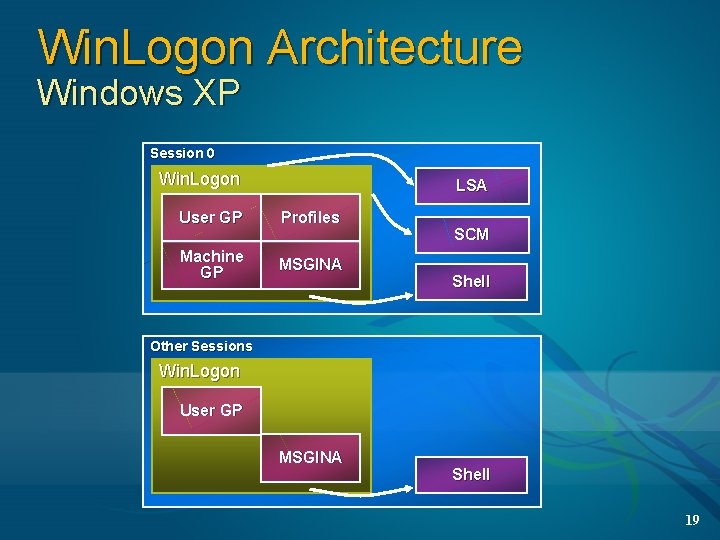
Win. Logon Architecture Windows XP Session 0 Win. Logon LSA User GP Profiles Machine GP MSGINA SCM Shell Other Sessions Win. Logon User GP MSGINA Shell 19
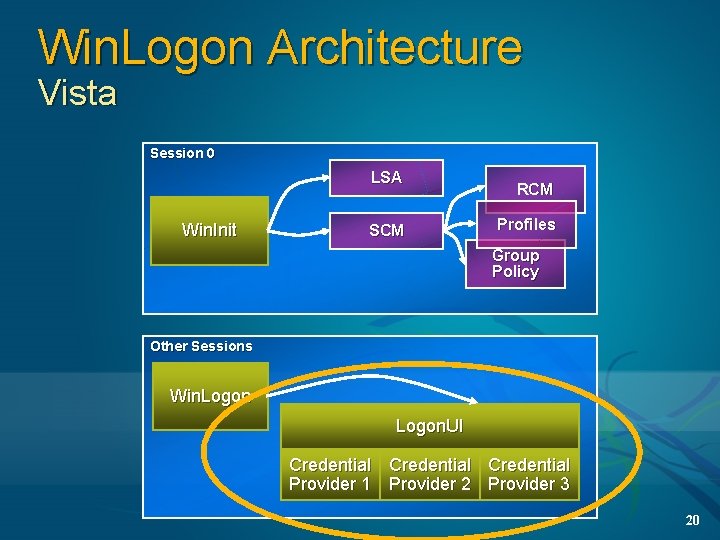
Win. Logon Architecture Vista Session 0 LSA Win. Init SCM RCM Profiles Group Policy Other Sessions Win. Logon. UI Credential Provider 1 Provider 2 Provider 3 20
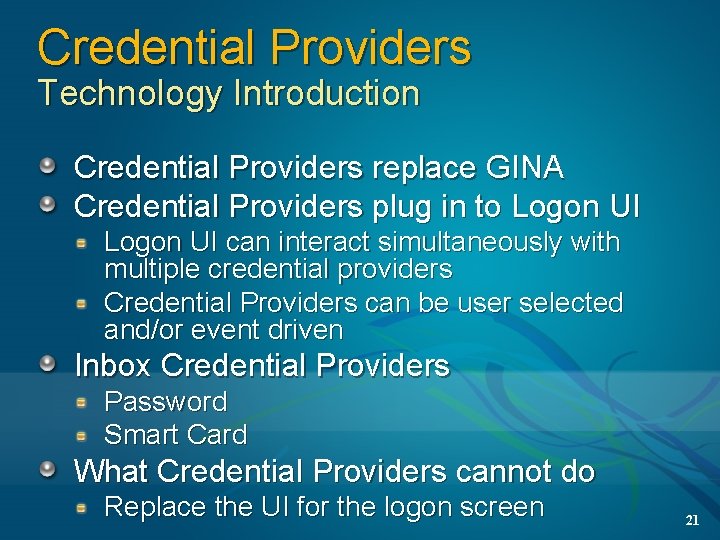
Credential Providers Technology Introduction Credential Providers replace GINA Credential Providers plug in to Logon UI can interact simultaneously with multiple credential providers Credential Providers can be user selected and/or event driven Inbox Credential Providers Password Smart Card What Credential Providers cannot do Replace the UI for the logon screen 21
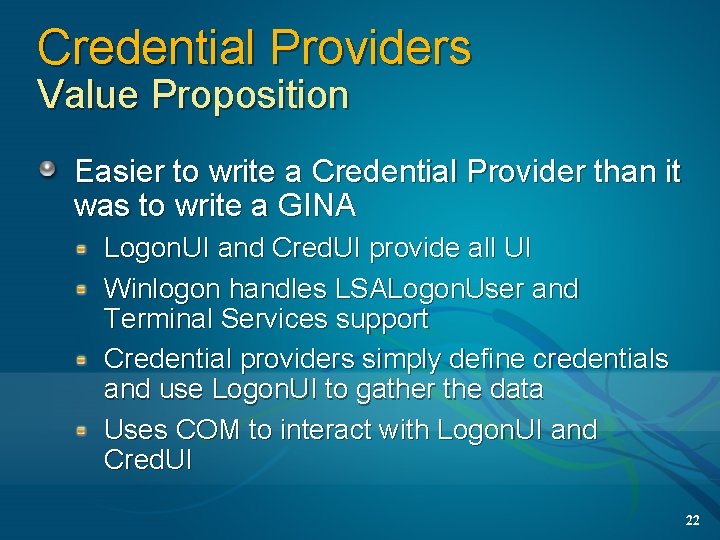
Credential Providers Value Proposition Easier to write a Credential Provider than it was to write a GINA Logon. UI and Cred. UI provide all UI Winlogon handles LSALogon. User and Terminal Services support Credential providers simply define credentials and use Logon. UI to gather the data Uses COM to interact with Logon. UI and Cred. UI 22
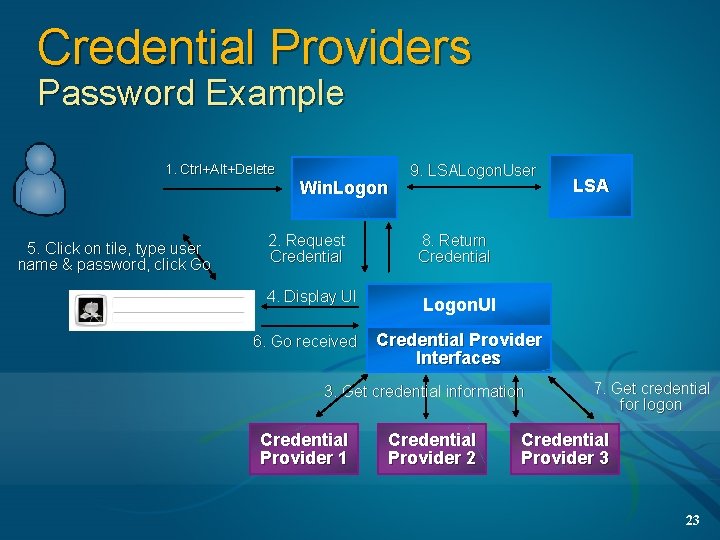
Credential Providers Password Example 1. Ctrl+Alt+Delete 5. Click on tile, type user name & password, click Go Win. Logon 9. LSALogon. User 2. Request Credential 8. Return Credential 4. Display UI Logon. UI 6. Go received Credential Provider Interfaces 3. Get credential information Credential Provider 1 LSA Credential Provider 2 7. Get credential for logon Credential Provider 3 23
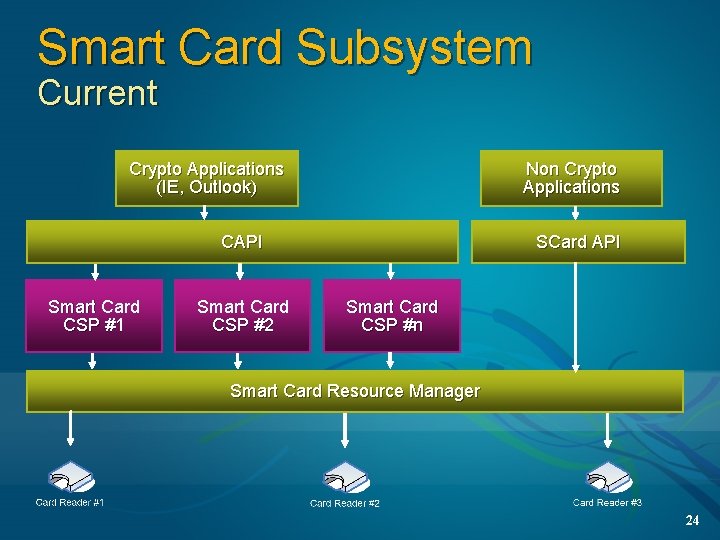
Smart Card Subsystem Current Crypto Applications (IE, Outlook) Non Crypto Applications CAPI Smart Card CSP #1 Smart Card CSP #2 SCard API Smart Card CSP #n Smart Card Resource Manager 24
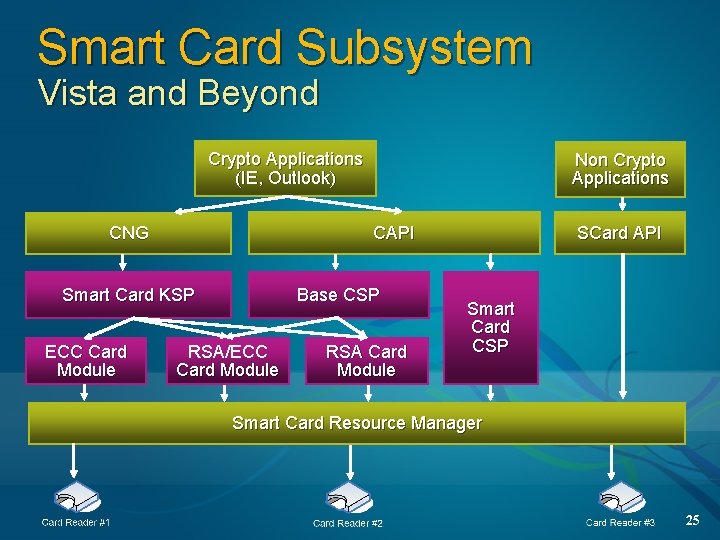
Smart Card Subsystem Vista and Beyond Crypto Applications (IE, Outlook) CAPI CNG Base CSP Smart Card KSP ECC Card Module Non Crypto Applications RSA/ECC Card Module RSA Card Module SCard API Smart Card CSP Smart Card Resource Manager 25
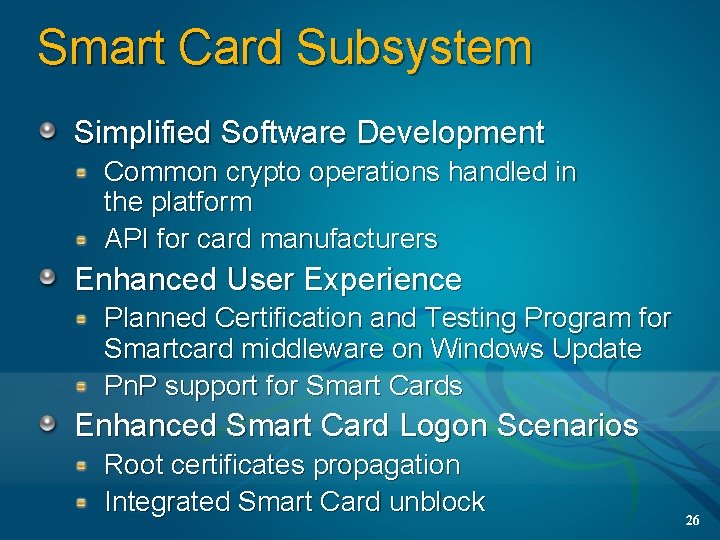
Smart Card Subsystem Simplified Software Development Common crypto operations handled in the platform API for card manufacturers Enhanced User Experience Planned Certification and Testing Program for Smartcard middleware on Windows Update Pn. P support for Smart Cards Enhanced Smart Card Logon Scenarios Root certificates propagation Integrated Smart Card unblock 26
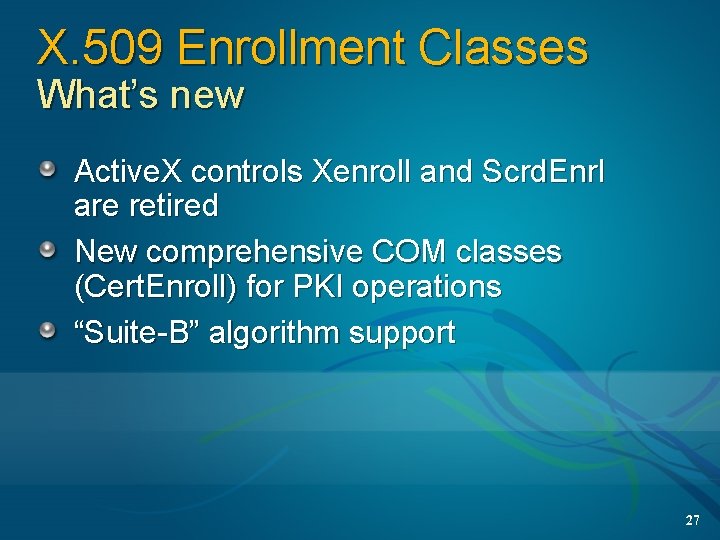
X. 509 Enrollment Classes What’s new Active. X controls Xenroll and Scrd. Enrl are retired New comprehensive COM classes (Cert. Enroll) for PKI operations “Suite-B” algorithm support 27
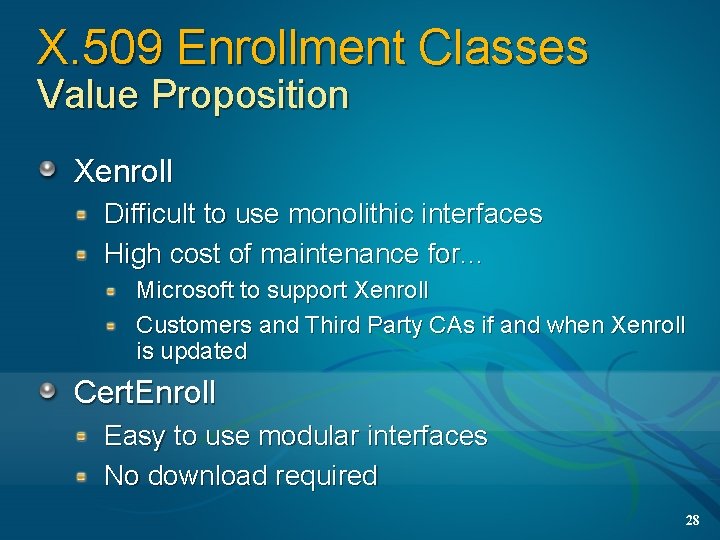
X. 509 Enrollment Classes Value Proposition Xenroll Difficult to use monolithic interfaces High cost of maintenance for. . . Microsoft to support Xenroll Customers and Third Party CAs if and when Xenroll is updated Cert. Enroll Easy to use modular interfaces No download required 28
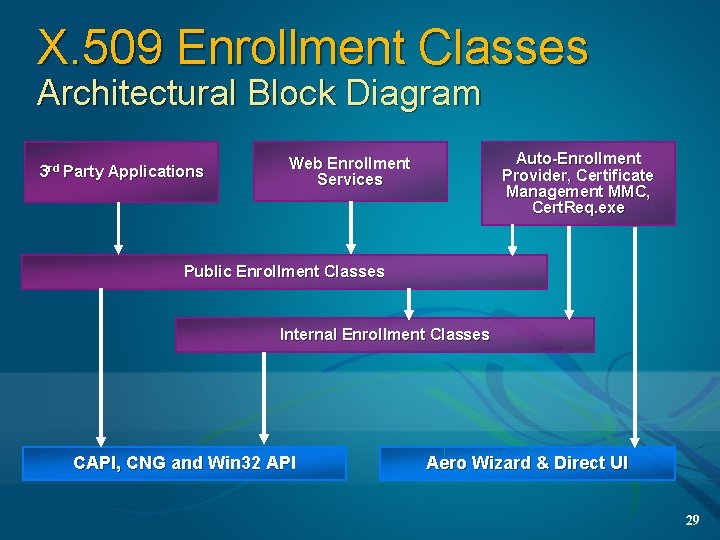
X. 509 Enrollment Classes Architectural Block Diagram 3 rd Party Applications Auto-Enrollment Provider, Certificate Management MMC, Cert. Req. exe Web Enrollment Services Public Enrollment Classes Internal Enrollment Classes CAPI, CNG and Win 32 API Aero Wizard & Direct UI 29
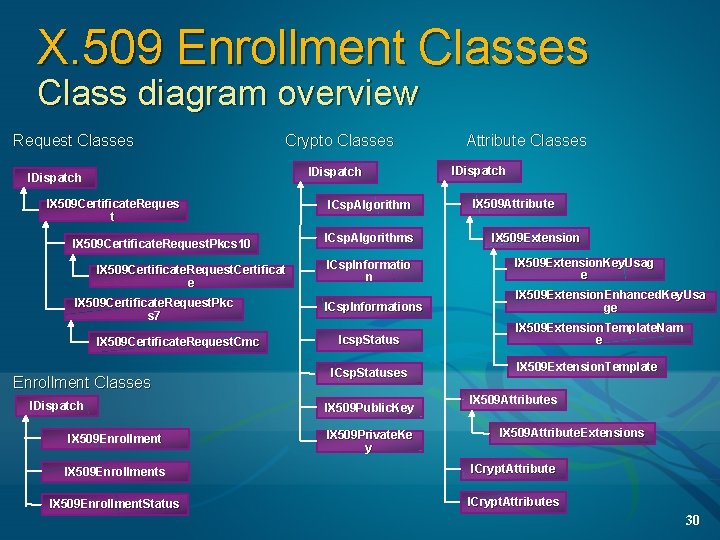
X. 509 Enrollment Classes Class diagram overview Request Classes Crypto Classes IDispatch IX 509 Certificate. Reques t IX 509 Certificate. Request. Pkcs 10 IX 509 Certificate. Request. Certificat e IX 509 Certificate. Request. Pkc s 7 IX 509 Certificate. Request. Cmc Enrollment Classes IDispatch IX 509 Enrollment ICsp. Algorithms Attribute Classes IDispatch IX 509 Attribute IX 509 Extension ICsp. Informatio n IX 509 Extension. Key. Usag e ICsp. Informations IX 509 Extension. Enhanced. Key. Usa ge Icsp. Status ICsp. Statuses IX 509 Public. Key IX 509 Private. Ke y IX 509 Extension. Template. Nam e IX 509 Extension. Template IX 509 Attributes IX 509 Attribute. Extensions IX 509 Enrollments ICrypt. Attribute IX 509 Enrollment. Status ICrypt. Attributes 30
X. 509 Enrollment Walkthrough 31
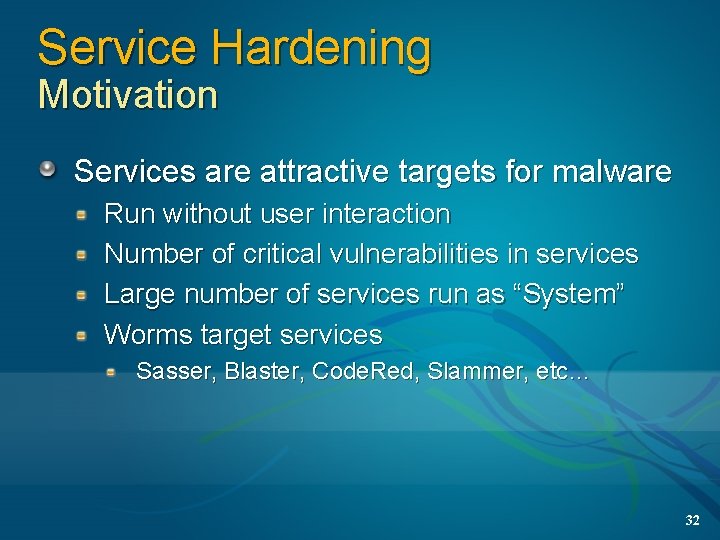
Service Hardening Motivation Services are attractive targets for malware Run without user interaction Number of critical vulnerabilities in services Large number of services run as “System” Worms target services Sasser, Blaster, Code. Red, Slammer, etc… 32
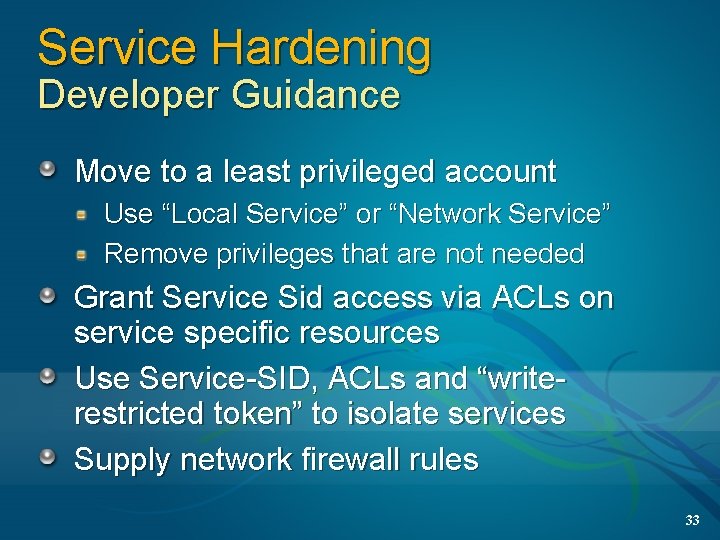
Service Hardening Developer Guidance Move to a least privileged account Use “Local Service” or “Network Service” Remove privileges that are not needed Grant Service Sid access via ACLs on service specific resources Use Service-SID, ACLs and “writerestricted token” to isolate services Supply network firewall rules 33
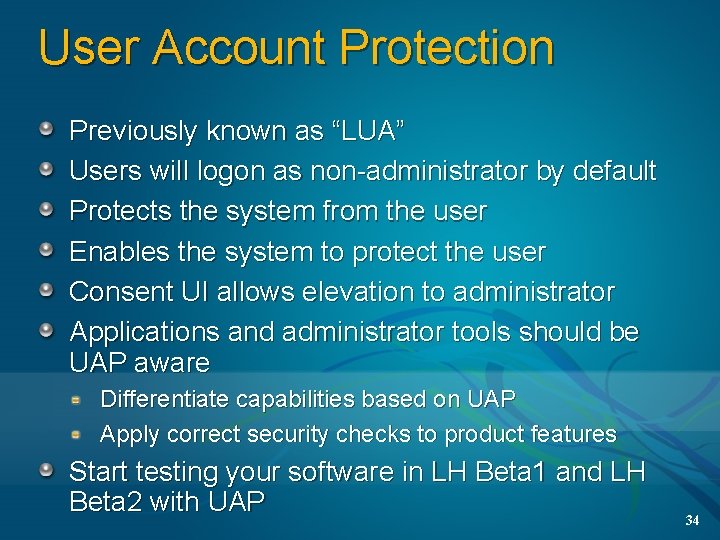
User Account Protection Previously known as “LUA” Users will logon as non-administrator by default Protects the system from the user Enables the system to protect the user Consent UI allows elevation to administrator Applications and administrator tools should be UAP aware Differentiate capabilities based on UAP Apply correct security checks to product features Start testing your software in LH Beta 1 and LH Beta 2 with UAP 34
User Account Protection Additional Information Where can I find more information? Come get Whitepaper from FUNdamentals Cabana! FUN 406 - Windows Vista: User Account Protection ”Securing Your Application with Least Privilege Administration Contact info? Darren Canavor – darrenc@Microsoft. com 35
CNG Additional Information CNG Documentation available for review API documentation - currently only available with signed NDA and EULA Contacts Tomas Palmer - tomasp@Microsoft. com Tolga Acar - tolga@Microsoft. com 36
Smart Card Subsystem Additional Information Where can I find more information? Base CSP and Card Module specifications have been published to over 20 card vendors – ask if your card vendor has a card module Card module developer kit including card module spec, Base CSP binary, test suite, etc. is currently only available with signed NDA and EULA Card module developer information will be made public via MSDN in the coming months A whitepaper on the new smart card infrastructure will be released at the same time as the Base CSP Contact info Derek Adam (Derek. A@microsoft. com) 37
X. 509 Enrollment Classes Additional Information Where can I find more information? Libraries included in Vista Beta 1 Specifications are currently only available with signed NDA and EULA Contact info? Anand Abhyankar Anand. Abhyankar@Microsoft. com 38
Service Hardening Additional Information Related Sessions FUNHOL 019 – “Best Practices for writing Vista Services” Contacts Windows Service Hardening - wsh@Microsoft. com 39
© 2005 Microsoft Corporation. All rights reserved. This presentation is for informational purposes only. Microsoft makes no warranties, express or implied, in this summary. 40