
Windows Server Power Management Stephen Berard Program Manager
Windows Server Power Management Stephen Berard Program Manager Windows Platform Architecture Team
Key Takeaways Be a leader in advancing 64 -bit computing Adopt best practices and new tools Let’s partner on new hardware direction Understand make use of power management controls in Windows Server
Agenda Background Processor power management Benefits, overview Enabling support in Windows Server 2003 Changes Windows Server code name “Longhorn” Device power management Power management features in Windows Server “Longhorn” Demo Questions
Server Power Management Rationale Increasing density and computing needs in data centers are straining power and cooling capacity Server power consumption continues to climb Energy costs are rising Power generation, consumption has significant environmental impact Compliance regulation programs targeting server systems Governmental limits on CO 2 emissions
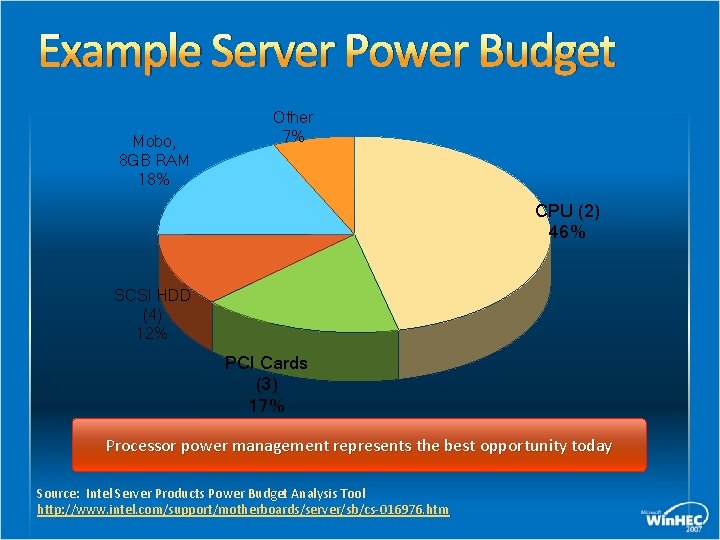
Example Server Power Budget Mobo, 8 GB RAM 18% Other 7% CPU (2) 46% SCSI HDD (4) 12% PCI Cards (3) 17% Processor power management represents the best opportunity today Source: Intel Server Products Power Budget Analysis Tool http: //www. intel. com/support/motherboards/server/sb/cs-016976. htm
Processor Power Management Benefits Offers considerable power savings Negligible impact to server performance, responsiveness Capable processors are prevalent in the market today Mature, reliable technology Significant deployments in mobile, desktop systems
Processor Power Management Benefits No user intervention required Managed by the operating system No 3 rd party software or firmware may assume control Balances power savings with CPU utilization Scale performance state based on workload Enter processor sleep states when idle (no thready to run)
Processor Power Management Benefits Fully supported by Windows Server 2003 Windows Server code name “Longhorn” Feature parity with Windows client operating systems For example, full support for: Deep idle sleep states ACPI 2. 0, 3. 0 processor objects, Notify() events Power policy for tuning Operating System (OS) target state algorithms
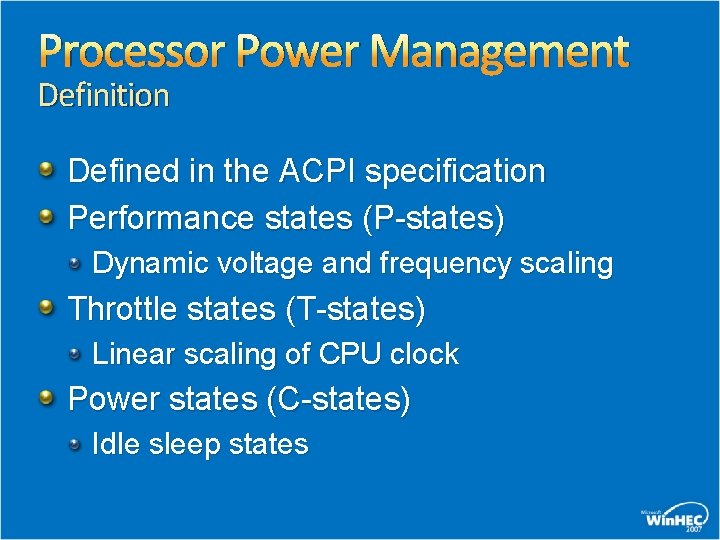
Processor Power Management Definition Defined in the ACPI specification Performance states (P-states) Dynamic voltage and frequency scaling Throttle states (T-states) Linear scaling of CPU clock Power states (C-states) Idle sleep states

Processor Power Management Functional overview All processor power states are managed by the operating system at run time Kernel power manager calculates appropriate target states Based on processor utilization, Windows power policy, thread scheduler, system heuristics OS initiates processor state transitions e. g. , scales p-state in response to workloads, or enters low processor power state when idle
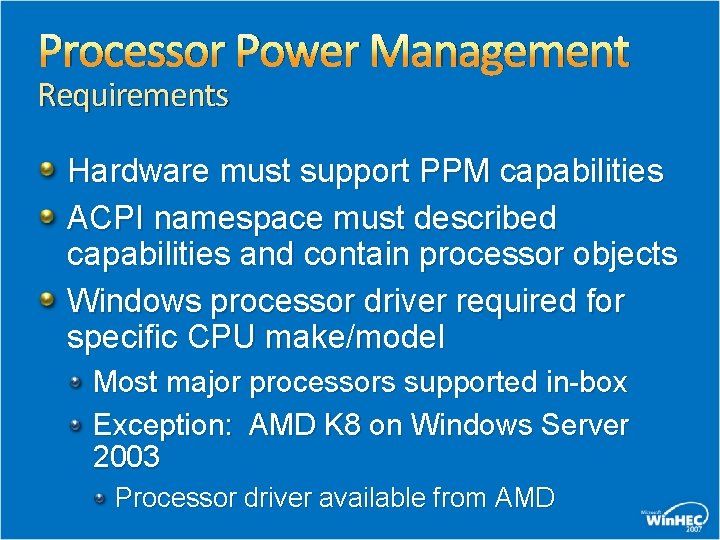
Processor Power Management Requirements Hardware must support PPM capabilities ACPI namespace must described capabilities and contain processor objects Windows processor driver required for specific CPU make/model Most major processors supported in-box Exception: AMD K 8 on Windows Server 2003 Processor driver available from AMD
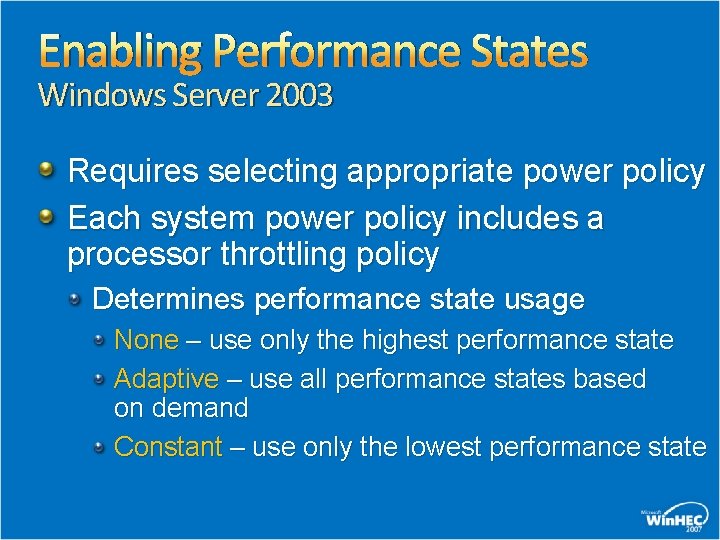
Enabling Performance States Windows Server 2003 Requires selecting appropriate power policy Each system power policy includes a processor throttling policy Determines performance state usage None – use only the highest performance state Adaptive – use all performance states based on demand Constant – use only the lowest performance state
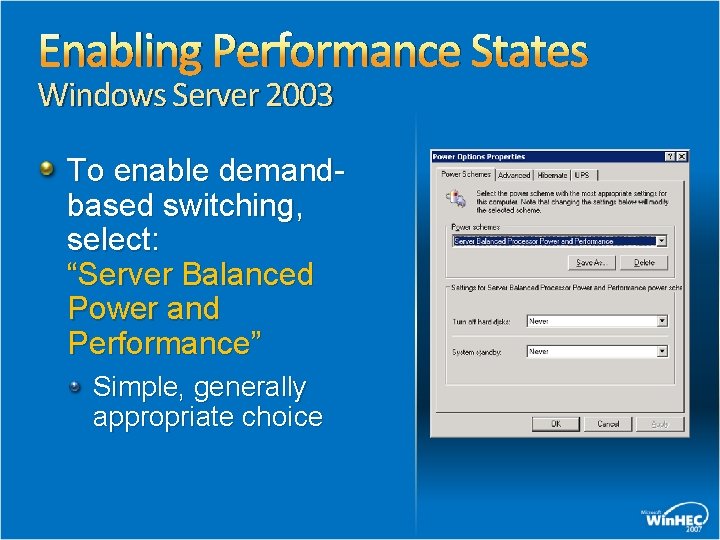
Enabling Performance States Windows Server 2003 To enable demandbased switching, select: “Server Balanced Power and Performance” Simple, generally appropriate choice
Enabling Performance States Windows Server 2003 Optionally, OEMs or server administrators may create additional power plans Select processor throttling policy based on desired behavior User powercfg. exe to view, change processor throttling policy See Appendix A for details

Processor Power Management Windows Server "Longhorn" Processor performance states are enabled by default Power policy allows flexible use of performance states Values for max, min processor speed Expressed as a percentage of max processor frequency Windows will choose the nearest available state Rounding up if necessary
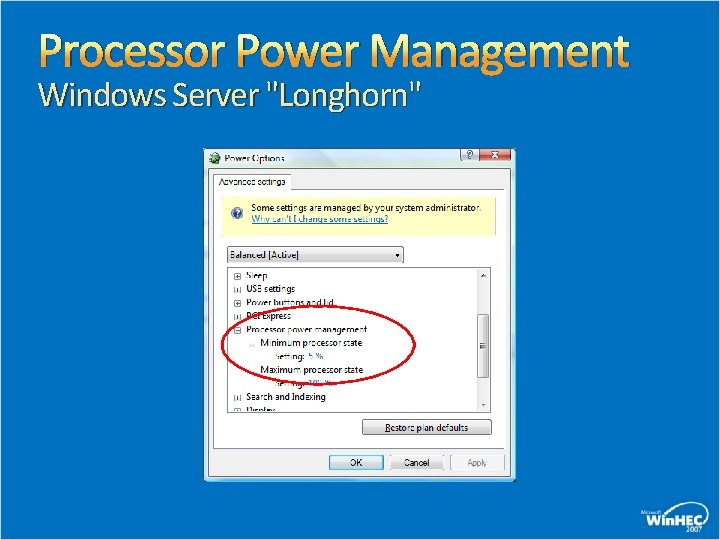
Processor Power Management Windows Server "Longhorn"
Processor Power Management Windows Server "Longhorn" Power policy will always use “Demand Based Switching” (DBS) between the range defined by max, min frequency Full range of available states, or A subset of available states Will not include linear clock throttle states Policy may be set to use only one performance state Max, min, or any intermediate state
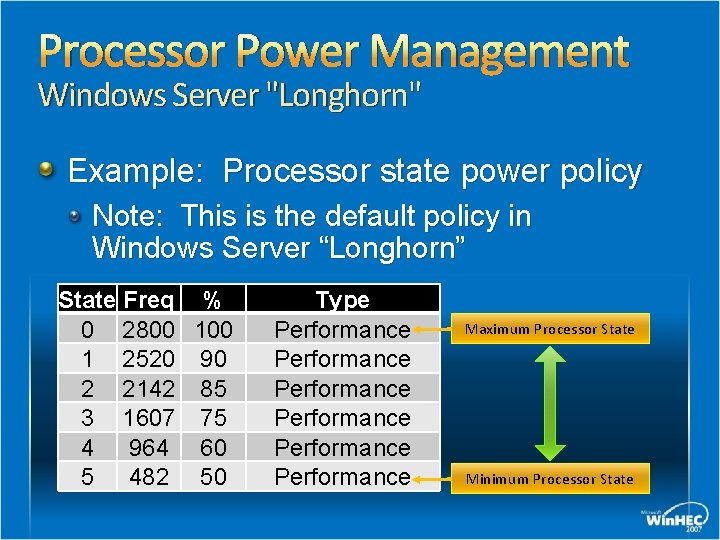
Processor Power Management Windows Server "Longhorn" Example: Processor state power policy Note: This is the default policy in Windows Server “Longhorn” State Freq % 0 2800 1 2520 90 2 2142 85 3 1607 75 4 964 60 5 482 50 Type Performance Performance Maximum Processor State Minimum Processor State
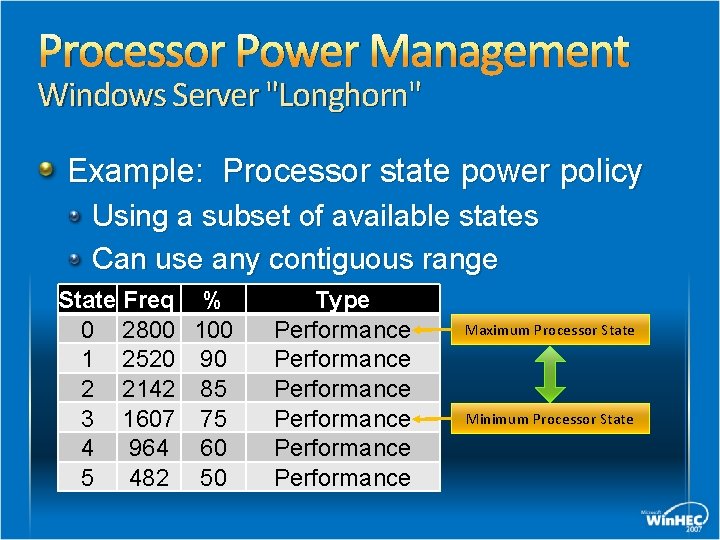
Processor Power Management Windows Server "Longhorn" Example: Processor state power policy Using a subset of available states Can use any contiguous range State Freq % 0 2800 1 2520 90 2 2142 85 3 1607 75 4 964 60 5 482 50 Type Performance Performance Maximum Processor State Minimum Processor State
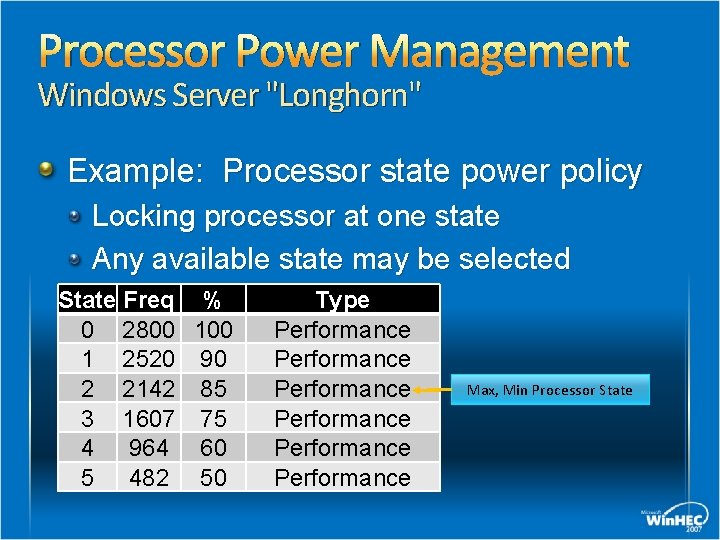
Processor Power Management Windows Server "Longhorn" Example: Processor state power policy Locking processor at one state Any available state may be selected State Freq % 0 2800 1 2520 90 2 2142 85 3 1607 75 4 964 60 5 482 50 Type Performance Performance Max, Min Processor State
Processor Power Management Windows Server "Longhorn" Linear clock throttle states Compared to true performance states, linear states do not save energy When performing identical work loads However, throttle states may be useful for some scenarios Important to understand power policy manager’s rules for use
Processor Power Management Windows Server "Longhorn" Policy control for use of linear clock throttle states By default, if performance states are present, throttle states are not enabled Kernel power manager will not choose a state below the lowest performance state If no performance states are present, throttle states will be used, but statically – no DBS Only Maximum Processor State policy value used To allow throttle states, see Appendix B
Processor Power Management Windows Server "Longhorn" The kernel power manager will never use “Demand Based Switching” (DBS) with linear throttle states However, these states may be used statically When enabled Default setting is disabled Power policy applies Maximum Processor State value, ignores Minimum
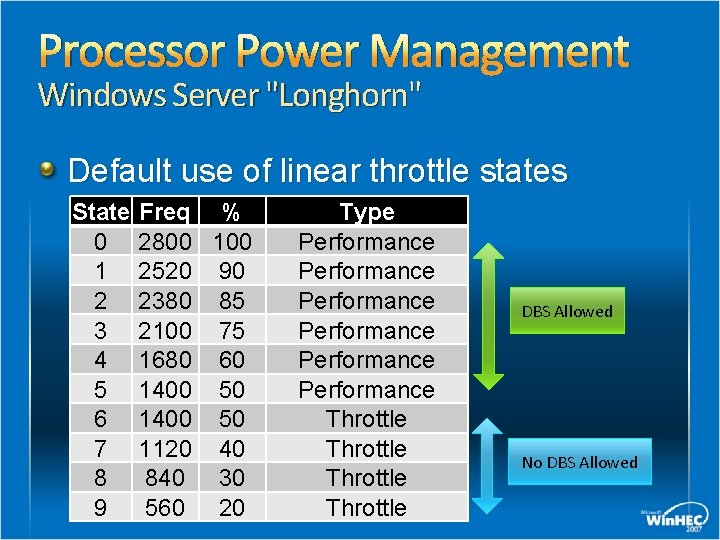
Processor Power Management Windows Server "Longhorn" Default use of linear throttle states State 0 1 2 3 4 5 6 7 8 9 Freq % 2800 100 2520 90 2380 85 2100 75 1680 60 1400 50 1120 40 840 30 560 20 Type Performance Performance Throttle DBS Allowed No DBS Allowed
Processor Power Management Windows Server “Longhorn” Processor power policy includes additional parameters Influence how kernel power manager chooses target state Allow OEMs to fine-tune platform behavior Accommodate differences in hardware implementations Optimize balance of performance versus power savings
Processor Power Management Tools and support OS utilization of processor power management can be observed in Windows Performance Monitor Power test utility provided in the Windows Driver Kit (WDK) pwrtest. exe Lists platform power management capabilities discovered by operating system Logs use of performance, throttle, idle states
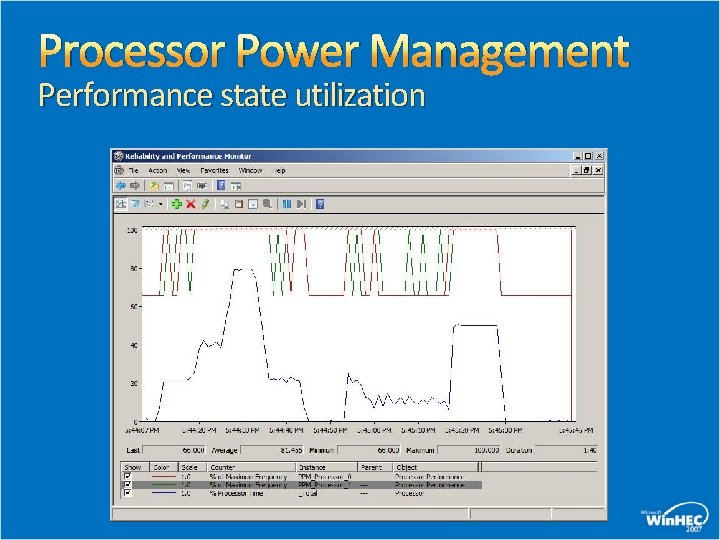
Processor Power Management Performance state utilization
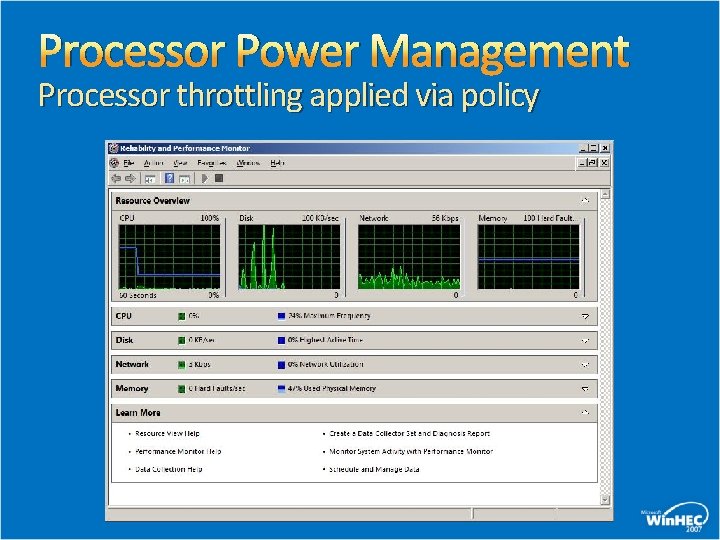
Processor Power Management Processor throttling applied via policy
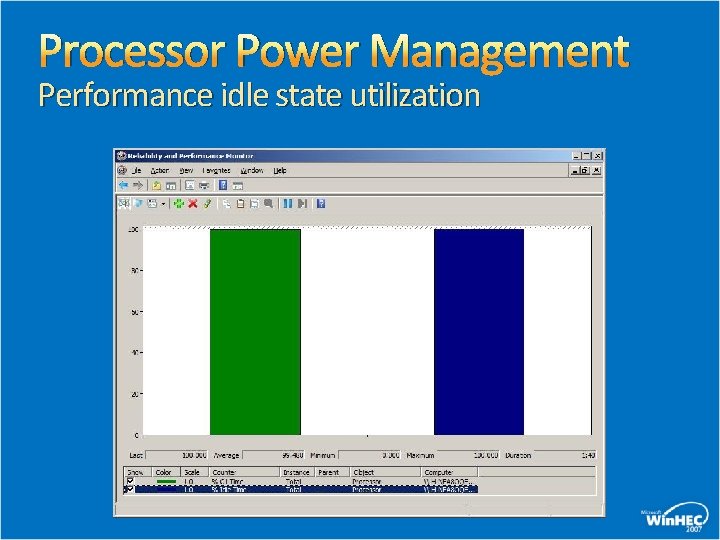
Processor Power Management Performance idle state utilization
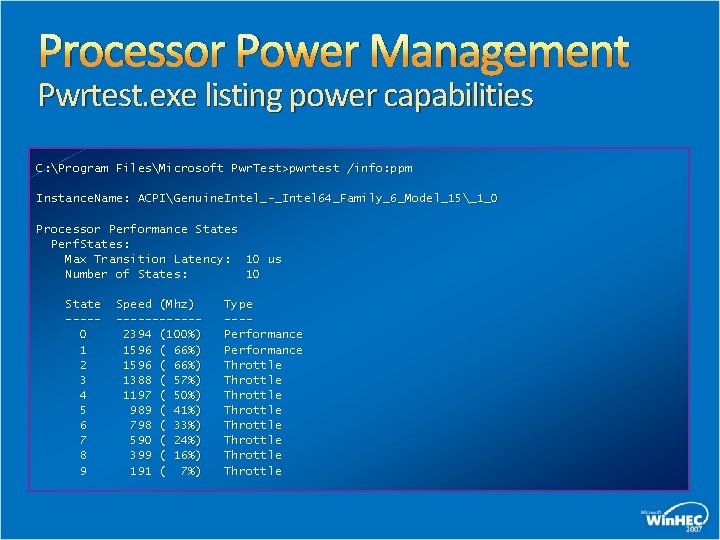
Processor Power Management Pwrtest. exe listing power capabilities C: Program FilesMicrosoft Pwr. Test>pwrtest /info: ppm Instance. Name: ACPIGenuine. Intel_-_Intel 64_Family_6_Model_15_1_0 Processor Performance States Perf. States: Max Transition Latency: 10 us Number of States: 10 State ----0 1 2 3 4 5 6 7 8 9 Speed (Mhz) ------2394 (100%) 1596 ( 66%) 1388 ( 57%) 1197 ( 50%) 989 ( 41%) 798 ( 33%) 590 ( 24%) 399 ( 16%) 191 ( 7%) Type ---Performance Throttle Throttle
Device Power Management Windows Server "Longhorn" Support for Active State Power Management (ASPM) In-box power policy for ASPM state Requires OS control of PCI Express features See white paper for details
Device Power Management Windows Server "Longhorn" Extensible power policy infrastructure Allows easy incorporation of power management-enabled devices Device power settings integrate with Windows system power policy Device power settings can appear in Advanced power UI Rich notification support
Device Power Management Windows Server "Longhorn" Extensible power policy infrastructure Allows for true OEM power management innovation and value Examples Chipset power management Network adapter power management
Server Optimized Power Plans Windows Server “Longhorn” All power plans are defined appropriately for server roles Idle timers are disabled Standby, Hibernate, hard disk Power button actions Sleep button action is set to Do Nothing System power button set to Shutdown Display timeouts remain enabled
Power Management Support Windows Server “Longhorn” Enables maximum energy savings New, simplified configuration model Group Policy control over all power settings Rich command line interface Extensive diagnostic and tracing support
Call To Action Enable processor power management In OEM server designs In datacenter server deployments Leverage Windows Server Longhorn’s extensible power management capabilities Provide additional OEM value with power management enabled devices
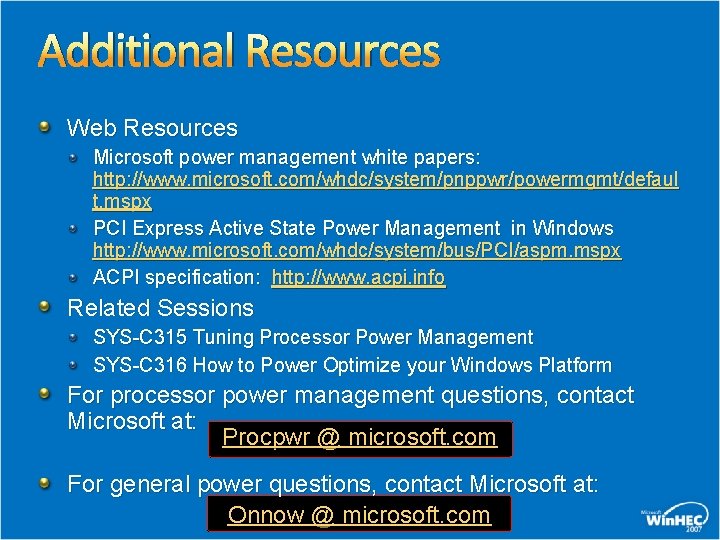
Additional Resources Web Resources Microsoft power management white papers: http: //www. microsoft. com/whdc/system/pnppwr/powermgmt/defaul t. mspx PCI Express Active State Power Management in Windows http: //www. microsoft. com/whdc/system/bus/PCI/aspm. mspx ACPI specification: http: //www. acpi. info Related Sessions SYS-C 315 Tuning Processor Power Management SYS-C 316 How to Power Optimize your Windows Platform For processor power management questions, contact Microsoft at: Procpwr @ microsoft. com For general power questions, contact Microsoft at: Onnow @ microsoft. com

© 2007 Microsoft Corporation. All rights reserved. Microsoft, Windows Vista and other product names are or may be registered trademarks and/or trademarks in the U. S. and/or other countries. The information herein is for informational purposes only and represents the current view of Microsoft Corporation as of the date of this presentation. Because Microsoft must respond to changing market conditions, it should not be interpreted to be a commitment on the part of Microsoft, and Microsoft cannot guarantee the accuracy of any information provided after the date of this presentation. MICROSOFT MAKES NO WARRANTIES, EXPRESS, IMPLIED OR STATUTORY, AS TO THE INFORMATION IN THIS PRESENTATION.
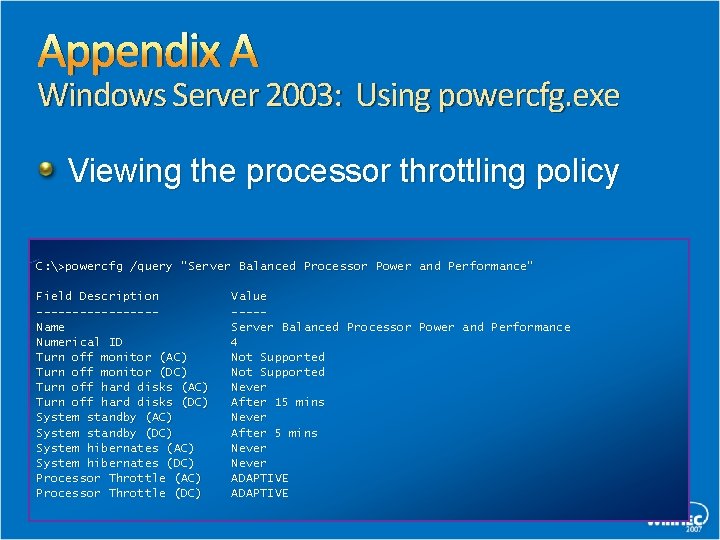
Appendix A Windows Server 2003: Using powercfg. exe Viewing the processor throttling policy C: >powercfg /query "Server Balanced Processor Power and Performance" Field Description --------Name Numerical ID Turn off monitor (AC) Turn off monitor (DC) Turn off hard disks (AC) Turn off hard disks (DC) System standby (AC) System standby (DC) System hibernates (AC) System hibernates (DC) Processor Throttle (AC) Processor Throttle (DC) Value ----Server Balanced Processor Power and Performance 4 Not Supported Never After 15 mins Never After 5 mins Never ADAPTIVE
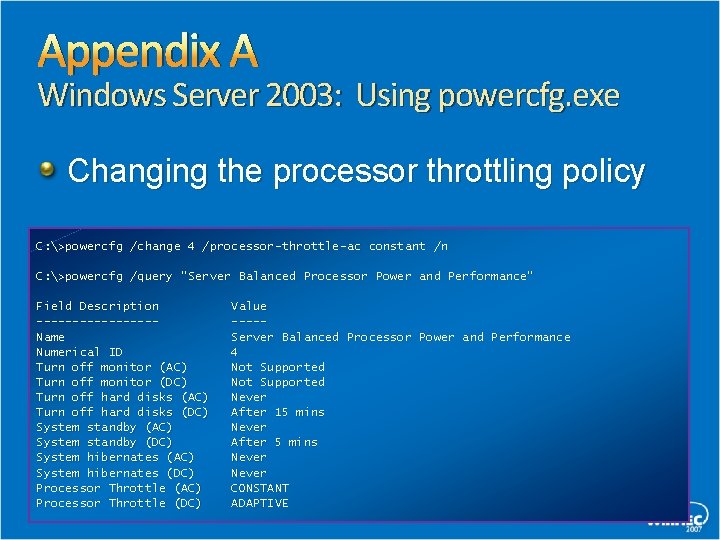
Appendix A Windows Server 2003: Using powercfg. exe Changing the processor throttling policy C: >powercfg /change 4 /processor-throttle-ac constant /n C: >powercfg /query "Server Balanced Processor Power and Performance" Field Description --------Name Numerical ID Turn off monitor (AC) Turn off monitor (DC) Turn off hard disks (AC) Turn off hard disks (DC) System standby (AC) System standby (DC) System hibernates (AC) System hibernates (DC) Processor Throttle (AC) Processor Throttle (DC) Value ----Server Balanced Processor Power and Performance 4 Not Supported Never After 15 mins Never After 5 mins Never CONSTANT ADAPTIVE
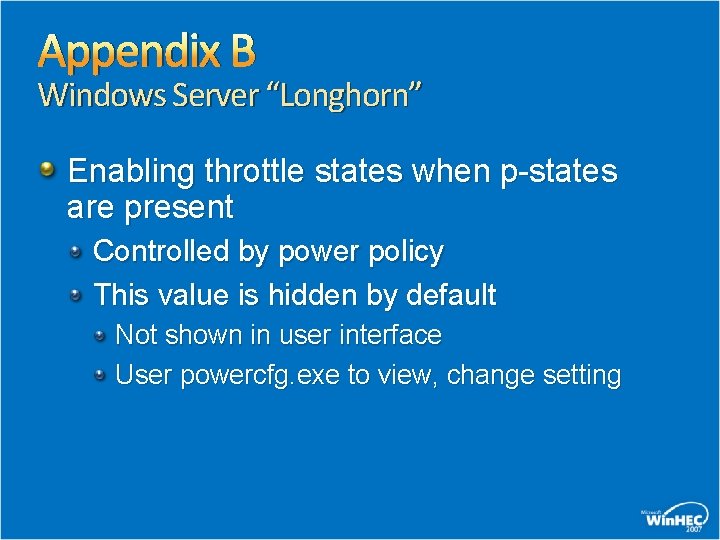
Appendix B Windows Server “Longhorn” Enabling throttle states when p-states are present Controlled by power policy This value is hidden by default Not shown in user interface User powercfg. exe to view, change setting
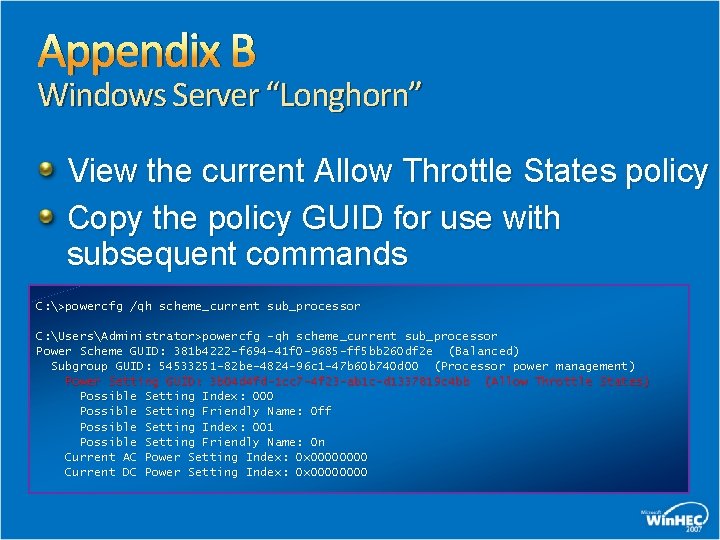
Appendix B Windows Server “Longhorn” View the current Allow Throttle States policy Copy the policy GUID for use with subsequent commands C: >powercfg /qh scheme_current sub_processor C: UsersAdministrator>powercfg -qh scheme_current sub_processor Power Scheme GUID: 381 b 4222 -f 694 -41 f 0 -9685 -ff 5 bb 260 df 2 e (Balanced) Subgroup GUID: 54533251 -82 be-4824 -96 c 1 -47 b 60 b 740 d 00 (Processor power management) Power Setting GUID: 3 b 04 d 4 fd-1 cc 7 -4 f 23 -ab 1 c-d 1337819 c 4 bb (Allow Throttle States) Possible Setting Index: 000 Possible Setting Friendly Name: Off Possible Setting Index: 001 Possible Setting Friendly Name: On Current AC Power Setting Index: 0 x 0000 Current DC Power Setting Index: 0 x 0000
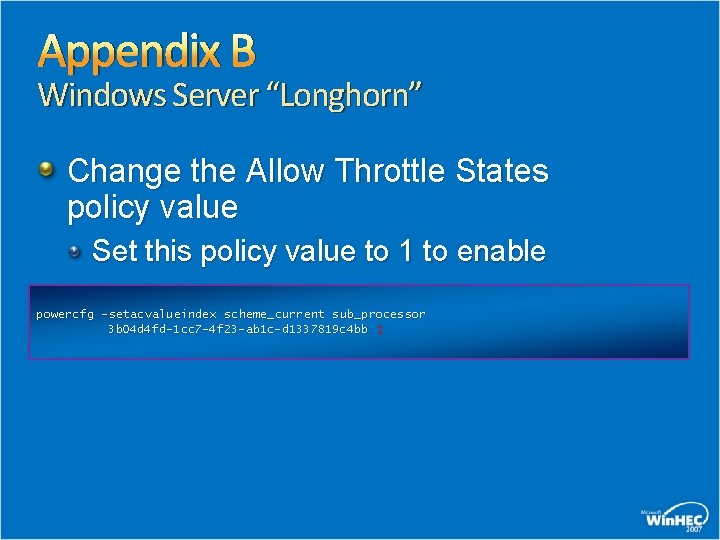
Appendix B Windows Server “Longhorn” Change the Allow Throttle States policy value Set this policy value to 1 to enable powercfg -setacvalueindex scheme_current sub_processor 3 b 04 d 4 fd-1 cc 7 -4 f 23 -ab 1 c-d 1337819 c 4 bb 1
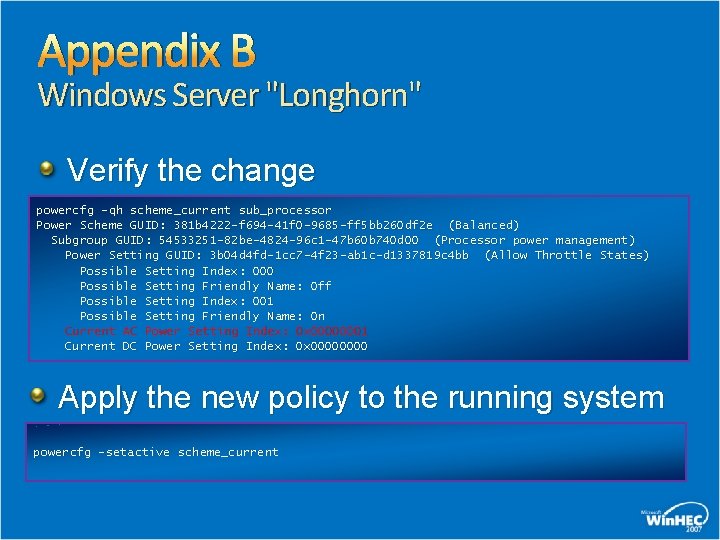
Appendix B Windows Server "Longhorn" Verify the change powercfg -qh scheme_current sub_processor Power Scheme GUID: 381 b 4222 -f 694 -41 f 0 -9685 -ff 5 bb 260 df 2 e (Balanced) Subgroup GUID: 54533251 -82 be-4824 -96 c 1 -47 b 60 b 740 d 00 (Processor power management) Power Setting GUID: 3 b 04 d 4 fd-1 cc 7 -4 f 23 -ab 1 c-d 1337819 c 4 bb (Allow Throttle States) Possible Setting Index: 000 Possible Setting Friendly Name: Off Possible Setting Index: 001 Possible Setting Friendly Name: On Current AC Power Setting Index: 0 x 00000001 Current DC Power Setting Index: 0 x 0000 Apply the new policy to the running system powercfg -setactive scheme_current
- Slides: 44