
Windows Programming Basic Openg GL Under Win 32
Windows Programming Basic & Openg. GL Under Win 32 戴明仁 20040517
要學會Windows程式設計, 最快需要花上六個月的時間 -- Charles Petzold (author of Programming Windows)
Win 32 API Programming ¨ An event driven system model ¨ Only requires basic skills of C language programming ¨ The bottom layer of MFC , VCL…etc. Let’s begin Win 32 programming using MSVC 6. 0!
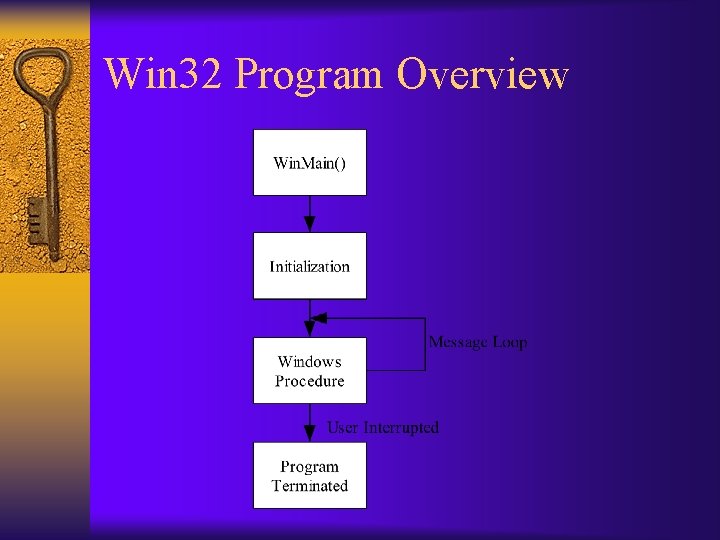
Win 32 Program Overview
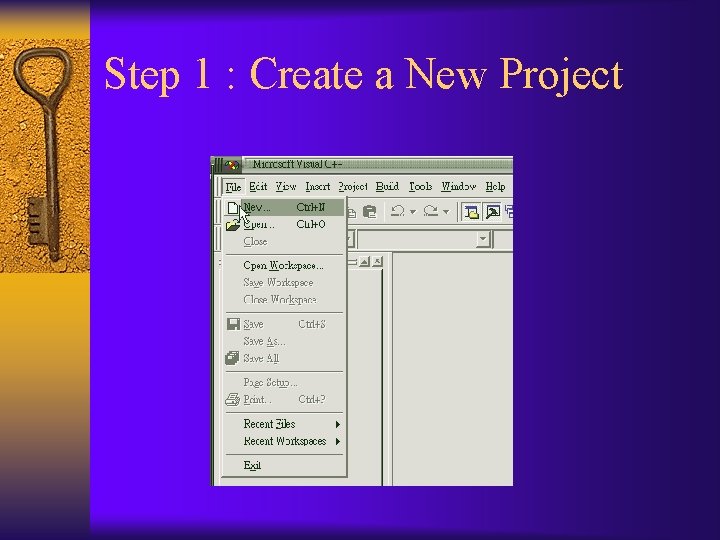
Step 1 : Create a New Project
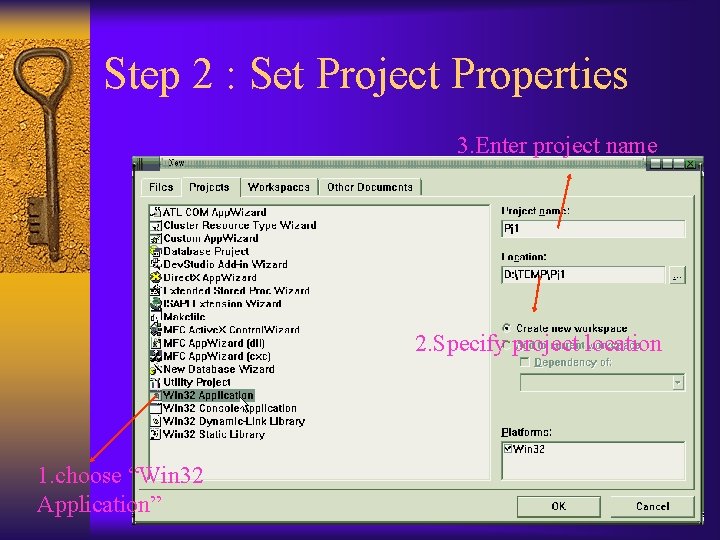
Step 2 : Set Project Properties 3. Enter project name 2. Specify project location 1. choose “Win 32 Application”
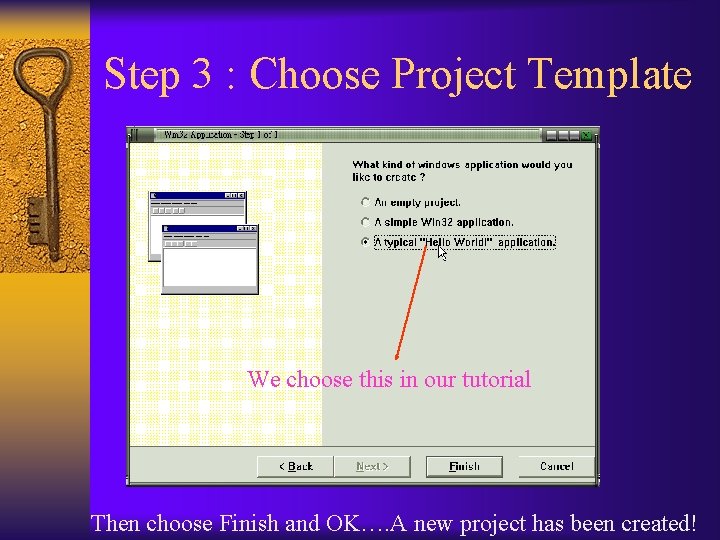
Step 3 : Choose Project Template We choose this in our tutorial Then choose Finish and OK…. A new project has been created!
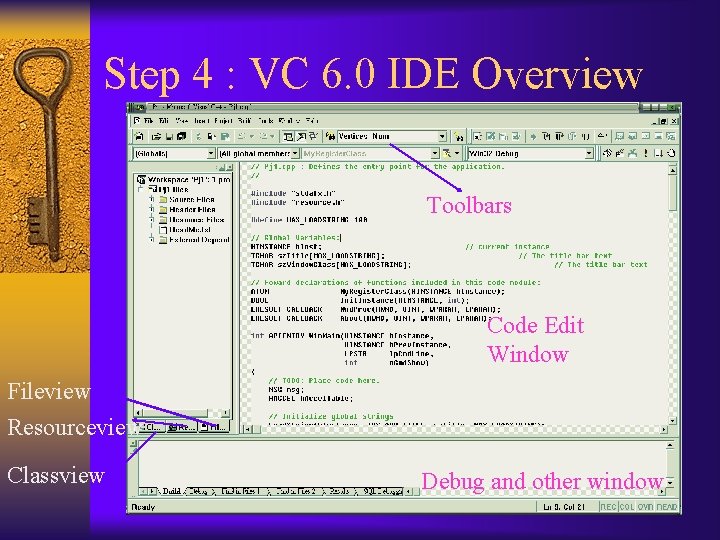
Step 4 : VC 6. 0 IDE Overview Toolbars Code Edit Window Fileview Resourceview Classview Debug and other window
Step 5 : The Win. Main() Function ¨ The entry point of a Win 32 program , such as main() in a console mode program. ¨ Do windows initializations here. ¨ A message loop is in the function , grabbing messages and send it to message dispatcher -- Wnd. Proc( Window Procedure )
Step 6 : Message Dispatcher– Wnd. Proc() ¨ Every Windows message comes to here ¨ We write codes here to perform some tasks to achieve our goals. ¨ For Example : – If user presses a key , then a WM_KEYDOWN message will be received. ¨ Check references to see more details about win 32 programming.
References ¨ Programming Windows 5 th edition by Charles Petzold. Microsoft Press. ¨ Windows 程式設計實務 by 施威銘 旗標
Using Open. GL under Windows-1 ¨ Install Open. GL library Check Open. GL website for latest version of Open. GL library, download and install it. http: //www. opengl. org/documentation/implementations. html
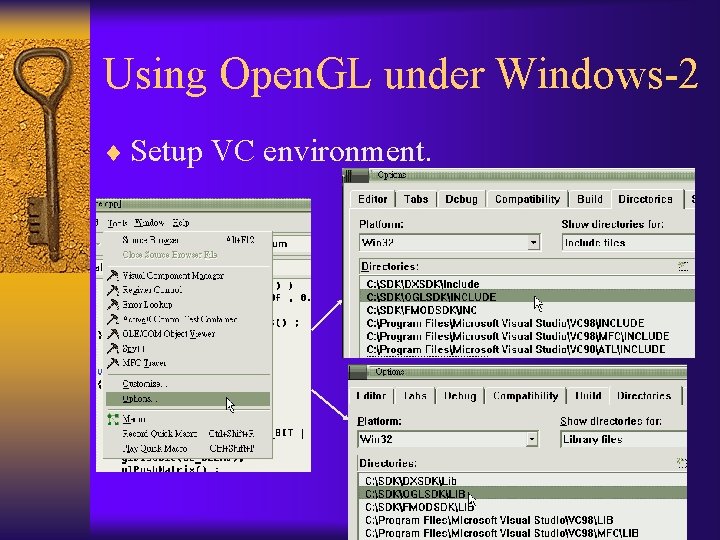
Using Open. GL under Windows-2 ¨ Setup VC environment.
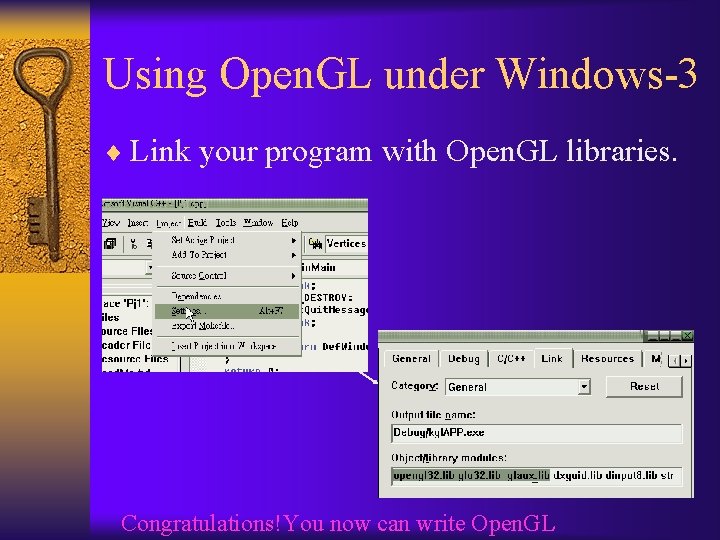
Using Open. GL under Windows-3 ¨ Link your program with Open. GL libraries. Congratulations!You now can write Open. GL
Reference ¨ Official Open. GL website http: //www. opengl. org ¨ Ne. He -- Very good Open. GL tutorials http: //nehe. gamedev. net/ ¨ Ne. He Chinese version http: //www. geocities. com/Silicon. Valley/Vista/8177/tutorial/nehe. htm ¨ Open. GL Programming Guide 3 th edition ¨ Open. GL 超級手冊(碁峰)
Why use Win 32 instead of GLUT ¨ Win 32 applications is faster. ¨ Win 32 is the base of GLUT. ¨ Under Win 32, user can manipulate any messages very easily and efficiently. ¨ We can integrate other useful stuff (such as Direct. X ) into Win 32 applications.
Let’s see how to use kgl to write a Open. GL program.
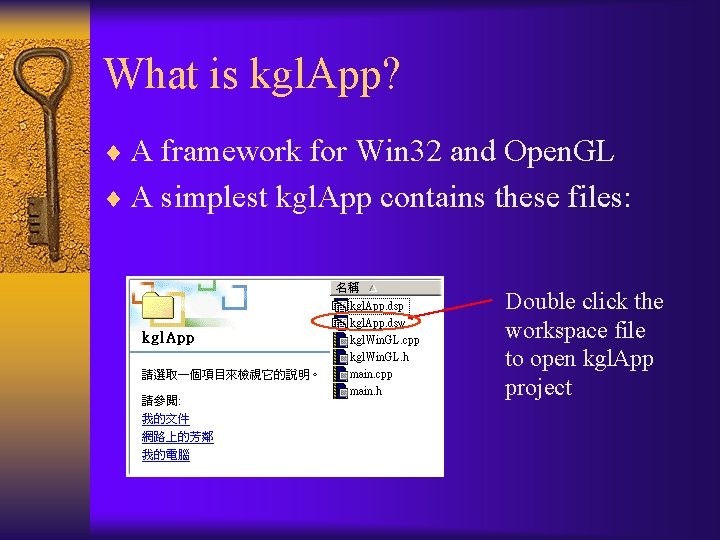
What is kgl. App? ¨ A framework for Win 32 and Open. GL ¨ A simplest kgl. App contains these files: Double click the workspace file to open kgl. App project
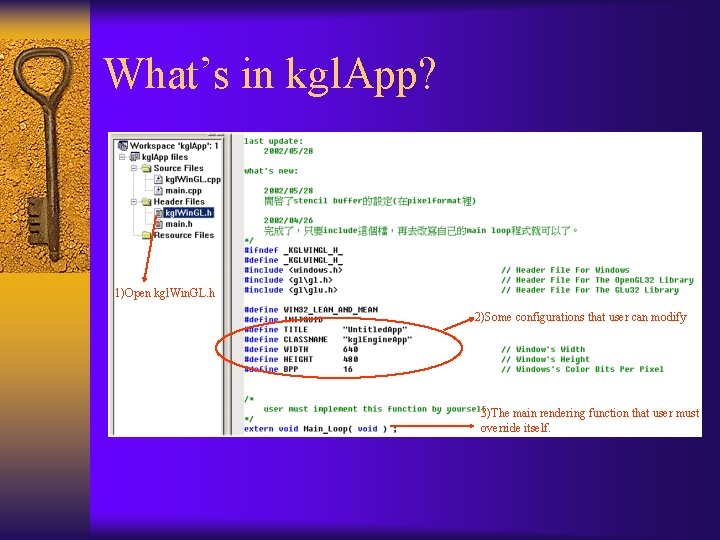
What’s in kgl. App? 1)Open kgl. Win. GL. h 2)Some configurations that user can modify 3)The main rendering function that user must override itself.
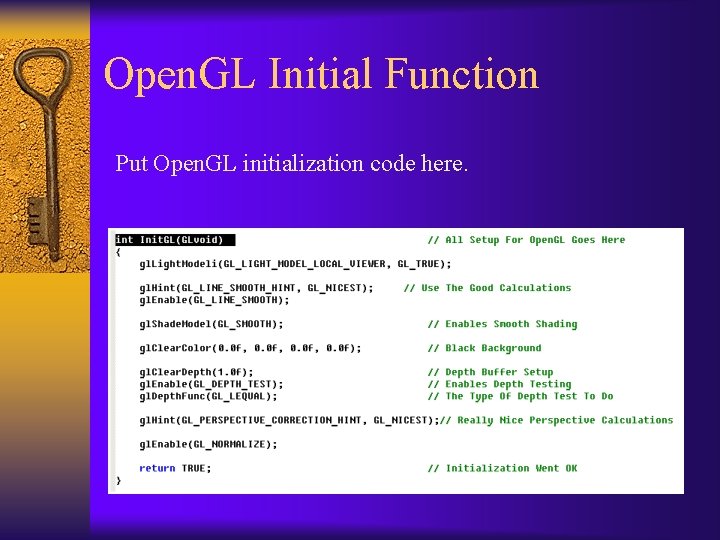
Open. GL Initial Function Put Open. GL initialization code here.
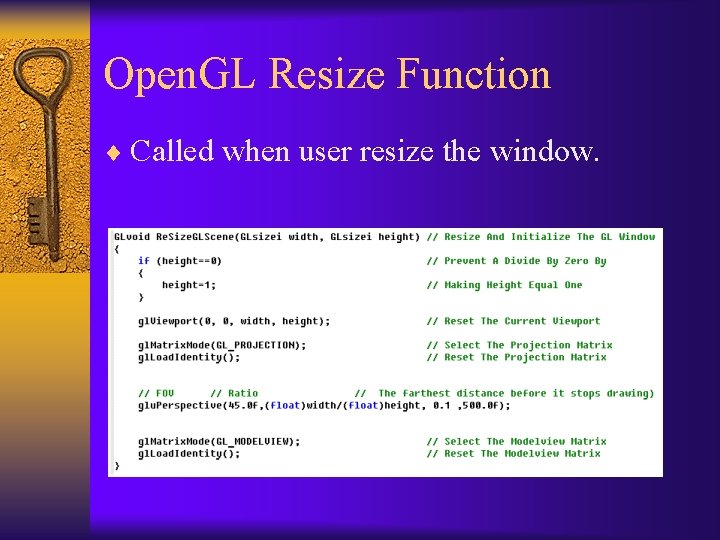
Open. GL Resize Function ¨ Called when user resize the window.
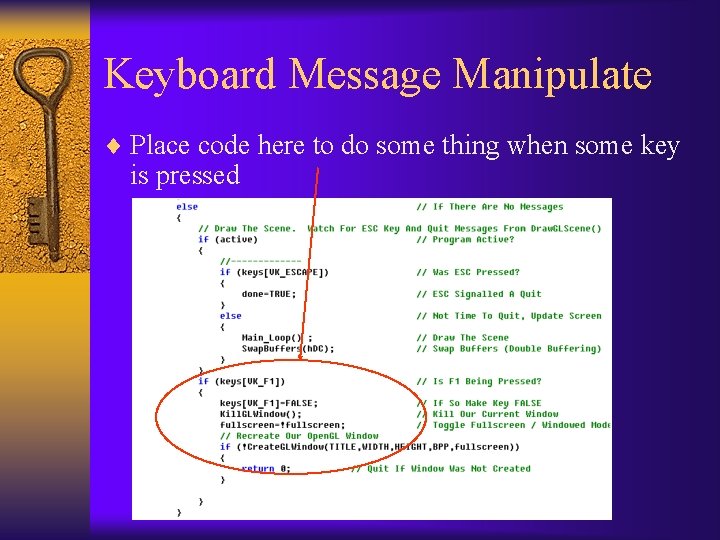
Keyboard Message Manipulate ¨ Place code here to do some thing when some key is pressed
Windows Virtual Key Codes ¨ In the above example, VK_F 1 is virtual key code defined in Win 32 API which represents the F 1 key in the keyboard. ¨ You can check MSDN ( http: //msdn. microsoft. com ) for more information about Win 32 virtual key codes.
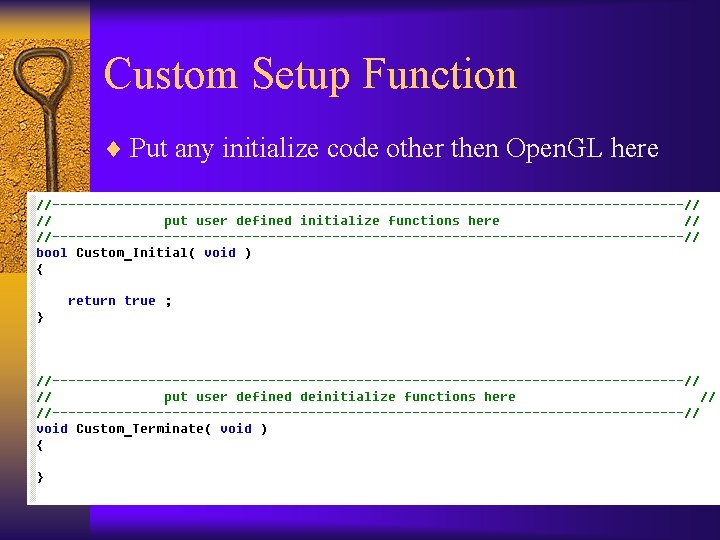
Custom Setup Function ¨ Put any initialize code other then Open. GL here
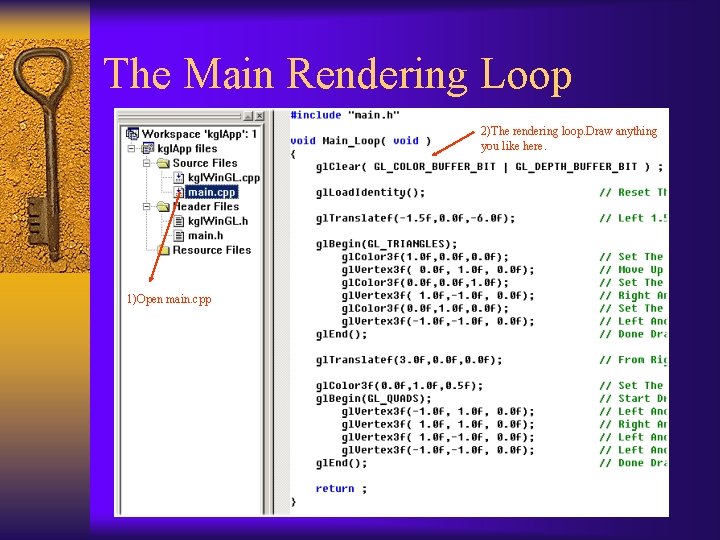
The Main Rendering Loop 2)The rendering loop. Draw anything you like here. 1)Open main. cpp

Any Questions?
Hope there will be another Quake 3 from you. . . Goodbye…. XD!
- Slides: 27