
Windows Event Collection Jamie Wheaton Product Owner Agenda

- Slides: 17
Windows Event Collection Jamie Wheaton – Product Owner
Agenda MSRPC and SMB 2 Update Windows Event Collection (WEC) Considerations WEC Sample Deployments Win. Collect 7. 2. 8 Win. Collect Roadmap 2 IBM Security
MSRPC and SMB 2
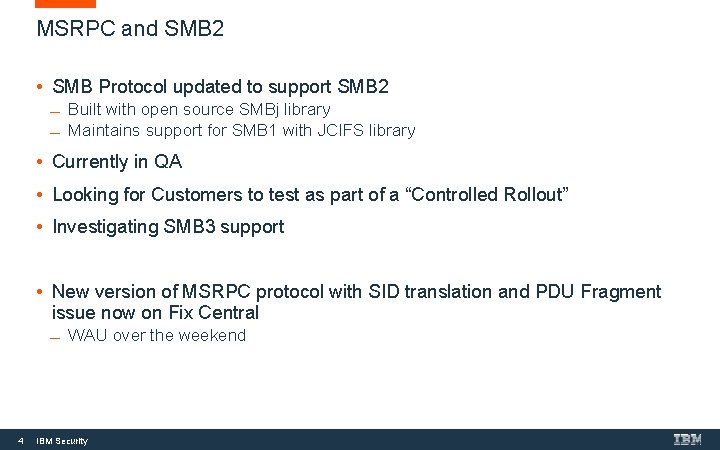
MSRPC and SMB 2 • SMB Protocol updated to support SMB 2 Built with open source SMBj library Maintains support for SMB 1 with JCIFS library • Currently in QA • Looking for Customers to test as part of a “Controlled Rollout” • Investigating SMB 3 support • New version of MSRPC protocol with SID translation and PDU Fragment issue now on Fix Central WAU over the weekend 4 IBM Security
Windows Event Collection Considerations
Windows Event Collection - Considerations • No one size fits all solution, many items to consider • Highly dependent on your network architecture Are all your endpoints on a Domain? Endpoints across multiple geographies POS Devices EPS Rates • High EPS Servers • Looking for Spikes • Knowledge of what’s going on Do you need to split load across multiple EC/EP • Agent vs. Agentless • MSRPC • Win. Collect • Managed / Un-Managed (“Stand Alone”) 6 IBM Security
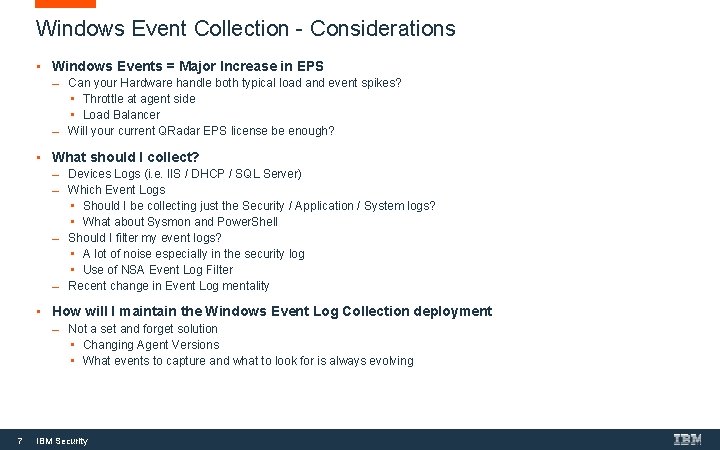
Windows Event Collection - Considerations • Windows Events = Major Increase in EPS Can your Hardware handle both typical load and event spikes? • Throttle at agent side • Load Balancer Will your current QRadar EPS license be enough? • What should I collect? Devices Logs (i. e. IIS / DHCP / SQL Server) Which Event Logs • Should I be collecting just the Security / Application / System logs? • What about Sysmon and Power. Shell Should I filter my event logs? • A lot of noise especially in the security log • Use of NSA Event Log Filter Recent change in Event Log mentality • How will I maintain the Windows Event Log Collection deployment 7 Not a set and forget solution • Changing Agent Versions • What events to capture and what to look for is always evolving IBM Security
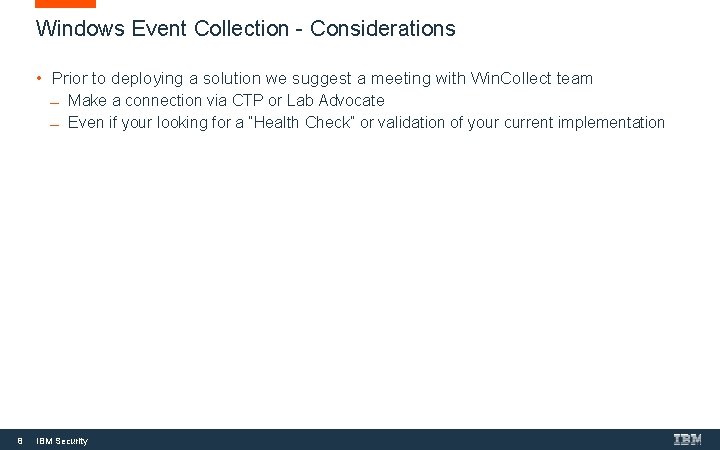
Windows Event Collection - Considerations • Prior to deploying a solution we suggest a meeting with Win. Collect team Make a connection via CTP or Lab Advocate Even if your looking for a “Health Check” or validation of your current implementation 8 IBM Security
WEC Sample Deployments
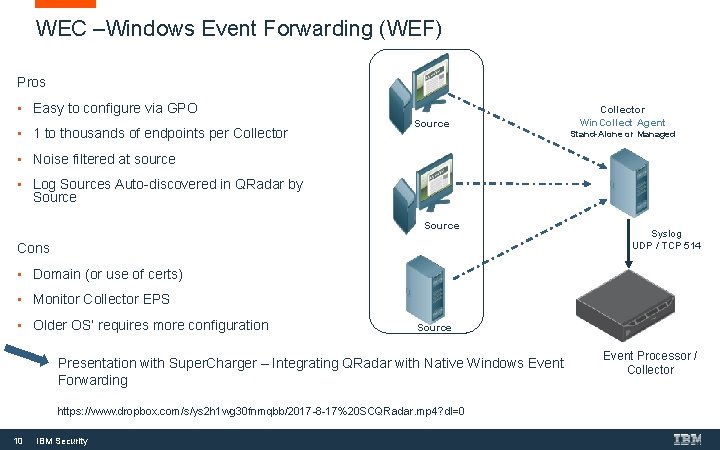
WEC –Windows Event Forwarding (WEF) Pros • Easy to configure via GPO • 1 to thousands of endpoints per Collector Source Collector Win. Collect Agent Stand-Alone or Managed • Noise filtered at source • Log Sources Auto-discovered in QRadar by Source Cons Syslog UDP / TCP 514 • Domain (or use of certs) • Monitor Collector EPS • Older OS’ requires more configuration Source Presentation with Super. Charger – Integrating QRadar with Native Windows Event Forwarding https: //www. dropbox. com/s/ys 2 h 1 wg 30 fnmqbb/2017 -8 -17%20 SCQRadar. mp 4? dl=0 10 IBM Security Event Processor / Collector
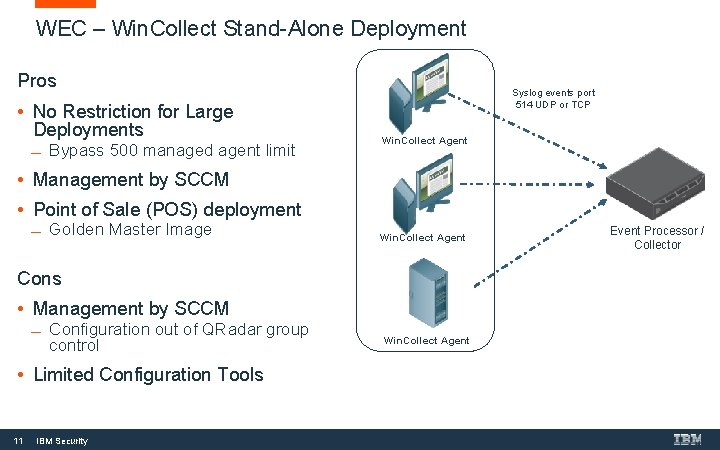
WEC – Win. Collect Stand-Alone Deployment Pros • No Restriction for Large Deployments Bypass 500 managed agent limit Syslog events port 514 UDP or TCP Win. Collect Agent • Management by SCCM • Point of Sale (POS) deployment Golden Master Image Win. Collect Agent Cons • Management by SCCM Configuration out of QRadar group control • Limited Configuration Tools 11 IBM Security Win. Collect Agent Event Processor / Collector
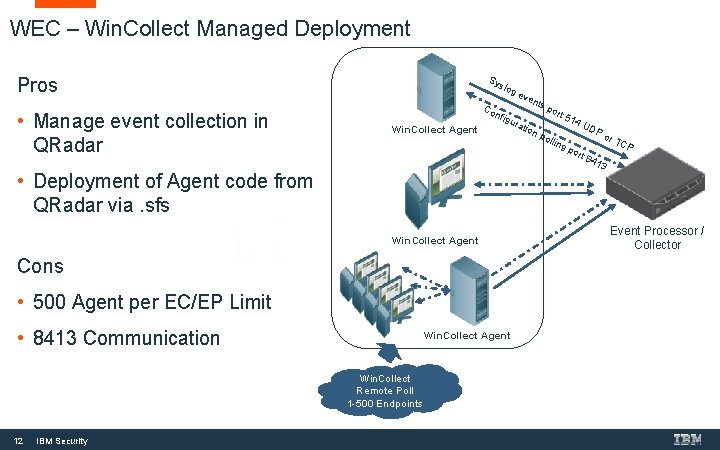
WEC – Win. Collect Managed Deployment Sy Pros • Manage event collection in QRadar slo ge Co Win. Collect Agent nfig ura • Deployment of Agent code from QRadar via. sfs Win. Collect Agent Cons • 500 Agent per EC/EP Limit • 8413 Communication Win. Collect Agent Win. Collect Remote Poll 1 -500 Endpoints 12 IBM Security ven tion ts p ort pol 514 ling por UD Po t 84 r. T CP 13 Event Processor / Collector
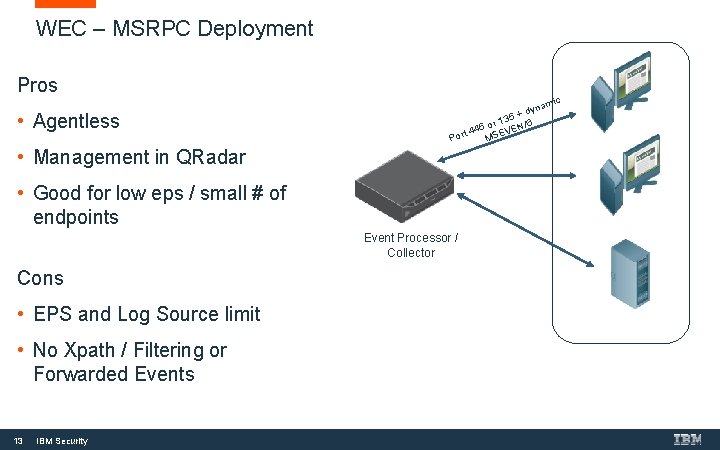
WEC – MSRPC Deployment Pros • Agentless ic nam dy 35 + 6 1 r N/ 5 o t 44 SEVE Por M • Management in QRadar • Good for low eps / small # of endpoints Event Processor / Collector Cons • EPS and Log Source limit • No Xpath / Filtering or Forwarded Events 13 IBM Security
Win. Collect 7. 2. 8+
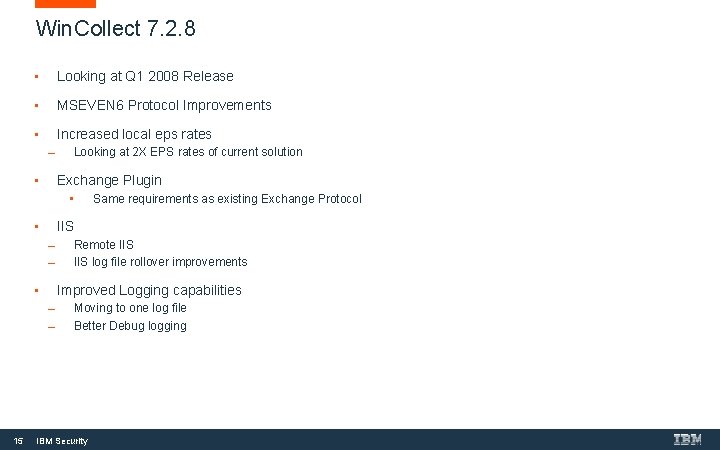
Win. Collect 7. 2. 8 • Looking at Q 1 2008 Release • MSEVEN 6 Protocol Improvements • Increased local eps rates Looking at 2 X EPS rates of current solution • Exchange Plugin • • IIS Remote IIS log file rollover improvements • Improved Logging capabilities 15 Same requirements as existing Exchange Protocol Moving to one log file Better Debug logging IBM Security
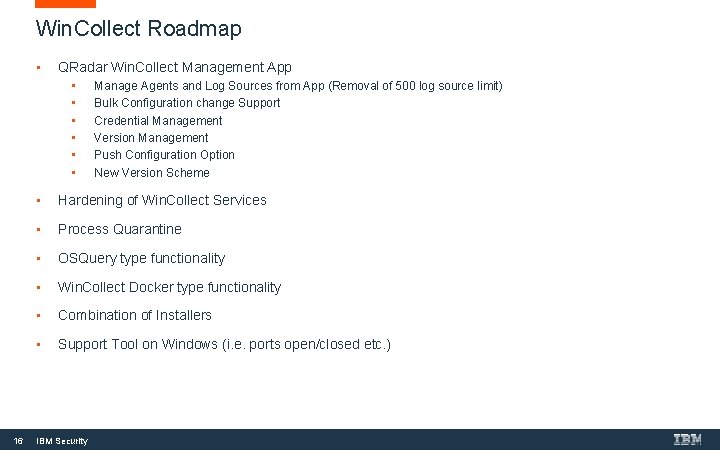
Win. Collect Roadmap • QRadar Win. Collect Management App • • • 16 Manage Agents and Log Sources from App (Removal of 500 log source limit) Bulk Configuration change Support Credential Management Version Management Push Configuration Option New Version Scheme • Hardening of Win. Collect Services • Process Quarantine • OSQuery type functionality • Win. Collect Docker type functionality • Combination of Installers • Support Tool on Windows (i. e. ports open/closed etc. ) IBM Security
THANK YOU FOLLOW US ON: ibm. com/securityintelligence. com xforce. ibmcloud. com @ibmsecurity youtube/user/ibmsecuritysolutions Jamie Wheaton – Jamie. wheaton@ca. ibm. com © Copyright IBM Corporation 2016. All rights reserved. The information contained in these materials is provided for informational purposes only, and is provided AS IS without warranty of any kind, express or implied. Any statement of direction represents IBM's current intent, is subject to change or withdrawal, and represent only goals and objectives. IBM, the IBM logo, and other IBM products and services are trademarks of the International Business Machines Corporation, in the United States, other countries or both. Other company, product, or service names may be trademarks or service marks of others. Statement of Good Security Practices: IT system security involves protecting systems and information through prevention, detection and response to improper access from within and outside your enterprise. Improper access can result in information being altered, destroyed, misappropriated or misused or can result in damage to or misuse of your systems, including for use in attacks on others. No IT system or product should be considered completely secure and no single product, service or security measure can be completely effective in preventing improper use or access. IBM systems, products and services are designed to be part of a lawful, comprehensive security approach, which will necessarily involve additional operational procedures, and may require other systems, products or services to be most effective. IBM does not warrant that any systems, products or services are immune from, or will make your enterprise immune from, the malicious or illegal conduct of any party.