
Windows API Printing DEIVIDAS MILIAUSKAS IT 3 GR
- Slides: 14
Windows API Printing DEIVIDAS MILIAUSKAS IT 3 GR.
Introduction to Printing The Microsoft Windows printing architecture consists of a print spooler and a set of printer drivers. By calling device-independent functions, applications can create print jobs and send them to many devices. This includes laser printers, vector plotters, raster printers, and fax machines.
Print Spooler Architecture The Microsoft Windows 2000 and later print spooler is made up of a set of Microsoft-supplied and optional vendor-supplied components, with responsibilities that include: • Determining whether a print job should be handled locally or across a network. • Accepting a data stream created by GDI, in conjunction with a printer driver, for output on a particular type of printer. • Spooling the data to a file (if spooling is enabled). • Selecting the first available physical printer in a logical printer queue. • Converting a data stream from a spooled format to a format that can be sent to printer hardware. • Sending a data stream to printer hardware. • Maintaining a registry-based database for spooler components and printer forms. • (Windows Vista) Rendering print jobs on the client computer instead of on the print server. Client-side rendering eases the print server workload, is transparent to the print driver, and is enabled by default in Windows Vista. • For Windows 7, print drivers can run in a separate process from the spooler. This feature is called Printer Driver Isolation.
Printer Driver Architecture Print jobs are created by applications through calls to Microsoft Win 32 GDI or, in Windows Vista, Windows Presentation Foundation (WPF) functions. The Win 32 functions spool application data as EMF records for later playback by the EMF print processor, or they can immediately render a printable image for each document page. The WPF functions spool application data as an XPS spool file.
Printer driver Architecture Windows 2000 and later printer drivers are made up of a set of printer driver components that divide a driver's drawing and user interface operations into separate DLLs. XPSDrv printer drivers are also made up of components that divide the configuration and the drawing and rendering functions into separate objects Windows 2000 and later GDI-based printer drivers must: • Assist GDI in rendering print jobs by providing printer-specific drawing capabilities that GDI cannot support. • Send the rendered image's data stream to the print spooler. • Provide a user interface to the modifiable configuration parameters that are associated with printers and print documents, such as which input and output trays are selected, the number of copies, image resolution and orientation, and so on. .
Image rendering, whether performed immediately or during print processing, is performed in the print driver: • A GDI-based printer driver performs the image rendering during the playback of EMF records from the spool file and is controlled by the GDI rendering engine. During the rendering operation, the GDI rendering engine calls the appropriate Windows 2000 and later printer driver for assistance. • XPSDrv print drivers use a series of processing filters to process the XPS spool file content for output to the printer.
Printer Drivers The following three printer drivers are shipped with the operating system: • Microsoft Universal Printer Driver • Microsoft Post. Script Printer Driver • Microsoft Plotter Driver These three drivers support most printing devices that end-users can purchase today. You need to write a printer driver only if your printing device is not compatible with the appropriate Microsoft-supplied driver.
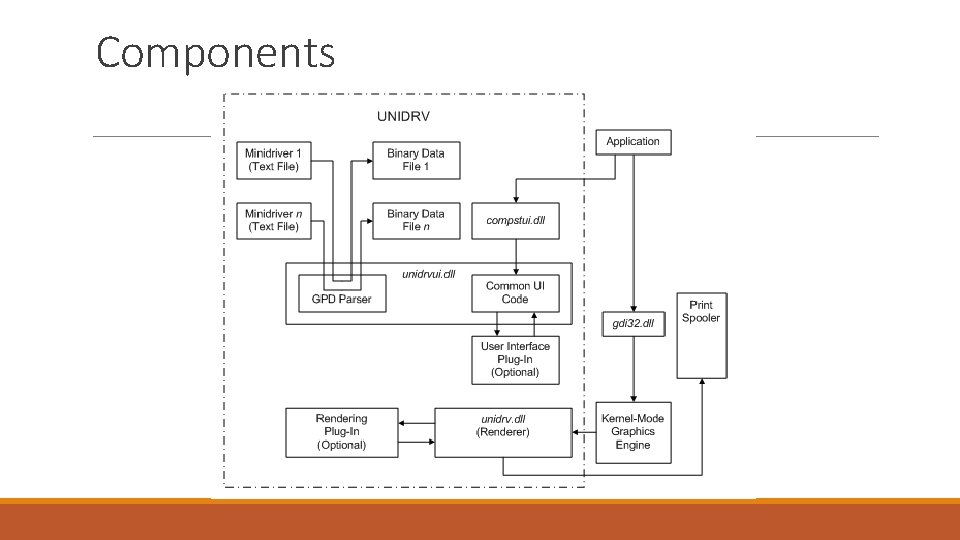
Microsoft Universal Printer Driver The Universal Printer Driver (Unidrv) provides the following capabilities: • Support for all non-Postscript printers, using printer-specific Unidrv minidrivers that describe each printer's characteristics. • A Unidrv user interface, based on the Tree. View control and property sheets, that is consistent for all printers, but is also modifiable for each printer's unique options. • A single Unidrv renderer that, along with the GDI graphics engine, converts Microsoft Win 32 GDI calls from applications into printer commands that can be sent to the print spooler.
Components
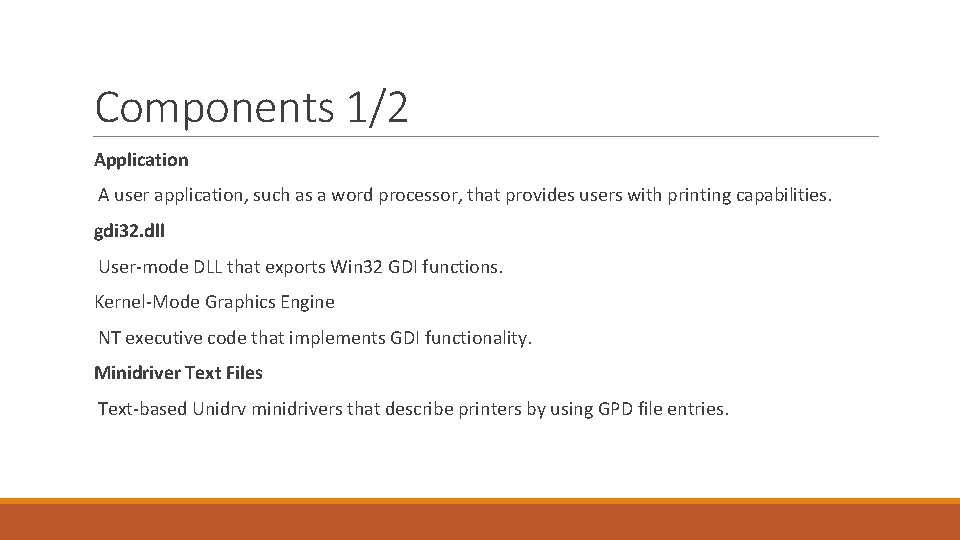
Components 1/2 Application A user application, such as a word processor, that provides users with printing capabilities. gdi 32. dll User-mode DLL that exports Win 32 GDI functions. Kernel-Mode Graphics Engine NT executive code that implements GDI functionality. Minidriver Text Files Text-based Unidrv minidrivers that describe printers by using GPD file entries.
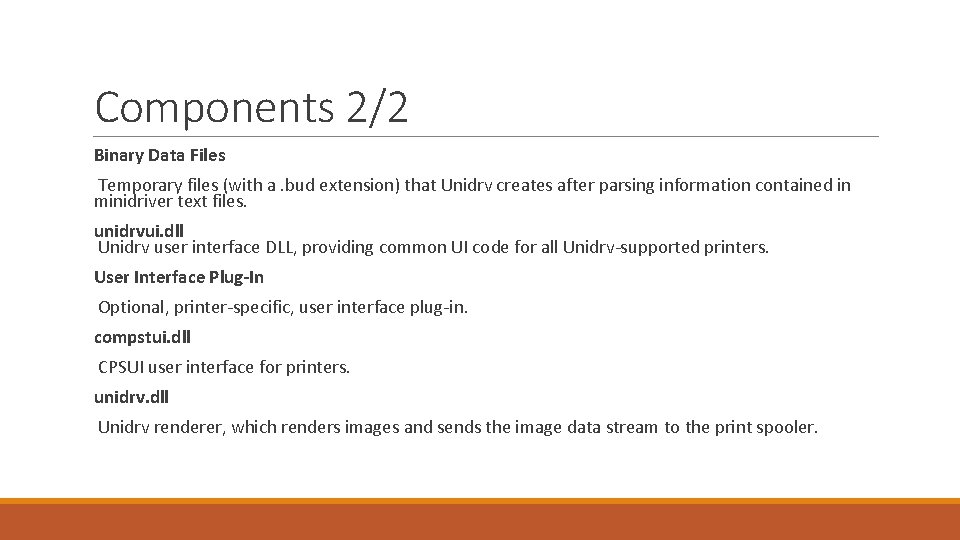
Components 2/2 Binary Data Files Temporary files (with a. bud extension) that Unidrv creates after parsing information contained in minidriver text files. unidrvui. dll Unidrv user interface DLL, providing common UI code for all Unidrv-supported printers. User Interface Plug-In Optional, printer-specific, user interface plug-in. compstui. dll CPSUI user interface for printers. unidrv. dll Unidrv renderer, which renders images and sends the image data stream to the print spooler.
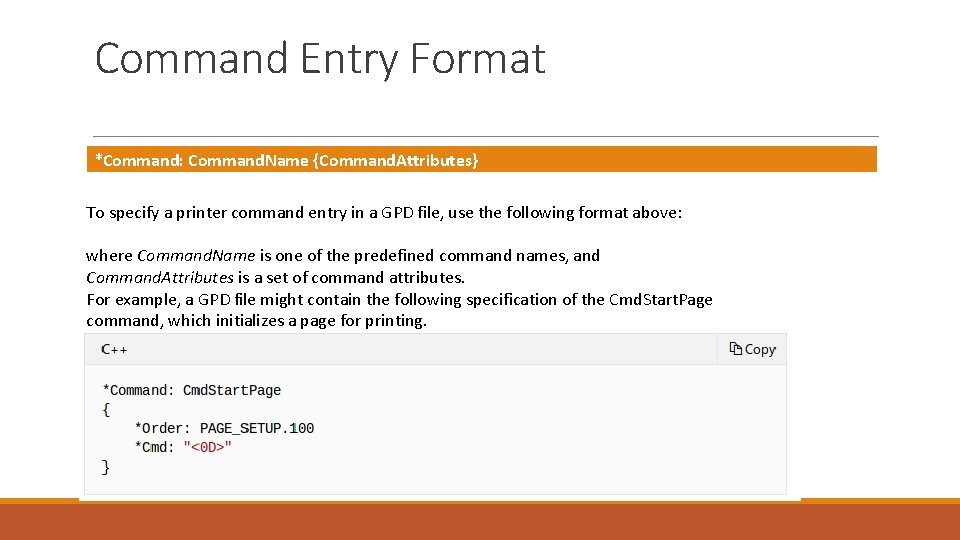
Command Entry Format *Command: Command. Name {Command. Attributes} To specify a printer command entry in a GPD file, use the following format above: where Command. Name is one of the predefined command names, and Command. Attributes is a set of command attributes. For example, a GPD file might contain the following specification of the Cmd. Start. Page command, which initializes a page for printing.
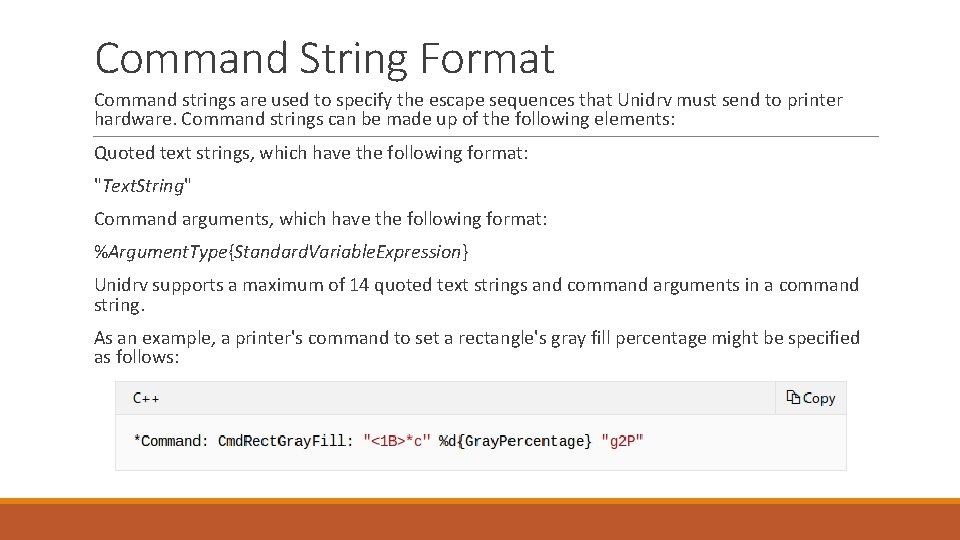
Command String Format Command strings are used to specify the escape sequences that Unidrv must send to printer hardware. Command strings can be made up of the following elements: Quoted text strings, which have the following format: "Text. String" Command arguments, which have the following format: %Argument. Type{Standard. Variable. Expression} Unidrv supports a maximum of 14 quoted text strings and command arguments in a command string. As an example, a printer's command to set a rectangle's gray fill percentage might be specified as follows:
Sources https: //docs. microsoft. com/en-us/windows-hardware/drivers/print-spooler-architecture https: //docs. microsoft. com/en-us/windows-hardware/drivers/print/introduction-to-printing