
Windows 7 Training Windows Support 7 MultiTouch Name




- Slides: 44
Windows 7 Training
® Windows Support 7 Multi-Touch Name Title Microsoft® Corporation
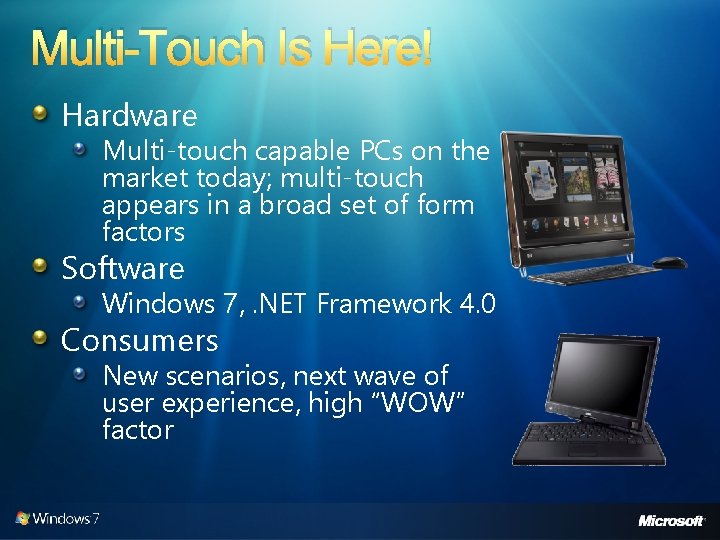
Multi-Touch Is Here! Hardware Multi-touch capable PCs on the market today; multi-touch appears in a broad set of form factors Software Windows 7, . NET Framework 4. 0 Consumers New scenarios, next wave of user experience, high “WOW” factor
Windows Photo Viewer Paint Demo Windows 7 built-in multi-touch
Agenda Multi-touch overview Control Panel settings Touch scenarios, “Good, Better, Best” model Platform details Native Win 32 gesture and touch support Manipulations and inertia Windows Presentation Foundation (WPF) support UX guidelines for touch applications Summary
Control Panel: Pen and Touch
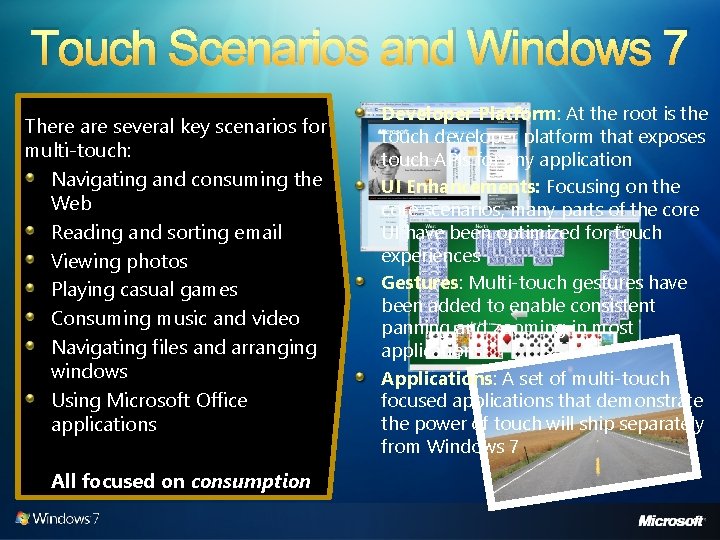
Touch Scenarios and Windows 7 There are several key scenarios for multi-touch: Navigating and consuming the Web Reading and sorting email Viewing photos Playing casual games Consuming music and video Navigating files and arranging windows Using Microsoft Office applications All focused on consumption Developer Platform: At the root is the touch developer platform that exposes touch APIs for any application UI Enhancements: Focusing on the core scenarios, many parts of the core UI have been optimized for touch experiences Gestures: Multi-touch gestures have been added to enable consistent panning and zooming in most applications. Applications: A set of multi-touch focused applications that demonstrate the power of touch will ship separately from Windows 7
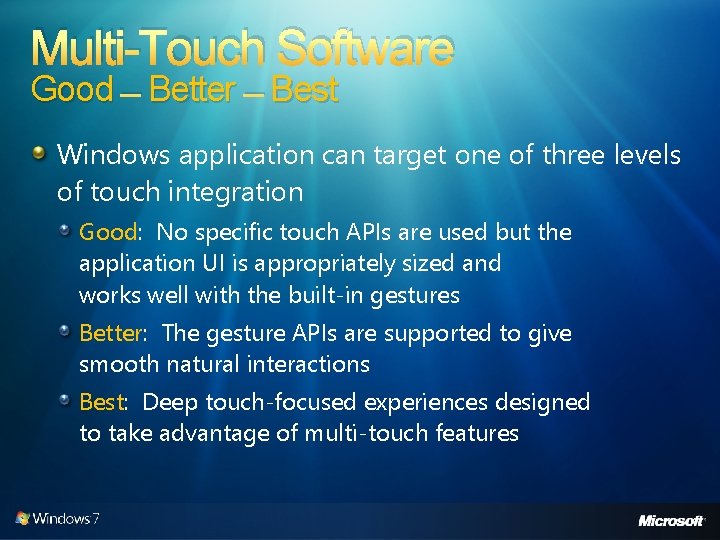
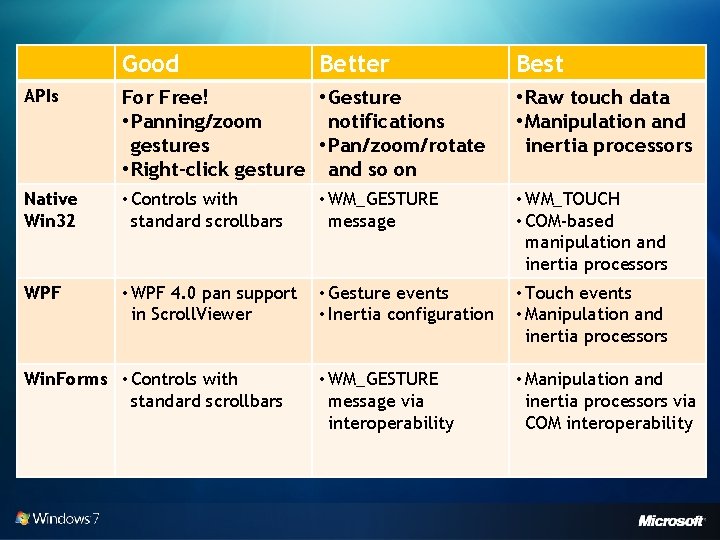
Multi-Touch Software Good – Better – Best Windows application can target one of three levels of touch integration Good: No specific touch APIs are used but the application UI is appropriately sized and works well with the built-in gestures Better: The gesture APIs are supported to give smooth natural interactions Best: Deep touch-focused experiences designed to take advantage of multi-touch features
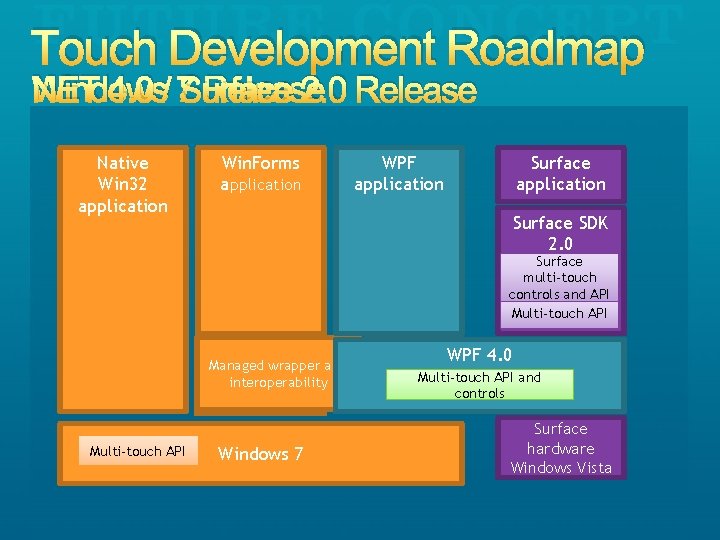
Touch Development Roadmap Windows Release NET 4. 0 / 7 Surface 2. 0 Release Native Win 32 application Win. Forms application WPF application Surface SDK 1. 0 2. 0 Surface Multi-touch multi-touch controls and API Multi-touch API Managedwrapper and interoperability Multi-touch API Windows 7 WPF 3. 5 WPF 4. 0 WPF 3. 5 SP 1 Multi-touch API and controls Surface Hardware hardware Windows Vista 7
mt. Piano, mt. Pong Demo Best – Touch-based applications
Good Better Best APIs For Free! • Gesture • Panning/zoom notifications gestures • Pan/zoom/rotate • Right-click gesture and so on • Raw touch data • Manipulation and inertia processors Native Win 32 • Controls with standard scrollbars • WM_GESTURE message • WM_TOUCH • COM-based manipulation and inertia processors WPF • WPF 4. 0 pan support in Scroll. Viewer • Gesture events • Inertia configuration • Touch events • Manipulation and inertia processors • WM_GESTURE message via interoperability • Manipulation and inertia processors via COM interoperability Win. Forms • Controls with standard scrollbars
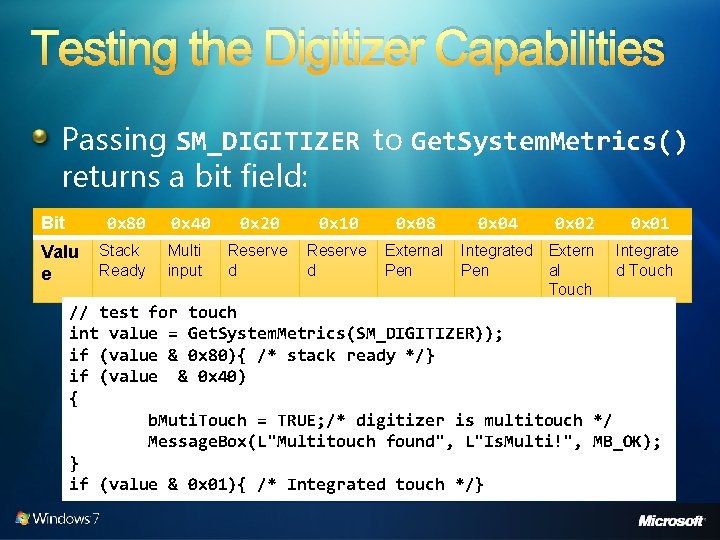
Testing the Digitizer Capabilities Passing SM_DIGITIZER to Get. System. Metrics() returns a bit field: 0 x 80 Bit Valu e Stack Ready 0 x 40 Multi input 0 x 20 0 x 10 0 x 08 Reserve d External Pen 0 x 04 0 x 02 Integrated Extern Pen al Touch 0 x 01 Integrate d Touch // test for touch int value = Get. System. Metrics(SM_DIGITIZER)); if (value & 0 x 80){ /* stack ready */} if (value & 0 x 40) { b. Muti. Touch = TRUE; /* digitizer is multitouch */ Message. Box(L"Multitouch found", L"Is. Multi!", MB_OK); } if (value & 0 x 01){ /* Integrated touch */}
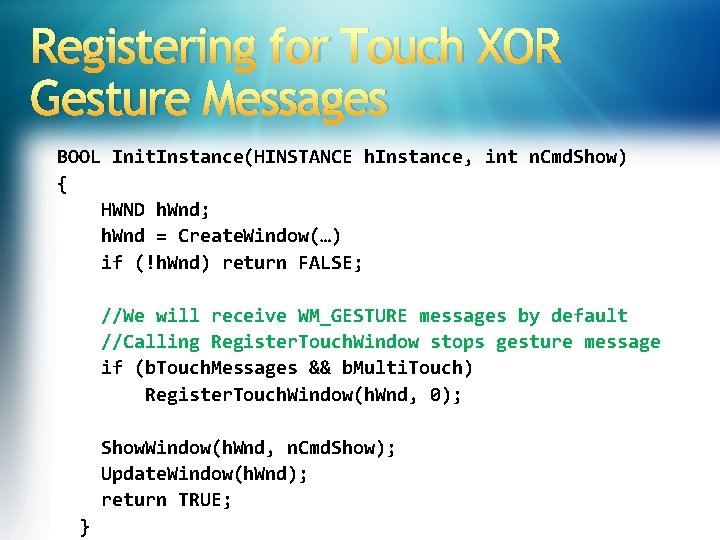
Registering for Touch XOR Gesture Messages BOOL Init. Instance(HINSTANCE h. Instance, int n. Cmd. Show) { HWND h. Wnd; h. Wnd = Create. Window(…) if (!h. Wnd) return FALSE; //We will receive WM_GESTURE messages by default //Calling Register. Touch. Window stops gesture message if (b. Touch. Messages && b. Multi. Touch) Register. Touch. Window(h. Wnd, 0); Show. Window(h. Wnd, n. Cmd. Show); Update. Window(h. Wnd); return TRUE; }
Win 32 Samples Demo Windows 7 gesture and touch
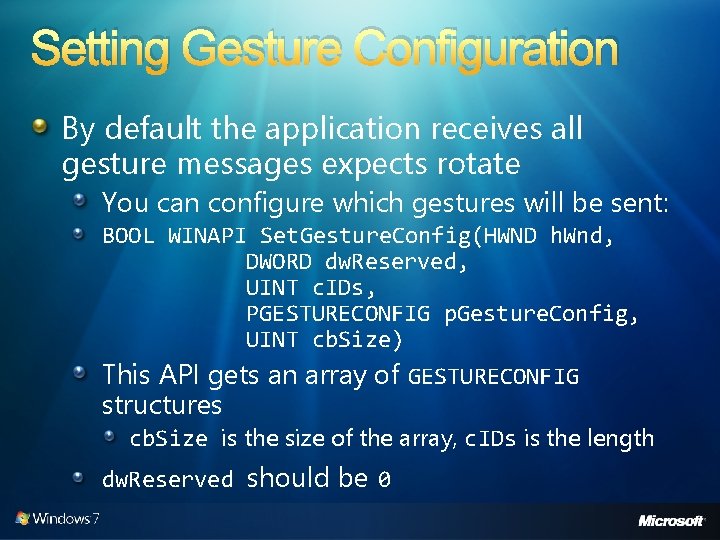
Setting Gesture Configuration By default the application receives all gesture messages expects rotate You can configure which gestures will be sent: BOOL WINAPI Set. Gesture. Config(HWND h. Wnd, DWORD dw. Reserved, UINT c. IDs, PGESTURECONFIG p. Gesture. Config, UINT cb. Size) This API gets an array of GESTURECONFIG structures cb. Size is the size of the array, c. IDs is the length dw. Reserved should be 0
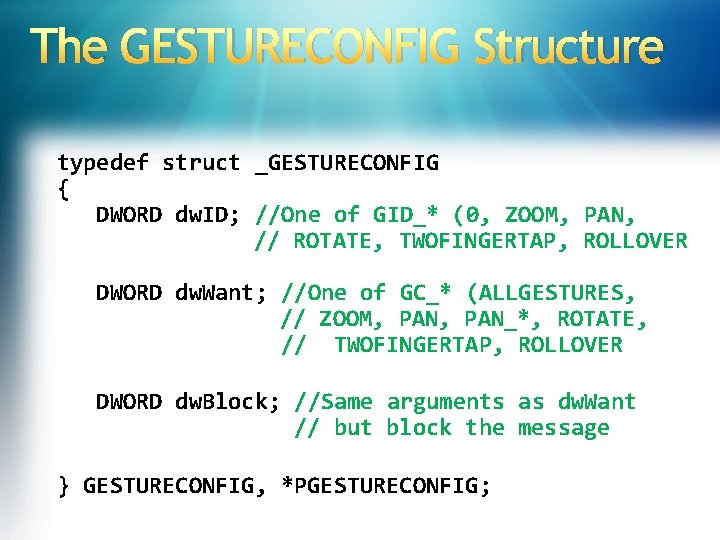
The GESTURECONFIG Structure typedef struct _GESTURECONFIG { DWORD dw. ID; //One of GID_* (0, ZOOM, PAN, // ROTATE, TWOFINGERTAP, ROLLOVER DWORD dw. Want; //One of GC_* (ALLGESTURES, // ZOOM, PAN_*, ROTATE, // TWOFINGERTAP, ROLLOVER DWORD dw. Block; //Same arguments as dw. Want // but block the message } GESTURECONFIG, *PGESTURECONFIG;
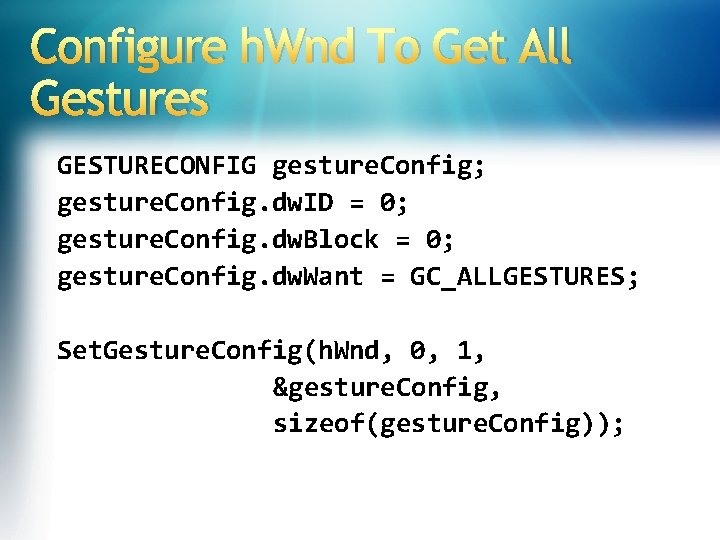
Configure h. Wnd To Get All Gestures GESTURECONFIG gesture. Config; gesture. Config. dw. ID = 0; gesture. Config. dw. Block = 0; gesture. Config. dw. Want = GC_ALLGESTURES; Set. Gesture. Config(h. Wnd, 0, 1, &gesture. Config, sizeof(gesture. Config));
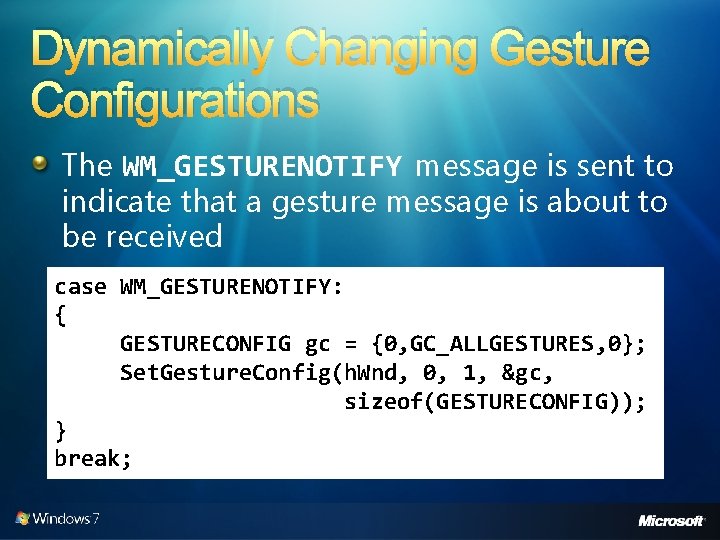
Dynamically Changing Gesture Configurations The WM_GESTURENOTIFY message is sent to indicate that a gesture message is about to be received case WM_GESTURENOTIFY: { GESTURECONFIG gc = {0, GC_ALLGESTURES, 0}; Set. Gesture. Config(h. Wnd, 0, 1, &gc, sizeof(GESTURECONFIG)); } break;
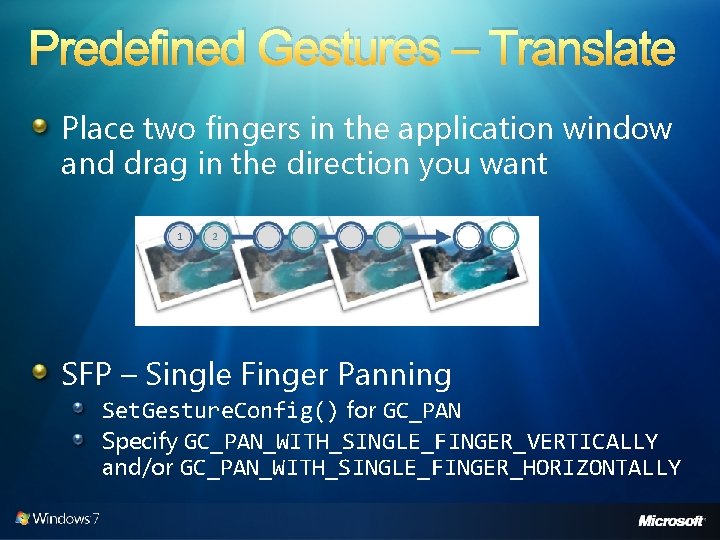
Predefined Gestures – Translate Place two fingers in the application window and drag in the direction you want SFP – Single Finger Panning Set. Gesture. Config() for GC_PAN Specify GC_PAN_WITH_SINGLE_FINGER_VERTICALLY and/or GC_PAN_WITH_SINGLE_FINGER_HORIZONTALLY
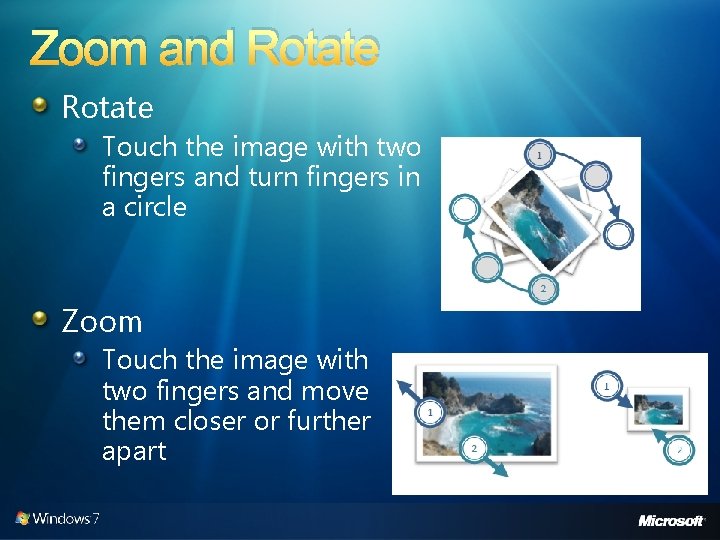
Zoom and Rotate Touch the image with two fingers and turn fingers in a circle Zoom Touch the image with two fingers and move them closer or further apart
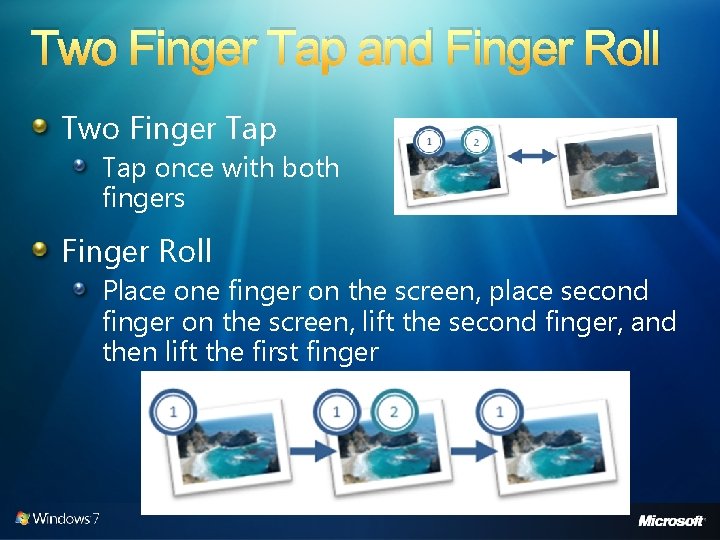
Two Finger Tap and Finger Roll Two Finger Tap once with both fingers Finger Roll Place one finger on the screen, place second finger on the screen, lift the second finger, and then lift the first finger
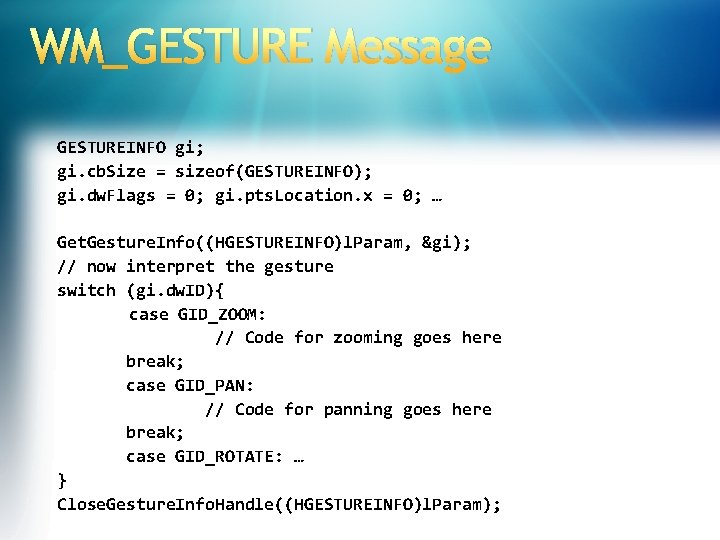
WM_GESTURE Message GESTUREINFO gi; gi. cb. Size = sizeof(GESTUREINFO); gi. dw. Flags = 0; gi. pts. Location. x = 0; … Get. Gesture. Info((HGESTUREINFO)l. Param, &gi); // now interpret the gesture switch (gi. dw. ID){ case GID_ZOOM: // Code for zooming goes here break; case GID_PAN: // Code for panning goes here break; case GID_ROTATE: … } Close. Gesture. Info. Handle((HGESTUREINFO)l. Param);
GESTUREINFO Structure typedef struct _GESTUREINFO { UINT cb. Size; DWORD dw. Flags; //GF_* (BEGIN, INERTIA, END) DWORD dw. ID; //GID_* (BEGIN, END, ZOOM, PAN, //ROTATE, TWOFINGERTAP, ROLLOVER) HWND hwnd. Target; POINTS pts. Location; DWORD dw. Instance. ID; DWORD dw. Sequence. ID; ULONG ull. Arguments; //8 Bytes Gesture Arg UINT cb. Extra. Args; } GESTUREINFO, *PGESTUREINFO;
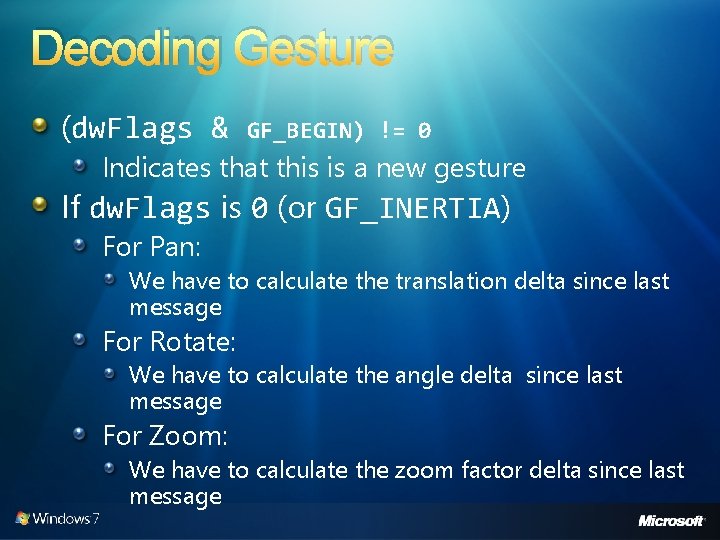
Decoding Gesture (dw. Flags & GF_BEGIN) != 0 Indicates that this is a new gesture If dw. Flags is 0 (or GF_INERTIA) For Pan: We have to calculate the translation delta since last message For Rotate: We have to calculate the angle delta since last message For Zoom: We have to calculate the zoom factor delta since last message
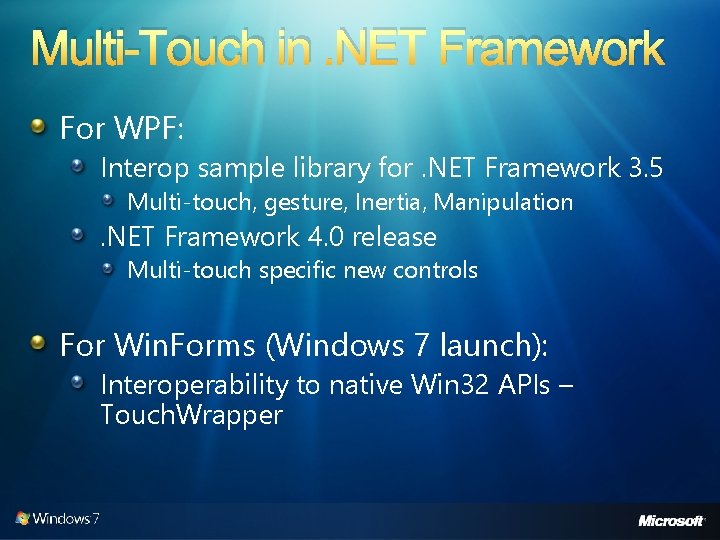
Multi-Touch in. NET Framework For WPF: Interop sample library for. NET Framework 3. 5 Multi-touch, gesture, Inertia, Manipulation . NET Framework 4. 0 release Multi-touch specific new controls For Win. Forms (Windows 7 launch): Interoperability to native Win 32 APIs – Touch. Wrapper
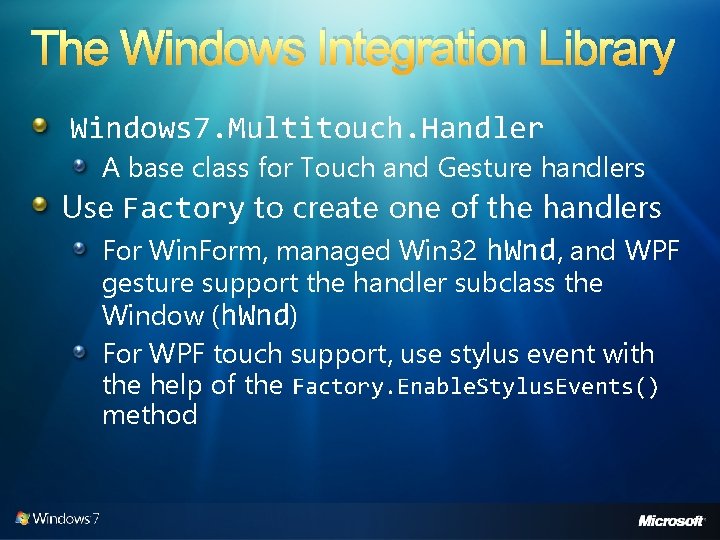
The Windows Integration Library Windows 7. Multitouch. Handler A base class for Touch and Gesture handlers Use Factory to create one of the handlers For Win. Form, managed Win 32 h. Wnd, and WPF gesture support the handler subclass the Window (h. Wnd) For WPF touch support, use stylus event with the help of the Factory. Enable. Stylus. Events() method
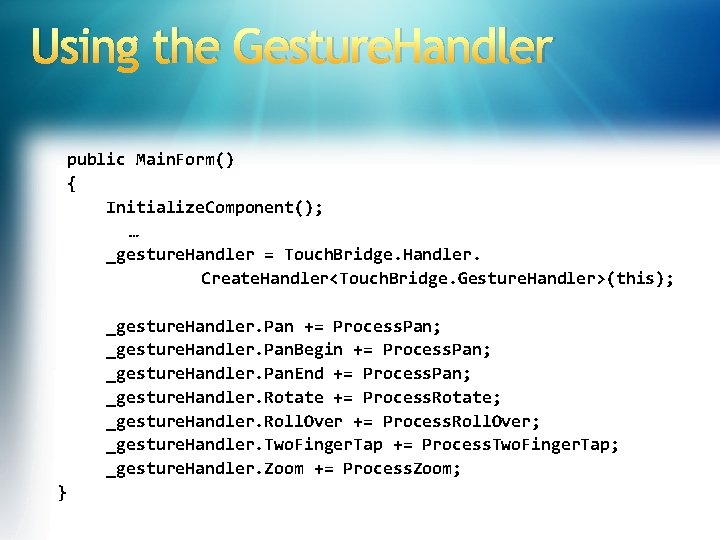
Using the Gesture. Handler public Main. Form() { Initialize. Component(); … _gesture. Handler = Touch. Bridge. Handler. Create. Handler<Touch. Bridge. Gesture. Handler>(this); _gesture. Handler. Pan += Process. Pan; _gesture. Handler. Pan. Begin += Process. Pan; _gesture. Handler. Pan. End += Process. Pan; _gesture. Handler. Rotate += Process. Rotate; _gesture. Handler. Roll. Over += Process. Roll. Over; _gesture. Handler. Two. Finger. Tap += Process. Two. Finger. Tap; _gesture. Handler. Zoom += Process. Zoom; }
MTGesture Demo Windows 7. Multitouch. Gesture. Handler
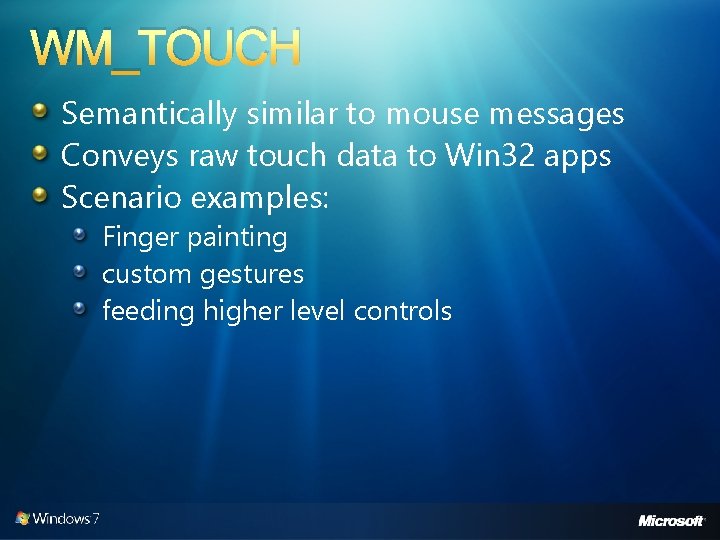
WM_TOUCH Semantically similar to mouse messages Conveys raw touch data to Win 32 apps Scenario examples: Finger painting custom gestures feeding higher level controls
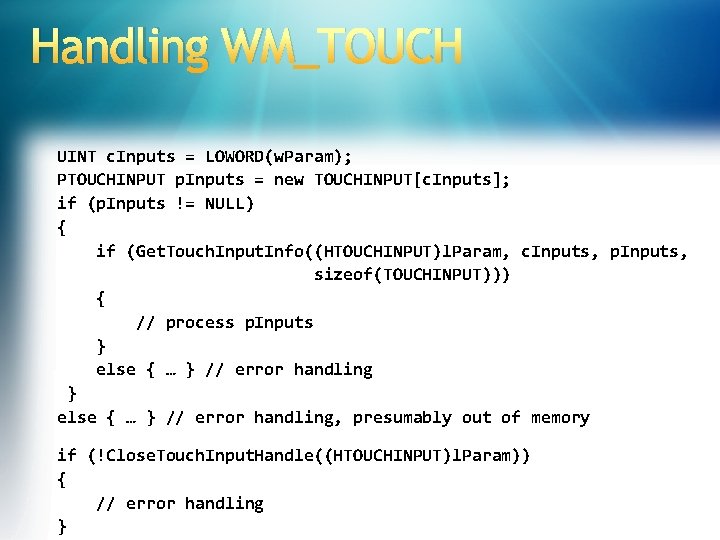
Handling WM_TOUCH UINT c. Inputs = LOWORD(w. Param); PTOUCHINPUT p. Inputs = new TOUCHINPUT[c. Inputs]; if (p. Inputs != NULL) { if (Get. Touch. Input. Info((HTOUCHINPUT)l. Param, c. Inputs, p. Inputs, sizeof(TOUCHINPUT))) { // process p. Inputs } else { … } // error handling, presumably out of memory if (!Close. Touch. Input. Handle((HTOUCHINPUT)l. Param)) { // error handling }
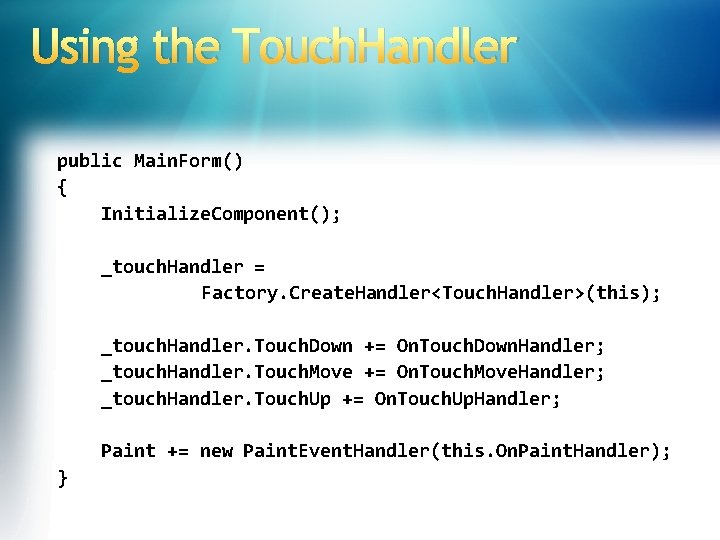
Using the Touch. Handler public Main. Form() { Initialize. Component(); _touch. Handler = Factory. Create. Handler<Touch. Handler>(this); _touch. Handler. Touch. Down += On. Touch. Down. Handler; _touch. Handler. Touch. Move += On. Touch. Move. Handler; _touch. Handler. Touch. Up += On. Touch. Up. Handler; Paint += new Paint. Event. Handler(this. On. Paint. Handler); }
MTScratch. Pad Demo Touch. Bridge. Touch. Handler
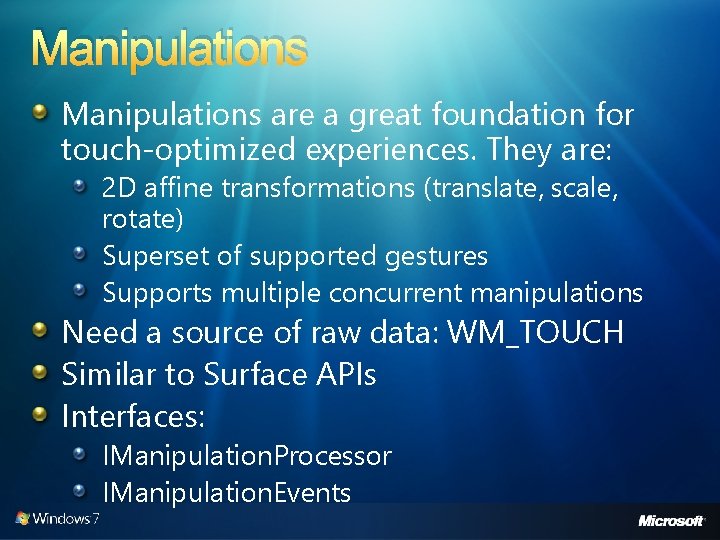
Manipulations are a great foundation for touch-optimized experiences. They are: 2 D affine transformations (translate, scale, rotate) Superset of supported gestures Supports multiple concurrent manipulations Need a source of raw data: WM_TOUCH Similar to Surface APIs Interfaces: IManipulation. Processor IManipulation. Events
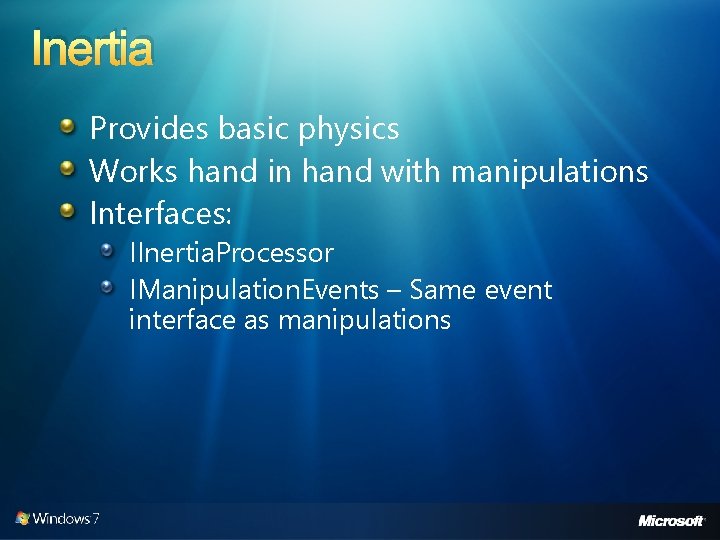
Inertia Provides basic physics Works hand in hand with manipulations Interfaces: IInertia. Processor IManipulation. Events – Same event interface as manipulations
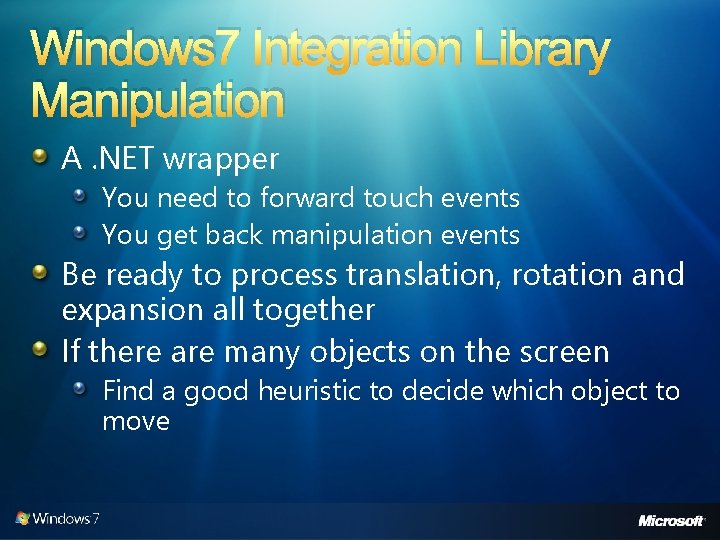
Windows 7 Integration Library Manipulation A. NET wrapper You need to forward touch events You get back manipulation events Be ready to process translation, rotation and expansion all together If there are many objects on the screen Find a good heuristic to decide which object to move
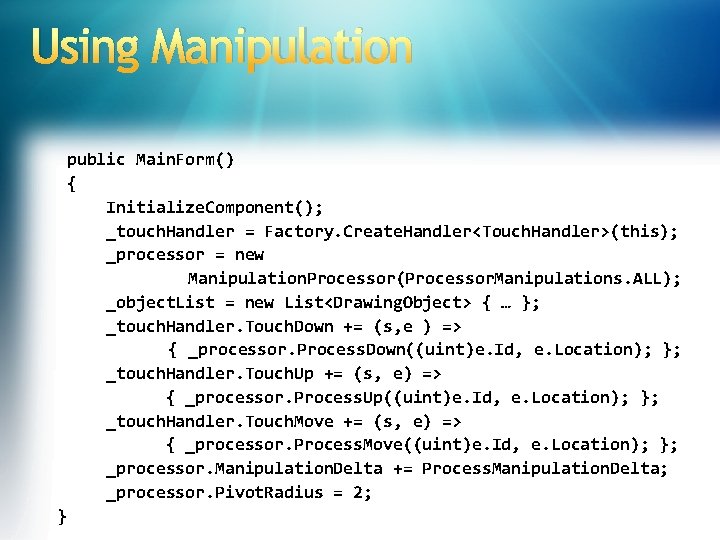
Using Manipulation public Main. Form() { Initialize. Component(); _touch. Handler = Factory. Create. Handler<Touch. Handler>(this); _processor = new Manipulation. Processor(Processor. Manipulations. ALL); _object. List = new List<Drawing. Object> { … }; _touch. Handler. Touch. Down += (s, e ) => { _processor. Process. Down((uint)e. Id, e. Location); }; _touch. Handler. Touch. Up += (s, e) => { _processor. Process. Up((uint)e. Id, e. Location); }; _touch. Handler. Touch. Move += (s, e) => { _processor. Process. Move((uint)e. Id, e. Location); }; _processor. Manipulation. Delta += Process. Manipulation. Delta; _processor. Pivot. Radius = 2; }
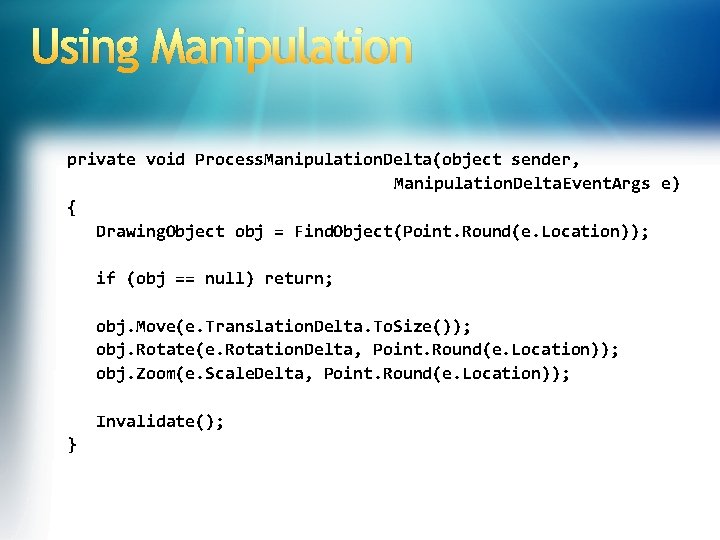
Using Manipulation private void Process. Manipulation. Delta(object sender, Manipulation. Delta. Event. Args e) { Drawing. Object obj = Find. Object(Point. Round(e. Location)); if (obj == null) return; obj. Move(e. Translation. Delta. To. Size()); obj. Rotate(e. Rotation. Delta, Point. Round(e. Location)); obj. Zoom(e. Scale. Delta, Point. Round(e. Location)); Invalidate(); }
Manipulation Demo mt. Manipulation
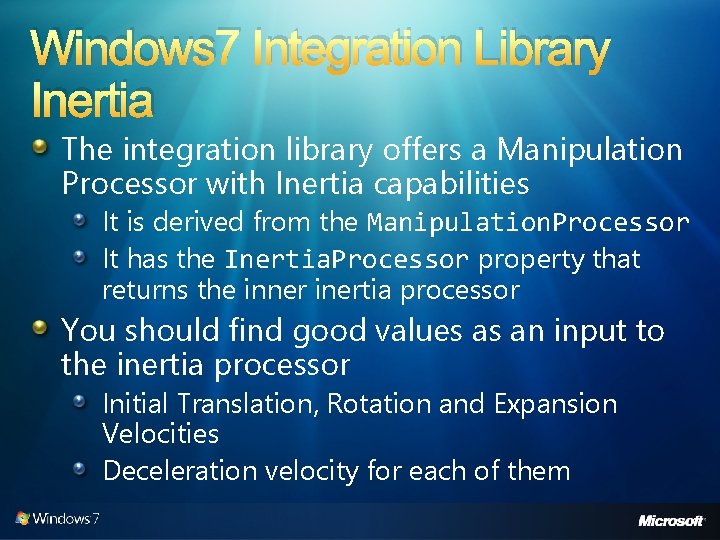
Windows 7 Integration Library Inertia The integration library offers a Manipulation Processor with Inertia capabilities It is derived from the Manipulation. Processor It has the Inertia. Processor property that returns the inner inertia processor You should find good values as an input to the inertia processor Initial Translation, Rotation and Expansion Velocities Deceleration velocity for each of them
Inertia Demo mt. Inertia
Multi-Touch in WPF UIElement and UIElement 3 D changes Gesture events (tracking) Touch system gesture events (single) Raw touch events Multi-touch support in controls: Scroll. Viewer update to accept pan gestures Base controls updated to be multi-touch aware Multi-capture support New multi-touch specific controls Compatible with Surface SDK 2. 0
User Experience Considerations General guidelines Big targets Whitespace Avoid hover See UX guidelines Be aware of hardware Form factor Avoid on-hover UI Edges, jitter, etc. Gesture guidelines Use common gestures Gestures need to be intuitive and natural Moving away from shortcut style gestures to manipulations
Call To Action Decide which application scenarios make sense for touch Decide which tier of investment is appropriate Check your current applications Add: Gesture Or manipulation Or inertia Build something amazing!
© 2007 Microsoft Corporation. All rights reserved. Microsoft, Windows Vista and other product names are or may be registered trademarks and/or trademarks in the U. S. and/or other countries. The information herein is for informational purposes only and represents the current view of Microsoft Corporation as of the date of this presentation. Because Microsoft must respond to changing market conditions, it should not be interpreted to be a commitment on the part of Microsoft, and Microsoft cannot guarantee the accuracy of any information provided after the date of this presentation. MICROSOFT MAKES NO WARRANTIES, EXPRESS, IMPLIED OR STATUTORY, AS TO THE INFORMATION IN THIS PRESENTATION.