
Windows 7 Training EnergyEfficient Applications Microsoft Corporation Agenda




- Slides: 30
Windows 7 Training
Energy-Efficient Applications Microsoft® Corporation
Agenda Why is power consumption important? Hardware and software power savings techniques: Coalescing timers Power state notifications Background activities Interfering power transitions Power availability requests Power policies Power efficiency diagnostics
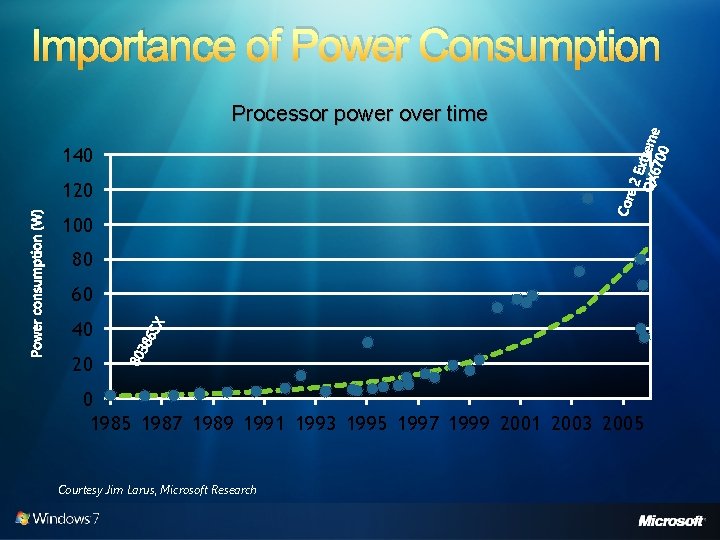
Importance of Power Consumption Processor power over time 140 120 100 80 60 40 20 0 1985 1987 1989 1991 1993 1995 1997 1999 2001 2003 2005 Courtesy Jim Larus, Microsoft Research
Importance of Power Consumption Computer energy consumption increasing exponentially over time Software has a critical impact on battery life Use advanced hardware power optimization Key goals: “All day” battery life Reducing costs of energy consumption Regulatory and environmental compliance
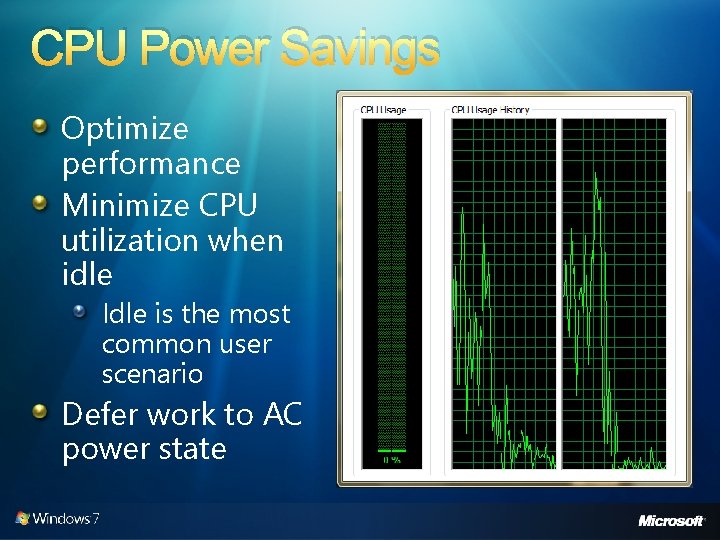
CPU Power Savings Idle is the most common user scenario Defer work to AC power state 25 20 15 10 5 0 Id le 10 % 20 % 30 % 40 % 50 % 70 10 % 0% Optimize performance Minimize CPU utilization when idle
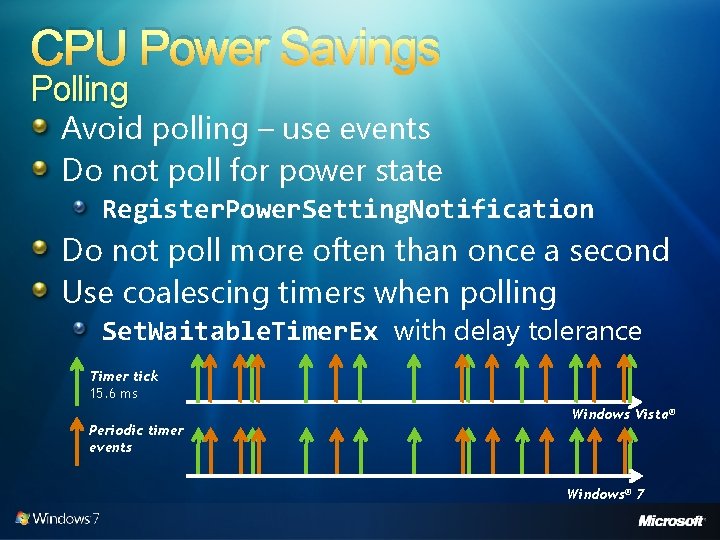
CPU Power Savings Polling Avoid polling – use events Do not poll for power state Register. Power. Setting. Notification Do not poll more often than once a second Use coalescing timers when polling Set. Waitable. Timer. Ex with delay tolerance Timer tick 15. 6 ms Windows Vista® Periodic timer events Windows® 7
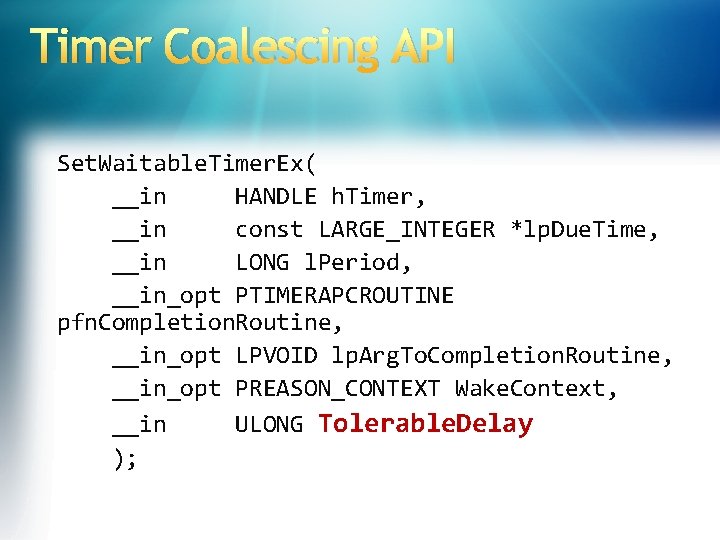
Timer Coalescing API Set. Waitable. Timer. Ex( __in HANDLE h. Timer, __in const LARGE_INTEGER *lp. Due. Time, __in LONG l. Period, __in_opt PTIMERAPCROUTINE pfn. Completion. Routine, __in_opt LPVOID lp. Arg. To. Completion. Routine, __in_opt PREASON_CONTEXT Wake. Context, __in ULONG Tolerable. Delay );
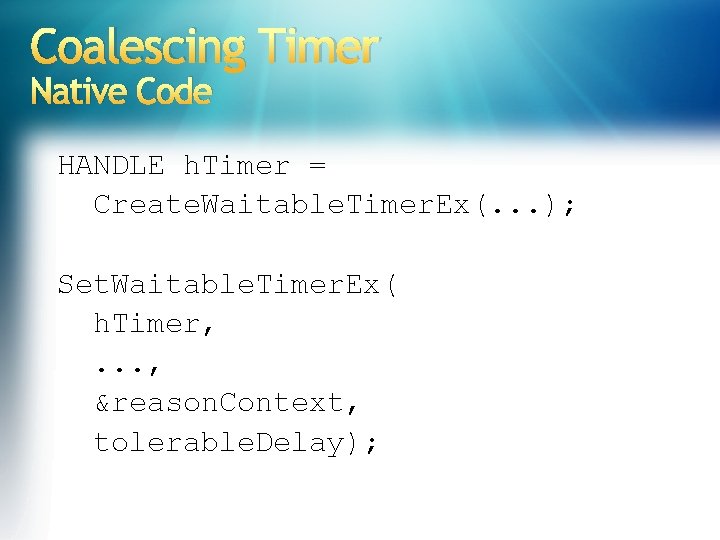
Coalescing Timer Native Code HANDLE h. Timer = Create. Waitable. Timer. Ex(. . . ); Set. Waitable. Timer. Ex( h. Timer, . . . , &reason. Context, tolerable. Delay);
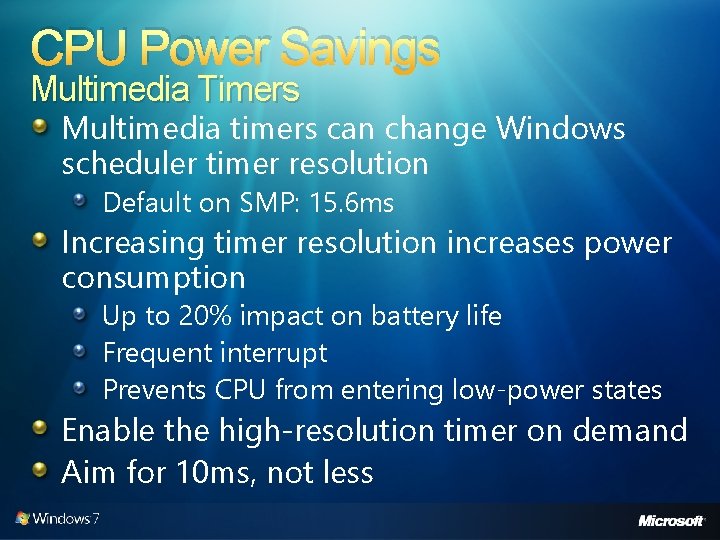
CPU Power Savings Multimedia Timers Multimedia timers can change Windows scheduler timer resolution Default on SMP: 15. 6 ms Increasing timer resolution increases power consumption Up to 20% impact on battery life Frequent interrupt Prevents CPU from entering low-power states Enable the high-resolution timer on demand Aim for 10 ms, not less
Windows Vista Bridge Sample Managed class library to ease. NET Framework access to Windows Vista features UAC, power management, restart and recovery, network awareness, Aero glass, and more It is a sample library not a full product Open source with no support Use at your own risk
The Windows Bridge V 1. 3 Support Power Aware Application Enables access to Windows Vista and Windows 7 library API from managed code Contains the Power. Manager class that wraps the Windows power APIs Power aware, power sources Battery status Power notifications It is a sample library not a full product Open source with no support Use at your own risk
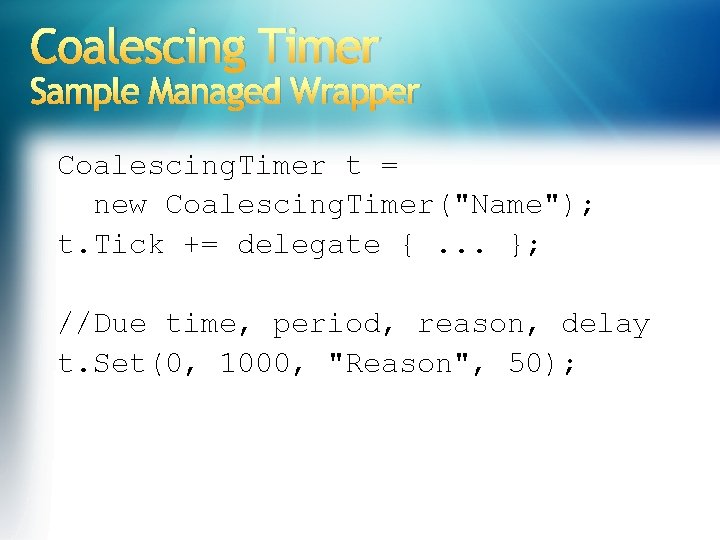
Coalescing Timer Sample Managed Wrapper Coalescing. Timer t = new Coalescing. Timer("Name"); t. Tick += delegate {. . . }; //Due time, period, reason, delay t. Set(0, 1000, "Reason", 50);
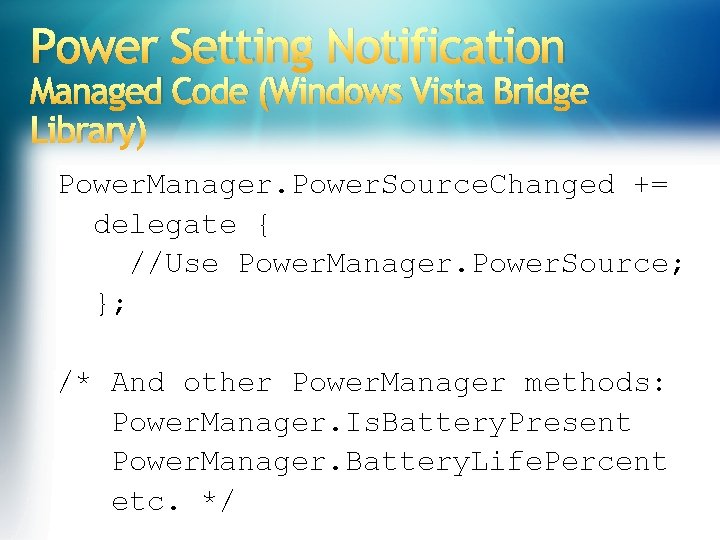
Power Setting Notification Managed Code (Windows Vista Bridge Library) Power. Manager. Power. Source. Changed += delegate { //Use Power. Manager. Power. Source; }; /* And other Power. Manager methods: Power. Manager. Is. Battery. Present Power. Manager. Battery. Life. Percent etc. */
Power Setting Notification demo …and doing something in response
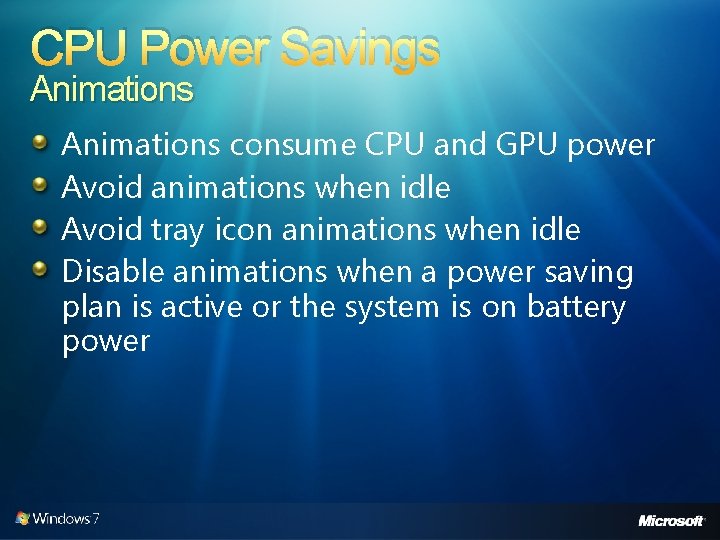
CPU Power Savings Animations consume CPU and GPU power Avoid animations when idle Avoid tray icon animations when idle Disable animations when a power saving plan is active or the system is on battery power
Hard Drive Power Savings Rotational hard disk drives consume ~8% power Avoid periodic disk activity when idle Avoid registry activity when idle Registry activity disk activity
Background Activities Defer work to background activities Background activities (that is, tasks and services) can be scheduled based on environment Start task only on AC power Stop task if switched to battery power Start service when needed on a specific trigger See “Background Services” presentation
Interfering Power Transitions Sleep must not be blocked if initiated by the user Stop any hardware actions (network transfer, file copy, and so on) When resuming: Assume environment changes (for example, network) All applications are resuming at the same time (expect resource bottlenecks) Roughly the same guidelines apply to system startup and shutdown Including hibernate
Power Availability Requests Applications can delay automatic sleep For example, when downloading a file, recording TV, burning a disc, and so on Set. Thread. Execution. State (old API) Replaced in Windows 7 by the detailed availability request API Power. Create. Request, Power. Set. Request, Power. Clear. Request Powercfg. exe /requests
Power Availability Request Native Code HANDLE h. Request = Power. Create. Request(&reason); Power. Set. Request( h. Request, POWER_REQUEST_TYPE);
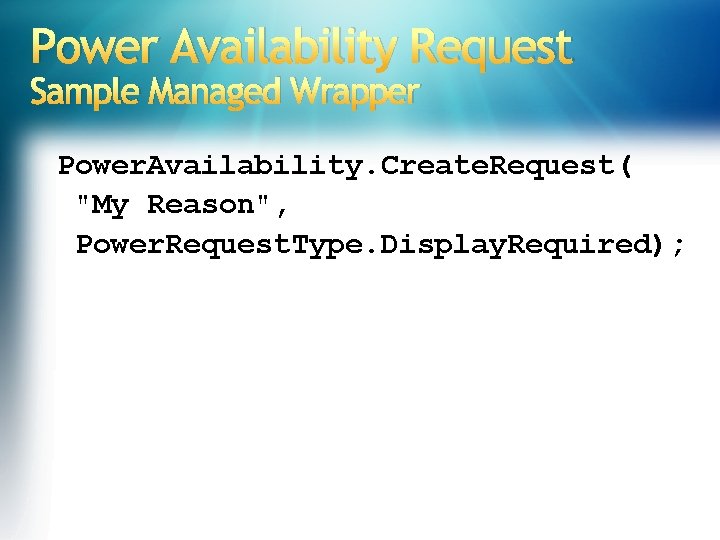
Power Availability Request Sample Managed Wrapper Power. Availability. Create. Request( "My Reason", Power. Request. Type. Display. Required);
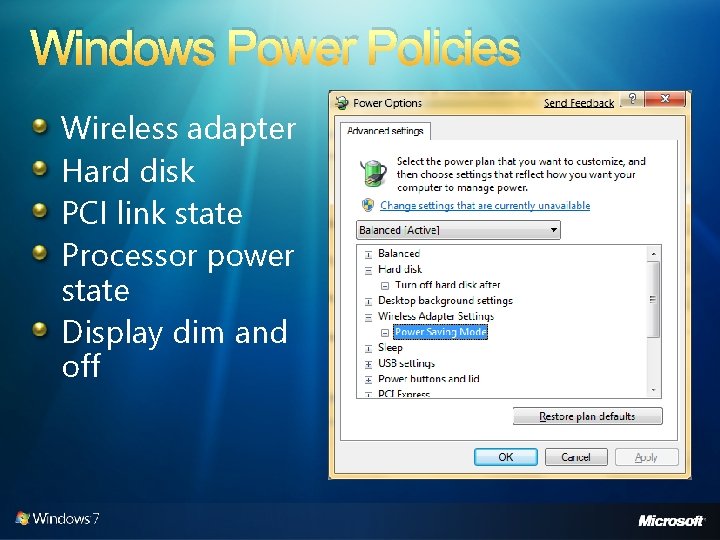
Windows Power Policies Wireless adapter Hard disk PCI link state Processor power state Display dim and off
Power Efficiency Diagnostics Windows performance counters Windows Performance Toolkit (XPerf) See “Instrumentation and Performance” presentation New in Windows 7: Powercfg. exe /energy Automatically executed when idle and reported to Microsoft Customer Experience Improvement Program
Energy Efficiency Report demo …analyzing power consumption
Power Q&A …everything you were afraid to ask
Summary Why is power consumption important? Hardware and software power savings Coalescing timers Power state notifications Background activities Interfering power transitions Power availability requests Power policies Power efficiency diagnostics Be a good citizen… become power aware!
Additional Resources Application Power Management Best Practices for Windows Vista http: //www. microsoft. com/whdc/system/pnppwr/powermgmt/PM_apps. mspx Power Event Monitoring Tool Sample Application Sample Microsoft Visual Studio® project for registering and receiving power notifications http: //www. microsoft. com/whdc/system/pnppwr/powermgmt/PM-apps_samp. mspx Make Your WPF Apps Power-Aware http: //msdn. microsoft. com/en-us/magazine/cc 163386. aspx “Power To The People” C# interoperability for most Windows Vista and later power APIs http: //www. code-magazine. com/articleprint. aspx? quickid=0512102&printmode=true Windows Performance Tool. Kit (XPerf) http: //msdn. microsoft. com/en-us/library/cc 305187. aspx Pwr. Test (power management test tool) Available in Windows Driver Kit (WDK) http: //www. microsoft. com/whdc/Dev. Tools/WDKpkg. mspx
© 2007 Microsoft Corporation. All rights reserved. Microsoft, Windows Vista and other product names are or may be registered trademarks and/or trademarks in the U. S. and/or other countries. The information herein is for informational purposes only and represents the current view of Microsoft Corporation as of the date of this presentation. Because Microsoft must respond to changing market conditions, it should not be interpreted to be a commitment on the part of Microsoft, and Microsoft cannot guarantee the accuracy of any information provided after the date of this presentation. MICROSOFT MAKES NO WARRANTIES, EXPRESS, IMPLIED OR STATUTORY, AS TO THE INFORMATION IN THIS PRESENTATION.