
Windows 7 Sensor And Location Platform Gavin Gear


- Slides: 26
Windows 7 Sensor And Location Platform Gavin Gear Program Manager Microsoft Corporation
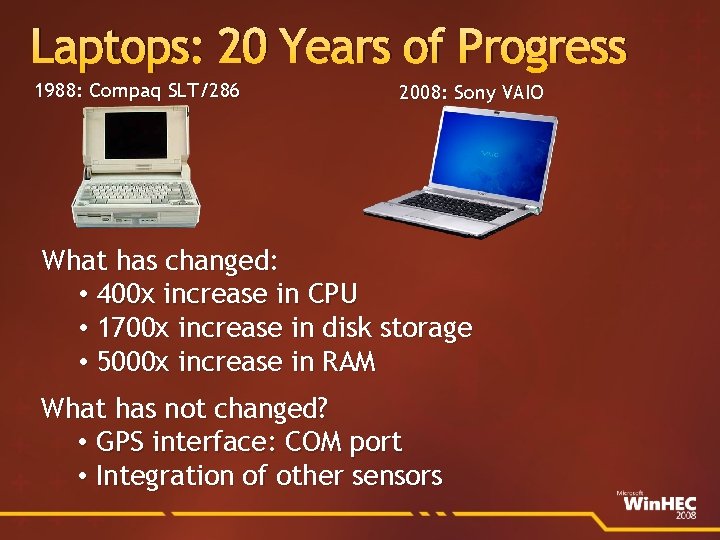
Laptops: 20 Years of Progress 1988: Compaq SLT/286 2008: Sony VAIO What has changed: • 400 x increase in CPU • 1700 x increase in disk storage • 5000 x increase in RAM What has not changed? • GPS interface: COM port • Integration of other sensors
About Sensors measure a physical phenomenon or a physical interaction Sensors of interest Location sensors GPS, Wi-Fi/cell tower triangulation, IP resolver Ambient Light Sensors (ALS) Other sensors Accelerometers, Human presence, RFID, others
Dealing With Sensors And Location Today Sensors are integrated as vertical solutions Applications need to know sensor hardware specifics Limited adoption and scope Location devices are exposed as virtual COM ports Exclusive application access Not secure Proprietary data formats (NMEA, others)
announcing Sensor And Location Platform New For Windows 7
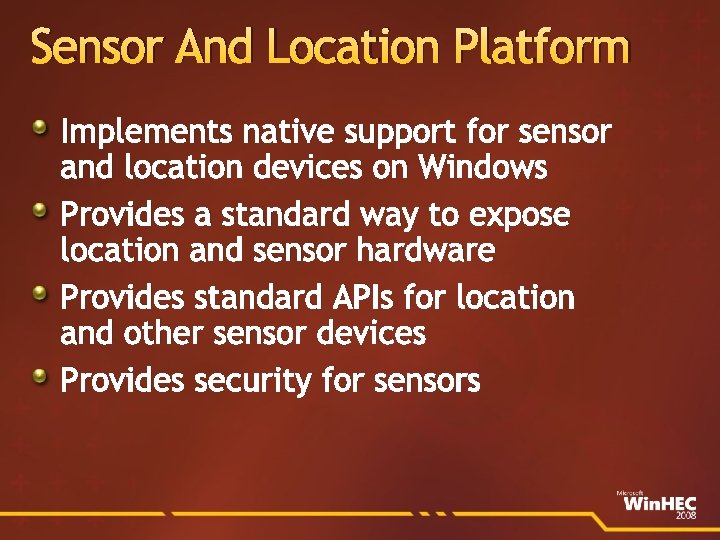
Sensor And Location Platform Implements native support for sensor and location devices on Windows Provides a standard way to expose location and sensor hardware Provides standard APIs for location and other sensor devices Provides security for sensors
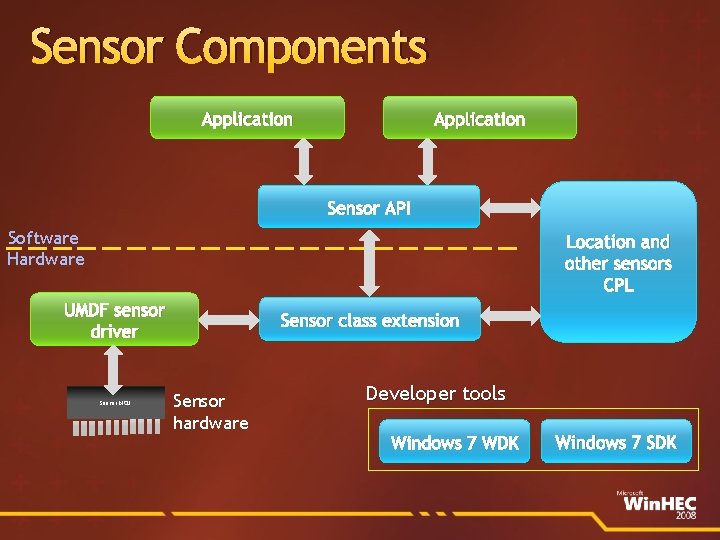
Sensor Components Application Sensor API Software Hardware Location and other sensors CPL UMDF sensor driver Sensor MCU Sensor class extension Sensor hardware Developer tools Windows 7 WDK Windows 7 SDK
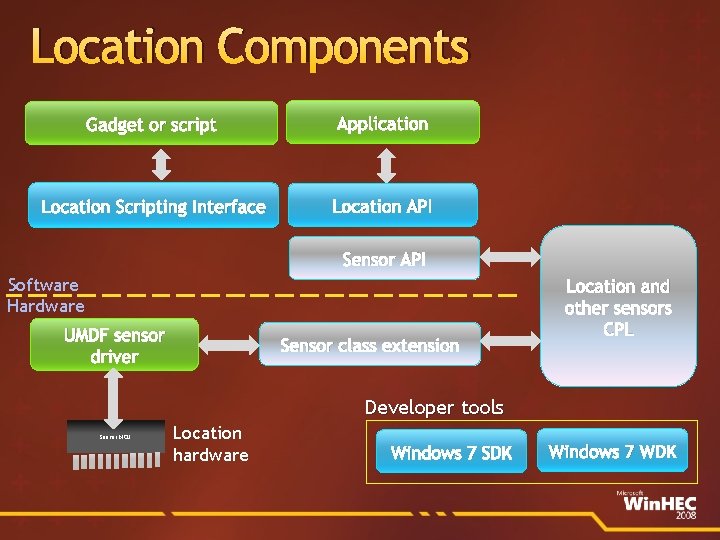
Location Components Gadget or script Application Location Scripting Interface Location API Sensor API Software Hardware UMDF sensor driver Sensor class extension Location and other sensors CPL Developer tools Sensor MCU Location hardware Windows 7 SDK Windows 7 WDK
demo Sensor And Location Enabled Applications
Location Platform Benefits One API call to get the PC’s location One API for all location providers Automatic transition between providers Concurrent access for any application Privacy controls Support for multiple API surfaces
Location-Awareness Opportunities Useful local information Location based search for points of interest Mapping/navigation based on current location PC recovery service Where are my friends and family?
Integrating Location Sensors Pn. P driver that natively support the sensor platform Don’t use virtual COM ports Support the location API data fields Virtual providers (such as Wi-Fi look-up) are excellent compliments to GPS devices
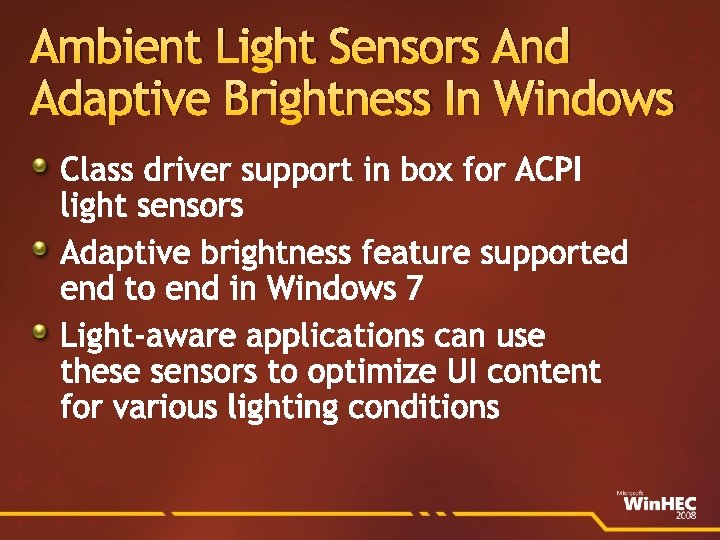
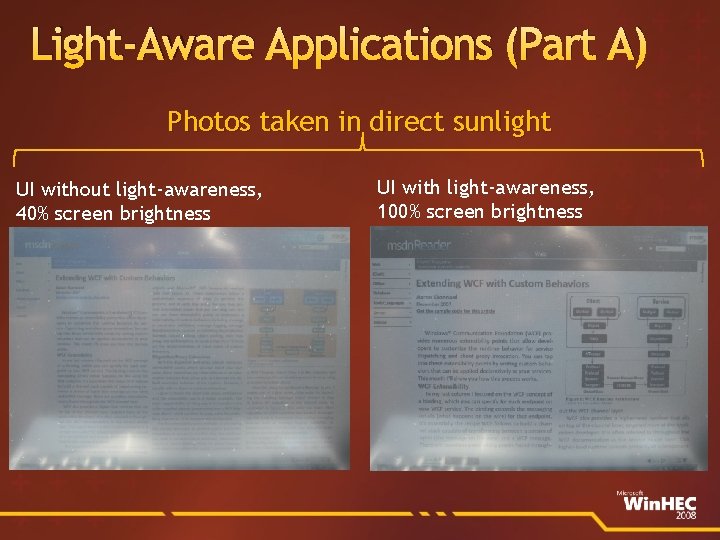
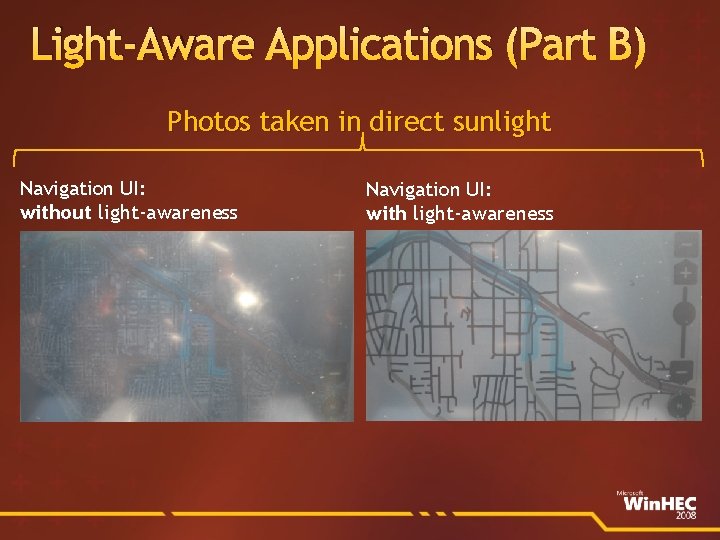
Ambient Light Sensors And Adaptive Brightness In Windows Class driver support in box for ACPI light sensors Adaptive brightness feature supported end to end in Windows 7 Light-aware applications can use these sensors to optimize UI content for various lighting conditions
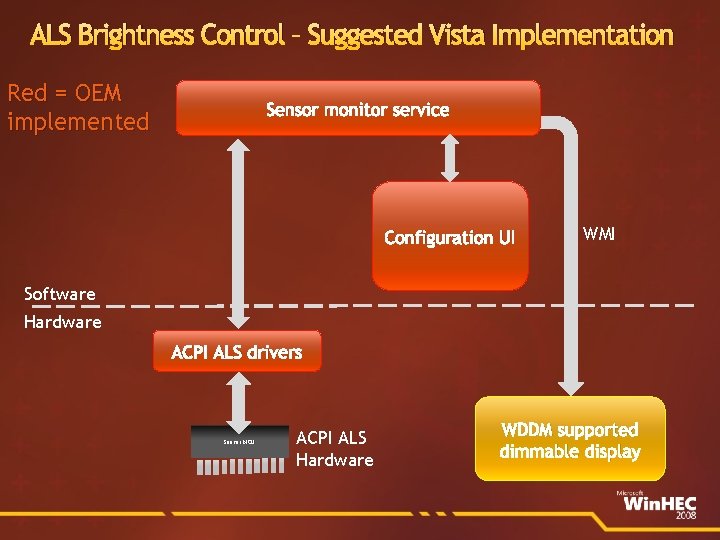
ALS Brightness Control – Suggested Vista Implementation Red = OEM implemented Sensor monitor service Configuration UI WMI Software Hardware ACPI ALS drivers Sensor MCU ACPI ALS Hardware WDDM supported dimmable display
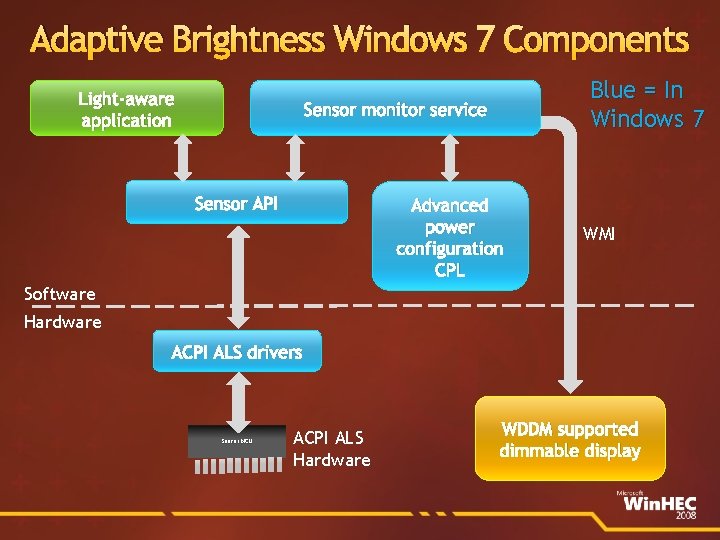
Adaptive Brightness Windows 7 Components Light-aware application Blue = In Windows 7 Sensor monitor service Sensor API Advanced power configuration CPL WMI Software Hardware ACPI ALS drivers Sensor MCU ACPI ALS Hardware WDDM supported dimmable display
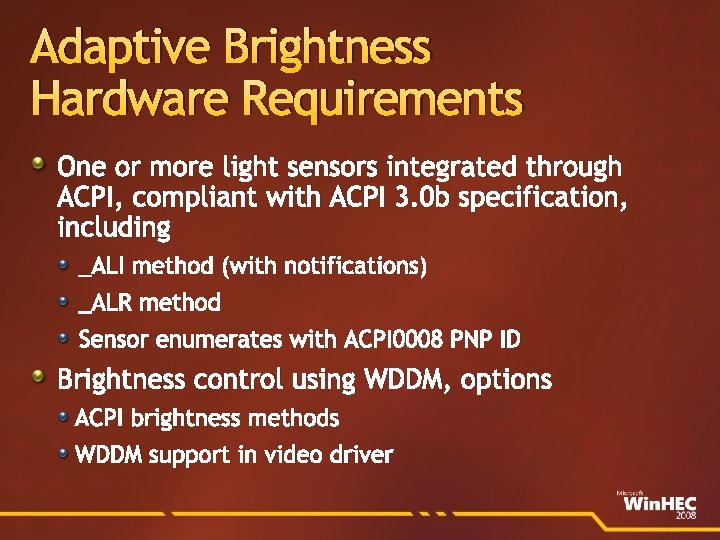
Adaptive Brightness Hardware Requirements One or more light sensors integrated through ACPI, compliant with ACPI 3. 0 b specification, including _ALI method (with notifications) _ALR method Sensor enumerates with ACPI 0008 PNP ID Brightness control using WDDM, options ACPI brightness methods WDDM support in video driver
Light-Aware Applications (Part A) Photos taken in direct sunlight UI without light-awareness, 40% screen brightness UI with light-awareness, 100% screen brightness
Light-Aware Applications (Part B) Photos taken in direct sunlight Navigation UI: without light-awareness Navigation UI: with light-awareness
demo Adaptive Brightness And Light-Aware UI
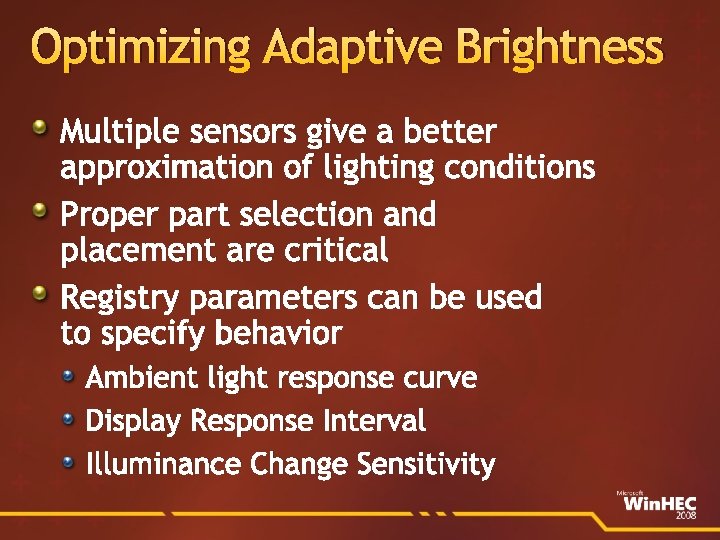
Optimizing Adaptive Brightness Multiple sensors give a better approximation of lighting conditions Proper part selection and placement are critical Registry parameters can be used to specify behavior Ambient light response curve Display Response Interval Illuminance Change Sensitivity
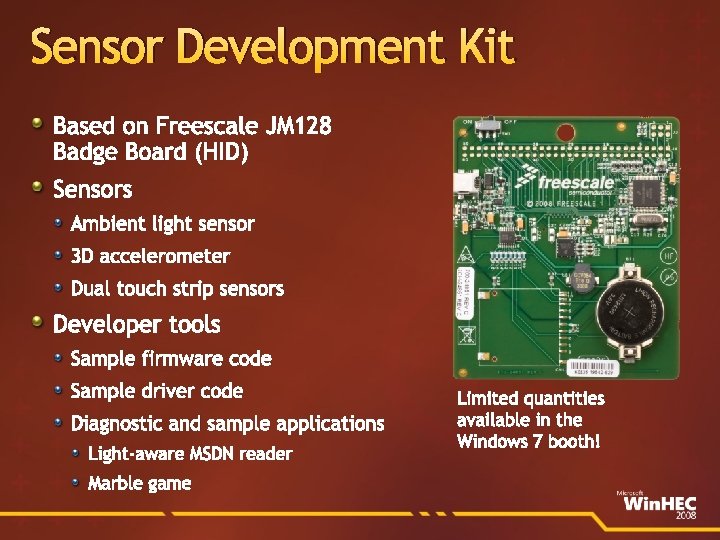
Sensor Development Kit Based on Freescale JM 128 Badge Board (HID) Sensors Ambient light sensor 3 D accelerometer Dual touch strip sensors Developer tools Sample firmware code Sample driver code Diagnostic and sample applications Light-aware MSDN reader Marble game
Logo Requirements And Tests Requirements are listed under Input 048 Apply to all sensor devices Input 049 Apply to location devices only Input 050 Apply to ambient light sensor devices only Requirements are focused around Exposing proper data fields Exposing properties correctly
Call To Action Location Select chipsets with drivers that integrate with Windows 7 Sensor and Location platform Update your existing location device driver to support the Windows 7 Sensor and Location platform Ambient light sensors/adaptive brightness ACPI 3. 0 b compliance WDDM/ACPI brightness control Smooth display transitions Get a Windows 7 Sensor Development Kit
Resources Location and sensors WHDC site www. microsoft. com/whdc/sensors Inquiry aliases sensext@microsoft. com locext@microsoft. com White papers see WHDC site Sensor platform overview ALS and light-aware applications ALS hardware and adaptive brightness
© 2008 Microsoft Corporation. All rights reserved. Microsoft, Windows Vista and other product names are or may be registered trademarks and/or trademarks in the U. S. and/or other countries. The information herein is for informational purposes only and represents the current view of Microsoft Corporation as of the date of this presentation. Because Microsoft must respond to changing market conditions, it should not be interpreted to be a commitment on the part of Microsoft, and Microsoft cannot guarantee the accuracy of any information provided after the date of this presentation. MICROSOFT MAKES NO WARRANTIES, EXPRESS, IMPLIED OR STATUTORY, AS TO THE INFORMATION IN THIS PRESENTATION.