
Window and Events The structure of Interactive Software
![public class Line. Draw. Model { private Line [] lines. To. Draw; public int](https://slidetodoc.com/presentation_image/9601a5106fcacd52e4a56922b010dbe2/image-38.jpg "public class Line. Draw. Model { private Line [] lines. To. Draw; public int")
- Slides: 42
Window and Events The structure of Interactive Software
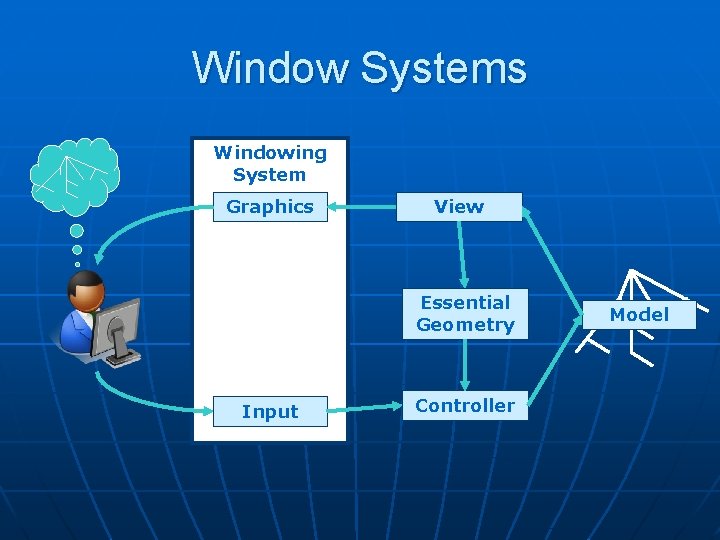
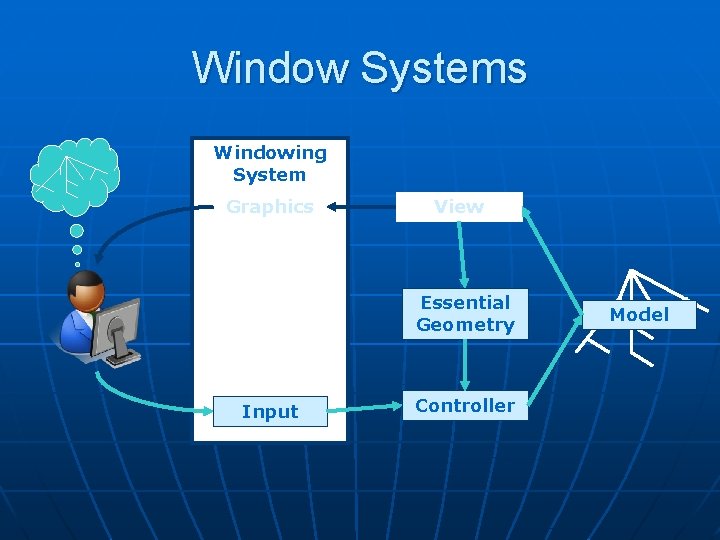
Window Systems Windowing System Graphics View Essential Geometry Input Controller Model
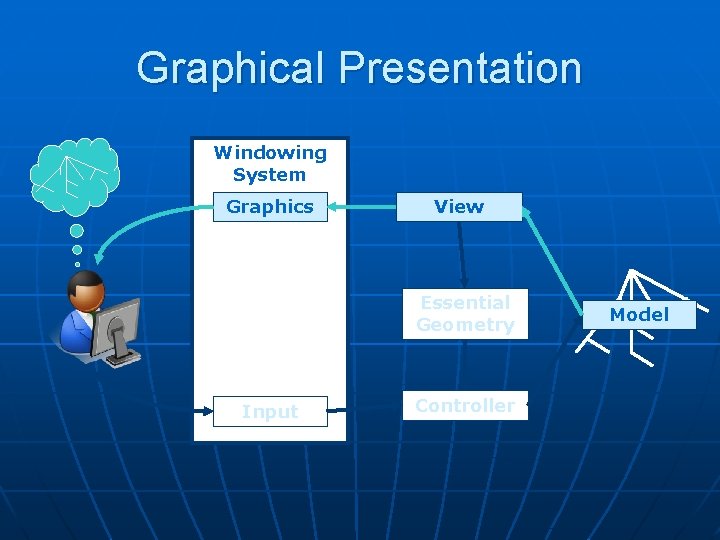
Graphical Presentation Windowing System Graphics View Essential Geometry Input Controller Model
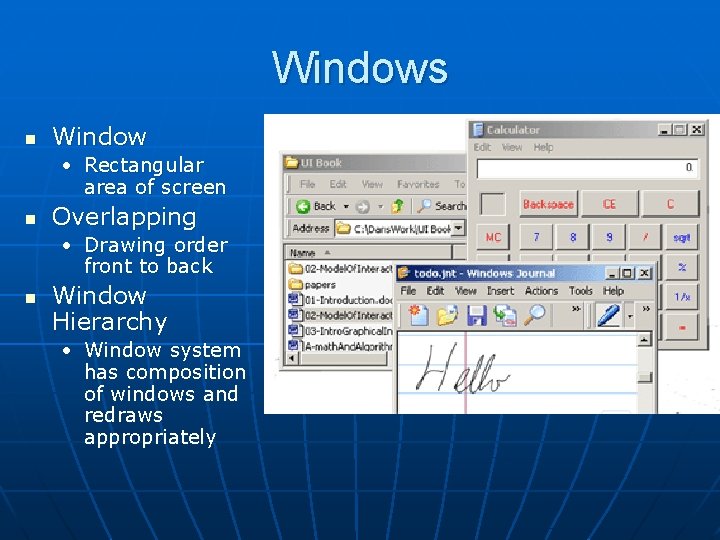
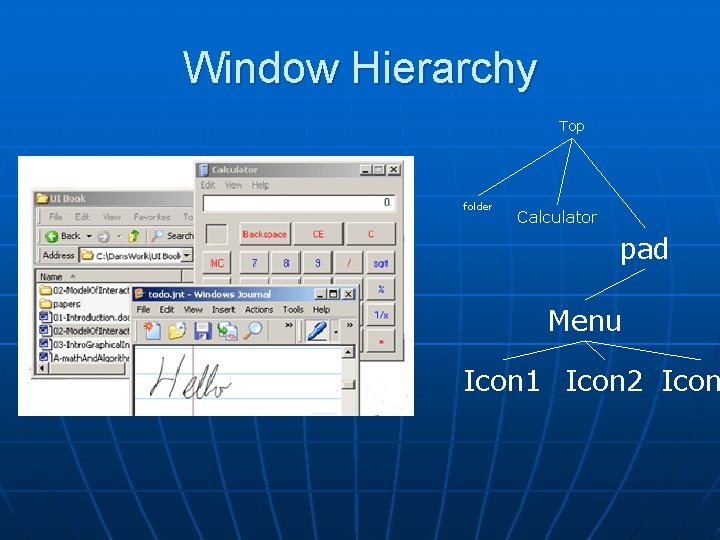
Windows n Window • Rectangular area of screen n Overlapping • Drawing order front to back n Window Hierarchy • Window system has composition of windows and redraws appropriately
Window Hierarchy Top folder Calculator pad Menu Icon 1 Icon 2 Icon
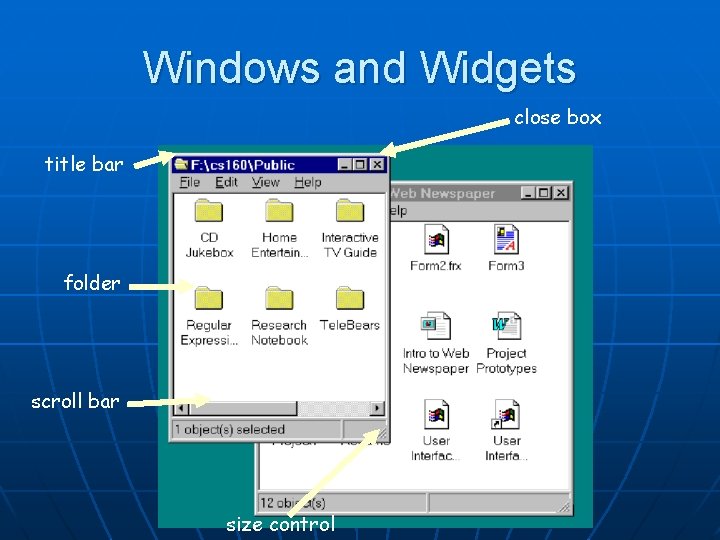
Windows and Widgets close box title bar folder scroll bar size control
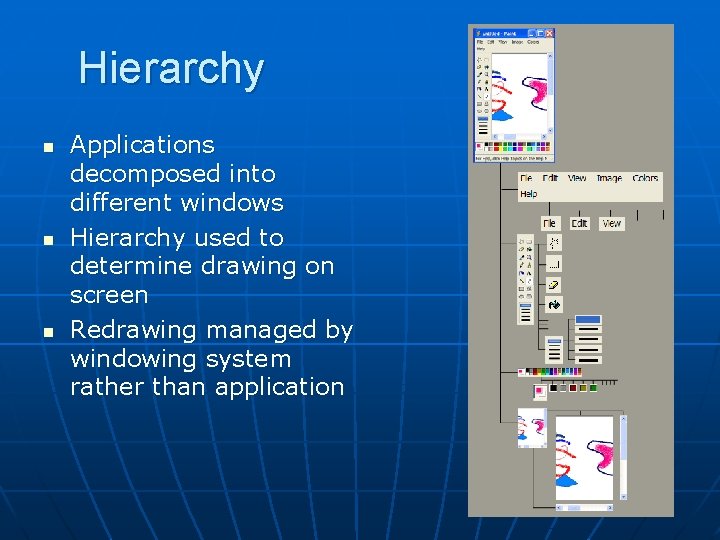
Hierarchy n n n Applications decomposed into different windows Hierarchy used to determine drawing on screen Redrawing managed by windowing system rather than application
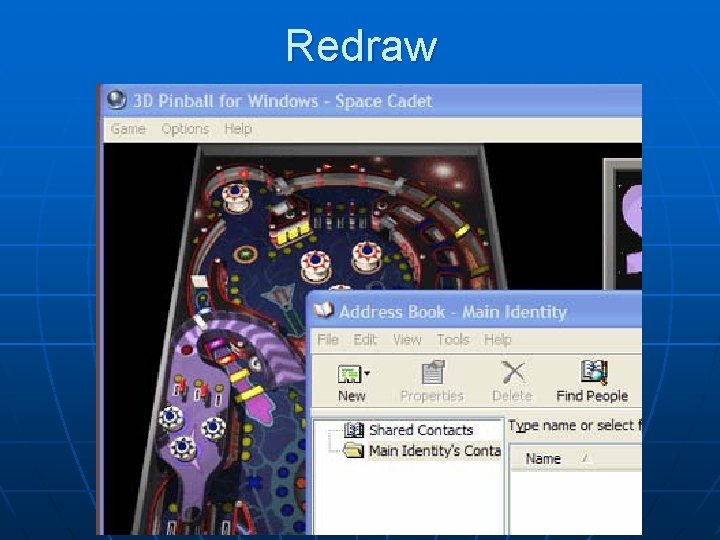
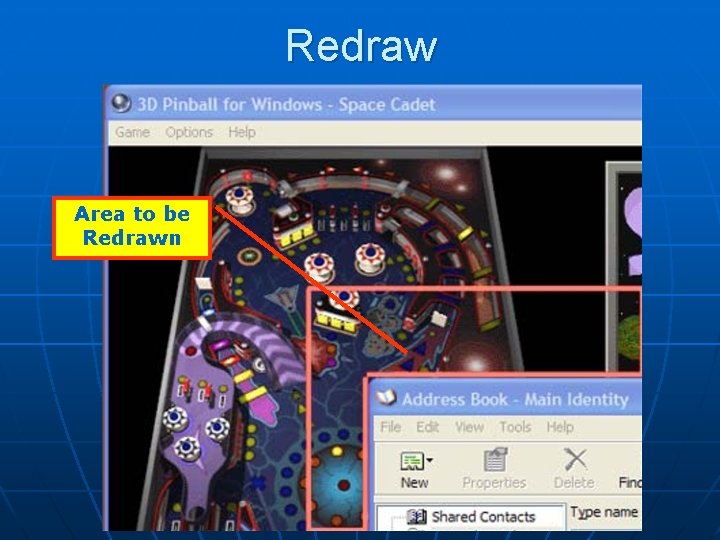
Redraw
Redraw Area to be Redrawn
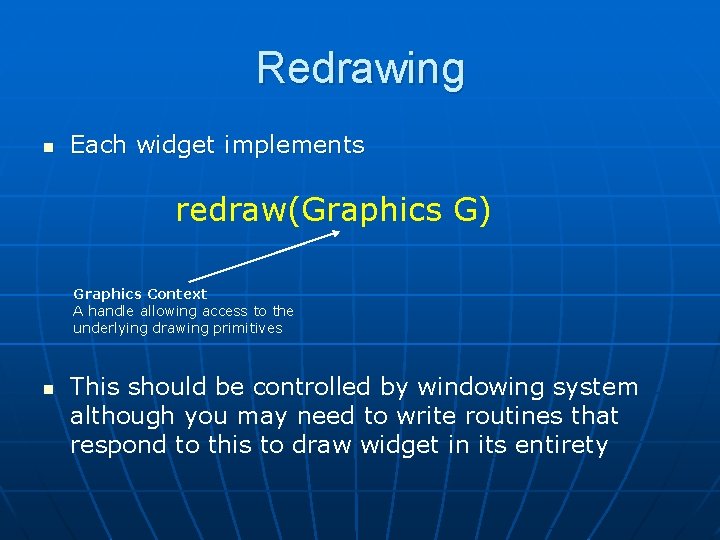
Redrawing n Each widget implements redraw(Graphics G) Graphics Context A handle allowing access to the underlying drawing primitives n This should be controlled by windowing system although you may need to write routines that respond to this to draw widget in its entirety
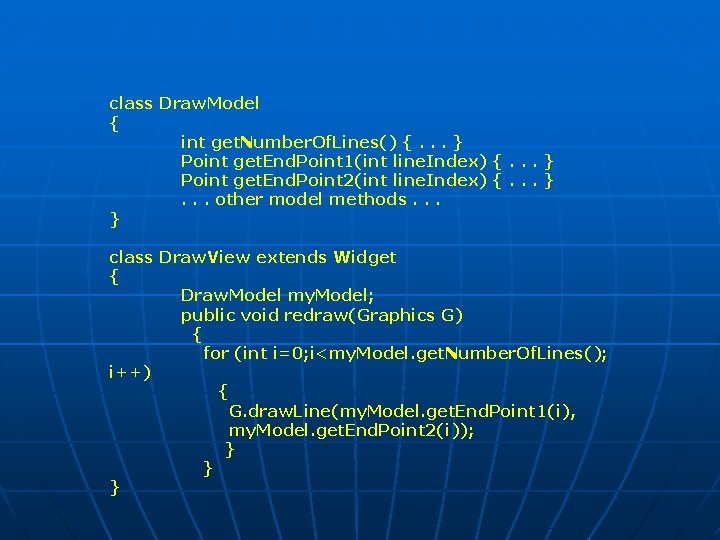
class Draw. Model { int get. Number. Of. Lines() {. . . } Point get. End. Point 1(int line. Index) {. . . } Point get. End. Point 2(int line. Index) {. . . }. . . other model methods. . . } class Draw. View extends Widget { Draw. Model my. Model; public void redraw(Graphics G) { for (int i=0; i<my. Model. get. Number. Of. Lines(); i++) { G. draw. Line(my. Model. get. End. Point 1(i), my. Model. get. End. Point 2(i)); } } }
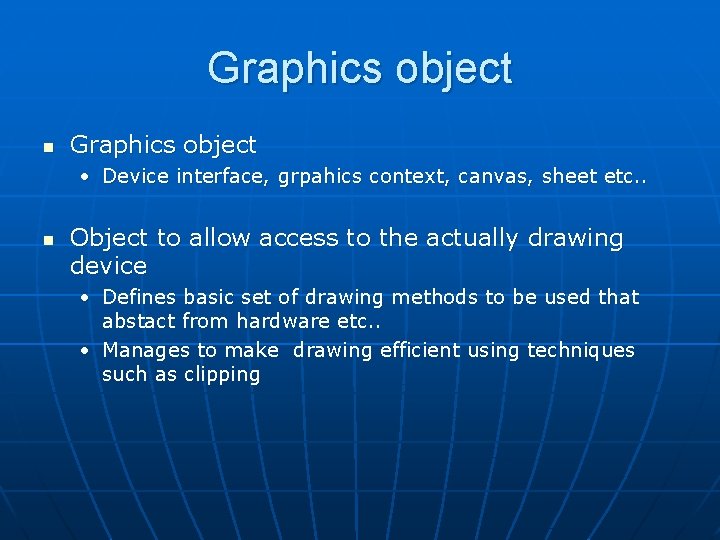
Graphics object n Graphics object • Device interface, grpahics context, canvas, sheet etc. . n Object to allow access to the actually drawing device • Defines basic set of drawing methods to be used that abstact from hardware etc. . • Manages to make drawing efficient using techniques such as clipping
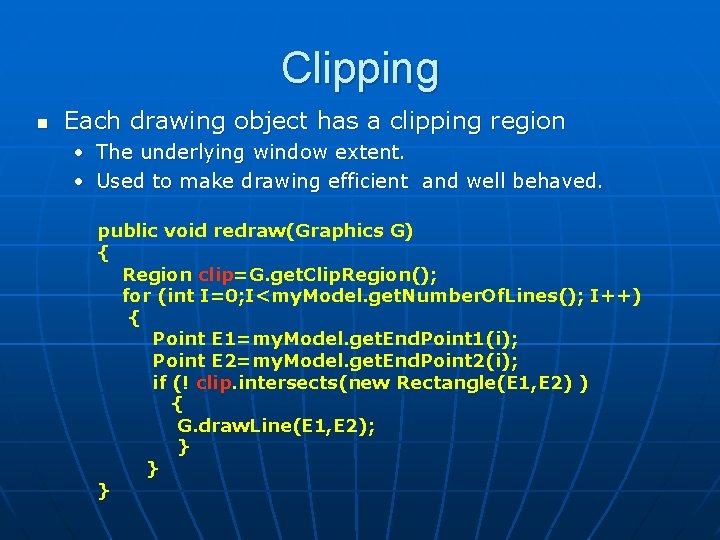
Clipping n Each drawing object has a clipping region • The underlying window extent. • Used to make drawing efficient and well behaved. public void redraw(Graphics G) { Region clip=G. get. Clip. Region(); for (int I=0; I<my. Model. get. Number. Of. Lines(); I++) { Point E 1=my. Model. get. End. Point 1(i); Point E 2=my. Model. get. End. Point 2(i); if (! clip. intersects(new Rectangle(E 1, E 2) ) { G. draw. Line(E 1, E 2); } } }
Events
Window Systems Windowing System Graphics View Essential Geometry Input Controller Model
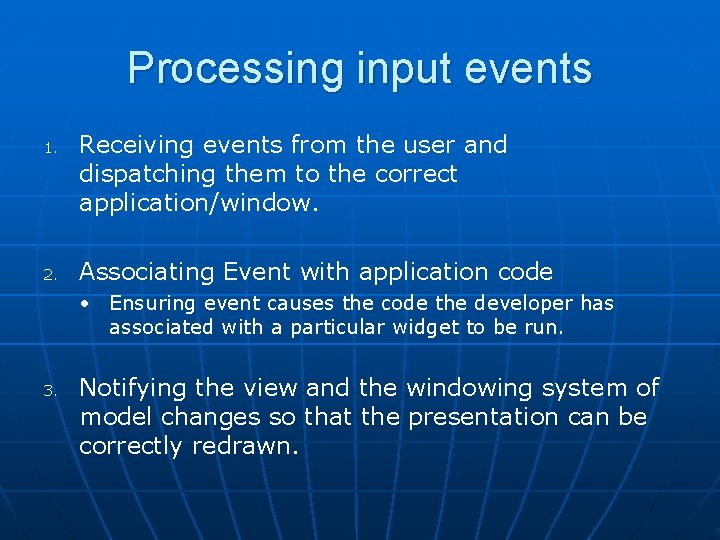
Processing input events 1. 2. Receiving events from the user and dispatching them to the correct application/window. Associating Event with application code • Ensuring event causes the code the developer has associated with a particular widget to be run. 3. Notifying the view and the windowing system of model changes so that the presentation can be correctly redrawn.
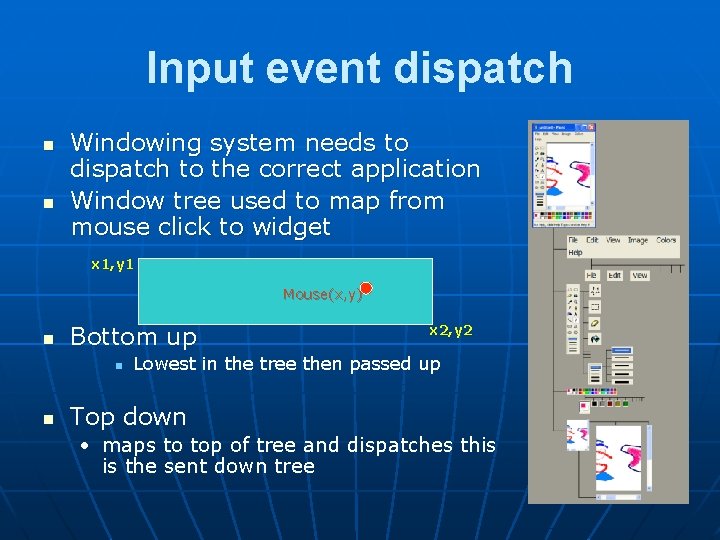
Input event dispatch n n Windowing system needs to dispatch to the correct application Window tree used to map from mouse click to widget x 1, y 1 Mouse(x, y) n Bottom up n n x 2, y 2 Lowest in the tree then passed up Top down • maps to top of tree and dispatches this is the sent down tree
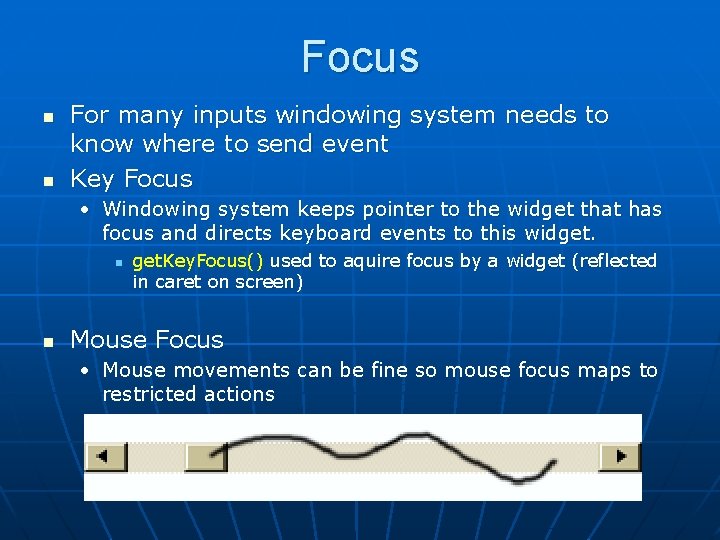
Focus n n For many inputs windowing system needs to know where to send event Key Focus • Windowing system keeps pointer to the widget that has focus and directs keyboard events to this widget. n n get. Key. Focus() used to aquire focus by a widget (reflected in caret on screen) Mouse Focus • Mouse movements can be fine so mouse focus maps to restricted actions
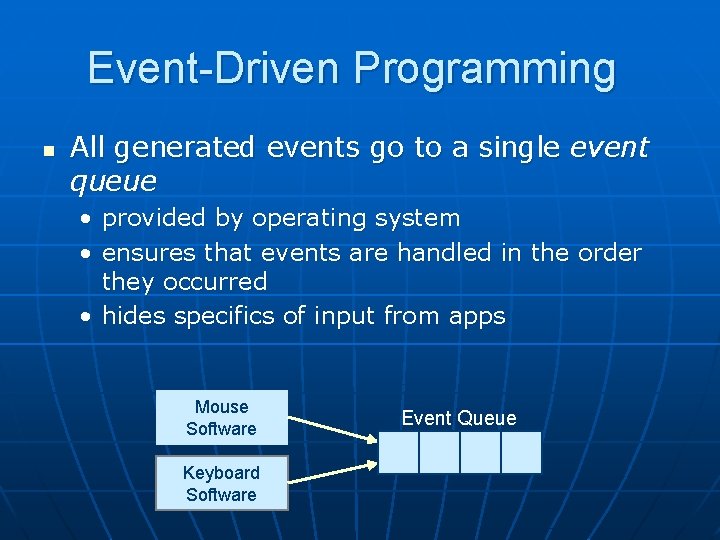
Event-Driven Programming n All generated events go to a single event queue • provided by operating system • ensures that events are handled in the order they occurred • hides specifics of input from apps Mouse Software Keyboard Software Event Queue
Receiving Events n n Events placed on an event queue by operating system Windowing system removes events and dispatches them • In early systems handled by applications n Both user generated and windowing events handled by the same mechanism
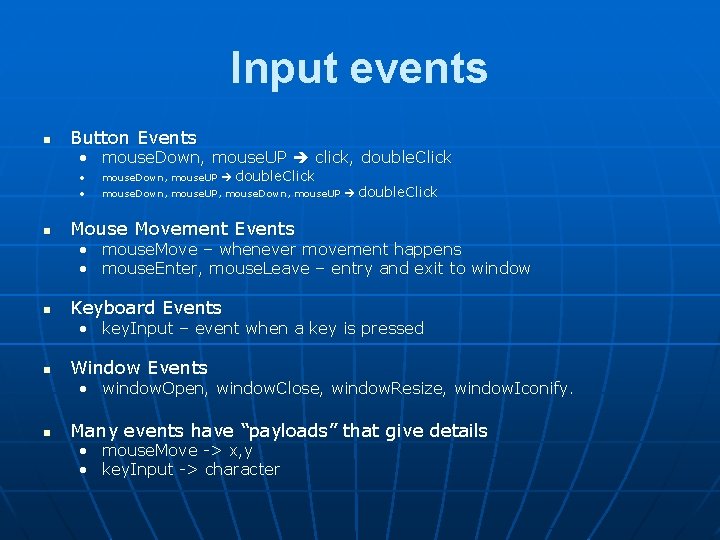
Input events n n Button Events • mouse. Down, mouse. UP click, double. Click • mouse. Down, , mouse. UP, mouse. Down, , mouse. UP double. Click Mouse Movement Events • mouse. Move – whenever movement happens • mouse. Enter, mouse. Leave – entry and exit to window n Keyboard Events • key. Input – event when a key is pressed n Window Events • window. Open, window. Close, window. Resize, window. Iconify. n Many events have “payloads” that give details • mouse. Move -> x, y • key. Input -> character
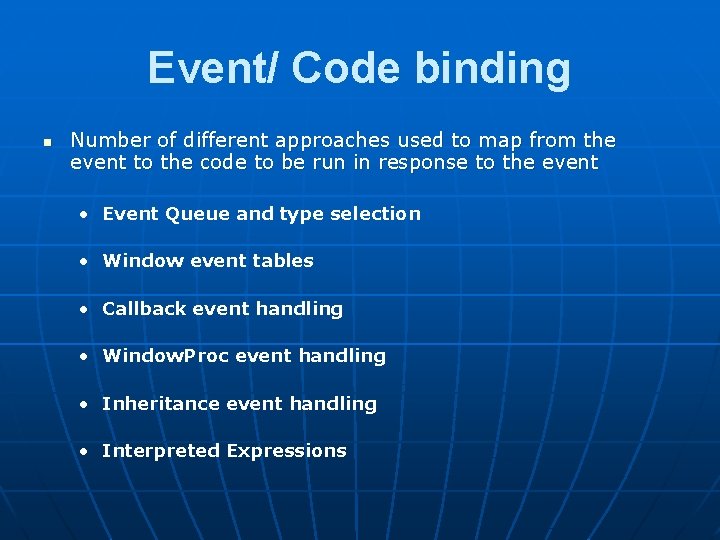
Event/ Code binding n Number of different approaches used to map from the event to the code to be run in response to the event • Event Queue and type selection • Window event tables • Callback event handling • Window. Proc event handling • Inheritance event handling • Interpreted Expressions
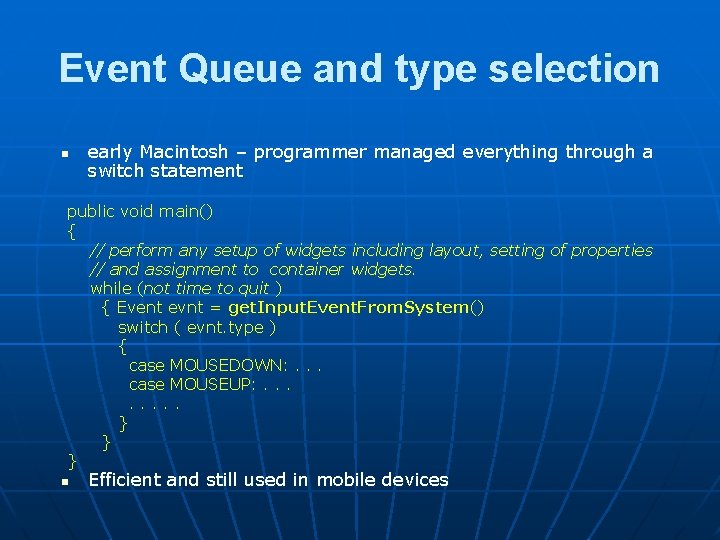
Event Queue and type selection n early Macintosh – programmer managed everything through a switch statement public void main() { // perform any setup of widgets including layout, setting of properties // and assignment to container widgets. while (not time to quit ) { Event evnt = get. Input. Event. From. System() switch ( evnt. type ) { case MOUSEDOWN: . . . case MOUSEUP: . . . . } } } n Efficient and still used in mobile devices
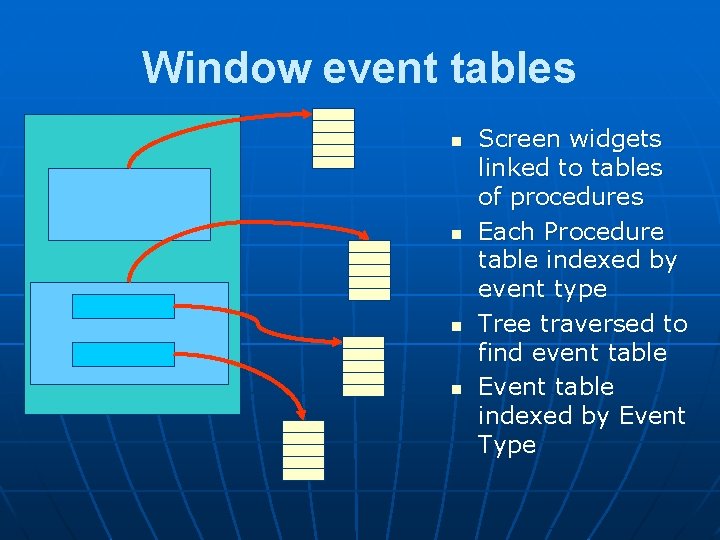
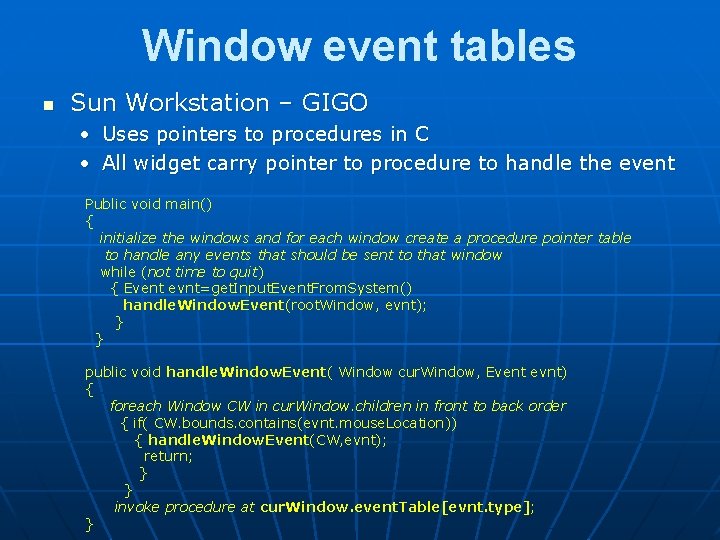
Window event tables n n Screen widgets linked to tables of procedures Each Procedure table indexed by event type Tree traversed to find event table Event table indexed by Event Type
Window event tables n Sun Workstation – GIGO • Uses pointers to procedures in C • All widget carry pointer to procedure to handle the event Public void main() { initialize the windows and for each window create a procedure pointer table to handle any events that should be sent to that window while (not time to quit) { Event evnt=get. Input. Event. From. System() handle. Window. Event(root. Window, evnt); } } public void handle. Window. Event( Window cur. Window, Event evnt) { foreach Window CW in cur. Window. children in front to back order { if( CW. bounds. contains(evnt. mouse. Location)) { handle. Window. Event(CW, evnt); return; } } invoke procedure at cur. Window. event. Table[evnt. type]; }
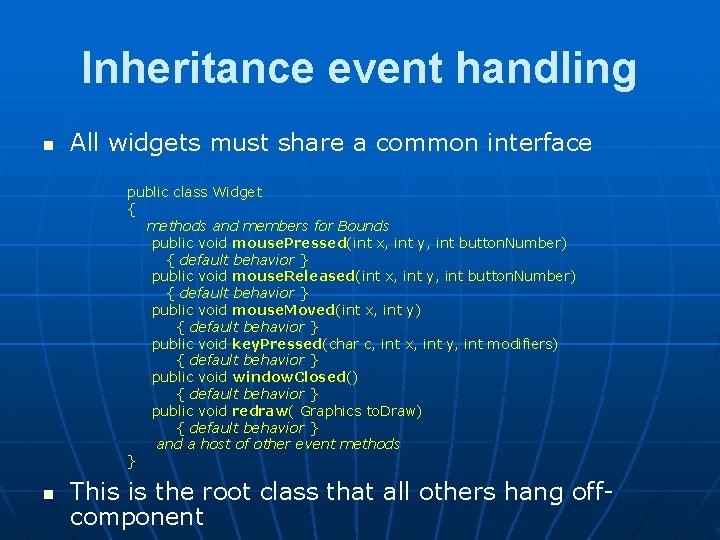
Inheritance event handling n All widgets must share a common interface public class Widget { methods and members for Bounds public void mouse. Pressed(int x, int y, int button. Number) { default behavior } public void mouse. Released(int x, int y, int button. Number) { default behavior } public void mouse. Moved(int x, int y) { default behavior } public void key. Pressed(char c, int x, int y, int modifiers) { default behavior } public void window. Closed() { default behavior } public void redraw( Graphics to. Draw) { default behavior } and a host of other event methods } n This is the root class that all others hang offcomponent
Inheritance event n n Screen components all inherit from base widget When input event occurs correspond method is invoked • Event is either handled on passed on to child object in the tree n Writing code to handle events involves writing the methods to handle the core set of widget events.
Listeners n n Raw user input events only one part of the story Many events are generated from other sources as a consequence of more primitive user actions • windowing system -> windowing events (open, close, move etc. . ) • Operating systems -> device plugged in etc. . n n This led to scaling up of events and event types needed to be able to handle many thousands of types of event Listener model evolved from inheritance based approaches in order to handle issues of scale.
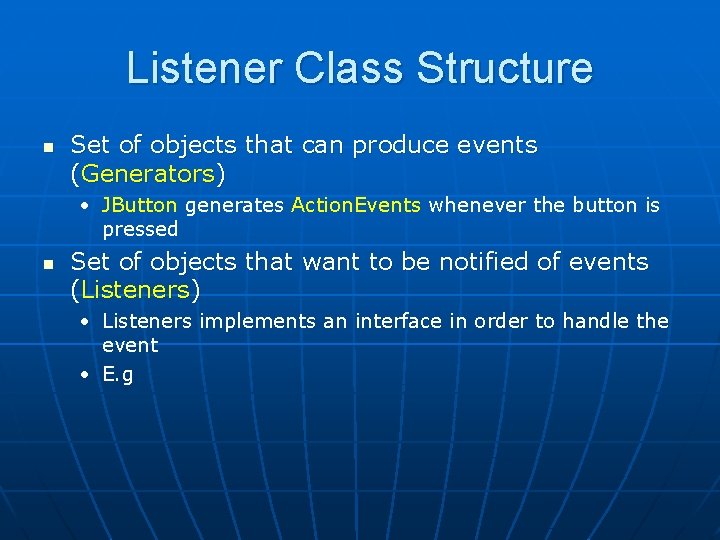
Listener Class Structure n Set of objects that can produce events (Generators) • JButton generates Action. Events whenever the button is pressed n Set of objects that want to be notified of events (Listeners) • Listeners implements an interface in order to handle the event • E. g
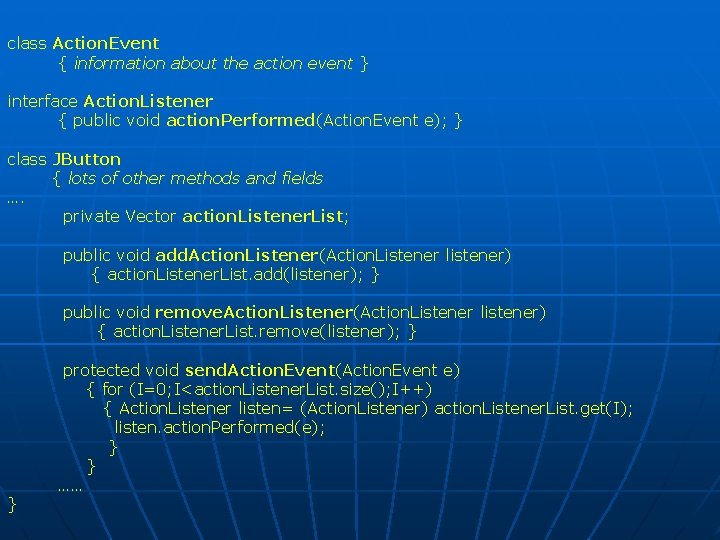
class Action. Event { information about the action event } interface Action. Listener { public void action. Performed(Action. Event e); } class JButton { lots of other methods and fields …. private Vector action. Listener. List; public void add. Action. Listener(Action. Listener listener) { action. Listener. List. add(listener); } public void remove. Action. Listener(Action. Listener listener) { action. Listener. List. remove(listener); } } protected void send. Action. Event(Action. Event e) { for (I=0; I<action. Listener. List. size(); I++) { Action. Listener listen= (Action. Listener) action. Listener. List. get(I); listen. action. Performed(e); } } ……
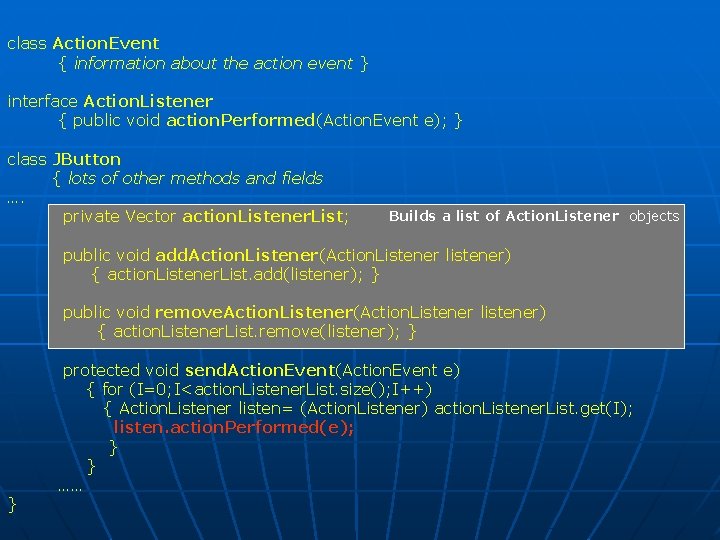
class Action. Event { information about the action event } interface Action. Listener { public void action. Performed(Action. Event e); } class JButton { lots of other methods and fields …. private Vector action. Listener. List; Builds a list of Action. Listener objects public void add. Action. Listener(Action. Listener listener) { action. Listener. List. add(listener); } public void remove. Action. Listener(Action. Listener listener) { action. Listener. List. remove(listener); } } protected void send. Action. Event(Action. Event e) { for (I=0; I<action. Listener. List. size(); I++) { Action. Listener listen= (Action. Listener) action. Listener. List. get(I); listen. action. Performed(e); } } ……
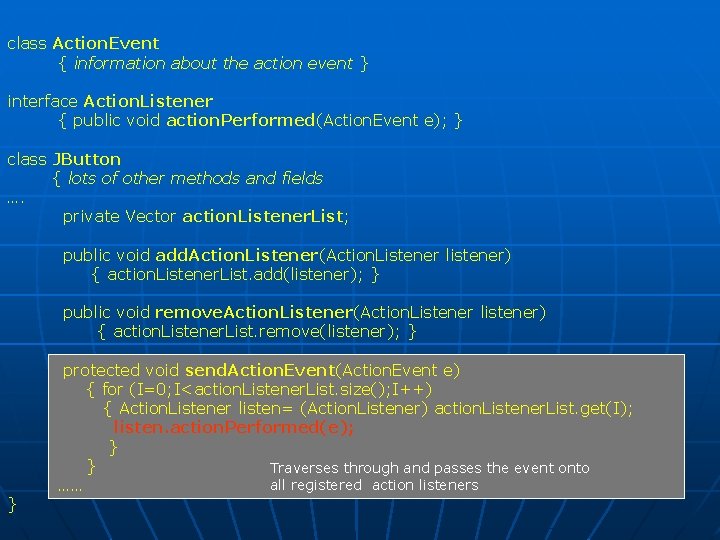
class Action. Event { information about the action event } interface Action. Listener { public void action. Performed(Action. Event e); } class JButton { lots of other methods and fields …. private Vector action. Listener. List; public void add. Action. Listener(Action. Listener listener) { action. Listener. List. add(listener); } public void remove. Action. Listener(Action. Listener listener) { action. Listener. List. remove(listener); } } protected void send. Action. Event(Action. Event e) { for (I=0; I<action. Listener. List. size(); I++) { Action. Listener listen= (Action. Listener) action. Listener. List. get(I); listen. action. Performed(e); } } Traverses through and passes the event onto all registered action listeners ……
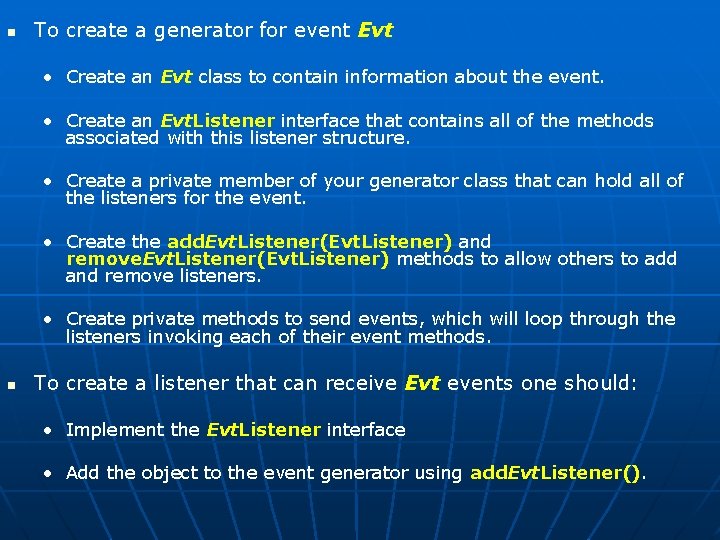
n To create a generator for event Evt • Create an Evt class to contain information about the event. • Create an Evt. Listener interface that contains all of the methods associated with this listener structure. • Create a private member of your generator class that can hold all of the listeners for the event. • Create the add. Evt. Listener(Evt. Listener) and remove. Evt. Listener(Evt. Listener) methods to allow others to add and remove listeners. • Create private methods to send events, which will loop through the listeners invoking each of their event methods. n To create a listener that can receive Evt events one should: • Implement the Evt. Listener interface • Add the object to the event generator using add. Evt. Listener().
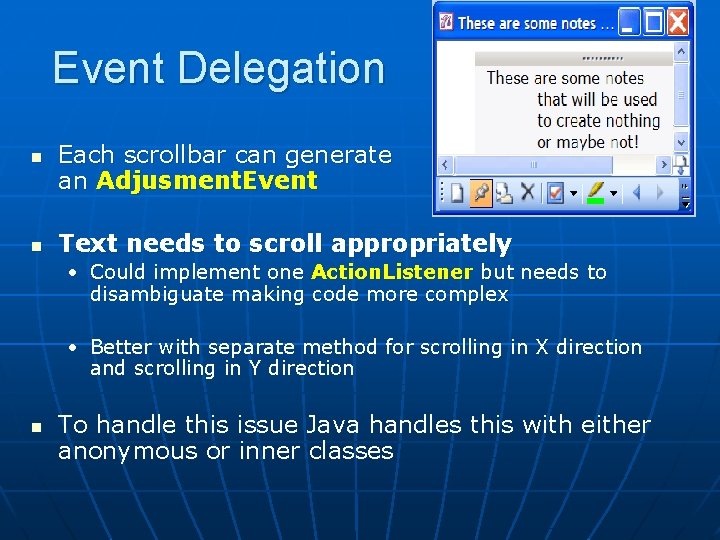
Event Delegation n n Each scrollbar can generate an Adjusment. Event Text needs to scroll appropriately • Could implement one Action. Listener but needs to disambiguate making code more complex • Better with separate method for scrolling in X direction and scrolling in Y direction n To handle this issue Java handles this with either anonymous or inner classes
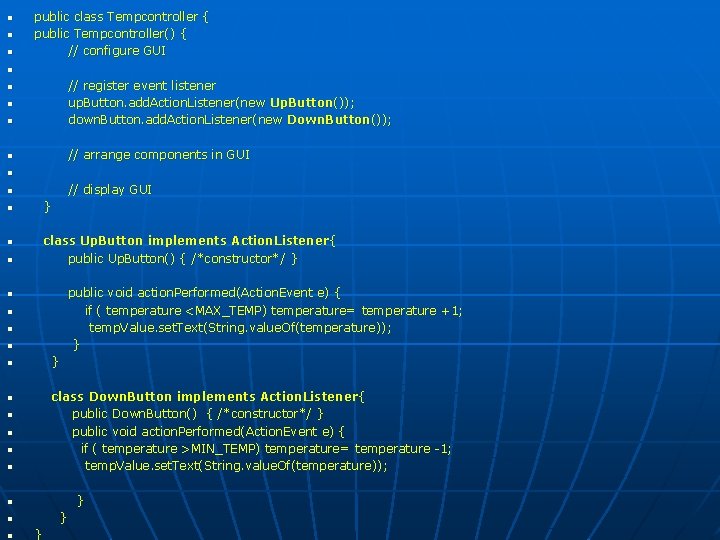
n n n public class Tempcontroller { public Tempcontroller() { // configure GUI n n // register event listener up. Button. add. Action. Listener(new Up. Button()); down. Button. add. Action. Listener(new Down. Button()); n // arrange components in GUI n n n // display GUI n } n class Up. Button implements Action. Listener{ public Up. Button() { /*constructor*/ } n n public void action. Performed(Action. Event e) { if ( temperature <MAX_TEMP) temperature= temperature +1; temp. Value. set. Text(String. value. Of(temperature )); } n n } n class Down. Button implements Action. Listener{ public Down. Button() { /*constructor*/ } public void action. Performed(Action. Event e) { if ( temperature >MIN_TEMP) temperature= temperature -1; temp. Value. set. Text(String. value. Of(temperature )); n n n }
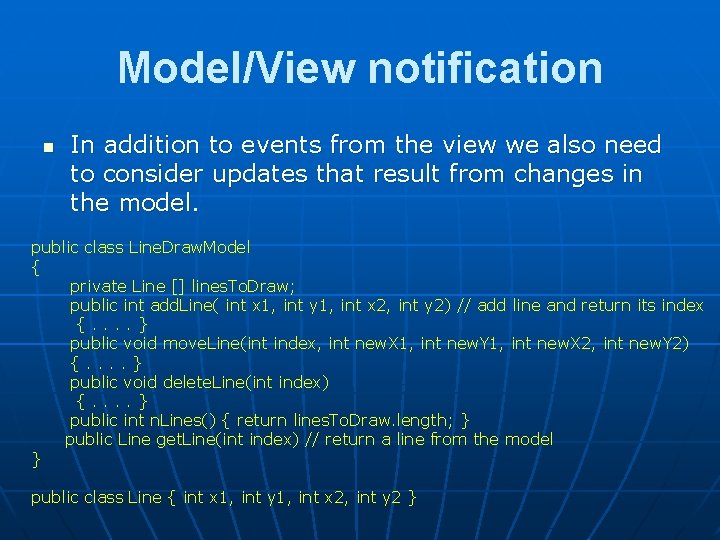
Model/View notification n In addition to events from the view we also need to consider updates that result from changes in the model. public class Line. Draw. Model { private Line [] lines. To. Draw; public int add. Line( int x 1, int y 1, int x 2, int y 2) // add line and return its index {. . } public void move. Line(int index, int new. X 1, int new. Y 1, int new. X 2, int new. Y 2) {. . } public void delete. Line(int index) {. . } public int n. Lines() { return lines. To. Draw. length; } public Line get. Line(int index) // return a line from the model } public class Line { int x 1, int y 1, int x 2, int y 2 }
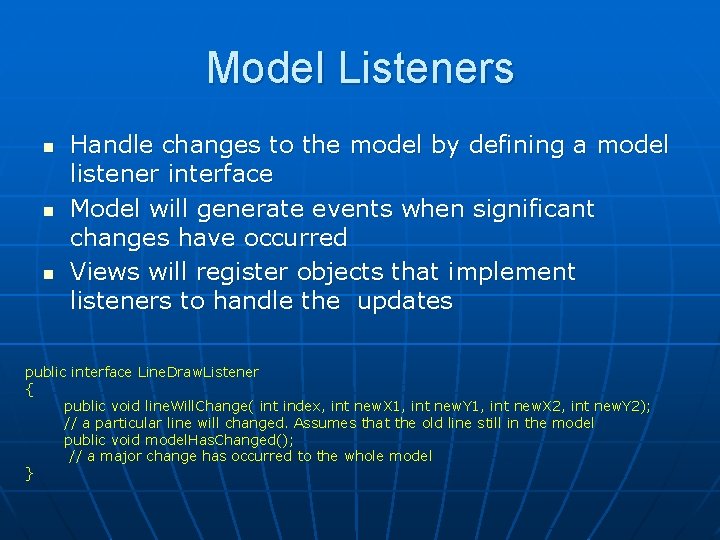
Model Listeners n n n Handle changes to the model by defining a model listener interface Model will generate events when significant changes have occurred Views will register objects that implement listeners to handle the updates public interface Line. Draw. Listener { public void line. Will. Change( int index, int new. X 1, int new. Y 1, int new. X 2, int new. Y 2); // a particular line will changed. Assumes that the old line still in the model public void model. Has. Changed(); // a major change has occurred to the whole model }
public class Line. Draw. Model { private Line [] lines. To. Draw; public int add. Line( int x 1, int y 1, int x 2, int y 2) // add line and return its index { notify. Line. Will. Change(lines. To. Draw. length, x 1, y 1, x 2, y 2); . . . code to add the line. . . } public void move. Line(int index, int new. X 1, int new. Y 1, int new. X 2, int new. Y 2) { notify. Line. Will. Change(index, new. X 1, new. Y 1, new. X 2, new. Y 2); . . . code to change the line. . . } public void delete. Line(int index) {. . . code to delete the line. . . notify. Model. Has. Changed(); } private Vector listeners; Listener List and dispatch public void add. Listener(Line. Draw. Listener new. Listener) { listeners. add(new. Listener); } public void remove. Listener(Line. Draw. Listener listener) { listeners. remove(listener); } private void notify. Line. Will. Change( int index, int new. X 1, int new. Y 1, int new. X 2, int new. Y 2) { for each Line. Draw. Listener listen in listeners listen. line. Will. Change(index, new. X 1, new. Y 1, new. X 2, new. Y 2); } private void notify. Model. Has. Changed() { for each Line. Draw. Listener listen in listeners listen. model. Has. Changed(); }. . . other methods. . . }
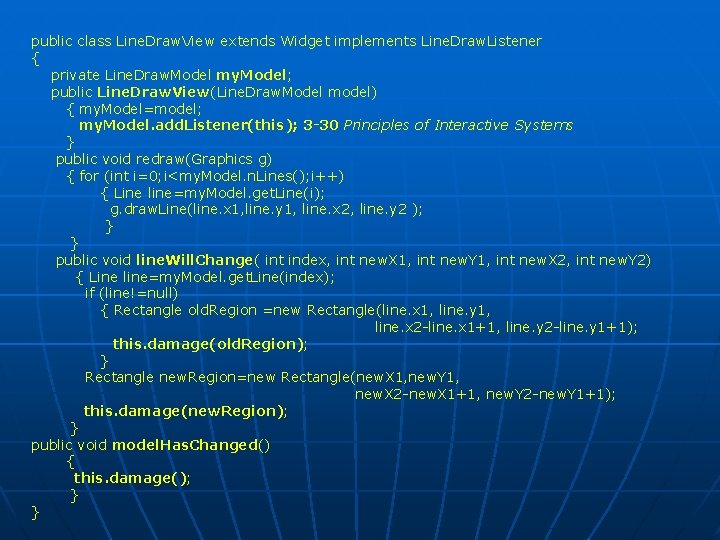
Handling View updates n n re. Draw() is an update that is called from the windowing system View Events need to be handle particular updates by implementing the interfaces defined by the model classes to handle events.
public class Line. Draw. View extends Widget implements Line. Draw. Listener { private Line. Draw. Model my. Model; public Line. Draw. View(Line. Draw. Model model) { my. Model=model; my. Model. add. Listener(this); 3 -30 Principles of Interactive Systems } public void redraw(Graphics g) { for (int i=0; i<my. Model. n. Lines(); i++) { Line line=my. Model. get. Line(i); g. draw. Line(line. x 1, line. y 1, line. x 2, line. y 2 ); } } public void line. Will. Change( int index, int new. X 1, int new. Y 1, int new. X 2, int new. Y 2) { Line line=my. Model. get. Line(index); if (line!=null) { Rectangle old. Region =new Rectangle(line. x 1, line. y 1, line. x 2 -line. x 1+1, line. y 2 -line. y 1+1); this. damage(old. Region); } Rectangle new. Region=new Rectangle(new. X 1, new. Y 1, new. X 2 -new. X 1+1, new. Y 2 -new. Y 1+1); this. damage(new. Region); } public void model. Has. Changed() { this. damage(); } }
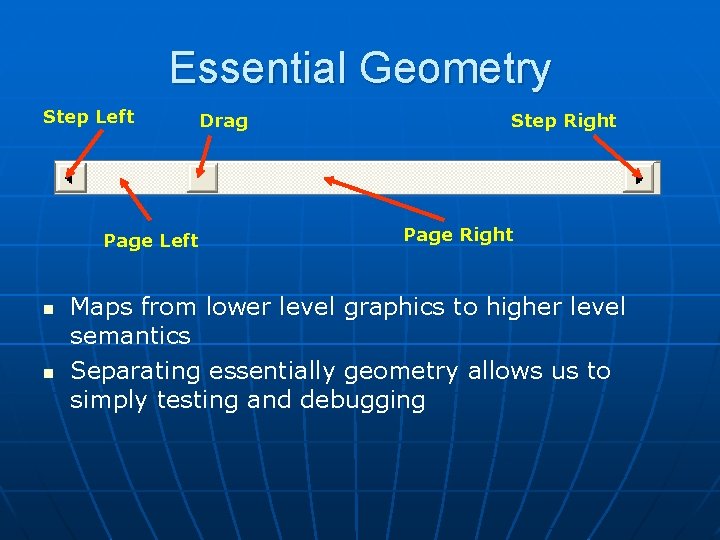
Essential Geometry Step Left Page Left n n Drag Step Right Page Right Maps from lower level graphics to higher level semantics Separating essentially geometry allows us to simply testing and debugging
Summary n n n Introduced basics of windowing systems Outlined the use of events and different techniques for handling events in interactive programming Next • Discussion of principles of widgets • Development of a swing application demonstrating the use of events n Reading • Chapter 3 and 4 of Olsen