
Win TR55 Small Watershed Hydrology Overview Modeling Single







- Slides: 75
Win. TR-55 Small Watershed Hydrology Overview Modeling Single Sub-area Watersheds Prepared by Quan D. Quan Hydraulic Engineer, NRCS Legislative Office Building Hartford, Connecticut October 26, 2010
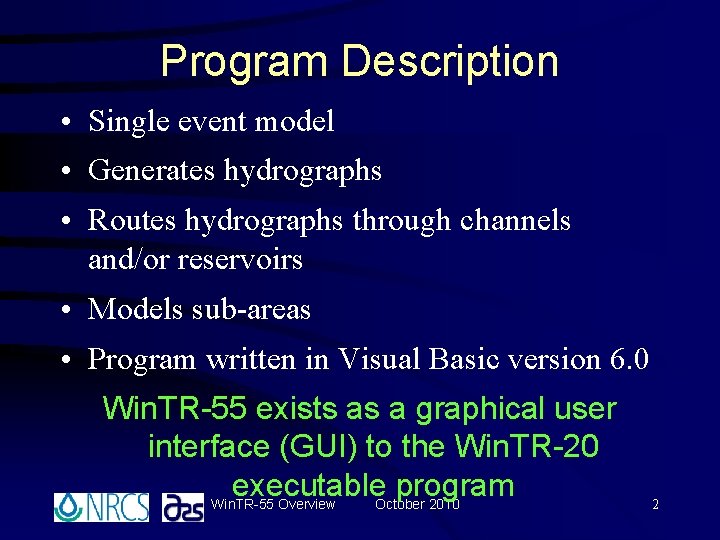
Program Description • Single event model • Generates hydrographs • Routes hydrographs through channels and/or reservoirs • Models sub-areas • Program written in Visual Basic version 6. 0 Win. TR-55 exists as a graphical user interface (GUI) to the Win. TR-20 executable program Win. TR-55 Overview October 2010 2
Capabilities & Limitations
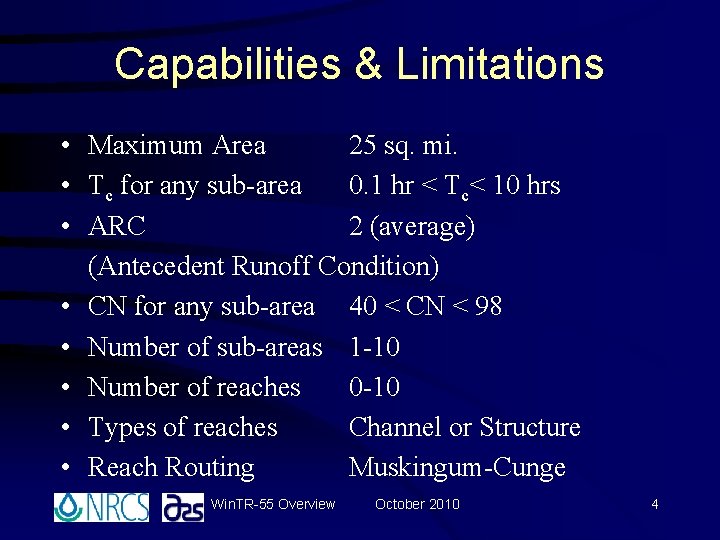
Capabilities & Limitations • Maximum Area 25 sq. mi. • Tc for any sub-area 0. 1 hr < Tc< 10 hrs • ARC 2 (average) (Antecedent Runoff Condition) • CN for any sub-area 40 < CN < 98 • Number of sub-areas 1 -10 • Number of reaches 0 -10 • Types of reaches Channel or Structure • Reach Routing Muskingum-Cunge Win. TR-55 Overview October 2010 4
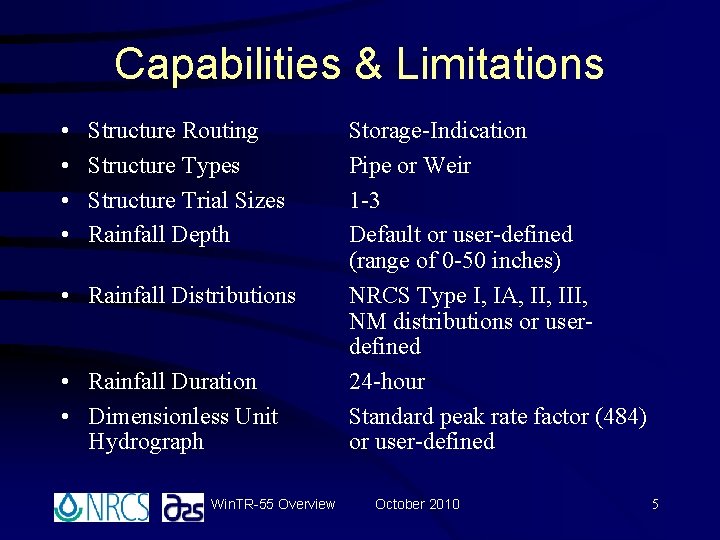
Capabilities & Limitations • • Structure Routing Structure Types Structure Trial Sizes Rainfall Depth • Rainfall Distributions • Rainfall Duration • Dimensionless Unit Hydrograph Win. TR-55 Overview Storage-Indication Pipe or Weir 1 -3 Default or user-defined (range of 0 -50 inches) NRCS Type I, IA, III, NM distributions or userdefined 24 -hour Standard peak rate factor (484) or user-defined October 2010 5
Help with Win. TR-55 Availability: http: //www. wsi. nrcs. usda. gov/products/W 2 Q/ H&H/Tools_Models/Wintr 55. html Contact the Win. TR-55 development team at: orportlan 4 -TR 55@one. usda. gov This is the quickest way to get help. Win. TR-55 Overview October 2010 6
Starting Win. TR-55 and Program Windows
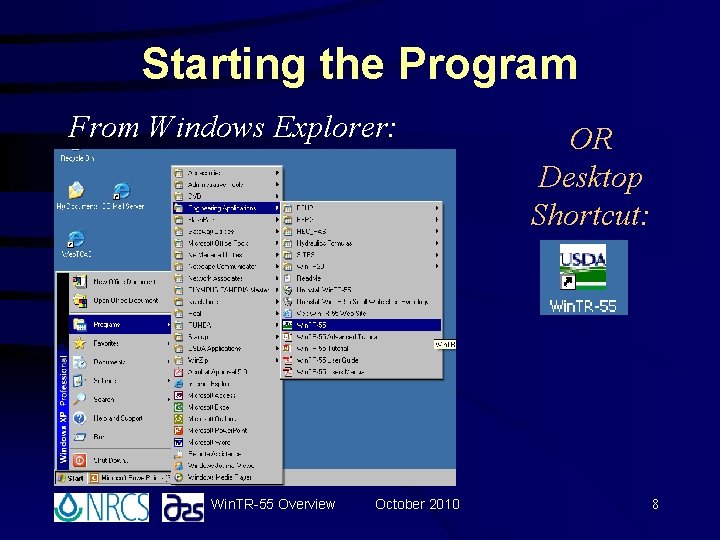
Starting the Program From Windows Explorer: Win. TR-55 Overview October 2010 OR Desktop Shortcut: 8
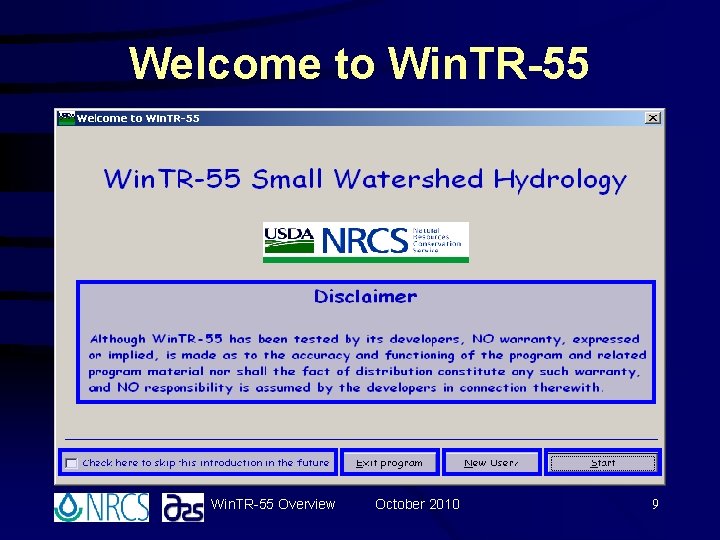
Welcome to Win. TR-55 Overview October 2010 9
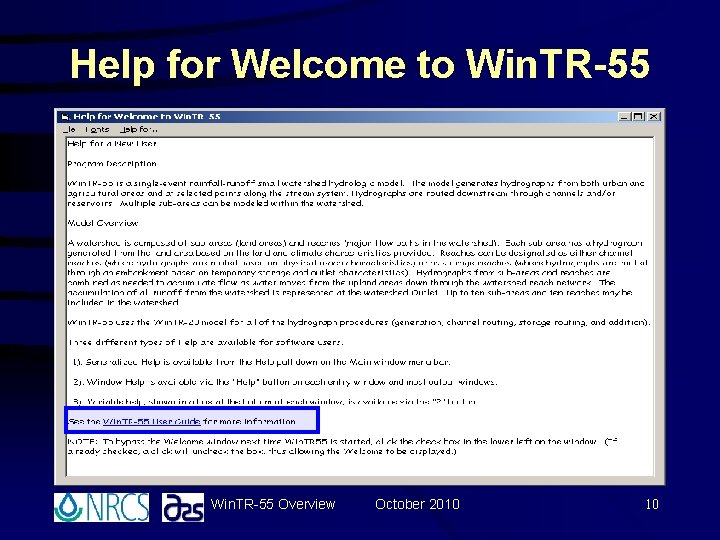
Help for Welcome to Win. TR-55 Overview October 2010 10
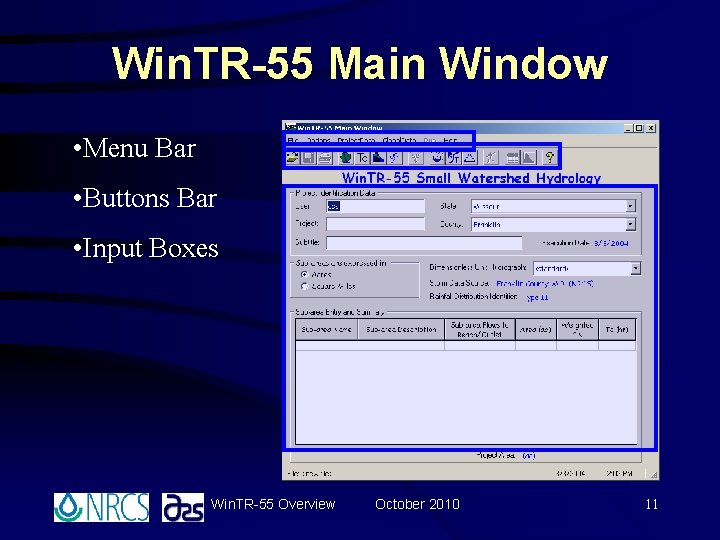
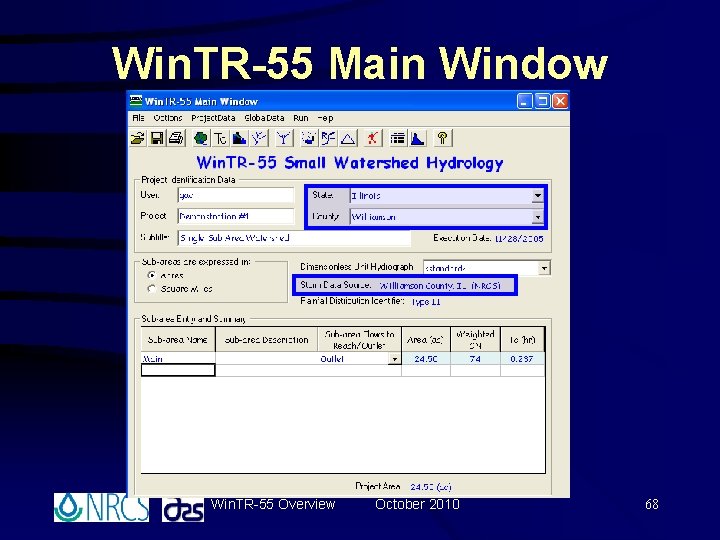
Win. TR-55 Main Window • Menu Bar • Buttons Bar • Input Boxes Win. TR-55 Overview October 2010 11
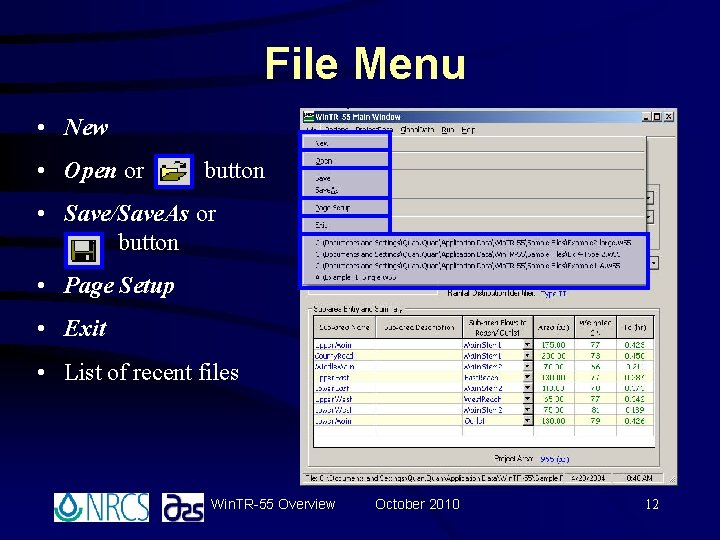
File Menu • New • Open or button • Save/Save. As or button • Page Setup • Exit • List of recent files Win. TR-55 Overview October 2010 12
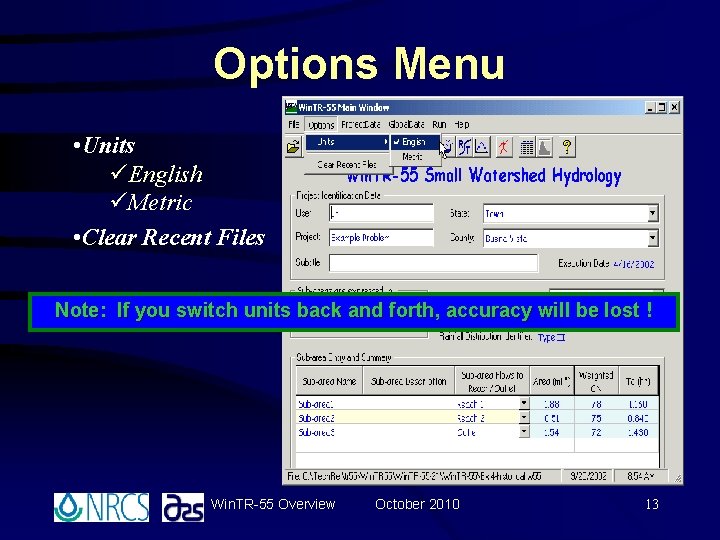
Options Menu • Units üEnglish üMetric • Clear Recent Files Note: If you switch units back and forth, accuracy will be lost ! Win. TR-55 Overview October 2010 13
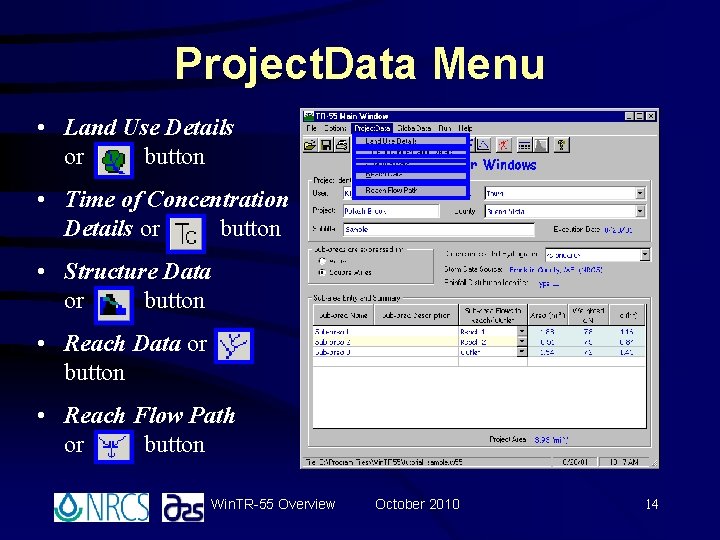
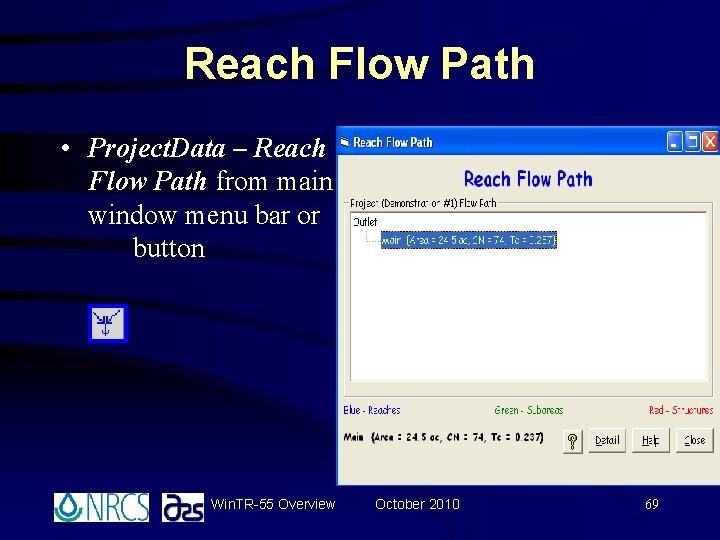
Project. Data Menu • Land Use Details or button • Time of Concentration Details or button • Structure Data or button • Reach Flow Path or button Win. TR-55 Overview October 2010 14
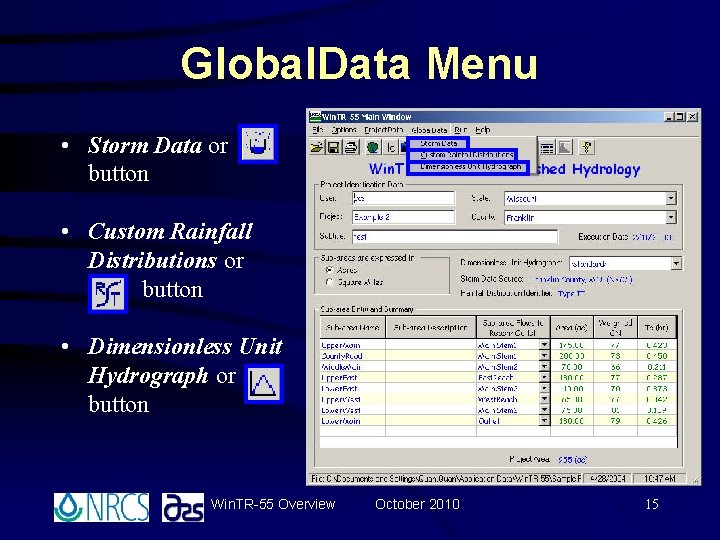
Global. Data Menu • Storm Data or button • Custom Rainfall Distributions or button • Dimensionless Unit Hydrograph or button Win. TR-55 Overview October 2010 15
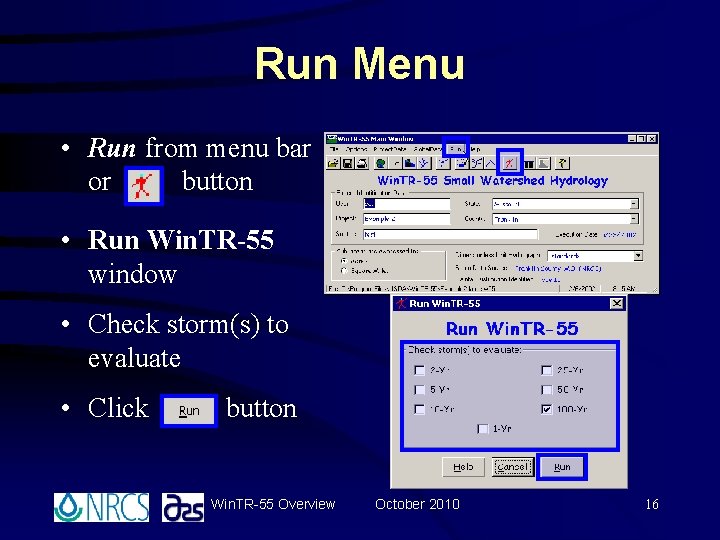
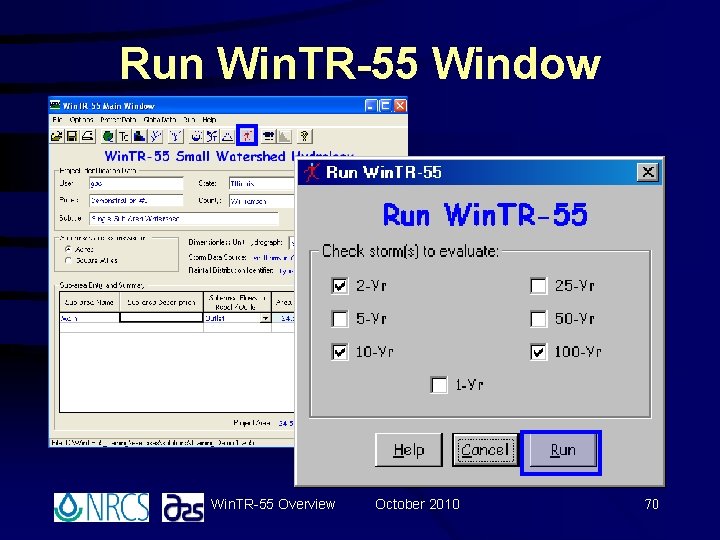
Run Menu • Run from menu bar or button • Run Win. TR-55 window • Check storm(s) to evaluate • Click button Win. TR-55 Overview October 2010 16
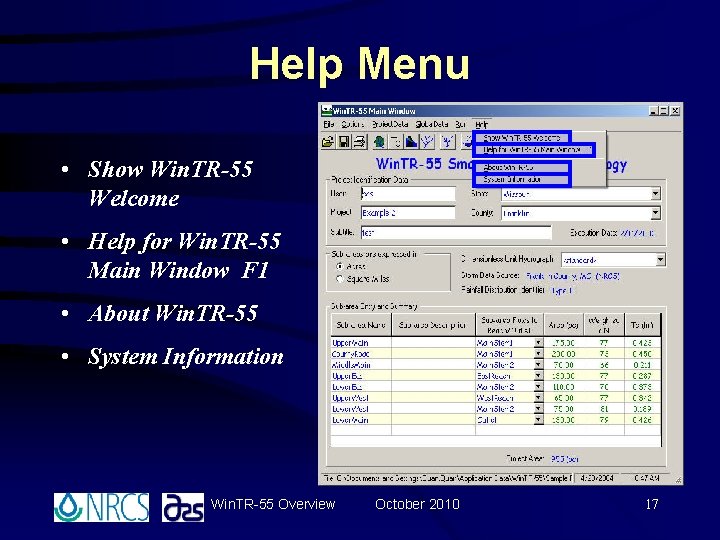
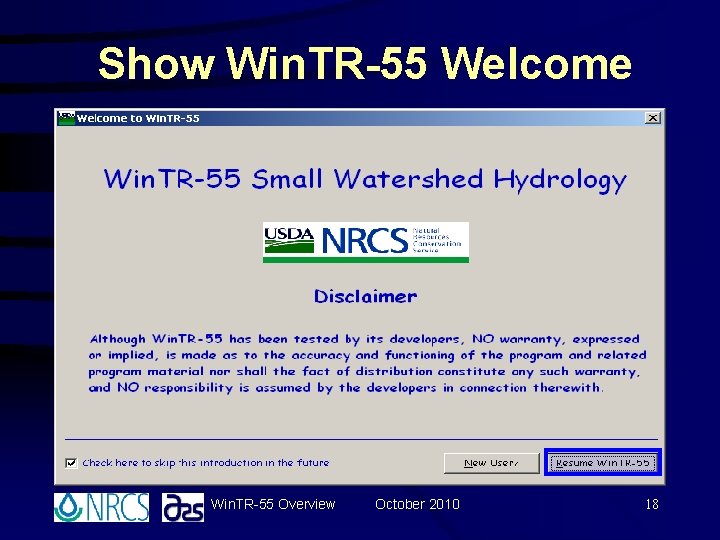
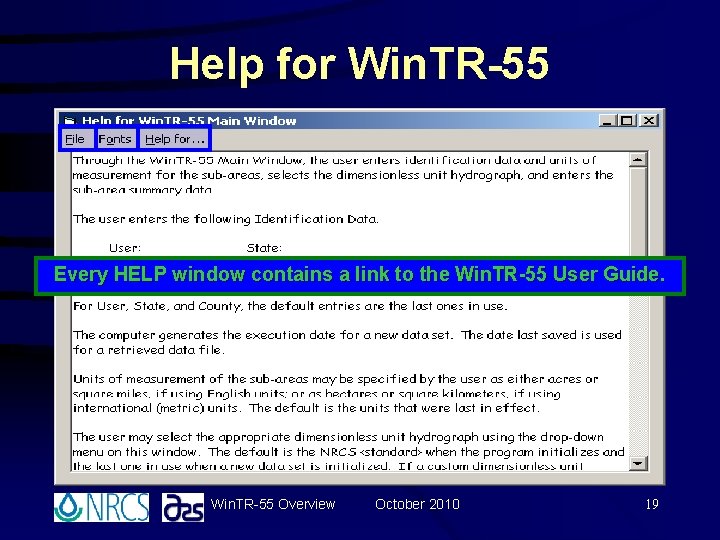
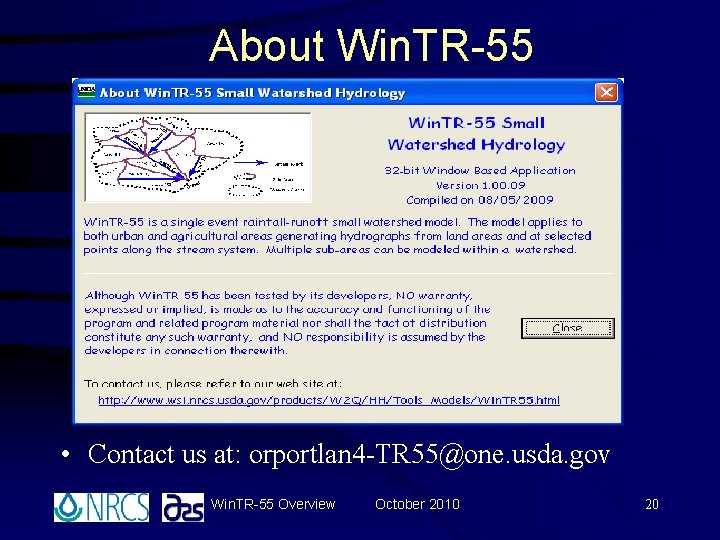
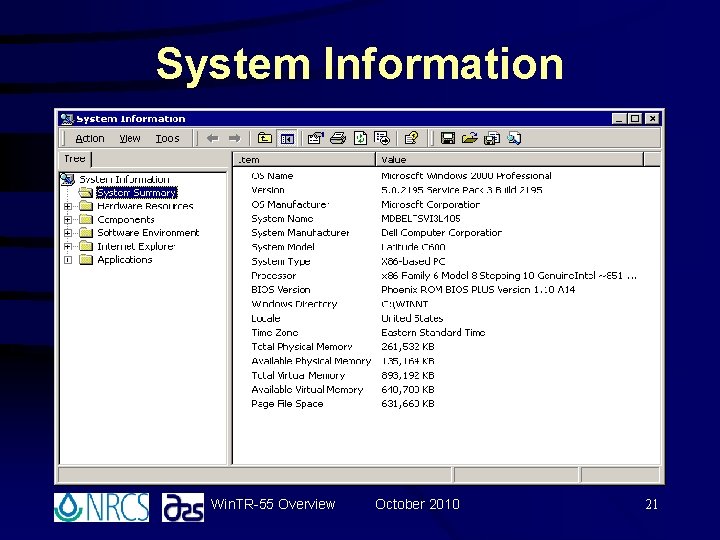
Help Menu • Show Win. TR-55 Welcome • Help for Win. TR-55 Main Window F 1 • About Win. TR-55 • System Information Win. TR-55 Overview October 2010 17
Show Win. TR-55 Welcome Win. TR-55 Overview October 2010 18
Help for Win. TR-55 Every HELP window contains a link to the Win. TR-55 User Guide. Win. TR-55 Overview October 2010 19
About Win. TR-55 • Contact us at: orportlan 4 -TR 55@one. usda. gov Win. TR-55 Overview October 2010 20
System Information Win. TR-55 Overview October 2010 21
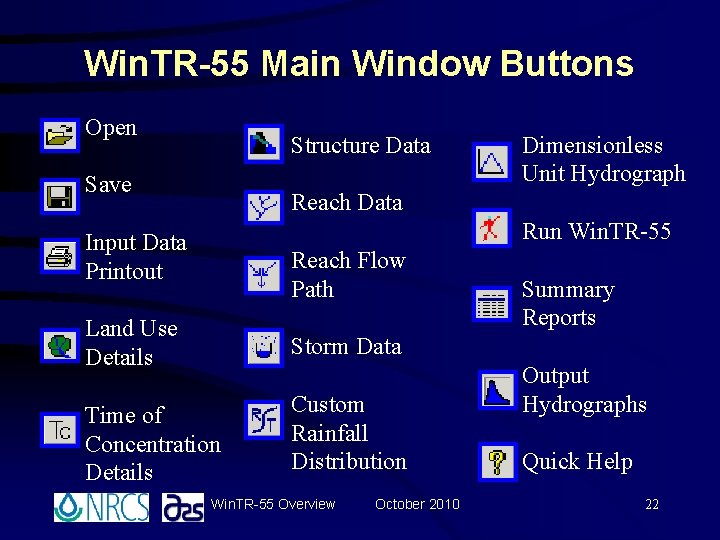
Win. TR-55 Main Window Buttons Open Structure Data Save Dimensionless Unit Hydrograph Reach Data Run Win. TR-55 Input Data Printout Reach Flow Path Land Use Details Storm Data Time of Concentration Details Custom Rainfall Distribution Win. TR-55 Overview October 2010 Summary Reports Output Hydrographs Quick Help 22
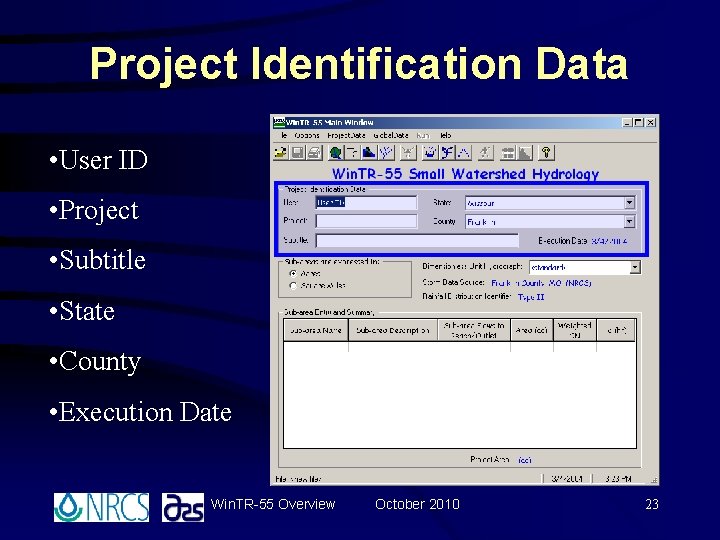
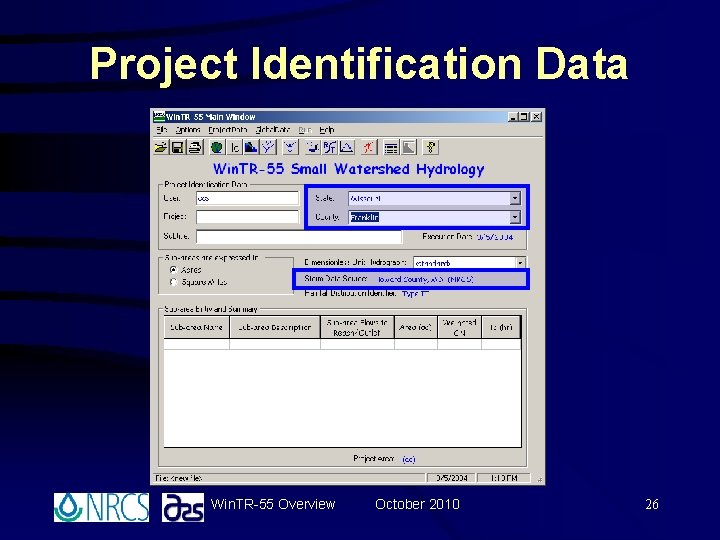
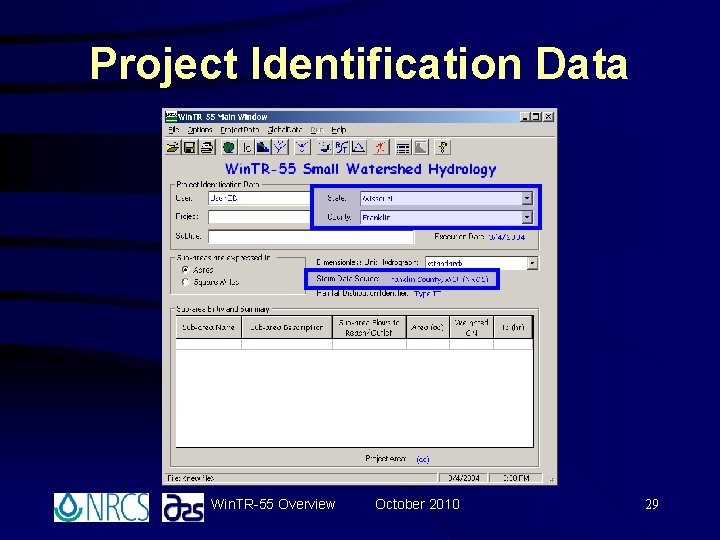
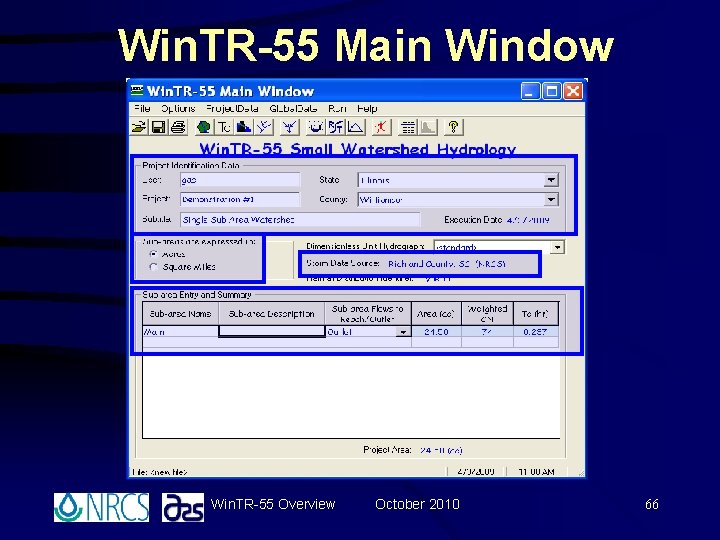
Project Identification Data • User ID • Project • Subtitle • State • County • Execution Date Win. TR-55 Overview October 2010 23
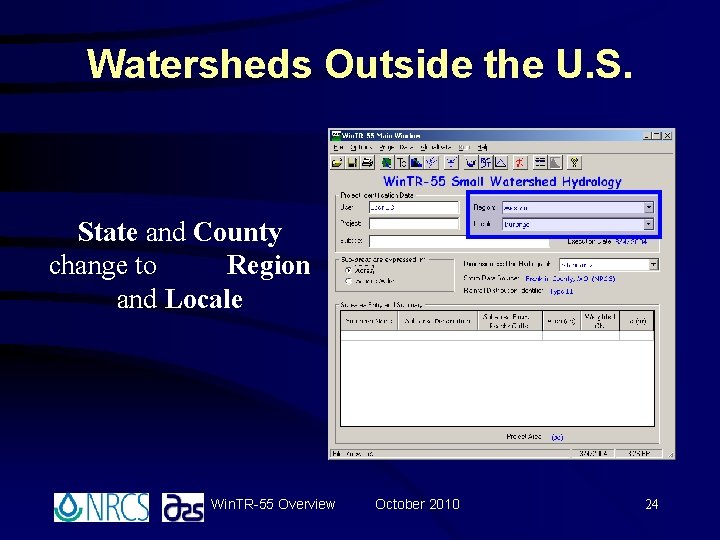
Watersheds Outside the U. S. State and County change to Region and Locale Win. TR-55 Overview October 2010 24
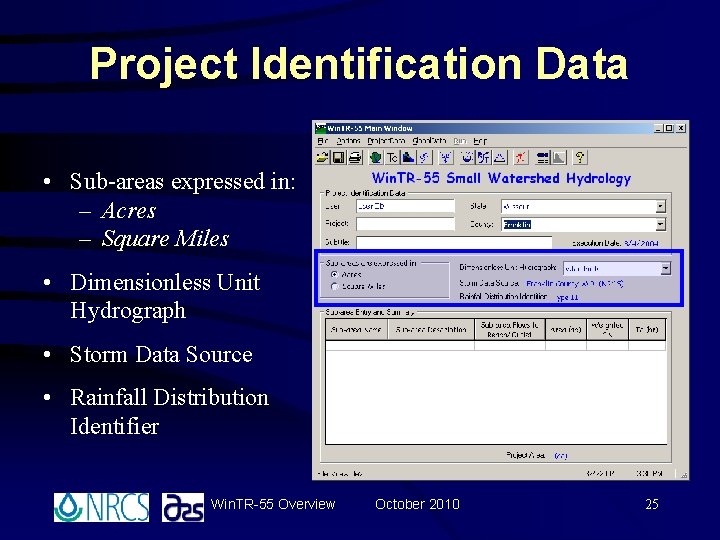
Project Identification Data • Sub-areas expressed in: – Acres – Square Miles • Dimensionless Unit Hydrograph • Storm Data Source • Rainfall Distribution Identifier Win. TR-55 Overview October 2010 25
Project Identification Data Win. TR-55 Overview October 2010 26
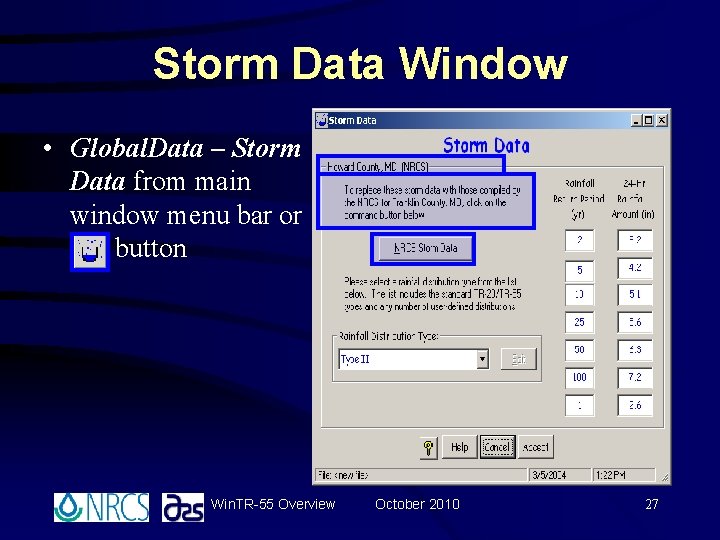
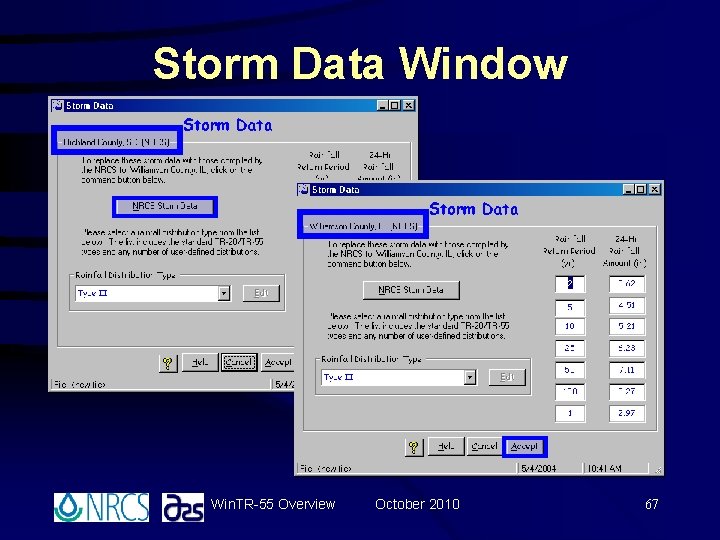
Storm Data Window • Global. Data – Storm Data from main window menu bar or button Win. TR-55 Overview October 2010 27
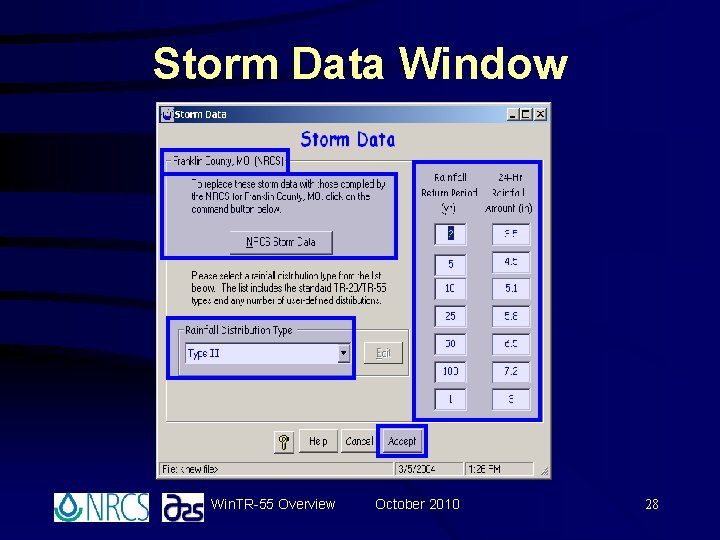
Storm Data Window Win. TR-55 Overview October 2010 28
Project Identification Data Win. TR-55 Overview October 2010 29
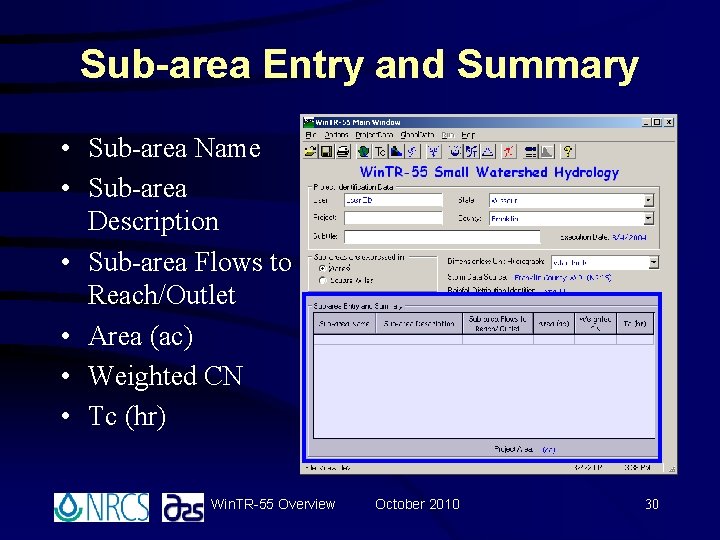
Sub-area Entry and Summary • Sub-area Name • Sub-area Description • Sub-area Flows to Reach/Outlet • Area (ac) • Weighted CN • Tc (hr) Win. TR-55 Overview October 2010 30
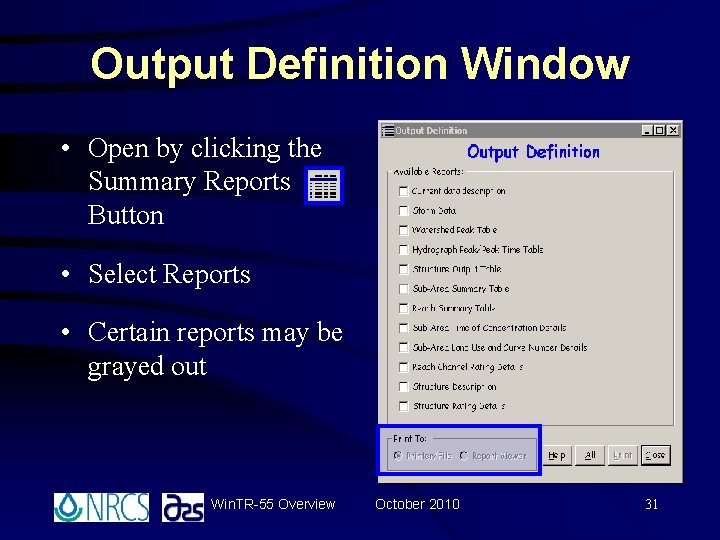
Output Definition Window • Open by clicking the Summary Reports Button • Select Reports • Certain reports may be grayed out Win. TR-55 Overview October 2010 31
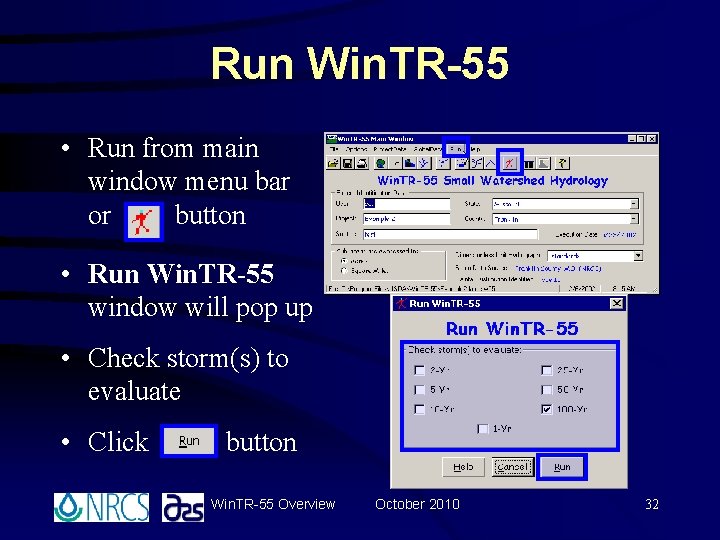
Run Win. TR-55 • Run from main window menu bar or button • Run Win. TR-55 window will pop up • Check storm(s) to evaluate • Click button Win. TR-55 Overview October 2010 32
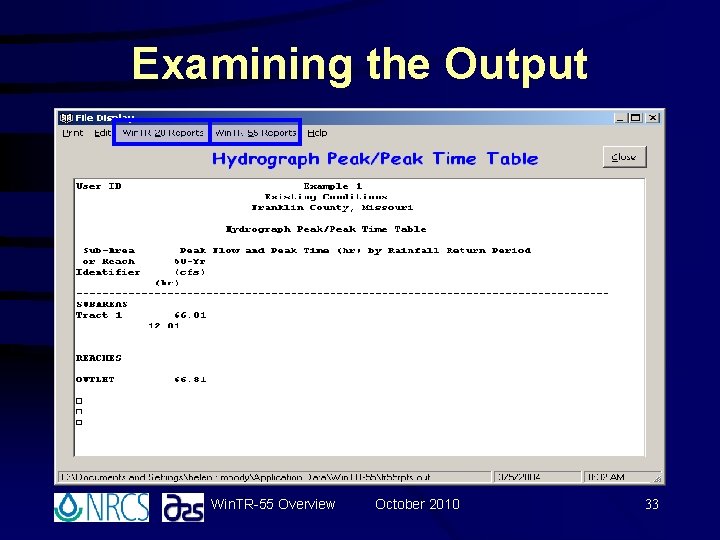
Examining the Output Win. TR-55 Overview October 2010 33
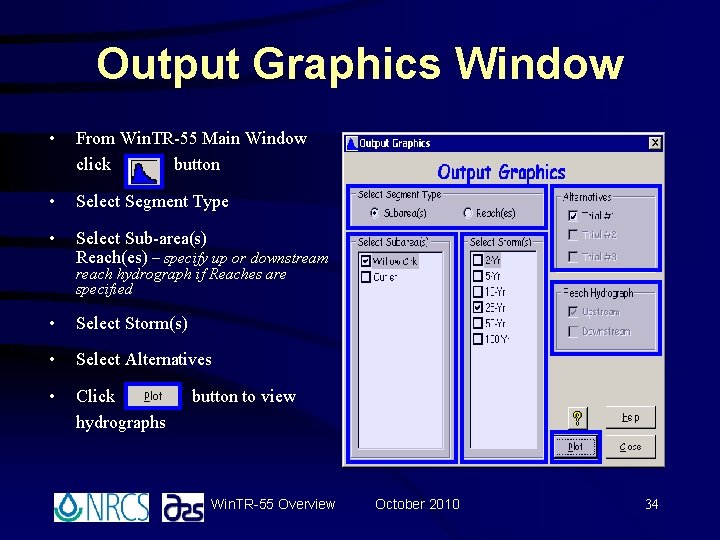
Output Graphics Window • From Win. TR-55 Main Window click button • Select Segment Type • Select Sub-area(s) Reach(es) – specify up or downstream reach hydrograph if Reaches are specified • Select Storm(s) • Select Alternatives • Click hydrographs button to view Win. TR-55 Overview October 2010 34
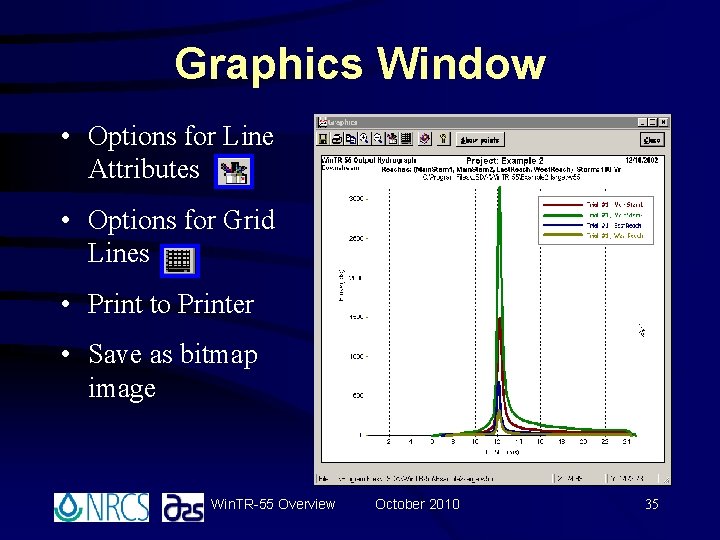
Graphics Window • Options for Line Attributes • Options for Grid Lines • Print to Printer • Save as bitmap image Win. TR-55 Overview October 2010 35
Win. TR-55 Overview October 2010 36
Computing Runoff Curve Numbers
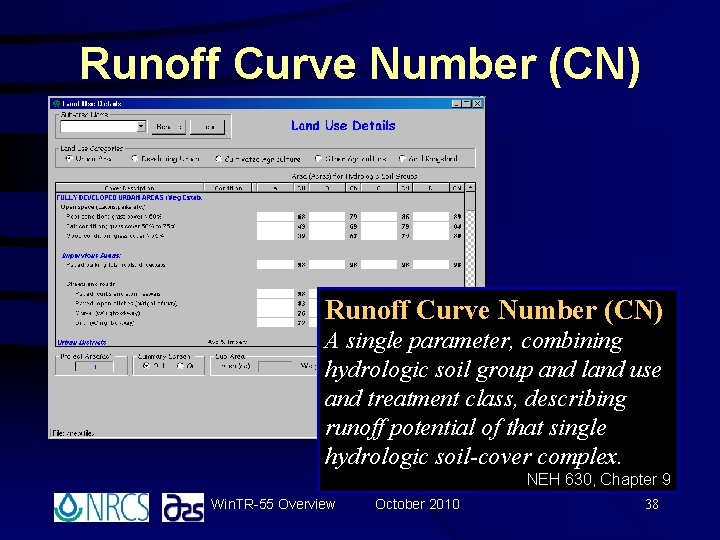
Runoff Curve Number (CN) A single parameter, combining hydrologic soil group and land use and treatment class, describing runoff potential of that single hydrologic soil-cover complex. NEH 630, Chapter 9 Win. TR-55 Overview October 2010 38
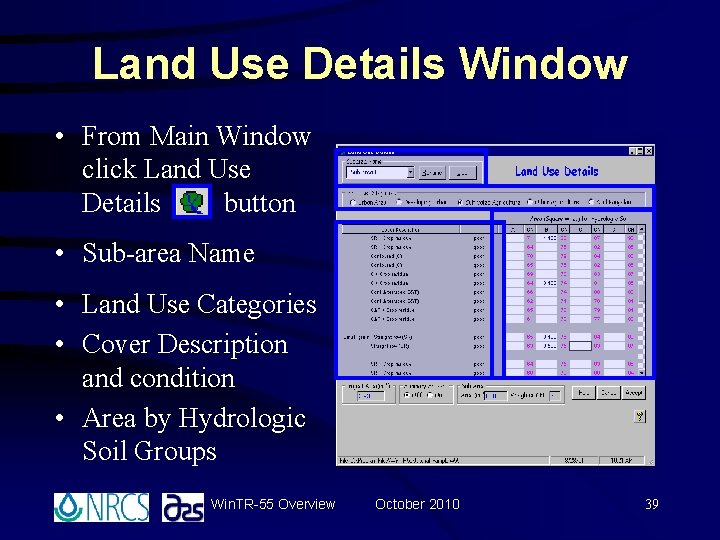
Land Use Details Window • From Main Window click Land Use Details button • Sub-area Name • Land Use Categories • Cover Description and condition • Area by Hydrologic Soil Groups Win. TR-55 Overview October 2010 39
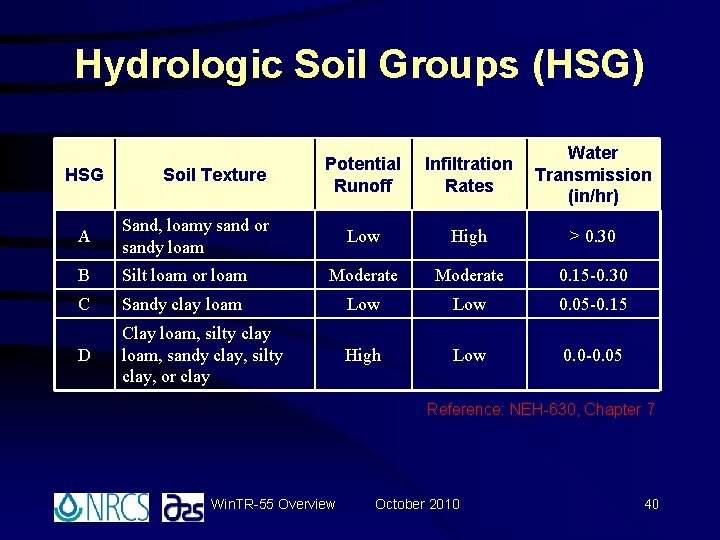
Hydrologic Soil Groups (HSG) HSG Soil Texture Potential Runoff Infiltration Rates Water Transmission (in/hr) Low High > 0. 30 A Sand, loamy sand or sandy loam B Silt loam or loam Moderate 0. 15 -0. 30 C Sandy clay loam Low 0. 05 -0. 15 D Clay loam, silty clay loam, sandy clay, silty clay, or clay High Low 0. 0 -0. 05 Reference: NEH-630, Chapter 7 Win. TR-55 Overview October 2010 40
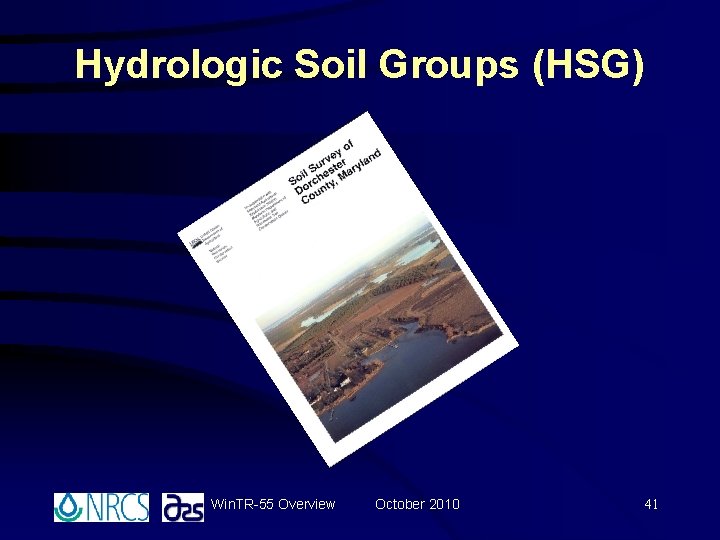
Hydrologic Soil Groups (HSG) Win. TR-55 Overview October 2010 41
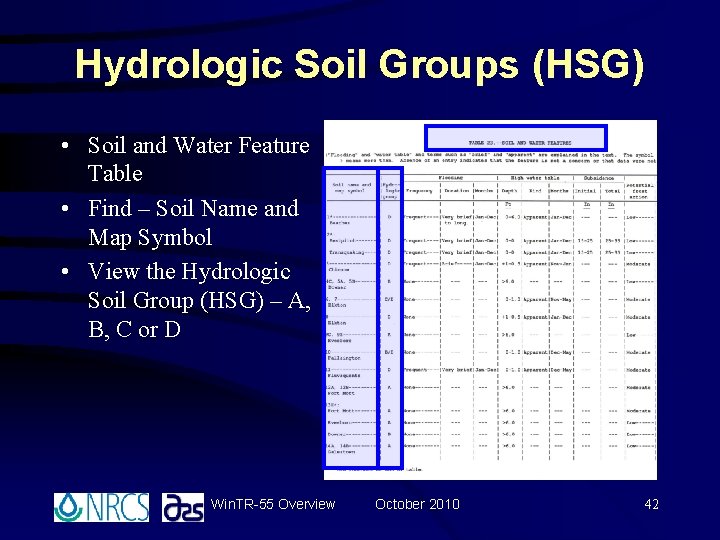
Hydrologic Soil Groups (HSG) • Soil and Water Feature Table • Find – Soil Name and Map Symbol • View the Hydrologic Soil Group (HSG) – A, B, C or D Win. TR-55 Overview October 2010 42
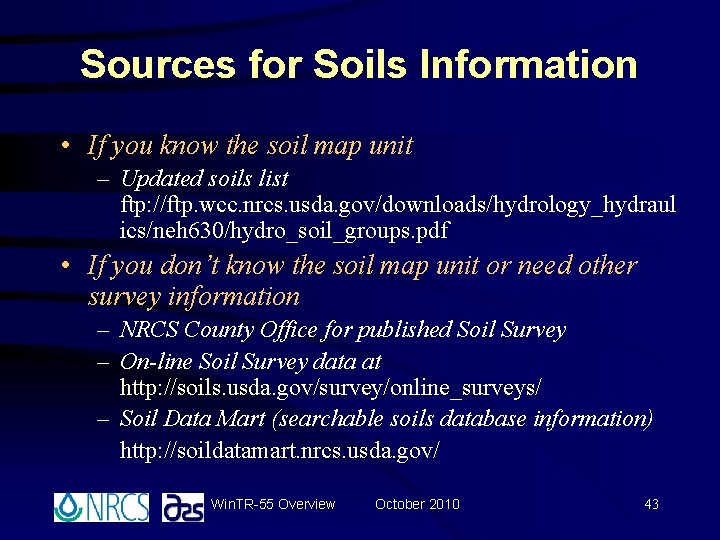
Sources for Soils Information • If you know the soil map unit – Updated soils list ftp: //ftp. wcc. nrcs. usda. gov/downloads/hydrology_hydraul ics/neh 630/hydro_soil_groups. pdf • If you don’t know the soil map unit or need other survey information – NRCS County Office for published Soil Survey – On-line Soil Survey data at http: //soils. usda. gov/survey/online_surveys/ – Soil Data Mart (searchable soils database information) http: //soildatamart. nrcs. usda. gov/ Win. TR-55 Overview October 2010 43
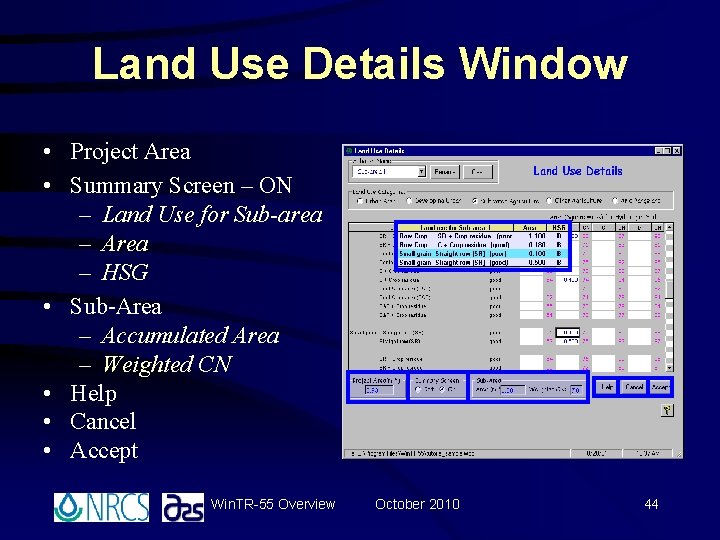
Land Use Details Window • Project Area • Summary Screen – ON – Land Use for Sub-area – Area – HSG • Sub-Area – Accumulated Area – Weighted CN • Help • Cancel • Accept Win. TR-55 Overview October 2010 44
Win. TR-55 Overview October 2010 45
Computing Time of Concentration
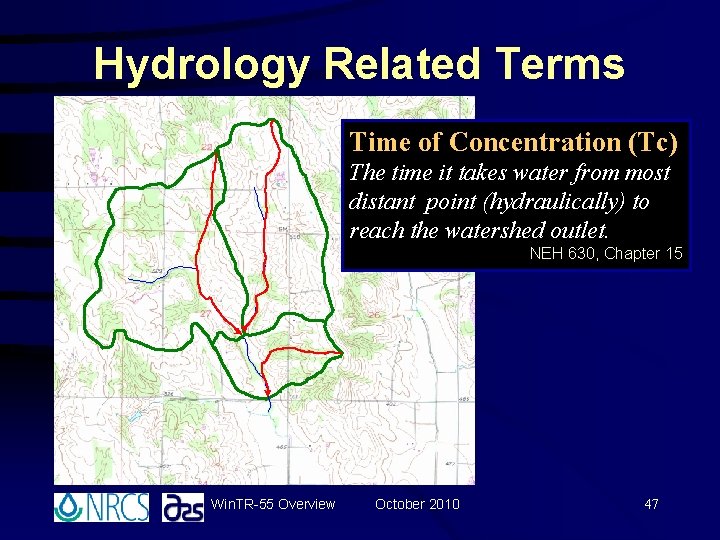
Hydrology Related Terms Time of Concentration (Tc) The time it takes water from most distant point (hydraulically) to reach the watershed outlet. NEH 630, Chapter 15 Win. TR-55 Overview October 2010 47
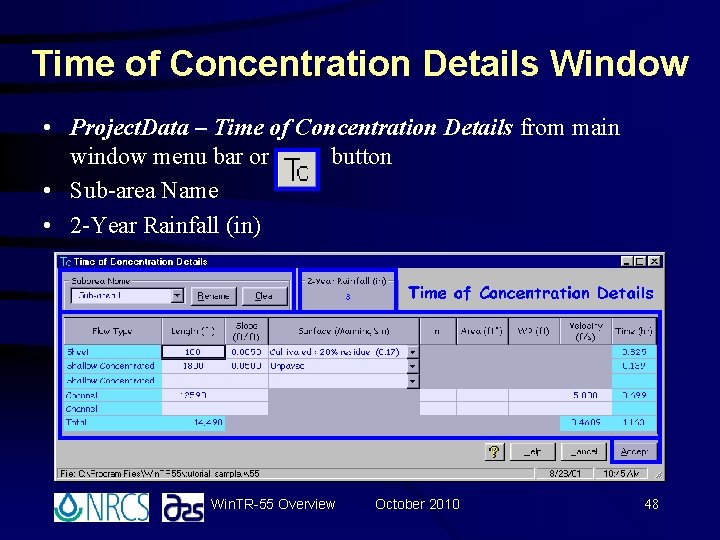
Time of Concentration Details Window • Project. Data – Time of Concentration Details from main window menu bar or button • Sub-area Name • 2 -Year Rainfall (in) Win. TR-55 Overview October 2010 48
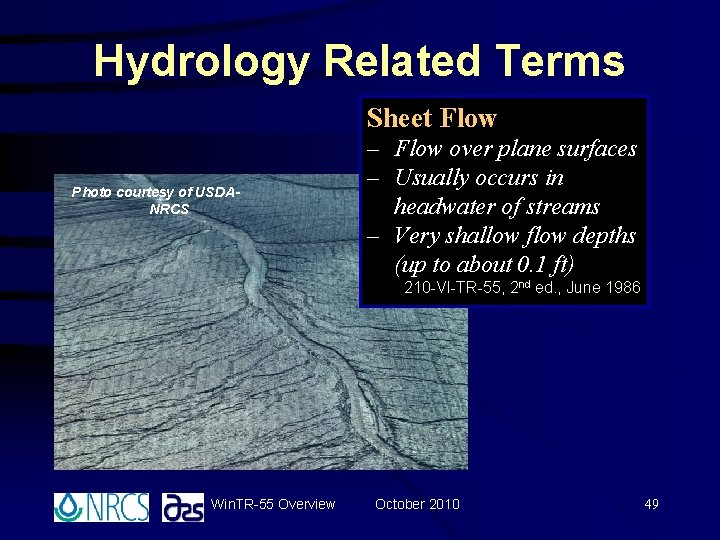
Hydrology Related Terms Sheet Flow Photo courtesy of USDANRCS – Flow over plane surfaces – Usually occurs in headwater of streams – Very shallow flow depths (up to about 0. 1 ft) 210 -VI-TR-55, 2 nd ed. , June 1986 Win. TR-55 Overview October 2010 49
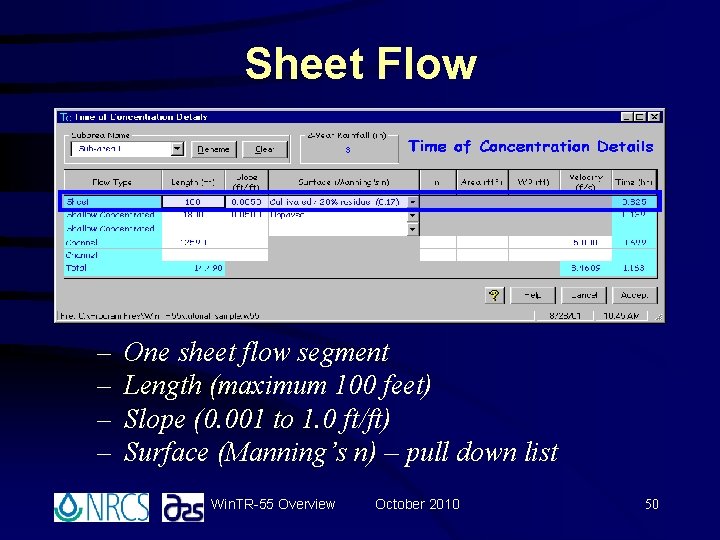
Sheet Flow – – One sheet flow segment Length (maximum 100 feet) Slope (0. 001 to 1. 0 ft/ft) Surface (Manning’s n) – pull down list Win. TR-55 Overview October 2010 50
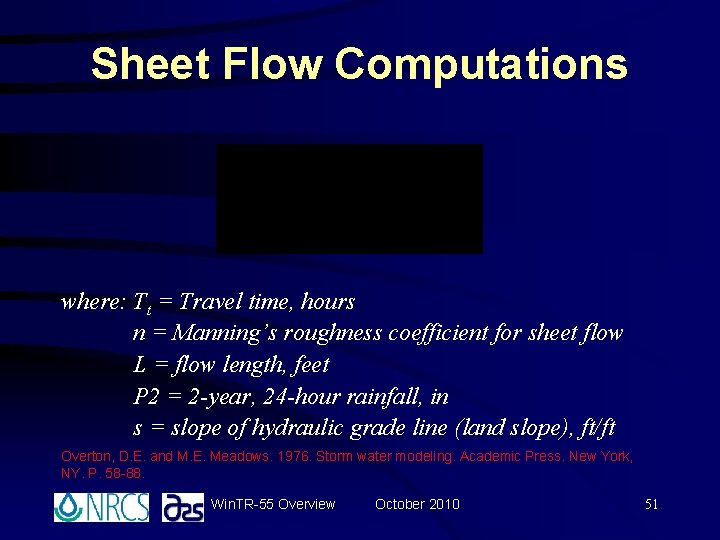
Sheet Flow Computations where: Tt = Travel time, hours n = Manning’s roughness coefficient for sheet flow L = flow length, feet P 2 = 2 -year, 24 -hour rainfall, in s = slope of hydraulic grade line (land slope), ft/ft Overton, D. E. and M. E. Meadows. 1976. Storm water modeling. Academic Press. New York, NY. P. 58 -88. Win. TR-55 Overview October 2010 51
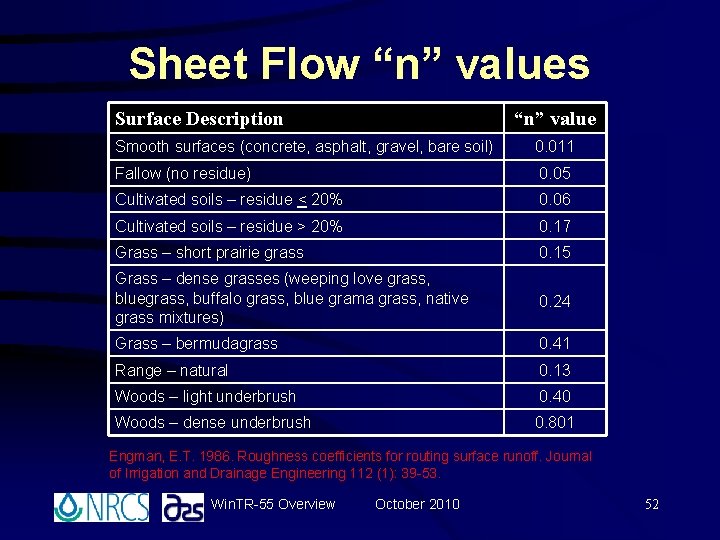
Sheet Flow “n” values Surface Description “n” value Smooth surfaces (concrete, asphalt, gravel, bare soil) 0. 011 Fallow (no residue) 0. 05 Cultivated soils – residue < 20% 0. 06 Cultivated soils – residue > 20% 0. 17 Grass – short prairie grass 0. 15 Grass – dense grasses (weeping love grass, bluegrass, buffalo grass, blue grama grass, native grass mixtures) 0. 24 Grass – bermudagrass 0. 41 Range – natural 0. 13 Woods – light underbrush 0. 40 Woods – dense underbrush 0. 801 Engman, E. T. 1986. Roughness coefficients for routing surface runoff. Journal of Irrigation and Drainage Engineering 112 (1): 39 -53. Win. TR-55 Overview October 2010 52
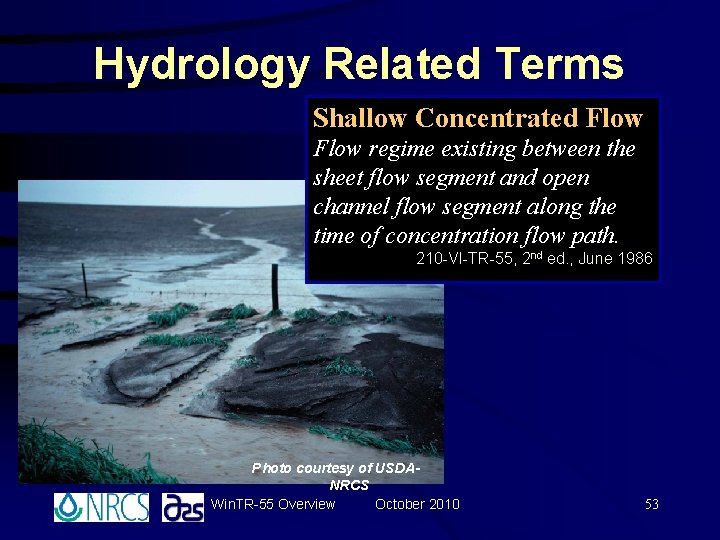
Hydrology Related Terms Shallow Concentrated Flow regime existing between the sheet flow segment and open channel flow segment along the time of concentration flow path. 210 -VI-TR-55, 2 nd ed. , June 1986 Photo courtesy of USDANRCS Win. TR-55 Overview October 2010 53
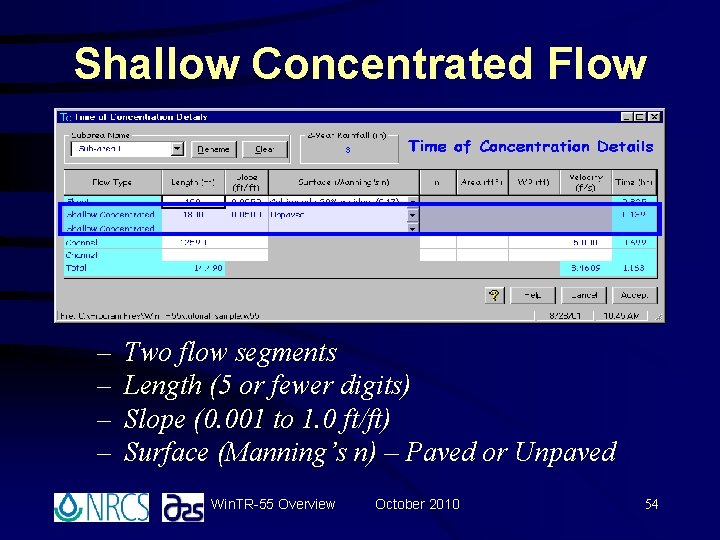
Shallow Concentrated Flow – – Two flow segments Length (5 or fewer digits) Slope (0. 001 to 1. 0 ft/ft) Surface (Manning’s n) – Paved or Unpaved Win. TR-55 Overview October 2010 54
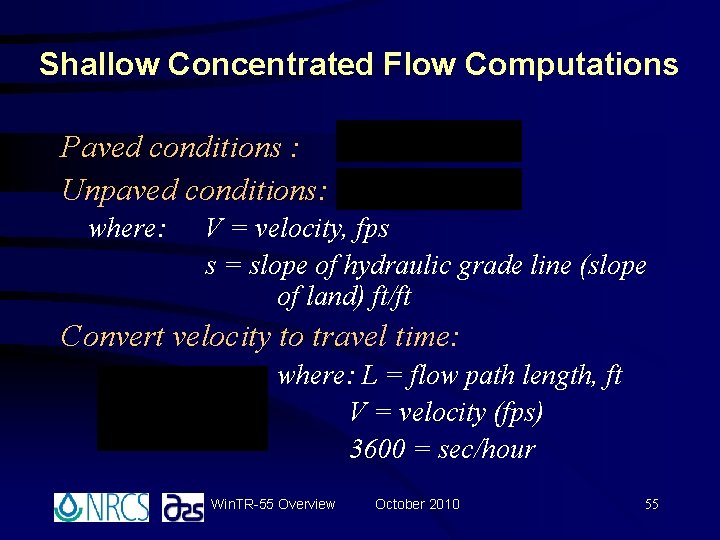
Shallow Concentrated Flow Computations Paved conditions : Unpaved conditions: where: V = velocity, fps s = slope of hydraulic grade line (slope of land) ft/ft Convert velocity to travel time: where: L = flow path length, ft V = velocity (fps) 3600 = sec/hour Win. TR-55 Overview October 2010 55
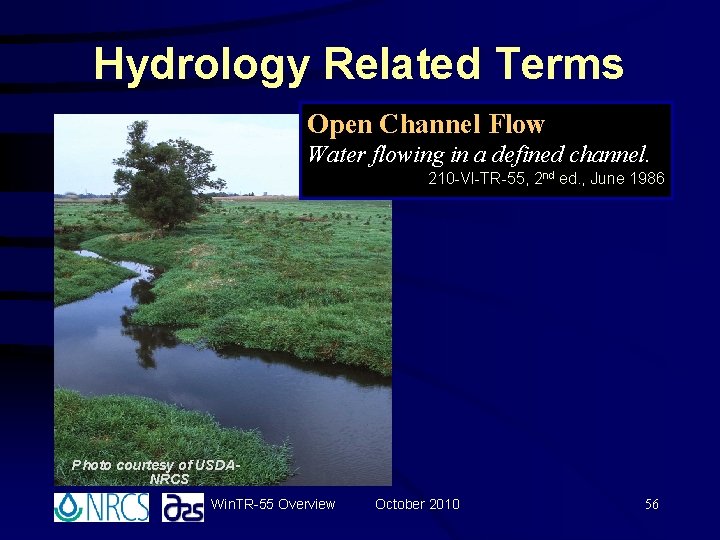
Hydrology Related Terms Open Channel Flow Water flowing in a defined channel. 210 -VI-TR-55, 2 nd ed. , June 1986 Photo courtesy of USDANRCS Win. TR-55 Overview October 2010 56
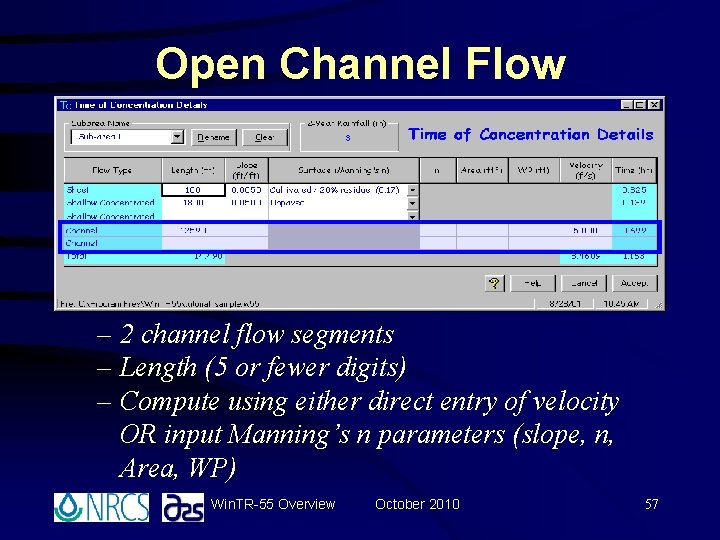
Open Channel Flow – 2 channel flow segments – Length (5 or fewer digits) – Compute using either direct entry of velocity OR input Manning’s n parameters (slope, n, Area, WP) Win. TR-55 Overview October 2010 57
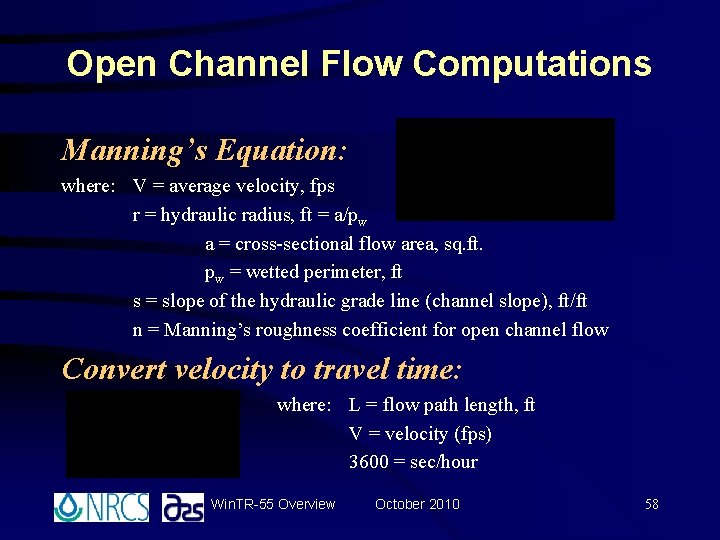
Open Channel Flow Computations Manning’s Equation: where: V = average velocity, fps r = hydraulic radius, ft = a/pw a = cross-sectional flow area, sq. ft. pw = wetted perimeter, ft s = slope of the hydraulic grade line (channel slope), ft/ft n = Manning’s roughness coefficient for open channel flow Convert velocity to travel time: where: L = flow path length, ft V = velocity (fps) 3600 = sec/hour Win. TR-55 Overview October 2010 58
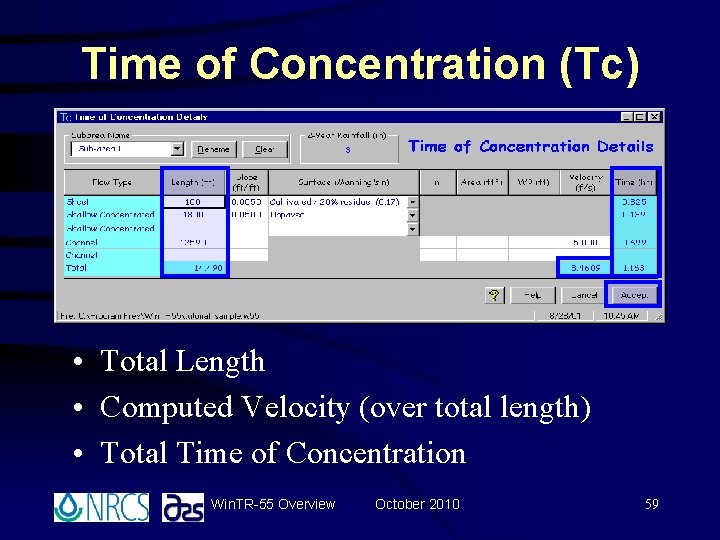
Time of Concentration (Tc) • Total Length • Computed Velocity (over total length) • Total Time of Concentration Win. TR-55 Overview October 2010 59
Win. TR-55 Overview October 2010 60
Entering Data, Running the Program and Interpreting Output Demo 1 Single Sub-area Watershed with Minimum Data Requirements
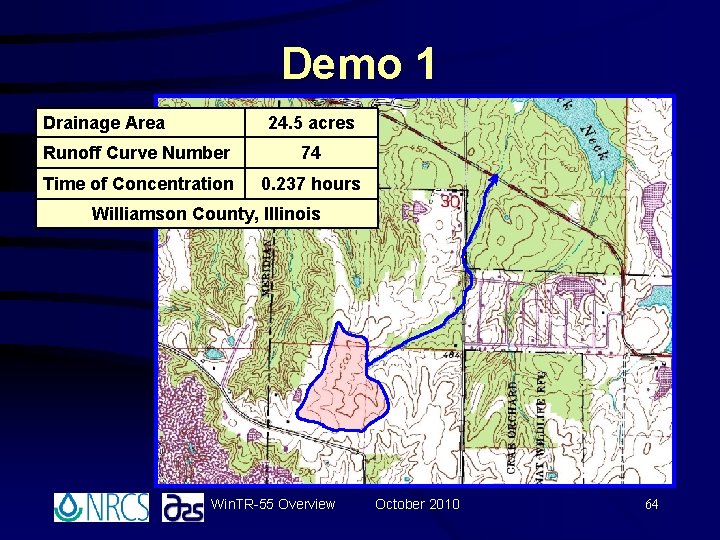
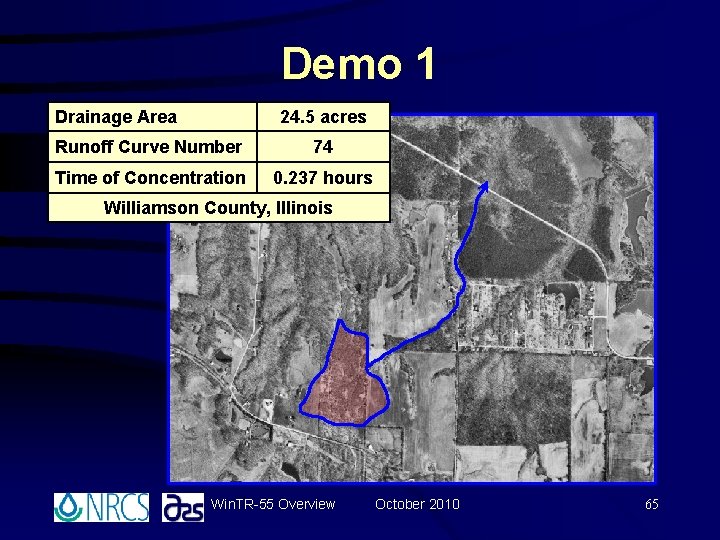
Demo 1 • A large lot subdivision is planned in the watershed drainage area shown on the upcoming topo map and aerial photo. • There are no county level stormwater detention ordinances, but the county is interested in knowing how much increased runoff would occur because of the development. Win. TR-55 Overview October 2010 62
Demo 1 • The developer has been considering this project for a number of years and, using TR-55, previously determined the runoff curve number and time of concentration as shown on the following slide. • Determine the runoff volume and peak discharge for the current (existing) watershed conditions. Win. TR-55 Overview October 2010 63
Demo 1 Drainage Area 24. 5 acres Runoff Curve Number 74 Time of Concentration 0. 237 hours Williamson County, Illinois Win. TR-55 Overview October 2010 64
Demo 1 Drainage Area 24. 5 acres Runoff Curve Number 74 Time of Concentration 0. 237 hours Williamson County, Illinois Win. TR-55 Overview October 2010 65
Win. TR-55 Main Window Win. TR-55 Overview October 2010 66
Storm Data Window Win. TR-55 Overview October 2010 67
Win. TR-55 Main Window Win. TR-55 Overview October 2010 68
Reach Flow Path • Project. Data – Reach Flow Path from main window menu bar or button Win. TR-55 Overview October 2010 69
Run Win. TR-55 Window Win. TR-55 Overview October 2010 70
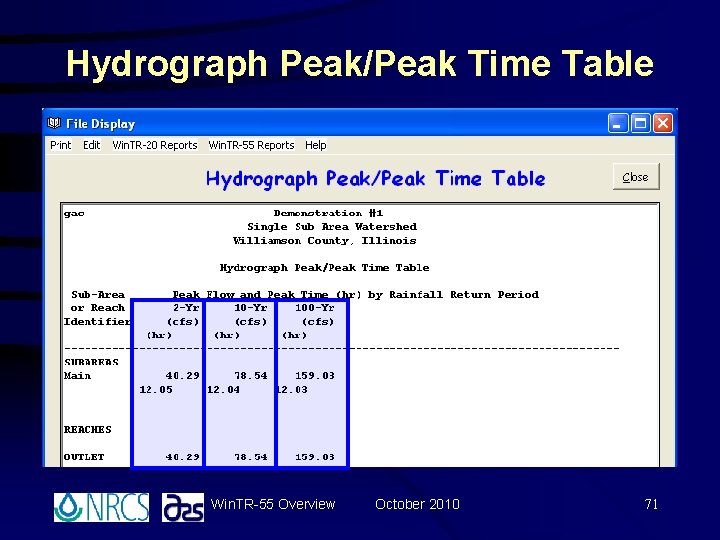
Hydrograph Peak/Peak Time Table Win. TR-55 Overview October 2010 71
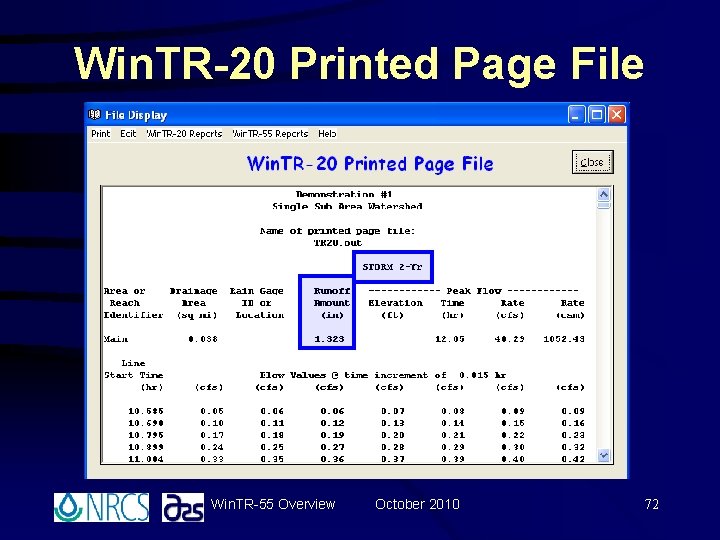
Win. TR-20 Printed Page File Win. TR-55 Overview October 2010 72
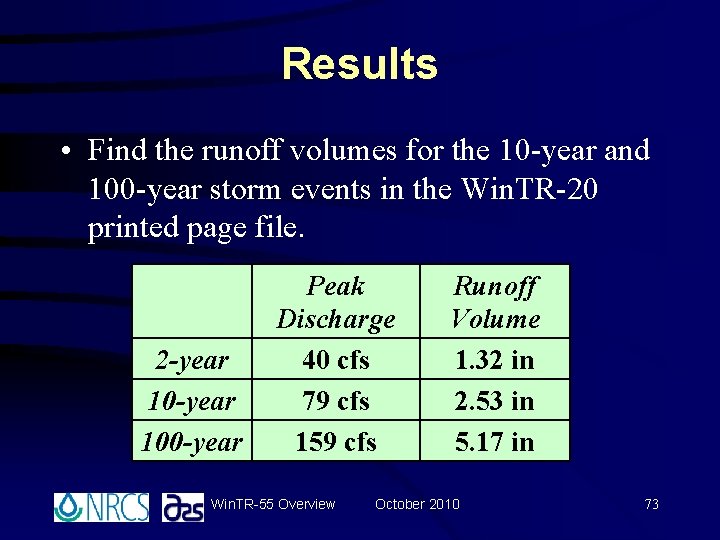
Results • Find the runoff volumes for the 10 -year and 100 -year storm events in the Win. TR-20 printed page file. 2 -year 100 -year Peak Discharge 40 cfs 79 cfs 159 cfs Win. TR-55 Overview Runoff Volume 1. 32 in 2. 53 in 5. 17 in October 2010 73
Win. TR-55 Overview October 2010 74
Summary You should now be able to: • Start the Win. TR-55 program and navigate through the various windows • Develop input data for single sub-area watersheds • Input the data into Win. TR-55 • Run Win. TR-55 • Interpret Output Win. TR-55 Overview October 2010 75