
William Stallings Computer Organization and Architecture th 8
- Slides: 35
William Stallings Computer Organization and Architecture th 8 Chapter Edition 3 Top Level View of Computer Function and Interconnection
Program Concept �Hardwired systems are inflexible �General purpose hardware can do different tasks, given correct control signals �Instead of re-wiring, supply a new set of control signals
What is a program? �A sequence of steps �For each step, an arithmetic or logical operation is done �For each operation, a different set of control signals is needed
Function of Control Unit �For each operation a unique code is provided �e. g. ADD, MOVE �A hardware segment accepts the code and issues the control signals �We have a computer!
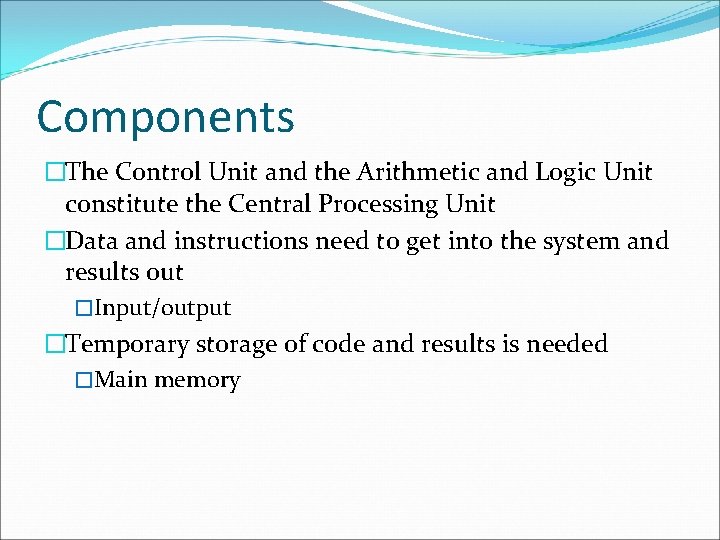
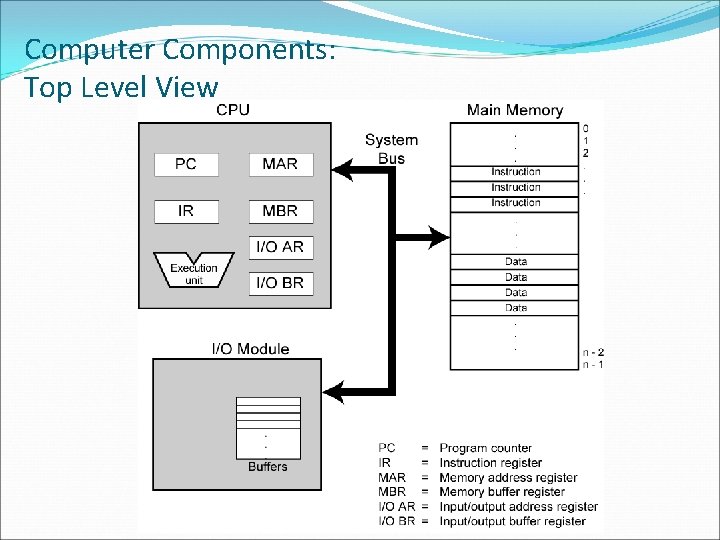
Components �The Control Unit and the Arithmetic and Logic Unit constitute the Central Processing Unit �Data and instructions need to get into the system and results out �Input/output �Temporary storage of code and results is needed �Main memory
Computer Components: Top Level View
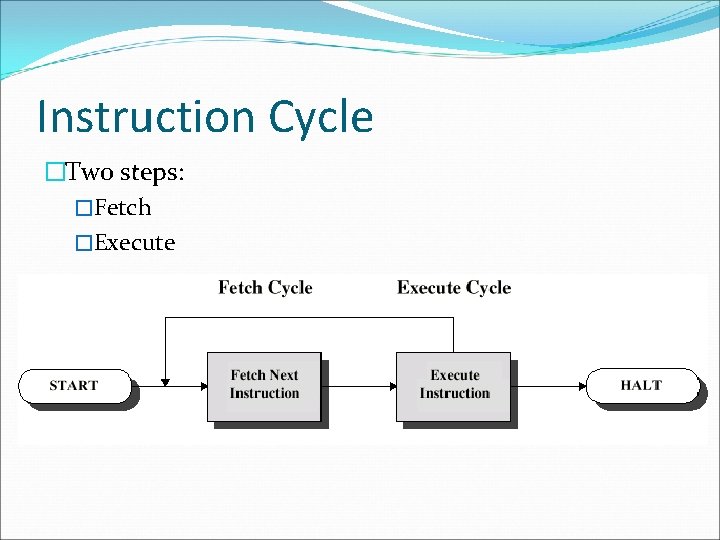
Instruction Cycle �Two steps: �Fetch �Execute
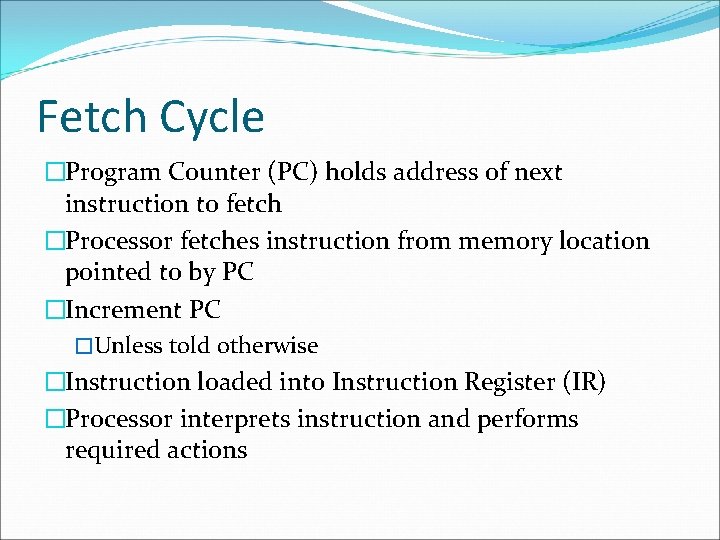
Fetch Cycle �Program Counter (PC) holds address of next instruction to fetch �Processor fetches instruction from memory location pointed to by PC �Increment PC �Unless told otherwise �Instruction loaded into Instruction Register (IR) �Processor interprets instruction and performs required actions
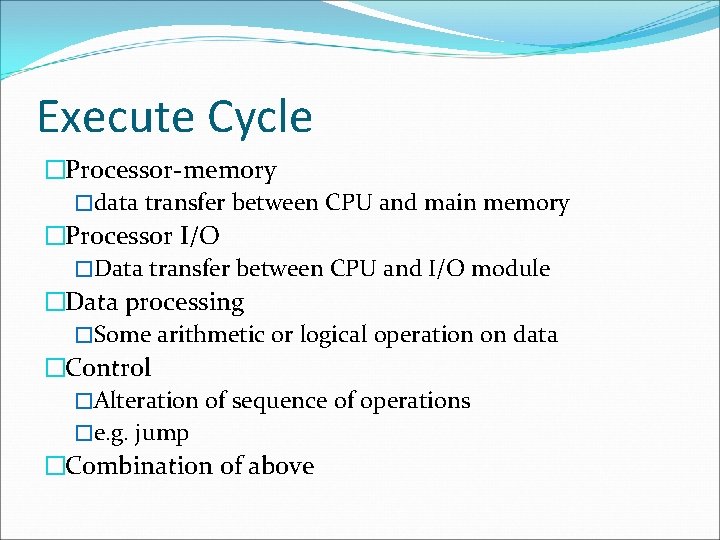
Execute Cycle �Processor-memory �data transfer between CPU and main memory �Processor I/O �Data transfer between CPU and I/O module �Data processing �Some arithmetic or logical operation on data �Control �Alteration of sequence of operations �e. g. jump �Combination of above
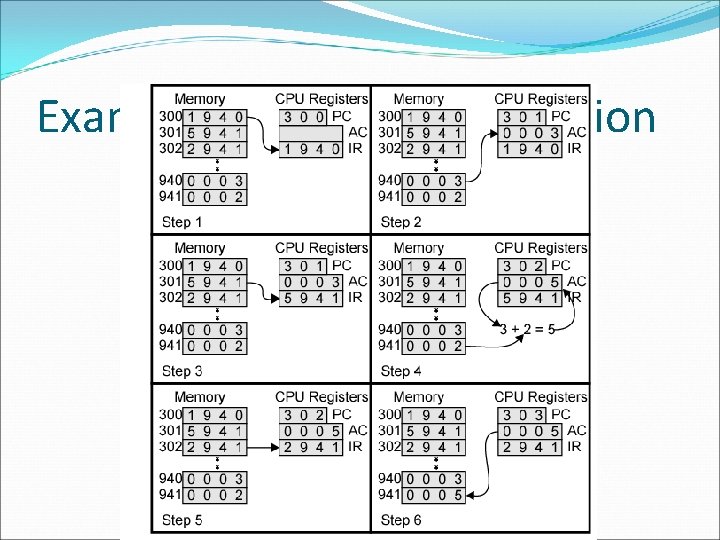
Example of Program Execution
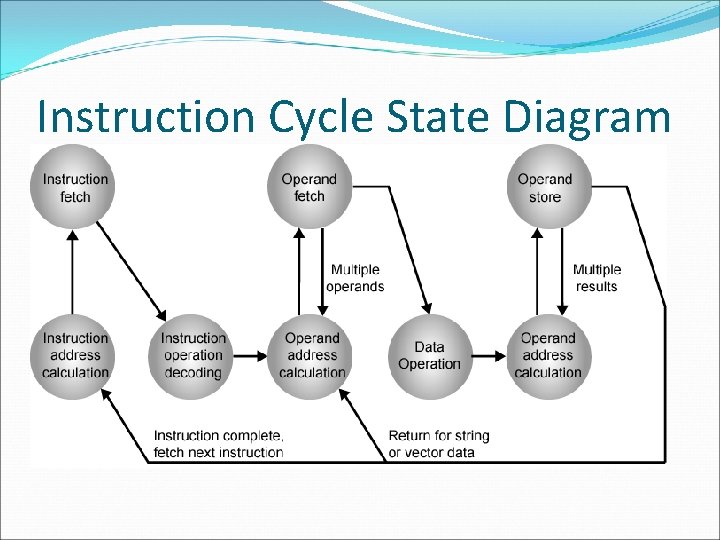
Instruction Cycle State Diagram
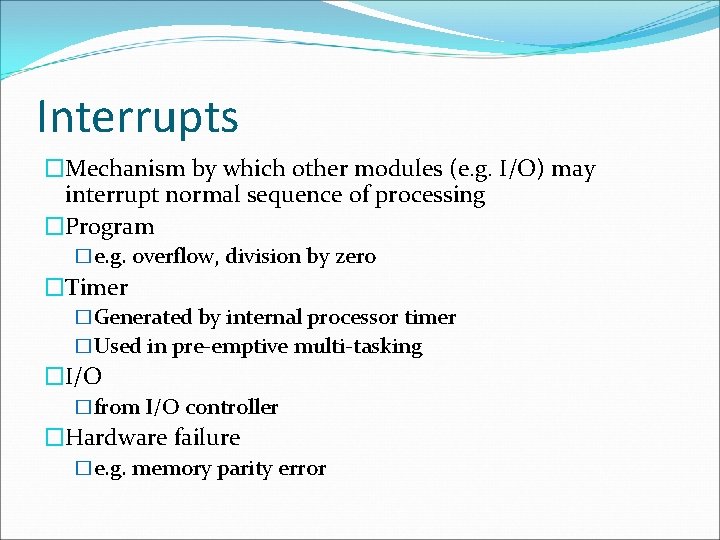
Interrupts �Mechanism by which other modules (e. g. I/O) may interrupt normal sequence of processing �Program �e. g. overflow, division by zero �Timer �Generated by internal processor timer �Used in pre-emptive multi-tasking �I/O �from I/O controller �Hardware failure �e. g. memory parity error
Program Flow Control
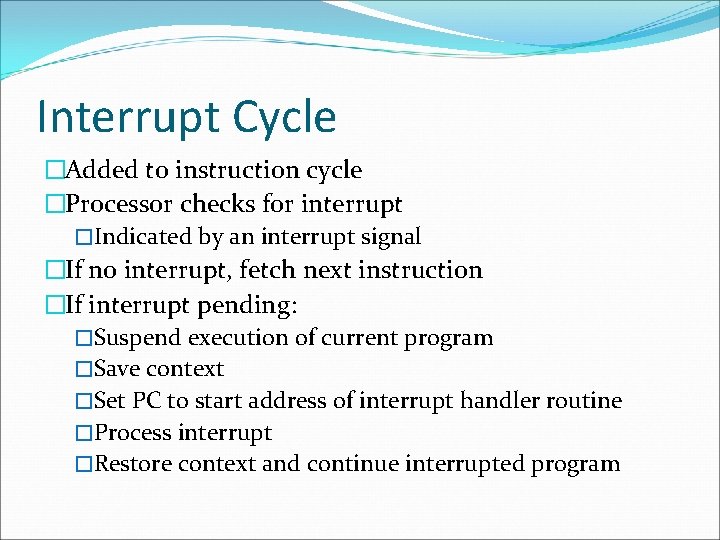
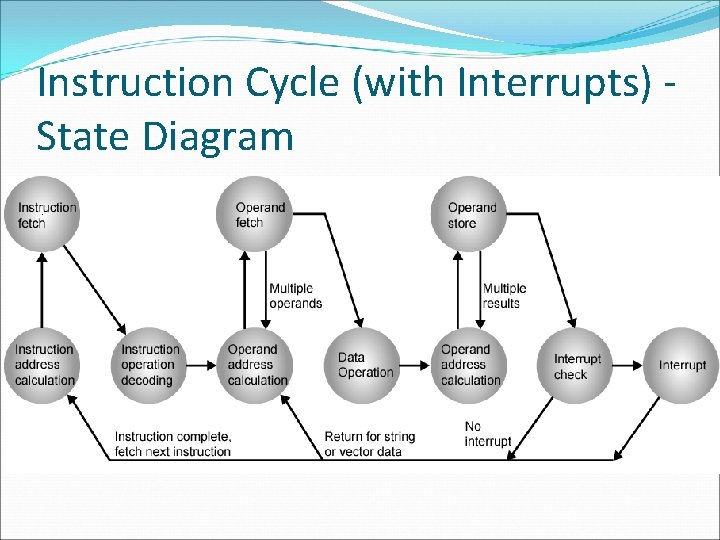
Interrupt Cycle �Added to instruction cycle �Processor checks for interrupt �Indicated by an interrupt signal �If no interrupt, fetch next instruction �If interrupt pending: �Suspend execution of current program �Save context �Set PC to start address of interrupt handler routine �Process interrupt �Restore context and continue interrupted program
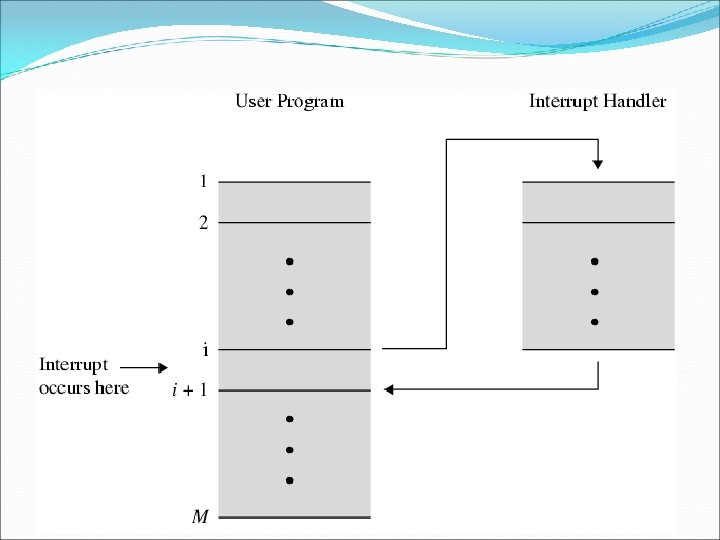
Transfer of Control via Interrupts
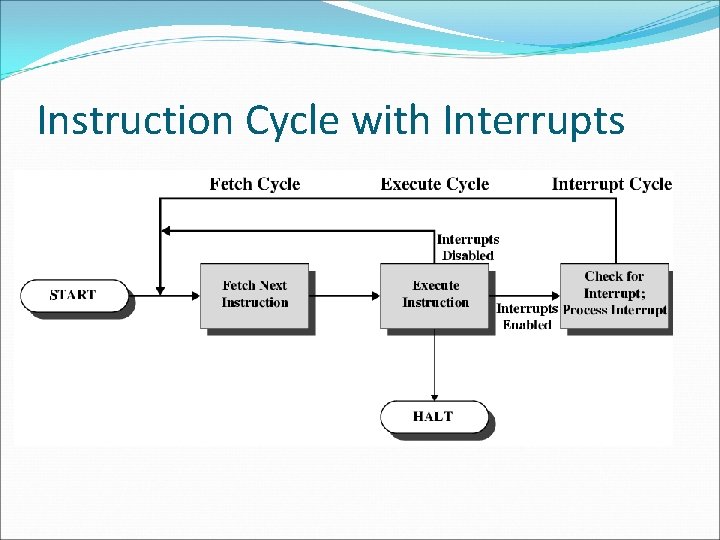
Instruction Cycle with Interrupts
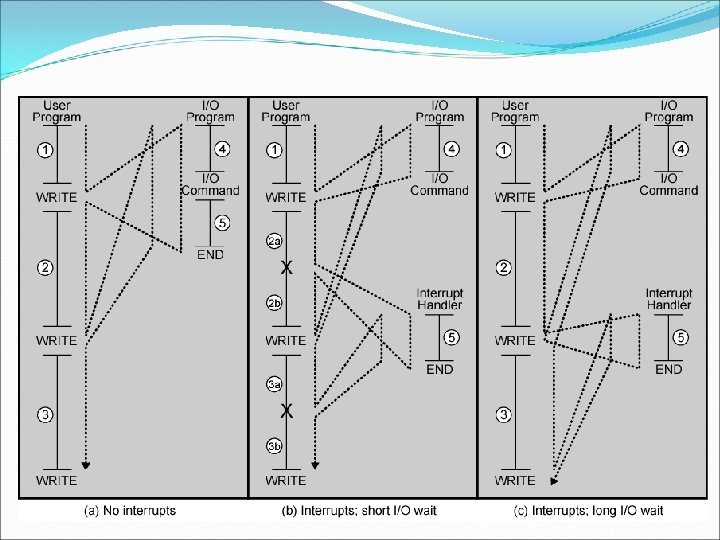
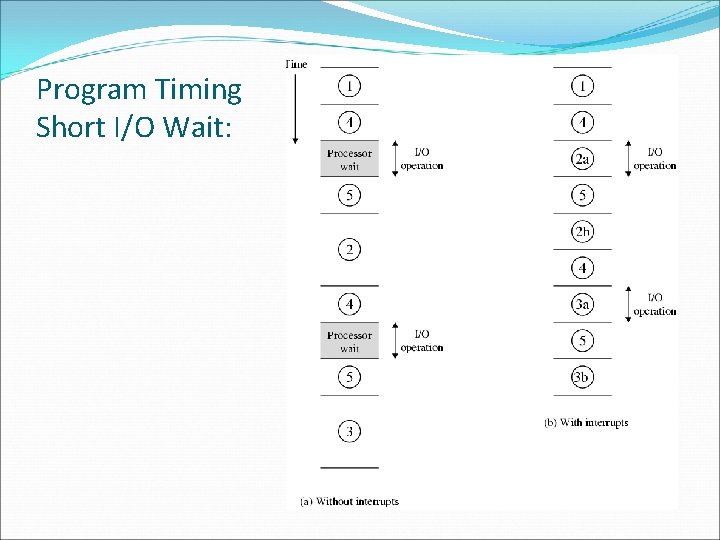
Program Timing Short I/O Wait:
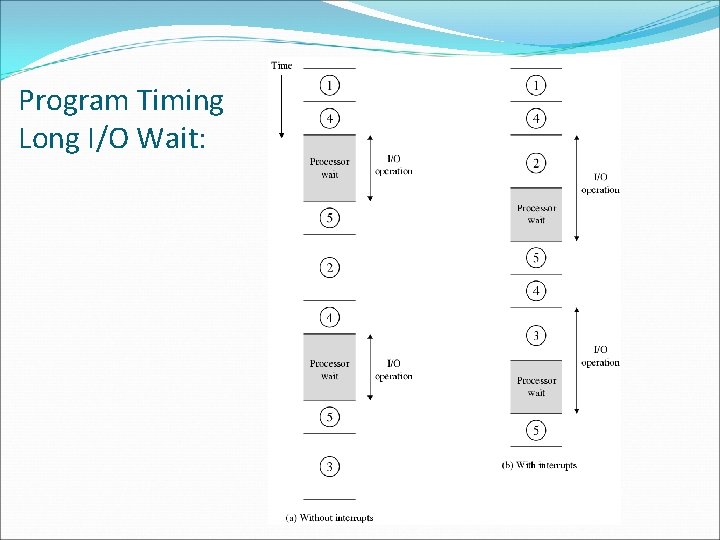
Program Timing Long I/O Wait:
Instruction Cycle (with Interrupts) State Diagram
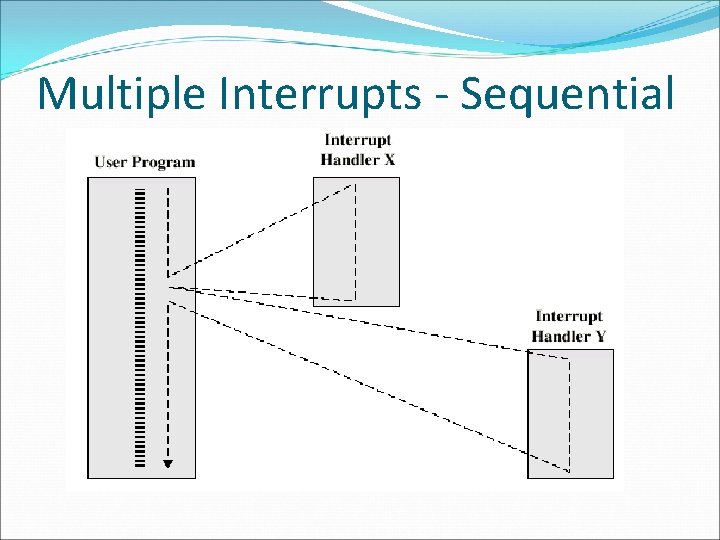
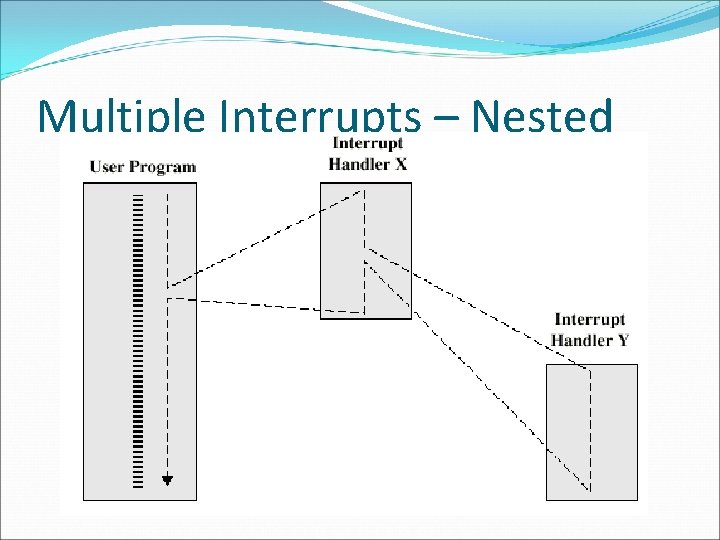
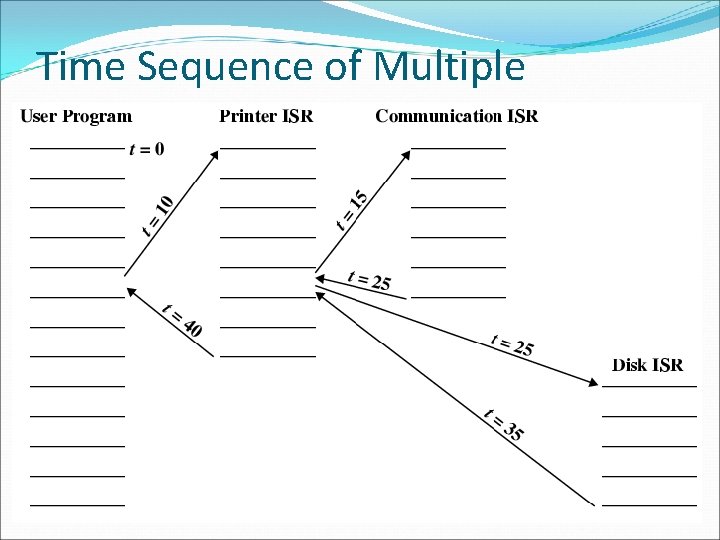
Multiple Interrupts �Disable interrupts �Processor will ignore further interrupts whilst processing one interrupt �Interrupts remain pending and are checked after first interrupt has been processed �Interrupts handled in sequence as they occur �Define priorities �Low priority interrupts can be interrupted by higher priority interrupts �When higher priority interrupt has been processed, processor returns to previous interrupt
Multiple Interrupts - Sequential
Multiple Interrupts – Nested
Time Sequence of Multiple Interrupts
Connecting �All the units must be connected �Different type of connection for different type of unit �Memory �Input/Output �CPU
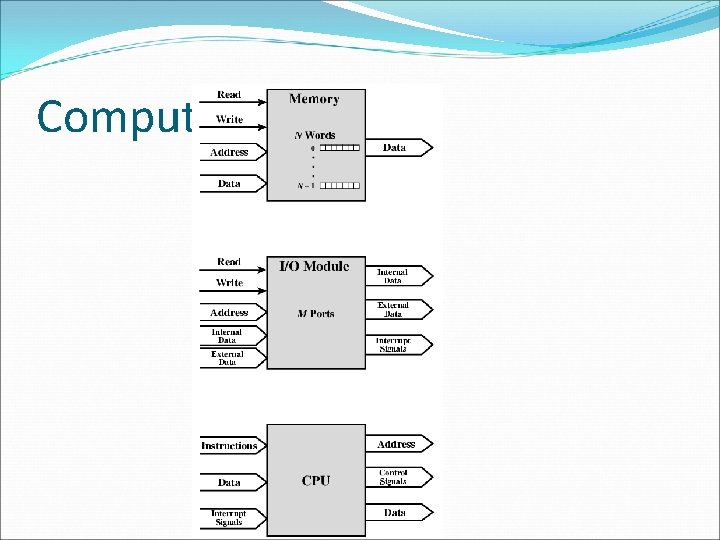
Computer Modules
Memory Connection �Receives and sends data �Receives addresses (of locations) �Receives control signals �Read �Write �Timing
Input/Output Connection(1) �Similar to memory from computer’s viewpoint �Output �Receive data from computer �Send data to peripheral �Input �Receive data from peripheral �Send data to computer
Input/Output Connection(2) �Receive control signals from computer �Send control signals to peripherals �e. g. spin disk �Receive addresses from computer �e. g. port number to identify peripheral �Send interrupt signals (control)
CPU Connection �Reads instruction and data �Writes out data (after processing) �Sends control signals to other units �Receives (& acts on) interrupts
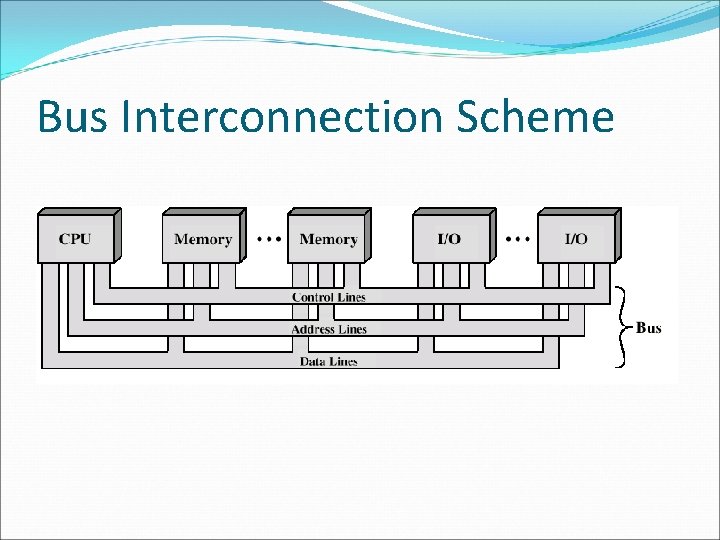
Buses �There a number of possible interconnection systems �Single and multiple BUS structures are most common �e. g. Control/Address/Data bus (PC) �e. g. Unibus (DEC-PDP)
What is a Bus? �A communication pathway connecting two or more devices �Usually broadcast �Often grouped �A number of channels in one bus �e. g. 32 bit data bus is 32 separate single bit channels �Power lines may not be shown
Data Bus �Carries data �Remember that there is no difference between “data” and “instruction” at this level �Width is a key determinant of performance � 8, 16, 32, 64 bit
Address bus �Identify the source or destination of data �e. g. CPU needs to read an instruction (data) from a given location in memory �Bus width determines maximum memory capacity of system �e. g. 8080 has 16 bit address bus giving 64 k address space
Control Bus �Control and timing information �Memory read/write signal �Interrupt request �Clock signals
Bus Interconnection Scheme