
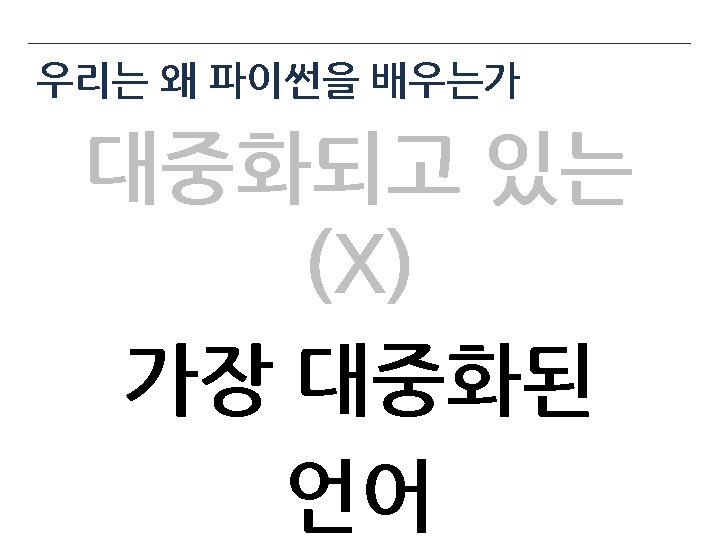
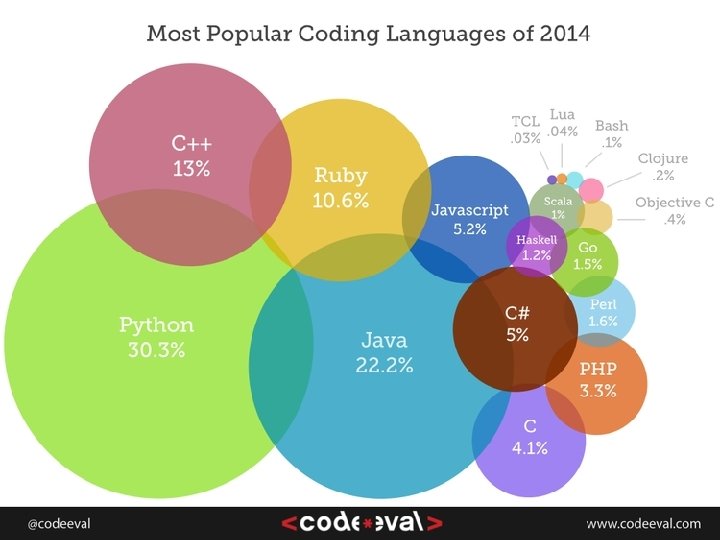
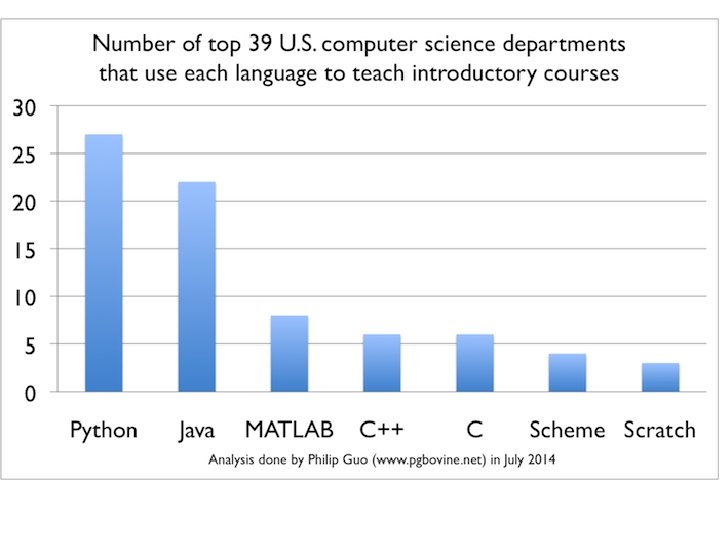
Why Python Python is big at Google Since


Why Python?
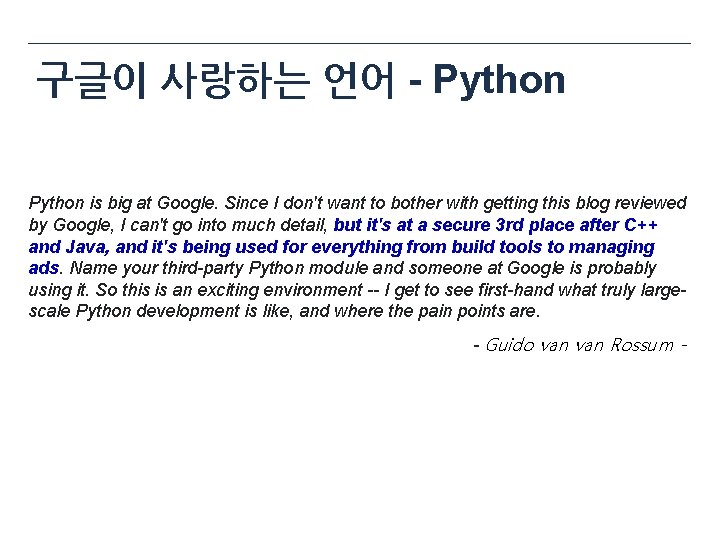
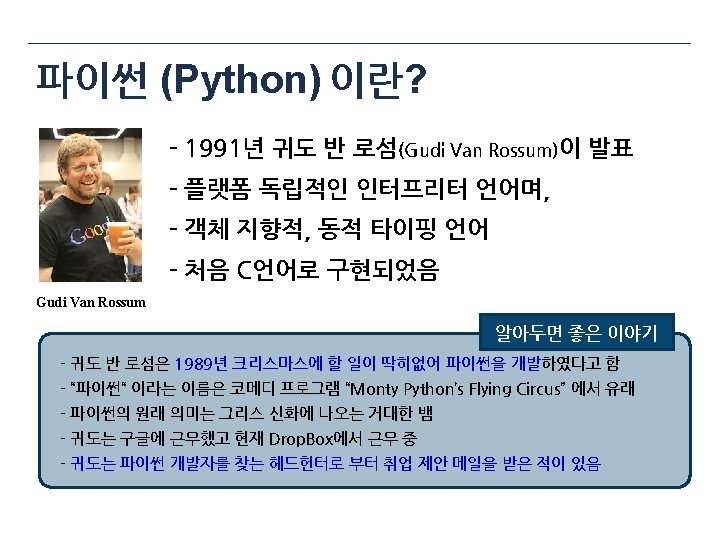
구글이 사랑하는 언어 - Python is big at Google. Since I don't want to bother with getting this blog reviewed by Google, I can't go into much detail, but it's at a secure 3 rd place after C++ and Java, and it's being used for everything from build tools to managing ads. Name your third-party Python module and someone at Google is probably using it. So this is an exciting environment -- I get to see first-hand what truly largescale Python development is like, and where the pain points are. - Guido van Rossum -


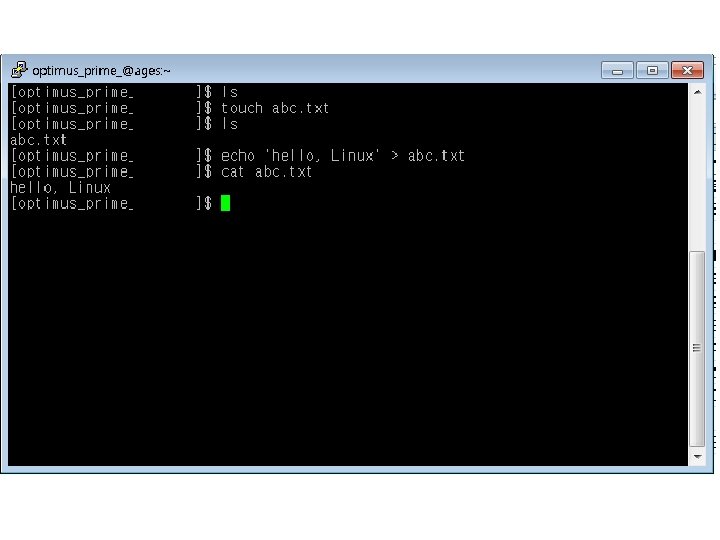
![[실습] 리눅스 파일 생성하기 1. touch abc. txt 2. ls 명령으로 생성확인 3. echo](http://slidetodoc.com/presentation_image/2f23f077c0a8fcd41e035324cb4eec43/image-33.jpg "[실습] 리눅스 파일 생성하기 1. touch abc. txt 2. ls 명령으로 생성확인 3. echo")
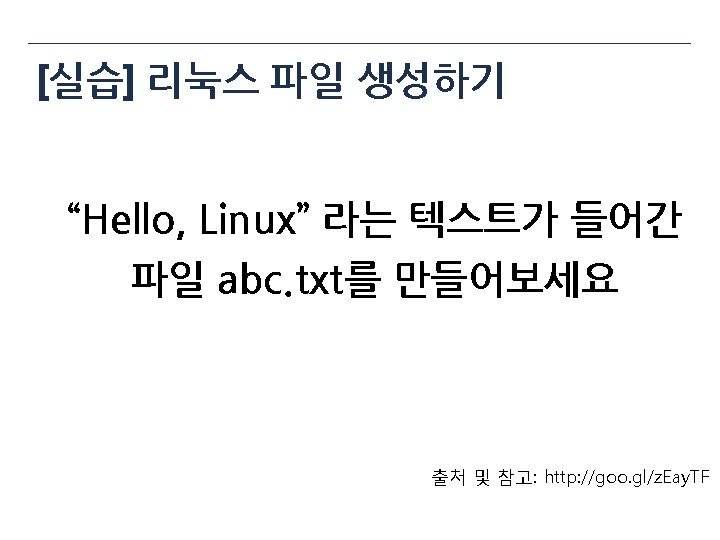
[실습] 리눅스 파일 생성하기 1. touch abc. txt 2. ls 명령으로 생성확인 3. echo ‘Hello, Linux’ > abc. txt 4. cat abc. txt 출처 및 참고: http: //goo. gl/z. Eay. TF

My First Python Program
![[실습] 파이썬 프로그램 만들기 아래의 프로그램을 “myfirstpython. py” 파일로 작성후 실행하세요. print "I Love](http://slidetodoc.com/presentation_image/2f23f077c0a8fcd41e035324cb4eec43/image-44.jpg "[실습] 파이썬 프로그램 만들기 아래의 프로그램을 “myfirstpython. py” 파일로 작성후 실행하세요. print \"I Love")
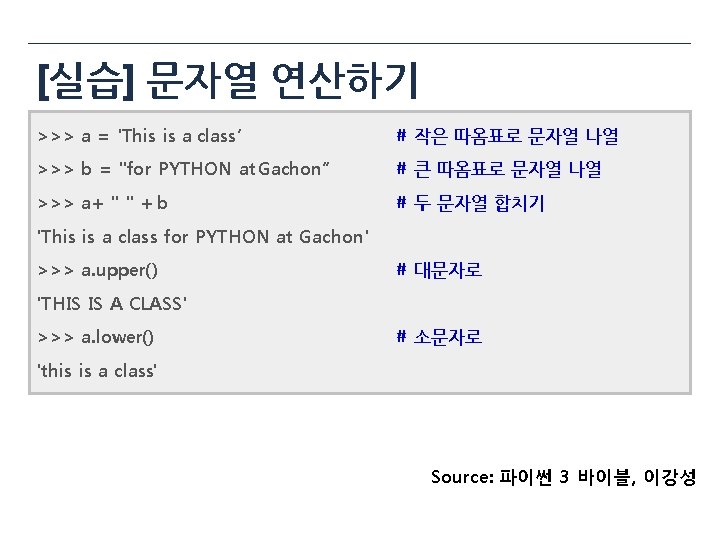
[실습] 파이썬 프로그램 만들기 아래의 프로그램을 “myfirstpython. py” 파일로 작성후 실행하세요. print "I Love pizza!" print "pizza" * 5 print "yum" * 3 print "I'm full. " [~@server ~]$ python myfirstpython. py I Love pizza! pizzapizzapizza yumyumyum I'm full. Source: 파이썬 3 바이블, 이강성

![[정답] >>> Professor = "Sungchul Choi" >>> print (Professor) Sungchul Choi >>> a =](http://slidetodoc.com/presentation_image/2f23f077c0a8fcd41e035324cb4eec43/image-48.jpg "[정답] >>> Professor = \"Sungchul Choi\" >>> print (Professor) Sungchul Choi >>> a =")
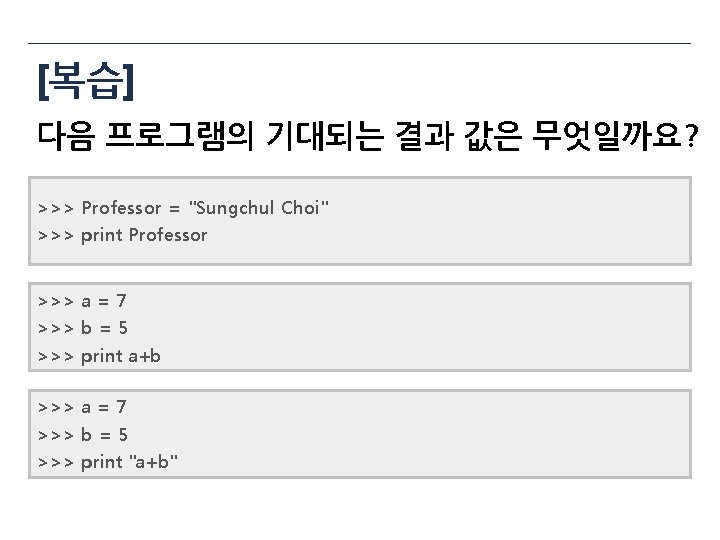
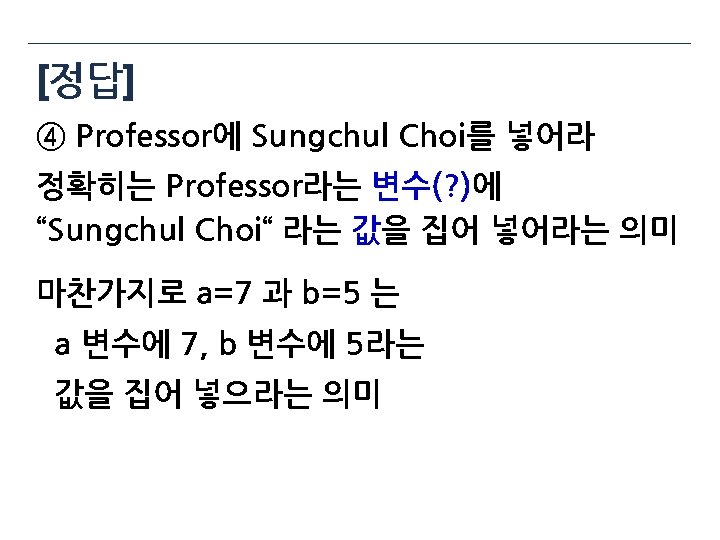
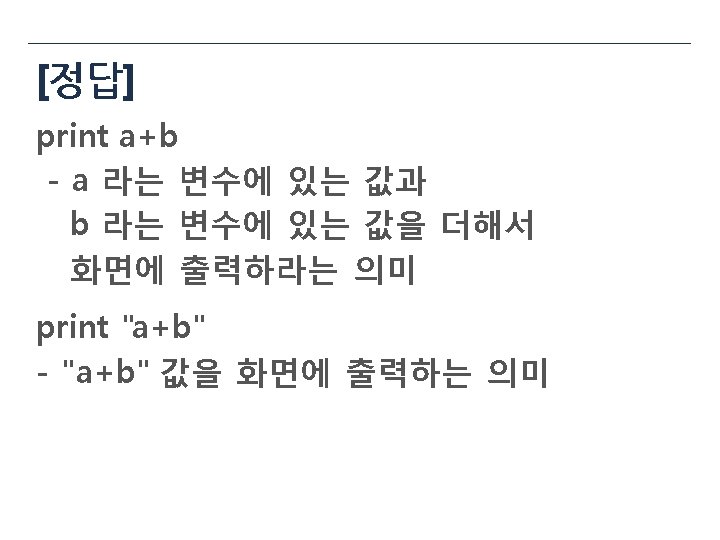
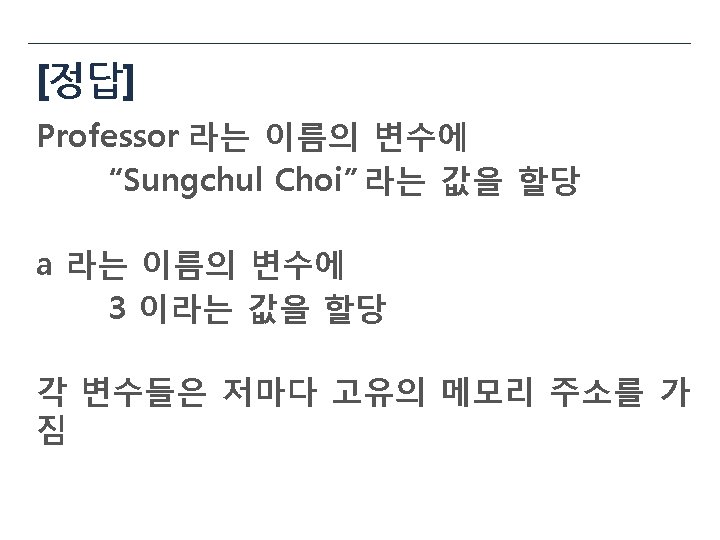
[정답] >>> Professor = "Sungchul Choi" >>> print (Professor) Sungchul Choi >>> a = 7 >>> b = 5 >>> print (a+b) 12 >>> a = 7 >>> b = 5 >>> print ("a+b") a+b

![[문제] Professor = “Sungchul Choi” 의 의미는” ① Professor의 이름은 Sungchul Choi 이다. ②](http://slidetodoc.com/presentation_image/2f23f077c0a8fcd41e035324cb4eec43/image-50.jpg "[문제] Professor = “Sungchul Choi” 의 의미는” ① Professor의 이름은 Sungchul Choi 이다. ②")
[문제] Professor = “Sungchul Choi” 의 의미는” ① Professor의 이름은 Sungchul Choi 이다. ② Professor는 Sungchul Choi 이다. ③ Professor와 Sungchul Choi는 같다. ④ Professor에 Sungchul Choi를 넣어라

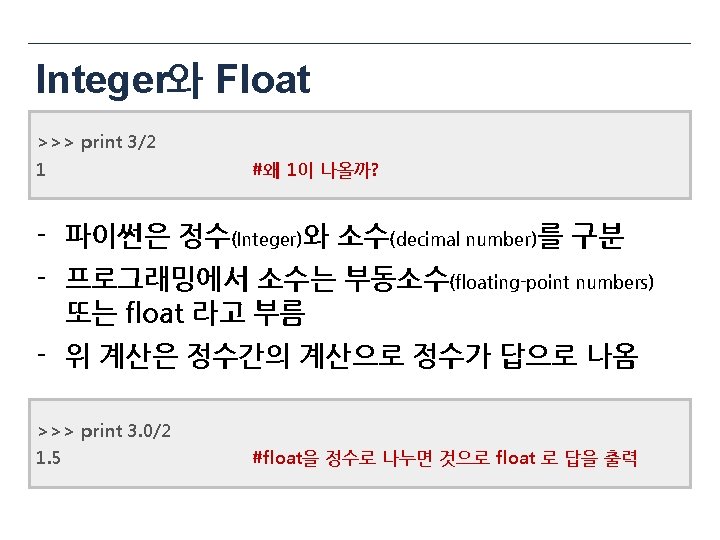
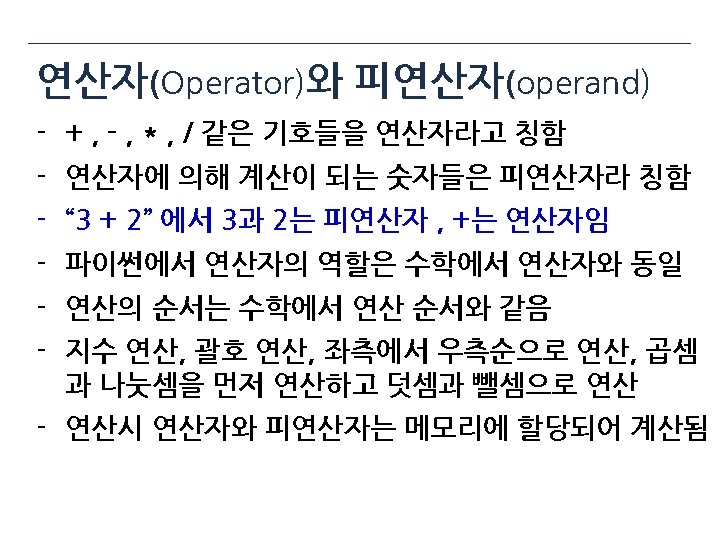
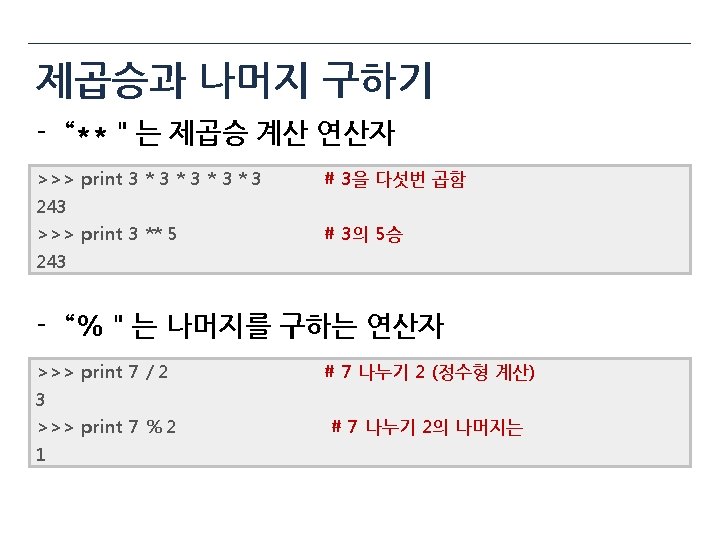
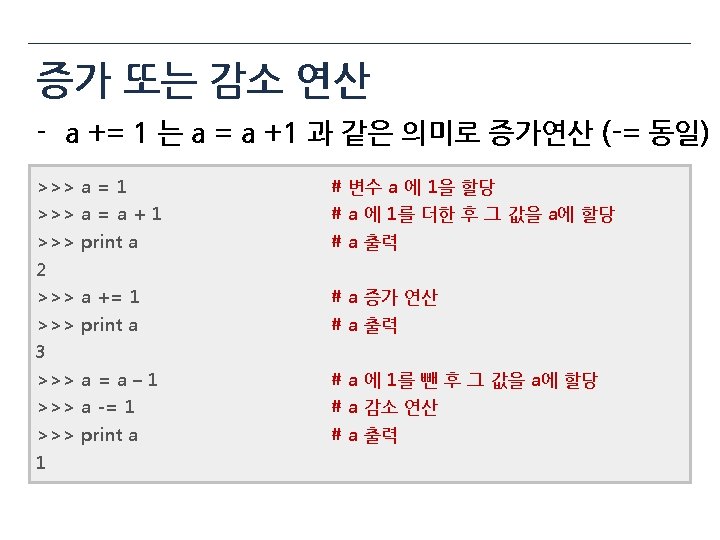
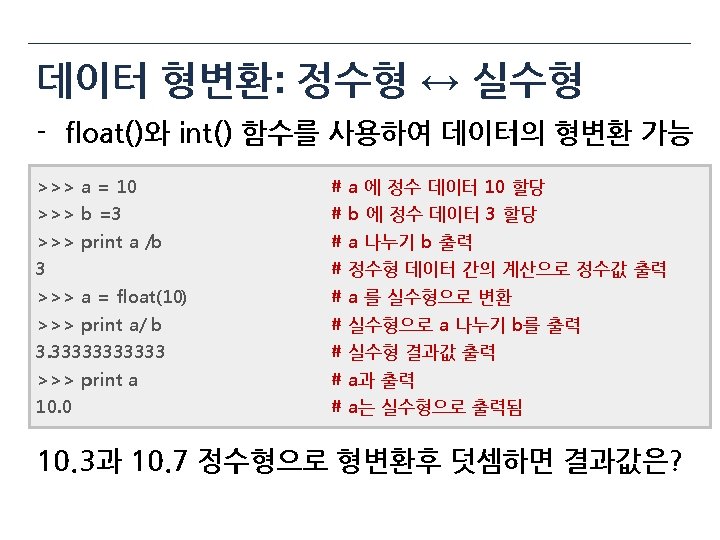
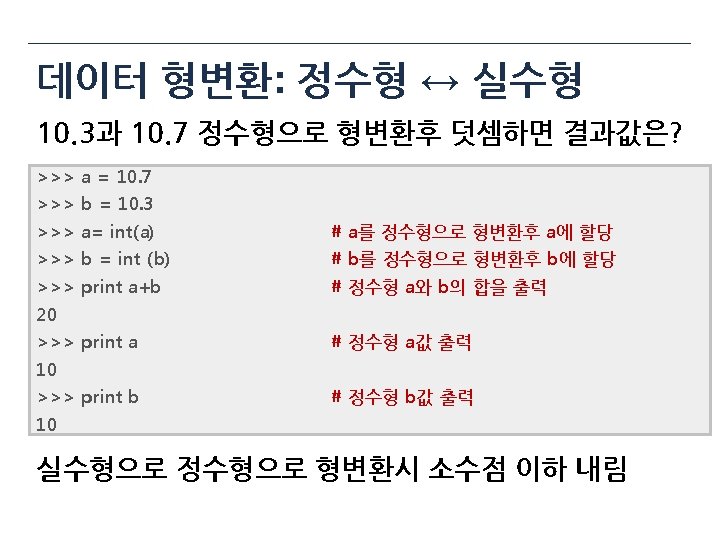
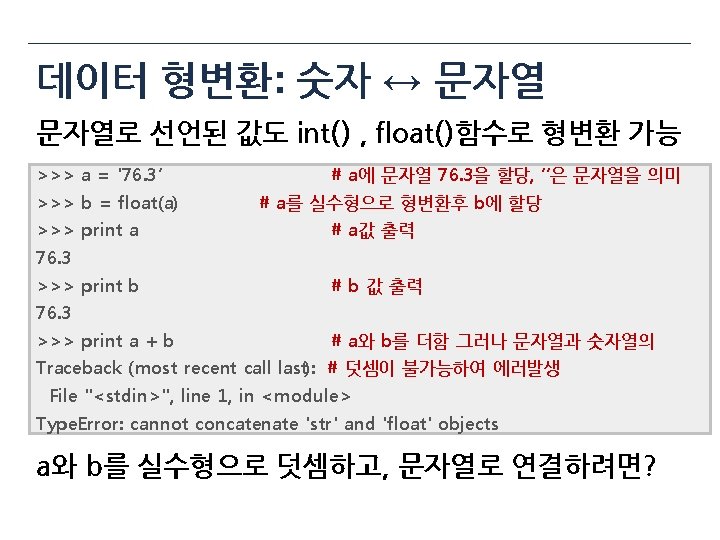
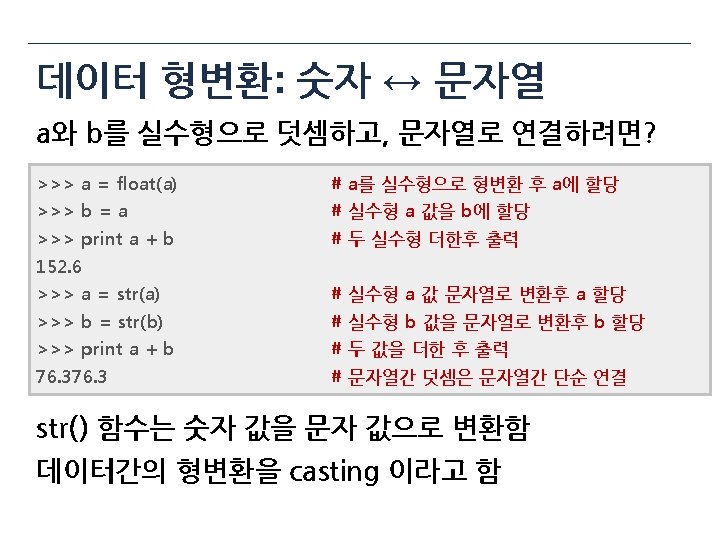
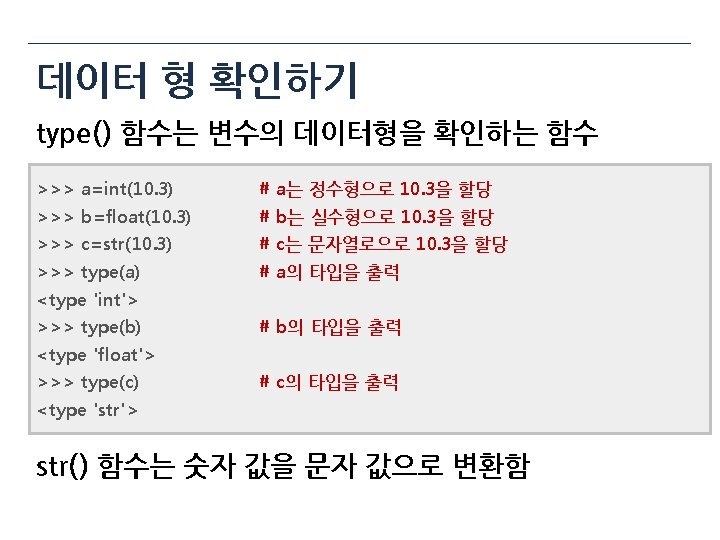
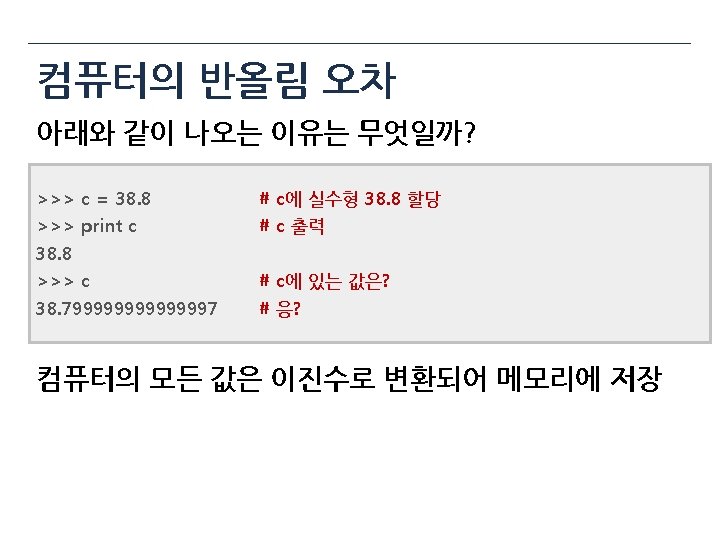
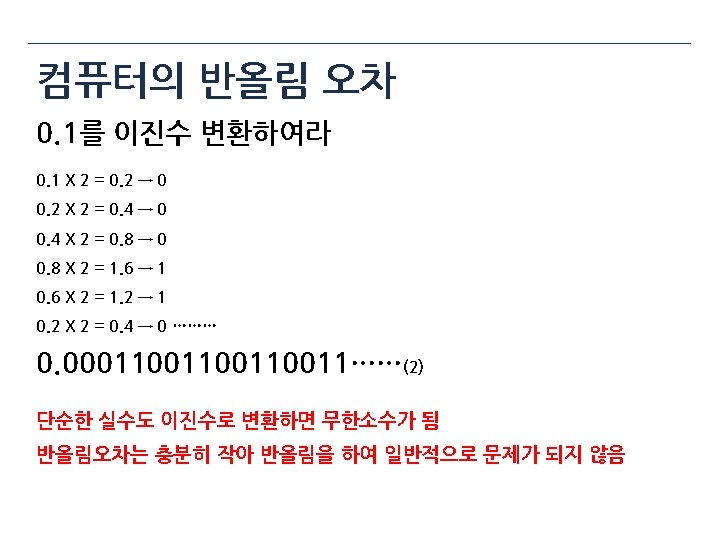
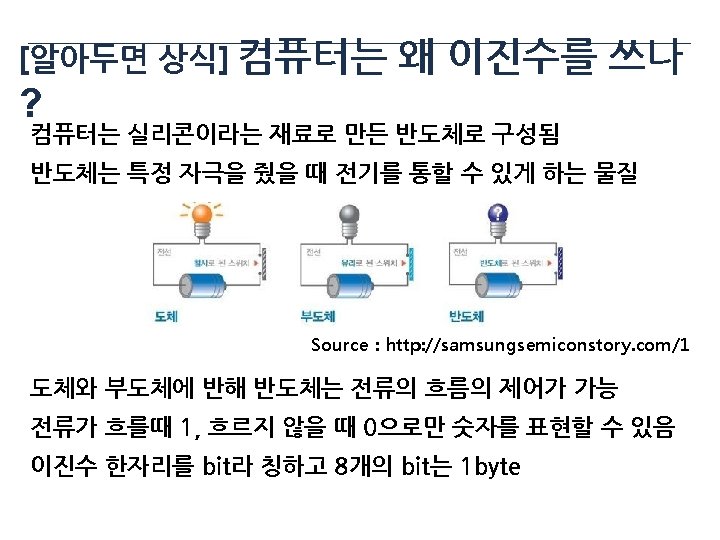

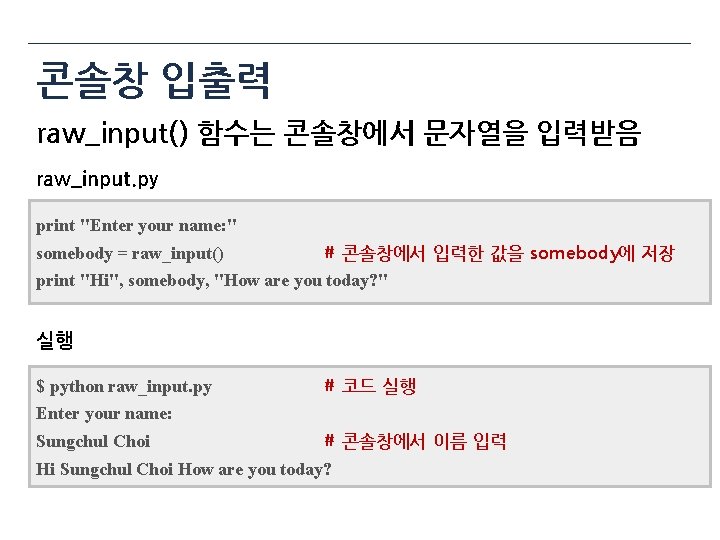
콘솔창 입출력 raw_input() 함수는 콘솔창에서 문자열을 입력받음 raw_input. py print "Enter your name: " somebody = raw_input() # 콘솔창에서 입력한 값을 somebody에 저장 print "Hi", somebody, "How are you today? " 실행 $ python raw_input. py # 코드 실행 Enter your name: Sungchul Choi # 콘솔창에서 이름 입력 Hi Sungchul Choi How are you today?
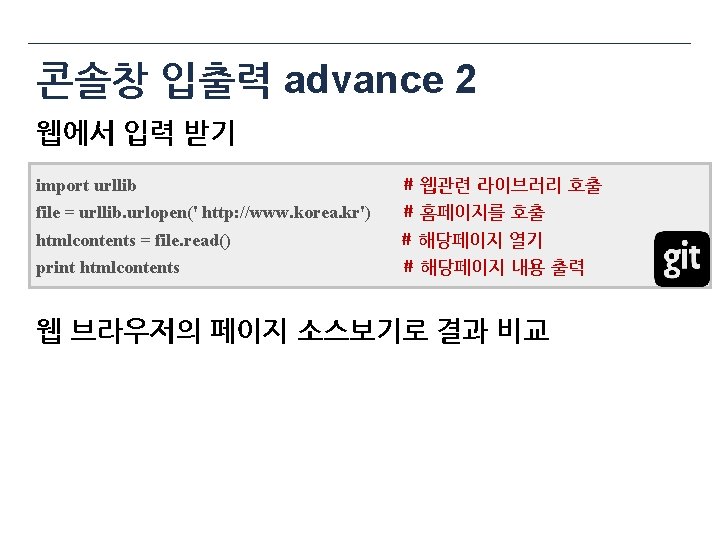

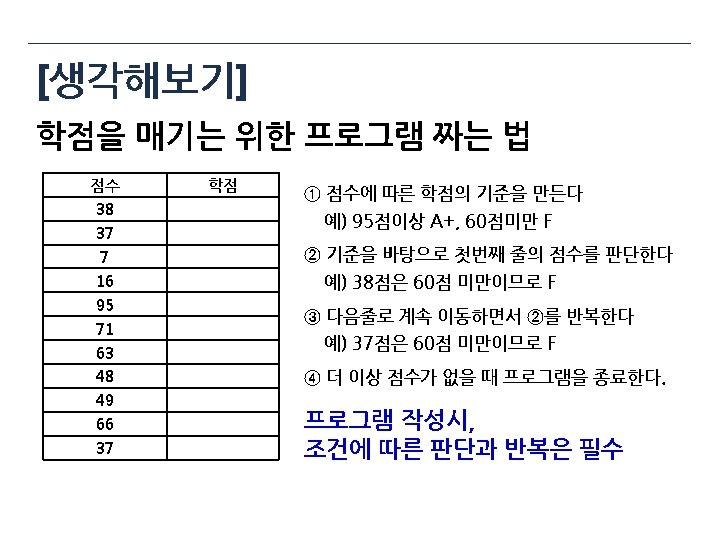

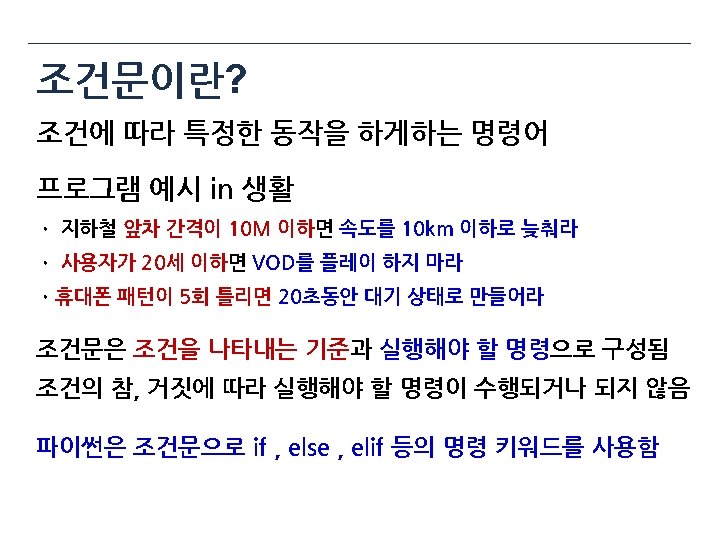
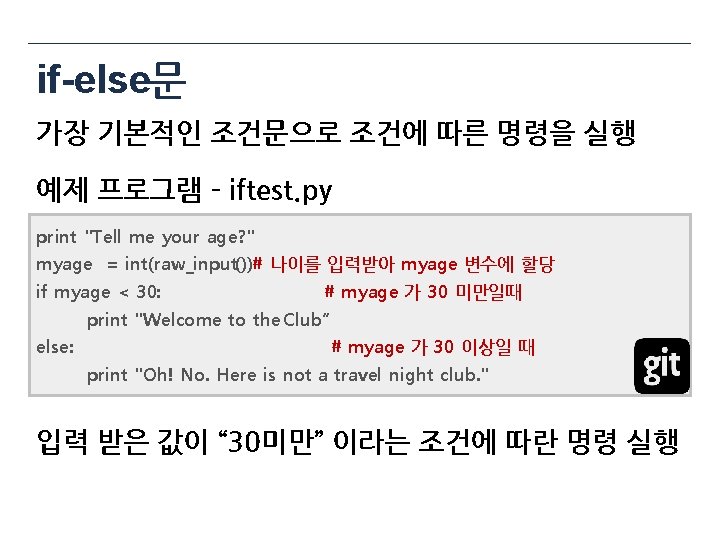
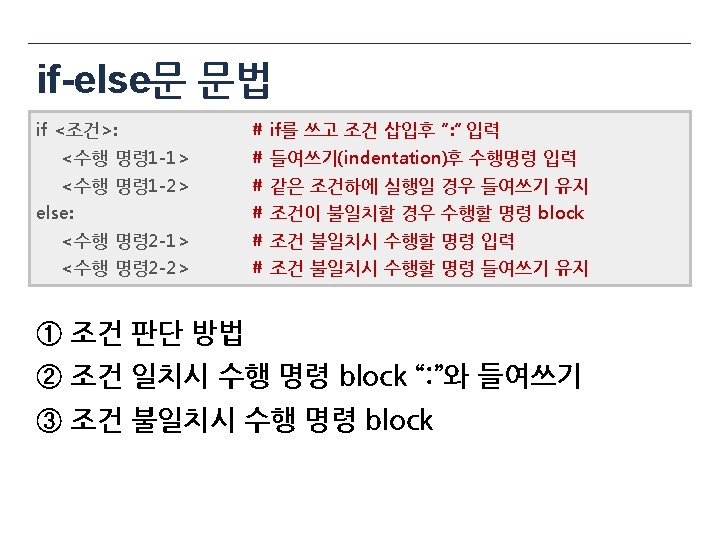
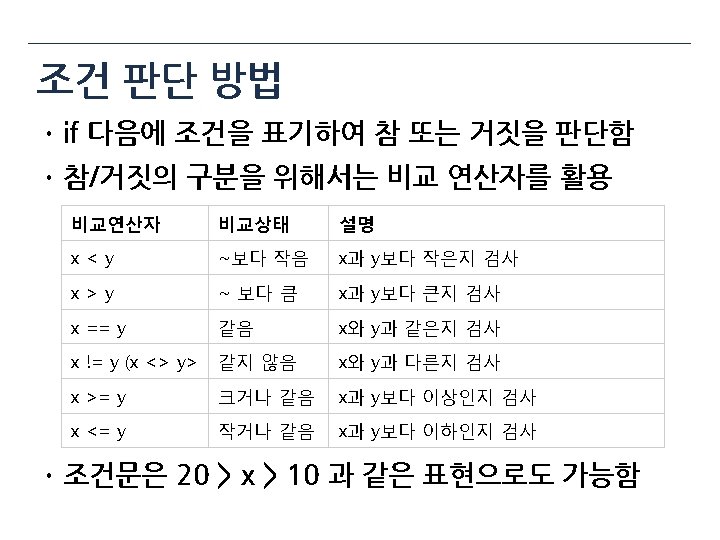
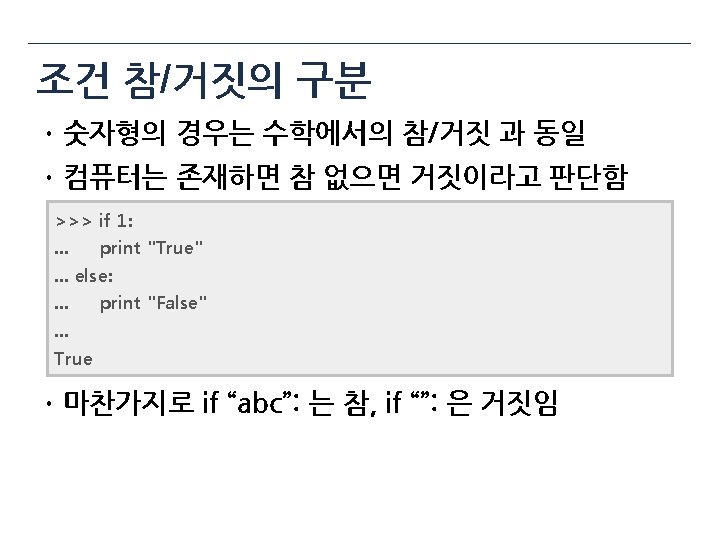
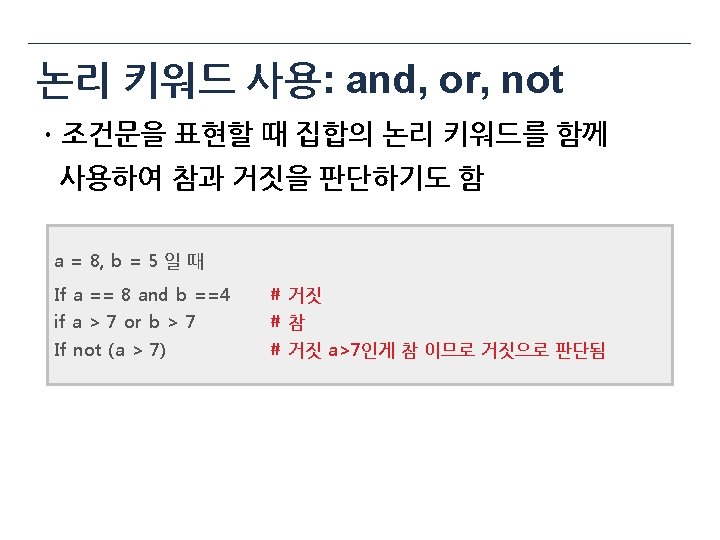
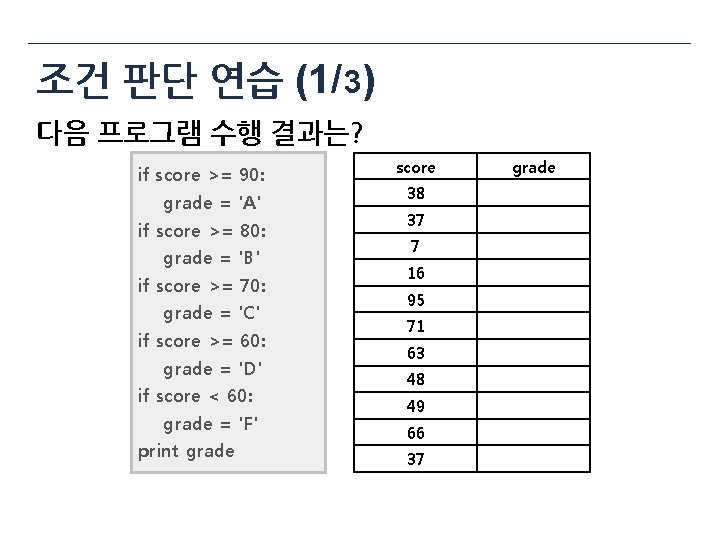
조건 판단 연습 (1/ 3) 다음 프로그램 수행 결과는? if score >= 90: grade = 'A' if score >= 80: grade = 'B' if score >= 70: grade = 'C' if score >= 60: grade = 'D' if score < 60: grade = 'F' print grade score 38 37 7 16 95 71 63 48 49 66 37 grade
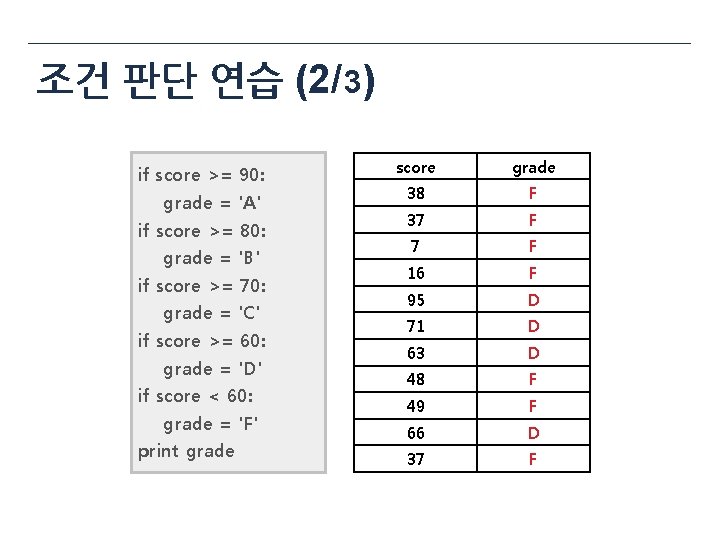
조건 판단 연습 (2/ 3) if score >= 90: grade = 'A' if score >= 80: grade = 'B' if score >= 70: grade = 'C' if score >= 60: grade = 'D' if score < 60: grade = 'F' print grade score grade 38 F 37 F 16 F 95 D 71 D 63 D 48 F 49 F 66 D 37 F

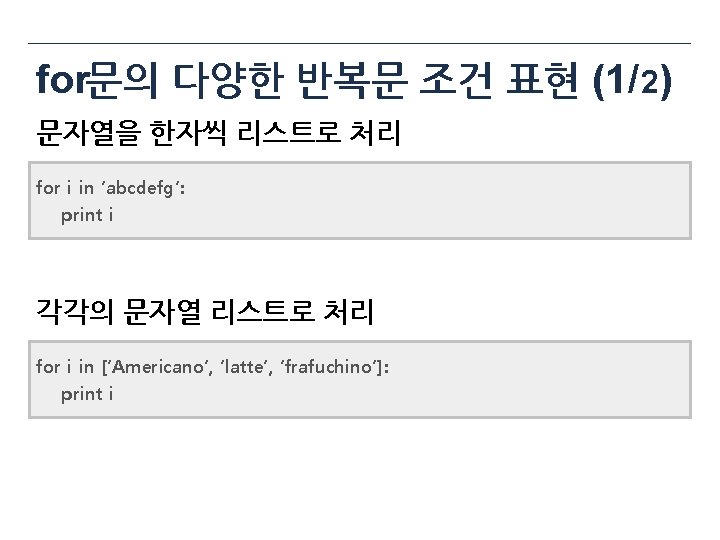
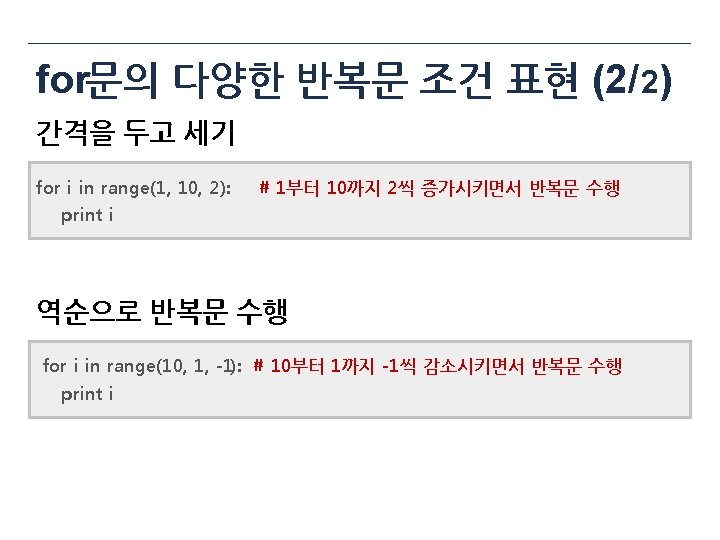
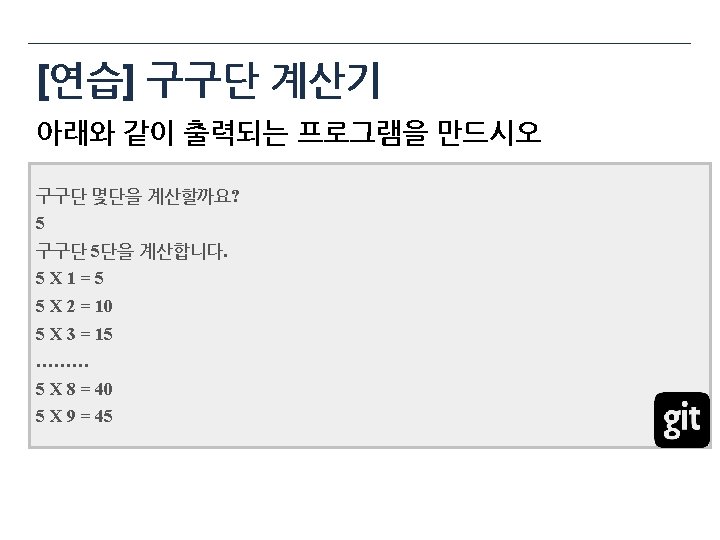
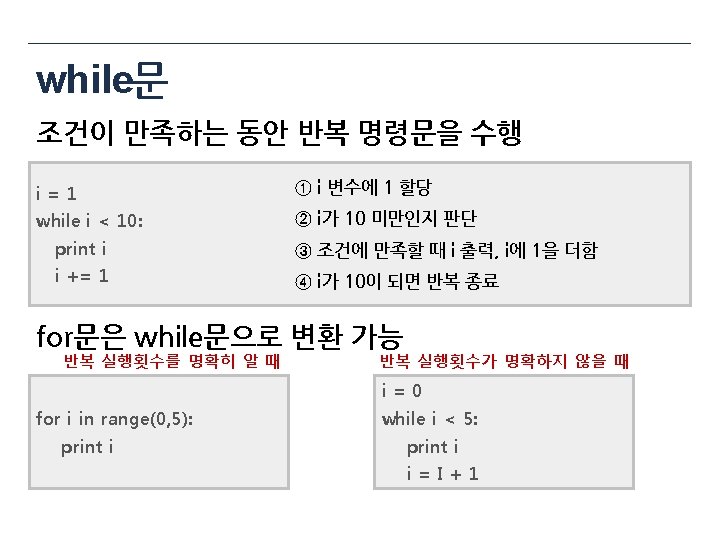
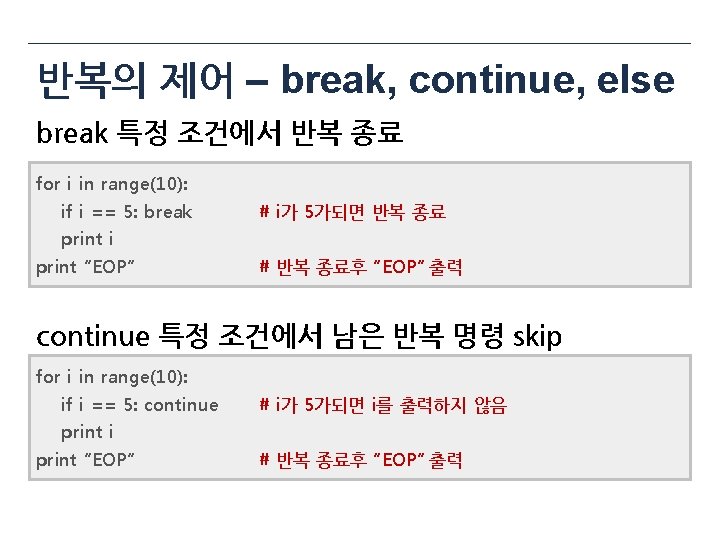
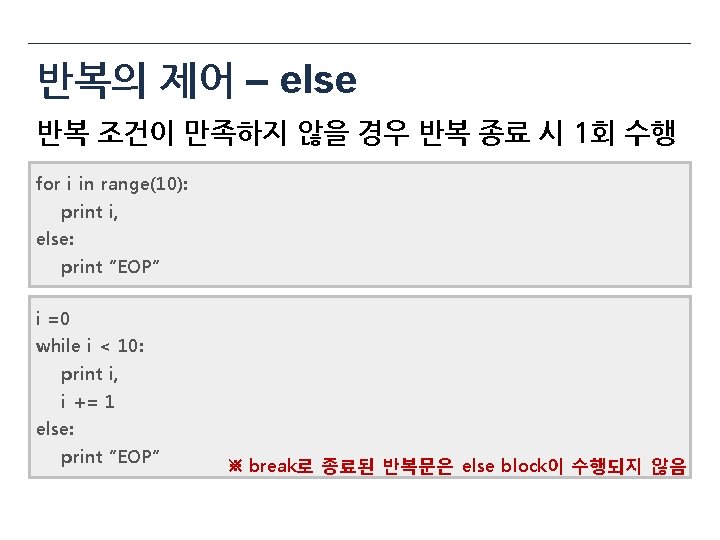

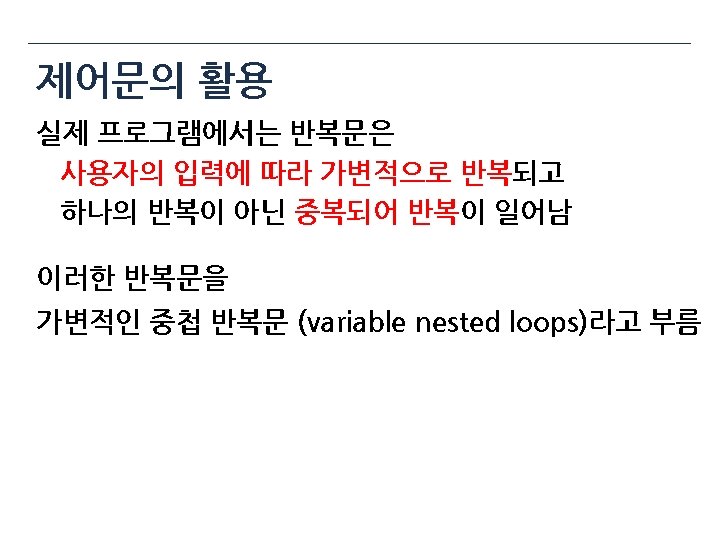
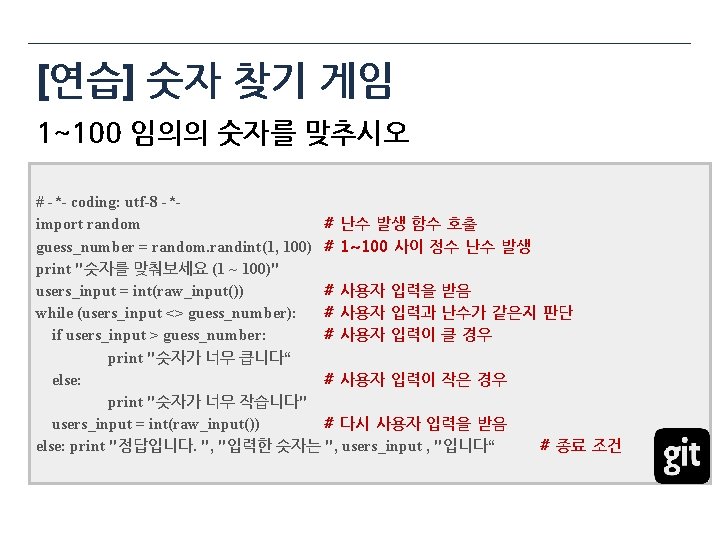

Loop Makeup
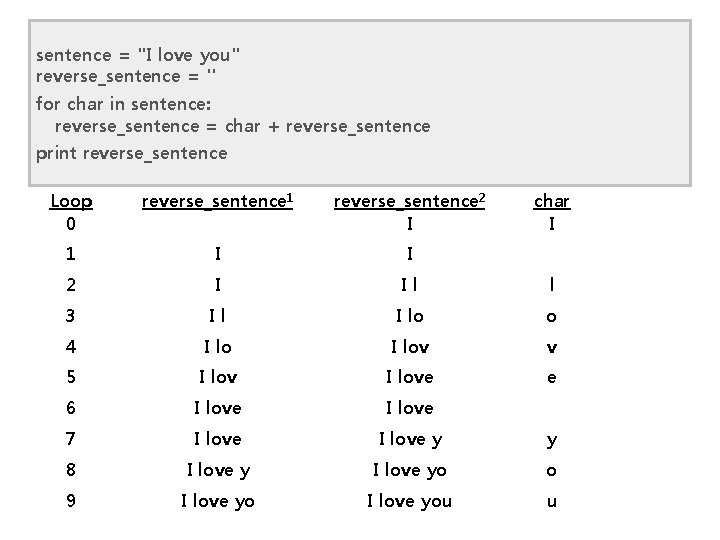
sentence = "I love you" reverse_sentence = '' for char in sentence: reverse_sentence = char + reverse_sentence print reverse_sentence Loop 0 reverse_sentence 1 reverse_sentence 2 I char I 1 I I 2 I Il l 3 Il I lo o 4 I lov v 5 I love e 6 I love 7 I love y y 8 I love yo o 9 I love you u
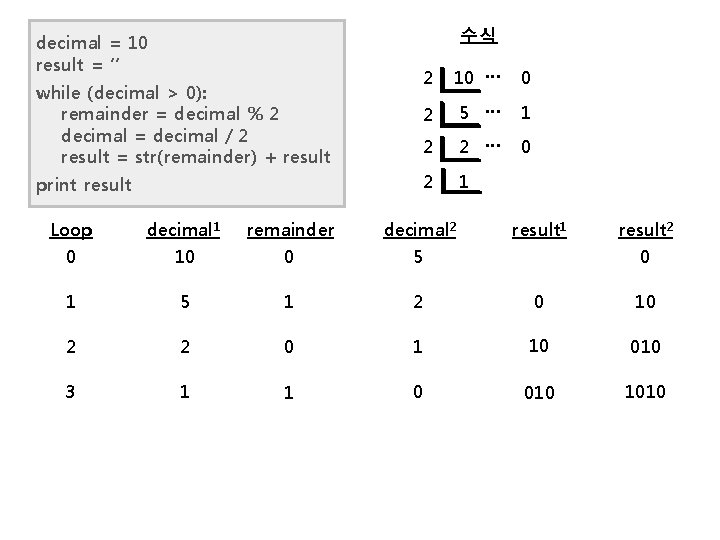
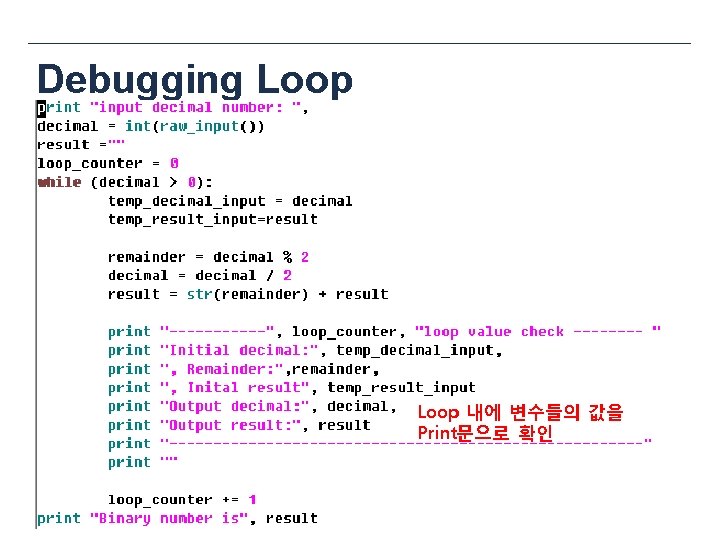
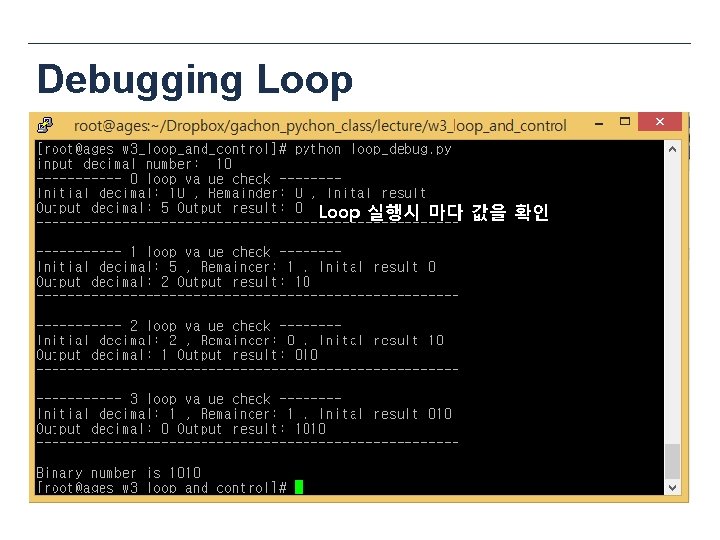
수식 decimal = 10 result = ‘’ while (decimal > 0): remainder = decimal % 2 decimal = decimal / 2 result = str(remainder) + result print result 2 10 … 0 2 5 … 1 2 2 … 0 2 1 Loop 0 decimal 1 10 remainder 0 decimal 2 5 result 1 result 2 0 1 5 1 2 0 10 2 2 0 1 10 010 3 1 1 0 010 1010

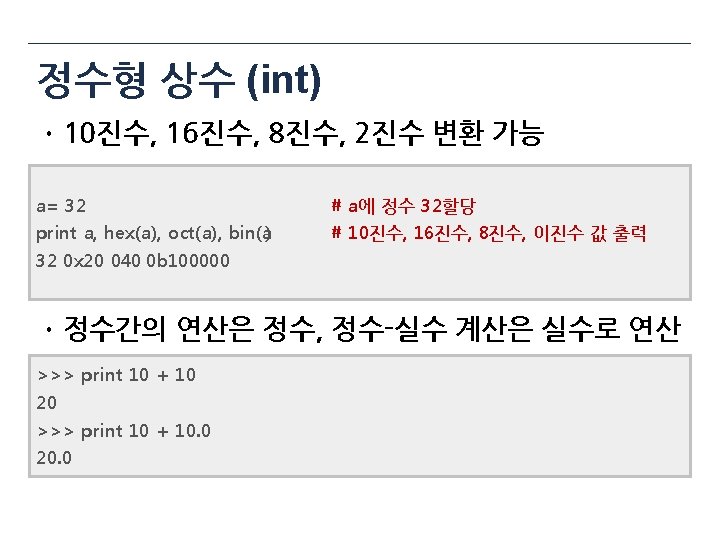
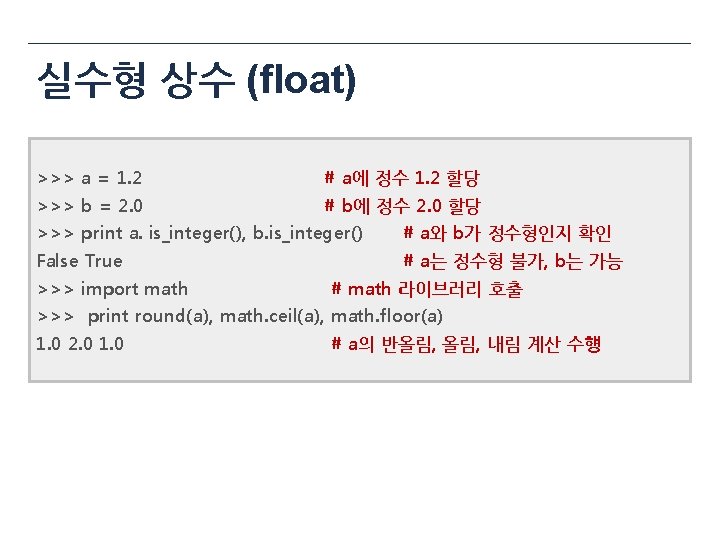
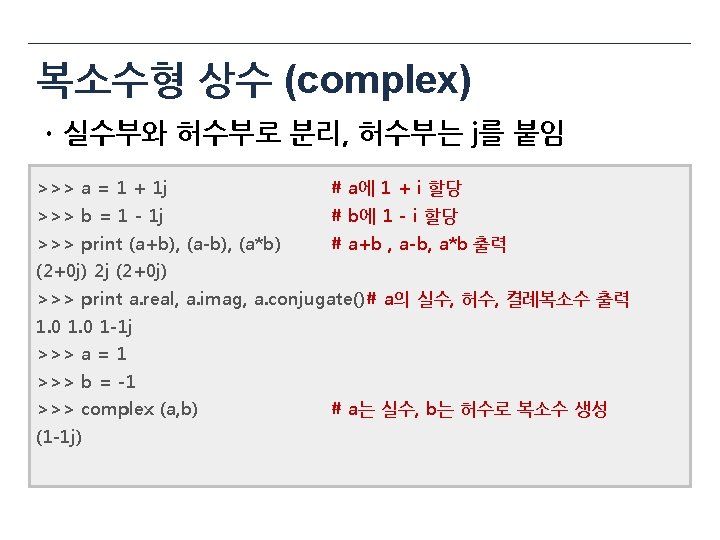
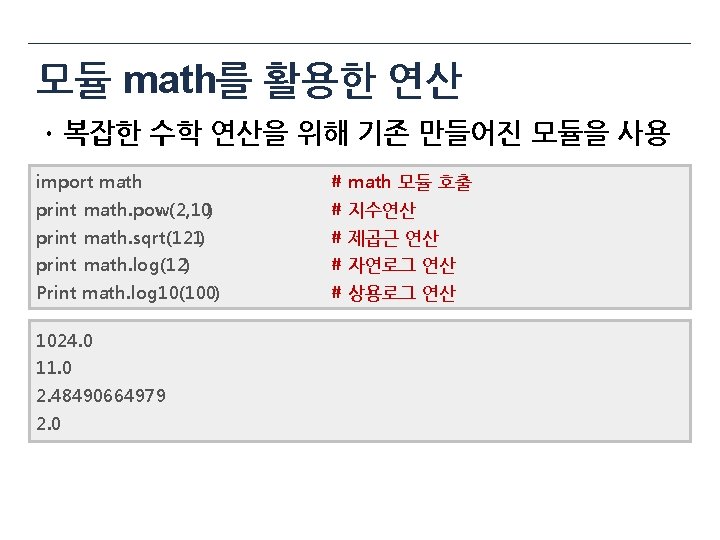
문자열 (string)
![리스트 (lists) ㆍ문자형과 같은 시퀀스 자료형, 여러 데이터들의 집합 colors = ['red', 'blue', 'green']](http://slidetodoc.com/presentation_image/2f23f077c0a8fcd41e035324cb4eec43/image-134.jpg "리스트 (lists) ㆍ문자형과 같은 시퀀스 자료형, 여러 데이터들의 집합 colors = ['red', 'blue', 'green']")
리스트 (lists) ㆍ문자형과 같은 시퀀스 자료형, 여러 데이터들의 집합 colors = ['red', 'blue', 'green'] print colors[0] ## red print colors[2] ## green print len(colors) ## 3 Source: http: //goo. gl/q 4 Vv. B 1, http: //goo. gl/JMb. Hm 0
![리스트의 연산 ㆍ인덱싱, 슬라이싱, 연산등을 동일하게 사용 color = ['red', 'blue', 'green'] color 2](http://slidetodoc.com/presentation_image/2f23f077c0a8fcd41e035324cb4eec43/image-135.jpg "리스트의 연산 ㆍ인덱싱, 슬라이싱, 연산등을 동일하게 사용 color = ['red', 'blue', 'green'] color 2")
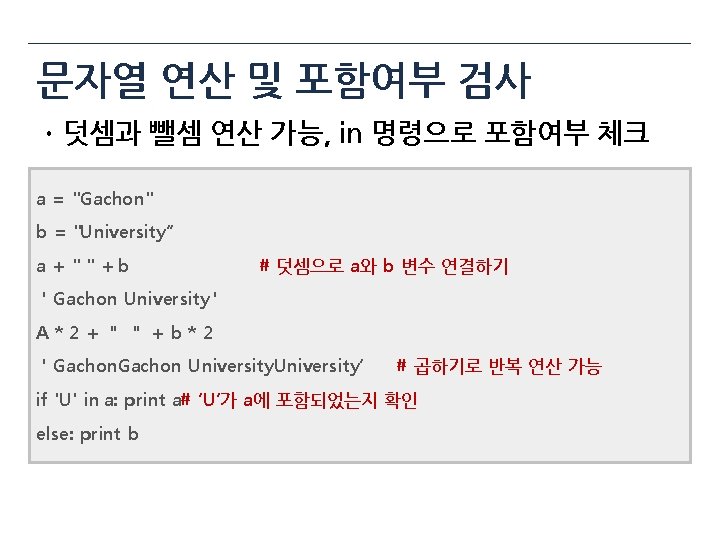
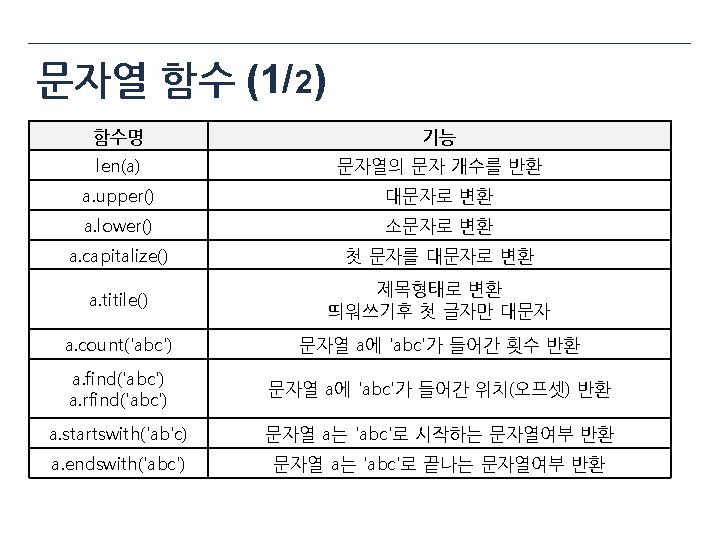
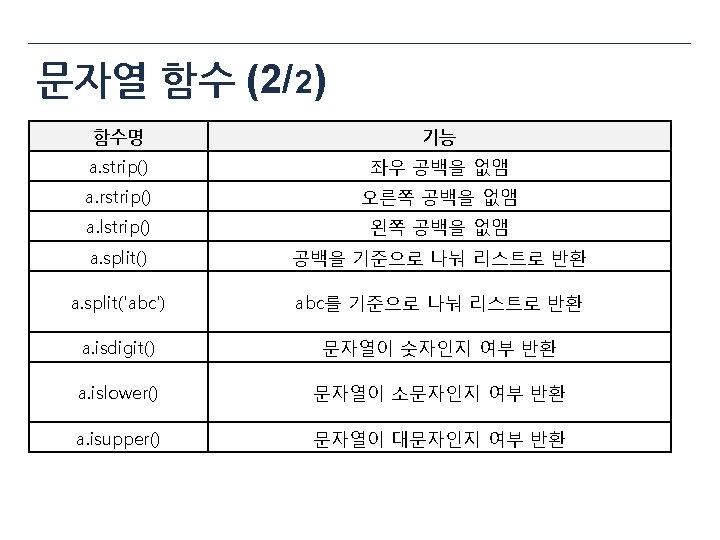
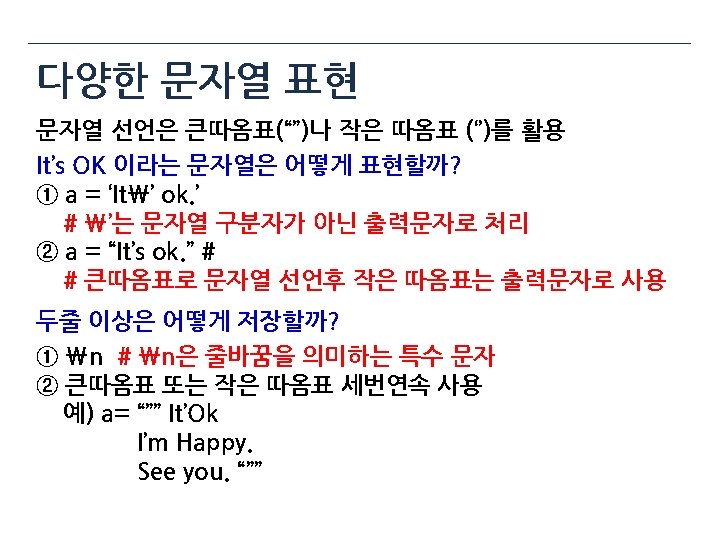
리스트의 연산 ㆍ인덱싱, 슬라이싱, 연산등을 동일하게 사용 color = ['red', 'blue', 'green'] color 2 = ['orange', 'black', 'white'] print color + color 2 # 두 리스트 합치기 len(color) # 리스트 길이 color[0] = ‘yellow’ # 0번째 리스트의 값을 변경 print color * 2 # color 리스트 2회 반복 ‘blue’ in color 2 # 문자열 ‘blue‘가 color 2 존재 여부 반환 total_color = color + color 2 for each_color in total_color # total_color에 입력된 문자열 하나씩 순회 print each_color
![리스트 추가와 삭제 color. append("white") # 리스트에 “white” 추가 color. extend(["black", "purple"])# 리스트에 새로운](http://slidetodoc.com/presentation_image/2f23f077c0a8fcd41e035324cb4eec43/image-136.jpg "리스트 추가와 삭제 color. append(\"white\") # 리스트에 “white” 추가 color. extend([\"black\", \"purple\"])# 리스트에 새로운")
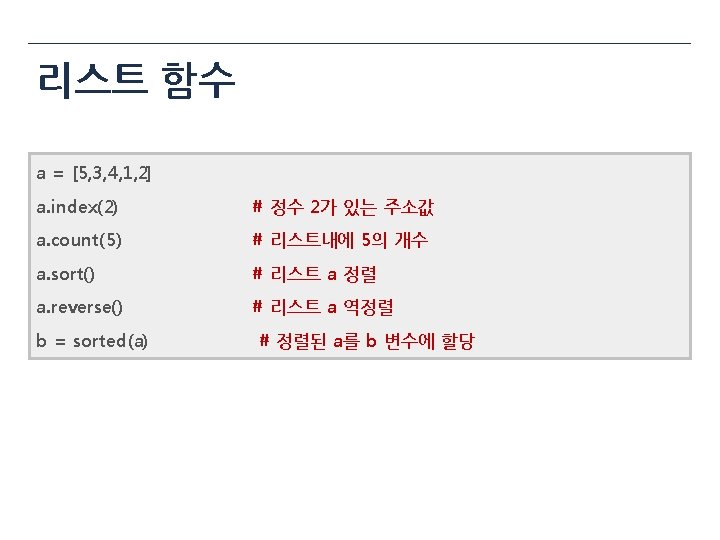
리스트 추가와 삭제 color. append("white") # 리스트에 “white” 추가 color. extend(["black", "purple"])# 리스트에 새로운 리스트 추가 color. insert(0, "orange") # 0번째 주소에 “orange” 추가 print color ['orange', 'yellow', 'blue', 'green', 'white', 'black', 'purple '] color. remove("white") # 리스트에 “white” 삭제 del color[0] # 0번째 주소 리스트 객체 삭제 print color ['yellow', 'blue', 'green', 'black', 'purple ']
![리스트의 특징 a = [“color”, 1, 0. 2] # 다양한 데이터 타입 입력 가능](http://slidetodoc.com/presentation_image/2f23f077c0a8fcd41e035324cb4eec43/image-137.jpg "리스트의 특징 a = [“color”, 1, 0. 2] # 다양한 데이터 타입 입력 가능")
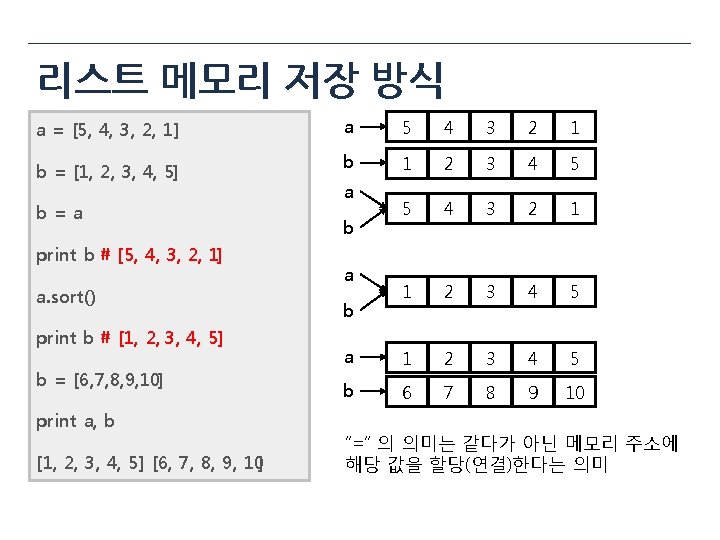
리스트의 특징 a = [“color”, 1, 0. 2] # 다양한 데이터 타입 입력 가능 color = ['yellow', 'blue', 'green', 'black', 'purple'] a[0] = color # 리스트 안에 리스트도 입력 가능 print a [['yellow', 'blue', 'green', 'black', 'purple'], 1, 0. 2000000001 ] 중첩 리스트시 메모리 구조 Source: http: //goo. gl/FApwnw
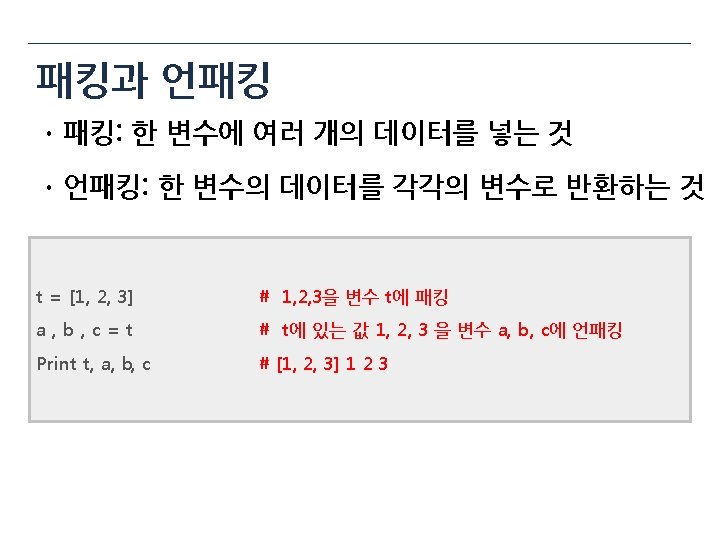
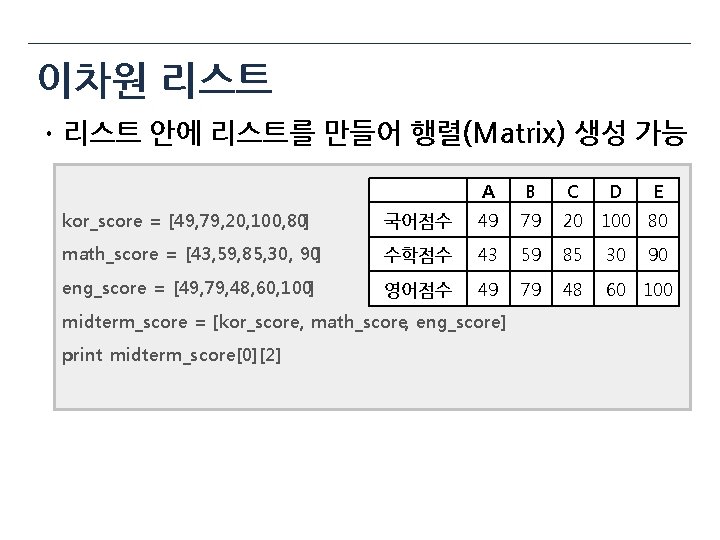
이차원 리스트 ㆍ리스트 안에 리스트를 만들어 행렬(Matrix) 생성 가능 A B C D E kor_score = [49, 79, 20, 100, 80] 국어점수 49 79 20 100 80 math_score = [43, 59, 85, 30, 90] 수학점수 43 59 85 30 eng_score = [49, 79, 48, 60, 100] 영어점수 49 79 48 60 100 midterm_score = [kor_score, math_score, eng_score] print midterm_score[0][2] 90
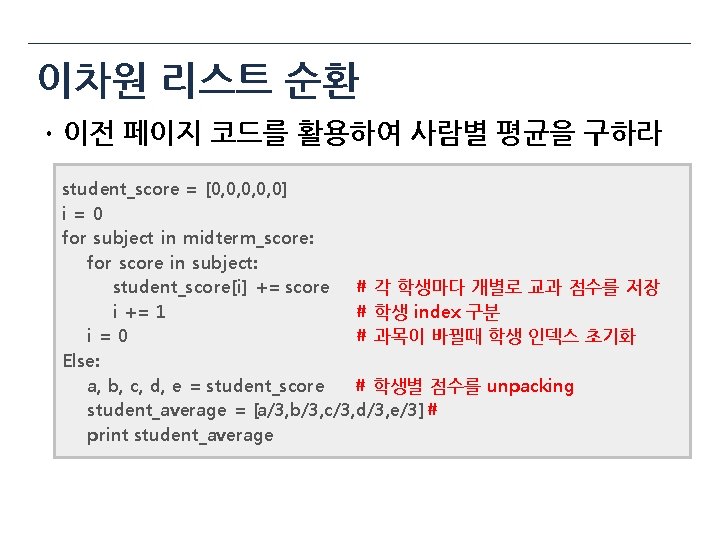
이차원 리스트 순환 ㆍ이전 페이지 코드를 활용하여 사람별 평균을 구하라 student_score = [0, 0, 0] i=0 for subject in midterm_score: for score in subject: student_score[i] += score # 각 학생마다 개별로 교과 점수를 저장 i += 1 # 학생 index 구분 i=0 # 과목이 바뀔때 학생 인덱스 초기화 Else: a, b, c, d, e = student_score # 학생별 점수를 unpacking student_average = [a/3, b/3, c/3, d/3, e/3] # print student_average
데이터 구조 (stack, queue, tuple, set, dictionary)
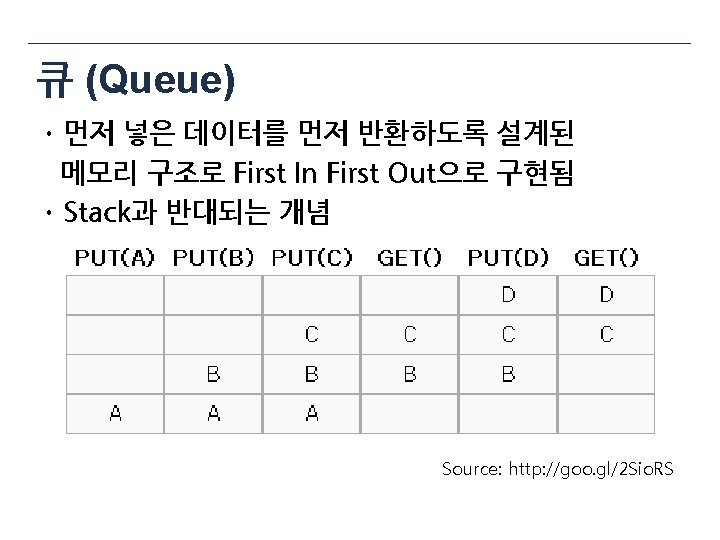
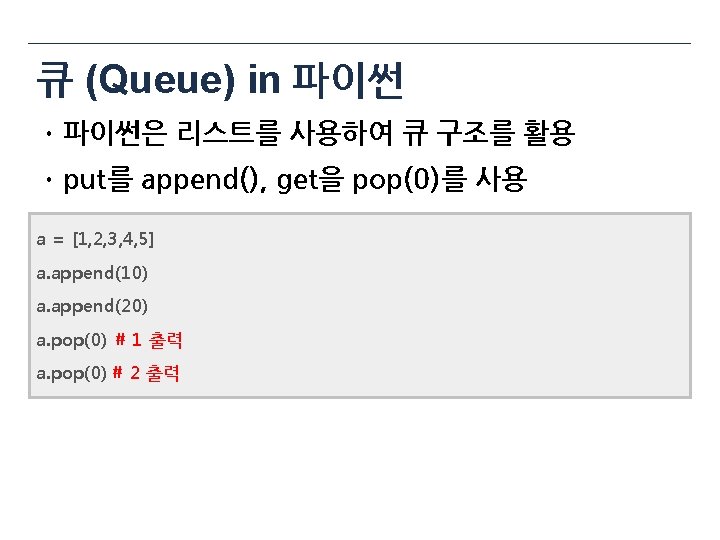
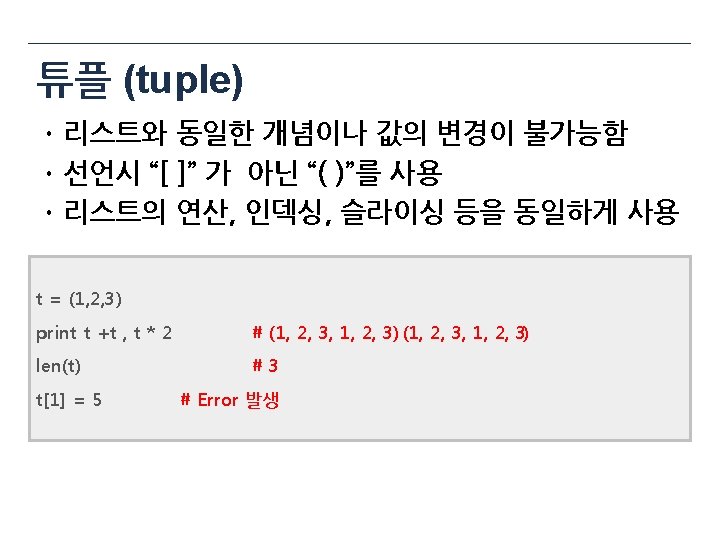
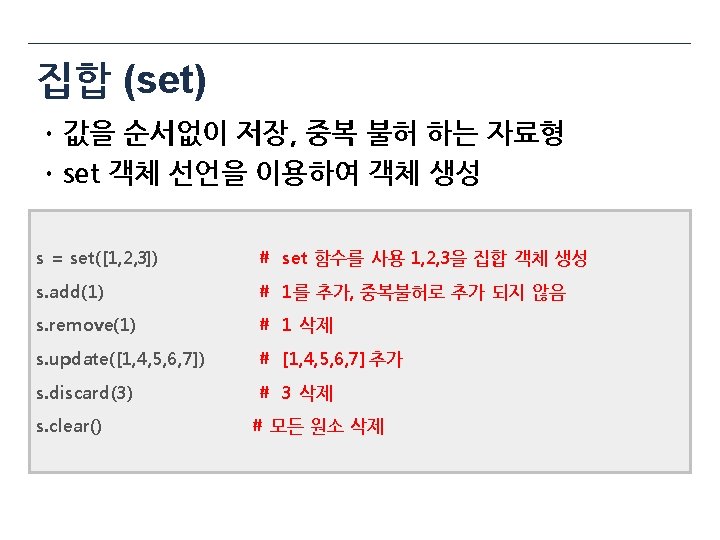
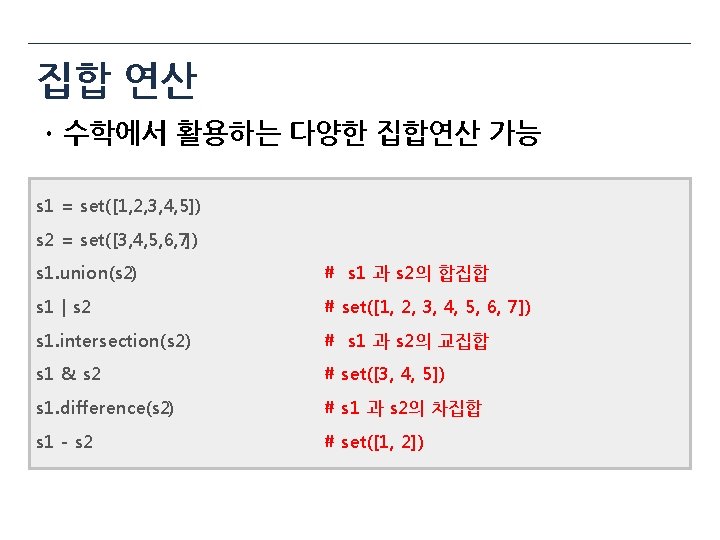
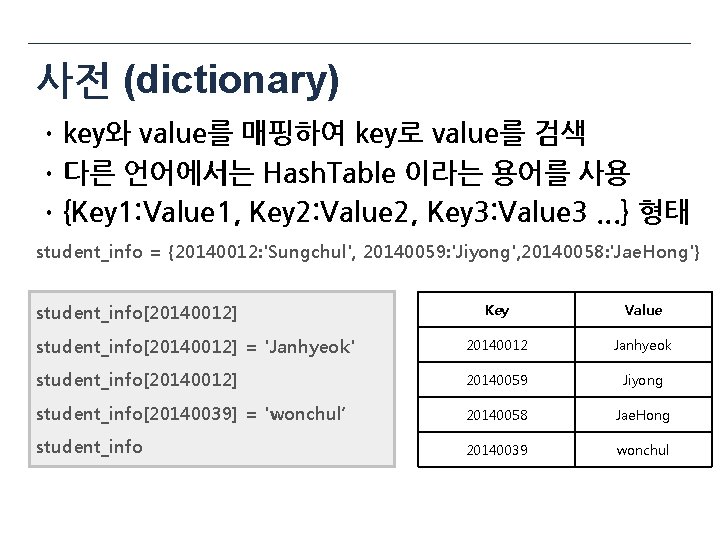
사전 (dictionary) ㆍkey와 value를 매핑하여 key로 value를 검색 ㆍ다른 언어에서는 Hash. Table 이라는 용어를 사용 ㆍ{Key 1: Value 1, Key 2: Value 2, Key 3: Value 3. . . } 형태 student_info = {20140012: 'Sungchul', 20140059: 'Jiyong', 20140058: 'Jae. Hong'} student_info[20140012] Key Value student_info[20140012] = 'Janhyeok' 20140012 Janhyeok student_info[20140012] 20140059 Jiyong student_info[20140039] = 'wonchul‘ 20140058 Jae. Hong student_info 20140039 wonchul

- Slides: 154