
Why draw diagrams Collect some data Organise it


- Slides: 46
Why draw diagrams? Collect some data Organise it in a table Present it in a diagram
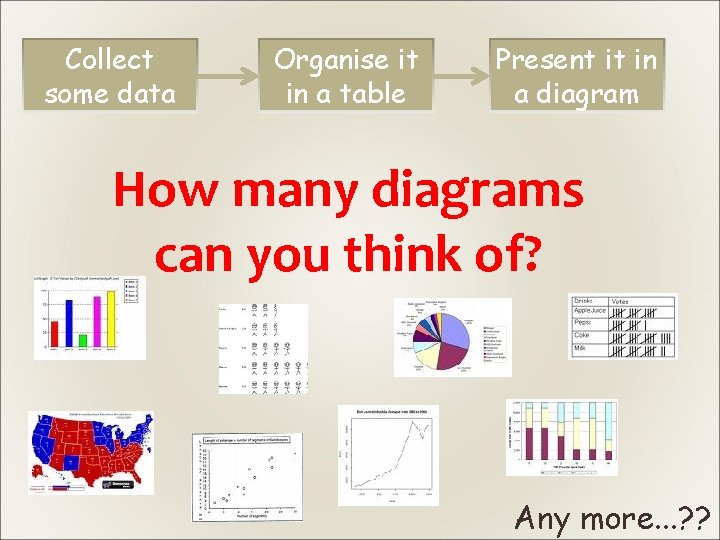
Collect some data Organise it in a table Present it in a diagram How many diagrams can you think of? Any more. . . ? ?
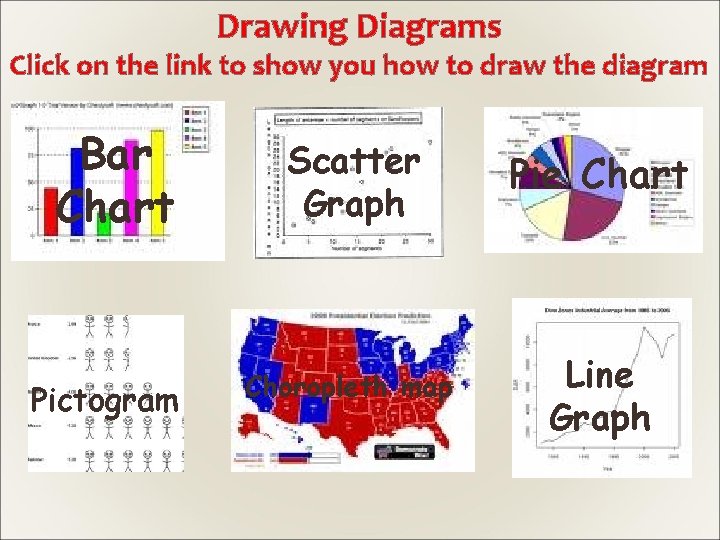
Drawing Diagrams Click on the link to show you how to draw the diagram Bar Chart Pictogram Scatter Graph Pie Chart Choropleth map Line Graph
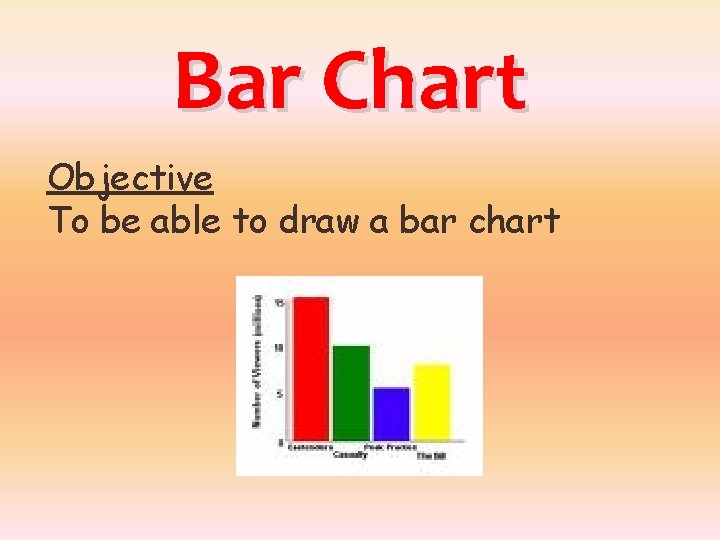
Bar Chart Objective To be able to draw a bar chart
When drawing a bar chart it must follow the following rules: • The bars can be vertical or horizontal • The bars must be the same width • The gaps between the bars must all be the same size • The length or height of the bar represents the frequency • Both axis should be clearly labelled.
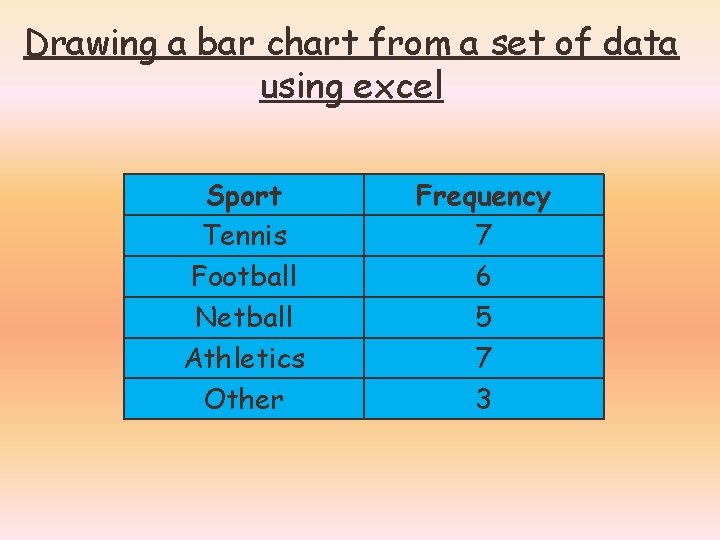
Drawing a bar chart from a set of data using excel Sport Tennis Football Netball Athletics Other Frequency 7 6 5 7 3
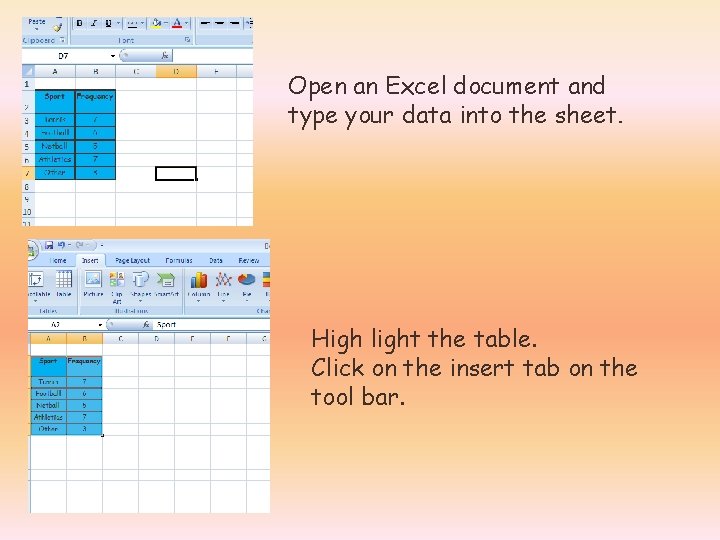
Open an Excel document and type your data into the sheet. High light the table. Click on the insert tab on the tool bar.
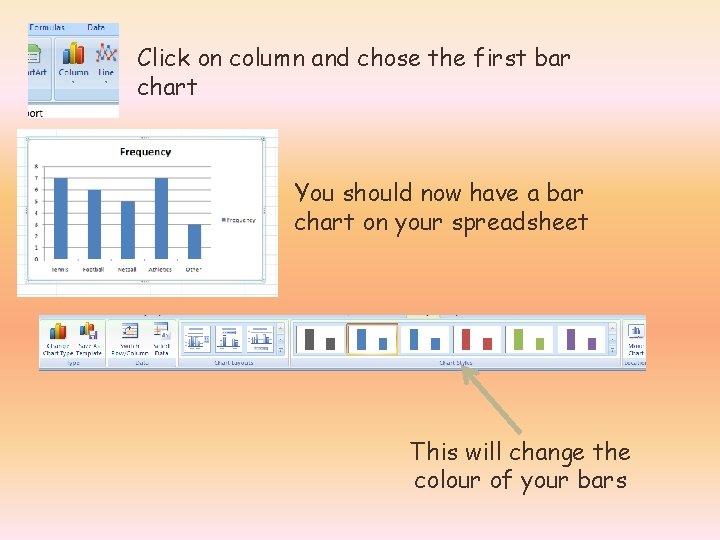
Click on column and chose the first bar chart You should now have a bar chart on your spreadsheet This will change the colour of your bars
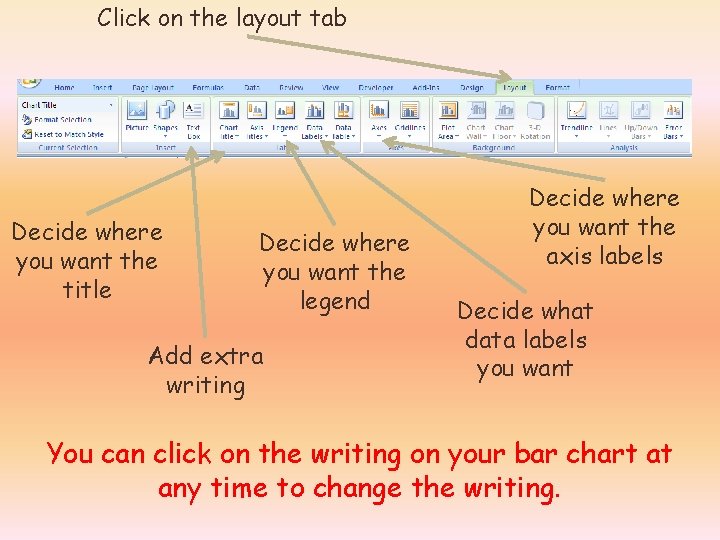
Click on the layout tab Decide where you want the title Decide where you want the legend Add extra writing Decide where you want the axis labels Decide what data labels you want You can click on the writing on your bar chart at any time to change the writing.
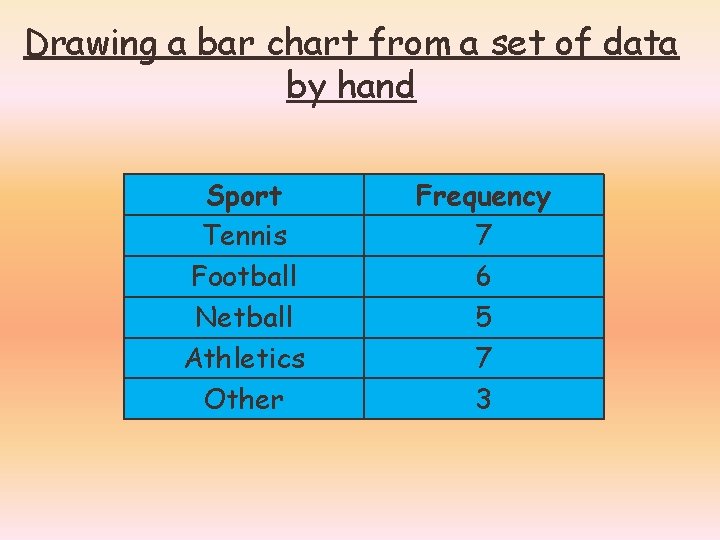
Drawing a bar chart from a set of data by hand Sport Tennis Football Netball Athletics Other Frequency 7 6 5 7 3
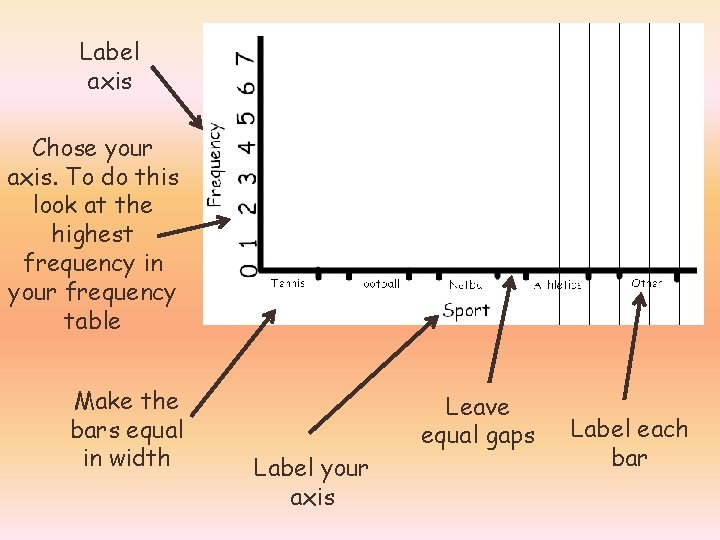
Label axis Chose your axis. To do this look at the highest frequency in your frequency table Make the bars equal in width Label your axis Leave equal gaps Label each bar
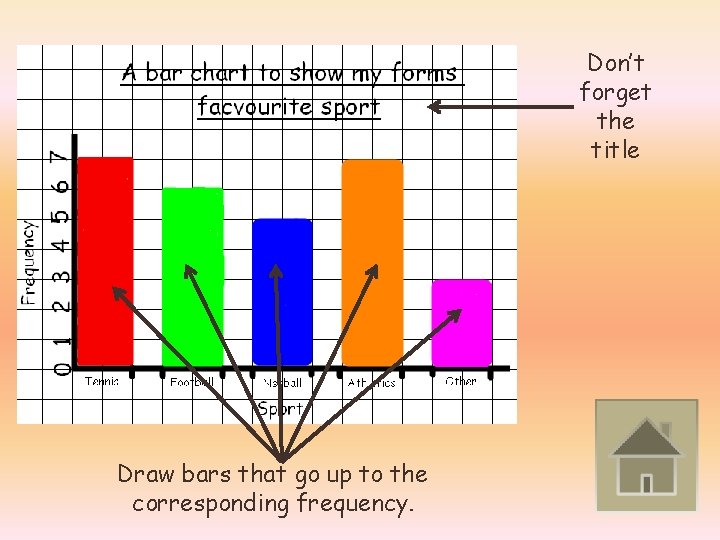
Don’t forget the title Draw bars that go up to the corresponding frequency.
Pictograms Objective To be able to draw pictograms
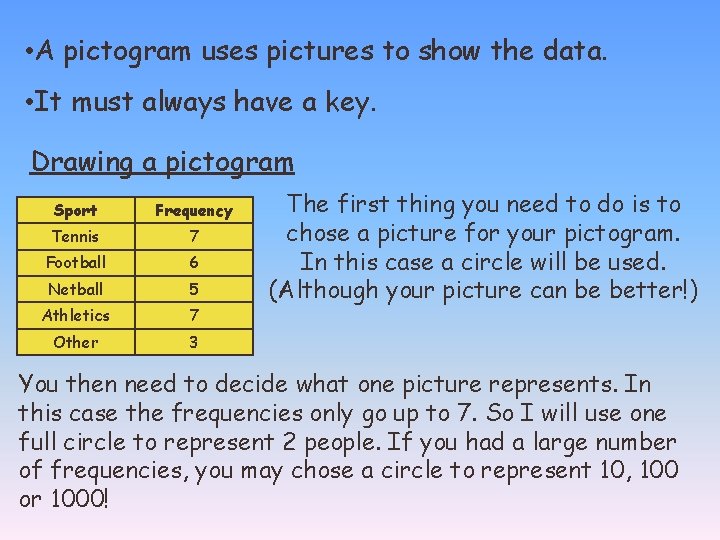
• A pictogram uses pictures to show the data. • It must always have a key. Drawing a pictogram Sport Frequency Tennis 7 Football 6 Netball 5 Athletics 7 Other 3 The first thing you need to do is to chose a picture for your pictogram. In this case a circle will be used. (Although your picture can be better!) You then need to decide what one picture represents. In this case the frequencies only go up to 7. So I will use one full circle to represent 2 people. If you had a large number of frequencies, you may chose a circle to represent 10, 100 or 1000!
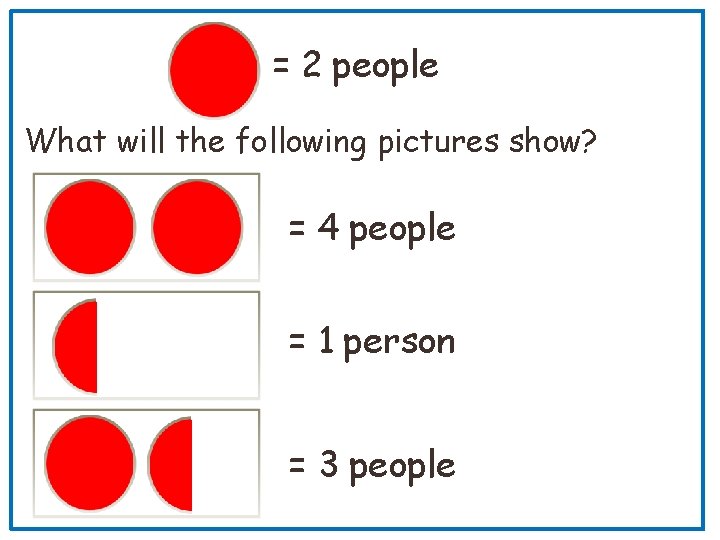
= 2 people What will the following pictures show? = 4 people = 1 person = 3 people
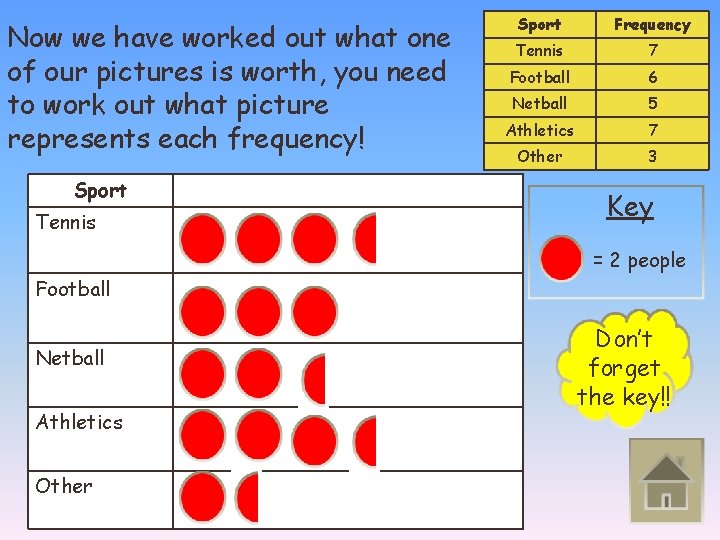
Now we have worked out what one of our pictures is worth, you need to work out what picture represents each frequency! Sport Tennis Sport Frequency Tennis 7 Football 6 Netball 5 Athletics 7 Other 3 Key = 2 people Football Netball Athletics Other Don’t forget the key!!
Pie Charts Objective To be able to draw a pie chart
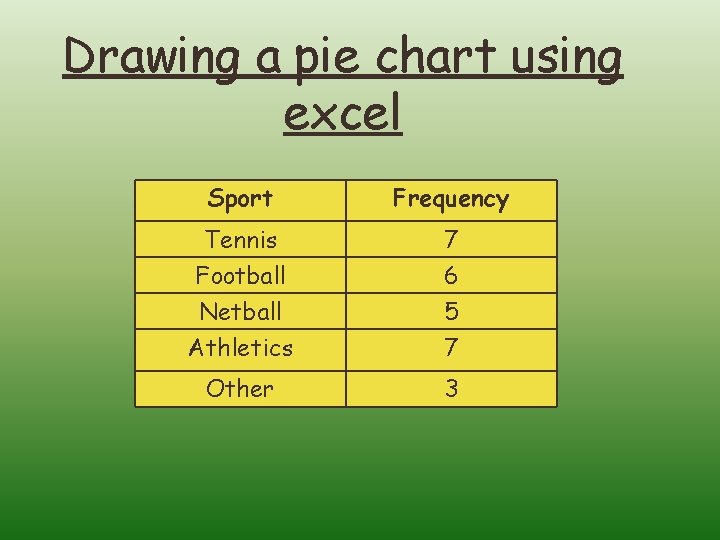
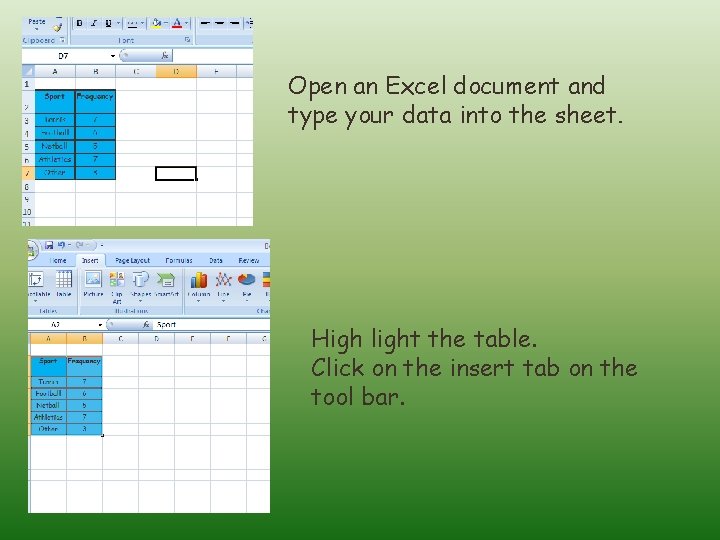
Drawing a pie chart using excel Sport Frequency Tennis Football Netball 7 6 5 Athletics 7 Other 3
Open an Excel document and type your data into the sheet. High light the table. Click on the insert tab on the tool bar.
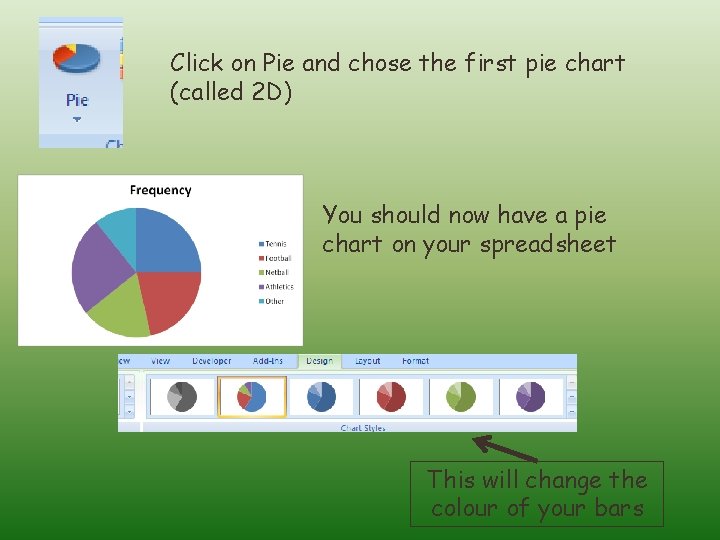
Click on Pie and chose the first pie chart (called 2 D) You should now have a pie chart on your spreadsheet This will change the colour of your bars
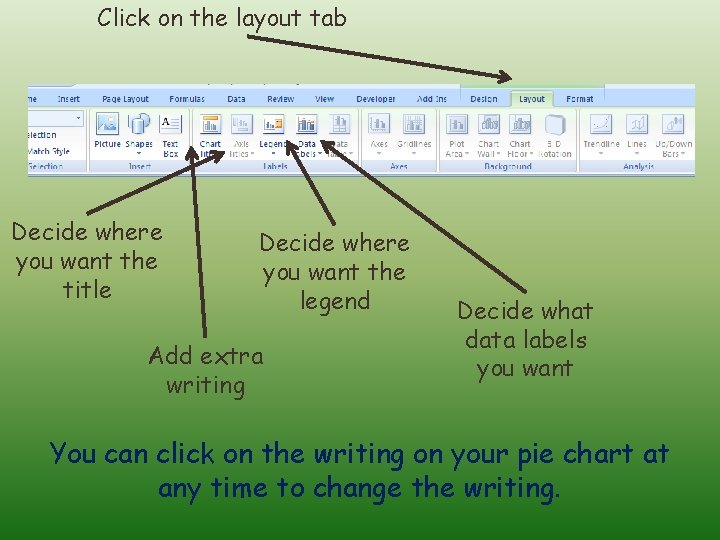
Click on the layout tab Decide where you want the title Decide where you want the legend Add extra writing Decide what data labels you want You can click on the writing on your pie chart at any time to change the writing.
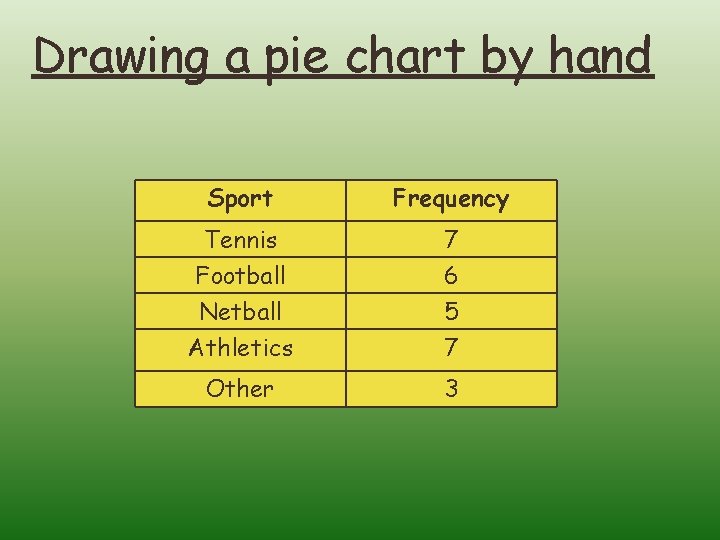
Drawing a pie chart by hand Sport Frequency Tennis Football Netball 7 6 5 Athletics 7 Other 3
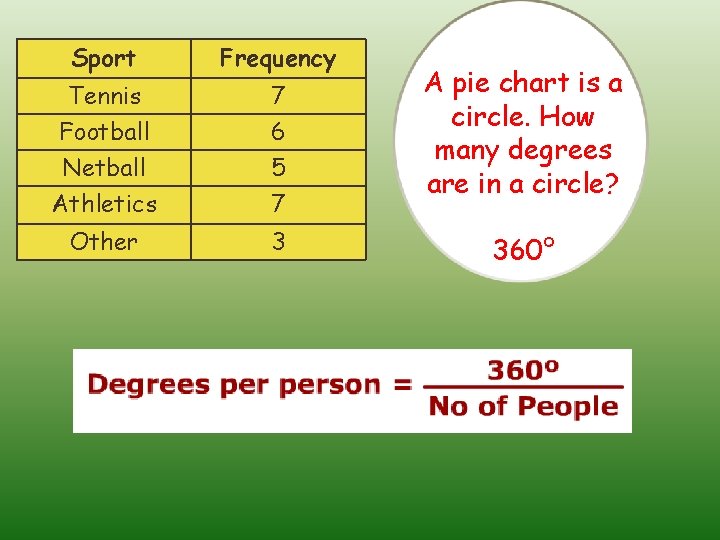
Sport Frequency Tennis Football Netball 7 6 5 Athletics 7 Other 3 A pie chart is a circle. How many degrees are in a circle? 360°
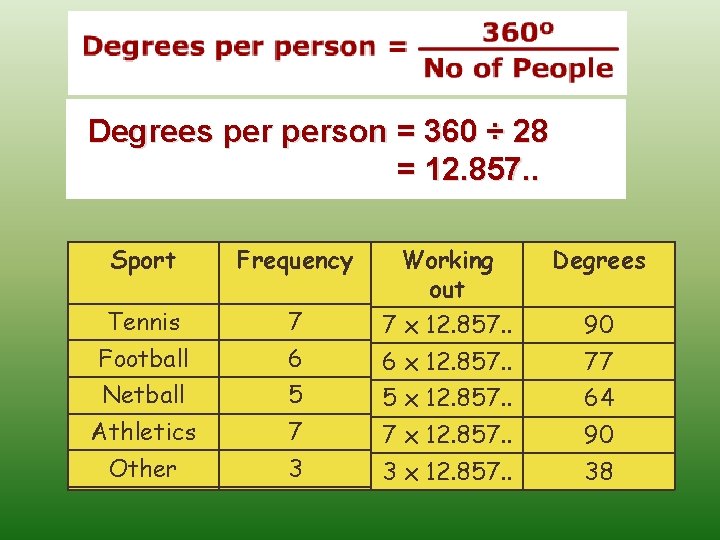
Degrees person = 360 ÷ 28 = 12. 857. . Sport Frequency Degrees 7 6 Working out Tennis Football 7 x 12. 857. . 90 6 x 12. 857. . 77 Netball Athletics 5 7 5 x 12. 857. . 64 7 x 12. 857. . 90 Other 3 3 x 12. 857. . 38
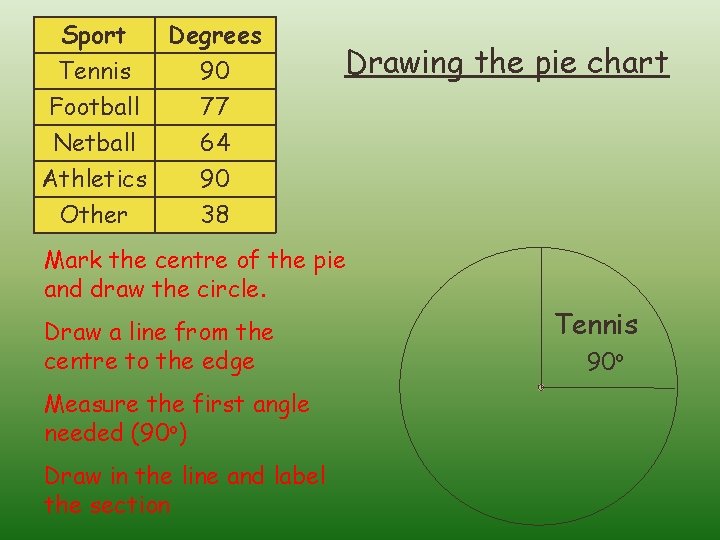
Sport Tennis Degrees 90 Football Netball 77 64 Athletics Other 90 38 Drawing the pie chart Mark the centre of the pie and draw the circle. Draw a line from the centre to the edge Measure the first angle needed (90 o) Draw in the line and label the section Tennis 90 o
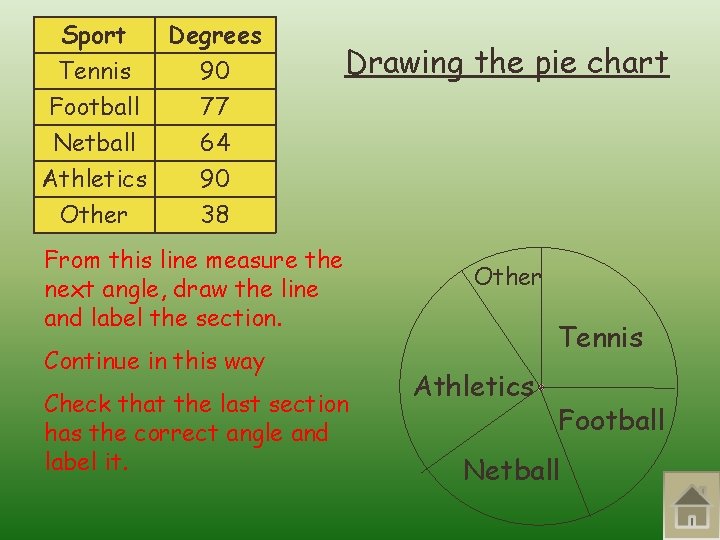
Sport Tennis Degrees 90 Football Netball 77 64 Athletics Other 90 38 Drawing the pie chart From this line measure the next angle, draw the line and label the section. Continue in this way Check that the last section has the correct angle and label it. Other Tennis Athletics Football Netball
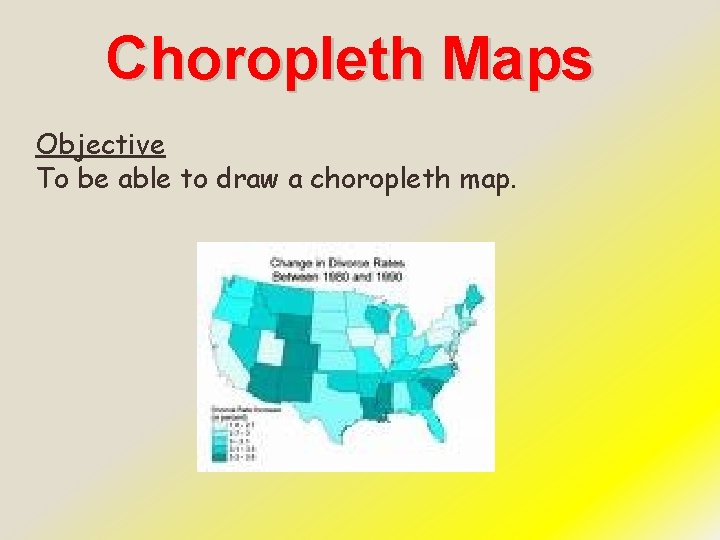
Choropleth Maps Objective To be able to draw a choropleth map.
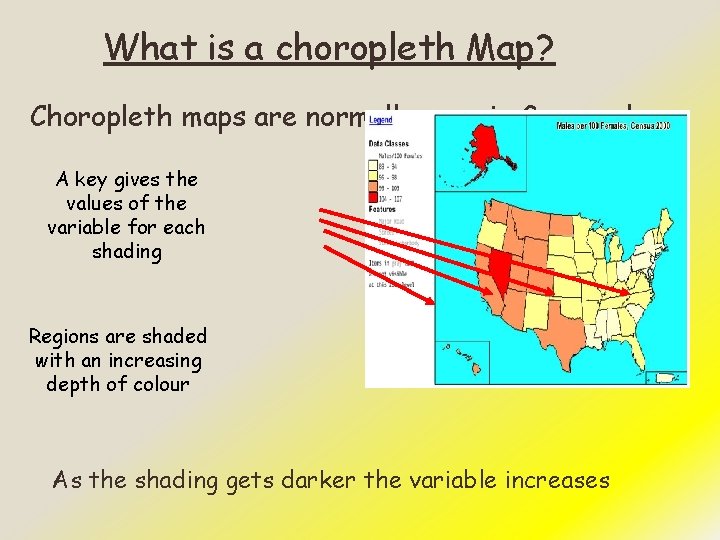
What is a choropleth Map? Choropleth maps are normally seen in Geography. A key gives the values of the variable for each shading Regions are shaded with an increasing depth of colour As the shading gets darker the variable increases
Choropleth maps are appropriate for indicating differences in land use, like the amount of recreational land or type of forest cover and the amount of population. Choropleth maps are also good to help to show something has changed over time. When drawing Choropleth maps you must ensure that you include a key!
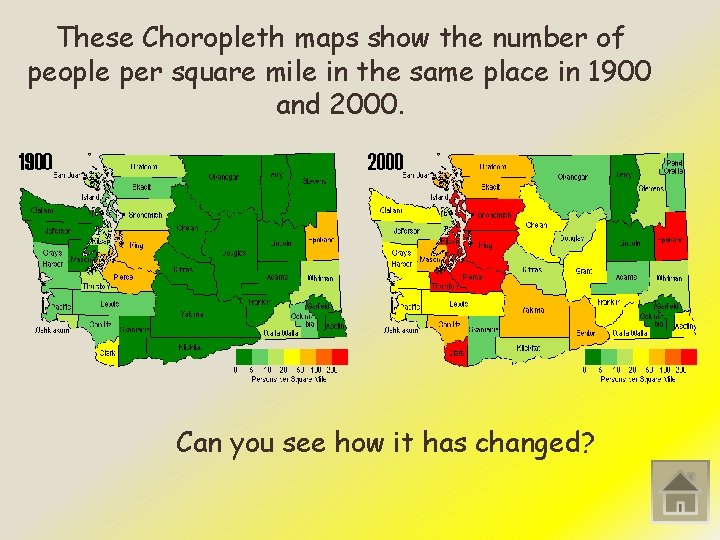
These Choropleth maps show the number of people per square mile in the same place in 1900 and 2000. Can you see how it has changed?
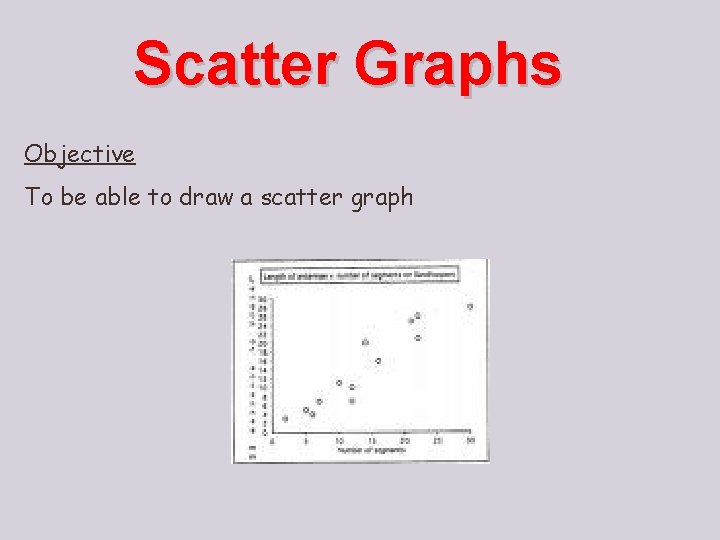
Scatter Graphs Objective To be able to draw a scatter graph
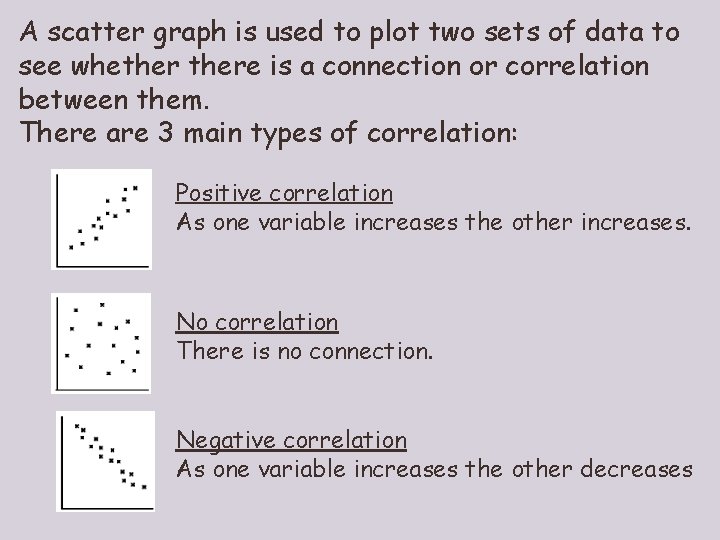
A scatter graph is used to plot two sets of data to see whethere is a connection or correlation between them. There are 3 main types of correlation: Positive correlation As one variable increases the other increases. No correlation There is no connection. Negative correlation As one variable increases the other decreases
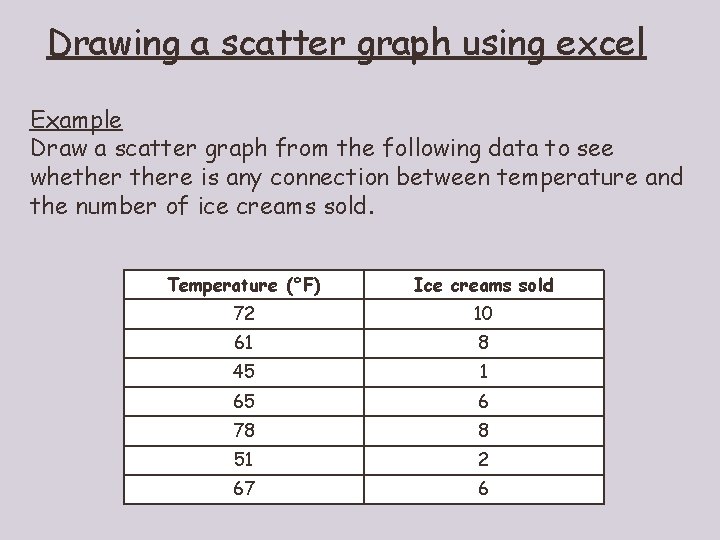
Drawing a scatter graph using excel Example Draw a scatter graph from the following data to see whethere is any connection between temperature and the number of ice creams sold. Temperature (°F) Ice creams sold 72 10 61 8 45 1 65 6 78 8 51 2 67 6
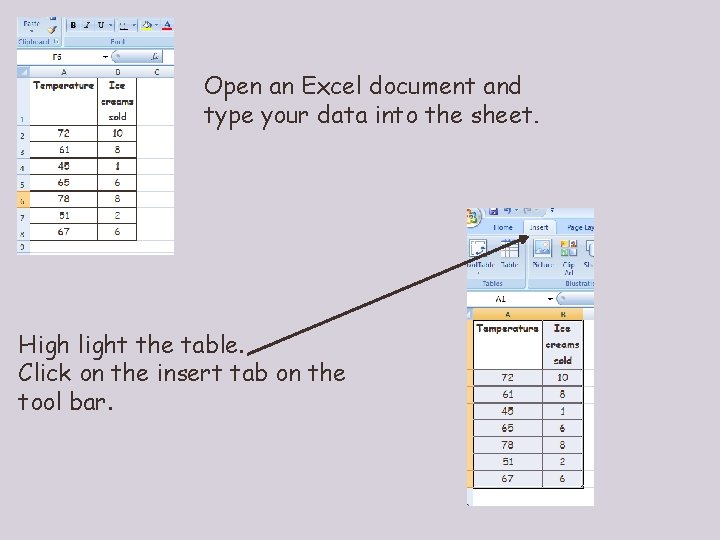
Open an Excel document and type your data into the sheet. High light the table. Click on the insert tab on the tool bar.
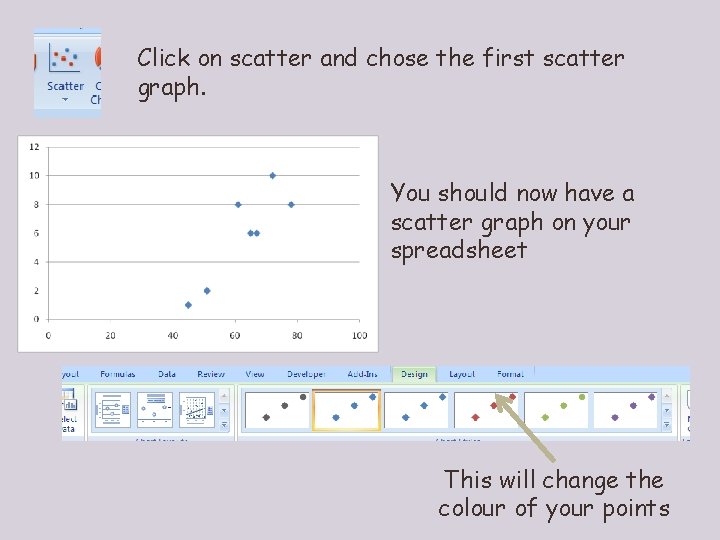
Click on scatter and chose the first scatter graph. You should now have a scatter graph on your spreadsheet This will change the colour of your points
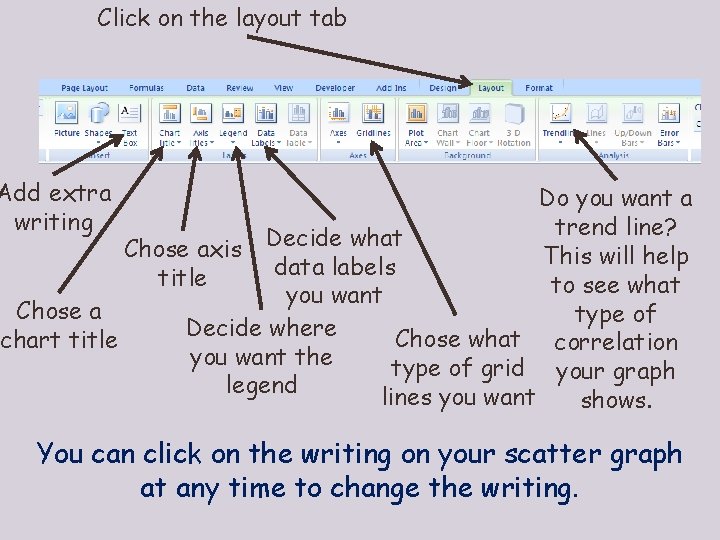
Click on the layout tab Add extra writing Do you want a trend line? Decide what Chose axis This will help data labels title to see what you want Chose a type of Decide where Chose what correlation chart title you want the type of grid your graph legend lines you want shows. You can click on the writing on your scatter graph at any time to change the writing.
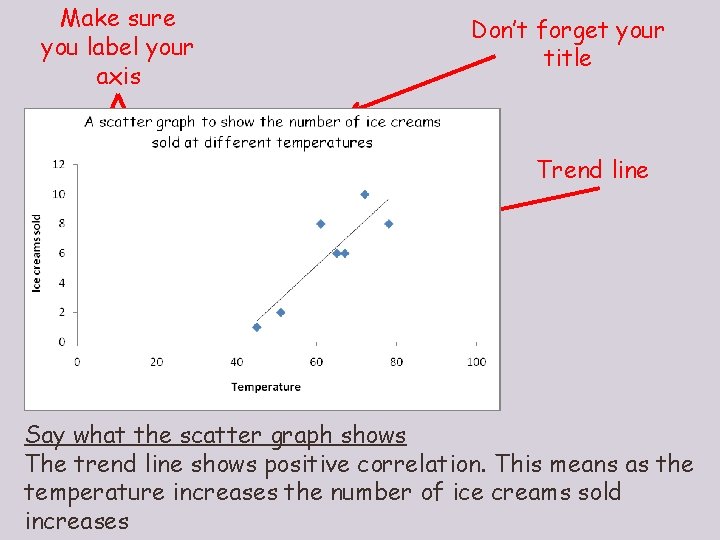
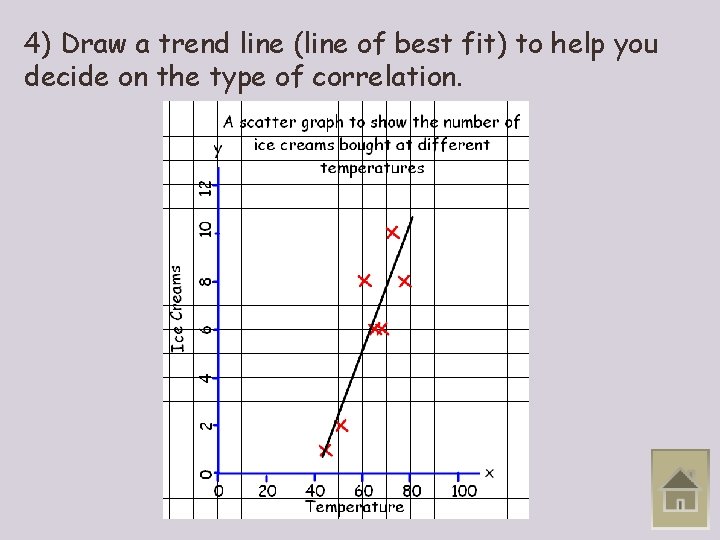
Make sure you label your axis Don’t forget your title Trend line Say what the scatter graph shows The trend line shows positive correlation. This means as the temperature increases the number of ice creams sold increases
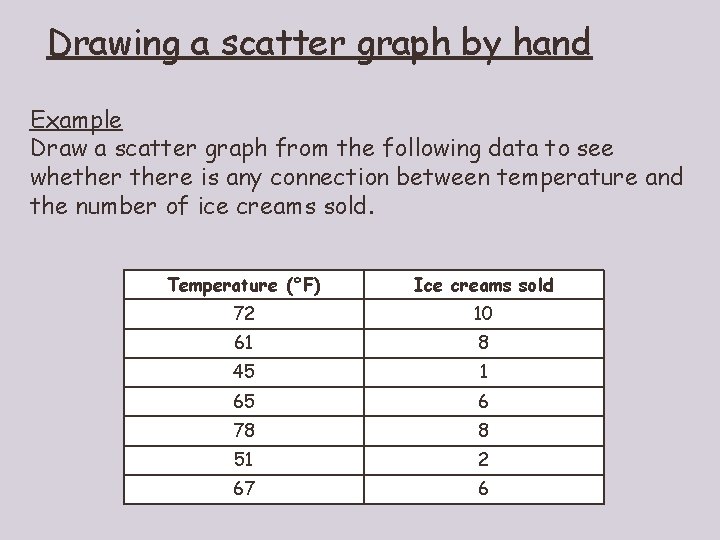
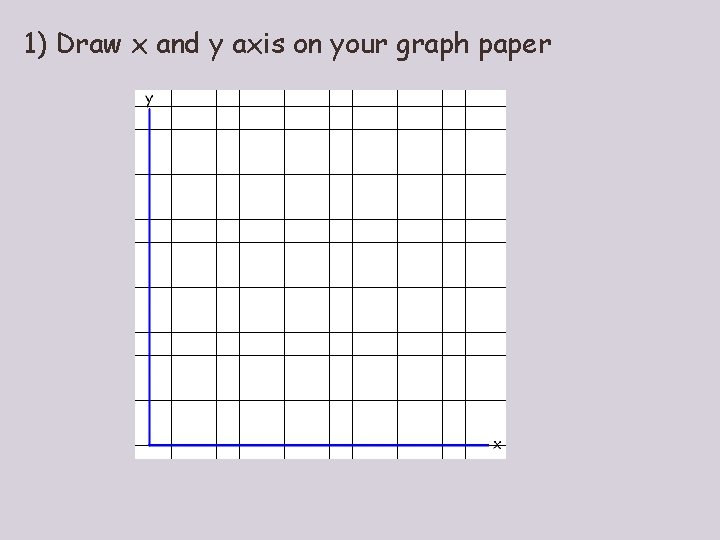
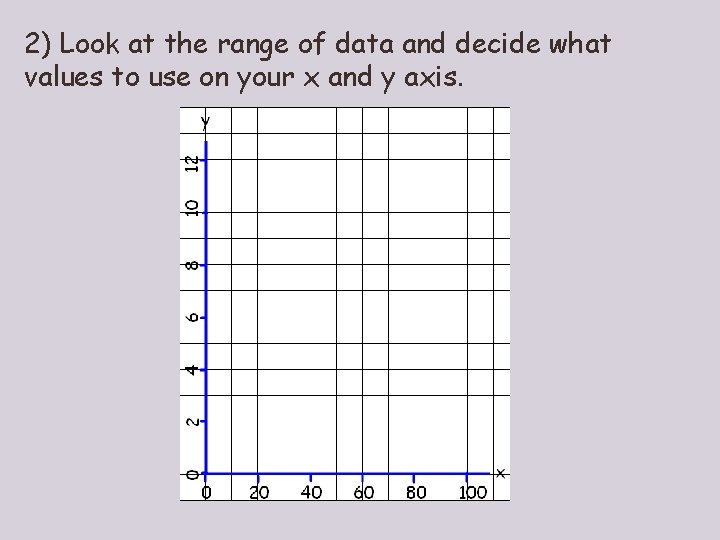
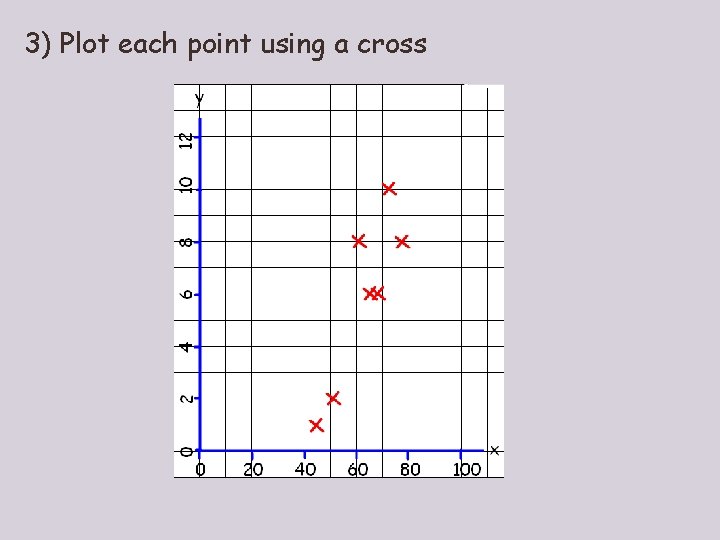
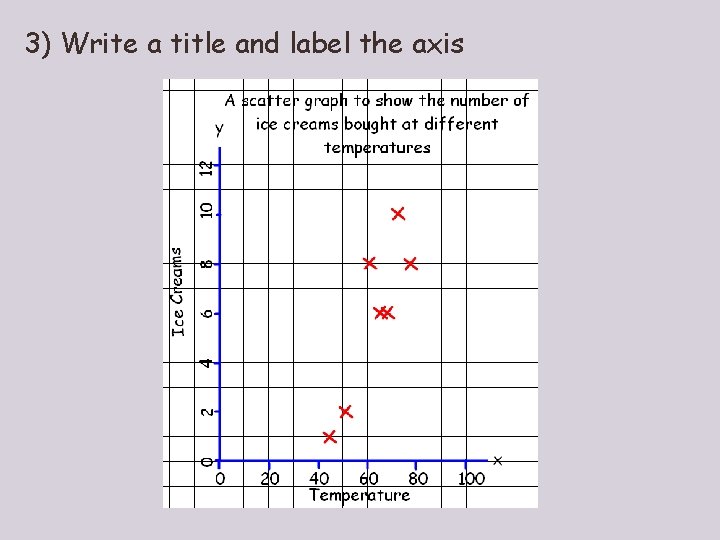
Drawing a scatter graph by hand Example Draw a scatter graph from the following data to see whethere is any connection between temperature and the number of ice creams sold. Temperature (°F) Ice creams sold 72 10 61 8 45 1 65 6 78 8 51 2 67 6
1) Draw x and y axis on your graph paper
2) Look at the range of data and decide what values to use on your x and y axis.
3) Plot each point using a cross
3) Write a title and label the axis
4) Draw a trend line (line of best fit) to help you decide on the type of correlation.
Line Graphs Objective To be able to draw a line graph
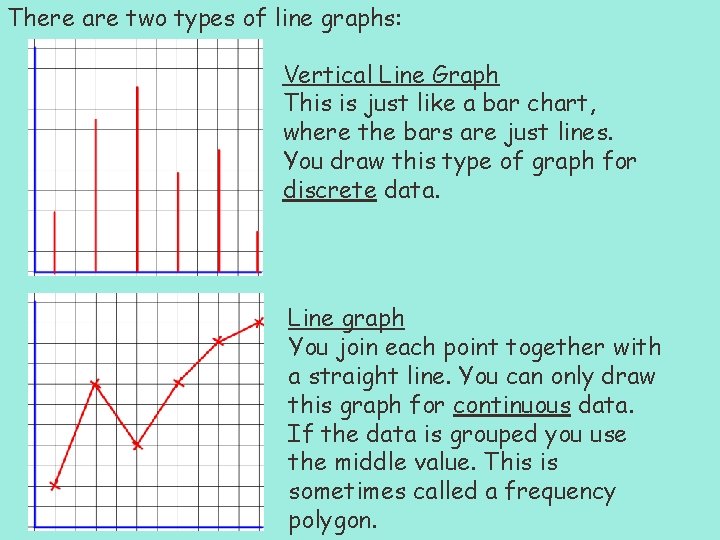
There are two types of line graphs: Vertical Line Graph This is just like a bar chart, where the bars are just lines. You draw this type of graph for discrete data. Line graph You join each point together with a straight line. You can only draw this graph for continuous data. If the data is grouped you use the middle value. This is sometimes called a frequency polygon.
Notes Discrete data – When data only takes certain individual values e. g. Shoe size Continuous data – When data can have any number value e. g. Time To draw a line graph on excel follow the instructions for a scatter graph but click to make a line graph. To draw a line graph by hand follow instructions for scatter graph but join up the points.