
Why Business ContinuityDR Loss of Data Service Cost
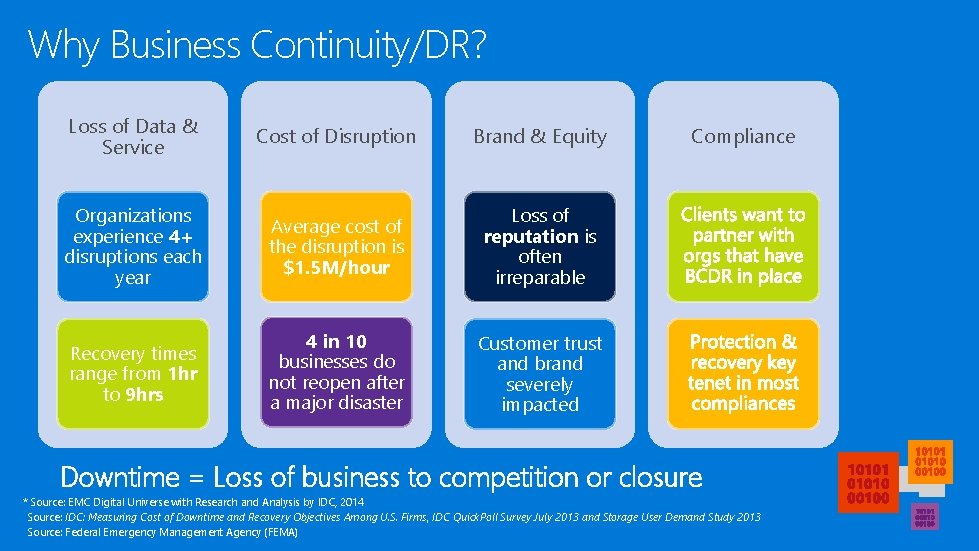
Why Business Continuity/DR? Loss of Data & Service Cost of Disruption Brand & Equity Organizations experience 4+ disruptions each year Average cost of the disruption is $1. 5 M/hour Loss of reputation is often irreparable Recovery times range from 1 hr to 9 hrs 4 in 10 businesses do not reopen after a major disaster Customer trust and brand severely impacted Compliance Downtime = Loss of business to competition or closure * Source: EMC Digital Universe with Research and Analysis by IDC, 2014 Source: IDC: Measuring Cost of Downtime and Recovery Objectives Among U. S. Firms, IDC Quick. Poll Survey July 2013 and Storage User Demand Study 2013 Source: Federal Emergency Management Agency (FEMA)
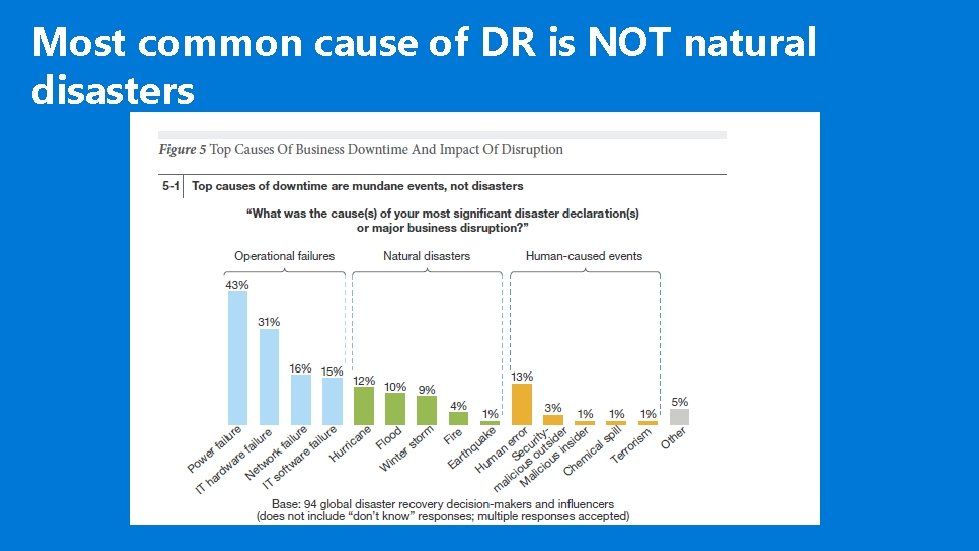
Most common cause of DR is NOT natural disasters
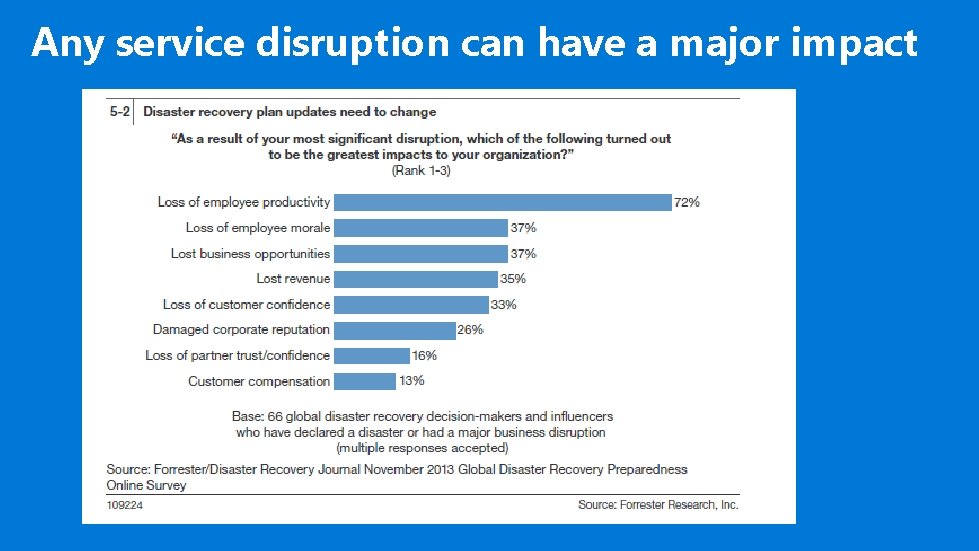
Any service disruption can have a major impact
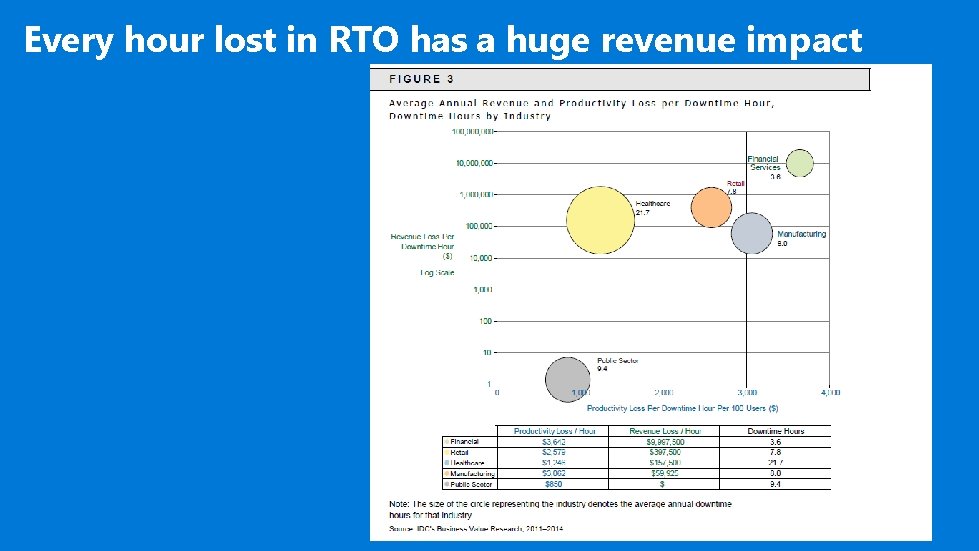
Every hour lost in RTO has a huge revenue impact
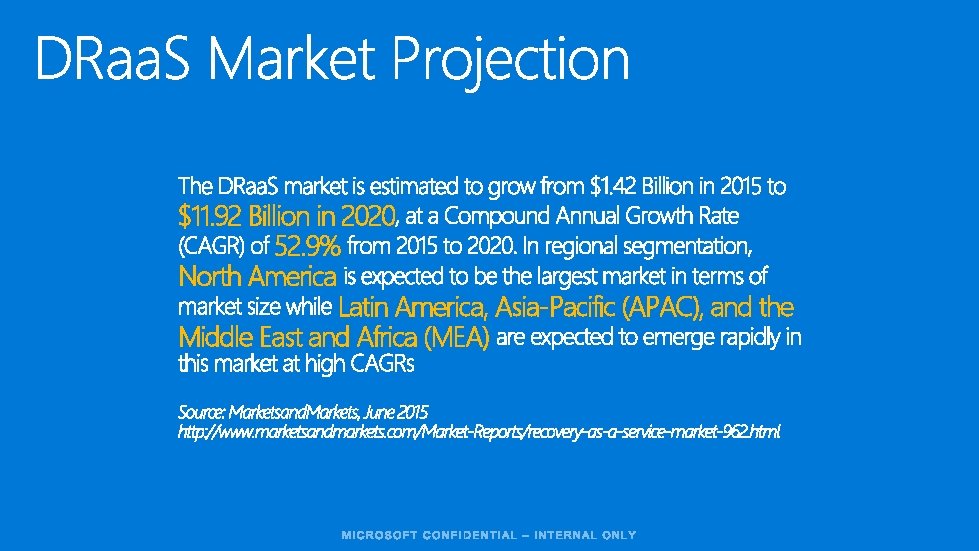
$11. 92 Billion in 2020 52. 9% North America Latin America, Asia-Pacific (APAC), and the Middle East and Africa (MEA)
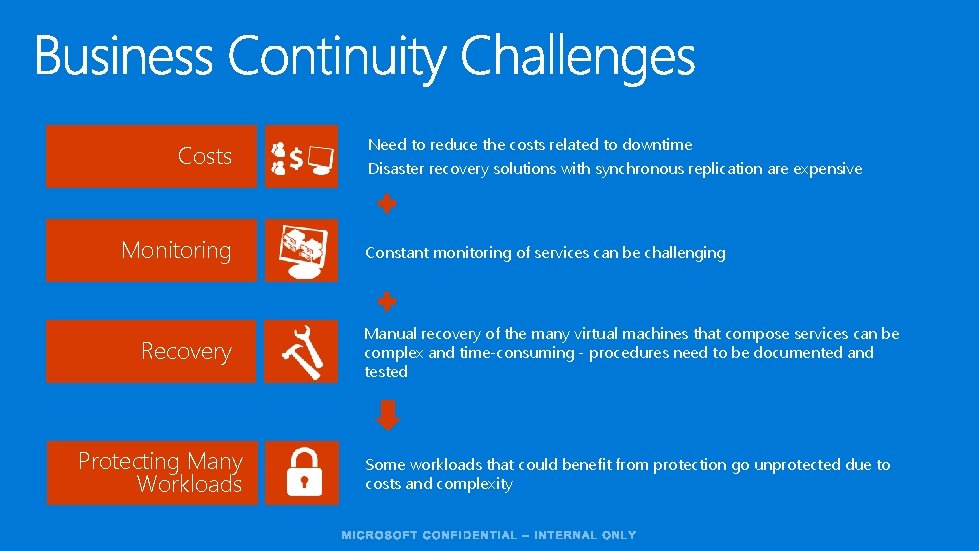
Costs Monitoring Recovery Protecting Many Workloads Need to reduce the costs related to downtime Disaster recovery solutions with synchronous replication are expensive Constant monitoring of services can be challenging Manual recovery of the many virtual machines that compose services can be complex and time-consuming - procedures need to be documented and tested Some workloads that could benefit from protection go unprotected due to costs and complexity
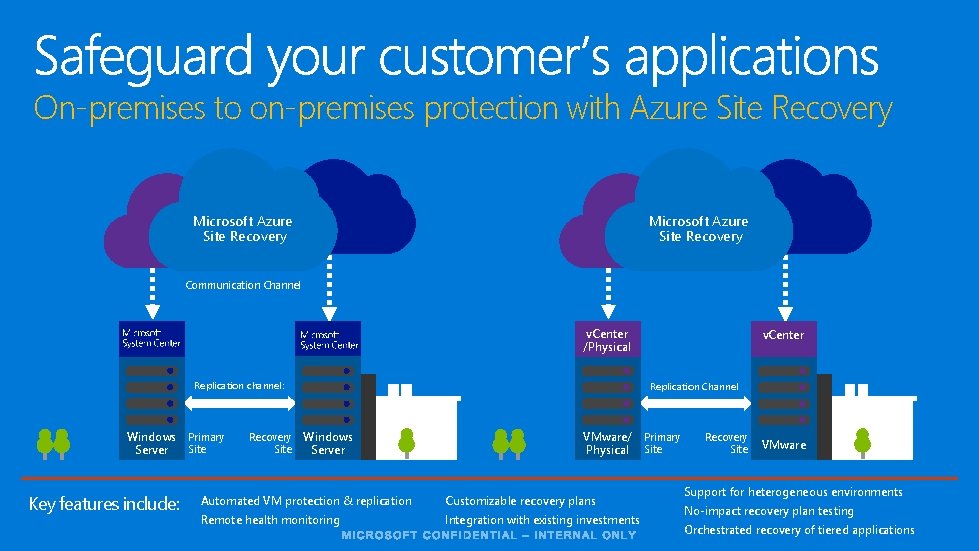
On-premises to on-premises protection with Azure Site Recovery Microsoft Azure Site Recovery Communication Channel v. Center /Physical Replication channel: Windows Primary Site Server Key features include: Recovery Site v. Center Replication Channel Windows Server VMware/ Primary Physical Site Automated VM protection & replication Customizable recovery plans Remote health monitoring Integration with existing investments Recovery Site VMware Support for heterogeneous environments No-impact recovery plan testing Orchestrated recovery of tiered applications
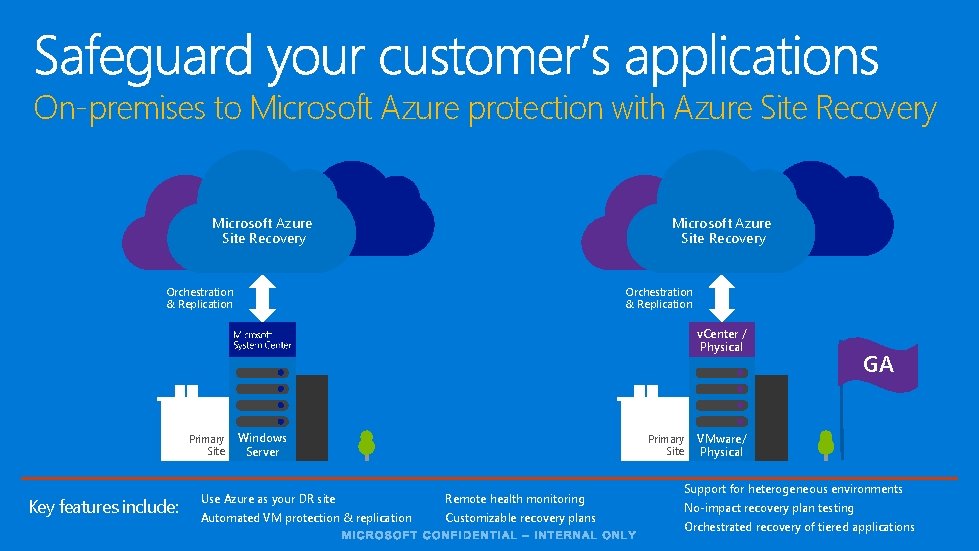
On-premises to Microsoft Azure protection with Azure Site Recovery Microsoft Azure Site Recovery Orchestration & Replication v. Center / Physical Primary Site Key features include: Windows Server Primary Site Use Azure as your DR site Remote health monitoring Automated VM protection & replication Customizable recovery plans GA VMware/ Physical Support for heterogeneous environments No-impact recovery plan testing Orchestrated recovery of tiered applications
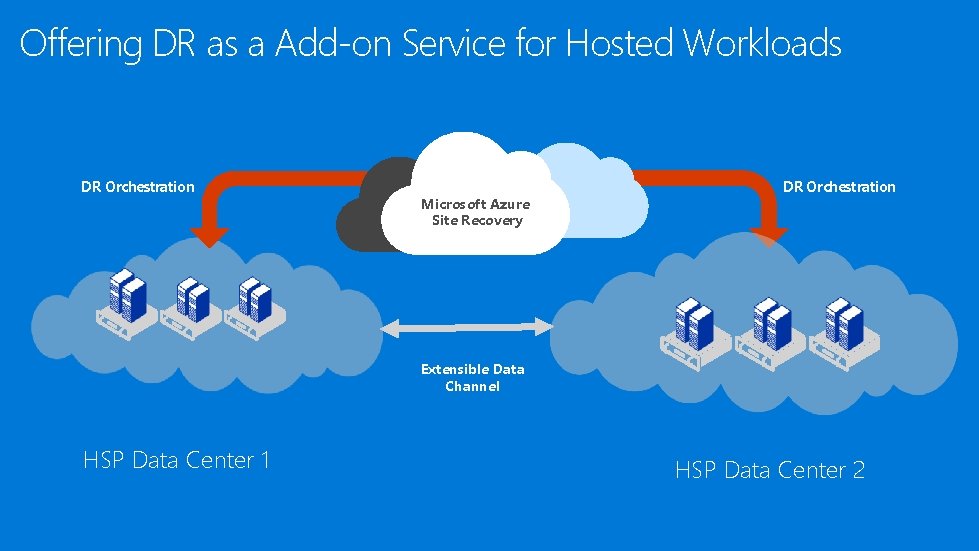
Offering DR as a Add-on Service for Hosted Workloads DR Orchestration Microsoft Azure Site Recovery DR Orchestration Extensible Data Channel HSP Data Center 1 HSP Data Center 2
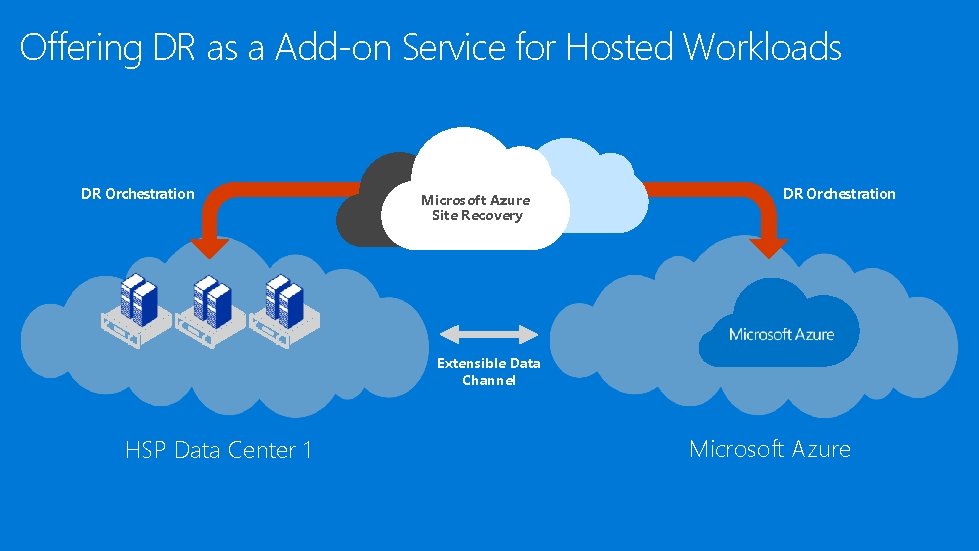
Offering DR as a Add-on Service for Hosted Workloads DR Orchestration Microsoft Azure Site Recovery DR Orchestration Extensible Data Channel HSP Data Center 1 Microsoft Azure
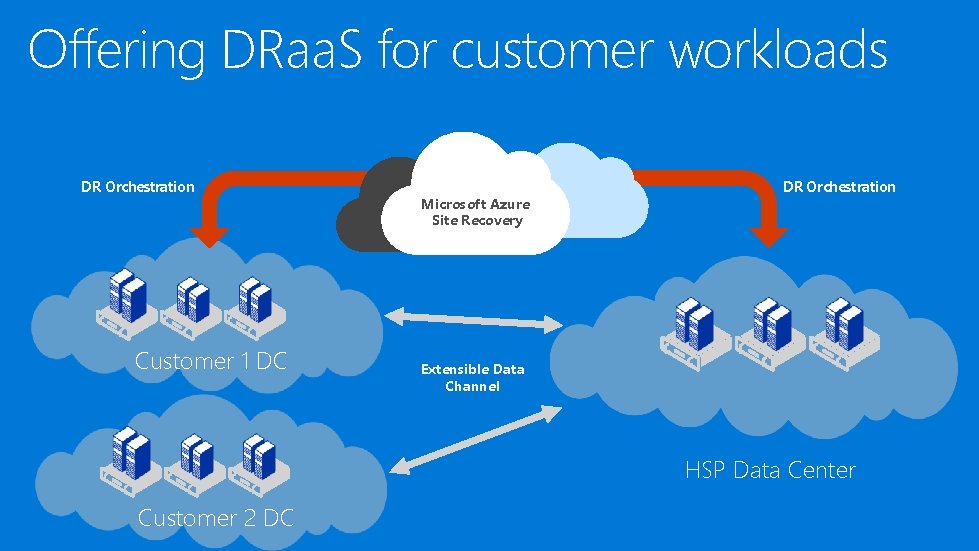
Offering DRaa. S for customer workloads DR Orchestration Customer 1 DC Microsoft Azure Site Recovery DR Orchestration Extensible Data Channel HSP Data Center Customer 2 DC
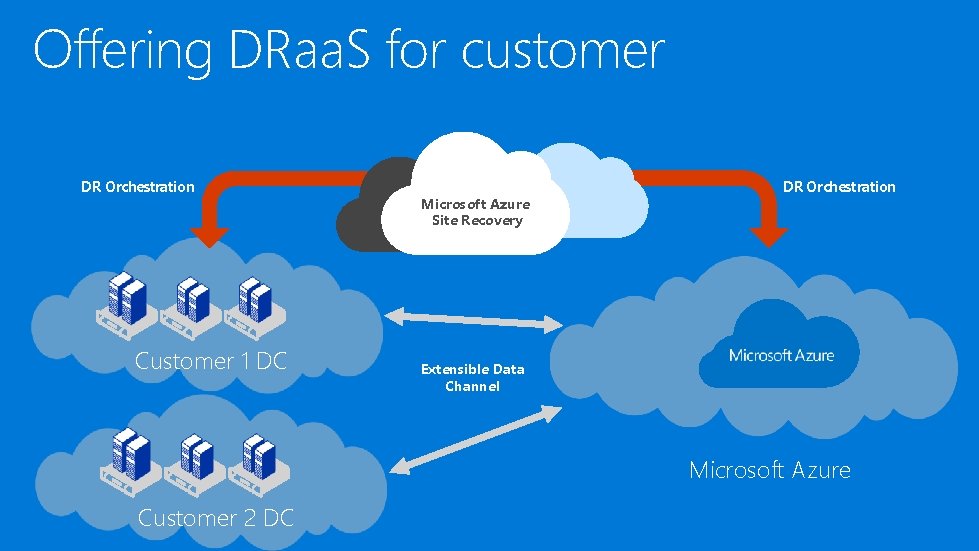
Offering DRaa. S for customer workloads DR Orchestration Customer 1 DC Microsoft Azure Site Recovery DR Orchestration Extensible Data Channel Microsoft Azure Customer 2 DC
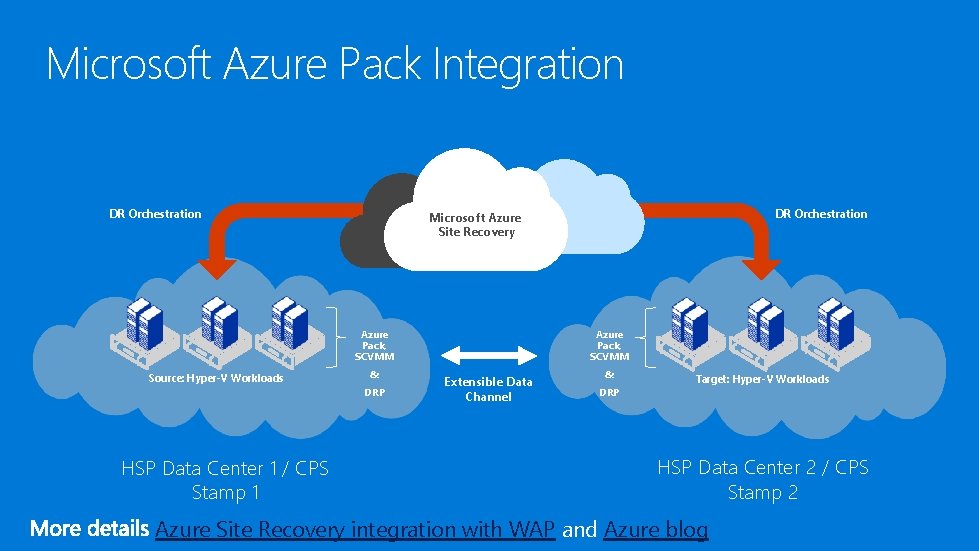
Microsoft Azure Pack Integration DR Orchestration Azure Pack, SCVMM Source: Hyper-V Workloads & DRP HSP Data Center 1 / CPS Stamp 1 DR Orchestration Microsoft Azure Site Recovery Azure Pack, SCVMM Extensible Data Channel & DRP Target: Hyper-V Workloads HSP Data Center 2 / CPS Stamp 2 Azure Site Recovery integration with WAP and Azure blog
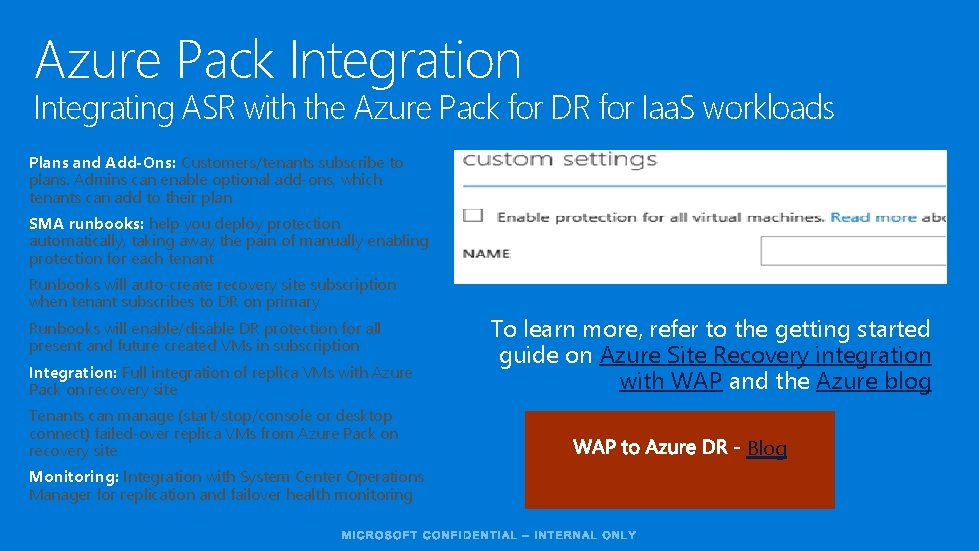
Azure Pack Integration Integrating ASR with the Azure Pack for DR for Iaa. S workloads Plans and Add-Ons: Customers/tenants subscribe to plans. Admins can enable optional add-ons, which tenants can add to their plan SMA runbooks: help you deploy protection automatically, taking away the pain of manually enabling protection for each tenant Runbooks will auto-create recovery site subscription when tenant subscribes to DR on primary Runbooks will enable/disable DR protection for all present and future created VMs in subscription Integration: Full integration of replica VMs with Azure Pack on recovery site Tenants can manage (start/stop/console or desktop connect) failed-over replica VMs from Azure Pack on recovery site Monitoring: Integration with System Center Operations Manager for replication and failover health monitoring To learn more, refer to the getting started guide on Azure Site Recovery integration with WAP and the Azure blog Blog
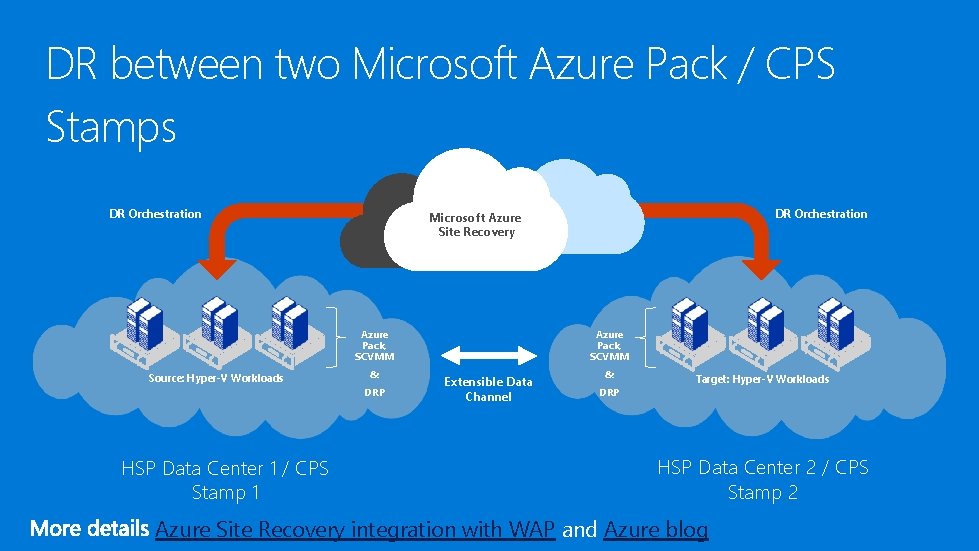
DR between two Microsoft Azure Pack / CPS Stamps DR Orchestration Azure Pack, SCVMM Source: Hyper-V Workloads & DRP HSP Data Center 1 / CPS Stamp 1 DR Orchestration Microsoft Azure Site Recovery Azure Pack, SCVMM Extensible Data Channel & DRP Target: Hyper-V Workloads HSP Data Center 2 / CPS Stamp 2 Azure Site Recovery integration with WAP and Azure blog
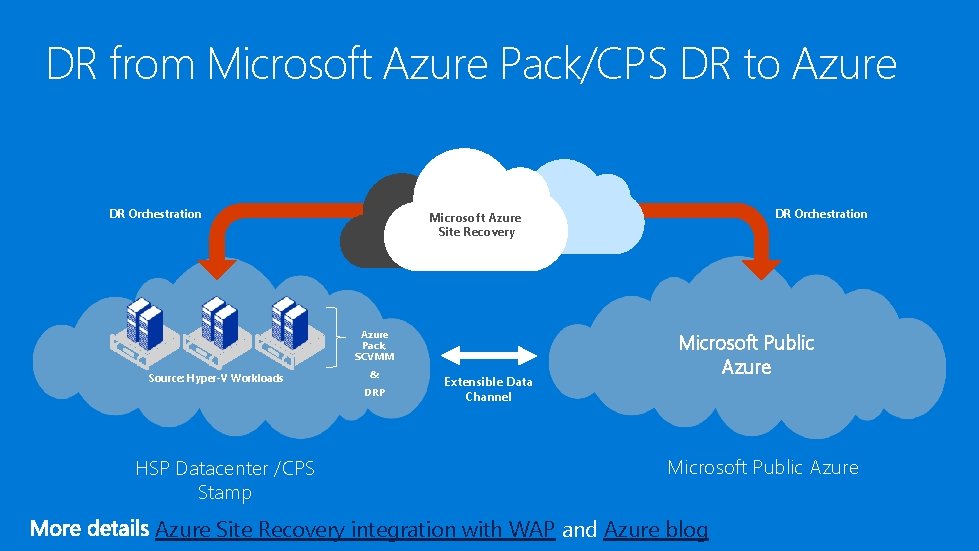
DR from Microsoft Azure Pack/CPS DR to Azure DR Orchestration Azure Pack, SCVMM Source: Hyper-V Workloads & DRP HSP Datacenter /CPS Stamp DR Orchestration Microsoft Azure Site Recovery Extensible Data Channel Microsoft Public Azure Site Recovery integration with WAP and Azure blog
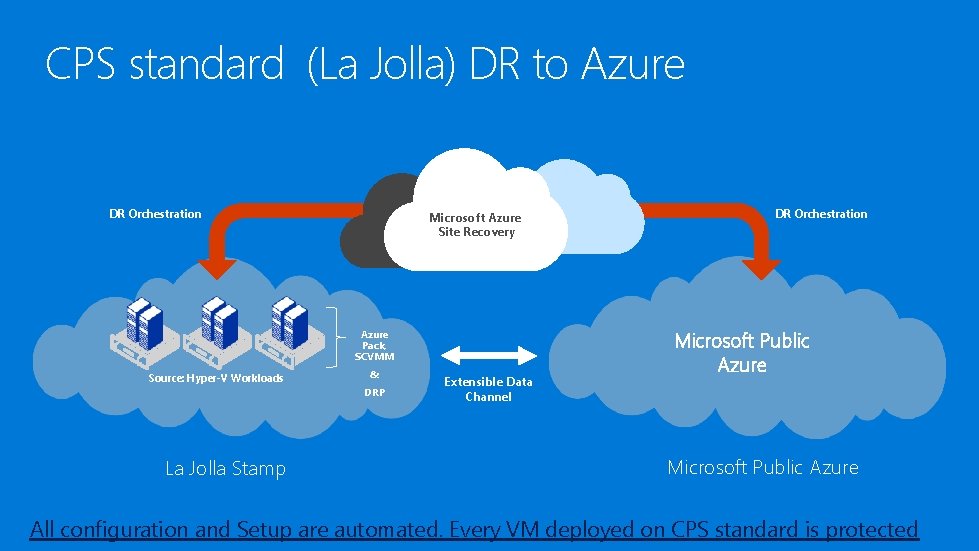
CPS standard (La Jolla) DR to Azure DR Orchestration Microsoft Azure Site Recovery Azure Pack, SCVMM Source: Hyper-V Workloads & DRP La Jolla Stamp Extensible Data Channel DR Orchestration Microsoft Public Azure All configuration and Setup are automated. Every VM deployed on CPS standard is protected
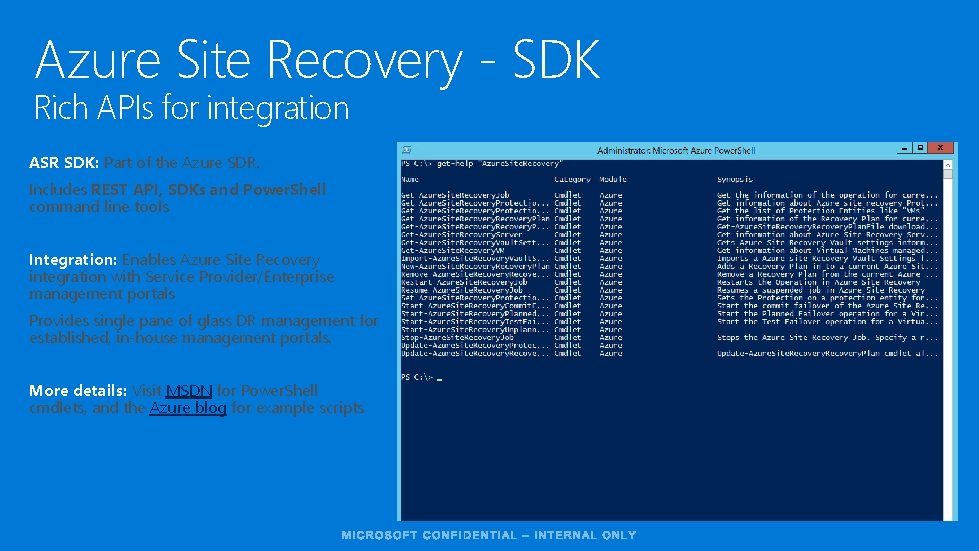
Azure Site Recovery - SDK Rich APIs for integration ASR SDK: Part of the Azure SDR. Includes REST API, SDKs and Power. Shell command line tools Integration: Enables Azure Site Recovery integration with Service Provider/Enterprise management portals Provides single pane of glass DR management for established, in-house management portals. More details: Visit MSDN for Power. Shell cmdlets, and the Azure blog for example scripts
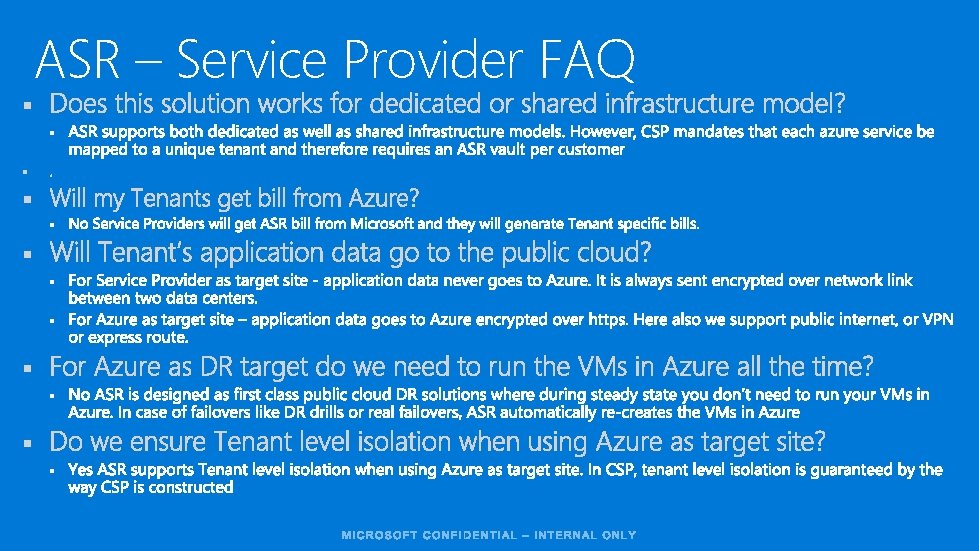
ASR – Service Provider FAQ § § §
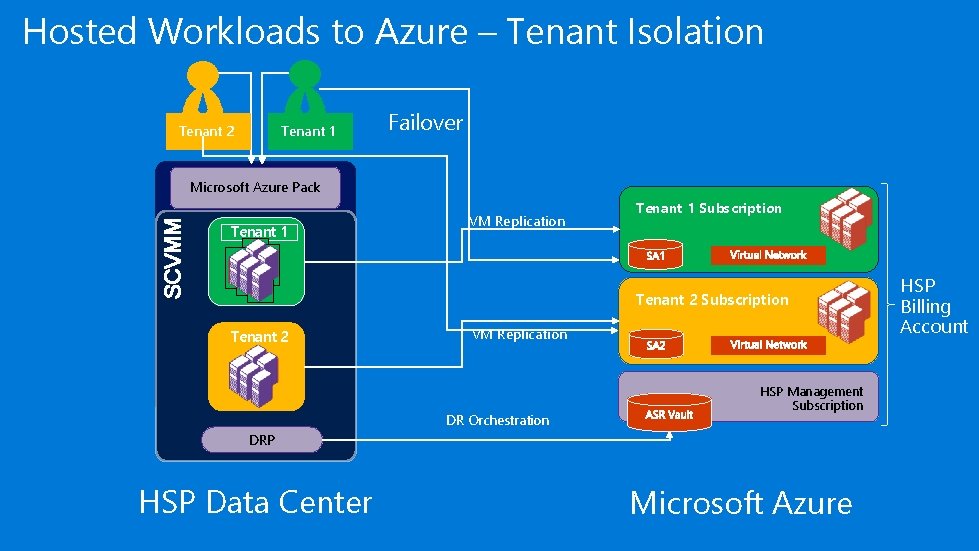
Hosted Workloads to Azure – Tenant Isolation Tenant 1 Tenant 2 Failover SCVMM Microsoft Azure Pack Tenant 1 VM Replication Tenant 1 Subscription Tenant 2 VM Replication DR Orchestration HSP Management Subscription DRP HSP Data Center Microsoft Azure HSP Billing Account
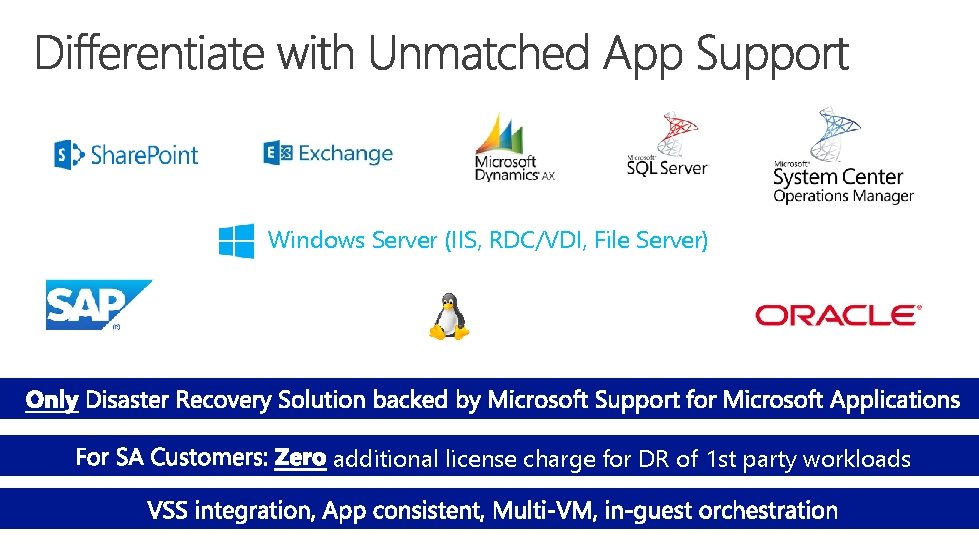
Windows Server (IIS, RDC/VDI, File Server) additional license charge for DR of 1 st party workloads
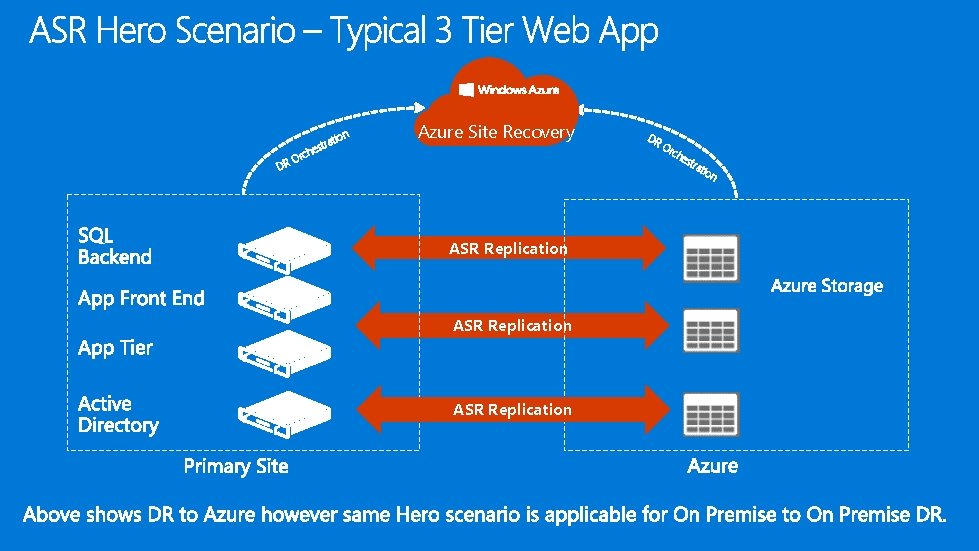
tion tra hes D rc RO Azure Site Recovery DR Or ch est ASR Replication rat ion
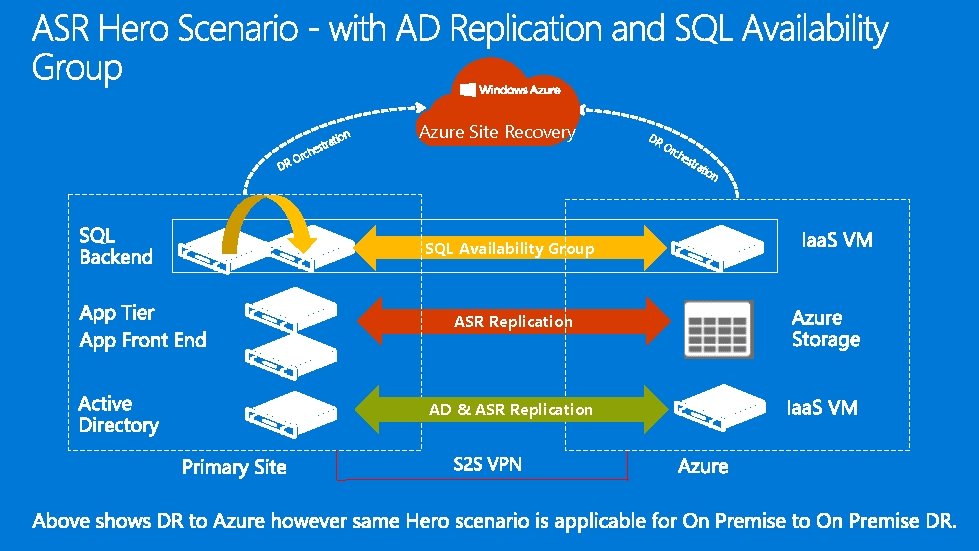
tion DR tra hes c r O Azure Site Recovery SQL Availability Group ASR Replication AD & ASR Replication DR Or ch est rat ion
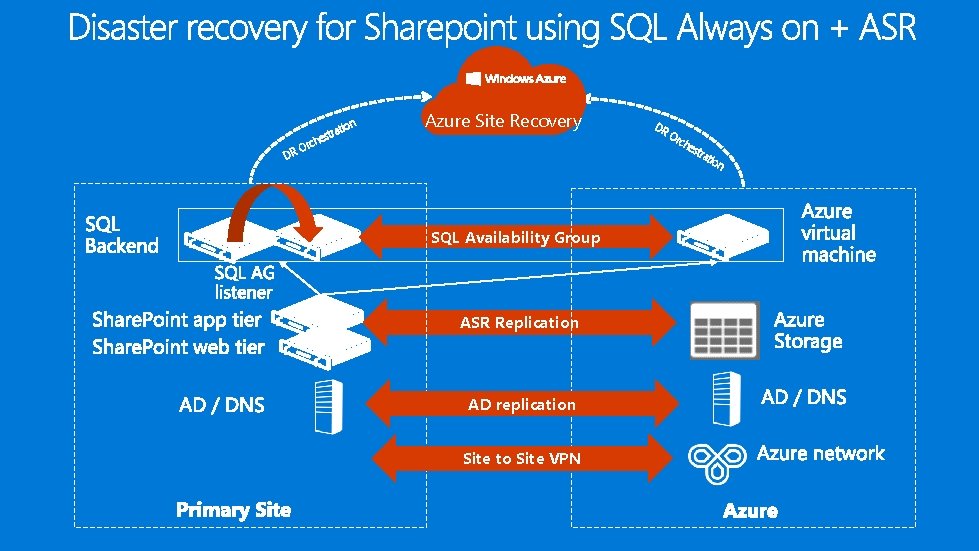
tion DR ra est h c Or Azure Site Recovery DR Or ch est SQL Availability Group ASR Replication AD replication Site to Site VPN rat ion
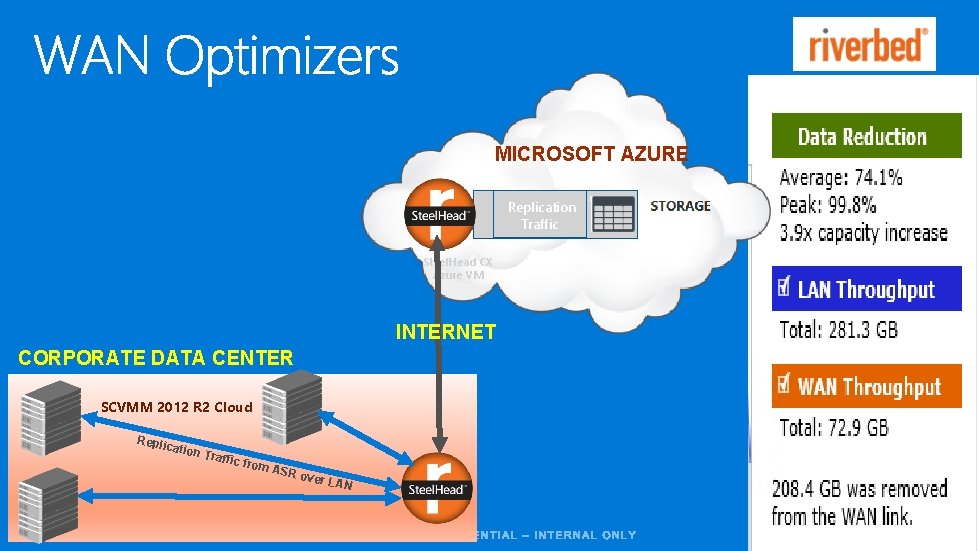
MICROSOFT AZURE Replication Traffic Steel. Head CX Azure VM INTERNET CORPORATE DATA CENTER SCVMM 2012 R 2 Cloud Repli cation Traffi c from A SR ov er LA N
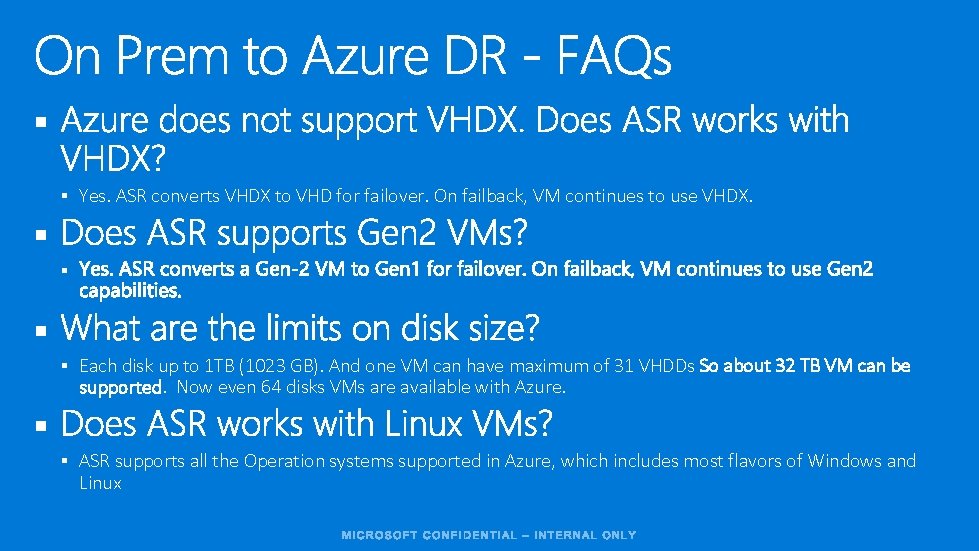
§ § Yes. ASR converts VHDX to VHD for failover. On failback, VM continues to use VHDX. § § Each disk up to 1 TB (1023 GB). And one VM can have maximum of 31 VHDDs So about 32 TB VM can be supported. Now even 64 disks VMs are available with Azure. § § ASR supports all the Operation systems supported in Azure, which includes most flavors of Windows and Linux
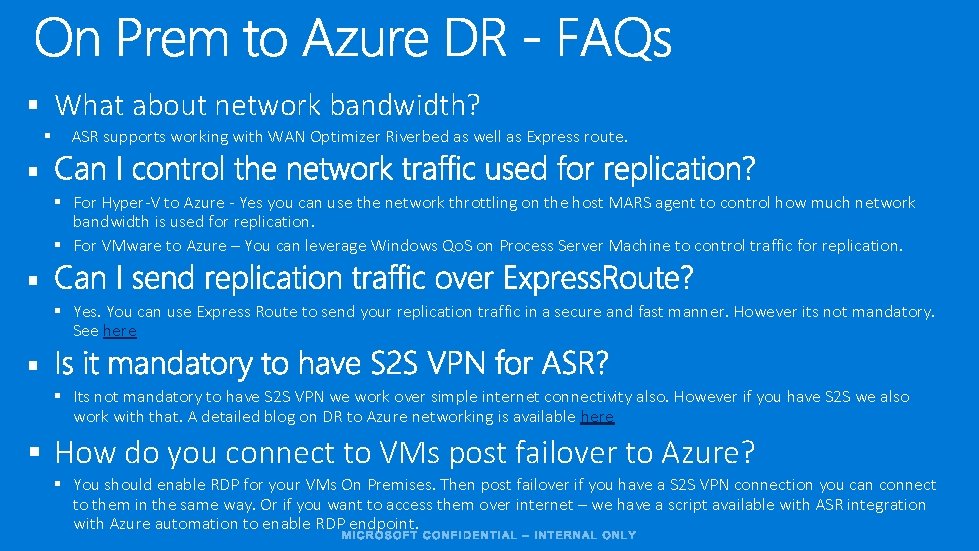
§ What about network bandwidth? § ASR supports working with WAN Optimizer Riverbed as well as Express route. § § For Hyper-V to Azure - Yes you can use the network throttling on the host MARS agent to control how much network bandwidth is used for replication. § For VMware to Azure – You can leverage Windows Qo. S on Process Server Machine to control traffic for replication. § § Yes. You can use Express Route to send your replication traffic in a secure and fast manner. However its not mandatory. See here § § Its not mandatory to have S 2 S VPN we work over simple internet connectivity also. However if you have S 2 S we also work with that. A detailed blog on DR to Azure networking is available here § How do you connect to VMs post failover to Azure? § You should enable RDP for your VMs On Premises. Then post failover if you have a S 2 S VPN connection you can connect to them in the same way. Or if you want to access them over internet – we have a script available with ASR integration with Azure automation to enable RDP endpoint.
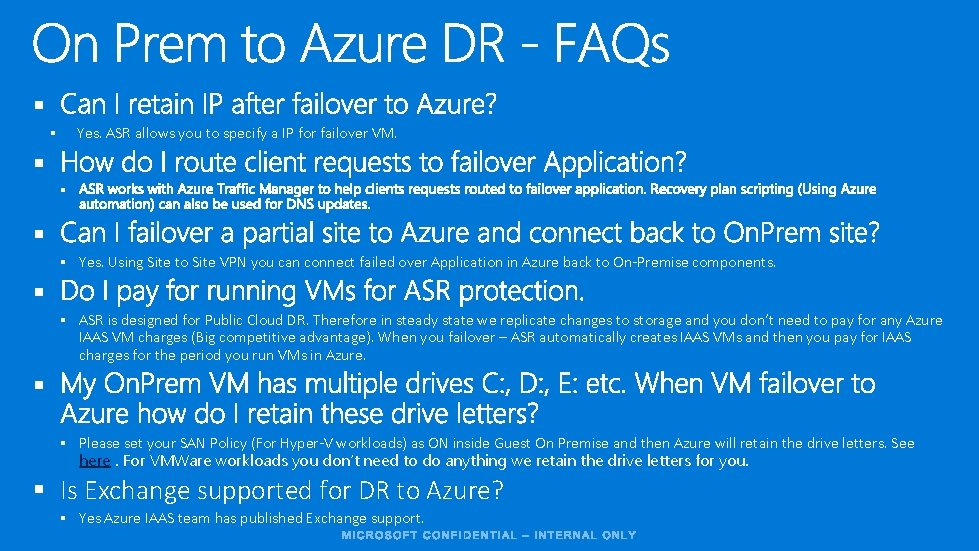
§ Yes. ASR allows you to specify a IP for failover VM. § § § Yes. Using Site to Site VPN you can connect failed over Application in Azure back to On-Premise components. § § ASR is designed for Public Cloud DR. Therefore in steady state we replicate changes to storage and you don’t need to pay for any Azure IAAS VM charges (Big competitive advantage). When you failover – ASR automatically creates IAAS VMs and then you pay for IAAS charges for the period you run VMs in Azure. § § Please set your SAN Policy (For Hyper-V workloads) as ON inside Guest On Premise and then Azure will retain the drive letters. See here. For VMWare workloads you don’t need to do anything we retain the drive letters for you. § Is Exchange supported for DR to Azure? § Yes Azure IAAS team has published Exchange support.
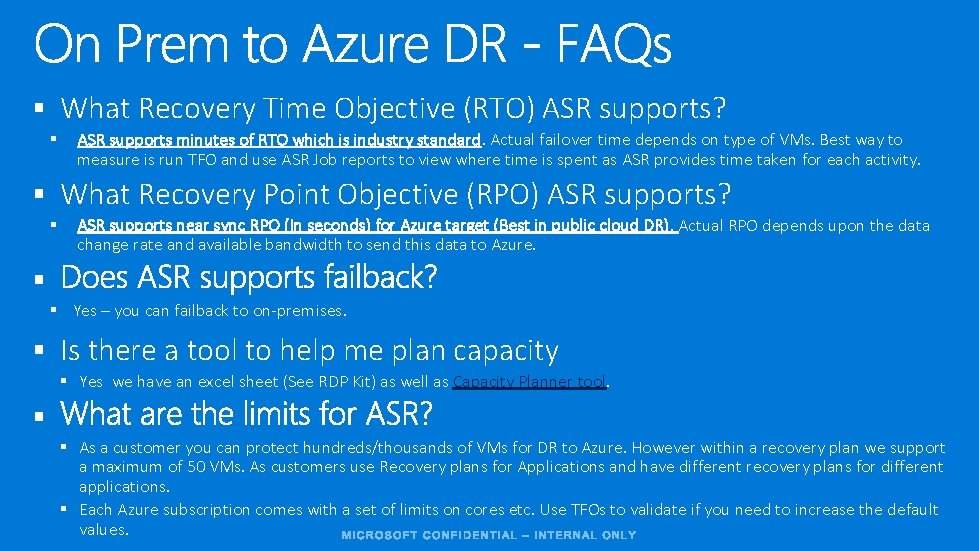
§ What Recovery Time Objective (RTO) ASR supports? § ASR supports minutes of RTO which is industry standard. Actual failover time depends on type of VMs. Best way to measure is run TFO and use ASR Job reports to view where time is spent as ASR provides time taken for each activity. § What Recovery Point Objective (RPO) ASR supports? § ASR supports near sync RPO (In seconds) for Azure target (Best in public cloud DR). Actual RPO depends upon the data change rate and available bandwidth to send this data to Azure. § § Yes – you can failback to on-premises. § Is there a tool to help me plan capacity § Yes we have an excel sheet (See RDP Kit) as well as Capacity Planner tool. § § As a customer you can protect hundreds/thousands of VMs for DR to Azure. However within a recovery plan we support a maximum of 50 VMs. As customers use Recovery plans for Applications and have different recovery plans for different applications. § Each Azure subscription comes with a set of limits on cores etc. Use TFOs to validate if you need to increase the default values.
§ § § § Getting Started with On-premises to Azure DR Getting started for Branch office to Azure DR Getting Started for VMware to Azure Getting Started with On-premises to On-premises DR using Replica Getting Started with On-premises to On-premises DR using SAN replication Networking white-paper Monitoring and Troubleshooting Site Recovery Forum

- Slides: 35