
While and IfElse Loops ROBOTC Software While Loops

While and If-Else Loops ROBOTC Software
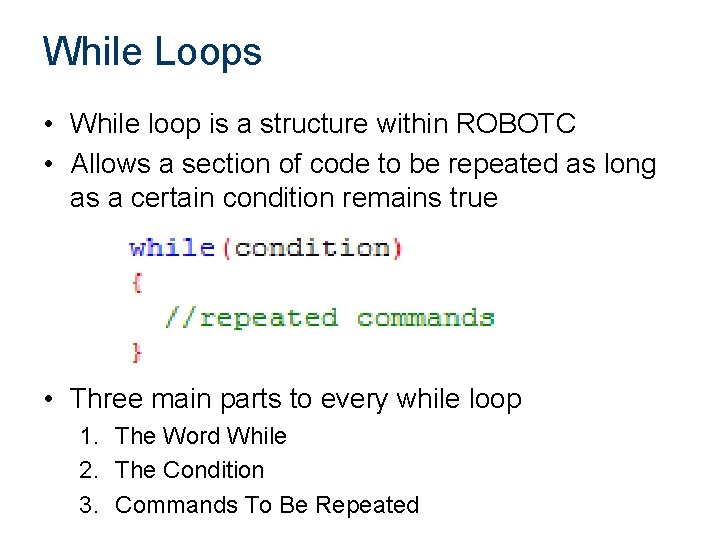
While Loops • While loop is a structure within ROBOTC • Allows a section of code to be repeated as long as a certain condition remains true • Three main parts to every while loop 1. The Word While 2. The Condition 3. Commands To Be Repeated
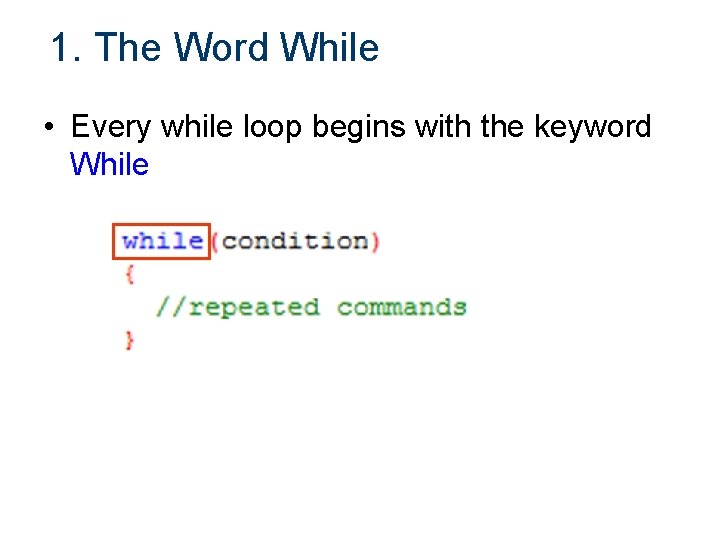
1. The Word While • Every while loop begins with the keyword While
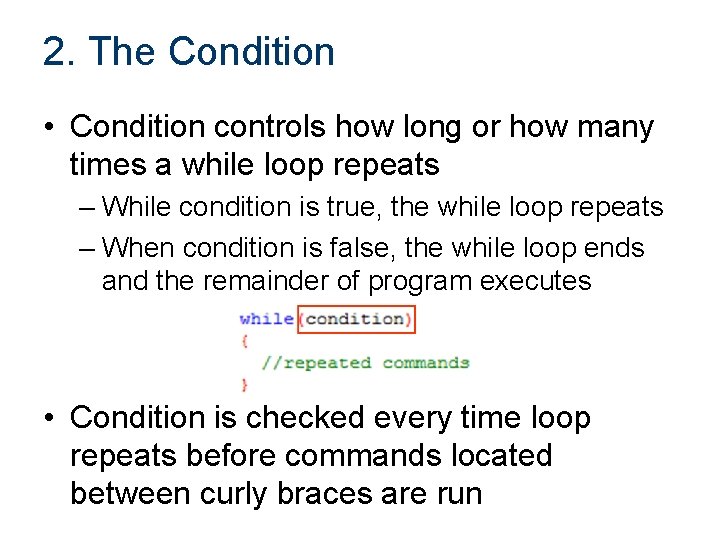
2. The Condition • Condition controls how long or how many times a while loop repeats – While condition is true, the while loop repeats – When condition is false, the while loop ends and the remainder of program executes • Condition is checked every time loop repeats before commands located between curly braces are run
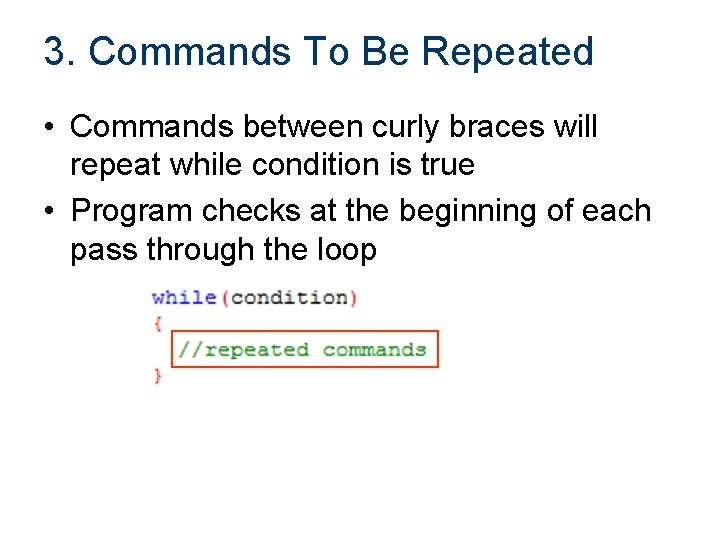
3. Commands To Be Repeated • Commands between curly braces will repeat while condition is true • Program checks at the beginning of each pass through the loop
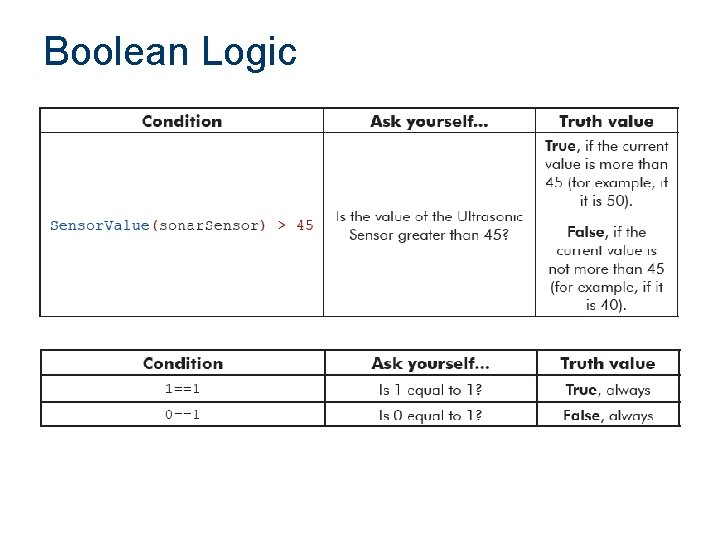
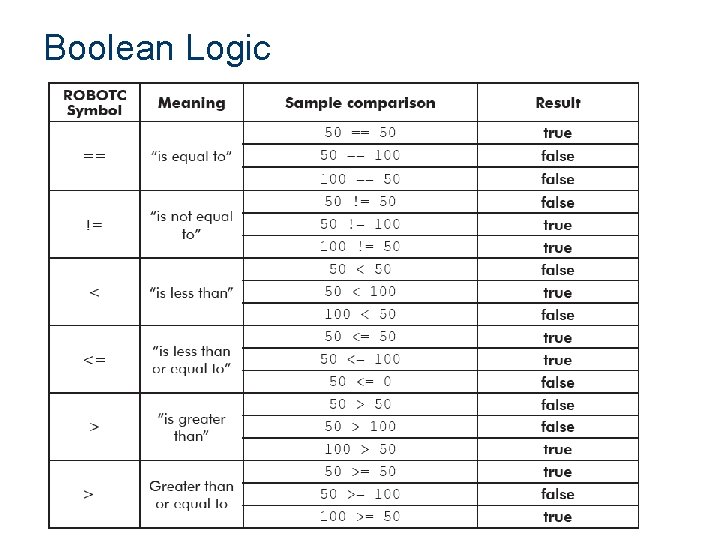
Boolean Logic • Decisions that programs make must are always based on questions • Only two possible answers – yes or no – true or false • Statements that can be only true or false are called Boolean statements • True-or-false value is called a truth value
Boolean Logic
Boolean Logic
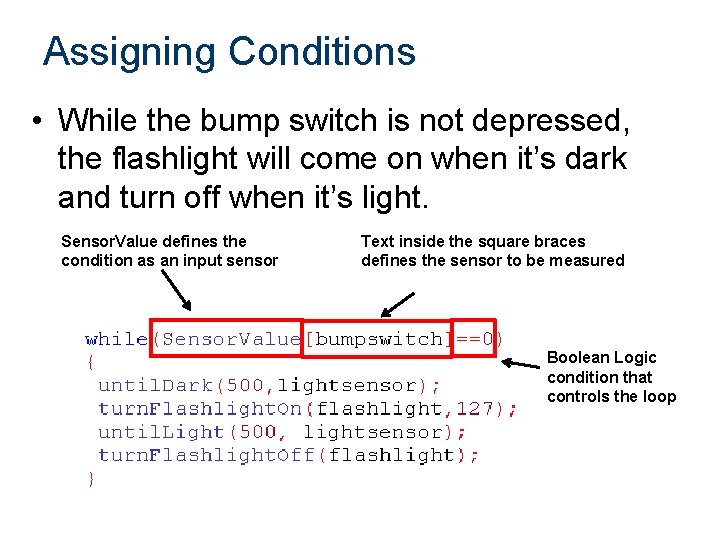
Assigning Conditions • While the bump switch is not depressed, the flashlight will come on when it’s dark and turn off when it’s light. Sensor. Value defines the condition as an input sensor Text inside the square braces defines the sensor to be measured Boolean Logic condition that controls the loop
Timers • Loop Control – Where would the wait statement go if we wanted the loop to repeat for a controlled amount of time? – Nowhere! We need something else. • Solution: Timers – Internal stopwatches (4 available) – Like encoders, timers should be cleared before they are used. – Caution: Watch where you clear them!
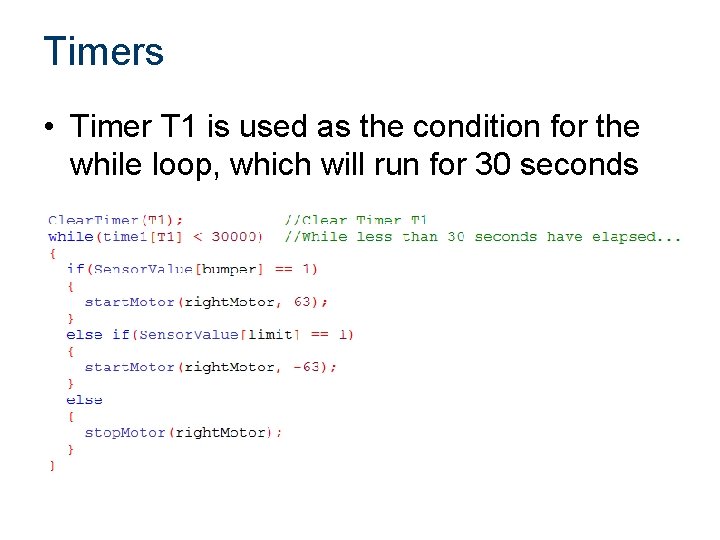
Timers • Timer T 1 is used as the condition for the while loop, which will run for 30 seconds
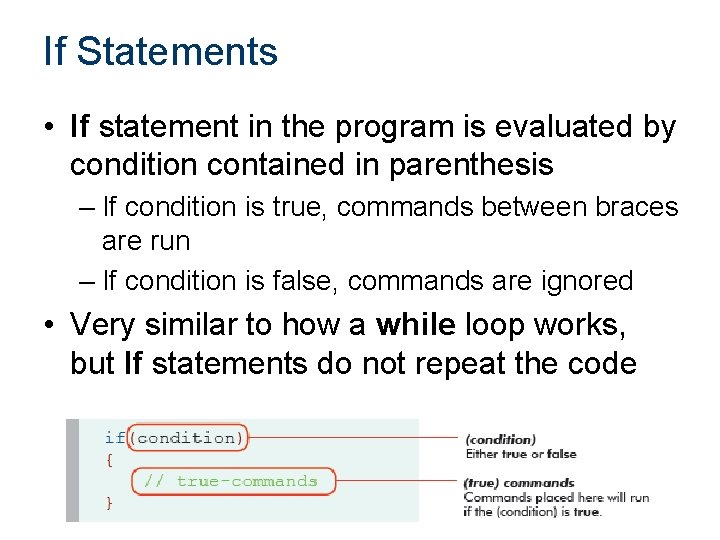
If Statements • If statement in the program is evaluated by condition contained in parenthesis – If condition is true, commands between braces are run – If condition is false, commands are ignored • Very similar to how a while loop works, but If statements do not repeat the code
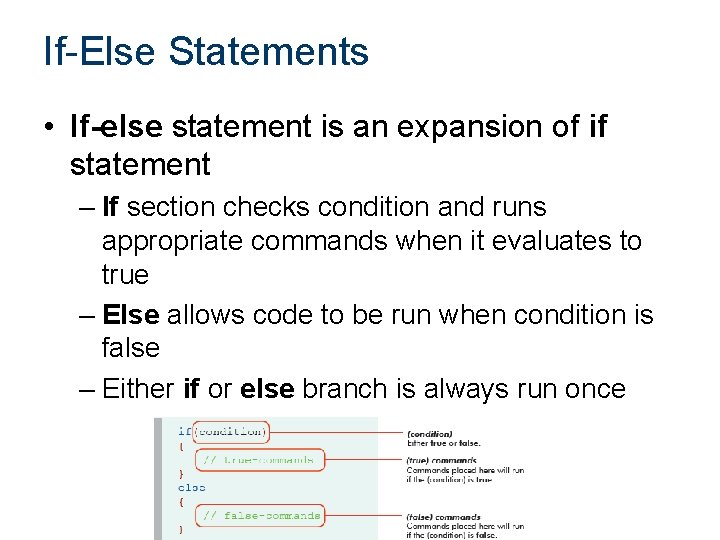
If-Else Statements • If-else statement is an expansion of if statement – If section checks condition and runs appropriate commands when it evaluates to true – Else allows code to be run when condition is false – Either if or else branch is always run once
Multiple If-Else Statements • Be careful when using two separate if-else statements, particularly when they control the same mechanism • One branch of each if-else statement is always run, so you may create a scenario where the two sets fight each other
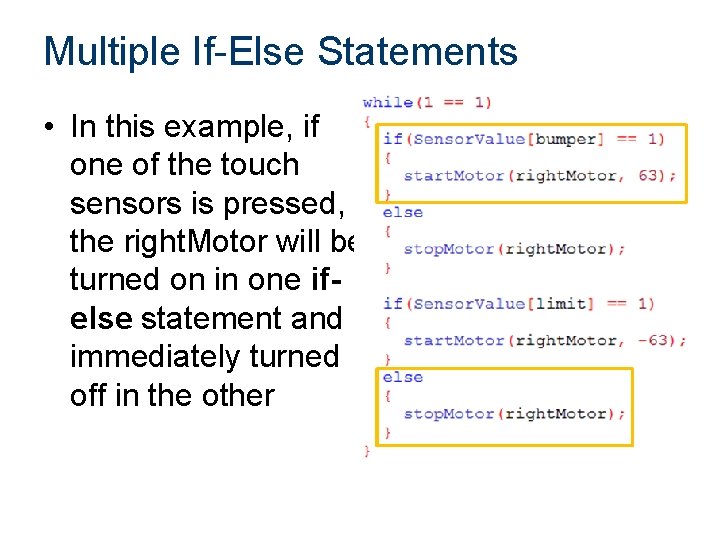
Multiple If-Else Statements • In this example, if one of the touch sensors is pressed, the right. Motor will be turned on in one ifelse statement and immediately turned off in the other
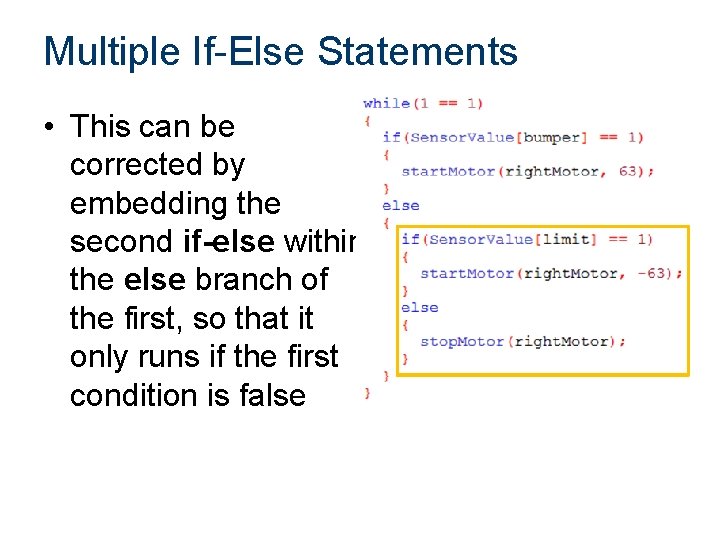
Multiple If-Else Statements • This can be corrected by embedding the second if-else within the else branch of the first, so that it only runs if the first condition is false
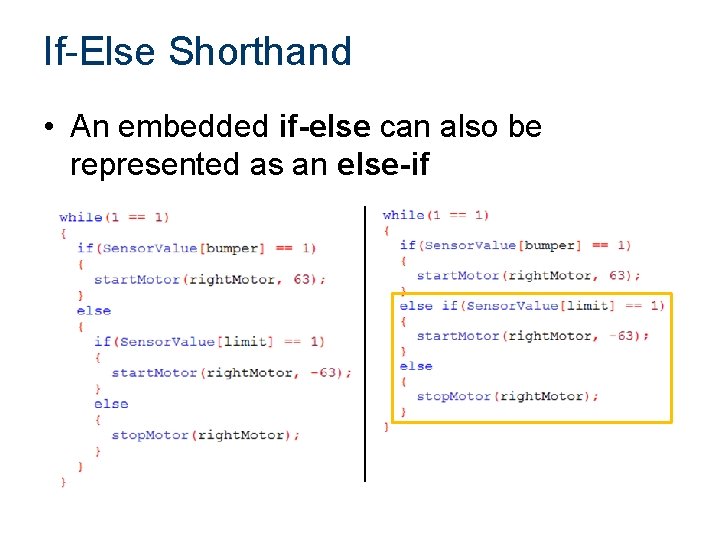
If-Else Shorthand • An embedded if-else can also be represented as an else-if
References Carnegie Mellon Robotics Academy. (2011). ROBOTC. Retrieved from http: //www. robotc. net
- Slides: 18