
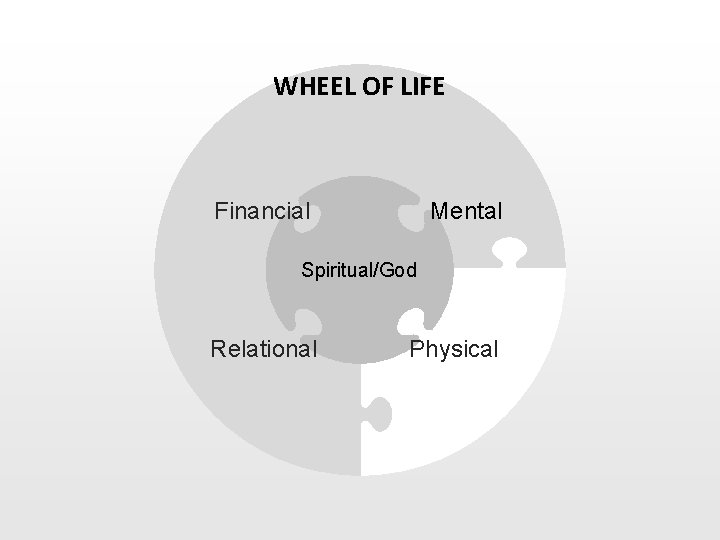
WHEEL OF LIFE Financial Mental SpiritualGod Relational Physical
- Slides: 7
WHEEL OF LIFE Financial Mental Spiritual/God Relational Physical
Four Staged Puzzle Process With Icons Your Text Here Put Text Here Download this awesome diagram Bring your presentation to life. 04 01 Text Here 03 Your Text Here Download this awesome diagram Bring your presentation to life. 02 Put Text Here Download this awesome diagram Bring your presentation to life.
Four Staged Puzzle Process With Icons Your Text Here Put Text Here Download this awesome diagram Bring your presentation to life. 04 01 Text Here 03 Your Text Here Download this awesome diagram Bring your presentation to life. 02 Put Text Here Download this awesome diagram Bring your presentation to life.
Four Staged Puzzle Process With Icons Your Text Here Put Text Here Download this awesome diagram Bring your presentation to life. 04 01 Text Here 03 Your Text Here Download this awesome diagram Bring your presentation to life. 02 Put Text Here Download this awesome diagram Bring your presentation to life.
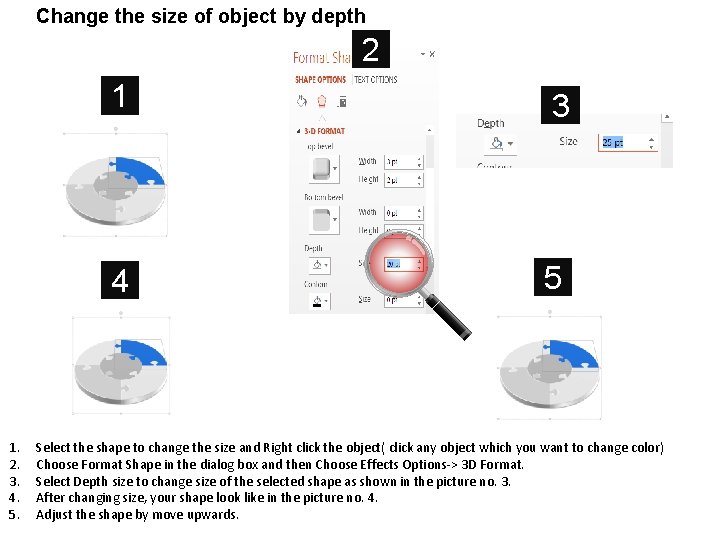
Change the size of object by depth 2 1. 2. 3. 4. 5. 1 3 4 5 Select the shape to change the size and Right click the object( click any object which you want to change color) Choose Format Shape in the dialog box and then Choose Effects Options-> 3 D Format. Select Depth size to change size of the selected shape as shown in the picture no. 3. After changing size, your shape look like in the picture no. 4. Adjust the shape by move upwards.
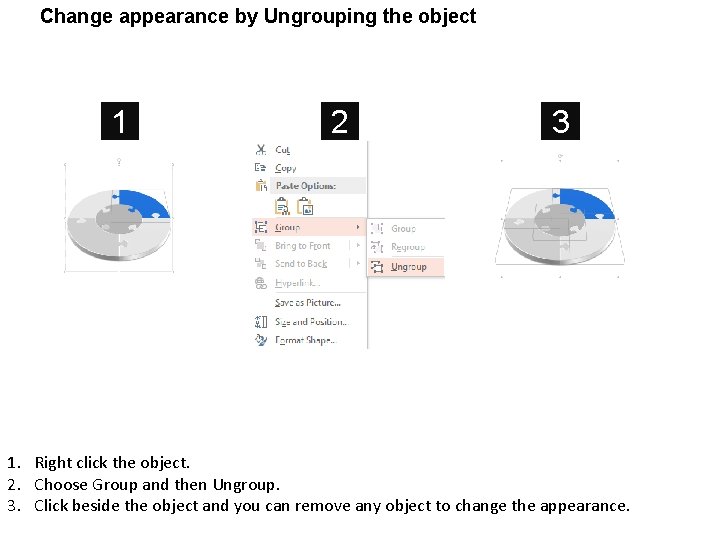
Change appearance by Ungrouping the object 1 2 3 1. Right click the object. 2. Choose Group and then Ungroup. 3. Click beside the object and you can remove any object to change the appearance.
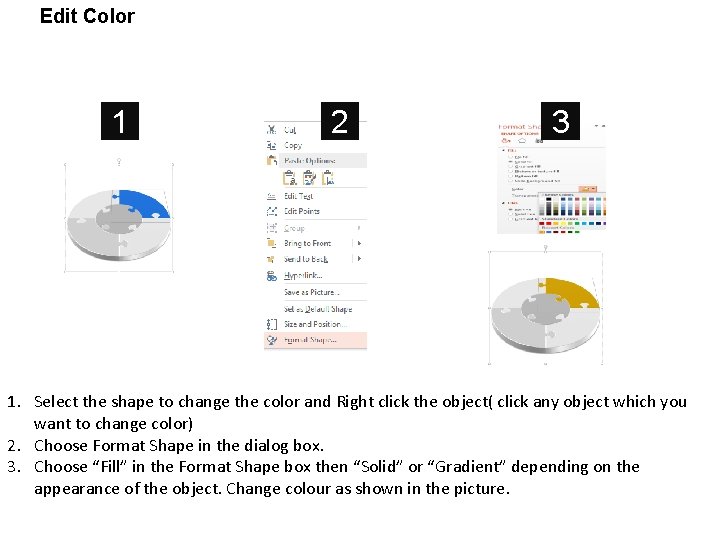
Edit Color 1 2 3 1. Select the shape to change the color and Right click the object( click any object which you want to change color) 2. Choose Format Shape in the dialog box. 3. Choose “Fill” in the Format Shape box then “Solid” or “Gradient” depending on the appearance of the object. Change colour as shown in the picture.