
Whats New in Zoom Text Derek Bove Product
What’s New in Zoom. Text Derek Bove Product Specialist AI Squared dbove@aisquared. com 1
Agenda • Company Overview • Zoom. Text Product Family • Benefits of Magnification & Screen Reading • Basics of Magnification & Screen Reading • Zoom. Text USB • Zoom. Text 10 New Features • Q&A Session 2
Who is Ai Squared? • Ai Squared is a leading developer of computer access software for the visually impaired • Founded in 1987 • Located in Manchester, Vermont • Products are sold worldwide 3

The Zoom. Text Product Family Zoom. Text Express Zoom. Text Magnifier / Reader MSRP: $49. 95 MSRP: $395 MSRP: $595 Zoom. Text Large-Print Keyboard MSRP: $99. 95 4
Benefits of Magnification & Screen Reading • Provides computer access to vision impaired users - Zoom. Text is a necessity for many visually impaired computer users • Provides access to electronic documents (e. g. Word, PDF), web pages and email • Helps facilitate reading comprehension through document reading support • Reduces eye strain, headaches and fatigue—collectively known as Computer Vision Syndrome (CVS) 5
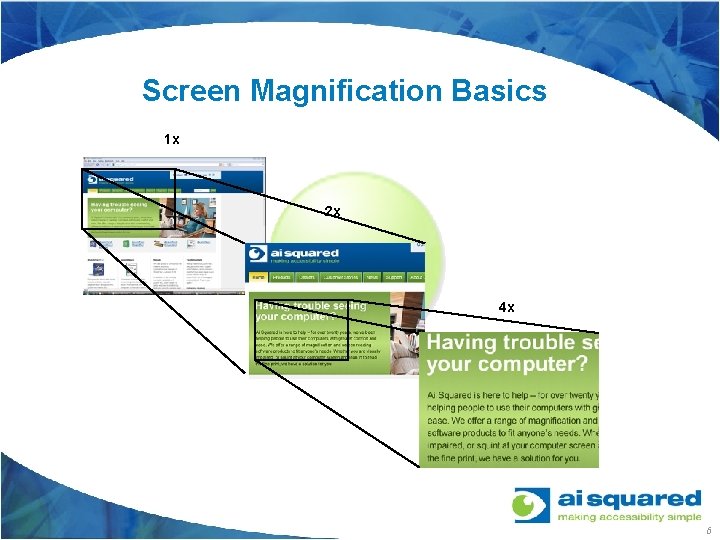
Screen Magnification Basics 1 x 2 x 4 x 6
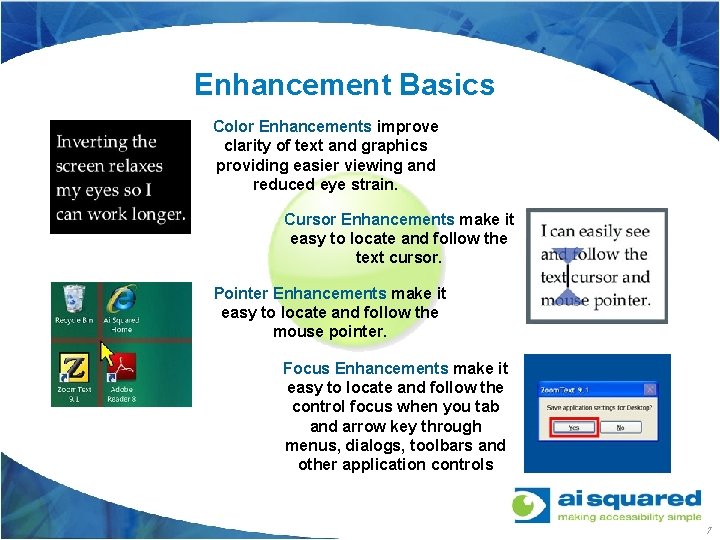
Enhancement Basics Color Enhancements improve clarity of text and graphics providing easier viewing and reduced eye strain. Cursor Enhancements make it easy to locate and follow the text cursor. Pointer Enhancements make it easy to locate and follow the mouse pointer. Focus Enhancements make it easy to locate and follow the control focus when you tab and arrow key through menus, dialogs, toolbars and other application controls 7
Screen Reading Basics Document Reading Zoom. Text reads aloud documents, web pages, emails, web pages, and other text based applications. Full Internet Accessibility Zoom. Text reads aloud any web page. You can read automatically or you can manually navigate by word, line, sentence or paragraph. Reads Application Controls Zoom. Text speaks all program controls such as window titles, menus, dialogs, list views and messages allowing you to navigate through your application. Typing and Mouse Echoes Zoom. Text allows you to hear keys and words that you type. It also reads text that you highlight with your mouse. Human Sounding Voice Synthesizers Neo. Speech voice synthesizers provide human sounding male and female voices that are closer to the real thing than ever before. 8
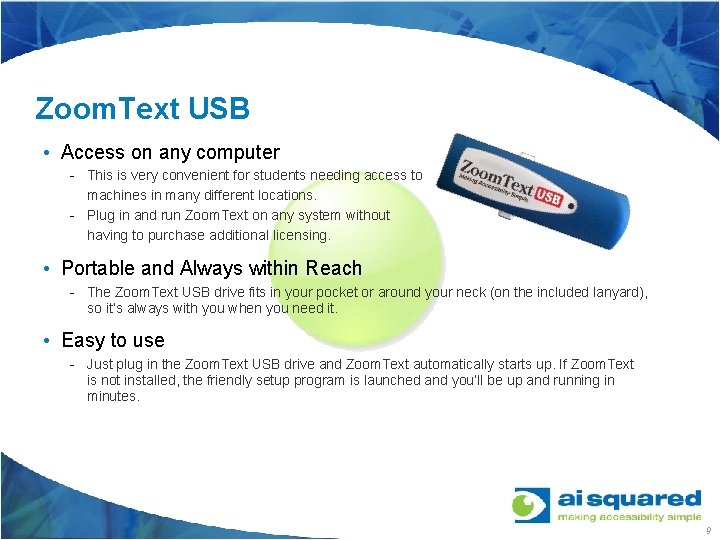
Zoom. Text USB • Access on any computer - This is very convenient for students needing access to machines in many different locations. - Plug in and run Zoom. Text on any system without having to purchase additional licensing. • Portable and Always within Reach - The Zoom. Text USB drive fits in your pocket or around your neck (on the included lanyard), so it’s always with you when you need it. • Easy to use - Just plug in the Zoom. Text USB drive and Zoom. Text automatically starts up. If Zoom. Text is not installed, the friendly setup program is launched and you’ll be up and running in minutes. 9
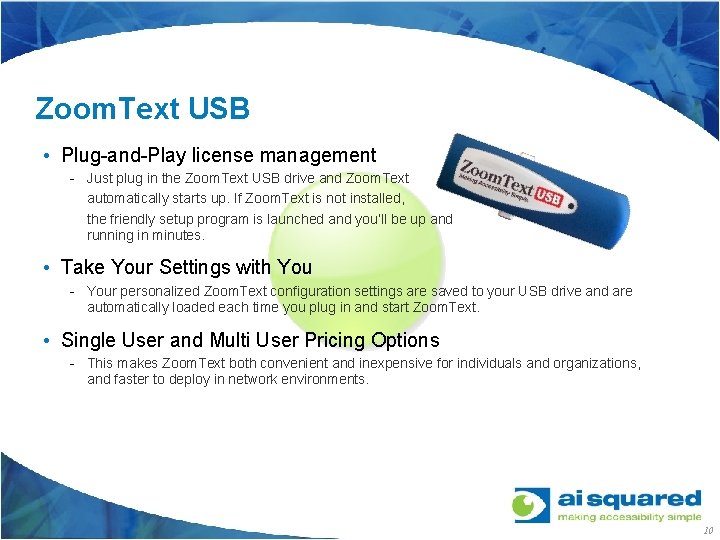
Zoom. Text USB • Plug-and-Play license management - Just plug in the Zoom. Text USB drive and Zoom. Text automatically starts up. If Zoom. Text is not installed, the friendly setup program is launched and you’ll be up and running in minutes. • Take Your Settings with You - Your personalized Zoom. Text configuration settings are saved to your USB drive and are automatically loaded each time you plug in and start Zoom. Text. • Single User and Multi User Pricing Options - This makes Zoom. Text both convenient and inexpensive for individuals and organizations, and faster to deploy in network environments. 10
Zoom. Text 10 New Features • New User Interface • New Keyboard Commands • Improved Screen Navigation and Screen Reading • New Unified “Reader” • Enhanced Web Support • Improved Zoom. Text USB 11
New User Interface • Improved usability - Fully accessible via the mouse or keyboard - Faster access to primary feature settings - Easier to learn and use • Sharp, high-contrast icons (at all magnification levels) • Toolbars appear where you need them • Streamlined feature settings • Section 508 compliant 12
New Keyboard Commands • Streamline and simplified command set • No command conflicts with other applications • Commands easily performed on any keyboard - Desktops and laptops • Faster access to all Zoom. Text features and functions • Easier to learn, use and remember 13
Screen Navigation and Screen Reading • Smoother tracking and scrolling - No extraneous movement • Improved screen enhancements - Easier to see and follow - Easier to configure • Streamlined screen reading - No extraneous chatter and stuttering - Simplified verbosity settings 14
New Unified “Reader” • New Reader integrates App. Reader and Doc. Reader features from ZT 9 into a consolidated tool. • Provides Prompter, Ticker and Application views • Text pans smoothly through the in all views • More control over text formatting in all views - Choice of fonts (type, size) - Choice of colors schemes - And more… 15
New Web Support • Zoom. Text 10 will provide navigation by: - Headers Links Forms Tables • Quick filtering of navigation lists - Type what your looking for to see only matching items - Reduces information searching from minutes to seconds - Provides quicker navigation and reading 16
Improved Zoom. Text USB • True “Plug and Play” solution • No installation required • No admin privileges required • No Zoom. Text activation required • User configurations can be stored on the USB device 17
Zoom. Text 10: Key Product Goals • Make Zoom. Text easier to use - Simplified user interface and command set • Improve features and functionality - Smoother navigation (tracking, panning and alignment) - Friendlier screen and document reading tools - Improved visual and audible experience (effects) • Improve product performance - Faster installations, startups and runtime - Stable, compatible and reliable - Broader platform and application support 18
Zoom. Text 10: Key Product Goals • Expand application and platform support - Support broader range of applications via AT standards - Support Windows 7, Vista and XP • Address AT/IT concerns - MSI installer - Compliance with Windows deployment standards • Expanded licensing options - Flexible licensing options - electronic management • Dramatically raise the bar for computer accessibility 19

Q&A / Discussion 20
- Slides: 20