
WHATS NEW IN THINGWORX MANUFACTURING AND SERVICE APPS

- Slides: 19
WHAT’S NEW IN THINGWORX MANUFACTURING AND SERVICE APPS 8. 2 Michael Anderson Senior Director of Product Management March 2018
AGENDA Release Summary Application Improvements Controls Advisor Production Advisor Asset Advisor Thing. Worx Apps Common Components Extensibility Improvements Application Configurability Software Availability Contacts Q&A 2
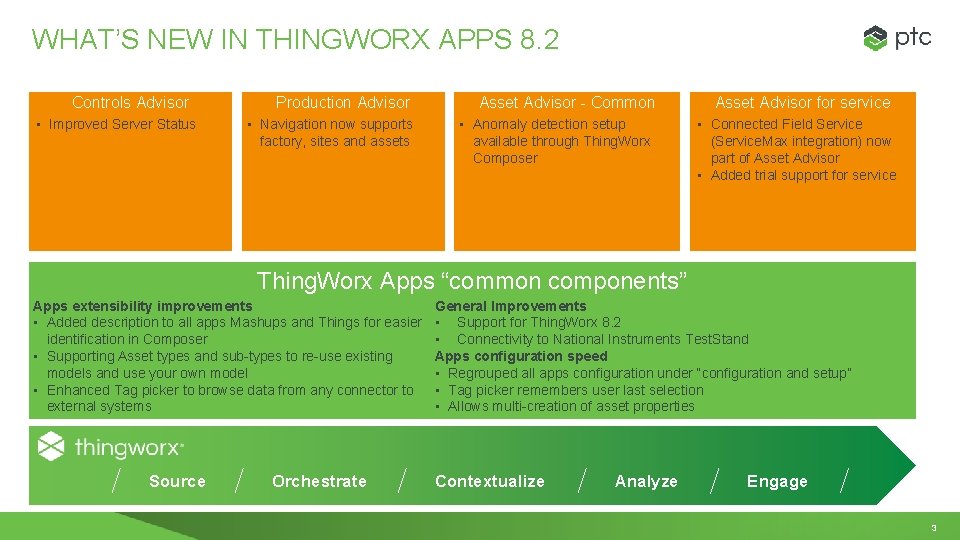
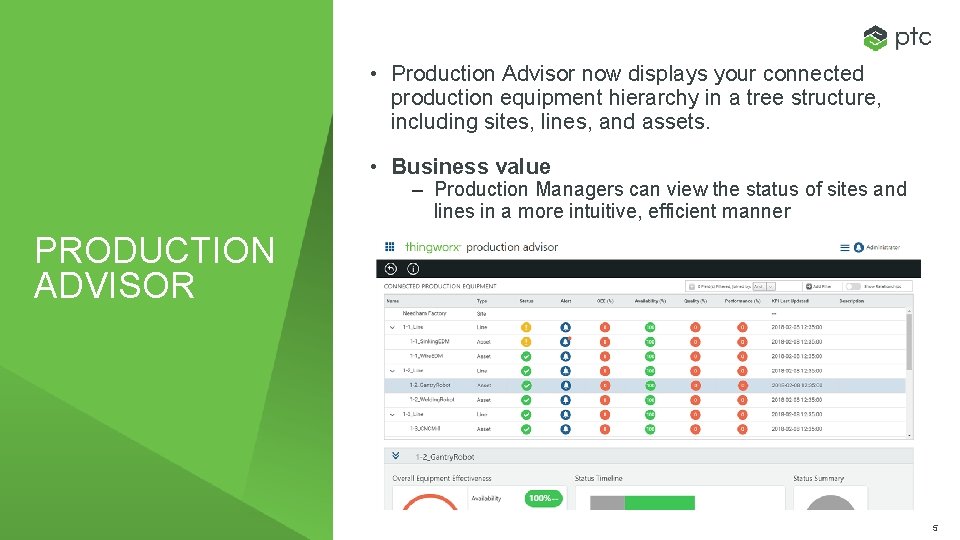
WHAT’S NEW IN THINGWORX APPS 8. 2 Controls Advisor • Improved Server Status Production Advisor • Navigation now supports factory, sites and assets Asset Advisor - Common • Anomaly detection setup available through Thing. Worx Composer Asset Advisor for service • Connected Field Service (Service. Max integration) now part of Asset Advisor • Added trial support for service Thing. Worx Apps “common components” Apps extensibility improvements • Added description to all apps Mashups and Things for easier identification in Composer • Supporting Asset types and sub-types to re-use existing models and use your own model • Enhanced Tag picker to browse data from any connector to external systems Source Orchestrate General Improvements • Support for Thing. Worx 8. 2 • Connectivity to National Instruments Test. Stand Apps configuration speed • Regrouped all apps configuration under “configuration and setup” • Tag picker remembers user last selection • Allows multi-creation of asset properties Contextualize Analyze Engage 3
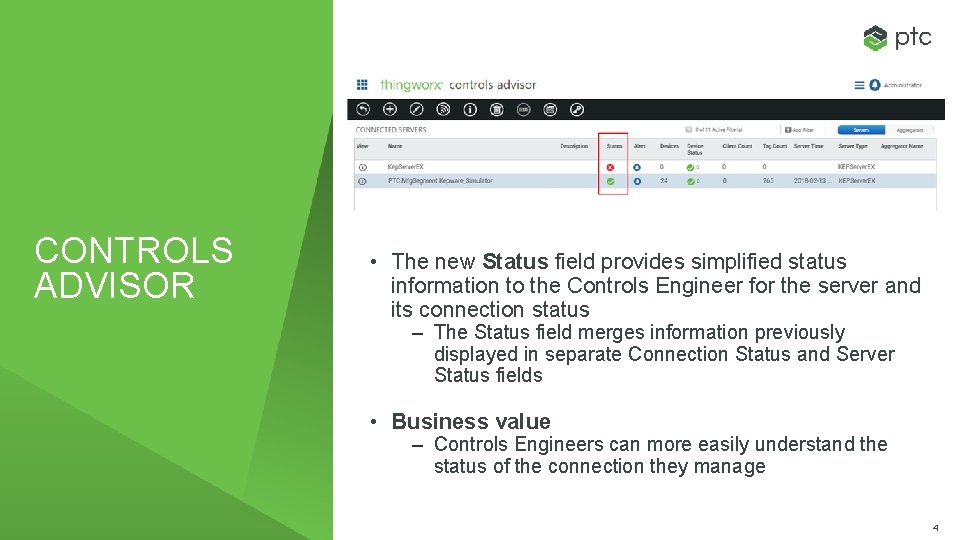
CONTROLS ADVISOR • The new Status field provides simplified status information to the Controls Engineer for the server and its connection status – The Status field merges information previously displayed in separate Connection Status and Server Status fields • Business value – Controls Engineers can more easily understand the status of the connection they manage 4
• Production Advisor now displays your connected production equipment hierarchy in a tree structure, including sites, lines, and assets. • Business value – Production Managers can view the status of sites and lines in a more intuitive, efficient manner PRODUCTION ADVISOR 5
• Common to manufacturing and service ASSET ADVISOR – Anomaly detection setup available through Thing. Worx Composer • Asset Advisor for service – Connected Field Service (Service. Max integration) now part of Asset Advisor – Added trial support for service 6
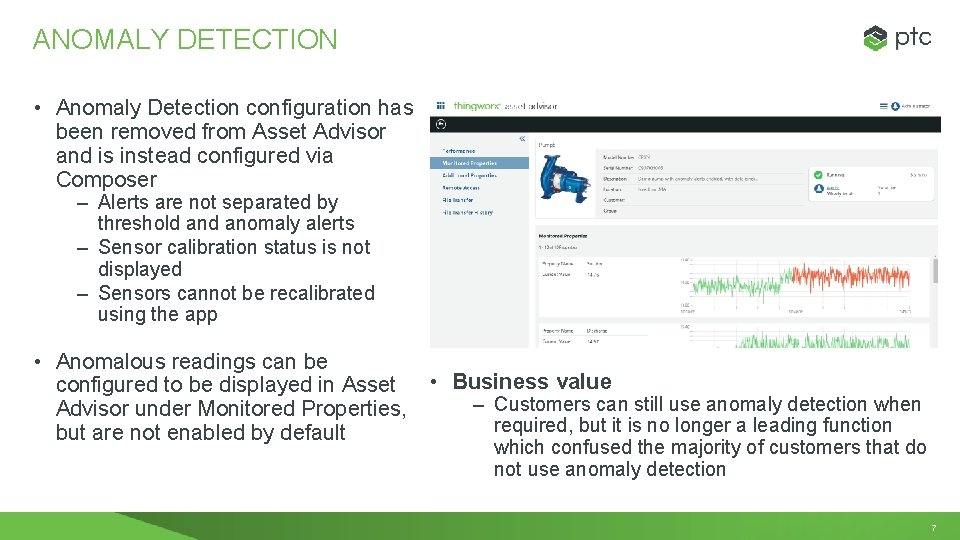
ANOMALY DETECTION • Anomaly Detection configuration has been removed from Asset Advisor and is instead configured via Composer – Alerts are not separated by threshold anomaly alerts – Sensor calibration status is not displayed – Sensors cannot be recalibrated using the app • Anomalous readings can be configured to be displayed in Asset • Business value – Customers can still use anomaly detection when Advisor under Monitored Properties, required, but it is no longer a leading function but are not enabled by default which confused the majority of customers that do not use anomaly detection 7
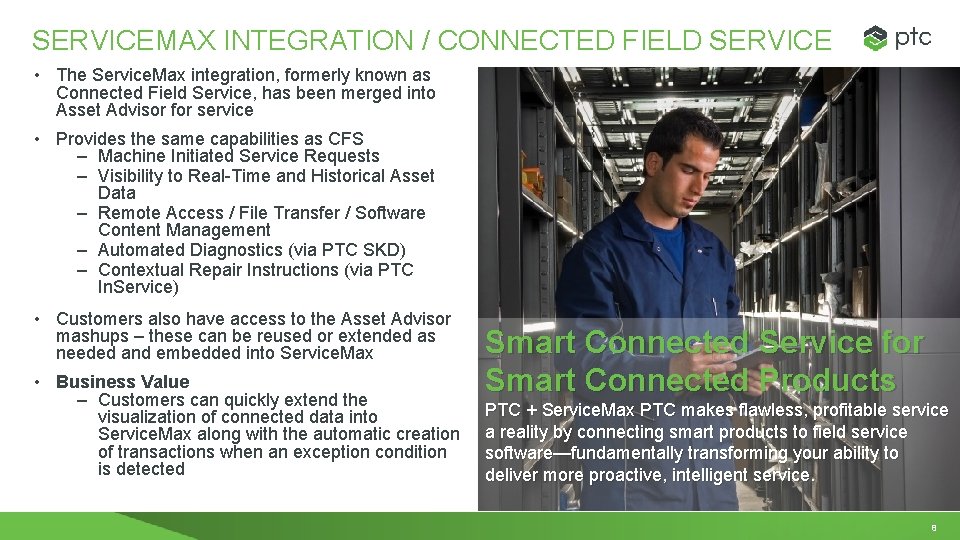
SERVICEMAX INTEGRATION / CONNECTED FIELD SERVICE • The Service. Max integration, formerly known as Connected Field Service, has been merged into Asset Advisor for service • Provides the same capabilities as CFS – Machine Initiated Service Requests – Visibility to Real-Time and Historical Asset Data – Remote Access / File Transfer / Software Content Management – Automated Diagnostics (via PTC SKD) – Contextual Repair Instructions (via PTC In. Service) • Customers also have access to the Asset Advisor mashups – these can be reused or extended as needed and embedded into Service. Max • Business Value – Customers can quickly extend the visualization of connected data into Service. Max along with the automatic creation of transactions when an exception condition is detected Smart Connected Service for Smart Connected Products PTC + Service. Max PTC makes flawless, profitable service a reality by connecting smart products to field service software—fundamentally transforming your ability to deliver more proactive, intelligent service. 8
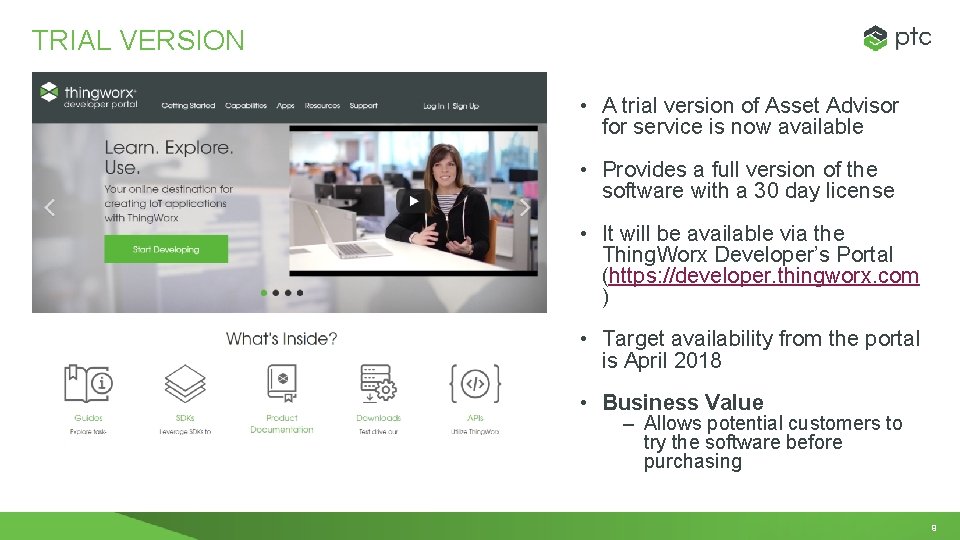
TRIAL VERSION • A trial version of Asset Advisor for service is now available • Provides a full version of the software with a 30 day license • It will be available via the Thing. Worx Developer’s Portal (https: //developer. thingworx. com ) • Target availability from the portal is April 2018 • Business Value – Allows potential customers to try the software before purchasing 9
EXTENSIBILITY IMPROVEMENT S • Mashup Customization Improvements • Sub-type and Template Support • Connector Improvements 10
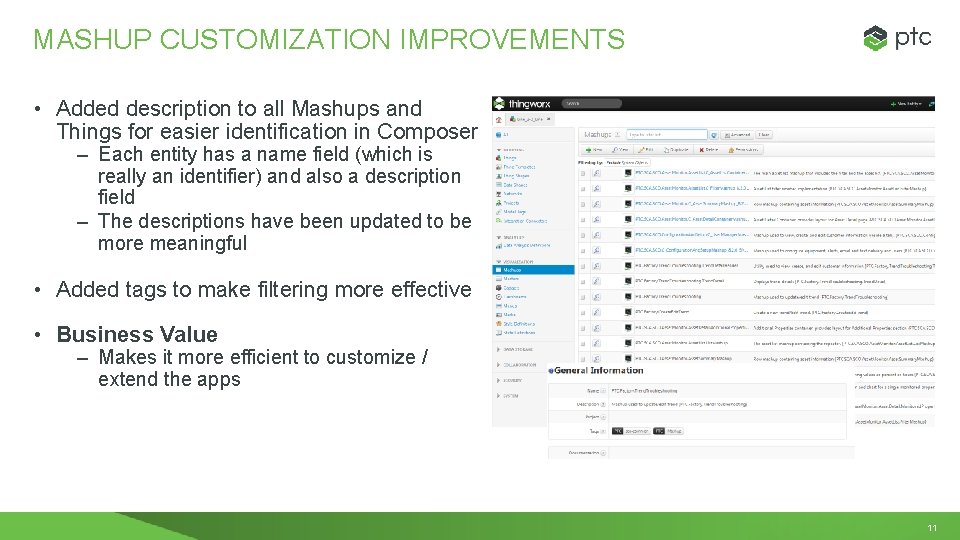
MASHUP CUSTOMIZATION IMPROVEMENTS • Added description to all Mashups and Things for easier identification in Composer – Each entity has a name field (which is really an identifier) and also a description field – The descriptions have been updated to be more meaningful • Added tags to make filtering more effective • Business Value – Makes it more efficient to customize / extend the apps 11
SUB-TYPE AND TEMPLATE SUPPORT • If you create a thing template derived from one of our base resource/equipment thing templates (for site, line, or asset), that will now be automatically recognized in the apps – You can select any template as a type when creating an equipment • An existing thing template can be used by implement a list of thing shapes that we provide (for asset, line, or site). • Business Value – Customers can easily have different properties for different types of assets – Existing Thing. Worx customers can use their data model instead of having to modify it to use a new base template – Makes it easier to use the Axeda connector, which requires a specific Thing. Template 12
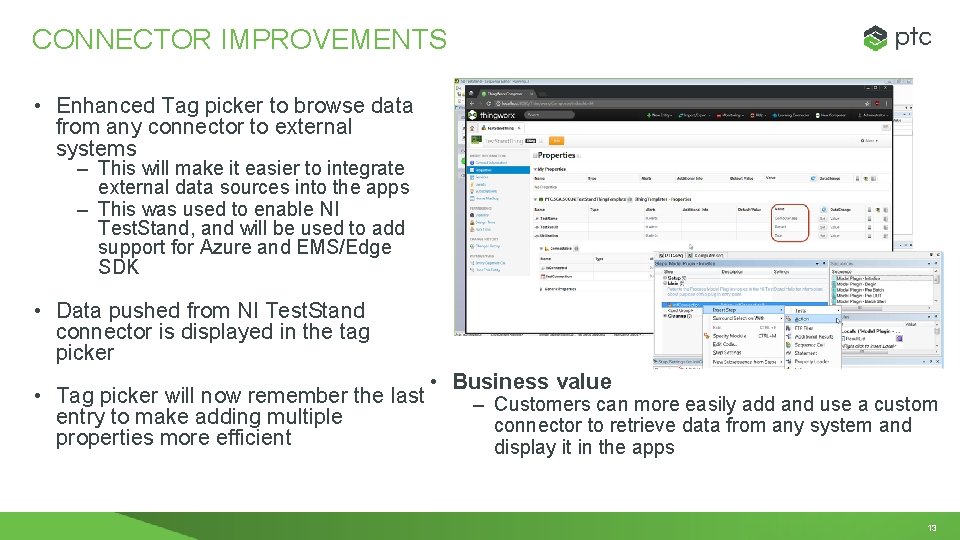
CONNECTOR IMPROVEMENTS • Enhanced Tag picker to browse data from any connector to external systems – This will make it easier to integrate external data sources into the apps – This was used to enable NI Test. Stand, and will be used to add support for Azure and EMS/Edge SDK • Data pushed from NI Test. Stand connector is displayed in the tag picker • Business value • Tag picker will now remember the last – Customers can more easily add and use a custom entry to make adding multiple connector to retrieve data from any system and properties more efficient display it in the apps 13
APPLICATION CONFIGURABILIT Y • App Configuration Improvements • Asset Property Improvements 14
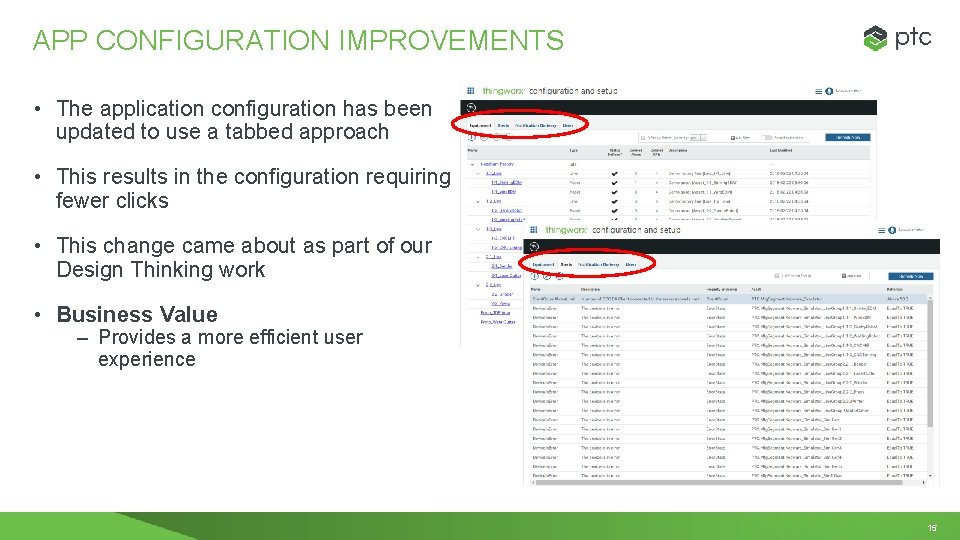
APP CONFIGURATION IMPROVEMENTS • The application configuration has been updated to use a tabbed approach • This results in the configuration requiring fewer clicks • This change came about as part of our Design Thinking work • Business Value – Provides a more efficient user experience 15
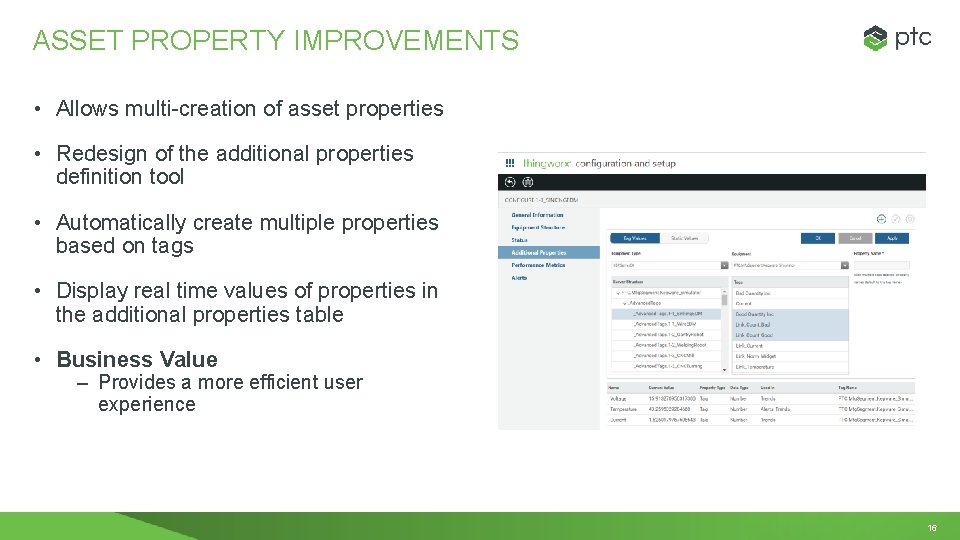
ASSET PROPERTY IMPROVEMENTS • Allows multi-creation of asset properties • Redesign of the additional properties definition tool • Automatically create multiple properties based on tags • Display real time values of properties in the additional properties table • Business Value – Provides a more efficient user experience 16
The software is available in a few different places: • Paid Versions – Available on https: //support. ptc. com, under the Thing. Worx Platform family SOFTWARE AVAILABILITY & LICENSING • Manufacturing Freemium and Dev. Kit – Availabile from the dev portal – https: //developer. thingworx. com/apps/manufacturing • Asset Advisor for service Trial – Will be available on the dev portal in early April No new/different licenses are required for the new capabilities • CFS customers are now entitled to Asset Advisor / Thing. Worx SCP 17
Q&A 18