
Whats New in MAS 90 and MAS 200
- Slides: 39
What’s New in MAS 90 and MAS 200 4. 0?
Agenda • Benefits of 4. 0 • New Look and Feel • Security • GL Enhancements • Reporting • Customizer
Benefits of 4. 0 • Continuing to improve the ease of use customers have grown to expect • Additional reporting capabilities for quick and accurate business decisions • Introduce new technologies making it easier for integration and future enhancements
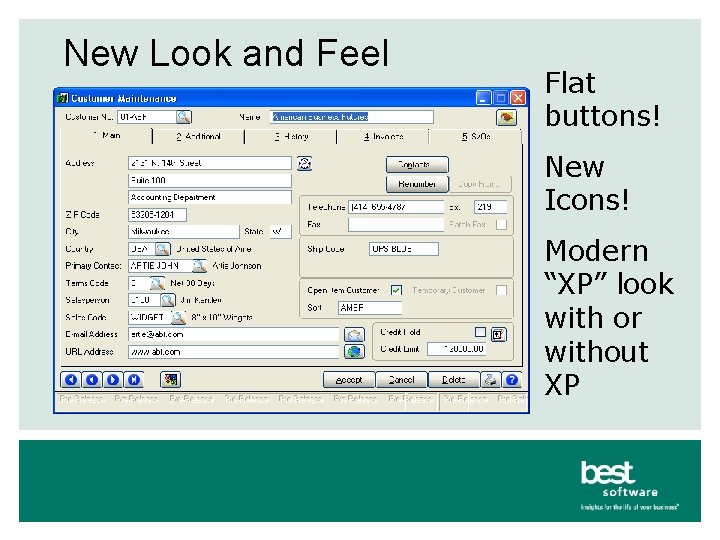
New Look and Feel Flat buttons! New Icons! Modern “XP” look with or without XP
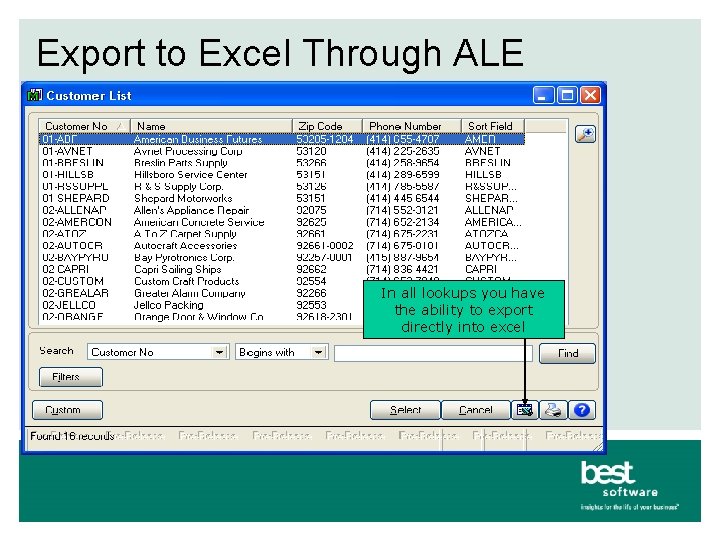
Export to Excel Through ALE In all lookups you have the ability to export directly into excel
Security Enhancements • New Roles Based security (all modules) – Define unlimited number of roles • Account Receivable Clerk, Salesperson, etc. • Users can be assigned to multiple roles – Less work setting up new users – Less work maintaining security • New attributes (For LM and GL) – Full control, Create, Modify, Delete and View only – Replaces “Supervisor” passwords • Simply a security event
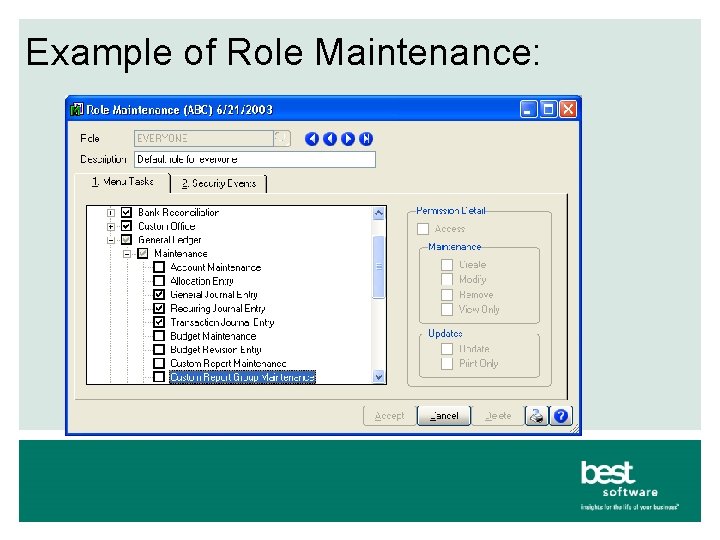
Example of Role Maintenance:
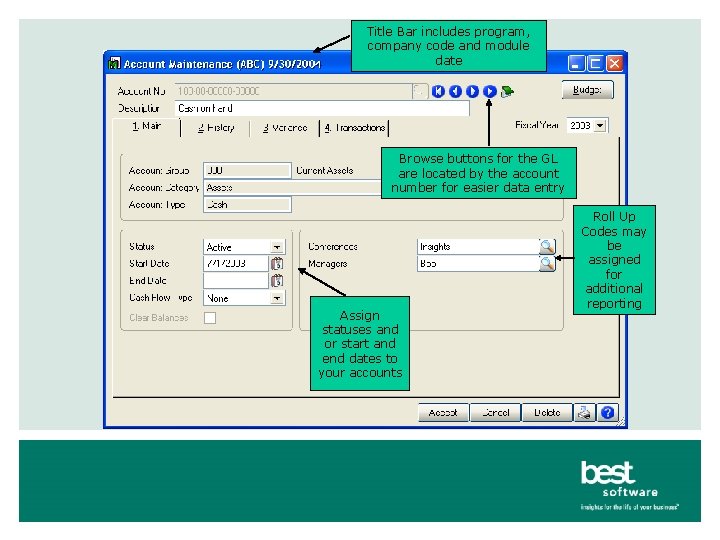
GL Enhancements • Expanded GL Account structure – 32 characters, 10 segments – Expanded COA will be interoperable with all modules • Active, Inactive and Deleted GL account statuses may be assigned to prevent postings • Start and End dates may be assigned to each main, sub or entire account number • Roll up codes for additional reporting flexibility outside of your COA • Batch Entry in General Journal Entry and Transaction Journal Entry
Title Bar includes program, company code and module date Browse buttons for the GL are located by the account number for easier data entry Assign statuses and or start and end dates to your accounts Roll Up Codes may be assigned for additional reporting
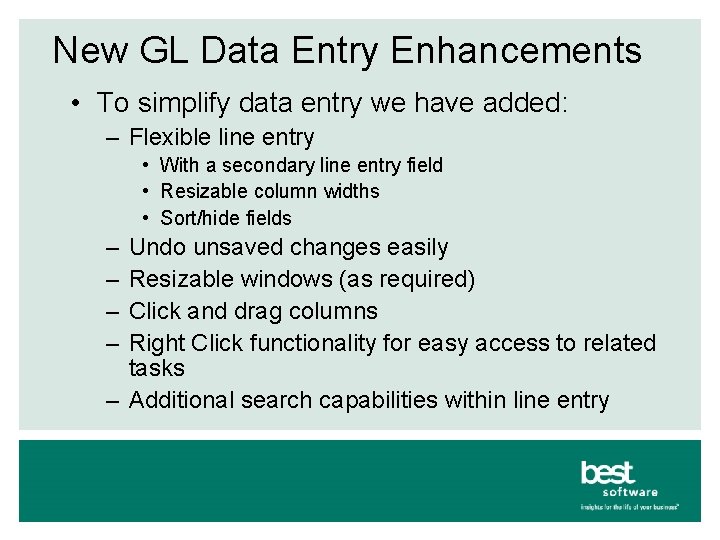
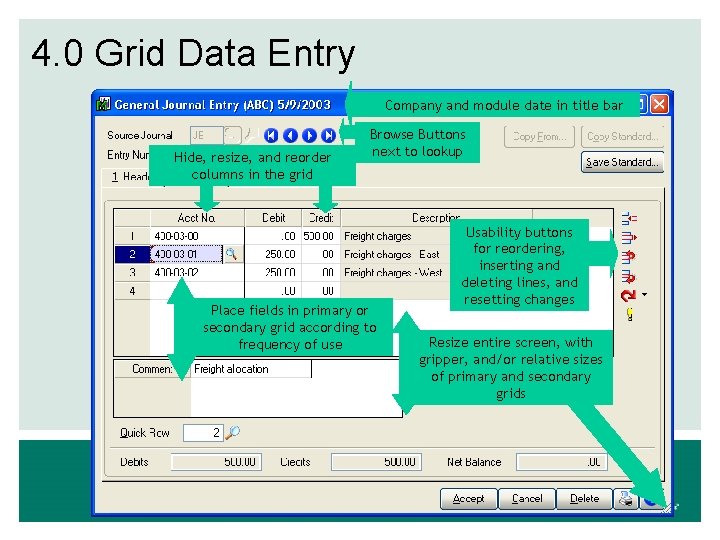
New GL Data Entry Enhancements • To simplify data entry we have added: – Flexible line entry • With a secondary line entry field • Resizable column widths • Sort/hide fields – – Undo unsaved changes easily Resizable windows (as required) Click and drag columns Right Click functionality for easy access to related tasks – Additional search capabilities within line entry
4. 0 Grid Data Entry Company and module date in title bar Hide, resize, and reorder columns in the grid Browse Buttons next to lookup Place fields in primary or secondary grid according to frequency of use Usability buttons for reordering, inserting and deleting lines, and resetting changes Resize entire screen, with gripper, and/or relative sizes of primary and secondary grids
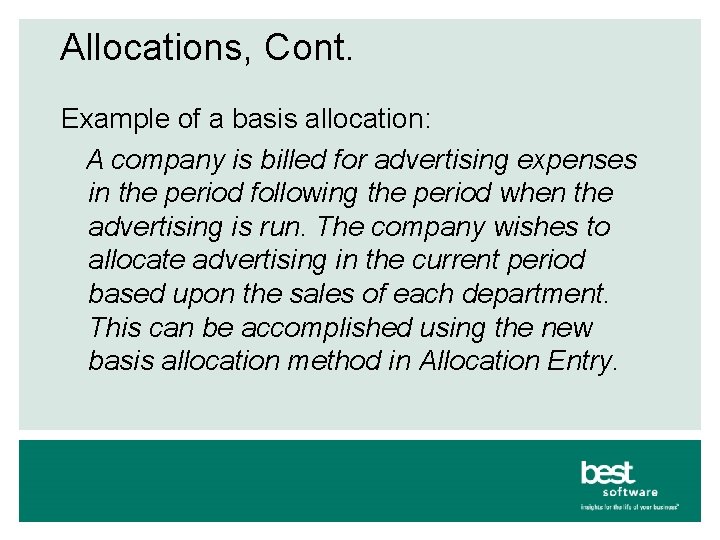
Allocation Enhancements • Source accounts may be financial or nonfinancial for more flexible allocations • Automatic allocations may be run at any time for any period • Basis Allocations allows for account distributions to be made based on values associated with the destination account
Allocations, Cont. Example of a basis allocation: A company is billed for advertising expenses in the period following the period when the advertising is run. The company wishes to allocate advertising in the current period based upon the sales of each department. This can be accomplished using the new basis allocation method in Allocation Entry.
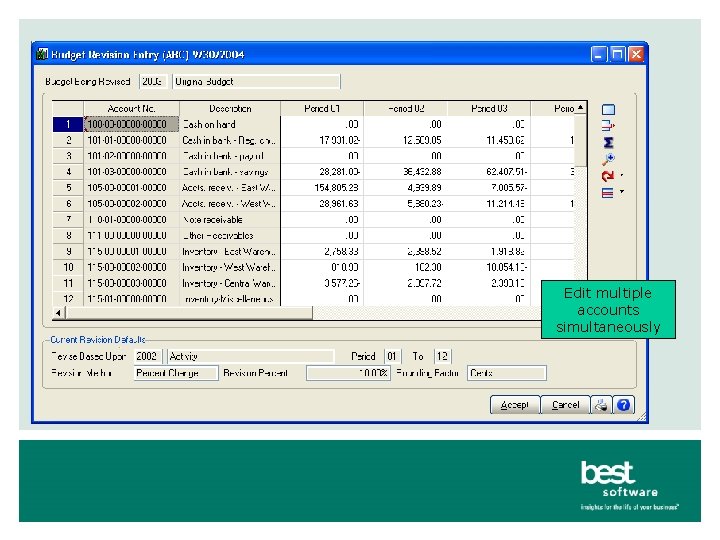
Budget Enhancements • Maintain unlimited budgets – Easy to use line entry for budget maintenance – View only the budgets you want to review – Edit budgets for multiple years and accounts simultaneously
Edit multiple accounts simultaneously
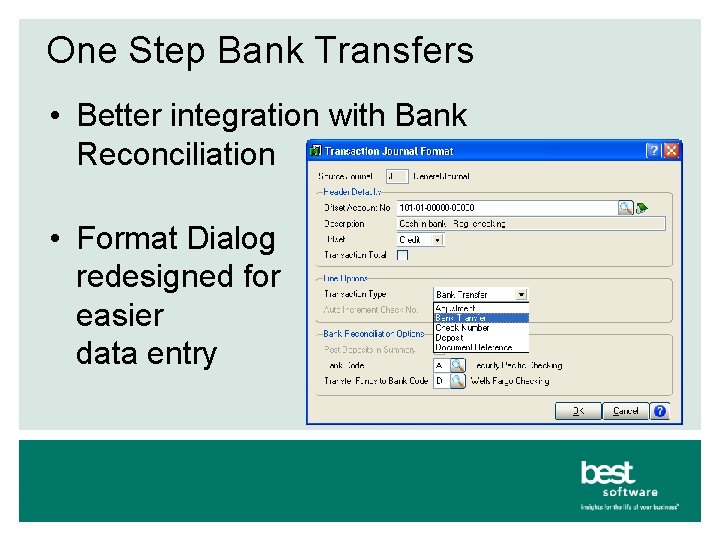
One Step Bank Transfers • Better integration with Bank Reconciliation • Format Dialog redesigned for easier data entry
Batch Manager • In General Ledger only for this release – Will be in additional modules as they are enhanced – Standard feature of Library Master – Additional data will be maintained • • • Batch creator Date/time of batch creation User who last updated Date/time of last update Record count for each batch
Memo Manager • In General Ledger only for this release – – – Will be in additional modules as they are enhanced Standard feature of Library Master Faster implementation of memos Auto set auto display by reminder date More flexibility on where memos auto display
What’s New in 4. 0 Reporting? • Business Insights Reporter • Financial Reporting • Standard Reports
Business Insights Reporter • Customers, like you, have told us you need: – The ability to create custom reports more easily • Crystal Reports is complex to learn and to use – To be able to use your data for reports without understanding all the complexities of • Data structures • Joins • Crystal Reports
Business Insights Reporter, cont. • New Reporting Tool for 4. 0 – Wizard walks you through report creation • • • View selection Filters Sorts Groups Security
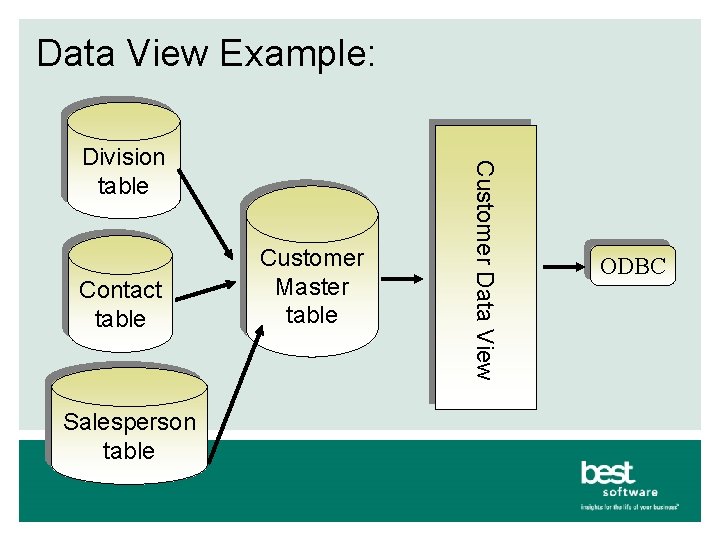
Business Insights Reporter, cont. • Data Views – Pre-defined views of the data – Logical child tables are pre-joined • User can add links if needed – Available fields are presented in a logical tree fashion – Calculated fields can be added
Business Insights Reporter, cont. • Filter Criteria – Static and runtime filters may be defined • Performance – Reports that access line detail and join multiple tables will exhibit better performance
Business Insights Reporter, cont. • Report Editing – Reports generated by the wizard can be modified with the Crystal designer • Layout can be modified • Additional joins created • Etc.
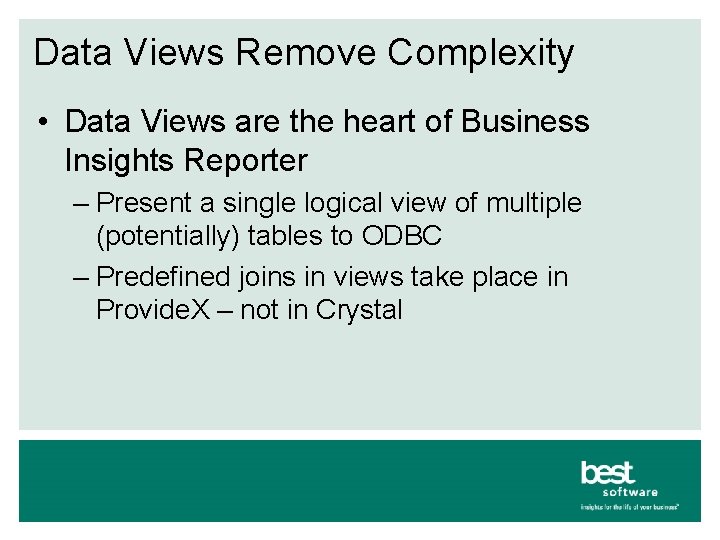
Data Views Remove Complexity • Data Views are the heart of Business Insights Reporter – Present a single logical view of multiple (potentially) tables to ODBC – Predefined joins in views take place in Provide. X – not in Crystal
Data View Example: Contact table Salesperson table Customer Master table Customer Data View Division table ODBC
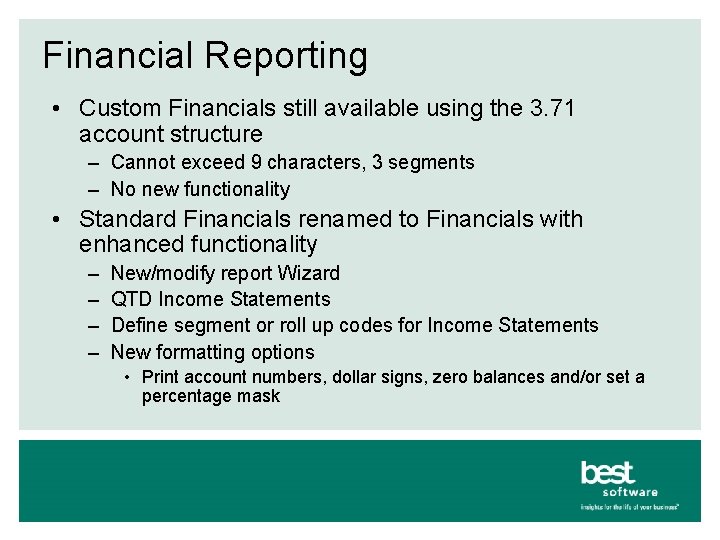
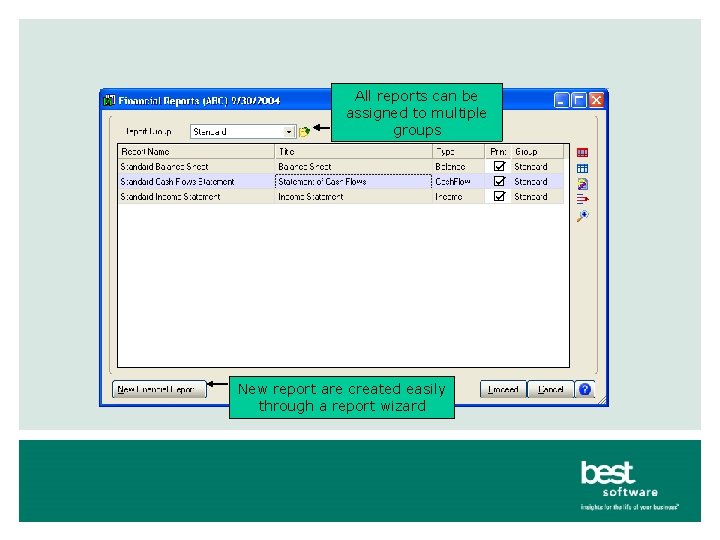
Financial Reporting • Custom Financials still available using the 3. 71 account structure – Cannot exceed 9 characters, 3 segments – No new functionality • Standard Financials renamed to Financials with enhanced functionality – – New/modify report Wizard QTD Income Statements Define segment or roll up codes for Income Statements New formatting options • Print account numbers, dollar signs, zero balances and/or set a percentage mask
All reports can be assigned to multiple groups New report are created easily through a report wizard
Standard Reports Saved Report Settings (for GL reports only this release) – Allows for setting predefined report selection options for each GL report – Three different setting types • Public – everyone who has security has full access • Private – only creator can see • Read Only - Allows for modification and printing but not saving changes
Standard Reports, Cont. • 4. 0 Level Module Reports and Journals will be Crystal – Data pre-processed in MAS 90 for performance – Rendered with Crystal Reports for presentation
Standard Reports, Cont. • Reports Can be Customized – Using the Crystal Designer – Different customizations for different users with Saved Reports Settings
4. 0 Customizer
4. 0 Customizer – Global Features • New Global Features – Easy to use Customizer selection screens • All modifiable forms displayed in a logical tree view – New UDF Maintenance program • All tables that can accept UDFs are also displayed in a tree view
4. 0 Customizer – Global Features • Customizer Security Enhancements – Users with access to Customizer have access to customize all forms – Access via CTRL-F 9 is controlled via security event – Users with both can modify all forms for all users via CTRL-F 9 – Users with only CTRL-F 9 can only modify forms for themselves – Links to other MAS 90 programs are passed through the Launcher • To ensure that user has rights
4. 0 Customizer, cont. • In General Ledger only for this release – Will be in additional modules as they are enhanced • User-Defined Fields • Can be added virtually anywhere • Easier to pass UDF’s to other screens and reports
4. 0 Customizer – UDFs, cont. • Adding Fields to Forms – Any accessible field (including UDFs) can be added to a form • Adding Fields to Reports – UDFs are available to be added to reports through the new wizard
4. 0 Customizer – UDFs, cont. • Adding Fields to Reports – UDFs are available to reports driven by a table with UDFs • If report is driven by work table, simply add UDF to the work table • For example, if the G/L Account table has UDFs, then those UDFs are available when creating a report driven by the G/L Account table
Summary • We have listened to your requests – All of the enhancements have come from customer feedback • All of these great new features are part of your subscription plan!
Questions and Answers