
Whats New in Acronis Cyber Cloud 8 0
What’s New in Acronis Cyber Cloud 8. 0 Dual headquarters in Switzerland and Singapore Proprietary and Confidential © 2019
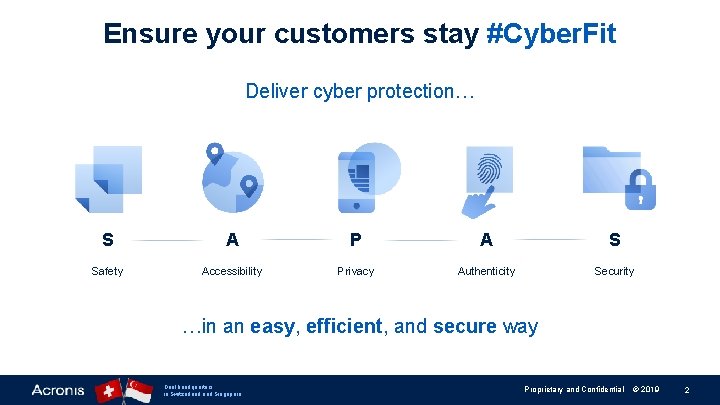
Ensure your customers stay #Cyber. Fit Deliver cyber protection… S A P A S Safety Accessibility Privacy Authenticity Security …in an easy, efficient, and secure way Dual headquarters in Switzerland Singapore Proprietary and Confidential © 2019 2
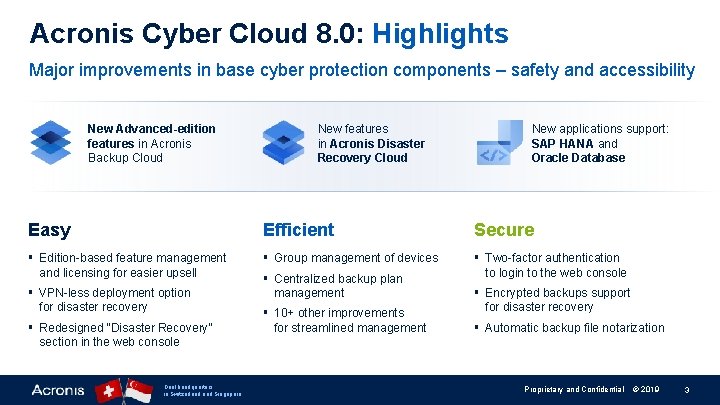
Acronis Cyber Cloud 8. 0: Highlights Major improvements in base cyber protection components – safety and accessibility New Advanced-edition features in Acronis Backup Cloud New features in Acronis Disaster Recovery Cloud New applications support: SAP HANA and Oracle Database Easy Efficient Secure § Edition-based feature management and licensing for easier upsell § Group management of devices § Two-factor authentication to login to the web console § VPN-less deployment option for disaster recovery § Redesigned “Disaster Recovery” section in the web console Dual headquarters in Switzerland Singapore § Centralized backup plan management § 10+ other improvements for streamlined management § Encrypted backups support for disaster recovery § Automatic backup file notarization Proprietary and Confidential © 2019 3
Take a big step forward with Acronis Cyber Cloud 8. 0 § Access higher-end customers with new Advanced-edition features now available in Acronis Backup Cloud § Upsell Advanced and Disaster Recovery features with ease – via the familiar three-tiered pricing structure § Improve service delivery significantly via efficient group management operations in Acronis Backup Cloud § Sell Acronis Disaster Recovery Cloud with greater ease – with the highly-anticipated enhancements, plus simplified licensing and onboarding § Enhance total platform security with two-factor authentication for the web console login Dual headquarters in Switzerland Singapore Proprietary and Confidential © 2019 4
Presentation contents 1. New edition-based feature management 2. New Licensing for Acronis Backup Cloud and Acronis Disaster Recovery Cloud 3. New features and enhancements in: • Acronis Cyber Cloud management portal • Acronis Backup Cloud • Acronis Disaster Recovery Cloud • Acronis Notary Cloud Dual headquarters in Switzerland Singapore Proprietary and Confidential © 2019 5
New Edition-Based Feature Management Dual headquarters in Switzerland Singapore Proprietary and Confidential © 2019 6
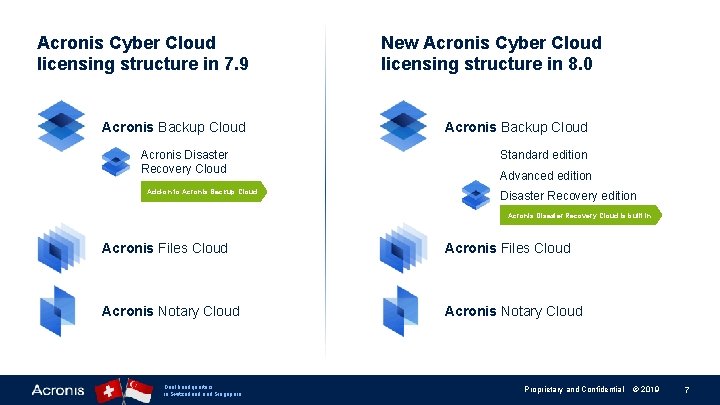
Acronis Cyber Cloud licensing structure in 7. 9 Acronis Backup Cloud Acronis Disaster Recovery Cloud Add-on to Acronis Backup Cloud New Acronis Cyber Cloud licensing structure in 8. 0 Acronis Backup Cloud Standard edition Advanced edition Disaster Recovery edition Acronis Disaster Recovery Cloud is built in Acronis Files Cloud Acronis Notary Cloud Dual headquarters in Switzerland Singapore Proprietary and Confidential © 2019 7
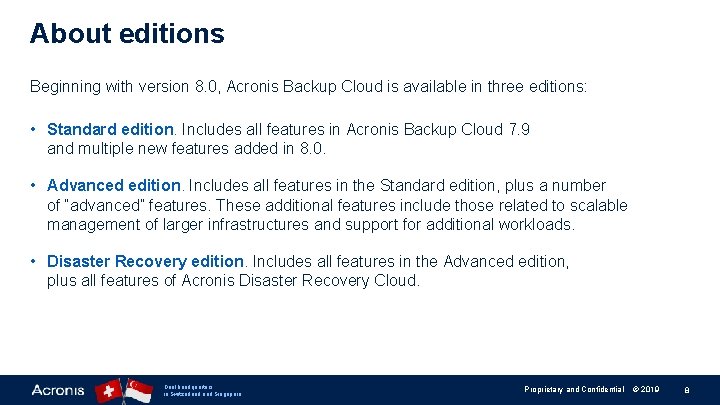
About editions Beginning with version 8. 0, Acronis Backup Cloud is available in three editions: • Standard edition. Includes all features in Acronis Backup Cloud 7. 9 and multiple new features added in 8. 0. • Advanced edition. Includes all features in the Standard edition, plus a number of “advanced” features. These additional features include those related to scalable management of larger infrastructures and support for additional workloads. • Disaster Recovery edition. Includes all features in the Advanced edition, plus all features of Acronis Disaster Recovery Cloud. Dual headquarters in Switzerland Singapore Proprietary and Confidential © 2019 8
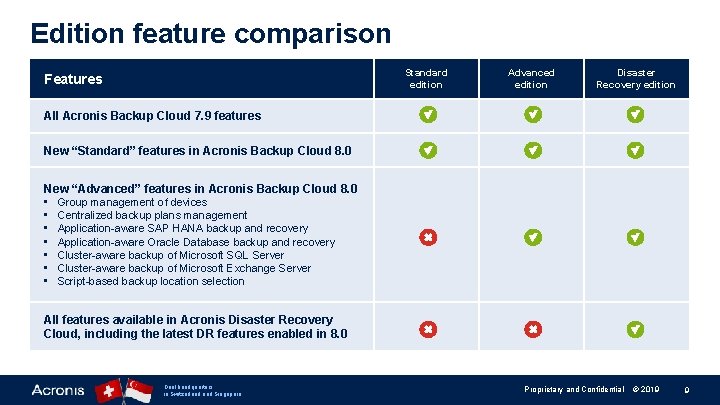
Edition feature comparison Standard edition Features Advanced edition Disaster Recovery edition All Acronis Backup Cloud 7. 9 features New “Standard” features in Acronis Backup Cloud 8. 0 New “Advanced” features in Acronis Backup Cloud 8. 0 • Group management of devices • Centralized backup plans management • Application-aware SAP HANA backup and recovery • Application-aware Oracle Database backup and recovery • Cluster-aware backup of Microsoft SQL Server • Cluster-aware backup of Microsoft Exchange Server • Script-based backup location selection All features available in Acronis Disaster Recovery Cloud, including the latest DR features enabled in 8. 0 Dual headquarters in Switzerland Singapore Proprietary and Confidential © 2019 9
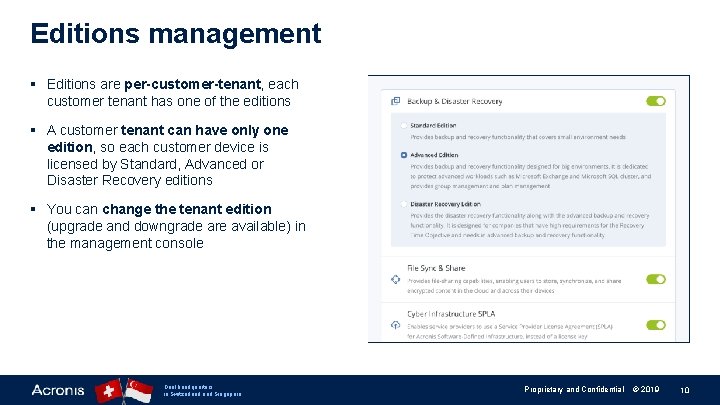
Editions management § Editions are per-customer-tenant, each customer tenant has one of the editions § A customer tenant can have only one edition, so each customer device is licensed by Standard, Advanced or Disaster Recovery editions § You can change the tenant edition (upgrade and downgrade are available) in the management console Dual headquarters in Switzerland Singapore Proprietary and Confidential © 2019 10
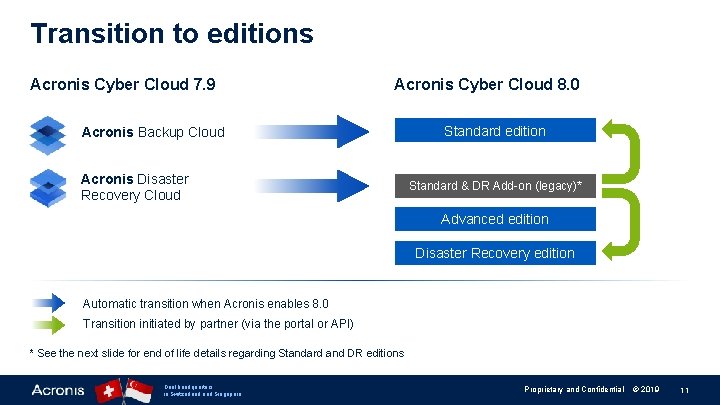
Transition to editions Acronis Cyber Cloud 7. 9 Acronis Cyber Cloud 8. 0 Acronis Backup Cloud Acronis Disaster Recovery Cloud Standard edition Standard & DR Add-on (legacy)* Advanced edition Disaster Recovery edition Automatic transition when Acronis enables 8. 0 Transition initiated by partner (via the portal or API) * See the next slide for end of life details regarding Standard and DR editions Dual headquarters in Switzerland Singapore Proprietary and Confidential © 2019 11
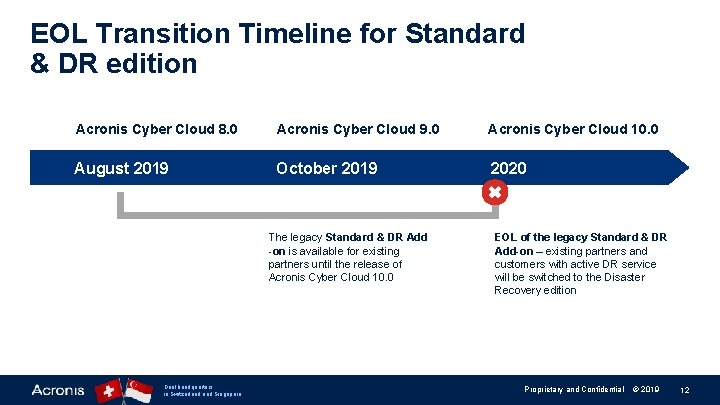
EOL Transition Timeline for Standard & DR edition Acronis Cyber Cloud 8. 0 Acronis Cyber Cloud 9. 0 Acronis Cyber Cloud 10. 0 August 2019 October 2019 2020 The legacy Standard & DR Add -on is available for existing partners until the release of Acronis Cyber Cloud 10. 0 Dual headquarters in Switzerland Singapore EOL of the legacy Standard & DR Add-on – existing partners and customers with active DR service will be switched to the Disaster Recovery edition Proprietary and Confidential © 2019 12
New Licensing for Acronis Backup Cloud and Acronis Disaster Recovery Cloud Dual headquarters in Switzerland Singapore Proprietary and Confidential © 2019 13
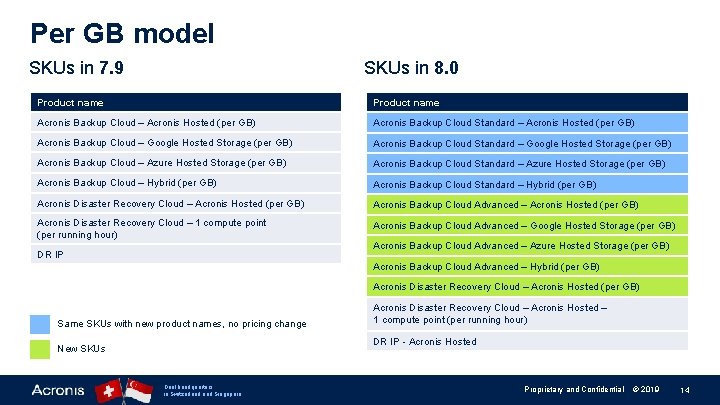
Per GB model SKUs in 8. 0 SKUs in 7. 9 Product name Acronis Backup Cloud – Acronis Hosted (per GB) Acronis Backup Cloud Standard – Acronis Hosted (per GB) Acronis Backup Cloud – Google Hosted Storage (per GB) Acronis Backup Cloud Standard – Google Hosted Storage (per GB) Acronis Backup Cloud – Azure Hosted Storage (per GB) Acronis Backup Cloud Standard – Azure Hosted Storage (per GB) Acronis Backup Cloud – Hybrid (per GB) Acronis Backup Cloud Standard – Hybrid (per GB) Acronis Disaster Recovery Cloud – Acronis Hosted (per GB) Acronis Backup Cloud Advanced – Acronis Hosted (per GB) Acronis Disaster Recovery Cloud – 1 compute point (per running hour) Acronis Backup Cloud Advanced – Google Hosted Storage (per GB) DR IP Acronis Backup Cloud Advanced – Azure Hosted Storage (per GB) Acronis Backup Cloud Advanced – Hybrid (per GB) Acronis Disaster Recovery Cloud – Acronis Hosted (per GB) Same SKUs with new product names, no pricing change Acronis Disaster Recovery Cloud – Acronis Hosted – 1 compute point (per running hour) DR IP - Acronis Hosted New SKUs Dual headquarters in Switzerland Singapore Proprietary and Confidential © 2019 14
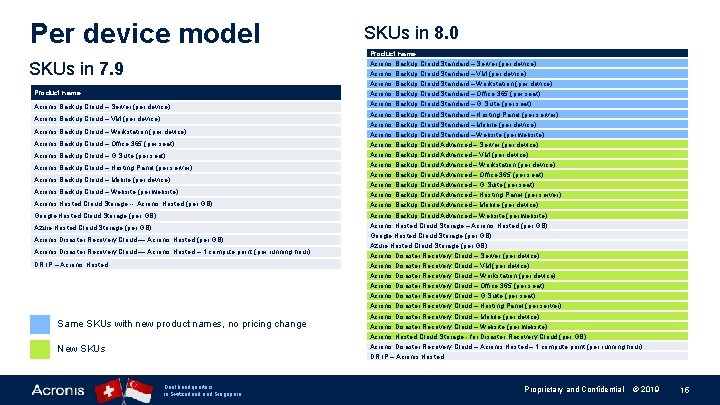
Per device model SKUs in 7. 9 Product name Acronis Backup Cloud – Server (per device) Acronis Backup Cloud – VM (per device) Acronis Backup Cloud – Workstation (per device) Acronis Backup Cloud – Office 365 (per seat) Acronis Backup Cloud – G Suite (per seat) Acronis Backup Cloud – Hosting Panel (per server) Acronis Backup Cloud – Mobile (per device) Acronis Backup Cloud – Website (per website) Acronis Hosted Cloud Storage -- Acronis Hosted (per GB) Google Hosted Cloud Storage (per GB) Azure Hosted Cloud Storage (per GB) Acronis Disaster Recovery Cloud — Acronis Hosted – 1 compute point (per running hour) DR IP – Acronis Hosted Same SKUs with new product names, no pricing change New SKUs Dual headquarters in Switzerland Singapore SKUs in 8. 0 Product name Acronis Backup Cloud Standard – Server (per device) Acronis Backup Cloud Standard – VM (per device) Acronis Backup Cloud Standard – Workstation (per device) Acronis Backup Cloud Standard – Office 365 (per seat) Acronis Backup Cloud Standard – G Suite (per seat) Acronis Backup Cloud Standard – Hosting Panel (per server) Acronis Backup Cloud Standard – Mobile (per device) Acronis Backup Cloud Standard – Website (per website) Acronis Backup Cloud Advanced – Server (per device) Acronis Backup Cloud Advanced – VM (per device) Acronis Backup Cloud Advanced – Workstation (per device) Acronis Backup Cloud Advanced – Office 365 (per seat) Acronis Backup Cloud Advanced – G Suite (per seat) Acronis Backup Cloud Advanced – Hosting Panel (per server) Acronis Backup Cloud Advanced – Mobile (per device) Acronis Backup Cloud Advanced – Website (per website) Acronis Hosted Cloud Storage – Acronis Hosted (per GB) Google Hosted Cloud Storage (per GB) Azure Hosted Cloud Storage (per GB) Acronis Disaster Recovery Cloud – Server (per device) Acronis Disaster Recovery Cloud – VM (per device) Acronis Disaster Recovery Cloud – Workstation (per device) Acronis Disaster Recovery Cloud – Office 365 (per seat) Acronis Disaster Recovery Cloud – G Suite (per seat) Acronis Disaster Recovery Cloud – Hosting Panel (per server) Acronis Disaster Recovery Cloud – Mobile (per device) Acronis Disaster Recovery Cloud – Website (per website) Acronis Hosted Cloud Storage - for Disaster Recovery Cloud (per GB) Acronis Disaster Recovery Cloud – Acronis Hosted – 1 compute point (per running hour) DR IP – Acronis Hosted Proprietary and Confidential © 2019 15
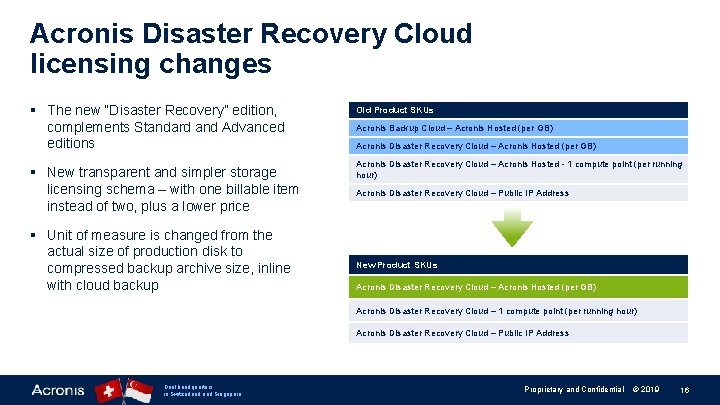
Acronis Disaster Recovery Cloud licensing changes § The new “Disaster Recovery” edition, complements Standard and Advanced editions § New transparent and simpler storage licensing schema – with one billable item instead of two, plus a lower price § Unit of measure is changed from the actual size of production disk to compressed backup archive size, inline with cloud backup Old Product SKUs Acronis Backup Cloud – Acronis Hosted (per GB) Acronis Disaster Recovery Cloud – Acronis Hosted - 1 compute point (per running hour) Acronis Disaster Recovery Cloud – Public IP Address New Product SKUs Acronis Disaster Recovery Cloud – Acronis Hosted (per GB) Acronis Disaster Recovery Cloud – 1 compute point (per running hour) Acronis Disaster Recovery Cloud – Public IP Address Dual headquarters in Switzerland Singapore Proprietary and Confidential © 2019 16

New Features and Enhancements Dual headquarters in Switzerland Singapore Proprietary and Confidential © 2019 17
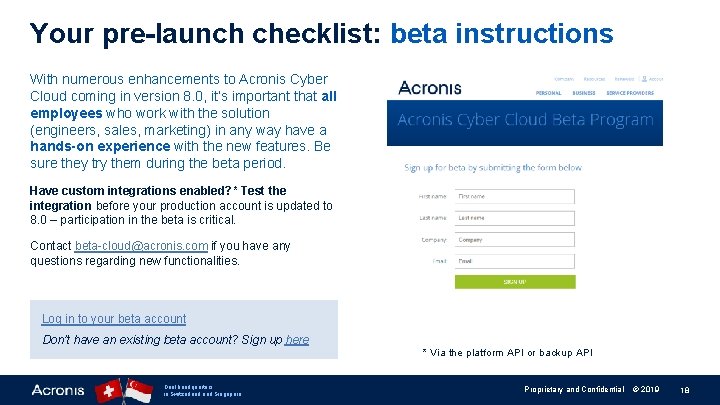
Your pre-launch checklist: beta instructions With numerous enhancements to Acronis Cyber Cloud coming in version 8. 0, it’s important that all employees who work with the solution (engineers, sales, marketing) in any way have a hands-on experience with the new features. Be sure they try them during the beta period. Have custom integrations enabled? * Test the integration before your production account is updated to 8. 0 – participation in the beta is critical. Contact beta-cloud@acronis. com if you have any questions regarding new functionalities. Log in to your beta account Don’t have an existing beta account? Sign up here Dual headquarters in Switzerland Singapore * Via the platform API or backup API Proprietary and Confidential © 2019 18
New in Acronis Cyber Cloud Management Portal Dual headquarters in Switzerland Singapore Proprietary and Confidential © 2019 19
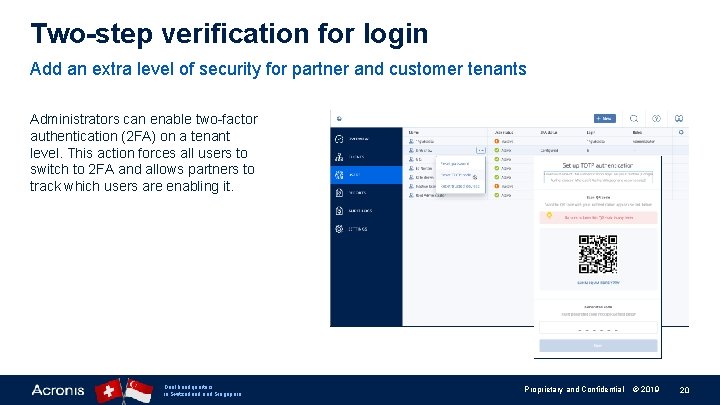
Two-step verification for login Add an extra level of security for partner and customer tenants Administrators can enable two-factor authentication (2 FA) on a tenant level. This action forces all users to switch to 2 FA and allows partners to track which users are enabling it. Dual headquarters in Switzerland Singapore Proprietary and Confidential © 2019 20
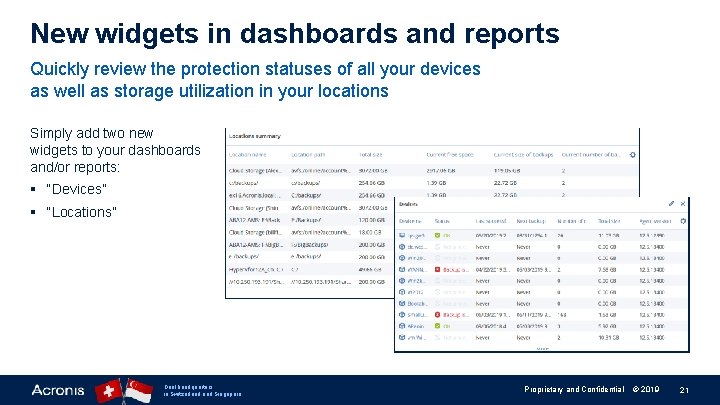
New widgets in dashboards and reports Quickly review the protection statuses of all your devices as well as storage utilization in your locations Simply add two new widgets to your dashboards and/or reports: § “Devices” § “Locations” Dual headquarters in Switzerland Singapore Proprietary and Confidential © 2019 21
New Features in Acronis Backup Cloud Dual headquarters in Switzerland Singapore Proprietary and Confidential © 2019 22
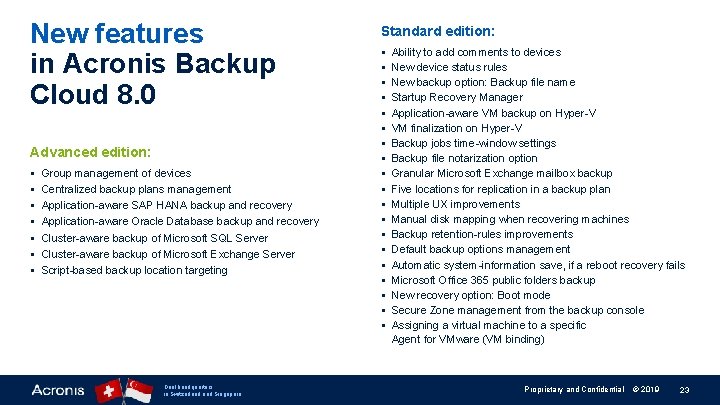
New features in Acronis Backup Cloud 8. 0 Advanced edition: § § § § Group management of devices Centralized backup plans management Application-aware SAP HANA backup and recovery Application-aware Oracle Database backup and recovery Cluster-aware backup of Microsoft SQL Server Cluster-aware backup of Microsoft Exchange Server Script-based backup location targeting Dual headquarters in Switzerland Singapore Standard edition: § § § § § Ability to add comments to devices New device status rules New backup option: Backup file name Startup Recovery Manager Application-aware VM backup on Hyper-V VM finalization on Hyper-V Backup jobs time-window settings Backup file notarization option Granular Microsoft Exchange mailbox backup Five locations for replication in a backup plan Multiple UX improvements Manual disk mapping when recovering machines Backup retention-rules improvements Default backup options management Automatic system-information save, if a reboot recovery fails Microsoft Office 365 public folders backup New recovery option: Boot mode Secure Zone management from the backup console Assigning a virtual machine to a specific Agent for VMware (VM binding) Proprietary and Confidential © 2019 23
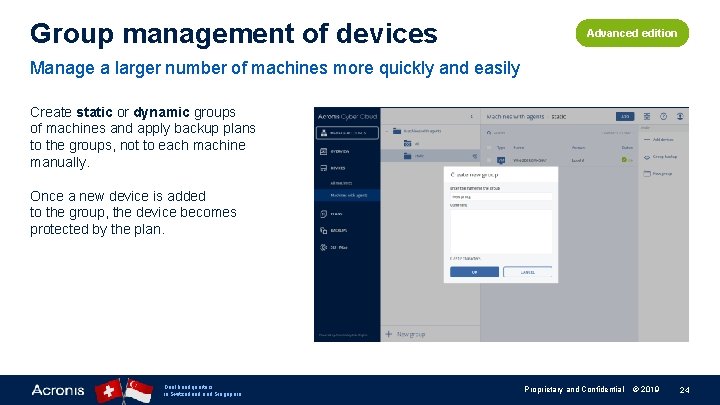
Group management of devices Advanced edition Manage a larger number of machines more quickly and easily Create static or dynamic groups of machines and apply backup plans to the groups, not to each machine manually. Once a new device is added to the group, the device becomes protected by the plan. Dual headquarters in Switzerland Singapore Proprietary and Confidential © 2019 24
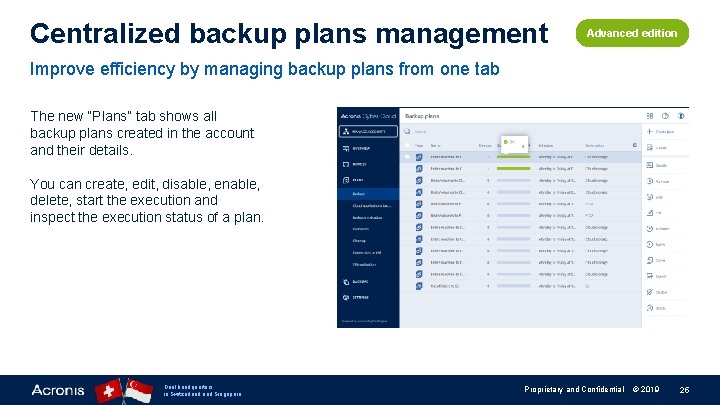
Centralized backup plans management Advanced edition Improve efficiency by managing backup plans from one tab The new “Plans” tab shows all backup plans created in the account and their details. You can create, edit, disable, enable, delete, start the execution and inspect the execution status of a plan. Dual headquarters in Switzerland Singapore Proprietary and Confidential © 2019 25
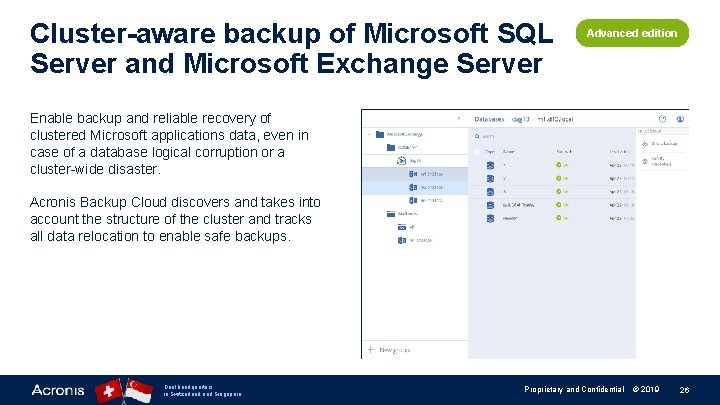
Cluster-aware backup of Microsoft SQL Server and Microsoft Exchange Server Advanced edition Enable backup and reliable recovery of clustered Microsoft applications data, even in case of a database logical corruption or a cluster-wide disaster. Acronis Backup Cloud discovers and takes into account the structure of the cluster and tracks all data relocation to enable safe backups. Dual headquarters in Switzerland Singapore Proprietary and Confidential © 2019 26
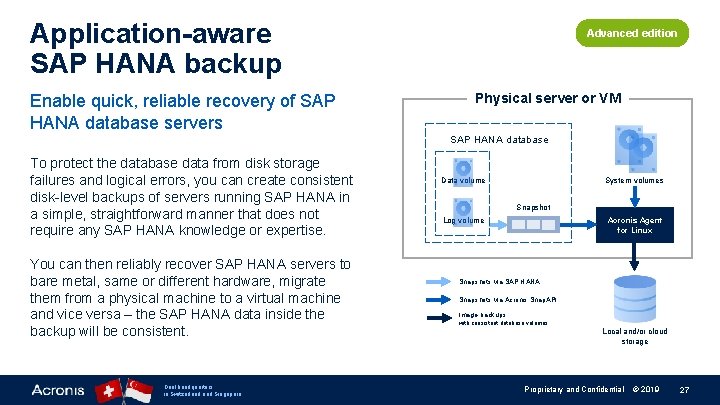
Application-aware SAP HANA backup Enable quick, reliable recovery of SAP HANA database servers Advanced edition Physical server or VM SAP HANA database To protect the database data from disk storage failures and logical errors, you can create consistent disk-level backups of servers running SAP HANA in a simple, straightforward manner that does not require any SAP HANA knowledge or expertise. You can then reliably recover SAP HANA servers to bare metal, same or different hardware, migrate them from a physical machine to a virtual machine and vice versa – the SAP HANA data inside the backup will be consistent. Dual headquarters in Switzerland Singapore System volumes Data volume Snapshot Log volume Acronis Agent for Linux Snapshots via SAP HANA Snapshots via Acronis Snap. API Image backups with consistent database volumes Local and/or cloud storage Proprietary and Confidential © 2019 27
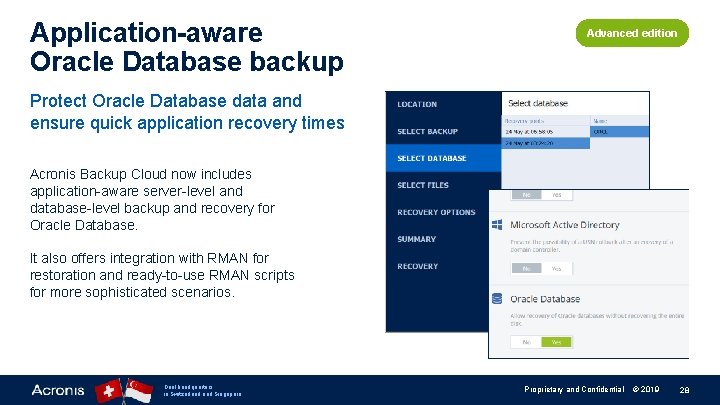
Application-aware Oracle Database backup Advanced edition Protect Oracle Database data and ensure quick application recovery times Acronis Backup Cloud now includes application-aware server-level and database-level backup and recovery for Oracle Database. It also offers integration with RMAN for restoration and ready-to-use RMAN scripts for more sophisticated scenarios. Dual headquarters in Switzerland Singapore Proprietary and Confidential © 2019 28
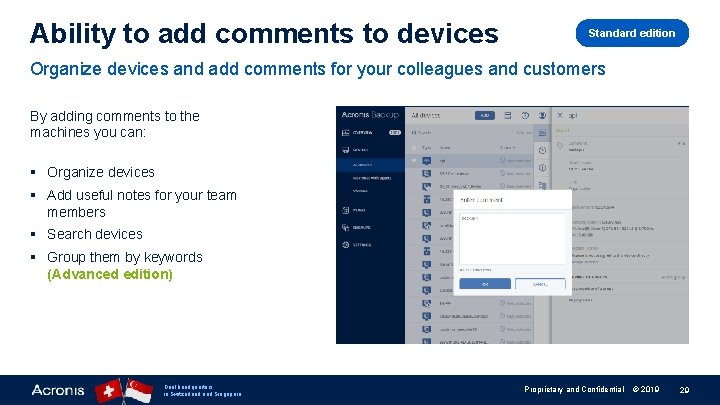
Ability to add comments to devices Standard edition Organize devices and add comments for your colleagues and customers By adding comments to the machines you can: § Organize devices § Add useful notes for your team members § Search devices § Group them by keywords (Advanced edition) Dual headquarters in Switzerland Singapore Proprietary and Confidential © 2019 29
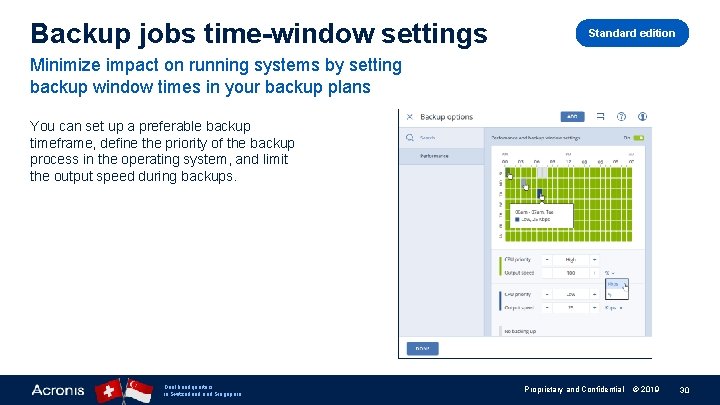
Backup jobs time-window settings Standard edition Minimize impact on running systems by setting backup window times in your backup plans You can set up a preferable backup timeframe, define the priority of the backup process in the operating system, and limit the output speed during backups. Dual headquarters in Switzerland Singapore Proprietary and Confidential © 2019 30
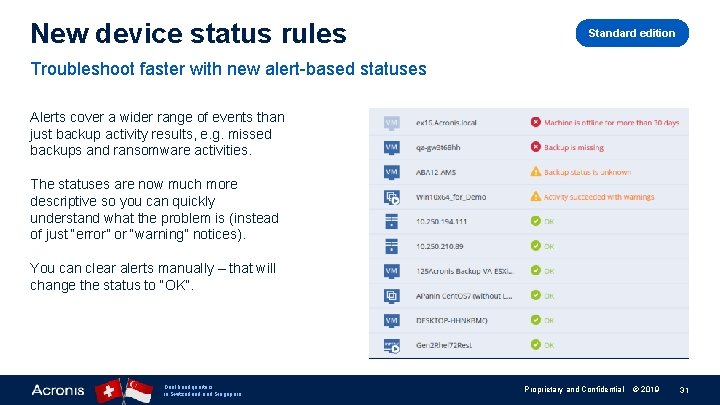
New device status rules Standard edition Troubleshoot faster with new alert-based statuses Alerts cover a wider range of events than just backup activity results, e. g. missed backups and ransomware activities. The statuses are now much more descriptive so you can quickly understand what the problem is (instead of just “error” or “warning” notices). You can clear alerts manually – that will change the status to “OK”. Dual headquarters in Switzerland Singapore Proprietary and Confidential © 2019 31
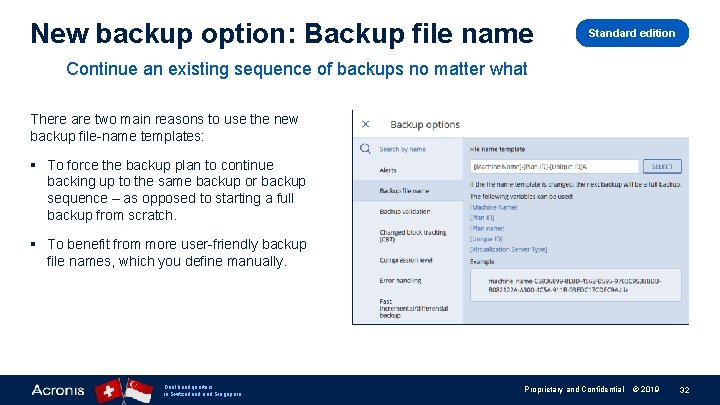
New backup option: Backup file name Standard edition Continue an existing sequence of backups no matter what There are two main reasons to use the new backup file-name templates: § To force the backup plan to continue backing up to the same backup or backup sequence – as opposed to starting a full backup from scratch. § To benefit from more user-friendly backup file names, which you define manually. Dual headquarters in Switzerland Singapore Proprietary and Confidential © 2019 32
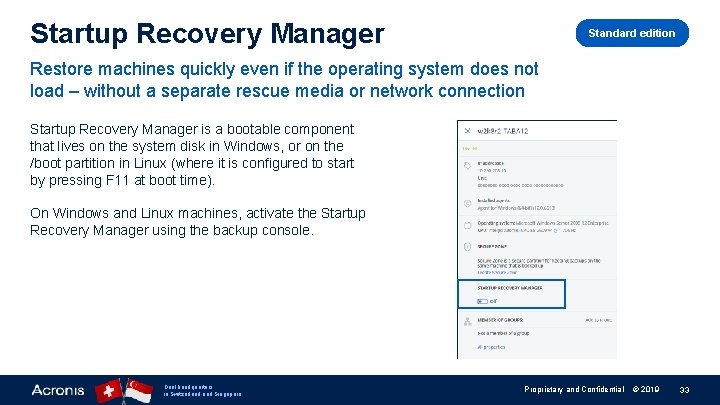
Startup Recovery Manager Standard edition Restore machines quickly even if the operating system does not load – without a separate rescue media or network connection Startup Recovery Manager is a bootable component that lives on the system disk in Windows, or on the /boot partition in Linux (where it is configured to start by pressing F 11 at boot time). On Windows and Linux machines, activate the Startup Recovery Manager using the backup console. Dual headquarters in Switzerland Singapore Proprietary and Confidential © 2019 33
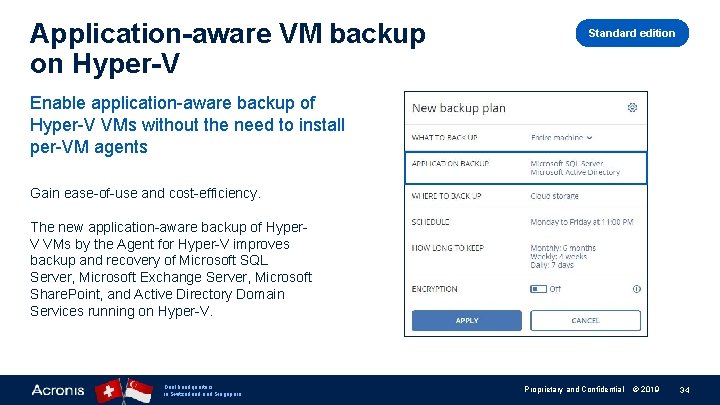
Application-aware VM backup on Hyper-V Standard edition Enable application-aware backup of Hyper-V VMs without the need to install per-VM agents Gain ease-of-use and cost-efficiency. The new application-aware backup of Hyper. V VMs by the Agent for Hyper-V improves backup and recovery of Microsoft SQL Server, Microsoft Exchange Server, Microsoft Share. Point, and Active Directory Domain Services running on Hyper-V. Dual headquarters in Switzerland Singapore Proprietary and Confidential © 2019 34
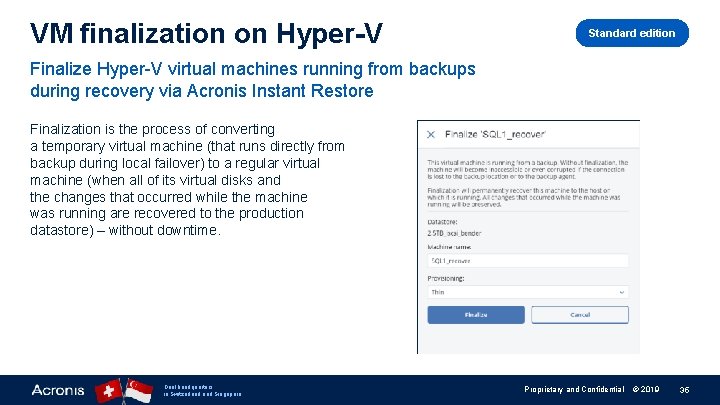
VM finalization on Hyper-V Standard edition Finalize Hyper-V virtual machines running from backups during recovery via Acronis Instant Restore Finalization is the process of converting a temporary virtual machine (that runs directly from backup during local failover) to a regular virtual machine (when all of its virtual disks and the changes that occurred while the machine was running are recovered to the production datastore) – without downtime. Dual headquarters in Switzerland Singapore Proprietary and Confidential © 2019 35
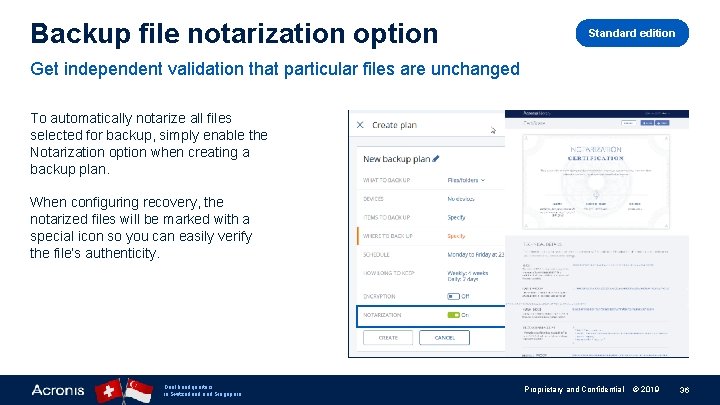
Backup file notarization option Standard edition Get independent validation that particular files are unchanged To automatically notarize all files selected for backup, simply enable the Notarization option when creating a backup plan. When configuring recovery, the notarized files will be marked with a special icon so you can easily verify the file’s authenticity. Dual headquarters in Switzerland Singapore Proprietary and Confidential © 2019 36
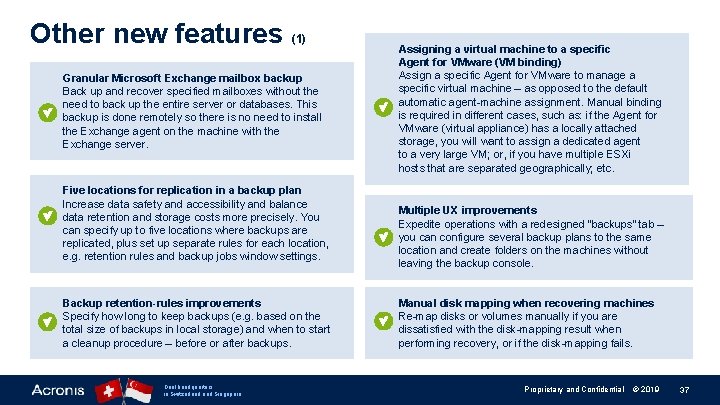
Other new features (1) Granular Microsoft Exchange mailbox backup Back up and recover specified mailboxes without the need to back up the entire server or databases. This backup is done remotely so there is no need to install the Exchange agent on the machine with the Exchange server. Five locations for replication in a backup plan Increase data safety and accessibility and balance data retention and storage costs more precisely. You can specify up to five locations where backups are replicated, plus set up separate rules for each location, e. g. retention rules and backup jobs window settings. Backup retention-rules improvements Specify how long to keep backups (e. g. based on the total size of backups in local storage) and when to start a cleanup procedure – before or after backups. Dual headquarters in Switzerland Singapore Assigning a virtual machine to a specific Agent for VMware (VM binding) Assign a specific Agent for VMware to manage a specific virtual machine – as opposed to the default automatic agent-machine assignment. Manual binding is required in different cases, such as: if the Agent for VMware (virtual appliance) has a locally attached storage, you will want to assign a dedicated agent to a very large VM; or, if you have multiple ESXi hosts that are separated geographically; etc. Multiple UX improvements Expedite operations with a redesigned “backups” tab – you can configure several backup plans to the same location and create folders on the machines without leaving the backup console. Manual disk mapping when recovering machines Re-map disks or volumes manually if you are dissatisfied with the disk-mapping result when performing recovery, or if the disk-mapping fails. Proprietary and Confidential © 2019 37
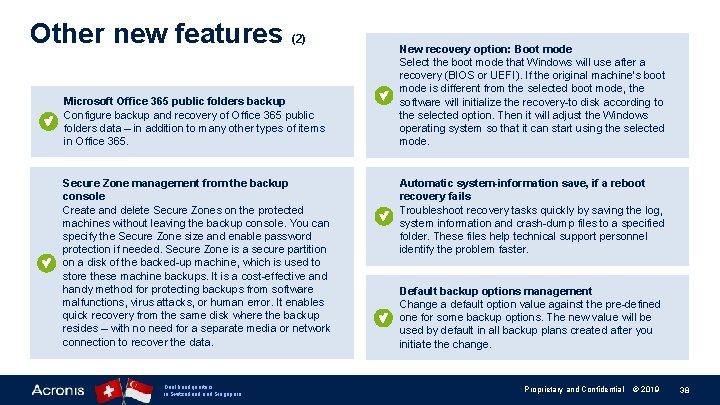
Other new features (2) Microsoft Office 365 public folders backup Configure backup and recovery of Office 365 public folders data – in addition to many other types of items in Office 365. Secure Zone management from the backup console Create and delete Secure Zones on the protected machines without leaving the backup console. You can specify the Secure Zone size and enable password protection if needed. Secure Zone is a secure partition on a disk of the backed-up machine, which is used to store these machine backups. It is a cost-effective and handy method for protecting backups from software malfunctions, virus attacks, or human error. It enables quick recovery from the same disk where the backup resides – with no need for a separate media or network connection to recover the data. Dual headquarters in Switzerland Singapore New recovery option: Boot mode Select the boot mode that Windows will use after a recovery (BIOS or UEFI). If the original machine’s boot mode is different from the selected boot mode, the software will initialize the recovery-to disk according to the selected option. Then it will adjust the Windows operating system so that it can start using the selected mode. Automatic system-information save, if a reboot recovery fails Troubleshoot recovery tasks quickly by saving the log, system information and crash-dump files to a specified folder. These files help technical support personnel identify the problem faster. Default backup options management Change a default option value against the pre-defined one for some backup options. The new value will be used by default in all backup plans created after you initiate the change. Proprietary and Confidential © 2019 38
New Features in Acronis Disaster Recovery Cloud Dual headquarters in Switzerland Singapore Proprietary and Confidential © 2019 39
Acronis Disaster Recovery Cloud is not yet available in the EU 1 data center (Strasbourg, France). We aim to enable the service in this data center in Q 3 2019. Dual headquarters in Switzerland Singapore Proprietary and Confidential © 2019 40
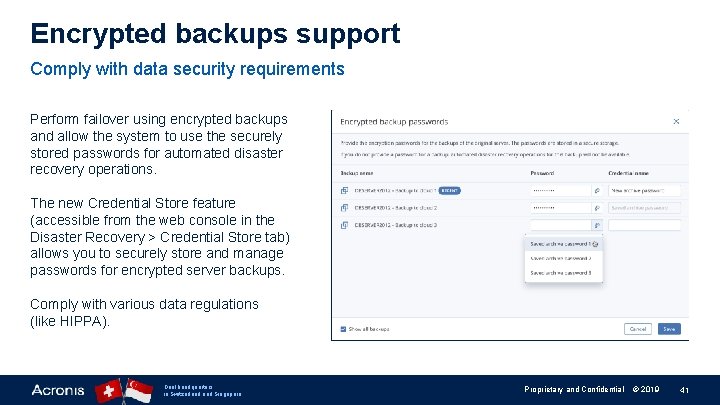
Encrypted backups support Comply with data security requirements Perform failover using encrypted backups and allow the system to use the securely stored passwords for automated disaster recovery operations. The new Credential Store feature (accessible from the web console in the Disaster Recovery > Credential Store tab) allows you to securely store and manage passwords for encrypted server backups. Comply with various data regulations (like HIPPA). Dual headquarters in Switzerland Singapore Proprietary and Confidential © 2019 41
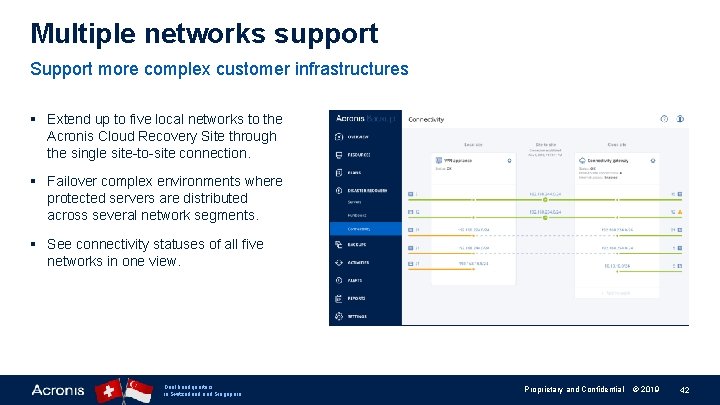
Multiple networks support Support more complex customer infrastructures § Extend up to five local networks to the Acronis Cloud Recovery Site through the single site-to-site connection. § Failover complex environments where protected servers are distributed across several network segments. § See connectivity statuses of all five networks in one view. Dual headquarters in Switzerland Singapore Proprietary and Confidential © 2019 42
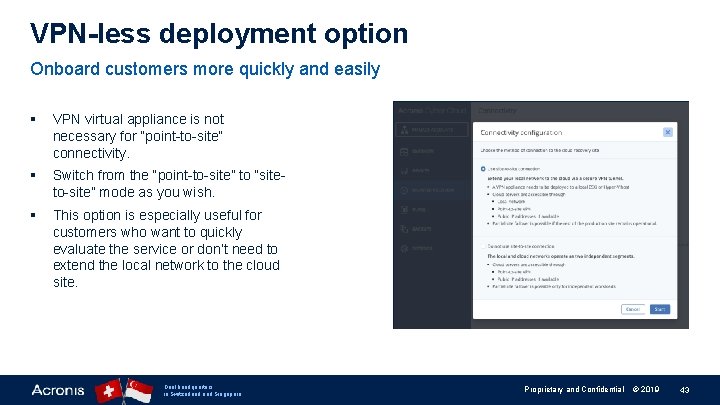
VPN-less deployment option Onboard customers more quickly and easily § VPN virtual appliance is not necessary for “point-to-site” connectivity. § Switch from the “point-to-site” to “siteto-site” mode as you wish. § This option is especially useful for customers who want to quickly evaluate the service or don’t need to extend the local network to the cloud site. Dual headquarters in Switzerland Singapore Proprietary and Confidential © 2019 43
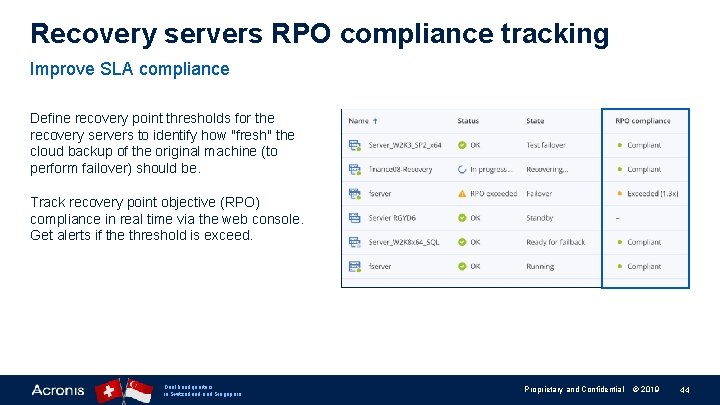
Recovery servers RPO compliance tracking Improve SLA compliance Define recovery point thresholds for the recovery servers to identify how "fresh" the cloud backup of the original machine (to perform failover) should be. Track recovery point objective (RPO) compliance in real time via the web console. Get alerts if the threshold is exceed. Dual headquarters in Switzerland Singapore Proprietary and Confidential © 2019 44
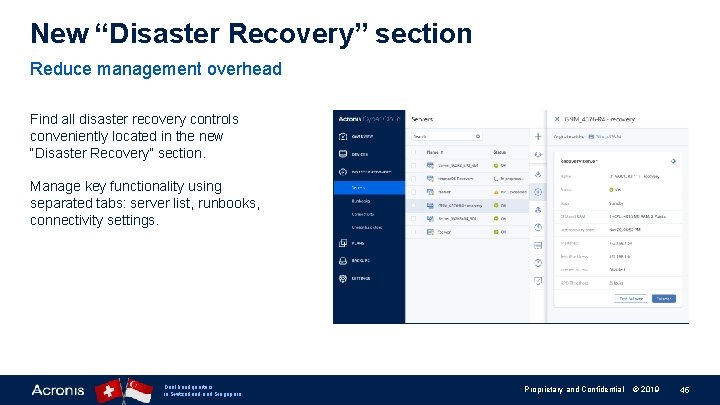
New “Disaster Recovery” section Reduce management overhead Find all disaster recovery controls conveniently located in the new “Disaster Recovery” section. Manage key functionality using separated tabs: server list, runbooks, connectivity settings. Dual headquarters in Switzerland Singapore Proprietary and Confidential © 2019 45
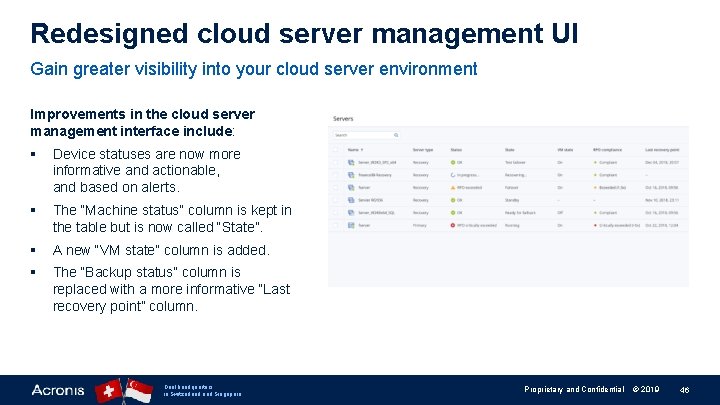
Redesigned cloud server management UI Gain greater visibility into your cloud server environment Improvements in the cloud server management interface include: § Device statuses are now more informative and actionable, and based on alerts. § The “Machine status” column is kept in the table but is now called “State”. § A new “VM state” column is added. § The “Backup status” column is replaced with a more informative “Last recovery point” column. Dual headquarters in Switzerland Singapore Proprietary and Confidential © 2019 46

New Features in Acronis Notary Cloud Dual headquarters in Switzerland Singapore Proprietary and Confidential © 2019 47
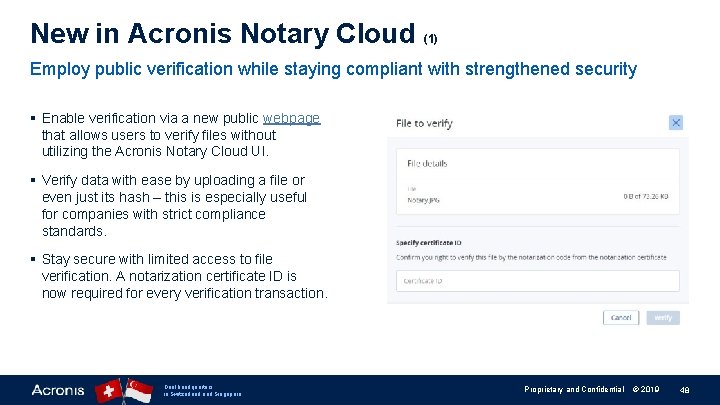
New in Acronis Notary Cloud (1) Employ public verification while staying compliant with strengthened security § Enable verification via a new public webpage that allows users to verify files without utilizing the Acronis Notary Cloud UI. § Verify data with ease by uploading a file or even just its hash – this is especially useful for companies with strict compliance standards. § Stay secure with limited access to file verification. A notarization certificate ID is now required for every verification transaction. Dual headquarters in Switzerland Singapore Proprietary and Confidential © 2019 48
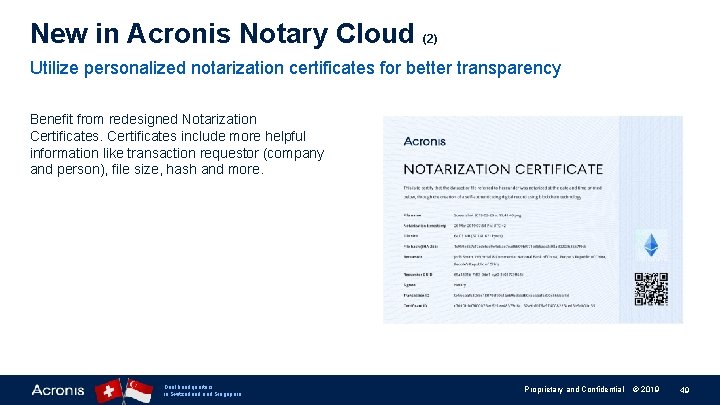
New in Acronis Notary Cloud (2) Utilize personalized notarization certificates for better transparency Benefit from redesigned Notarization Certificates include more helpful information like transaction requestor (company and person), file size, hash and more. Dual headquarters in Switzerland Singapore Proprietary and Confidential © 2019 49

www. acronis. org CREATE, SPREAD AND PROTECT KNOWLEDGE WITH US! Building new schools • Publishing books • Providing educational programs Dual headquarters in Switzerland Singapore Proprietary and Confidential © 2019 50
- Slides: 50