
What the heck is Perl Perl a computer

![copyfile. perl open INFILE, "<$ARGV[0]" or die "Unable to open input file ($!)"; open](https://slidetodoc.com/presentation_image/7cf4a4b810eb4610bd53d4456749bf5d/image-67.jpg "copyfile. perl open INFILE, \"<$ARGV[0]\" or die \"Unable to open input file ($!)\"; open")
![printfile. perl open FILE, "<$ARGV[0]" or die "Unable to open $ARGV[0]n"; while (<FILE>) {](https://slidetodoc.com/presentation_image/7cf4a4b810eb4610bd53d4456749bf5d/image-68.jpg "printfile. perl open FILE, \"<$ARGV[0]\" or die \"Unable to open $ARGV[0]n\"; while (<FILE>) {")
![copyfile. perl open INFILE, "<$ARGV[0]" or die "Unable to open input file ($!)"; open](https://slidetodoc.com/presentation_image/7cf4a4b810eb4610bd53d4456749bf5d/image-70.jpg "copyfile. perl open INFILE, \"<$ARGV[0]\" or die \"Unable to open input file ($!)\"; open")
![sequence. perl open INFILE, "<$ARGV[0]" or die "Unable to open Genbank file ($!)"; $in_sequence](https://slidetodoc.com/presentation_image/7cf4a4b810eb4610bd53d4456749bf5d/image-79.jpg "sequence. perl open INFILE, \"<$ARGV[0]\" or die \"Unable to open Genbank file ($!)\"; $in_sequence")
![Examples • • • G [0123456789] [0 -9] [a-z. A-z] [^0 -9] 9/26/2020 Perl](https://slidetodoc.com/presentation_image/7cf4a4b810eb4610bd53d4456749bf5d/image-81.jpg "Examples • • • G [0123456789] [0 -9] [a-z. A-z] [^0 -9] 9/26/2020 Perl")
![Character Class Abbreviations Construct d (digits) Class [0 -9] Negated Class D [^0 -9]](https://slidetodoc.com/presentation_image/7cf4a4b810eb4610bd53d4456749bf5d/image-83.jpg "Character Class Abbreviations Construct d (digits) Class [0 -9] Negated Class D [^0 -9]")
![accession. perl open INFILE, "<$ARGV[0]" or die "Unable to open Genbank file ($!)"; while](https://slidetodoc.com/presentation_image/7cf4a4b810eb4610bd53d4456749bf5d/image-100.jpg "accession. perl open INFILE, \"<$ARGV[0]\" or die \"Unable to open Genbank file ($!)\"; while")
![accession. perl open INFILE, "<$ARGV[0]" or die "Unable to open Genbank file ($!)"; while](https://slidetodoc.com/presentation_image/7cf4a4b810eb4610bd53d4456749bf5d/image-102.jpg "accession. perl open INFILE, \"<$ARGV[0]\" or die \"Unable to open Genbank file ($!)\"; while")
![sequence. perl open INFILE, "<$ARGV[0]" or die "Unable to open Genbank file ($!)"; $in_sequence](https://slidetodoc.com/presentation_image/7cf4a4b810eb4610bd53d4456749bf5d/image-103.jpg "sequence. perl open INFILE, \"<$ARGV[0]\" or die \"Unable to open Genbank file ($!)\"; $in_sequence")
![sequence. perl open INFILE, "<$ARGV[0]" or die "Unable to open Genbank file ($!)"; $in_sequence](https://slidetodoc.com/presentation_image/7cf4a4b810eb4610bd53d4456749bf5d/image-105.jpg "sequence. perl open INFILE, \"<$ARGV[0]\" or die \"Unable to open Genbank file ($!)\"; $in_sequence")
![build. Hash. perl open CODONS, "<$ARGV[0]" or die "Unable to open codon file ($!)";](https://slidetodoc.com/presentation_image/7cf4a4b810eb4610bd53d4456749bf5d/image-110.jpg "build. Hash. perl open CODONS, \"<$ARGV[0]\" or die \"Unable to open codon file ($!)\";")
- Slides: 115
What the heck is Perl? • Perl a computer language designed to scan arbitrary text files, extract information from those text files, and print reports based on that information – “Perl” == “Practical Extraction and Report Language” • What makes Perl powerful? – It has sophisticated pattern matching capabilities – Straightforward I/O • It was created, written, developed, and maintained by Larry Wall (lwall@netlabs. com) 9/26/2020 Perl 1
Where does Perl stand? • Perl is an interpreted language – Which means it runs slower than a compiled language – BUT it is much easier, and quicker, to develop programs – Some people would call Perl a scripting language • The language is intended to be practical (easy to use, efficient, complete) rather than beautiful (tiny, elegant, minimal) • It is a useful tool that can get the job done 9/26/2020 Perl 2
Lots of People Are Using Perl • There are lots of people using Perl and as a result there are lots of libraries that you can get for free • If you can think of an application, chances are you can find the Perl code to do it • This means writing Perl programs to do sophisticated things is easy and does not take long to to. 9/26/2020 Perl 3
Is Perl THE tool? • Probably not • Perl is great for munging text data to a different form – Search for updated software, download it, compile, and install • Perl is great if you want it done fast • What about more complicated programming? – You might want to get a bigger hammer!! – There are many Perl packages out there. 9/26/2020 Perl 4
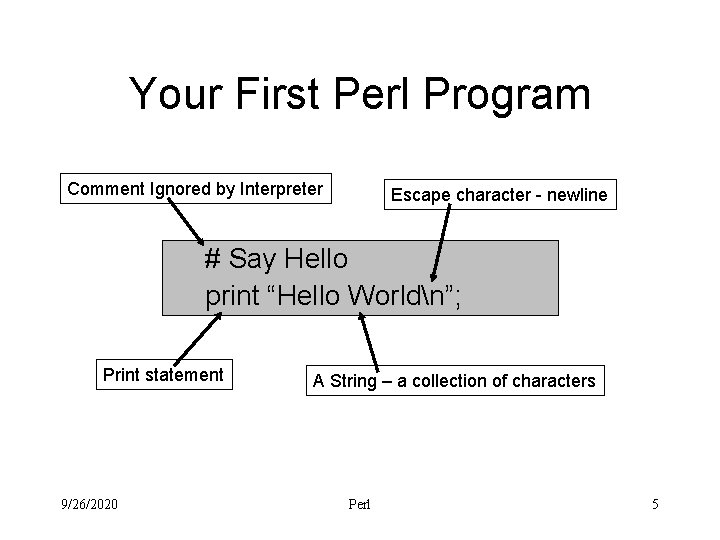
Your First Perl Program Comment Ignored by Interpreter Escape character - newline # Say Hello print “Hello Worldn”; Print statement 9/26/2020 Execution Order A String – a collection of characters Perl 5
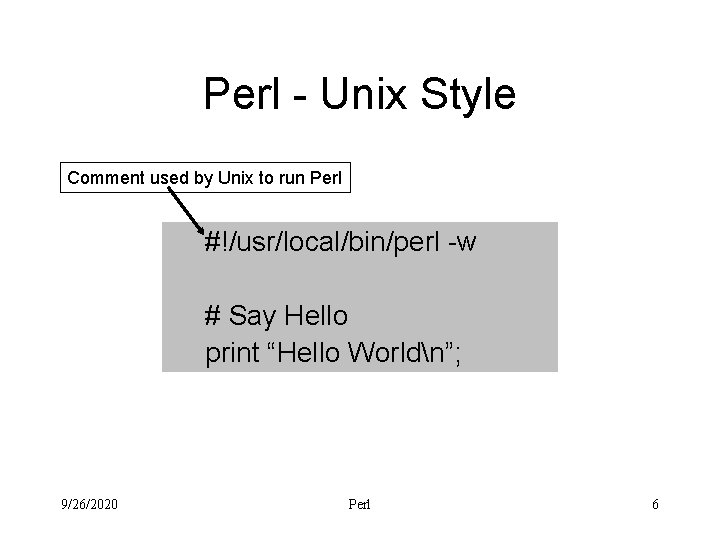
Perl - Unix Style Comment used by Unix to run Perl #!/usr/local/bin/perl -w # Say Hello print “Hello Worldn”; 9/26/2020 Perl 6
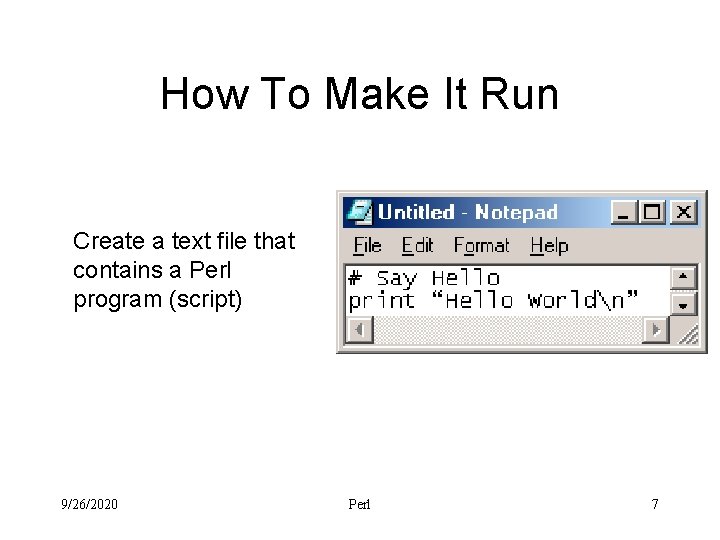
How To Make It Run Create a text file that contains a Perl program (script) 9/26/2020 Perl 7
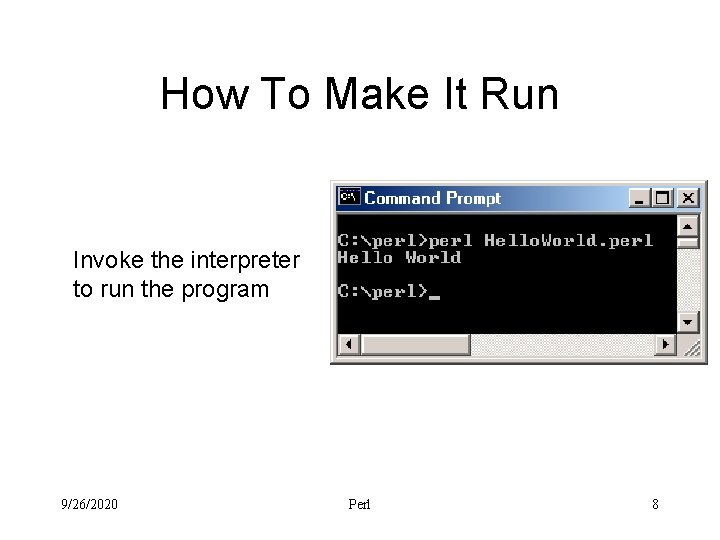
How To Make It Run Invoke the interpreter to run the program 9/26/2020 Perl 8
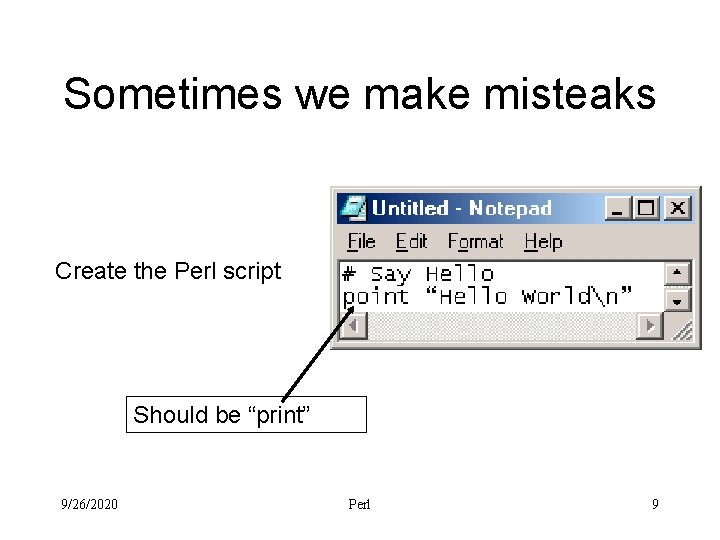
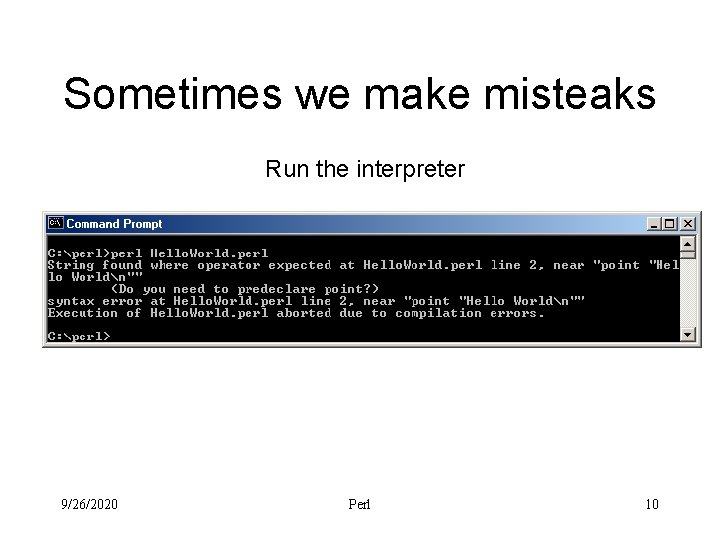
Sometimes we make misteaks Create the Perl script Should be “print” 9/26/2020 Perl 9
Sometimes we make misteaks Run the interpreter 9/26/2020 Perl 10
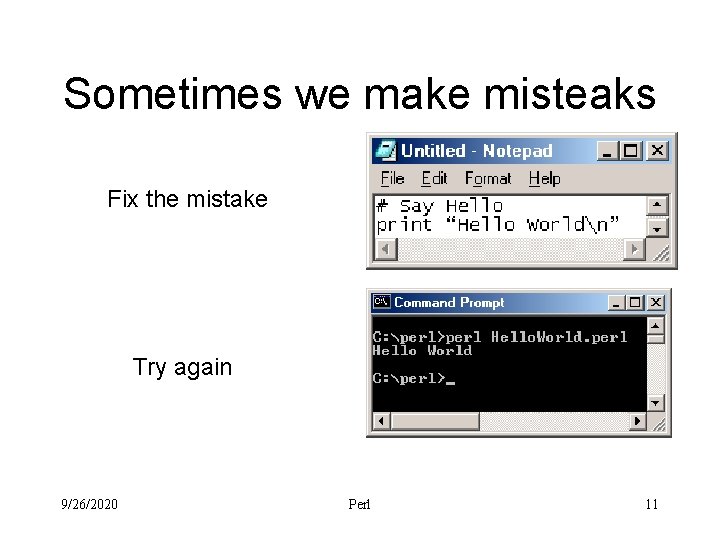
Sometimes we make misteaks Fix the mistake Try again 9/26/2020 Perl 11
Where Do You Get Perl? • Lots of good Perl resources on the web – www. perl. org – learn. perl. org – www. perl. com • Most will point you to a source for Perl – Can get source code and compile – Can get binaries 9/26/2020 Perl 12
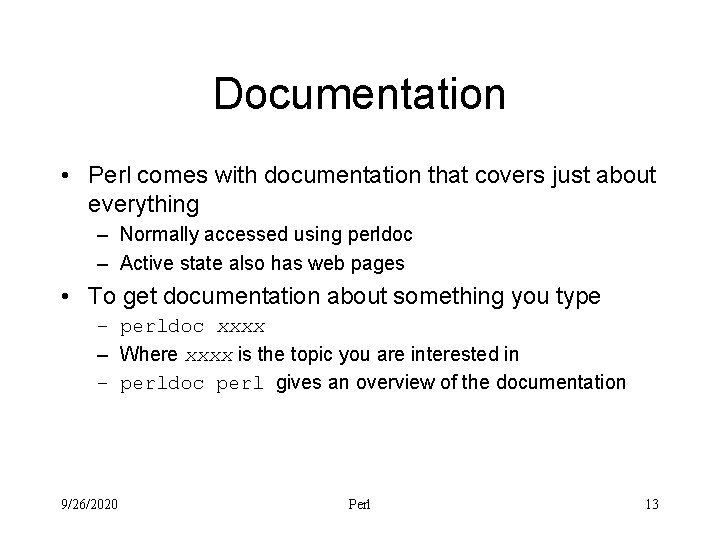
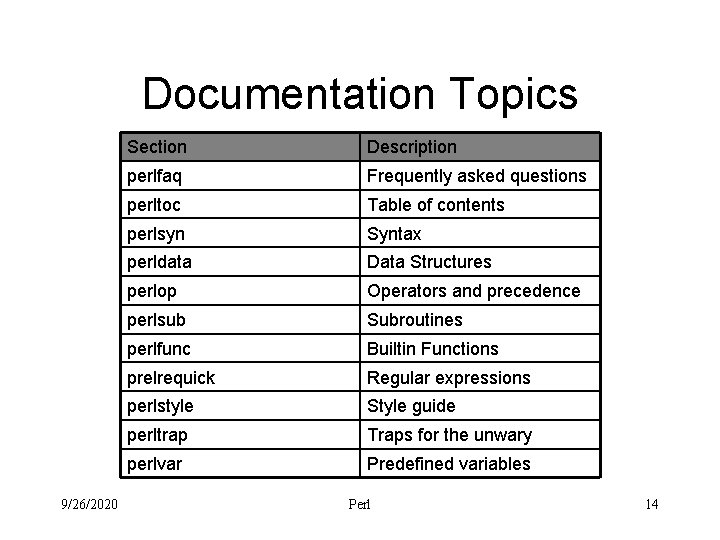
Documentation • Perl comes with documentation that covers just about everything – Normally accessed using perldoc – Active state also has web pages • To get documentation about something you type – perldoc xxxx – Where xxxx is the topic you are interested in – perldoc perl gives an overview of the documentation 9/26/2020 Perl 13
Documentation Topics 9/26/2020 Section Description perlfaq Frequently asked questions perltoc Table of contents perlsyn Syntax perldata Data Structures perlop Operators and precedence perlsub Subroutines perlfunc Builtin Functions prelrequick Regular expressions perlstyle Style guide perltrap Traps for the unwary perlvar Predefined variables Perl 14
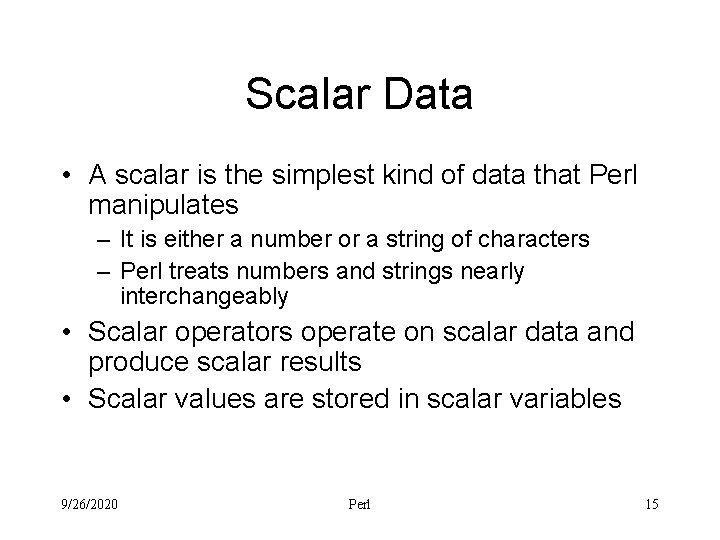
Scalar Data • A scalar is the simplest kind of data that Perl manipulates – It is either a number or a string of characters – Perl treats numbers and strings nearly interchangeably • Scalar operators operate on scalar data and produce scalar results • Scalar values are stored in scalar variables 9/26/2020 Perl 15
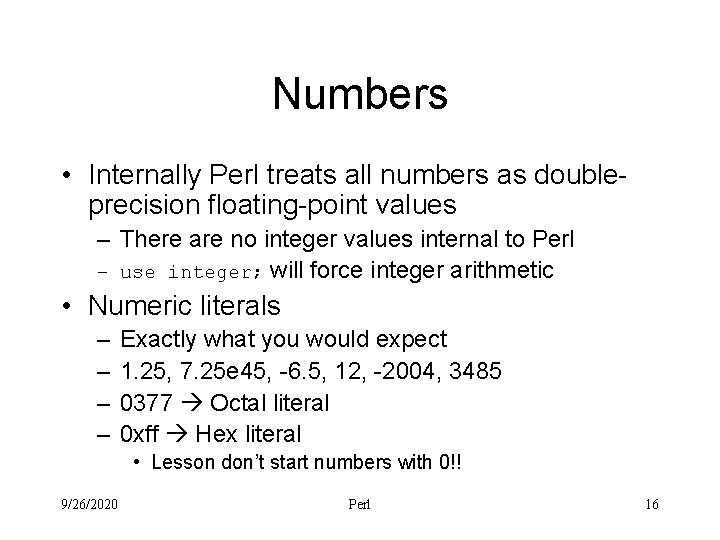
Numbers • Internally Perl treats all numbers as doubleprecision floating-point values – There are no integer values internal to Perl – use integer; will force integer arithmetic • Numeric literals – – Exactly what you would expect 1. 25, 7. 25 e 45, -6. 5, 12, -2004, 3485 0377 Octal literal 0 xff Hex literal • Lesson don’t start numbers with 0!! 9/26/2020 Perl 16
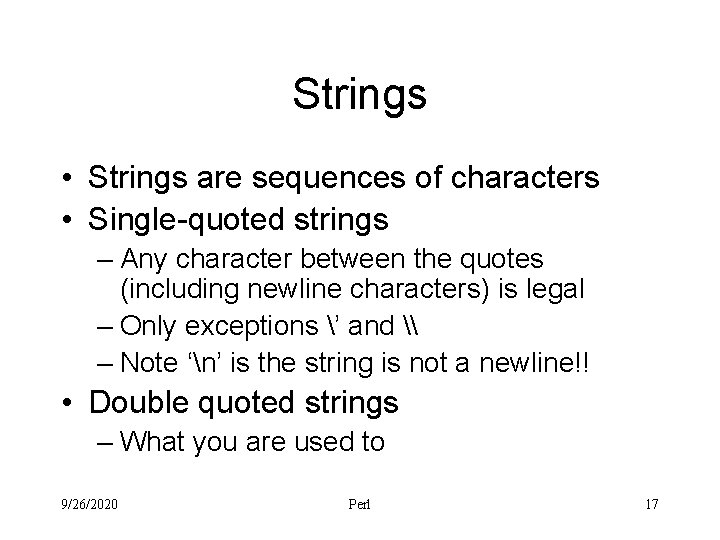
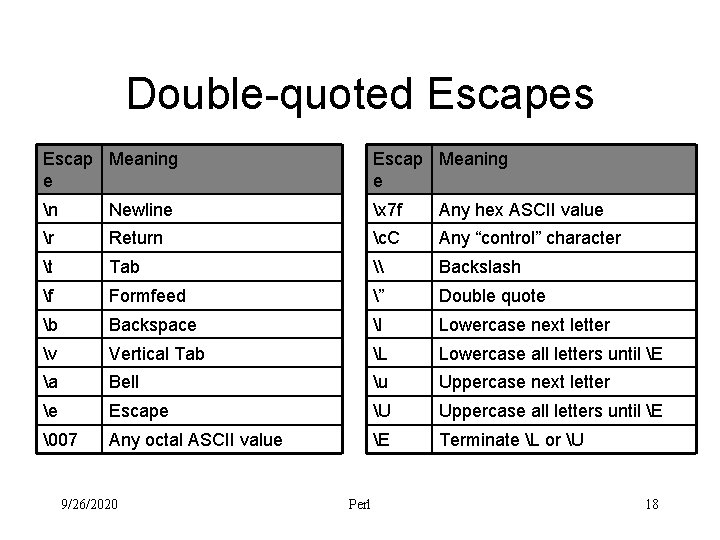
Strings • Strings are sequences of characters • Single-quoted strings – Any character between the quotes (including newline characters) is legal – Only exceptions ’ and \ – Note ‘n’ is the string is not a newline!! • Double quoted strings – What you are used to 9/26/2020 Perl 17
Double-quoted Escapes Escap Meaning e n Newline x 7 f Any hex ASCII value r Return c. C Any “control” character t Tab \ Backslash f Formfeed ” Double quote b Backspace l Lowercase next letter v Vertical Tab L Lowercase all letters until E a Bell u Uppercase next letter e Escape U Uppercase all letters until E 07 Any octal ASCII value E Terminate L or U 9/26/2020 Perl 18
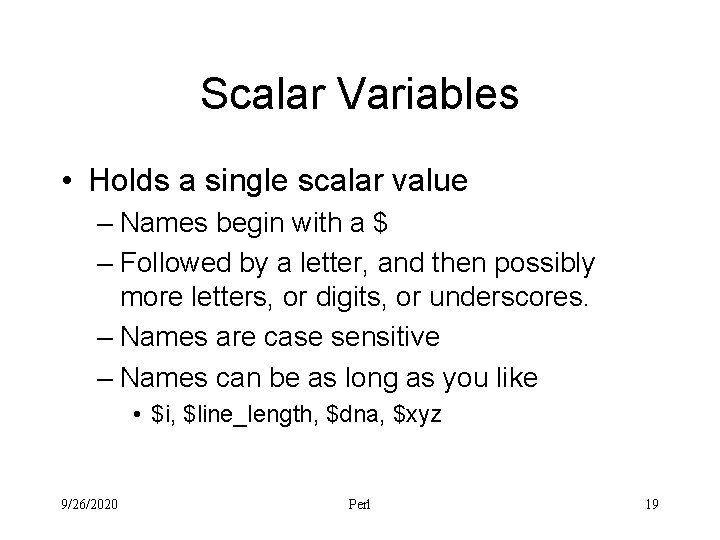
Scalar Variables • Holds a single scalar value – Names begin with a $ – Followed by a letter, and then possibly more letters, or digits, or underscores. – Names are case sensitive – Names can be as long as you like • $i, $line_length, $dna, $xyz 9/26/2020 Perl 19
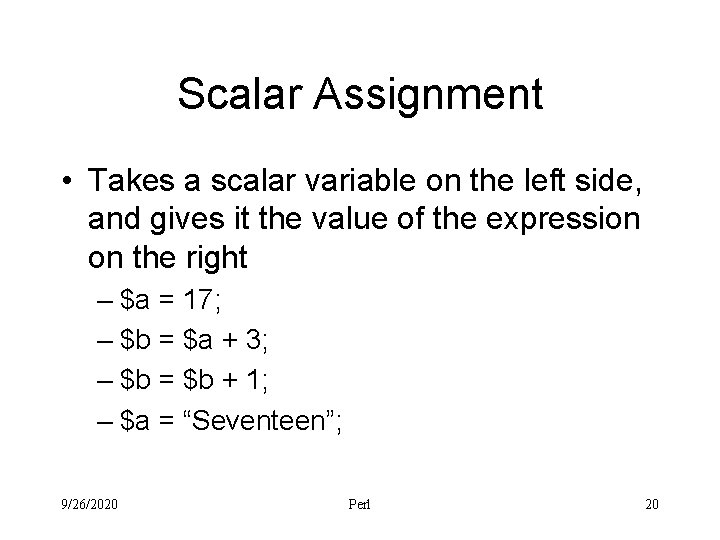
Scalar Assignment • Takes a scalar variable on the left side, and gives it the value of the expression on the right – $a = 17; – $b = $a + 3; – $b = $b + 1; – $a = “Seventeen”; 9/26/2020 Perl 20
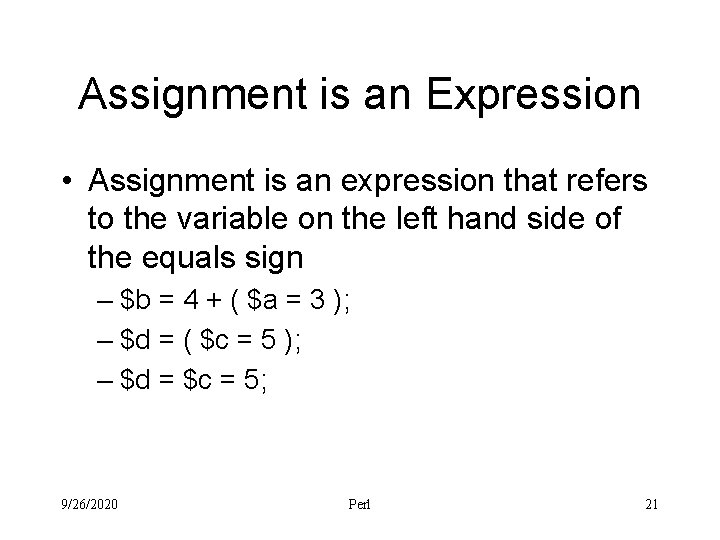
Assignment is an Expression • Assignment is an expression that refers to the variable on the left hand side of the equals sign – $b = 4 + ( $a = 3 ); – $d = ( $c = 5 ); – $d = $c = 5; 9/26/2020 Perl 21
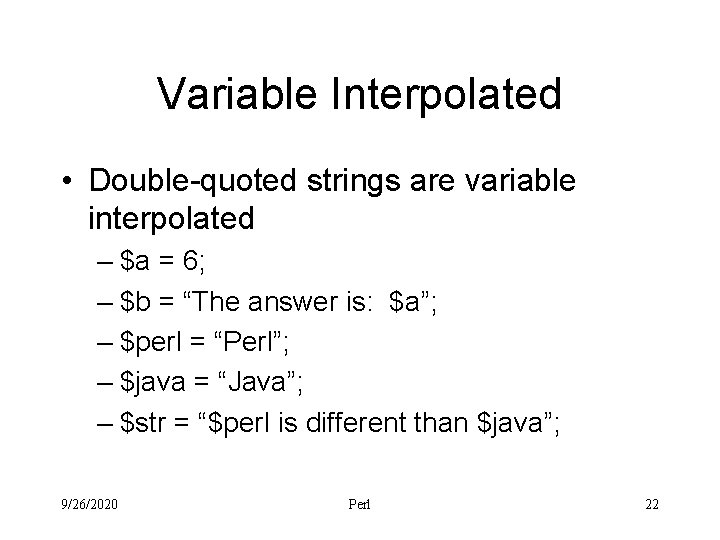
Variable Interpolated • Double-quoted strings are variable interpolated – $a = 6; – $b = “The answer is: $a”; – $perl = “Perl”; – $java = “Java”; – $str = “$perl is different than $java”; 9/26/2020 Perl 22
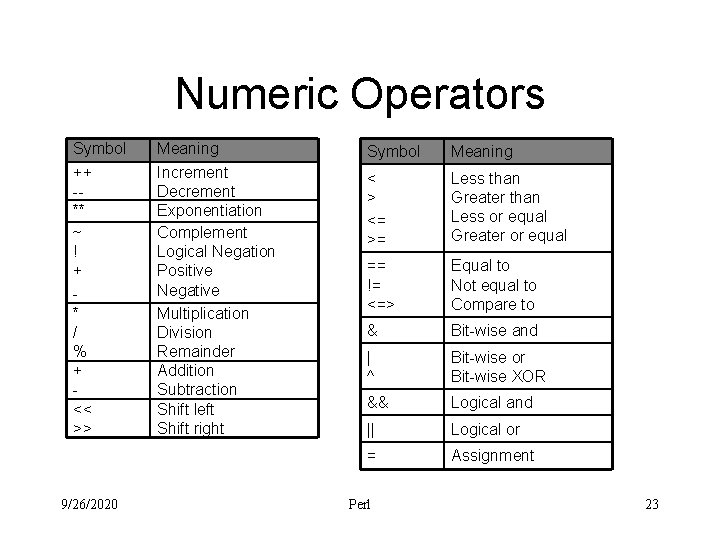
Numeric Operators Symbol ++ -** ~ ! + * / % + << >> 9/26/2020 Meaning Increment Decrement Exponentiation Complement Logical Negation Positive Negative Multiplication Division Remainder Addition Subtraction Shift left Shift right Symbol Meaning < > <= >= Less than Greater than Less or equal Greater or equal == != <=> Equal to Not equal to Compare to & Bit-wise and | ^ Bit-wise or Bit-wise XOR && Logical and || Logical or = Assignment Perl 23
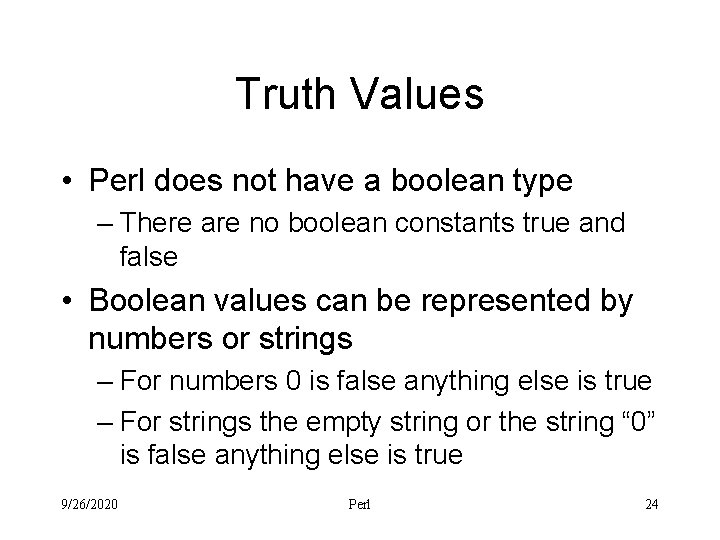
Truth Values • Perl does not have a boolean type – There are no boolean constants true and false • Boolean values can be represented by numbers or strings – For numbers 0 is false anything else is true – For strings the empty string or the string “ 0” is false anything else is true 9/26/2020 Perl 24
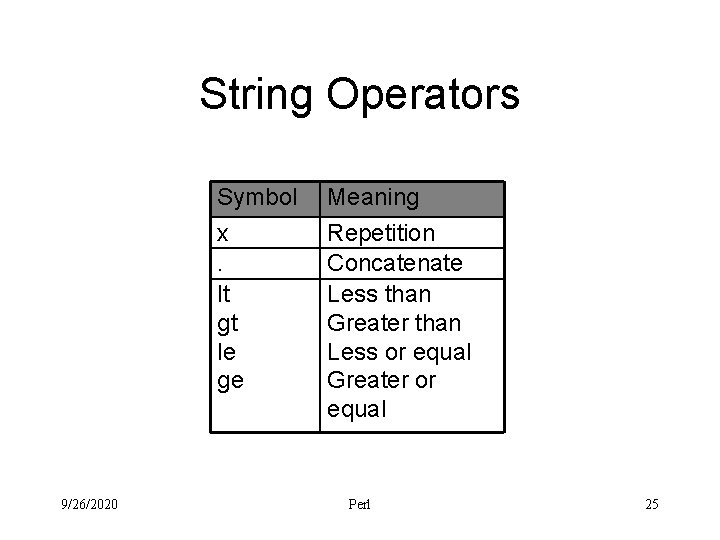
String Operators Symbol x. lt gt le ge 9/26/2020 Meaning Repetition Concatenate Less than Greater than Less or equal Greater or equal Perl 25
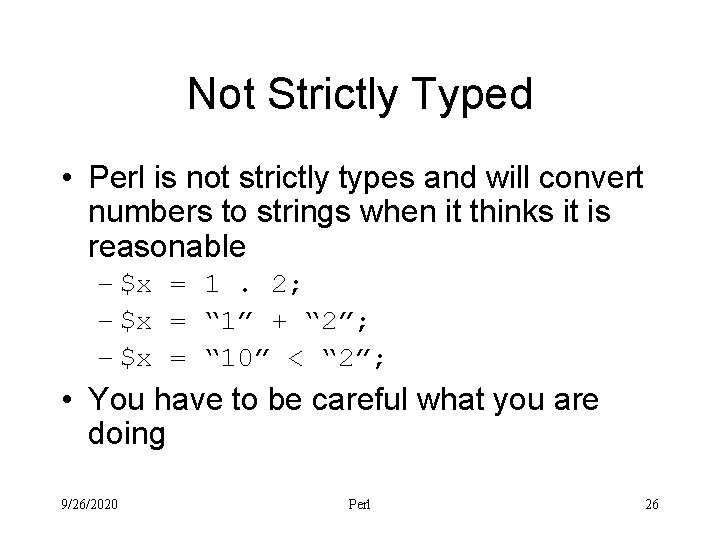
Not Strictly Typed • Perl is not strictly types and will convert numbers to strings when it thinks it is reasonable – $x = 1. 2; – $x = “ 1” + “ 2”; – $x = “ 10” < “ 2”; • You have to be careful what you are doing 9/26/2020 Perl 26
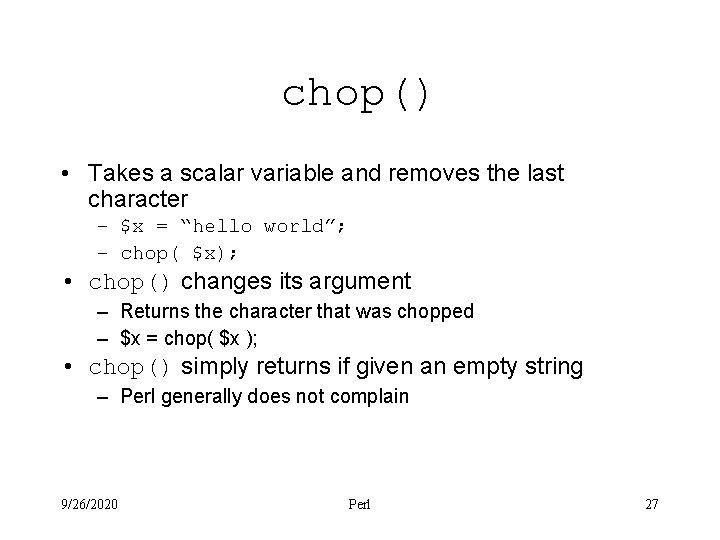
chop() • Takes a scalar variable and removes the last character – $x = “hello world”; – chop( $x); • chop() changes its argument – Returns the character that was chopped – $x = chop( $x ); • chop() simply returns if given an empty string – Perl generally does not complain 9/26/2020 Perl 27
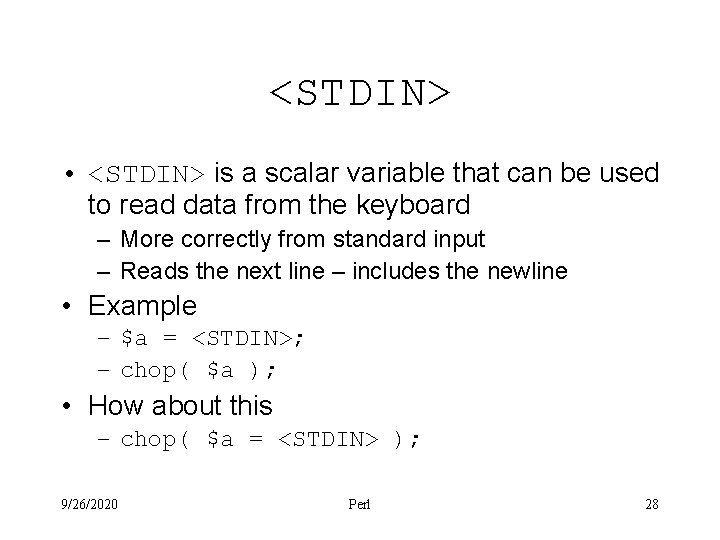
<STDIN> • <STDIN> is a scalar variable that can be used to read data from the keyboard – More correctly from standard input – Reads the next line – includes the newline • Example – $a = <STDIN>; – chop( $a ); • How about this – chop( $a = <STDIN> ); 9/26/2020 Perl 28
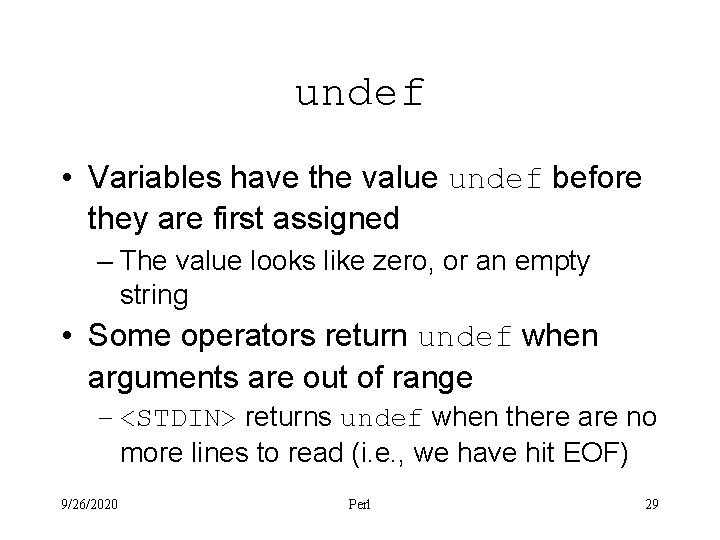
undef • Variables have the value undef before they are first assigned – The value looks like zero, or an empty string • Some operators return undef when arguments are out of range – <STDIN> returns undef when there are no more lines to read (i. e. , we have hit EOF) 9/26/2020 Perl 29
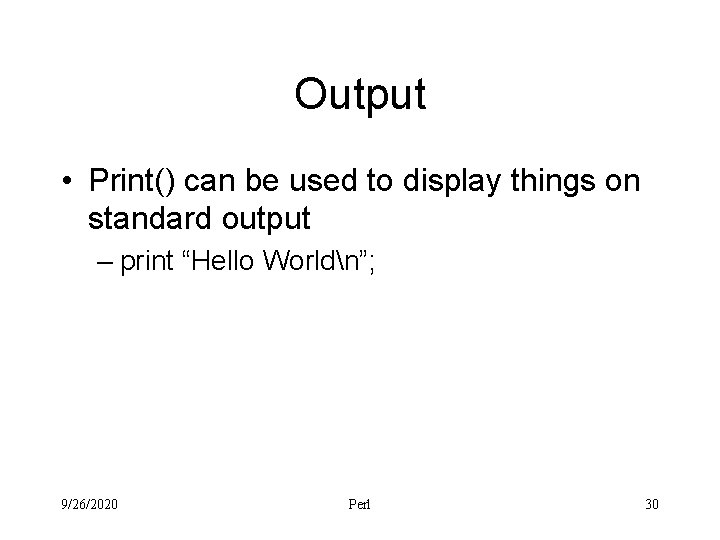
Output • Print() can be used to display things on standard output – print “Hello Worldn”; 9/26/2020 Perl 30
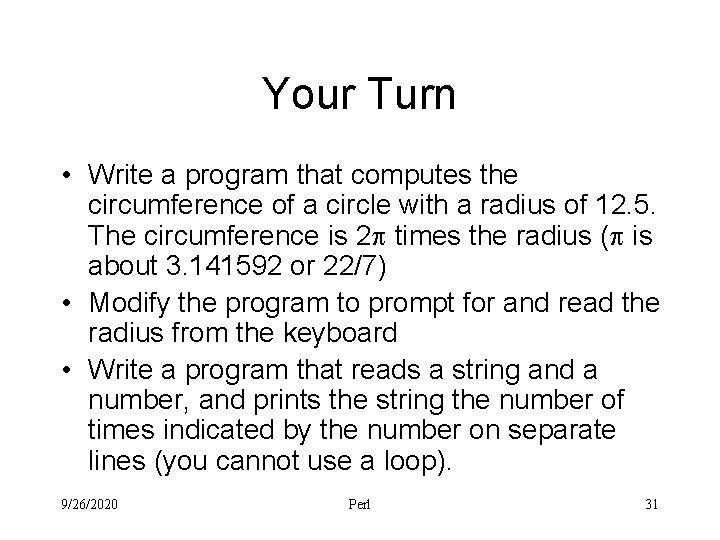
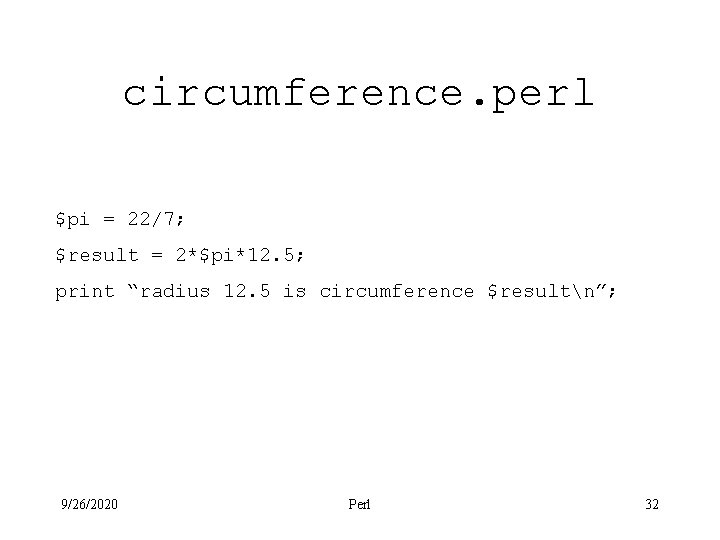
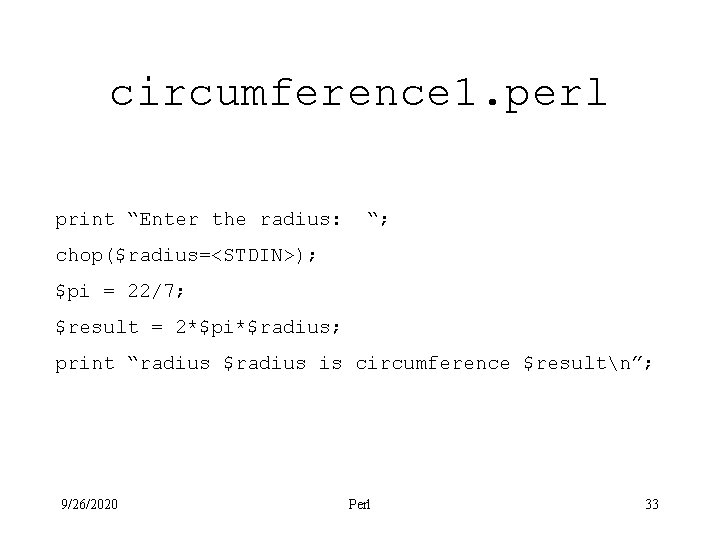
Your Turn • Write a program that computes the circumference of a circle with a radius of 12. 5. The circumference is 2 times the radius ( is about 3. 141592 or 22/7) • Modify the program to prompt for and read the radius from the keyboard • Write a program that reads a string and a number, and prints the string the number of times indicated by the number on separate lines (you cannot use a loop). 9/26/2020 Perl 31
circumference. perl $pi = 22/7; $result = 2*$pi*12. 5; print “radius 12. 5 is circumference $resultn”; 9/26/2020 Perl 32
circumference 1. perl print “Enter the radius: “; chop($radius=<STDIN>); $pi = 22/7; $result = 2*$pi*$radius; print “radius $radius is circumference $resultn”; 9/26/2020 Perl 33
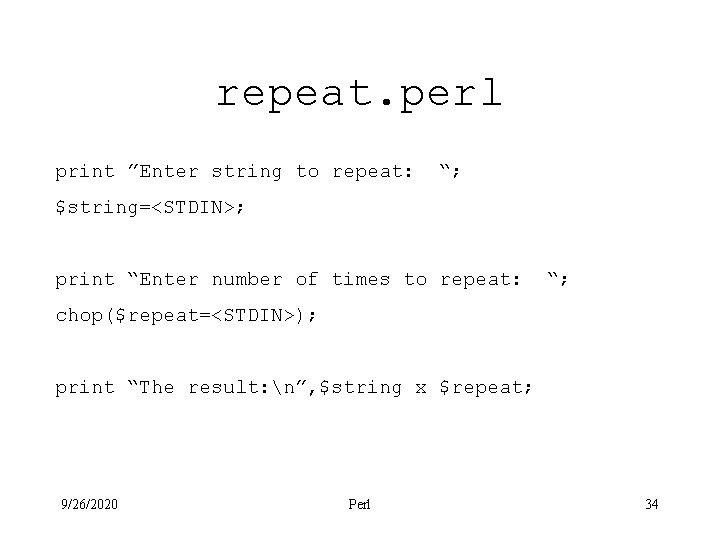
repeat. perl print ”Enter string to repeat: “; $string=<STDIN>; print “Enter number of times to repeat: “; chop($repeat=<STDIN>); print “The result: n”, $string x $repeat; 9/26/2020 Perl 34
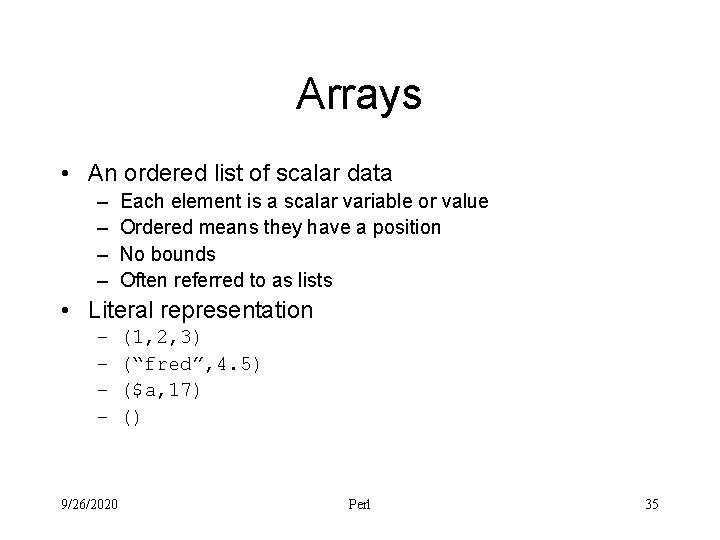
Arrays • An ordered list of scalar data – – Each element is a scalar variable or value Ordered means they have a position No bounds Often referred to as lists • Literal representation – – 9/26/2020 (1, 2, 3) (“fred”, 4. 5) ($a, 17) () Perl 35
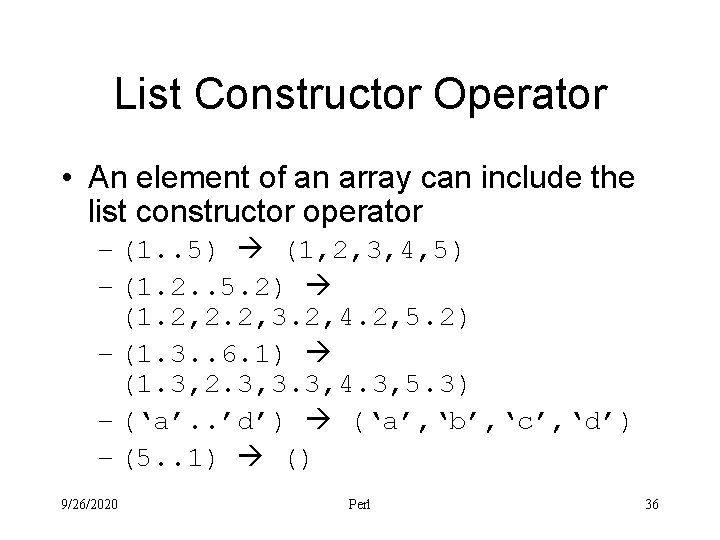
List Constructor Operator • An element of an array can include the list constructor operator – (1. . 5) (1, 2, 3, 4, 5) – (1. 2. . 5. 2) (1. 2, 2. 2, 3. 2, 4. 2, 5. 2) – (1. 3. . 6. 1) (1. 3, 2. 3, 3. 3, 4. 3, 5. 3) – (‘a’. . ’d’) (‘a’, ‘b’, ‘c’, ‘d’) – (5. . 1) () 9/26/2020 Perl 36
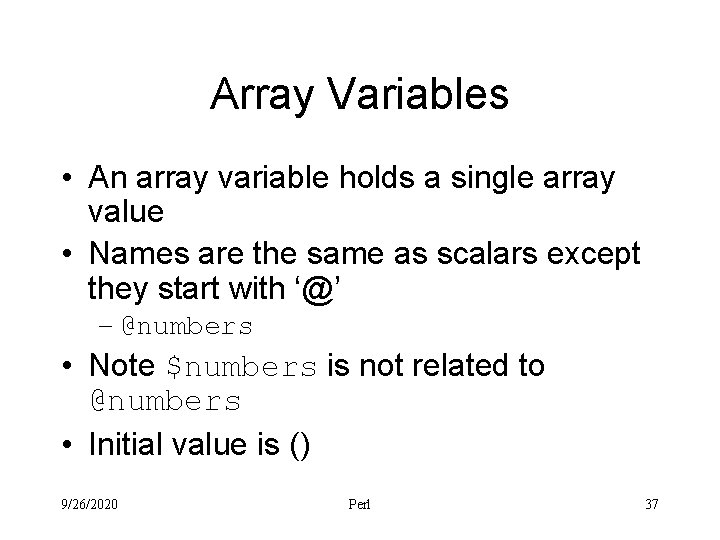
Array Variables • An array variable holds a single array value • Names are the same as scalars except they start with ‘@’ – @numbers • Note $numbers is not related to @numbers • Initial value is () 9/26/2020 Perl 37
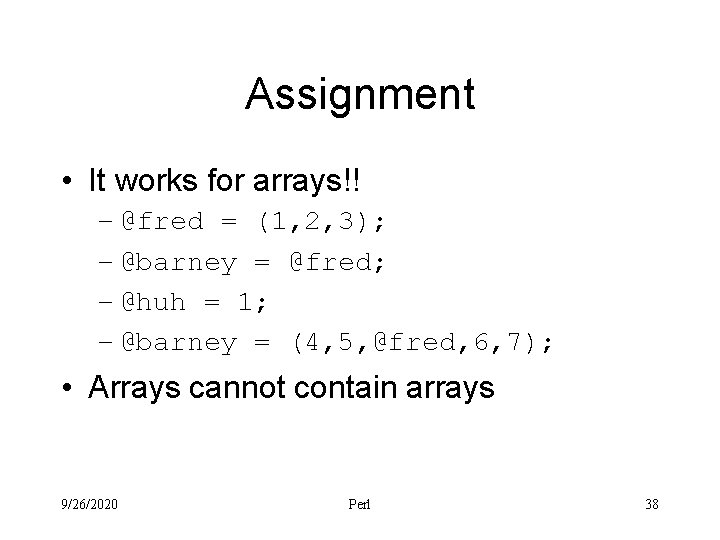
Assignment • It works for arrays!! – @fred = (1, 2, 3); – @barney = @fred; – @huh = 1; – @barney = (4, 5, @fred, 6, 7); • Arrays cannot contain arrays 9/26/2020 Perl 38
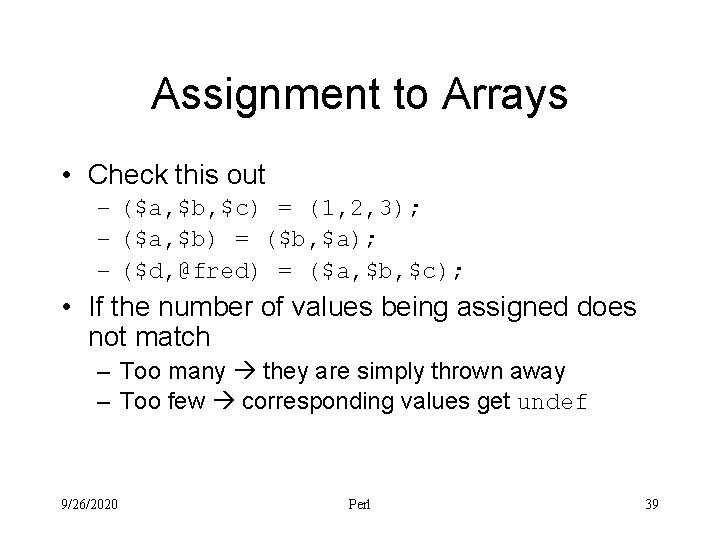
Assignment to Arrays • Check this out – ($a, $b, $c) = (1, 2, 3); – ($a, $b) = ($b, $a); – ($d, @fred) = ($a, $b, $c); • If the number of values being assigned does not match – Too many they are simply thrown away – Too few corresponding values get undef 9/26/2020 Perl 39
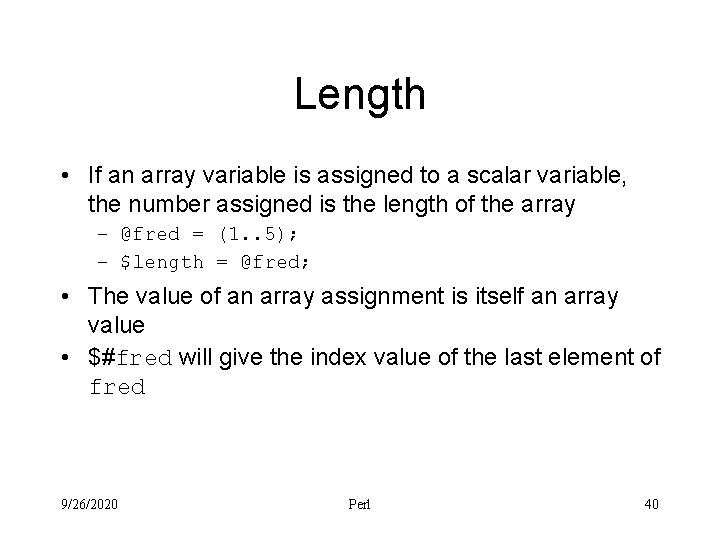
Length • If an array variable is assigned to a scalar variable, the number assigned is the length of the array – @fred = (1. . 5); – $length = @fred; • The value of an array assignment is itself an array value • $#fred will give the index value of the last element of fred 9/26/2020 Perl 40
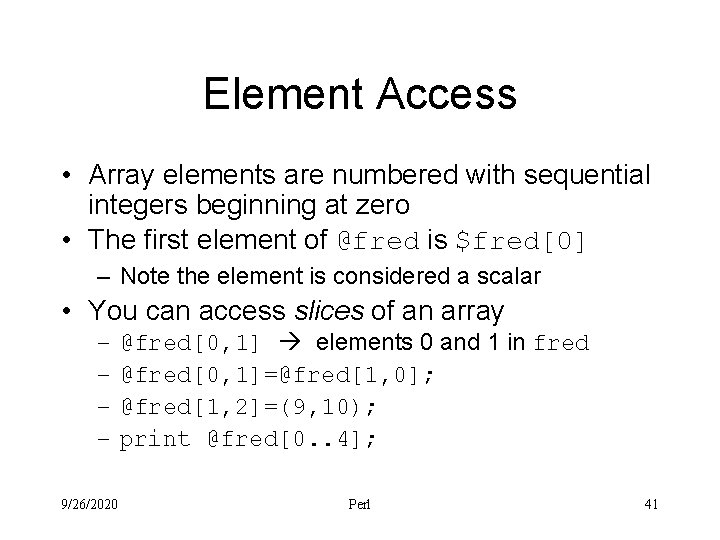
Element Access • Array elements are numbered with sequential integers beginning at zero • The first element of @fred is $fred[0] – Note the element is considered a scalar • You can access slices of an array – – 9/26/2020 @fred[0, 1] elements 0 and 1 in fred @fred[0, 1]=@fred[1, 0]; @fred[1, 2]=(9, 10); print @fred[0. . 4]; Perl 41
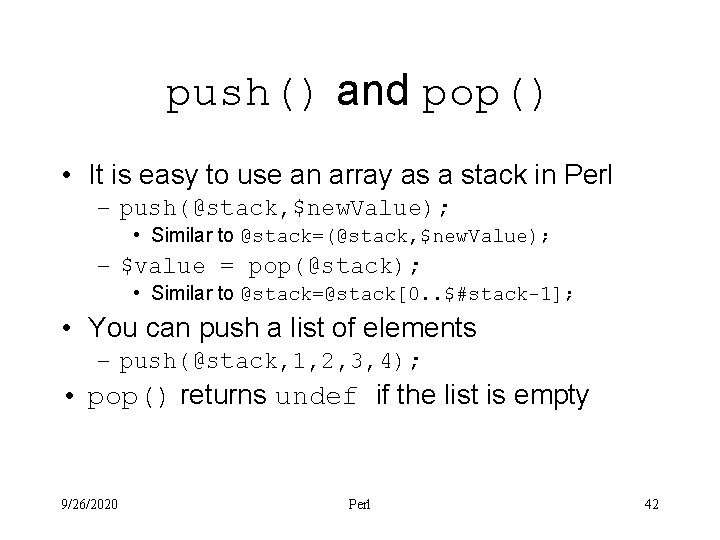
push() and pop() • It is easy to use an array as a stack in Perl – push(@stack, $new. Value); • Similar to @stack=(@stack, $new. Value); – $value = pop(@stack); • Similar to @stack=@stack[0. . $#stack-1]; • You can push a list of elements – push(@stack, 1, 2, 3, 4); • pop() returns undef if the list is empty 9/26/2020 Perl 42
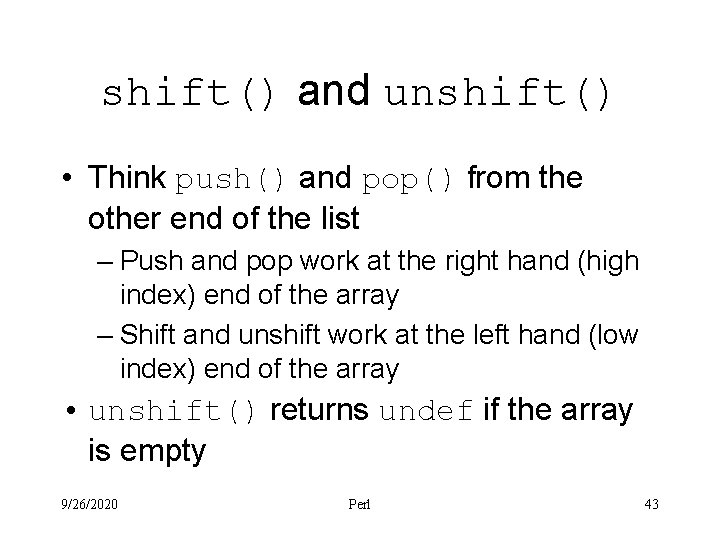
shift() and unshift() • Think push() and pop() from the other end of the list – Push and pop work at the right hand (high index) end of the array – Shift and unshift work at the left hand (low index) end of the array • unshift() returns undef if the array is empty 9/26/2020 Perl 43
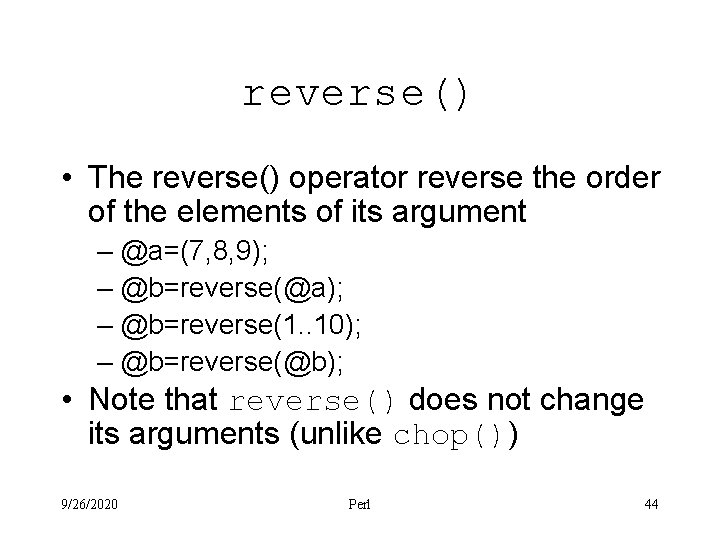
reverse() • The reverse() operator reverse the order of the elements of its argument – @a=(7, 8, 9); – @b=reverse(@a); – @b=reverse(1. . 10); – @b=reverse(@b); • Note that reverse() does not change its arguments (unlike chop()) 9/26/2020 Perl 44
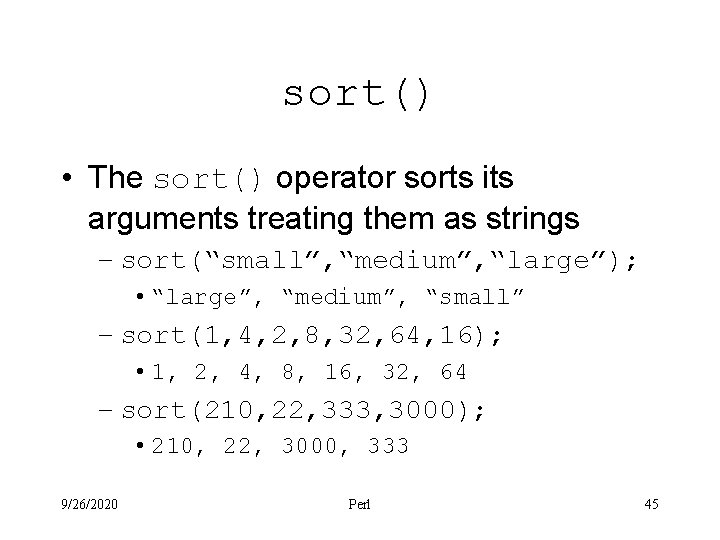
sort() • The sort() operator sorts its arguments treating them as strings – sort(“small”, “medium”, “large”); • “large”, “medium”, “small” – sort(1, 4, 2, 8, 32, 64, 16); • 1, 2, 4, 8, 16, 32, 64 – sort(210, 22, 333, 3000); • 210, 22, 3000, 333 9/26/2020 Perl 45
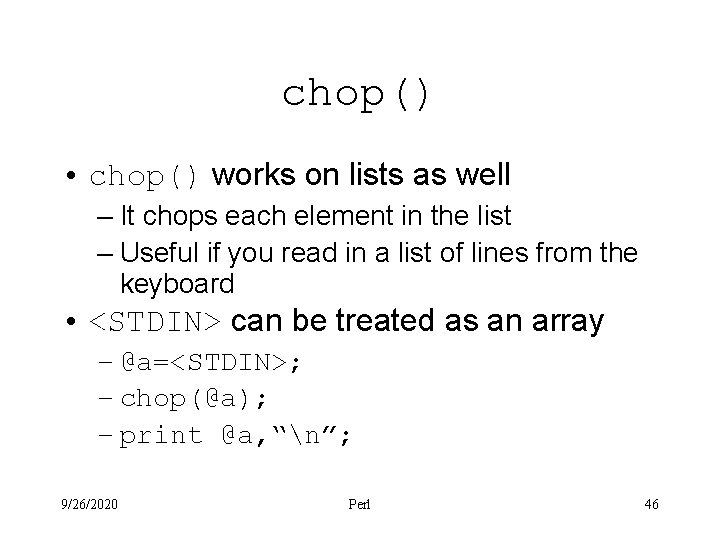
chop() • chop() works on lists as well – It chops each element in the list – Useful if you read in a list of lines from the keyboard • <STDIN> can be treated as an array – @a=<STDIN>; – chop(@a); – print @a, “n”; 9/26/2020 Perl 46
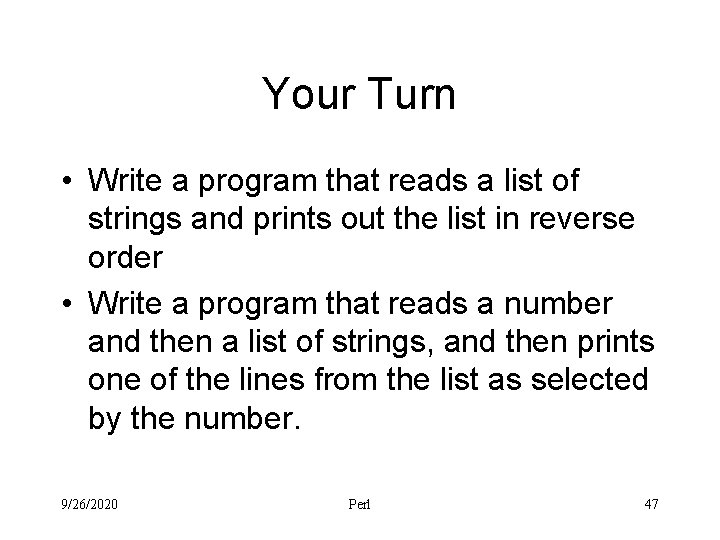
Your Turn • Write a program that reads a list of strings and prints out the list in reverse order • Write a program that reads a number and then a list of strings, and then prints one of the lines from the list as selected by the number. 9/26/2020 Perl 47
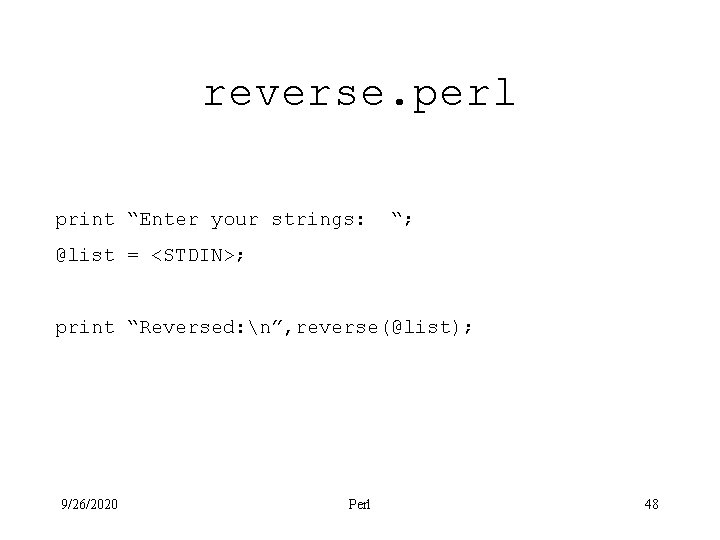
reverse. perl print “Enter your strings: “; @list = <STDIN>; print “Reversed: n”, reverse(@list); 9/26/2020 Perl 48
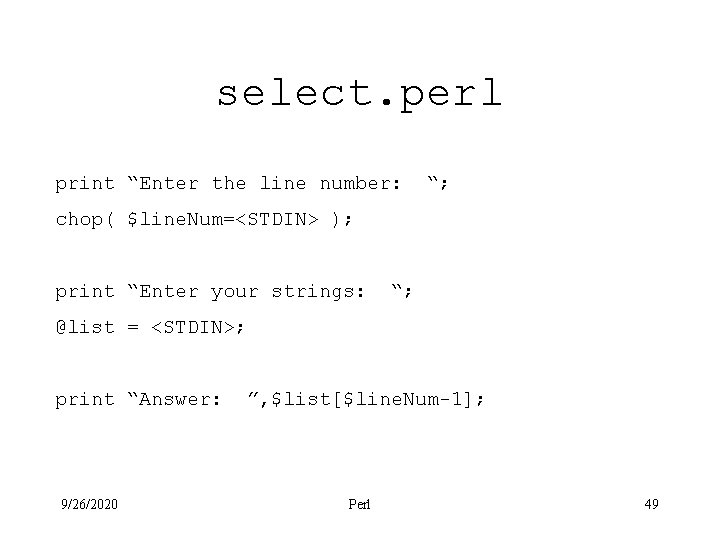
select. perl print “Enter the line number: “; chop( $line. Num=<STDIN> ); print “Enter your strings: “; @list = <STDIN>; print “Answer: 9/26/2020 ”, $list[$line. Num-1]; Perl 49
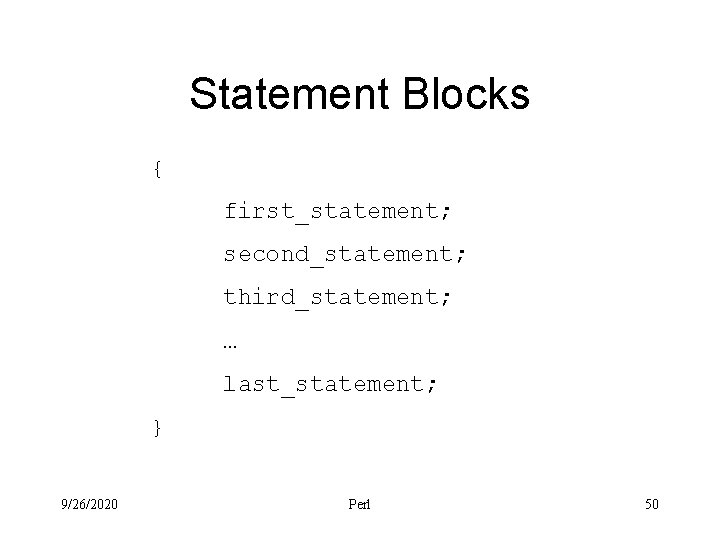
Statement Blocks { first_statement; second_statement; third_statement; … last_statement; } 9/26/2020 Perl 50
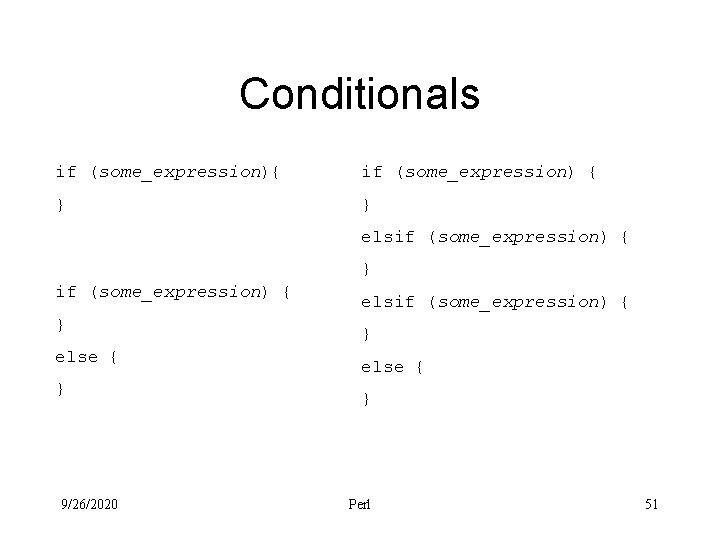
Conditionals if (some_expression){ if (some_expression) { } } elsif (some_expression) { } else { } 9/26/2020 elsif (some_expression) { } else { } Perl 51
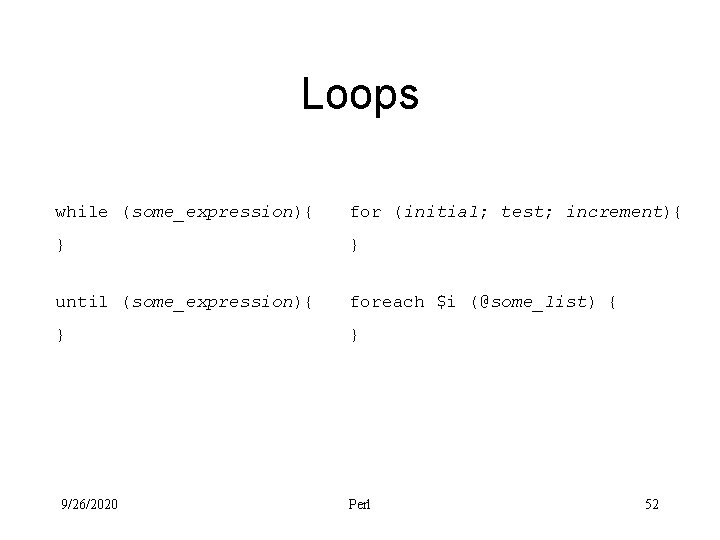
Loops while (some_expression){ for (initial; test; increment){ } } until (some_expression){ foreach $i (@some_list) { } } 9/26/2020 Perl 52
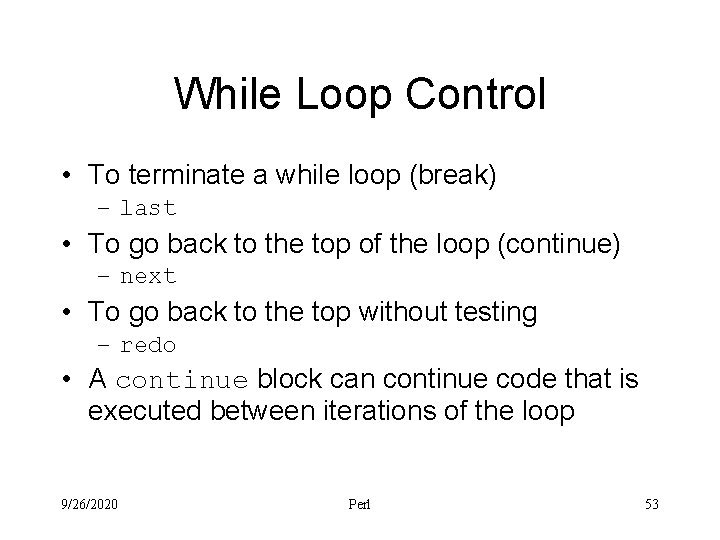
While Loop Control • To terminate a while loop (break) – last • To go back to the top of the loop (continue) – next • To go back to the top without testing – redo • A continue block can continue code that is executed between iterations of the loop 9/26/2020 Perl 53
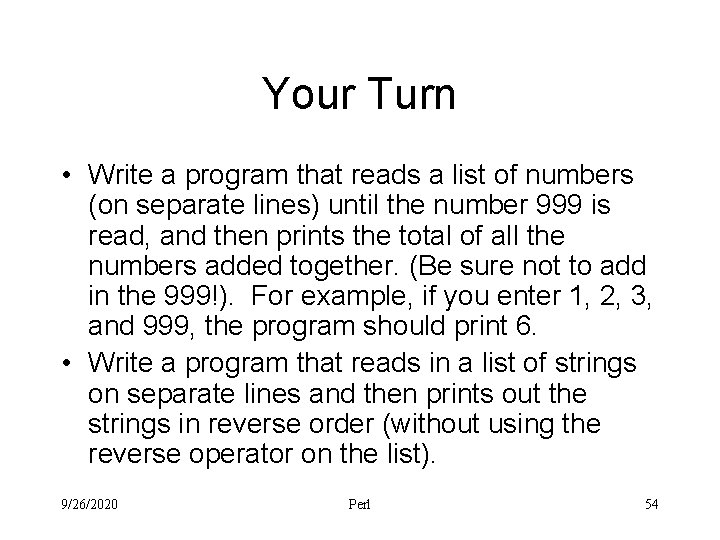
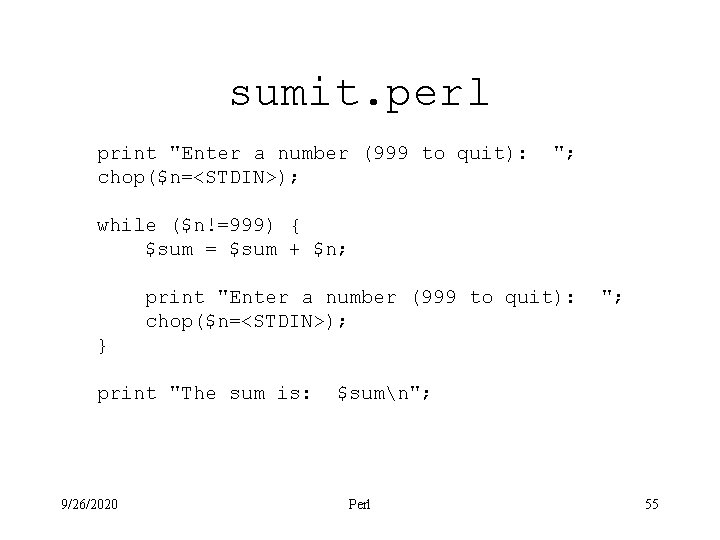
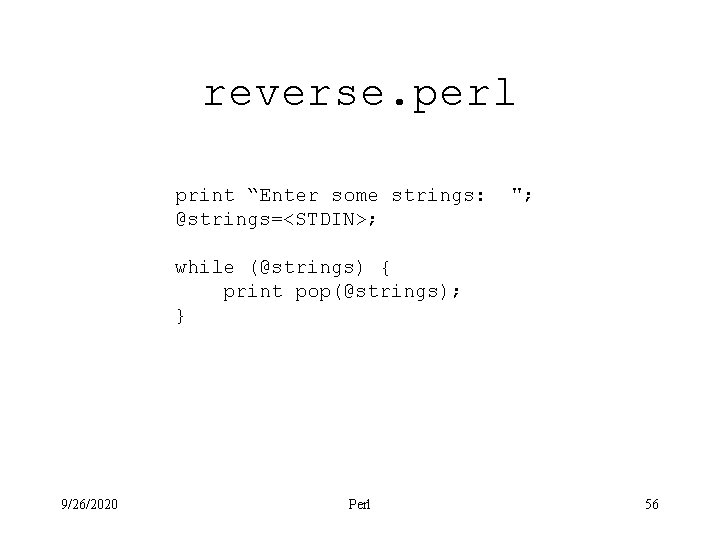
Your Turn • Write a program that reads a list of numbers (on separate lines) until the number 999 is read, and then prints the total of all the numbers added together. (Be sure not to add in the 999!). For example, if you enter 1, 2, 3, and 999, the program should print 6. • Write a program that reads in a list of strings on separate lines and then prints out the strings in reverse order (without using the reverse operator on the list). 9/26/2020 Perl 54
sumit. perl print "Enter a number (999 to quit): chop($n=<STDIN>); "; while ($n!=999) { $sum = $sum + $n; print "Enter a number (999 to quit): chop($n=<STDIN>); "; } print "The sum is: 9/26/2020 $sumn"; Perl 55
reverse. perl print “Enter some strings: @strings=<STDIN>; "; while (@strings) { print pop(@strings); } 9/26/2020 Perl 56
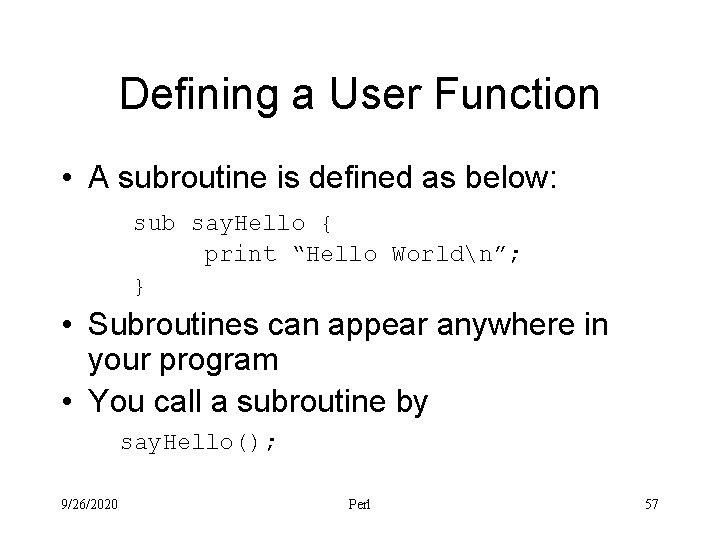
Defining a User Function • A subroutine is defined as below: sub say. Hello { print “Hello Worldn”; } • Subroutines can appear anywhere in your program • You call a subroutine by say. Hello(); 9/26/2020 Perl 57
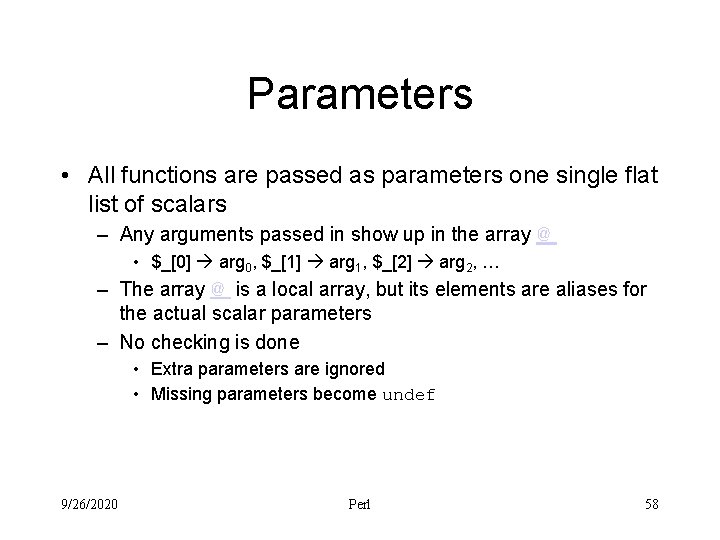
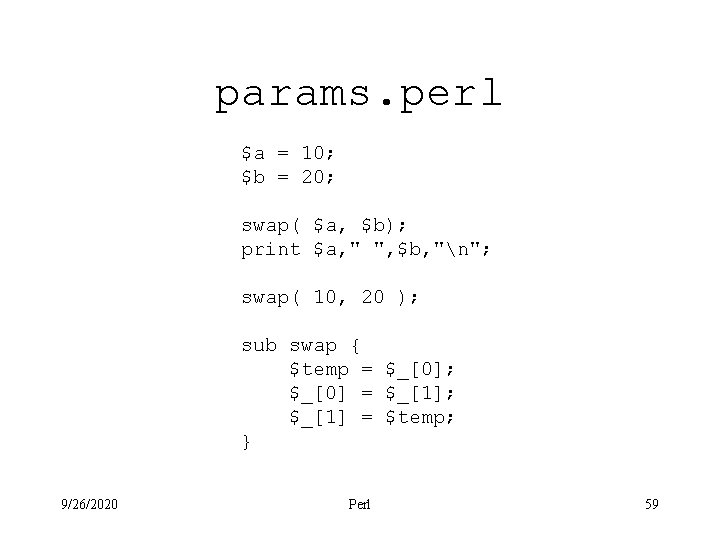
Parameters • All functions are passed as parameters one single flat list of scalars – Any arguments passed in show up in the array @_ • $_[0] arg 0, $_[1] arg 1, $_[2] arg 2, … – The array @_ is a local array, but its elements are aliases for the actual scalar parameters – No checking is done • Extra parameters are ignored • Missing parameters become undef 9/26/2020 Perl 58
params. perl $a = 10; $b = 20; swap( $a, $b); print $a, " ", $b, "n"; swap( 10, 20 ); sub swap { $temp = $_[0]; $_[0] = $_[1]; $_[1] = $temp; } 9/26/2020 Perl 59
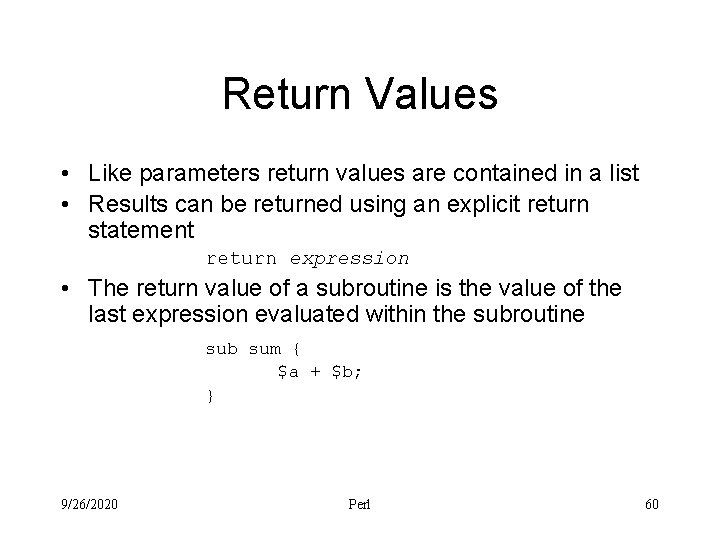
Return Values • Like parameters return values are contained in a list • Results can be returned using an explicit return statement return expression • The return value of a subroutine is the value of the last expression evaluated within the subroutine sub sum { $a + $b; } 9/26/2020 Perl 60
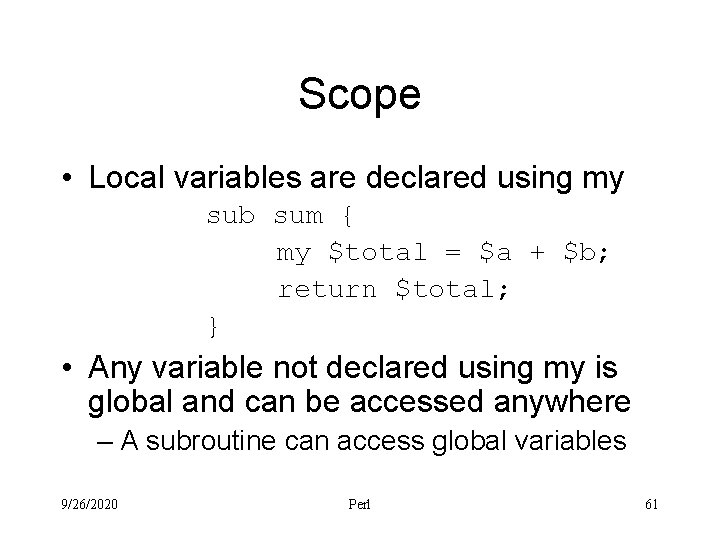
Scope • Local variables are declared using my sub sum { my $total = $a + $b; return $total; } • Any variable not declared using my is global and can be accessed anywhere – A subroutine can access global variables 9/26/2020 Perl 61
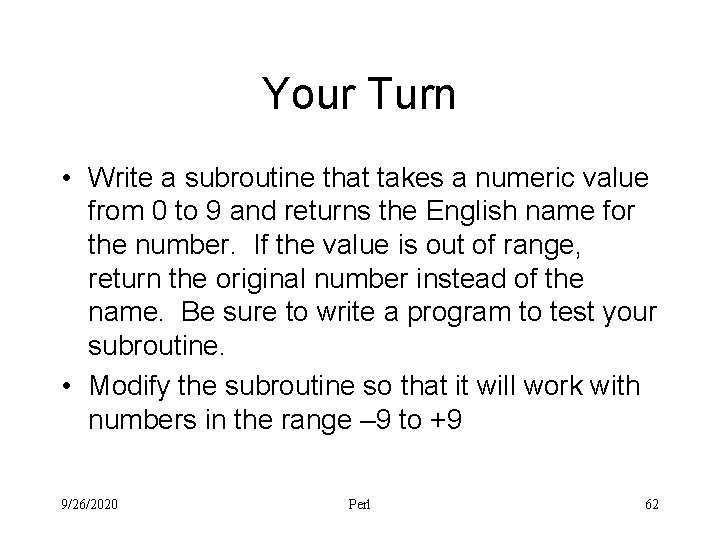
Your Turn • Write a subroutine that takes a numeric value from 0 to 9 and returns the English name for the number. If the value is out of range, return the original number instead of the name. Be sure to write a program to test your subroutine. • Modify the subroutine so that it will work with numbers in the range – 9 to +9 9/26/2020 Perl 62
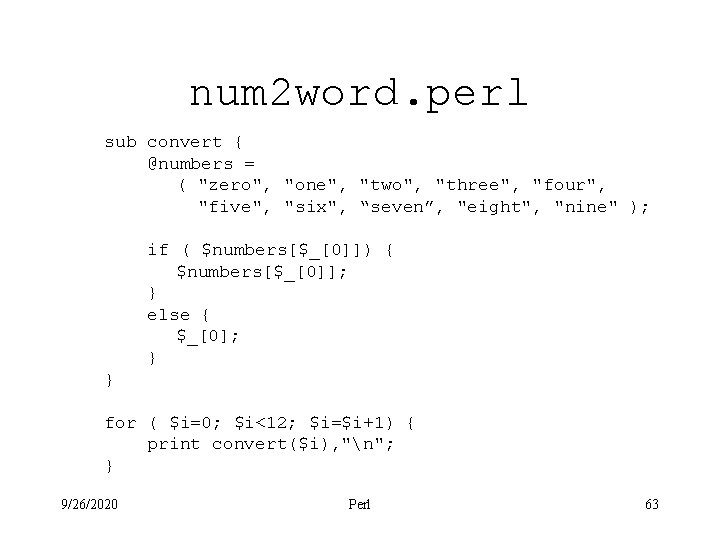
num 2 word. perl sub convert { @numbers = ( "zero", "one", "two", "three", "four", "five", "six", “seven”, "eight", "nine" ); if ( $numbers[$_[0]]) { $numbers[$_[0]]; } else { $_[0]; } } for ( $i=0; $i<12; $i=$i+1) { print convert($i), "n"; } 9/26/2020 Perl 63
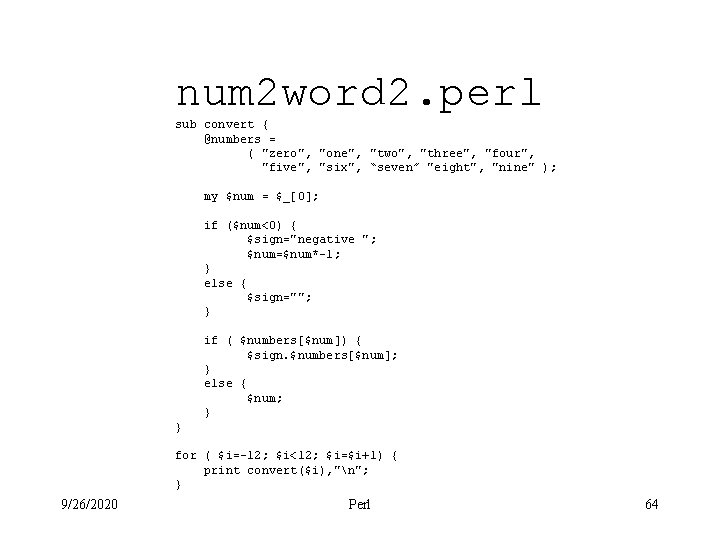
num 2 word 2. perl sub convert { @numbers = ( "zero", "one", "two", "three", "four", "five", "six", “seven” "eight", "nine" ); my $num = $_[0]; if ($num<0) { $sign="negative "; $num=$num*-1; } else { $sign=""; } if ( $numbers[$num]) { $sign. $numbers[$num]; } else { $num; } } for ( $i=-12; $i<12; $i=$i+1) { print convert($i), "n"; } 9/26/2020 Perl 64
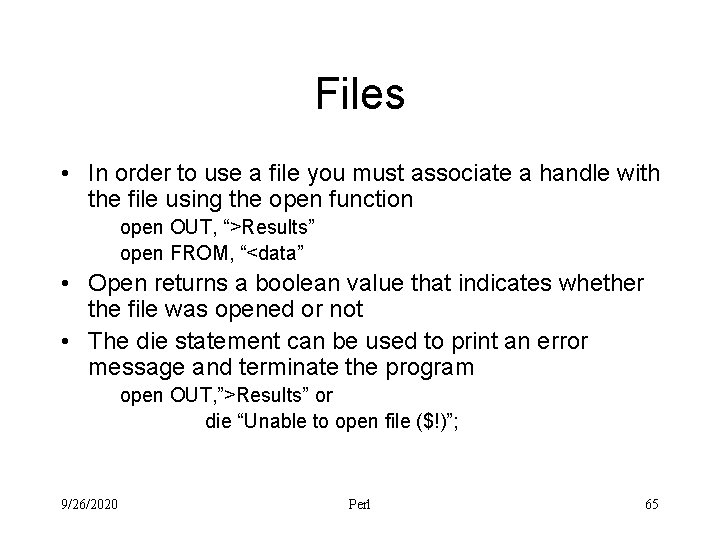
Files • In order to use a file you must associate a handle with the file using the open function open OUT, “>Results” open FROM, “<data” • Open returns a boolean value that indicates whether the file was opened or not • The die statement can be used to print an error message and terminate the program open OUT, ”>Results” or die “Unable to open file ($!)”; 9/26/2020 Perl 65
Input and Output • To print text to a file, use the print statement – print OUT “Some output”; • To read text from a file – $line = <IN> – $line = readline(IN) • Note that these techniques only work with text files 9/26/2020 Perl 66
copyfile. perl open INFILE, "<$ARGV[0]" or die "Unable to open input file ($!)"; open OUTFILE, ">$ARGV[1]" or die "Unable to open output file ($!)"; while ( !eof( INFILE ) ) { $line = readline( INFILE ); print OUTFILE $line; } close INFILE; close OUTFILE; 9/26/2020 Perl 67
printfile. perl open FILE, "<$ARGV[0]" or die "Unable to open $ARGV[0]n"; while (<FILE>) { print; } 9/26/2020 Perl 68
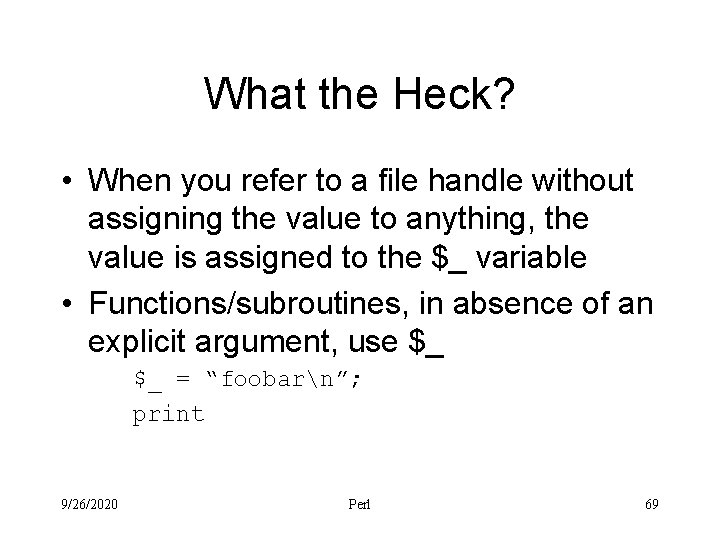
What the Heck? • When you refer to a file handle without assigning the value to anything, the value is assigned to the $_ variable • Functions/subroutines, in absence of an explicit argument, use $_ $_ = “foobarn”; print 9/26/2020 Perl 69
copyfile. perl open INFILE, "<$ARGV[0]" or die "Unable to open input file ($!)"; open OUTFILE, ">$ARGV[1]" or die "Unable to open output file ($!)"; while(<IN>) { print OUT; } 9/26/2020 Perl 70
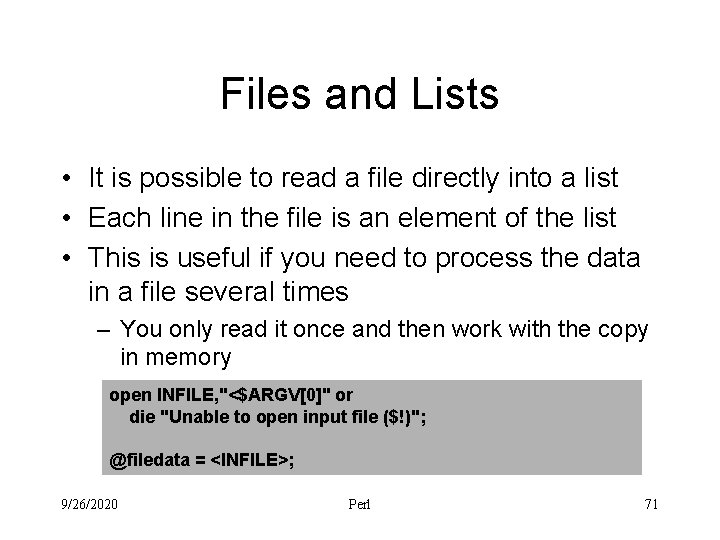
Files and Lists • It is possible to read a file directly into a list • Each line in the file is an element of the list • This is useful if you need to process the data in a file several times – You only read it once and then work with the copy in memory open INFILE, "<$ARGV[0]" or die "Unable to open input file ($!)"; @filedata = <INFILE>; 9/26/2020 Perl 71
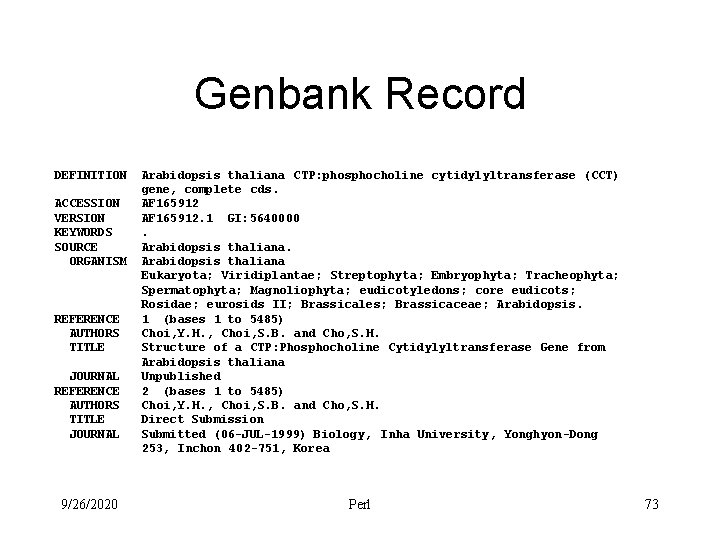
Parsing Genbank Records • Recall that perl was designed to munge the output of another program • When you do a BLAST search you get quite a bit of information, but often you only want a small part of it • Perl is well suited for stripping out the part of the record that you are interested in 9/26/2020 Perl 72
Genbank Record LOCUS DEFINITION ACCESSION VERSION KEYWORDS SOURCE ORGANISM REFERENCE AUTHORS TITLE JOURNAL 9/26/2020 AF 165912 5485 bp DNA linear PLN 29 -JUL-1999 Arabidopsis thaliana CTP: phosphocholine cytidylyltransferase (CCT) gene, complete cds. AF 165912. 1 GI: 5640000. Arabidopsis thaliana Eukaryota; Viridiplantae; Streptophyta; Embryophyta; Tracheophyta; Spermatophyta; Magnoliophyta; eudicotyledons; core eudicots; Rosidae; eurosids II; Brassicales; Brassicaceae; Arabidopsis. 1 (bases 1 to 5485) Choi, Y. H. , Choi, S. B. and Cho, S. H. Structure of a CTP: Phosphocholine Cytidylyltransferase Gene from Arabidopsis thaliana Unpublished 2 (bases 1 to 5485) Choi, Y. H. , Choi, S. B. and Cho, S. H. Direct Submission Submitted (06 -JUL-1999) Biology, Inha University, Yonghyon-Dong 253, Inchon 402 -751, Korea Perl 73
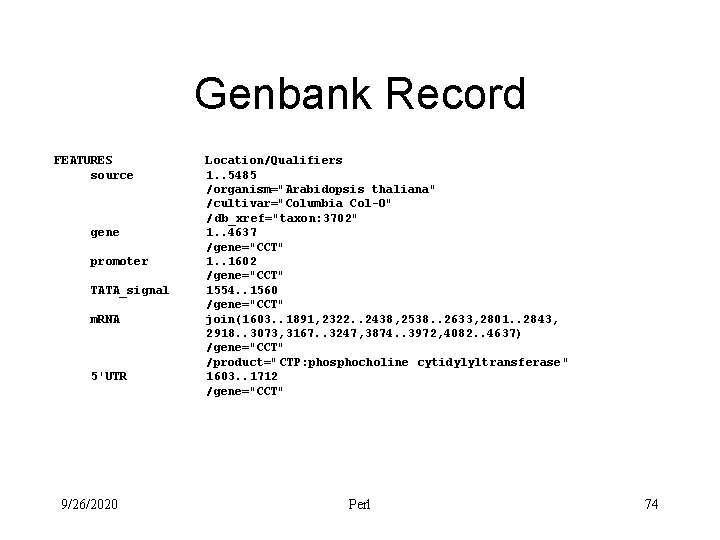
Genbank Record FEATURES source gene promoter TATA_signal m. RNA 5'UTR 9/26/2020 Location/Qualifiers 1. . 5485 /organism="Arabidopsis thaliana" /cultivar="Columbia Col-O" /db_xref="taxon: 3702" 1. . 4637 /gene="CCT" 1. . 1602 /gene="CCT" 1554. . 1560 /gene="CCT" join(1603. . 1891, 2322. . 2438, 2538. . 2633, 2801. . 2843, 2918. . 3073, 3167. . 3247, 3874. . 3972, 4082. . 4637) /gene="CCT" /product=" CTP: phosphocholine cytidylyltransferase" 1603. . 1712 /gene="CCT" Perl 74
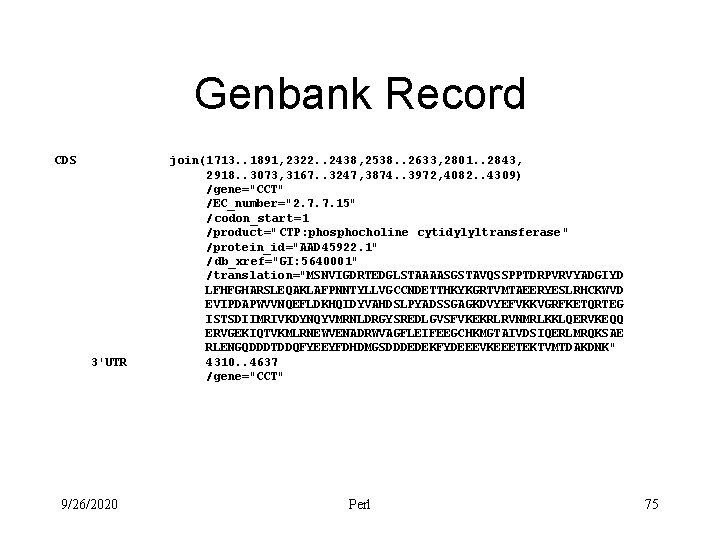
Genbank Record CDS 3'UTR 9/26/2020 join(1713. . 1891, 2322. . 2438, 2538. . 2633, 2801. . 2843, 2918. . 3073, 3167. . 3247, 3874. . 3972, 4082. . 4309) /gene="CCT" /EC_number="2. 7. 7. 15" /codon_start=1 /product=" CTP: phosphocholine cytidylyltransferase" /protein_id="AAD 45922. 1" /db_xref="GI: 5640001" /translation="MSNVIGDRTEDGLSTAAAASGSTAVQSSPPTDRPVRVYADGIYD LFHFGHARSLEQAKLAFPNNTYLLVGCCNDETTHKYKGRTVMTAEERYESLRHCKWVD EVIPDAPWVVNQEFLDKHQIDYVAHDSLPYADSSGAGKDVYEFVKKVGRFKETQRTEG ISTSDIIMRIVKDYNQYVMRNLDRGYSREDLGVSFVKEKRLRVNMRLKKLQERVKEQQ ERVGEKIQTVKMLRNEWVENADRWVAGFLEIFEEGCHKMGTAIVDSIQERLMRQKSAE RLENGQDDDTDDQFYEEYFDHDMGSDDDEDEKFYDEEEVKEEETEKTVMTDAKDNK" 4310. . 4637 /gene="CCT" Perl 75
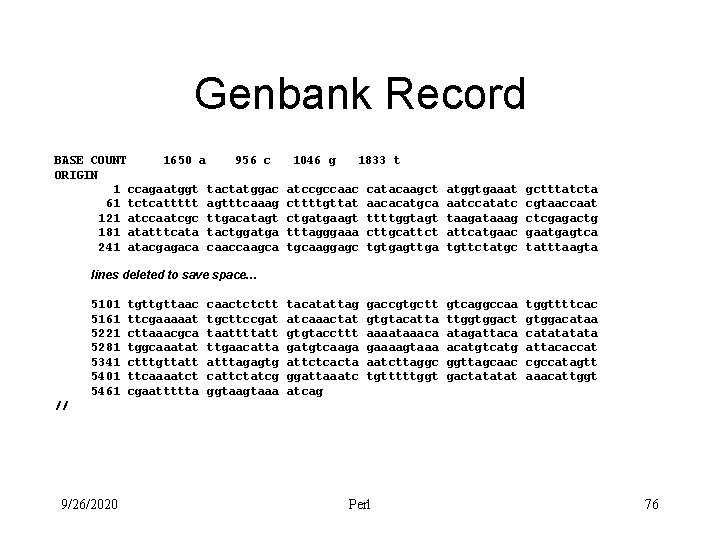
Genbank Record BASE COUNT 1650 a 956 c ORIGIN 1 ccagaatggt tactatggac 61 tctcattttt agtttcaaag 121 atccaatcgc ttgacatagt 181 atatttcata tactggatga 241 atacgagaca caaccaagca 1046 g 1833 t atccgccaac cttttgttat ctgatgaagt tttagggaaa tgcaaggagc catacaagct aacacatgca ttttggtagt cttgcattct tgtgagttga atggtgaaat aatccatatc taagataaag attcatgaac tgttctatgc gctttatcta cgtaaccaat ctcgagactg gaatgagtca tatttaagta tacatattag atcaaactat gtgtaccttt gatgtcaaga attctcacta ggattaaatc atcag gaccgtgctt gtgtacatta aaaataaaca gaaaagtaaa aatcttaggc tgtttttggt gtcaggccaa ttggtggact atagattaca acatgtcatg ggttagcaac gactatatat tggttttcac gtggacataa catata attacaccat cgccatagtt aaacattggt lines deleted to save space… 5101 5161 5221 5281 5341 5401 5461 tgttgttaac ttcgaaaaat cttaaacgca tggcaaatat ctttgttatt ttcaaaatct cgaattttta caactctctt tgcttccgat taattttatt ttgaacatta atttagagtg cattctatcg ggtaaa // 9/26/2020 Perl 76
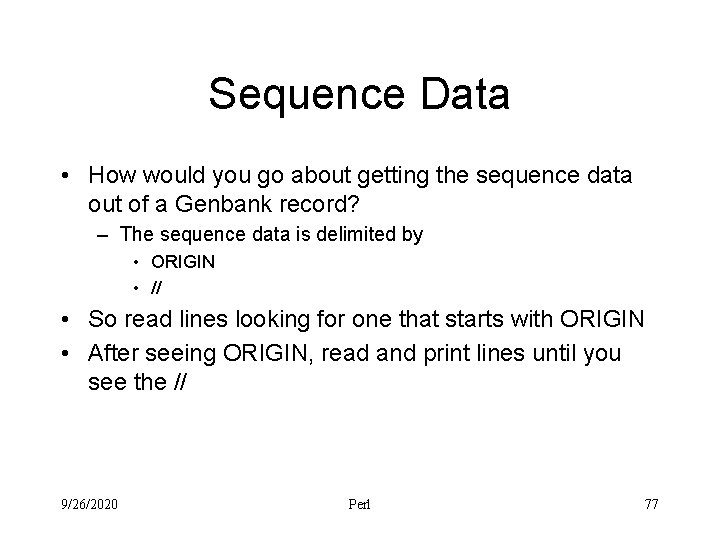
Sequence Data • How would you go about getting the sequence data out of a Genbank record? – The sequence data is delimited by • ORIGIN • // • So read lines looking for one that starts with ORIGIN • After seeing ORIGIN, read and print lines until you see the // 9/26/2020 Perl 77
Your Turn • Write a Perl script that takes the name of a file that contains a Genbank record on the command line and prints the sequence data contained in the file. 9/26/2020 Perl 78
sequence. perl open INFILE, "<$ARGV[0]" or die "Unable to open Genbank file ($!)"; $in_sequence = 0; # 0 is false while ( !eof( INFILE ) ) { chop($line = <INFILE>); if ( $line eq “//” ) { $in_sequence = 0; } elsif ( $line eq “ORIGIN” ) { $in_sequence = 1; } elsif ( $in_sequence ) { print $line, "n"; } } close INFILE; 9/26/2020 Perl 79
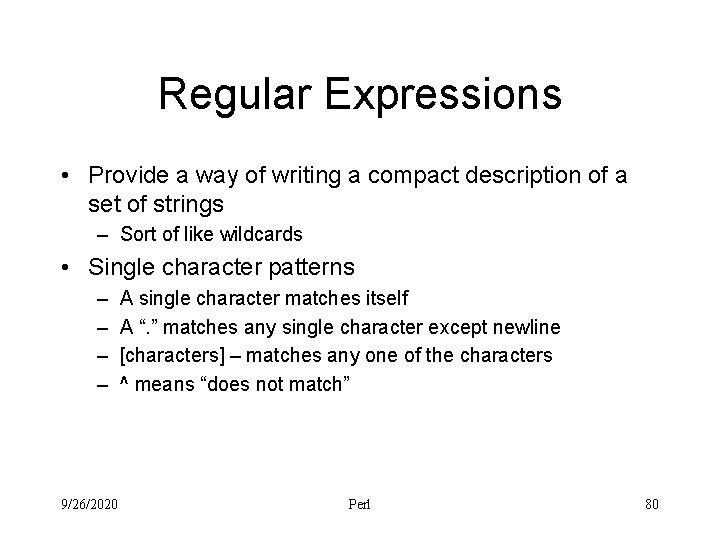
Regular Expressions • Provide a way of writing a compact description of a set of strings – Sort of like wildcards • Single character patterns – – 9/26/2020 A single character matches itself A “. ” matches any single character except newline [characters] – matches any one of the characters ^ means “does not match” Perl 80
Examples • • • G [0123456789] [0 -9] [a-z. A-z] [^0 -9] 9/26/2020 Perl 81
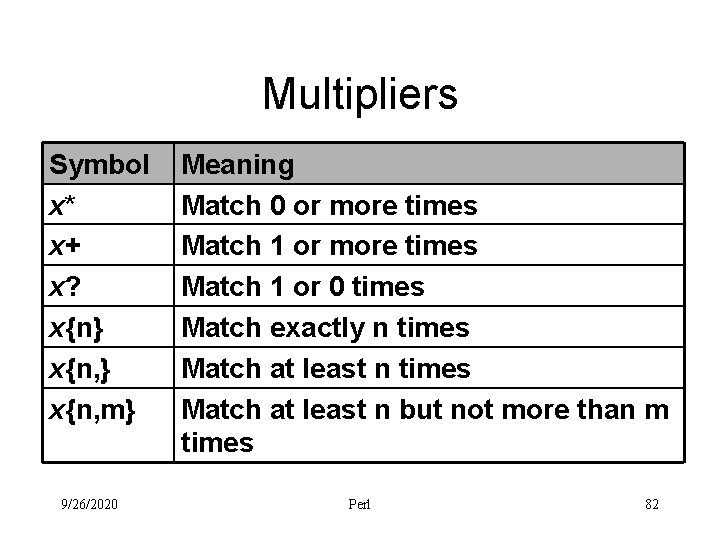
Multipliers Symbol x* x+ x? x{n} x{n, m} 9/26/2020 Meaning Match 0 or more times Match 1 or 0 times Match exactly n times Match at least n but not more than m times Perl 82
Character Class Abbreviations Construct d (digits) Class [0 -9] Negated Class D [^0 -9] w (words) [a-z. A-Z 0 -9_]* W s space [ rtnf] S 9/26/2020 Perl [^a-z. A-Z 0 -9_] [^ rtnf] 83
Alternation • Sometimes we would like to match different possible words or character strings. – This is accomplished by using ‘|’ • To match dog or cat – dog|cat • At each character position, perl will first try to match the first alternative, dog. If dog doesn't match, perl will then try the next alternative, cat. If cat doesn't match either, then the match fails and perl moves to the next position in the string. 9/26/2020 Perl 84
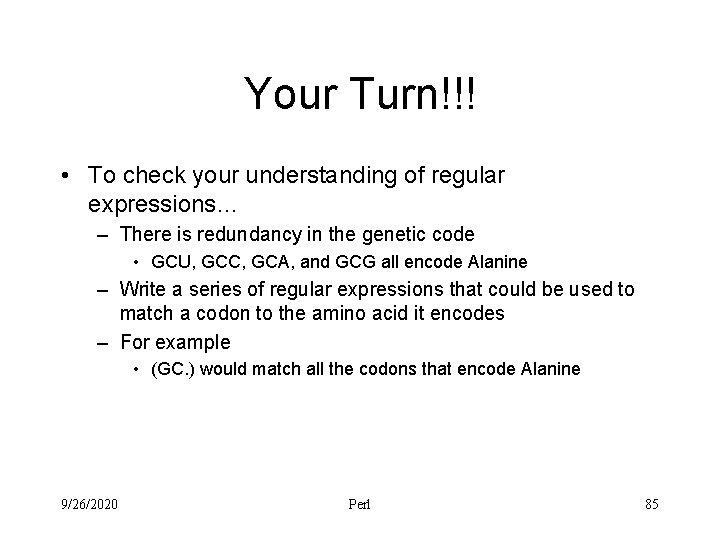
Your Turn!!! • To check your understanding of regular expressions… – There is redundancy in the genetic code • GCU, GCC, GCA, and GCG all encode Alanine – Write a series of regular expressions that could be used to match a codon to the amino acid it encodes – For example • (GC. ) would match all the codons that encode Alanine 9/26/2020 Perl 85
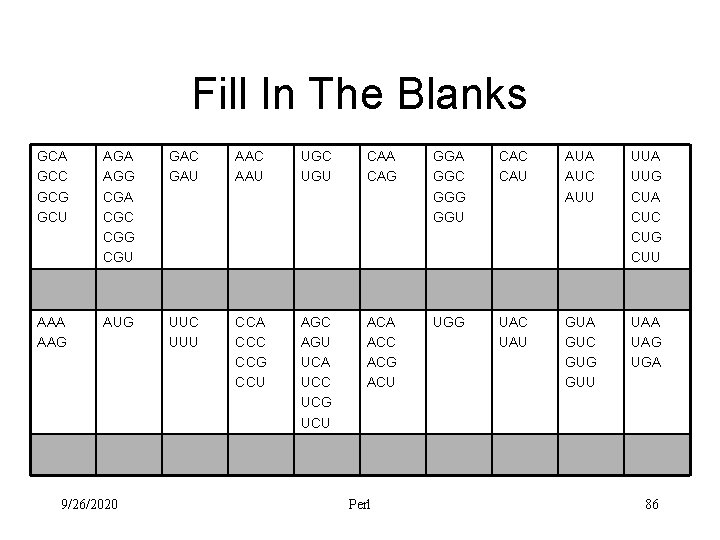
Fill In The Blanks GCA GCC GCG GCU AGA AGG CGA CGC CGG CGU GAC GAU AAC AAU UGC UGU CAA CAG GGA GGC GGG GGU CAC CAU AUA AUC AUU UUA UUG CUA CUC CUG CUU AAA AAG AUG UUC UUU CCA CCC CCG CCU AGC AGU UCA UCC UCG UCU ACA ACC ACG ACU UGG UAC UAU GUA GUC GUG GUU UAA UAG UGA 9/26/2020 Perl 86
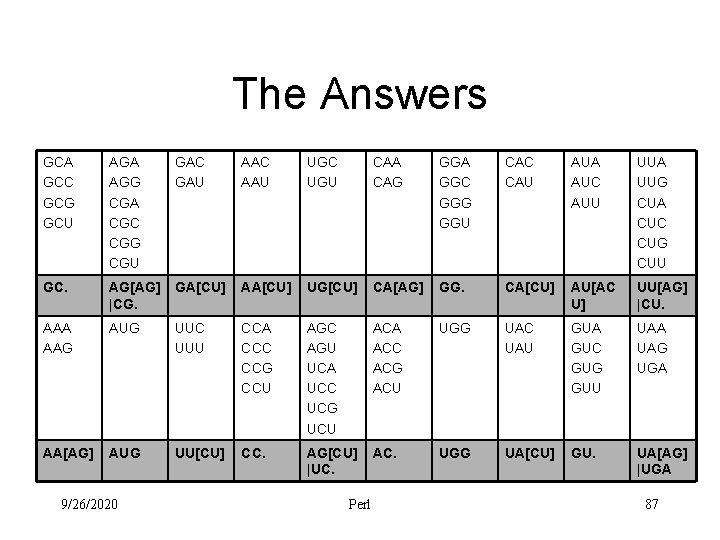
The Answers GCA GCC GCG GCU AGA AGG CGA CGC CGG CGU GAC GAU AAC AAU UGC UGU CAA CAG GGA GGC GGG GGU CAC CAU AUA AUC AUU UUA UUG CUA CUC CUG CUU GC. AG[AG] |CG. GA[CU] AA[CU] UG[CU] CA[AG] GG. CA[CU] AU[AC U] UU[AG] |CU. AAA AAG AUG UUC UUU CCA CCC CCG CCU AGC AGU UCA UCC UCG UCU ACA ACC ACG ACU UGG UAC UAU GUA GUC GUG GUU UAA UAG UGA AA[AG] AUG UU[CU] CC. AG[CU] |UC. AC. UGG UA[CU] GU. UA[AG] |UGA 9/26/2020 Perl 87
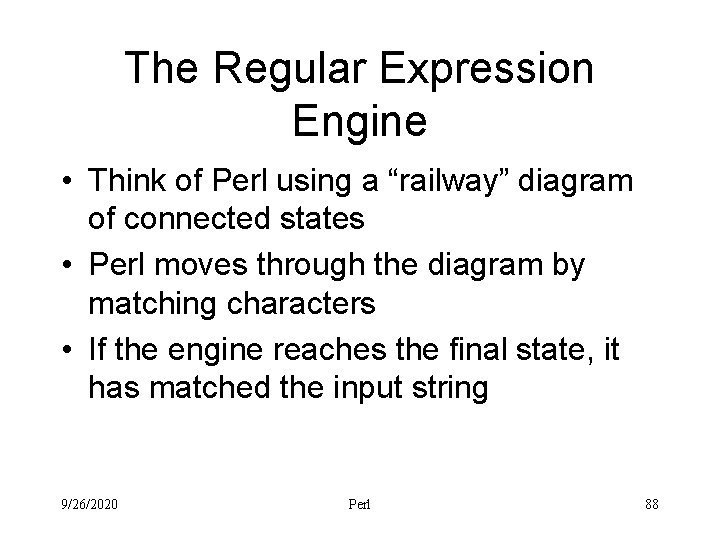
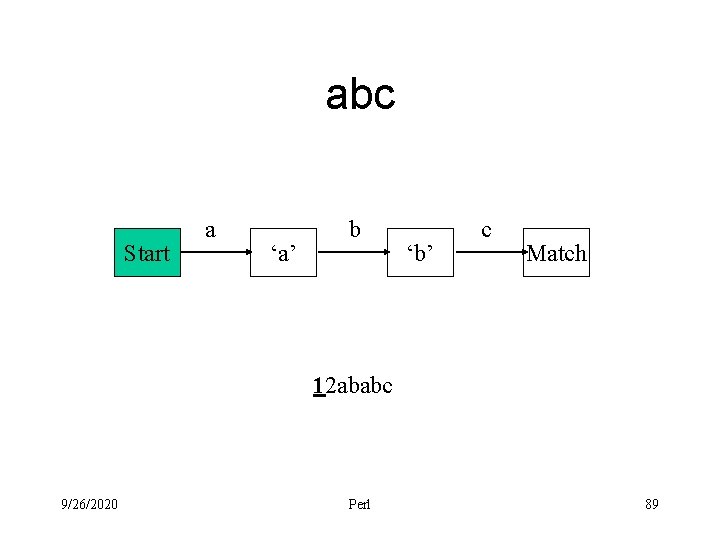
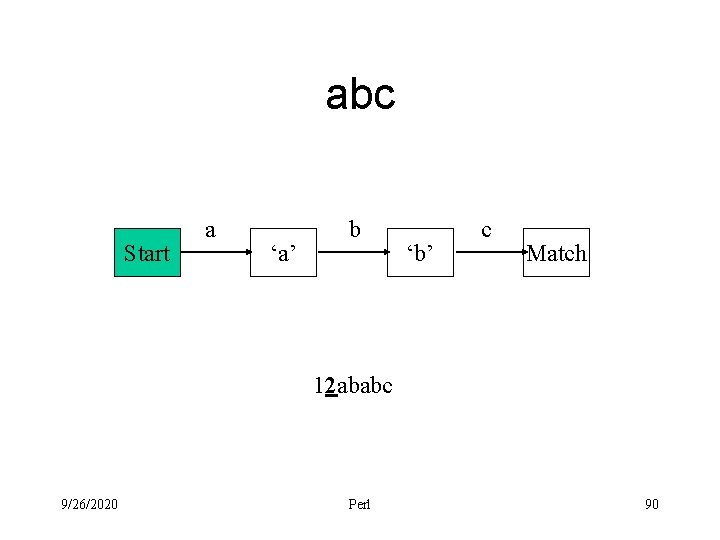
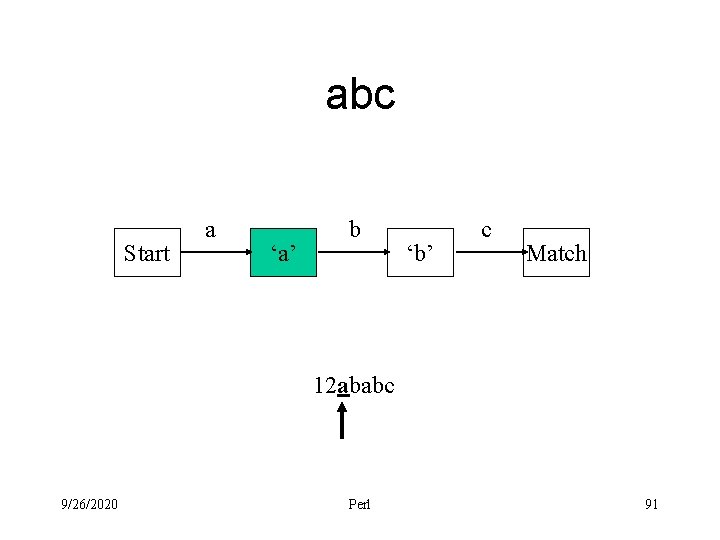
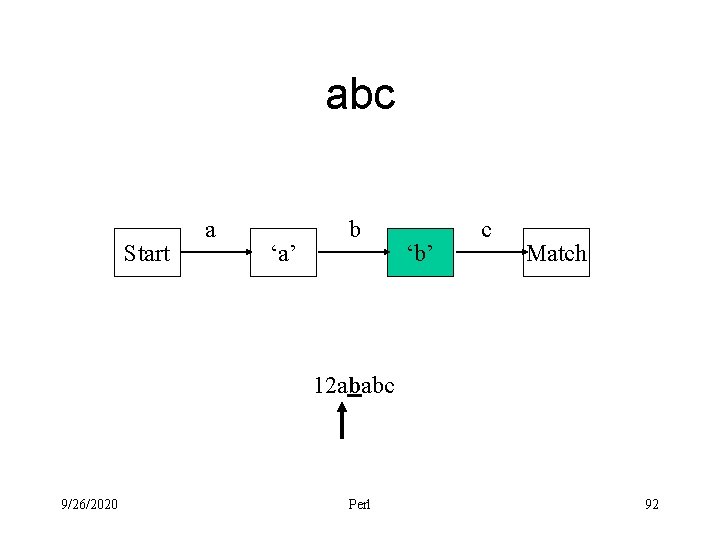
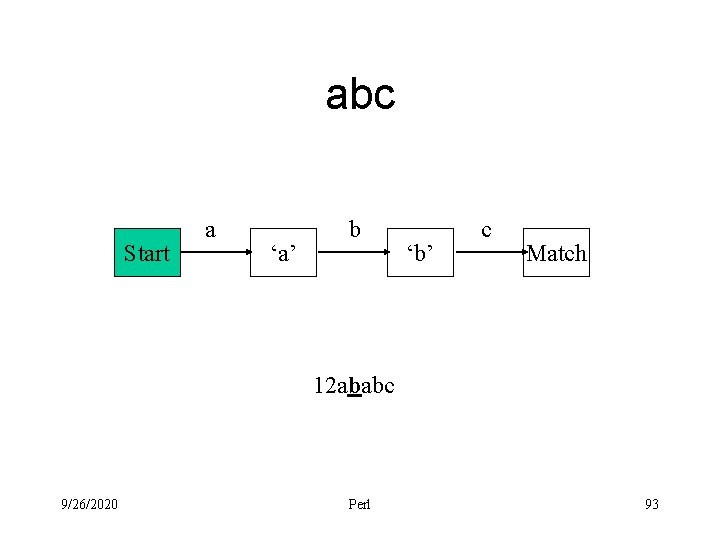
The Regular Expression Engine • Think of Perl using a “railway” diagram of connected states • Perl moves through the diagram by matching characters • If the engine reaches the final state, it has matched the input string 9/26/2020 Perl 88
abc Start a ‘a’ b ‘b’ c Match 12 ababc 9/26/2020 Perl 89
abc Start a ‘a’ b ‘b’ c Match 12 ababc 9/26/2020 Perl 90
abc Start a ‘a’ b ‘b’ c Match 12 ababc 9/26/2020 Perl 91
abc Start a ‘a’ b ‘b’ c Match 12 ababc 9/26/2020 Perl 92
abc Start a ‘a’ b ‘b’ c Match 12 ababc 9/26/2020 Perl 93
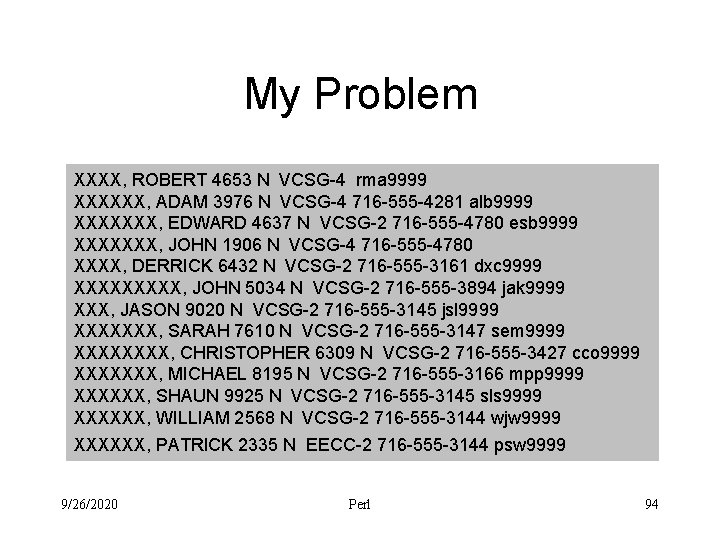
My Problem XXXX, ROBERT 4653 N VCSG-4 rma 9999 XXXXXX, ADAM 3976 N VCSG-4 716 -555 -4281 alb 9999 XXXXXXX, EDWARD 4637 N VCSG-2 716 -555 -4780 esb 9999 XXXXXXX, JOHN 1906 N VCSG-4 716 -555 -4780 XXXX, DERRICK 6432 N VCSG-2 716 -555 -3161 dxc 9999 XXXXX, JOHN 5034 N VCSG-2 716 -555 -3894 jak 9999 XXX, JASON 9020 N VCSG-2 716 -555 -3145 jsl 9999 XXXXXXX, SARAH 7610 N VCSG-2 716 -555 -3147 sem 9999 XXXX, CHRISTOPHER 6309 N VCSG-2 716 -555 -3427 cco 9999 XXXXXXX, MICHAEL 8195 N VCSG-2 716 -555 -3166 mpp 9999 XXXXXX, SHAUN 9925 N VCSG-2 716 -555 -3145 sls 9999 XXXXXX, WILLIAM 2568 N VCSG-2 716 -555 -3144 wjw 9999 XXXXXX, PATRICK 2335 N EECC-2 716 -555 -3144 psw 9999 9/26/2020 Perl 94
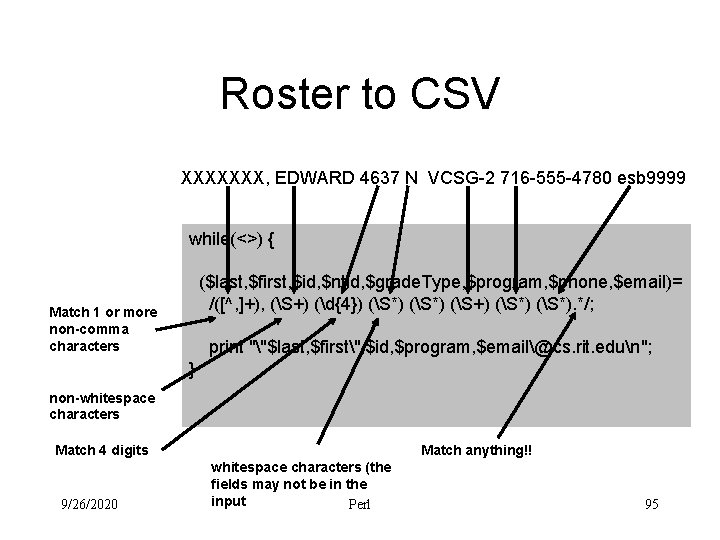
Roster to CSV XXXXXXX, EDWARD 4637 N VCSG-2 716 -555 -4780 esb 9999 while(<>) { ($last, $first, $id, $ntid, $grade. Type, $program, $phone, $email)= /([^, ]+), (S+) (d{4}) (S*) (S+) (S*). */; Match 1 or more non-comma characters Match 1 or more non-whitespace characters Match 4 digits 9/26/2020 print ""$last, $first", $id, $program, $email@cs. rit. edun"; } Match 0 or more nonwhitespace characters (the fields may not be in the input Perl Match anything!! 95
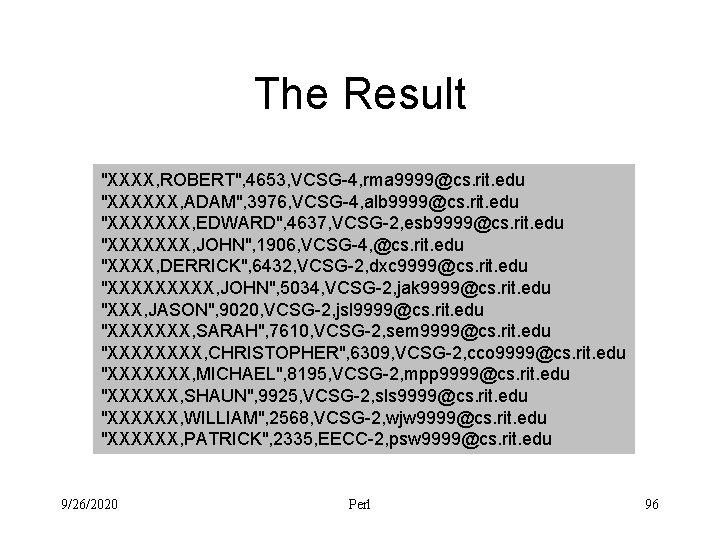
The Result "XXXX, ROBERT", 4653, VCSG-4, rma 9999@cs. rit. edu "XXXXXX, ADAM", 3976, VCSG-4, alb 9999@cs. rit. edu "XXXXXXX, EDWARD", 4637, VCSG-2, esb 9999@cs. rit. edu "XXXXXXX, JOHN", 1906, VCSG-4, @cs. rit. edu "XXXX, DERRICK", 6432, VCSG-2, dxc 9999@cs. rit. edu "XXXXX, JOHN", 5034, VCSG-2, jak 9999@cs. rit. edu "XXX, JASON", 9020, VCSG-2, jsl 9999@cs. rit. edu "XXXXXXX, SARAH", 7610, VCSG-2, sem 9999@cs. rit. edu "XXXX, CHRISTOPHER", 6309, VCSG-2, cco 9999@cs. rit. edu "XXXXXXX, MICHAEL", 8195, VCSG-2, mpp 9999@cs. rit. edu "XXXXXX, SHAUN", 9925, VCSG-2, sls 9999@cs. rit. edu "XXXXXX, WILLIAM", 2568, VCSG-2, wjw 9999@cs. rit. edu "XXXXXX, PATRICK", 2335, EECC-2, psw 9999@cs. rit. edu 9/26/2020 Perl 96
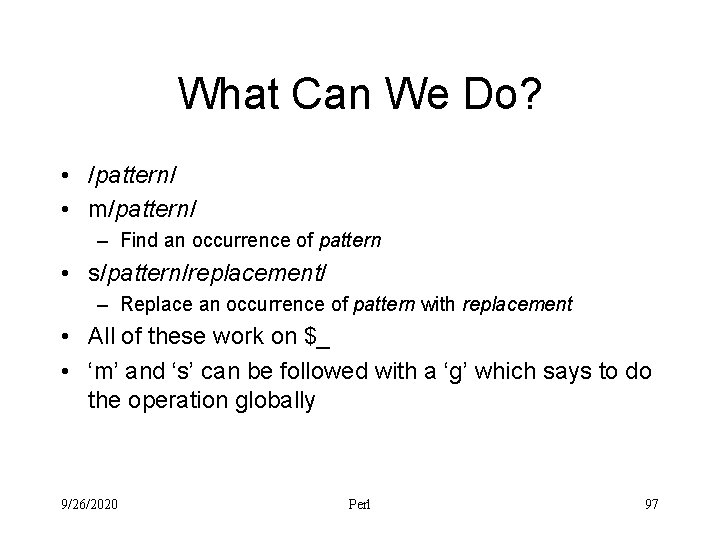
What Can We Do? • /pattern/ • m/pattern/ – Find an occurrence of pattern • s/pattern/replacement/ – Replace an occurrence of pattern with replacement • All of these work on $_ • ‘m’ and ‘s’ can be followed with a ‘g’ which says to do the operation globally 9/26/2020 Perl 97
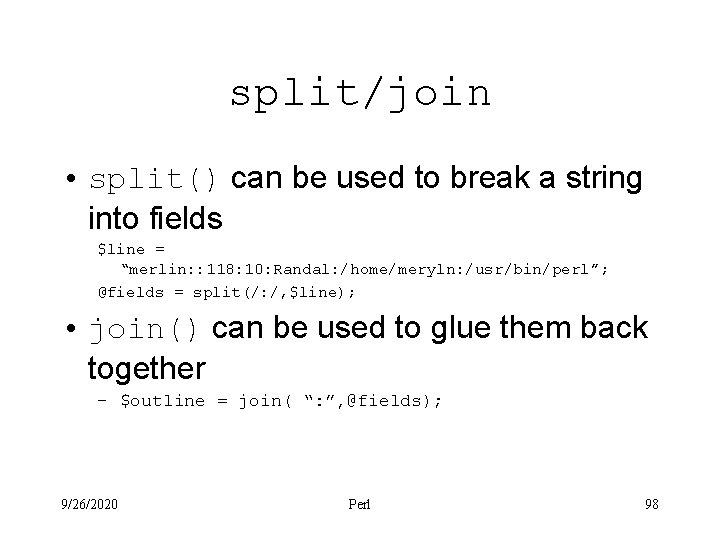
split/join • split() can be used to break a string into fields $line = “merlin: : 118: 10: Randal: /home/meryln: /usr/bin/perl”; @fields = split(/: /, $line); • join() can be used to glue them back together – $outline = join( “: ”, @fields); 9/26/2020 Perl 98
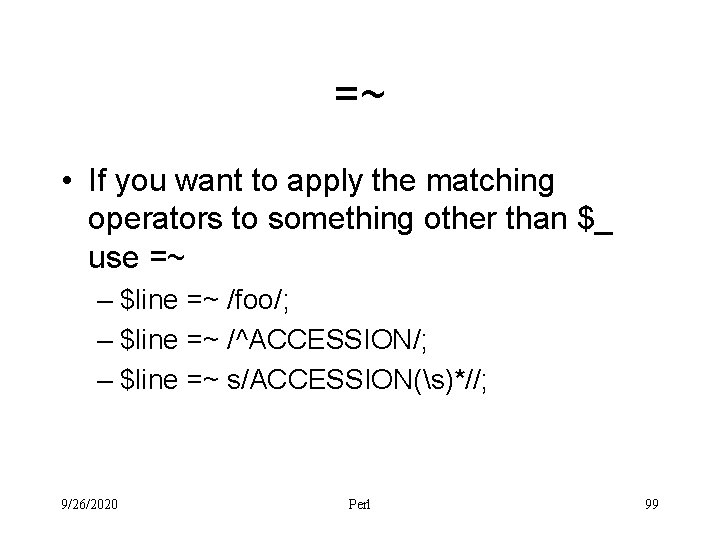
=~ • If you want to apply the matching operators to something other than $_ use =~ – $line =~ /foo/; – $line =~ /^ACCESSION/; – $line =~ s/ACCESSION(s)*//; 9/26/2020 Perl 99
accession. perl open INFILE, "<$ARGV[0]" or die "Unable to open Genbank file ($!)"; while ( !eof( INFILE ) ) { $line = <INFILE>; if ( $line =~ /^ACCESSION/ ) { $line =~ s/ACCESSION(s)*//; print $line, "n"; } } close INFILE; 9/26/2020 Perl 100
Your Turn!!! • Modify the script accession. perl so that in addition to the accession number it also prints out the locus and the organism • The output from your program should look like this Accession: AF 165912 Organism: Arabidopsis thaliana Locus: AF 165912 5485 bp DNA linear PLN 29 -JUL-1999 • The information obtained from the file must be printed in the order specified 9/26/2020 Perl 101
accession. perl open INFILE, "<$ARGV[0]" or die "Unable to open Genbank file ($!)"; while ( !eof( INFILE ) ) { $line = <INFILE>; if ( $line =~ /^ACCESSION/ ) { $accession = $line; $accession =~ s/ACCESSION(s)*//; } elsif ( $line =~ /^SOURCE/ ) { $organism = $line; $organism =~ s/SOURCE(s)*//; } elsif ( $line =~ /^LOCUS/ ) { $locus = $line; $locus =~ s/LOCUS(s)*//; } } print close 9/26/2020 "Accession: ", $accession; "Organism: ", $organism; "Locus: ", $locus; INFILE; Perl 102
sequence. perl open INFILE, "<$ARGV[0]" or die "Unable to open Genbank file ($!)"; $in_sequence = 0; # 0 is false while ( !eof( INFILE ) ) { $line = <INFILE>; if ( $line =~ /^//n/ ) { $in_sequence = 1; # non-zero value is true } elsif ( $line =~ /^ORIGIN/ ) { $in_sequence = true; } elsif ( $in_sequence ) { print $line, "n"; } } close INFILE; 9/26/2020 Perl 103
Your Turn!!! • Modify the script sequence. perl so that the sequence data is placed into a scalar variable named $sequence_data. • All of the spaces, newlines, and line numbers should be removed from the sequence data • Write your program so that it prints $sequence_data to verify it works correctly • Testing hint – Modify the Genbank record so that it has many fewer sequence lines 9/26/2020 Perl 104
sequence. perl open INFILE, "<$ARGV[0]" or die "Unable to open Genbank file ($!)"; $in_sequence = 0; # 0 is false $sequence_data = ""; while ( !eof( INFILE ) ) { $line = <INFILE>; if ( $line =~ /^/// ) { $in_sequence = 1; # non-zero value is true } elsif ( $line =~ /^ORIGIN/ ) { $in_sequence = true; } elsif ( $in_sequence ) { $sequence_data = $sequence_data. $line; } } $sequence_data =~ s/[s 0 -9]//g; print $sequence_data; close INFILE; 9/26/2020 Perl 105
Where Are We? • So now we have a program that extracts the DNA sequence information out of a Genbank record • Lets go one step further and convert the sequence data into an equivalent sequence of amino acids – To simplify things assume that a reading frame starts with the first nucleotide in the sequence 9/26/2020 Perl 106
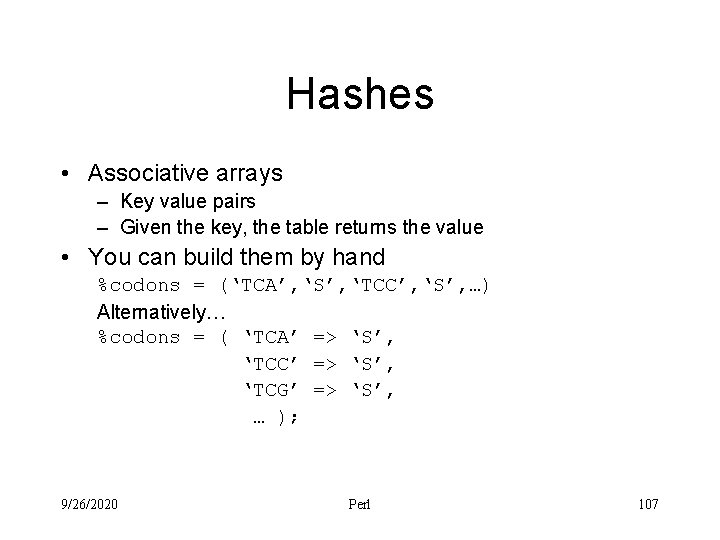
Hashes • Associative arrays – Key value pairs – Given the key, the table returns the value • You can build them by hand %codons = (‘TCA’, ‘S’, ‘TCC’, ‘S’, …) Alternatively… %codons = ( ‘TCA’ => ‘S’, ‘TCC’ => ‘S’, ‘TCG’ => ‘S’, … ); 9/26/2020 Perl 107
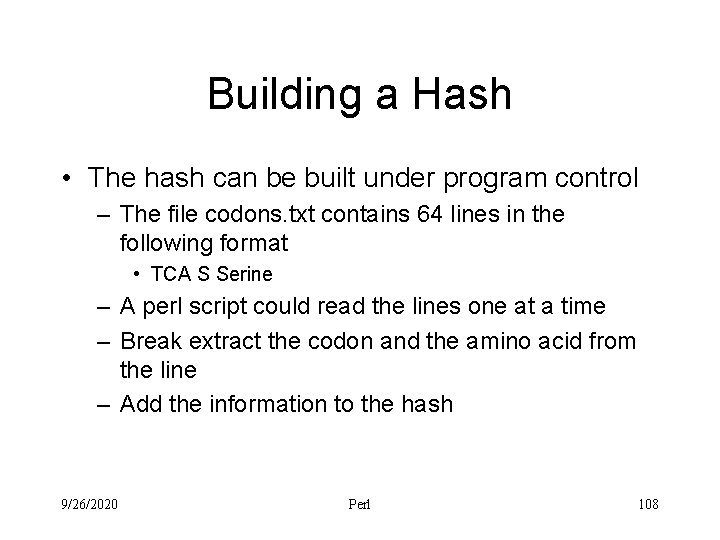
Building a Hash • The hash can be built under program control – The file codons. txt contains 64 lines in the following format • TCA S Serine – A perl script could read the lines one at a time – Break extract the codon and the amino acid from the line – Add the information to the hash 9/26/2020 Perl 108
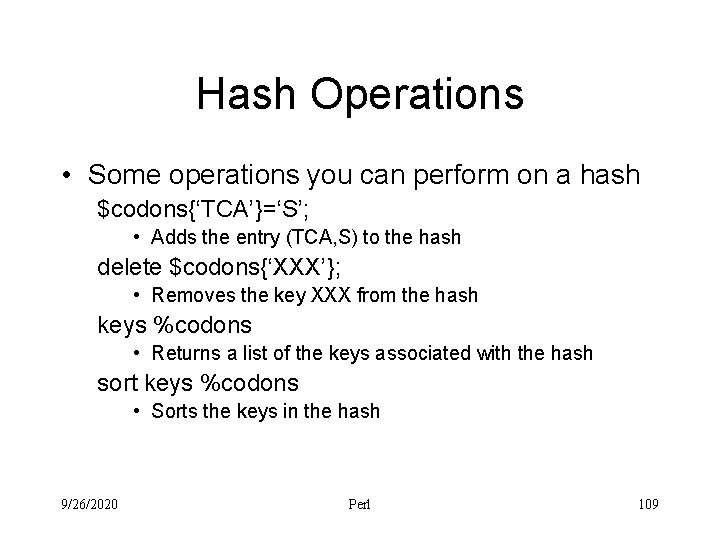
Hash Operations • Some operations you can perform on a hash $codons{‘TCA’}=‘S’; • Adds the entry (TCA, S) to the hash delete $codons{‘XXX’}; • Removes the key XXX from the hash keys %codons • Returns a list of the keys associated with the hash sort keys %codons • Sorts the keys in the hash 9/26/2020 Perl 109
build. Hash. perl open CODONS, "<$ARGV[0]" or die "Unable to open codon file ($!)"; while (<CODONS>) { ($codon, $amino, $name)=split /s/; $codons{$codon}=$amino; } foreach $d ( sort keys %codons ) { print "$d: $codons{$d}n"; } close CODONS; 9/26/2020 Perl 110
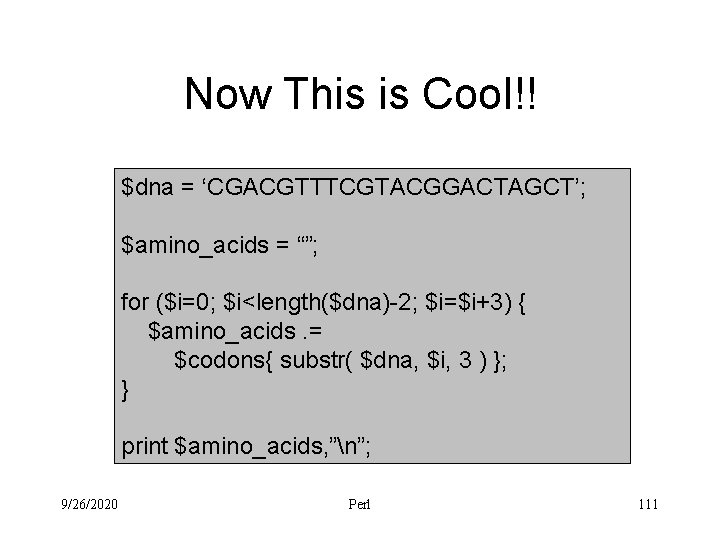
Now This is Cool!! $dna = ‘CGACGTTTCGTACGGACTAGCT’; $amino_acids = “”; for ($i=0; $i<length($dna)-2; $i=$i+3) { $amino_acids. = $codons{ substr( $dna, $i, 3 ) }; } print $amino_acids, ”n”; 9/26/2020 Perl 111
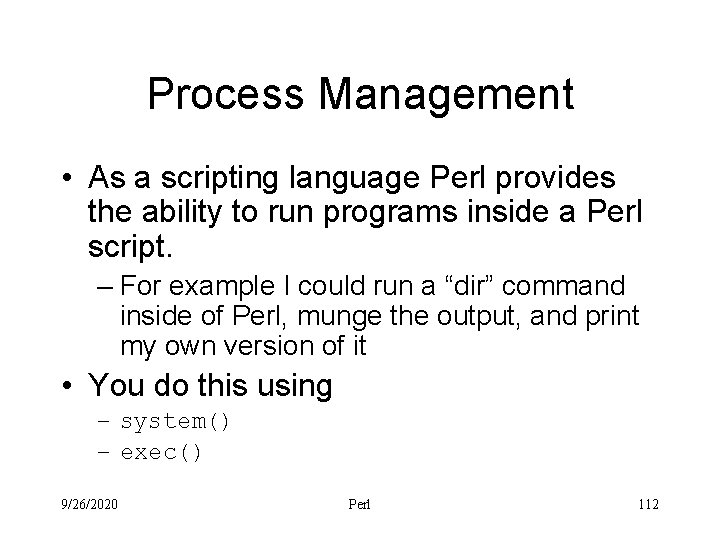
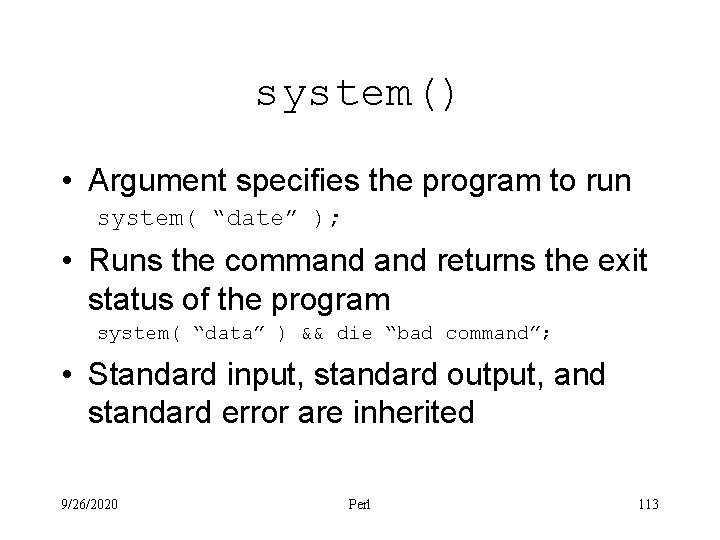
Process Management • As a scripting language Perl provides the ability to run programs inside a Perl script. – For example I could run a “dir” command inside of Perl, munge the output, and print my own version of it • You do this using – system() – exec() 9/26/2020 Perl 112
system() • Argument specifies the program to run system( “date” ); • Runs the command returns the exit status of the program system( “data” ) && die “bad command”; • Standard input, standard output, and standard error are inherited 9/26/2020 Perl 113
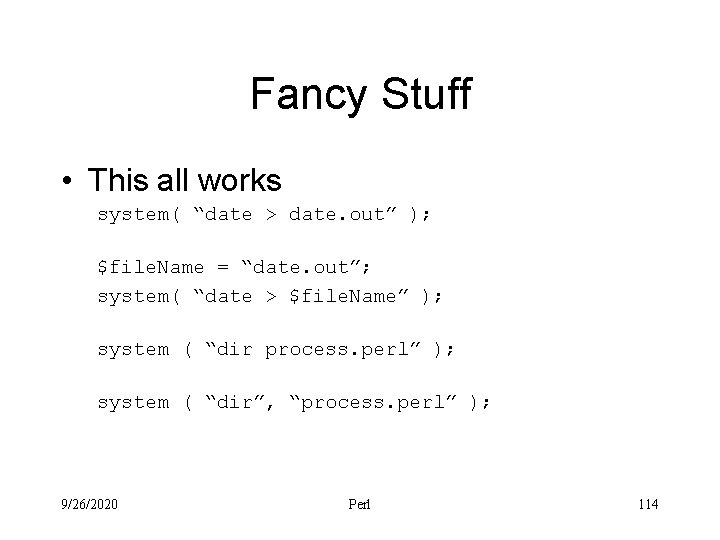
Fancy Stuff • This all works system( “date > date. out” ); $file. Name = “date. out”; system( “date > $file. Name” ); system ( “dir process. perl” ); system ( “dir”, “process. perl” ); 9/26/2020 Perl 114
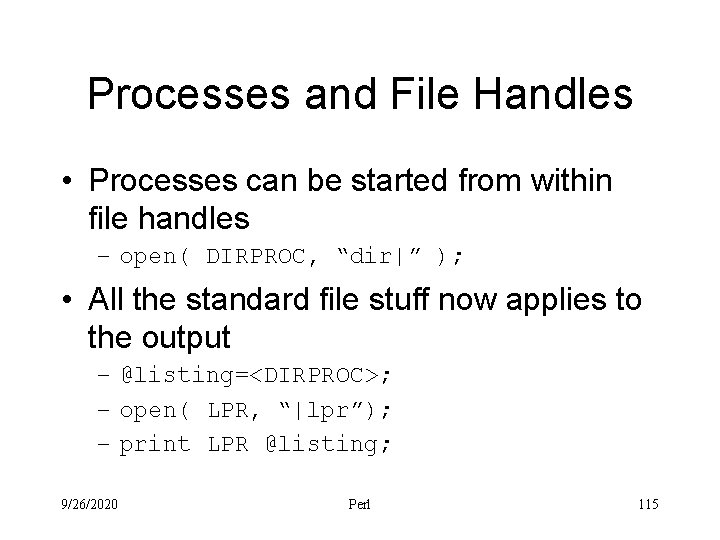
Processes and File Handles • Processes can be started from within file handles – open( DIRPROC, “dir|” ); • All the standard file stuff now applies to the output – @listing=<DIRPROC>; – open( LPR, “|lpr”); – print LPR @listing; 9/26/2020 Perl 115