
What is Visual Modeling Order Modeling captures essential
![State Transition Diagram Add student[ count < 10 ] Add Student / Set count](https://slidetodoc.com/presentation_image_h2/ce1fe9afc37b6c0b353f42e5407330e6/image-34.jpg "State Transition Diagram Add student[ count < 10 ] Add Student / Set count")
- Slides: 39
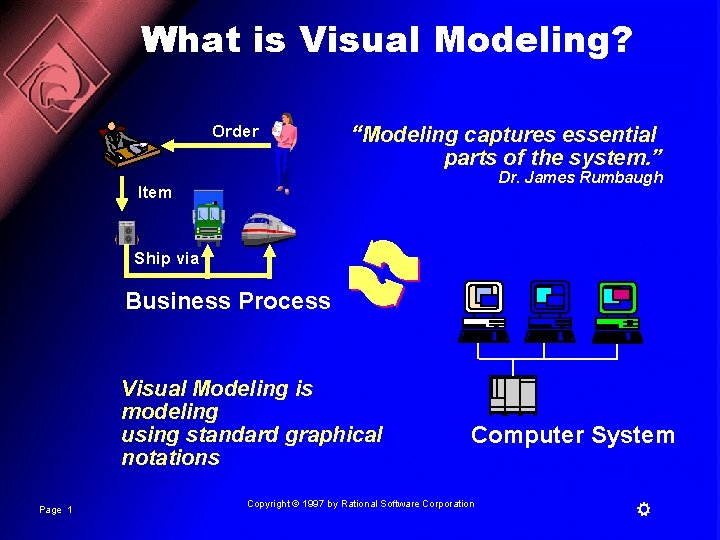
What is Visual Modeling? Order “Modeling captures essential parts of the system. ” Dr. James Rumbaugh Item Ship via Business Process Visual Modeling is modeling using standard graphical notations Page 1 Computer System Copyright © 1997 by Rational Software Corporation
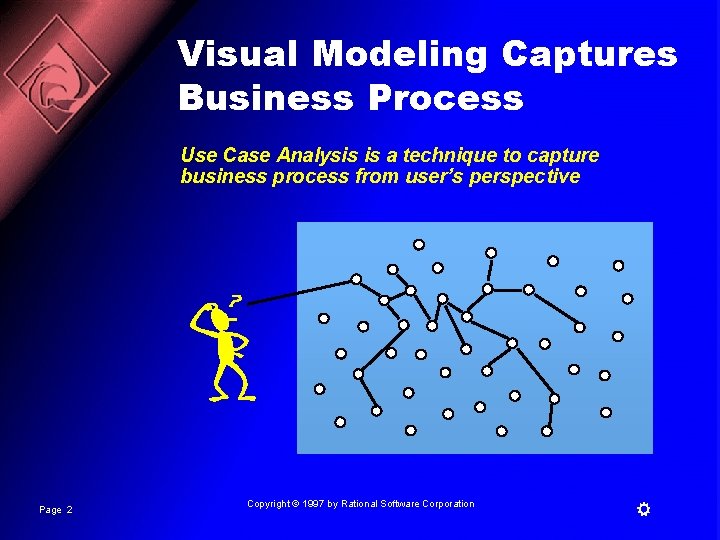
Visual Modeling Captures Business Process Use Case Analysis is a technique to capture business process from user’s perspective Page 2 Copyright © 1997 by Rational Software Corporation
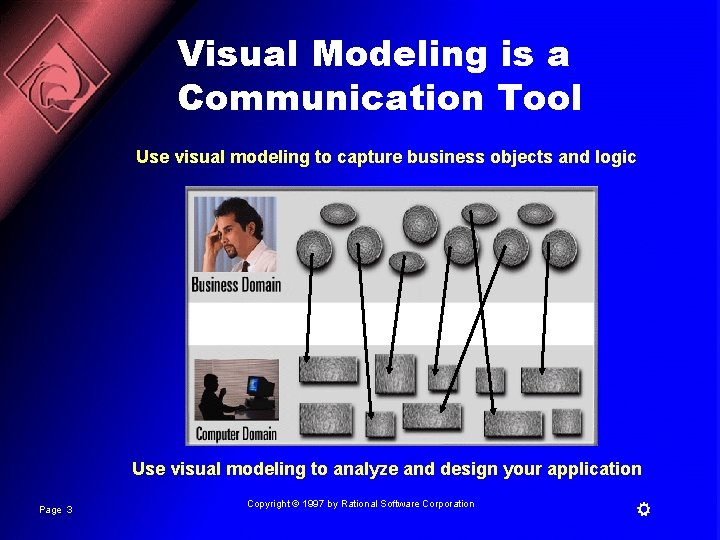
Visual Modeling is a Communication Tool Use visual modeling to capture business objects and logic Use visual modeling to analyze and design your application Page 3 Copyright © 1997 by Rational Software Corporation
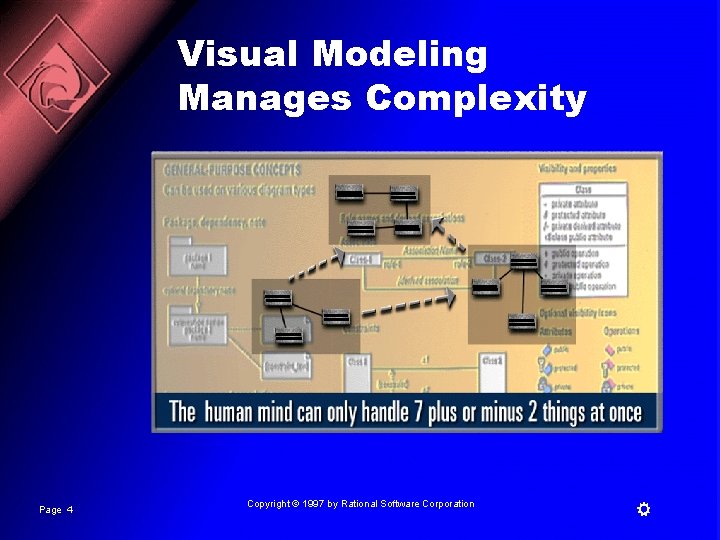
Visual Modeling Manages Complexity Page 4 Copyright © 1997 by Rational Software Corporation
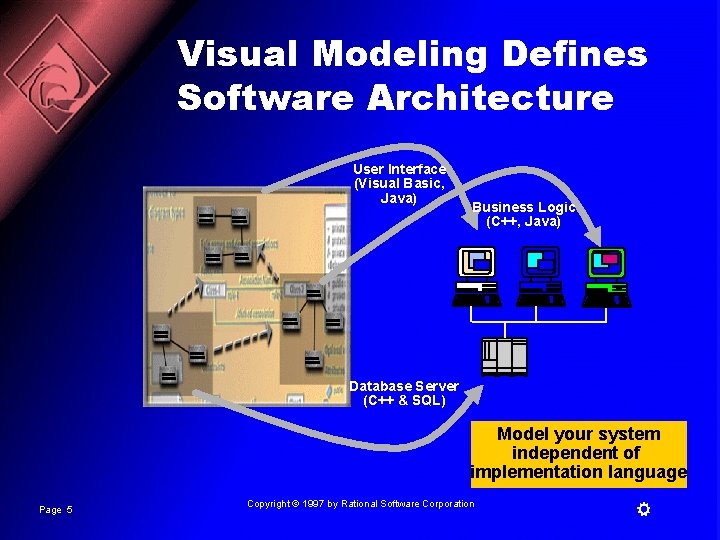
Visual Modeling Defines Software Architecture User Interface (Visual Basic, Java) Business Logic (C++, Java) Database Server (C++ & SQL) Model your system independent of implementation language Page 5 Copyright © 1997 by Rational Software Corporation
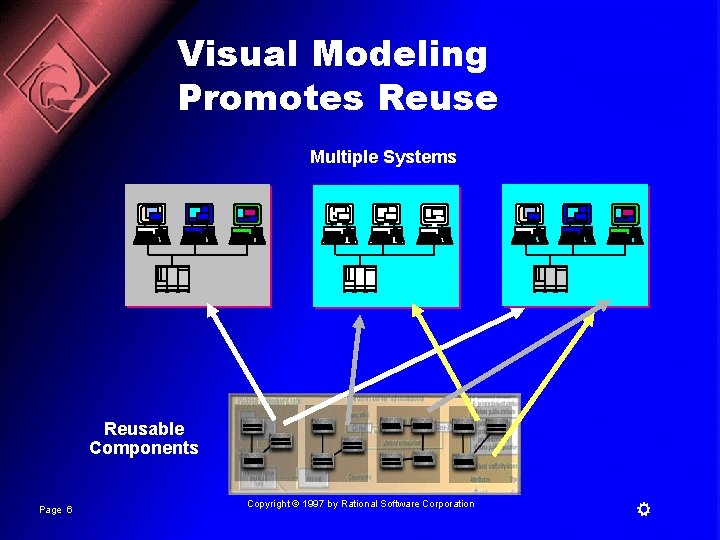
Visual Modeling Promotes Reuse Multiple Systems Reusable Components Page 6 Copyright © 1997 by Rational Software Corporation
What is the UML? n UML stands for Unified Modeling Language n The UML combines the best of the best from – – Data Modeling concepts (Entity Relationship Diagrams) Business Modeling (work flow) Object Modeling Component Modeling n The UML is the standard language for visualizing, specifying, constructing, and documenting the artifacts of a software-intensive system n It can be used with all processes, throughout the development life cycle, and across different implementation technologies Page 7 Copyright © 1997 by Rational Software Corporation
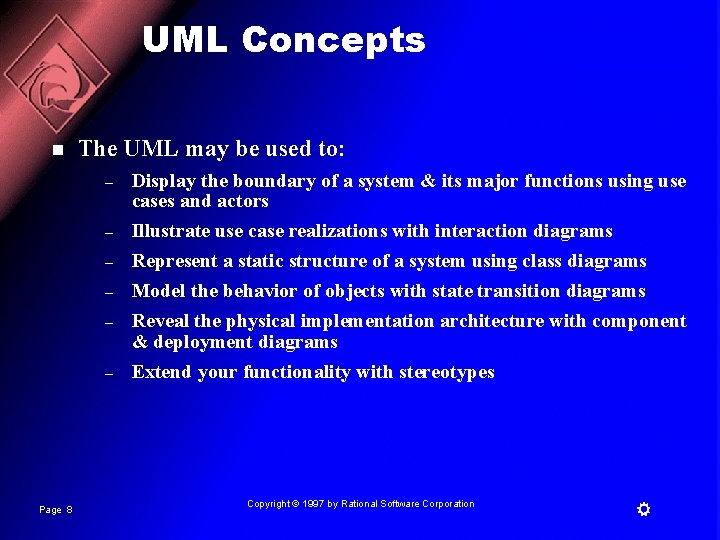
UML Concepts n The UML may be used to: – – – Page 8 Display the boundary of a system & its major functions using use cases and actors Illustrate use case realizations with interaction diagrams Represent a static structure of a system using class diagrams Model the behavior of objects with state transition diagrams Reveal the physical implementation architecture with component & deployment diagrams Extend your functionality with stereotypes Copyright © 1997 by Rational Software Corporation
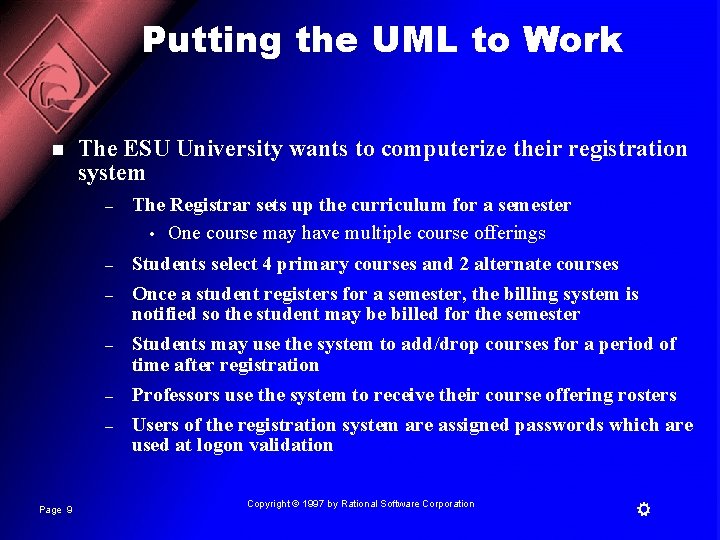
Putting the UML to Work n The ESU University wants to computerize their registration system – The Registrar sets up the curriculum for a semester • One course may have multiple course offerings – Students select 4 primary courses and 2 alternate courses Once a student registers for a semester, the billing system is notified so the student may be billed for the semester Students may use the system to add/drop courses for a period of time after registration Professors use the system to receive their course offering rosters Users of the registration system are assigned passwords which are used at logon validation – – Page 9 Copyright © 1997 by Rational Software Corporation
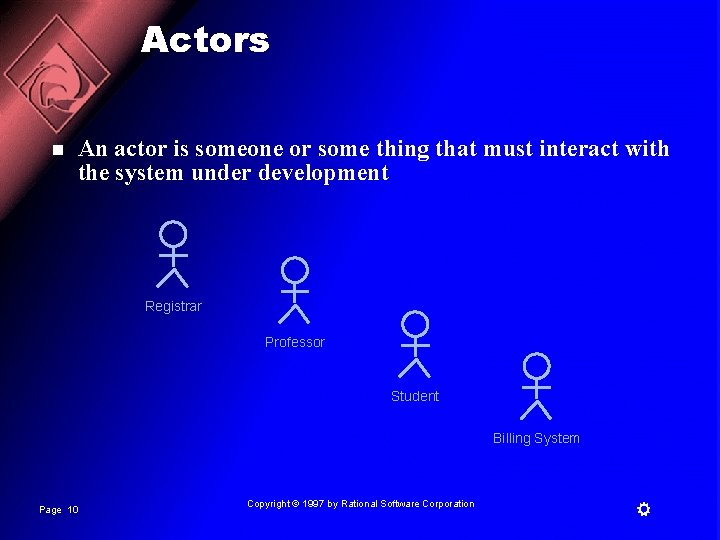
Actors n An actor is someone or some thing that must interact with the system under development Registrar Professor Student Billing System Page 10 Copyright © 1997 by Rational Software Corporation
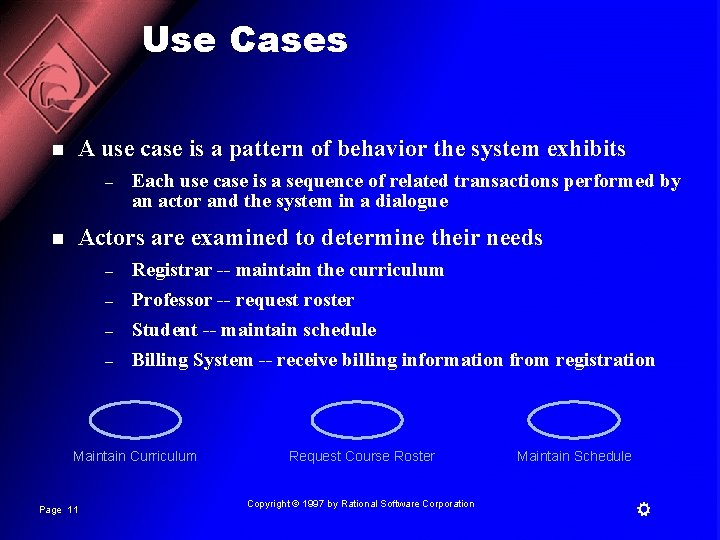
Use Cases n A use case is a pattern of behavior the system exhibits – n Each use case is a sequence of related transactions performed by an actor and the system in a dialogue Actors are examined to determine their needs – – Registrar -- maintain the curriculum Professor -- request roster Student -- maintain schedule Billing System -- receive billing information from registration Maintain Curriculum Page 11 Request Course Roster Copyright © 1997 by Rational Software Corporation Maintain Schedule
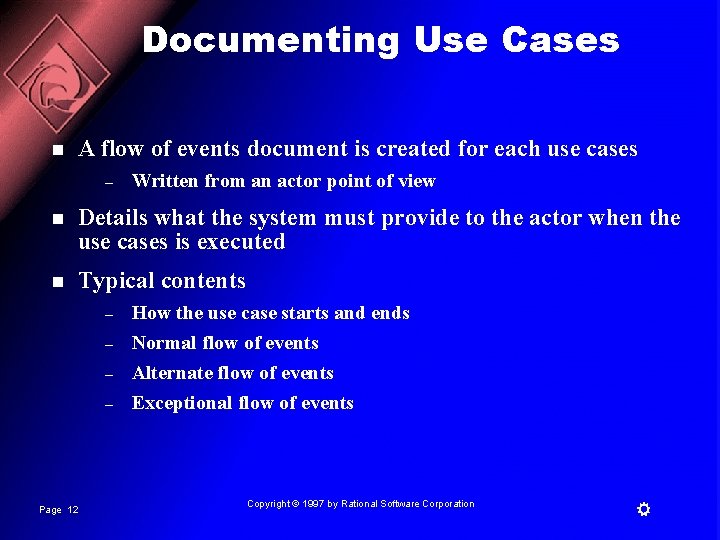
Documenting Use Cases n A flow of events document is created for each use cases – Written from an actor point of view n Details what the system must provide to the actor when the use cases is executed n Typical contents – – Page 12 How the use case starts and ends Normal flow of events Alternate flow of events Exceptional flow of events Copyright © 1997 by Rational Software Corporation
Maintain Curriculum Flow of Events n This use case begins when the Registrar logs onto the Registration System and enters his/her password. The system verifies that the password is valid (E-1) and prompts the Registrar to select the current semester or a future semester (E-2). The Registrar enters the desired semester. The system prompts the professor to select the desired activity: ADD, DELETE, REVIEW, or QUIT. n If the activity selected is ADD, the S-1: Add a Course subflow is performed. n If the activity selected is DELETE, the S-2: Delete a Course subflow is performed. n If the activity selected is REVIEW, the S-3: Review Curriculum subflow is performed. n If the activity selected is QUIT, the use case ends. n . . . Page 13 Copyright © 1997 by Rational Software Corporation
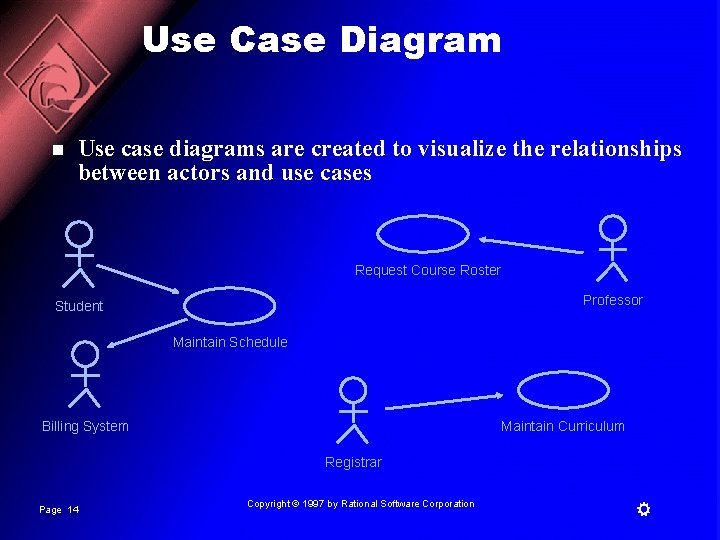
Use Case Diagram n Use case diagrams are created to visualize the relationships between actors and use cases Request Course Roster Professor Student Maintain Schedule Billing System Maintain Curriculum Registrar Page 14 Copyright © 1997 by Rational Software Corporation
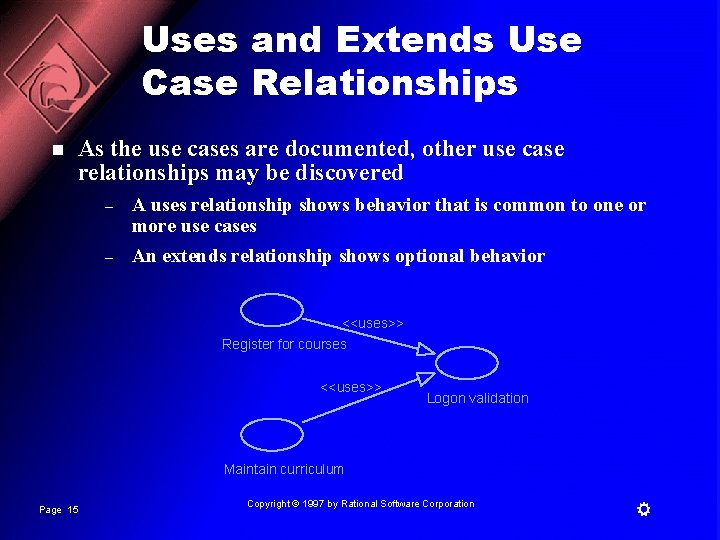
Uses and Extends Use Case Relationships n As the use cases are documented, other use case relationships may be discovered – – A uses relationship shows behavior that is common to one or more use cases An extends relationship shows optional behavior <<uses>> Register for courses <<uses>> Logon validation Maintain curriculum Page 15 Copyright © 1997 by Rational Software Corporation
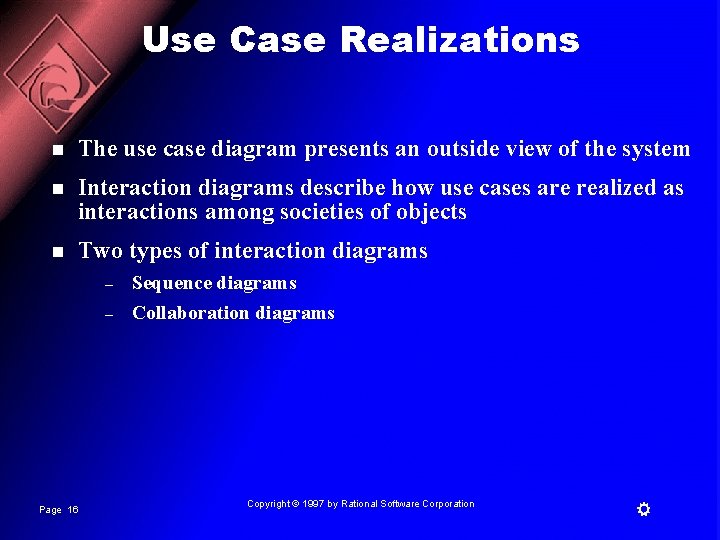
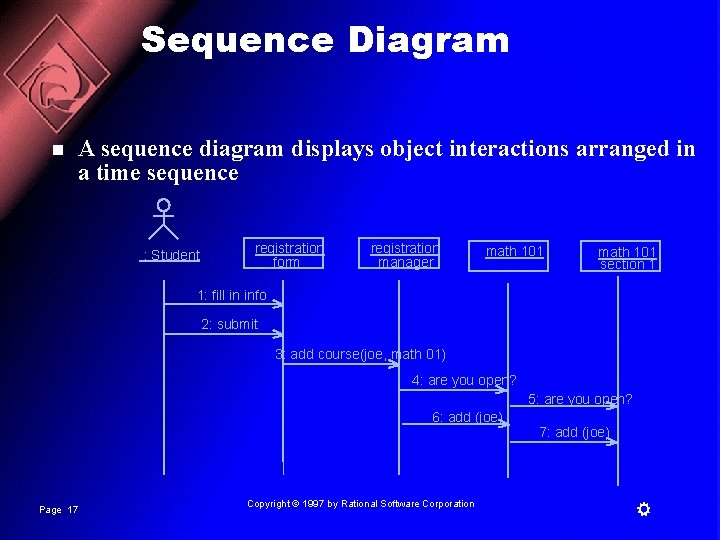
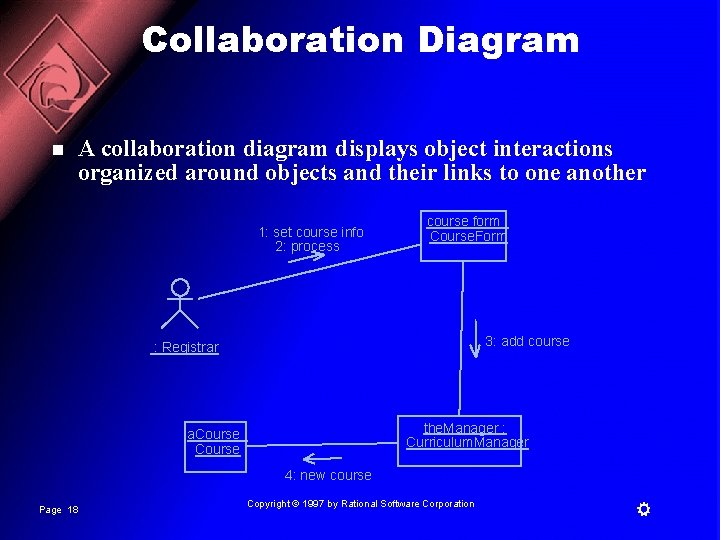
Use Case Realizations n The use case diagram presents an outside view of the system n Interaction diagrams describe how use cases are realized as interactions among societies of objects n Two types of interaction diagrams – – Page 16 Sequence diagrams Collaboration diagrams Copyright © 1997 by Rational Software Corporation
Sequence Diagram n A sequence diagram displays object interactions arranged in a time sequence : Student registration form registration manager math 101 section 1 1: fill in info 2: submit 3: add course(joe, math 01) 4: are you open? 5: are you open? 6: add (joe) 7: add (joe) Page 17 Copyright © 1997 by Rational Software Corporation
Collaboration Diagram n A collaboration diagram displays object interactions organized around objects and their links to one another 1: set course info 2: process course form : Course. Form 3: add course : Registrar the. Manager : Curriculum. Manager a. Course : Course 4: new course Page 18 Copyright © 1997 by Rational Software Corporation
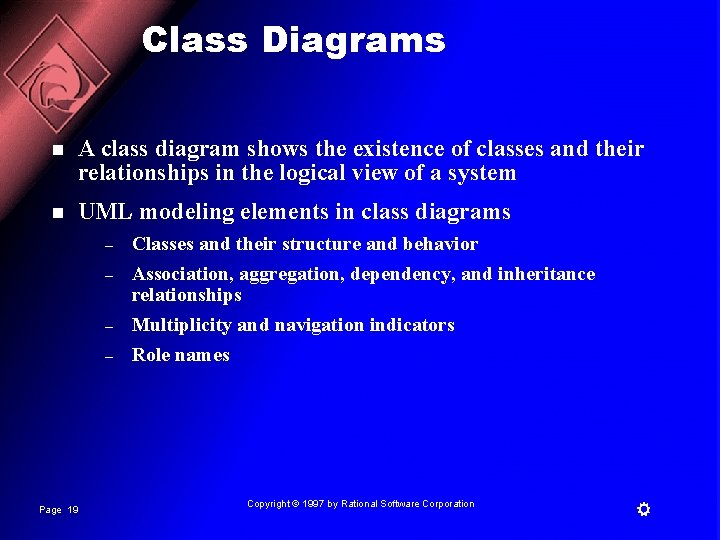
Class Diagrams n A class diagram shows the existence of classes and their relationships in the logical view of a system n UML modeling elements in class diagrams – – Page 19 Classes and their structure and behavior Association, aggregation, dependency, and inheritance relationships Multiplicity and navigation indicators Role names Copyright © 1997 by Rational Software Corporation
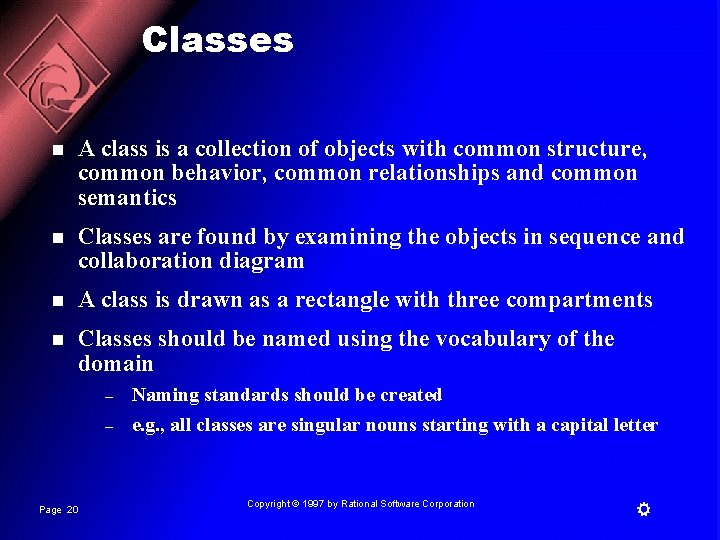
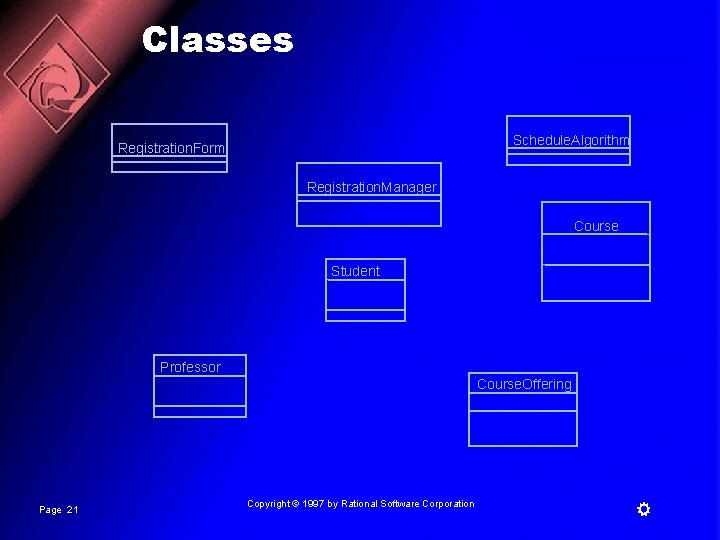
Classes n A class is a collection of objects with common structure, common behavior, common relationships and common semantics n Classes are found by examining the objects in sequence and collaboration diagram n A class is drawn as a rectangle with three compartments n Classes should be named using the vocabulary of the domain – – Page 20 Naming standards should be created e. g. , all classes are singular nouns starting with a capital letter Copyright © 1997 by Rational Software Corporation
Classes Schedule. Algorithm Registration. Form Registration. Manager Course Student Professor Course. Offering Page 21 Copyright © 1997 by Rational Software Corporation
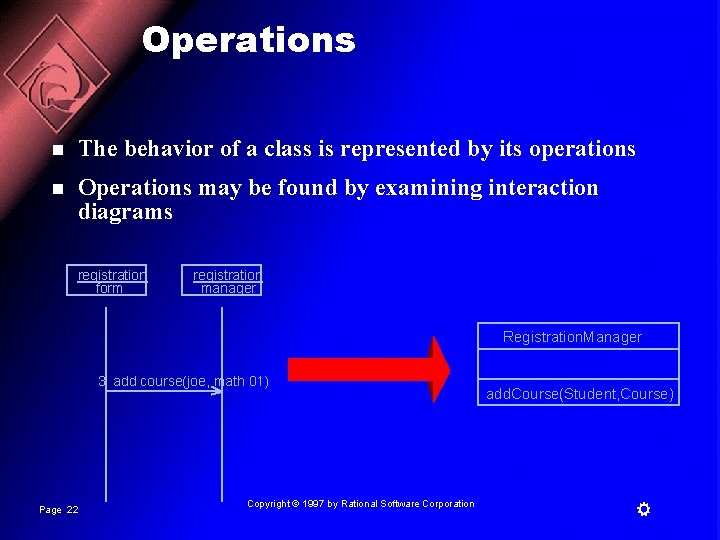
Operations n The behavior of a class is represented by its operations n Operations may be found by examining interaction diagrams registration form registration manager Registration. Manager 3: add course(joe, math 01) Page 22 Copyright © 1997 by Rational Software Corporation add. Course(Student, Course)
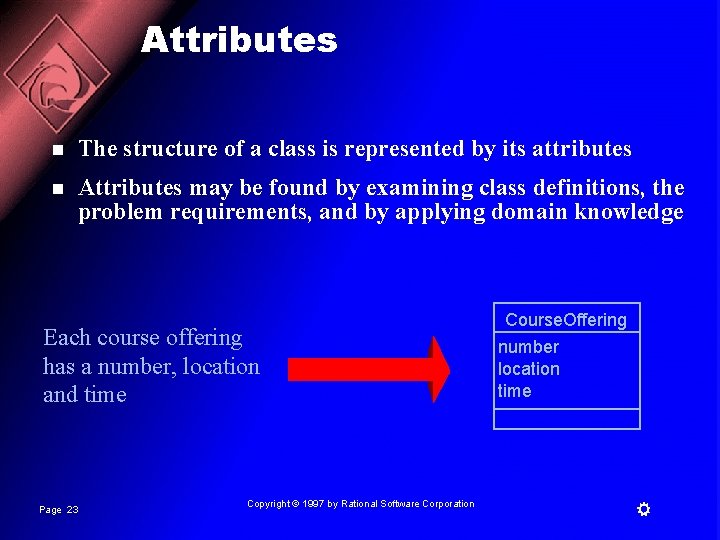
Attributes n The structure of a class is represented by its attributes n Attributes may be found by examining class definitions, the problem requirements, and by applying domain knowledge Each course offering has a number, location and time Page 23 Copyright © 1997 by Rational Software Corporation Course. Offering number location time
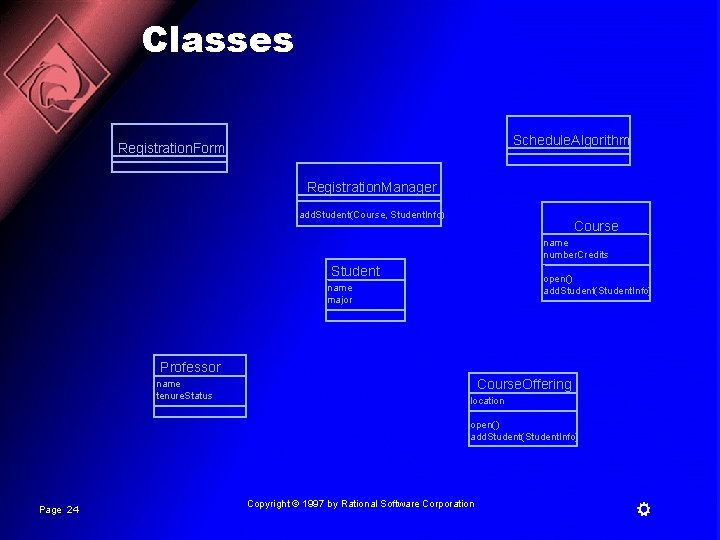
Classes Schedule. Algorithm Registration. Form Registration. Manager add. Student(Course, Student. Info) Course name number. Credits Student open() add. Student(Student. Info) name major Professor name tenure. Status Course. Offering location open() add. Student(Student. Info) Page 24 Copyright © 1997 by Rational Software Corporation
Relationships n Relationships provide a pathway for communication between objects n Sequence and/or collaboration diagrams are examined to determine what links between objects need to exist to accomplish the behavior -- if two objects need to “talk” there must be a link between them n Three types of relationships are: – – – Page 25 Association Aggregation Dependency Copyright © 1997 by Rational Software Corporation
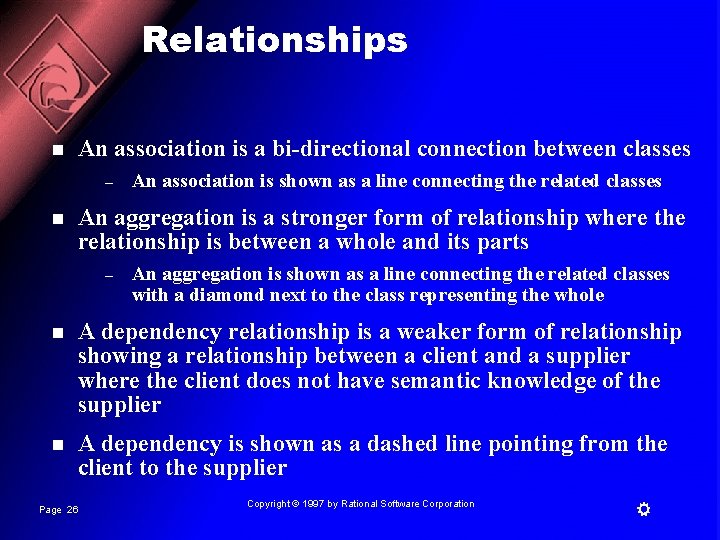
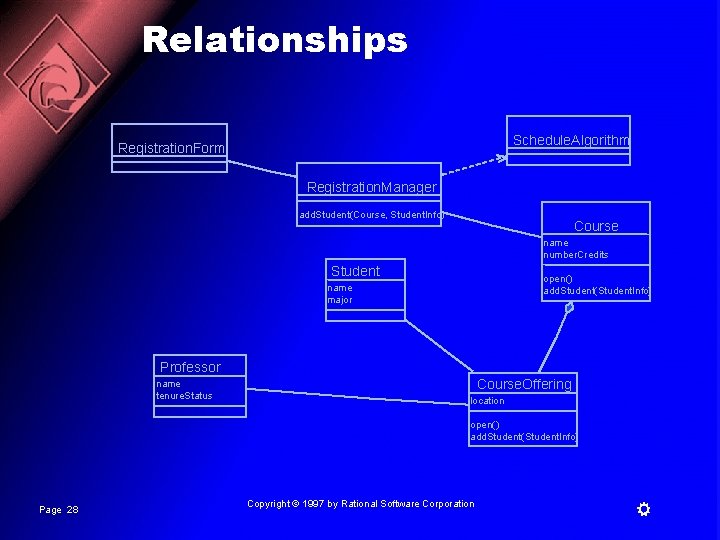
Relationships n An association is a bi-directional connection between classes – n An association is shown as a line connecting the related classes An aggregation is a stronger form of relationship where the relationship is between a whole and its parts – An aggregation is shown as a line connecting the related classes with a diamond next to the class representing the whole n A dependency relationship is a weaker form of relationship showing a relationship between a client and a supplier where the client does not have semantic knowledge of the supplier n A dependency is shown as a dashed line pointing from the client to the supplier Page 26 Copyright © 1997 by Rational Software Corporation
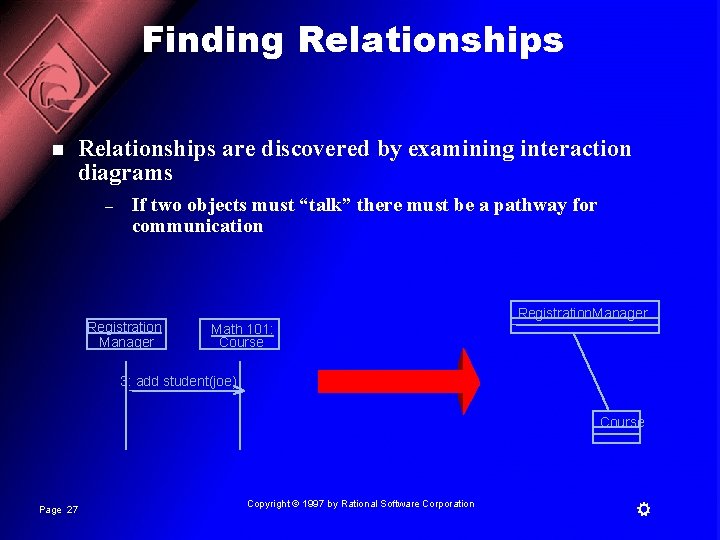
Finding Relationships n Relationships are discovered by examining interaction diagrams – If two objects must “talk” there must be a pathway for communication Registration Manager Registration. Manager Math 101: Course 3: add student(joe) Course Page 27 Copyright © 1997 by Rational Software Corporation
Relationships Schedule. Algorithm Registration. Form Registration. Manager add. Student(Course, Student. Info) Course name number. Credits Student open() add. Student(Student. Info) name major Professor name tenure. Status Course. Offering location open() add. Student(Student. Info) Page 28 Copyright © 1997 by Rational Software Corporation
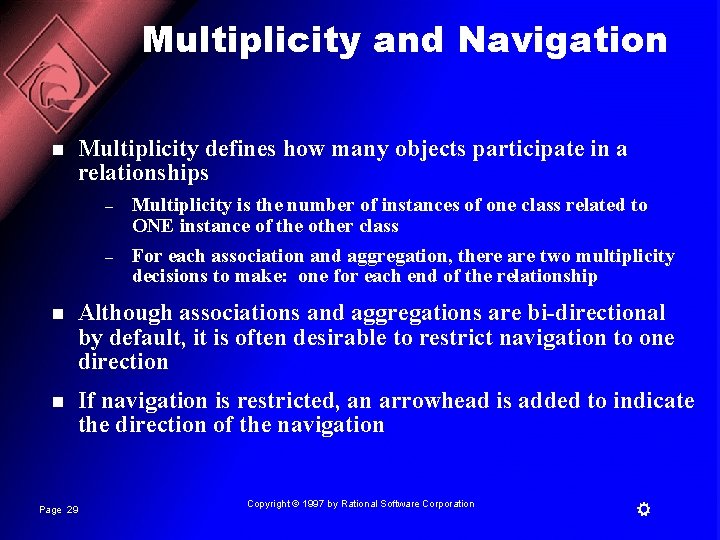
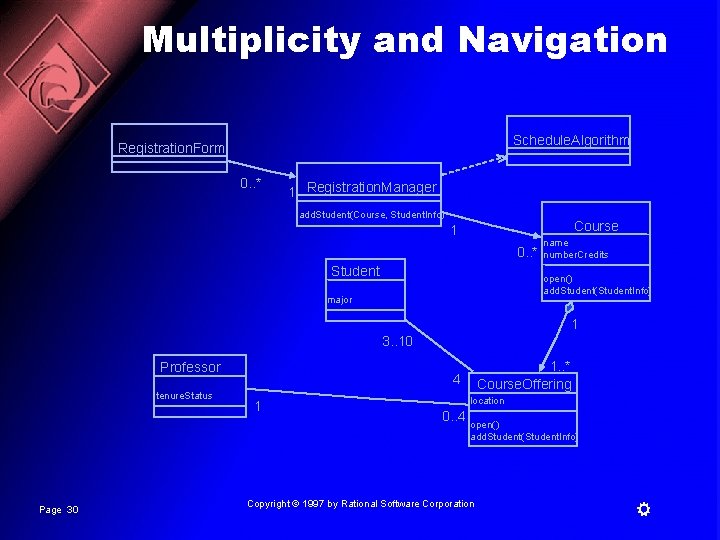
Multiplicity and Navigation n Multiplicity defines how many objects participate in a relationships – – Multiplicity is the number of instances of one class related to ONE instance of the other class For each association and aggregation, there are two multiplicity decisions to make: one for each end of the relationship n Although associations and aggregations are bi-directional by default, it is often desirable to restrict navigation to one direction n If navigation is restricted, an arrowhead is added to indicate the direction of the navigation Page 29 Copyright © 1997 by Rational Software Corporation
Multiplicity and Navigation Schedule. Algorithm Registration. Form 0. . * 1 Registration. Manager add. Student(Course, Student. Info) Course 1 0. . * Student name number. Credits open() add. Student(Student. Info) major 1 3. . 10 Professor tenure. Status Page 30 1. . * Course. Offering 4 1 location 0. . 4 open() add. Student(Student. Info) Copyright © 1997 by Rational Software Corporation
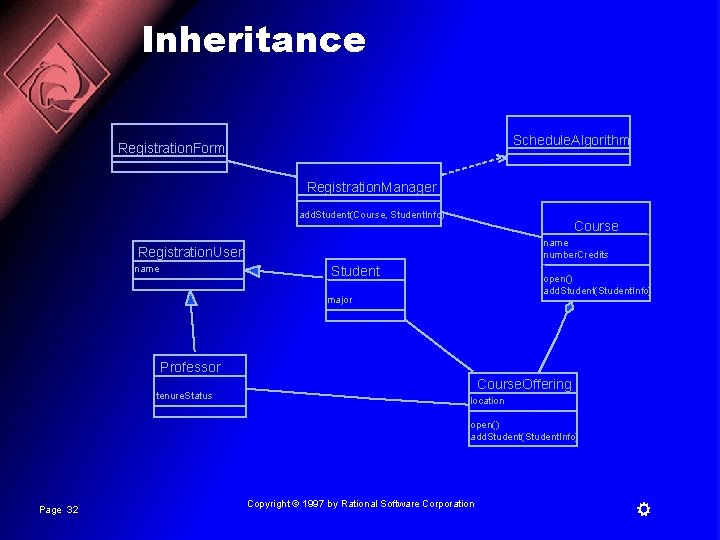
Inheritance n Inheritance is a relationships between a superclass and its subclasses n There are two ways to find inheritance: – – n Generalization Specialization Common attributes, operations, and/or relationships are shown at the highest applicable level in the hierarchy Page 31 Copyright © 1997 by Rational Software Corporation
Inheritance Schedule. Algorithm Registration. Form Registration. Manager add. Student(Course, Student. Info) Course name number. Credits Registration. User name Student open() add. Student(Student. Info) major Professor tenure. Status Course. Offering location open() add. Student(Student. Info) Page 32 Copyright © 1997 by Rational Software Corporation
The State of an Object n A state transition diagram shows – – – n The life history of a given class The events that cause a transition from one state to another The actions that result from a state change State transition diagrams are created for objects with significant dynamic behavior Page 33 Copyright © 1997 by Rational Software Corporation
State Transition Diagram Add student[ count < 10 ] Add Student / Set count = 0 Initialization Open do: Initialize course entry: Register student exit: Increment count Cancel [ count = 10 ] Canceled do: Notify registered students Cancel Page 34 Closed do: Finalize course Copyright © 1997 by Rational Software Corporation
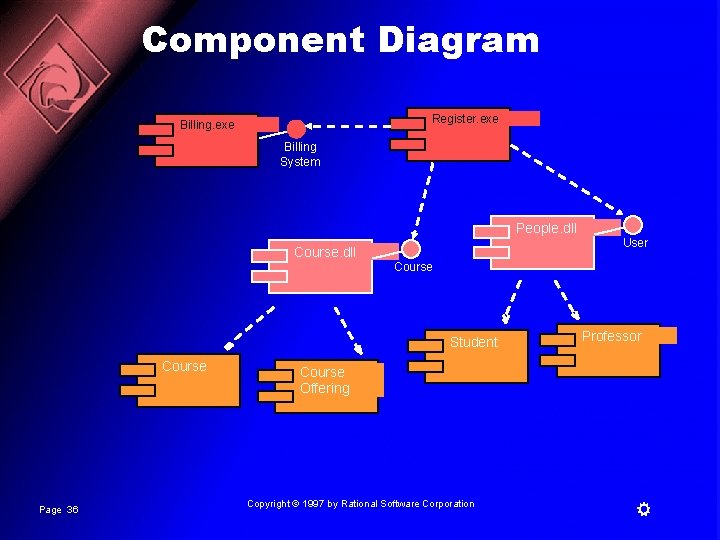
The Physical World n Component diagrams illustrate the organizations and dependencies among software components n A component may be – – – Page 35 A source code component A run time components or An executable component Copyright © 1997 by Rational Software Corporation
Component Diagram Register. exe Billing System People. dll User Course. dll Course Student Course Page 36 Professor Course Offering Copyright © 1997 by Rational Software Corporation
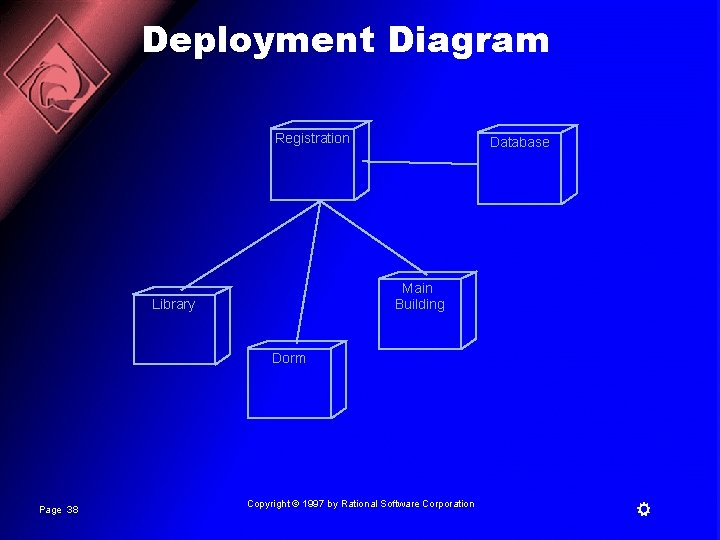
Deploying the System n The deployment diagram shows the configuration of runtime processing elements and the software processes living on them n The deployment diagram visualizes the distribution of components across the enterprise. Page 37 Copyright © 1997 by Rational Software Corporation
Deployment Diagram Registration Database Main Building Library Dorm Page 38 Copyright © 1997 by Rational Software Corporation
Extending the UML n Stereotypes can be used to extend the UML notational elements n Stereotypes may be used to classify and extend associations, inheritance relationships, classes, and components n Examples: – – – Page 39 Class stereotypes: boundary, control, entity, utility, exception Inheritance stereotypes: uses and extends Component stereotypes: subsystem Copyright © 1997 by Rational Software Corporation