
What is the HUD In video games the
- Slides: 17
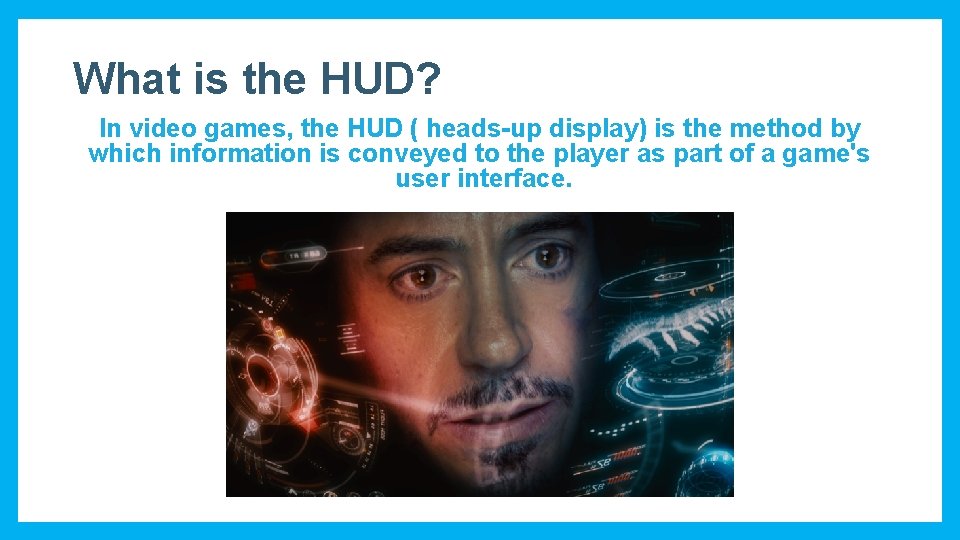
What is the HUD? In video games, the HUD ( heads-up display) is the method by which information is conveyed to the player as part of a game's user interface.
What is the HUD? What information can be shown to the player? Here are some common HUD elements. However this is not a definitive list, be sure to analyse the games you play in the future. § Health / lives § Speedometer/Tachometer. § Current Score/ High Score § Context-sensitive information § Currency § Reticule / Cursor / Crosshair § Time § Stealth meter § Weapons/ammunition § Compass / Quest Arrow § Current Equipment: weapons, items, or spells. § Context-sensitive information § Recharge Countdown § Mini-map/ Radar
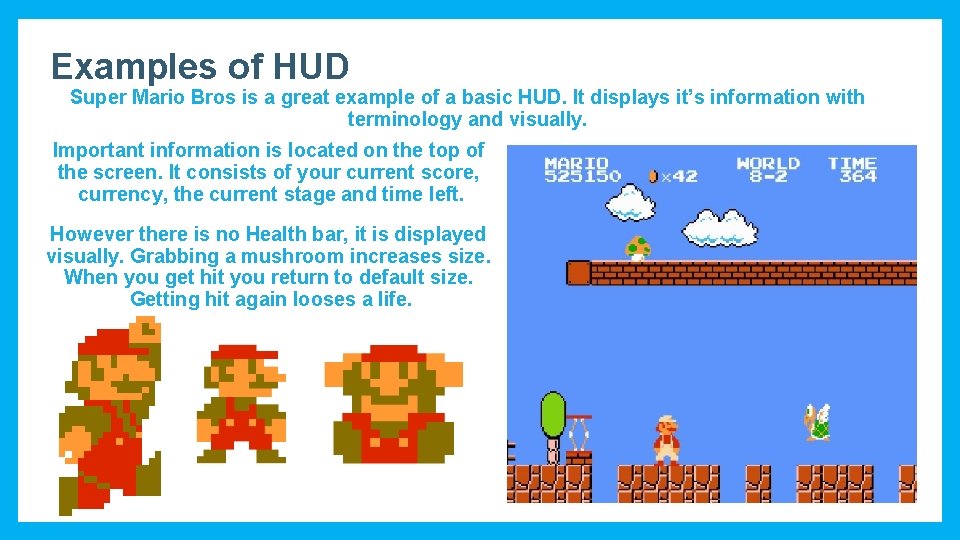
Examples of HUD Super Mario Bros is a great example of a basic HUD. It displays it’s information with terminology and visually. Important information is located on the top of the screen. It consists of your current score, currency, the current stage and time left. However there is no Health bar, it is displayed visually. Grabbing a mushroom increases size. When you get hit you return to default size. Getting hit again looses a life.
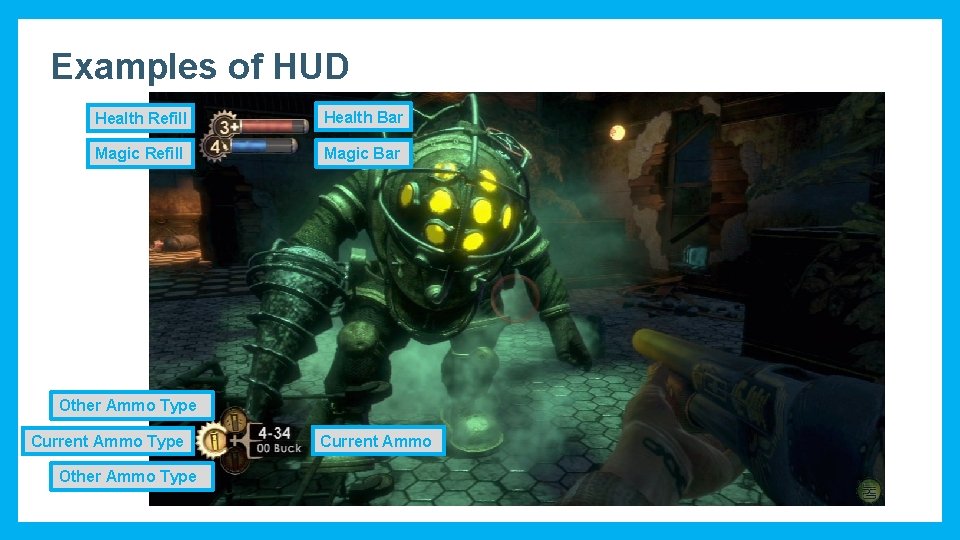
Examples of HUD Health Refill Health Bar Magic Refill Magic Bar Other Ammo Type Current Ammo Type Other Ammo Type Current Ammo
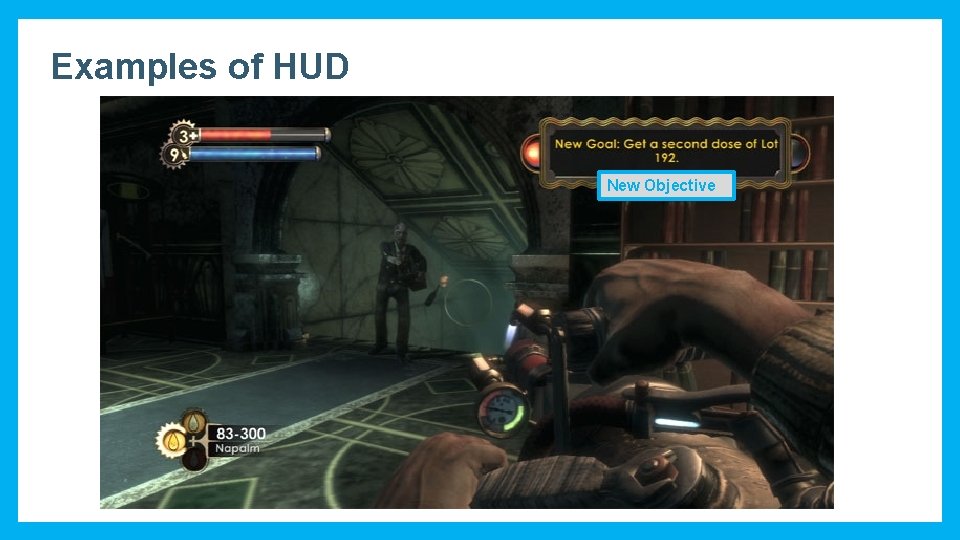
Examples of HUD New Objective
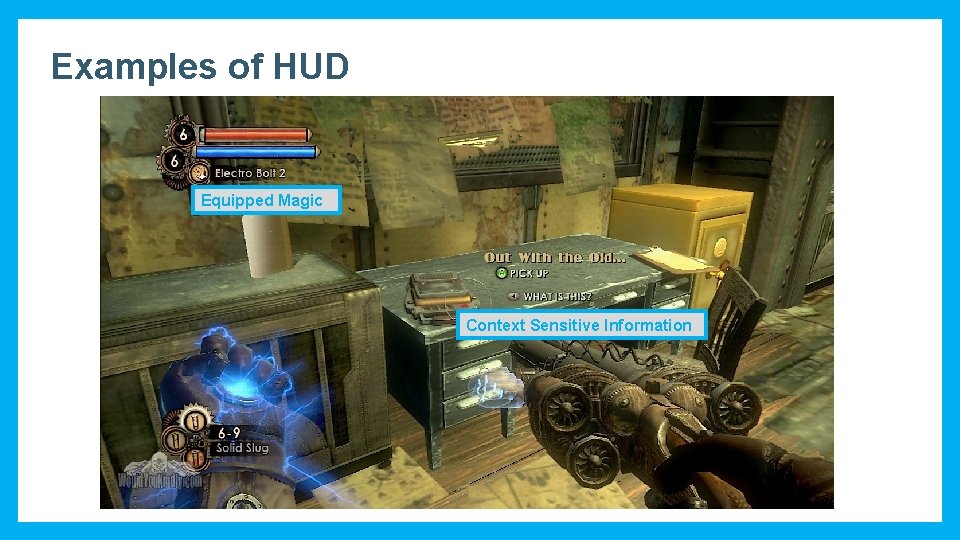
Examples of HUD Equipped Magic Context Sensitive Information
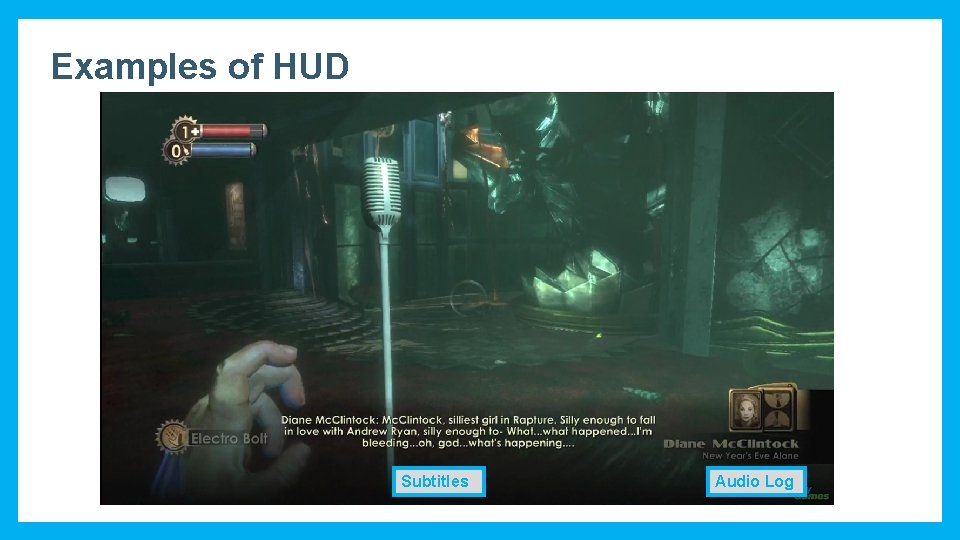
Examples of HUD Subtitles Audio Log
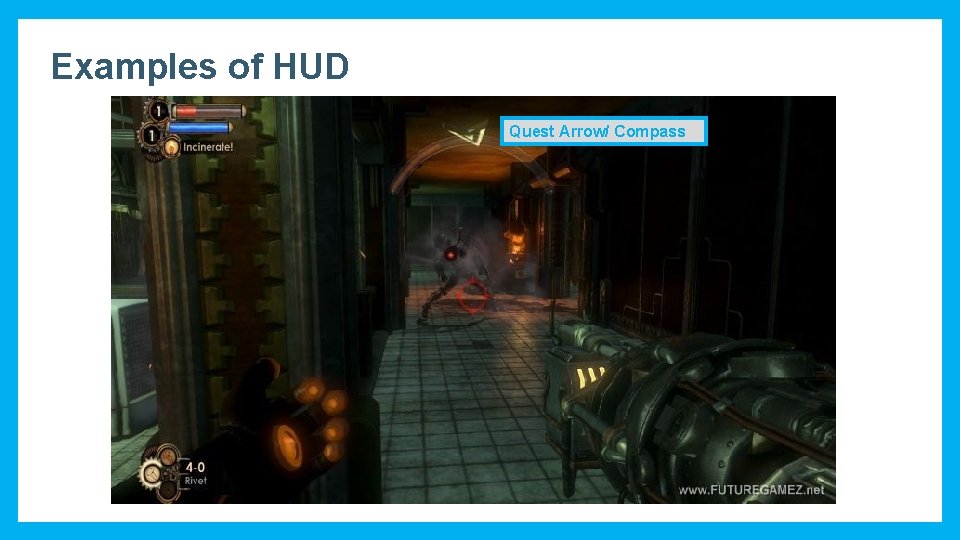
Examples of HUD Quest Arrow/ Compass
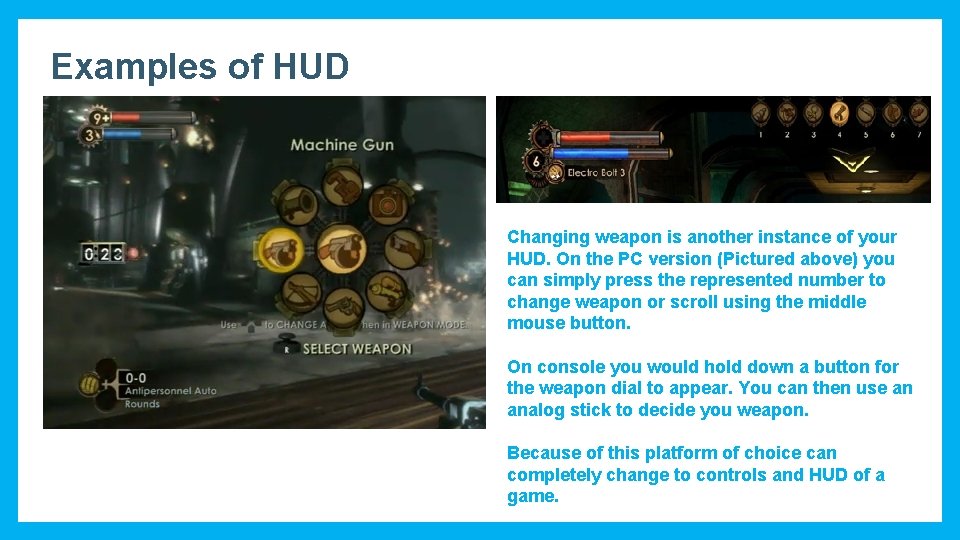
Examples of HUD Changing weapon is another instance of your HUD. On the PC version (Pictured above) you can simply press the represented number to change weapon or scroll using the middle mouse button. On console you would hold down a button for the weapon dial to appear. You can then use an analog stick to decide you weapon. Because of this platform of choice can completely change to controls and HUD of a game.
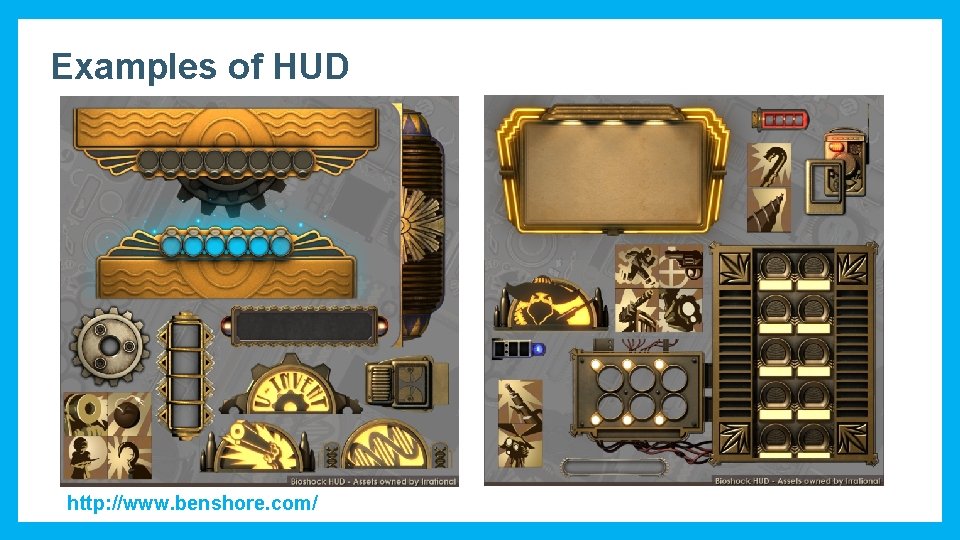
Examples of HUD http: //www. benshore. com/
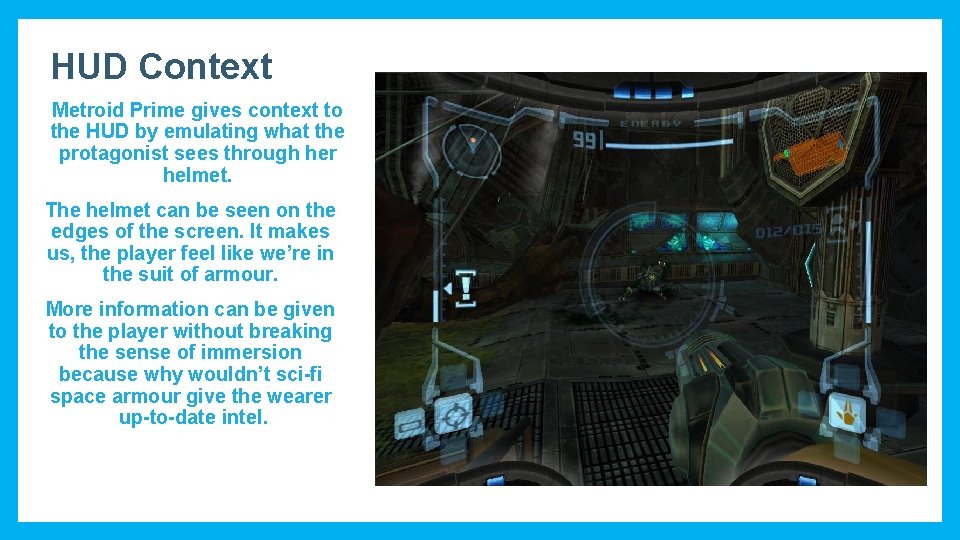
HUD Context Metroid Prime gives context to the HUD by emulating what the protagonist sees through her helmet. The helmet can be seen on the edges of the screen. It makes us, the player feel like we’re in the suit of armour. More information can be given to the player without breaking the sense of immersion because why wouldn’t sci-fi space armour give the wearer up-to-date intel.
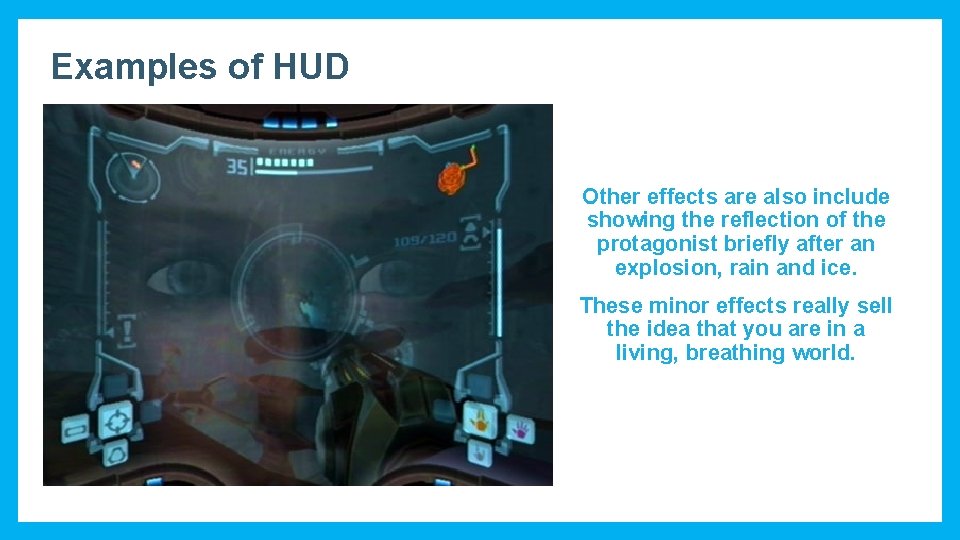
Examples of HUD Other effects are also include showing the reflection of the protagonist briefly after an explosion, rain and ice. These minor effects really sell the idea that you are in a living, breathing world.
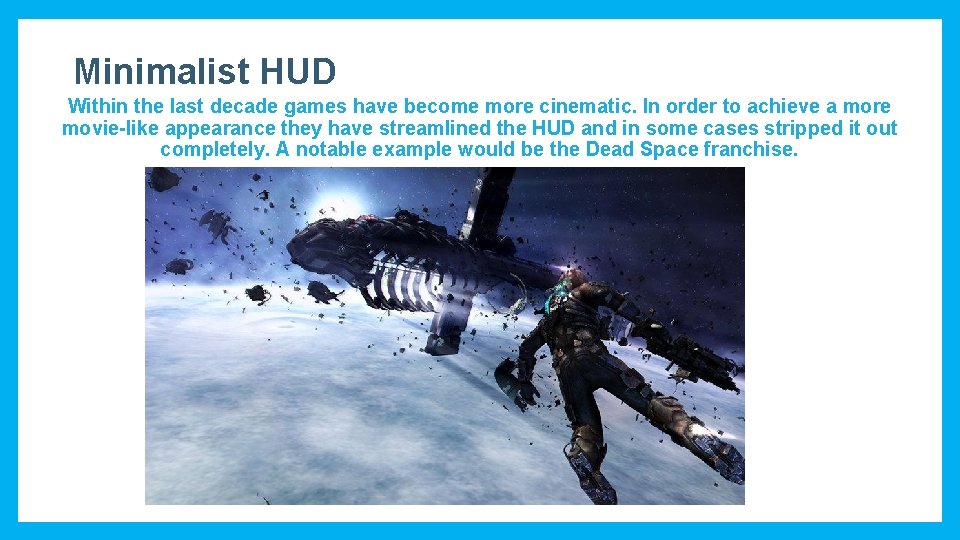
Minimalist HUD Within the last decade games have become more cinematic. In order to achieve a more movie-like appearance they have streamlined the HUD and in some cases stripped it out completely. A notable example would be the Dead Space franchise.
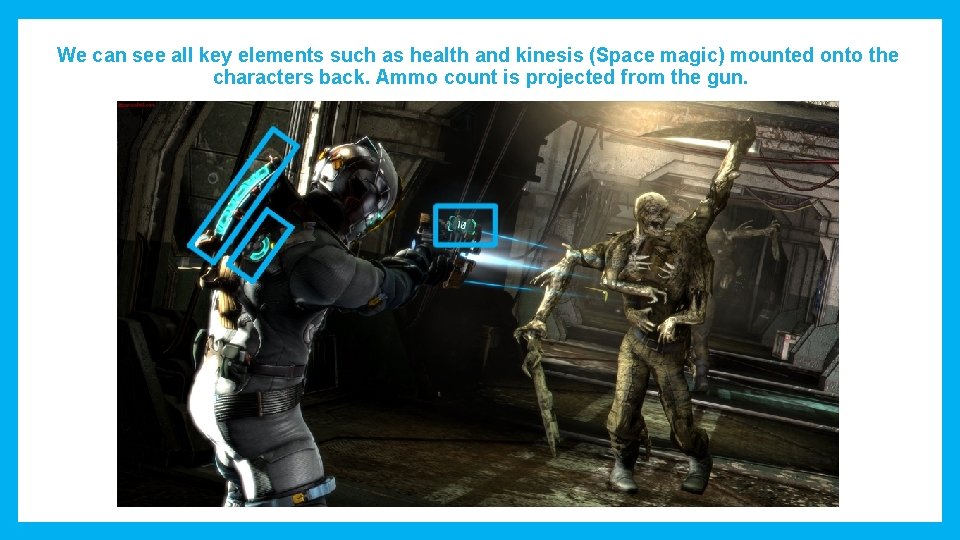
We can see all key elements such as health and kinesis (Space magic) mounted onto the characters back. Ammo count is projected from the gun.
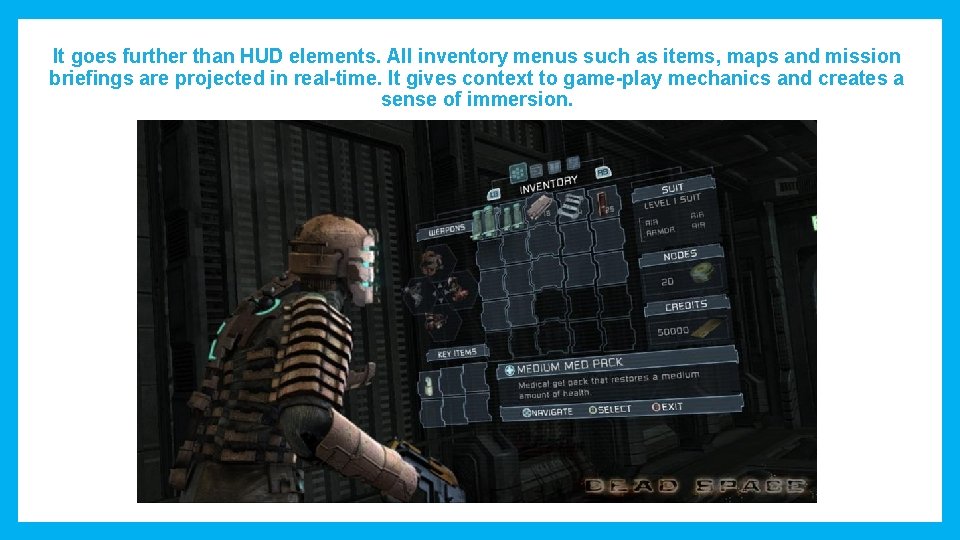
It goes further than HUD elements. All inventory menus such as items, maps and mission briefings are projected in real-time. It gives context to game-play mechanics and creates a sense of immersion.
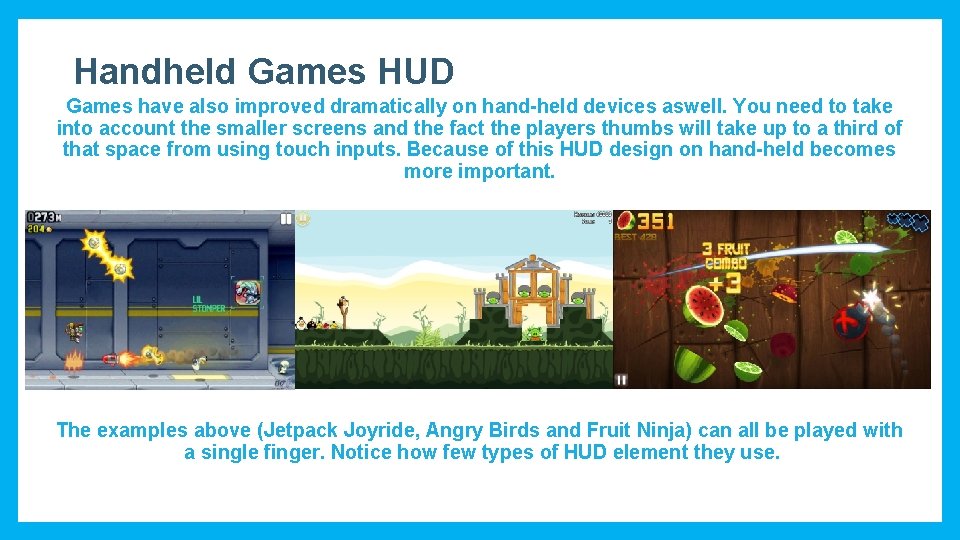
Handheld Games HUD Games have also improved dramatically on hand-held devices aswell. You need to take into account the smaller screens and the fact the players thumbs will take up to a third of that space from using touch inputs. Because of this HUD design on hand-held becomes more important. The examples above (Jetpack Joyride, Angry Birds and Fruit Ninja) can all be played with a single finger. Notice how few types of HUD element they use.
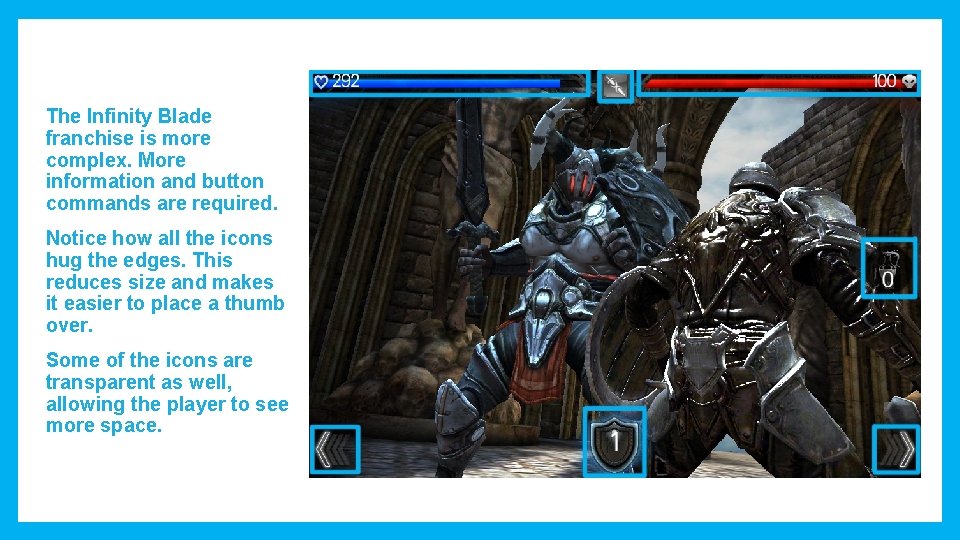
The Infinity Blade franchise is more complex. More information and button commands are required. Notice how all the icons hug the edges. This reduces size and makes it easier to place a thumb over. Some of the icons are transparent as well, allowing the player to see more space.