
What is System Software a program that manages

![External Definition and References • External definition – EXTDEF name [, name] – EXTDEF](https://slidetodoc.com/presentation_image_h/a7905c0cfe15cf18162a7f1e99539c2d/image-91.jpg "External Definition and References • External definition – EXTDEF name [, name] – EXTDEF")
- Slides: 103
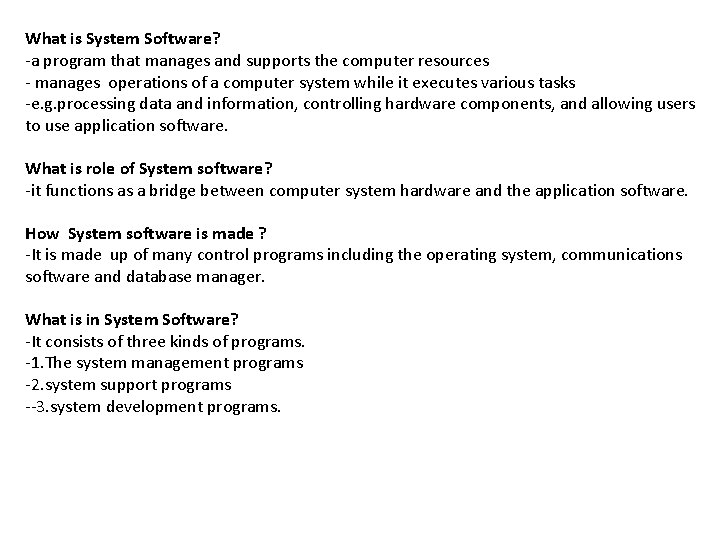
What is System Software? -a program that manages and supports the computer resources - manages operations of a computer system while it executes various tasks -e. g. processing data and information, controlling hardware components, and allowing users to use application software. What is role of System software? -it functions as a bridge between computer system hardware and the application software. How System software is made ? -It is made up of many control programs including the operating system, communications software and database manager. What is in System Software? -It consists of three kinds of programs. -1. The system management programs -2. system support programs --3. system development programs.
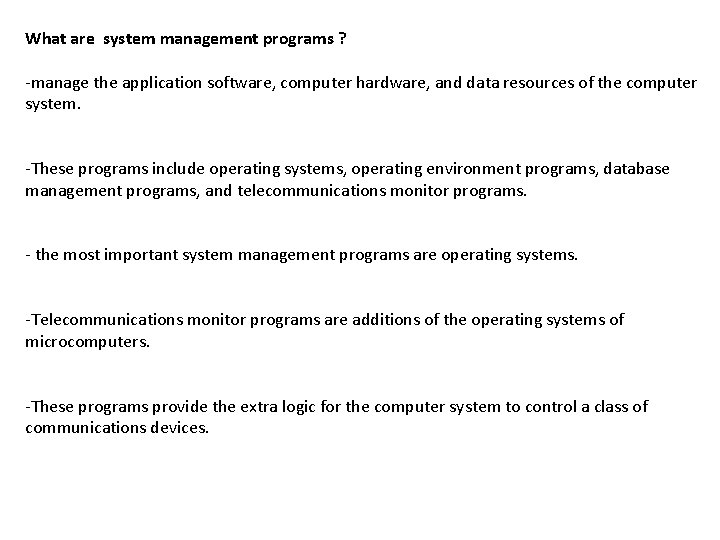
What are system management programs ? -manage the application software, computer hardware, and data resources of the computer system. -These programs include operating systems, operating environment programs, database management programs, and telecommunications monitor programs. - the most important system management programs are operating systems. -Telecommunications monitor programs are additions of the operating systems of microcomputers. -These programs provide the extra logic for the computer system to control a class of communications devices.
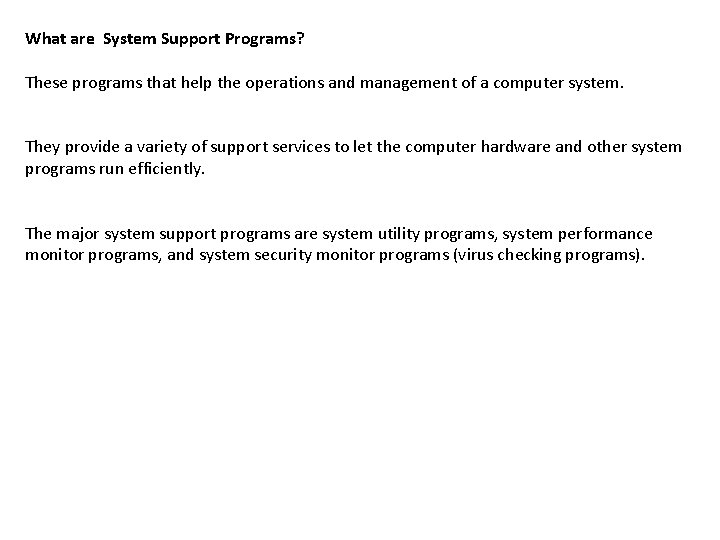
What are System Support Programs? These programs that help the operations and management of a computer system. They provide a variety of support services to let the computer hardware and other system programs run efficiently. The major system support programs are system utility programs, system performance monitor programs, and system security monitor programs (virus checking programs).
What are System Development Programs? These are programs helps users to develop information system programs and prepare user programs for computer processing. These programs may analyze and design systems and program itself. The main system development programs are programming language translators, programming environment programs, computer-aided software engineering packages.
What are System Development Programs? These are programs helps users to develop information system programs and prepare user programs for computer processing. These programs may analyze and design systems and program itself. The main system development programs are programming language translators, programming environment programs, computer-aided software engineering packages. Examples: 1) Microsoft Windows 2) Linux 3) Unix 4) Mac OSX 5) DOS 6) BIOS Software 7) HD Sector Boot Software 8) Device Driver Software i. e Graphics Driver etc 9) Linker Software 10) Assembler and Compiler Software
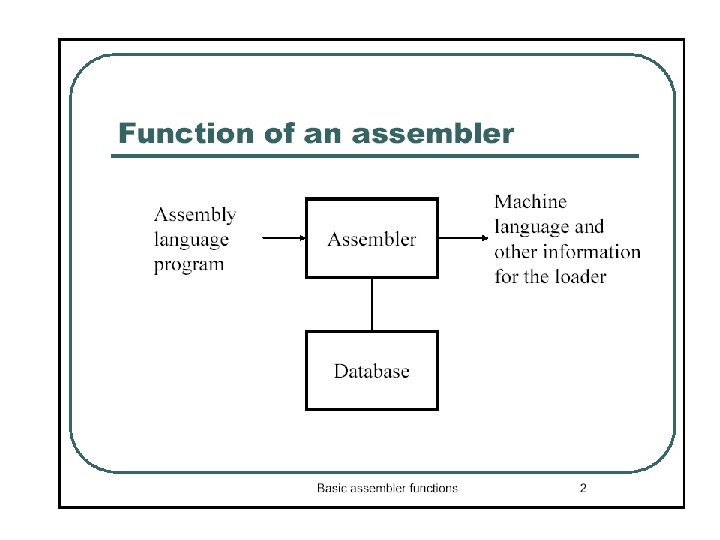
What is Assembler? An assembler is a program that takes basic computer instructions and converts them into a pattern of bits that the computer's processor can use to perform its basic operations. Some people call these instructions assembler language and others use the term assembly language. How it works? Most computers has set of very basic instructions related to the basic machine operations. For example, a "Load“ or MOVE A, 3000 Assuming the processor has at least eight registers, each numbered, the above instruction would move the value (string of bits of a certain length) at memory location 3000 into the holding place called register.
Programmer writes a program using a sequence of these assembler instructions. The sequence of assembler instructions, known as the source code or source program, is then specified to the assembler program when that program is started. The assembler program takes each program statement in the source program and generates a corresponding bit stream or pattern (a series of 0's and 1's of a given length). The output of the assembler program is called the object code or object program relative to the input source program. The sequence of 0's and 1's that constitute the object program is called machine code. The object program can then be run (or executed) whenever desired.
Earlier Situation In the earliest computers, programmers actually wrote programs in binary code. Then assembler languages or instruction sets were soon developed to speed up programming. Today, assembler programming is used only where very efficient control over processor operations is needed. What does it require? It requires knowledge of a particular processor's instruction set. The most programs have been written in "higher-level" languages such as COBOL, FORTRAN, PL/I, and C. These languages are easier to learn and faster to write programs with than assembler language. The program that processes the source code written in these languages is called a compiler. Like the assembler, a compiler takes higher-level language statements and reduces them to machine code.
What is new idea now? A newer idea in program preparation and portability is the concept of a virtual machine. For example, Java programming language. Here language statements are compiled into a generic form of machine language known as bytecode. That bytecode can be run by a virtual machine. What is virtual machine? -a kind of theoretical machine that approximates most computer operations. That bytecode can then be sent to any computer platform that has previously downloaded or built in the Java virtual machine. The virtual machine is aware of the specific instruction lengths and other particularities of the platform and ensures that the Java bytecode can run.
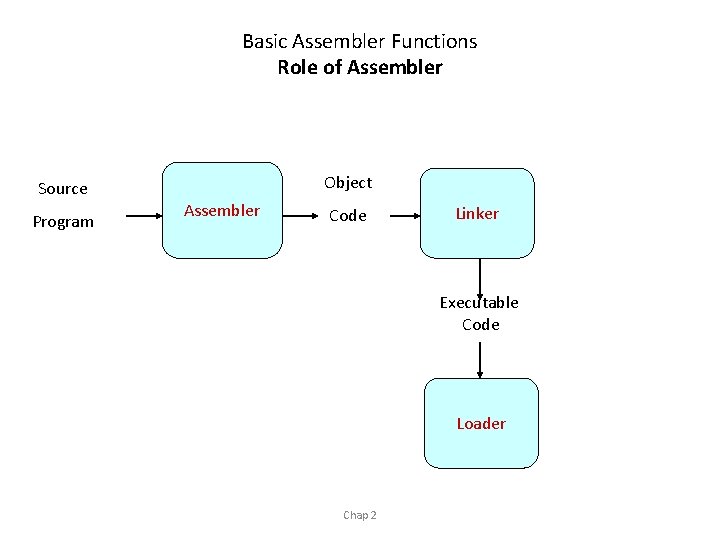
Basic Assembler Functions Role of Assembler Source Program Object Assembler Code Linker Executable Code Loader Chap 2
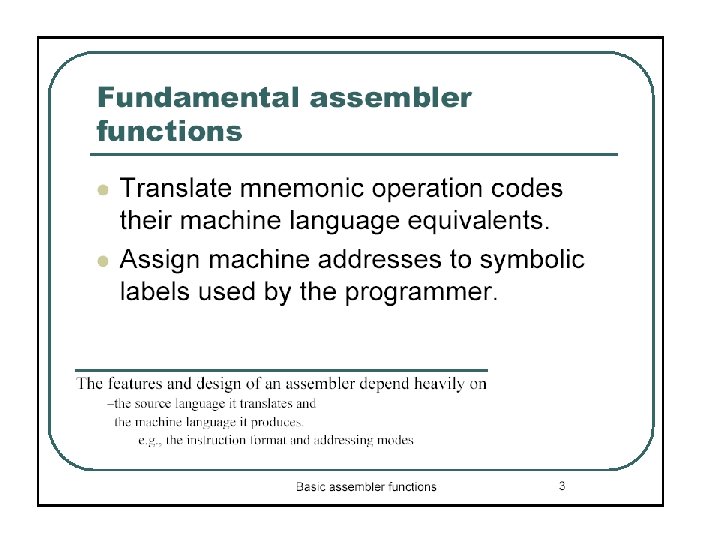
Basic functions translating mnemonic operation codes to their machine language equivalents assigning machine addresses to symbolic labels
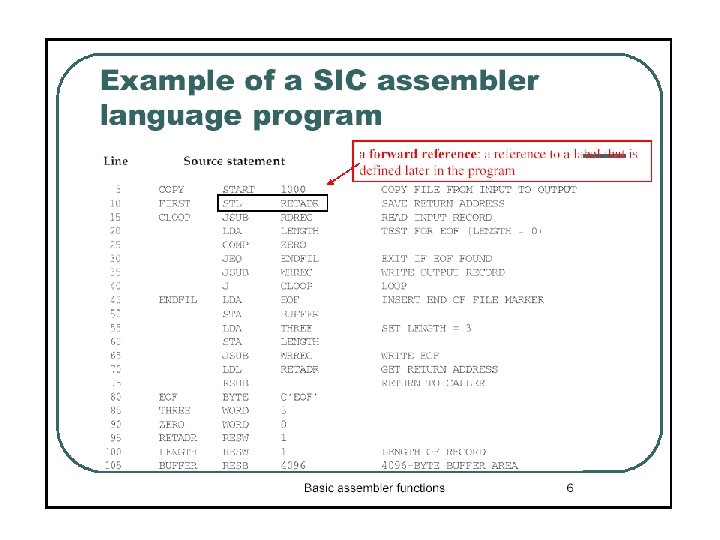
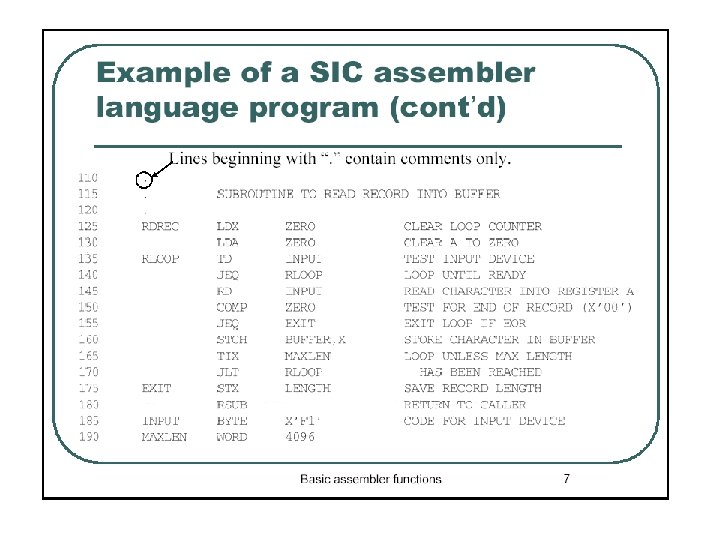
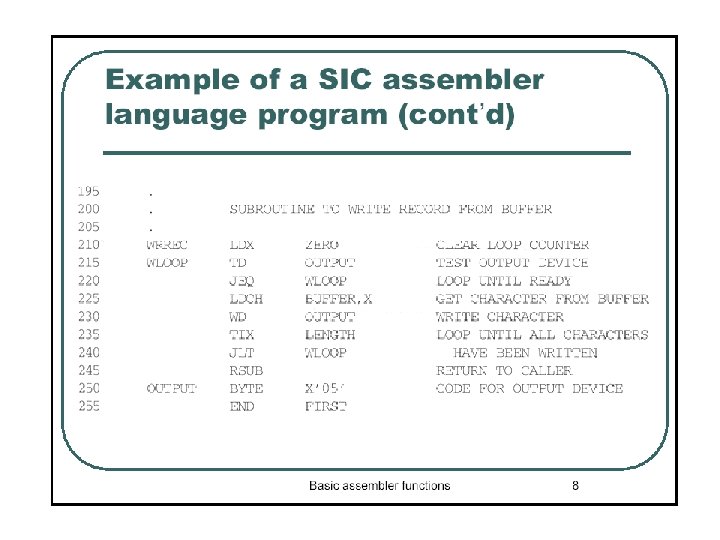
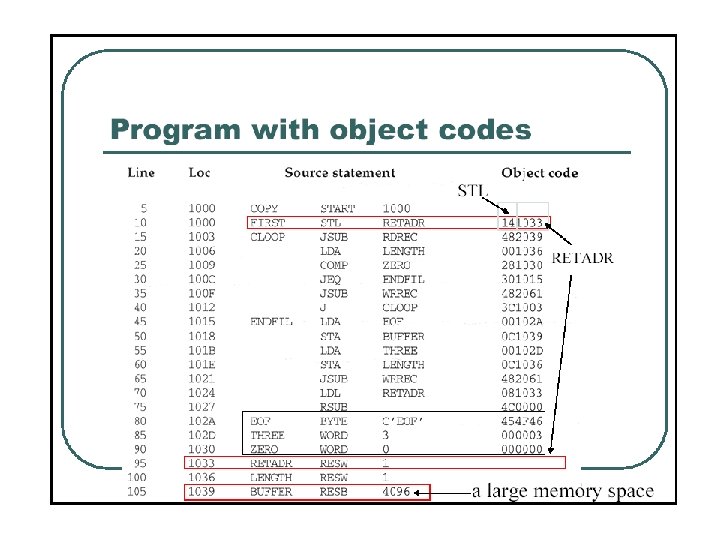
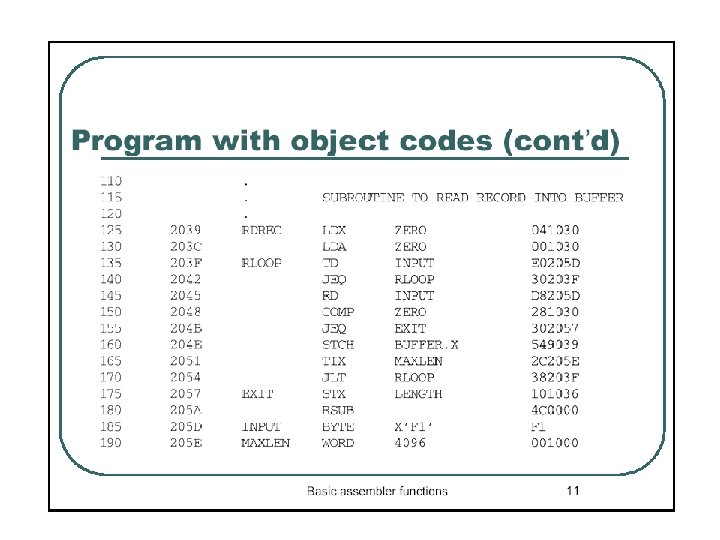
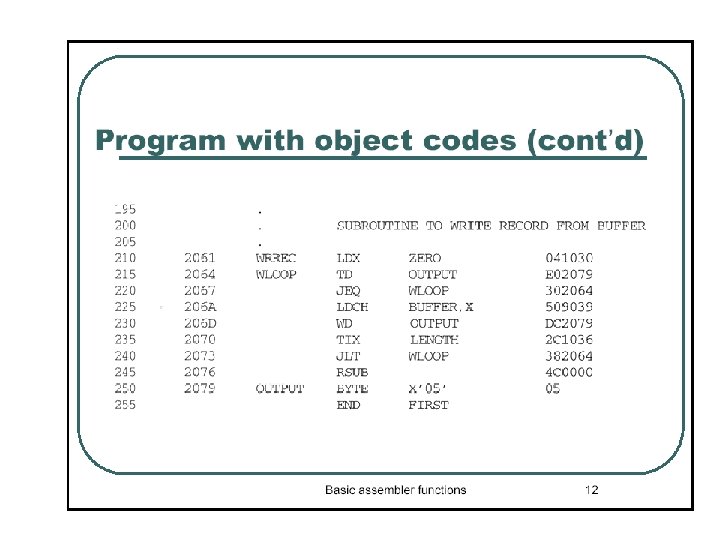
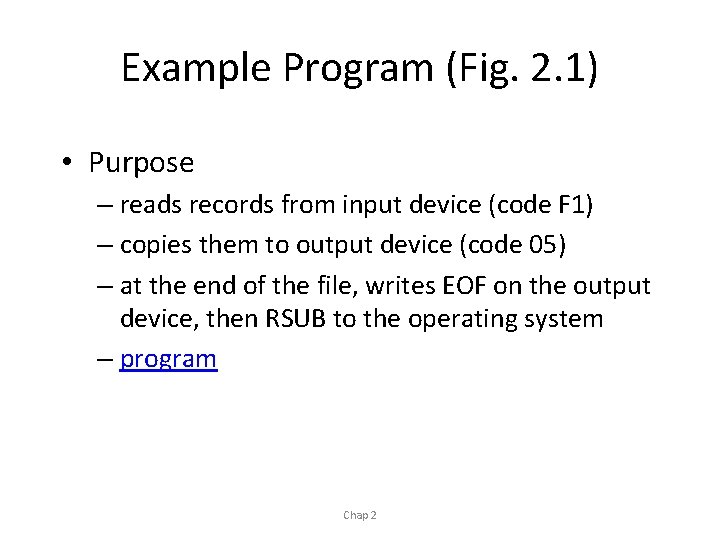
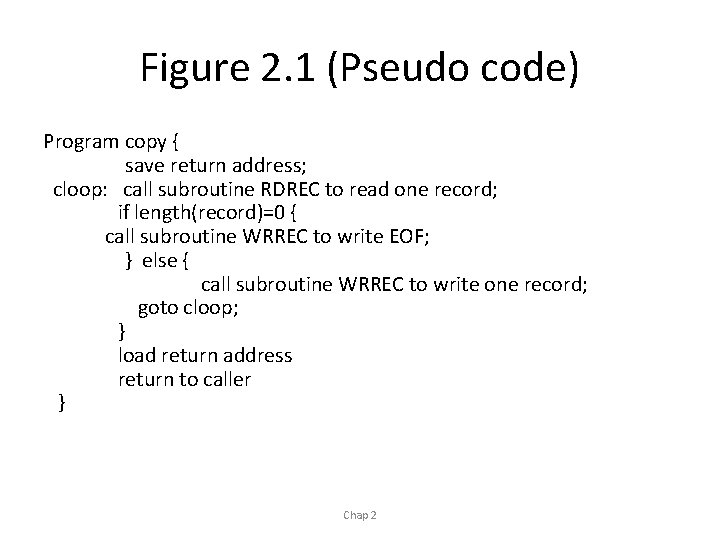
Example Program (Fig. 2. 1) • Purpose – reads records from input device (code F 1) – copies them to output device (code 05) – at the end of the file, writes EOF on the output device, then RSUB to the operating system – program Chap 2
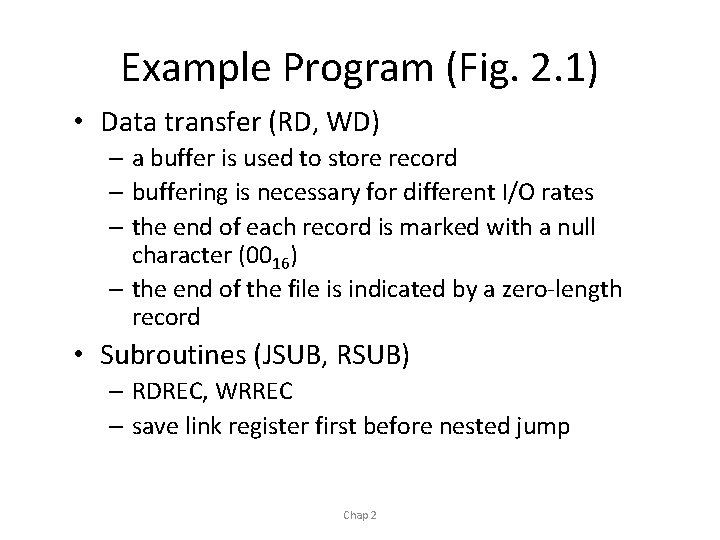
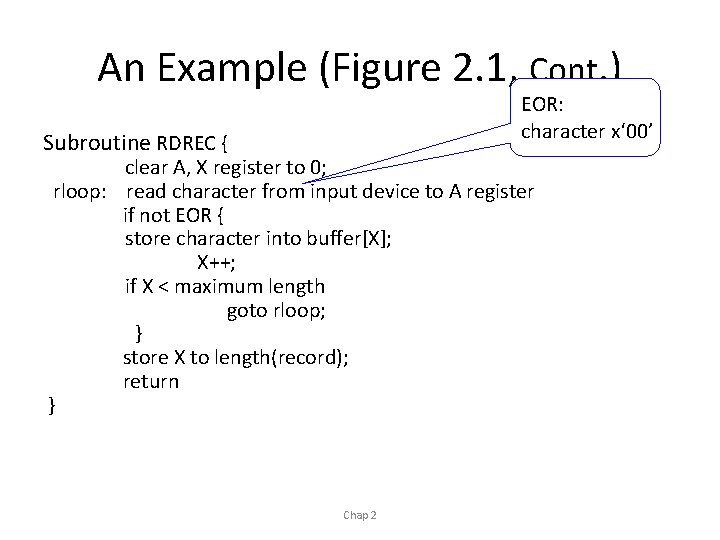
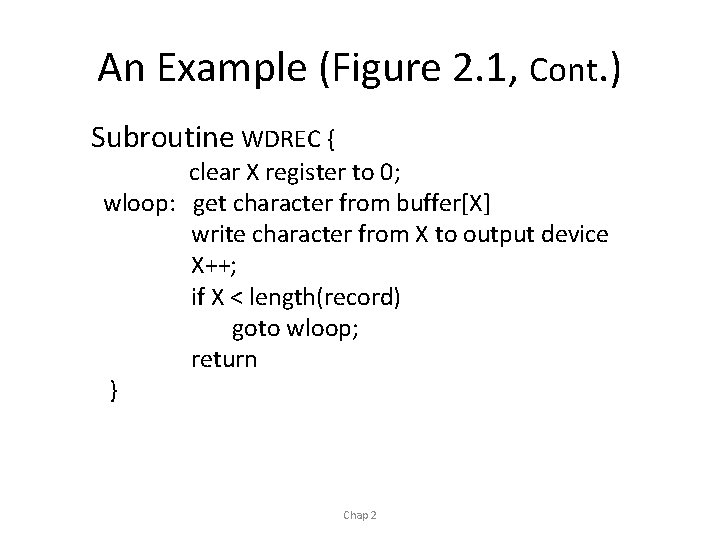
Example Program (Fig. 2. 1) • Data transfer (RD, WD) – a buffer is used to store record – buffering is necessary for different I/O rates – the end of each record is marked with a null character (0016) – the end of the file is indicated by a zero-length record • Subroutines (JSUB, RSUB) – RDREC, WRREC – save link register first before nested jump Chap 2
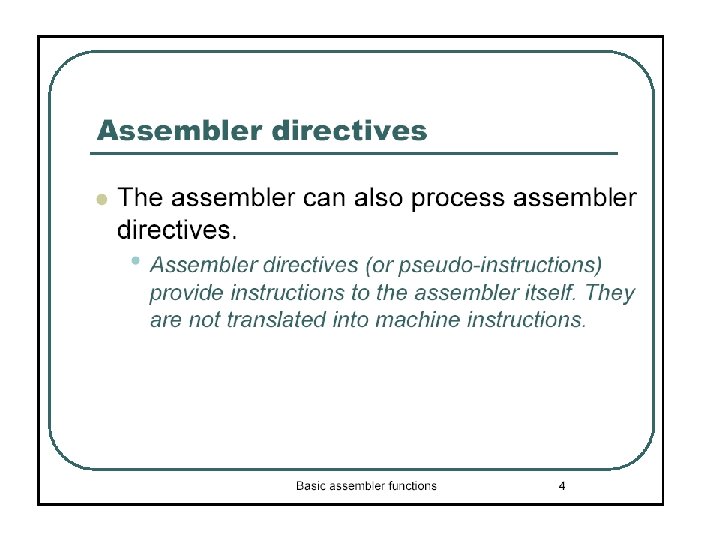
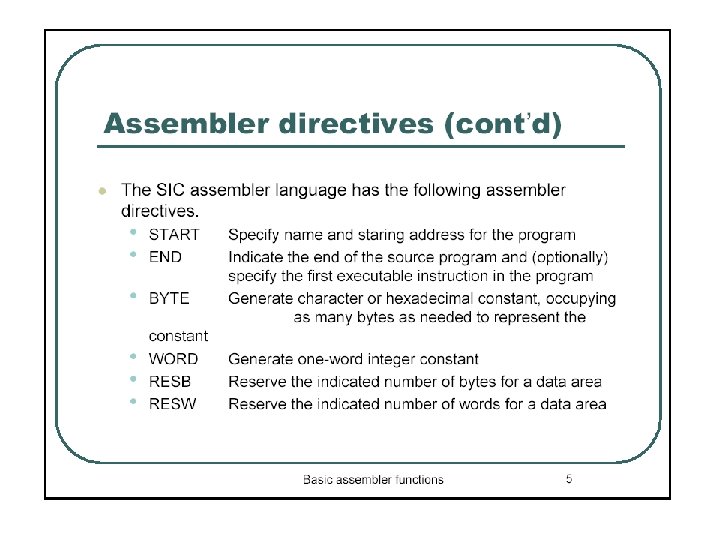
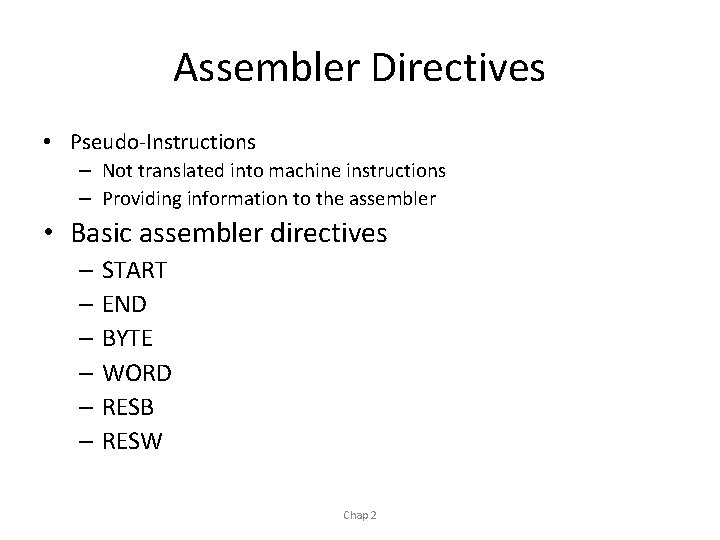
Assembler Directives • Pseudo-Instructions – Not translated into machine instructions – Providing information to the assembler • Basic assembler directives – START – END – BYTE – WORD – RESB – RESW Chap 2
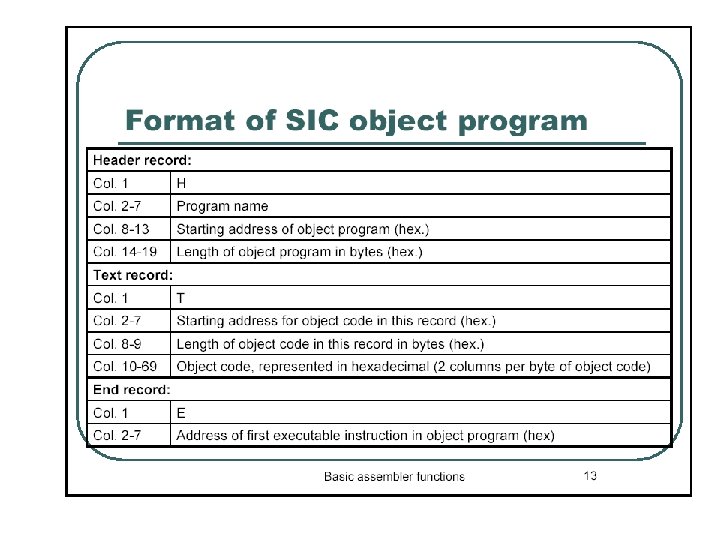
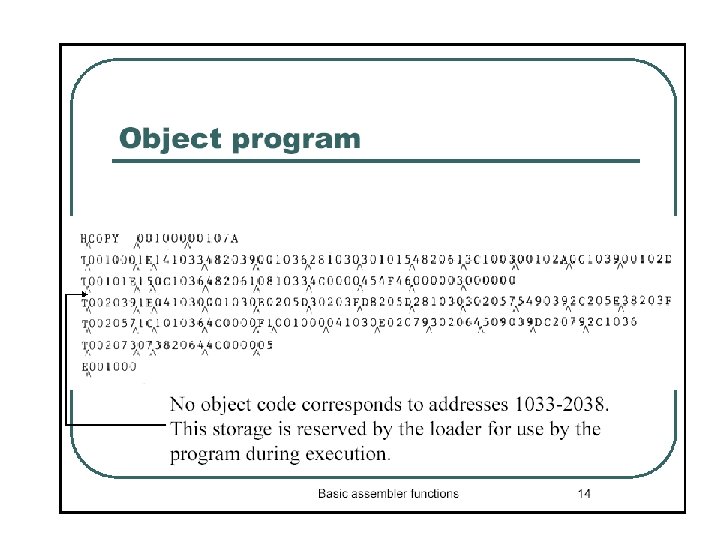
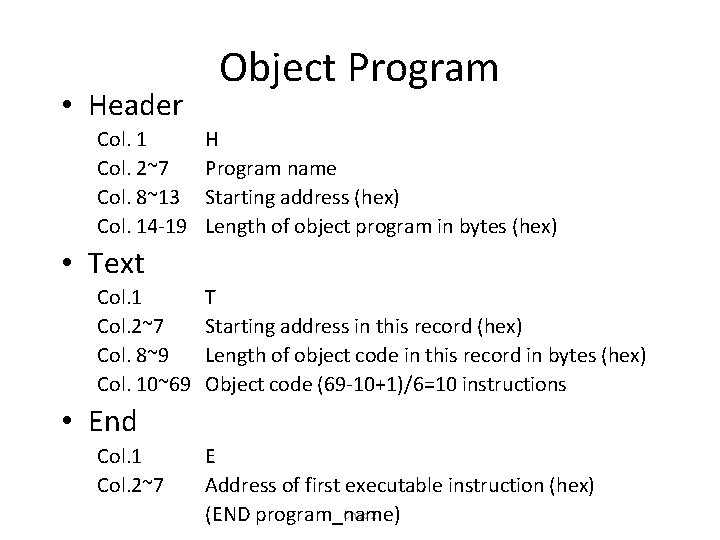
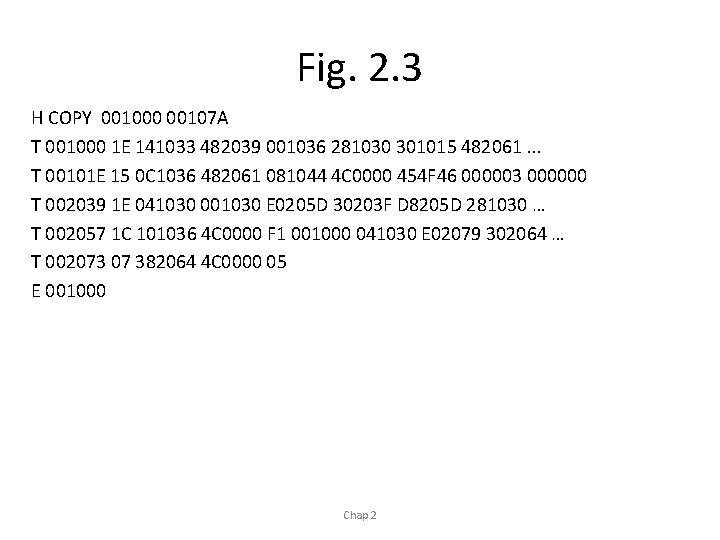
• Header Col. 1 Col. 2~7 Col. 8~13 Col. 14 -19 Object Program H Program name Starting address (hex) Length of object program in bytes (hex) • Text Col. 1 Col. 2~7 Col. 8~9 Col. 10~69 T Starting address in this record (hex) Length of object code in this record in bytes (hex) Object code (69 -10+1)/6=10 instructions • End Col. 1 Col. 2~7 E Address of first executable instruction (hex) Chap 2 (END program_name)
Fig. 2. 3 H COPY 001000 00107 A T 001000 1 E 141033 482039 001036 281030 301015 482061. . . T 00101 E 15 0 C 1036 482061 081044 4 C 0000 454 F 46 000003 000000 T 002039 1 E 041030 001030 E 0205 D 30203 F D 8205 D 281030 … T 002057 1 C 101036 4 C 0000 F 1 001000 041030 E 02079 302064 … T 002073 07 382064 4 C 0000 05 E 001000 Chap 2
Figure 2. 1 (Pseudo code) Program copy { save return address; cloop: call subroutine RDREC to read one record; if length(record)=0 { call subroutine WRREC to write EOF; } else { call subroutine WRREC to write one record; goto cloop; } load return address return to caller } Chap 2
An Example (Figure 2. 1, Cont. ) EOR: character x‘ 00’ Subroutine RDREC { clear A, X register to 0; rloop: read character from input device to A register if not EOR { store character into buffer[X]; X++; if X < maximum length goto rloop; } store X to length(record); return } Chap 2
An Example (Figure 2. 1, Cont. ) Subroutine WDREC { clear X register to 0; wloop: get character from buffer[X] write character from X to output device X++; if X < length(record) goto wloop; return } Chap 2
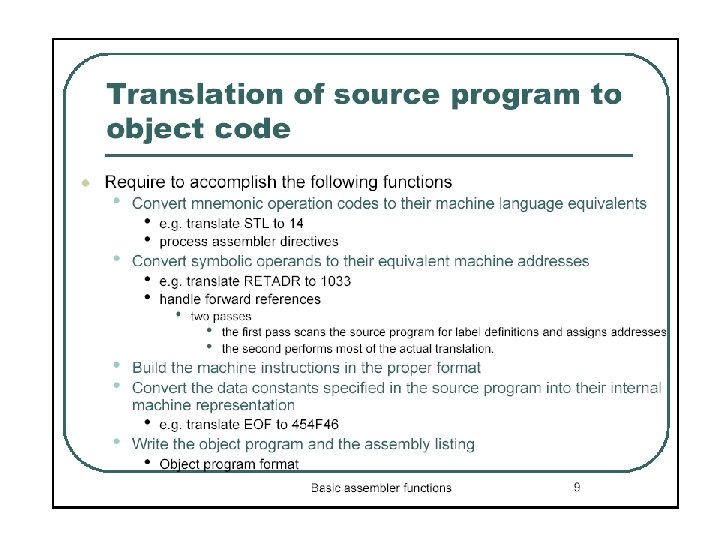
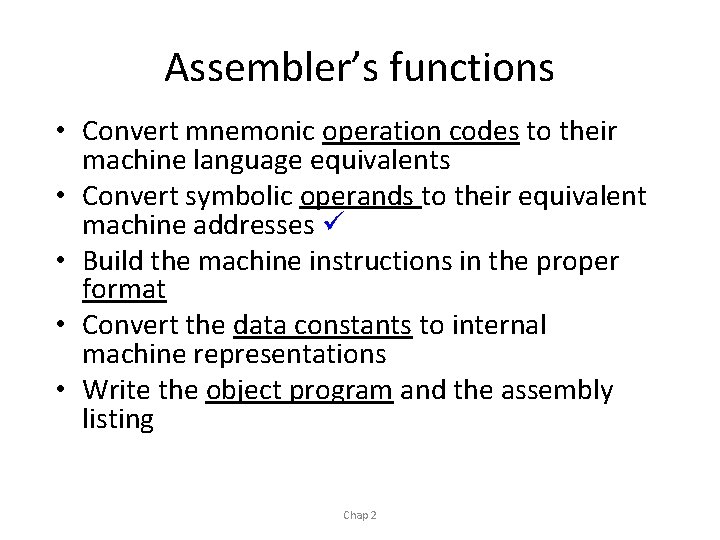
Assembler’s functions • Convert mnemonic operation codes to their machine language equivalents • Convert symbolic operands to their equivalent machine addresses • Build the machine instructions in the proper format • Convert the data constants to internal machine representations • Write the object program and the assembly listing Chap 2
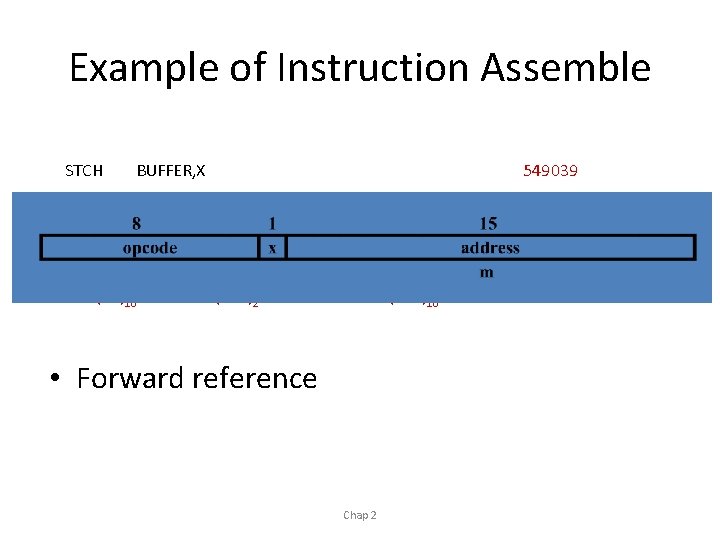
Example of Instruction Assemble STCH BUFFER, X (54)16 549039 1 (001)2 (039)16 • Forward reference Chap 2
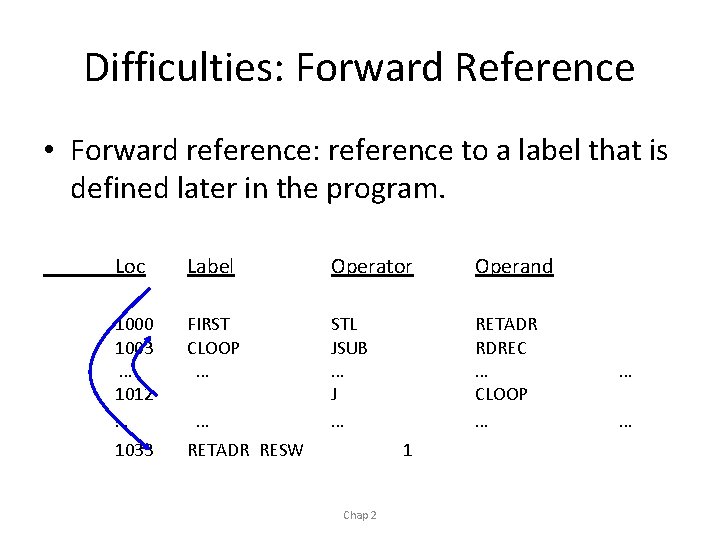
Difficulties: Forward Reference • Forward reference: reference to a label that is defined later in the program. Loc Label Operator Operand 1000 1003 … 1012 … FIRST CLOOP … STL JSUB … J … RETADR RDREC … CLOOP … 1033 RETADR RESW … 1 Chap 2 … …
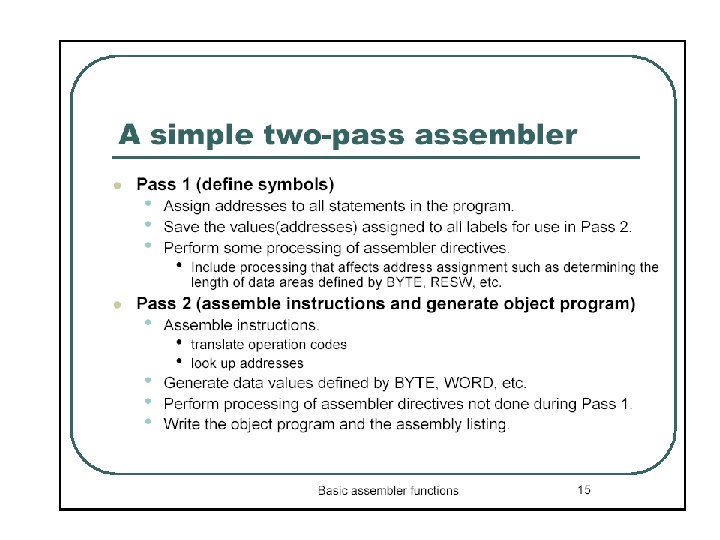
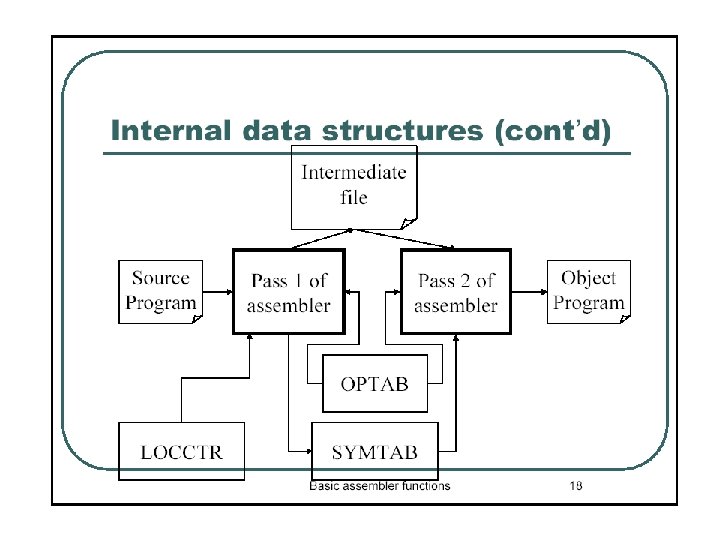
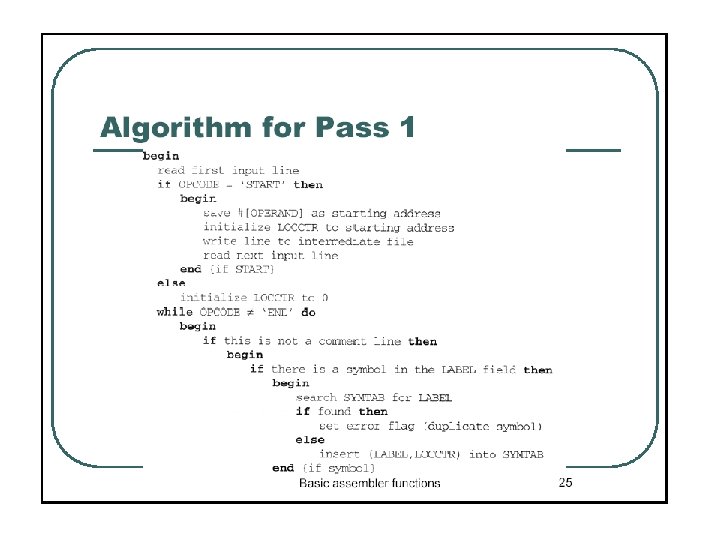
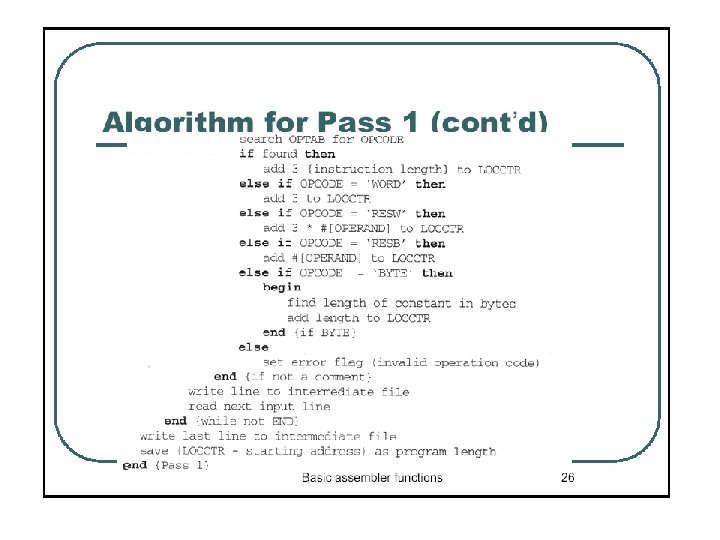
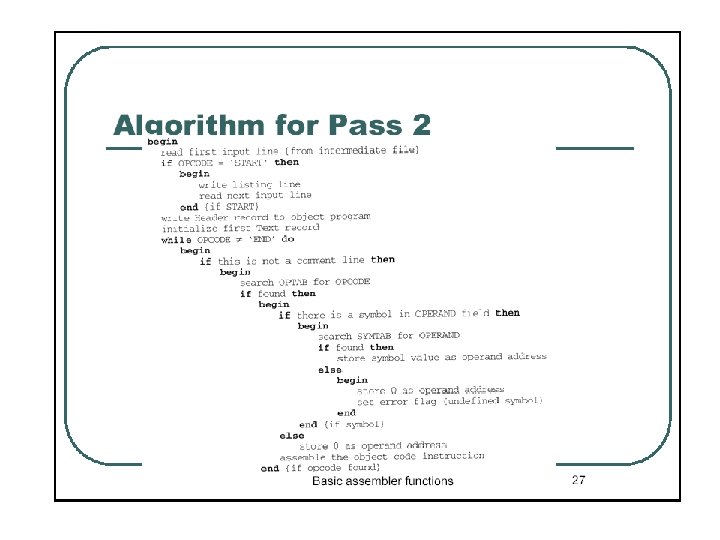
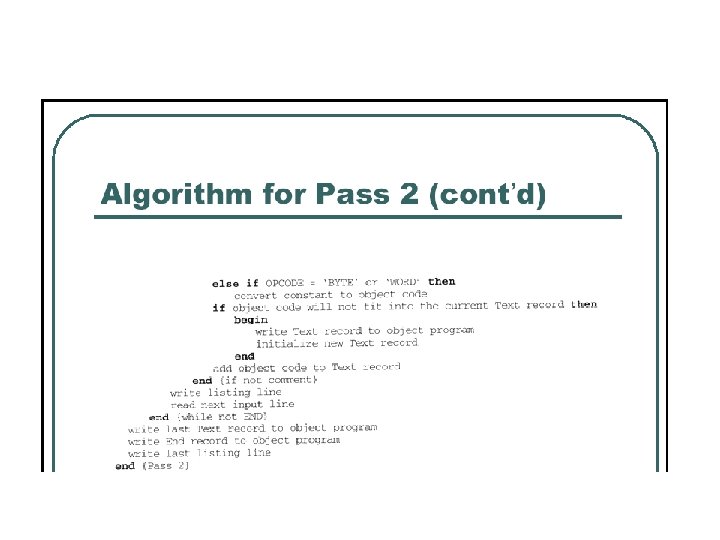
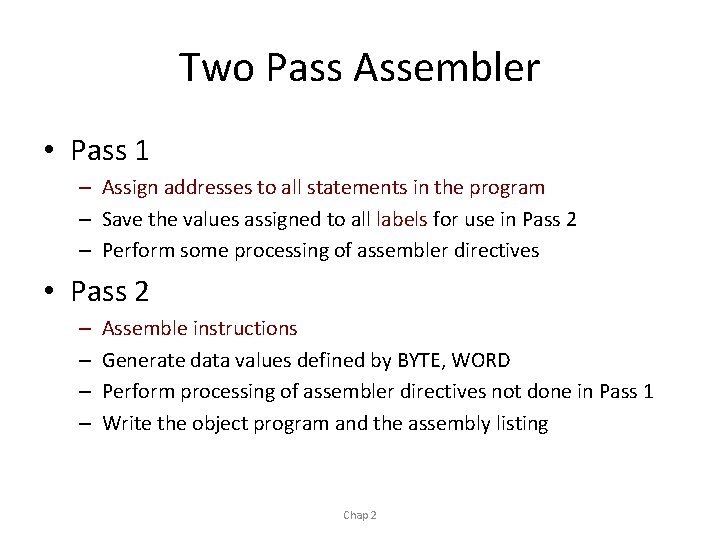
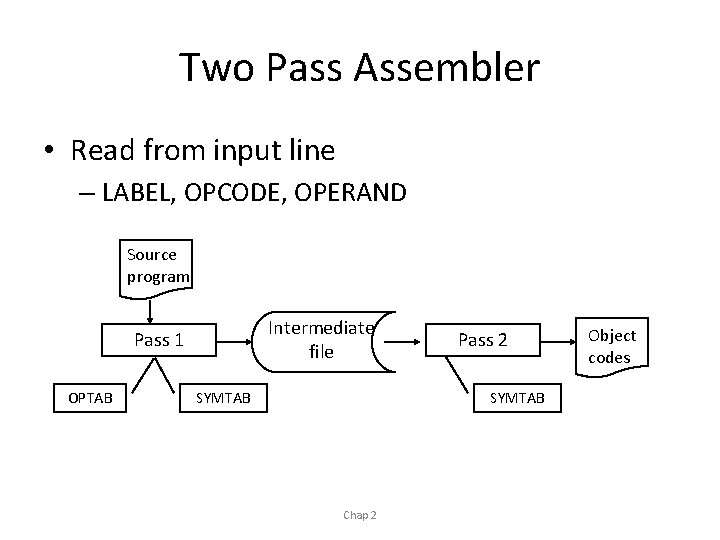
Two Pass Assembler • Pass 1 – Assign addresses to all statements in the program – Save the values assigned to all labels for use in Pass 2 – Perform some processing of assembler directives • Pass 2 – – Assemble instructions Generate data values defined by BYTE, WORD Perform processing of assembler directives not done in Pass 1 Write the object program and the assembly listing Chap 2
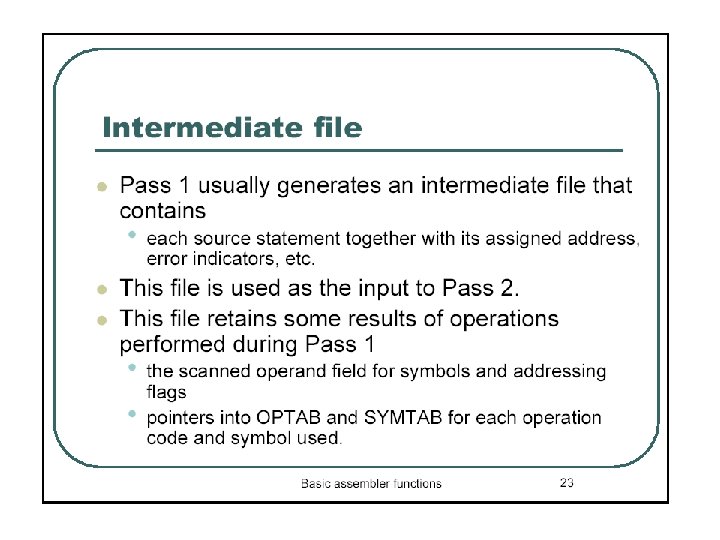
Two Pass Assembler • Read from input line – LABEL, OPCODE, OPERAND Source program Intermediate file Pass 1 OPTAB SYMTAB Pass 2 SYMTAB Chap 2 Object codes
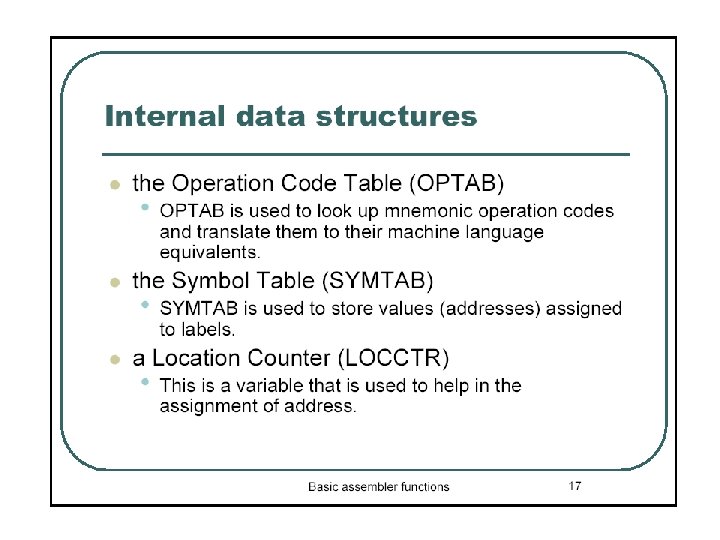
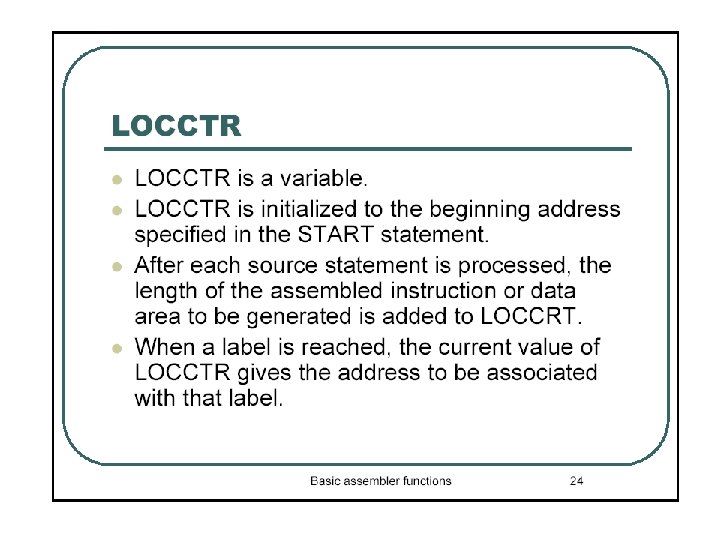
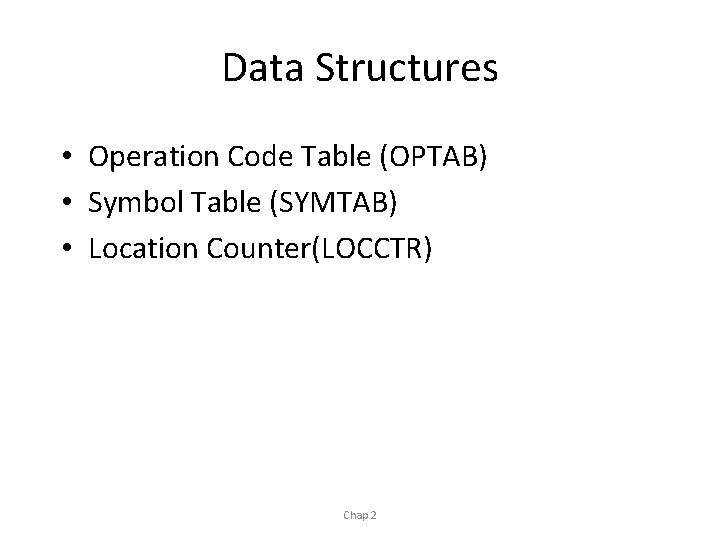
Data Structures • Operation Code Table (OPTAB) • Symbol Table (SYMTAB) • Location Counter(LOCCTR) Chap 2
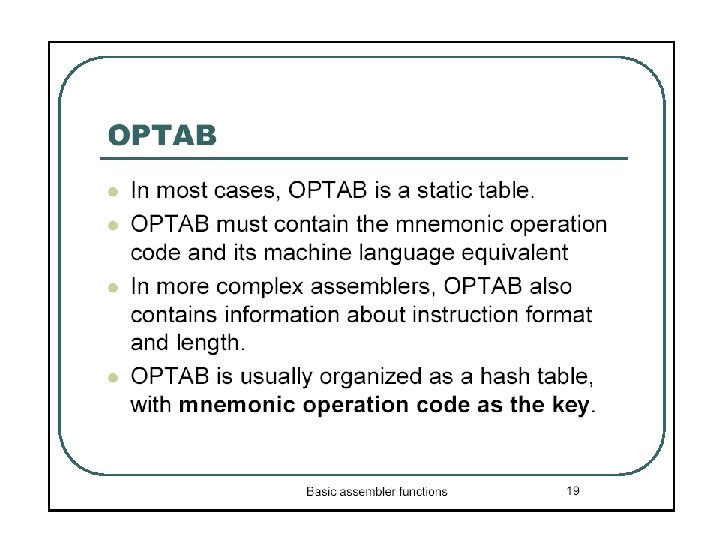
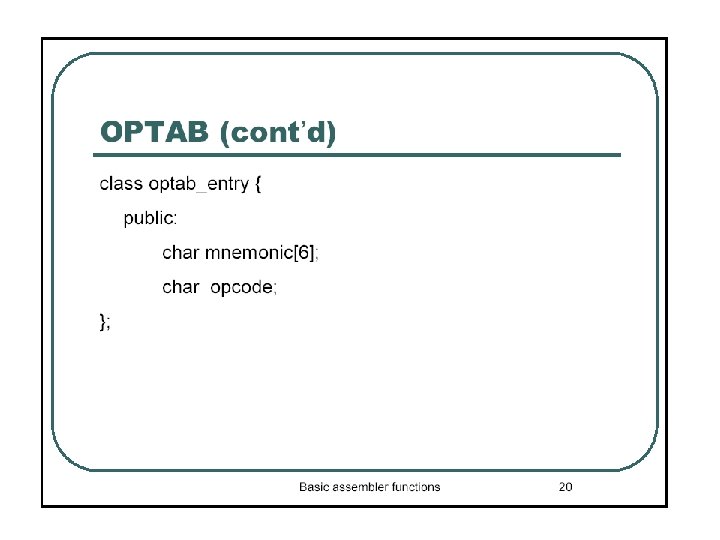
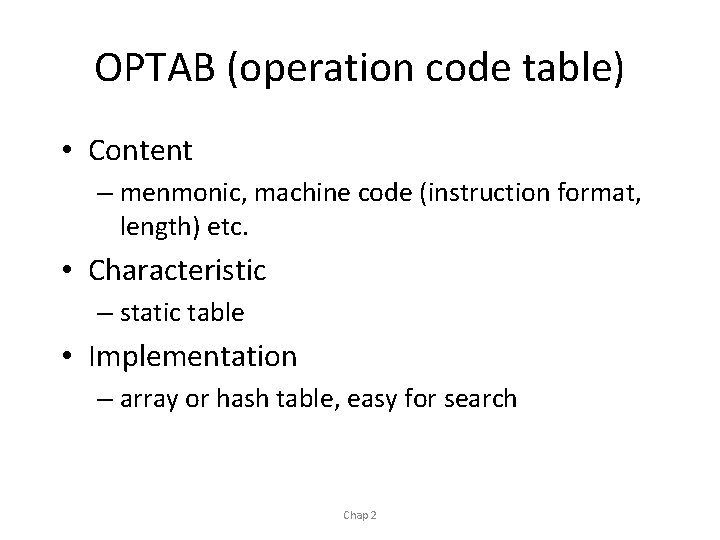
OPTAB (operation code table) • Content – menmonic, machine code (instruction format, length) etc. • Characteristic – static table • Implementation – array or hash table, easy for search Chap 2
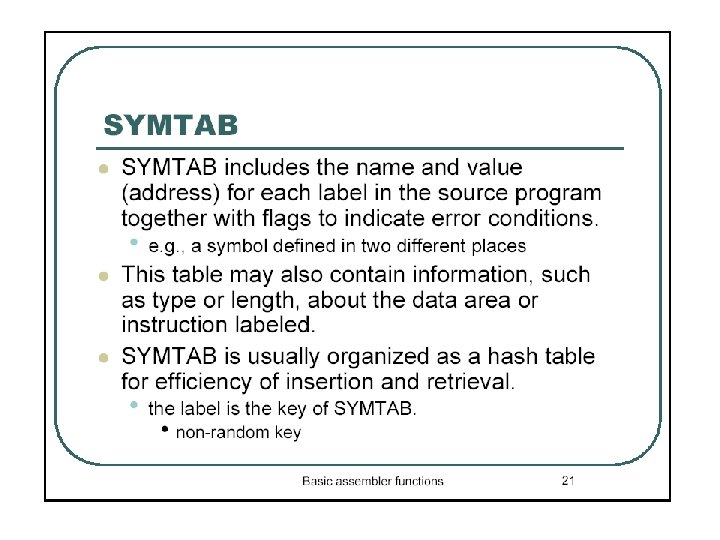
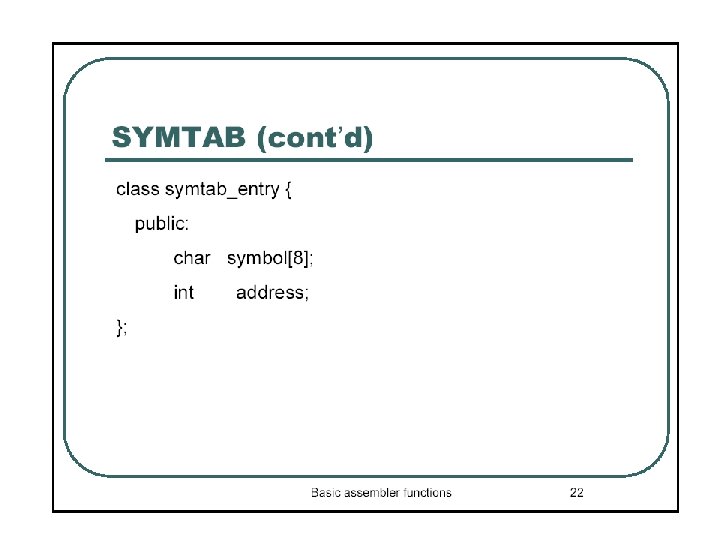
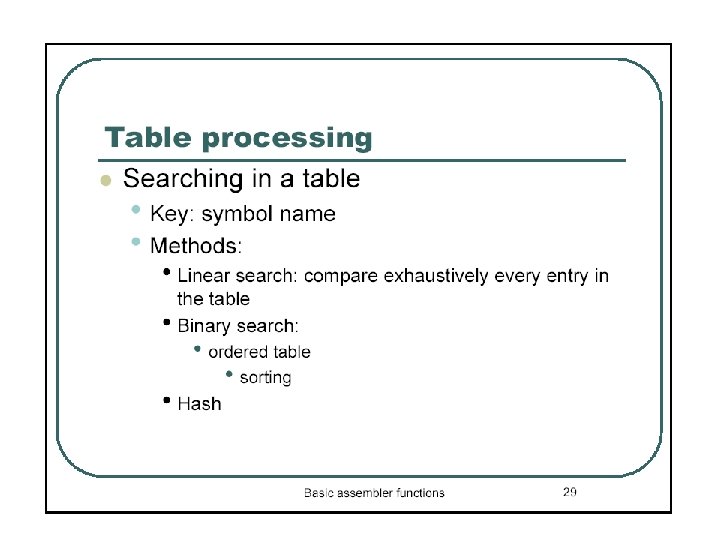
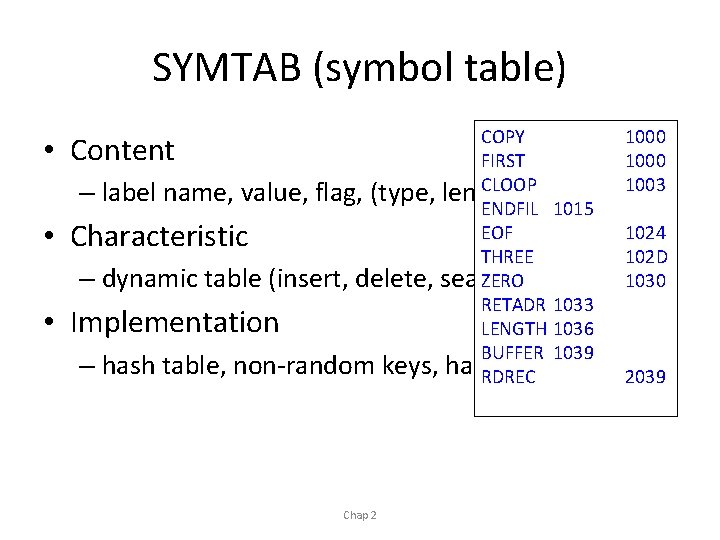
SYMTAB (symbol table) COPY 1000 FIRST 1000 CLOOP 1003 label name, value, flag, (type, length) etc. ENDFIL 1015 EOF 1024 THREE 102 D ZERO 1030 dynamic table (insert, delete, search) RETADR 1033 LENGTH 1036 BUFFER 1039 hash table, non-random keys, hashing RDREC function 2039 • Content – • Characteristic – • Implementation – Chap 2
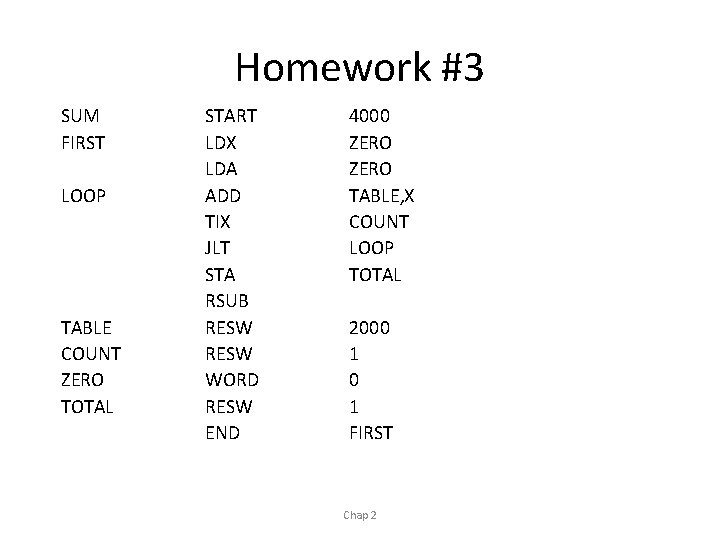
Homework #3 SUM FIRST LOOP TABLE COUNT ZERO TOTAL START LDX LDA ADD TIX JLT STA RSUB RESW WORD RESW END 4000 ZERO TABLE, X COUNT LOOP TOTAL 2000 1 FIRST Chap 2
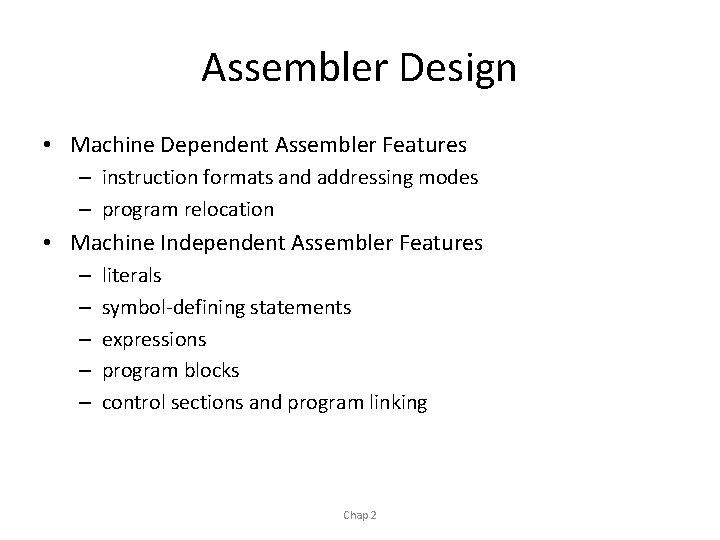
Assembler Design • Machine Dependent Assembler Features – instruction formats and addressing modes – program relocation • Machine Independent Assembler Features – – – literals symbol-defining statements expressions program blocks control sections and program linking Chap 2
Machine-dependent Assembler Features Sec. 2 -2 n Instruction formats and addressing modes n Program relocation
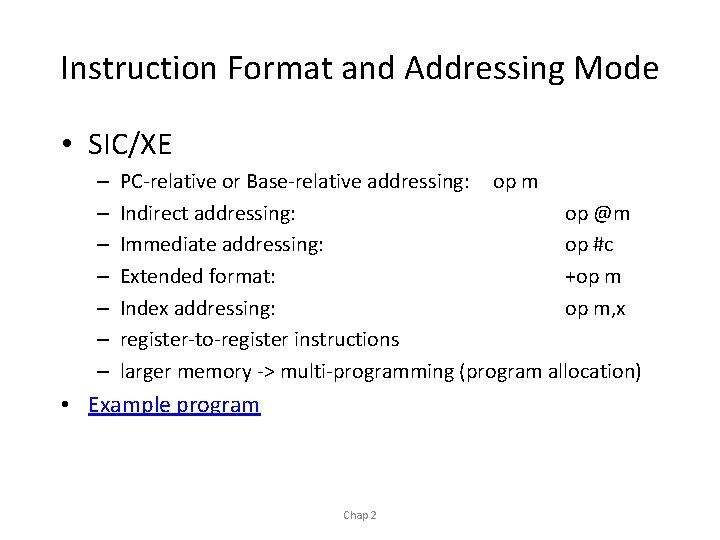
Instruction Format and Addressing Mode • SIC/XE – – – – PC-relative or Base-relative addressing: op m Indirect addressing: op @m Immediate addressing: op #c Extended format: +op m Index addressing: op m, x register-to-register instructions larger memory -> multi-programming (program allocation) • Example program Chap 2
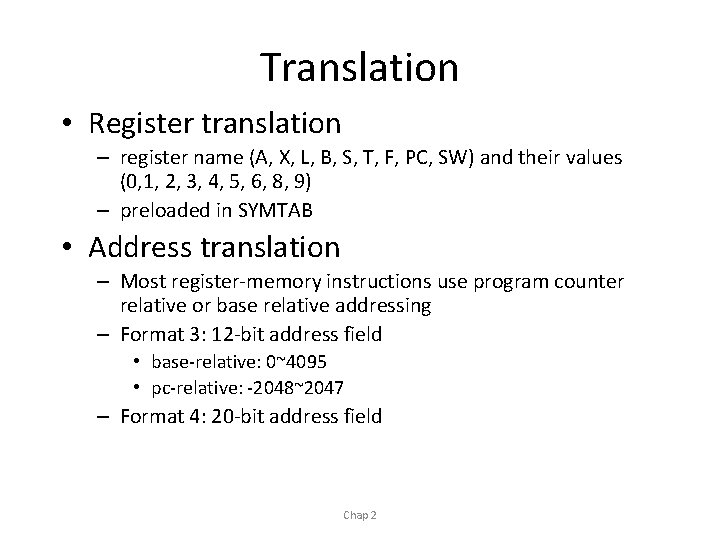
Translation • Register translation – register name (A, X, L, B, S, T, F, PC, SW) and their values (0, 1, 2, 3, 4, 5, 6, 8, 9) – preloaded in SYMTAB • Address translation – Most register-memory instructions use program counter relative or base relative addressing – Format 3: 12 -bit address field • base-relative: 0~4095 • pc-relative: -2048~2047 – Format 4: 20 -bit address field Chap 2
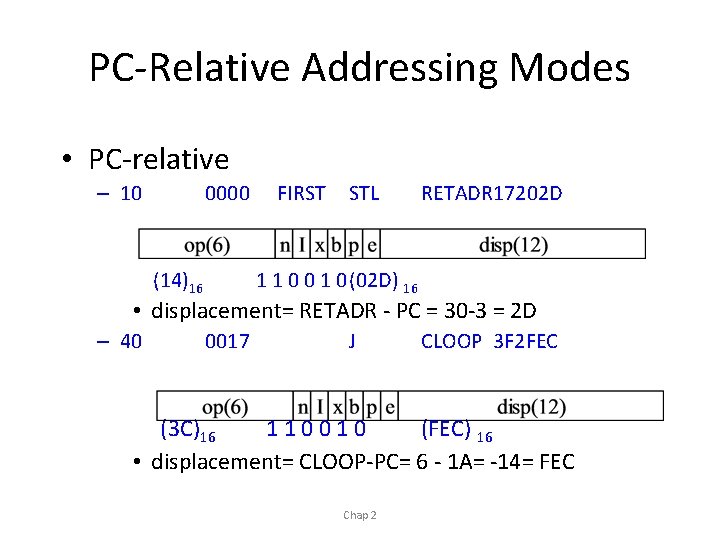
PC-Relative Addressing Modes • PC-relative – 10 0000 (14)16 FIRST STL RETADR 17202 D 1 1 0 0 1 0(02 D) 16 • displacement= RETADR - PC = 30 -3 = 2 D – 40 0017 J CLOOP 3 F 2 FEC (3 C)16 110010 (FEC) 16 • displacement= CLOOP-PC= 6 - 1 A= -14= FEC Chap 2
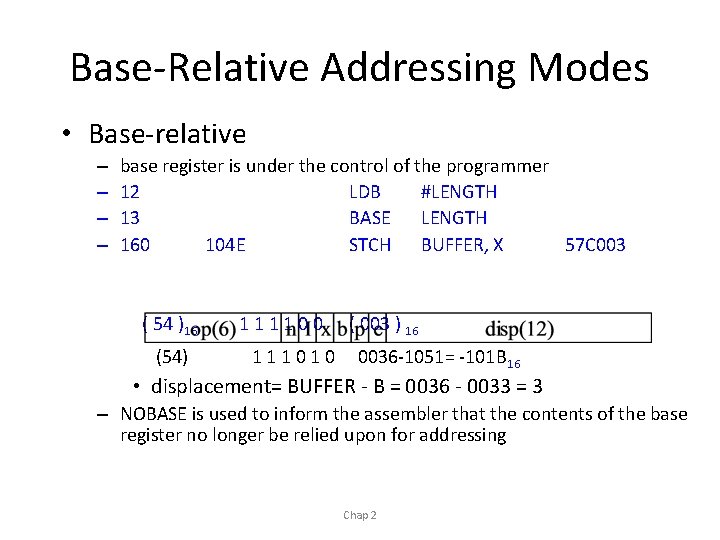
Base-Relative Addressing Modes • Base-relative – – base register is under the control of the programmer 12 LDB #LENGTH 13 BASE LENGTH 160 104 E STCH BUFFER, X 57 C 003 ( 54 )16 (54) 111100 111010 ( 003 ) 16 0036 -1051= -101 B 16 • displacement= BUFFER - B = 0036 - 0033 = 3 – NOBASE is used to inform the assembler that the contents of the base register no longer be relied upon for addressing Chap 2
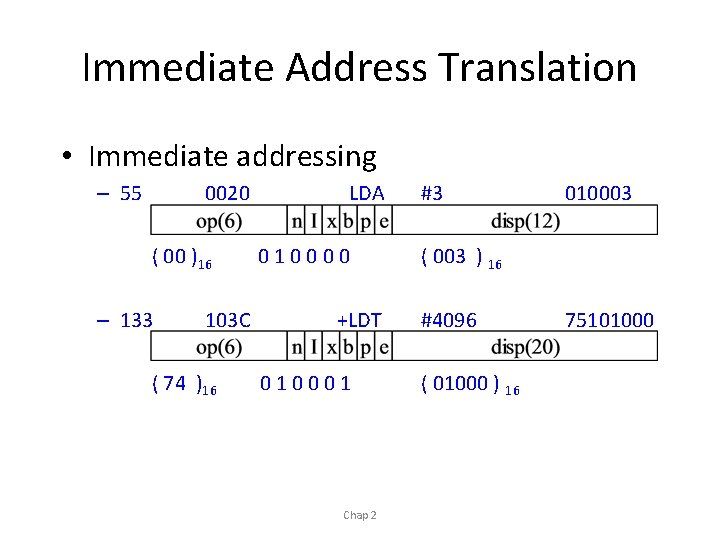
Immediate Address Translation • Immediate addressing – 55 0020 ( 00 )16 – 133 103 C ( 74 )16 LDA 010000 +LDT 010001 Chap 2 #3 010003 ( 003 ) 16 #4096 ( 01000 ) 16 75101000
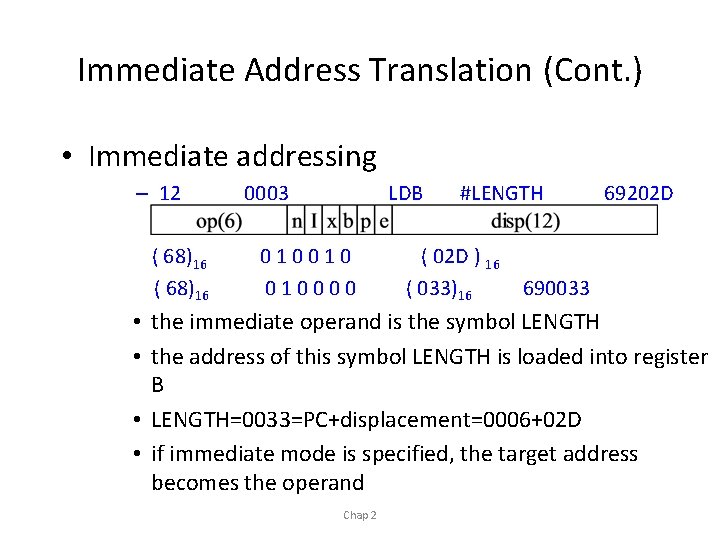
Immediate Address Translation (Cont. ) • Immediate addressing – 12 ( 68)16 0003 LDB 010010 010000 #LENGTH ( 02 D ) 16 ( 033)16 69202 D 690033 • the immediate operand is the symbol LENGTH • the address of this symbol LENGTH is loaded into register B • LENGTH=0033=PC+displacement=0006+02 D • if immediate mode is specified, the target address becomes the operand Chap 2
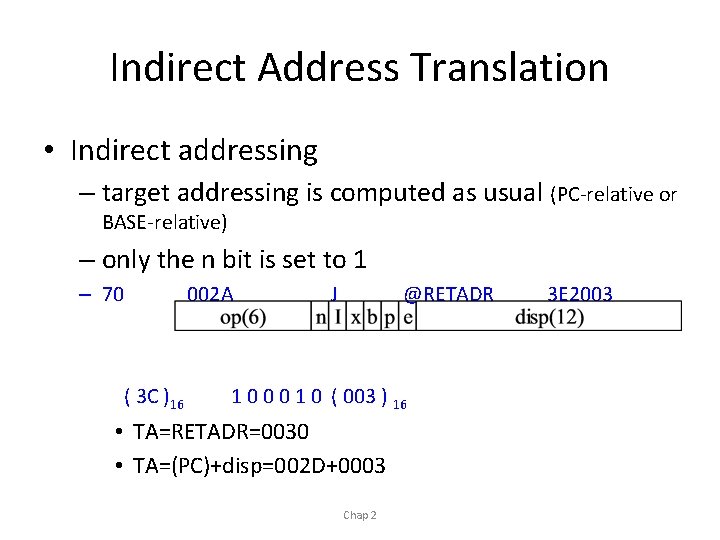
Indirect Address Translation • Indirect addressing – target addressing is computed as usual (PC-relative or BASE-relative) – only the n bit is set to 1 – 70 ( 3 C )16 002 A J @RETADR 1 0 0 0 1 0 ( 003 ) 16 • TA=RETADR=0030 • TA=(PC)+disp=002 D+0003 Chap 2 3 E 2003
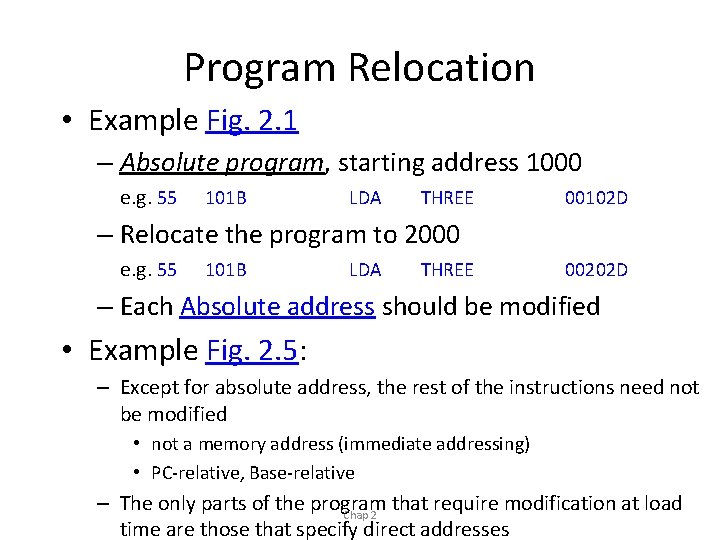
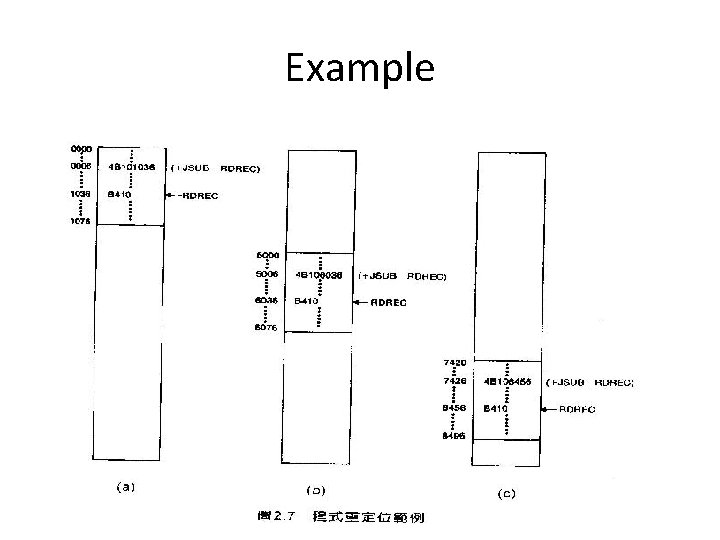
Program Relocation • Example Fig. 2. 1 – Absolute program, starting address 1000 e. g. 55 101 B LDA THREE 00102 D – Relocate the program to 2000 e. g. 55 101 B LDA THREE 00202 D – Each Absolute address should be modified • Example Fig. 2. 5: – Except for absolute address, the rest of the instructions need not be modified • not a memory address (immediate addressing) • PC-relative, Base-relative – The only parts of the program that require modification at load Chap 2 time are those that specify direct addresses
Example Chap 2
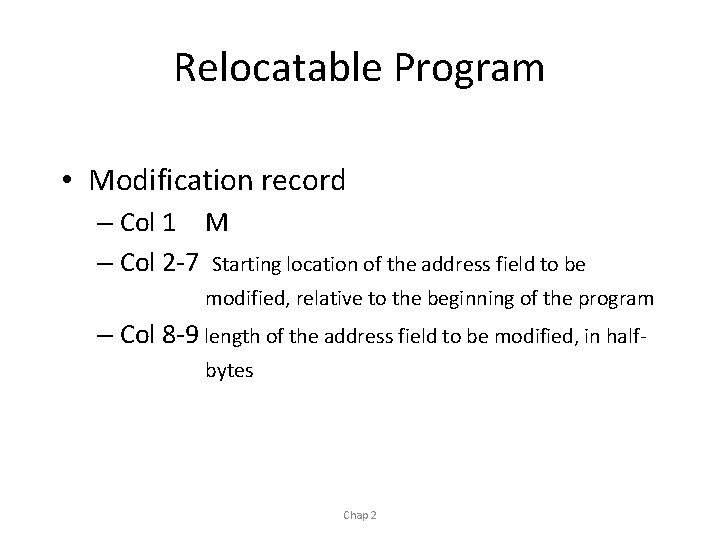
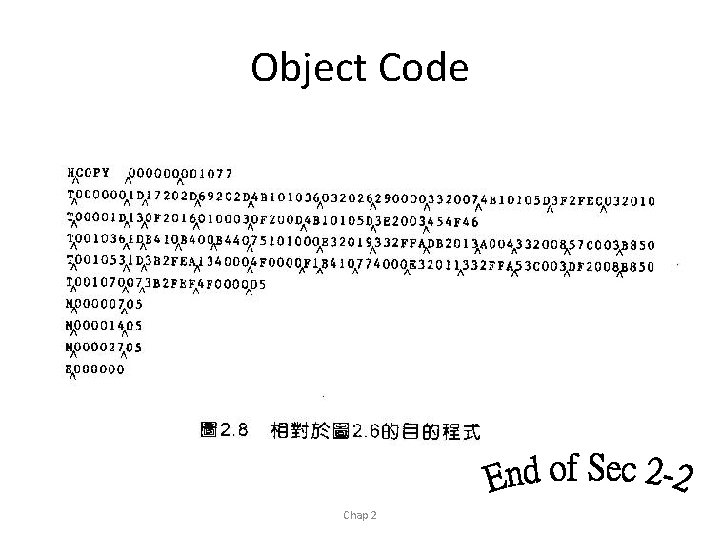
Relocatable Program • Modification record – Col 1 M – Col 2 -7 Starting location of the address field to be modified, relative to the beginning of the program – Col 8 -9 length of the address field to be modified, in halfbytes Chap 2
Object Code Chap 2
Literals Machine-Independent Assembler Symbol Defining Statement Features Expressions Program Blocks Control Sections and Program Linking
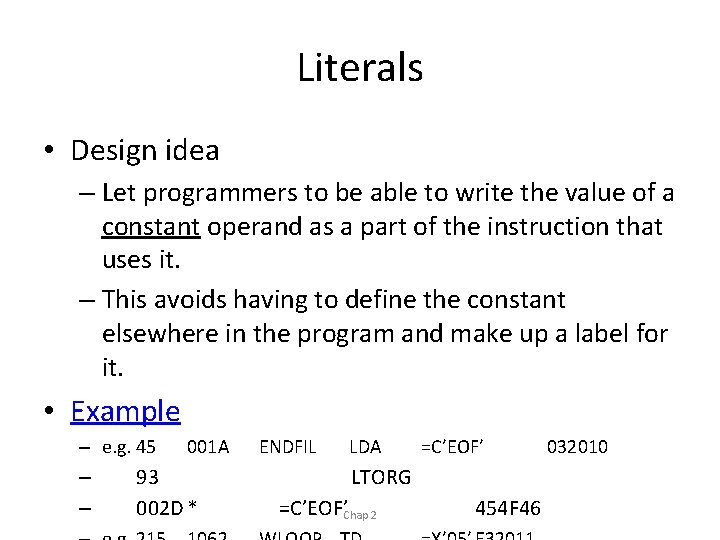
Literals • Design idea – Let programmers to be able to write the value of a constant operand as a part of the instruction that uses it. – This avoids having to define the constant elsewhere in the program and make up a label for it. • Example – e. g. 45 – – 001 A 93 002 D * ENDFIL LDA =C’EOF’ LTORG =C’EOF’Chap 2 454 F 46 032010
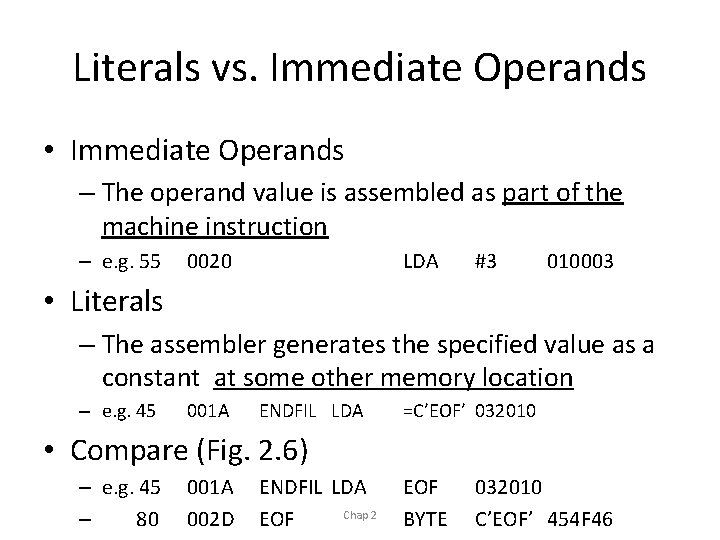
Literals vs. Immediate Operands • Immediate Operands – The operand value is assembled as part of the machine instruction – e. g. 55 0020 LDA #3 010003 • Literals – The assembler generates the specified value as a constant at some other memory location – e. g. 45 001 A ENDFIL LDA =C’EOF’ 032010 • Compare (Fig. 2. 6) – e. g. 45 – 80 001 A 002 D ENDFIL LDA Chap 2 EOF BYTE 032010 C’EOF’ 454 F 46
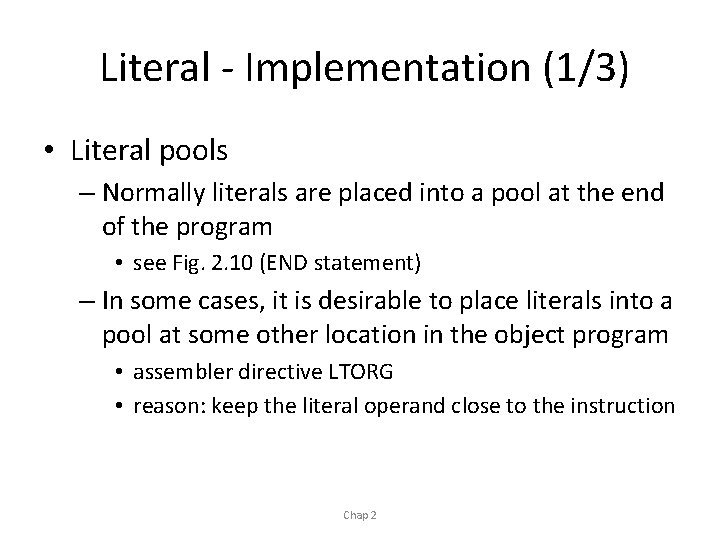
Literal - Implementation (1/3) • Literal pools – Normally literals are placed into a pool at the end of the program • see Fig. 2. 10 (END statement) – In some cases, it is desirable to place literals into a pool at some other location in the object program • assembler directive LTORG • reason: keep the literal operand close to the instruction Chap 2
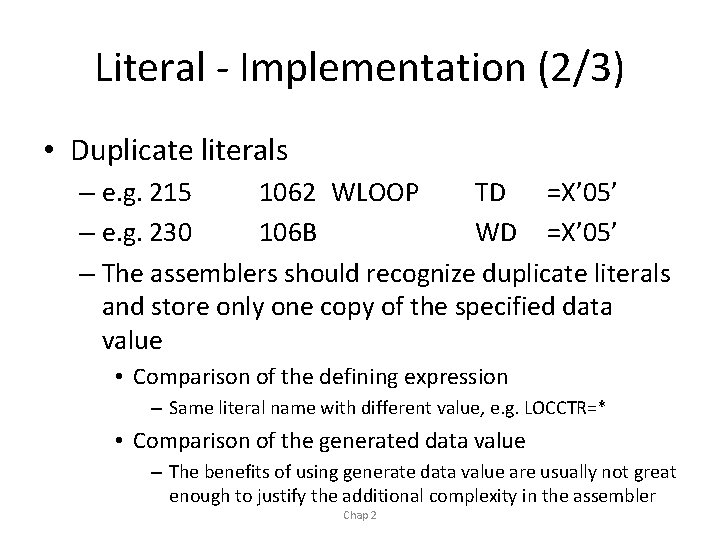
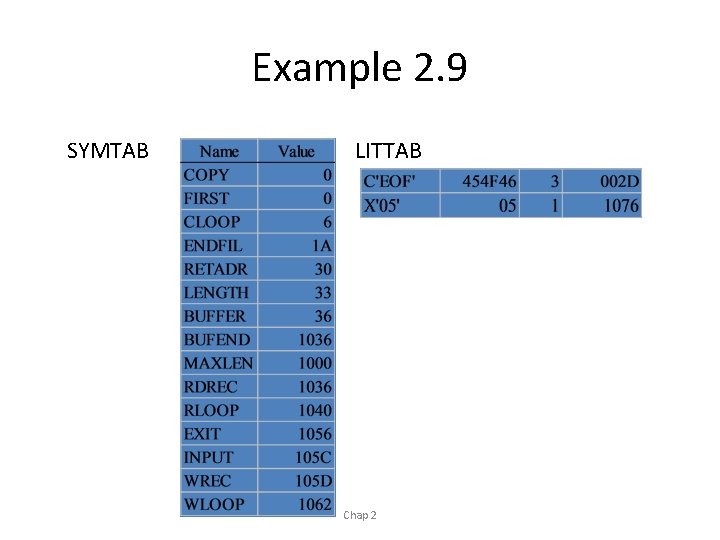
Literal - Implementation (2/3) • Duplicate literals – e. g. 215 1062 WLOOP TD =X’ 05’ – e. g. 230 106 B WD =X’ 05’ – The assemblers should recognize duplicate literals and store only one copy of the specified data value • Comparison of the defining expression – Same literal name with different value, e. g. LOCCTR=* • Comparison of the generated data value – The benefits of using generate data value are usually not great enough to justify the additional complexity in the assembler Chap 2
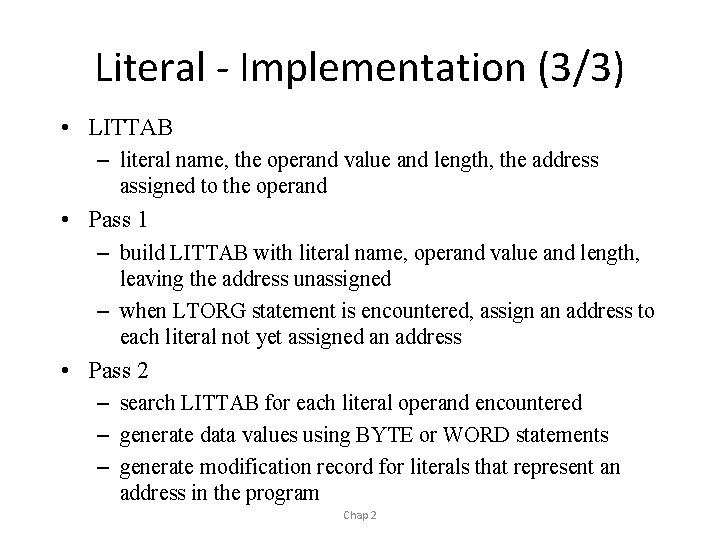
Literal - Implementation (3/3) • LITTAB – literal name, the operand value and length, the address assigned to the operand • Pass 1 – build LITTAB with literal name, operand value and length, leaving the address unassigned – when LTORG statement is encountered, assign an address to each literal not yet assigned an address • Pass 2 – search LITTAB for each literal operand encountered – generate data values using BYTE or WORD statements – generate modification record for literals that represent an address in the program Chap 2
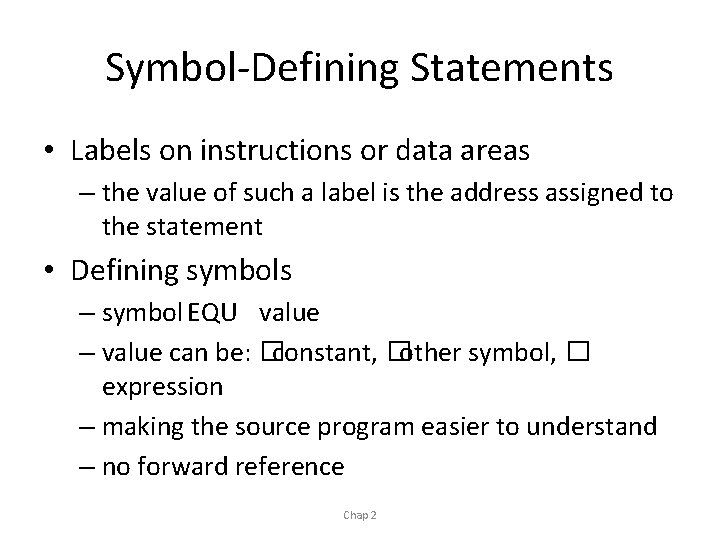
Symbol-Defining Statements • Labels on instructions or data areas – the value of such a label is the address assigned to the statement • Defining symbols – symbol EQU value – value can be: �constant, �other symbol, � expression – making the source program easier to understand – no forward reference Chap 2
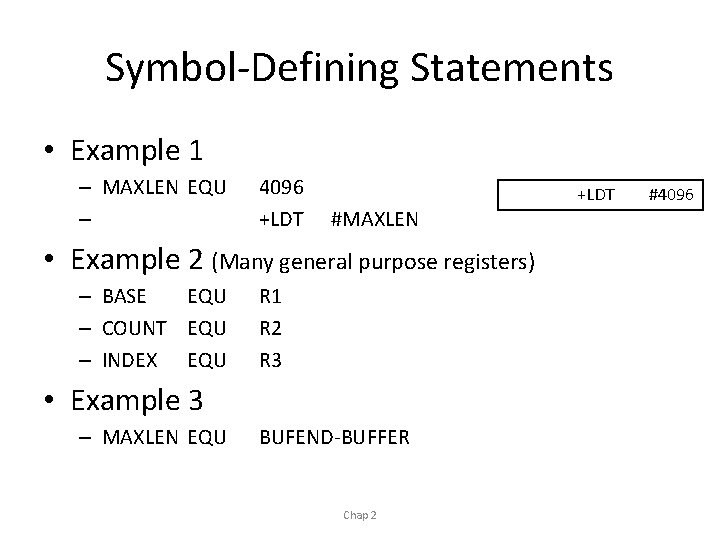
Symbol-Defining Statements • Example 1 – MAXLEN EQU – 4096 +LDT #MAXLEN • Example 2 (Many general purpose registers) – BASE EQU – COUNT EQU – INDEX EQU R 1 R 2 R 3 • Example 3 – MAXLEN EQU BUFEND-BUFFER Chap 2 +LDT #4096
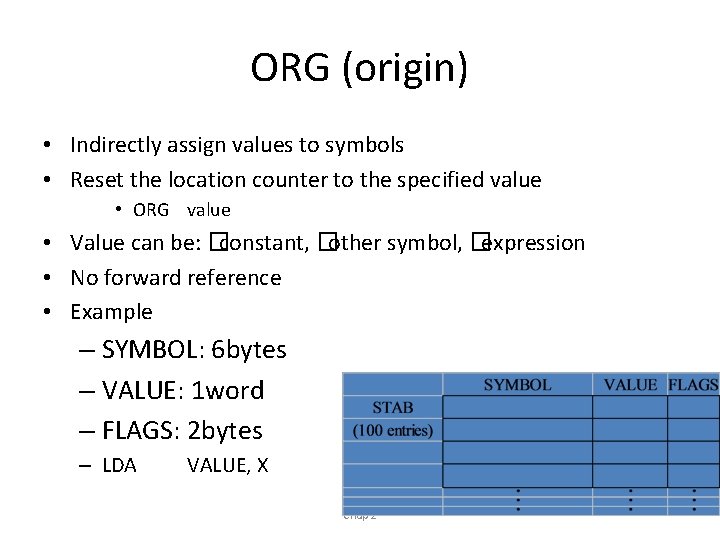
ORG (origin) • Indirectly assign values to symbols • Reset the location counter to the specified value • ORG value • Value can be: �constant, �other symbol, �expression • No forward reference • Example – SYMBOL: 6 bytes – VALUE: 1 word – FLAGS: 2 bytes – LDA VALUE, X Chap 2
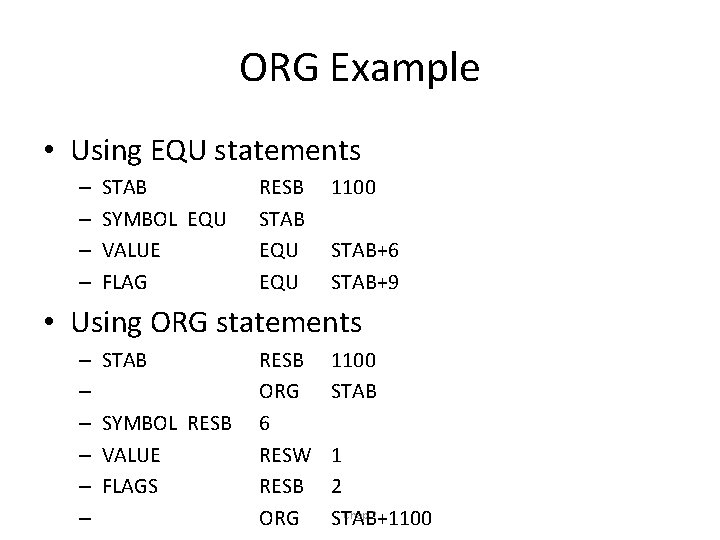
ORG Example • Using EQU statements – – STAB SYMBOL EQU VALUE FLAG RESB STAB EQU 1100 STAB+6 STAB+9 • Using ORG statements – – – STAB SYMBOL RESB VALUE FLAGS RESB ORG 6 RESW RESB ORG 1100 STAB 1 2 Chap 2 STAB+1100
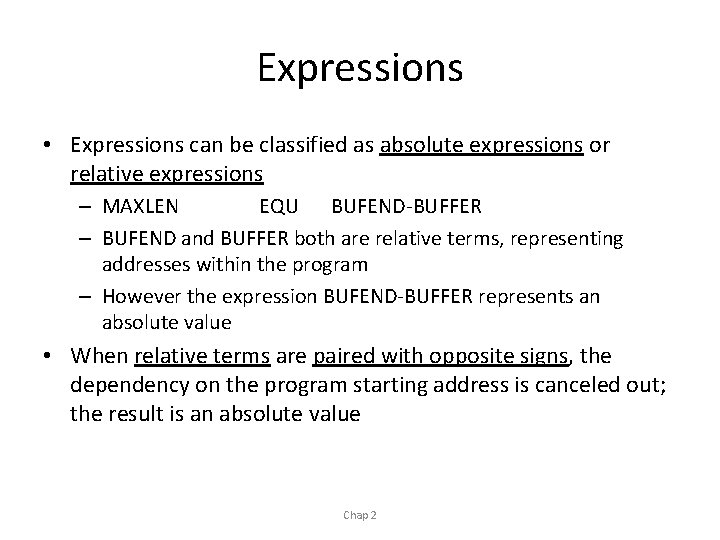
Expressions • Expressions can be classified as absolute expressions or relative expressions – MAXLEN EQU BUFEND-BUFFER – BUFEND and BUFFER both are relative terms, representing addresses within the program – However the expression BUFEND-BUFFER represents an absolute value • When relative terms are paired with opposite signs, the dependency on the program starting address is canceled out; the result is an absolute value Chap 2
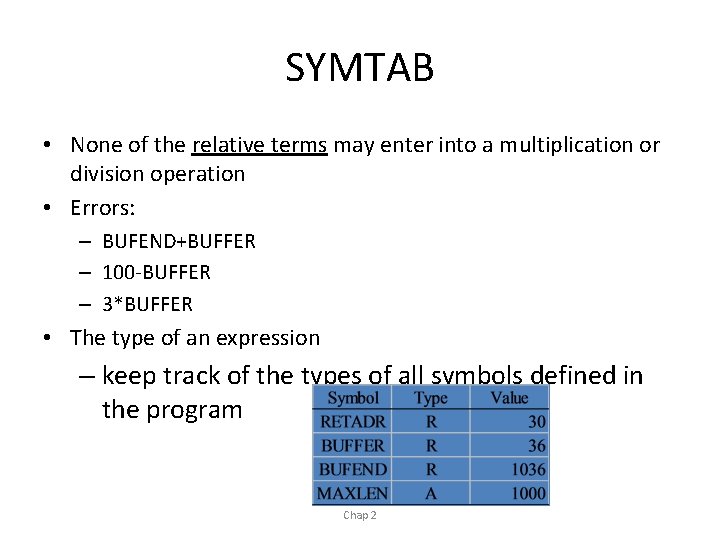
SYMTAB • None of the relative terms may enter into a multiplication or division operation • Errors: – BUFEND+BUFFER – 100 -BUFFER – 3*BUFFER • The type of an expression – keep track of the types of all symbols defined in the program Chap 2
Example 2. 9 SYMTAB LITTAB Chap 2
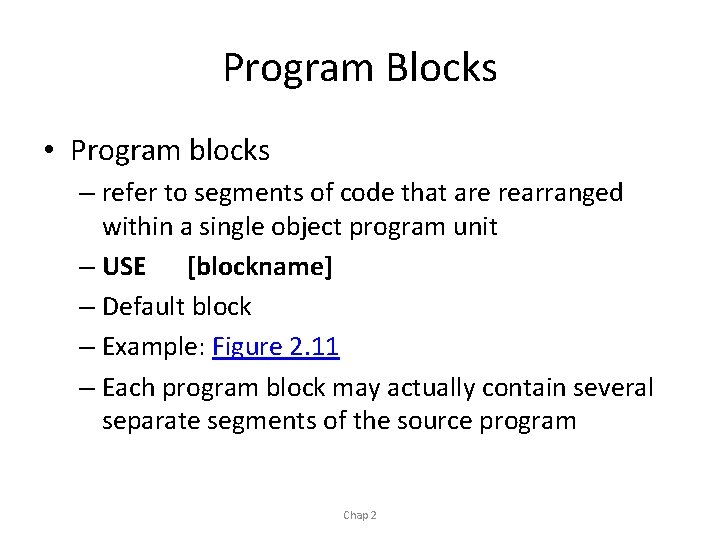
Program Blocks • Program blocks – refer to segments of code that are rearranged within a single object program unit – USE [blockname] – Default block – Example: Figure 2. 11 – Each program block may actually contain several separate segments of the source program Chap 2
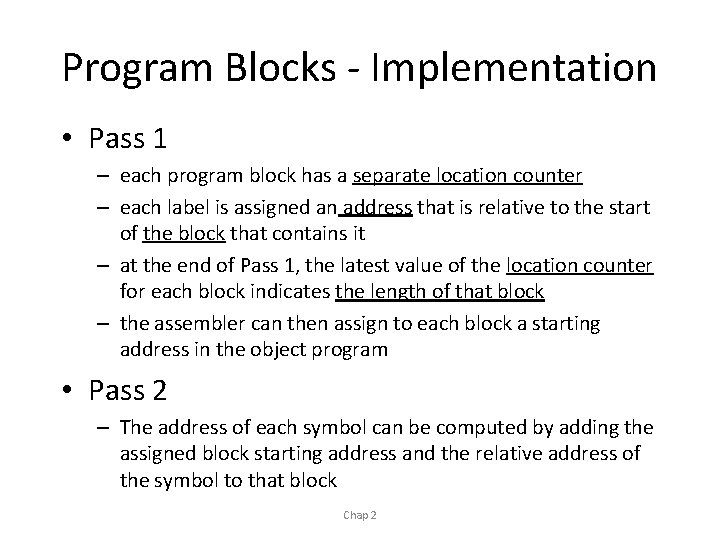
Program Blocks - Implementation • Pass 1 – each program block has a separate location counter – each label is assigned an address that is relative to the start of the block that contains it – at the end of Pass 1, the latest value of the location counter for each block indicates the length of that block – the assembler can then assign to each block a starting address in the object program • Pass 2 – The address of each symbol can be computed by adding the assigned block starting address and the relative address of the symbol to that block Chap 2
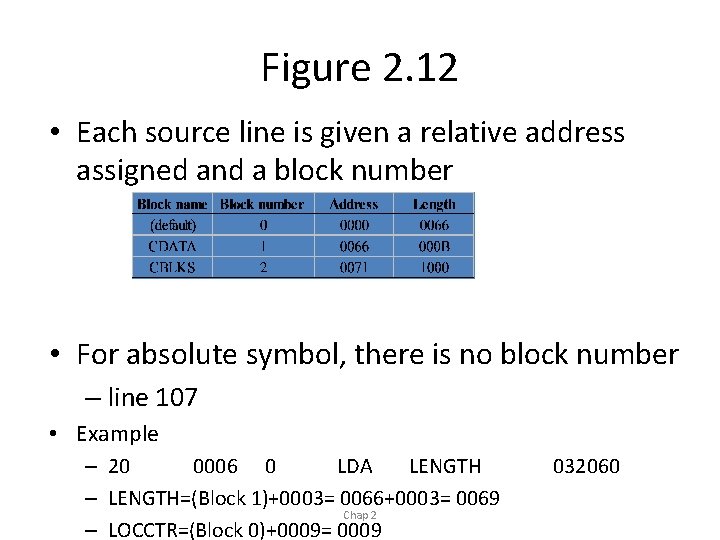
Figure 2. 12 • Each source line is given a relative address assigned and a block number • For absolute symbol, there is no block number – line 107 • Example – 20 0006 0 LDA LENGTH – LENGTH=(Block 1)+0003= 0066+0003= 0069 Chap 2 – LOCCTR=(Block 0)+0009= 0009 032060
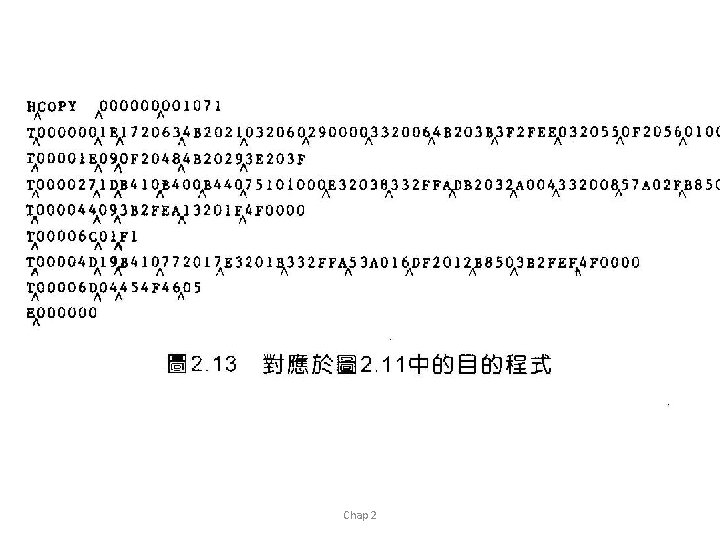
Program Readability • Program readability – No extended format instructions on lines 15, 35, 65 – No needs for base relative addressing (line 13, 14) – LTORG is used to make sure the literals are placed ahead of any large data areas (line 253) • Object code – It is not necessary to physically rearrange the generated code in the object program – see Fig. 2. 13, Fig. 2. 14 Chap 2
Chap 2
Control Sections and Program Linking • Control Sections – are most often used for subroutines or other logical subdivisions of a program – the programmer can assemble, load, and manipulate each of these control sections separately – instruction in one control section may need to refer to instructions or data located in another section – because of this, there should be some means for Chap together 2 linking control sections
External Definition and References • External definition – EXTDEF name [, name] – EXTDEF names symbols that are defined in this control section and may be used by other sections • External reference – EXTREF name [, name] – EXTREF names symbols that are used in this control section and are defined elsewhere • Example – 15 0003 CLOOP – 160 0017 +JSUB +STCH Chap 2 RDREC BUFFER, X 4 B 100000 57900000
Implementation • The assembler must include information in the object program that will cause the loader to insert proper values where they are required • Define record – – Col. 1 D Col. 2 -7 Name of external symbol defined in this control section Col. 8 -13 Relative address within this control section (hexadeccimal) Col. 14 -73 Repeat information in Col. 2 -13 for other external symbols • Refer record – Col. 1 D – Col. 2 -7 Name of external symbol referred to in this control section – Col. 8 -73 Name of other external reference symbols Chap 2
Modification Record • Modification record – Col. 1 M – Col. 2 -7 Starting address of the field to be modified (hexiadecimal) – Col. 8 -9 Length of the field to be modified, in half-bytes (hexadeccimal) – Col. 11 -16 External symbol whose value is to be added to or subtracted from the indicated field – Note: control section name is automatically an external symbol, i. e. it is available for use in Modification records. • Example – Figure 2. 17 – M 00000405+RDREC – M 00000705+COPY Chap 2
External References in Expression • Earlier definitions – required all of the relative terms be paired in an expression (an absolute expression), or that all except one be paired (a relative expression) • New restriction – Both terms in each pair must be relative within the same control section – Ex: BUFEND-BUFFER – Ex: RDREC-COPY • In general, the assembler cannot determine whether or not the expression is legal Chap at 2 assembly time. This work will be handled by a linking loader.
Assembler Design Options One-pass assemblers Multi-pass assemblers Two-pass assembler with overlay structure
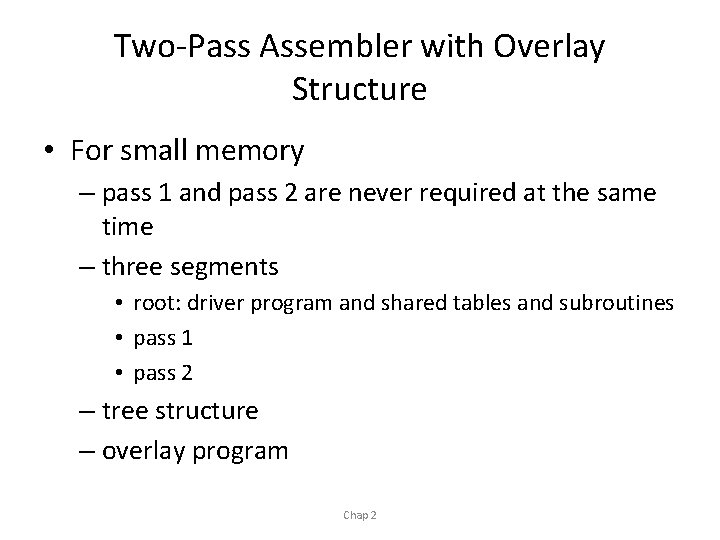
Two-Pass Assembler with Overlay Structure • For small memory – pass 1 and pass 2 are never required at the same time – three segments • root: driver program and shared tables and subroutines • pass 1 • pass 2 – tree structure – overlay program Chap 2
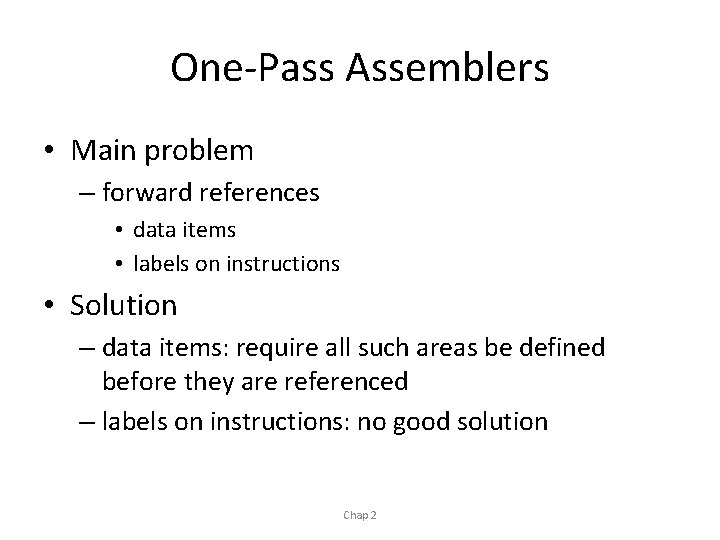
One-Pass Assemblers • Main problem – forward references • data items • labels on instructions • Solution – data items: require all such areas be defined before they are referenced – labels on instructions: no good solution Chap 2
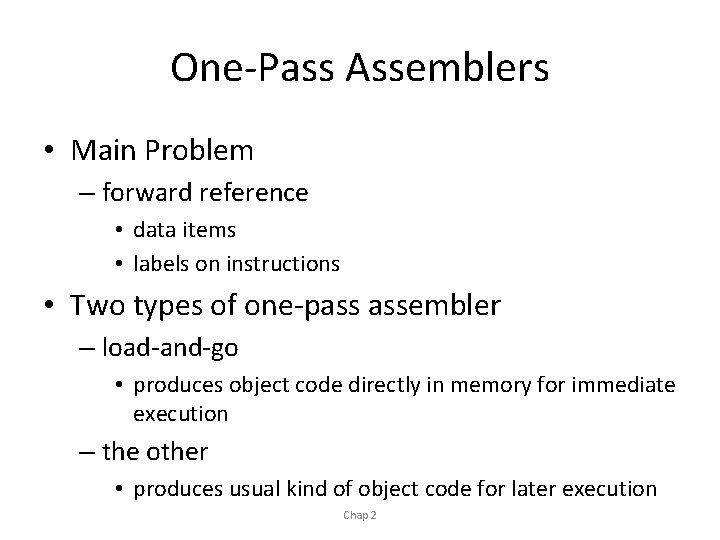
One-Pass Assemblers • Main Problem – forward reference • data items • labels on instructions • Two types of one-pass assembler – load-and-go • produces object code directly in memory for immediate execution – the other • produces usual kind of object code for later execution Chap 2
Load-and-go Assembler • Characteristics – Useful for program development and testing – Avoids the overhead of writing the object program out and reading it back – Both one-pass and two-pass assemblers can be designed as load-and-go. – However one-pass also avoids the over head of an additional pass over the source program – For a load-and-go assembler, the actual address must be known at assembly time, we can use an absolute program Chap 2
Forward Reference in One-pass Assembler • For any symbol that has not yet been defined 1. omit the address translation 2. insert the symbol into SYMTAB, and mark this symbol undefined 3. the address that refers to the undefined symbol is added to a list of forward references associated with the symbol table entry 4. when the definition for a symbol is encountered, the proper address for the symbol is then inserted into any instructions previous generated according to the forward reference list Chap 2
Load-and-go Assembler (Cont. ) • At the end of the program – any SYMTAB entries that are still marked with * indicate undefined symbols – search SYMTAB for the symbol named in the END statement and jump to this location to begin execution • The actual starting address must be specified at assembly time • Example – Figure 2. 18, 2. 19 Chap 2
Producing Object Code • When external working-storage devices are not available or too slow (for the intermediate file between the two passes • Solution: – When definition of a symbol is encountered, the assembler must generate another Tex record with the correct operand address – The loader is used to complete forward references that could not be handled by the assembler – The object program records must be kept in their original order when they are presented to the loader • Example: Figure 2. 20 Chap 2
Multi-Pass Assemblers • Restriction on EQU and ORG – no forward reference, since symbols’ value can’t be defined during the first pass • Example – Use link list to keep track of whose value depend on an undefined symbol • Figure 2. 21 Chap 2