
What is Struts Struts Frame work is the
![Example for logi tags [number. Guess. jsp] • <form action="number. Process. jsp" method="GET"> Please](https://slidetodoc.com/presentation_image/388b0adb17af6a93a0b9cb51f9c9e5f6/image-51.jpg "Example for logi tags [number. Guess. jsp] • <form action=\"number. Process. jsp\" method=\"GET\"> Please")
![[number. Process. jsp] • <%@ page language="java" %> <%@ taglib uri="/WEB-INF/struts-logic. tld" prefix="logic" %>](https://slidetodoc.com/presentation_image/388b0adb17af6a93a0b9cb51f9c9e5f6/image-52.jpg "[number. Process. jsp] • <%@ page language=\"java\" %> <%@ taglib uri=\"/WEB-INF/struts-logic. tld\" prefix=\"logic\" %>")
- Slides: 85
What is Struts? • Struts Frame work is the implementation of Model-View-Controller (MVC) design pattern for the JSP • Struts is maintained as a part of Apache Jakarta project and is open source • Struts Framework is suited for the application of any size. • Latest version of struts can be downloaded from http: //jakarta. apache. org/ (2. 2)
What is Model-View-Controller (MVC) Architecture? • Model-View-Controller architecture is all about dividing application components into three different categories Model, View and the Controller. • Components of the MVC architecture has unique responsibility and each component is independent of the other component. • Changes in one component will have no or less impact on other component
Responsibilities of the components are: • Model: Model is responsible for providing the data from the database and saving the data into the data store. • All the business logic are implemented in the Model. Data entered by the user through View are check in the model before saving into the database. • Data access, Data validation and the data saving logic are part of Model
• View: View represents the user view of the application and is responsible for taking the input from the user, dispatching the request to the controller and then receiving response from the controller and displaying the result to the user. • HTML, JSPs, Custom Tag Libraries and Resources files are the part of view component. • Controller: Controller is intermediary between Model and View. Controller is responsible for receiving the request from client. • Once request is received from client it executes the appropriate business logic from the Model and then produce the output to the user using the View component. • Action. Servlet, Action. Form and struts-config. xml are the part of Controller
Cont. .
Setting Up Development Environment • Installing JDK: - • Installing Tomcat: - • Installing Struts Application Download latest version of Struts from the official site of Struts http: //jakarta. apache. org/struts. Extract the file into your favorite directory and copy struts-blank. war, struts-documentation. war and struts-example. war from "jakarta-struts-1. 1webapps" directtory into "jakarta-tomcat-5. 0. 4webapps" directory struts-blank. war is the blank struts application which is useful in creating struts application from scratch. We will use this file to create our web application struts-documentation. war contains API and important documents for the struts application development. – struts-example. war is simple Mail. Reader Demonstration Application
What is Struts - Struts Architecture • Struts is famous for its robust Architecture and it is being used for developing small and big software projects • Struts is an open source framework used for developing J 2 EE web applications using Model View Controller (MVC) design pattern. • It uses and extends the Java Servlet API to encourage developers to adopt an MVC architecture.
Struts framework provides three key components • A request handler provided by the application developer that is used to mapped to a particular URI. • A response handler which is used to transfer the control to another resource which will be responsible for completing the response. • A tag library which helps developers to create the interactive form based applications with server pages. • Struts provides you the basic infrastructure for implementing MVC allowing the developers to concentrate on the business logic.
MVC Architecture • The main aim of the MVC architecture is to separate the business logic and application data from the presentation data to the user. • Here are the reasons why we should use the MVC design pattern • They are resuable : When the problems recurs, there is no need to invent a new solution, we just have to follow the pattern and adapt it as necessary. • They are expressive: By using the MVC design pattern our application becomes more expressive.
• 1. Model: The model object knows about all the data that need to be displayed. It is model who is aware about all the operations that can be applied to transform that object. It only represents the data of an application. The model represents enterprise data and the business rules that govern access to and updates of this data. Model is not aware about the presentation data and how that data will be displayed to the browser.
• 2. View : The view represents the presentation of the application. The view object refers to the model. It uses the query methods of the model to obtain the contents and renders it. The view is not dependent on the application logic. It remains same if there is any modification in the business logic. In other words, we can say that it is the responsibility of the view's to maintain the consistency in its presentation when the model changes. • 3. Controller: Whenever the user sends a request for something then it always go through the controller. The controller is responsible for intercepting the requests from view and passes it to the model for the appropriate action. After the action has been taken on the data, the controller is responsible for directing the appropriate view to the user. In GUIs, the views and the controllers often work very closely together.
Cont. . • The Struts framework is composed of approximately 300 classes and interfaces which are organized in about 12 top level packages
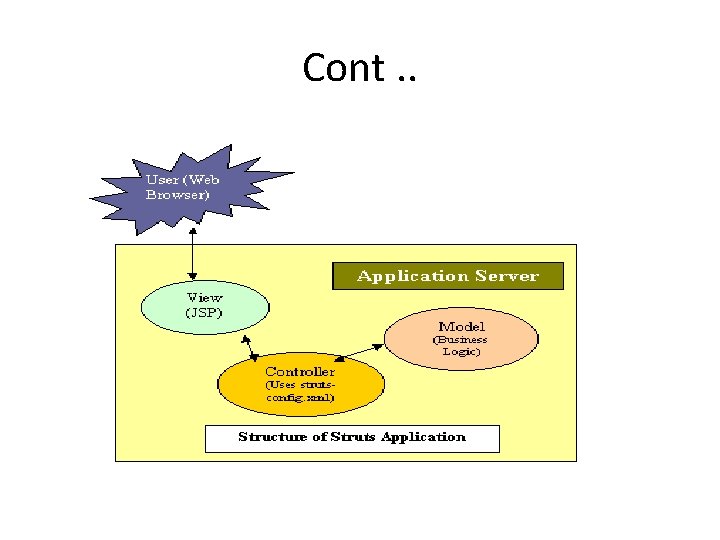
The view of the Struts architecture is given below: • The Struts Controller Components: • The Struts model component: • The Struts View Components
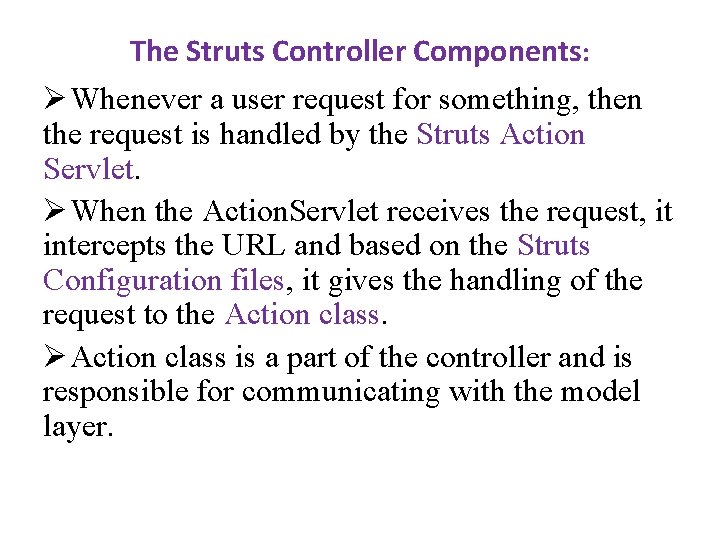
The Struts Controller Components: Ø Whenever a user request for something, then the request is handled by the Struts Action Servlet. Ø When the Action. Servlet receives the request, it intercepts the URL and based on the Struts Configuration files, it gives the handling of the request to the Action class. Ø Action class is a part of the controller and is responsible for communicating with the model layer.
The Struts View Components: • The view components are responsible for presenting information to the users and accepting the input from them. • They are responsible for displaying the information provided by the model components. Mostly we use the Java Server Pages (JSP) for the view presentation. • To extend the capability of the view we can use the Custom tags, java script etc.
The Struts model component: • The model components provides a model of the business logic behind a Struts program. • It provides interfaces to databases or back- ends systems. • Model components are generally a java class. There is not any such defined format for a Model component, so it is possible for us to reuse Java code which are written for other projects. • We should choose the model according to our client requirement.
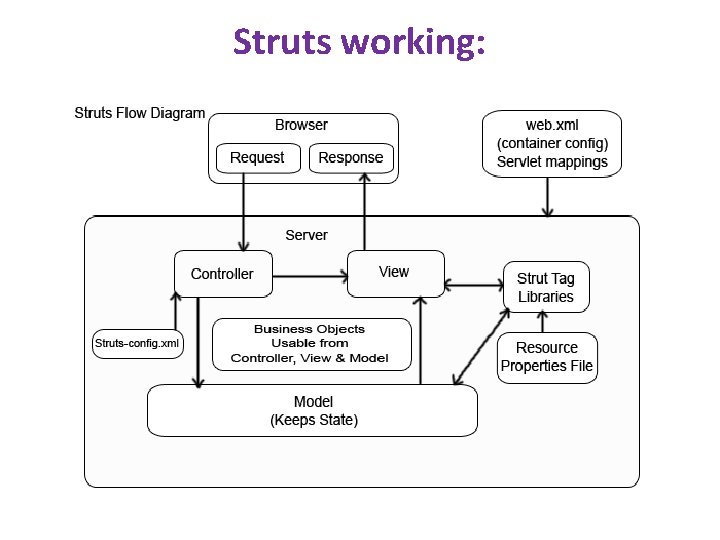
How Struts Works • The basic purpose of the Java Servlets in struts is to handle requests made by the client or by web browsers. • In struts Java. Server. Pages (JSP) are used to design the dynamic web pages. • In struts, servlets helps to route request which has been made by the web browsers to the appropriate Server. Page. • The use of servlet as a router helps to make the web applications easier to design, create, and maintain. • Struts is purely based on the Model- View- Contoller (MVC) design pattern. It is one of the best and most well developed design patterns in use. • By using the MVC architecture we break the processing in three sections named Model, the View, and the Controller. Below we are describing the working of struts.
Below we are describing the working of struts. • First : • Each application we develop has a deployment descriptor i. e. WEB-INF/web. xml. • This is the file which the container reads. This file has all the configuration information which we have defined for our web application. • The configuration information includes the index file, the default welcome page, the mapping of our servlets including path and the extension name, any init parameters, information related to the context elements.
• In the file WEB-INF/web. xml of struts application we need to configure the Struts Action. Servlet which handles all the request made by the web browsers to a given mapping • Action. Servlet is the central component of the Struts controller. This servlet extends the Http. Servlet. This servlet basically performs two important things. • 1. When the container gets start, it reads the Struts Configuration files and loads it into memory in the init() method. You will know more about the Struts Configuration files below. • It intercepts the HTTP request in the do. Get() and do. Post() method and handles it appropriately.
Second : • In struts application we have another xml file which is a Struts configuration file named as struts. config. xml. • The name of this file can be changed. The name of the struts configuration file can be configured in the web. xml file. • This file is placed under the WEB-INF directory of the web application. • It is an XML document that describes all or part of Struts application • This file has all the information about many types of Struts resources and configures their interaction • This file is used to associate paths with the controller components of your application. , known as Action classes like <action path ="/login" type = "Login. Action">. This tag tells the Struts Action. Servlet that whenever the incoming request is http: //myhost/myapp/login. do, then it must invoke the controller component Login. Action • This mapping is done to tell the web application that whenever a request is received with the. do extension then it should be appended to the URL.
Third • For each action we also have to configure Struts with the names of the resulting pages that will be shown as a result of that action. • In our application there can be more than one view which depends on the result of an action. • One can be for a success and the other for the failure. If the result action is "success" then the action tells the Action. Servlet that the action has been successfully accomplished or vice- versa. • The struts knows how to forward the specific page to the concerned destination. • The model which we want to use is entirely to you, the model is called from within the controller components.
• Fourth • Action can also get associate with a Java. Bean in our Struts configuration file • Java bean is nothing but a class having getter and setter methods that can be used to communicate between the view and the controller layer. • These java beans are validated by invoking the validate() method on the Action. Form by the help of the Struts system. • The client sends the request by the normal form submission by using Get or Post method, and the Struts system updates that data in the Bean before calling the controller components.
Fifth : • The view we use in the struts can be either Jsp page, Velocity templates, XSLT pages etc. In struts there are set of JSP tags which has been bundled with the struts distribution, but it is not mandatory to use only Jsp tags, even plain HTML files can be used within our Struts application • The framework includes a set of custom tag libraries that facilitate in creating the user interfaces that can interact gracefully with Action. Form beans. • The struts Jsp taglibs has a number of generic and struts specific tags which helps you to use dynamic data in your view. • These tags helps us to interact with your controller without writing much java code inside your jsp. • These tags are used create forms, internally forward to other pages by interacting with the bean and helps us to invoke other actions of the web application. • There are many tags provided to you in the struts frameworks which helps you in sending error messages, internationalization etc.
• Note: The points we have described above will be in effect if and only if when the Action. Servlet is handling the request. When the request is submitted to the container which call the Action. Servlet, make sure that the extension of the file which we want to access should have the extension. do. •
Struts working:
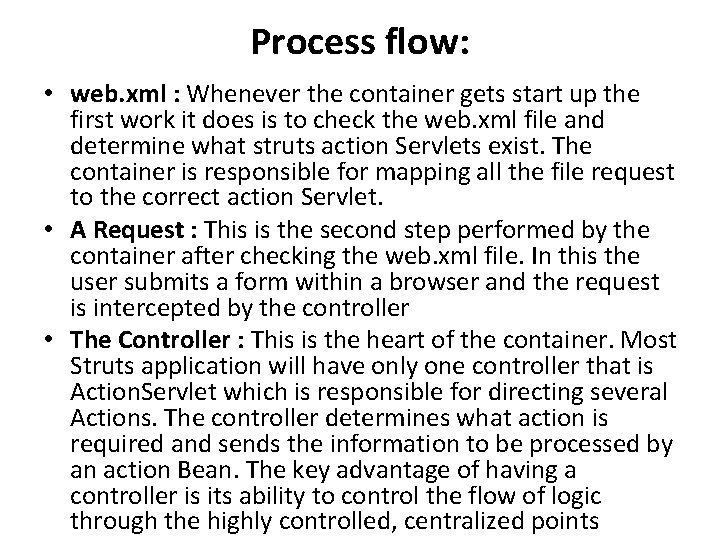
Process flow: • web. xml : Whenever the container gets start up the first work it does is to check the web. xml file and determine what struts action Servlets exist. The container is responsible for mapping all the file request to the correct action Servlet. • A Request : This is the second step performed by the container after checking the web. xml file. In this the user submits a form within a browser and the request is intercepted by the controller • The Controller : This is the heart of the container. Most Struts application will have only one controller that is Action. Servlet which is responsible for directing several Actions. The controller determines what action is required and sends the information to be processed by an action Bean. The key advantage of having a controller is its ability to control the flow of logic through the highly controlled, centralized points
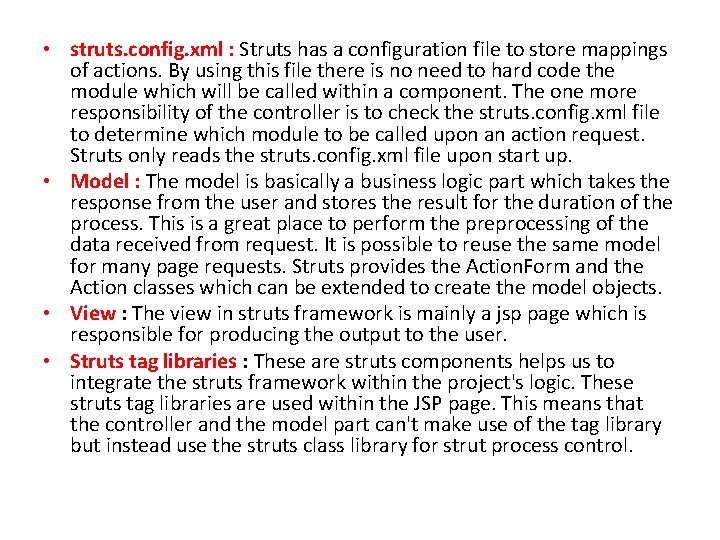
• struts. config. xml : Struts has a configuration file to store mappings of actions. By using this file there is no need to hard code the module which will be called within a component. The one more responsibility of the controller is to check the struts. config. xml file to determine which module to be called upon an action request. Struts only reads the struts. config. xml file upon start up. • Model : The model is basically a business logic part which takes the response from the user and stores the result for the duration of the process. This is a great place to perform the preprocessing of the data received from request. It is possible to reuse the same model for many page requests. Struts provides the Action. Form and the Action classes which can be extended to create the model objects. • View : The view in struts framework is mainly a jsp page which is responsible for producing the output to the user. • Struts tag libraries : These are struts components helps us to integrate the struts framework within the project's logic. These struts tag libraries are used within the JSP page. This means that the controller and the model part can't make use of the tag library but instead use the struts class library for strut process control.
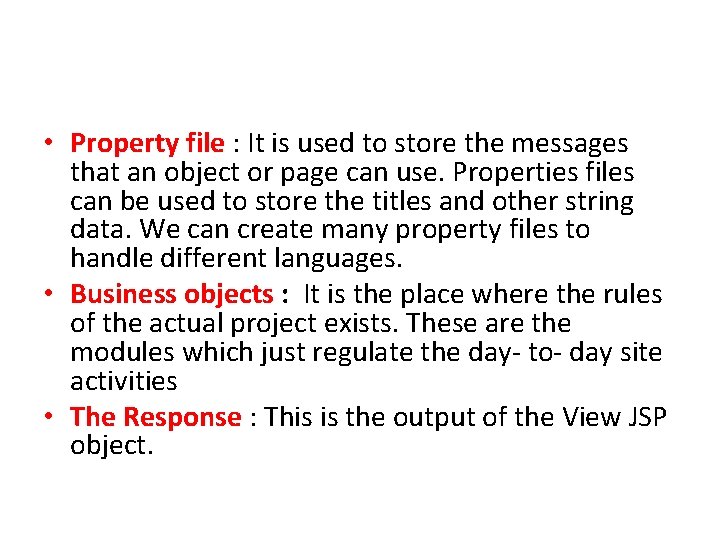
• Property file : It is used to store the messages that an object or page can use. Properties files can be used to store the titles and other string data. We can create many property files to handle different languages. • Business objects : It is the place where the rules of the actual project exists. These are the modules which just regulate the day- to- day site activities • The Response : This is the output of the View JSP object.
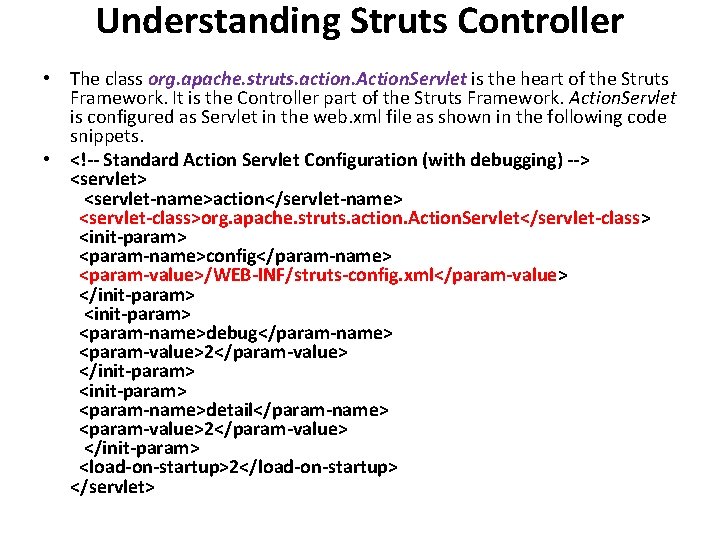
Understanding Struts Controller • The class org. apache. struts. action. Action. Servlet is the heart of the Struts Framework. It is the Controller part of the Struts Framework. Action. Servlet is configured as Servlet in the web. xml file as shown in the following code snippets. • <!-- Standard Action Servlet Configuration (with debugging) --> <servlet> <servlet-name>action</servlet-name> <servlet-class>org. apache. struts. action. Action. Servlet</servlet-class> <init-param> <param-name>config</param-name> <param-value>/WEB-INF/struts-config. xml</param-value> </init-param> <param-name>debug</param-name> <param-value>2</param-value> </init-param> <param-name>detail</param-name> <param-value>2</param-value> </init-param> <load-on-startup>2</load-on-startup> </servlet>
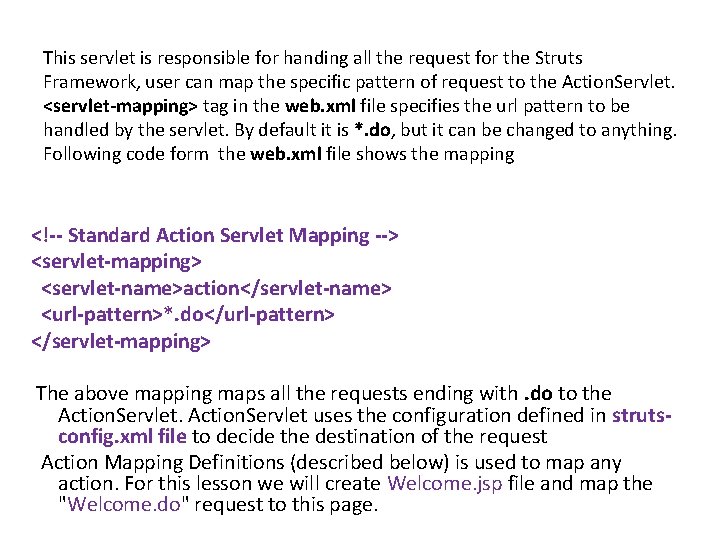
This servlet is responsible for handing all the request for the Struts Framework, user can map the specific pattern of request to the Action. Servlet. <servlet-mapping> tag in the web. xml file specifies the url pattern to be handled by the servlet. By default it is *. do, but it can be changed to anything. Following code form the web. xml file shows the mapping <!-- Standard Action Servlet Mapping --> <servlet-mapping> <servlet-name>action</servlet-name> <url-pattern>*. do</url-pattern> </servlet-mapping> The above mapping maps all the requests ending with. do to the Action. Servlet uses the configuration defined in strutsconfig. xml file to decide the destination of the request Action Mapping Definitions (described below) is used to map any action. For this lesson we will create Welcome. jsp file and map the "Welcome. do" request to this page.
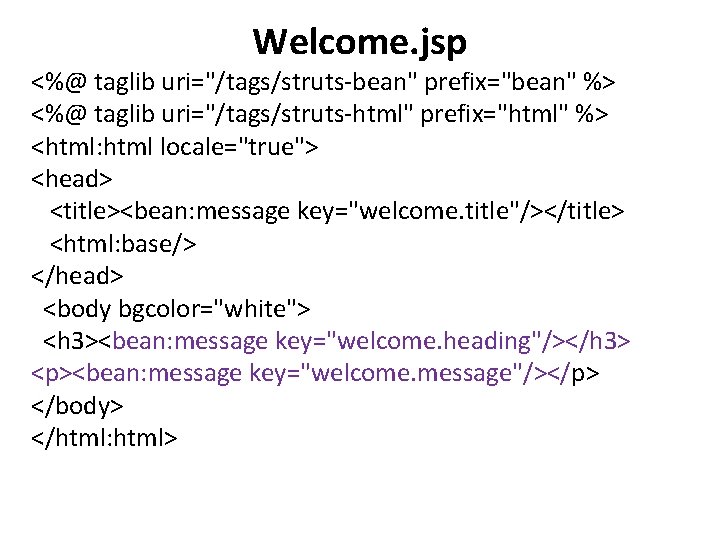
Welcome. jsp <%@ taglib uri="/tags/struts-bean" prefix="bean" %> <%@ taglib uri="/tags/struts-html" prefix="html" %> <html: html locale="true"> <head> <title><bean: message key="welcome. title"/></title> <html: base/> </head> <body bgcolor="white"> <h 3><bean: message key="welcome. heading"/></h 3> <p><bean: message key="welcome. message"/></p> </body> </html: html>
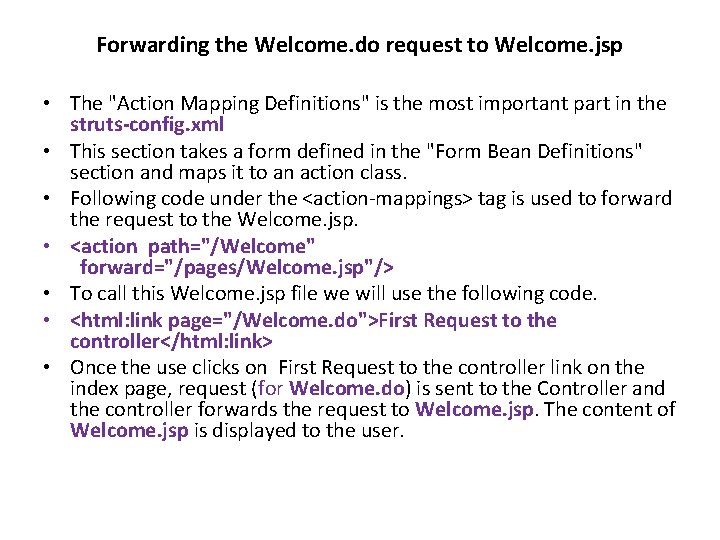
Forwarding the Welcome. do request to Welcome. jsp • The "Action Mapping Definitions" is the most important part in the struts-config. xml • This section takes a form defined in the "Form Bean Definitions" section and maps it to an action class. • Following code under the <action-mappings> tag is used to forward the request to the Welcome. jsp. • <action path="/Welcome" forward="/pages/Welcome. jsp"/> • To call this Welcome. jsp file we will use the following code. • <html: link page="/Welcome. do">First Request to the controller</html: link> • Once the use clicks on First Request to the controller link on the index page, request (for Welcome. do) is sent to the Controller and the controller forwards the request to Welcome. jsp. The content of Welcome. jsp is displayed to the user.
What is Action Class? • An Action class in the struts application extends Struts 'org. apache. struts. action. Action" Class. Action class acts as wrapper around the business logic and provides an interface to the application's Model layer. It acts as glue between the View and Model layer. It also transfers the data from the view layer to the specific business process layer and finally returns the procssed data from business layer to the view layer. • An Action works as an adapter between the contents of an incoming HTTP request and the business logic that corresponds to it. Then the struts controller (Action. Servlet) slects an appropriate Action and creates an instance if necessary, and finally calls execute method • To use the Action, we need to Subclass and overwrite the execute() method. In the Action Class don't add the business process logic, instead move the database and business process logic to the process or dao layer. • The Action. Servlet (commad) passes the parameterized class to Action Form using the execute() method. The return type of the execute method is Action. Forward which is used by the Struts Framework to forward the request to the file as per the value of the returned Action. Forward object.
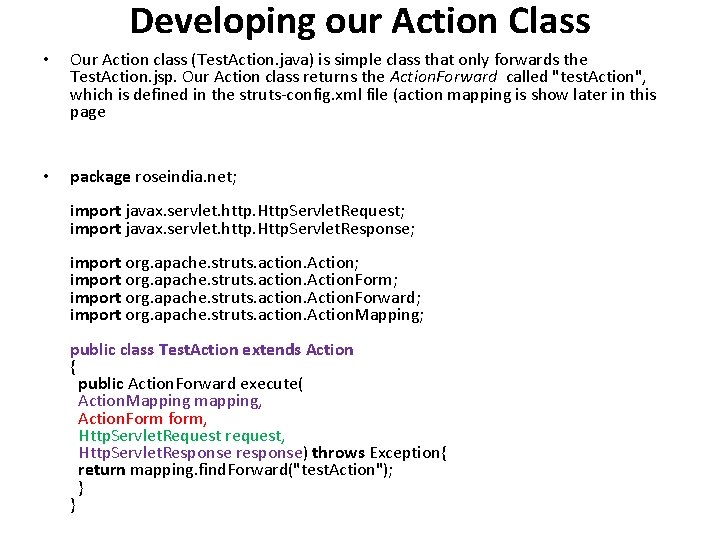
Developing our Action Class • Our Action class (Test. Action. java) is simple class that only forwards the Test. Action. jsp. Our Action class returns the Action. Forward called "test. Action", which is defined in the struts-config. xml file (action mapping is show later in this page • package roseindia. net; import javax. servlet. http. Http. Servlet. Request; import javax. servlet. http. Http. Servlet. Response; import org. apache. struts. action. Action. Form; import org. apache. struts. action. Action. Forward; import org. apache. struts. action. Action. Mapping; public class Test. Action extends Action { public Action. Forward execute( Action. Mapping mapping, Action. Form form, Http. Servlet. Request request, Http. Servlet. Response response) throws Exception{ return mapping. find. Forward("test. Action"); } }
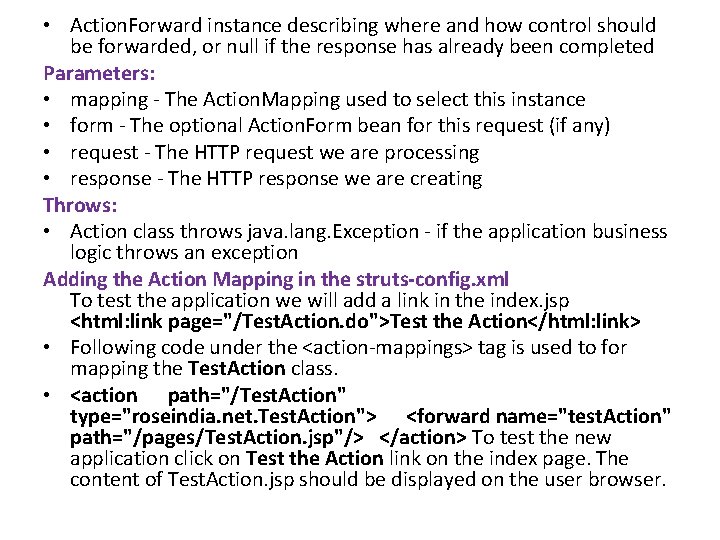
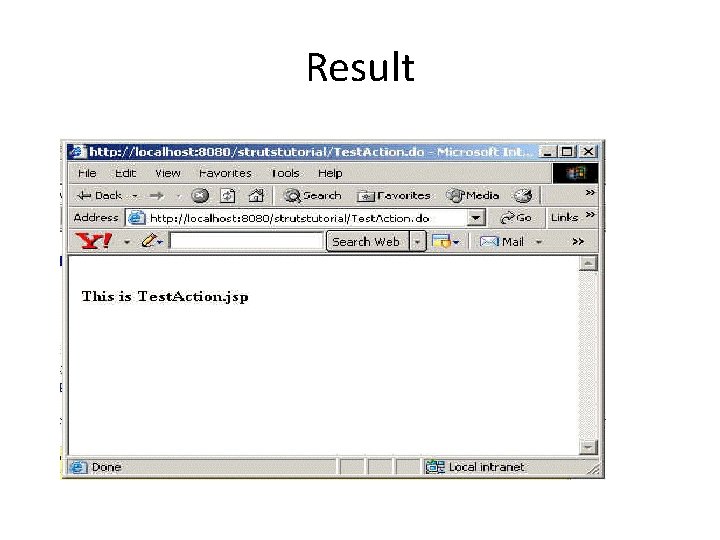
• Action. Forward instance describing where and how control should be forwarded, or null if the response has already been completed Parameters: • mapping - The Action. Mapping used to select this instance • form - The optional Action. Form bean for this request (if any) • request - The HTTP request we are processing • response - The HTTP response we are creating Throws: • Action class throws java. lang. Exception - if the application business logic throws an exception Adding the Action Mapping in the struts-config. xml To test the application we will add a link in the index. jsp <html: link page="/Test. Action. do">Test the Action</html: link> • Following code under the <action-mappings> tag is used to for mapping the Test. Action class. • <action path="/Test. Action" type="roseindia. net. Test. Action"> <forward name="test. Action" path="/pages/Test. Action. jsp"/> </action> To test the new application click on Test the Action link on the index page. The content of Test. Action. jsp should be displayed on the user browser.
Result
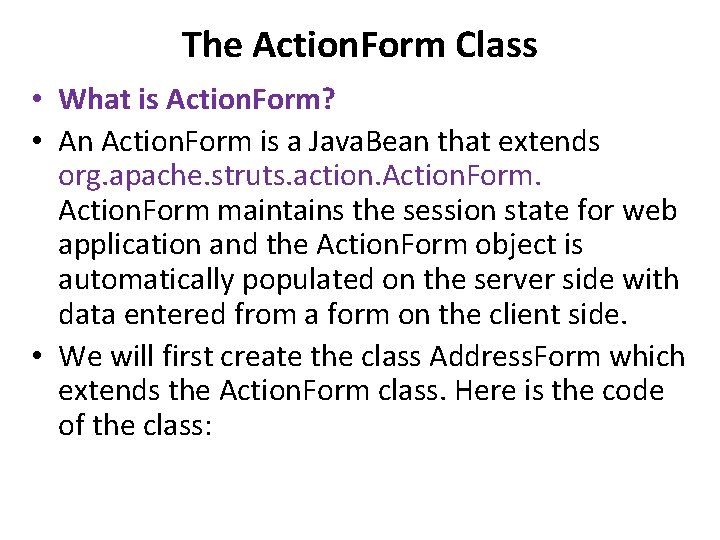
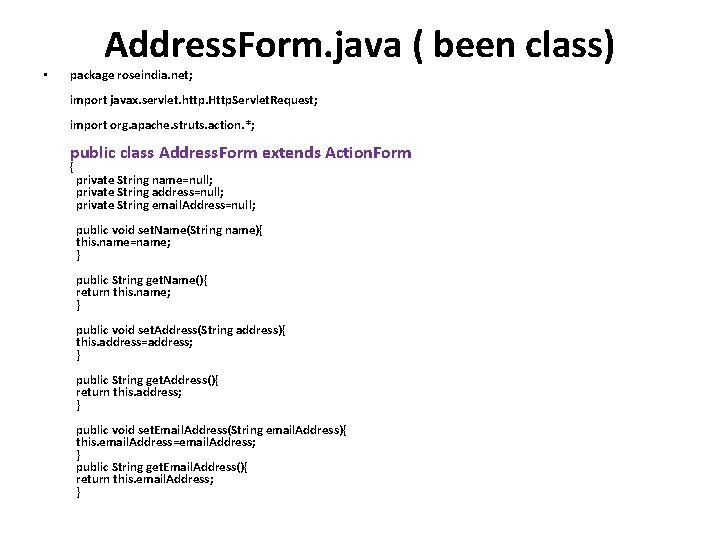
The Action. Form Class • What is Action. Form? • An Action. Form is a Java. Bean that extends org. apache. struts. action. Action. Form maintains the session state for web application and the Action. Form object is automatically populated on the server side with data entered from a form on the client side. • We will first create the class Address. Form which extends the Action. Form class. Here is the code of the class:
• Address. Form. java ( been class) package roseindia. net; import javax. servlet. http. Http. Servlet. Request; import org. apache. struts. action. *; public class Address. Form extends Action. Form { private String name=null; private String address=null; private String email. Address=null; public void set. Name(String name){ this. name=name; } public String get. Name(){ return this. name; } public void set. Address(String address){ this. address=address; } public String get. Address(){ return this. address; } public void set. Email. Address(String email. Address){ this. email. Address=email. Address; } public String get. Email. Address(){ return this. email. Address; }
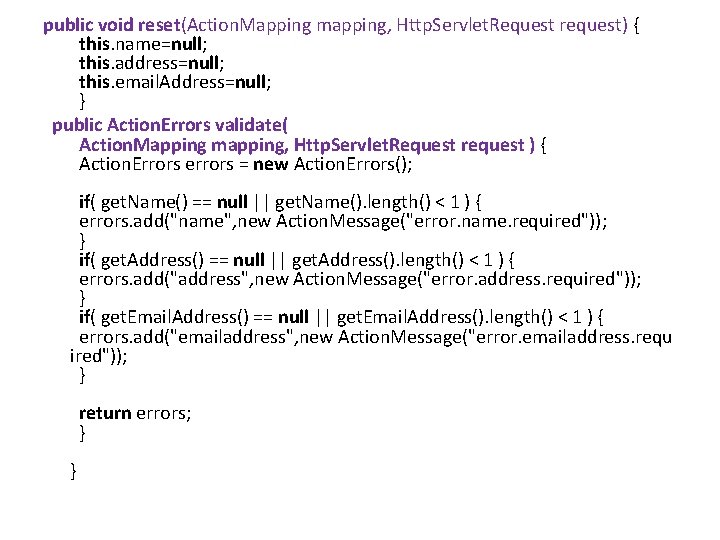
public void reset(Action. Mapping mapping, Http. Servlet. Request request) { this. name=null; this. address=null; this. email. Address=null; } public Action. Errors validate( Action. Mapping mapping, Http. Servlet. Request request ) { Action. Errors errors = new Action. Errors(); if( get. Name() == null || get. Name(). length() < 1 ) { errors. add("name", new Action. Message("error. name. required")); } if( get. Address() == null || get. Address(). length() < 1 ) { errors. add("address", new Action. Message("error. address. required")); } if( get. Email. Address() == null || get. Email. Address(). length() < 1 ) { errors. add("emailaddress", new Action. Message("error. emailaddress. requ ired")); } return errors; } }
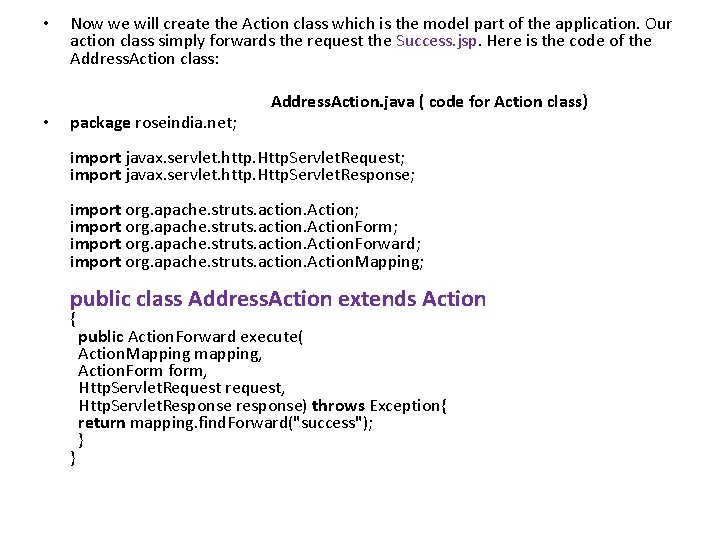
• Now we will create the Action class which is the model part of the application. Our action class simply forwards the request the Success. jsp. Here is the code of the Address. Action class: Address. Action. java ( code for Action class) • package roseindia. net; import javax. servlet. http. Http. Servlet. Request; import javax. servlet. http. Http. Servlet. Response; import org. apache. struts. action. Action. Form; import org. apache. struts. action. Action. Forward; import org. apache. struts. action. Action. Mapping; public class Address. Action extends Action { public Action. Forward execute( Action. Mapping mapping, Action. Form form, Http. Servlet. Request request, Http. Servlet. Response response) throws Exception{ return mapping. find. Forward("success"); } }
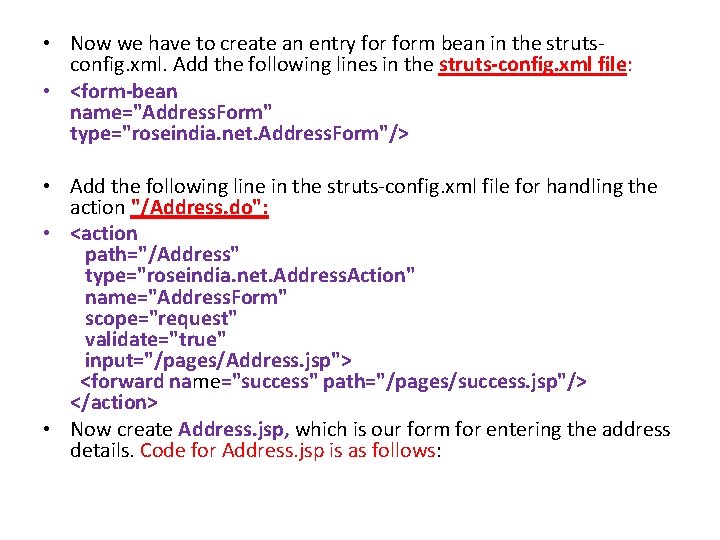
• Now we have to create an entry form bean in the strutsconfig. xml. Add the following lines in the struts-config. xml file: • <form-bean name="Address. Form" type="roseindia. net. Address. Form"/> • Add the following line in the struts-config. xml file for handling the action "/Address. do": • <action path="/Address" type="roseindia. net. Address. Action" name="Address. Form" scope="request" validate="true" input="/pages/Address. jsp"> <forward name="success" path="/pages/success. jsp"/> </action> • Now create Address. jsp, which is our form for entering the address details. Code for Address. jsp is as follows:
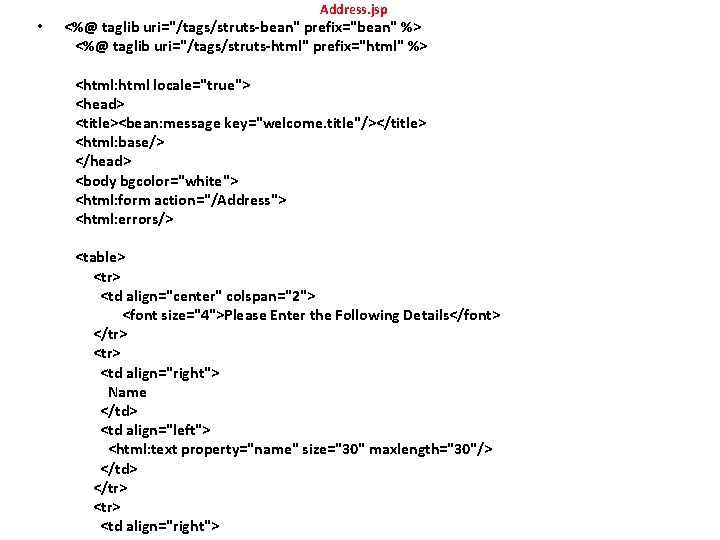
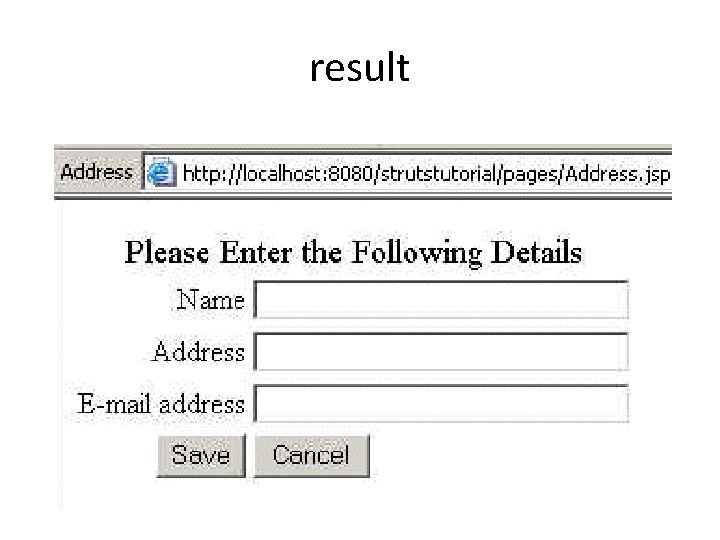
• Address. jsp <%@ taglib uri="/tags/struts-bean" prefix="bean" %> <%@ taglib uri="/tags/struts-html" prefix="html" %> <html: html locale="true"> <head> <title><bean: message key="welcome. title"/></title> <html: base/> </head> <body bgcolor="white"> <html: form action="/Address"> <html: errors/> <table> <tr> <td align="center" colspan="2"> <font size="4">Please Enter the Following Details</font> </tr> <tr> <td align="right"> Name </td> <td align="left"> <html: text property="name" size="30" maxlength="30"/> </td> </tr> <tr> <td align="right">
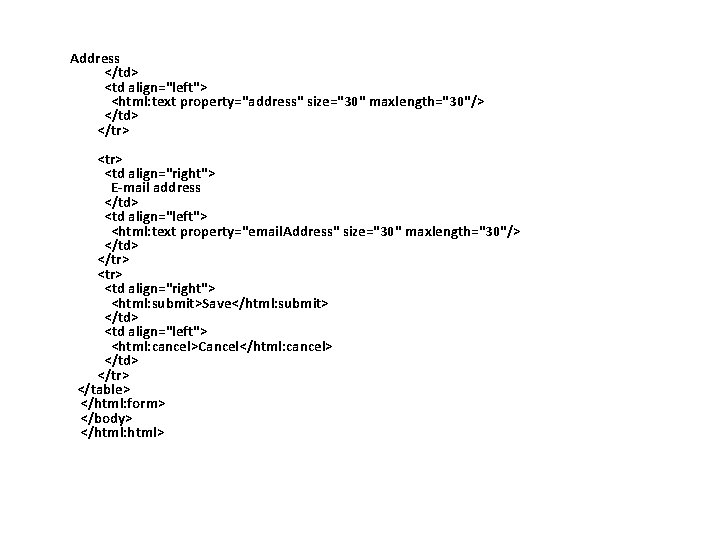
Address </td> <td align="left"> <html: text property="address" size="30" maxlength="30"/> </td> </tr> <tr> <td align="right"> E-mail address </td> <td align="left"> <html: text property="email. Address" size="30" maxlength="30"/> </td> </tr> <tr> <td align="right"> <html: submit>Save</html: submit> </td> <td align="left"> <html: cancel>Cancel</html: cancel> </td> </tr> </table> </html: form> </body> </html: html>
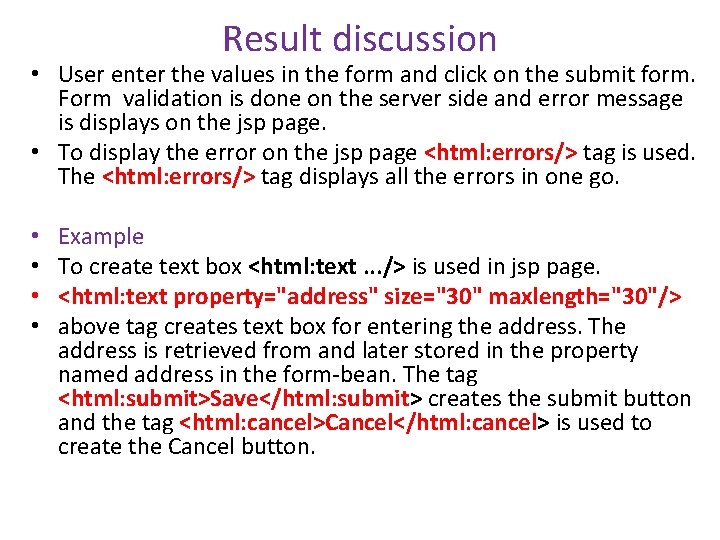
Result discussion • User enter the values in the form and click on the submit form. Form validation is done on the server side and error message is displays on the jsp page. • To display the error on the jsp page <html: errors/> tag is used. The <html: errors/> tag displays all the errors in one go. • • Example To create text box <html: text. . . /> is used in jsp page. <html: text property="address" size="30" maxlength="30"/> above tag creates text box for entering the address. The address is retrieved from and later stored in the property named address in the form-bean. The tag <html: submit>Save</html: submit> creates the submit button and the tag <html: cancel>Cancel</html: cancel> is used to create the Cancel button.
result
Struts HTML Tags • Struts provides HTML tag library for easy creation of user interfaces • To use the Struts HTML Tags we have to include the following line in our JSP file • <%@ taglib uri="/tags/struts-html" prefix="html" %> • above code makes available the tag to the jsp.
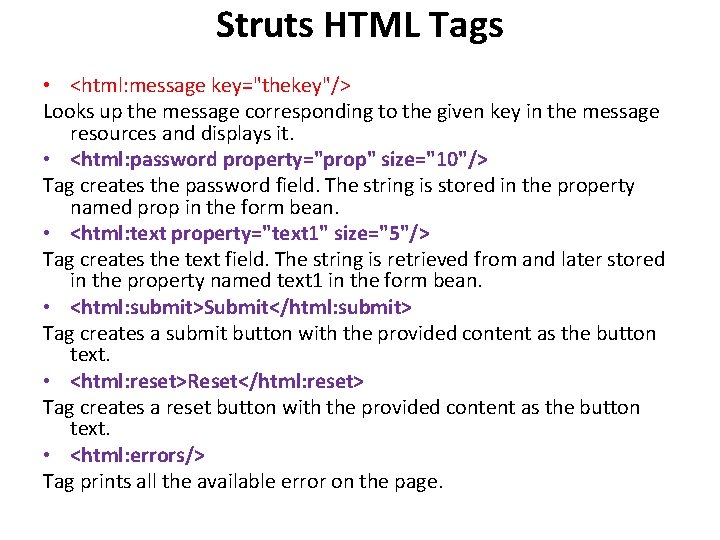
Struts HTML Tags • <html: message key="thekey"/> Looks up the message corresponding to the given key in the message resources and displays it. • <html: password property="prop" size="10"/> Tag creates the password field. The string is stored in the property named prop in the form bean. • <html: text property="text 1" size="5"/> Tag creates the text field. The string is retrieved from and later stored in the property named text 1 in the form bean. • <html: submit>Submit</html: submit> Tag creates a submit button with the provided content as the button text. • <html: reset>Reset</html: reset> Tag creates a reset button with the provided content as the button text. • <html: errors/> Tag prints all the available error on the page.
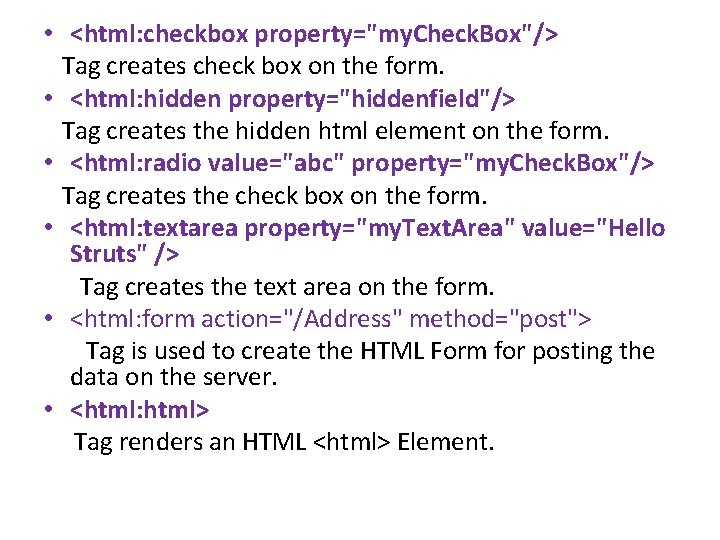
• <html: checkbox property="my. Check. Box"/> Tag creates check box on the form. • <html: hidden property="hiddenfield"/> Tag creates the hidden html element on the form. • <html: radio value="abc" property="my. Check. Box"/> Tag creates the check box on the form. • <html: textarea property="my. Text. Area" value="Hello Struts" /> Tag creates the text area on the form. • <html: form action="/Address" method="post"> Tag is used to create the HTML Form for posting the data on the server. • <html: html> Tag renders an HTML <html> Element.
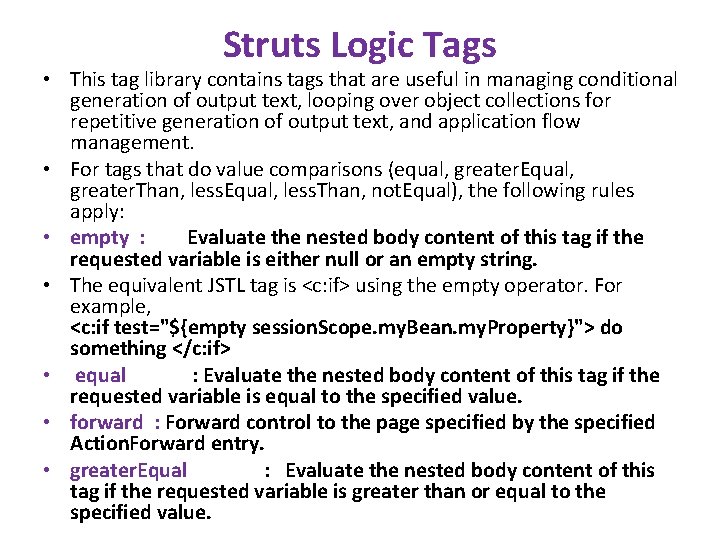
Struts Logic Tags • This tag library contains tags that are useful in managing conditional generation of output text, looping over object collections for repetitive generation of output text, and application flow management. • For tags that do value comparisons (equal, greater. Equal, greater. Than, less. Equal, less. Than, not. Equal), the following rules apply: • empty : Evaluate the nested body content of this tag if the requested variable is either null or an empty string. • The equivalent JSTL tag is <c: if> using the empty operator. For example, <c: if test="${empty session. Scope. my. Bean. my. Property}"> do something </c: if> • equal : Evaluate the nested body content of this tag if the requested variable is equal to the specified value. • forward : Forward control to the page specified by the specified Action. Forward entry. • greater. Equal : Evaluate the nested body content of this tag if the requested variable is greater than or equal to the specified value.
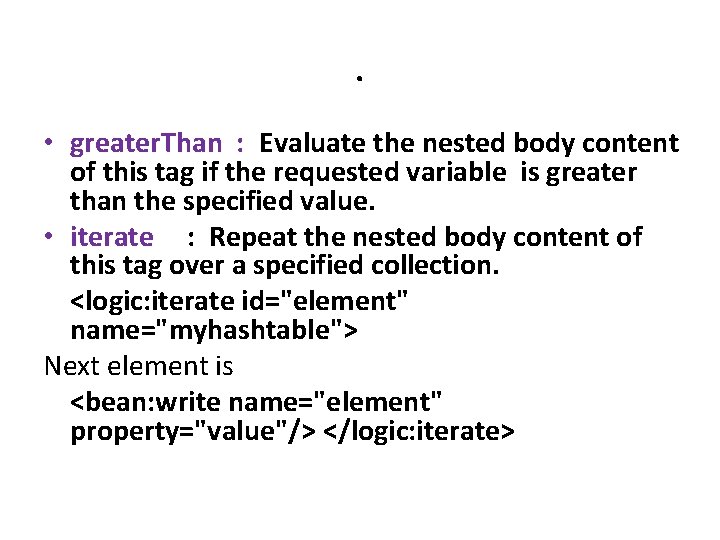
. • greater. Than : Evaluate the nested body content of this tag if the requested variable is greater than the specified value. • iterate : Repeat the nested body content of this tag over a specified collection. <logic: iterate id="element" name="myhashtable"> Next element is <bean: write name="element" property="value"/> </logic: iterate>
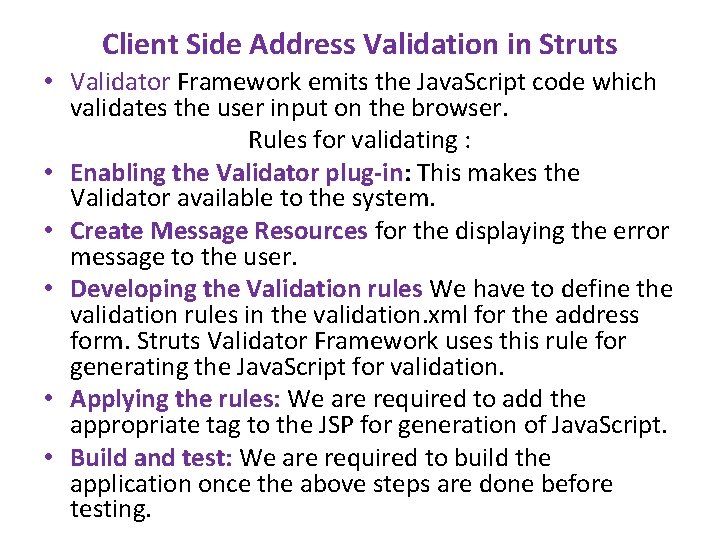
Example for logi tags [number. Guess. jsp] • <form action="number. Process. jsp" method="GET"> Please Enter a Number From 1 -10: <input type="text" name="number" /><br /> <center> <input type="submit" name="Guess Number" /> </center> </form>
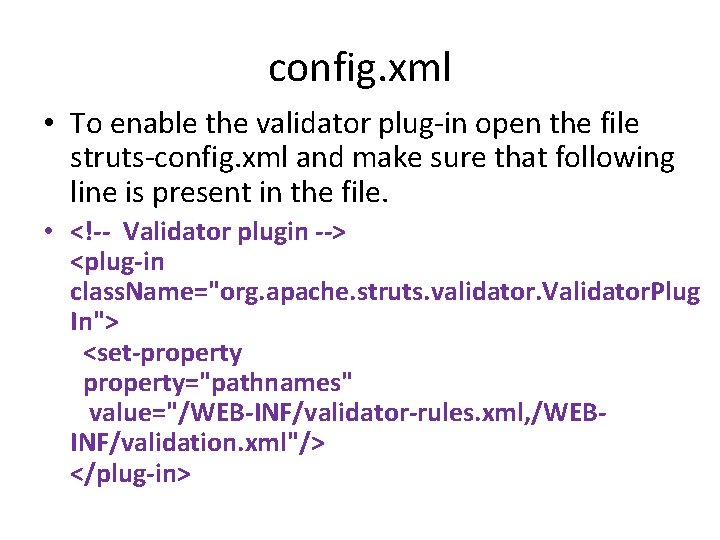
[number. Process. jsp] • <%@ page language="java" %> <%@ taglib uri="/WEB-INF/struts-logic. tld" prefix="logic" %> <!-- Is the number guess right? --> <logic: equal parameter="number" value="7"> You guessed right! You win a high speed blender! </logic: equal> <!-- If the number guessed was wrong --> <logic: not. Equal parameter="number" value="7"> <!-- Less Than --> <logic: less. Than parameter="number" value="7"> A little higher. . . </logic: less. Than> <!-- Greater Than --> <logic: greater. Than parameter="number" value="7"> A little lower. . . </logic: greater. Than> </logic: not. Equal>
Struts Validator Framework : • how to use Struts Validator Framework to validate the user inputs on the client browser. • Struts Framework provides the functionality to validate the form data. • It can be use to validate the data on the users browser as well as on the server side. • Struts Framework emits the java scripts and it can be used to validate the form data on the client browser. • Server side validation of the form can be accomplished by sub classing your From Bean with Dyna. Validator. Form class. • The Validator framework was developed by David Winterfeldt as third-party add-on to Struts. Now the Validator framework is a part of Jakarta Commons project and it can be used with or without Struts. • The Validator framework comes integrated with the Struts Framework and can be used without doing any extra settings.
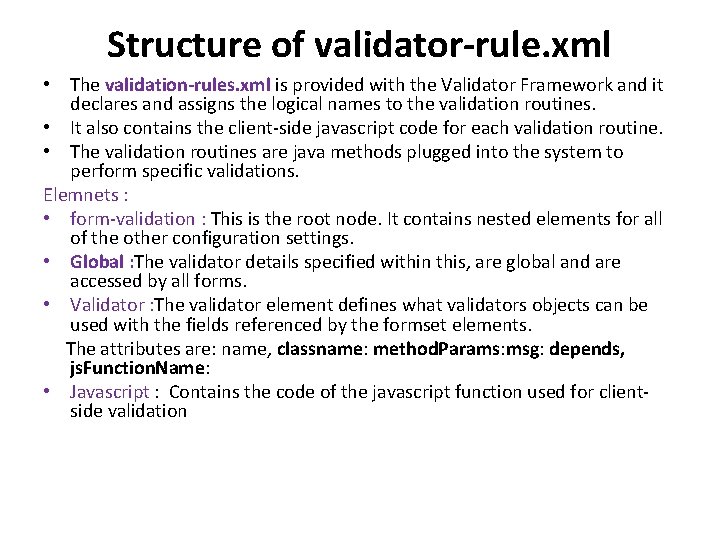
Structure of validator-rule. xml • The validation-rules. xml is provided with the Validator Framework and it declares and assigns the logical names to the validation routines. • It also contains the client-side javascript code for each validation routine. • The validation routines are java methods plugged into the system to perform specific validations. Elemnets : • form-validation : This is the root node. It contains nested elements for all of the other configuration settings. • Global : The validator details specified within this, are global and are accessed by all forms. • Validator : The validator element defines what validators objects can be used with the fields referenced by the formset elements. The attributes are: name, classname: method. Params: msg: depends, js. Function. Name: • Javascript : Contains the code of the javascript function used for clientside validation
Structure of validation. xml • This validation. xml configuration file defines which validation routines that is used to validate Form Beans. You can define validation logic for any number of Form Beans in this configuration file. • Inside that definition, you specify the validations you want to apply to the Form Bean's fields. The definitions in this file use the logical names of Form Beans from the struts-config. xml file along with the logical names of validation routines from the validator-rules. xml file to tie the two together. • Element: form-validation : This is the root node. It contains nested elements for all of the other configuration settings Global : The constant details are specified in <constant> element within this element. Constant : Constant properties are specified within this element for pattern matching. constant-name : Name of the constant property is specified here constant-value : Value of the constant property is specified here. Formset : This element contains multiple <form> elements
• Form : This element contains the form details. • Field : This element is inside the form element, and it defines the validations to apply to specified Form Bean fields. • Arg : A key for the error message to be thrown incase the validation fails, is specified here • Var : Contains the variable names and their values as nested elements within this element. • var-name : The name of the criteria against which a field is validated is specified here as a variable • var-value : The value of the field is specified here
Example of form in the validation. xml file: • <!-- An example form --> <form name="logon. Form"> <field property="username" depends="required"> <arg key="logon. Form. username"/> </field> <field property="password" depends="required, mask"> <arg key="logon. Form. password"/> <var-name>mask</var-name> <var-value>^[0 -9 a-z. A-Z]*$</var-value> </var> </field> </form>
Cont. . • The <html: javascript> tag to allow front-end validation based on the xml in validation. xml. • For example the code: <html: javascript form. Name="logon. Form" dynamic. Javascript= "true" static. Javascript="true" /> generates the client side java script for the form "logon. Form" as defined in the validation. xml file. The <html: javascript> when added in the jsp file generates the client site validation script.
Client Side Address Validation in Struts • Validator Framework emits the Java. Script code which validates the user input on the browser. Rules for validating : • Enabling the Validator plug-in: This makes the Validator available to the system. • Create Message Resources for the displaying the error message to the user. • Developing the Validation rules We have to define the validation rules in the validation. xml for the address form. Struts Validator Framework uses this rule for generating the Java. Script for validation. • Applying the rules: We are required to add the appropriate tag to the JSP for generation of Java. Script. • Build and test: We are required to build the application once the above steps are done before testing.
config. xml • To enable the validator plug-in open the file struts-config. xml and make sure that following line is present in the file. • <!-- Validator plugin --> <plug-in class. Name="org. apache. struts. validator. Validator. Plug In"> <set-property property="pathnames" value="/WEB-INF/validator-rules. xml, /WEBINF/validation. xml"/> </plug-in>
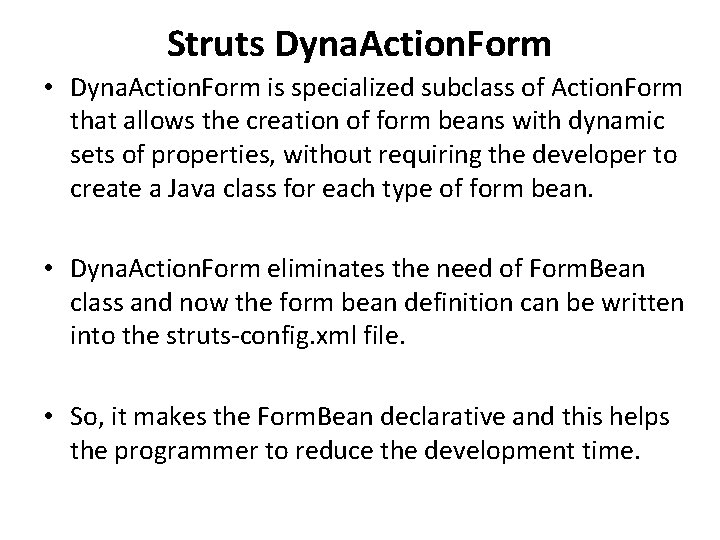
Struts Dyna. Action. Form • Dyna. Action. Form is specialized subclass of Action. Form that allows the creation of form beans with dynamic sets of properties, without requiring the developer to create a Java class for each type of form bean. • Dyna. Action. Form eliminates the need of Form. Bean class and now the form bean definition can be written into the struts-config. xml file. • So, it makes the Form. Bean declarative and this helps the programmer to reduce the development time.
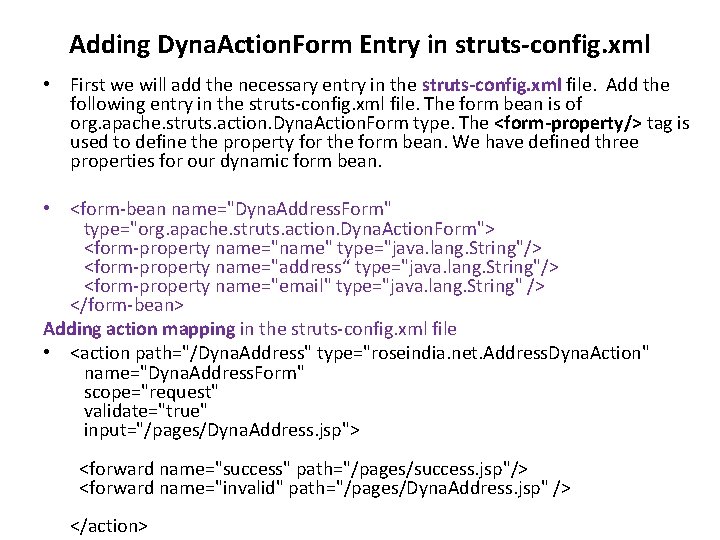
Adding Dyna. Action. Form Entry in struts-config. xml • First we will add the necessary entry in the struts-config. xml file. Add the following entry in the struts-config. xml file. The form bean is of org. apache. struts. action. Dyna. Action. Form type. The <form-property/> tag is used to define the property for the form bean. We have defined three properties for our dynamic form bean. • <form-bean name="Dyna. Address. Form" type="org. apache. struts. action. Dyna. Action. Form"> <form-property name="name" type="java. lang. String"/> <form-property name="address“ type="java. lang. String"/> <form-property name="email" type="java. lang. String" /> </form-bean> Adding action mapping in the struts-config. xml file • <action path="/Dyna. Address" type="roseindia. net. Address. Dyna. Action" name="Dyna. Address. Form" scope="request" validate="true" input="/pages/Dyna. Address. jsp"> <forward name="success" path="/pages/success. jsp"/> <forward name="invalid" path="/pages/Dyna. Address. jsp" /> </action>
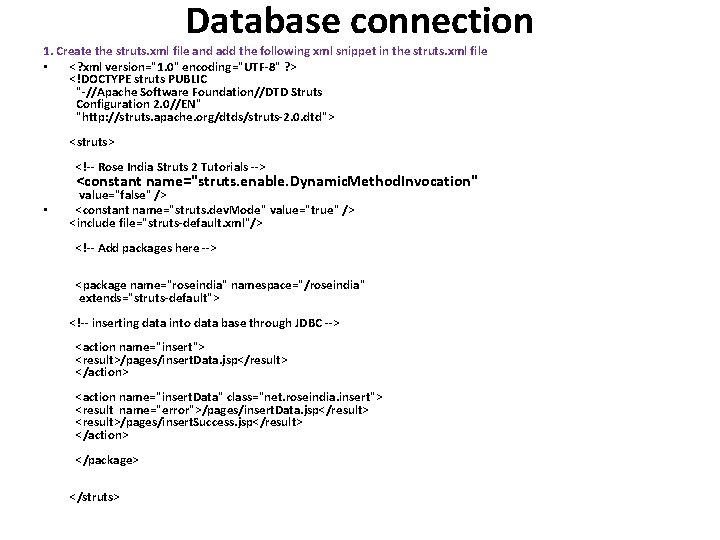
Database connection 1. Create the struts. xml file and add the following xml snippet in the struts. xml file • <? xml version="1. 0" encoding="UTF-8" ? > <!DOCTYPE struts PUBLIC "-//Apache Software Foundation//DTD Struts Configuration 2. 0//EN" "http: //struts. apache. org/dtds/struts-2. 0. dtd"> <struts> • <!-- Rose India Struts 2 Tutorials --> <constant name="struts. enable. Dynamic. Method. Invocation" value="false" /> <constant name="struts. dev. Mode" value="true" /> <include file="struts-default. xml"/> <!-- Add packages here --> <package name="roseindia" namespace="/roseindia" extends="struts-default"> <!-- inserting data into data base through JDBC --> <action name="insert"> <result>/pages/insert. Data. jsp</result> </action> <action name="insert. Data" class="net. roseindia. insert"> <result name="error">/pages/insert. Data. jsp</result> <result>/pages/insert. Success. jsp</result> </action> </package> </struts>
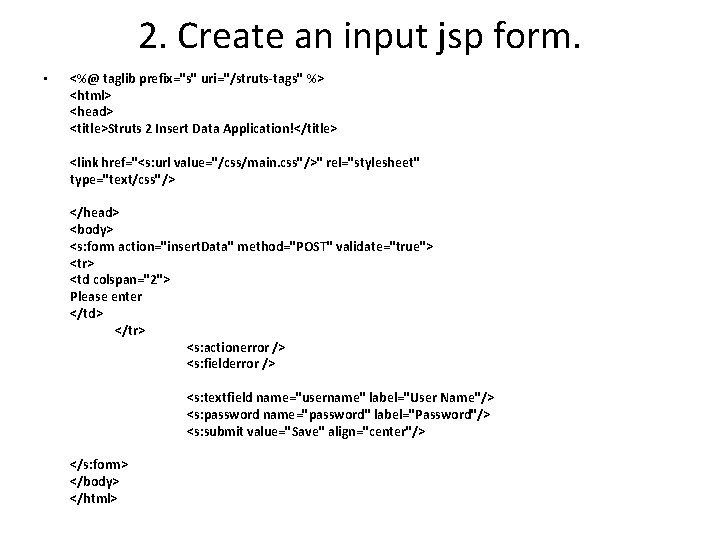
2. Create an input jsp form. • <%@ taglib prefix="s" uri="/struts-tags" %> <html> <head> <title>Struts 2 Insert Data Application!</title> <link href="<s: url value="/css/main. css"/>" rel="stylesheet" type="text/css"/> </head> <body> <s: form action="insert. Data" method="POST" validate="true"> <tr> <td colspan="2"> Please enter </td> </tr> <s: actionerror /> <s: fielderror /> <s: textfield name="username" label="User Name"/> <s: password name="password" label="Password"/> <s: submit value="Save" align="center"/> </s: form> </body> </html>
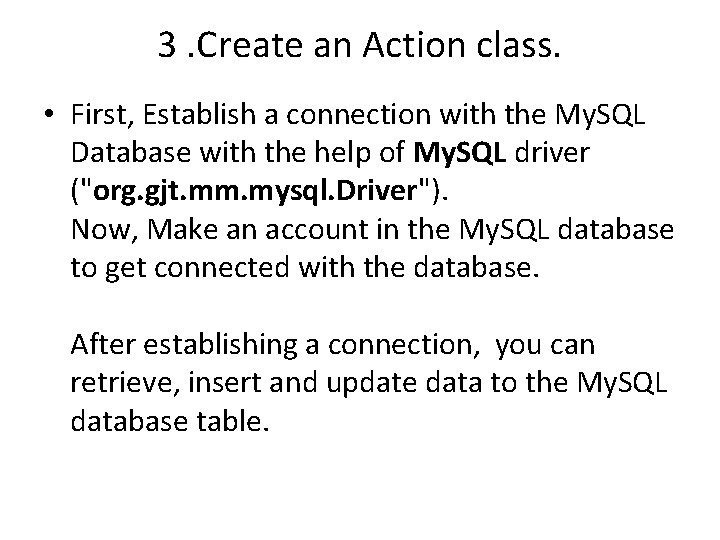
3. Create an Action class. • First, Establish a connection with the My. SQL Database with the help of My. SQL driver ("org. gjt. mm. mysql. Driver"). Now, Make an account in the My. SQL database to get connected with the database. After establishing a connection, you can retrieve, insert and update data to the My. SQL database table.
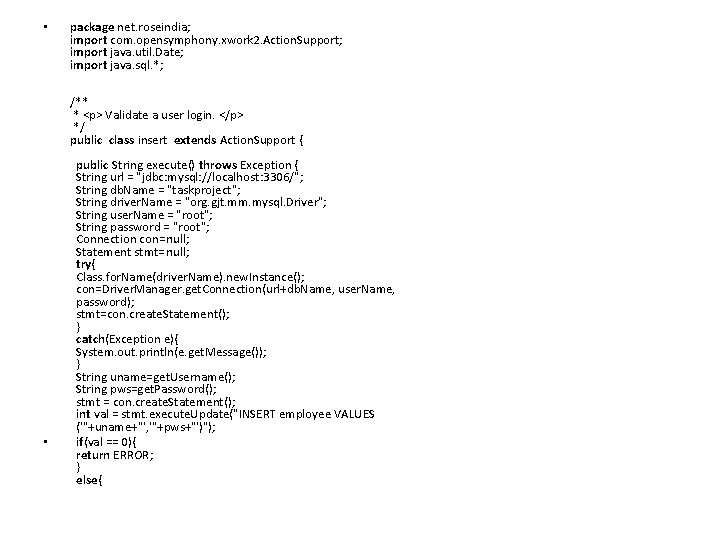
• • package net. roseindia; import com. opensymphony. xwork 2. Action. Support; import java. util. Date; import java. sql. *; /** * <p> Validate a user login. </p> */ public class insert extends Action. Support { public String execute() throws Exception { String url = "jdbc: mysql: //localhost: 3306/"; String db. Name = "taskproject"; String driver. Name = "org. gjt. mm. mysql. Driver"; String user. Name = "root"; String password = "root"; Connection con=null; Statement stmt=null; try{ Class. for. Name(driver. Name). new. Instance(); con=Driver. Manager. get. Connection(url+db. Name, user. Name, password); stmt=con. create. Statement(); } catch(Exception e){ System. out. println(e. get. Message()); } String uname=get. Username(); String pws=get. Password(); stmt = con. create. Statement(); int val = stmt. execute. Update("INSERT employee VALUES ('"+uname+"', '"+pws+"')"); if(val == 0){ return ERROR; } else{
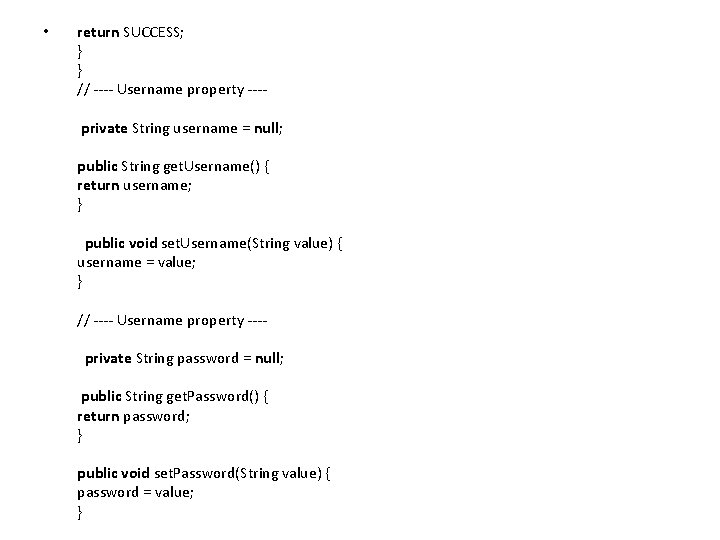
• return SUCCESS; } } // ---- Username property --- private String username = null; public String get. Username() { return username; } public void set. Username(String value) { username = value; } // ---- Username property --- private String password = null; public String get. Password() { return password; } public void set. Password(String value) { password = value; }
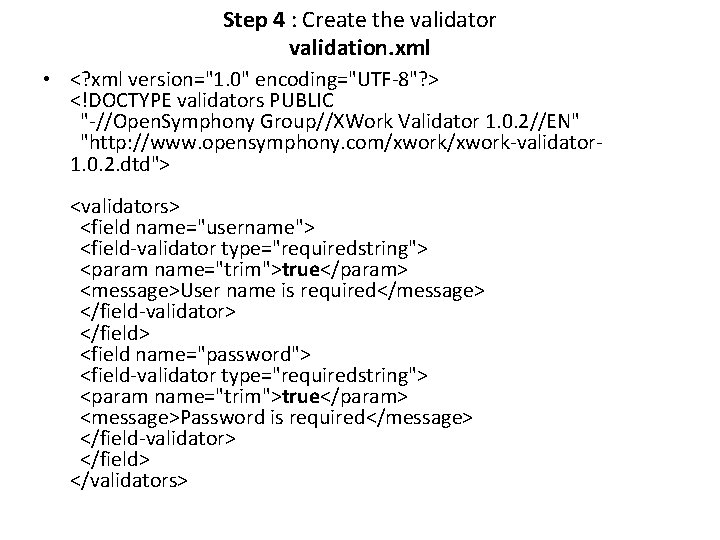
Step 4 : Create the validator validation. xml • <? xml version="1. 0" encoding="UTF-8"? > <!DOCTYPE validators PUBLIC "-//Open. Symphony Group//XWork Validator 1. 0. 2//EN" "http: //www. opensymphony. com/xwork-validator 1. 0. 2. dtd"> <validators> <field name="username"> <field-validator type="requiredstring"> <param name="trim">true</param> <message>User name is required</message> </field-validator> </field> <field name="password"> <field-validator type="requiredstring"> <param name="trim">true</param> <message>Password is required</message> </field-validator> </field> </validators>
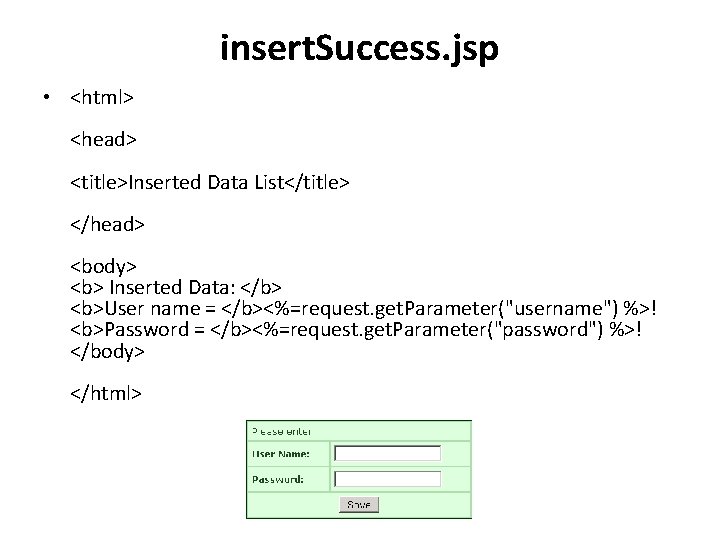
insert. Success. jsp • <html> <head> <title>Inserted Data List</title> </head> <body> <b> Inserted Data: </b> <b>User name = </b><%=request. get. Parameter("username") %>! <b>Password = </b><%=request. get. Parameter("password") %>! </body> </html>
Pooling : • Opening a database connection is a resource intensive and time consuming operation. • Connection pooling increases the performance of Web applications by reusing active database connections instead of creating a new connection with every request. • Connection pool manager maintains a pool of open database connections. When a new connection requests come in, the pool manager checks if the pool contains any unused connections and returns one if available. • If all connections currently in the pool are busy and the maximum pool size has not been reached, the new connection is created and added to the pool. • When the pool reaches its maximum size all new connection requests are being queued up until a connection in the pool be • Connection pooling is a technique used for sharing server resources among requesting clients. comes available or the connection attempt times out.
Cont. . • Connection pooling increases the performance of Web applications by reusing active database connections instead of creating a new connection with every request. • Connection pool manager maintains a pool of open database connections. • Connection pool stores a number of collection in a pool. This pool is called the Connection pool. • In your Java program you can get the database connection and use and then close (returned to the pool) it. • Popular connection pooling software in Java is Apache DBCP.
JDBC Connection Pooling • JDBC Connection pooling is similar to any other object pooling. Connection pooling is very useful for any application which uses database as backend. • Database connection is very expensive to create over network, for this we need to create a network connection, then initializing a database, creating a session, doing transaction and then after closing the connection, this take more time, therefore application becomes slower. • The valuable database resources such as memory, cursors, locks , temporary tables all tends to increase on numbers of concurrent connections. • In connection pooling, we creates limited numbers of connection objects pools at a time, such as 10 connections, 50 connections, 100 connections etc. This depends upon the capacity of the database that how much connections it can handle at a time. • If any request comes we allocate a connection object to it. When it completed their work then it releases the connection object and this object is added into the pool.
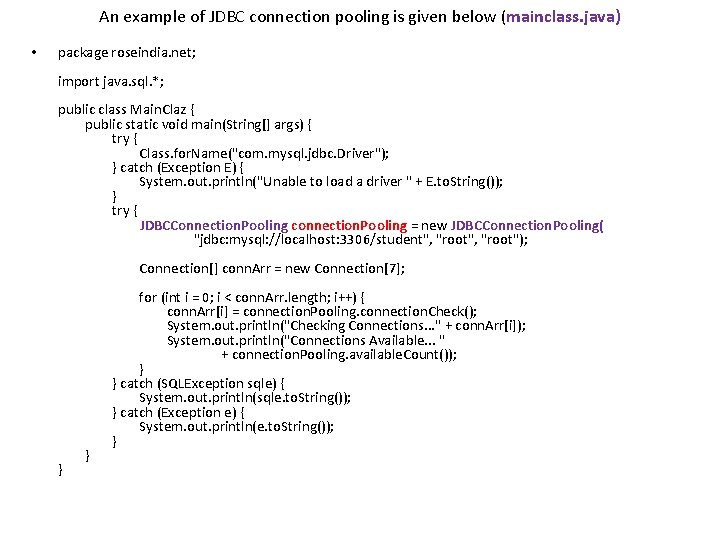
An example of JDBC connection pooling is given below (mainclass. java) • package roseindia. net; import java. sql. *; public class Main. Claz { public static void main(String[] args) { try { Class. for. Name("com. mysql. jdbc. Driver"); } catch (Exception E) { System. out. println("Unable to load a driver " + E. to. String()); } try { JDBCConnection. Pooling connection. Pooling = new JDBCConnection. Pooling( "jdbc: mysql: //localhost: 3306/student", "root"); Connection[] conn. Arr = new Connection[7]; for (int i = 0; i < conn. Arr. length; i++) { conn. Arr[i] = connection. Pooling. connection. Check(); System. out. println("Checking Connections. . . " + conn. Arr[i]); System. out. println("Connections Available. . . " + connection. Pooling. available. Count()); } catch (SQLException sqle) { System. out. println(sqle. to. String()); } catch (Exception e) { System. out. println(e. to. String()); } }
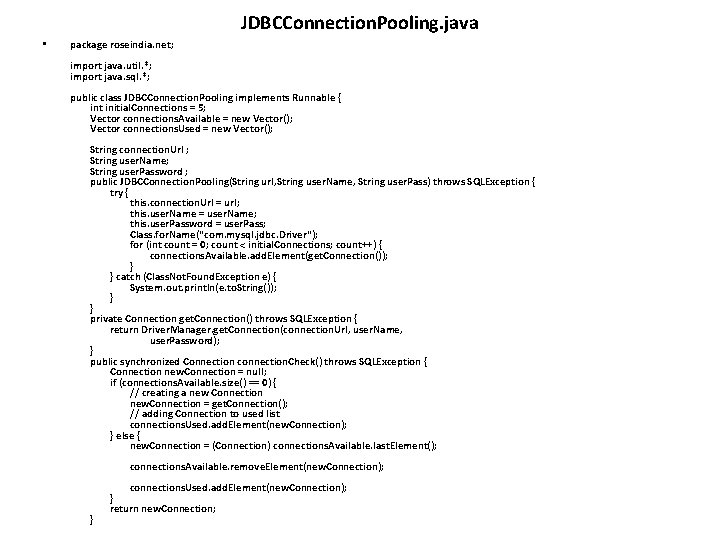
JDBCConnection. Pooling. java • package roseindia. net; import java. util. *; import java. sql. *; public class JDBCConnection. Pooling implements Runnable { int initial. Connections = 5; Vector connections. Available = new Vector(); Vector connections. Used = new Vector(); String connection. Url ; String user. Name; String user. Password ; public JDBCConnection. Pooling(String url, String user. Name, String user. Pass) throws SQLException { try { this. connection. Url = url; this. user. Name = user. Name; this. user. Password = user. Pass; Class. for. Name("com. mysql. jdbc. Driver"); for (int count = 0; count < initial. Connections; count++) { connections. Available. add. Element(get. Connection()); } catch (Class. Not. Found. Exception e) { System. out. println(e. to. String()); } private Connection get. Connection() throws SQLException { return Driver. Manager. get. Connection(connection. Url, user. Name, user. Password); } public synchronized Connection connection. Check() throws SQLException { Connection new. Connection = null; if (connections. Available. size() == 0) { // creating a new Connection new. Connection = get. Connection(); // adding Connection to used list connections. Used. add. Element(new. Connection); } else { new. Connection = (Connection) connections. Available. last. Element(); connections. Available. remove. Element(new. Connection); connections. Used. add. Element(new. Connection); } return new. Connection; }
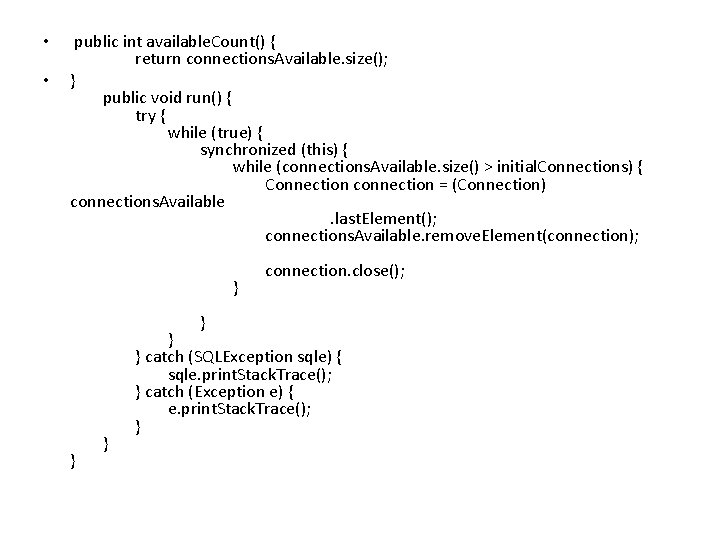
• • public int available. Count() { return connections. Available. size(); } public void run() { try { while (true) { synchronized (this) { while (connections. Available. size() > initial. Connections) { Connection connection = (Connection) connections. Available . last. Element(); connections. Available. remove. Element(connection); connection. close(); } catch (SQLException sqle) { sqle. print. Stack. Trace(); } catch (Exception e) { e. print. Stack. Trace(); } }
INTERNATIONALIZATION • The Multinational Corporations have their branches in various parts of the world. so, they must provide products and services to their clients and customers in their traditional way. • The customers will expect the product to work in their native languages especially the date, time, currency etc. , . So, the we should not make any assumptions about their clients region or language. • If such assumptions become invalid, we have to reengineer the applications. • Internationalization or I 18 N is the process of designing the software to support multiple languages and regions, so that we don't need to re-engineer the applications every language or country needs to be supported.
• Internationalization is the process of designing an application so that it can be adapted to various languages and regions without engineering changes. • Sometimes the term internationalization is abbreviated as i 18 n, because there are 18 letters between the first "i" and the last "n. “ • Struts provides various locale sensitive JSP tags which can be used to make the applications simpler. With this short introduction we shall see how to implement i 18 n in a Simple JSP file of Struts.
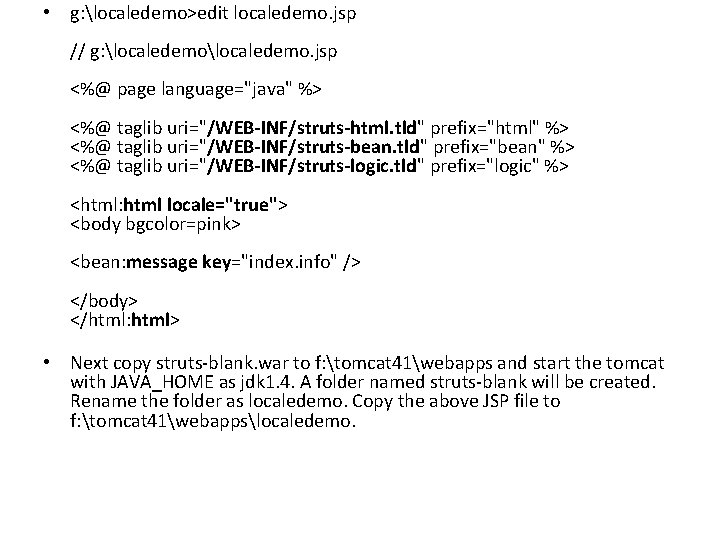
• g: localedemo>edit localedemo. jsp // g: localedemo. jsp <%@ page language="java" %> <%@ taglib uri="/WEB-INF/struts-html. tld" prefix="html" %> <%@ taglib uri="/WEB-INF/struts-bean. tld" prefix="bean" %> <%@ taglib uri="/WEB-INF/struts-logic. tld" prefix="logic" %> <html: html locale="true"> <body bgcolor=pink> <bean: message key="index. info" /> </body> </html: html> • Next copy struts-blank. war to f: tomcat 41webapps and start the tomcat with JAVA_HOME as jdk 1. 4. A folder named struts-blank will be created. Rename the folder as localedemo. Copy the above JSP file to f: tomcat 41webappslocaledemo.
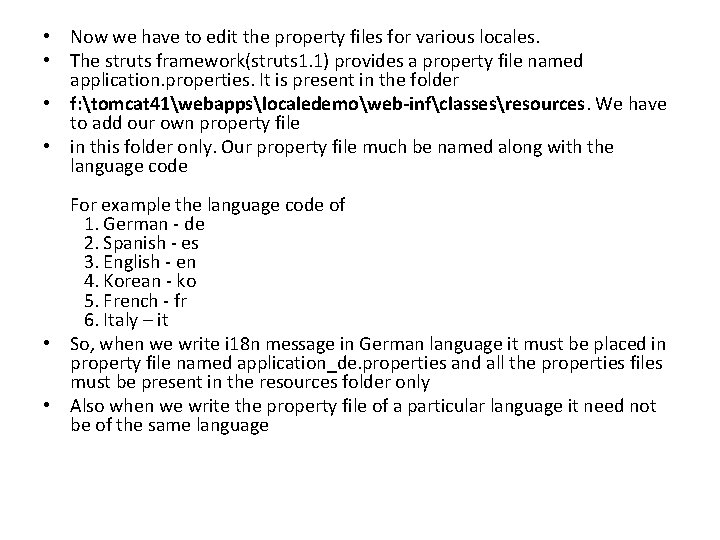
• Now we have to edit the property files for various locales. • The struts framework(struts 1. 1) provides a property file named application. properties. It is present in the folder • f: tomcat 41webappslocaledemoweb-infclassesresources. We have to add our own property file • in this folder only. Our property file much be named along with the language code For example the language code of 1. German - de 2. Spanish - es 3. English - en 4. Korean - ko 5. French - fr 6. Italy – it • So, when we write i 18 n message in German language it must be placed in property file named application_de. properties and all the properties files must be present in the resources folder only • Also when we write the property file of a particular language it need not be of the same language
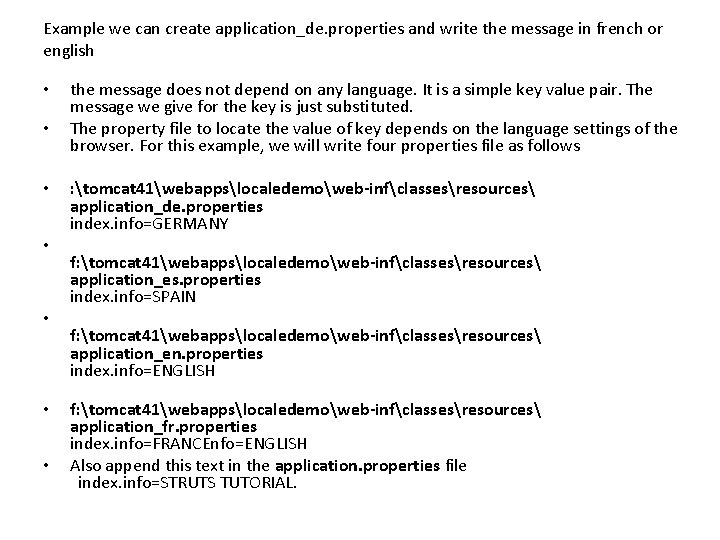
Example we can create application_de. properties and write the message in french or english • • the message does not depend on any language. It is a simple key value pair. The message we give for the key is just substituted. The property file to locate the value of key depends on the language settings of the browser. For this example, we will write four properties file as follows : tomcat 41webappslocaledemoweb-infclassesresources application_de. properties index. info=GERMANY f: tomcat 41webappslocaledemoweb-infclassesresources application_es. properties index. info=SPAIN f: tomcat 41webappslocaledemoweb-infclassesresources application_en. properties index. info=ENGLISH f: tomcat 41webappslocaledemoweb-infclassesresources application_fr. properties index. info=FRANCEnfo=ENGLISH Also append this text in the application. properties file index. info=STRUTS TUTORIAL.
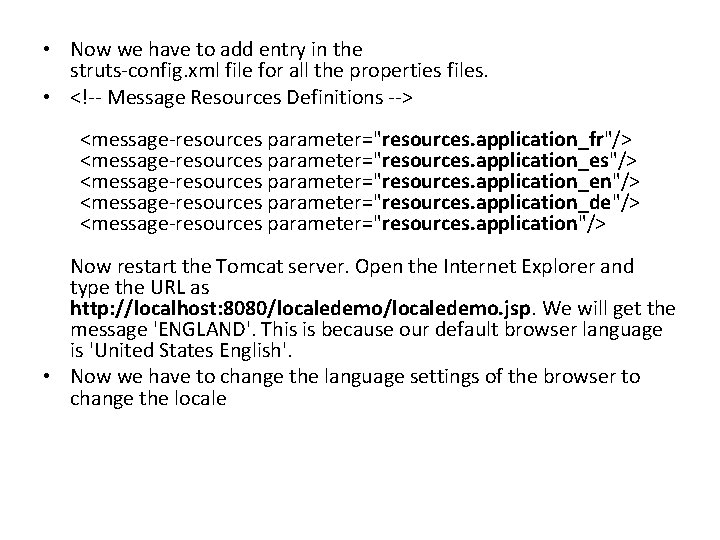
• Now we have to add entry in the struts-config. xml file for all the properties files. • <!-- Message Resources Definitions --> <message-resources parameter="resources. application_fr"/> <message-resources parameter="resources. application_es"/> <message-resources parameter="resources. application_en"/> <message-resources parameter="resources. application_de"/> <message-resources parameter="resources. application"/> Now restart the Tomcat server. Open the Internet Explorer and type the URL as http: //localhost: 8080/localedemo. jsp. We will get the message 'ENGLAND'. This is because our default browser language is 'United States English'. • Now we have to change the language settings of the browser to change the locale
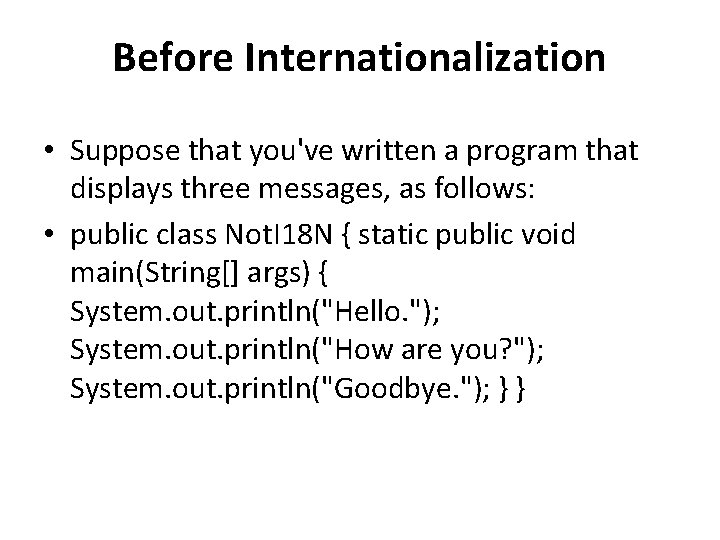
Before Internationalization • Suppose that you've written a program that displays three messages, as follows: • public class Not. I 18 N { static public void main(String[] args) { System. out. println("Hello. "); System. out. println("How are you? "); System. out. println("Goodbye. "); } }
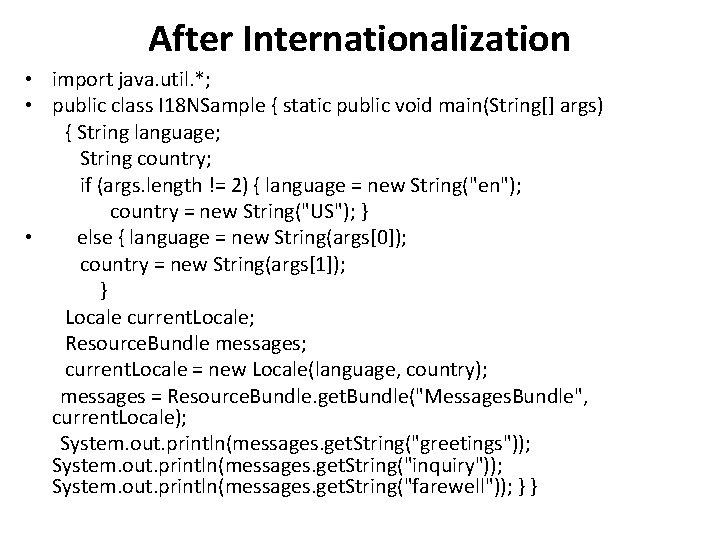
After Internationalization • import java. util. *; • public class I 18 NSample { static public void main(String[] args) { String language; String country; if (args. length != 2) { language = new String("en"); country = new String("US"); } • else { language = new String(args[0]); country = new String(args[1]); } Locale current. Locale; Resource. Bundle messages; current. Locale = new Locale(language, country); messages = Resource. Bundle. get. Bundle("Messages. Bundle", current. Locale); System. out. println(messages. get. String("greetings")); System. out. println(messages. get. String("inquiry")); System. out. println(messages. get. String("farewell")); } }
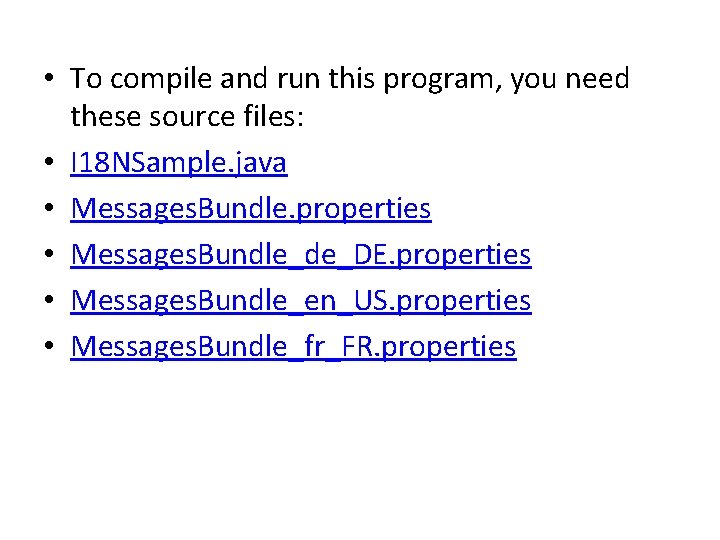
• To compile and run this program, you need these source files: • I 18 NSample. java • Messages. Bundle. properties • Messages. Bundle_de_DE. properties • Messages. Bundle_en_US. properties • Messages. Bundle_fr_FR. properties
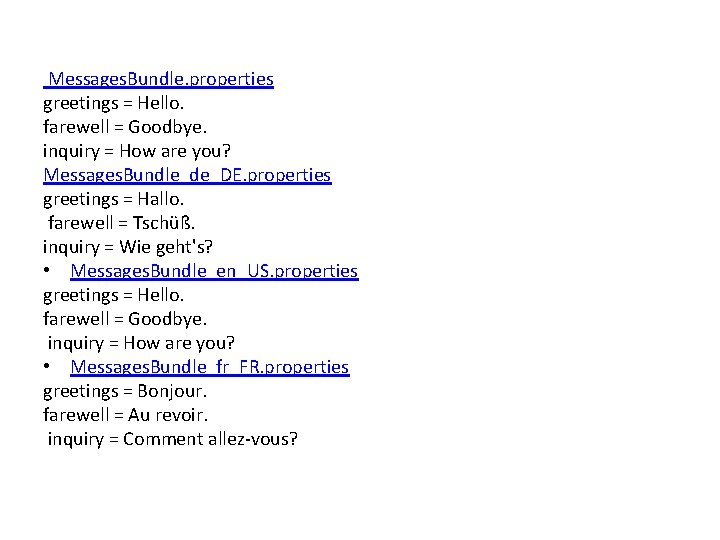
Messages. Bundle. properties greetings = Hello. farewell = Goodbye. inquiry = How are you? Messages. Bundle_de_DE. properties greetings = Hallo. farewell = Tschüß. inquiry = Wie geht's? • Messages. Bundle_en_US. properties greetings = Hello. farewell = Goodbye. inquiry = How are you? • Messages. Bundle_fr_FR. properties greetings = Bonjour. farewell = Au revoir. inquiry = Comment allez-vous?