
What is Spyware Where did it come from
- Slides: 39
What is Spyware? Where did it come from?
Adware u Originated from software called shareware u Shareware did not work well, so as the internet became popular, it evolved into adware u Adware was shareware that supported itself by displaying advertisements – Gator – Kazaa
Adware u Advertisers wanted to better target ads to people using these programs, so they began to “collect” usage information – The term for this became “spyware” Advertisers began devising more and more intrusive ways to display advertisements u Adware switched from programs supported by advertisements to advertisements supported by programs u
Spyware Instead of coming with a program that serves a useful purpose, most spyware now seeks to merely get on your computer for the sole purpose of displaying advertisments u This includes displaying pop-ups when you shouldn’t get them, your web browser being “hijacked”, and many other things that shouldn’t happen. u
Spyware The official definition of spyware is: Software that transmits information back to a third party without notifying the user. It is also called malware, trackware, hijackware, scumware, snoopware or thiefware. Note: Some privacy advocates also call legitimate access control, filtering, Internet monitoring, password recovery, security or surveillance software "Spyware" because it could be used without notifying the users. u
Spyware u It is believed that currently 9 out of 10 PCs that are connected to the internet are now infected by spyware u An unpatched PC connected to the internet can be infected in as little as 4 minutes u So how can someone protect themselves from spyware?
Basic Measure Updates, Virus Scanners, and Firewalls
Anti-Virus Everyone should have anti-virus software on their computer! u Run at least once per week, along with other measures to keep your computer safe and working correctly u Anti-Spyware tools (covered later) u Hiram College provides anti-virus software for you u E-Trust software u http: //home. hiram. edu/e. Trust/download. html
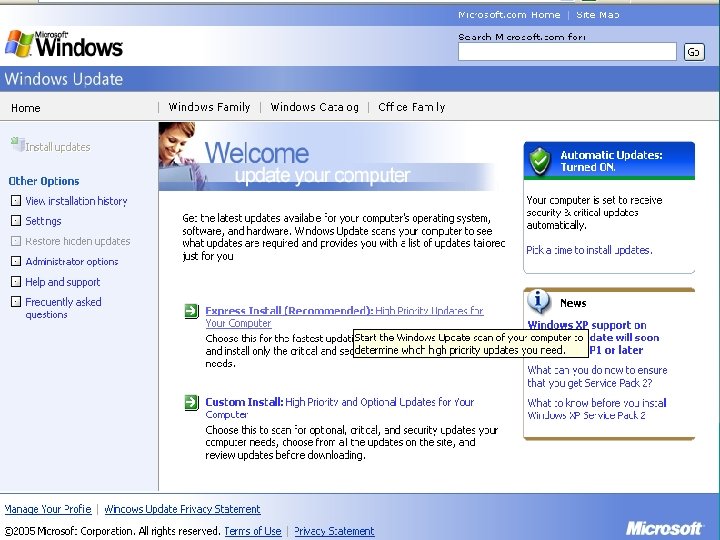
Windows Updates What it does: Updates software on your computer to plug up security holes in Windows products u Select it from the start menu u Automatic updating u Should be run as often as antivirus software is used u Service Pack 2 u
What you need to know about Service Pack 2 u Windows Security Center, which includes: u Quick-and-easy automatic updates options u Pop-up blocker u Monitoring of anti-virus protection u Software firewall
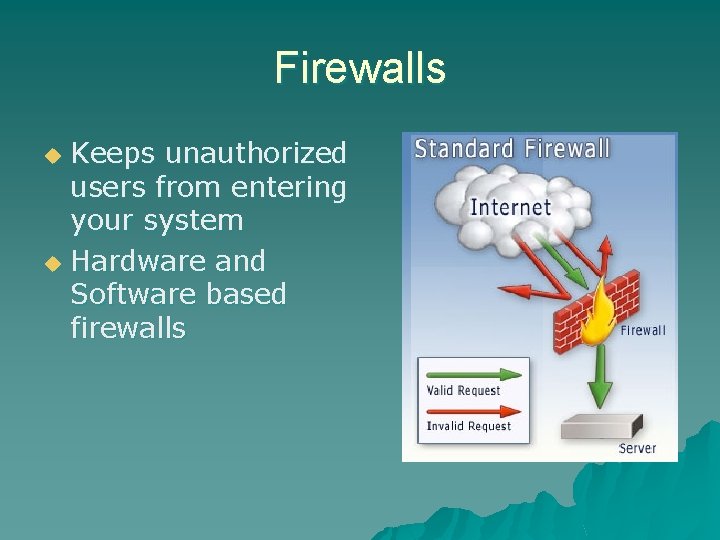
Firewalls Keeps unauthorized users from entering your system u Hardware and Software based firewalls u
More on Firewalls u No need to worry if you’re on the Hiram network u Should be used otherwise – easy to use and you can work around them if you need to
Anti-Spyware Tools Ad. Aware, Spybot, and MS Anti. Spyware
Anti-Spyware Tools u Ad. Aware, Spybot, and MS Anti. Spyware all free tools that scan for and remove spyware u These three are also the most powerful u We will show you how to use these tools in this section
Ad. Aware http: //www. lavasoftusa. com/ u Free version available (Ad. Aware SE Personal) u Professional version also available u
Spybot http: //www. spybot. info/ u Completely Free of Charge u
Microsoft Anti. Spyware http: //www. microsoft. com/athome/securi ty/spyware/software/default. mspx u Formerly Giant Anti. Spyware u Free of charge u
Other tools u Noteworthy commercial products: – Ad. Aware SE Professional – Webroot Spy. Sweeper u Trusted sources of information (and updated software): – http: //www. download. com/ – http: //www. spychecker. com/
Advanced Removal Safe Mode, Regedit, and Bazooka
Advanced Spyware Removal u Windows u The Safe Mode Windows Registry u Manual Spyware Removal (with Bazooka)
Windows Safe Mode u Safe Mode – what is it? – Only loads minimal Windows functions for Windows to run. – User must manually start any programs they wish to use. – Allows anti-spyware scanners to remove spyware more effectively. u Our instructions are for Windows XP
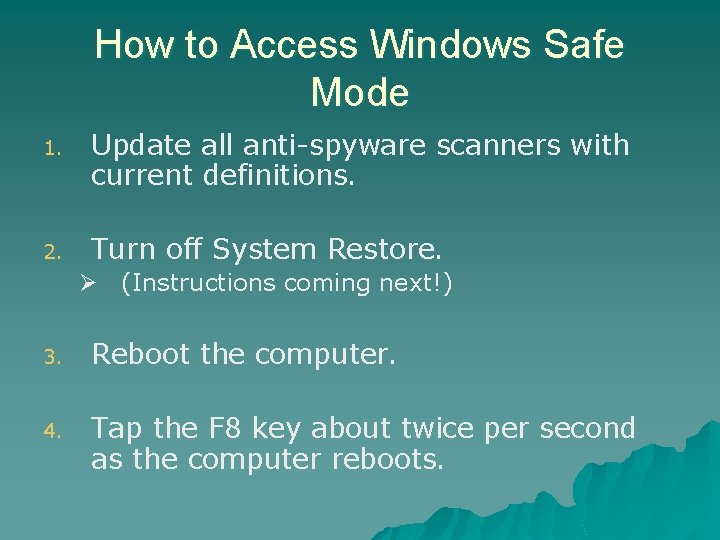
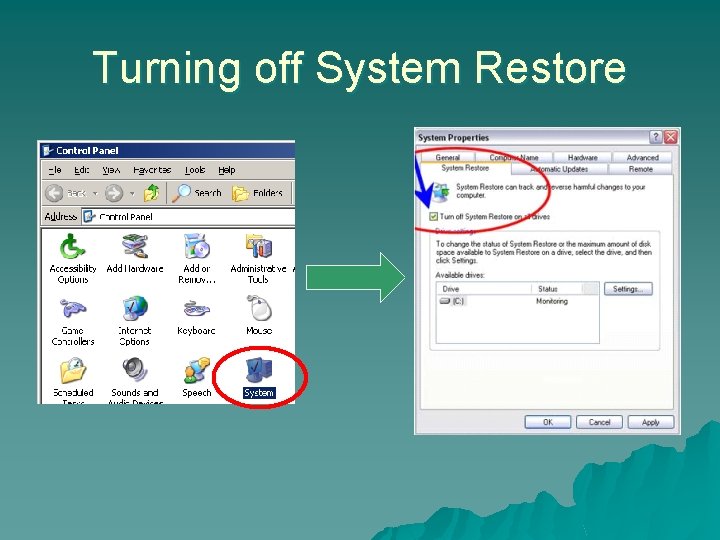
How to Access Windows Safe Mode 1. Update all anti-spyware scanners with current definitions. 2. Turn off System Restore. Ø (Instructions coming next!) 3. Reboot the computer. 4. Tap the F 8 key about twice per second as the computer reboots.
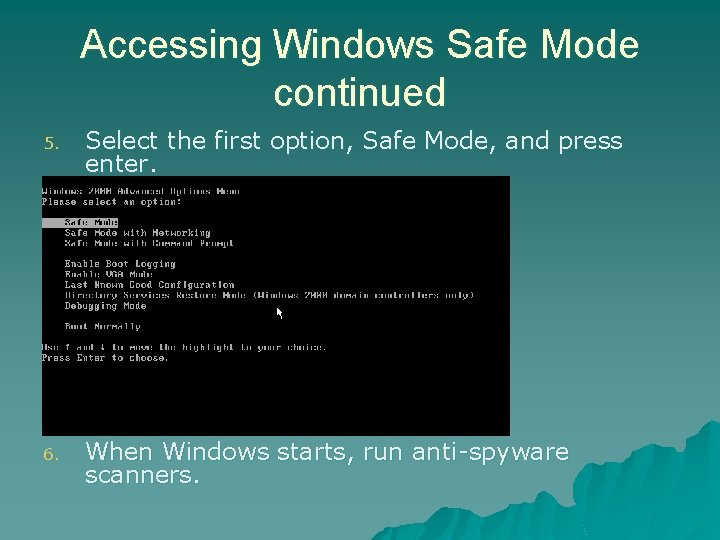
Accessing Windows Safe Mode continued 5. Select the first option, Safe Mode, and press enter. 6. When Windows starts, run anti-spyware scanners.
Turning off System Restore
The Windows Registry u Windows Registry – what is it? – A database of configuration files needed to run Windows and programs – Some spyware must manually be removed from the registry – Use Google to search for instructions on how to remove the spyware **A word of caution when using the registry!**
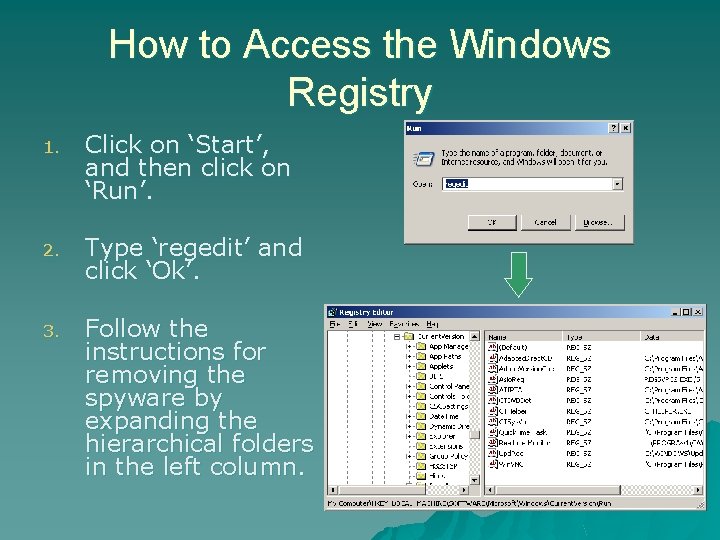
How to Access the Windows Registry 1. Click on ‘Start’, and then click on ‘Run’. 2. Type ‘regedit’ and click ‘Ok’. 3. Follow the instructions for removing the spyware by expanding the hierarchical folders in the left column.
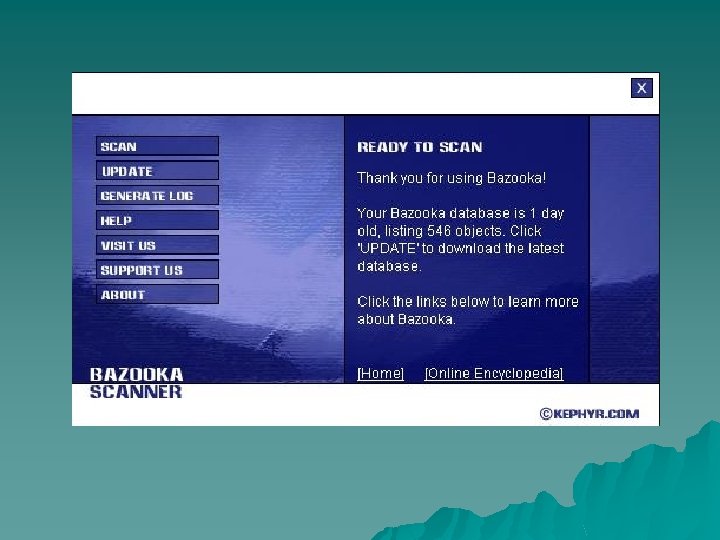
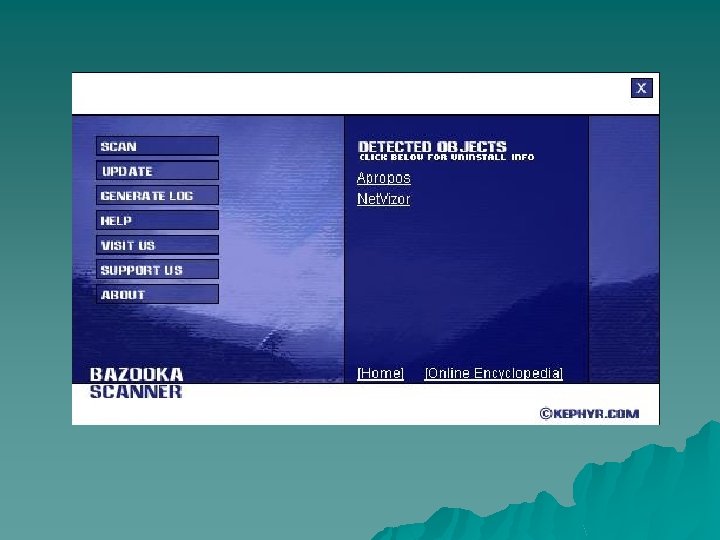
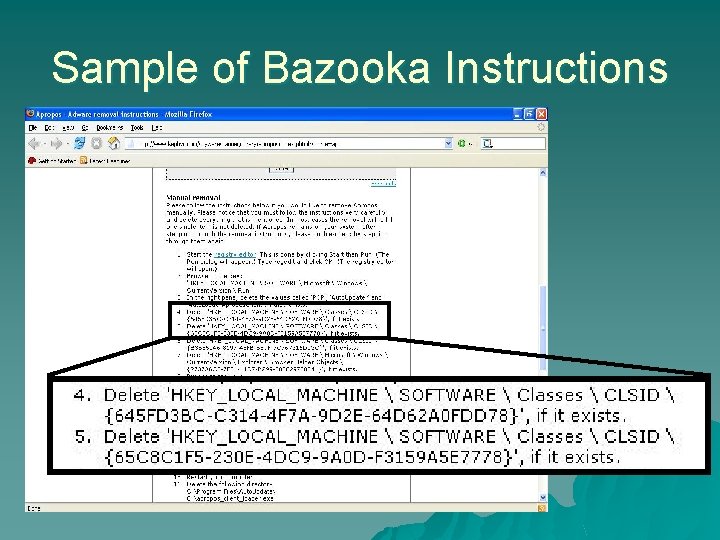
Bazooka Removal Tool u Free software u http: //www. kephyr. com/ u Advanced removal tool (often requires using regedit)
Sample of Bazooka Instructions
Additional Measures Other things to keep you safe
1: Use a pop-up blocker u Pop-up blockers stop pop-up ads from being displayed on your screen. u Windows XP Service Pack 2 adds a pop-up blocker to Internet Explorer. u If you are not using Windows XP, Google makes a pop-up blocker too. You can download it at http: //www. google. com/downloads/
2: Turn off dangerous features u Internet Explorer allows the use of Active X for displaying certain content – Unfortunately Active X can be very dangerous if used for malicious purposes – You can disable Active X in the security settings of Internet Explorer You may wish to disable other features as well u There is a better option than crippling your features u
3: Use a different Web Browser Internet Explorer is currently the most commonly used web browser u That means it is the ideal target for spyware manufacturers u If they can find an exploit in it, they can target the most number of people u
3: Use a different Web Browser By using a different web browser you avoid most of these mainstream exploits u Firefox is an example of a browser alternative that an individual can use u It is free from http: //www. mozilla. org u Another free browser is Opera (http: //www. opera. com) u
3: Use a different Web Browser u Alternate browsers also include other features you may find useful – Most web browser alternatives include pop-up blockers – Some even have features for removing advertisements all together
4. Be Alert Many virus writers use simple tricks like misdirection u http: //cs. hiram. edu/ u Double check your sources and make sure that the link is going where you think it is u
Questions? u See this information (and more) at http: //cs. hiram. edu/ u Feel Free to contact us at HCACM@hiram. edu