
What is CCGI O California Colleges edu provides
- Slides: 18
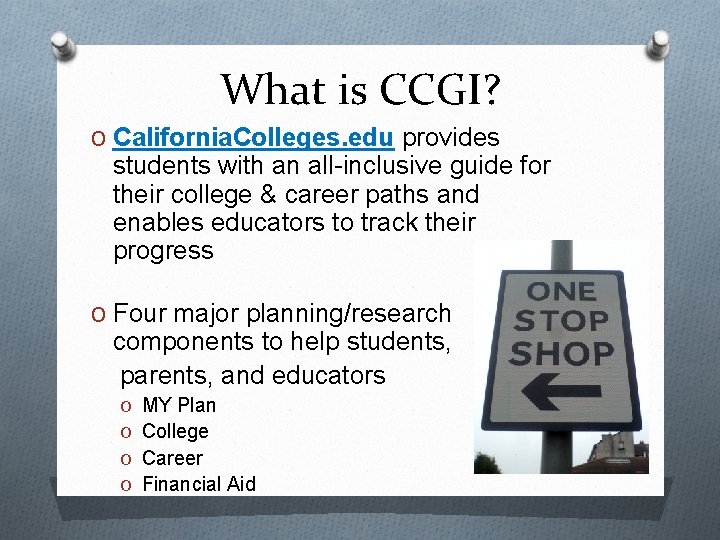
What is CCGI? O California. Colleges. edu provides students with an all-inclusive guide for their college & career paths and enables educators to track their progress O Four major planning/research components to help students, parents, and educators O MY Plan O College O Career O Financial Aid
Accessing CCGI O CNUSD has paid to get an account for each student in the district O To access your CCGI student account, students must first register their account using their CNUSD issued email O We will show you how to check your school email at the end of this presentation
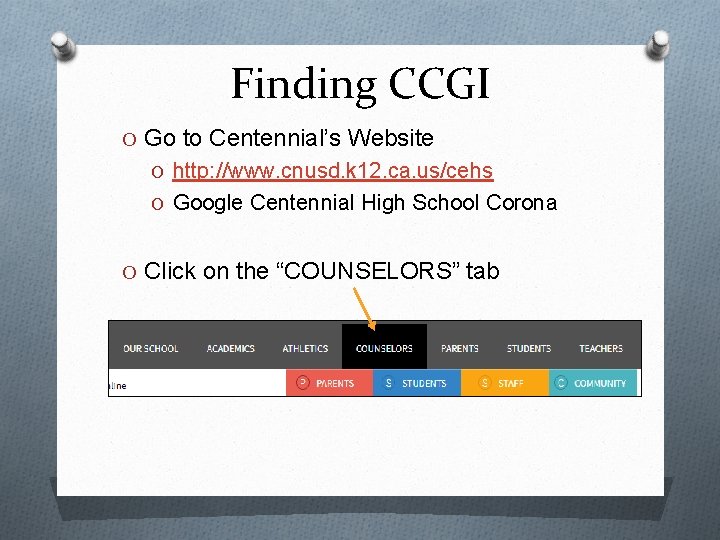
Finding CCGI O Go to Centennial’s Website O http: //www. cnusd. k 12. ca. us/cehs O Google Centennial High School Corona O Click on the “COUNSELORS” tab
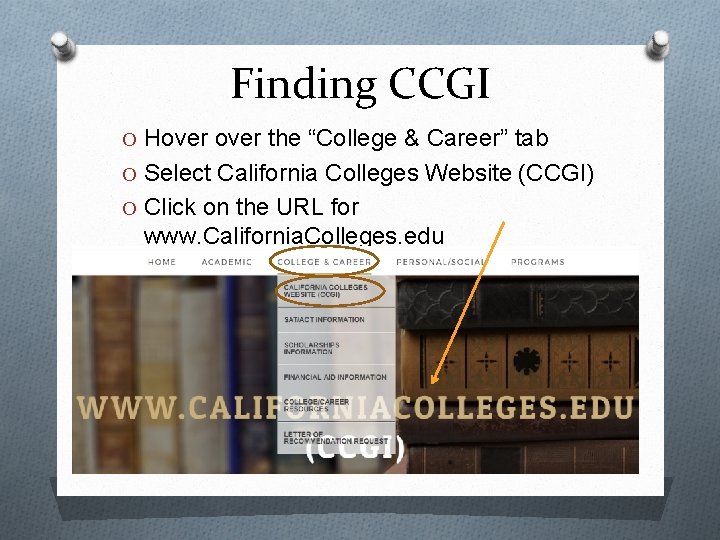
Finding CCGI O Hover the “College & Career” tab O Select California Colleges Website (CCGI) O Click on the URL for www. California. Colleges. edu
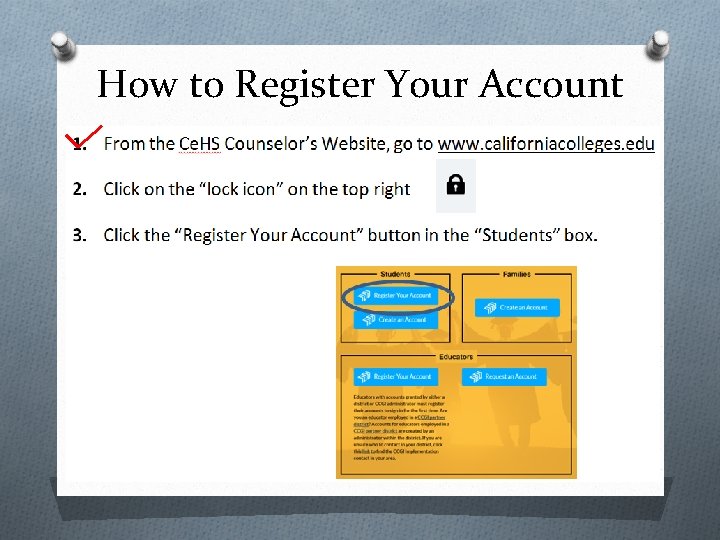
How to Register Your Account
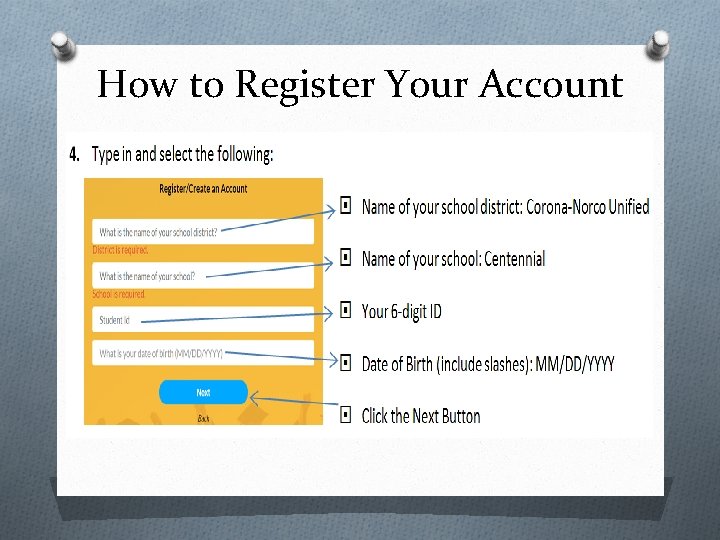
How to Register Your Account
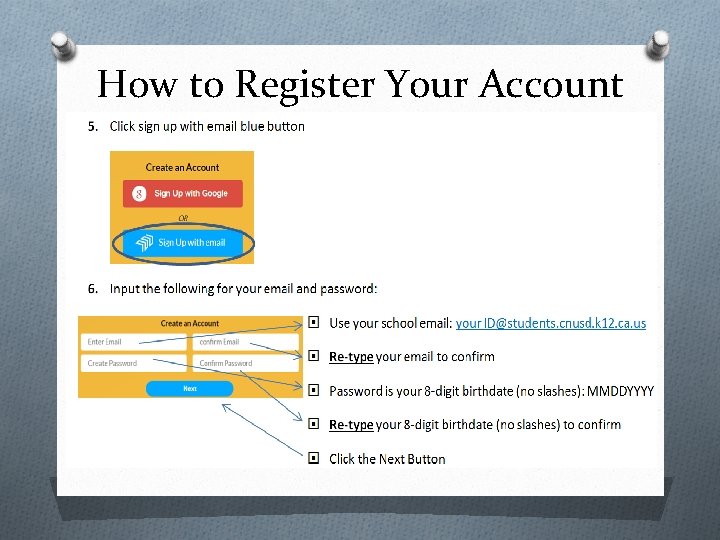
How to Register Your Account
Today’s Activity O Researching Postsecondary Options O There will be time for you to explore independently after all instructions have been covered so please be patient and follow along!! O Goal: You will explore postsecondary options and examine how college fits into your future O It will answer the following questions: O What are your options after you graduate from high school? O Do you know what type of certificate(s) or degree(s) you will need to meet your goals?
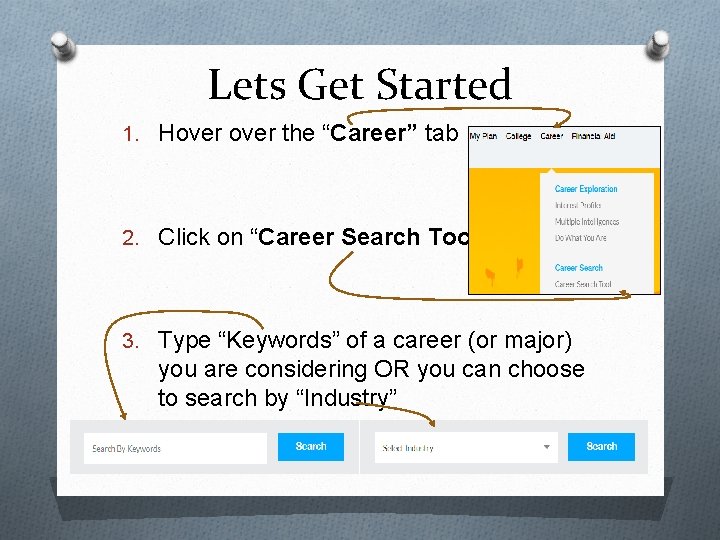
Lets Get Started 1. Hover the “Career” tab 2. Click on “Career Search Tool” 3. Type “Keywords” of a career (or major) you are considering OR you can choose to search by “Industry”
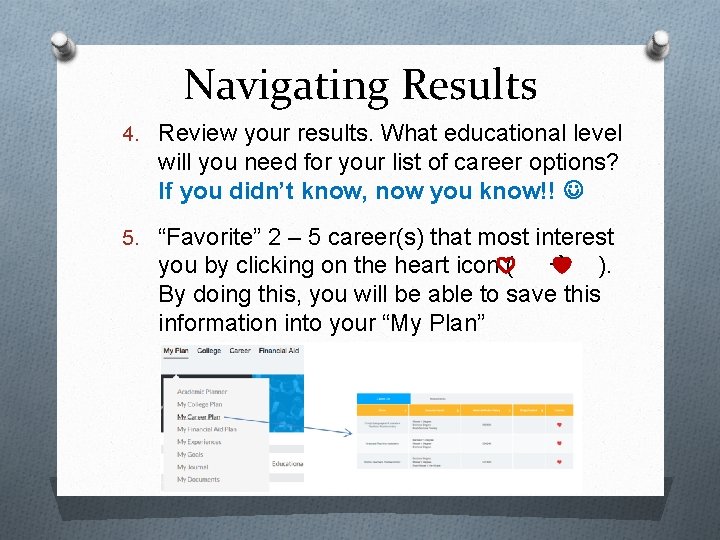
Navigating Results 4. Review your results. What educational level will you need for your list of career options? If you didn’t know, now you know!! 5. “Favorite” 2 – 5 career(s) that most interest you by clicking on the heart icon ( ). By doing this, you will be able to save this information into your “My Plan”
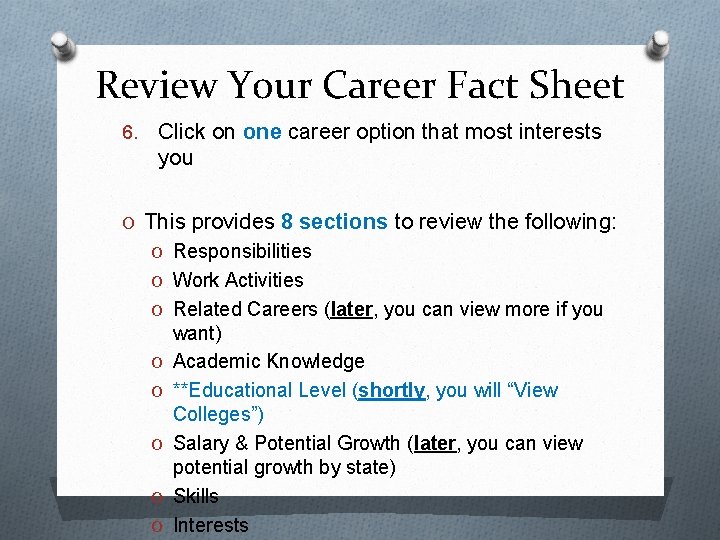
Review Your Career Fact Sheet 6. Click on one career option that most interests you O This provides 8 sections to review the following: O Responsibilities O Work Activities O Related Careers (later, you can view more if you O O O want) Academic Knowledge **Educational Level (shortly, you will “View Colleges”) Salary & Potential Growth (later, you can view potential growth by state) Skills Interests
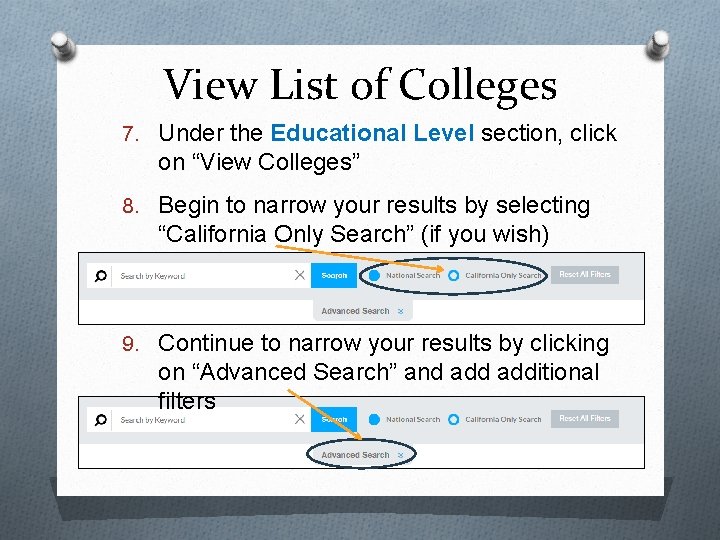
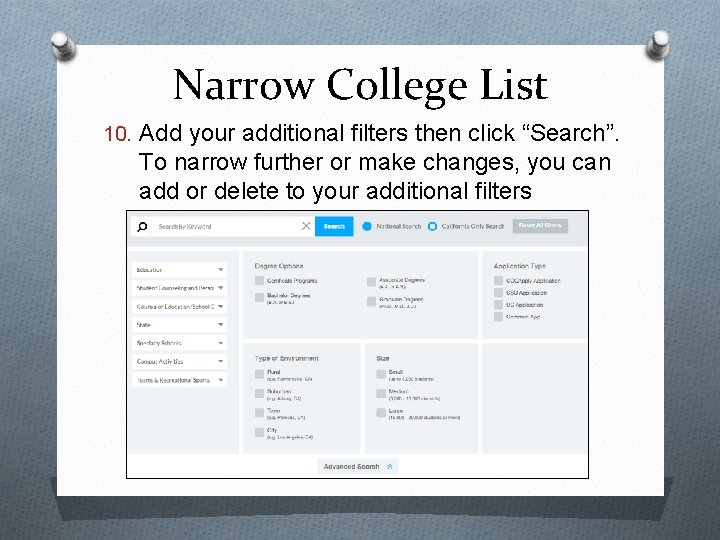
View List of Colleges 7. Under the Educational Level section, click on “View Colleges” 8. Begin to narrow your results by selecting “California Only Search” (if you wish) 9. Continue to narrow your results by clicking on “Advanced Search” and additional filters
Narrow College List 10. Add your additional filters then click “Search”. To narrow further or make changes, you can add or delete to your additional filters
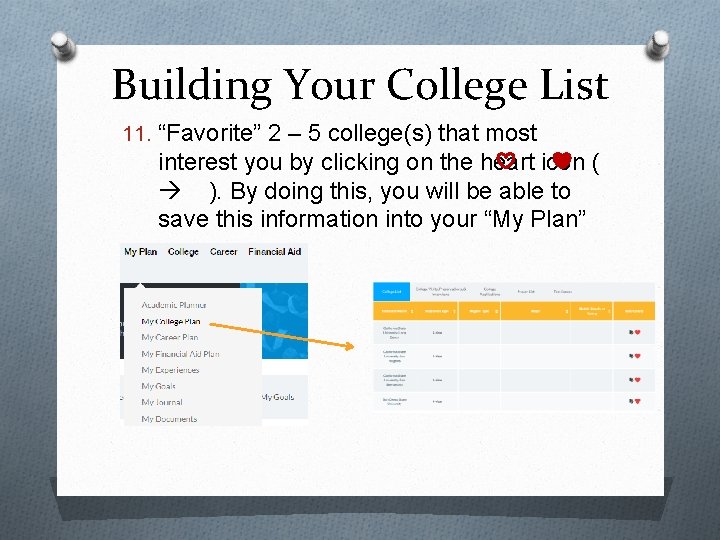
Building Your College List 11. “Favorite” 2 – 5 college(s) that most interest you by clicking on the heart icon ( ). By doing this, you will be able to save this information into your “My Plan”
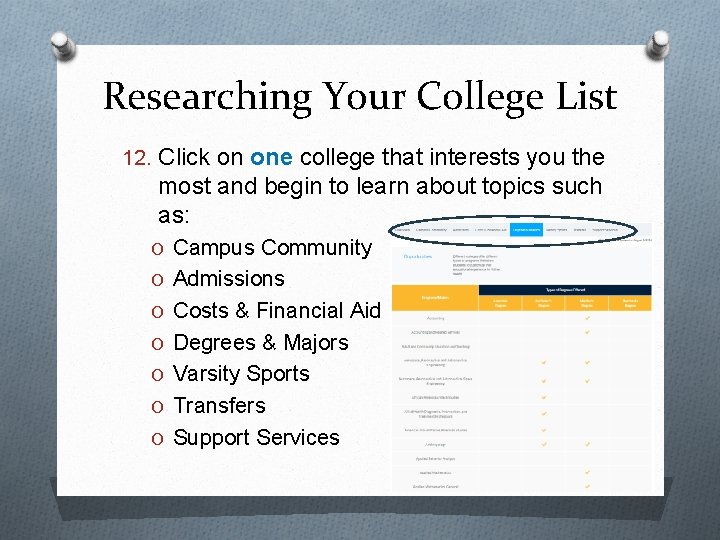
Researching Your College List 12. Click on one college that interests you the most and begin to learn about topics such as: O Campus Community O Admissions O Costs & Financial Aid O Degrees & Majors O Varsity Sports O Transfers O Support Services
Summary O Continue to work on this activity (and others) to make other discoveries related to: O O Career Options Certificate/Degree Requirements College options Majors O Tons of other activities will allow you to view YOUR information as a “One Stop Shop”: O O O View your academic planner Financial Aid Plan Experiences Goals Journals Documents
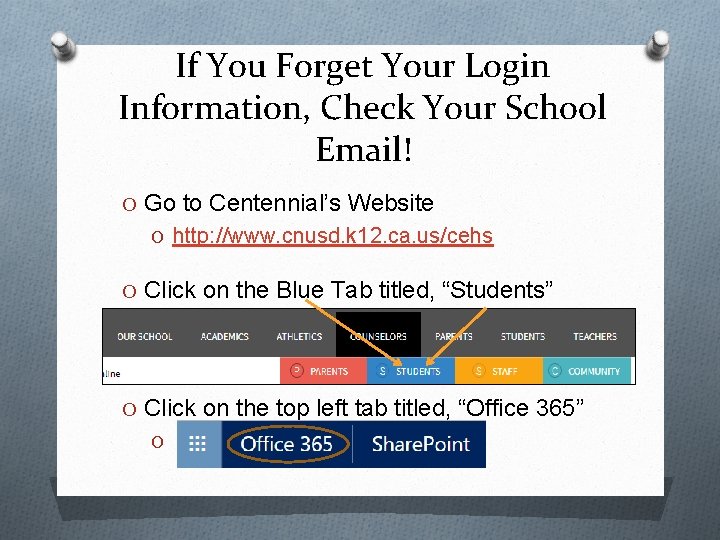
If You Forget Your Login Information, Check Your School Email! O Go to Centennial’s Website O http: //www. cnusd. k 12. ca. us/cehs O Click on the Blue Tab titled, “Students” O . O Click on the top left tab titled, “Office 365” O .
Take Away Information O Get familiar with the Ce. HS Counselor’s Website for information/links for: O Grade Level Materials O Academic Planning and Information O College & Career Planning and Information O CCGI O Parent/Student Q Connect O SAT/ACT Information O Financial Aid Information