
What is Catalyst Catalyst is an online supplement
- Slides: 19
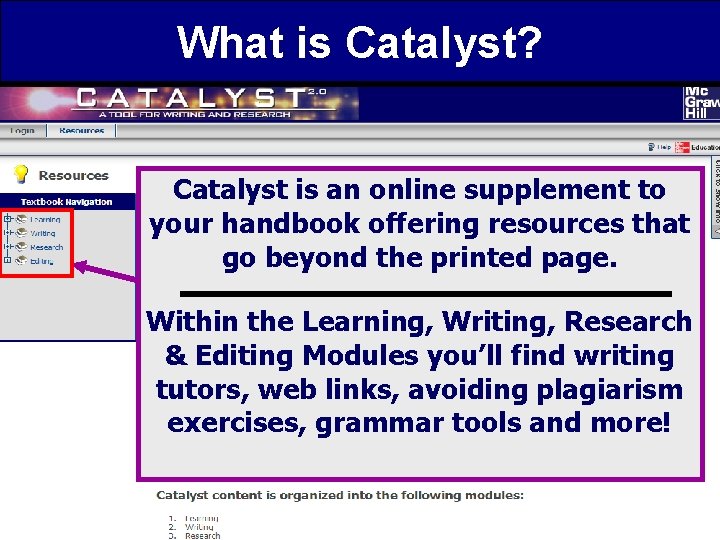
What is Catalyst? Catalyst is an online supplement to your handbook offering resources that go beyond the printed page. Within the Learning, Writing, Research & Editing Modules you’ll find writing tutors, web links, avoiding plagiarism exercises, grammar tools and more! 8/2006
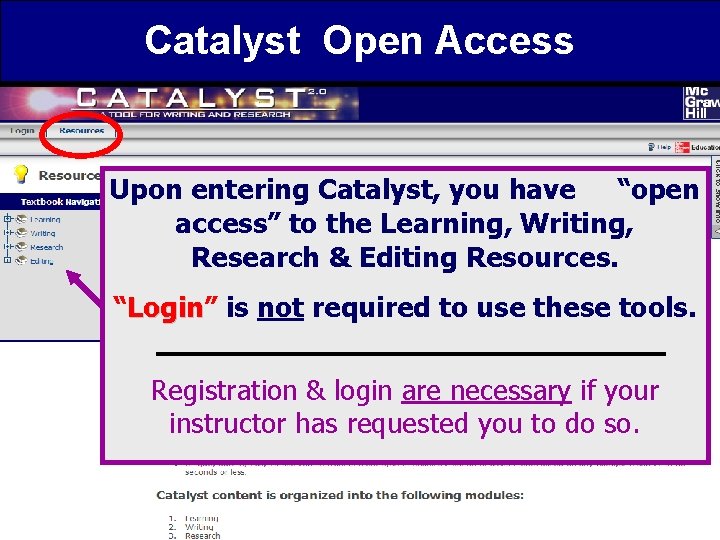
Catalyst Open Access Upon entering Catalyst, you have “open access” to the Learning, Writing, Research & Editing Resources. “Login” Login is not required to use these tools. Registration & login are necessary if your instructor has requested you to do so. 8/2006
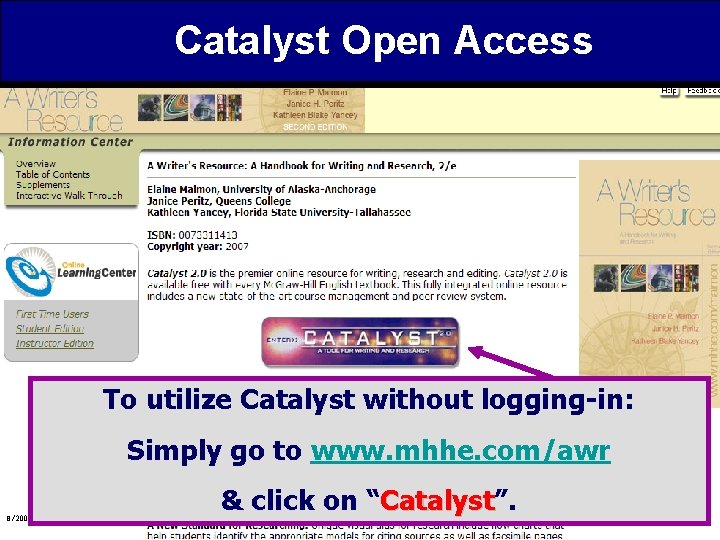
Catalyst Open Access To utilize Catalyst without logging-in: Simply go to www. mhhe. com/awr 8/2006 & click on “Catalyst”. Catalyst
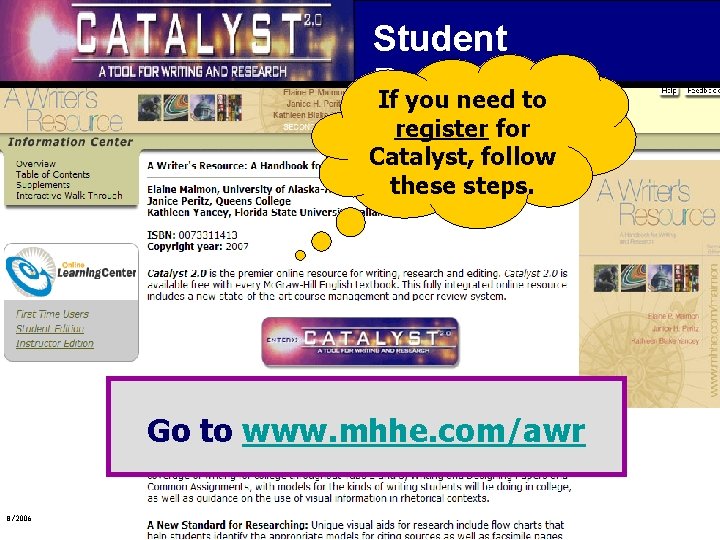
Student Registration If you need to register for Catalyst, follow these steps. Go to www. mhhe. com/awr 8/2006
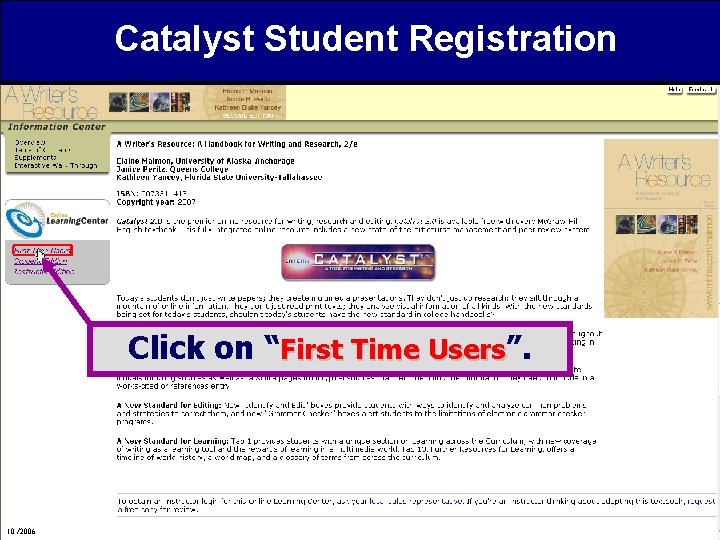
Catalyst Student Registration Click on “First Time Users”. 10/2006
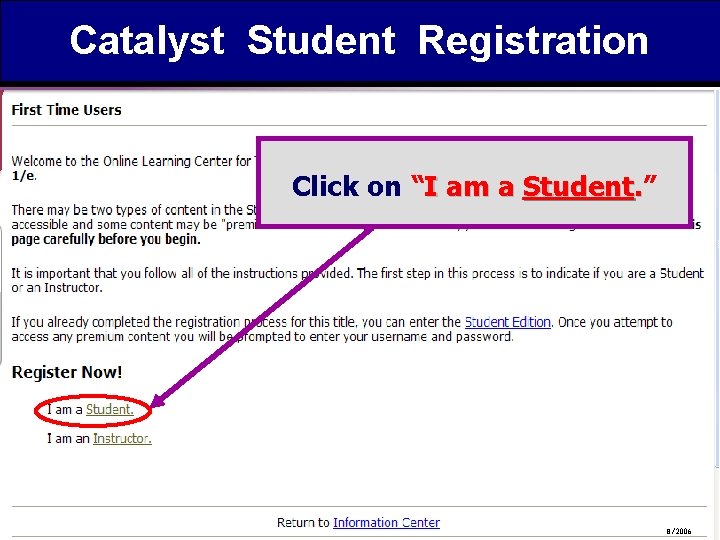
Catalyst Student Registration Click on “I am a Student. ” 8/2006
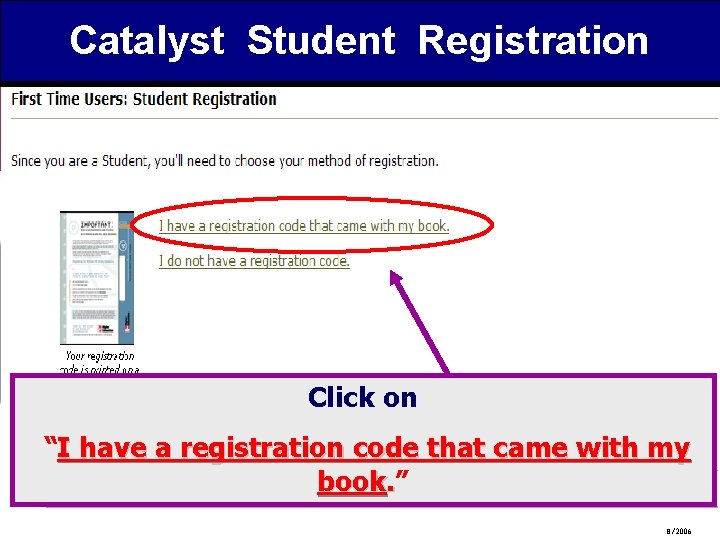
Catalyst Student Registration Click on “I have a registration code that came with my book. ” 8/2006
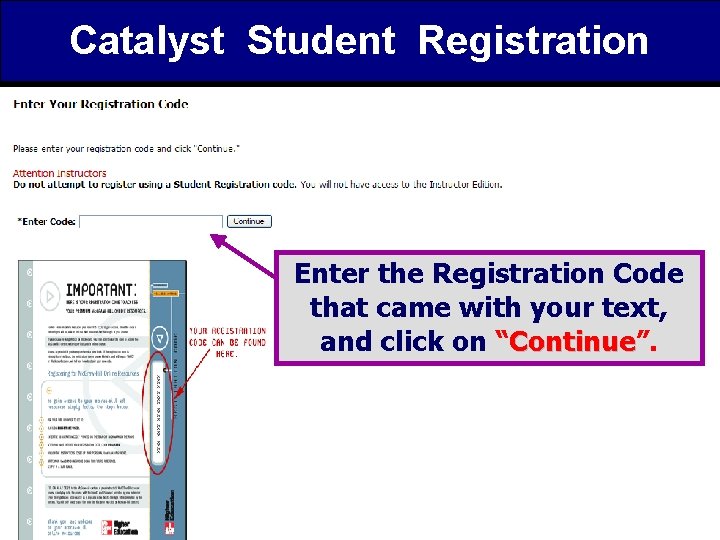
Catalyst Student Registration Enter the Registration Code that came with your text, and click on “Continue”. Continue 8/2006
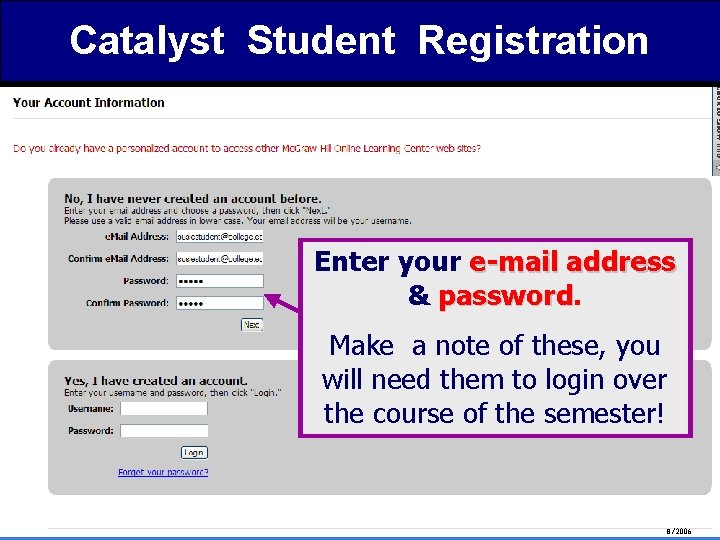
Catalyst Student Registration Enter your e-mail address & password Make a note of these, you will need them to login over the course of the semester! 8/2006
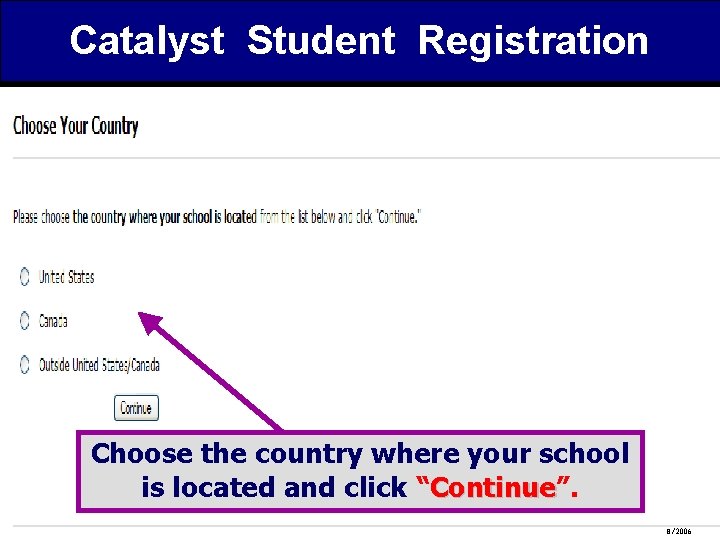
Catalyst Student Registration Choose the country where your school is located and click “Continue”. Continue 8/2006
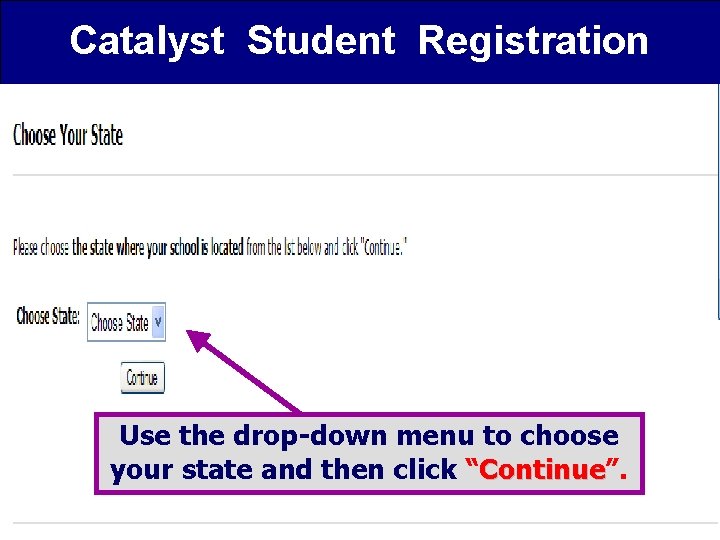
Catalyst Student Registration Use the drop-down menu to choose your state and then click “Continue”. Continue 8/2006
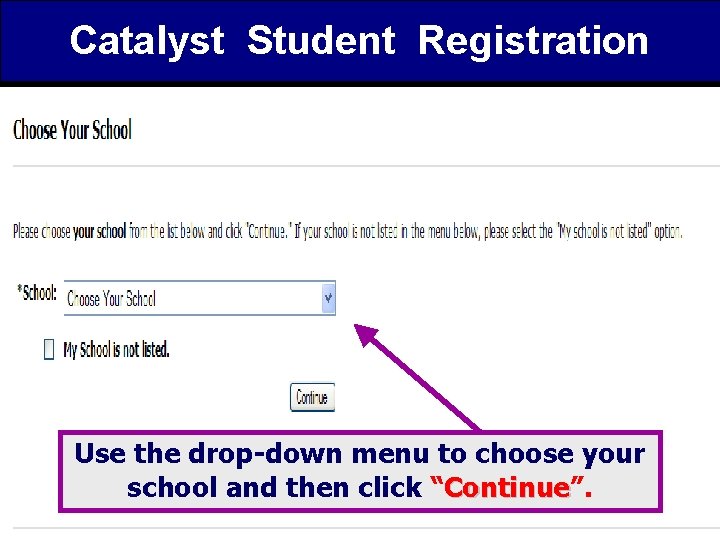
Catalyst Student Registration Use the drop-down menu to choose your school and then click “Continue”. Continue 8/2006
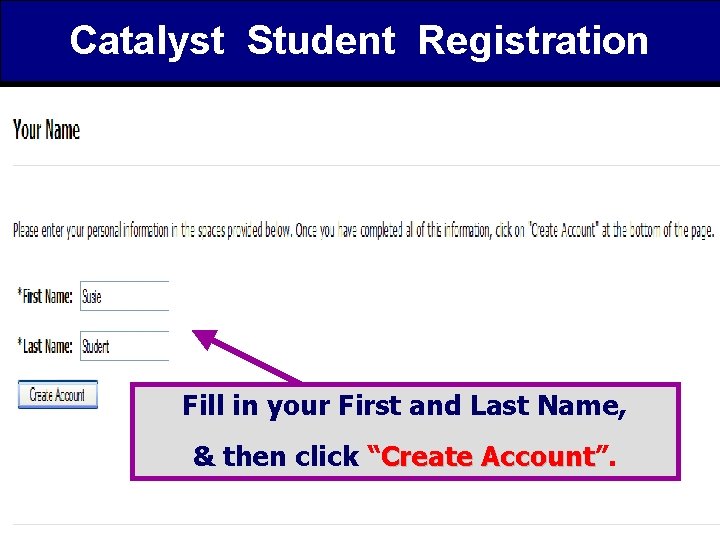
Catalyst Student Registration Fill in your First and Last Name, & then click “Create Account”. Account 8/2006
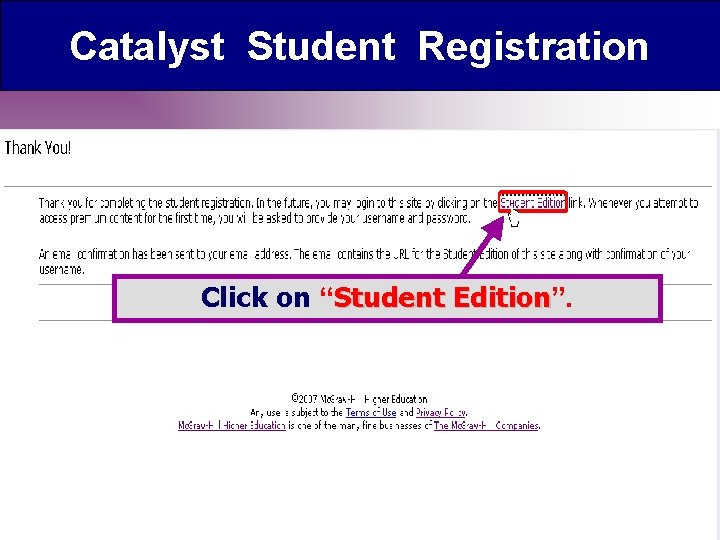
Catalyst Student Registration Click on “Student Edition”. Edition
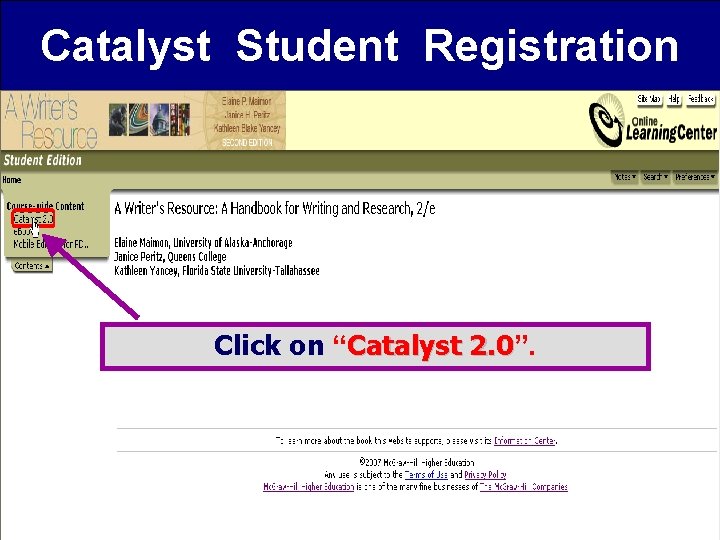
Catalyst Student Registration Click on “Catalyst 2. 0”. 2. 0
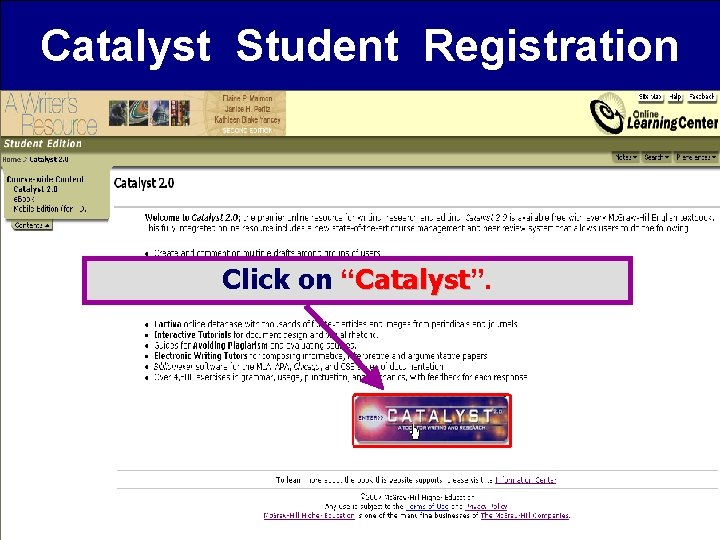
Catalyst Student Registration Click on “Catalyst”. Catalyst
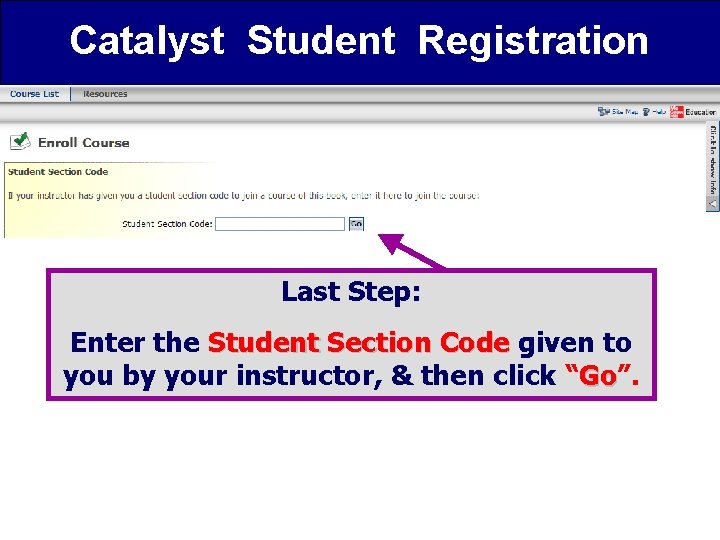
Catalyst Student Registration Last Step: Enter the Student Section Code given to you by your instructor, & then click “Go”. Go 8/2006
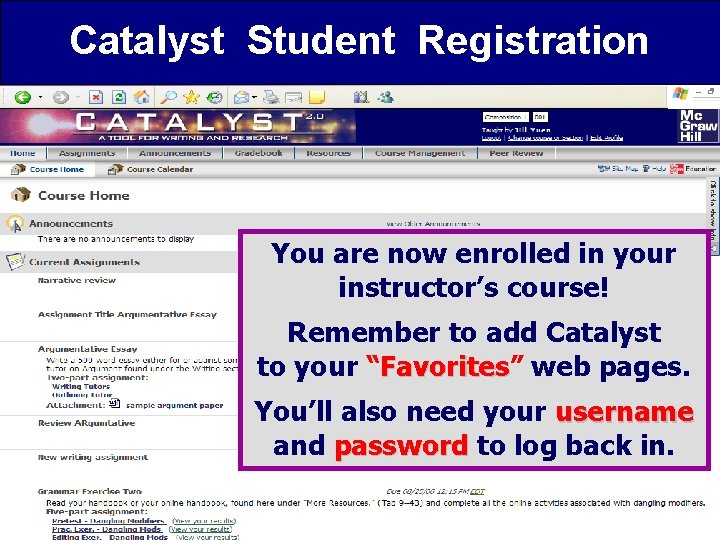
Catalyst Student Registration You are now enrolled in your instructor’s course! Remember to add Catalyst to your “Favorites” Favorites web pages. You’ll also need your username and password to log back in. 8/2006
Catalyst Student Registration What if I need help? For registration or system issues: • www. mhhe. com/support 24/7 • (800) 331 -5094 M-F 8 am-5 pm Central 8/2006