
What is Augmentative and Alternative Communication AAC EDUC
- Slides: 35
What is Augmentative and Alternative Communication (AAC) EDUC 477/689 O Devices Part I February 2005 AT 2003 Devices Part I Davina Pruitt-Mentle
ACC • Stands for augmentative and alternative communication • But what is augmentative and alternative? February 2005 AT 2003 Devices Part I Davina Pruitt-Mentle 2
AAC is…. • Communicating differently • Augmentative means to make or become larger; to enlarge. • Alternative means, among other things, nontraditional or unconventional, as in ideas or methods. • Finally, communication means to exchange ideas between two persons. February 2005 AT 2003 Devices Part I Davina Pruitt-Mentle 3
ACC is a way …. • to make a person's communication abilities larger or greater, using nontraditional (other than having the person speak for themselves or write their message) methods, and needs to involve at least 2 people (a communicator and a listener). February 2005 AT 2003 Devices Part I Davina Pruitt-Mentle 4
The American Speech and Hearing Science (ASHA) defines AAC as: • An area of clinical practice that attempts to compensate (either temporarily or permanently) for the impairment and disability patterns of individuals with severe expressive communication disorders" (ASHA, 1989, p. 107) February 2005 AT 2003 Devices Part I Davina Pruitt-Mentle 5
AAC is…. devices • For many persons AAC is a device that allows them to be able to communicate better. These devices can be simple or complex, expensive or cheap. By far, this is the most common association with the term AAC because it is the side of AAC that most people see. • AAC devices are often categorized as low or light, moderate, and high tech. February 2005 AT 2003 Devices Part I Davina Pruitt-Mentle 6
Low (light)-Tech AAC Devices February 2005 AT 2003 Devices Part I Davina Pruitt-Mentle 7
Low Tech • Low tech devices are truly the driver of many AAC systems. It has been estimated that between 75 and 90% of all AAC systems contain, or are based upon, low-tech devices. This is probably because low-tech devices are simple and efficient (i. e. , little training needed to operate), they can be discarded easily if they fail to meet the user's needs, and they serve as a back up system for higher-tech devices when they do not work. February 2005 AT 2003 Devices Part I Davina Pruitt-Mentle 8
Advantages: • Cheap • Easy to learn • Require little maintenance February 2005 AT 2003 Devices Part I Davina Pruitt-Mentle 9
Disadvantages: • Limited in noisy environments • Time required building the device February 2005 AT 2003 Devices Part I Davina Pruitt-Mentle 10
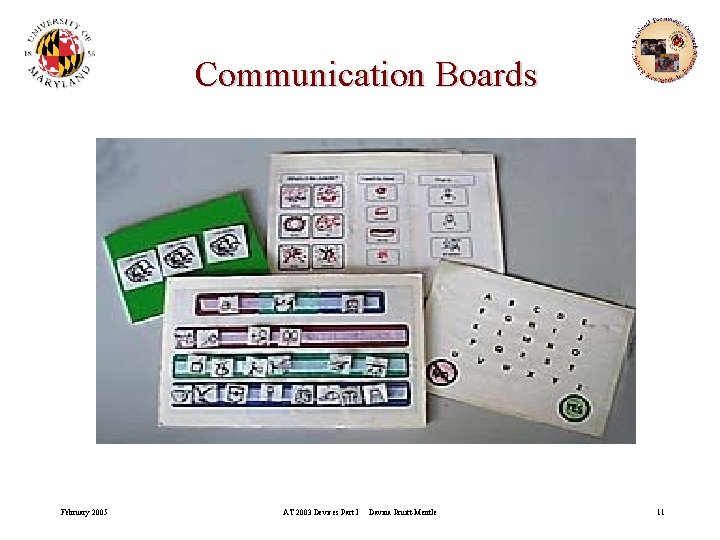
Communication Boards February 2005 AT 2003 Devices Part I Davina Pruitt-Mentle 11
Communication Boards: • Most popular AAC technology. • Most communication boards are home made, simple, and relatively inexpensive. For this reason they are almost always part of any AAC system. • Flexible enough to handle any type of vocabulary set, symbol system, and any means of organizing vocabulary. February 2005 AT 2003 Devices Part I Davina Pruitt-Mentle 12
Communication Boards: • For more information about communication boards, go to Designing Low Tech Communication Boards. • Visit Mayer-Johnson (search through "Products") for communication board supplies. February 2005 AT 2003 Devices Part I Davina Pruitt-Mentle 13
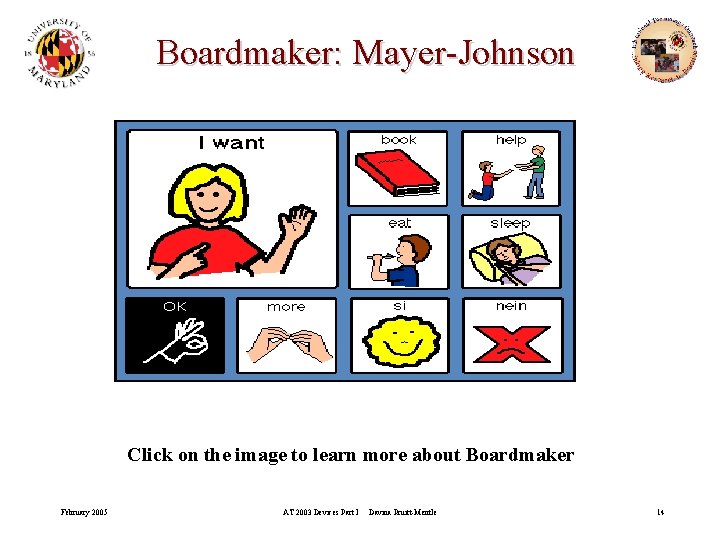
Boardmaker: Mayer-Johnson Click on the image to learn more about Boardmaker February 2005 AT 2003 Devices Part I Davina Pruitt-Mentle 14
Boardmaker • Boardmaker is a graphics database containing over 3, 000 Picture Communication Symbols (from PCS Books I, II, & III) in bitmapped clip art form. It allows you to: – Make a professional looking communication display in minutes. – Quickly find and paste pictures into your display with a mouse click. – Make the pictures any size and with any spacing. – Print and/or save your display on disk for later use. – Print displays in black & white or color (if you have a color printer). – Store, name, retrieve, resize, and paste scanned or custom-drawn pictures. – Make worksheets, picture instruction sheets, reading books, journals, or posters. These may be made in Boardmaker or by pasting the pictures in your desktop publishing program. February 2005 AT 2003 Devices Part I Davina Pruitt-Mentle 15
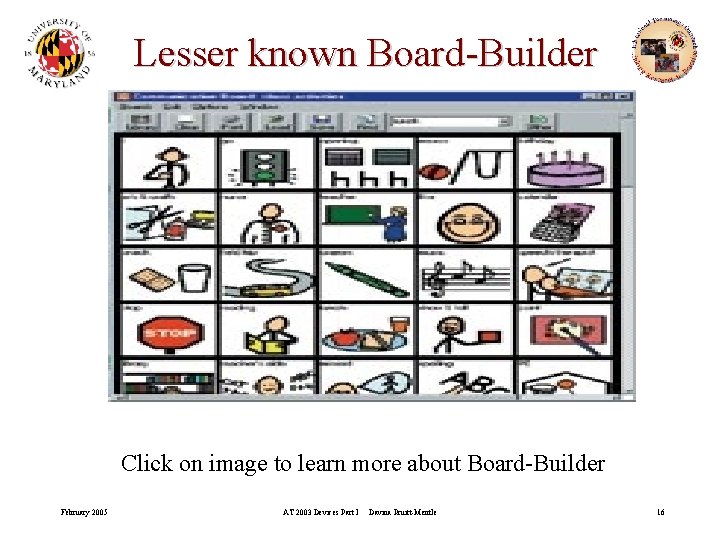
Lesser known Board-Builder Click on image to learn more about Board-Builder February 2005 AT 2003 Devices Part I Davina Pruitt-Mentle 16
Board-Builder • Board-Builder allows you to construct and print communication boards quickly and easily. Just click on a symbol in the PCS library or type a few letters of the name and the symbol is placed on the board. February 2005 AT 2003 Devices Part I Davina Pruitt-Mentle 17
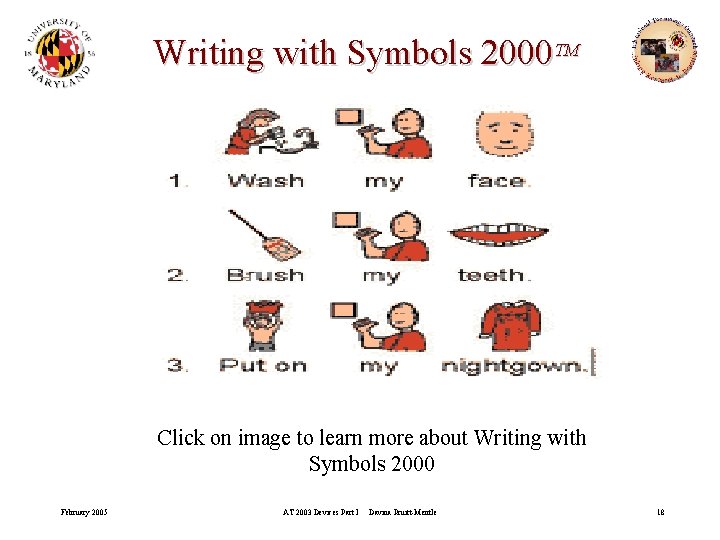
Writing with Symbols 2000 TM Click on image to learn more about Writing with Symbols 2000 February 2005 AT 2003 Devices Part I Davina Pruitt-Mentle 18
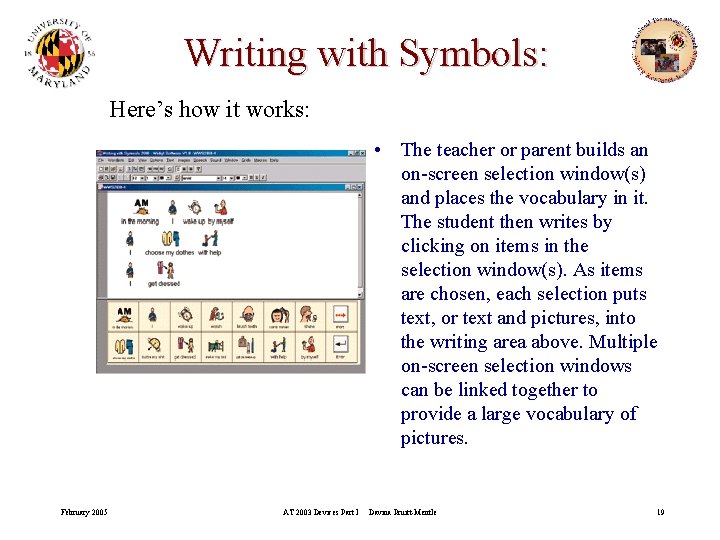
Writing with Symbols: Here’s how it works: • The teacher or parent builds an on-screen selection window(s) and places the vocabulary in it. The student then writes by clicking on items in the selection window(s). As items are chosen, each selection puts text, or text and pictures, into the writing area above. Multiple on-screen selection windows can be linked together to provide a large vocabulary of pictures. February 2005 AT 2003 Devices Part I Davina Pruitt-Mentle 19
• Boardmaker, Board-Builder, and Writing with Symbols are also available in several different languages February 2005 AT 2003 Devices Part I Davina Pruitt-Mentle 20
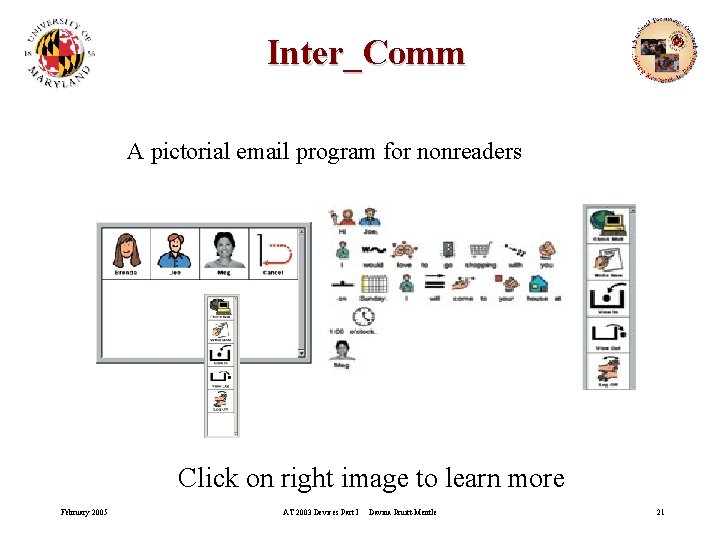
Inter_Comm A pictorial email program for nonreaders Click on right image to learn more February 2005 AT 2003 Devices Part I Davina Pruitt-Mentle 21
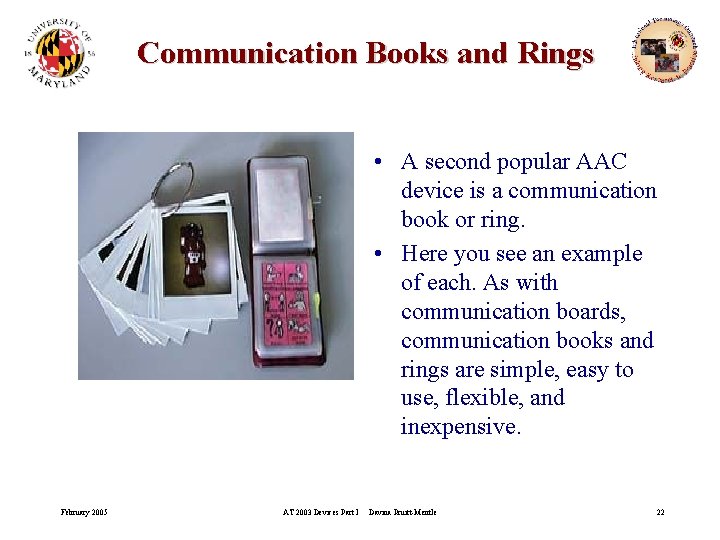
Communication Books and Rings • A second popular AAC device is a communication book or ring. • Here you see an example of each. As with communication boards, communication books and rings are simple, easy to use, flexible, and inexpensive. February 2005 AT 2003 Devices Part I Davina Pruitt-Mentle 22
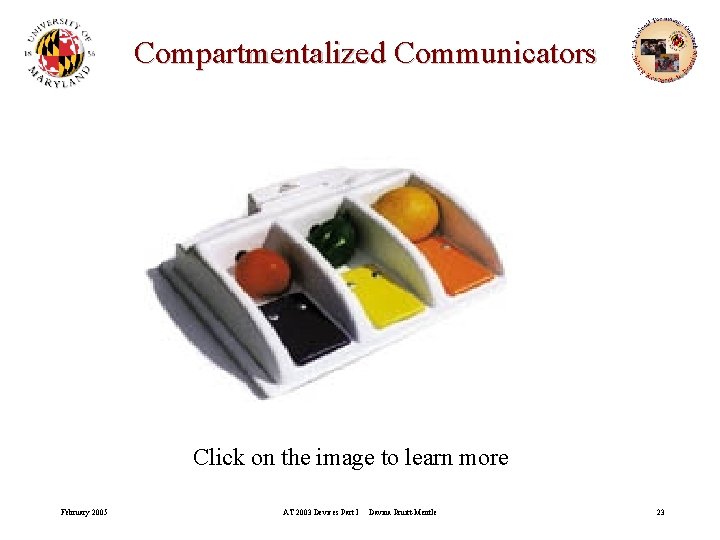
Compartmentalized Communicators Click on the image to learn more February 2005 AT 2003 Devices Part I Davina Pruitt-Mentle 23
Compartmentalized Communicators • An Enabling Device –considered to be “fun, easy to use, and perfect for teaching language skills” (classification, sequence, function, opposites and comparatives, to name a few). • You use them by placing objects, pictures or words in each of the compartments. Then, by pressing down on the corresponding colored switch plate (in front of each compartment), a sound is produced when a choice made, expressing the answer or need. February 2005 AT 2003 Devices Part I Davina Pruitt-Mentle 24
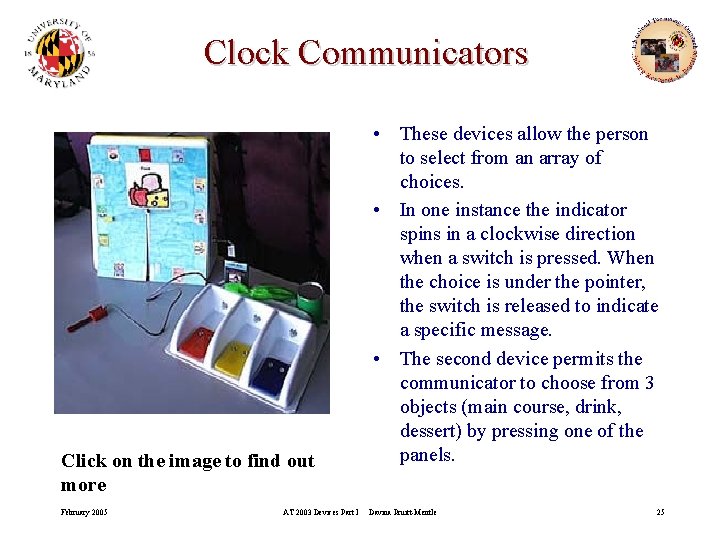
Clock Communicators Click on the image to find out more February 2005 AT 2003 Devices Part I • These devices allow the person to select from an array of choices. • In one instance the indicator spins in a clockwise direction when a switch is pressed. When the choice is under the pointer, the switch is released to indicate a specific message. • The second device permits the communicator to choose from 3 objects (main course, drink, dessert) by pressing one of the panels. Davina Pruitt-Mentle 25
Moderate Technology February 2005 AT 2003 Devices Part I Davina Pruitt-Mentle 26
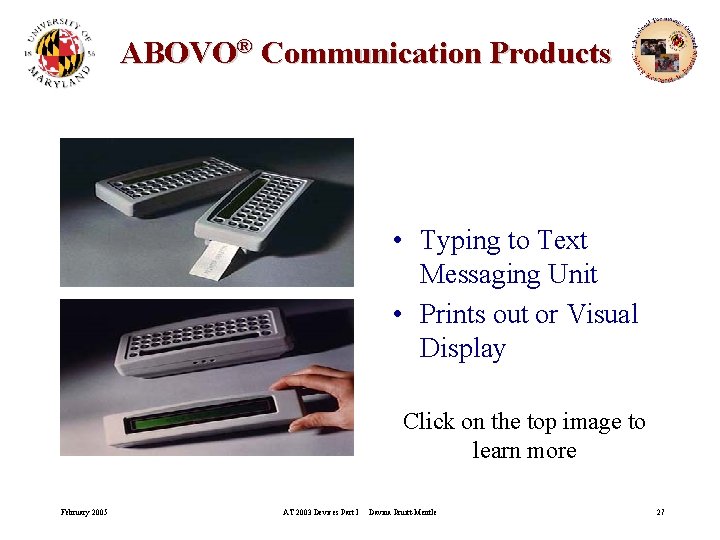
ABOVO® Communication Products • Typing to Text Messaging Unit • Prints out or Visual Display Click on the top image to learn more February 2005 AT 2003 Devices Part I Davina Pruitt-Mentle 27
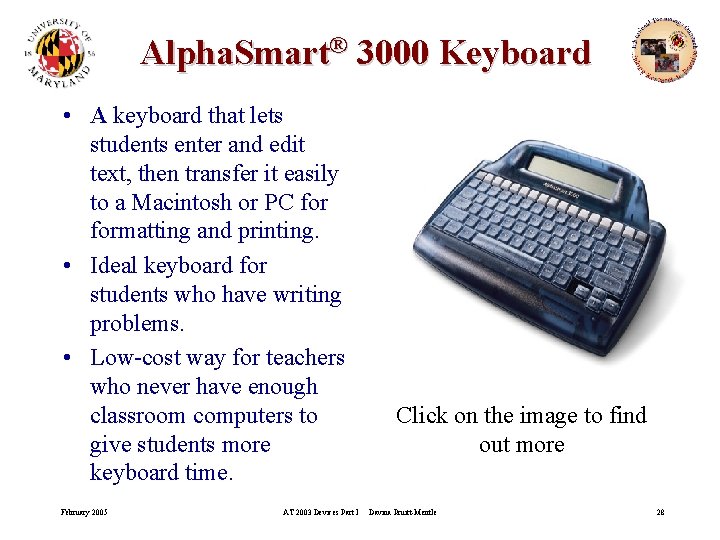
Alpha. Smart® 3000 Keyboard • A keyboard that lets students enter and edit text, then transfer it easily to a Macintosh or PC formatting and printing. • Ideal keyboard for students who have writing problems. • Low-cost way for teachers who never have enough classroom computers to give students more keyboard time. February 2005 AT 2003 Devices Part I Click on the image to find out more Davina Pruitt-Mentle 28
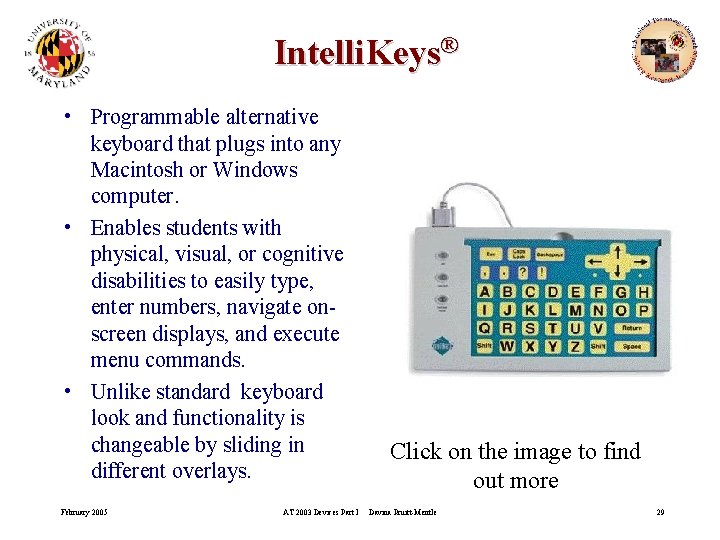
Intelli. Keys® • Programmable alternative keyboard that plugs into any Macintosh or Windows computer. • Enables students with physical, visual, or cognitive disabilities to easily type, enter numbers, navigate onscreen displays, and execute menu commands. • Unlike standard keyboard look and functionality is changeable by sliding in different overlays. February 2005 AT 2003 Devices Part I Click on the image to find out more Davina Pruitt-Mentle 29
While not High Tech themselves, this software does require computer access February 2005 AT 2003 Devices Part I Davina Pruitt-Mentle 30
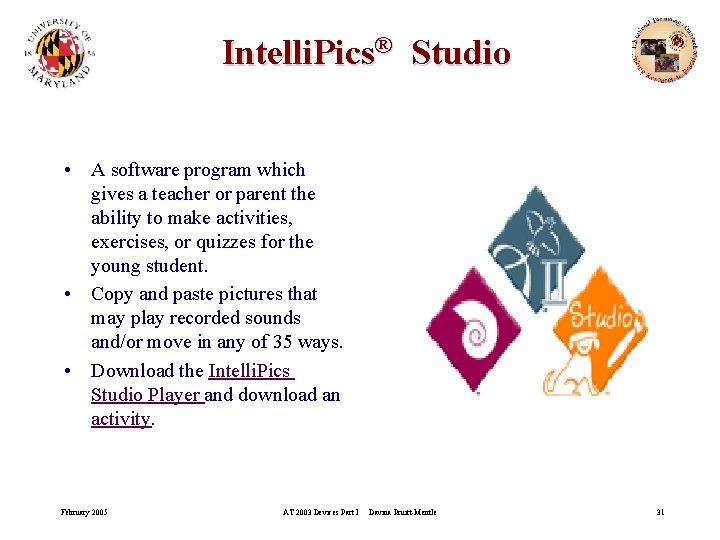
Intelli. Pics® Studio • A software program which gives a teacher or parent the ability to make activities, exercises, or quizzes for the young student. • Copy and paste pictures that may play recorded sounds and/or move in any of 35 ways. • Download the Intelli. Pics Studio Player and download an activity. February 2005 AT 2003 Devices Part I Davina Pruitt-Mentle 31
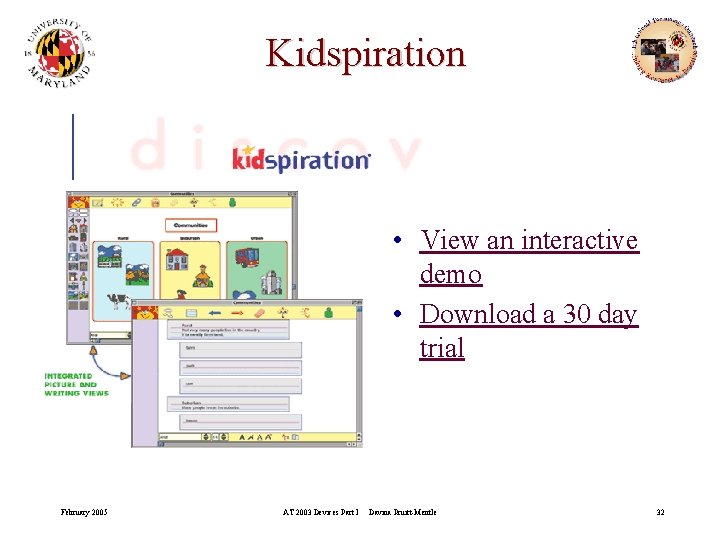
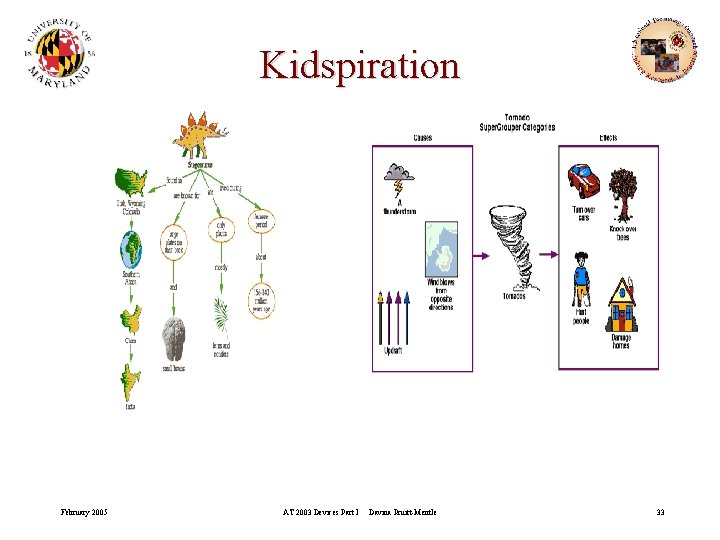
Kidspiration • View an interactive demo • Download a 30 day trial February 2005 AT 2003 Devices Part I Davina Pruitt-Mentle 32
Kidspiration February 2005 AT 2003 Devices Part I Davina Pruitt-Mentle 33
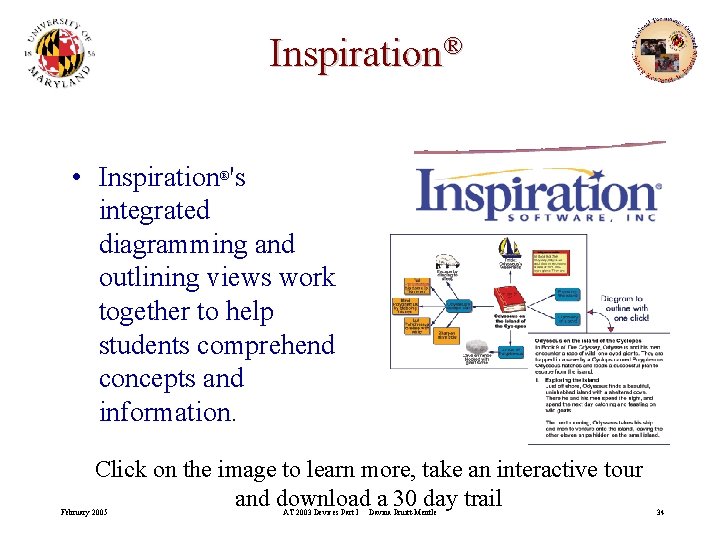
Inspiration® • Inspiration®'s integrated diagramming and outlining views work together to help students comprehend concepts and information. Click on the image to learn more, take an interactive tour and download a 30 day trail February 2005 AT 2003 Devices Part I Davina Pruitt-Mentle 34
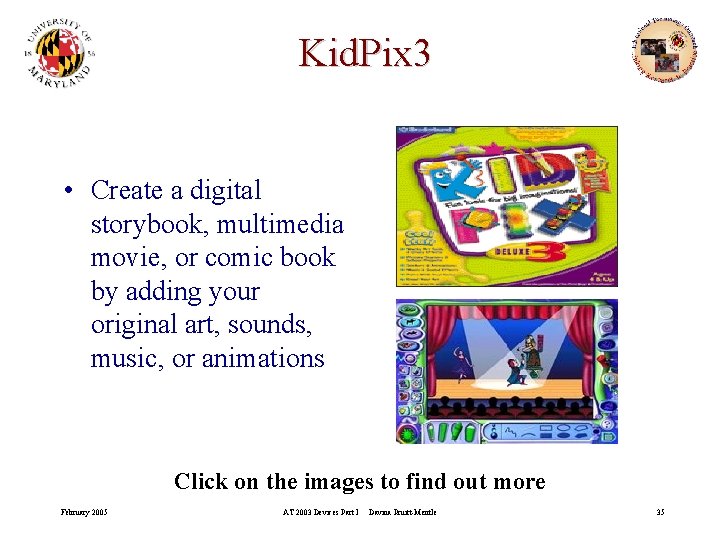
Kid. Pix 3 • Create a digital storybook, multimedia movie, or comic book by adding your original art, sounds, music, or animations Click on the images to find out more February 2005 AT 2003 Devices Part I Davina Pruitt-Mentle 35