
What is Alaska STEPP which stands for Steps


- Slides: 42
What is Alaska STEPP, which stands for Steps Toward Educational Progress and Partnership, is an online, school improvement planning tool based upon Indistar, a software template. Twenty-four states, including Alaska, currently use the software program to serve school, and district-level, improvement planning.
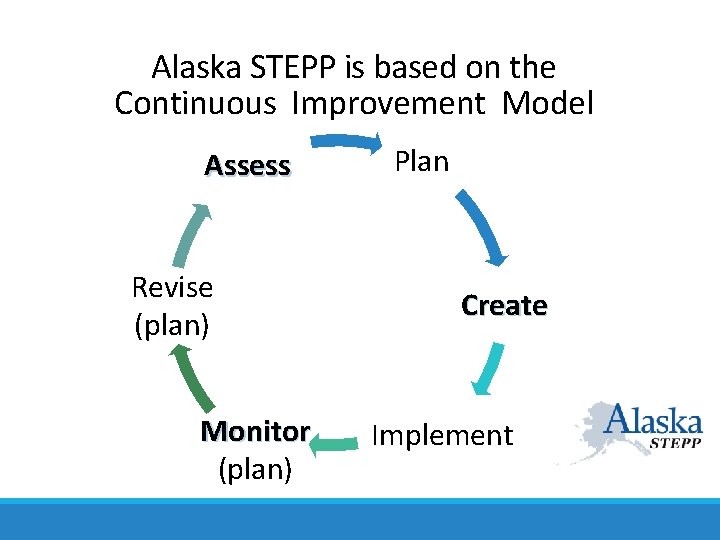
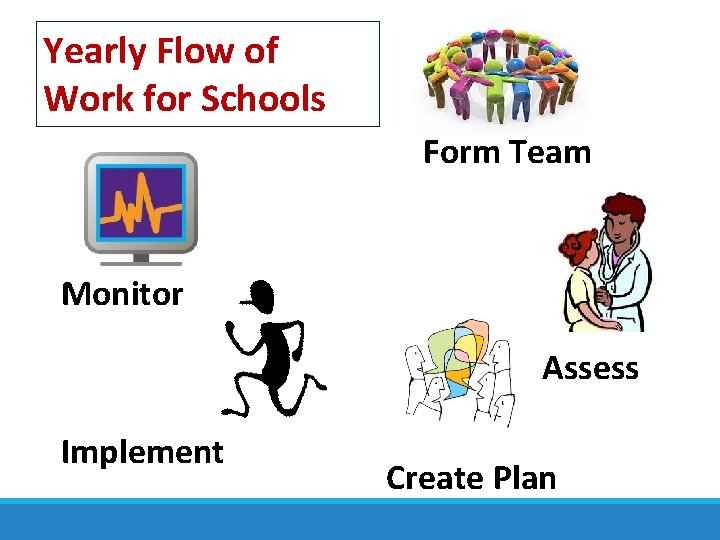
Alaska STEPP is based on the Continuous Improvement Model Assess Revise (plan) Monitor (plan) Plan Create Implement
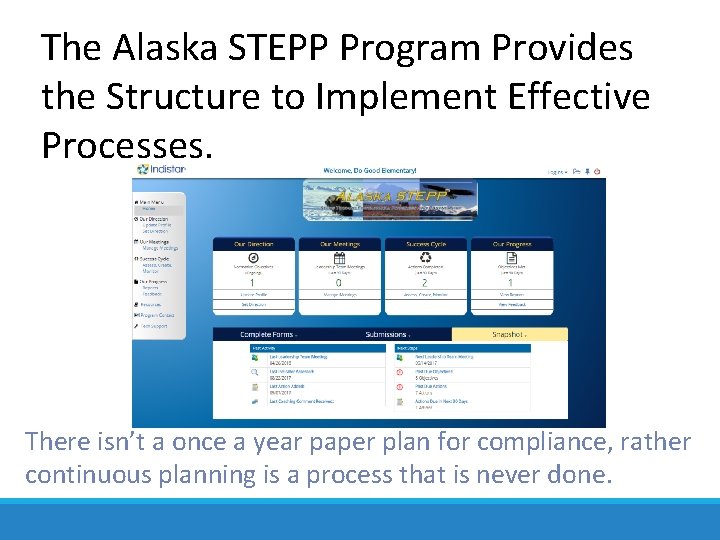
The Alaska STEPP Program Provides the Structure to Implement Effective Processes. There isn’t a once a year paper plan for compliance, rather continuous planning is a process that is never done.
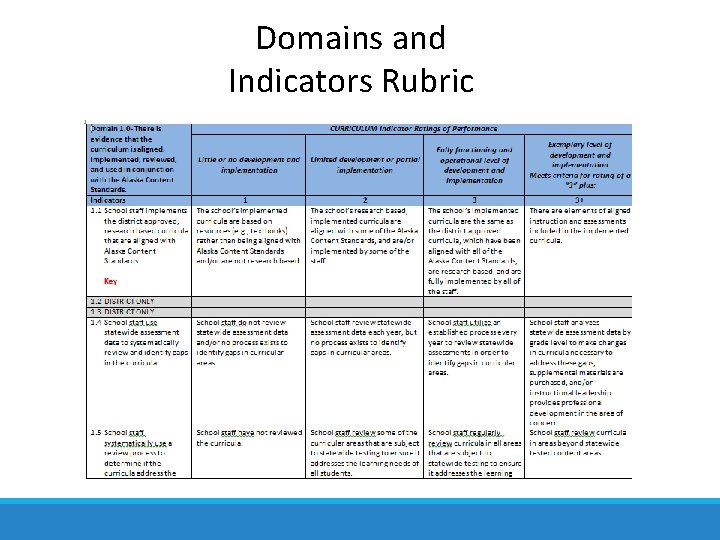
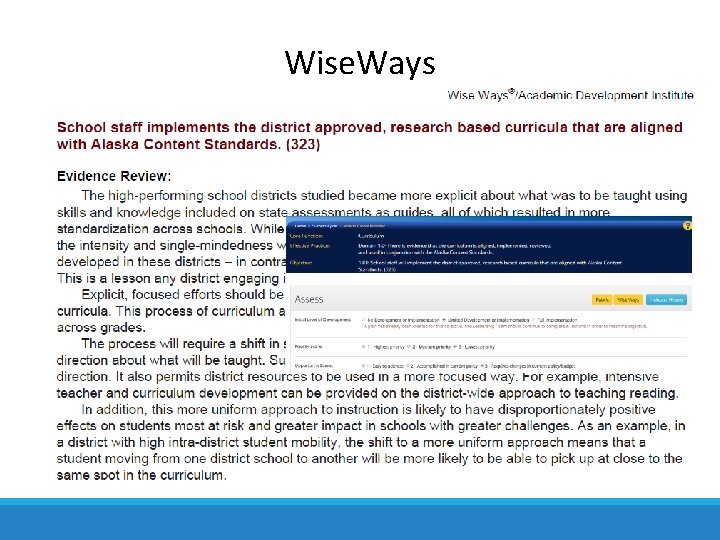
Alaska STEPP Includes Research Based Practices The Domains, Indicators, Rubrics, and Wise. Ways provide benchmarks for measuring school effectiveness.
More About Alaska STEPP Since its development and customization for Alaska five years ago, several Alaska districts have adopted STEPP as a way to incorporate continuous, comprehensive, and team-oriented school improvement planning. Currently Alaska STEPP is the required method for writing and implementing school improvement plans for 1 -, 2 -, and 3 -star schools, as well as for Priority and Focus schools and districts.
Alaska STEPP’s Framework The tool is built around the six domains of effective schools: Curriculum, Assessment, Instruction, Supportive Learning Environment, Professional Development, and Leadership. Within these six domains are 32 indicators with rubrics against which school improvement teams can assess their school and focus improvement efforts. This tool is more than a software system that produces a plan for submission; it is designed to encourage a school improvement process that is ongoing and task driven, resulting in continuous engagement and improvement.
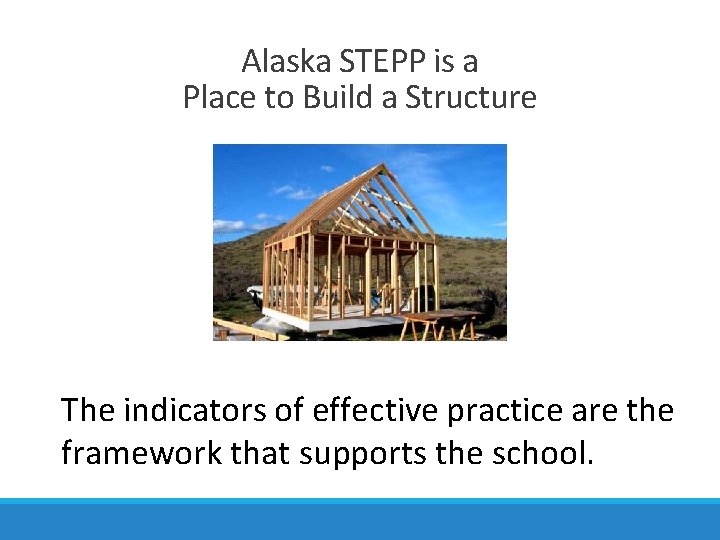
Alaska STEPP is a Place to Build a Structure The indicators of effective practice are the framework that supports the school.
The Six Domains • Curriculum • Assessment • Instruction • Supportive Learning Environment • Professional Development • Leadership Within those domains are 32 indicators with assessment rubrics.
Domains and Indicators Rubric
Wise. Ways
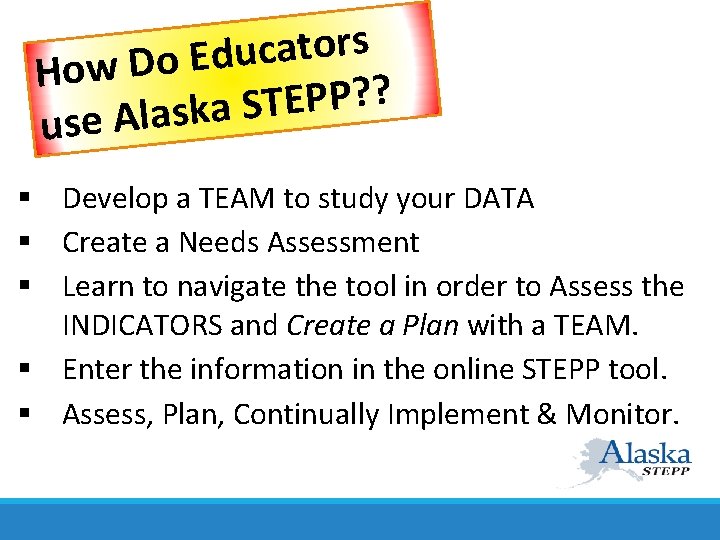
s r o t a c u d E o D w Ho ? ? P P E T S a k s a l A e us § Develop a TEAM to study your DATA § Create a Needs Assessment § Learn to navigate the tool in order to Assess the INDICATORS and Create a Plan with a TEAM. § Enter the information in the online STEPP tool. § Assess, Plan, Continually Implement & Monitor.
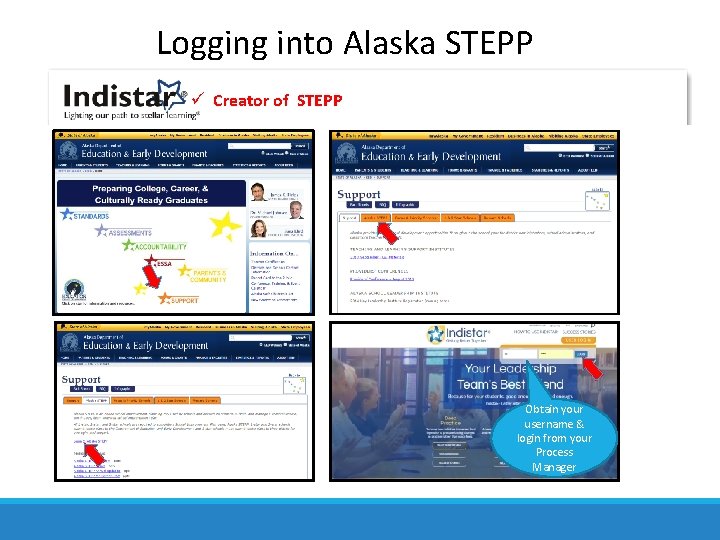
Logging into Alaska STEPP Creator of STEPP Obtain your username & login from your Process Manager
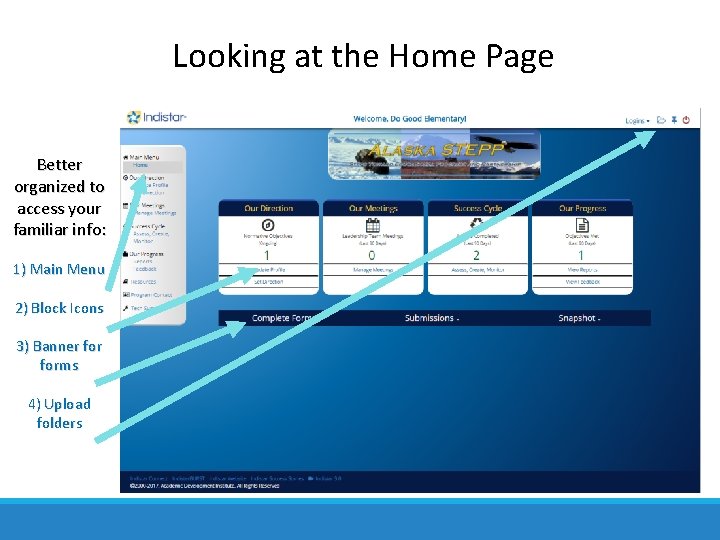
Looking at the Home Page Better organized to access your familiar info: 1) Main Menu 2) Block Icons 3) Banner forms 4) Upload folders
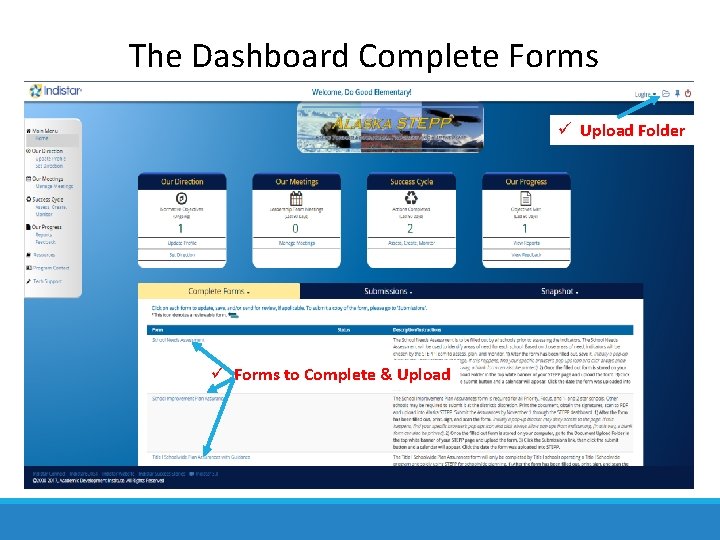
The Dashboard Complete Forms Upload Folder Forms to Complete & Upload
Review: Logging in & the Home Page LOGGING IN Go to the EED Homepage OR GO TO § Click on the orange Support Tab http: //www. Indistar. org § Click on Alaska STEPP § Login to Alaska STEPP § Click on Alaska STEPP § Enter Login and Password 1. 2. 3. 4. 5. What is on the Home Page ? ? Site name is noted in the top middle. Gray main menu bar on the left Four main icons in the center Blue banner forms Upload folder and logoff icons in upper right hand corner
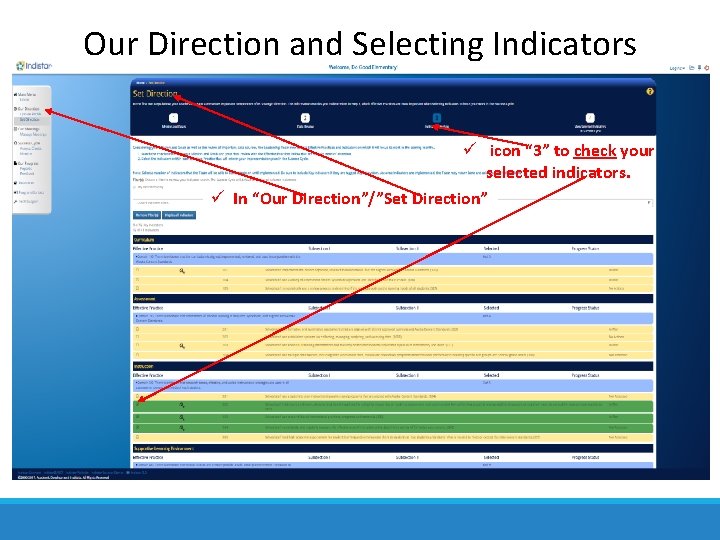
Our Direction and Selecting Indicators icon “ 3” to check your selected indicators. In “Our Direction”/”Set Direction”
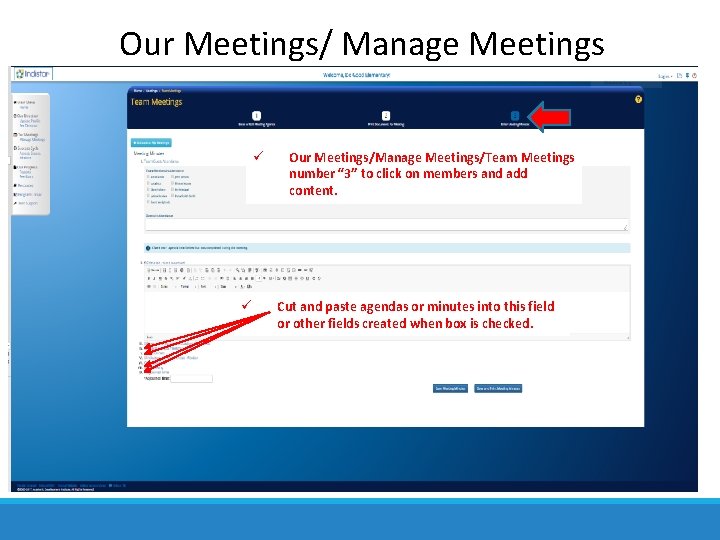
Our Meetings/ Manage Meetings Our Meetings/Manage Meetings/Team Meetings number “ 3” to click on members and add content. Cut and paste agendas or minutes into this field or other fields created when box is checked.
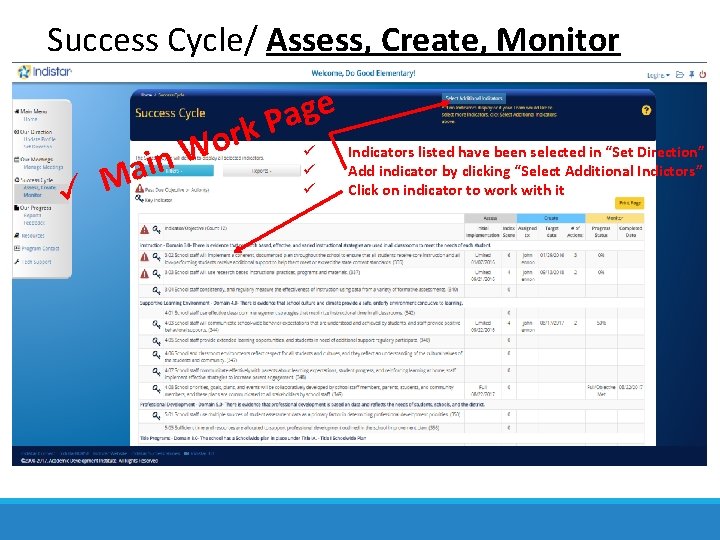
Success Cycle/ Assess, Create, Monitor n i a M r o W e g a k. P Indicators listed have been selected in “Set Direction” Add indicator by clicking “Select Additional Indictors” Click on indicator to work with it
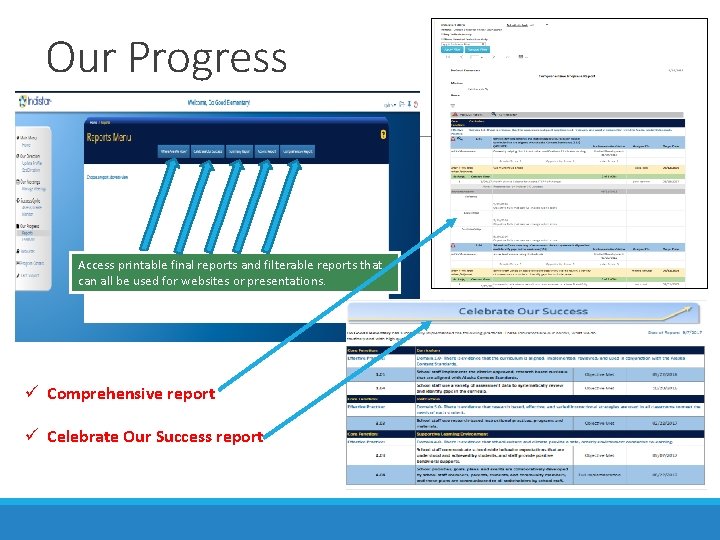
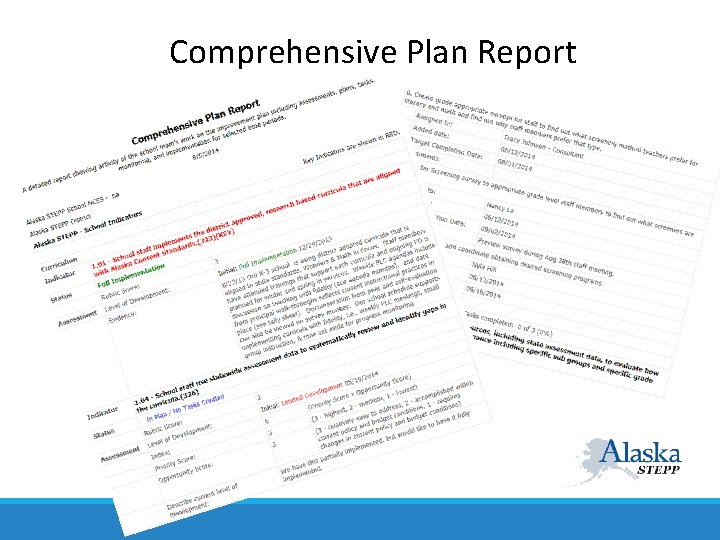
Our Progress Access printable final reports and filterable reports that can all be used for websites or presentations. Comprehensive report Celebrate Our Success report
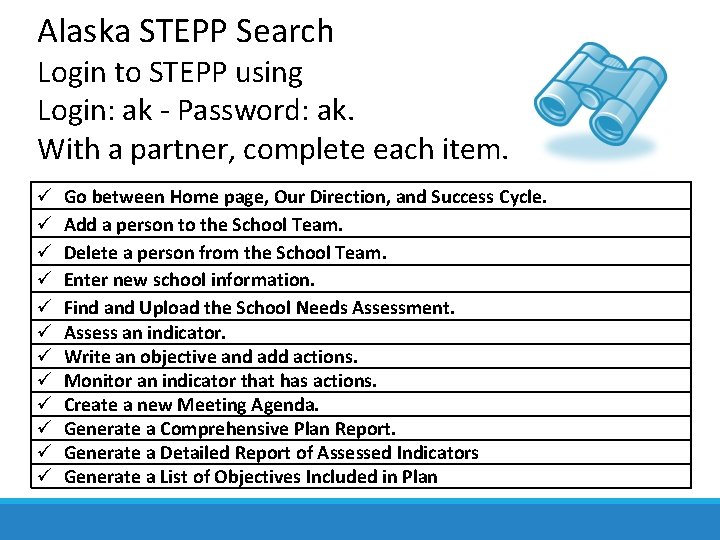
Alaska STEPP Search Login to STEPP using Login: ak - Password: ak. With a partner, complete each item. Go between Home page, Our Direction, and Success Cycle. Add a person to the School Team. Delete a person from the School Team. Enter new school information. Find and Upload the School Needs Assessment. Assess an indicator. Write an objective and add actions. Monitor an indicator that has actions. Create a new Meeting Agenda. Generate a Comprehensive Plan Report. Generate a Detailed Report of Assessed Indicators Generate a List of Objectives Included in Plan
Using Alaska STEPP With a Team • • • Schedule regular meetings and meet consistently with a specific purpose. Use a pacing guide to update and monitor indicators. Ask for input from all stakeholders. Provide guest passwords for stakeholders. Report out on successes regularly. Predetermine celebration occasions when certain objectives are met.
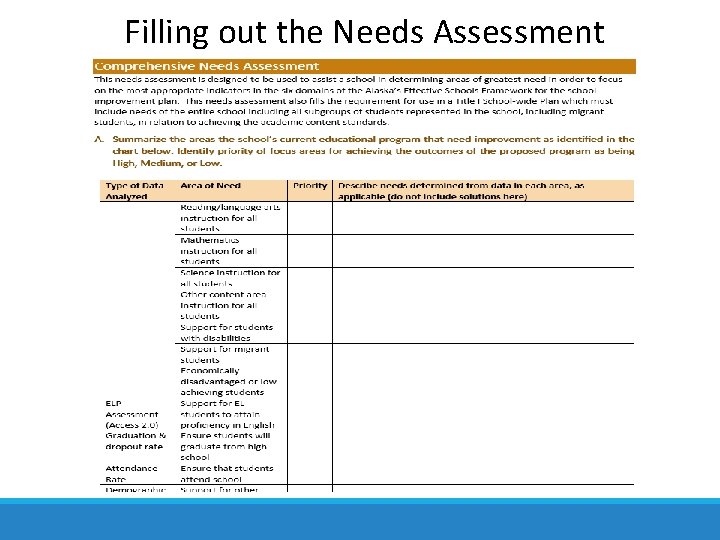
Filling out the Needs Assessment
School Needs Assessment • Needs Assessment form is located on the Home Page under the “Complete Forms”. • Analyze state assessment data and MAP/AIMSWeb/Diebels/AMP/Attendance/ Graduation Rate/Behavior/Perception data. • School wide goals for areas of need in reading, writing, and math are provided. • Analyze subgroup data. • Write specific goals if necessary. • Write a narrative summary of site’s strengths and weaknesses.
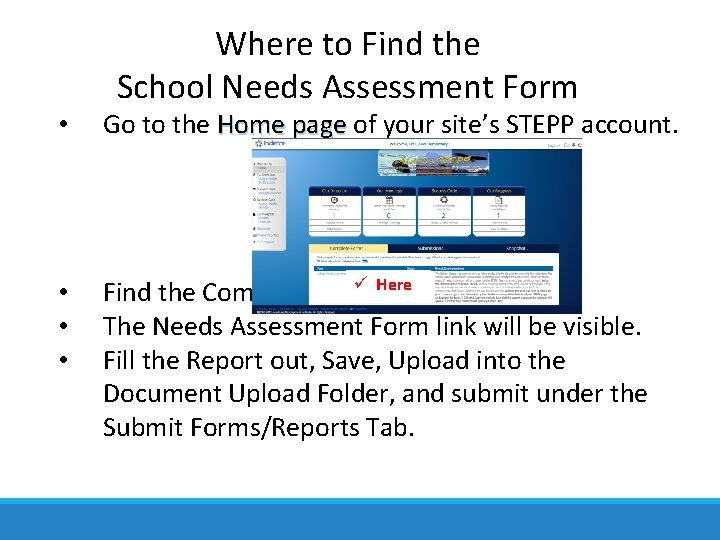
Where to Find the School Needs Assessment Form • Go to the Home page of your site’s STEPP account. • • • Here Find the Complete Forms The Needs Assessment Form link will be visible. Fill the Report out, Save, Upload into the Document Upload Folder, and submit under the Submit Forms/Reports Tab.
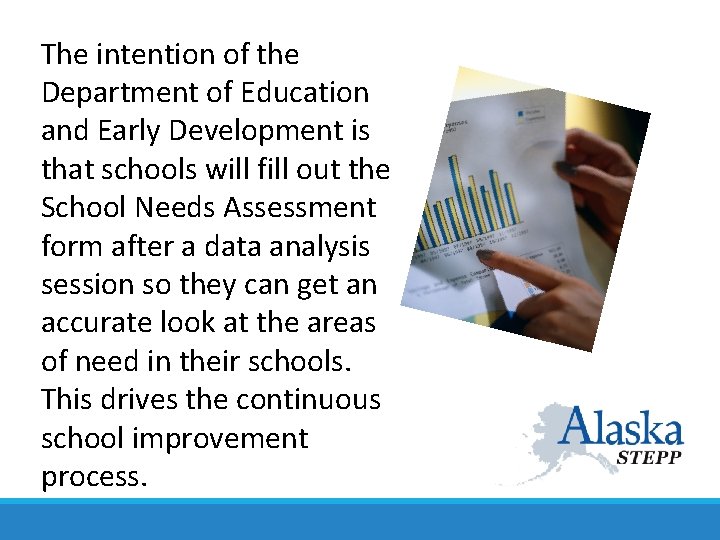
The intention of the Department of Education and Early Development is that schools will fill out the School Needs Assessment form after a data analysis session so they can get an accurate look at the areas of need in their schools. This drives the continuous school improvement process.
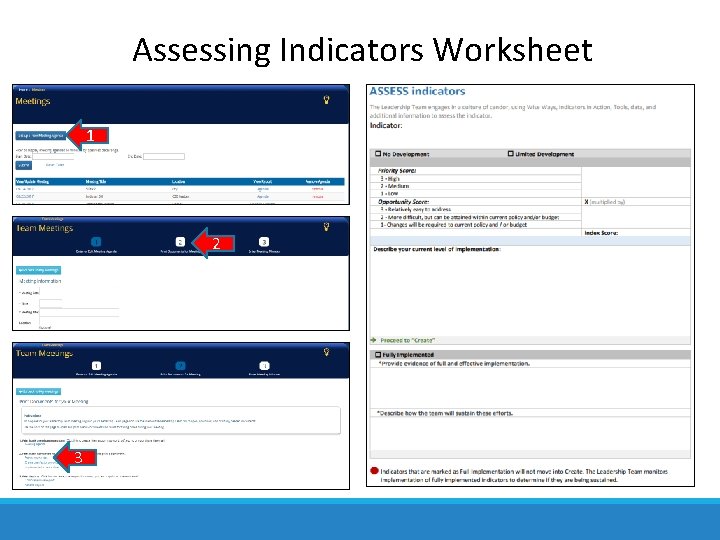
How to Assess Indicators • From the “Our Meetings” page, click “Set up a new Meeting Agenda”, click on “ 2” button in Team Meetings and click on “Assess worksheet”; print several copies of the Assess (blank) worksheet. There also other worksheets here that can be printed. • With your STEPP Team, using the Rubric & Worksheet, document what practices are currently being implemented at your site. • Or, enter assessment information right into Alaska STEPP, the online tool.
Assessing Indicators Worksheet 1 2 3
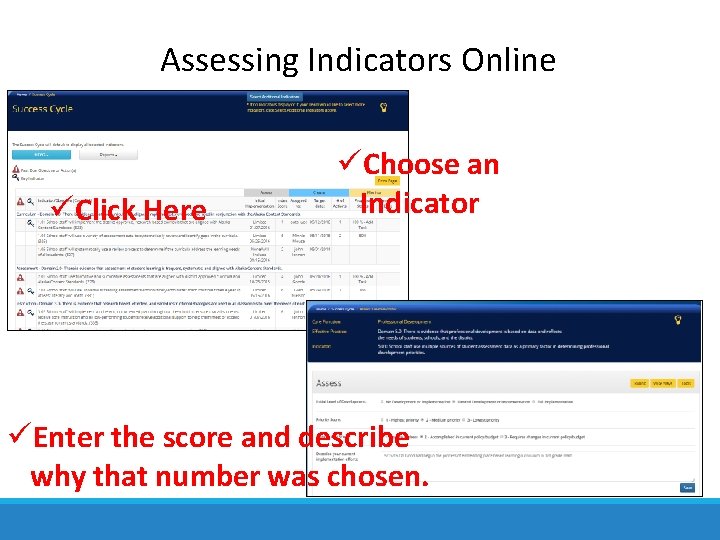
Assessing Indicators Online Click Here Choose an Indicator Enter the score and describe why that number was chosen.
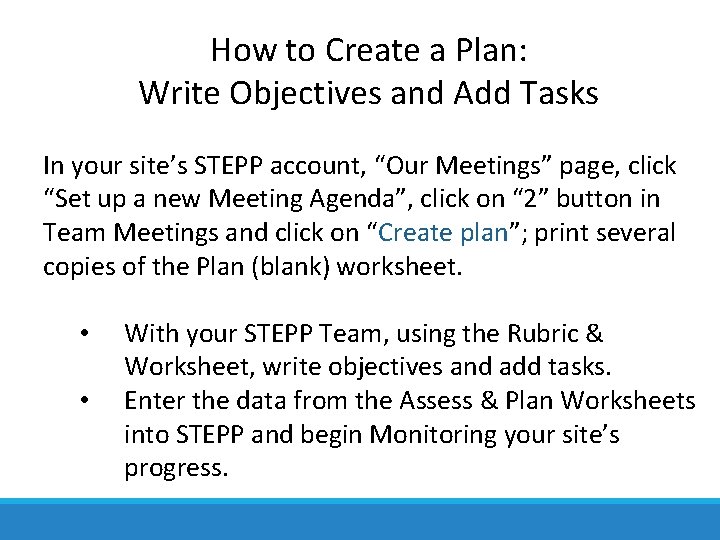
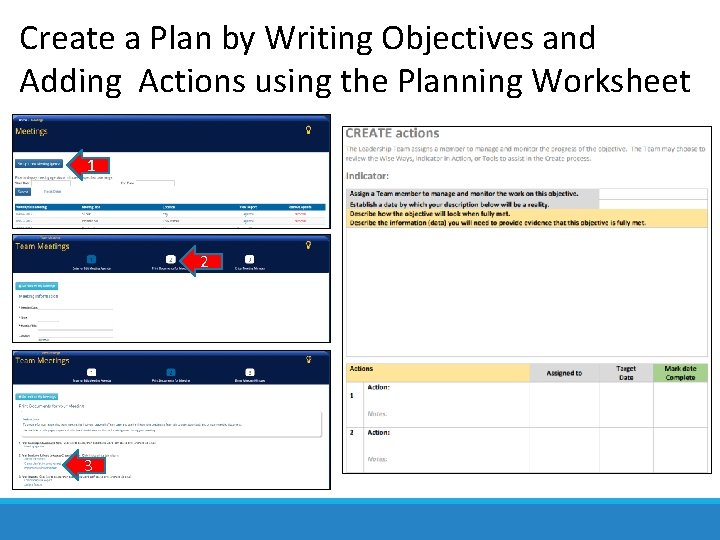
How to Create a Plan: Write Objectives and Add Tasks In your site’s STEPP account, “Our Meetings” page, click “Set up a new Meeting Agenda”, click on “ 2” button in Team Meetings and click on “Create plan”; print several copies of the Plan (blank) worksheet. • • With your STEPP Team, using the Rubric & Worksheet, write objectives and add tasks. Enter the data from the Assess & Plan Worksheets into STEPP and begin Monitoring your site’s progress.
Create a Plan by Writing Objectives and Adding Actions using the Planning Worksheet 1 2 3
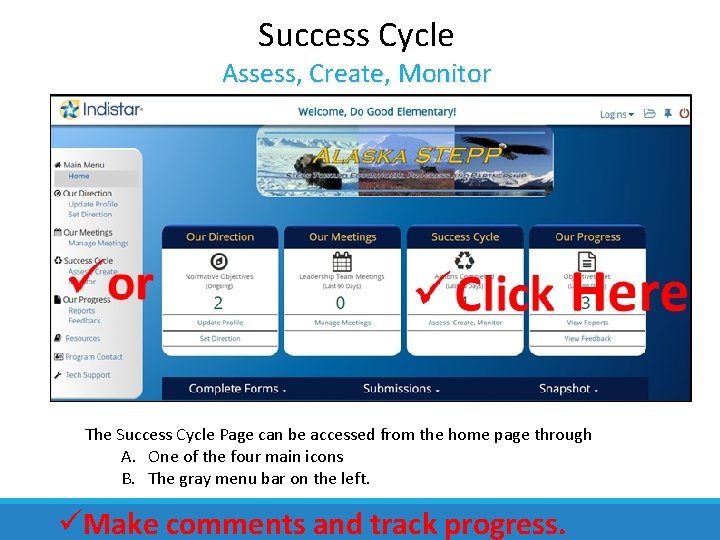
Success Cycle Assess, Create, Monitor The Success Cycle Page can be accessed from the home page through A. One of the four main icons B. The gray menu bar on the left. Make comments and track progress.
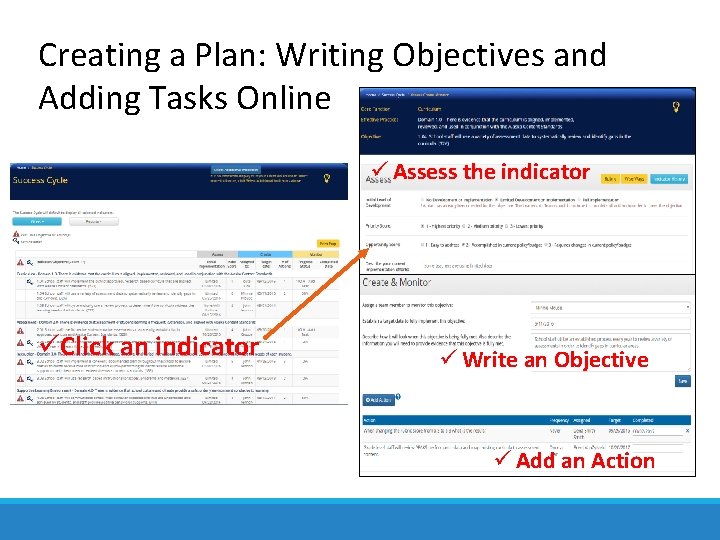
Creating a Plan: Writing Objectives and Adding Tasks Online Assess the indicator Click an indicator Write an Objective Add an Action
Comprehensive Plan Report
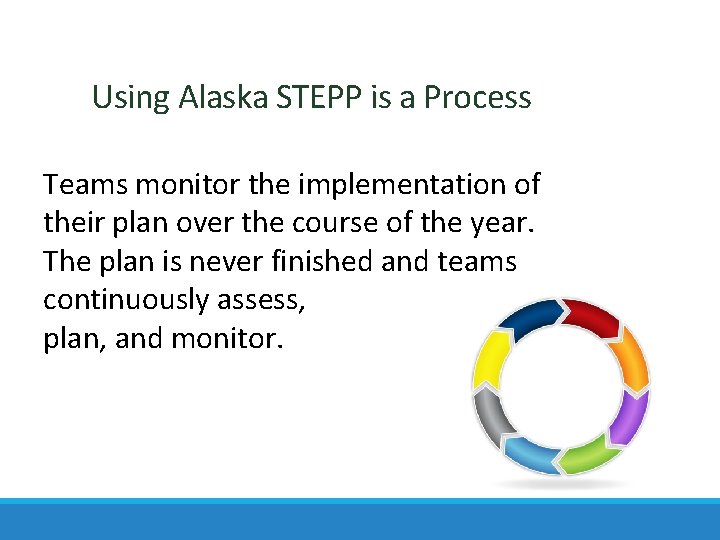
Using Alaska STEPP is a Process Teams monitor the implementation of their plan over the course of the year. The plan is never finished and teams continuously assess, plan, and monitor.
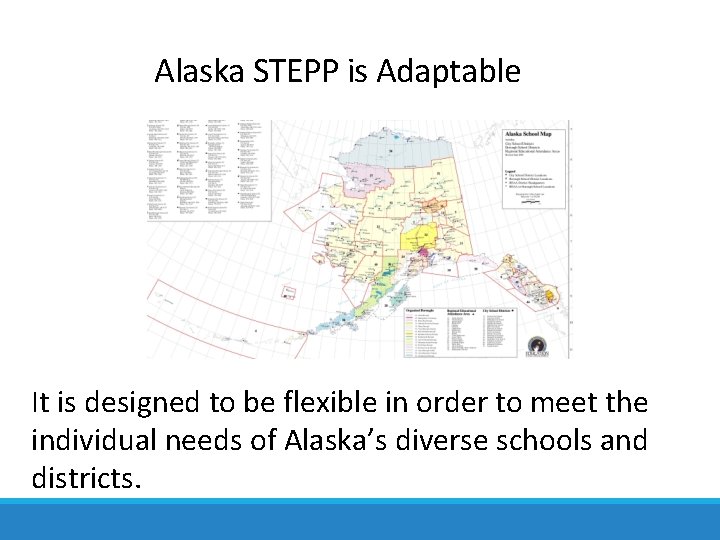
Alaska STEPP is Adaptable It is designed to be flexible in order to meet the individual needs of Alaska’s diverse schools and districts.
Improvement Planning Using Alaska STEPP is a Team Driven Process
Alaska STEPP is: • Continuous • Comprehensive • Team-oriented . … r e v e How is not STEPP ! ! ! t e l l u B a Magic
First Steps • School STEPP teams are formed and have regular meetings scheduled. • Complete a Data Analysis & Needs Assessment. • Make sure the chosen indicators meet the requirements of school improvement and Title I. • Make sure the objectives and tasks created get your school from where you are, to where you want to go. Are the tasks realistic? Is the timeline for completion realistic? • Schedule at least one meeting per month for the entire school year using an Annual Pacing Guide.
Yearly Flow of Work for Schools Form Team Monitor Assess Implement Create Plan
For additional information about Alaska STEPP Contact: Scot Fiscus e. scot. fiscus@alaska. gov p. 907 -465 -8718