
What is a Virtual Environment Wide field presentation

- Slides: 24
What is a Virtual Environment? • Wide field presentation of computergenerated, multi-sensory information with user tracked in real time • Computer simulation that imparts visual, auditory, and haptic sensations • Everything user perceives is computergenerated, responds to user with sights and sounds designed to make them think they are there 1
Major Types of VEs • Non-immersive: user is outside looking in – Desktop or “fishtank” • Immersive: user is inside looking out – Immersive Workbench: table (single surface) with translucent rear-projection surface for image; magnetic trackers; interaction with “wand”; stereo glasses – CAVE: multi-wall (VT’s has four) cube using rearprojected “folded optics” to display registered images in real-time; magnetic trackers; interaction with “wand”; stereo glasses 2
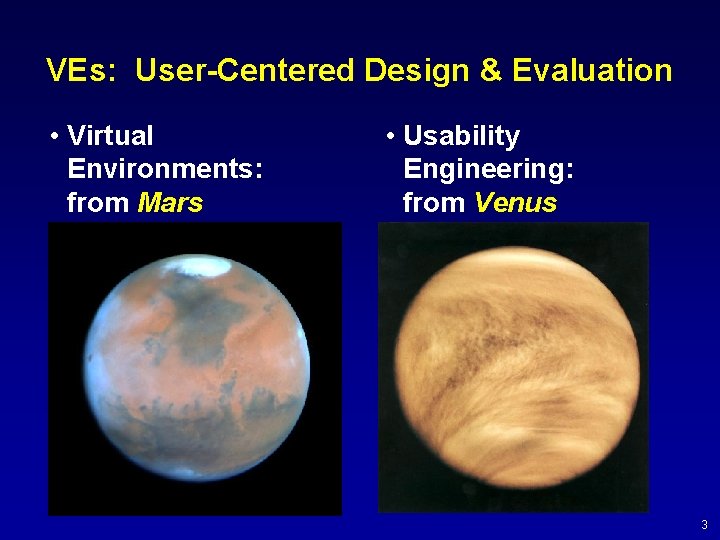
VEs: User-Centered Design & Evaluation • Virtual Environments: from Mars • Usability Engineering: from Venus 3
VEs & Usability Engineering • Goal: To get VEs and Usability Engineering on the same planet! • Improve VE applications from a user’s perspective by – Performing empirical studies of various aspects of VEs (e. g. , devices, techniques, designs, etc. ) – Developing new usability engineering methods for VEs 4
User-Centered Design & Evaluation • Purpose of research (basic): – Design a usable VE interface – Evaluate & iteratively improve VE interaction design • Purpose of research (meta-level): – Identify general principles and most important parameters of VE user interface design – Identify effective techniques for VE usability engineering • Two projects: – Pre-screen projection – Dragon battlefield visualization system 5
Pre-screen Projection VE • What is pre-screen projection? – A new interaction technique that allows a user to integrally pan and zoom by head movement • Conceptual basis: Real-world metaphor – Our view of world changes as we move our head • Gibson’s ecological approach to visual perception: humans perceive relationships between movements and changes in view – Objects in real world appear to get larger as we move toward them – Nearer objects visually enlarge more rapidly 6
Pre-screen Projection Configuration 7
Iterative Development of PSP • Resolved numerous design decisions by numerous quick cycles of formative evaluation • Moved on to summative evaluation to compare PSP to other pan and zoom techniques – Mouse – Spaceball – Pre-screen Projection 8
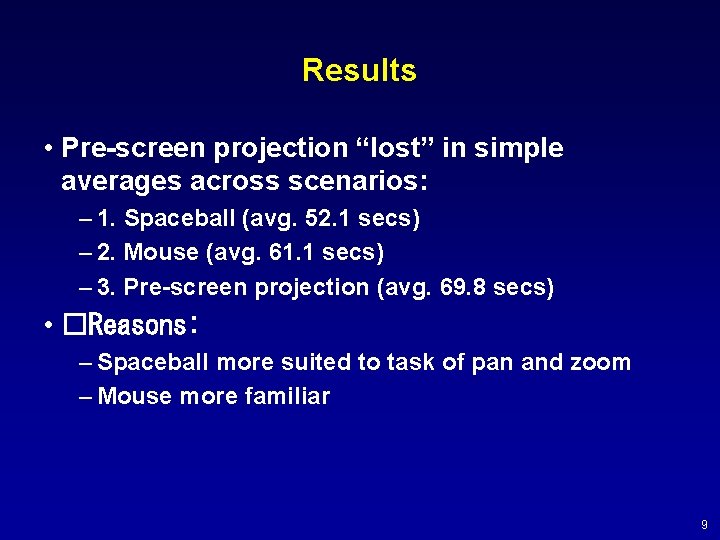
Results • Pre-screen projection “lost” in simple averages across scenarios: – 1. Spaceball (avg. 52. 1 secs) – 2. Mouse (avg. 61. 1 secs) – 3. Pre-screen projection (avg. 69. 8 secs) • �Reasons: – Spaceball more suited to task of pan and zoom – Mouse more familiar 9
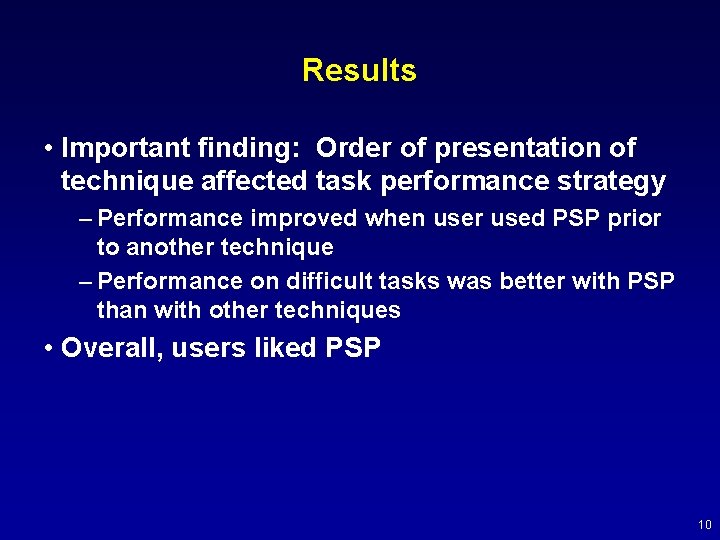
Results • Important finding: Order of presentation of technique affected task performance strategy – Performance improved when user used PSP prior to another technique – Performance on difficult tasks was better with PSP than with other techniques • Overall, users liked PSP 10
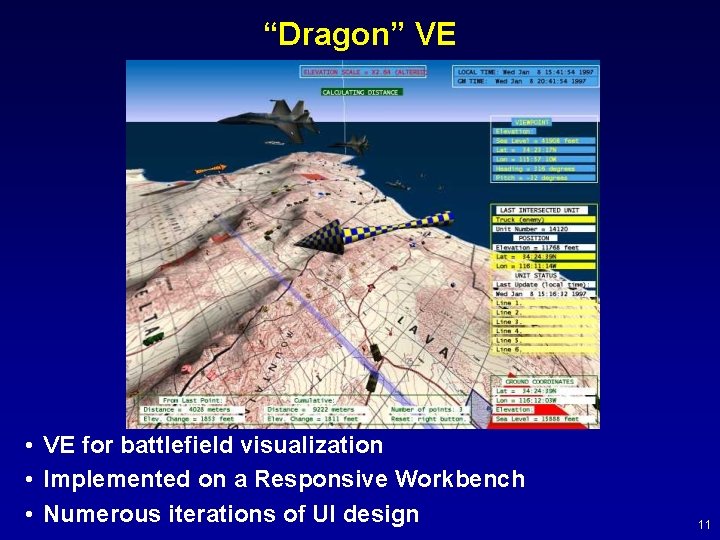
“Dragon” VE • VE for battlefield visualization • Implemented on a Responsive Workbench • Numerous iterations of UI design 11
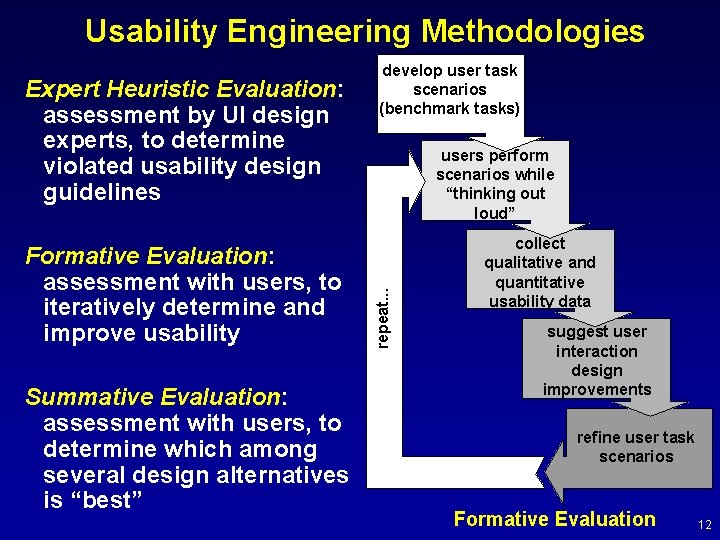
Usability Engineering Methodologies Formative Evaluation: assessment with users, to iteratively determine and improve usability Summative Evaluation: assessment with users, to determine which among several design alternatives is “best” users perform scenarios while “thinking out loud” repeat. . . Expert Heuristic Evaluation: assessment by UI design experts, to determine violated usability design guidelines develop user task scenarios (benchmark tasks) collect qualitative and quantitative usability data suggest user interaction design improvements refine user task scenarios Formative Evaluation 12
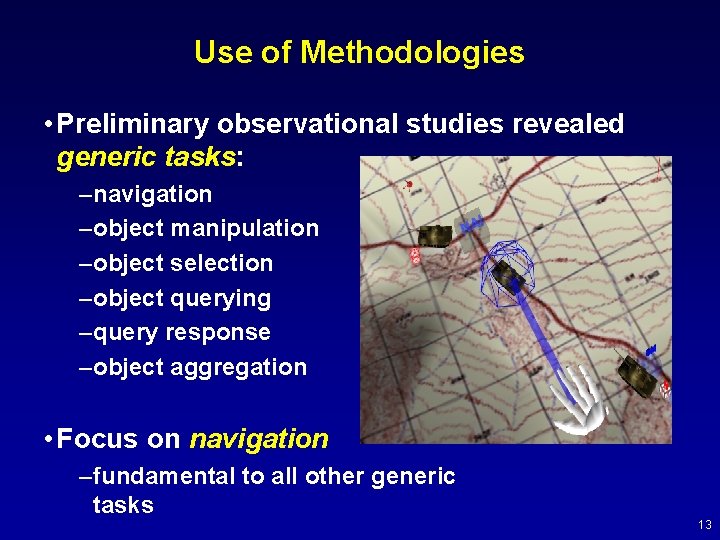
Use of Methodologies • Preliminary observational studies revealed generic tasks: –navigation –object manipulation –object selection –object querying –query response –object aggregation • Focus on navigation –fundamental to all other generic tasks 13
Approach • Dragon VE was instrumentable testbed for heuristic and formative work • Developed scenarios of benchmark user tasks • One to three users per evaluation cycle • Based on results, iterate design • Four major cycles of evaluation 14
Expert Heuristic Evaluation • Experts assessed UI design • Initially “free play”, then structured scenarios • One or two other experts observing • Guided by framework of usability characteristics of VEs [Gabbard & Hix 1999] • Discovered and addressed usability problems: – Poor mapping of navigation tasks to flightstick buttons – Missing functionality – Damping of map movement in response to flightstick movement – Graphical and textual feedback 15
Formative Evaluations • Six sessions; formal protocol; single user per session • User first asked to use flightstick • User then asked to perform scenarios – Time ranged from 20 minutes to more than one hour – Timed individual tasks; counted errors – Noted critical incidents • Two evaluators (observers) in each session • Four major iterations of Dragon UI design over one year 16
First Iteration Results: Virtual Sandtable Based on real-world sandtable metaphor: exo-centric map manipulation Utilized 5 DOF (x, y, z, h, p) + Mapping of buttons to navigation tasks worked well – Users wanted terrain-following capability, to “fly” over map – Basic metaphor cumbersome 17
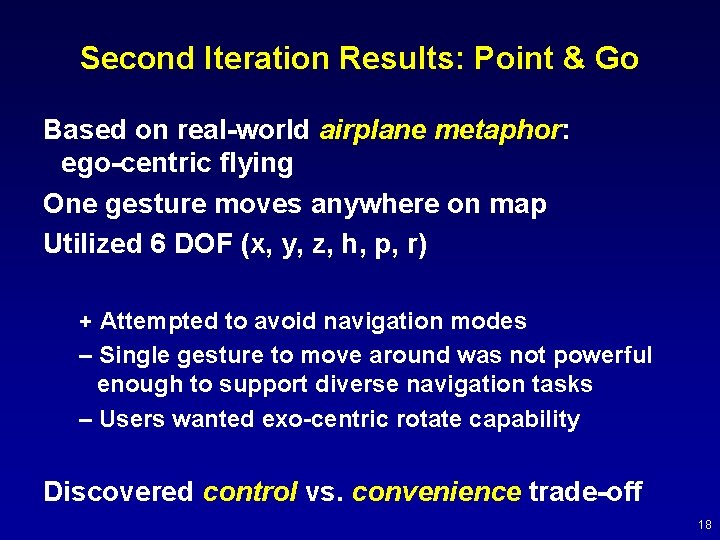
Second Iteration Results: Point & Go Based on real-world airplane metaphor: ego-centric flying One gesture moves anywhere on map Utilized 6 DOF (x, y, z, h, p, r) + Attempted to avoid navigation modes – Single gesture to move around was not powerful enough to support diverse navigation tasks – Users wanted exo-centric rotate capability Discovered control vs. convenience trade-off 18
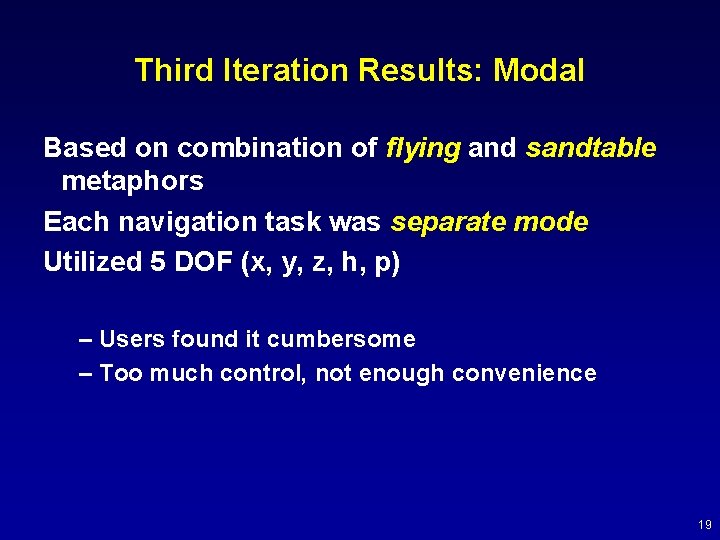
Third Iteration Results: Modal Based on combination of flying and sandtable metaphors Each navigation task was separate mode Utilized 5 DOF (x, y, z, h, p) – Users found it cumbersome – Too much control, not enough convenience 19
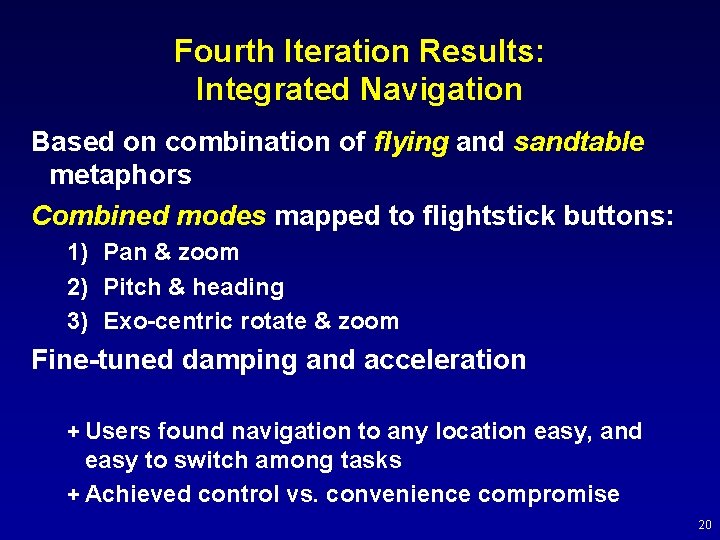
Fourth Iteration Results: Integrated Navigation Based on combination of flying and sandtable metaphors Combined modes mapped to flightstick buttons: 1) Pan & zoom 2) Pitch & heading 3) Exo-centric rotate & zoom Fine-tuned damping and acceleration + Users found navigation to any location easy, and easy to switch among tasks + Achieved control vs. convenience compromise 20
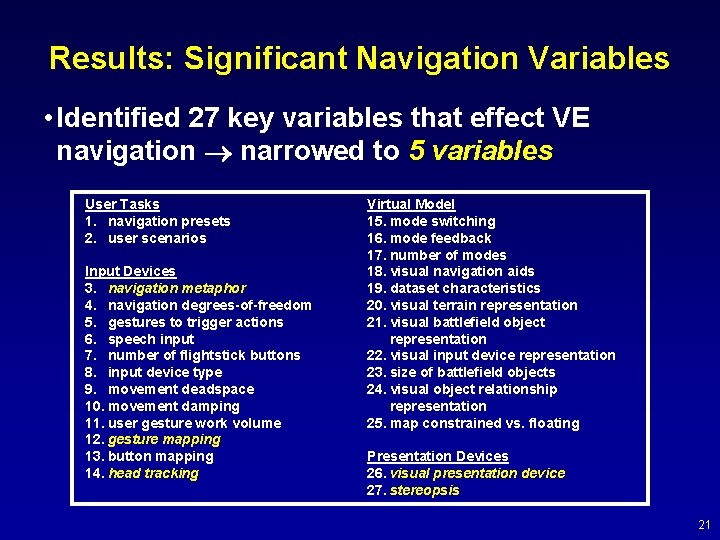
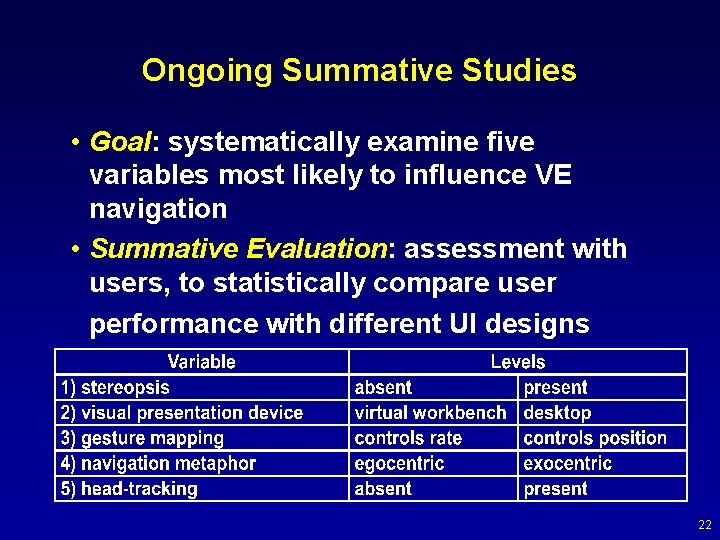
Results: Significant Navigation Variables • Identified 27 key variables that effect VE navigation narrowed to 5 variables User Tasks 1. navigation presets 2. user scenarios Input Devices 3. navigation metaphor 4. navigation degrees-of-freedom 5. gestures to trigger actions 6. speech input 7. number of flightstick buttons 8. input device type 9. movement deadspace 10. movement damping 11. user gesture work volume 12. gesture mapping 13. button mapping 14. head tracking Virtual Model 15. mode switching 16. mode feedback 17. number of modes 18. visual navigation aids 19. dataset characteristics 20. visual terrain representation 21. visual battlefield object representation 22. visual input device representation 23. size of battlefield objects 24. visual object relationship representation 25. map constrained vs. floating Presentation Devices 26. visual presentation device 27. stereopsis 21
Ongoing Summative Studies • Goal: systematically examine five variables most likely to influence VE navigation • Summative Evaluation: assessment with users, to statistically compare user performance with different UI designs 22
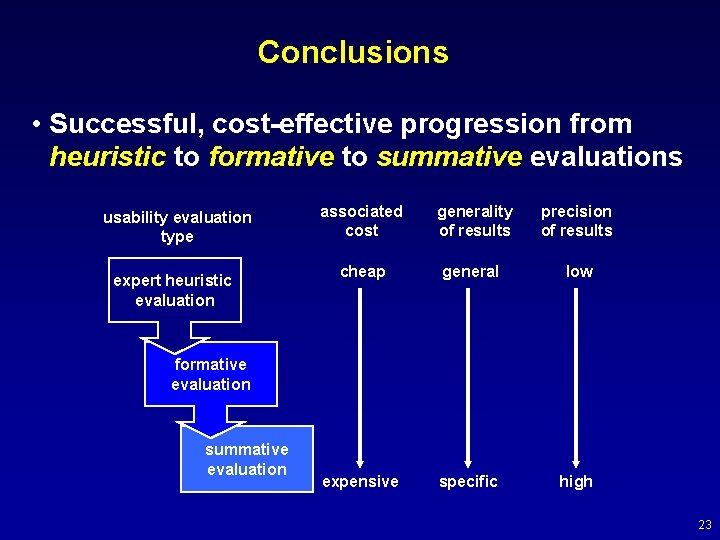
Conclusions • Successful, cost-effective progression from heuristic to formative to summative evaluations usability evaluation type expert heuristic evaluation associated cost generality of results precision of results cheap general low expensive specific high formative evaluation summative evaluation 23
Conclusions • VEs are great new technology • We’re still exploring whether they are just “new” or whether they are really “better” for users • Some good experiences: – Caterpillar backhoe design – Boeing 777 design 24