
What are the phases of the system analysis
- Slides: 179
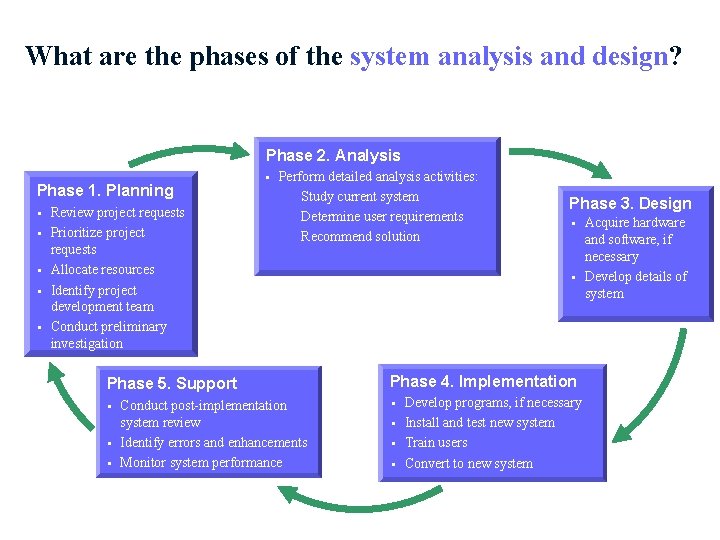
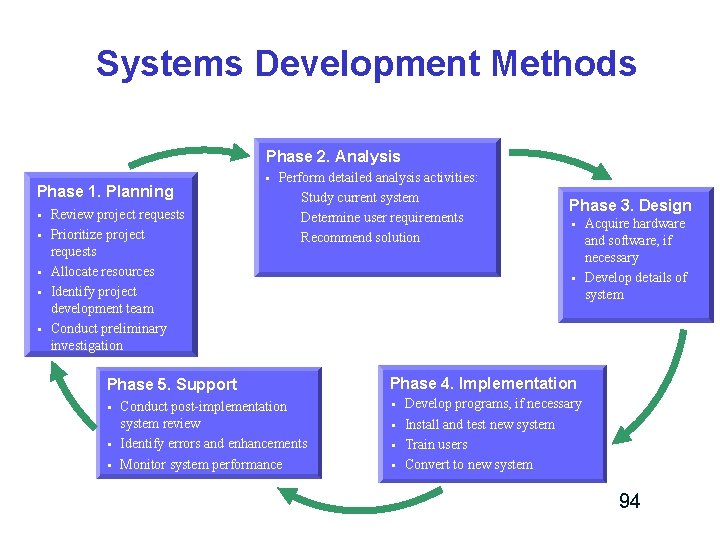
What are the phases of the system analysis and design? Phase 2. Analysis Phase 1. Planning § § § Review project requests Prioritize project requests Allocate resources Identify project development team Conduct preliminary investigation § Perform detailed analysis activities: Study current system Determine user requirements Recommend solution Phase 5. Support § § § Conduct post-implementation system review Identify errors and enhancements Monitor system performance Phase 3. Design § § Phase 4. Implementation § § Develop programs, if necessary Install and test new system Train users Convert to new system Acquire hardware and software, if necessary Develop details of system
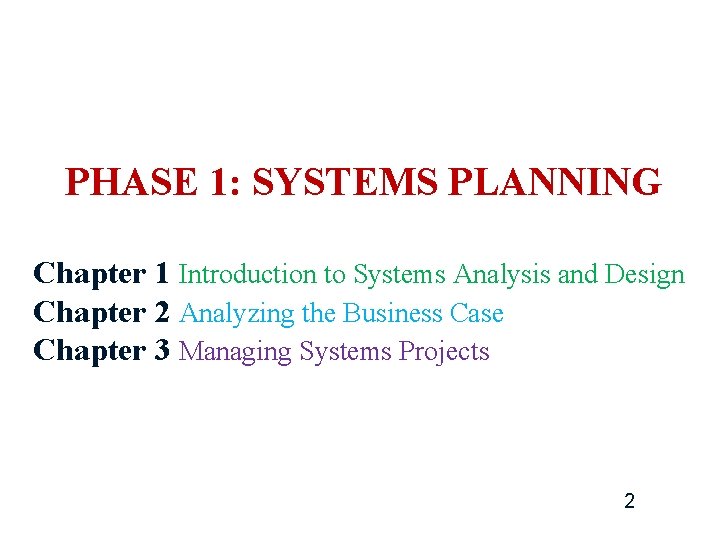
PHASE 1: SYSTEMS PLANNING Chapter 1 Introduction to Systems Analysis and Design Chapter 2 Analyzing the Business Case Chapter 3 Managing Systems Projects 2
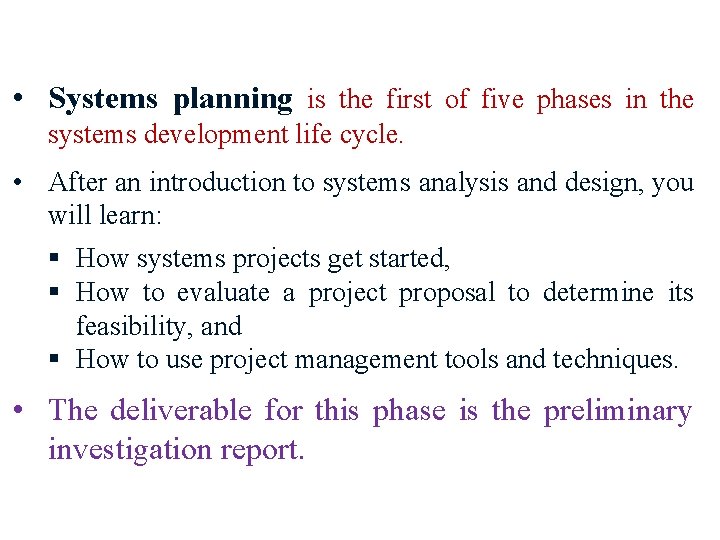
• Systems planning is the first of five phases in the systems development life cycle. • After an introduction to systems analysis and design, you will learn: § How systems projects get started, § How to evaluate a project proposal to determine its feasibility, and § How to use project management tools and techniques. • The deliverable for this phase is the preliminary investigation report.
Chapter 1 Introduction to Systems Analysis and Design
Chapter Description v Chapter 1 is the first of three chapters in the systems planning phase. v This chapter describes the role of information technology in today’s dynamic business environment. v In this chapter, you will learn about the development of information systems, systems analysis and design concepts, and various systems development methods. v This chapter also describes the role of the information technology department and its people. 5
Objectives v Discuss the impact of information technology on business strategy and success. v Define an information system and describe its components. v Explain how profiles and models can represent business functions and operations. v Explain how the Internet has affected business strategies and relationships. v Identify various types of information systems and explain who uses them. 6
Objectives v Explain modeling, prototyping, and CASE tools. v Distinguish between structured analysis and object-oriented analysis. v Compare the systems development life cycle waterfall model to adaptive models. v Discuss the role of the information technology department and the systems analysts who work there. 7
Introduction v Companies use information as a weapon in the battle to increase productivity, deliver quality products and services, maintain customer loyalty, and make sound decisions. v Information technology can mean the difference between success and failure 8
The Impact of Information Technology v Information Technology (IT): – Combination of hardware, software, and services that people use to manage, communicate, and share information. – Business success depends on information technology. IT is driving a new digital economy, where advances in hardware, software, and connectivity can provide enormous benefits to businesses and individuals. 9
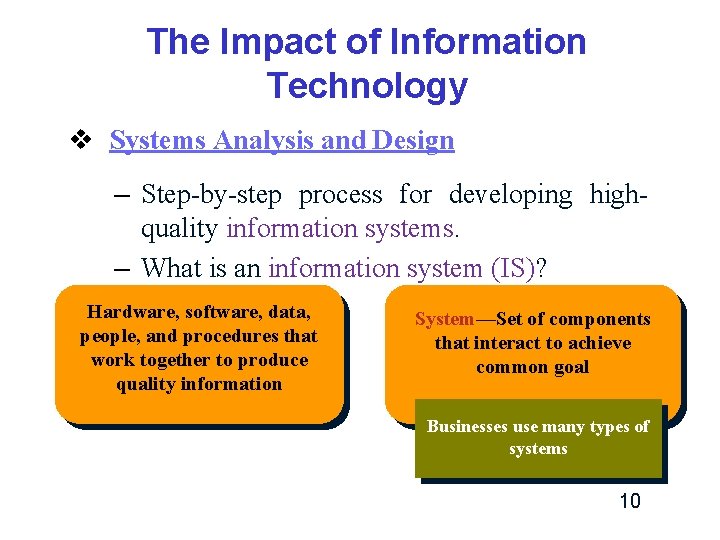
The Impact of Information Technology v Systems Analysis and Design – Step-by-step process for developing highquality information systems. – What is an information system (IS)? Hardware, software, data, people, and procedures that work together to produce quality information System—Set of components that interact to achieve common goal Businesses use many types of systems 10
The Impact of Information Technology v Who develops Information Systems? – Traditionally: q In-house applications q Software packages – Today, the choice is much more complex, q q – Internet-based application services Outsourcing Custom solutions from IT consultants Enterprise-wide software strategies It is always important for companies to plan the system carefully before considering implementation options. 11
The Impact of Information Technology v Systems Development – Business information systems are developed by people who are technically qualified, business-oriented, and highly motivated. – Successful developers also must be good communicators with strong analytical and critical thinking skills. 12
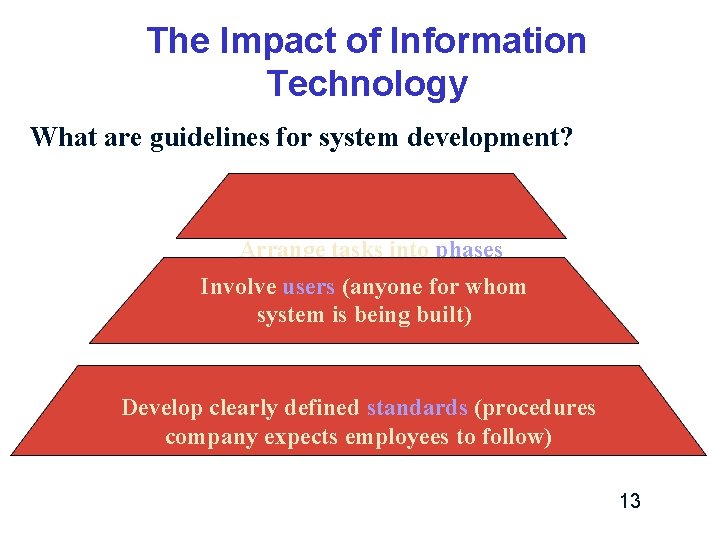
The Impact of Information Technology What are guidelines for system development? Arrange tasks into phases of activities) Involve(groups users (anyone for whom system is being built) Develop clearly defined standards (procedures company expects employees to follow) 13
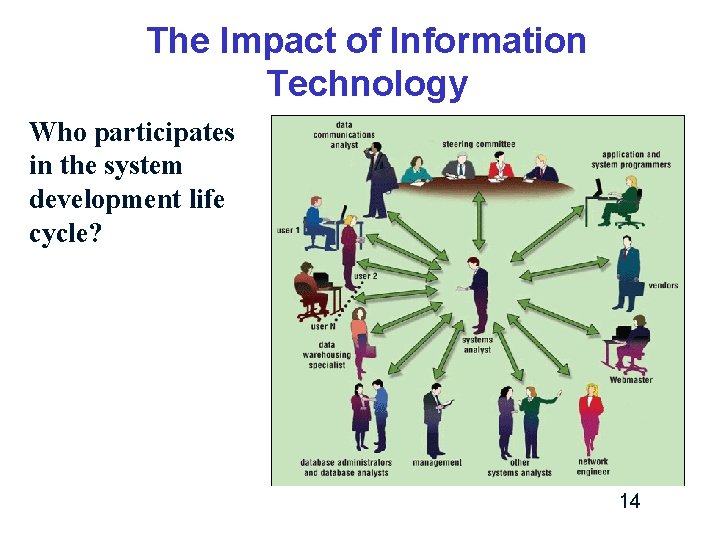
The Impact of Information Technology Who participates in the system development life cycle? 14
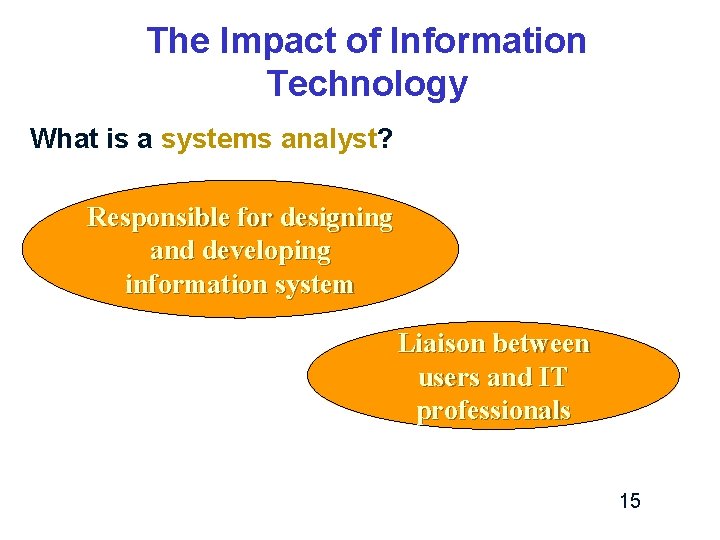
The Impact of Information Technology What is a systems analyst? Responsible for designing and developing information system Liaison between users and IT professionals 15
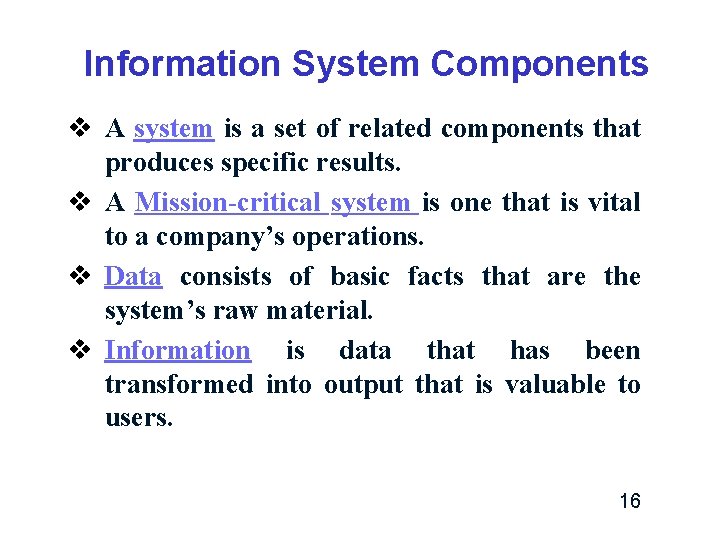
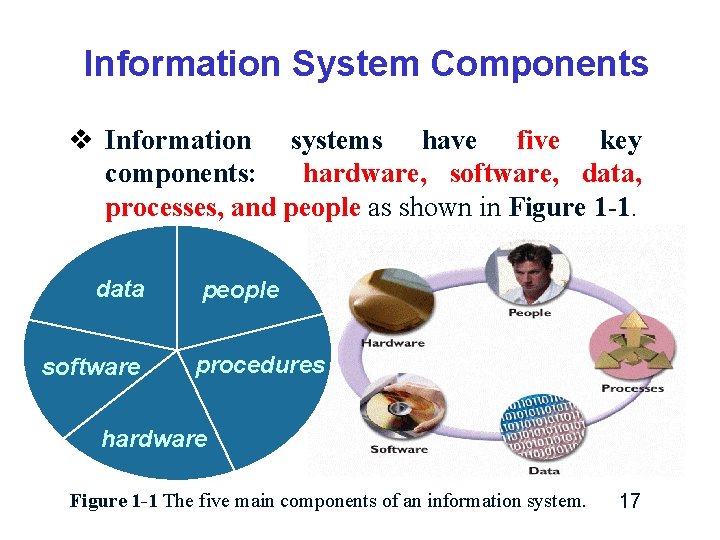
Information System Components v A system is a set of related components that produces specific results. v A Mission-critical system is one that is vital to a company’s operations. v Data consists of basic facts that are the system’s raw material. v Information is data that has been transformed into output that is valuable to users. 16
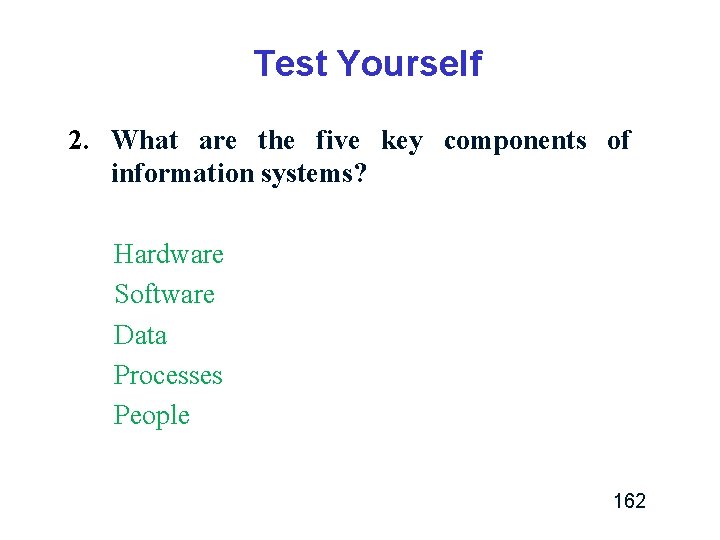
Information System Components v Information systems have five key components: hardware, software, data, processes, and people as shown in Figure 1 -1. data software people procedures hardware Figure 1 -1 The five main components of an information system. 17
Information System Components v Hardware – Is the physical layer of the information system. 18
Information System Components v Software – refers to the programs that control the hardware and produce the desired information or results. – Software consists of system software and application software. 19
Information System Components v Software (Cont. ) – System software manages the hardware components. q Examples of system software: ü Operating system ü Security software that protects the computer from intrusion ü Utility programs that handle specific tasks such as data backup and disk management. 20
Information System Components v Software (Cont. ) – Application software consists of programs that support day-to-day business functions and provide users with the information they require. 21
Information System Components v Software (Cont. ) q Examples of application software: ü Enterprise applications (order processing systems, payroll systems) ü Horizontal system: adapted for use in many different types of companies (an inventory application) ü Vertical system: meet the unique requirements of a specific business or industry (Web-based retailer, a medical practice, or a video chain) ü Legacy systems: how a new system will interface with older systems (new human resources system might need to exchange data with an older payroll application) 22
Information System Components v Data – Is the raw material that an information system transforms into useful information. 23
Information System Components v Processes – Define the tasks and business functions that users, managers, and IT staff members perform to achieve specific results. 24
Information System Components v People – People who have an interest in an information system are called stakeholders. ü Users, or end users, are the people who interact with an information system, both inside and outside the company. ü IT staff members, such as systems analysts, programmers, and network administrators who develop and support the system. 25
Understanding The Business v IT professionals must understand a company’s operations to design successful systems. v Each business situation is different. – For example: a retail store, a medical practice, and a hotel chain all have unique information systems requirements. v Systems analysts use a process called Business Process Modeling to represent company operations and information needs. – Business process modeling requires a business profile and a series of models that document 26 business processes.
Understanding The Business v Business Profile – A business profile is an overview of a company’s mission, functions, organization, products, services, customers, suppliers, competitors, constraints, and future direction. – Although much of this information is readily available, a systems analyst usually needs to do additional research and fact-finding. – A business profile is the starting point for the modeling process. 27
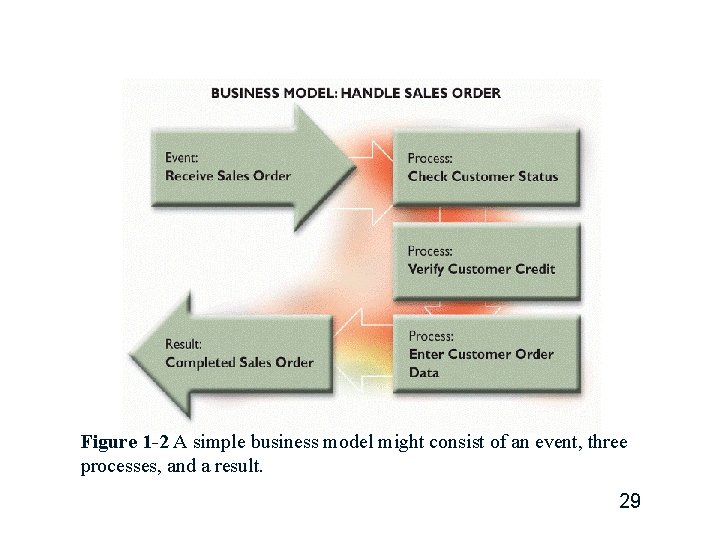
Understanding The Business v Business process – A business process is a specific set of transactions, events, and results that can be described and documented. – A business process model (BPM) graphically displays one or more business processes, such as handling an airline reservation, filling a product order, or updating a customer account. (Figure 1 -2) 28
Figure 1 -2 A simple business model might consist of an event, three processes, and a result. 29
Understanding The Business v New Kinds of Companies – Traditionally, IT companies were identified as product-oriented or service-oriented. Ø Product-oriented firms manufactured computers, routers, or the microchips. Ø service-oriented companies included vendors, software developers, and service providers. 30
Understanding The Business v New Kinds of Companies (Cont. ) – Today, most successful IT companies offer a mix of products, services, and support. – Value-added services such as consulting, financing, and technical support can be more profitable than hardware. 31
Understanding The Business v New Kinds of Companies (Cont. ) – The newest kind of company is the Internetdependent, often described as a Dot-com (. com) company because its primary business depends on the Internet rather than a traditional business channel. Ø Google, Yahoo!, Amazon, and e. Bay are examples of pure dot-com companies. 32
Understanding The Business v New Kinds of Companies (Cont. ) – At the other end of the scale are traditional firms, sometimes called Brick-and-mortar companies because they conduct business primarily from physical locations. Ø Brick-and-mortar firms — such as Lowe’s, Target, and Wal-Mart — have expanded their Web-based marketing channels to increase sales and serve customers better. This strategy combines the online shopping and the alternative of hands-on purchasing for customers who prefer that option. 33
Impact of the Internet v Internet-based commerce is called E-Commerce (electronic commerce) or I-Commerce (Internet commerce). v Electronic commerce describes the buying and selling of products, services, and information via computer networks including the Internet. 34
Impact of the Internet v Internet-based systems involve various hardware and software designs, but a typical model is a series of Web pages that provides a user interface, which communicates with database management software and a Web-based data server. v E-commerce includes two main sectors: B 2 C (business-to-consumer) and B 2 B (business-tobusiness). 35
Impact of the Internet v B 2 C (Business-to-Consumer) – Online transactions between businesses and consumers. – Example: Ø Online booking 36
Impact of the Internet v B 2 B (Business-to-Business) – Businesses make online transactions purchases with other business. – B 2 B is more attractive than B 2 C because it can be more easily implemented. Almost all businesses purchase materials of some sort, and the use of B 2 B can help immediately reduce those costs. 37
Impact of the Internet v B 2 B (Business-to-Business) (Cont. ) – Electronic commerce between two companies used a data sharing arrangement called electronic data interchange (EDI). – EDI enabled computer-to-computer data transfer, usually over private telecommunications lines. – Firms used EDI to plan production, adjust inventory levels, or stock up on raw materials using data from another company’s information system. 38
Impact of the Internet v B 2 B (Business-to-Business) (Cont. ) – As B 2 B volume soared, the development of Extensible markup language (XML) enabled company-to-company traffic to migrate to the Internet, which offered standard protocols, universal availability, and low communication costs. – XML is a flexible data description language that allows Web-based communication between different hardware and software environments. 39
Impact of the Internet v B 2 B (Business-to-Business) (Cont. ) – On an industry-wide scale, many B 2 B sites exist where buyers, sellers, distributors, and manufacturers can offer products, submit specifications, and transact business. – This popular form of online B 2 B interaction is called Supply chain management (SCM), or Supplier relationship management (SRM). 40
Business Information Systems v In past, IT managers divided systems into categories based on the user group the system served. v Categories and users included – Office systems (administrative staff) – Operational systems (operational personnel) – Decision support systems (middle-managers and knowledge workers) – Executive information systems (top managers). 41
Business Information Systems v Today, it makes more sense to identify a system by its functions, rather than by users. v A new set of system definitions includes – – – Enterprise computing systems Transaction processing systems Business support systems Knowledge management systems User productivity systems 42
Business Information Systems v Enterprise computing systems – Enterprise computing refers to information systems that support company-wide operations and data management requirements. – Examples: Ø Wal-Mart’s inventory control system. Ø Boeing’s production control system. Ø Hilton Hotels’ reservation system. 43
Business Information Systems v Enterprise computing systems (Cont. ) – The main objective of enterprise computing: q integrates a company’s primary functions (such as production, sales, services, inventory control, and accounting) to improve efficiency, reduce costs, and help managers make key decisions. q improves data security and reliability by imposing a company-wide framework for data access and storage. 44
Business Information Systems v Enterprise computing systems (Cont. ) – Enterprise resource planning (ERP) systems provide cost-effective support for users and managers throughout the company. – Example: Ø Car rental company uses ERP to forecast customer demand for rental cars at hundreds of locations. 45
Business Information Systems v Transaction processing systems – Transaction processing (TP) systems process data generated by day-to-day business operations. – Examples: Ø customer order processing Ø accounts receivable Ø warranty claim processing 46
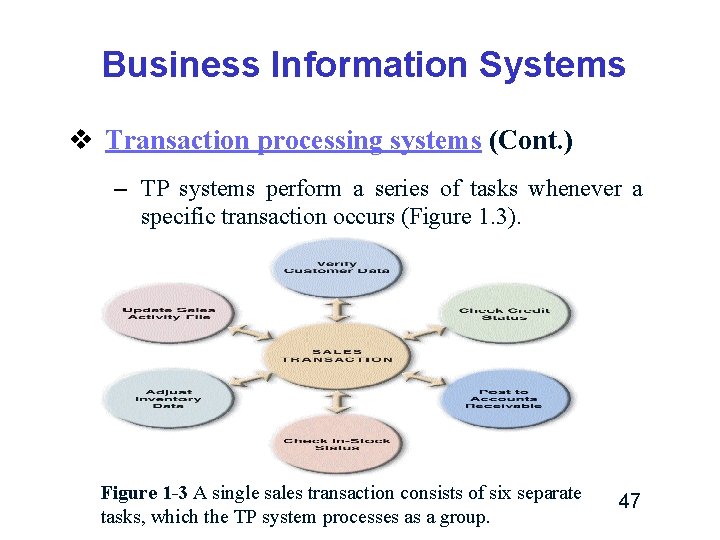
Business Information Systems v Transaction processing systems (Cont. ) – TP systems perform a series of tasks whenever a specific transaction occurs (Figure 1. 3). Figure 1 -3 A single sales transaction consists of six separate tasks, which the TP system processes as a group. 47
Business Information Systems v Transaction processing systems (Cont. ) – Efficient because they process a set of transaction-related commands as a group rather than individually. – To protect data integrity, TP systems ensure that if any single element of a transaction fails, the system does not process the rest of the transaction. 48
Business Information Systems v Business support systems – Provide job-related information to users at all levels of a company. – These systems can analyze transactional data, generate information needed to manage and control business processes, and provide information that leads to better decisionmaking. 49
Business Information Systems v Business support systems (Cont. ) – Management information systems (MIS): managers are the primary users. – Today, employees at all levels need information to perform their jobs, and they rely on information systems for that support. 50
Business Information Systems v Business support systems (Cont. ) – A business support system can work hand in hand with a TP system. – For example, when a company sells merchandise to a customer, a TP system records the sale, updates the customer’s balance, and makes a deduction from inventory. 51
Business Information Systems v Business support systems (Cont. ) – To compete effectively, firms must collect production, sales, and shipping data and update the company-wide business support system immediately. – The newest development in data acquisition is called Radio frequency identification (RFID), which uses high-frequency radio waves to track physical objects. 52
Business Information Systems v Business support systems (Cont. ) – An important feature of a business support system is decision support capability. – Decision support helps users make decisions by creating a computer model and applying a set of variables. 53
Business Information Systems v Business support systems (Cont. ) – Examples: Ø Truck fleet dispatcher might run a series of What -if scenarios to determine the impact of increased shipments or bad weather. Ø Retailer might use What-if analysis to determine the price it must charge to increase profits by a specific amount while volume and costs remain unchanged. 54
Business Information Systems v Knowledge management systems – knowledge management systems are called expert systems because they simulate human reasoning by combining a knowledge base and inference rules that determine how the knowledge is applied. 55
Business Information Systems v Knowledge management systems (Cont. ) – Many knowledge management systems use a technique called fuzzy logic that allows inferences to be drawn from imprecise relationships. – Using fuzzy logic, values need not be black and white, like binary logic, but can be many shades of gray. 56
Business Information Systems v User productivity systems – Technology that improves productivity. – Examples of user productivity systems: Ø e-mail, voice mail, fax, video and Web conferencing, word processing, automated calendars, database management, spreadsheets, desktop publishing, presentation graphics, company intranets, and high-speed Internet access. 57
Business Information Systems v User productivity systems (Cont. ) – User productivity systems also include groupware. – Groupware programs run on a company intranet and enable users to share data, collaborate on projects, and work in teams. – Example: Ø Group. Wise, offered by Novell. 58
Business Information Systems v information systems integration – Most large companies require systems that combine transaction processing, business support, knowledge management, and user productivity features. 59
Business Information Systems v information systems integration (Cont. ) – Example: Ø Suppose an international customer has a problem with a product and makes a warranty claim. Ø A customer service representative enters the claim into a TP system. Ø The transaction updates two other systems: a knowledge management system that tracks product problems and warranty activity, and a quality control system with decision support capabilities. 60
Business Information Systems v information systems integration (Cont. ) – Example: (Cont. ) Ø A quality control engineer uses what-if analysis to determine if it would be advantageous to make product design changes to reduce warranty claims. Ø In this example, a TP system is integrated with a knowledge management system and a business support system with decision support features. 61
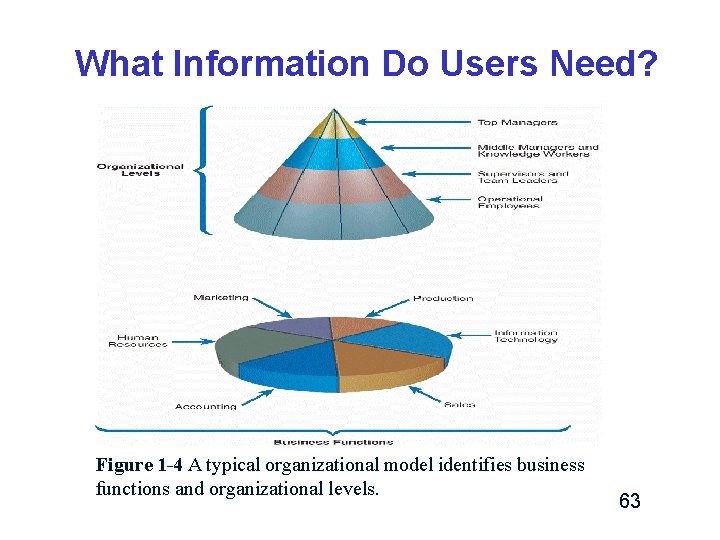
What Information Do Users Need? v Figure 1 -4 shows a typical organizational model identifies business functions and organizational levels. – Within the functional areas, operational personnel report to supervisors and team leaders. – The next level includes middle managers and knowledge workers, who, in turn, report to top managers. – In a corporate structure, the top managers report to a board of directors elected by the company’s shareholders. 62
What Information Do Users Need? Figure 1 -4 A typical organizational model identifies business functions and organizational levels. 63
What Information Do Users Need? v A systems analyst must understand the company’s organizational model in order to recognize who is responsible for specific processes and decisions and to be aware of what information is required by whom. 64
What Information Do Users Need? v Top managers – Top managers develop long-range plans, called strategic plans, which define the company’s overall mission and goals. – To plot a future course, top managers ask questions such as: Ø “How much should the company invest in information technology? ” or Ø “How much will Internet sales grow in the next five years? ” or 65
What Information Do Users Need? v Top managers (Cont. ) Ø “Should the company build new factories or contract out the production functions? ” – Strategic planning affects the company’s future survival and growth, including longterm IT plans. – Top managers focus on the overall business enterprise and use IT to set the company’s course and direction. 66
What Information Do Users Need? v Top managers (Cont. ) – To develop a strategic plan, top managers also need information from outside the company, such as economic forecasts, technology trends, competitive threats, and governmental issues. 67
What Information Do Users Need? v Middle Managers and Knowledge Workers – Middle managers provide direction, necessary resources, and performance feedback to supervisors and team leaders. – Middle managers need more detailed information than top managers, but somewhat less than supervisors who oversee day-to-day operations. 68
What Information Do Users Need? v Middle Managers and Knowledge Workers – Middle managers need more detailed information than top managers, but somewhat less than supervisors who oversee day-to-day operations. – Example: Ø A middle manager might review a weekly sales summary for a three-state area, whereas a local sales team leader would need a daily report on customer sales at a single location. 69
What Information Do Users Need? v Middle Managers and Knowledge Workers – Every company has people called knowledge workers. – Knowledge workers include professional staff members such as systems analysts, programmers, accountants, researchers, trainers, and human resource specialists. – Knowledge workers also use business support systems, knowledge management systems, and user productivity systems. 70
What Information Do Users Need? v Middle Managers and Knowledge Workers – Knowledge workers provide support for the organization’s basic functions. – Just as a military unit requires logistical support, a successful company needs knowledge workers to carry out its mission. 71
What Information Do Users Need? v Supervisors and Team Leaders – Supervisors, often called team leaders, oversee operational employees and carry out day-to-day functions. They coordinate operational tasks and people, make necessary decisions, and ensure that the right tools, materials, and training are available. – Supervisors and team leaders need decision support information, knowledge management systems, and user productivity systems to carry out their responsibilities. 72
What Information Do Users Need? v Operational Employees – Operational employees include users who rely on TP systems to enter and receive data they need to perform their jobs. – In many companies, operational users also need information to handle tasks and make decisions that were assigned previously to supervisors. Ø This trend, called employees more accountability. empowerment, responsibility gives and 73
Systems Development Tools v Systems analysts must know how to use a variety of techniques such as modeling, prototyping, and computer-aided systems engineering tools to plan, design, and implement information systems. v Systems analysts work with these tools in a team environment. 74
Systems Development Tools v Modeling – Modeling produces a graphical representation of a concept or process that systems developers can analyze, test, and modify. – A systems analyst can describe and simplify an information system by using a set of business, data, object, network, and process models. 75
Systems Development Tools v Modeling (Cont. ) – A business model, or requirements model, describes the information that a system must provide. – A data model describes data structures and design. – An object model describes objects, which combine data and processes. 76
Systems Development Tools v Modeling (Cont. ) – A network model describes the design and protocols of telecommunications links. – A process model describes the logic that programmers use to write code modules. 77
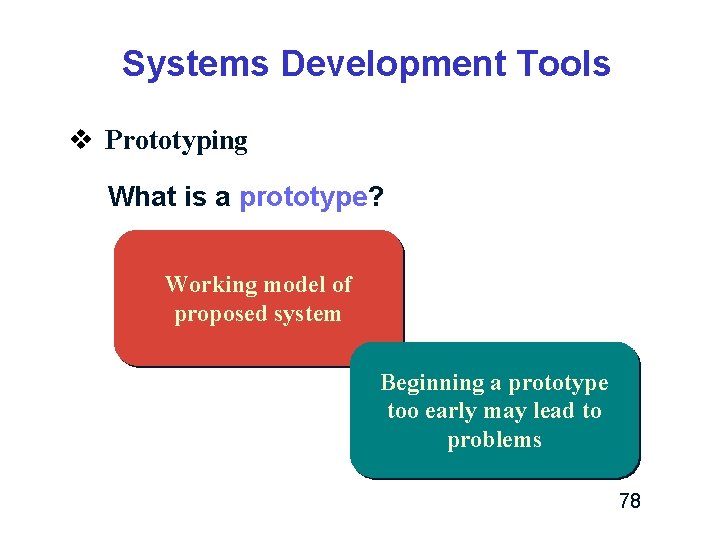
Systems Development Tools v Prototyping What is a prototype? Working model of proposed system Beginning a prototype too early may lead to problems 78
Systems Development Tools v Prototyping – Prototyping tests system concepts and provides an opportunity to examine input, output, and user interfaces before final decisions are made. – A prototype is an early working version of an information system. – A prototype can be an extremely valuable tool. 79
Systems Development Tools v Prototyping (Cont. ) – Advantage: Ø Speeds up the development process significantly (prototype can serve as an initial model that is used as a benchmark to evaluate the finished system, or the prototype itself can develop into the final version of the system). 80
Systems Development Tools v Prototyping (Cont. ) – Disadvantage: Ø Important decisions might be made too early, before business or IT issues are thoroughly understood. 81
Systems Development Tools v Computer-Aided (CASE) Tools Systems Engineering – Computer-Aided Systems Engineering (CASE), also called computer-aided software engineering, is a technique that uses powerful software, called CASE tools, to help systems analysts develop and maintain information systems. 82
Systems Development Tools v Computer-Aided Systems (CASE) Tools (Cont. ) Engineering – CASE tools provide an overall framework for systems development and support a wide variety of design methodologies, including structured analysis and object-oriented analysis. 83
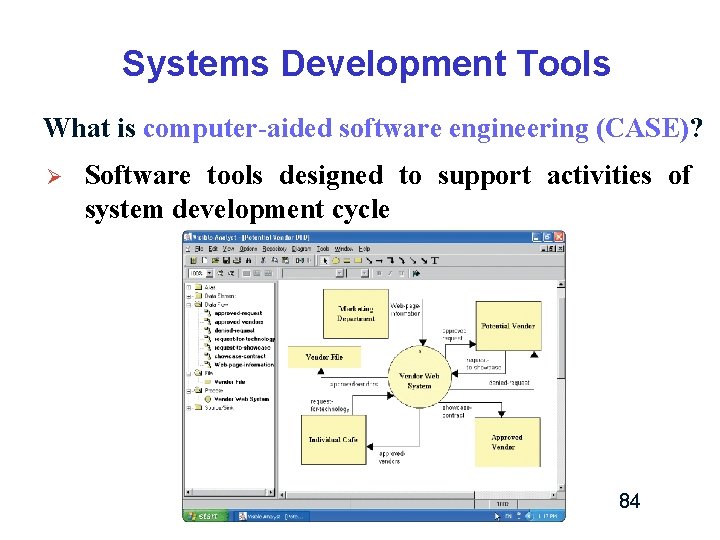
Systems Development Tools What is computer-aided software engineering (CASE)? Ø Software tools designed to support activities of system development cycle 84
Systems Development Methods v The most popular alternatives are structured analysis, which is a traditional method that still is widely used, object-oriented analysis (O-O), which is a newer approach that many analysts prefer, and agile methods, also called adaptive methods, which include the latest trends in software development. v The important thing is for a systems analyst to understand the various methods and the strengths and weaknesses of each approach. 85
Systems Development Methods v Structured Analysis – Structured analysis uses a series of phases, called the systems development life cycle (SDLC), to plan, analyze, design, implement, and support an information system. – Structured analysis is based on an overall plan, similar to a blueprint for constructing a building, so it is called a predictive approach. 86
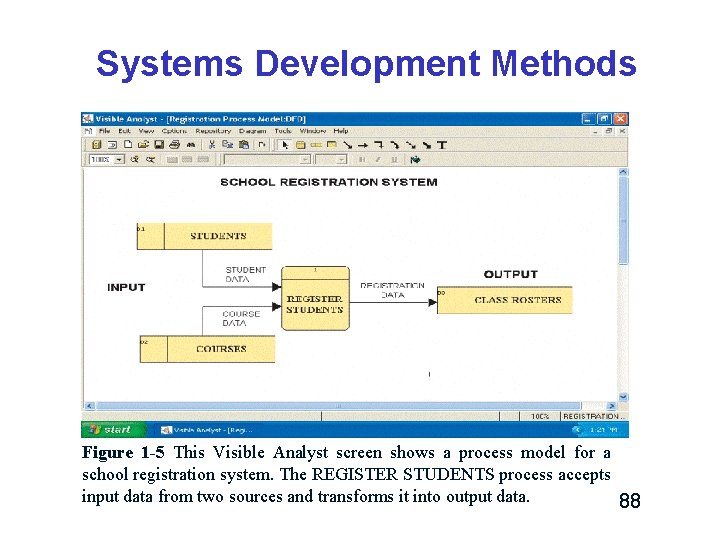
Systems Development Methods v Structured Analysis (Cont. ) – Uses a set of process models to describe a system graphically (Figure 1 -5). – Because it focuses on processes that transform data into useful information, structured analysis is called a processcentered technique. 87
Systems Development Methods Figure 1 -5 This Visible Analyst screen shows a process model for a school registration system. The REGISTER STUDENTS process accepts input data from two sources and transforms it into output data. 88
Systems Development Methods v Structured Analysis (Cont. ) – Structured analysis uses the SDLC to plan and manage the systems development process. – The SDLC describes activities and functions that all systems developers perform, regardless of which approach they use. – The SDLC usually is referred to as the waterfall model. 89
Systems Development Methods v The SDLC Waterfall Model – In the waterfall model, the result of each phase is called a deliverable, or end product. – Some analysts see a disadvantage in the built -in structure of the SDLC, because the waterfall model does not emphasize interactivity among the phases. – This criticism can be valid if the SDLC phases are followed too rigidly. 90
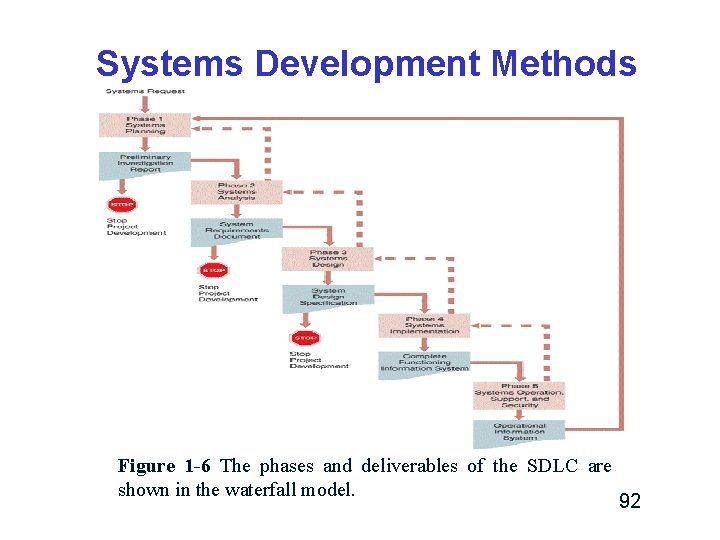
Systems Development Methods v The SDLC Waterfall Model (Cont. ) – However, adjacent phases usually interact, as shown by the dotted lines in Figure 1 -6 and interaction among several phases is not uncommon. 91
Systems Development Methods Figure 1 -6 The phases and deliverables of the SDLC are shown in the waterfall model. 92
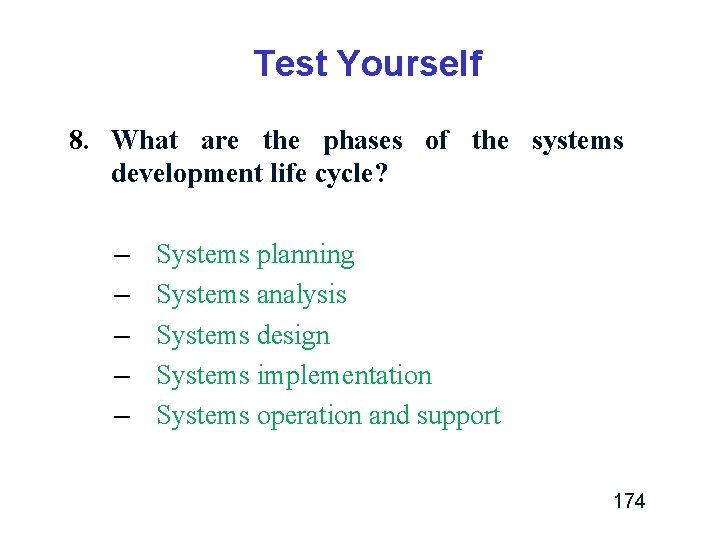
Systems Development Methods v The SDLC Waterfall Model (Cont. ) – Usually includes five steps Ø Ø Ø Systems planning Systems analysis Systems design Systems implementation Systems operation, support, and security 93
Systems Development Methods Phase 2. Analysis Phase 1. Planning § § § Review project requests Prioritize project requests Allocate resources Identify project development team Conduct preliminary investigation § Perform detailed analysis activities: Study current system Determine user requirements Recommend solution Phase 5. Support § § § Conduct post-implementation system review Identify errors and enhancements Monitor system performance Phase 3. Design § § Acquire hardware and software, if necessary Develop details of system Phase 4. Implementation § § Develop programs, if necessary Install and test new system Train users Convert to new system 94
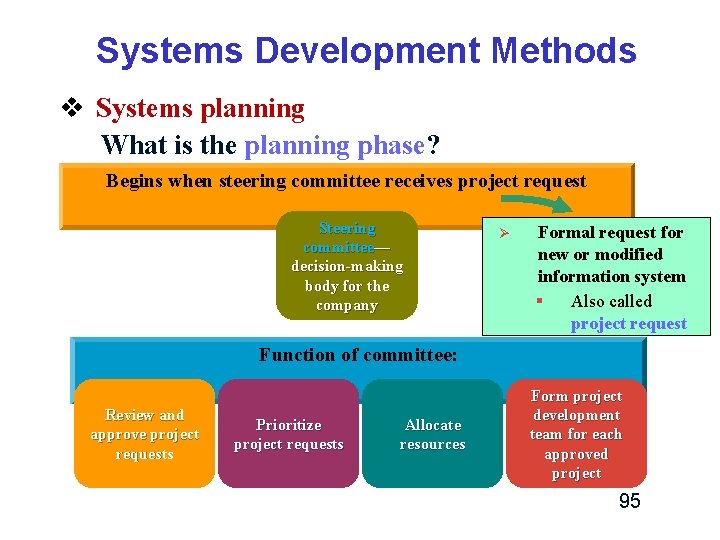
Systems Development Methods v Systems planning What is the planning phase? Begins when steering committee receives project request Steering committee— decision-making body for the company Ø Formal request for new or modified information system § Also called project request Function of committee: Review and approve project requests Prioritize project requests Allocate resources Form project development team for each approved project 95
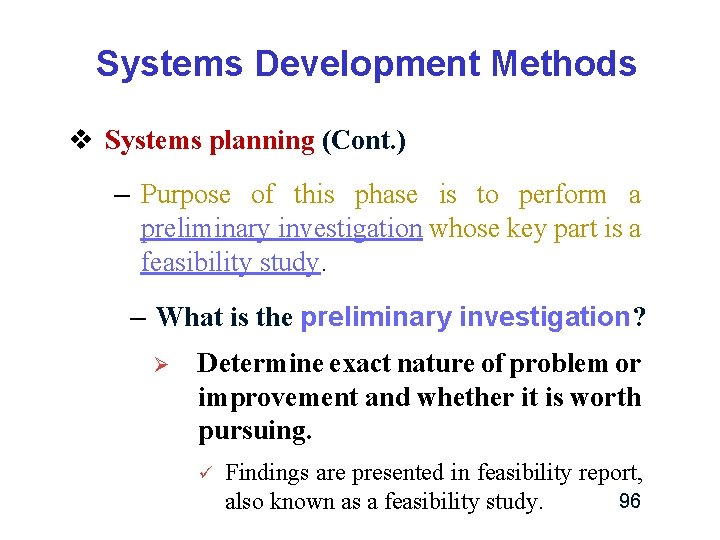
Systems Development Methods v Systems planning (Cont. ) – Purpose of this phase is to perform a preliminary investigation whose key part is a feasibility study. – What is the preliminary investigation? Ø Determine exact nature of problem or improvement and whether it is worth pursuing. ü Findings are presented in feasibility report, 96 also known as a feasibility study.
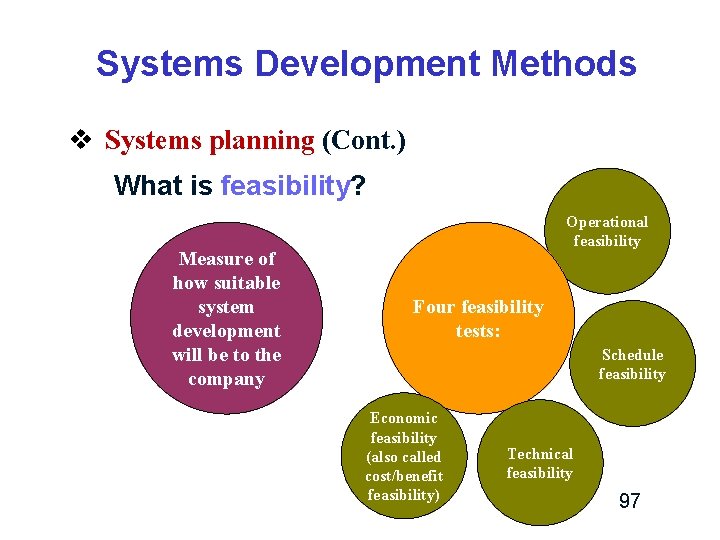
Systems Development Methods v Systems planning (Cont. ) What is feasibility? Measure of how suitable system development will be to the company Operational feasibility Four feasibility tests: Schedule feasibility Economic feasibility (also called cost/benefit feasibility) Technical feasibility 97
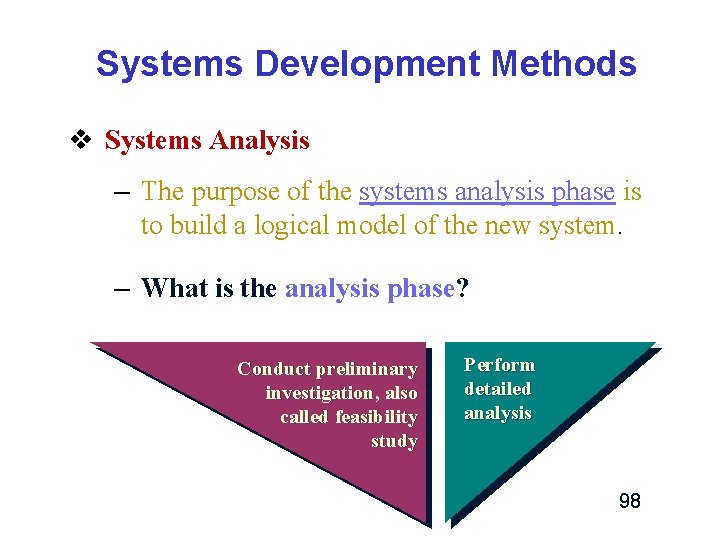
Systems Development Methods v Systems Analysis – The purpose of the systems analysis phase is to build a logical model of the new system. – What is the analysis phase? Conduct preliminary investigation, also called feasibility study Perform detailed analysis 98
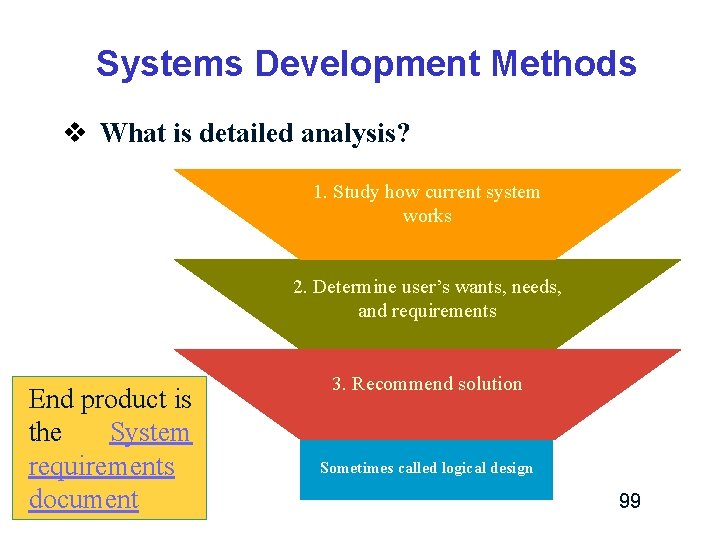
Systems Development Methods v What is detailed analysis? 1. Study how current system works 2. Determine user’s wants, needs, and requirements End product is the System requirements document 3. Recommend solution Sometimes called logical design 99
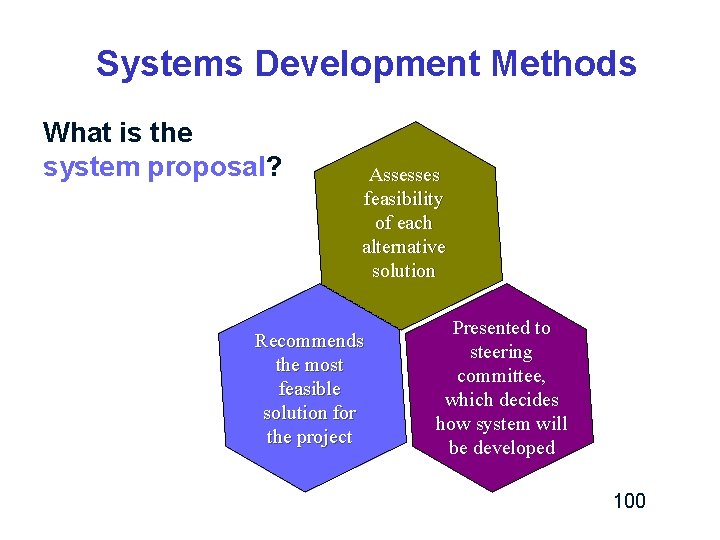
Systems Development Methods What is the system proposal? Assesses feasibility of each alternative solution Recommends the most feasible solution for the project Presented to steering committee, which decides how system will be developed 100
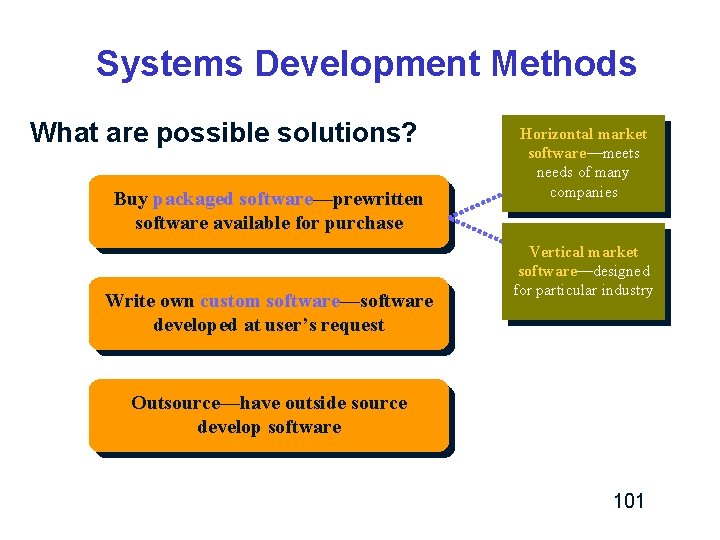
Systems Development Methods What are possible solutions? Buy packaged software—prewritten software available for purchase Write own custom software—software developed at user’s request Horizontal market software—meets needs of many companies Vertical market software—designed for particular industry Outsource—have outside source develop software 101
Systems Development Methods v Systems Design – The purpose of the systems design phase is to create a physical model that will satisfy all documented requirements for the system. – End product is system design specification 102
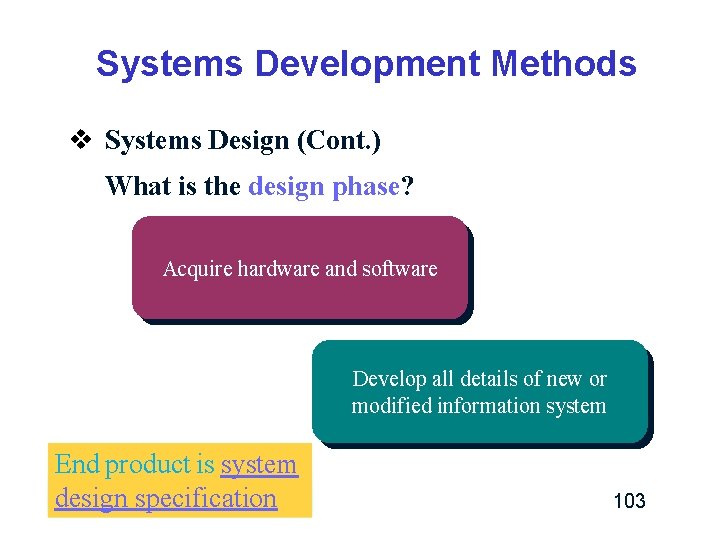
Systems Development Methods v Systems Design (Cont. ) What is the design phase? Acquire hardware and software Develop all details of new or modified information system End product is system design specification 103
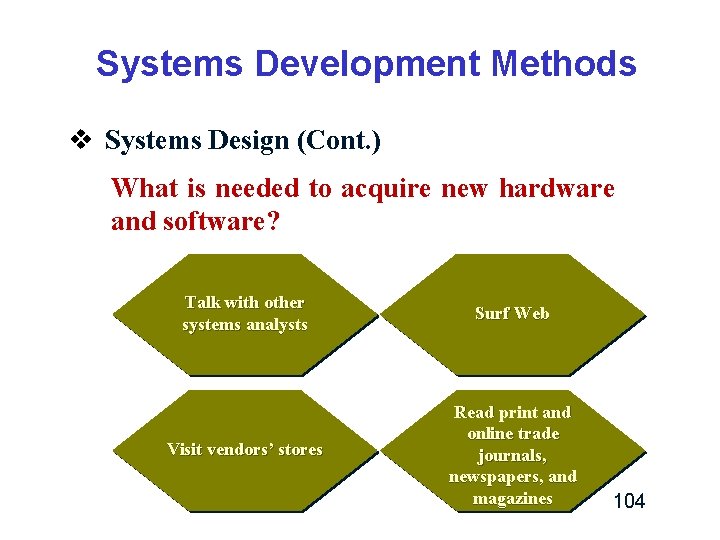
Systems Development Methods v Systems Design (Cont. ) What is needed to acquire new hardware and software? Talk with other systems analysts Surf Web Visit vendors’ stores Read print and online trade journals, newspapers, and magazines 104
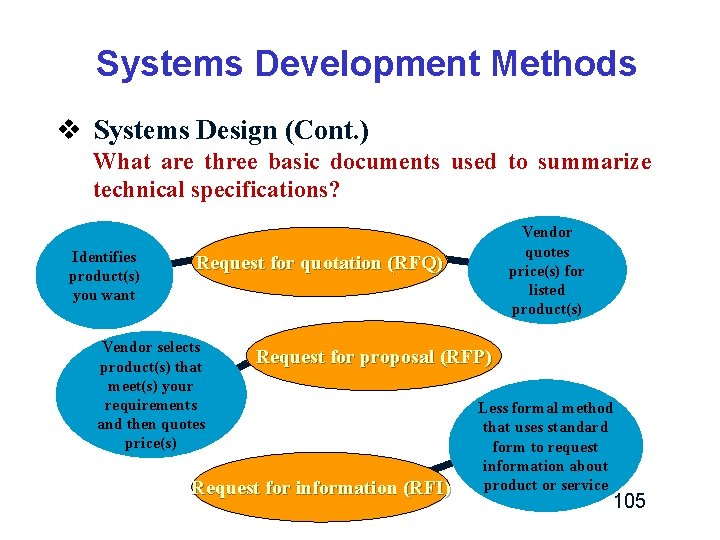
Systems Development Methods v Systems Design (Cont. ) What are three basic documents used to summarize technical specifications? Identifies product(s) you want Vendor quotes price(s) for listed product(s) Request for quotation (RFQ) Vendor selects product(s) that meet(s) your requirements and then quotes price(s) Request for proposal (RFP) Request for information (RFI) Less formal method that uses standard form to request information about product or service 105
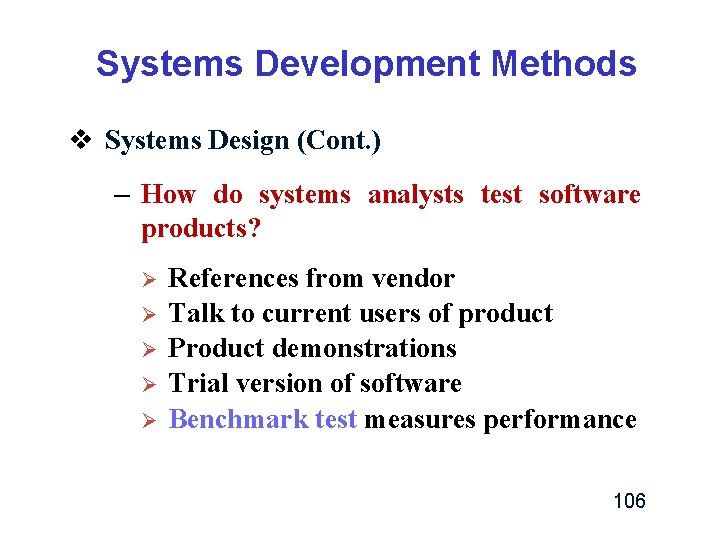
Systems Development Methods v Systems Design (Cont. ) – How do systems analysts test software products? Ø Ø Ø References from vendor Talk to current users of product Product demonstrations Trial version of software Benchmark test measures performance 106
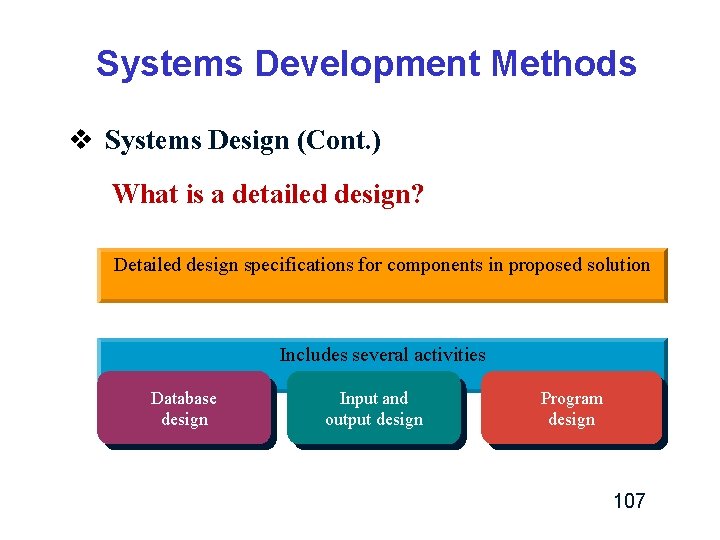
Systems Development Methods v Systems Design (Cont. ) What is a detailed design? Detailed design specifications for components in proposed solution Includes several activities Database design Input and output design Program design 107
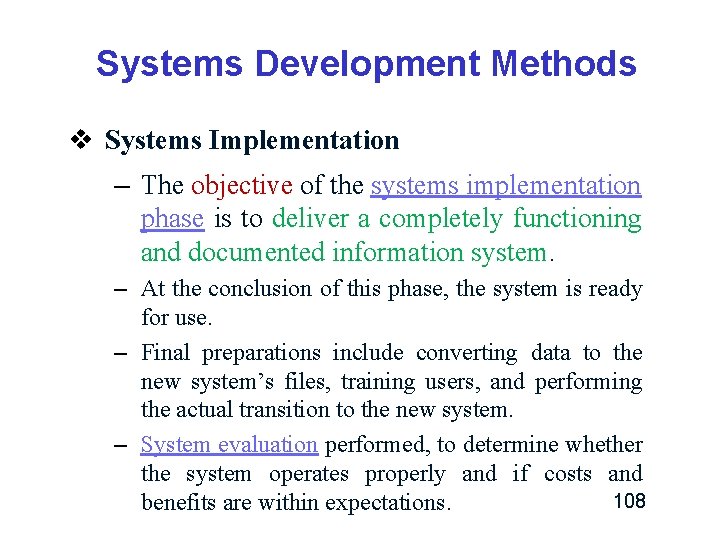
Systems Development Methods v Systems Implementation – The objective of the systems implementation phase is to deliver a completely functioning and documented information system. – At the conclusion of this phase, the system is ready for use. – Final preparations include converting data to the new system’s files, training users, and performing the actual transition to the new system. – System evaluation performed, to determine whether the system operates properly and if costs and 108 benefits are within expectations.
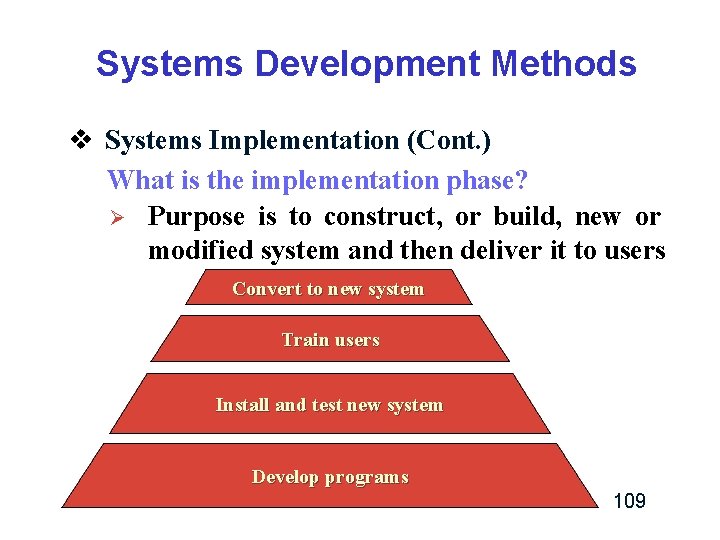
Systems Development Methods v Systems Implementation (Cont. ) What is the implementation phase? Ø Purpose is to construct, or build, new or modified system and then deliver it to users Convert to new system Train users Install and test new system Develop programs 109
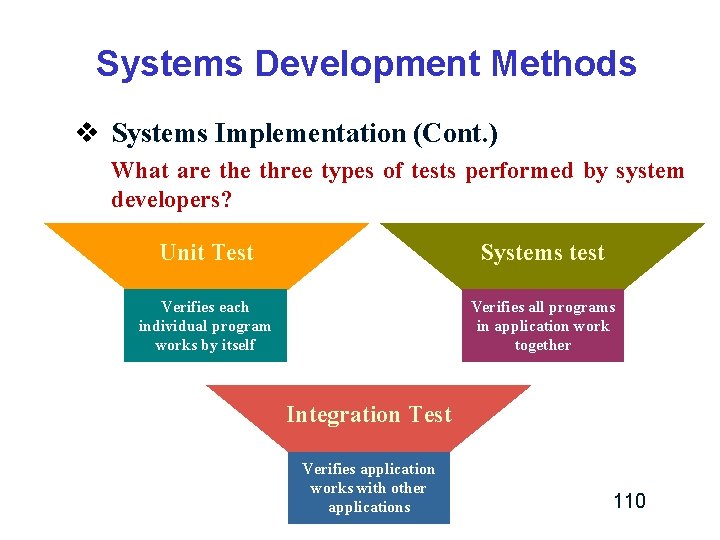
Systems Development Methods v Systems Implementation (Cont. ) What are three types of tests performed by system developers? Unit Test Systems test Verifies each individual program works by itself Verifies all programs in application work together Integration Test Verifies application works with other applications 110
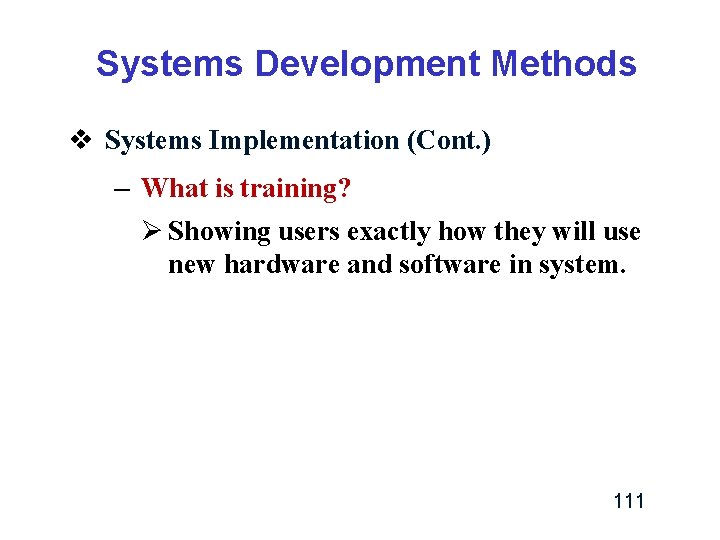
Systems Development Methods v Systems Implementation (Cont. ) – What is training? Ø Showing users exactly how they will use new hardware and software in system. 111
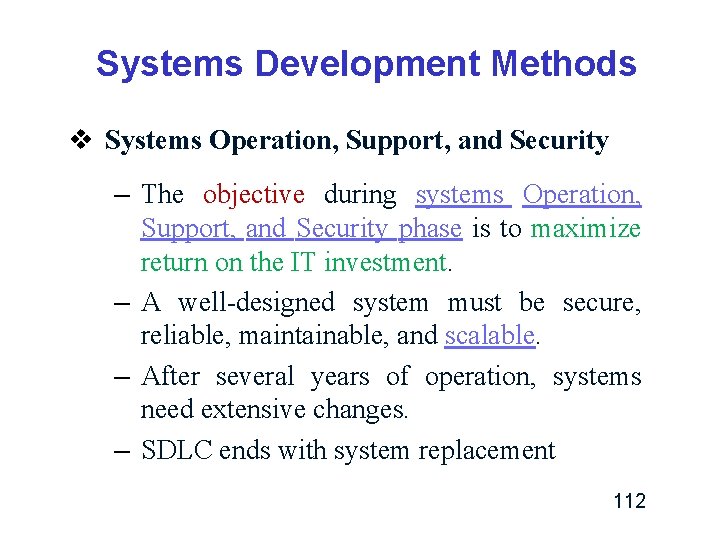
Systems Development Methods v Systems Operation, Support, and Security – The objective during systems Operation, Support, and Security phase is to maximize return on the IT investment. – A well-designed system must be secure, reliable, maintainable, and scalable. – After several years of operation, systems need extensive changes. – SDLC ends with system replacement 112
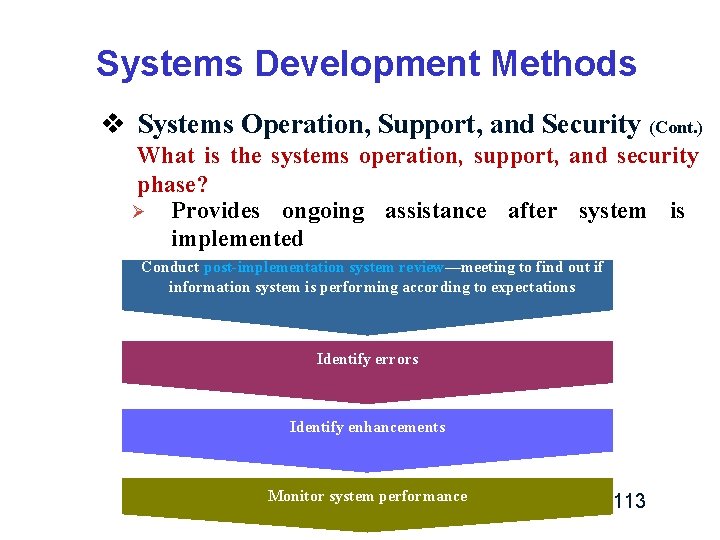
Systems Development Methods v Systems Operation, Support, and Security (Cont. ) What is the systems operation, support, and security phase? Ø Provides ongoing assistance after system is implemented Conduct post-implementation system review—meeting to find out if information system is performing according to expectations Identify errors Identify enhancements Monitor system performance 113
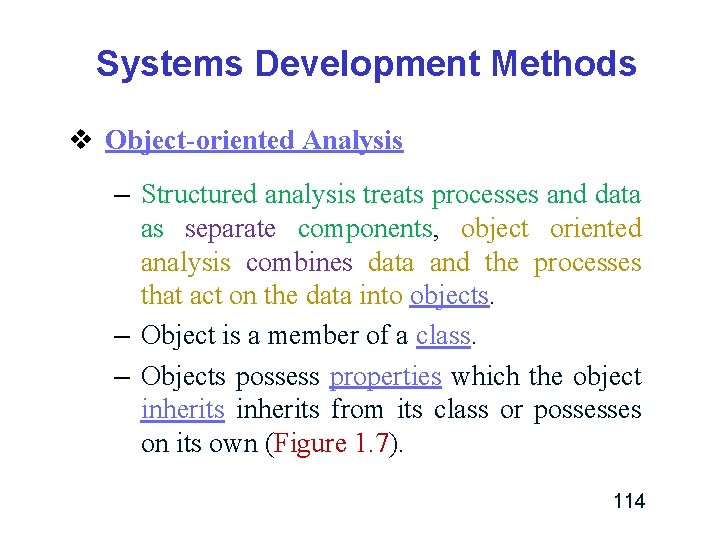
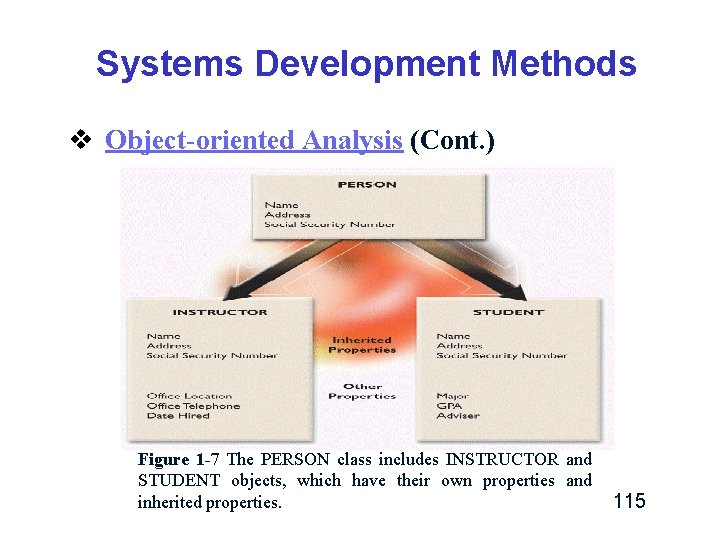
Systems Development Methods v Object-oriented Analysis – Structured analysis treats processes and data as separate components, object oriented analysis combines data and the processes that act on the data into objects. – Object is a member of a class. – Objects possess properties which the object inherits from its class or possesses on its own (Figure 1. 7). 114
Systems Development Methods v Object-oriented Analysis (Cont. ) Figure 1 -7 The PERSON class includes INSTRUCTOR and STUDENT objects, which have their own properties and inherited properties. 115
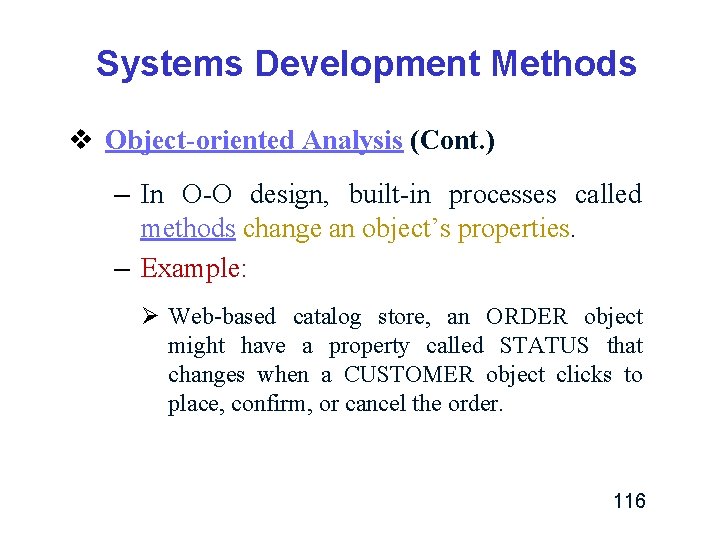
Systems Development Methods v Object-oriented Analysis (Cont. ) – In O-O design, built-in processes called methods change an object’s properties. – Example: Ø Web-based catalog store, an ORDER object might have a property called STATUS that changes when a CUSTOMER object clicks to place, confirm, or cancel the order. 116
Systems Development Methods v Object-oriented Analysis (Cont. ) – One object can send information to another object by using a message. – A message requests specific behavior or information from another object. – Example: Ø An ORDER object might send a message to a CUSTOMER object that requests a shipping address. When it receives the message, the CUSTOMER object supplies the information. The ORDER object has the capability to send the message, and the CUSTOMER object knows what actions to perform when it receives the message. 117
Systems Development Methods v Object-oriented Analysis (Cont. ) – Figure 1 -8 shows a system development model where planning, analysis, and design tasks interact continuously to produce prototypes that can be tested and implemented. 118
Systems Development Methods v Object-oriented Analysis (Cont. ) Figure 1 -8 An interactive model often is used with O-O development methods. In this model, planning, analysis, and design tasks interact continuously to produce prototypes that can be tested and implemented. 119
Systems Development Methods v Agile Methods – Development techniques change over time. – For example, structured analysis is a traditional approach, and agile methods are the newest development. – Structured analysis builds an overall plan for the information system, just as a contractor might use a blueprint for constructing a building. 120
Systems Development Methods v Agile Methods (Cont. ) – Agile methods, attempt to develop a system incrementally, by building a series of prototypes and constantly adjusting them to user requirements. – As the agile process continues, developers revise, extend, and merge earlier versions into the final product. 121
Systems Development Methods v Agile Methods (Cont. ) – An agile approach (adaptive or iterative approach) emphasizes continuous feedback, and each incremental step is affected by what was learned in the prior steps. – Agile methods typically use a spiral model, which represents a series of iterations, or revisions, based on user feedback. – As the process continues, the final product gradually evolves. 122
Systems Development Methods v Agile Methods (Cont. ) – An agile approach requires intense interactivity between developers and individual users, and does not begin with an overall objective. – Instead, the agile process determines the end result. – Spiral model approach reduces risks and speeds up software development. 123
Systems Development Methods v Agile Methods (Cont. ) – In spiral models, each iteration, or phase, of the model must have a specific goal that is accepted, rejected, or changed by the user, or client. – Each iteration produces feedback and enhancements, which enable the team to reach the overall project goal. 124
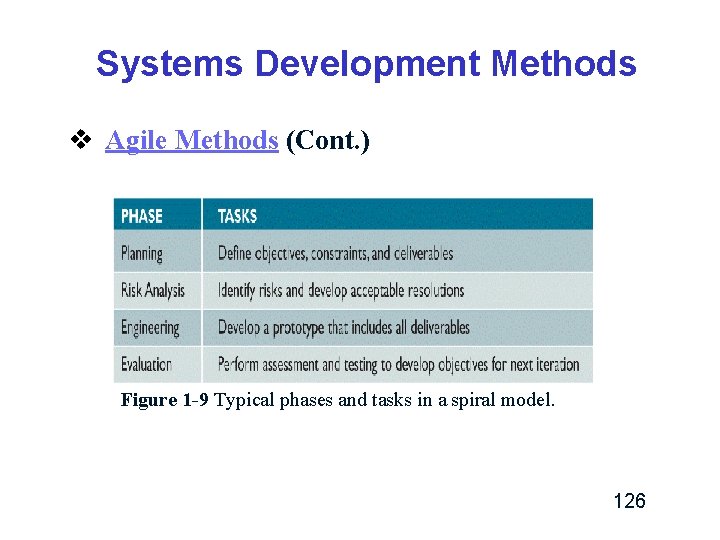
Systems Development Methods v Agile Methods (Cont. ) – Each iteration in a spiral model includes planning, risk analysis, engineering, and evaluation (Figure 1 -9). – The repeated iterations produce a series of prototypes, which evolve into the finished system. – Notice that these phases resemble SDLC tasks, which also can be iterative. 125
Systems Development Methods v Agile Methods (Cont. ) Figure 1 -9 Typical phases and tasks in a spiral model. 126
Systems Development Methods v Agile Methods (Cont. ) – Analysts should recognize that Agile approaches have advantages and disadvantages. – Advantages: Ø Agile methods can allow developers to be much more flexible and responsive. 127
Systems Development Methods v Agile Methods (Cont. ) – Disadvantages: Ø Agile methods can be riskier than more traditional methods. ü For example, without a detailed set of system requirements, certain features requested by some users might not be consistent with the company’s larger game plan. 128
Systems Development Methods v Agile Methods (Cont. ) – Disadvantages: (Cont. ) Ø Agile methods can include weak documentation, blurred lines of accountability, and too little emphasis on the larger business picture. Ø Unless properly implemented, a long series of iterations might actually add to project cost and development time. 129
Systems Development Methods v Agile Methods (Cont. ) – The bottom line is that systems analysts should understand the pros and cons of any approach before selecting a development method for a specific project. 130
Other Development Methods v Two methodologies: Joint Development and Rapid Development. Application v Joint application development (JAD) v Rapid application development (RAD) v Both JAD and RAD use teams composed of users, managers, and IT staff. 131
Other Development Methods v The difference is that JAD focuses on teambased fact-finding, which is only one phase of the development process, whereas RAD is more like a compressed version of the entire process. 132
Other Development Methods v Other Development Methods and Models: – Rational Unified Process (RUP®) ü According to IBM, RUP® offers a flexible, iterative process for managing software development projects that can minimize risk, ensure predictable results, and deliver highquality software on time. 133
Other Development Methods v Other Development Methods and Models: – Microsoft Solutions Framework (MSF) ü Documents the experience of its own software development teams. ü Although the Microsoft process differs from the SDLC phase-oriented approach, MSF developers perform the same kind of planning, ask the same kinds of fact-finding questions, deal with the same kinds of design and implementation issues, and resolve the same kinds of problems. ü Using this approach, MSF examines a broader business and organizational context that surrounds the development of an information system. 134
Other Development Methods v The Importance of Project Management – Using CASE tools, an IT team can apply a variety of techniques rather than being bound to a single, rigid methodology. – Regardless of the development strategy, people, tasks, timetables, and expenses must be managed effectively by using various project management tools and techniques. 135
Systems Development Guidelines v Stick to a plan. v Involve the users throughout the development process. v Listening is very important. v Use project management tools to identify tasks and milestones. v Remain flexible. v Develop accurate cost and benefit information. 136
Information Technology Department v The information technology (IT) department develops and maintains information systems. v The structure of the IT department varies among companies. ü In a small firm, one person might handle all computer support activities and services, ü In large corporation might require many people with specialized skills to provide information systems support. 137
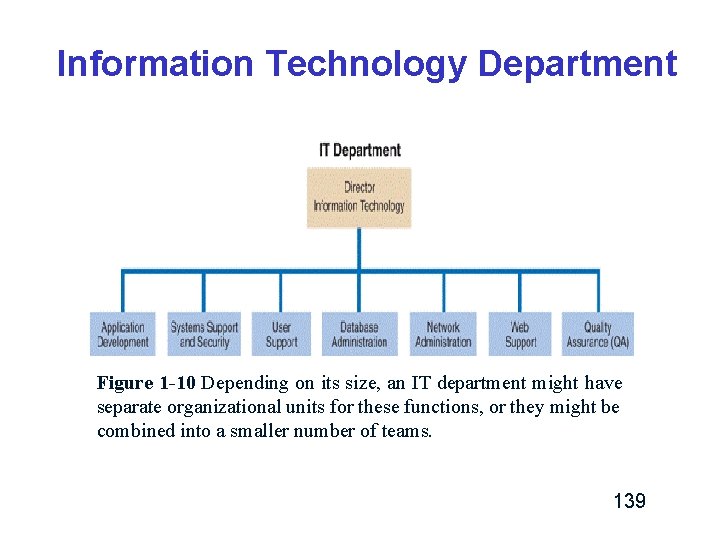
Information Technology Department v Figure 1 -10 shows a typical IT organization in a company that has networked PCs, enterprisewide databases, centralized processing, and Web-based operations. 138
Information Technology Department Figure 1 -10 Depending on its size, an IT department might have separate organizational units for these functions, or they might be combined into a smaller number of teams. 139
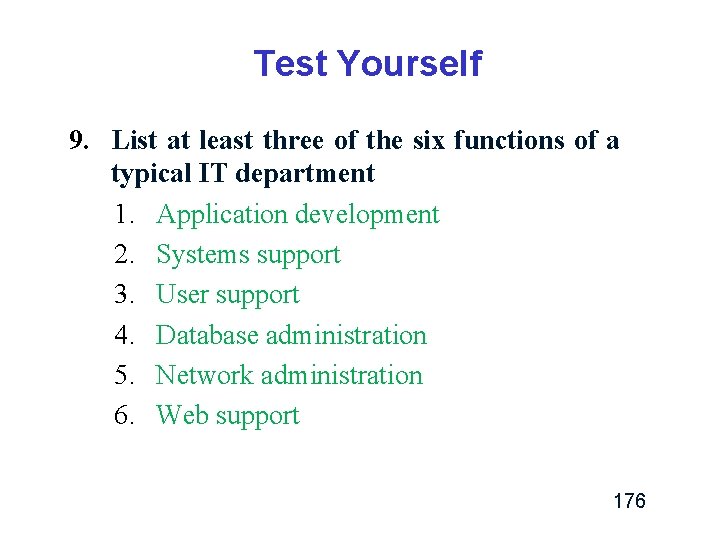
Information Technology Department v The IT group provides technical support, which includes six main functions: application development, systems support and security, user support, database administration, network administration, and Web support. 140
Information Technology Department v Application Development – The IT application development group typically provides leadership and overall guidance. – Team may include users, managers and IT Staff members. 141
Information Technology Department v Systems Support and Security – Systems support and security provides vital protection and maintenance services for system hardware and software, including enterprise computing systems, networks, transaction processing systems, and corporate IT infrastructure. – The systems support and security group implements and monitors physical and electronic security hardware, software, and procedures. 142
Information Technology Department v Systems Support and Security (Cont. ) – This group also installs and supports operating systems, telecommunications software, and centralized database management systems. – Systems support and security technicians provide technical assistance to other groups in the IT department. – If a site has a large number of remote clients, the systems support group often includes a deployment team installs and configures the workstations. 143
Information Technology Department v User Support – User support provides users with technical information, training, and productivity support. – The user support function usually is called a help desk or information center (IC). – A help desk’s staff trains users and managers on application software such as e-mail, word processing spreadsheets, and graphics packages. – User support specialists answer questions, troubleshoot problems, and serve as a clearinghouse for user problems and solutions. 144
Information Technology Department v Database Administration – Database administration involves data design, management, security, backup, and access. – Regardless of company size, mission-critical database applications require continuous attention and technical support. 145
Information Technology Department v Network Administration – Network administration includes hardware and software maintenance, support, and security. – Network administrators install, configure, manage, monitor, and maintain network applications. 146
Information Technology Department v Web Support – Web support is a vital technical support function. – Web support specialists design and construct Web pages, monitor traffic, manage hardware and software, and link Web-based applications to the company’s information systems. – Reliable, high-quality Web support is especially critical for companies engaged in 147 e-commerce.
Information Technology Department v Quality Assurance (QA) – Reviews and tests all applications and systems changes to verify specifications and software quality standards. – Is a separate unit that reports directly to IT management. 148
The Systems Analyst v A systems analyst investigates, analyzes, designs, develops, installs, evaluates, and maintains a company’s information systems. v On large projects, the analyst works as a member of an IT department team. v Smaller companies often use consultants to perform the work. 149
The Systems Analyst v Responsibilities – Translate business requirements practical IT projects to meet needs. into – Analyst might help document business profiles, review business processes, select hardware and software packages, design information systems, train users, and plan ecommerce Web sites. – A systems analyst plans projects, develops schedules, and estimates costs. 150
The Systems Analyst v Required Skills and Background – A successful systems analyst needs technical knowledge, oral and written communication skills, an understanding of business operations, and critical thinking skills. 151
The Systems Analyst v Certification – Professional credential for hiring or promotion. – Certification verifies that an individual demonstrated a certain level of knowledge and skill on a standardized test. – Certification is an excellent way for IT professionals to learn new skills and gain recognition for their efforts. 152
The Systems Analyst v Career Opportunities – The responsibilities of a systems analyst at a small firm are different from those at a large corporation. – Would you be better off at a small or large company? – Where will you find the best opportunity for experience and professional growth? – Each person looks for different rewards in a job. – What will be important to you? 153
The Systems Analyst v Career Opportunities (Cont. ) – – Job titles Company organization Company size Corporate culture (A corporate culture is the set of beliefs, rules, traditions, values, and attitudes that define a company and influence its way of doing business) – Salary, location, and future growth 154
Chapter Summary v IT is a combination of hardware, software, and telecommunications systems that support business. v The essential components of an information system are hardware, software, data, processes, and people. v Companies are production oriented, service oriented, or a combination of the two. 155
Chapter Summary v Based on their function and features, information systems are identified as enterprise computing systems, transactional processing or operational systems, business support systems, knowledge management systems, or user productivity systems. v Organization structure usually includes levels. Each level has different responsibilities and information needs. 156
Chapter Summary v Systems analyst use modeling, prototyping, and CASE tools. Modeling produces a graphical representation of the process, prototyping involves creation of an early working model, and CASE tools assist in various systems development tasks. v Various development methodologies exist, including structured analysis and objectoriented analysis. 157
Chapter Summary v Regardless of the development model, it is important to use project management tools necessary to manage people, tasks, timetables, and expenses. v An IT department develops, maintains and operates a company’s information systems. v Systems analysts need a combination of technical and business knowledge, analytical ability, and communication. 158
Test Yourself 1. In order to best support user’s IT needs, IT professionals need to understand the company’s business operations. What process might a system analyst use to accomplish this? 159
Test Yourself 1. In order to best support user’s IT needs, IT professionals need to understand the company’s business operations. What process might a system analyst use to accomplish this? – Business process modeling is used to represent a company’s operations and information needs. 160
Test Yourself 2. What are the five key components of information systems? 161
Test Yourself 2. What are the five key components of information systems? Hardware Software Data Processes People 162
Test Yourself 3. How are business information systems identified? 163
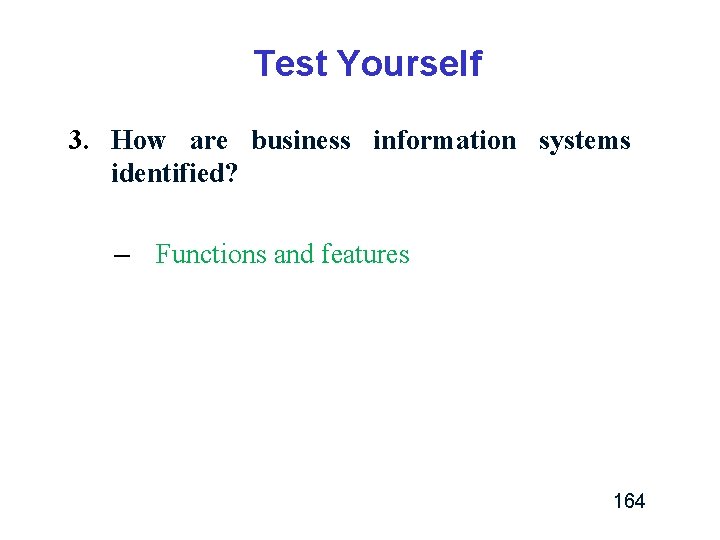
Test Yourself 3. How are business information systems identified? – Functions and features 164
Test Yourself 4. True/False: An enterprise computing system is highly specialized and targeted for a company’s top executives. 165
Test Yourself 4. True/False: An enterprise computing system is highly specialized and targeted for a company’s top executives. False 166
Test Yourself 5. SDLC is an example of a ____ approach, while Extreme Programming is an example of an _____ approach. 167
Test Yourself 5. SDLC is an example of a predictive approach, while Extreme Programming is an example of an adaptive approach. 168
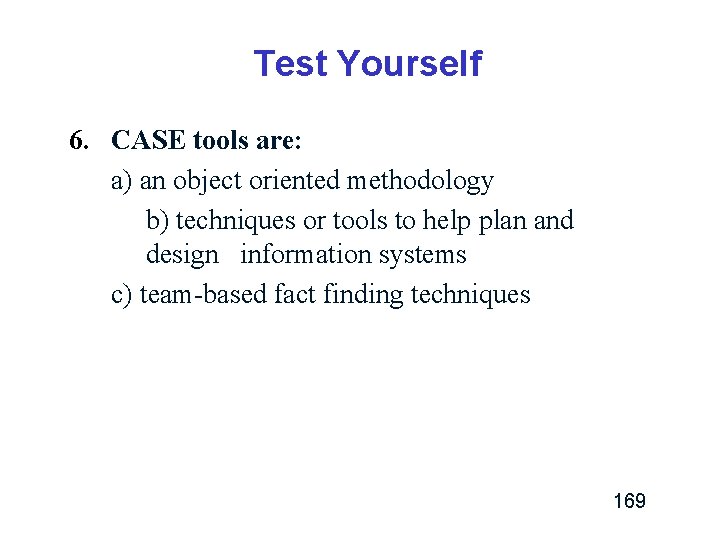
Test Yourself 6. CASE tools are: a) an object oriented methodology b) techniques or tools to help plan and design information systems c) team-based fact finding techniques 169
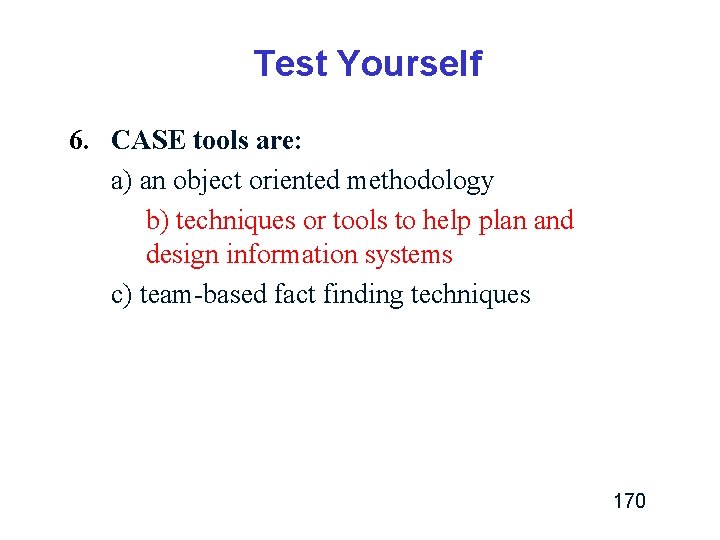
Test Yourself 6. CASE tools are: a) an object oriented methodology b) techniques or tools to help plan and design information systems c) team-based fact finding techniques 170
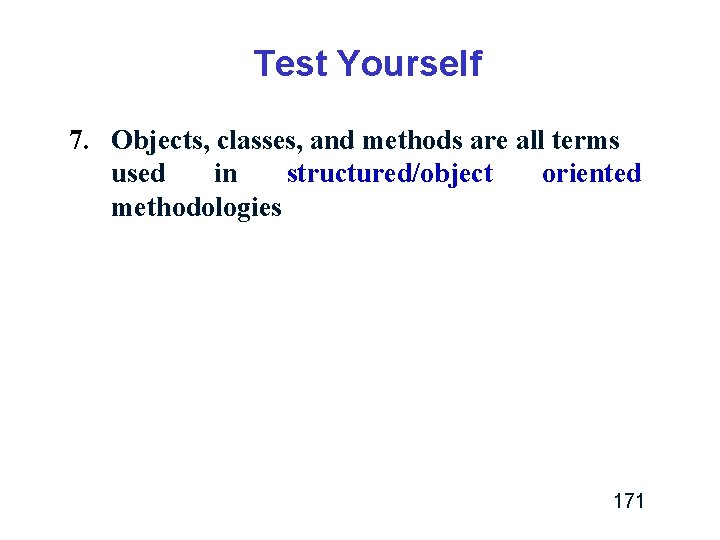
Test Yourself 7. Objects, classes, and methods are all terms used in structured/object oriented methodologies 171
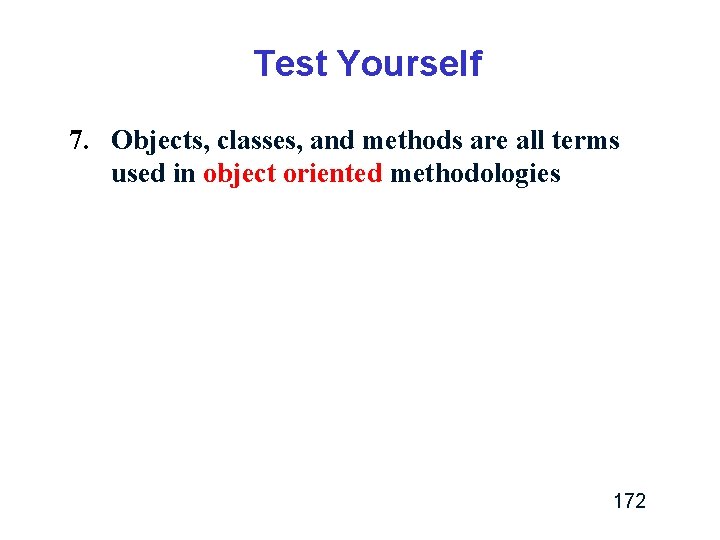
Test Yourself 7. Objects, classes, and methods are all terms used in object oriented methodologies 172
Test Yourself 8. What are the phases of the systems development life cycle? 173
Test Yourself 8. What are the phases of the systems development life cycle? – – – Systems planning Systems analysis Systems design Systems implementation Systems operation and support 174
Test Yourself 9. List at least three of the six functions of a typical IT department 175
Test Yourself 9. List at least three of the six functions of a typical IT department 1. Application development 2. Systems support 3. User support 4. Database administration 5. Network administration 6. Web support 176
Test Yourself 10. True/False: Certification is a professional credential that is valued by little (if any) companies. 177
Test Yourself 10. True/False: Certification is a professional credential that is valued by little (if any) companies. False 178
End Chapter 1 179