
Welcome W 15 Introduction to Engineering Design II
- Slides: 30
Welcome W 15 Introduction to Engineering Design II (IE 202) Chapter 10: Management of the Design Process 1
Today’s Learning Outcomes By the completion of today's meeting, students should be able to: o Prescribe the main elements of the organization to be done in the design process as a set of management tasks. o Use design management tools based on the 3 -S model 2
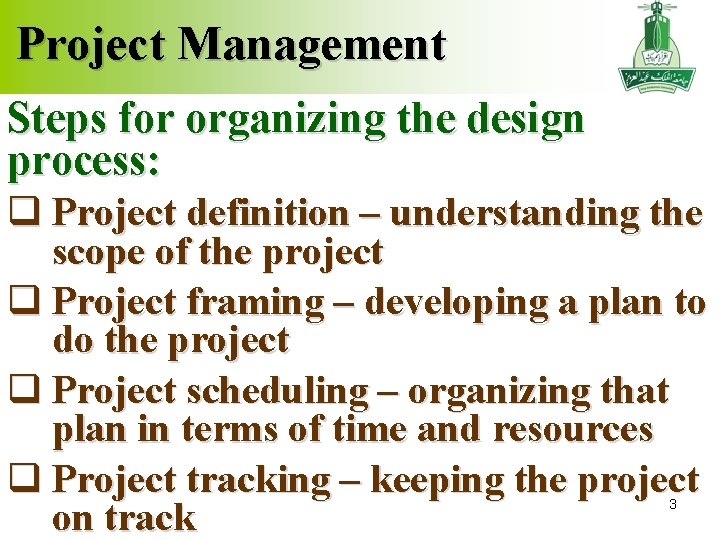
Project Management Steps for organizing the design process: q Project definition – understanding the scope of the project q Project framing – developing a plan to do the project q Project scheduling – organizing that plan in terms of time and resources q Project tracking – keeping the project on track 3
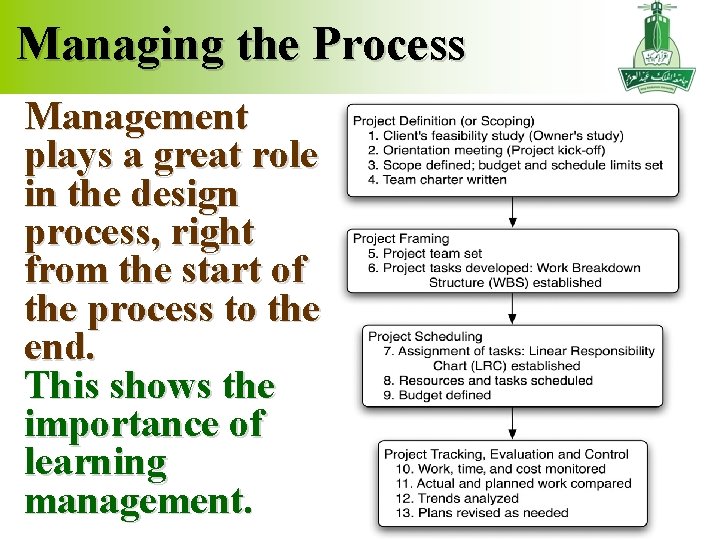
Managing the Process Management plays a great role in the design process, right from the start of the process to the end. This shows the importance of learning management. 4
Organized Process: Checklist The design process should be well organized and followed up to ensure that all requirements are fulfilled. Checklists play as a helpful tool in such processes. They would be used at each phase. Have you ever used checklists in your life? Name a few. 5
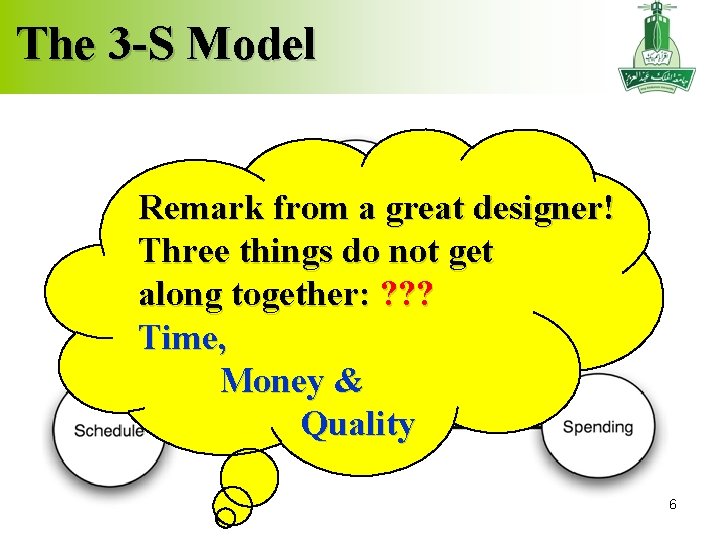
The 3 -S Model Remark from a great designer! Three things do not get along together: ? ? ? Time, Money & Quality 6
Elements of the 3 -S Model Scope - Clearly understanding what must be done for the project to succeed Schedule - Determining when each activity must be completed for the entire project to be completed on time Spending - Managing all the resources that can be spent on a project. (dollars and time) 7
Design Management Tools Scope tools: team charter, work breakdown structure and linear responsibility chart Schedule tools: team calendar, activity network, or Gantt chart Spending tool: budget 8
Team Charter Translation: ? ﻣﻴﺜﺎﻕ ﺷﺮﻑ Excellent means for teams, clients, and the parent organization to clarify the goals and roles of the participants in a project. Only a page or two long, organized to state the goals of each organizational participant, the deliverables for the project, key milestones, and the resources available to the team. 9
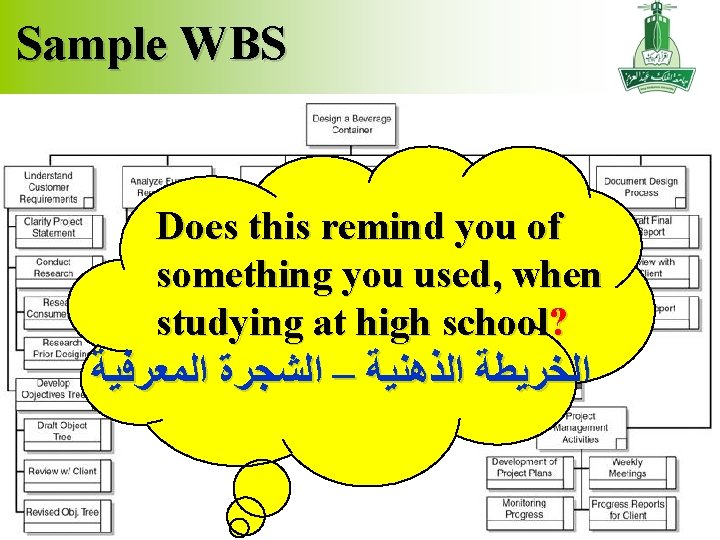
Work Breakdown Structure A hierarchical decomposition of the tasks to be completed for a project to be done. The work breakdown structure “WBS” always breaks tasks into 2 or more subtasks. WBS should decompose tasks to manageable levels based on time, responsibility, or recourses. WBS should be complete. There should be no tasks which consume resources that are not on the WBS. All subtasks below a task should completely describe all the work being done in that task. WBS is not an organization chart or a schedule. 10
Sample WBS Does this remind you of something you used, when studying at high school? ﺍﻟﺨﺮﻳﻄﺔ ﺍﻟﺬﻫﻨﻴﺔ – ﺍﻟﺸﺠﺮﺓ ﺍﻟﻤﻌﺮﻓﻴﺔ 11
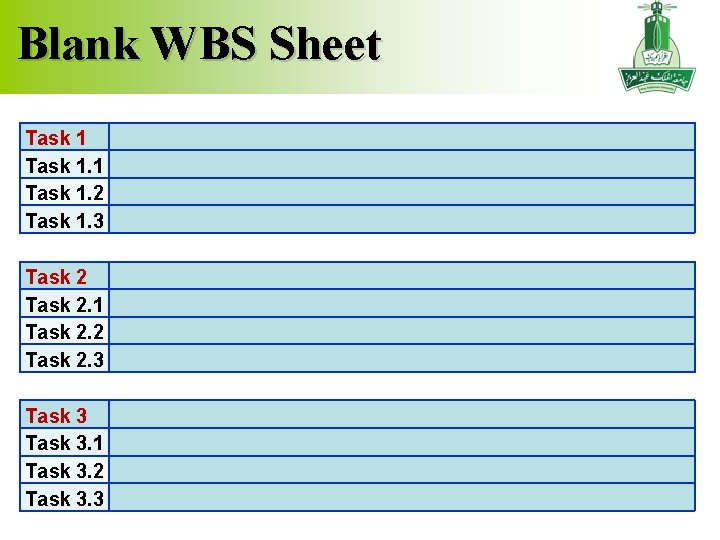
Blank WBS Sheet Task 1. 1 Task 1. 2 Task 1. 3 Task 2. 1 Task 2. 2 Task 2. 3 Task 3. 1 Task 3. 2 Task 3. 3 12
Practice: WBS Suppose your team was given the task of designing a classroom cabinet, to mainly store the laptops. As a team, construct the Work Breakdown Structure for the project. Prepare a presentation of your work. 13
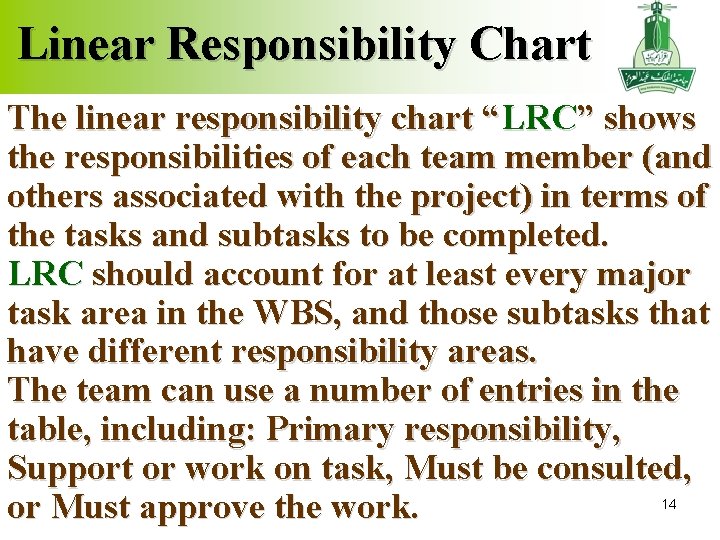
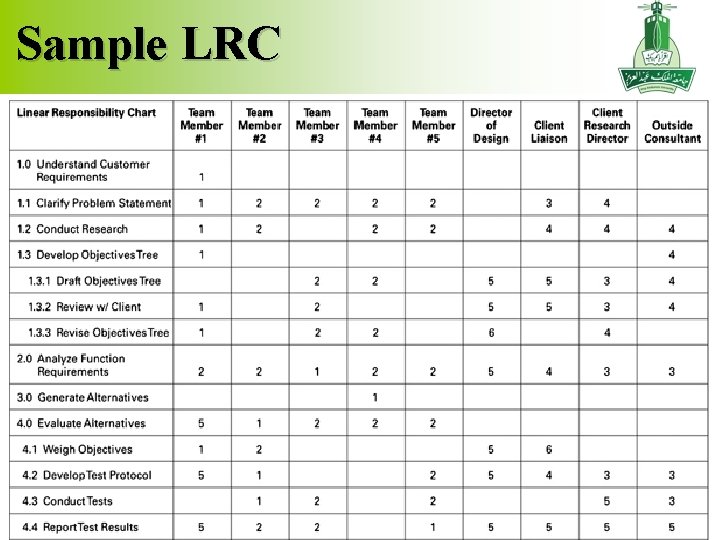
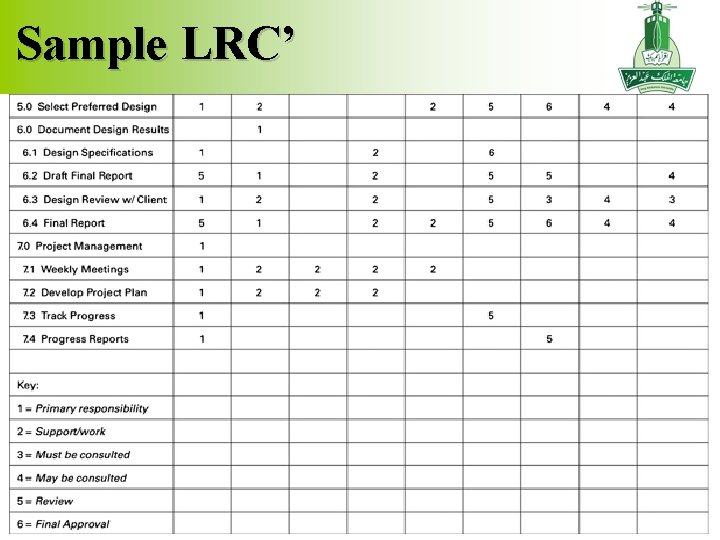
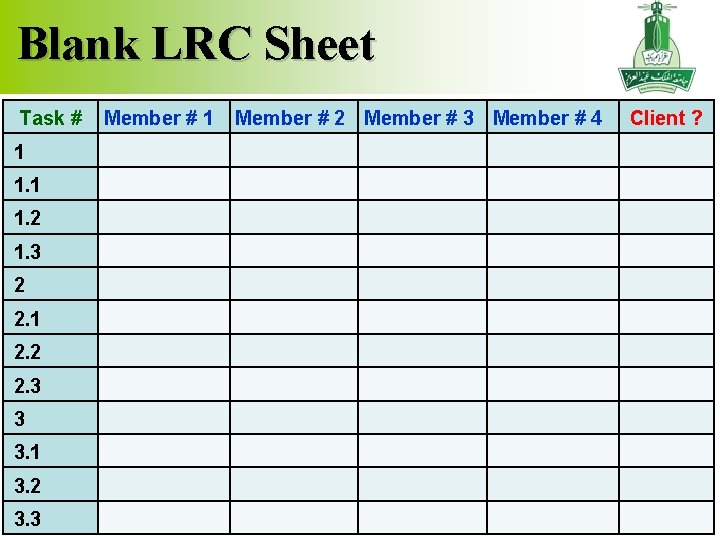
Linear Responsibility Chart The linear responsibility chart “LRC” shows the responsibilities of each team member (and others associated with the project) in terms of the tasks and subtasks to be completed. LRC should account for at least every major task area in the WBS, and those subtasks that have different responsibility areas. The team can use a number of entries in the table, including: Primary responsibility, Support or work on task, Must be consulted, or Must approve the work. 14
Sample LRC 15
Sample LRC’ 16
Blank LRC Sheet Task # Member # 1 Member # 2 Member # 3 Member # 4 Client ? 1 1. 2 1. 3 2 2. 1 2. 2 2. 3 3 3. 1 3. 2 3. 3 17
Practice: LRC Continue working on the task of designing a classroom cabinet, to mainly store the laptops. As a team, build the Linear Responsibility Chart for the project. Prepare a presentation of your work. 18
Time Management Tools Team calendars are schedules used to highlight and agree upon significant deadlines and due dates. They can be easily maintained, and are inexpensive. However, they do not track the relationships among activities, nor identify when a task delay will cause problems for the rest of the project. 19
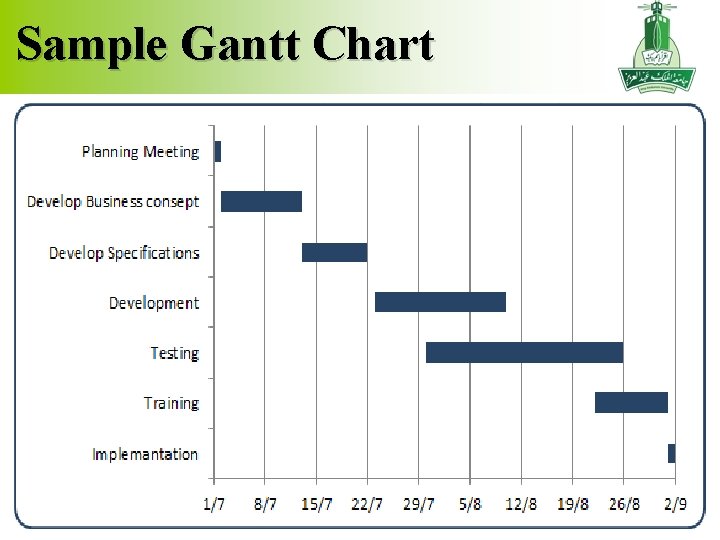
Typical Tools Gantt charts and activity networks are used to show the logical relationship among activities, such as precedence relationships, and exploring the critical path. Critical Path activities are those tasks that must be finished on time for the project to meet its schedule 20
Sample Gantt Chart 21
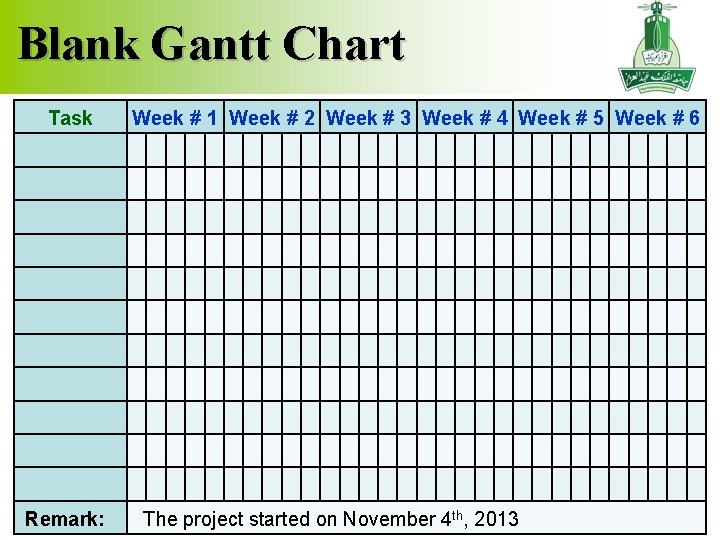
Blank Gantt Chart Task Remark: Week # 1 Week # 2 Week # 3 Week # 4 Week # 5 Week # 6 The project started on November 4 th, 2013 22
Practice: Gantt Chart Continue working on the task of designing a classroom cabinet, to mainly store the laptops. As a team, build the Gantt Chart for the project. Prepare a presentation of your work. 23
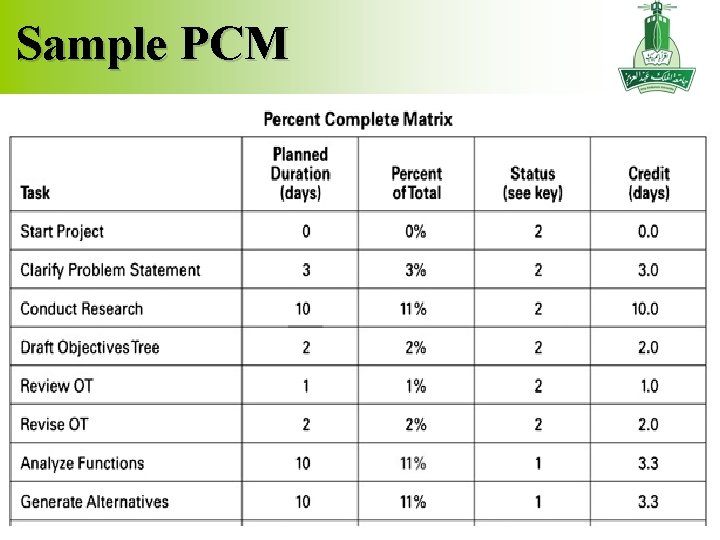
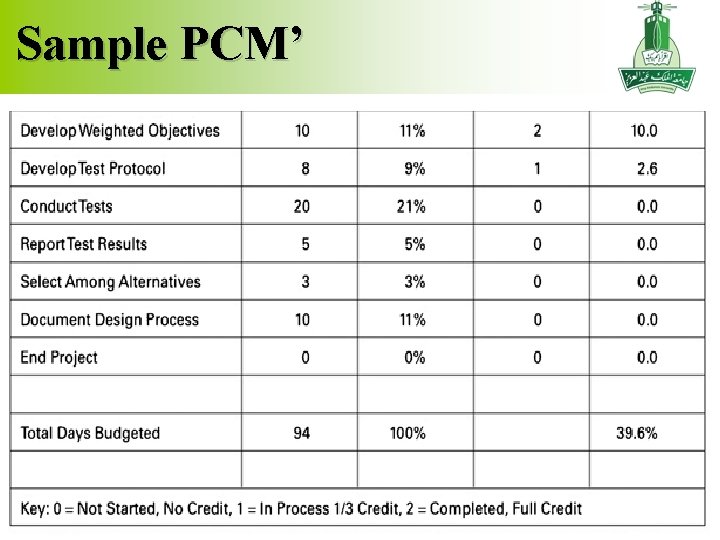
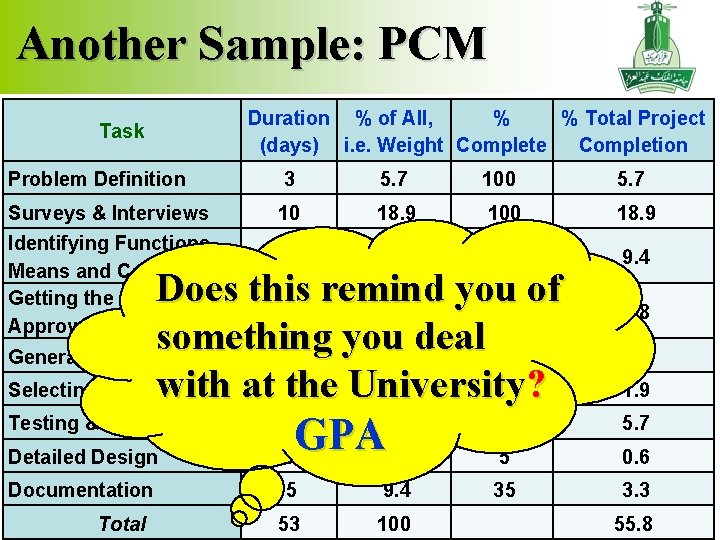
Percent Complete Matrix The Percent Complete Matrix “PCM” is used for monitoring and controlling. It Determines the percentage of the total project that each task makes up. Determines what percent of each task has been performed. Multiplies each activity’s percent of the whole project times the percent complete for that activity, and then adds over all tasks. 24
Sample PCM 25
Sample PCM’ 26
Another Sample: PCM Task Duration % of All, % % Total Project (days) i. e. Weight Complete Completion Problem Definition 3 5. 7 100 5. 7 Surveys & Interviews 10 18. 9 100 18. 9 5 9. 4 100 9. 4 Identifying Functions, Means and Constraints Getting the Client’s Approval Does this remind you of 2 3. 8 100 something you deal 70 Generating Ideas 5 9. 4 Selecting a Design 2 3. 8 50 ? with at the University GPA 11. 3 Testing & Optimization 15 Detailed Design 6 Documentation 5 9. 4 53 100 Total 28. 3 3. 8 6. 6 1. 9 20 5. 7 5 0. 6 35 3. 3 55. 8 27
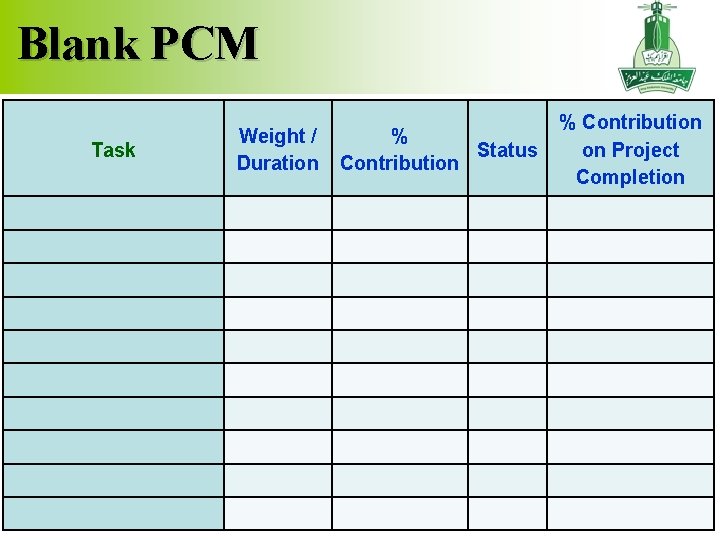
Blank PCM Task Weight / Duration % Status Contribution % Contribution on Project Completion 28
Practice: PCM Continue working on the task of designing a classroom cabinet, to mainly store the laptops. As a team, build the PCM for the project, assuming that the project is almost half the way through. Prepare a presentation of your work. 29
Project Start-up 1. Have your project kick-off meeting & prepare your meeting agenda. 2. Prepare your Project Team Charter. 3. Prepare the first draft of the Work Breakdown Structure. 4. Prepare the first draft of the Linear Responsibility Chart. 5. Prepare a first draft of the Gantt Chart. 6. Prepare a first draft of the Percent Complete Matrix. 30