
welcome Topic Introduction to PHP and Magento By
welcome Topic : Introduction to PHP and Magento. By : Swaroop R. Bhagwat.
Index What is php and need of php? Where we can use it and its scope? What is Magento? Features of Magento. Quick installation tutorial. By : Swaroop R. Bhagwat.
Introduction of php Php stands for Hypertext Preprocessor(Personal Home Page Construction Kit). Php is created by Danish-Canadian programmer Rasmus Lerdorf. Need of php. Php installation requires only web server with php. By : Swaroop R. Bhagwat.
Use and scope of php Php is majorly used for dynamic website development. Scope is limited to server side scripting. By : Swaroop R. Bhagwat.
Introduction of Magento is Framework Based on Php platform. Magento deals with e-commerce websites. It made up of php , html , css , java scripts , xml. By : Swaroop R. Bhagwat.
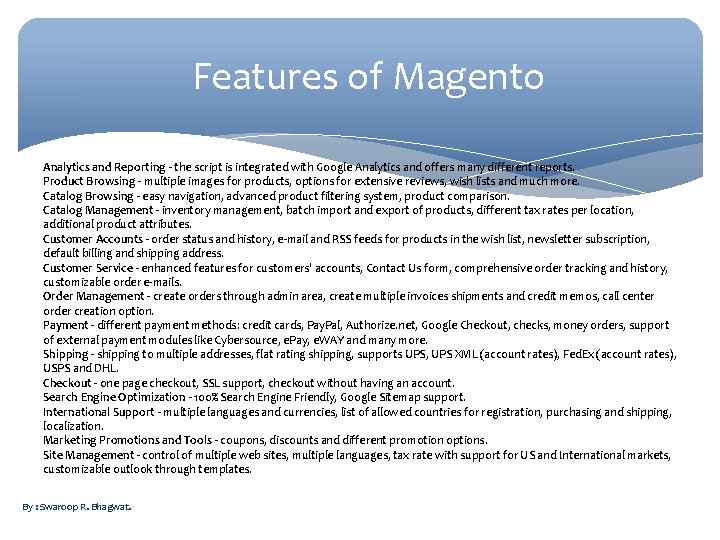
Features of Magento Analytics and Reporting - the script is integrated with Google Analytics and offers many different reports. Product Browsing - multiple images for products, options for extensive reviews, wish lists and much more. Catalog Browsing - easy navigation, advanced product filtering system, product comparison. Catalog Management - inventory management, batch import and export of products, different tax rates per location, additional product attributes. Customer Accounts - order status and history, e-mail and RSS feeds for products in the wish list, newsletter subscription, default billing and shipping address. Customer Service - enhanced features for customers' accounts, Contact Us form, comprehensive order tracking and history, customizable order e-mails. Order Management - create orders through admin area, create multiple invoices shipments and credit memos, call center order creation option. Payment - different payment methods: credit cards, Pay. Pal, Authorize. net, Google Checkout, checks, money orders, support of external payment modules like Cybersource, e. Pay, e. WAY and many more. Shipping - shipping to multiple addresses, flat rating shipping, supports UPS, UPS XML (account rates), Fed. Ex (account rates), USPS and DHL. Checkout - one page checkout, SSL support, checkout without having an account. Search Engine Optimization - 100% Search Engine Friendly, Google Sitemap support. International Support - multiple languages and currencies, list of allowed countries for registration, purchasing and shipping, localization. Marketing Promotions and Tools - coupons, discounts and different promotion options. Site Management - control of multiple web sites, multiple languages, tax rate with support for US and International markets, customizable outlook through templates. By : Swaroop R. Bhagwat.
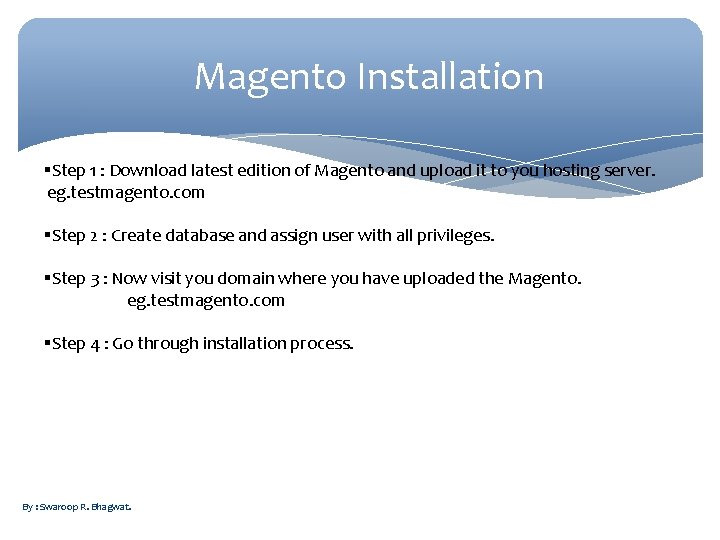
Magento Installation Step 1 : Download latest edition of Magento and upload it to you hosting server. eg. testmagento. com Step 2 : Create database and assign user with all privileges. Step 3 : Now visit you domain where you have uploaded the Magento. eg. testmagento. com Step 4 : Go through installation process. By : Swaroop R. Bhagwat.
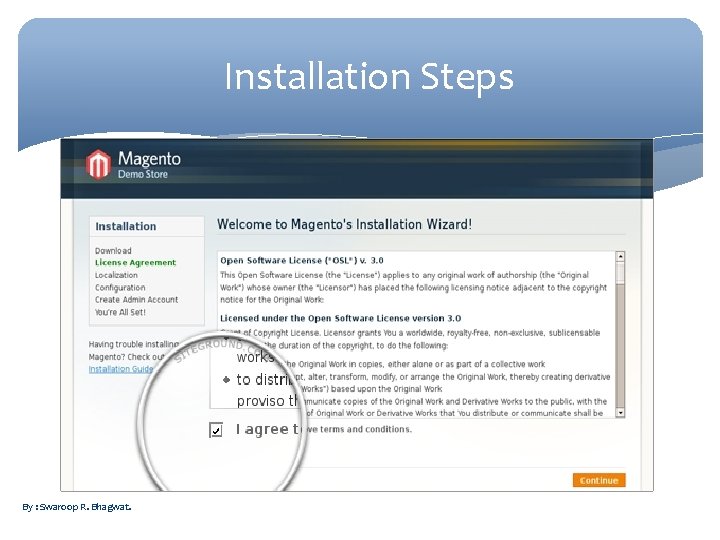
Installation Steps By : Swaroop R. Bhagwat.
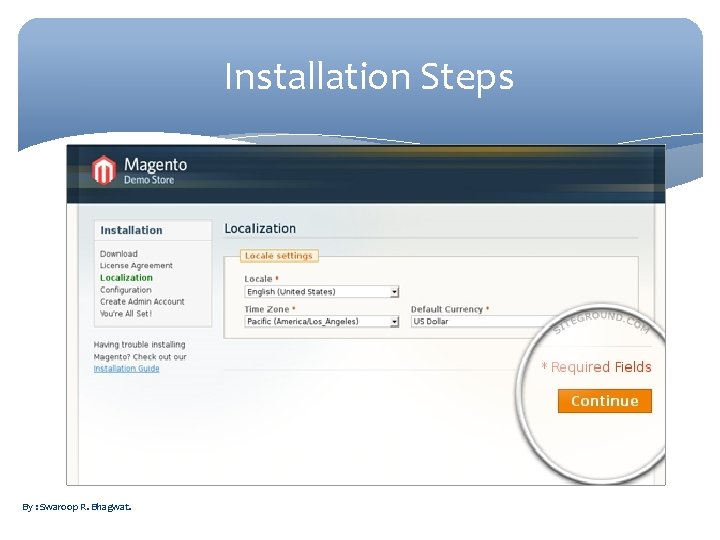
Installation Steps By : Swaroop R. Bhagwat.
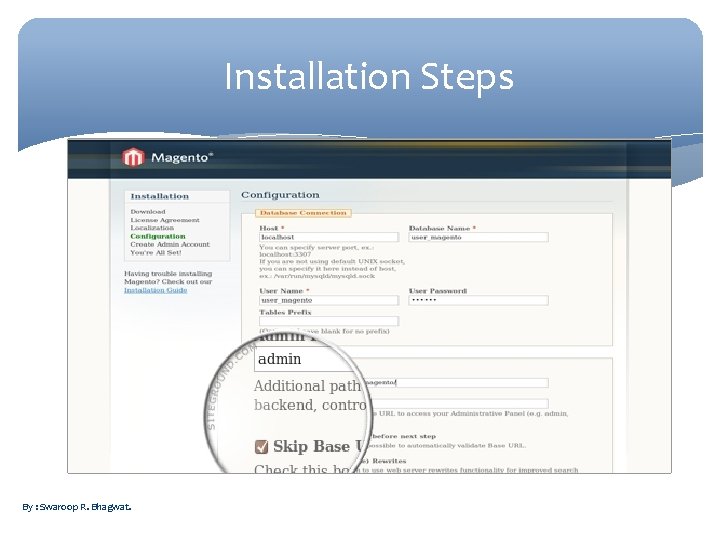
Installation Steps By : Swaroop R. Bhagwat.
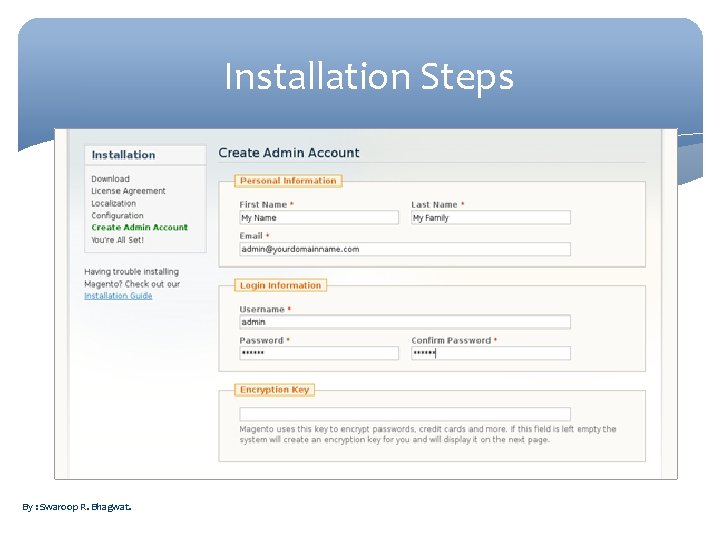
Installation Steps By : Swaroop R. Bhagwat.
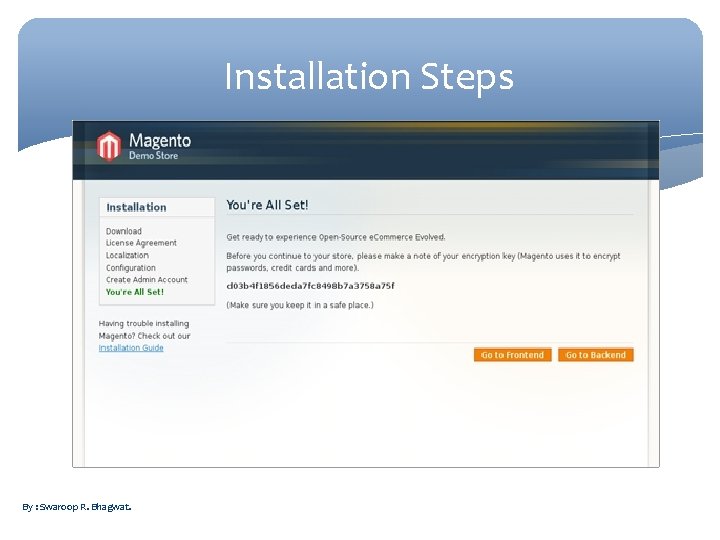
Installation Steps By : Swaroop R. Bhagwat.
Thank You Any Questions? By : Swaroop R. Bhagwat.
- Slides: 13