
Welcome to UCPath Summer Salary Training Copyright UCI

- Slides: 93
Welcome to UCPath Summer Salary Training Copyright UCI UCPath 2020
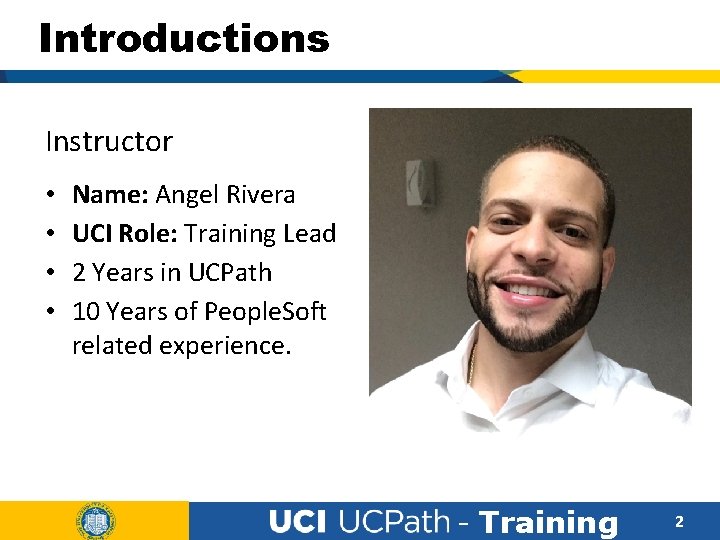
Introductions Instructor • • Name: Angel Rivera UCI Role: Training Lead 2 Years in UCPath 10 Years of People. Soft related experience. - Training 2
General Rules Classroom Etiquette • Please silence cell phones • Keep your mics muted • No email or web surfing • Return from breaks on time • Please communicate via zoom chat - Training 3
Parking Lot ♦ Capture any questions or concerns that cannot be addressed during class ♦ Provide follow up to all attendees of this class - Training 4
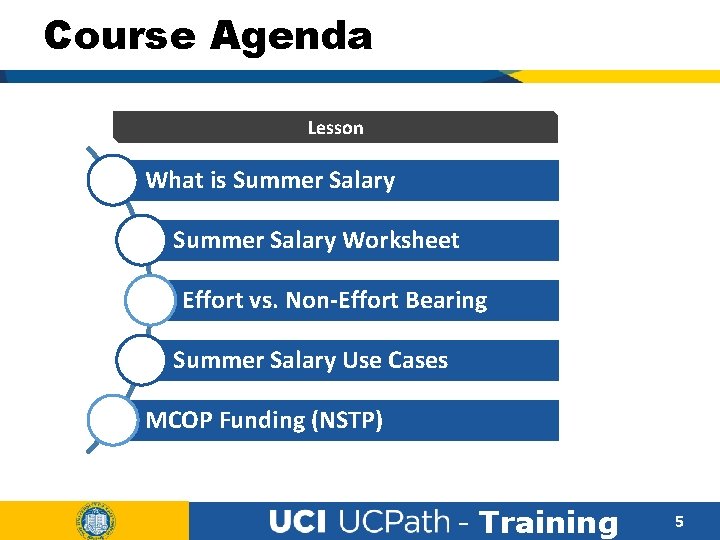
Course Agenda Lesson What is Summer Salary Worksheet Effort vs. Non-Effort Bearing Summer Salary Use Cases MCOP Funding (NSTP) - Training 5
Course Objectives Key Objectives: • Learn about the policies behind Summer Salary employment at UCPath. • Define what Effort bearing Summer Salary employment is vs. Non-Effort bearing. • Understand how to enter Summer Salary transaction in UCPath for employees. - Training 6
LESSON 1 What is Summer Salary? - Training 7
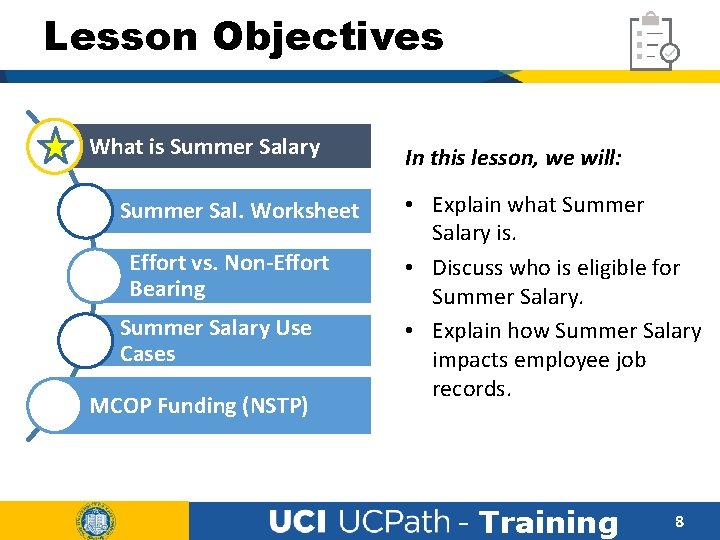
Lesson Objectives What is Summer Salary Summer Sal. Worksheet Effort vs. Non-Effort Bearing Summer Salary Use Cases MCOP Funding (NSTP) In this lesson, we will: • Explain what Summer Salary is. • Discuss who is eligible for Summer Salary. • Explain how Summer Salary impacts employee job records. - Training 8
Summer Salary Overview • Summer Salary is available for eligible Faculty who teach, do research, or provide service over the summer and receive additional pay that is in excess of their full-time salary. - Training 9
Eligibility Requirements • Eligibility for Summer Salary is restricted to certain titles. • These are titles in the several professorial series not eligible for the medical school compensation plans, a few other academic-year teaching titles, and certain administrators who also hold eligible appointments (e. g. , Associate Deans, and Directors of Organized Research Units). • Eligibility to earn summer salary at the one-ninth rate is restricted to faculty in Professorial and Lecturer SOE titles who are paid on an academic-year (9 -month) basis. • These faculty may earn a maximum of 3/9 ths, or 1/3 rd of their nine-month annual salary rate, as additional compensation. - Training 10
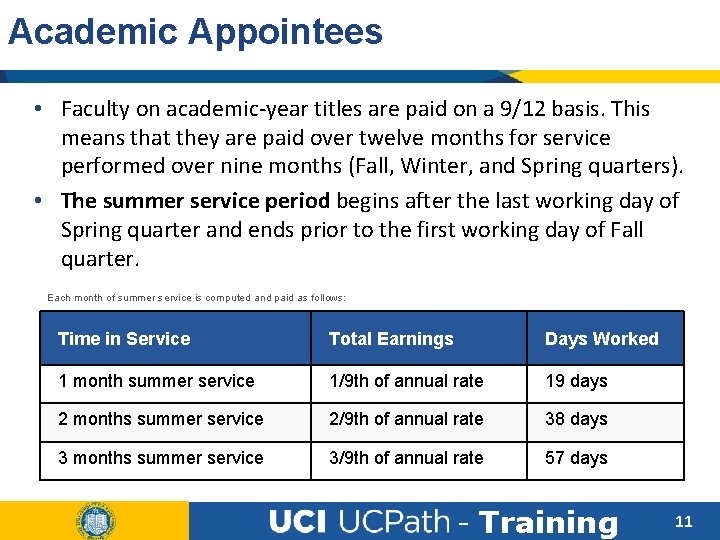
Academic Appointees • Faculty on academic-year titles are paid on a 9/12 basis. This means that they are paid over twelve months for service performed over nine months (Fall, Winter, and Spring quarters). • The summer service period begins after the last working day of Spring quarter and ends prior to the first working day of Fall quarter. Each month of summer service is computed and paid as follows: Time in Service Total Earnings Days Worked 1 month summer service 1/9 th of annual rate 19 days 2 months summer service 2/9 th of annual rate 38 days 3 months summer service 3/9 th of annual rate 57 days - Training 11
Fiscal Year Appointees • Faculty who are appointed on fiscal-year titles are paid on an 11/12 basis, which allows for one month of vacation. • These employees may earn Summer Salary during their vacation period in the summer. • Fiscal Year Faculty have to use their vacation days for the same days they’re receiving Summer Salary. • The maximum amount of compensation for these appointees is one additional calendar month of employment. Please consult with AP if needed. - Training 12
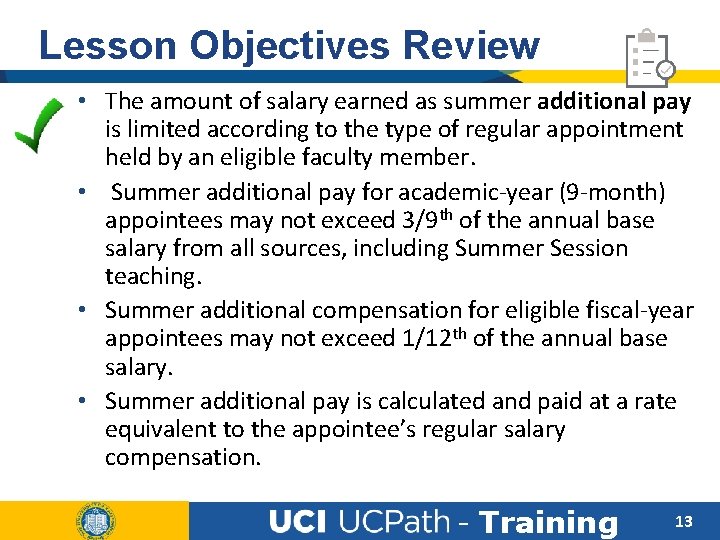
Lesson Objectives Review • The amount of salary earned as summer additional pay is limited according to the type of regular appointment held by an eligible faculty member. • Summer additional pay for academic-year (9 -month) appointees may not exceed 3/9 th of the annual base salary from all sources, including Summer Session teaching. • Summer additional compensation for eligible fiscal-year appointees may not exceed 1/12 th of the annual base salary. • Summer additional pay is calculated and paid at a rate equivalent to the appointee’s regular salary compensation. - Training 13
True or False • Any academic employee can have a Summer Salary appointment. True False - Training 14
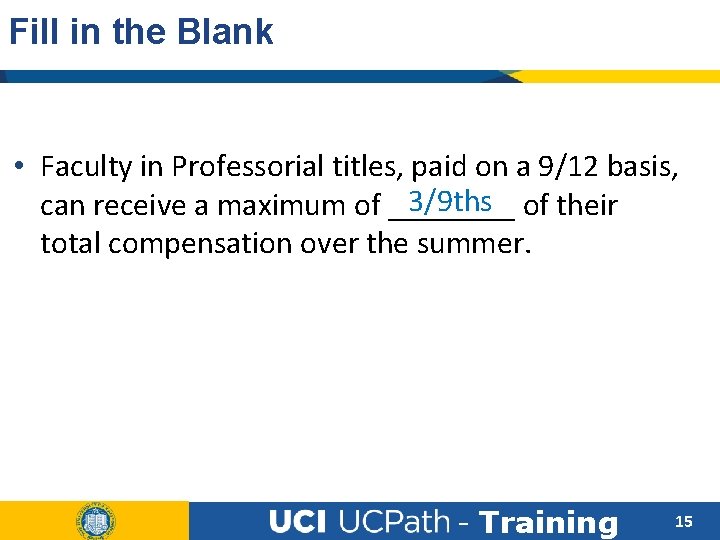
Fill in the Blank • Faculty in Professorial titles, paid on a 9/12 basis, 3/9 ths of their can receive a maximum of ____ total compensation over the summer. - Training 15
LESSON 2 Summer Salary Worksheet - Training 16
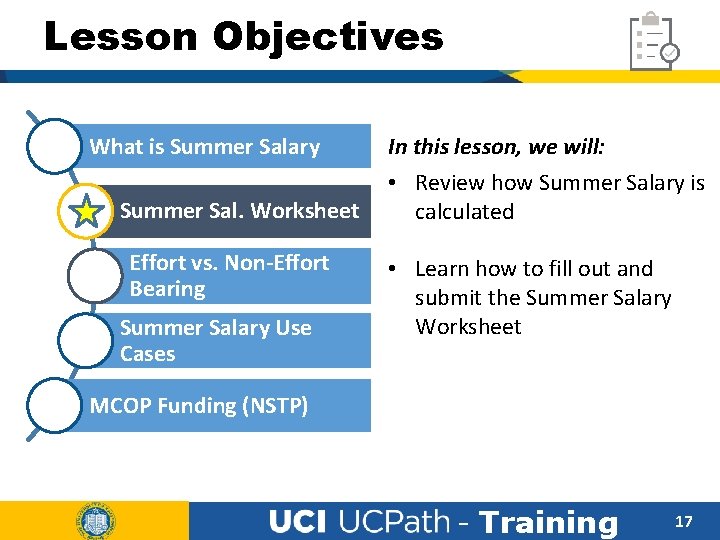
Lesson Objectives What is Summer Salary Summer Sal. Worksheet Effort vs. Non-Effort Bearing Summer Salary Use Cases In this lesson, we will: • Review how Summer Salary is calculated • Learn how to fill out and submit the Summer Salary Worksheet MCOP Funding (NSTP) - Training 17
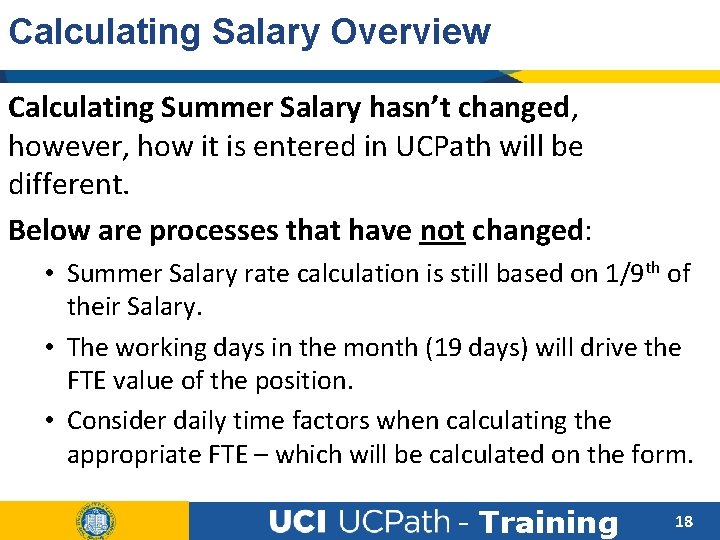
Calculating Salary Overview Calculating Summer Salary hasn’t changed, however, how it is entered in UCPath will be different. Below are processes that have not changed: • Summer Salary rate calculation is still based on 1/9 th of their Salary. • The working days in the month (19 days) will drive the FTE value of the position. • Consider daily time factors when calculating the appropriate FTE – which will be calculated on the form. - Training 18
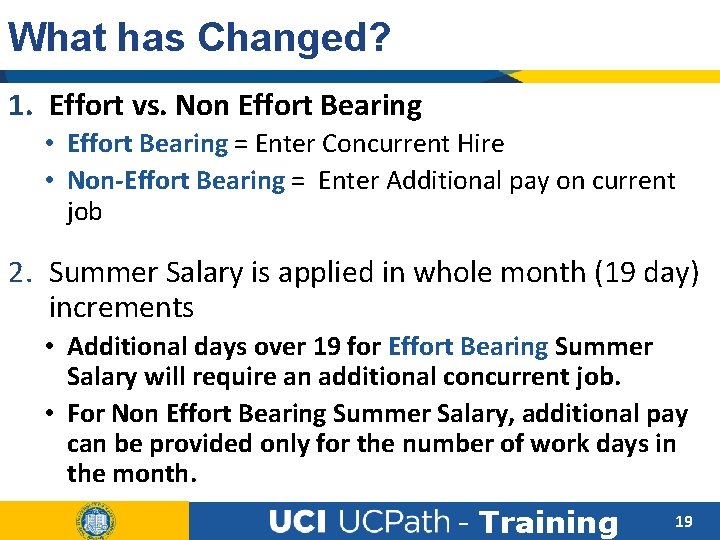
What has Changed? 1. Effort vs. Non Effort Bearing • Effort Bearing = Enter Concurrent Hire • Non-Effort Bearing = Enter Additional pay on current job 2. Summer Salary is applied in whole month (19 day) increments • Additional days over 19 for Effort Bearing Summer Salary will require an additional concurrent job. • For Non Effort Bearing Summer Salary, additional pay can be provided only for the number of work days in the month. - Training 19
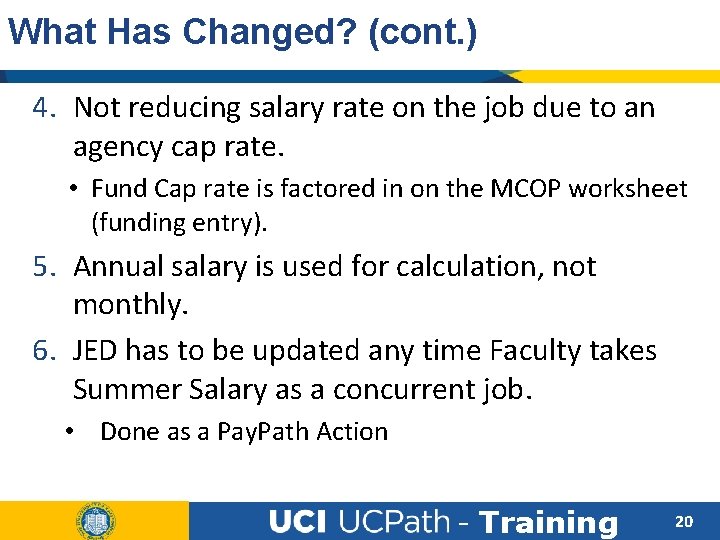
What Has Changed? (cont. ) 4. Not reducing salary rate on the job due to an agency cap rate. • Fund Cap rate is factored in on the MCOP worksheet (funding entry). 5. Annual salary is used for calculation, not monthly. 6. JED has to be updated any time Faculty takes Summer Salary as a concurrent job. • Done as a Pay. Path Action - Training 20
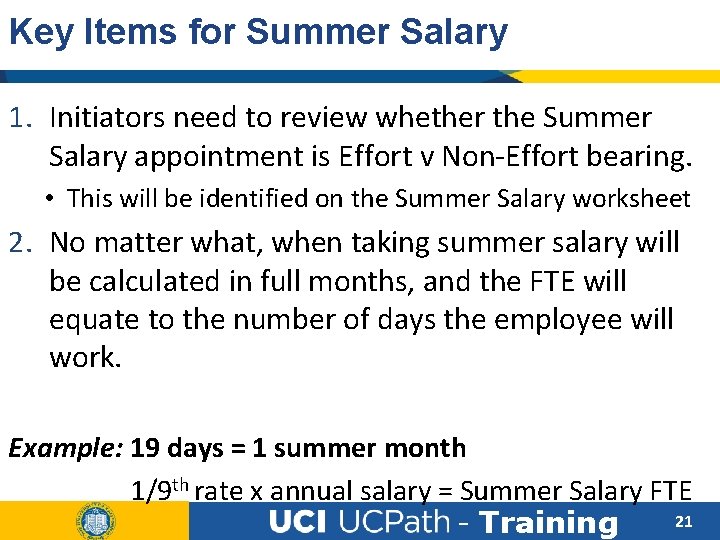
Key Items for Summer Salary 1. Initiators need to review whether the Summer Salary appointment is Effort v Non-Effort bearing. • This will be identified on the Summer Salary worksheet 2. No matter what, when taking summer salary will be calculated in full months, and the FTE will equate to the number of days the employee will work. Example: 19 days = 1 summer month 1/9 th rate x annual salary = Summer Salary FTE 21 - Training
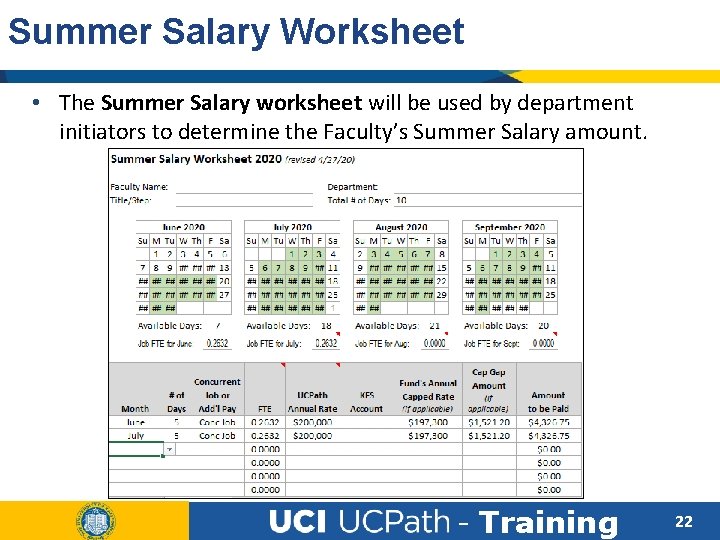
Summer Salary Worksheet • The Summer Salary worksheet will be used by department initiators to determine the Faculty’s Summer Salary amount. - Training 22
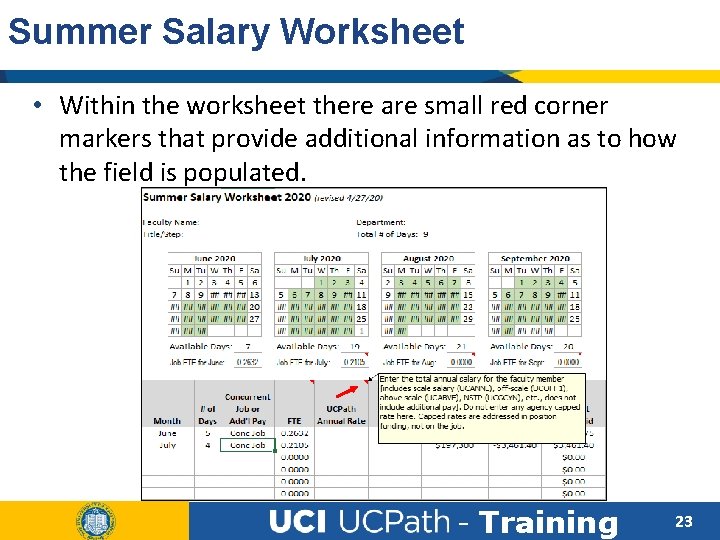
Summer Salary Worksheet • Within the worksheet there are small red corner markers that provide additional information as to how the field is populated. - Training 23
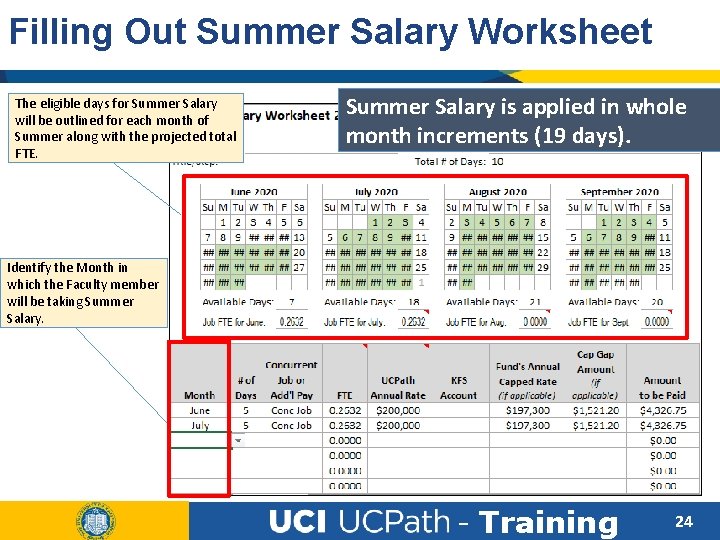
Filling Out Summer Salary Worksheet The eligible days for Summer Salary will be outlined for each month of Summer along with the projected total FTE. Summer Salary is applied in whole month increments (19 days). Identify the Month in which the Faculty member will be taking Summer Salary. - Training 24
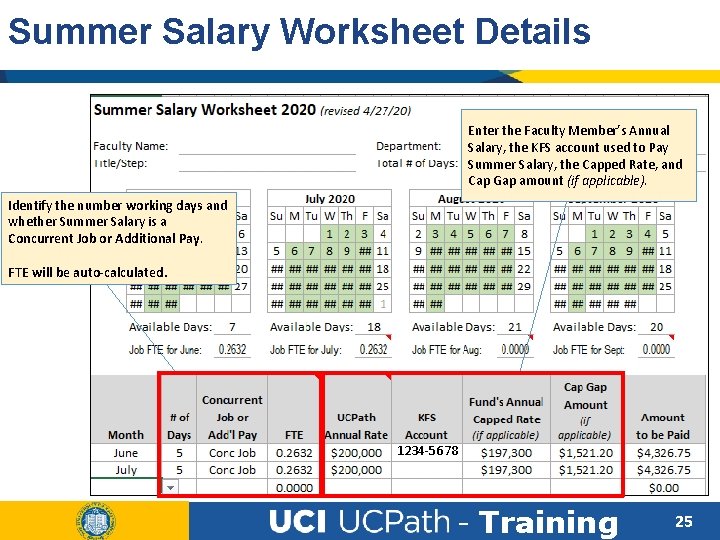
Summer Salary Worksheet Details Enter the Faculty Member’s Annual Salary, the KFS account used to Pay Summer Salary, the Capped Rate, and Cap Gap amount (if applicable). Identify the number working days and whether Summer Salary is a Concurrent Job or Additional Pay. FTE will be auto-calculated. 1234 -5678 - Training 25
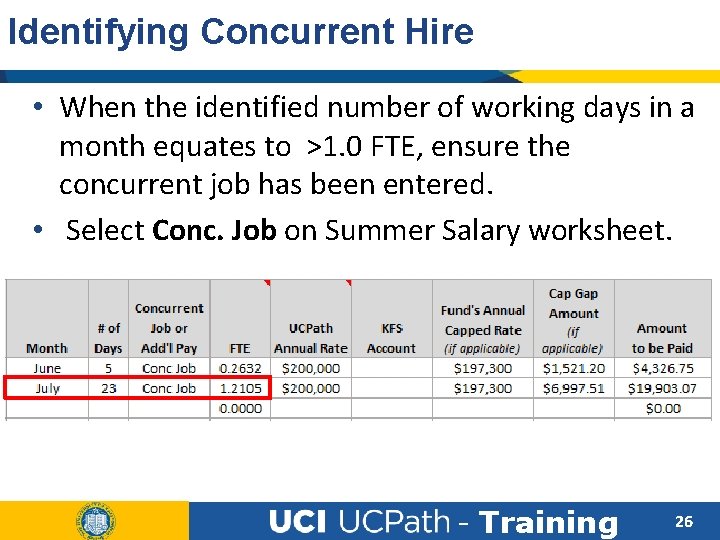
Identifying Concurrent Hire • When the identified number of working days in a month equates to >1. 0 FTE, ensure the concurrent job has been entered. • Select Conc. Job on Summer Salary worksheet. - Training 26
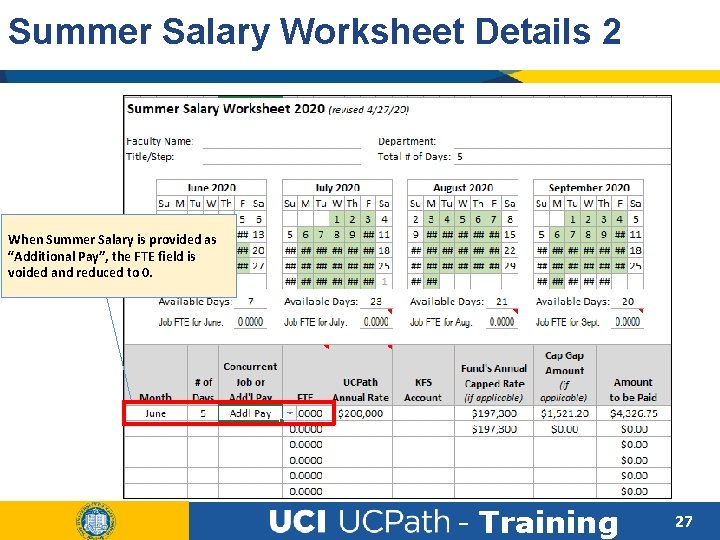
Summer Salary Worksheet Details 2 When Summer Salary is provided as “Additional Pay”, the FTE field is voided and reduced to 0. - Training 27
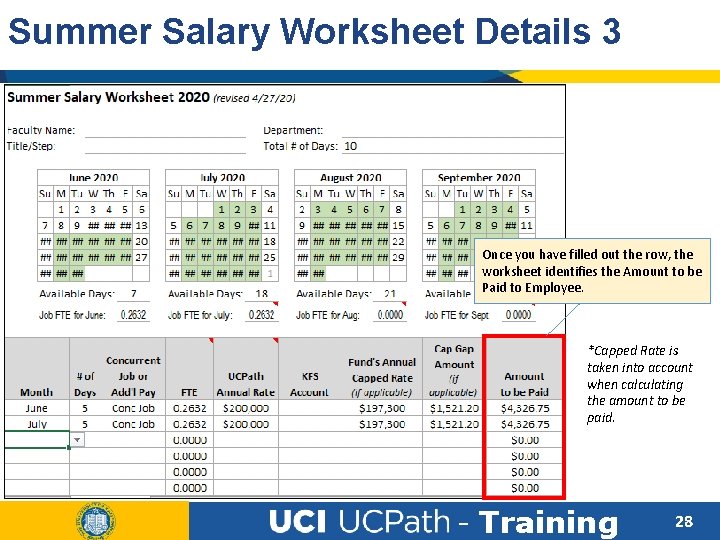
Summer Salary Worksheet Details 3 Once you have filled out the row, the worksheet identifies the Amount to be Paid to Employee. *Capped Rate is taken into account when calculating the amount to be paid. - Training 28
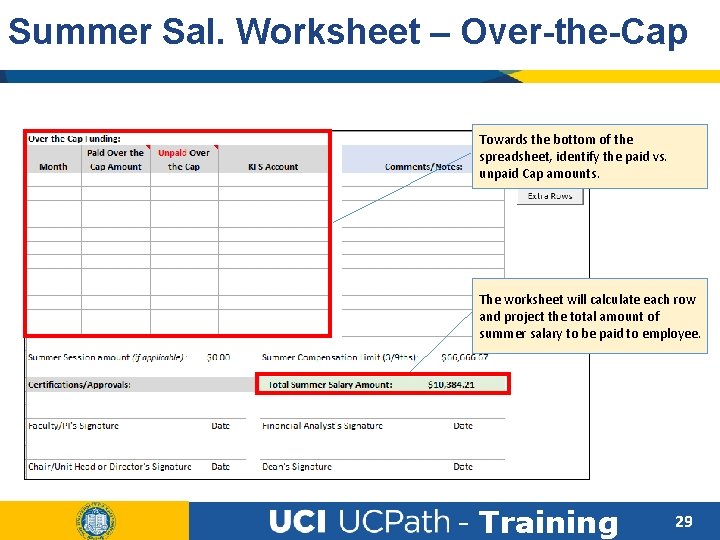
Summer Sal. Worksheet – Over-the-Cap Towards the bottom of the spreadsheet, identify the paid vs. unpaid Cap amounts. The worksheet will calculate each row and project the total amount of summer salary to be paid to employee. - Training 29
Lesson Objectives Review Having completed this lesson, you should now be able to: • Complete the Summer Salary worksheet • Identify when a concurrent job needs to be added based on the monthly FTE. - Training 30
True or False • Review the Summer Salary worksheet prior to entering any transactions in UCPath. True False - Training 31
True or False • The Summer Salary worksheet identifies if the Summer appointment is effort bearing or noneffort bearing. True False - Training 32
LESSON 3 Effort vs. Non-Effort Bearing - Training 33
Lesson Objectives What is Summer Salary Summer Sal. Worksheet Effort vs. Non-Effort Bearing Summer Salary Use Cases MCOP Funding (NSTP) In this lesson, we will: • Learn about the types of summer salary. • Understand how to identify when to additional pay vs. a concurrent appointment. • Understand the UCPath data requirements for Summer Salary. - Training 34
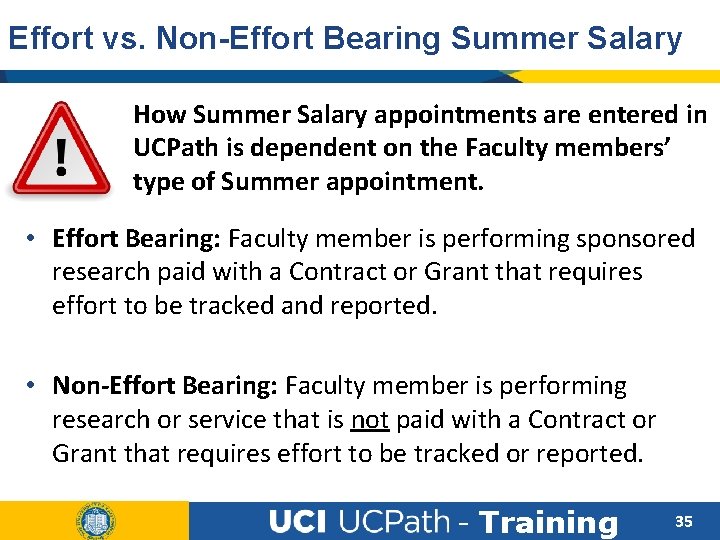
Effort vs. Non-Effort Bearing Summer Salary How Summer Salary appointments are entered in UCPath is dependent on the Faculty members’ type of Summer appointment. • Effort Bearing: Faculty member is performing sponsored research paid with a Contract or Grant that requires effort to be tracked and reported. • Non-Effort Bearing: Faculty member is performing research or service that is not paid with a Contract or Grant that requires effort to be tracked or reported. - Training 35
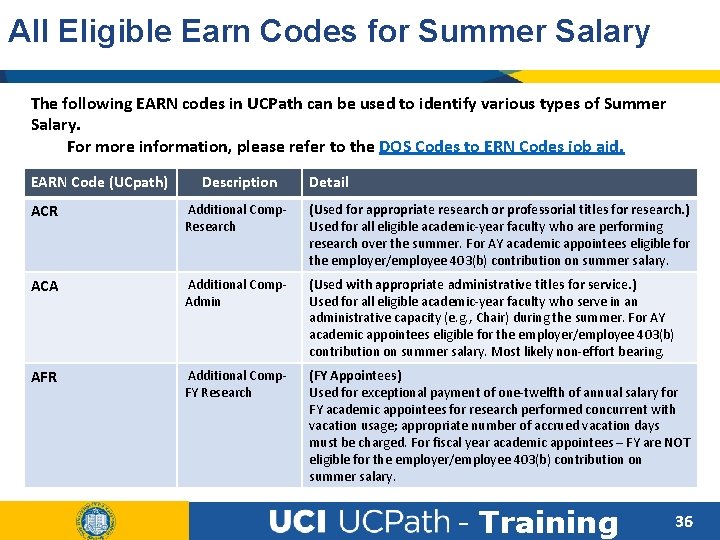
All Eligible Earn Codes for Summer Salary The following EARN codes in UCPath can be used to identify various types of Summer Salary. For more information, please refer to the DOS Codes to ERN Codes job aid. EARN Code (UCpath) Description Detail ACR Additional Comp. Research (Used for appropriate research or professorial titles for research. ) Used for all eligible academic-year faculty who are performing research over the summer. For AY academic appointees eligible for the employer/employee 403(b) contribution on summer salary. ACA Additional Comp. Admin (Used with appropriate administrative titles for service. ) Used for all eligible academic-year faculty who serve in an administrative capacity (e. g. , Chair) during the summer. For AY academic appointees eligible for the employer/employee 403(b) contribution on summer salary. Most likely non-effort bearing. AFR Additional Comp. FY Research (FY Appointees) Used for exceptional payment of one-twelfth of annual salary for FY academic appointees for research performed concurrent with vacation usage; appropriate number of accrued vacation days must be charged. For fiscal year academic appointees – FY are NOT eligible for the employer/employee 403(b) contribution on summer salary. - Training 36
Effort-Bearing Summer Salary - Training 37
Effort Bearing Summer Salary appointments are entered as a Concurrent Job / Appointment via a Smart. HR Template. • A Concurrent Job will allow the department to assign a separate Researcher title/position to the Faculty member, and set the compensation based on their current pay in existing appointment. • The compensation for Summer Salary must be calculated first and then converted into an FTE value. This is identified on the position. (Summer Salary Worksheet) - Training 38
When Appointment is Above 1. 0 FTE • During the months of July and August, a Faculty employee’s percentage of time may go above 1. 0 FTE. • When a Faculty member is scheduled to be above 1. 0 FTE because of Summer Salary, the overage should be added as an additional job (concurrent hire). • Example: Faculty’s Total FTE during July – August = 1. 25 FTE • A concurrent appointment is added with position @ 1. 0 FTE • Another Concurrent appointment w/ position @. 25 FTE - Training 39
Position Management It is important to review position details before assigning it to the Faculty employee. • Certain position details may need to be updated first, in order to achieve and reflect the desired job record for the employee upon hire. • Some of the key details to review include, but are not limited to: • • • Effective Date FTE Reports-To Position Department Salary Admin Plan - Training 40
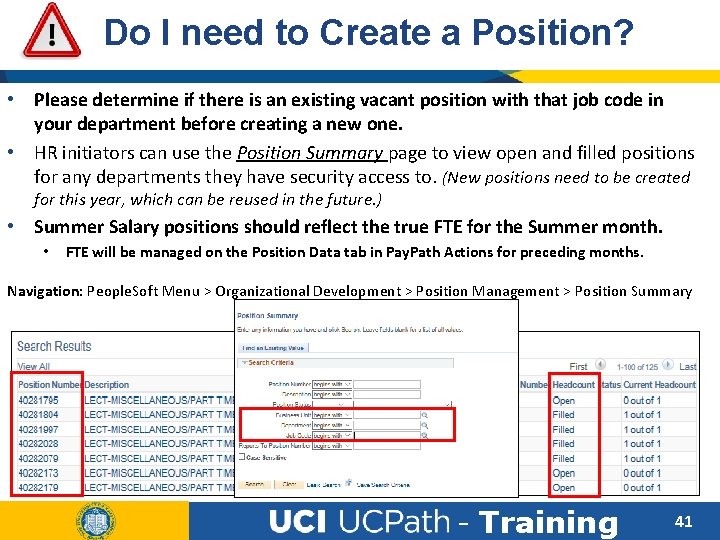
Do I need to Create a Position? • Please determine if there is an existing vacant position with that job code in your department before creating a new one. • HR initiators can use the Position Summary page to view open and filled positions for any departments they have security access to. (New positions need to be created for this year, which can be reused in the future. ) • Summer Salary positions should reflect the true FTE for the Summer month. • FTE will be managed on the Position Data tab in Pay. Path Actions for preceding months. Navigation: People. Soft Menu > Organizational Development > Position Management > Position Summary - Training 41
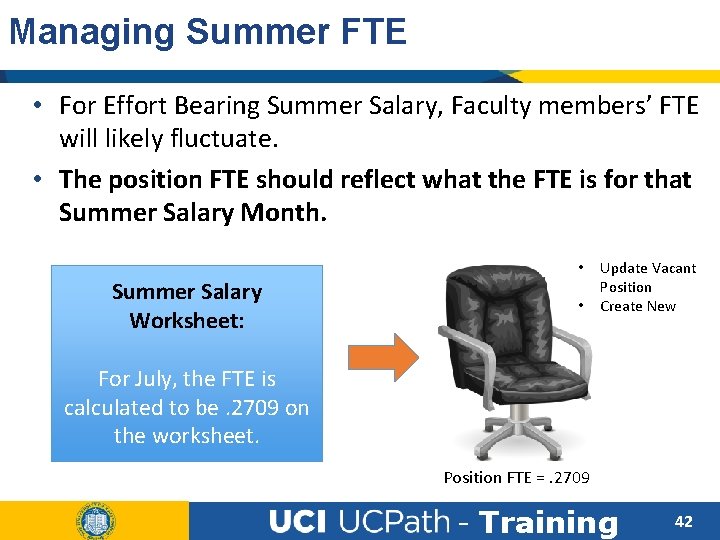
Managing Summer FTE • For Effort Bearing Summer Salary, Faculty members’ FTE will likely fluctuate. • The position FTE should reflect what the FTE is for that Summer Salary Month. • Summer Salary Worksheet: • Update Vacant Position Create New For July, the FTE is calculated to be. 2709 on the worksheet. Position FTE =. 2709 - Training 42
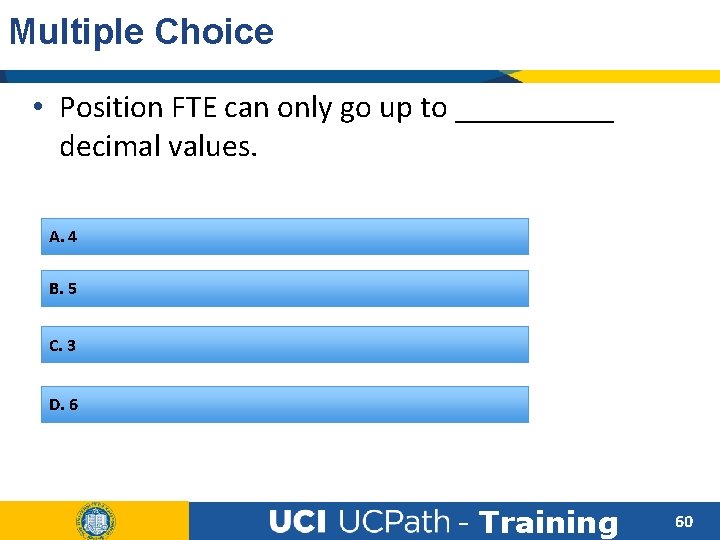
Other Position Details • FTE: Positions will only go to 4 decimal values & will round up. Summer Salary Worksheet has been updated to reflect this change. • At times, this may cause an over/underpayment </= $1. 00 to the faculty member. - Training 43
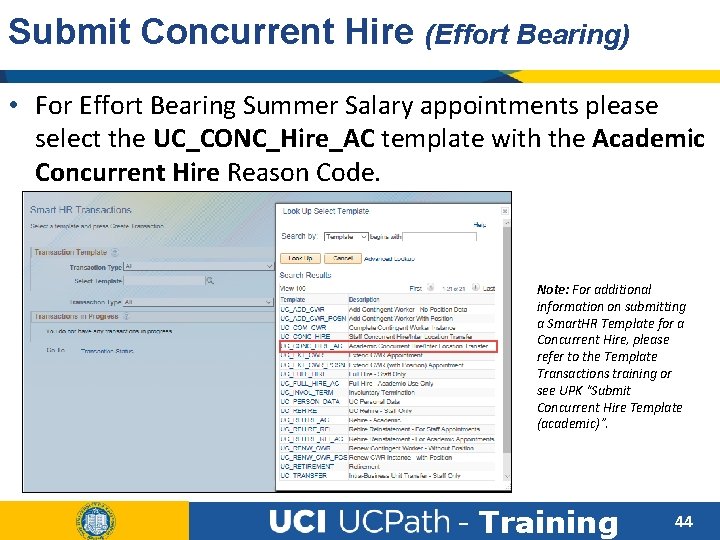
Submit Concurrent Hire (Effort Bearing) • For Effort Bearing Summer Salary appointments please select the UC_CONC_Hire_AC template with the Academic Concurrent Hire Reason Code. Note: For additional information on submitting a Smart. HR Template for a Concurrent Hire, please refer to the Template Transactions training or see UPK “Submit Concurrent Hire Template (academic)”. - Training 44
Concurrent Hire Processing • The concurrent hire template is subject to the AWE process and could take 3 -7 days to be completed at the UCPath Center. • Please Plan accordingly and ahead of time when possible. • Please DO NOT enter JED details on the hire template to identify Summer Salary earnings. - Training 45
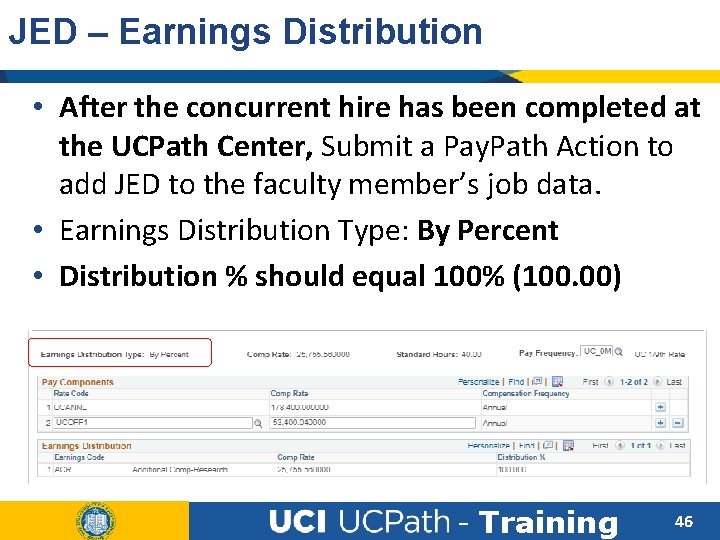
JED – Earnings Distribution • After the concurrent hire has been completed at the UCPath Center, Submit a Pay. Path Action to add JED to the faculty member’s job data. • Earnings Distribution Type: By Percent • Distribution % should equal 100% (100. 00) - Training 46
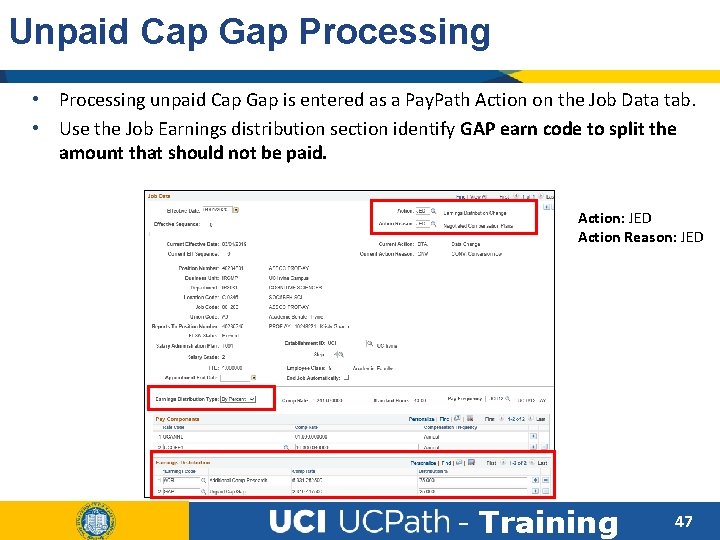
Unpaid Cap Gap Processing • Processing unpaid Cap Gap is entered as a Pay. Path Action on the Job Data tab. • Use the Job Earnings distribution section identify GAP earn code to split the amount that should not be paid. Action: JED Action Reason: JED - Training 47
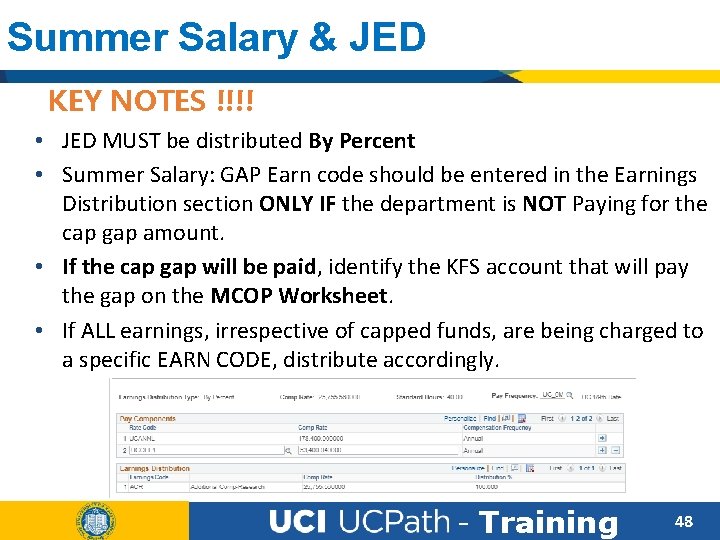
Summer Salary & JED KEY NOTES !!!! • JED MUST be distributed By Percent • Summer Salary: GAP Earn code should be entered in the Earnings Distribution section ONLY IF the department is NOT Paying for the cap gap amount. • If the cap gap will be paid, identify the KFS account that will pay the gap on the MCOP Worksheet. • If ALL earnings, irrespective of capped funds, are being charged to a specific EARN CODE, distribute accordingly. - Training 48
Capped Funds & Summer Salary • The Multiple Components of Pay (MCOP) Worksheet on the Funding Entry Page in UCPath will need to be filled out for Faculty that are working 100% FTE (1. 0), and are paid above the salary’s cap rate. • DHHS has set the current Salary cap is $197, 300 • Monthly Rate: $16, 441. 25 (FY) • Please refer to the Multiple Components of Pay training material for guidance on using this functionality. - Training 49
Retro Dated Concurrent Hires • Retro Effective Dated concurrent hire entries that are submitted and approved AFTER a pay period has closed, will required an off-cycle payroll request if they miss pay. • The system will NOT automatically pay these employees for missed pay-periods once the hire transaction has been completed. • Please submit an EEC ticket if additional assistance is required. - Training 50
Non-Effort Bearing entry in UCPath - Training 51
Non Effort Bearing – Summer Salary Faculty that are assigned “Non-Effort Bearing” Summer Salary Appointments are eligible to receive Additional Compensation under their current/existing job record. • The additional pay amount would have to be calculated using the Summer Salary Worksheet. • Summer Salary for these employees is provided as Additional Pay via Pay. Path actions. • Additional Pay transactions do not require UCPath Center Approval. - Training 52
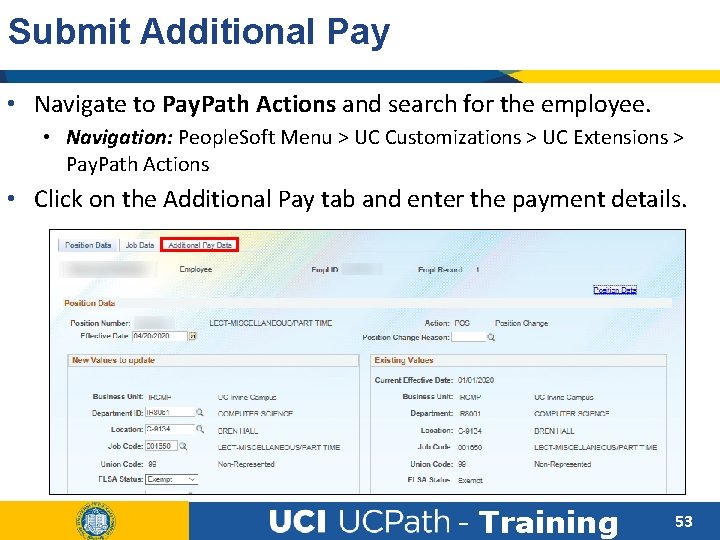
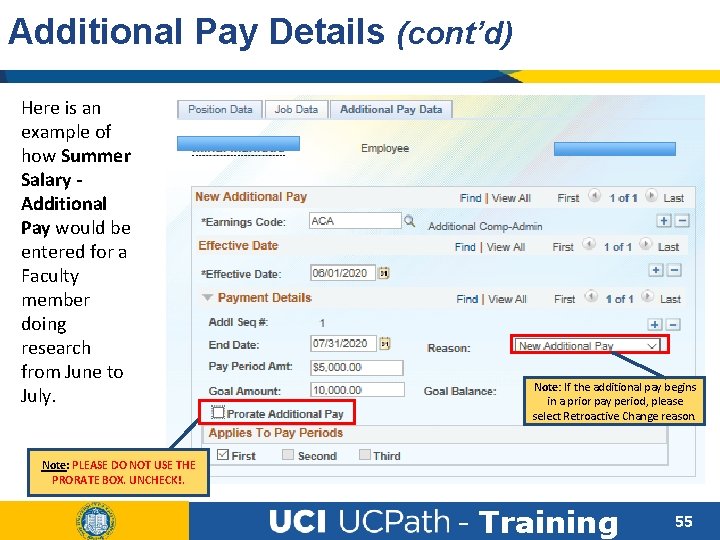
Submit Additional Pay • Navigate to Pay. Path Actions and search for the employee. • Navigation: People. Soft Menu > UC Customizations > UC Extensions > Pay. Path Actions • Click on the Additional Pay tab and enter the payment details. - Training 53
Additional Pay Details When entering Additional Pay please identify the following: • Earn Code for the Additional Pay • Example: ACR, ACA • Effective Date • Additional Pay Amount • Reason Code - Training 54
Additional Pay Details (cont’d) Here is an example of how Summer Salary Additional Pay would be entered for a Faculty member doing research from June to July. Note: If the additional pay begins in a prior pay period, please select Retroactive Change reason. Note: PLEASE DO NOT USE THE PRORATE BOX. UNCHECK!. - Training 55
Funding Entry Implications • If the Additional Pay for Summer Salary is paid from different/various department accounts, or a grant, please ensure this is identified on the Funding Entry page for that position. A separate/new funding row may be required. • Reminder: Funding can be assigned by earn code. Accounts must have a combined distribution amount that equals 100% per Earn Code. Failure to identify the correct account for the Earn Code may result in the Department Default/Suspense Account to be charged. - Training 56
Lesson Objectives Review Having completed this lesson, you should now be able to: • Enter effort bearing appointments in Ucpath. • Understand how to provide additional pay for non effort bearing summer salary. • Appropriately apply Job Earnings Distribution for Summer Salary. - Training 57
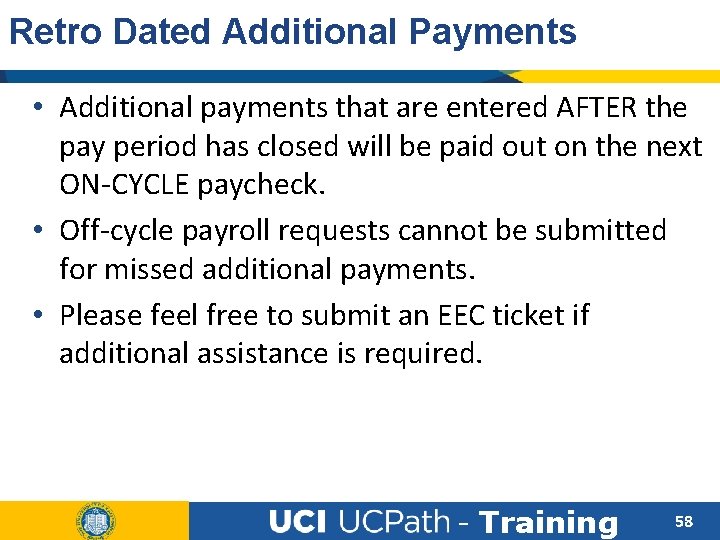
Retro Dated Additional Payments • Additional payments that are entered AFTER the pay period has closed will be paid out on the next ON-CYCLE paycheck. • Off-cycle payroll requests cannot be submitted for missed additional payments. • Please feel free to submit an EEC ticket if additional assistance is required. - Training 58
True or False • Effort bearing Summer Salary can be paid as Additional Pay on existing job record. True False - Training 59
Multiple Choice • Position FTE can only go up to _____ decimal values. A. 4 B. 5 C. 3 D. 6 - Training 60
True or False • Earnings Distribution should be identified for Summer Salary via Pay. Path Actions. True False - Training 61
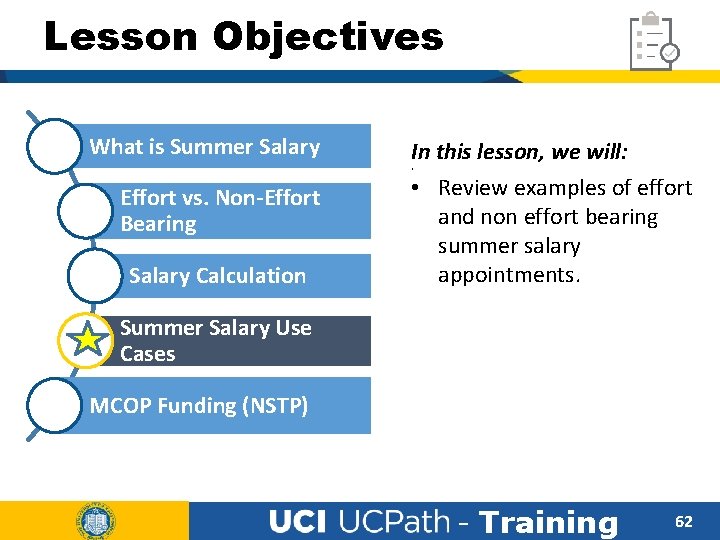
Lesson Objectives What is Summer Salary In this lesson, we will: • Review examples of effort and non effort bearing summer salary appointments. • Effort vs. Non-Effort Bearing Salary Calculation Summer Salary Use Cases MCOP Funding (NSTP) - Training 62
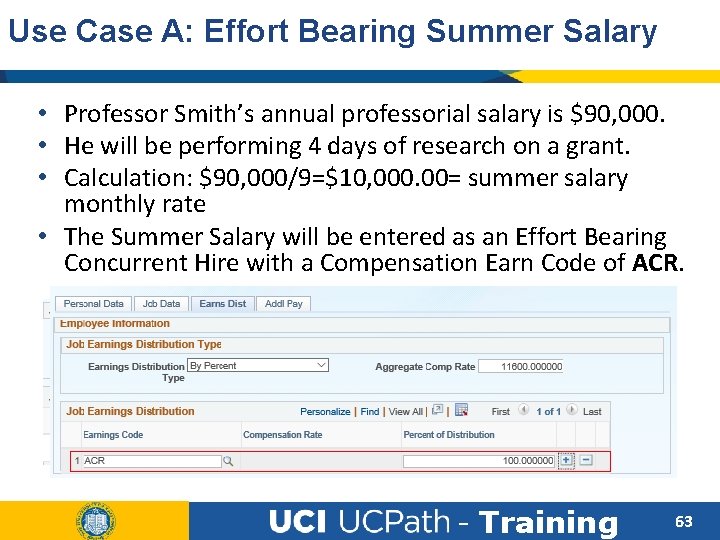
Use Case A: Effort Bearing Summer Salary • Professor Smith’s annual professorial salary is $90, 000. • He will be performing 4 days of research on a grant. • Calculation: $90, 000/9=$10, 000. 00= summer salary monthly rate • The Summer Salary will be entered as an Effort Bearing Concurrent Hire with a Compensation Earn Code of ACR. - Training 63
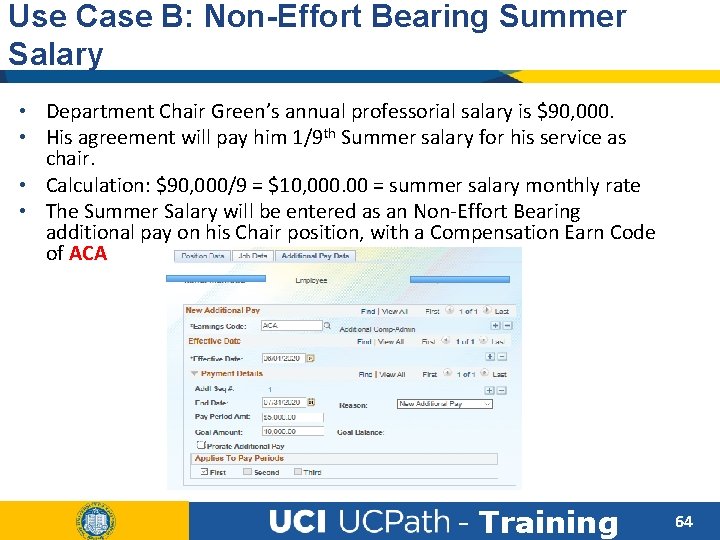
Use Case B: Non-Effort Bearing Summer Salary • Department Chair Green’s annual professorial salary is $90, 000. • His agreement will pay him 1/9 th Summer salary for his service as chair. • Calculation: $90, 000/9 = $10, 000. 00 = summer salary monthly rate • The Summer Salary will be entered as an Non-Effort Bearing additional pay on his Chair position, with a Compensation Earn Code of ACA - Training 64
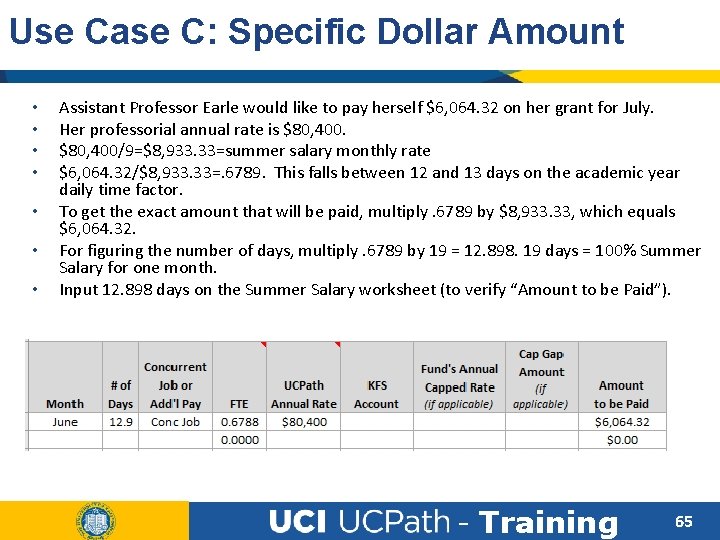
Use Case C: Specific Dollar Amount • • Assistant Professor Earle would like to pay herself $6, 064. 32 on her grant for July. Her professorial annual rate is $80, 400/9=$8, 933. 33=summer salary monthly rate $6, 064. 32/$8, 933. 33=. 6789. This falls between 12 and 13 days on the academic year daily time factor. To get the exact amount that will be paid, multiply. 6789 by $8, 933. 33, which equals $6, 064. 32. For figuring the number of days, multiply. 6789 by 19 = 12. 898. 19 days = 100% Summer Salary for one month. Input 12. 898 days on the Summer Salary worksheet (to verify “Amount to be Paid”). - Training 65
LESSON 5 Negotiated Salary Trial Program (NSTP) - Training 66
Lesson Objectives What is Summer Salary In this lesson, we will: • Review UCPath process when using capped funds. • Summer Sal. Worksheet Effort vs. Non-Effort Bearing Summer Salary Use Cases MCOP Funding (NSTP) • Identify when the Multiple Components of Pay (MCOP) worksheet is required. • Learn how unpaid cap gap is entered in UCPath. - Training 67
NSTP & MCOP Worksheet • Due to the timing, we will not be reviewing the program rules, however, we will cover how to use the MCOP worksheet for NSTP. Total UC Salary - Training 68
What is Salary Cap Funding Many UCI employees are paid using funds the have salary caps. • A custom effective-dated table that stores salary cap rates, fund and project attributes is available in UCPath. • The tables is effective-dated so that changes to salary cap rates over time can be tracked and applied. • The following types of funds are stored in this table: Federal, sponsored, state, general, restricted, sponsor name, award type, federal flow through, and other sponsor types. • Cap rates will be prorated based on Compensation Frequency of the employee (e. g. 9 over 12). - Training 69
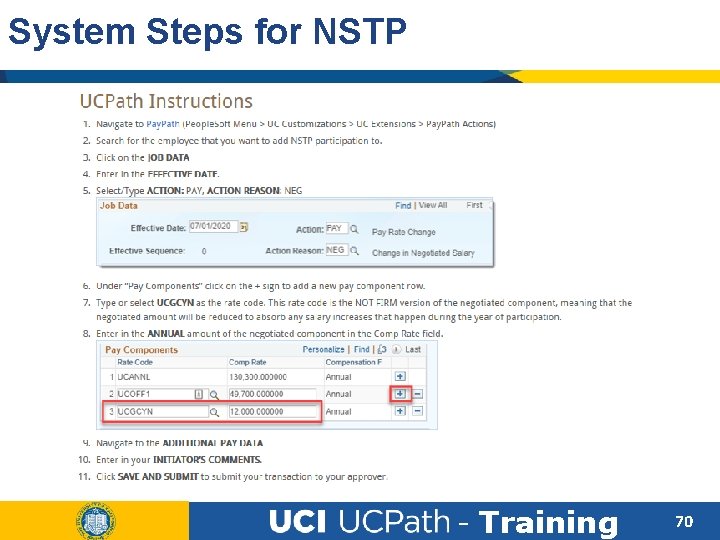
System Steps for NSTP - Training 70
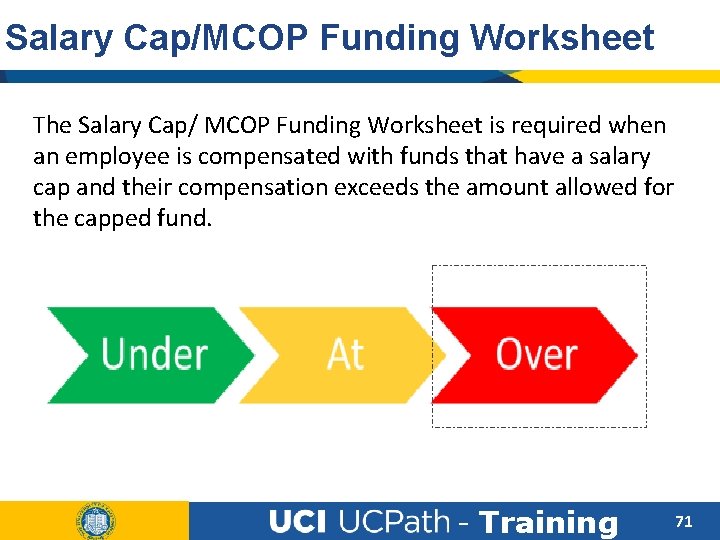
Salary Cap/MCOP Funding Worksheet The Salary Cap/ MCOP Funding Worksheet is required when an employee is compensated with funds that have a salary cap and their compensation exceeds the amount allowed for the capped fund. - Training 71
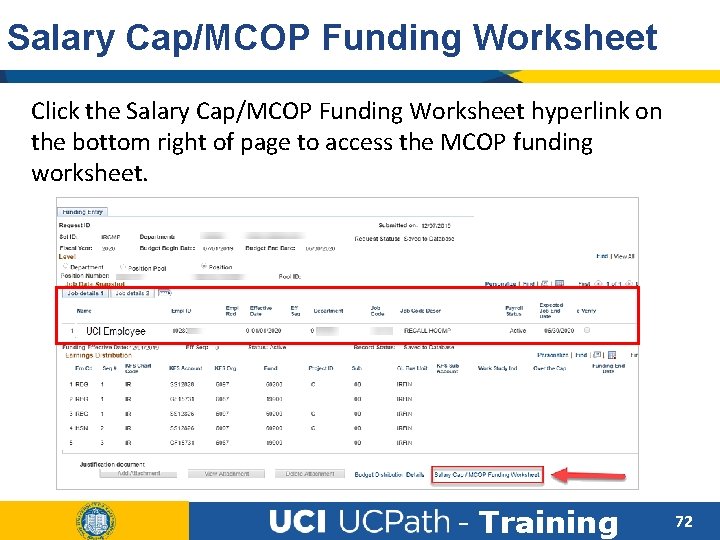
Salary Cap/MCOP Funding Worksheet Click the Salary Cap/MCOP Funding Worksheet hyperlink on the bottom right of page to access the MCOP funding worksheet. - Training 72
MCOP Worksheet Accessibility • The Salary Cap/MCOP worksheet will ONLY be available when there is an active incumbent in the position. • If the position is still vacant, the worksheet will not be available. • The hire transaction would have to be completed at the Path Center before accessing the worksheet. 73 - Training 73
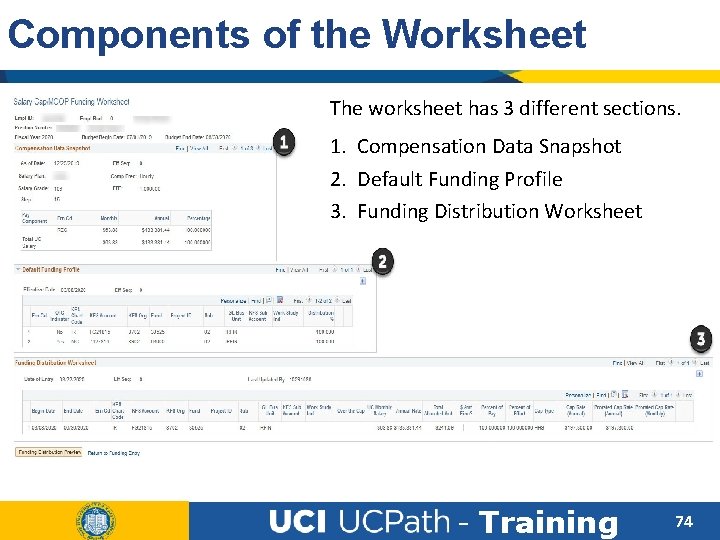
Components of the Worksheet The worksheet has 3 different sections. 1. Compensation Data Snapshot 2. Default Funding Profile 3. Funding Distribution Worksheet - Training 74
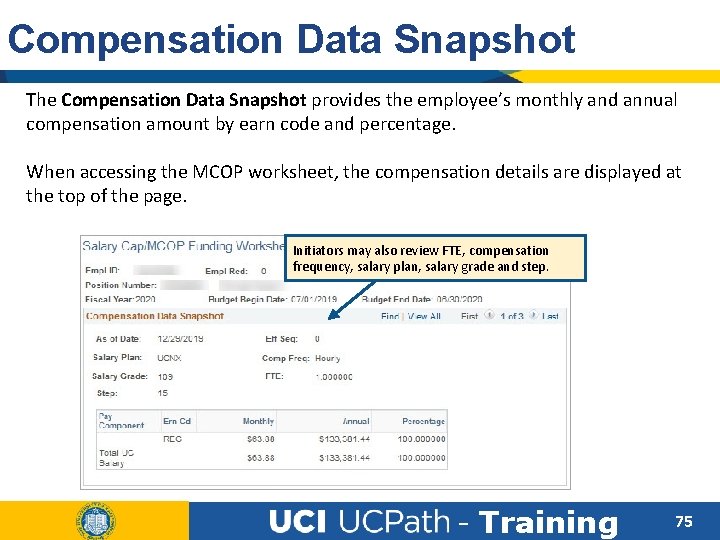
Compensation Data Snapshot The Compensation Data Snapshot provides the employee’s monthly and annual compensation amount by earn code and percentage. When accessing the MCOP worksheet, the compensation details are displayed at the top of the page. Initiators may also review FTE, compensation frequency, salary plan, salary grade and step. - Training 75
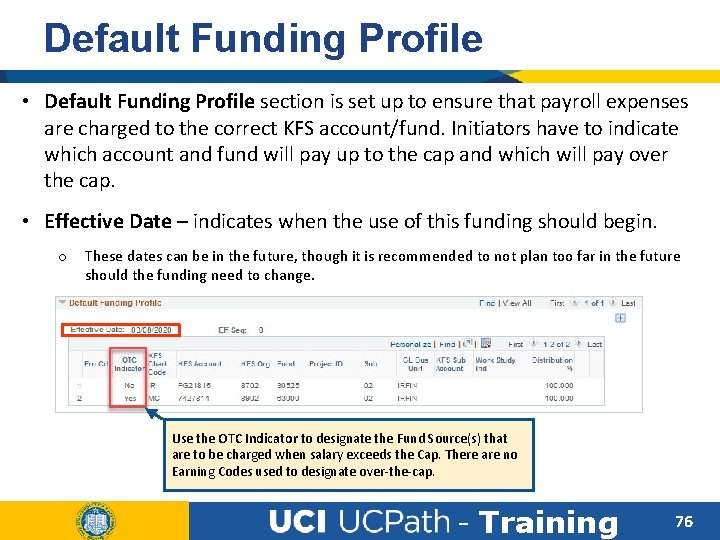
Default Funding Profile • Default Funding Profile section is set up to ensure that payroll expenses are charged to the correct KFS account/fund. Initiators have to indicate which account and fund will pay up to the cap and which will pay over the cap. • Effective Date – indicates when the use of this funding should begin. o These dates can be in the future, though it is recommended to not plan too far in the future should the funding need to change. Use the OTC Indicator to designate the Fund Source(s) that are to be charged when salary exceeds the Cap. There are no Earning Codes used to designate over-the-cap. - Training 76
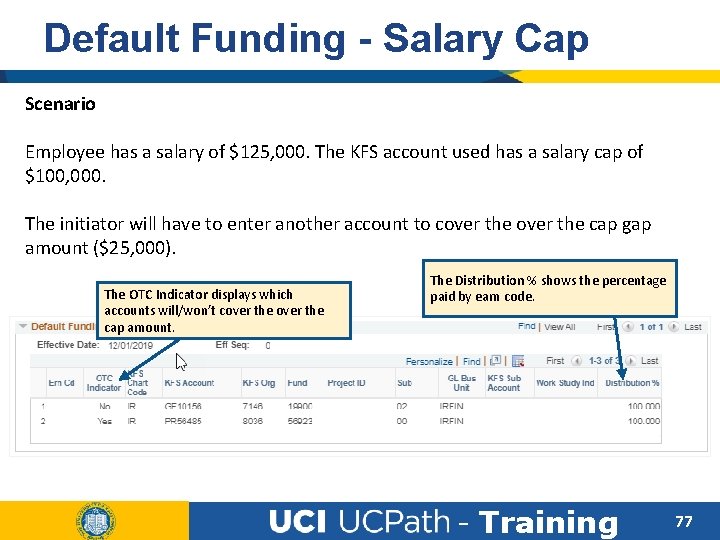
Default Funding - Salary Cap Scenario Employee has a salary of $125, 000. The KFS account used has a salary cap of $100, 000. The initiator will have to enter another account to cover the cap gap amount ($25, 000). The OTC Indicator displays which accounts will/won’t cover the cap amount. The Distribution % shows the percentage paid by earn code. - Training 77
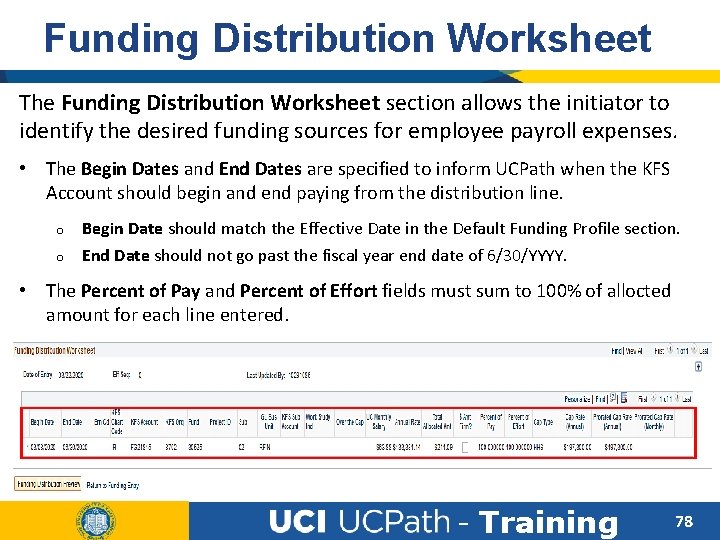
Funding Distribution Worksheet The Funding Distribution Worksheet section allows the initiator to identify the desired funding sources for employee payroll expenses. • The Begin Dates and End Dates are specified to inform UCPath when the KFS Account should begin and end paying from the distribution line. o Begin Date should match the Effective Date in the Default Funding Profile section. o End Date should not go past the fiscal year end date of 6/30/YYYY. • The Percent of Pay and Percent of Effort fields must sum to 100% of allocted amount for each line entered. - Training 78
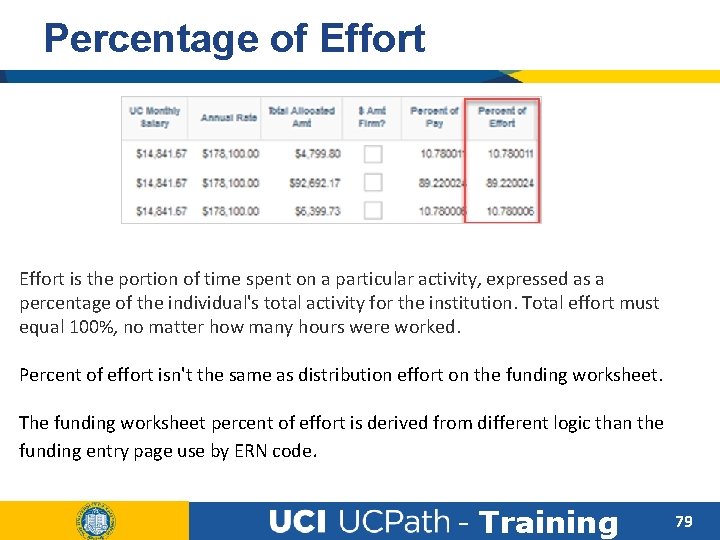
Percentage of Effort is the portion of time spent on a particular activity, expressed as a percentage of the individual's total activity for the institution. Total effort must equal 100%, no matter how many hours were worked. Percent of effort isn't the same as distribution effort on the funding worksheet. The funding worksheet percent of effort is derived from different logic than the funding entry page use by ERN code. - Training 79
Lesson Objectives Review Having completed this lesson, you should now be able to: • Identify what happens when capped funds are used. • Understand when the MCOP worksheet needs to be filled. • Enter NSTP & Cap Gap entries in UCPath. - Training 80
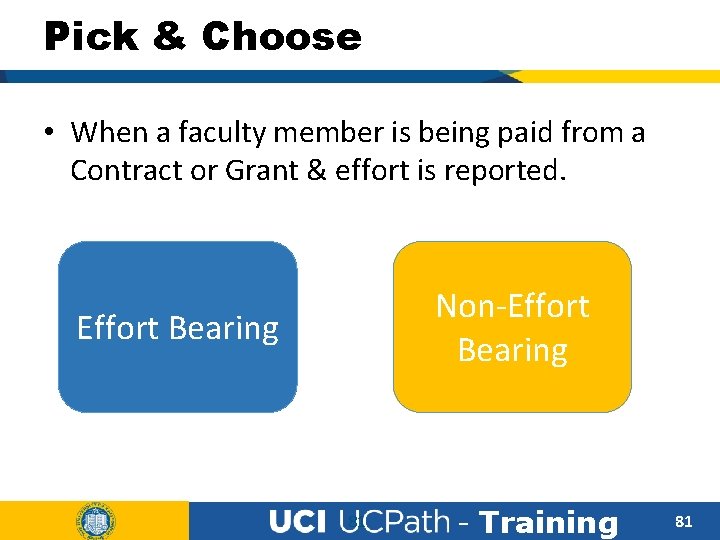
Pick & Choose • When a faculty member is being paid from a Contract or Grant & effort is reported. Non-Effort Bearing 81 - Training 81
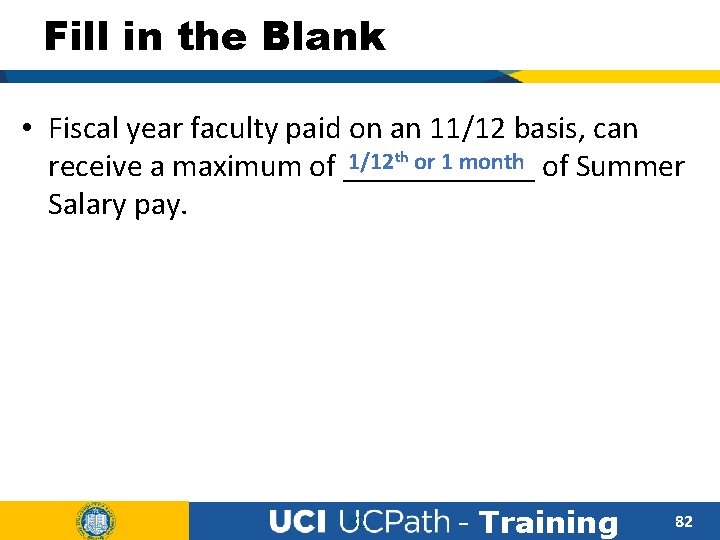
Fill in the Blank • Fiscal year faculty paid on an 11/12 basis, can 1/12 th or 1 month of Summer receive a maximum of ______ Salary pay. 82 - Training 82
Fill in the Blank • Non effort bearing summer salary can be paid Additional Pay as ________ on their current job. 83 - Training 83
True or False • The Salary Cap/ MCOP worksheet has to be filled before the employee is hired. True False 84 - Training 84
Course Resources - Training 85
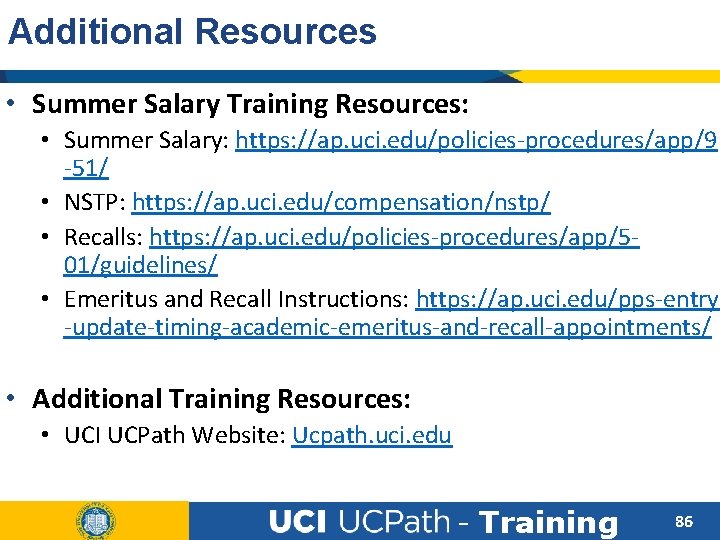
Additional Resources • Summer Salary Training Resources: • Summer Salary: https: //ap. uci. edu/policies-procedures/app/9 -51/ • NSTP: https: //ap. uci. edu/compensation/nstp/ • Recalls: https: //ap. uci. edu/policies-procedures/app/501/guidelines/ • Emeritus and Recall Instructions: https: //ap. uci. edu/pps-entry -update-timing-academic-emeritus-and-recall-appointments/ • Additional Training Resources: • UCI UCPath Website: Ucpath. uci. edu - Training 86
Where to Get Help • The UCPath Help site is your first level of support. Search for conceptual content, job aids or step-by-step instructions for UCPath tasks. • From the UCPath portal homepage, expand the Help / FAQ section on the left side of the page and then click the “Location Users” link to open the site. *An Adobe PDF version is available for users with screen readers. Simulation Library: Click Here • If you’re experiencing issues, or have questions about transactions, please contact the Employee Experience Center at (949) 825 - 0500, or submit a ticket by visiting UCPath. UCI. Edu - Training 87
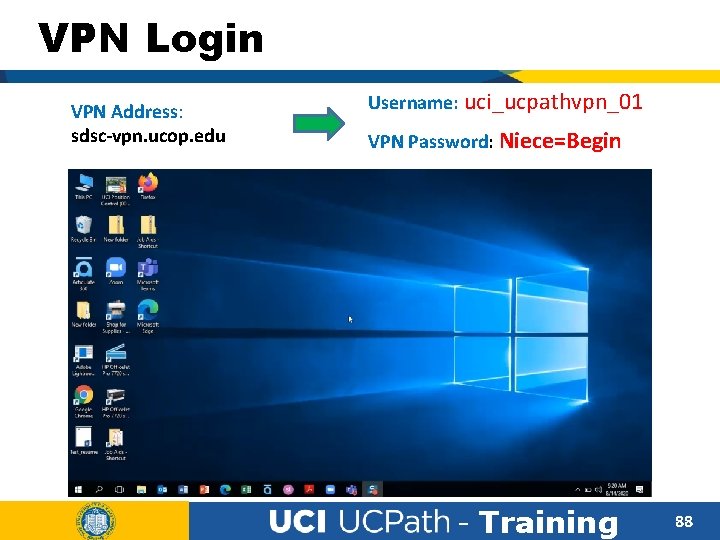
VPN Login VPN Address: sdsc-vpn. ucop. edu Username: uci_ucpathvpn_01 VPN Password: Niece=Begin - Training 88
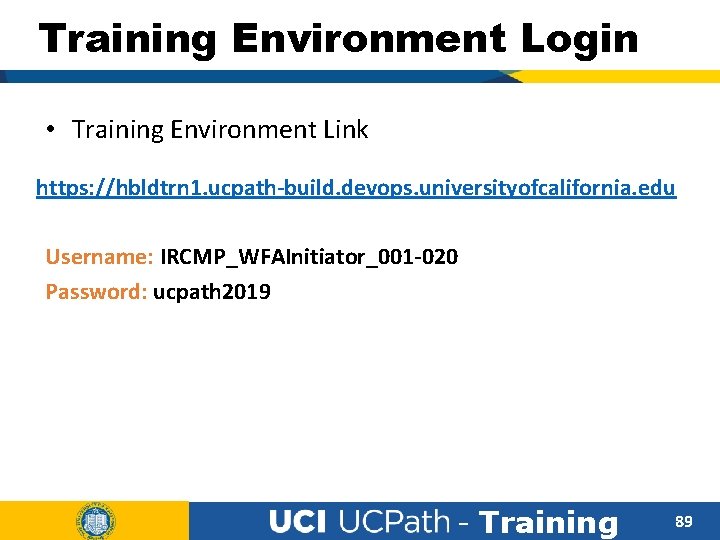
Training Environment Login • Training Environment Link https: //hbldtrn 1. ucpath-build. devops. universityofcalifornia. edu Username: IRCMP_WFAInitiator_001 -020 Password: ucpath 2019 - Training 89
Exercise #1 Initiate Effort Bearing Summer Salary Appointment • This is your opportunity to practice this task on your own. • For a stepy-by-step simulation, please view the “Initiate Concurrent Hire Template (Acad)” UPK. • Ask your instructor for assistance, if needed. - Training 90
Exercise #2 Initiate Non-Effort Bearing Summer Salaery ♦ This is your opportunity to practice this task on your own. • Open the UCPath Help site and refer to the Submit Additional Pay topic. ♦ Launch the See It version of the topic. ♦ Ask your instructor for assistance. - Training 91
Parking Lot • Did we answer all of your questions? • Please take a moment to ask any questions regarding today’s lesson. 92 - Training 92
Training End Thank You! - Training 93