
Welcome to the ISSA Raleigh Chapters VIRTUAL Career

- Slides: 26
Welcome to the ISSA Raleigh Chapter’s VIRTUAL Career Services Meeting Yes, another first for our members!
Raleigh ISSA Chapter 4/2/20 Career Services Meeting Agenda: • Welcome / Procedures – Tom Purdy • Video Interview Tips – Tom Purdy • ISSA Job Search Resources – Tom Purdy • Job Market Insights & Opportunities – Chris Uhlig • Q&A – Note: Questions submitted using “Chat” feature.
Video Interview Guide: Tips for a Successful Interview Indeed Career Guide Article Dated March 19, 2020 https: //www. indeed. com/career-advice/interviewing/video-interview-guide
Introduction • Phone interviews have become the normal for initial screening to verify job qualifications, job interest and start of “fit” evaluation. • Video job interviews are an increasingly common part of the hiring process. This is especially during current social distancing. • These interviews can take several forms. • If you have one coming up, familiarize yourself with all the variables so you are be prepared. • In this presentation, we’ll walk you through the types of video interviews, what to wear, and tips on body language & eye contact.
Other Interview Preparation Articles • Before we get into the specifics, take note that the content of a video job interview can be similar to in-person or phone interviews. • As a result, the following Indeed Career Guide articles should also be reviewed to prepare: • Job Interview Tips: How to Make a Great Impression • Interview Question: What Are Your Strengths and Weaknesses • Interview Question: Tell Me About Yourself • Behavioral Interview Questions (and How to Answer Them)
• Find a quiet, private, well-lit place, free from possible interruptions. • Ensure your internet connection is stable. Video & Phone Interview Tips • Check that your computer’s audio is working. • Test your computer’s webcam. • Close any unnecessary web browser tabs and applications. • Turn off notifications – audio & pop-ups. • Dress professionally and avoid bright colors. • Have a pen, notepad and copy of your resume & cover letter on your desk. • When listening, nod and smile to show you are engaged. • Use hand gestures when appropriate. • Place your phone in silent mode AND move it away from you.
Video Interview Locations In-office video interviews • Some video interviews will take place at your potential employer’s office. • This may happen if you’re interviewing with someone at the company who is based in another location. • In this situation, you’ll want to follow the best practices for an in-person interview (tips) prepare beforehand, dress appropriately, arrive early and be respectful to everyone you encounter starting as you approach the building.
Video Interview Locations (continued) In-office video interviews (continued) • When you arrive at the office, you’ll typically be led to a room with all the equipment needed for your video interview. • Ask the person who brought you to the room to help you set up the interview and make sure everything is working before they leave. • Recommend asking them how you can find them if your audio or video connection stops working at any point.
Some video interviews take place outside of the potential employer’s office. You are responsible for finding a quiet location with a good internet connection and a computer or laptop with a webcam. Video Interview Locations Remote Interviews Specifically, you’ll need: • An internet connection with bandwidth speed of at least 1 megabits per second. • A laptop or desktop computer with a webcam. In some cases, a tablet or smartphone may also be an option (quality? ). • Headphones with a built-in microphone or headphones and separate microphone. • A quiet, private and well-lit place where you won’t be interrupted by other people, pets or noises including phone calls. • Position your webcam so that you have a neutral background that’s free from distractions. Avoid coffee shops and other communal spaces.
Video Interview locations Remote Interviews (continued) If you don’t have these resources already, you may want to consider the following: • Explore the resources available at your public library. Some have private rooms you can reserve and may be able to loan you the equipment needed (test first!). • Borrow equipment from friends (test first!). • Rent equipment (test first!). NOTE: These options will require extra time to find an appropriate location, test equipment, connections …, and find support just in case.
Live vs. Prerecorded Video Interviews • Some interviews will be live, meaning that you might join a video conference from a link the employer shares with you, or you might receive a call via Skype, Google Hangouts or another video conference provider. Once connected, you’ll be able to see and speak with an interviewer on the other end. • If you’re using a personal Skype or Google account, make sure that you have a professional username and check your privacy settings. • If you have any concern about whether your username is professional enough, set up a new account for your video interviews just in case.
There are times when an employer may use pre-recorded video interviews. Live vs. Prerecorded Video Interviews (continued) • In this format, the employer will give you instructions on how to join the interview. Instead of being connected with a person, you’ll be prompted to answer interview questions that have been prerecorded or appear in writing on the screen. You’ll record your answer to each question and the employer will review the recording later. There is often a time limit for your answers, and you may be given more than one chance to record each answer. • The pre-recorded format can feel unnatural to some people. Try to imagine that you are having a live conversation. Your preparation for the interview will be especially useful in this setting—be sure you have your answers at the ready. • Whether your video interview is live or pre-recorded, make sure to close other apps or windows on your computer that could interrupt the conversation or slow the internet connection. Set your phone to silent before beginning the conference and move it away.
What to Wear for a Video Interview • For your video interview, you should dress professionally —the same way you would for an in-person interview. Research company culture before your interview so you have a good idea of what’s appropriate to wear and ask questions about. • To look your best on camera, avoid bright colors and patterns and wear softer colors instead. If you are wearing a tie, wear a solid color rather than a patterned one. If you wear glasses, adjust the lighting in the room to reduce glare from the lenses. • Position the camera so you are looking up slightly and centered on the screen. While it’s likely that the interviewer will only see your upper half, it’s still a good idea to wear professional pants or a skirt in case you need to stand up for any reason. Read more: How to Dress for a Job Interview
Video Interview Body Language • Eye contact is very important during an in-person interview, and you want to convey that same level of connection during a video interview. • Here’s how: • Avoid the instinct to look directly at your interviewer on the screen while you’re answering a question. Instead, when you speak, direct your gaze at the webcam. • When you do this, your eyes are more likely to align with the interviewer’s eyes on the other end. When you’re listening, you can look back at the screen. NOTE: Very good tips for work video conferencing, too!
Video Interview Body Language (continued) • Throughout the interview, keep your mood upbeat and convey optimism with your body language. One way to achieve this is to have good posture. Sit in your chair with your back straight and your shoulders open. Feet can be planted on the floor and arms can rest in your lap or on the desk. • When listening, nod and smile when appropriate to communicate that you’re giving them your full attention. Use hand gestures when it feels appropriate and keep movements close to your body. Avoid fidgeting or letting your gaze drift away from the device. NOTE: Do not check your mobile phone or pop-up notifications.
Practice and Tech Set Up • To get used to the technology and the body language of a video interview, it’s important to do practice video calls with friends or family members. Ask them to give you candid feedback about your appearance and eye contact. Run through it a few times until things start to feel natural (i. e. , build your confidence). • This practice can/will make all the difference in your interviews. Set aside time in your schedule in the weeks and days leading up to your interview—you’ll find your confidence growing as you become more comfortable in front of the camera.
Practice and Tech Set Up (continued) On the day of your interview, review this checklist as you set up: • Ensure you won’t be interrupted, either by locking the door &/or by alerting others that you can’t be disturbed using note on the door of the interview room and door to the outside may be helpful. • Clear the desk, except for a notepad and pen/pencil to take notes. • Have copy of your resume and other notes ready for to reference. • Set out a glass or bottle of water for yourself. • Check that your webcam is working.
Practice and Tech Set Up (continued) • Check that your audio is working. • Close any windows, tabs or applications on your computer that you’re not using. • Check your internet connection and make sure you’re not downloading or scanning anything in the background. • Set your phone to silent AND move it out of sight. • Check that background behind you is neutral and free from clutter. • Adjust the lights in the room. If things appear dark or dim, you may want to bring in an extra desk lamp to brighten the space.
If Things Go Wrong With technology, there’s always a chance things could go wrong. Here are some backup plans to have ready just in case. • If your video or audio stops working Before the interview, ask the interviewer for a phone number where you can reach them if you experience technical difficulties. If the video cuts out, call that number. Ask if you can continue the interview by phone or if you can reschedule. • If noise interrupts the conversation If noises (sirens, construction, pets, etc. ) interrupt your video interview, apologize for the interruption and ask for a few moments until the noise stops. You may want to mute the microphone if the noise is severe.
If Things Go Wrong (continued) • If someone enters the room unexpectedly • If family members, housemates or pets enter the room while you’re interviewing, apologize to the interviewer. • Ask for a few moments, mute your microphone and turn off your camera, and then step away to deal with the interruption. • Make sure the room is secure before beginning the interview again.
After Surviving Your Video Interview! • As with any job interview, you should conclude by thanking the interviewer for their time. • Send a follow-up thank you email later that day (or the next day if your interview was in the evening). • This message could help build a stronger connection with your potential employer and help you progress to the next step. • Read more: Follow-up Email Examples for After the Interview
Q&A Main Presentation • Please submit questions using the CHAT function. • Questions will be read answered by the presenter or another Career Service Team Member. • Time for Q&A in this section may be limited to allow time for other parts of tonight’s discussion. • Contact information will be provided at the end to forward additional questions to Career Service Team Members. • Reference: Indeed Career Guide Article Dated March 19, 2020 • https: //www. indeed. com/careeradvice/interviewing/video-interview-guide
• Recruiters & Prospective Employers @ Monthly Career Service Meeting • Consider ISSA Raleigh Chapter a GREAT source for employees • 2 -5+ recruiters/hiring managers attend monthly chapter meetings ISSA Job Search Resources • Others forward opportunities to ISSA for posting • Chapter’s website https: //raleigh. issa. org/ Jobs Board Career Services • Facebook Group – Public Raleigh ISSA • Facebook News ISSA Raleigh Chapter • Linked. In Company Page ISSA Raleigh Chapter • Linked. In Group Page ISSA – Raleigh Chapter • Other social media – go to website for complete list & MORE
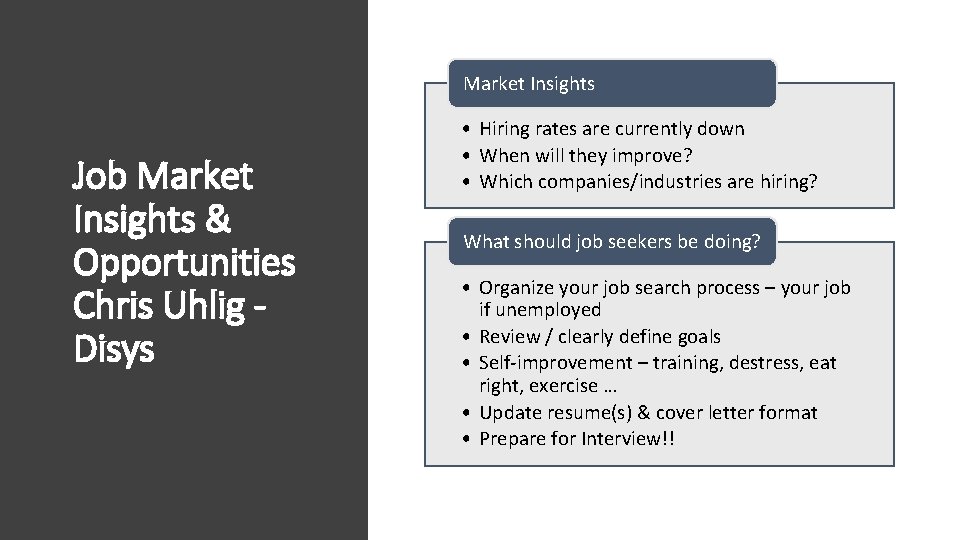
Market Insights Job Market Insights & Opportunities Chris Uhlig Disys • Hiring rates are currently down • When will they improve? • Which companies/industries are hiring? What should job seekers be doing? • Organize your job search process – your job if unemployed • Review / clearly define goals • Self-improvement – training, destress, eat right, exercise … • Update resume(s) & cover letter format • Prepare for Interview!!
Final Q&A Career Service Team Please submit questions using “Chat” function • Questions will be answered until allotted time ends ISSA Raleigh Chapter Career Service Team members: • Chris Uhlig - Chris. Uhlig@disys. com • Elizabeth Cole-Walker – elizabeth. colewalker 2@gmail. com • Evan Strickland tacitum@gmail. com • Tom Purdy – tepurdy@att. net
Thank you for attending! Stay safe and “see” you next month!!