
Welcome to the Hazel SMS Presentation By Hazel

Welcome to the Hazel. SMS Presentation By Hazel Development http: //www. hazel. co. ke
Introduction Hazel. SMS is a Short Message Service computer software that enables you to send and receive messages using a modem or GSM phone attached to your computer.
Features o o o o All incoming and outgoing text is saved to a database. Retrieves received messages automatically to your computer. Import Bulk SMS from text files. Advanced SMS Send Wizard enables you to quickly prepare text to send to single or multiple recipients or based on selected categories. Instant report generation wizard for all incoming, sent and outgoing messages. Specify text forwarding to specified numbers when out of office. Specify auto-reply text for all incoming SMS Inbuilt phone book to display friendly names in received and sent messages.
Features continued. . . o o o o Log message delivery for tracking, reference and reports. Manage access to the application using user profiles to have secure access to sent and received messages. Import phone book contacts from text files or Outlook. Inbuilt templates allows you to send preset messages to recipients. Advanced integration allows you to build external applications to queue messages to send using Hazel. SMS plugins. Stand alone or client server archtecture supported to work from one computer or from several computers in a local or wide area network. An easy to use windows graphical user interface reduces the need for training. Schedule send times to avoid sending queued messages during out of office or preset times.
Stand Alone Hazel. SMS Design Hazel. SMS Application and database Modem Devices USB Modem GSM Phone Modem PDA Blackberry
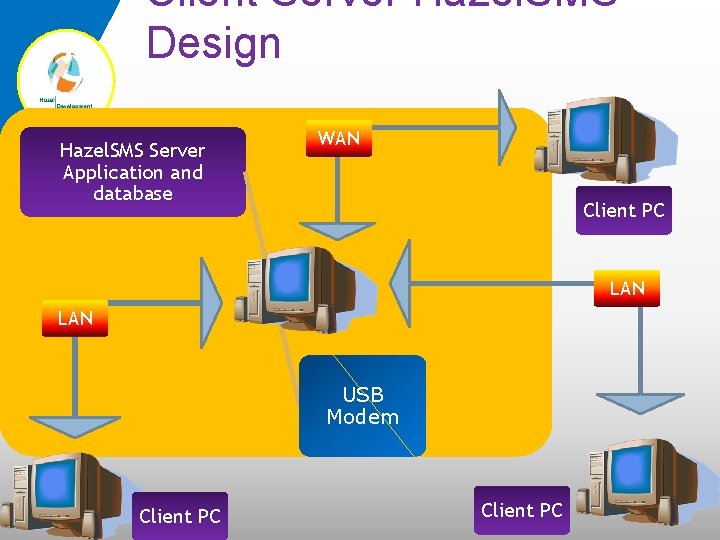
Client Server Hazel. SMS Design Hazel. SMS Server Application and database WAN Client PC LAN USB Modem Client PC
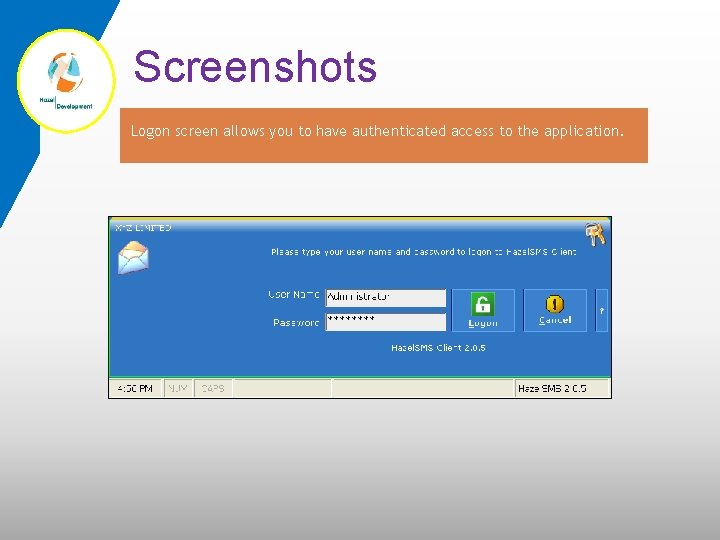
Screenshots Logon screen allows you to have authenticated access to the application.
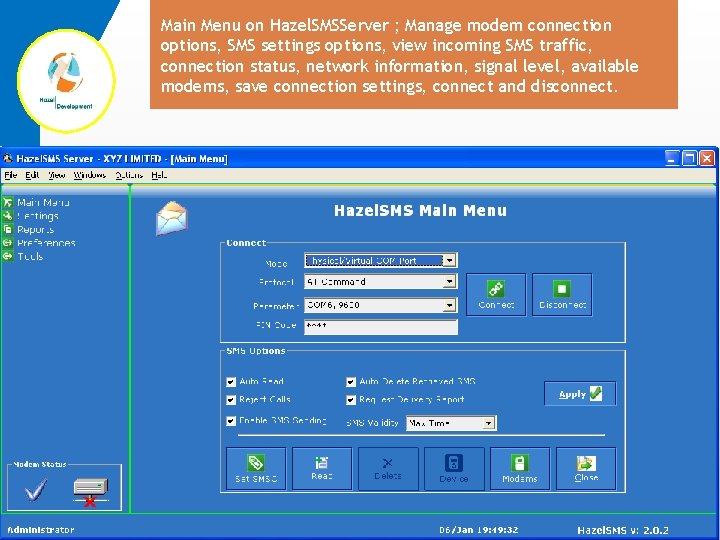
Main Menu on Hazel. SMSServer ; Manage modem connection options, SMS settings options, view incoming SMS traffic, connection status, network information, signal level, available modems, save connection settings, connect and disconnect.
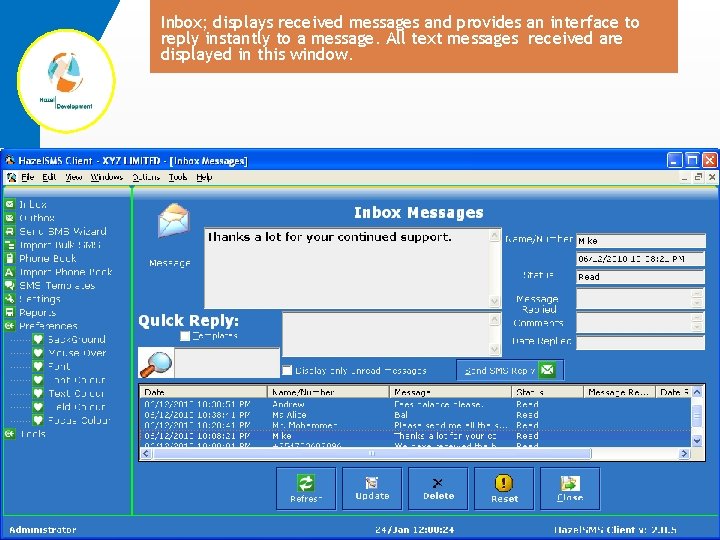
Inbox; displays received messages and provides an interface to reply instantly to a message. All text messages received are displayed in this window.
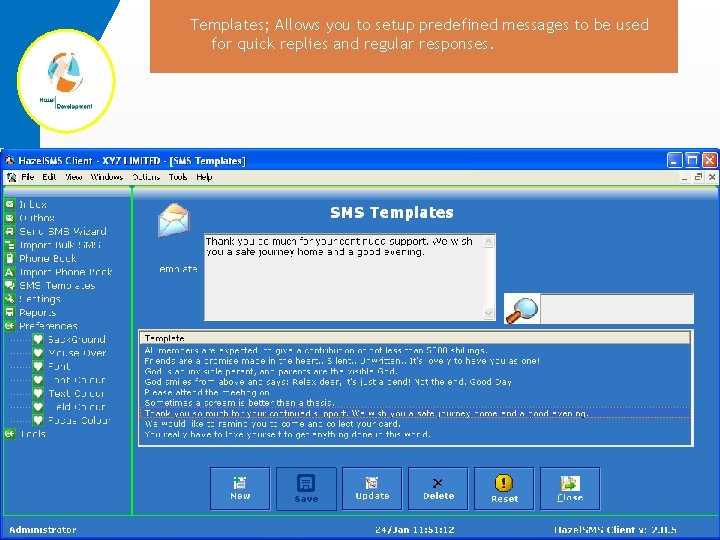
Templates; Allows you to setup predefined messages to be used for quick replies and regular responses.
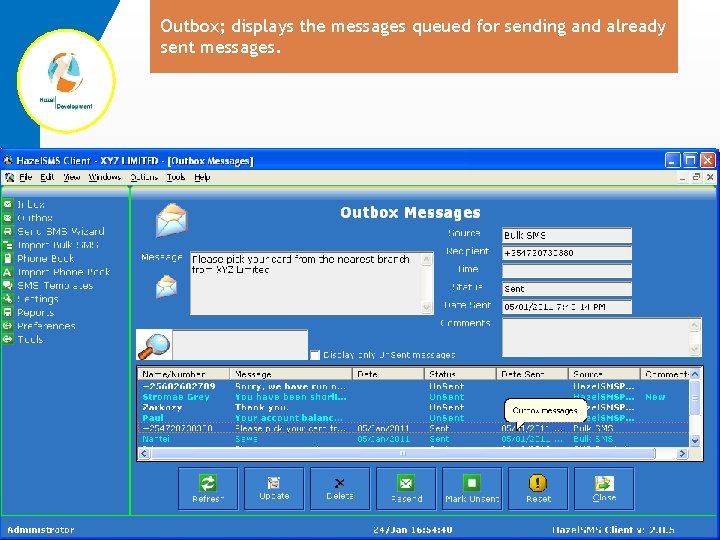
Outbox; displays the messages queued for sending and already sent messages.
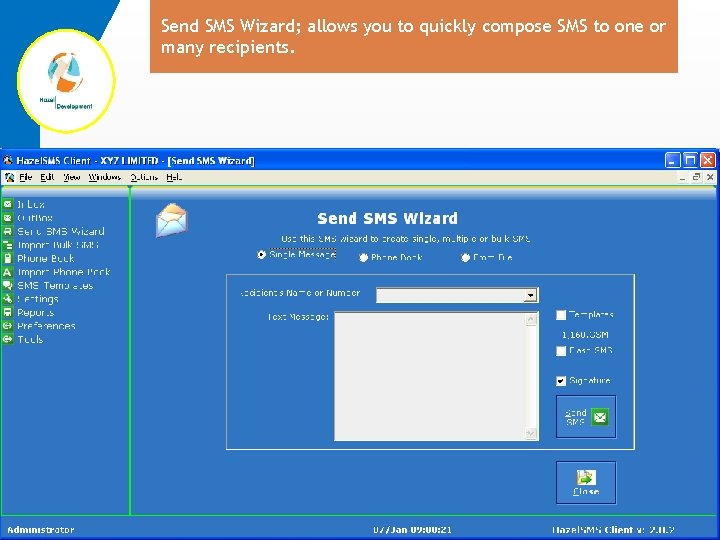
Send SMS Wizard; allows you to quickly compose SMS to one or many recipients.
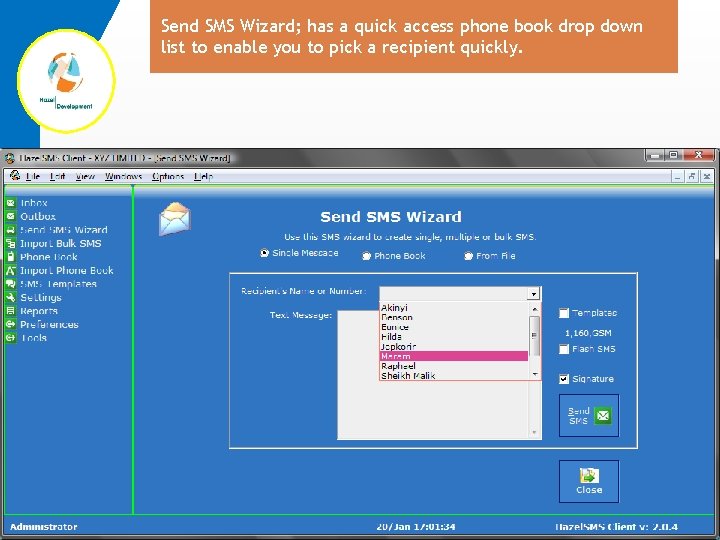
Send SMS Wizard; has a quick access phone book drop down list to enable you to pick a recipient quickly.
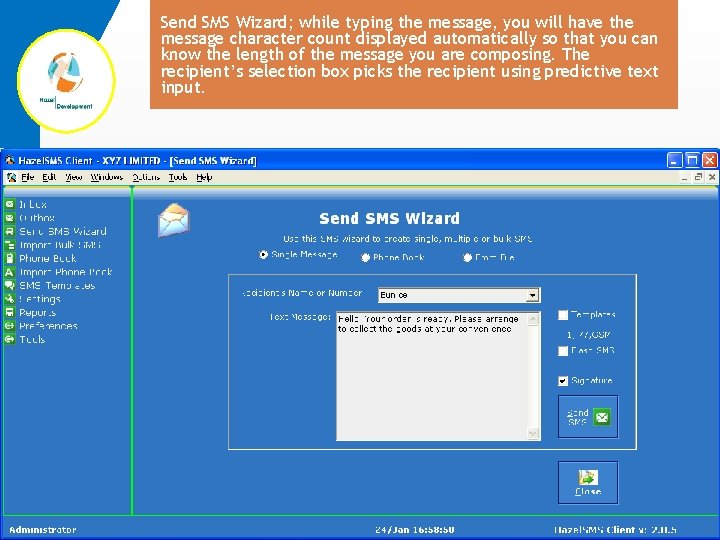
Send SMS Wizard; while typing the message, you will have the message character count displayed automatically so that you can know the length of the message you are composing. The recipient’s selection box picks the recipient using predictive text input.
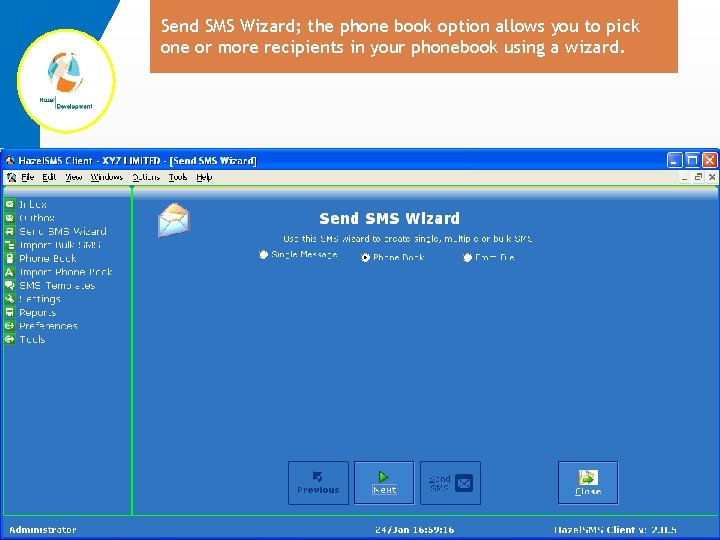
Send SMS Wizard; the phone book option allows you to pick one or more recipients in your phonebook using a wizard.
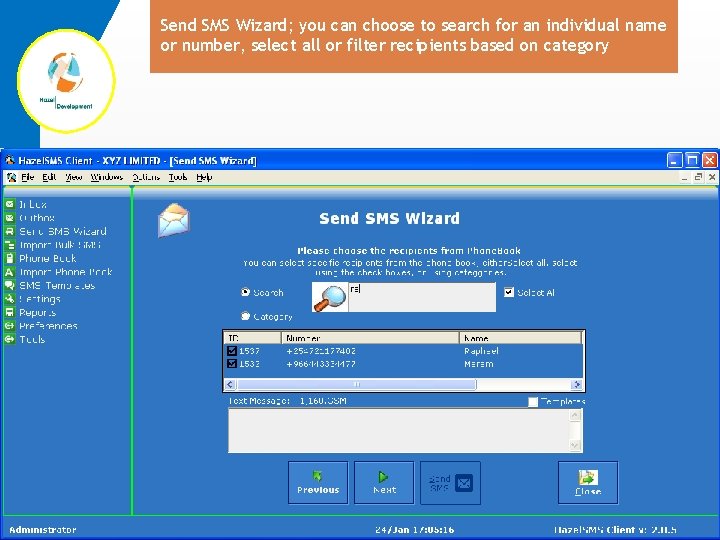
Send SMS Wizard; you can choose to search for an individual name or number, select all or filter recipients based on category
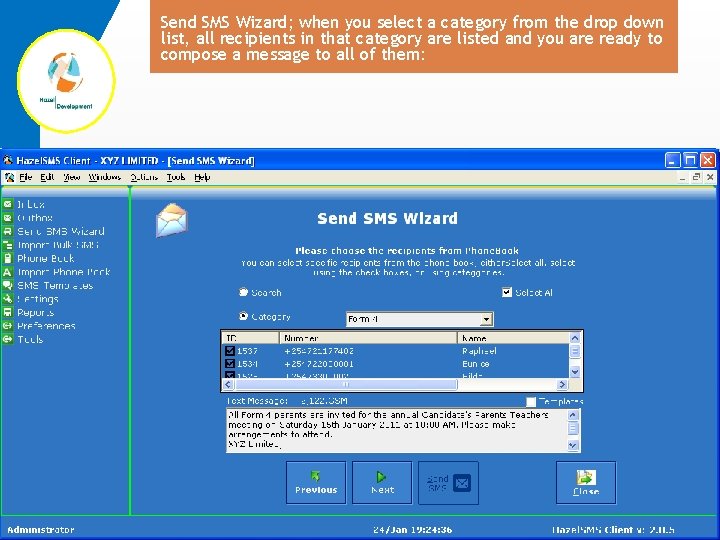
Send SMS Wizard; when you select a category from the drop down list, all recipients in that category are listed and you are ready to compose a message to all of them:
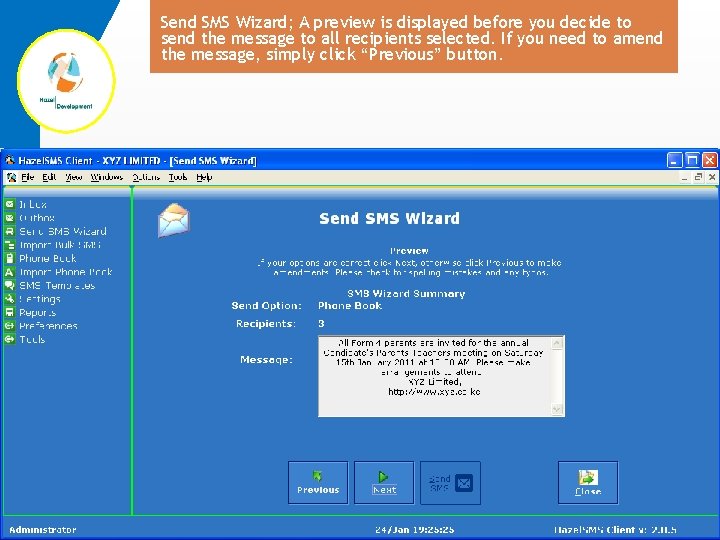
Send SMS Wizard; A preview is displayed before you decide to send the message to all recipients selected. If you need to amend the message, simply click “Previous” button.
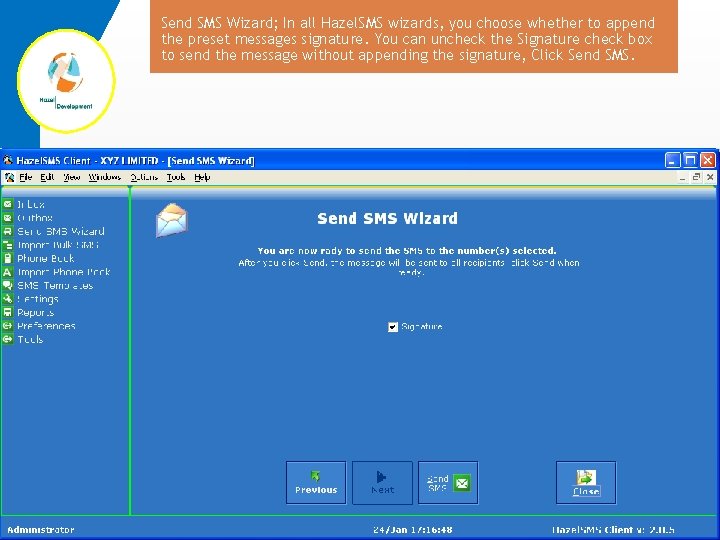
Send SMS Wizard; In all Hazel. SMS wizards, you choose whether to append the preset messages signature. You can uncheck the Signature check box to send the message without appending the signature, Click Send SMS.
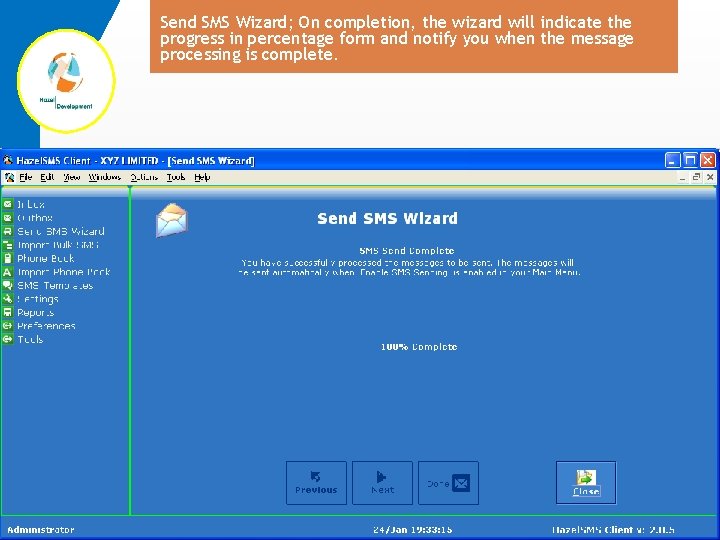
Send SMS Wizard; On completion, the wizard will indicate the progress in percentage form and notify you when the message processing is complete.
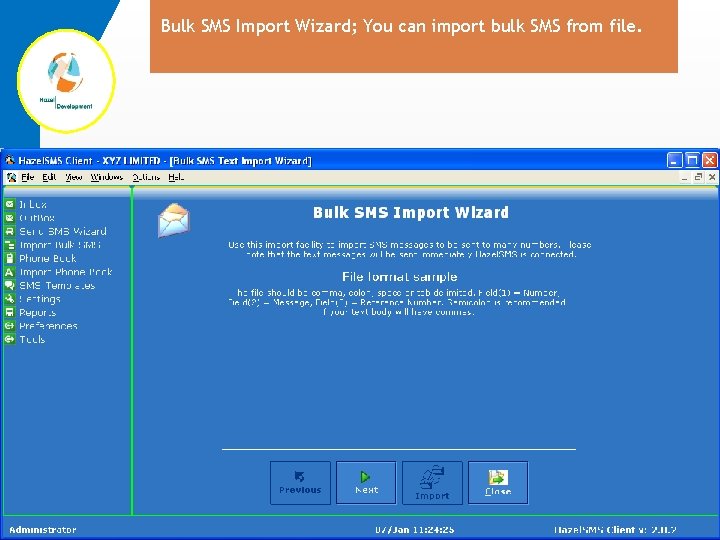
Bulk SMS Import Wizard; You can import bulk SMS from file.
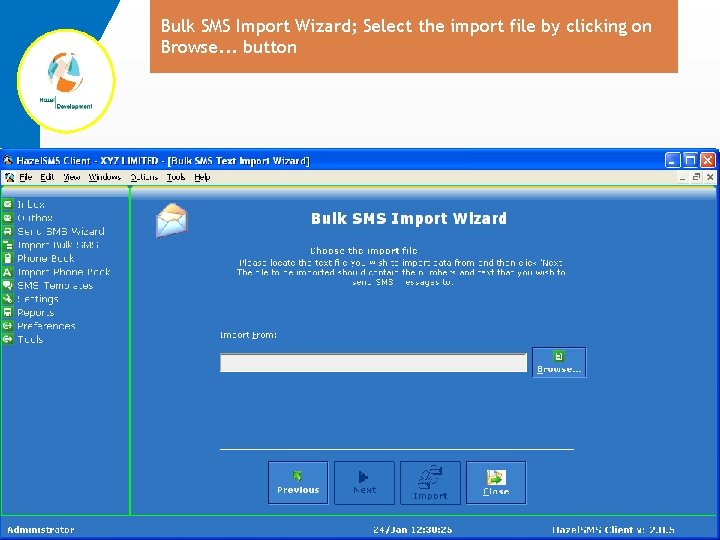
Bulk SMS Import Wizard; Select the import file by clicking on Browse. . . button
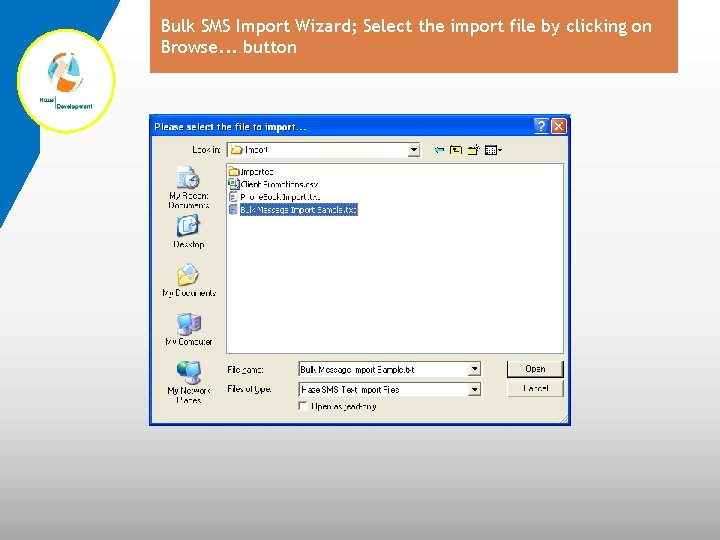
Bulk SMS Import Wizard; Select the import file by clicking on Browse. . . button
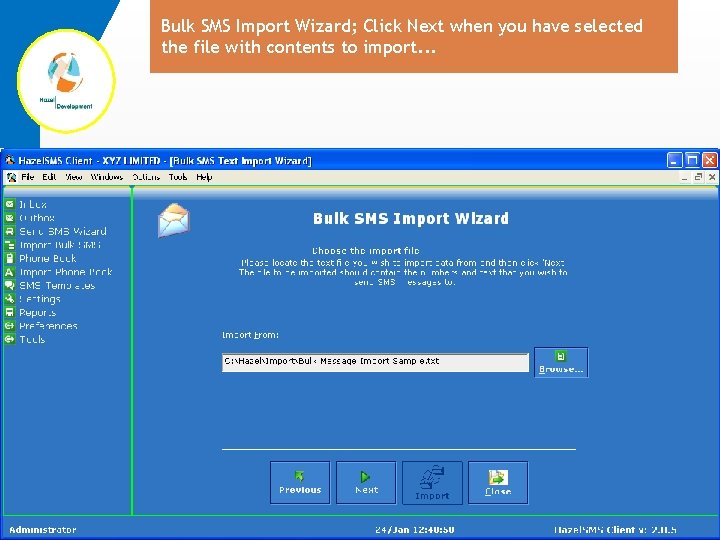
Bulk SMS Import Wizard; Click Next when you have selected the file with contents to import. . .
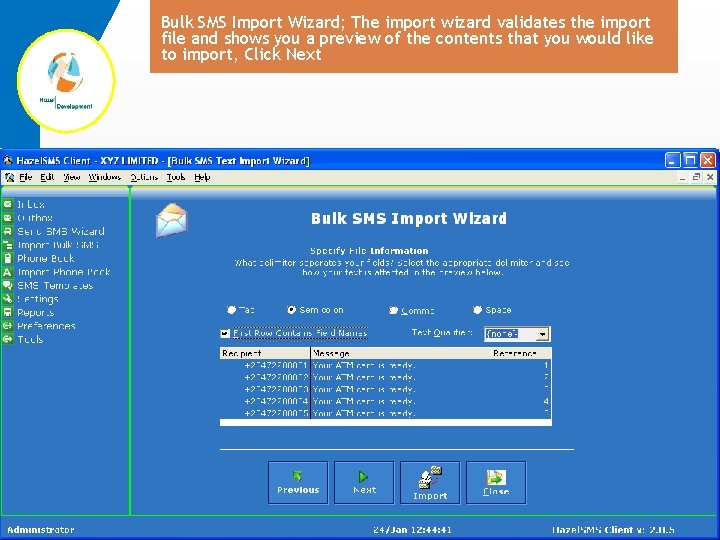
Bulk SMS Import Wizard; The import wizard validates the import file and shows you a preview of the contents that you would like to import, Click Next
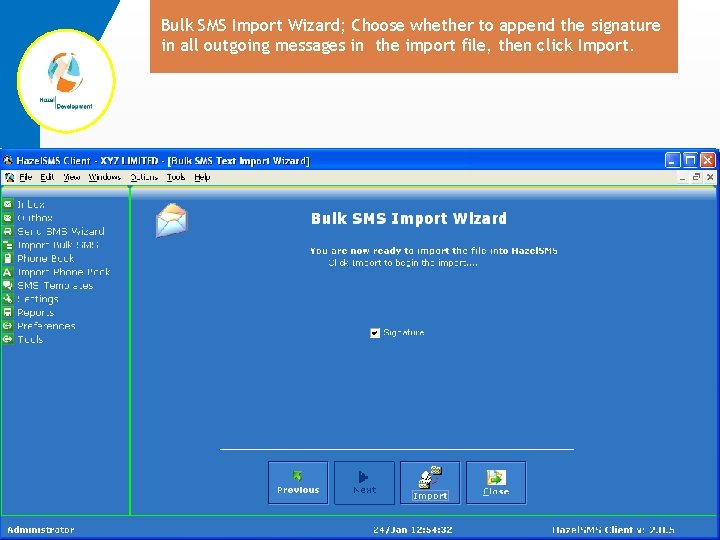
Bulk SMS Import Wizard; Choose whether to append the signature in all outgoing messages in the import file, then click Import.
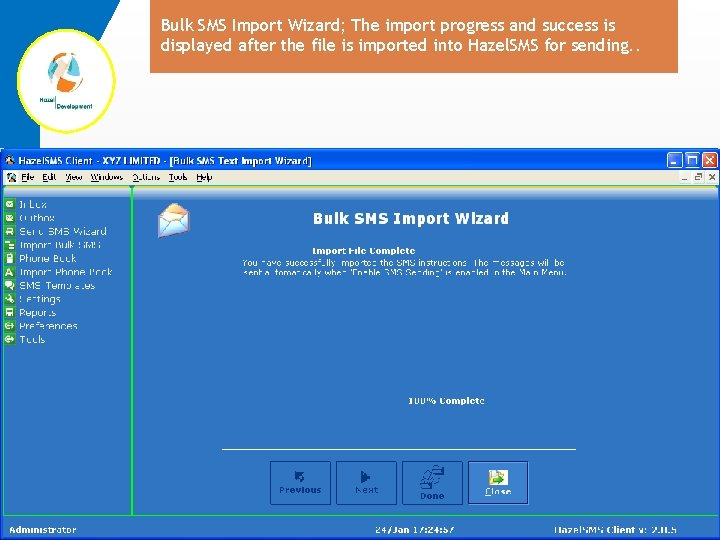
Bulk SMS Import Wizard; The import progress and success is displayed after the file is imported into Hazel. SMS for sending. .
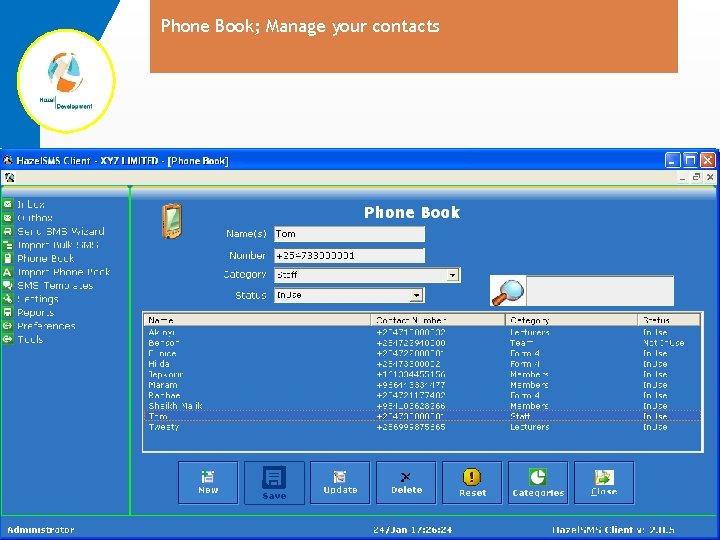
Phone Book; Manage your contacts
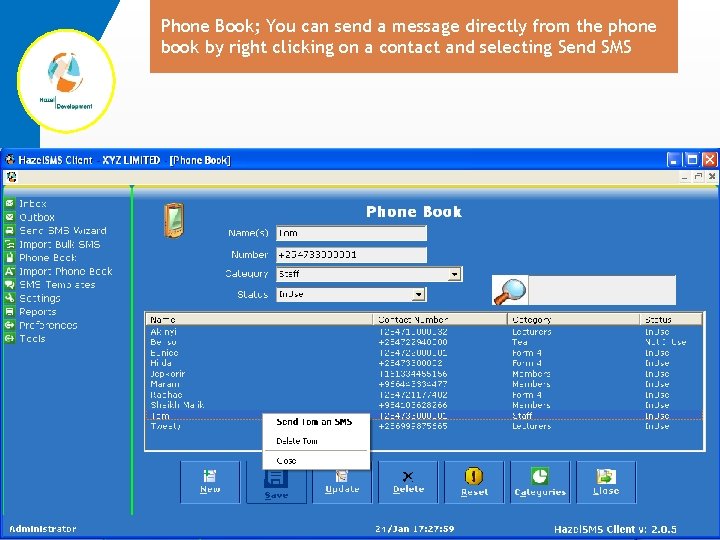
Phone Book; You can send a message directly from the phone book by right clicking on a contact and selecting Send SMS
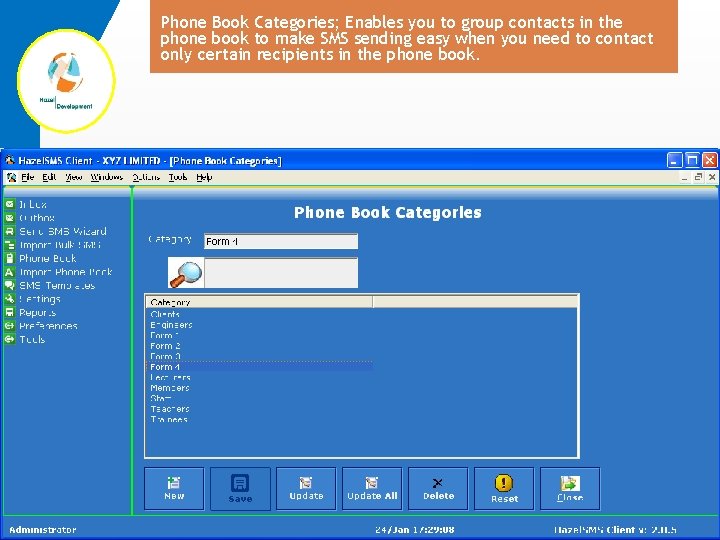
Phone Book Categories; Enables you to group contacts in the phone book to make SMS sending easy when you need to contact only certain recipients in the phone book.
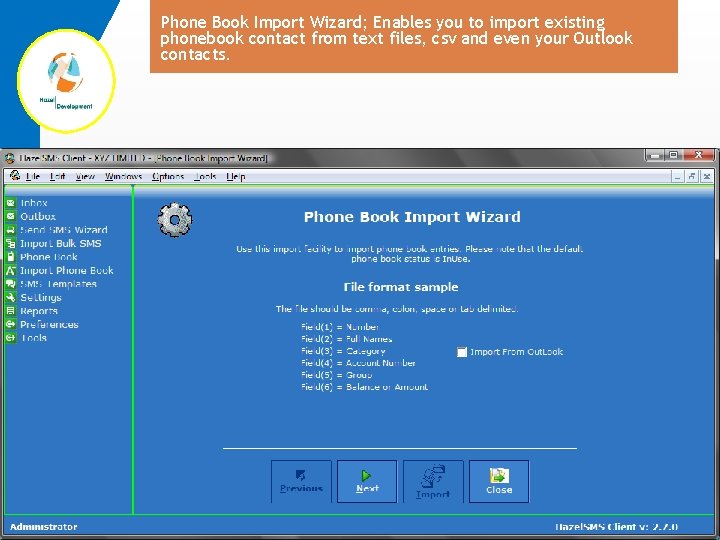
Phone Book Import Wizard; Enables you to import existing phonebook contact from text files, csv and even your Outlook contacts.
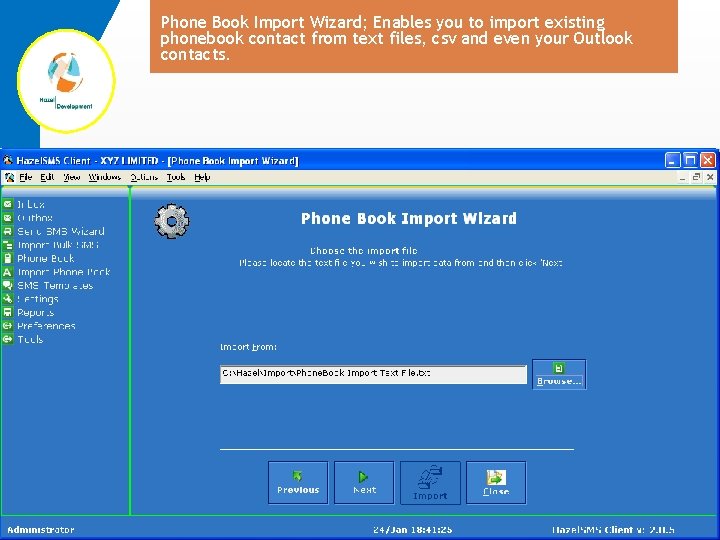
Phone Book Import Wizard; Enables you to import existing phonebook contact from text files, csv and even your Outlook contacts.
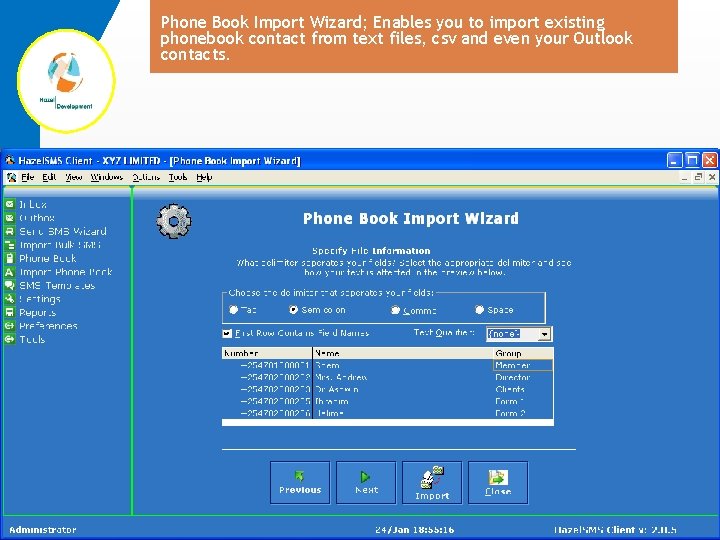
Phone Book Import Wizard; Enables you to import existing phonebook contact from text files, csv and even your Outlook contacts.
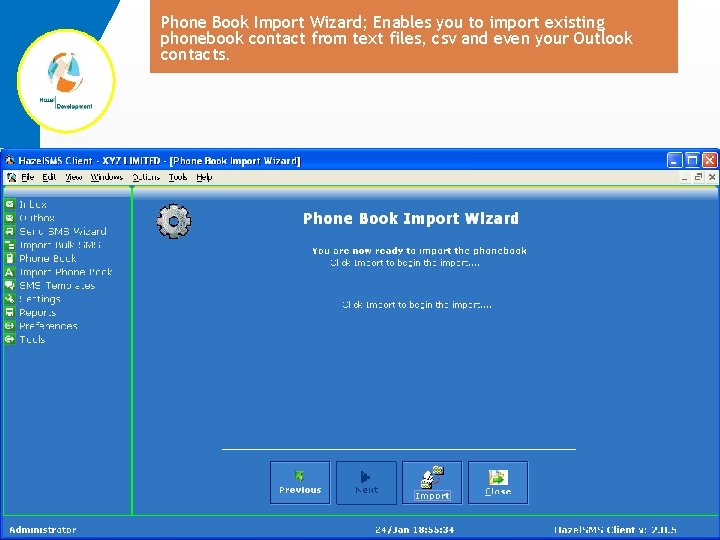
Phone Book Import Wizard; Enables you to import existing phonebook contact from text files, csv and even your Outlook contacts.
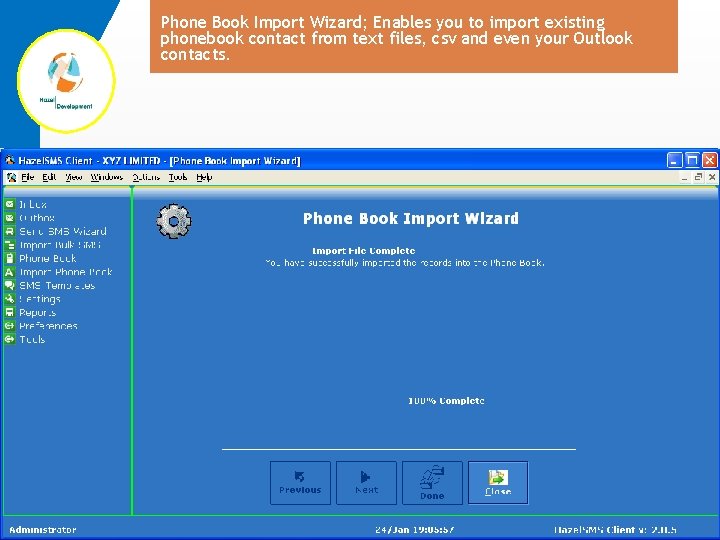
Phone Book Import Wizard; Enables you to import existing phonebook contact from text files, csv and even your Outlook contacts.
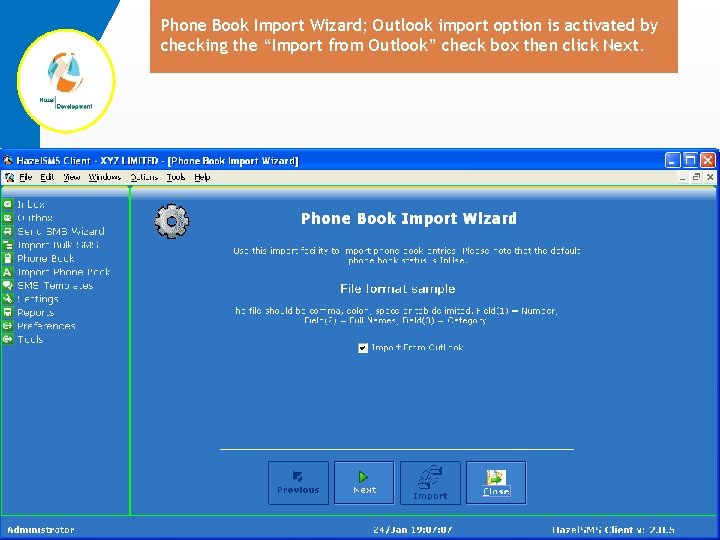
Phone Book Import Wizard; Outlook import option is activated by checking the “Import from Outlook” check box then click Next.
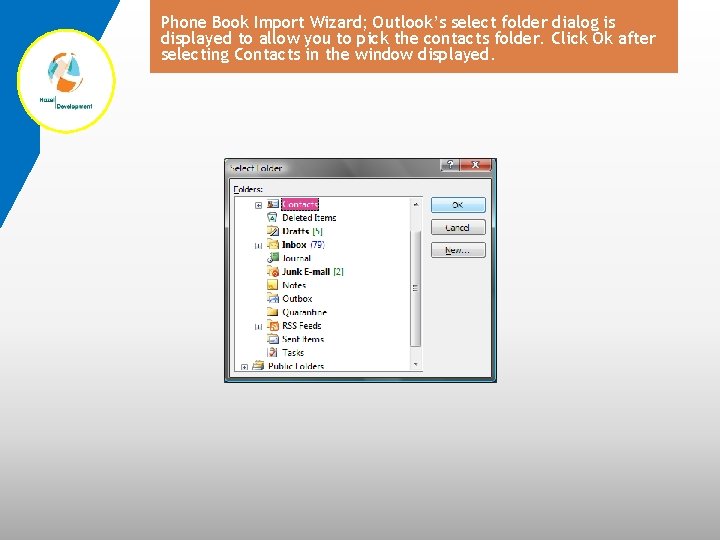
Phone Book Import Wizard; Outlook’s select folder dialog is displayed to allow you to pick the contacts folder. Click Ok after selecting Contacts in the window displayed.
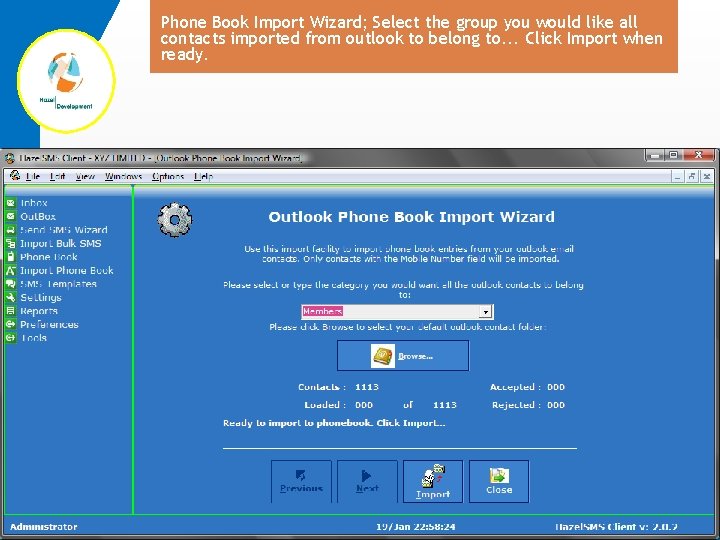
Phone Book Import Wizard; Select the group you would like all contacts imported from outlook to belong to. . . Click Import when ready.
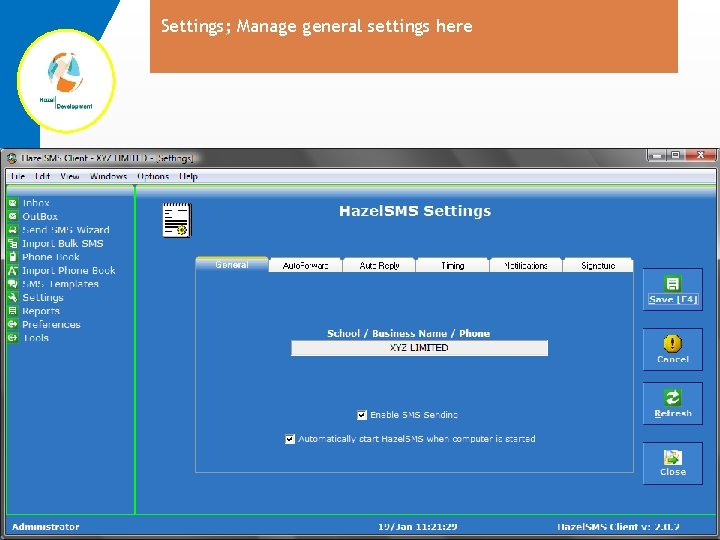
Settings; Manage general settings here
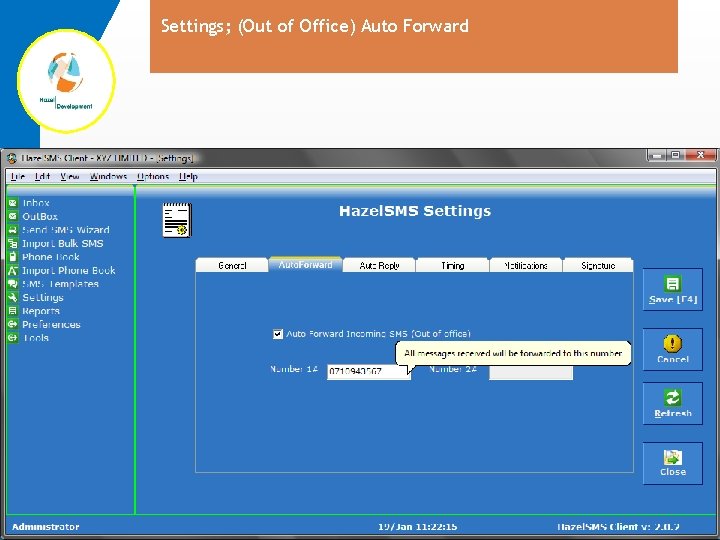
Settings; (Out of Office) Auto Forward
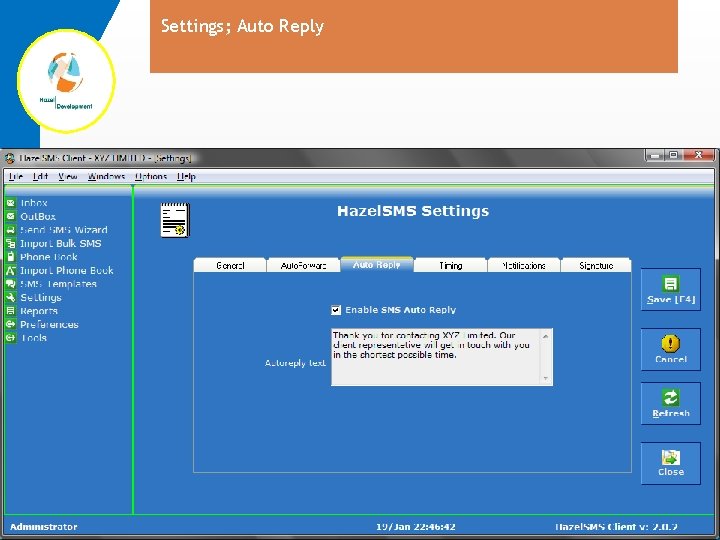
Settings; Auto Reply
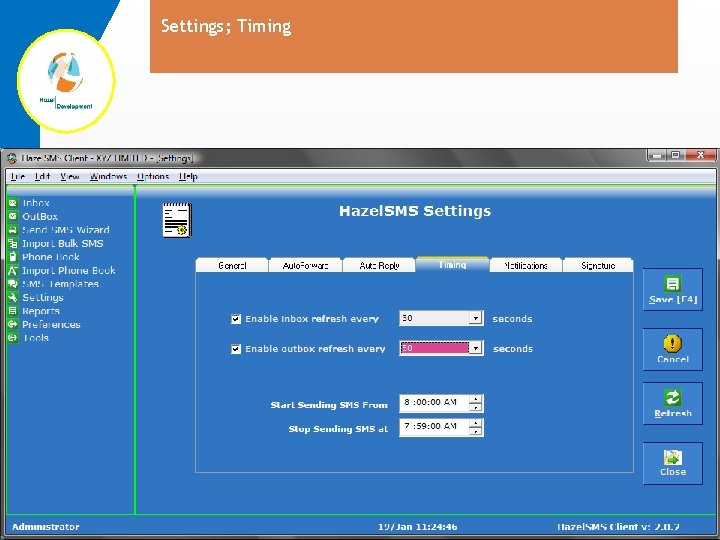
Settings; Timing
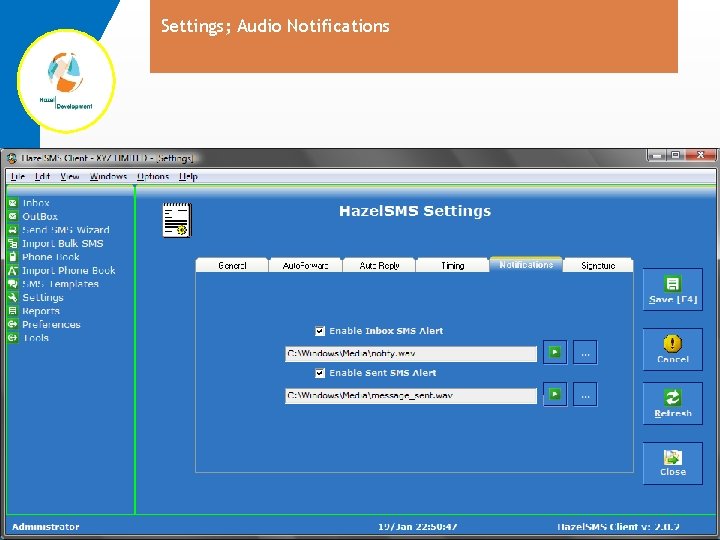
Settings; Audio Notifications
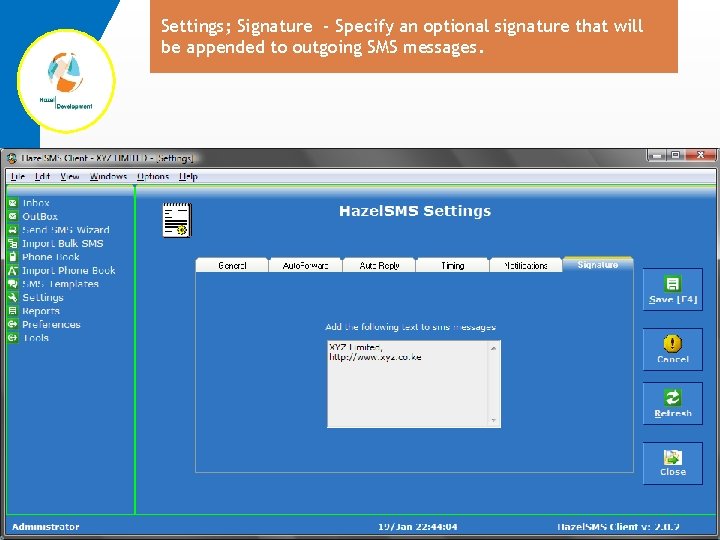
Settings; Signature - Specify an optional signature that will be appended to outgoing SMS messages.
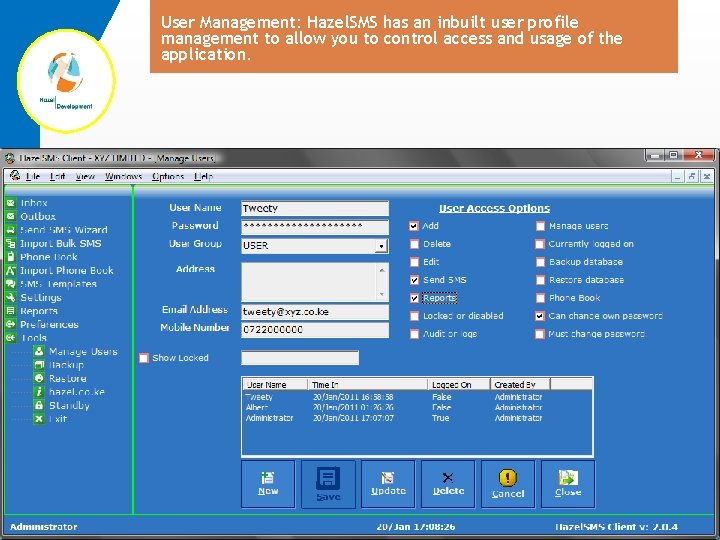
User Management: Hazel. SMS has an inbuilt user profile management to allow you to control access and usage of the application.
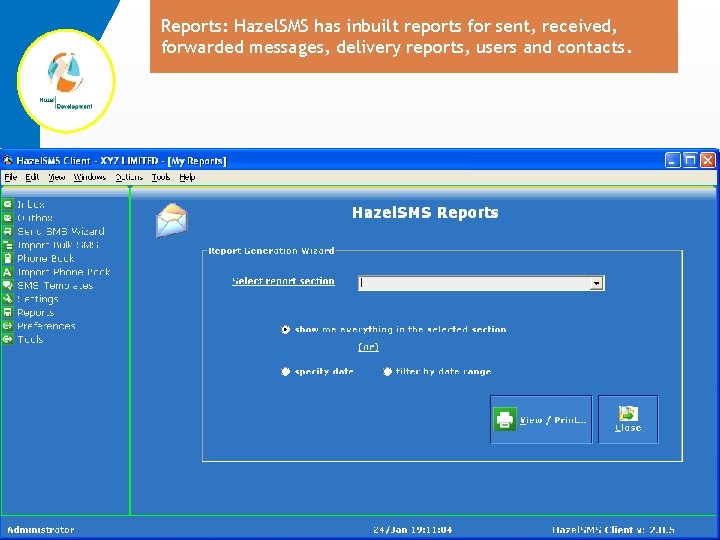
Reports: Hazel. SMS has inbuilt reports for sent, received, forwarded messages, delivery reports, users and contacts.
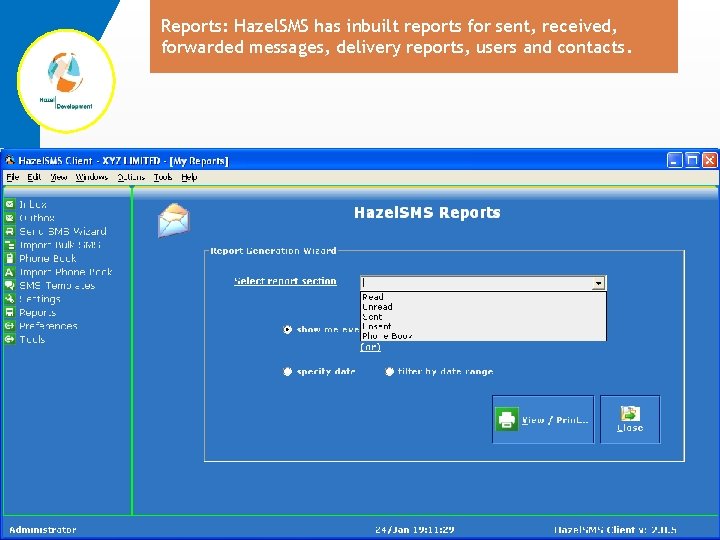
Reports: Hazel. SMS has inbuilt reports for sent, received, forwarded messages, delivery reports, users and contacts.
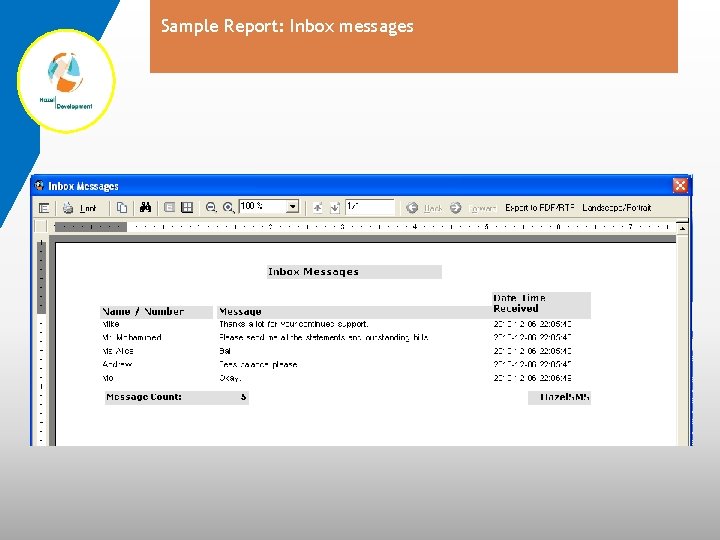
Sample Report: Inbox messages
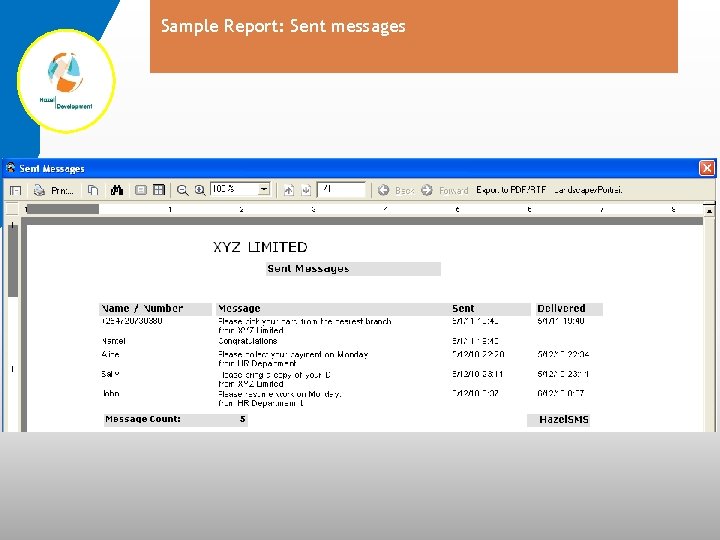
Sample Report: Sent messages
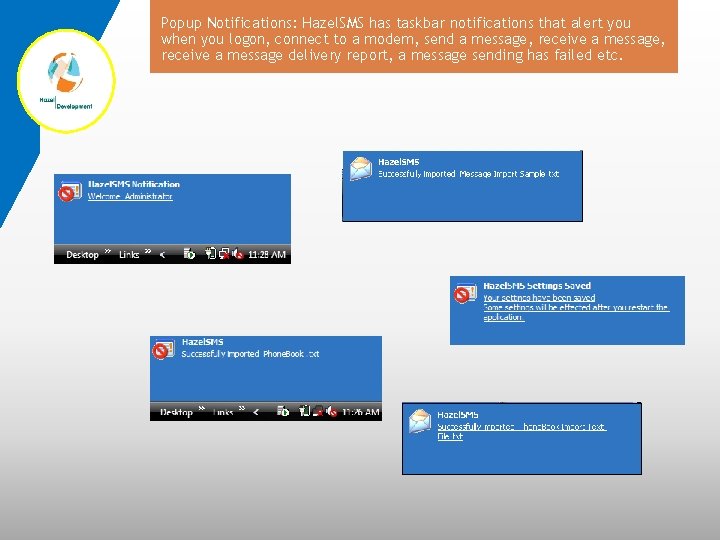
Popup Notifications: Hazel. SMS has taskbar notifications that alert you when you logon, connect to a modem, send a message, receive a message delivery report, a message sending has failed etc.
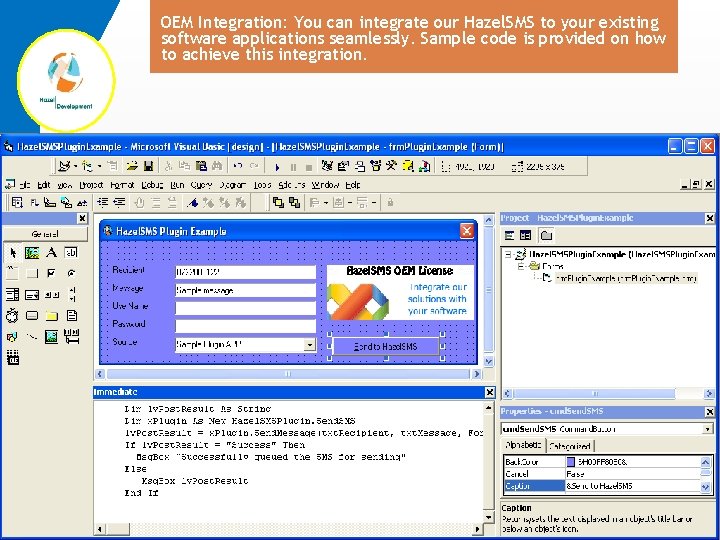
OEM Integration: You can integrate our Hazel. SMS to your existing software applications seamlessly. Sample code is provided on how to achieve this integration.
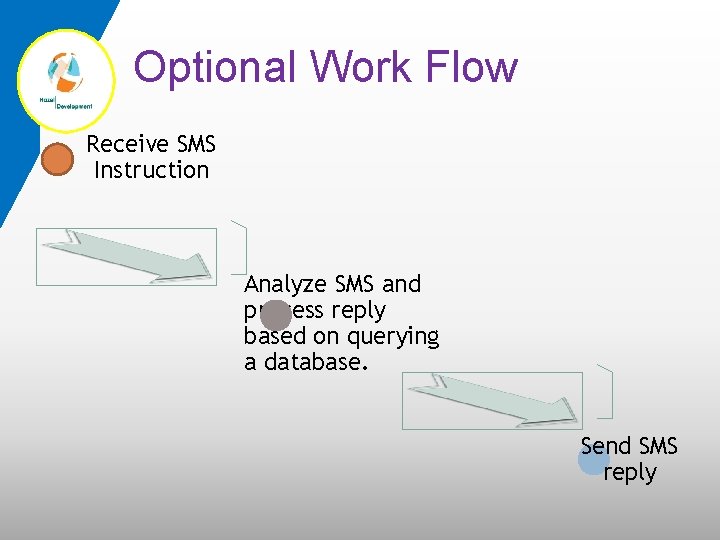
Optional Work Flow Receive SMS Instruction Analyze SMS and process reply based on querying a database. Send SMS reply
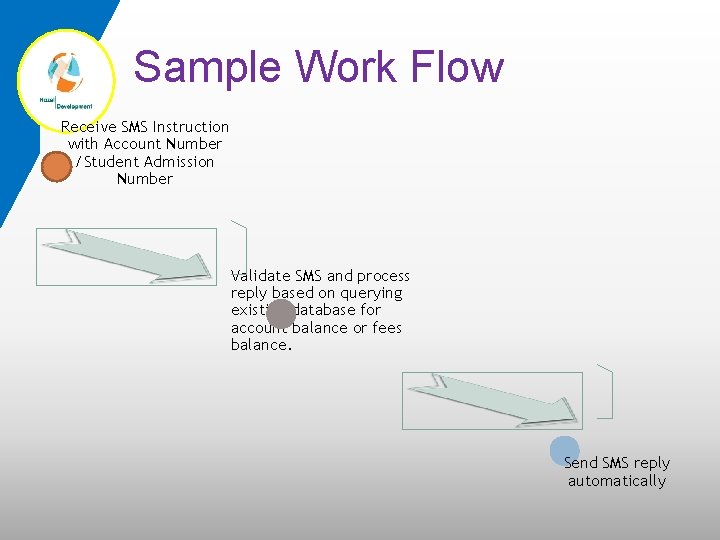
Sample Work Flow Receive SMS Instruction with Account Number /Student Admission Number Validate SMS and process reply based on querying existing database for account balance or fees balance. Send SMS reply automatically
Top reasons to use Hazel. SMS o o o Communicate instantly with all clients, colleagues, students, members or parents with the click of a button. Connect with your target audience and personalize communication to suit every one of your contacts. Monitor all incoming and outgoing messages. Appends a predefined message signature when sending messages to make your communication official and trusted. Optionally set Hazel. SMS to automatically reply a predefined message reply to received messages.
Top reasons to use Hazel. SMS o o Has the option to send instant "Flash SMS" that displays directly in the recipients phone without the need to read the message in "inbox". "Out of Office" mode sets Hazel. SMS to forward received messages to two numbers of your choice. Import Bulk SMS messages from text files using the inbuilt import wizard reduces the time needed to compose, edit and send many messages to recipients. Inbuilt phone book automatically identifies sent or received messages using the easy to remember phone book names just like a mobile phone or PDA.
Top reasons to use Hazel. SMS o o Be more competitive in the national and international market in disciplines like business, education, banking, transportation, retail, public relations, support, distribution or government by communicating accurately and interactively. Inbuilt advanced options allows for customization to automate replies, query databases for results, OEM integration, notifications, enquiries and feedback. Hazel. SMS has been tested in SMEs, educational institutions and corporate organizations. A dedicated support team is available to install, configure and provide expert support when required.
Best Option? A comparative study of “Pros and Cons” for Hazel. SMS Pros Cons o Send SMS to many recipients easily o View delivery report notification per SMS o Import and send Bulk SMS o Manage your own SMS billing independently o Easy to use o Reduced time needed to send SMS o o o Reach target audience and get accurate feedback. Advanced workflow can be customized for specific requirements View reports whenever required SMS is one of the most widely used and reliable communication mode. Recipients receive communication instantly Network SMS charges apply.
Questions?
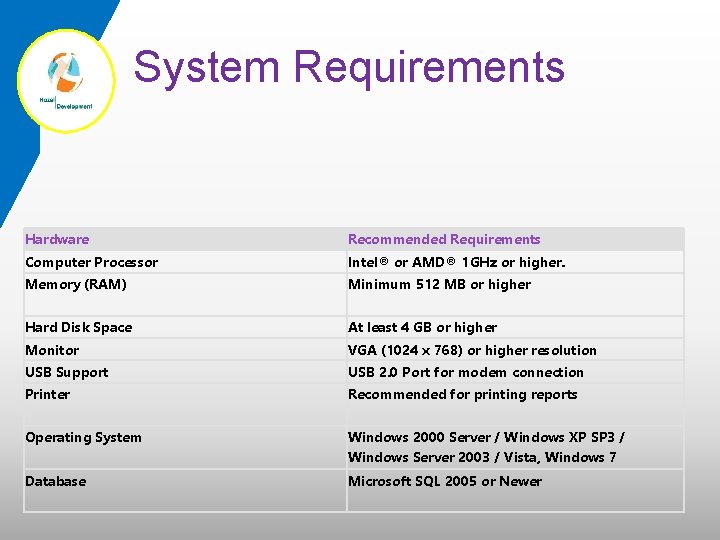
System Requirements Hardware Recommended Requirements Computer Processor Intel® or AMD® 1 GHz or higher. Memory (RAM) Minimum 512 MB or higher Hard Disk Space At least 4 GB or higher Monitor VGA (1024 x 768) or higher resolution USB Support USB 2. 0 Port for modem connection Printer Recommended for printing reports Operating System Windows 2000 Server / Windows XP SP 3 / Windows Server 2003 / Vista, Windows 7 Database Microsoft SQL 2005 or Newer
Contact Us HAZEL DEVELOPMENT, MC GEEZ COURT, WESTLANDS P. O. BOX 67239, 00200, NAIROBI KENYA. EMAIL : INFO@HAZEL. CO. KE WEBSITE: HTTP: //WWW. HAZEL. CO. KE TELEPHONE: +254 20 2305597 / 99 CELL PHONE: +254 721 930 754

The End, Thank You
- Slides: 61