
Welcome to Study Island This tutorial will show
- Slides: 21
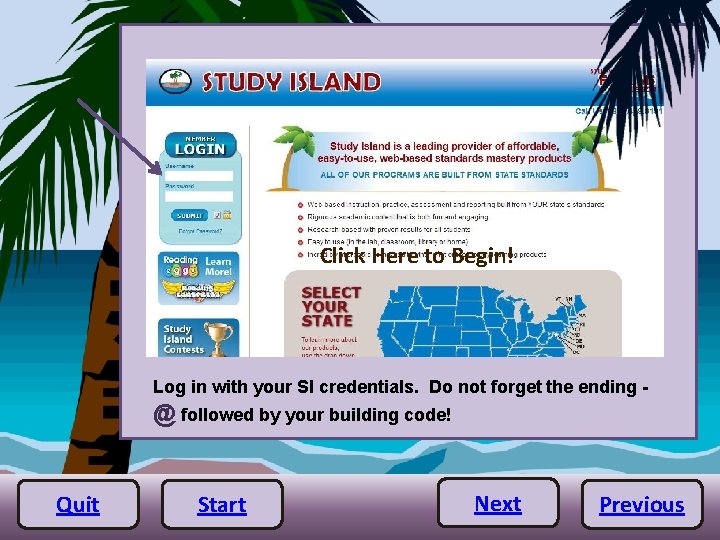
Welcome to Study Island! This tutorial will show you how to create classes in Study Island. Click Here to Begin! Log in with your SI credentials. Do not forget the ending - @ followed by your building code! Quit Start Next Previous
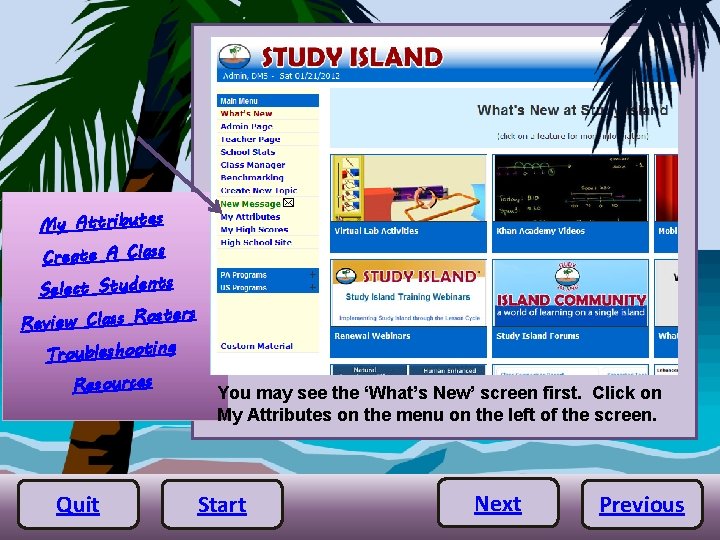
My Attributes Create A Class R Select Students ers eview Class Rost Troubleshooting Resources Quit You may see the ‘What’s New’ screen first. Click on My Attributes on the menu on the left of the screen. Start Next Previous
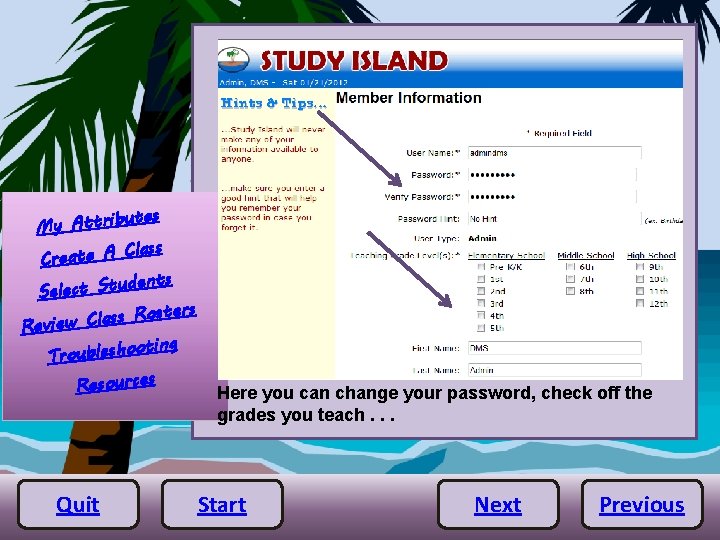
utes My Attrib Class Create A dents Select Stu sters o R s s la C Review oting Troublesho Resources Quit Here you can change your password, check off the grades you teach. . . Start Next Previous
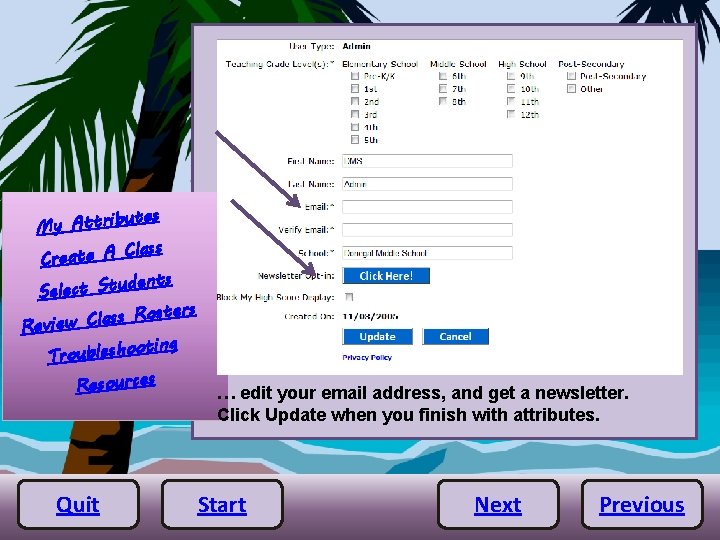
utes My Attrib Class Create A dents Select Stu sters o R s s la C Review oting Troublesho Resources Quit … edit your email address, and get a newsletter. Click Update when you finish with attributes. Start Next Previous
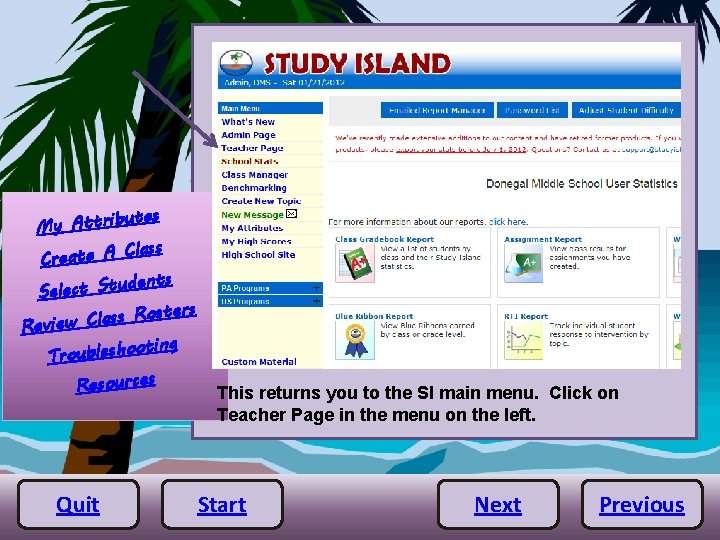
utes My Attrib Class Create A dents Select Stu sters o R s s la C Review oting Troublesho Resources Quit This returns you to the SI main menu. Click on Teacher Page in the menu on the left. Start Next Previous
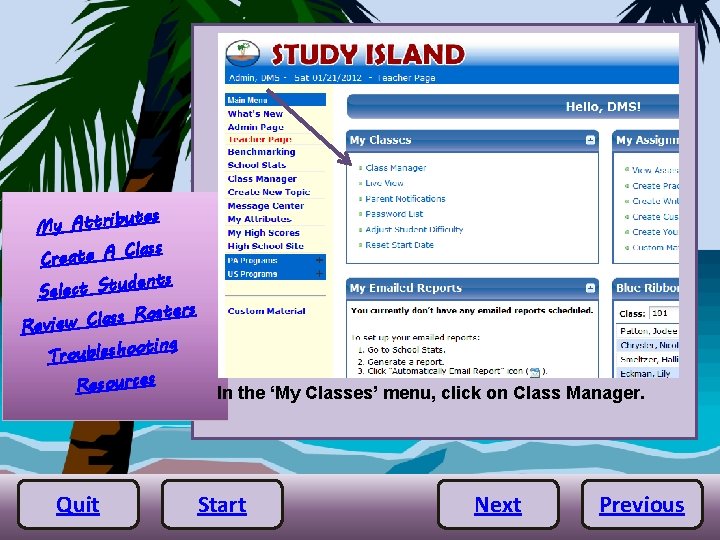
utes My Attrib Class Create A dents Select Stu sters o R s s la C Review oting Troublesho Resources Quit In the ‘My Classes’ menu, click on Class Manager. Start Next Previous
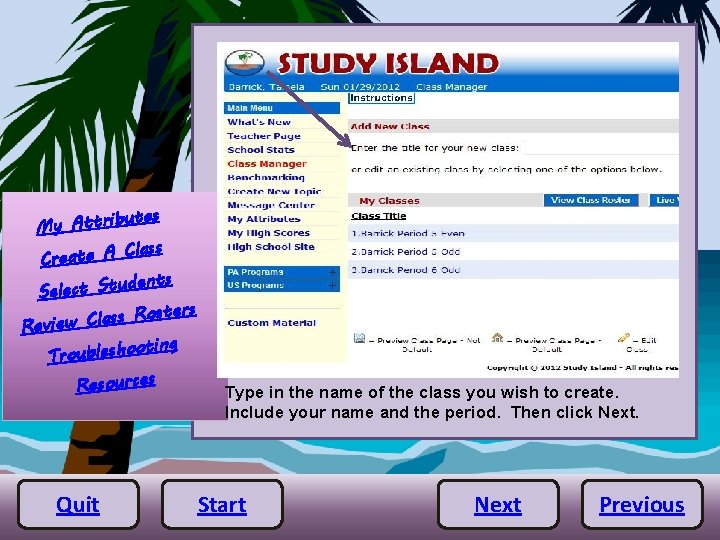
utes My Attrib Class Create A dents Select Stu sters o R s s la C Review oting Troublesho Resources Quit Type in the name of the class you wish to create. Include your name and the period. Then click Next. Start Next Previous
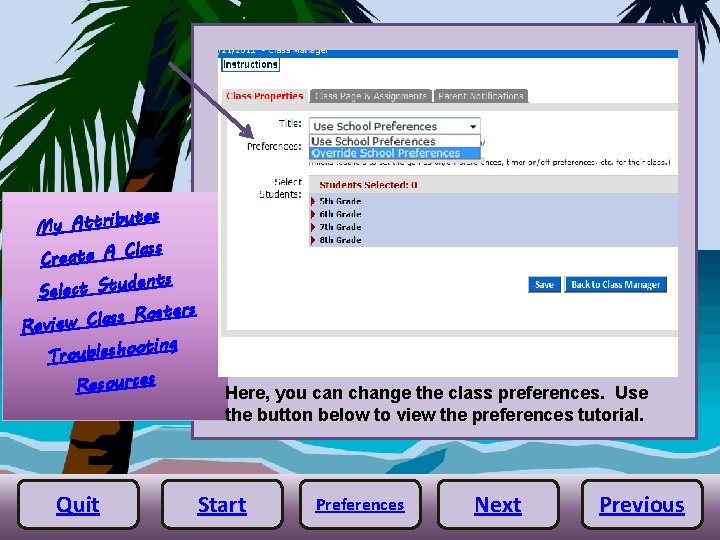
utes My Attrib Class Create A dents Select Stu sters o R s s la C Review oting Troublesho Resources Quit Here, you can change the class preferences. Use the button below to view the preferences tutorial. Start Preferences Next Previous
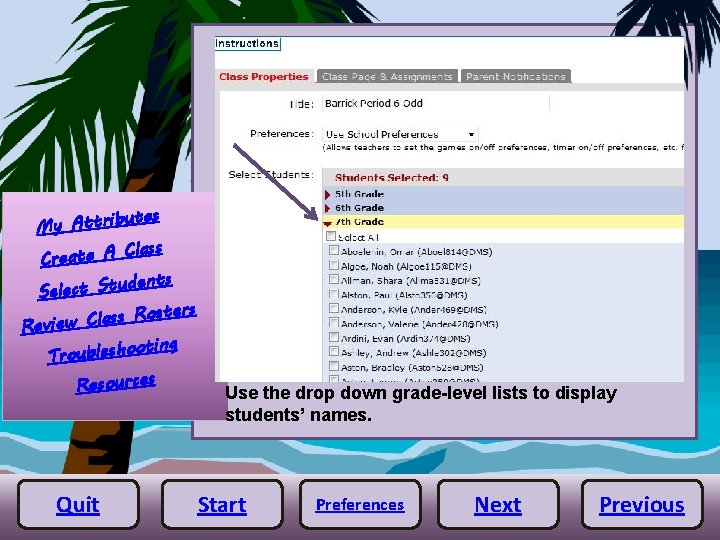
utes My Attrib Class Create A dents Select Stu sters o R s s la C Review oting Troublesho Resources Quit Use the drop down grade-level lists to display students’ names. Start Preferences Next Previous
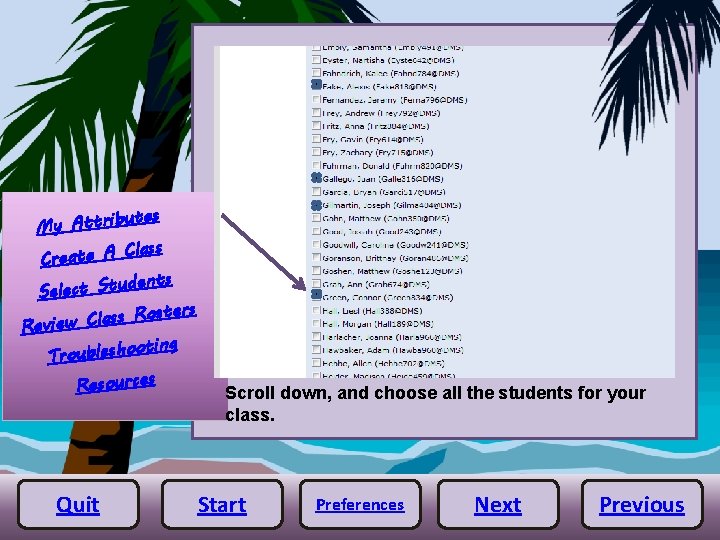
utes My Attrib Class Create A dents Select Stu sters o R s s la C Review oting Troublesho Resources Quit Scroll down, and choose all the students for your class. Start Preferences Next Previous
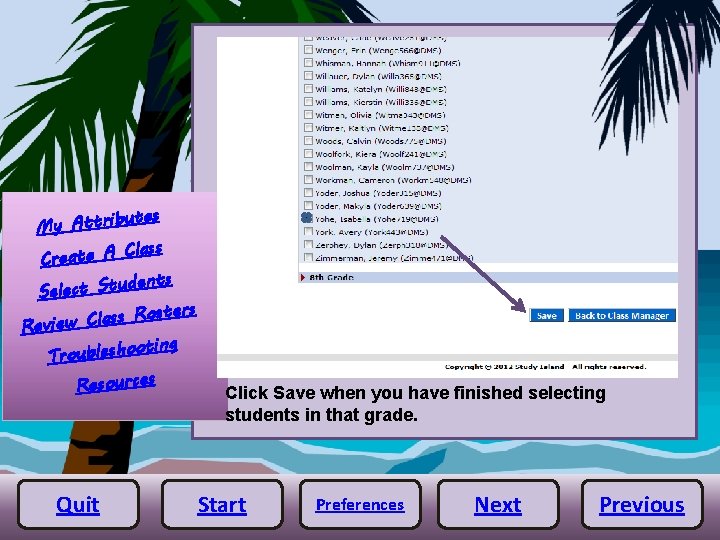
utes My Attrib Class Create A dents Select Stu sters o R s s la C Review oting Troublesho Resources Quit Click Save when you have finished selecting students in that grade. Start Preferences Next Previous
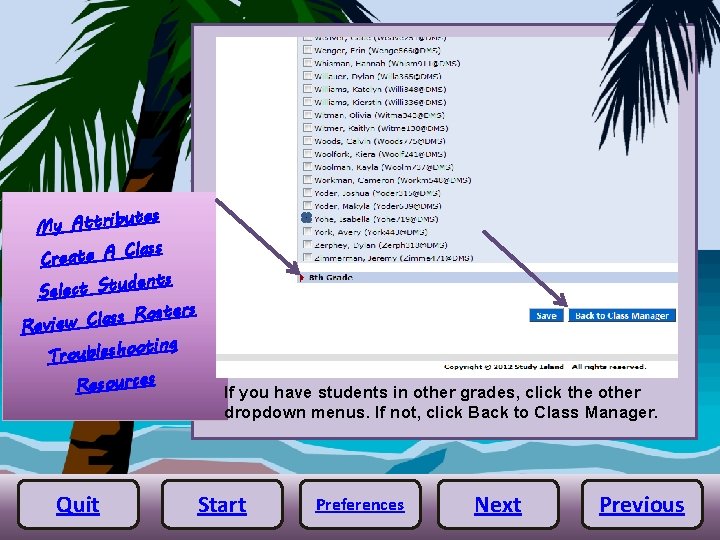
utes My Attrib Class Create A dents Select Stu sters o R s s la C Review oting Troublesho Resources Quit If you have students in other grades, click the other dropdown menus. If not, click Back to Class Manager. Start Preferences Next Previous
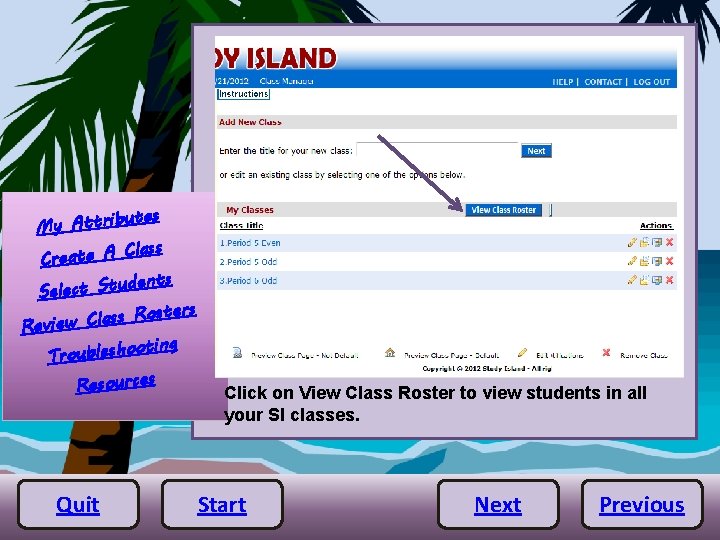
utes My Attrib Class Create A dents Select Stu sters o R s s la C Review oting Troublesho Resources Quit Click on View Class Roster to view students in all your SI classes. Start Next Previous
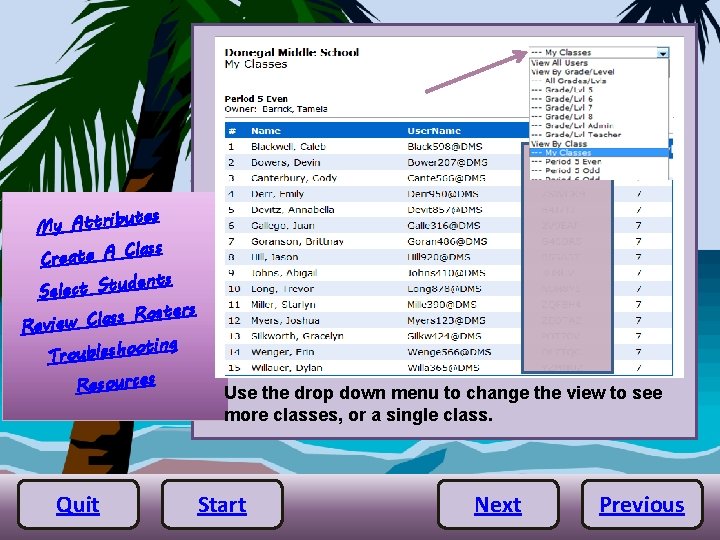
utes My Attrib Class Create A dents Select Stu sters o R s s la C Review oting Troublesho Resources Quit Use the drop down menu to change the view to see more classes, or a single class. Start Next Previous
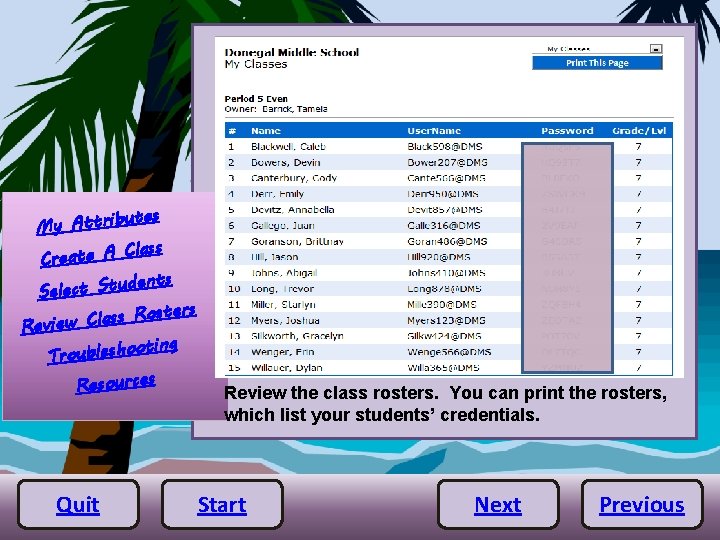
utes My Attrib Class Create A dents Select Stu sters o R s s la C Review oting Troublesho Resources Quit Review the class rosters. You can print the rosters, which list your students’ credentials. Start Next Previous
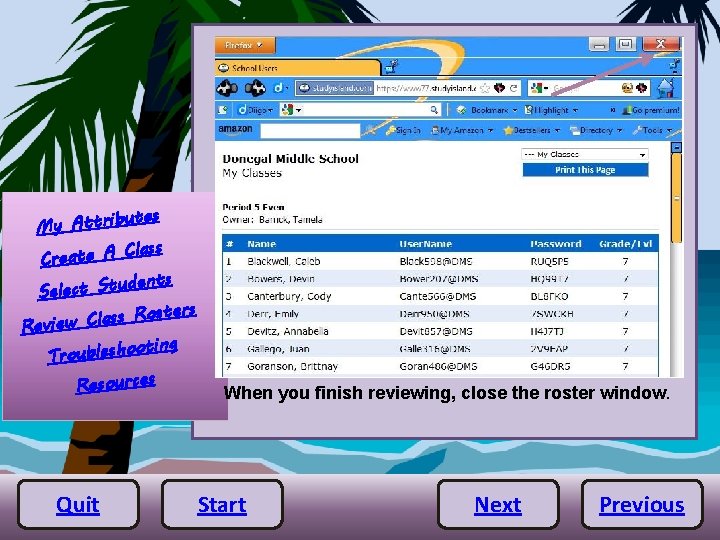
utes My Attrib Class Create A dents Select Stu sters o R s s la C Review oting Troublesho Resources Quit When you finish reviewing, close the roster window. Start Next Previous
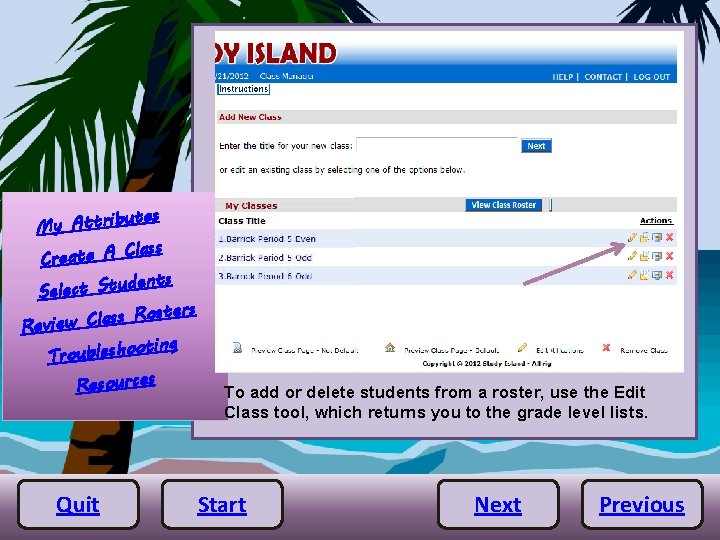
utes My Attrib Class Create A dents Select Stu sters o R s s la C Review oting Troublesho Resources Quit To add or delete students from a roster, use the Edit Class tool, which returns you to the grade level lists. Start Next Previous
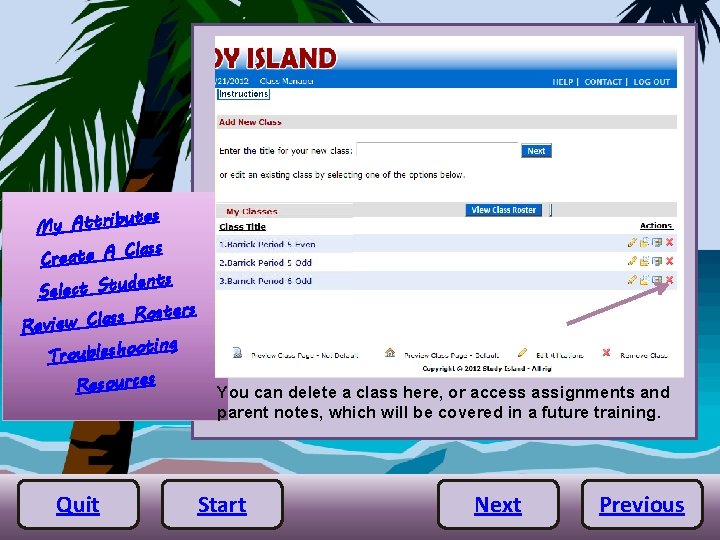
utes My Attrib Class Create A dents Select Stu sters o R s s la C Review oting Troublesho Resources Quit You can delete a class here, or access assignments and parent notes, which will be covered in a future training. Start Next Previous
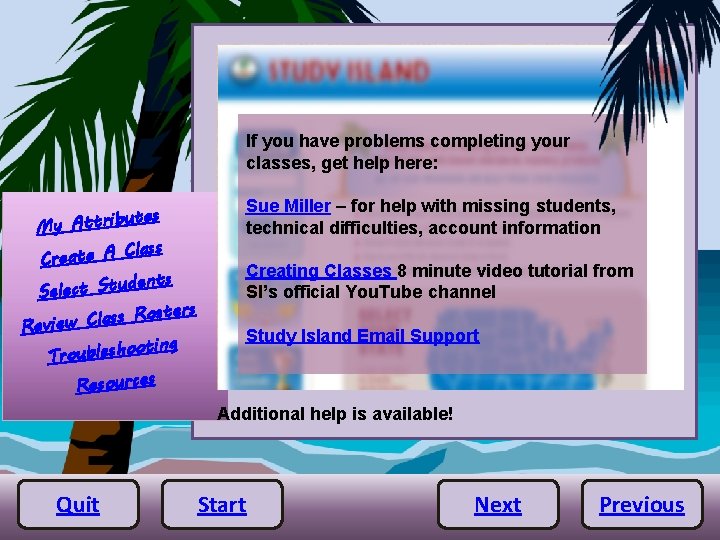
If you have problems completing your classes, get help here: utes My Attrib Class Create A dents Select Stu sters o R s s la C Review oting Troublesho Resources Sue Miller – for help with missing students, technical difficulties, account information Creating Classes 8 minute video tutorial from SI’s official You. Tube channel Study Island Email Support Additional help is available! Quit Start Next Previous
Preferences Sorry, this tutorial is not available. http: //www. gifs. net/image/Webdesign_Elements/Under_Construction/Heavy_equipment_2/1617 Quit Start Return
Resources and Credits Ø Study Island 2011 Manual utes My Attrib Class Create A udents Select St osters R s s a l C Review ooting Troublesh Resources Quit Ø Study Island You. Tube Channel Ø Study Island Forum Ø Study Island support line 800 -419 -3191 Construction gif courtesy of http: //www. gifs. net All other images from Study Island Start