
Welcome to ME 360 Labs Lab 1 Walkthrough
Welcome to ME 360 Labs! Lab 1 - Walkthrough
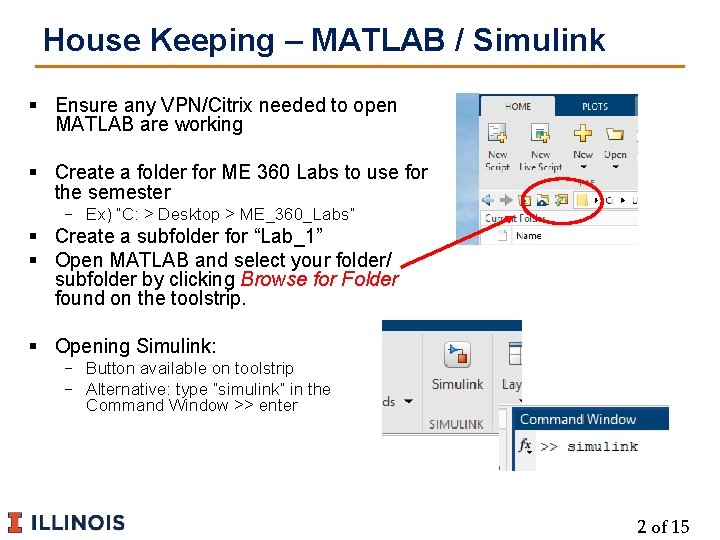
House Keeping – MATLAB / Simulink § Ensure any VPN/Citrix needed to open MATLAB are working § Create a folder for ME 360 Labs to use for the semester − Ex) “C: > Desktop > ME_360_Labs” § Create a subfolder for “Lab_1” § Open MATLAB and select your folder/ subfolder by clicking Browse for Folder found on the toolstrip. § Opening Simulink: − Button available on toolstrip − Alternative: type “simulink” in the Command Window >> enter 2 of 15
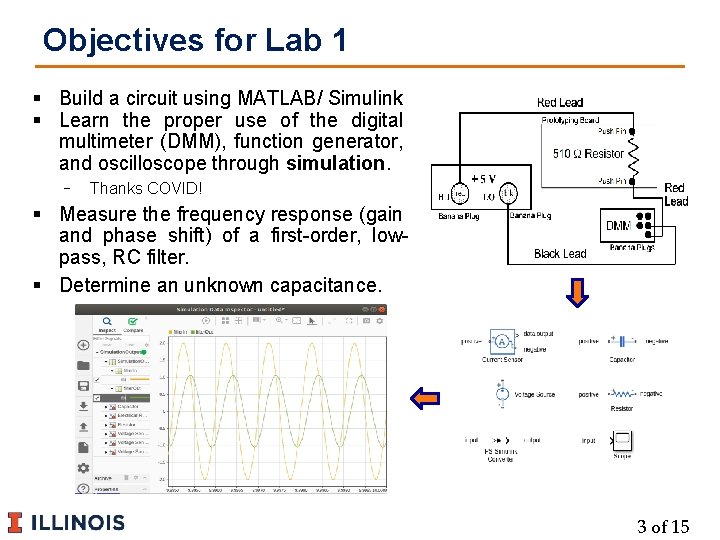
Objectives for Lab 1 § Build a circuit using MATLAB/ Simulink § Learn the proper use of the digital multimeter (DMM), function generator, and oscilloscope through simulation. − Thanks COVID! § Measure the frequency response (gain and phase shift) of a first-order, lowpass, RC filter. § Determine an unknown capacitance. 3 of 15
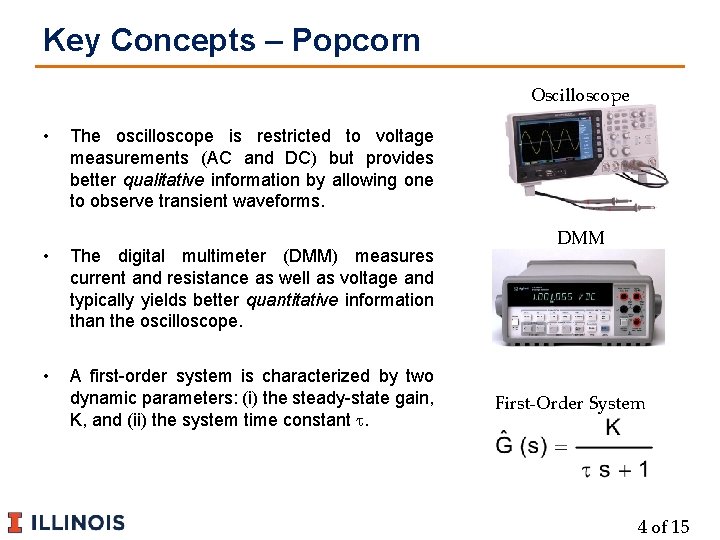
Key Concepts – Popcorn Oscilloscope • The oscilloscope is restricted to voltage measurements (AC and DC) but provides better qualitative information by allowing one to observe transient waveforms. • The digital multimeter (DMM) measures current and resistance as well as voltage and typically yields better quantitative information than the oscilloscope. • A first-order system is characterized by two dynamic parameters: (i) the steady-state gain, K, and (ii) the system time constant t. DMM First-Order System 4 of 15
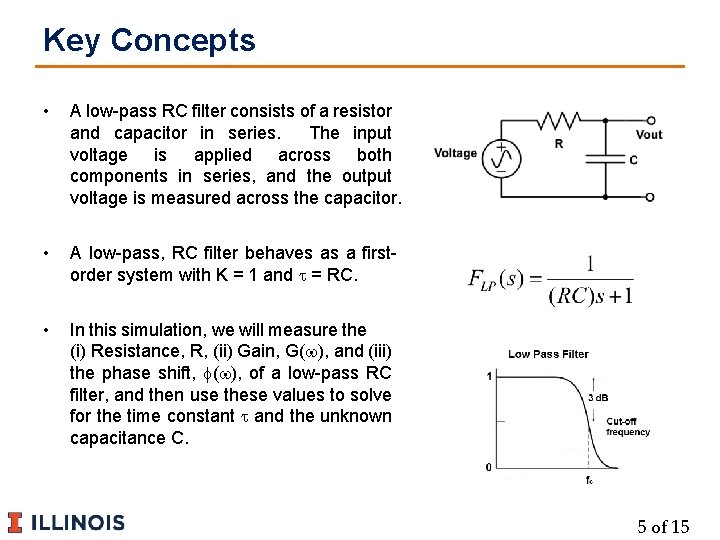
Key Concepts • A low-pass RC filter consists of a resistor and capacitor in series. The input voltage is applied across both components in series, and the output voltage is measured across the capacitor. • A low-pass, RC filter behaves as a firstorder system with K = 1 and t = RC. • In this simulation, we will measure the (i) Resistance, R, (ii) Gain, G(w), and (iii) the phase shift, f(w), of a low-pass RC filter, and then use these values to solve for the time constant t and the unknown capacitance C. 5 of 15

Getting Started with Simulink Modeling Simulink • Opening Interface • Explore New Models & Example Templates Simscape • Electrical Model – DC Motor • Opening New Circuit Model • Toolbar & Model Settings Library Browser • Explore Libraries • Adding/ Editing Components in Models • Connecting Components 6 of 15

Getting Started – Simulink • Opening Interface • Explore New Models & Example Templates 7 of 15

Getting Started – Simscape • Electrical Model – DC Motor • Opening New Circuit Model (Electrical) • Toolbar & Model Settings Simscape is a subset of Simulink used for physical systems modeling such as circuits and fluid systems 8 of 15

Getting Started – Libraries Library Browser • Explore Libraries • Adding/ Editing Components in Models • Connecting Components Double-Click to Edit Searchable Components Drag into model 9 of 15
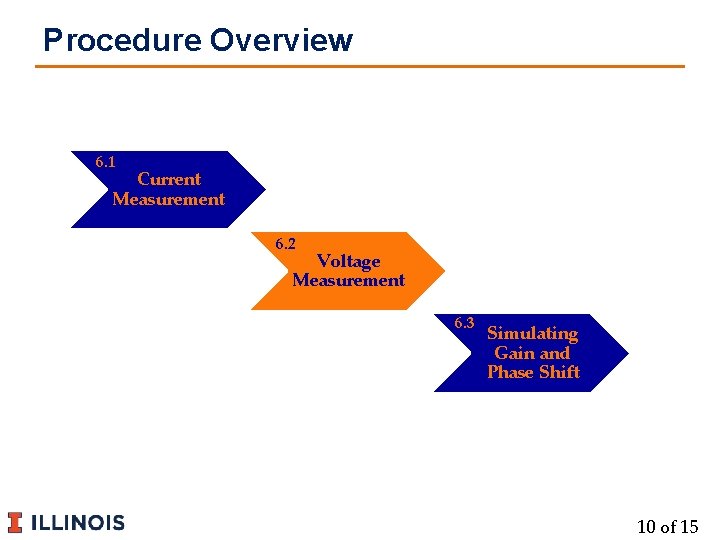
Procedure Overview 6. 1 Current Measurement 6. 2 Voltage Measurement 6. 3 Simulating Gain and Phase Shift 10 of 15

Step 1 – Build Current Measurement Circuit 6. 1 Current Measurement Follow along to build our first circuit for current measurement Find add these blocks • Voltage Source • DC Voltage = 5 V • Resistor • Resistance = 510 • Tolerance = 5% • Tol App -> Random • Tol Dist -> Uniform Run and Compare Values! 11 of 15
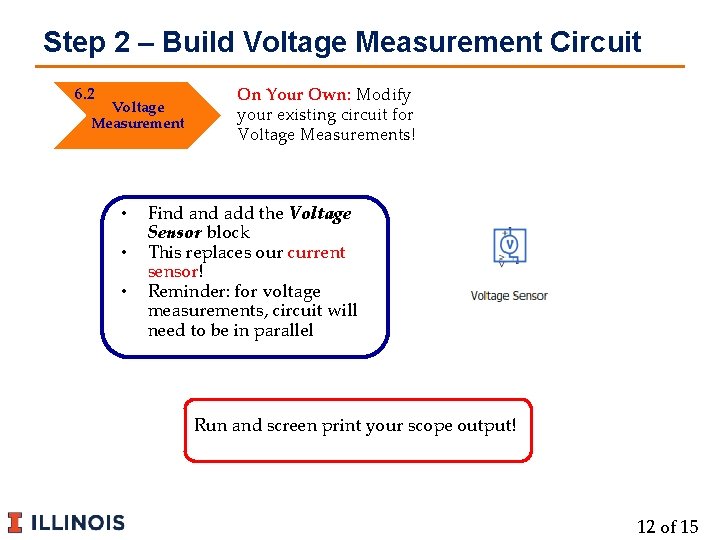
Step 2 – Build Voltage Measurement Circuit 6. 2 Voltage Measurement • • • On Your Own: Modify your existing circuit for Voltage Measurements! Find add the Voltage Sensor block This replaces our current sensor! Reminder: for voltage measurements, circuit will need to be in parallel Run and screen print your scope output! 12 of 15
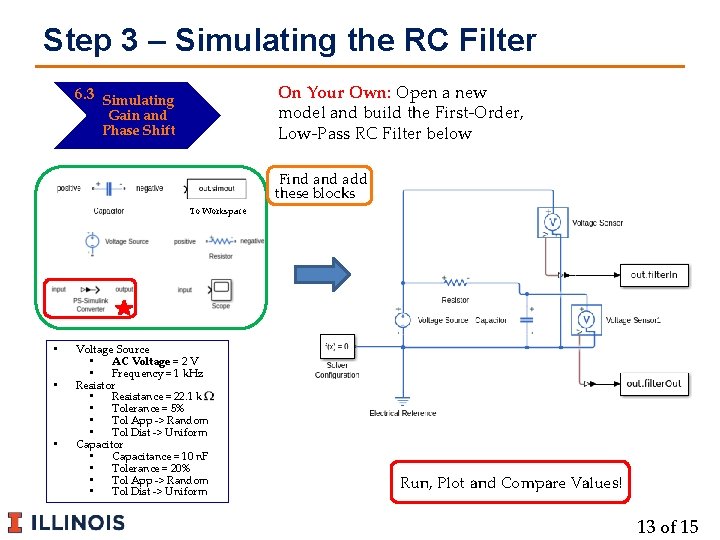
Step 3 – Simulating the RC Filter On Your Own: Open a new model and build the First-Order, Low-Pass RC Filter below 6. 3 Simulating Gain and Phase Shift Find add these blocks To Workspace • • • Voltage Source • AC Voltage = 2 V • Frequency = 1 k. Hz Resistor • Resistance = 22. 1 k • Tolerance = 5% • Tol App -> Random • Tol Dist -> Uniform Capacitor • Capacitance = 10 n. F • Tolerance = 20% • Tol App -> Random • Tol Dist -> Uniform Run, Plot and Compare Values! 13 of 15
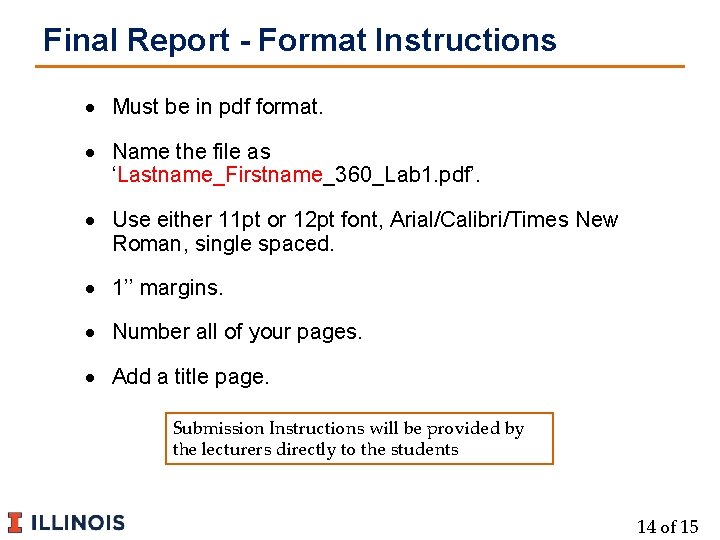
Final Report - Format Instructions Must be in pdf format. Name the file as ‘Lastname_Firstname_360_Lab 1. pdf’. Use either 11 pt or 12 pt font, Arial/Calibri/Times New Roman, single spaced. 1’’ margins. Number all of your pages. Add a title page. Submission Instructions will be provided by the lecturers directly to the students 14 of 15
Questions? § Email questions about LABS to : − me 360 -fa 20 -labs@lists. illinois. edu § Notes: 15 of 15
- Slides: 15