
Welcome to Electrical Design and Wiring for F





- Slides: 34
Welcome to Electrical Design and Wiring for F. I. R. S. T Championship 2006
Presenters l Chris Noble - Team 1018 Mentor – Cornerstone Controls Engineer l Darrell Noble - Team 71 Mentor – Beatty International Engineer
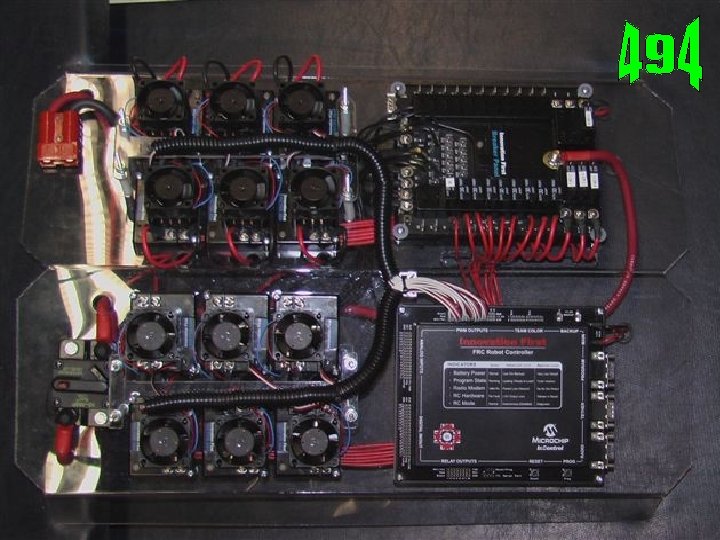
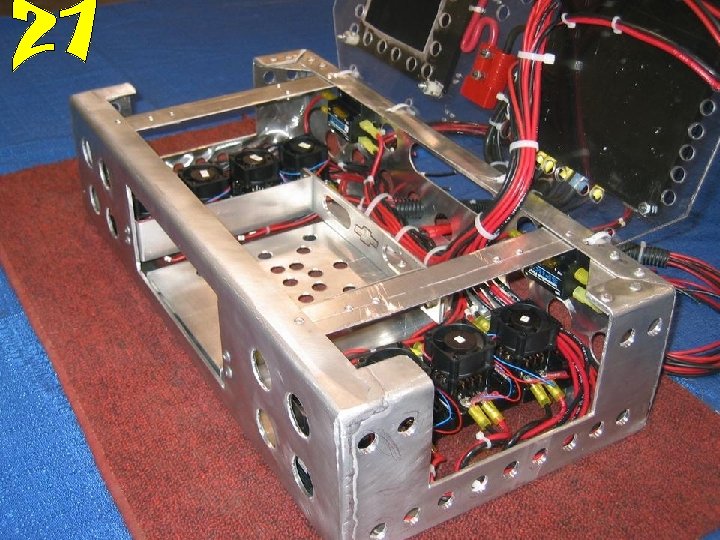
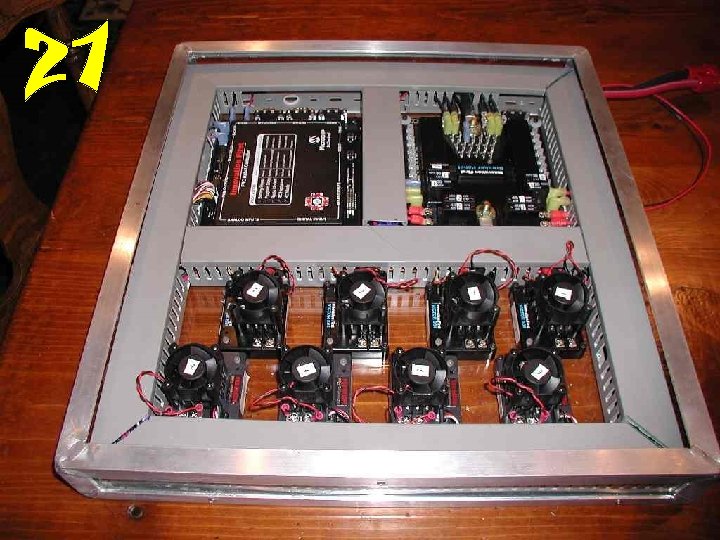
Basic Electronic Theory l l l White and red wire is positive DC voltage Black is negative DC voltage Pressure Switch is an Input ONLY Chassis is not a conductor Install electrical and control wiring so that it is laid out logically and contained with tie wraps, spiral tubing, or shrink tubing Protect your electrical control system from other robots
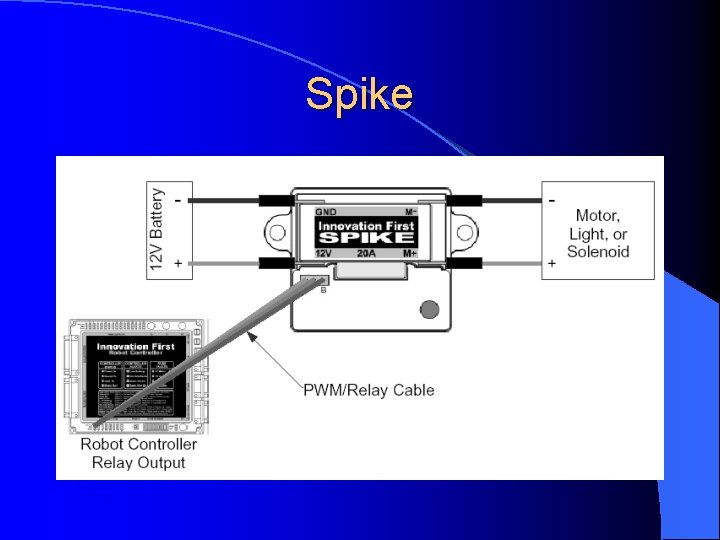
Spike Simply a Relay or On/OFF Switch l Controlled by a 5 VDC Output from controller through software l Has Reverse polarity l Components Wired to Spikes: l – Air Valves, Compressor – Low current Motors l Rated and fused at 20 amps except compressor 20 amp breaker
Spike
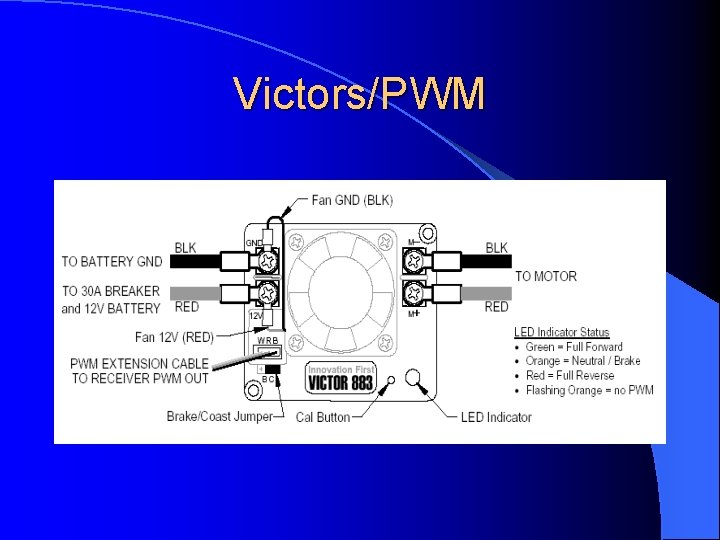
Victors/PWM l Victor 884 l Pulse Width Modulation l Provides Proportional Controls l Calibration l Break Mode l Coast Mode
Victors/PWM
Circuit Breaker Panel
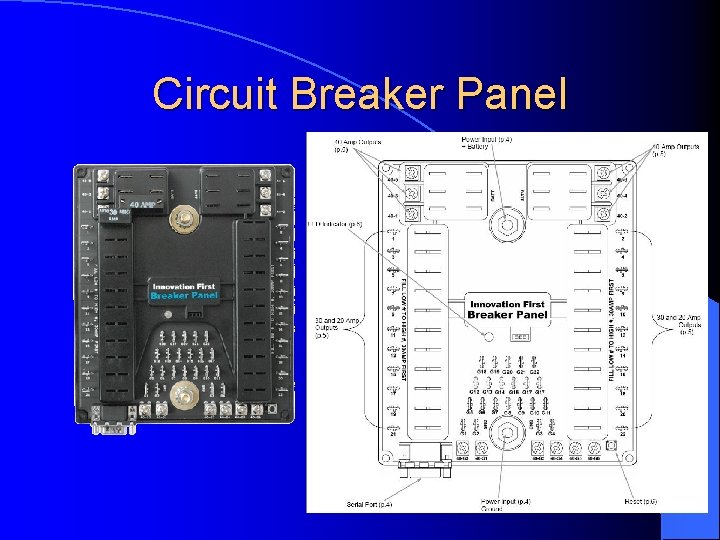
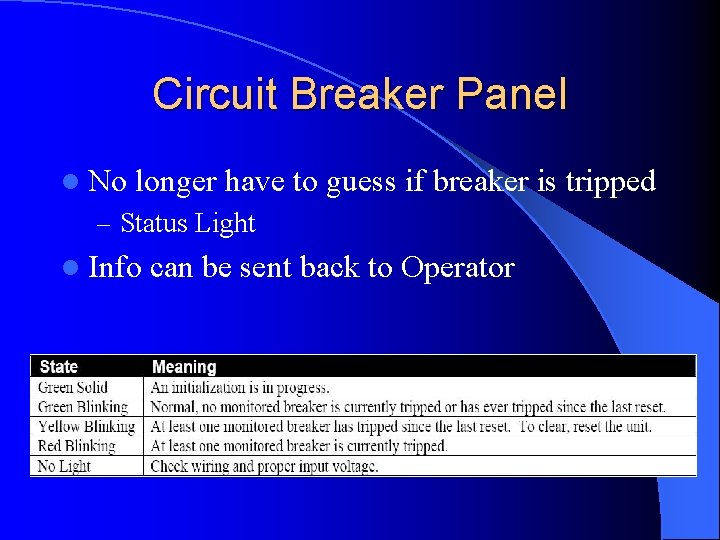
Circuit Breaker Panel l No longer have to guess if breaker is tripped – Status Light l Info can be sent back to Operator
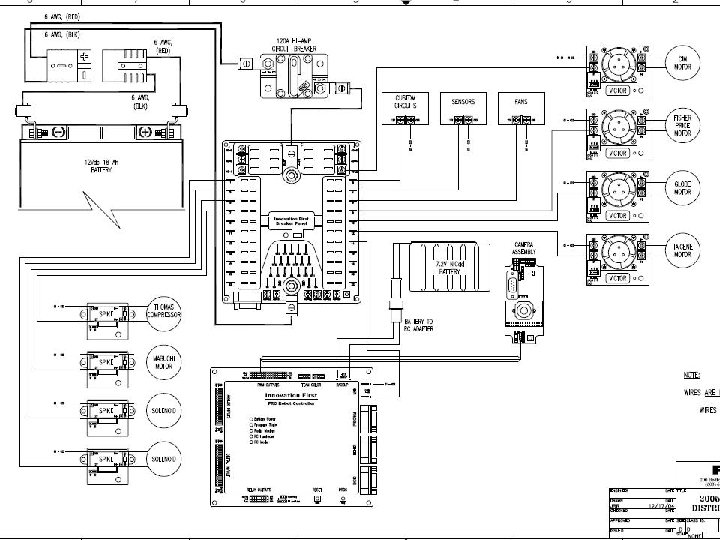
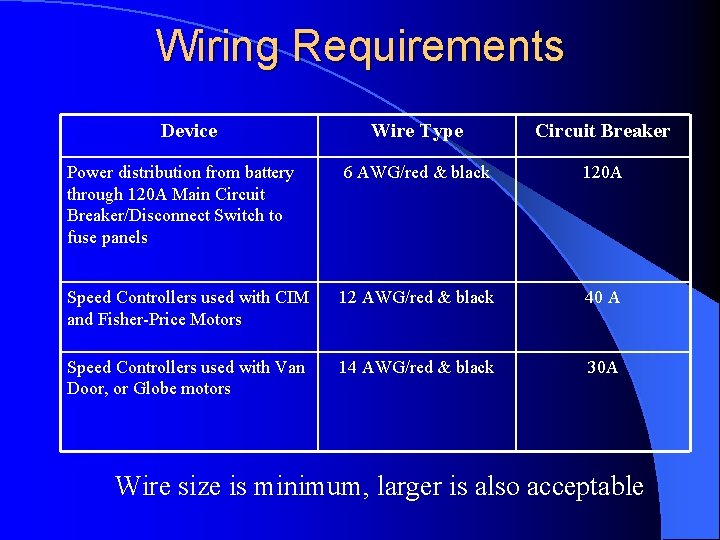
Wiring Requirements Device Wire Type Circuit Breaker Power distribution from battery through 120 A Main Circuit Breaker/Disconnect Switch to fuse panels 6 AWG/red & black 120 A Speed Controllers used with CIM and Fisher-Price Motors 12 AWG/red & black 40 A Speed Controllers used with Van Door, or Globe motors 14 AWG/red & black 30 A Wire size is minimum, larger is also acceptable
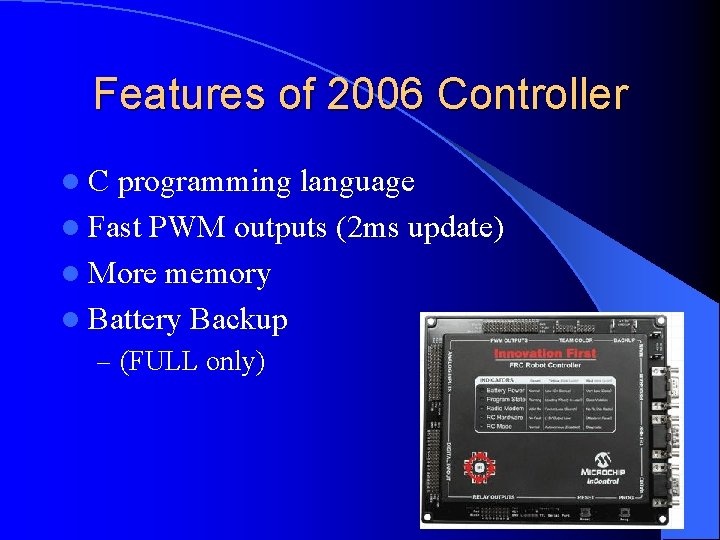
Features of 2006 Controller l. C programming language l Fast PWM outputs (2 ms update) l More memory l Battery Backup – (FULL only)
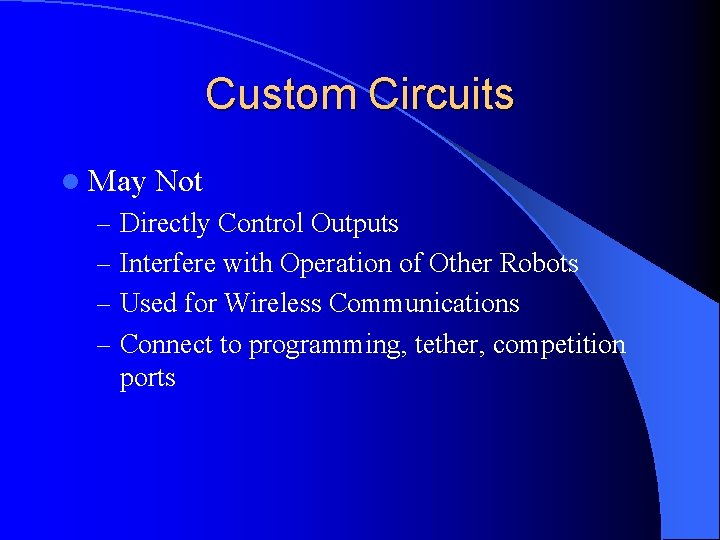
Custom Circuits l May Not – Directly Control Outputs – Interfere with Operation of Other Robots – Used for Wireless Communications – Connect to programming, tether, competition ports
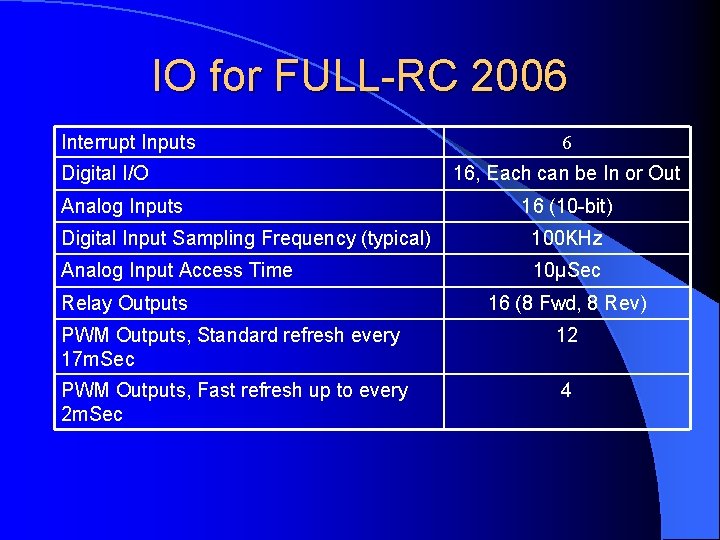
IO for FULL-RC 2006 Interrupt Inputs Digital I/O Analog Inputs 6 16, Each can be In or Out 16 (10 -bit) Digital Input Sampling Frequency (typical) 100 KHz Analog Input Access Time 10μSec Relay Outputs 16 (8 Fwd, 8 Rev) PWM Outputs, Standard refresh every 17 m. Sec 12 PWM Outputs, Fast refresh up to every 2 m. Sec 4
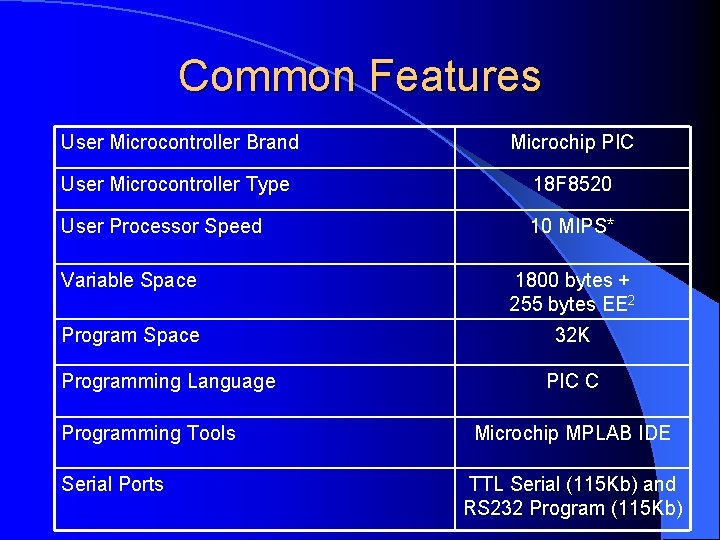
Common Features User Microcontroller Brand Microchip PIC User Microcontroller Type 18 F 8520 User Processor Speed 10 MIPS* Variable Space 1800 bytes + 255 bytes EE 2 Program Space 32 K Programming Language Programming Tools Serial Ports PIC C Microchip MPLAB IDE TTL Serial (115 Kb) and RS 232 Program (115 Kb)
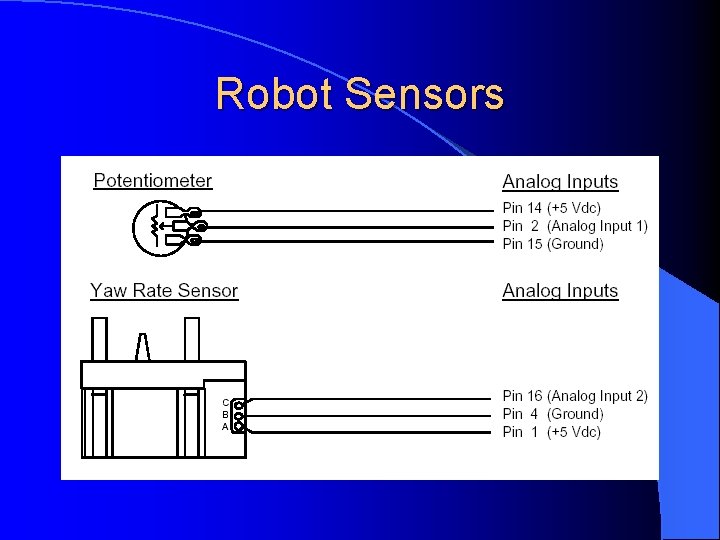
Robot Sensors
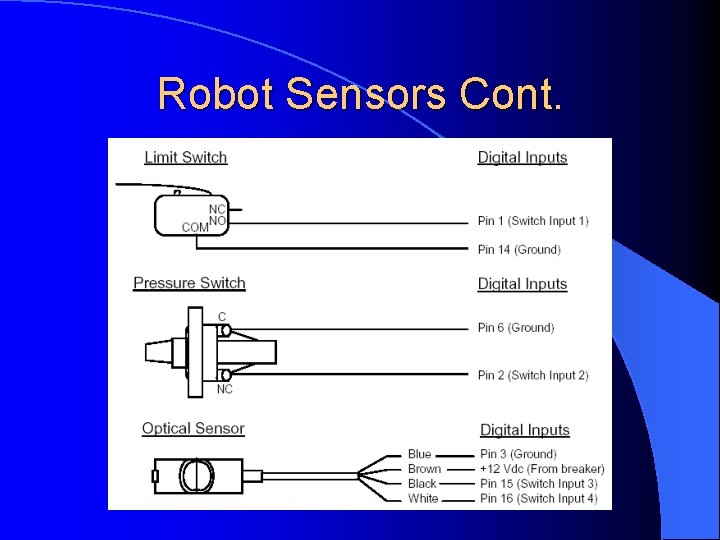
Robot Sensors Cont.
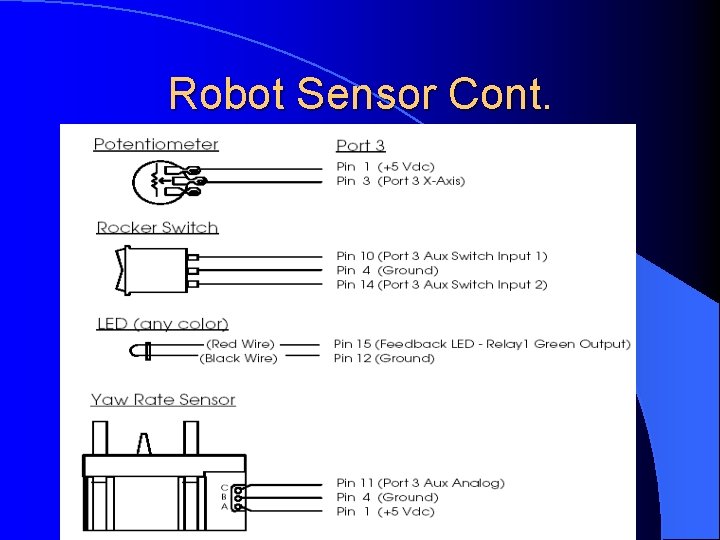
Robot Sensor Cont.
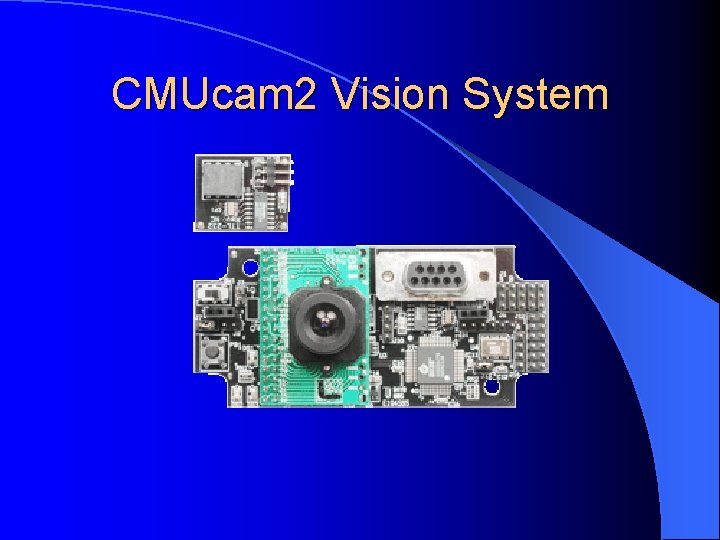
CMUcam 2 Vision System
CMUcam 2 Vision System l l l l l Clock Rate 75 Mhz. Programmability Reprogrammable via Parallax SX-Key? module and software. User I/O 4 Inputs plus 1 switch input. Servo Outputs 5 User controlled. Servo 1 (Pan) and Servo 2 (Tilt) can be set for auto tracking colors. Serial Communication via RS-232 or TTL. RS-232 Baud Rate Selection 115200 (default/recommended), others- 57600, 38400, 19200, 9600, 4800, 2400, 1200 baud. Video Output Black & White TV - NTSC standard Servo Power Jumper selectable - Internal or External (comes with jumper installed for Internal selection). Enclosure Use Radio Shack 4"x 2"x 1" Project Enclosure Box, part number: #270 -1802
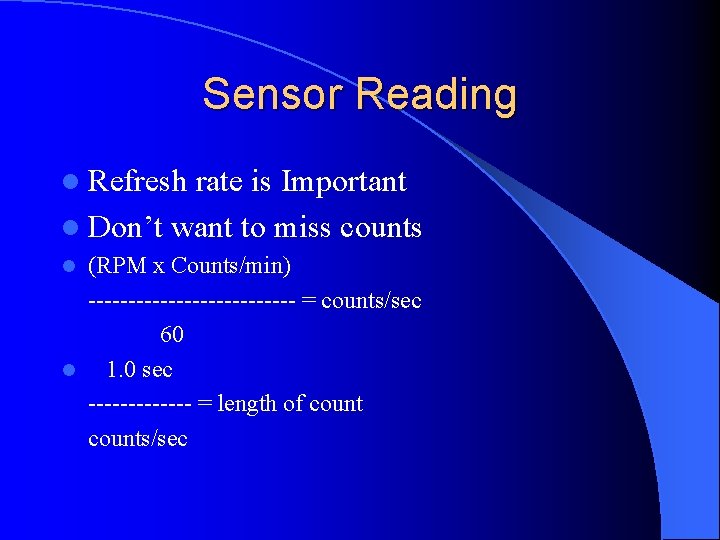
Sensor Reading l Refresh rate is Important l Don’t want to miss counts (RPM x Counts/min) ------------- = counts/sec 60 l 1. 0 sec ------- = length of counts/sec l
Biggest problems of robot electrics l Wire coming out of copper connector l Breaking Battery terminals off of robot controller l Battery falling out l Battery coming disconnected l Forgot to change battery
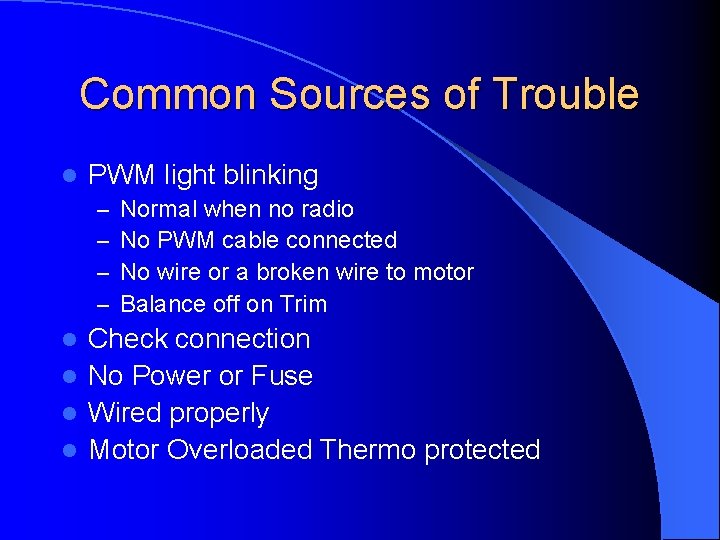
Common Sources of Trouble l PWM light blinking – – Normal when no radio No PWM cable connected No wire or a broken wire to motor Balance off on Trim Check connection l No Power or Fuse l Wired properly l Motor Overloaded Thermo protected l
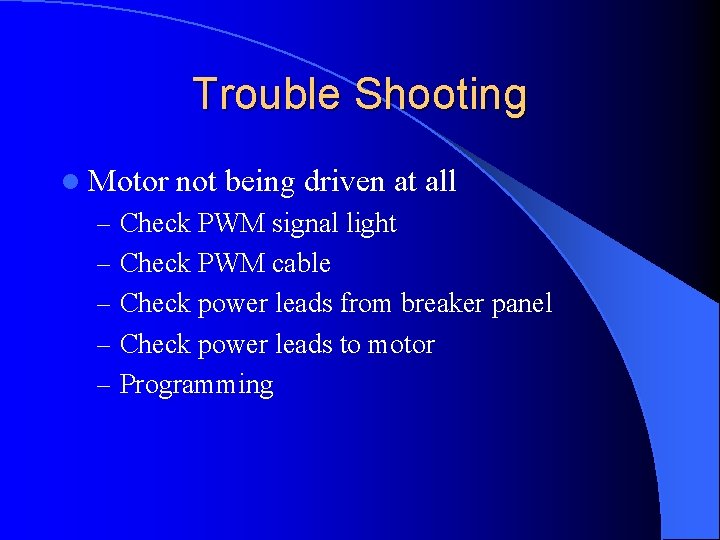
Trouble Shooting l Motor not being driven at all – Check PWM signal light – Check PWM cable – Check power leads from breaker panel – Check power leads to motor – Programming
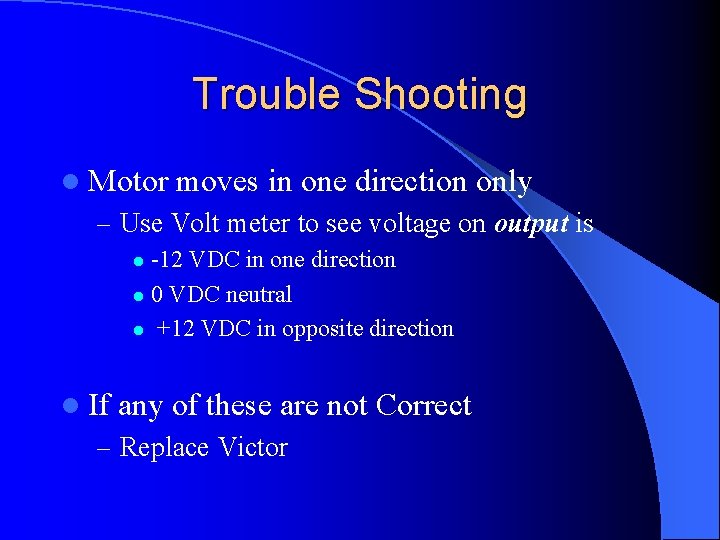
Trouble Shooting l Motor moves in one direction only – Use Volt meter to see voltage on output is -12 VDC in one direction l 0 VDC neutral l +12 VDC in opposite direction l l If any of these are not Correct – Replace Victor
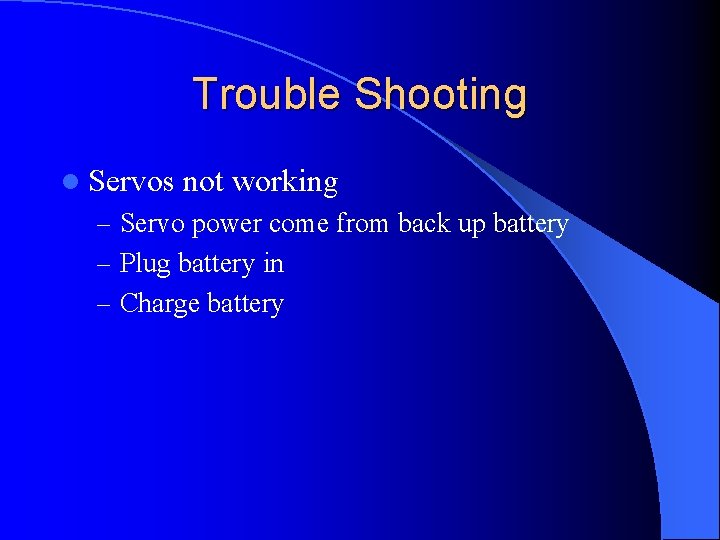
Trouble Shooting l Servos not working – Servo power come from back up battery – Plug battery in – Charge battery
Always l Have the battery SECURED l Have the battery connection SECURELY attached in a match l Insulate battery terminals
Never wire with power on !
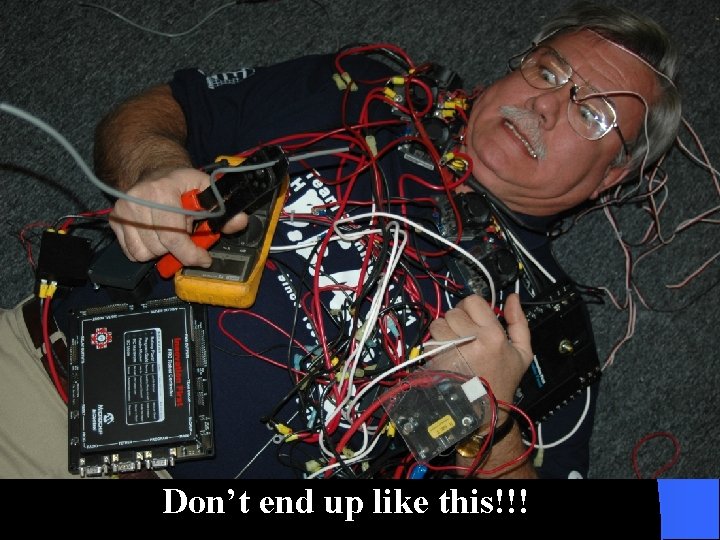
Don’t end up like this!!!
More Information l FIRST website – Documentation l Innovation FIRST – www. innovationfirst. com l The FIRST Software Repository – www. frcsoft. com l Chief Delphi
Questions? l Are there any Questions l Remember – A neat robot is a safe reliable robot – Read the Rules, then if Not Sure, ask another Team l Presentation will be available at www. indianafirst. org or www. usfirst. org