
Welcome to DC MUG IBM Maximo Mobile 2009
Welcome to DC MUG IBM Maximo Mobile © 2009 IBM Corporation
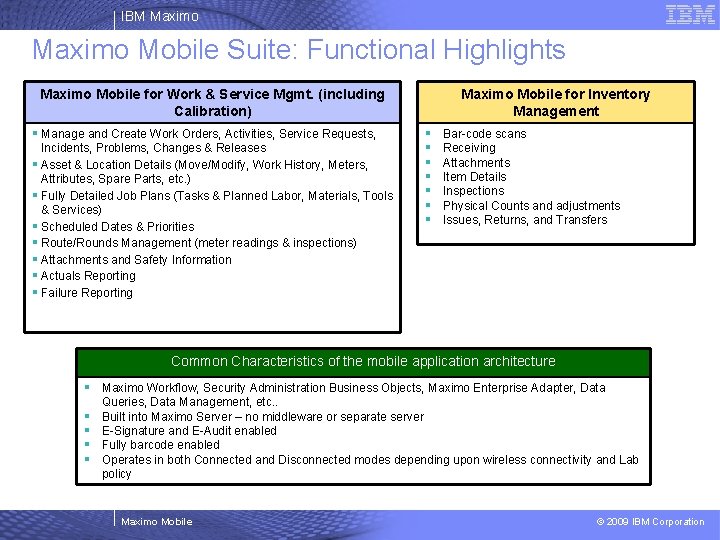
IBM Maximo Mobile Suite: Functional Highlights Maximo Mobile for Work & Service Mgmt. (including Calibration) § Manage and Create Work Orders, Activities, Service Requests, Incidents, Problems, Changes & Releases § Asset & Location Details (Move/Modify, Work History, Meters, Attributes, Spare Parts, etc. ) § Fully Detailed Job Plans (Tasks & Planned Labor, Materials, Tools & Services) § Scheduled Dates & Priorities § Route/Rounds Management (meter readings & inspections) § Attachments and Safety Information § Actuals Reporting § Failure Reporting Maximo Mobile for Inventory Management § § § § Bar-code scans Receiving Attachments Item Details Inspections Physical Counts and adjustments Issues, Returns, and Transfers Common Characteristics of the mobile application architecture § Maximo Workflow, Security Administration Business Objects, Maximo Enterprise Adapter, Data § § Queries, Data Management, etc. . Built into Maximo Server – no middleware or separate server E-Signature and E-Audit enabled Fully barcode enabled Operates in both Connected and Disconnected modes depending upon wireless connectivity and Lab policy Maximo Mobile © 2009 IBM Corporation
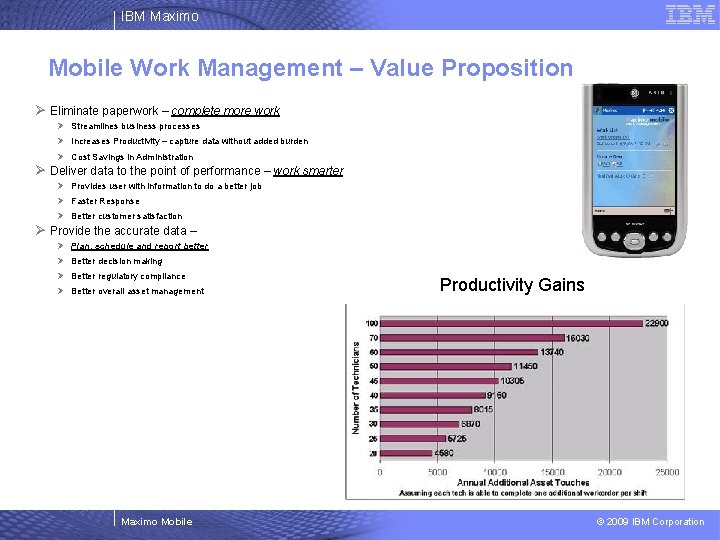
IBM Maximo Mobile Work Management – Value Proposition Ø Eliminate paperwork – complete more work Ø Streamlines business processes Ø Increases Productivity – capture data without added burden Ø Cost Savings in Administration Ø Deliver data to the point of performance – work smarter Ø Provides user with information to do a better job Ø Faster Response Ø Better customer satisfaction Ø Provide the accurate data – Ø Plan, schedule and report better Ø Better decision making Ø Better regulatory compliance Ø Better overall asset management Maximo Mobile Productivity Gains © 2009 IBM Corporation
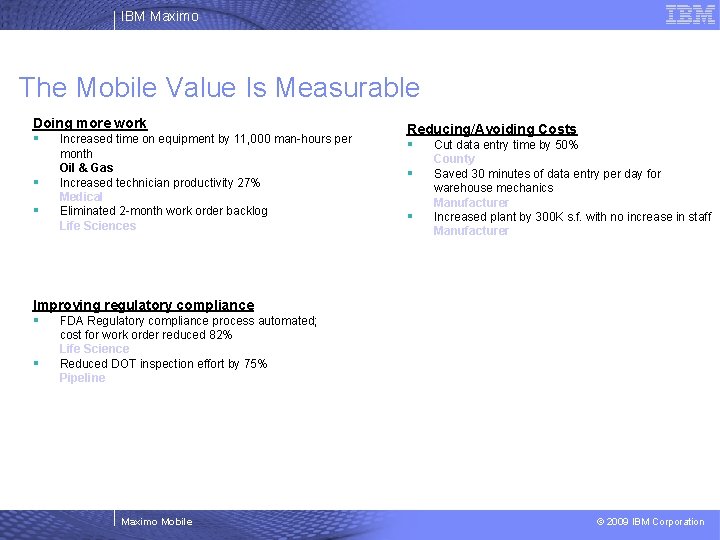
IBM Maximo The Mobile Value Is Measurable Doing more work § Increased time on equipment by 11, 000 man-hours per § § month Oil & Gas Increased technician productivity 27% Medical Eliminated 2 -month work order backlog Life Sciences Reducing/Avoiding Costs § Cut data entry time by 50% § § County Saved 30 minutes of data entry per day for warehouse mechanics Manufacturer Increased plant by 300 K s. f. with no increase in staff Manufacturer Improving regulatory compliance § FDA Regulatory compliance process automated; § cost for work order reduced 82% Life Science Reduced DOT inspection effort by 75% Pipeline Maximo Mobile © 2009 IBM Corporation
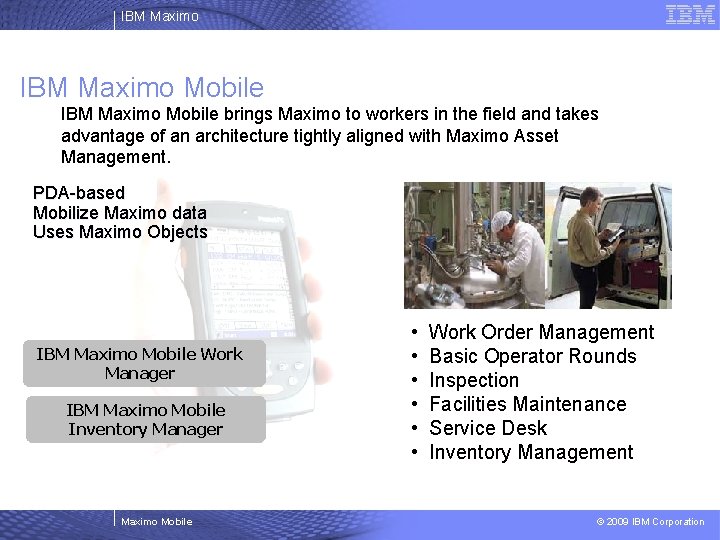
IBM Maximo Mobile brings Maximo to workers in the field and takes advantage of an architecture tightly aligned with Maximo Asset Management. PDA-based Mobilize Maximo data Uses Maximo Objects IBM Maximo Mobile Work Manager IBM Maximo Mobile Inventory Manager Maximo Mobile • • • Work Order Management Basic Operator Rounds Inspection Facilities Maintenance Service Desk Inventory Management © 2009 IBM Corporation
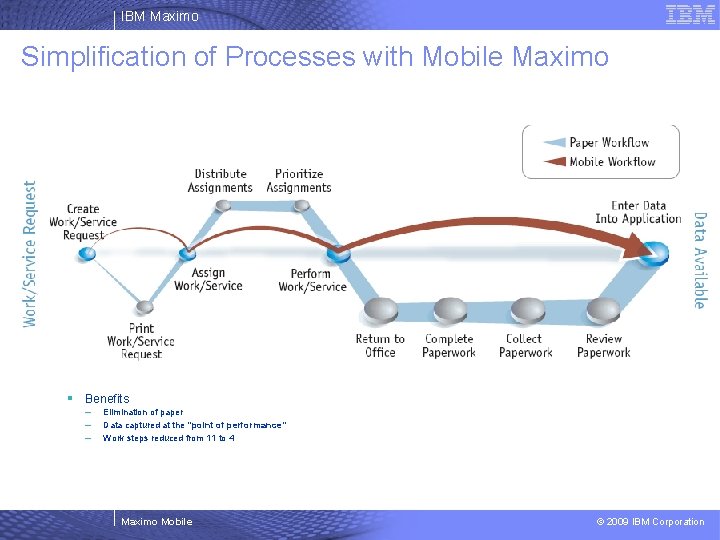
IBM Maximo Simplification of Processes with Mobile Maximo § Benefits – – – Elimination of paper Data captured at the “point of performance” Work steps reduced from 11 to 4 Maximo Mobile © 2009 IBM Corporation
IBM Maximo Mobile – General Features § E-Signature and E-Audit Enabled § Fully Barcode Enabled – RFID Ready – All fields enabled in Work & Inventory Management – Smart-Barcoding available on some table window screens – RFID Configurable § Connected vs. Disconnected Operations – – – Invisible to user Utilizes connectivity when available Store-and-Forward when disconnected Automatic updates and transmissions configurable Supports: – Dock in the Morning, Dock in the Evening – Partial Connectivity (Wi-Fi) – Full Connectivity (Wi-Fi or Cellular) Maximo Mobile © 2009 IBM Corporation
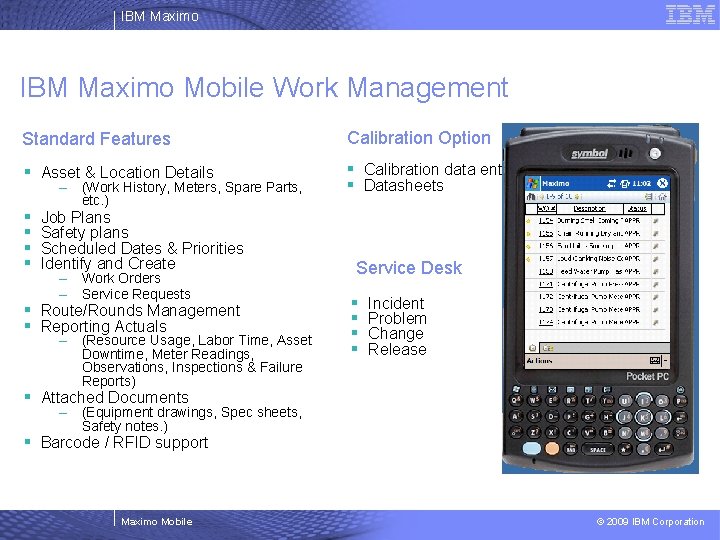
IBM Maximo Mobile Work Management Standard Features Calibration Option § Asset & Location Details § Calibration data entry § Datasheets § § – (Work History, Meters, Spare Parts, etc. ) Job Plans Safety plans Scheduled Dates & Priorities Identify and Create – Work Orders – Service Requests § Route/Rounds Management § Reporting Actuals – (Resource Usage, Labor Time, Asset Downtime, Meter Readings, Observations, Inspections & Failure Reports) Service Desk § § Incident Problem Change Release § Attached Documents – (Equipment drawings, Spec sheets, Safety notes. ) § Barcode / RFID support Maximo Mobile © 2009 IBM Corporation
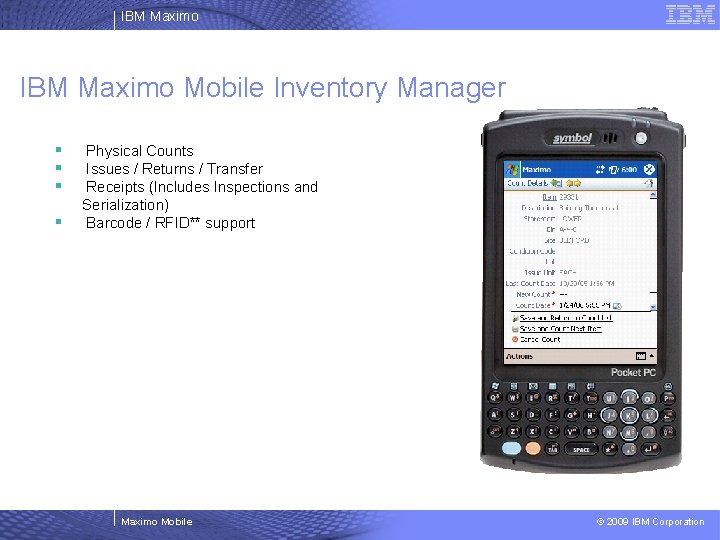
IBM Maximo Mobile Inventory Manager § § Physical Counts Issues / Returns / Transfer Receipts (Includes Inspections and Serialization) Barcode / RFID** support Maximo Mobile © 2009 IBM Corporation
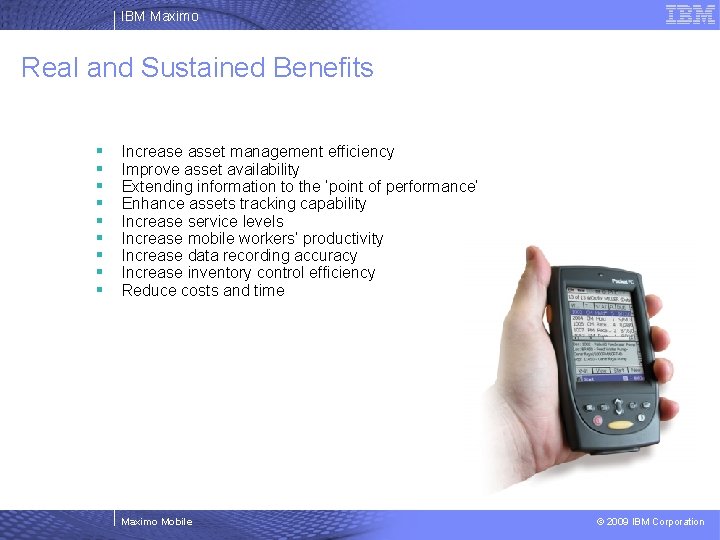
IBM Maximo Real and Sustained Benefits § § § § § Increase asset management efficiency Improve asset availability Extending information to the ‘point of performance’ Enhance assets tracking capability Increase service levels Increase mobile workers’ productivity Increase data recording accuracy Increase inventory control efficiency Reduce costs and time Maximo Mobile © 2009 IBM Corporation
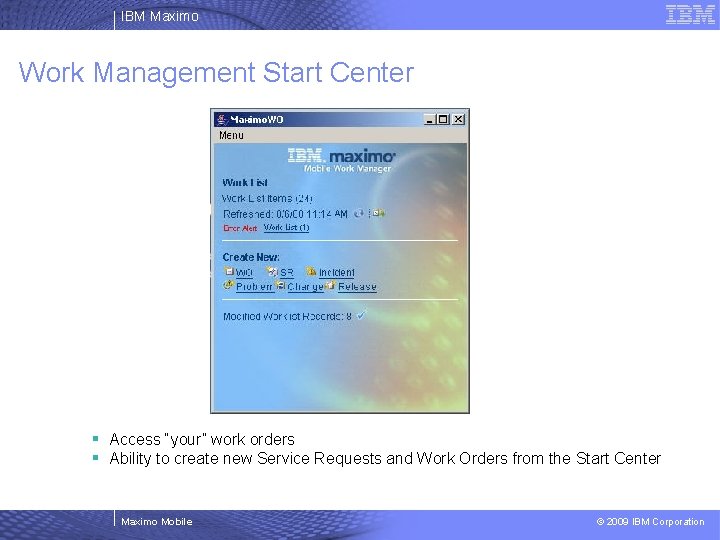
IBM Maximo Work Management Start Center § Access “your” work orders § Ability to create new Service Requests and Work Orders from the Start Center Maximo Mobile © 2009 IBM Corporation
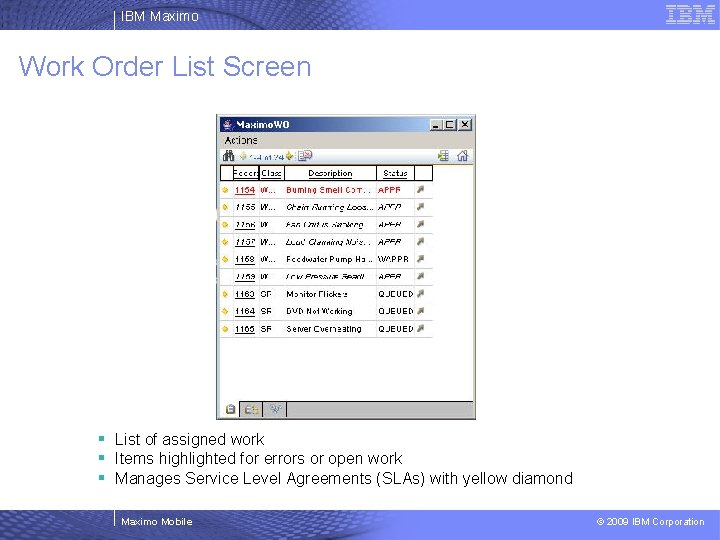
IBM Maximo Work Order List Screen § List of assigned work § Items highlighted for errors or open work § Manages Service Level Agreements (SLAs) with yellow diamond Maximo Mobile © 2009 IBM Corporation
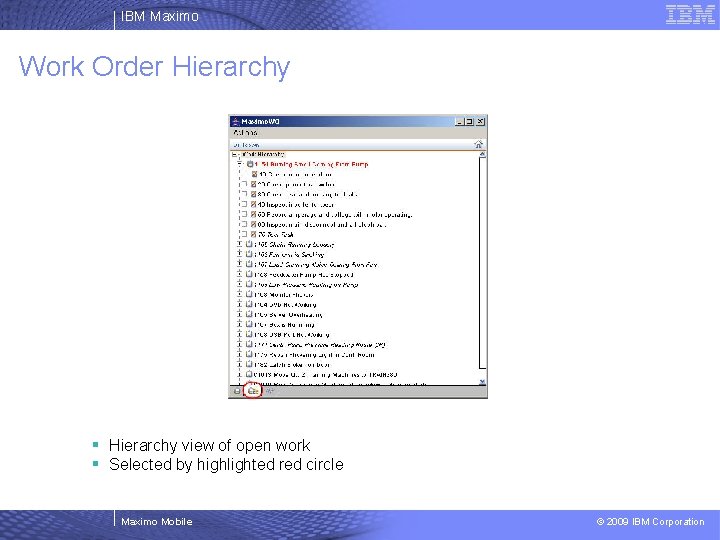
IBM Maximo Work Order Hierarchy § Hierarchy view of open work § Selected by highlighted red circle Maximo Mobile © 2009 IBM Corporation
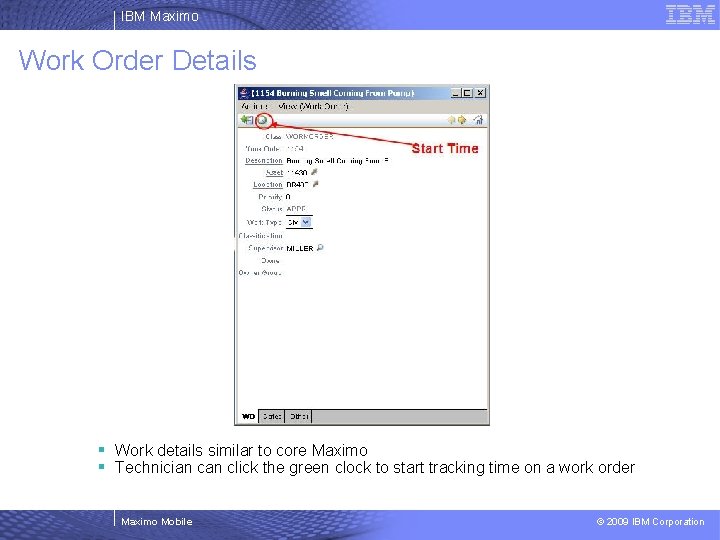
IBM Maximo Work Order Details § Work details similar to core Maximo § Technician click the green clock to start tracking time on a work order Maximo Mobile © 2009 IBM Corporation
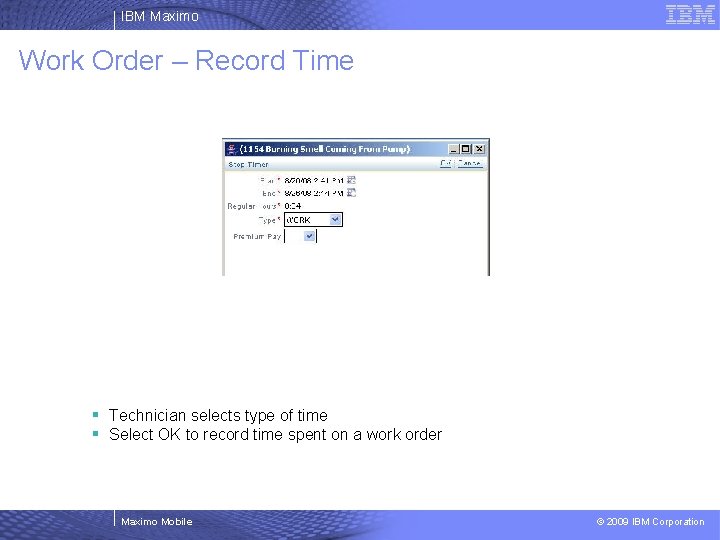
IBM Maximo Work Order – Record Time § Technician selects type of time § Select OK to record time spent on a work order Maximo Mobile © 2009 IBM Corporation
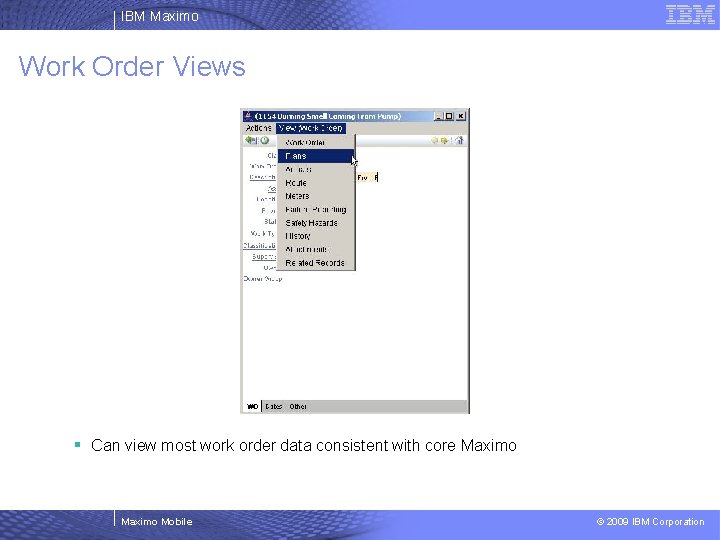
IBM Maximo Work Order Views § Can view most work order data consistent with core Maximo Mobile © 2009 IBM Corporation
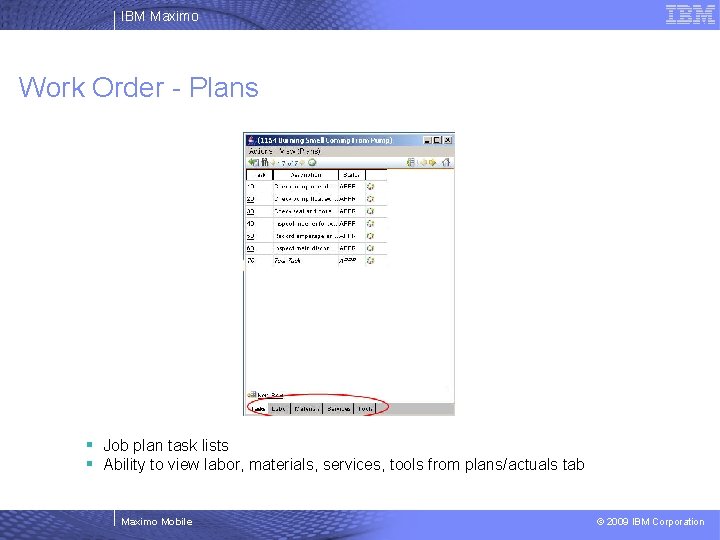
IBM Maximo Work Order - Plans § Job plan task lists § Ability to view labor, materials, services, tools from plans/actuals tab Maximo Mobile © 2009 IBM Corporation
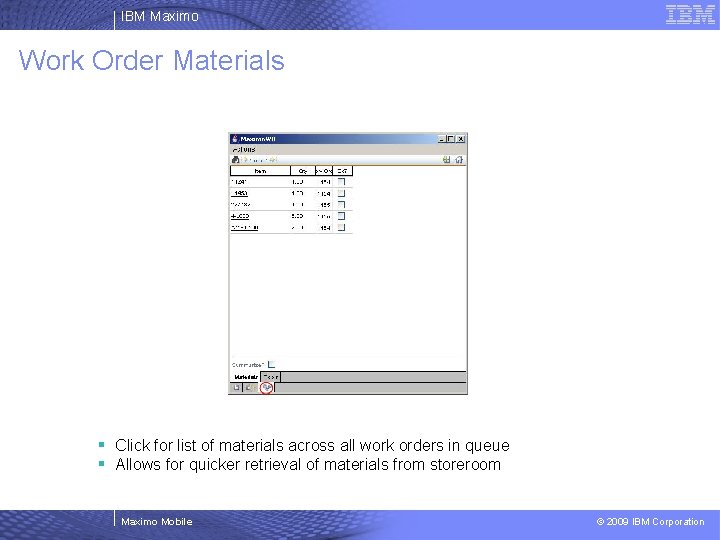
IBM Maximo Work Order Materials § Click for list of materials across all work orders in queue § Allows for quicker retrieval of materials from storeroom Maximo Mobile © 2009 IBM Corporation
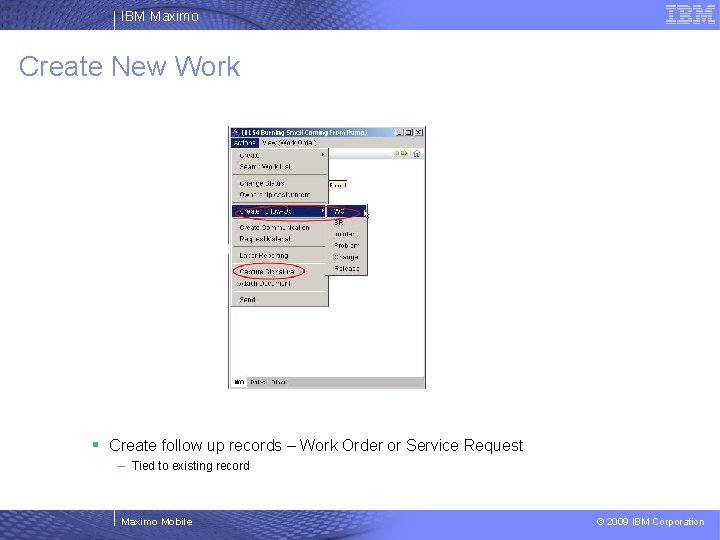
IBM Maximo Create New Work § Create follow up records – Work Order or Service Request – Tied to existing record Maximo Mobile © 2009 IBM Corporation
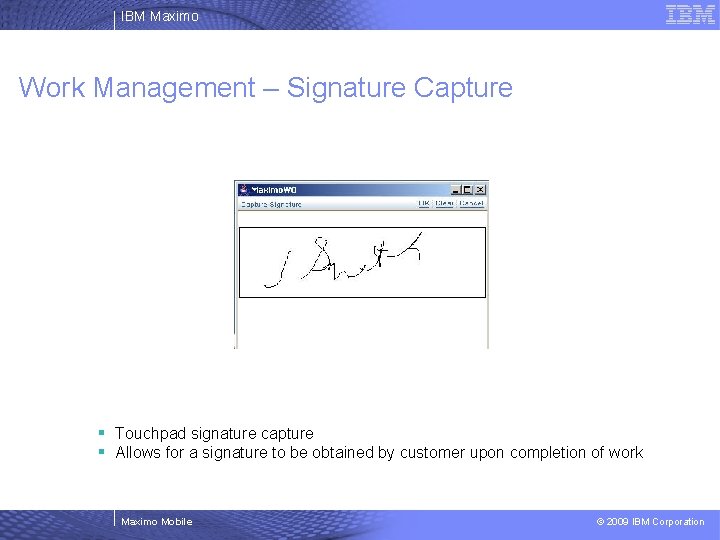
IBM Maximo Work Management – Signature Capture § Touchpad signature capture § Allows for a signature to be obtained by customer upon completion of work Maximo Mobile © 2009 IBM Corporation
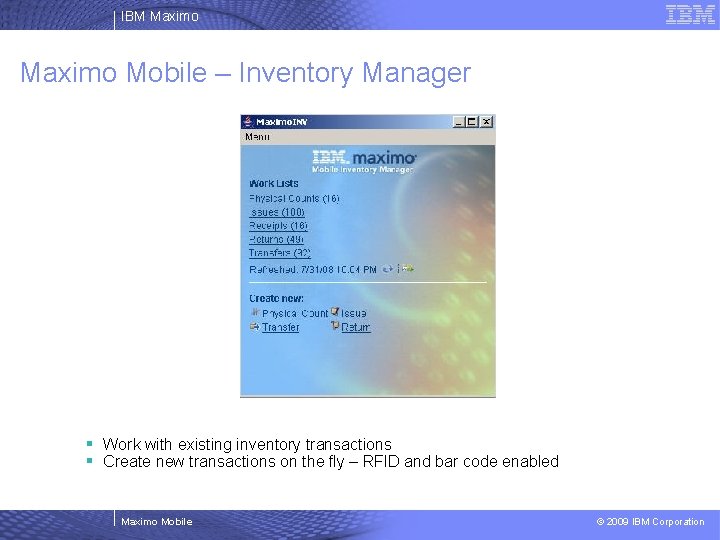
IBM Maximo Mobile – Inventory Manager § Work with existing inventory transactions § Create new transactions on the fly – RFID and bar code enabled Maximo Mobile © 2009 IBM Corporation
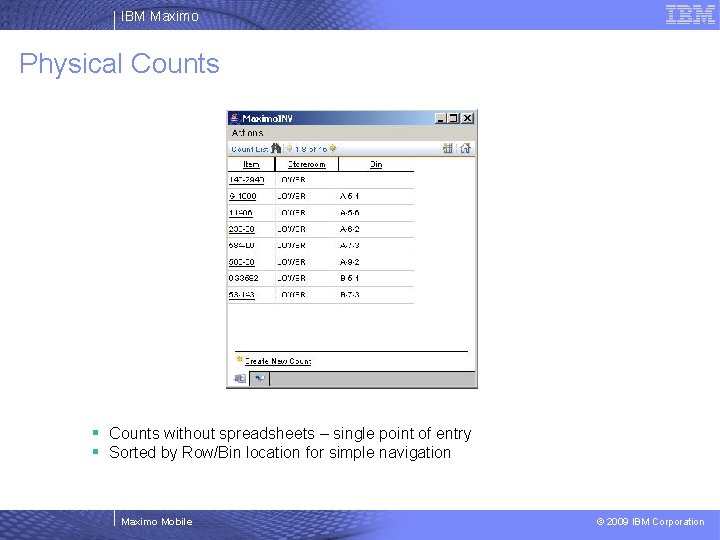
IBM Maximo Physical Counts § Counts without spreadsheets – single point of entry § Sorted by Row/Bin location for simple navigation Maximo Mobile © 2009 IBM Corporation
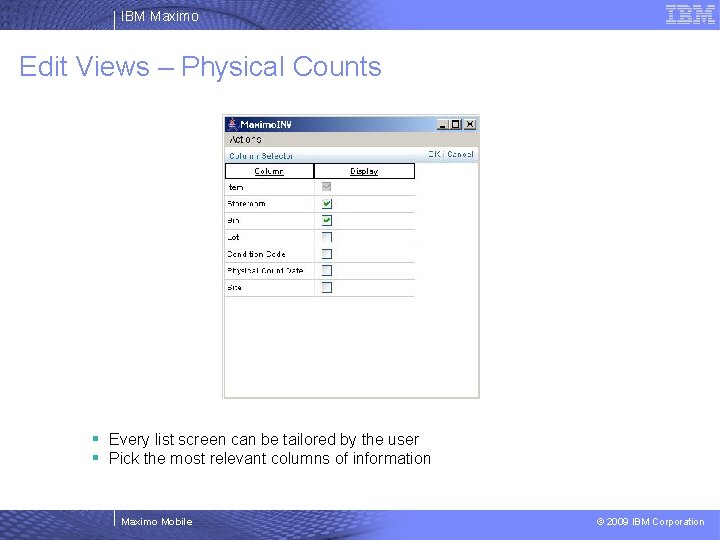
IBM Maximo Edit Views – Physical Counts § Every list screen can be tailored by the user § Pick the most relevant columns of information Maximo Mobile © 2009 IBM Corporation
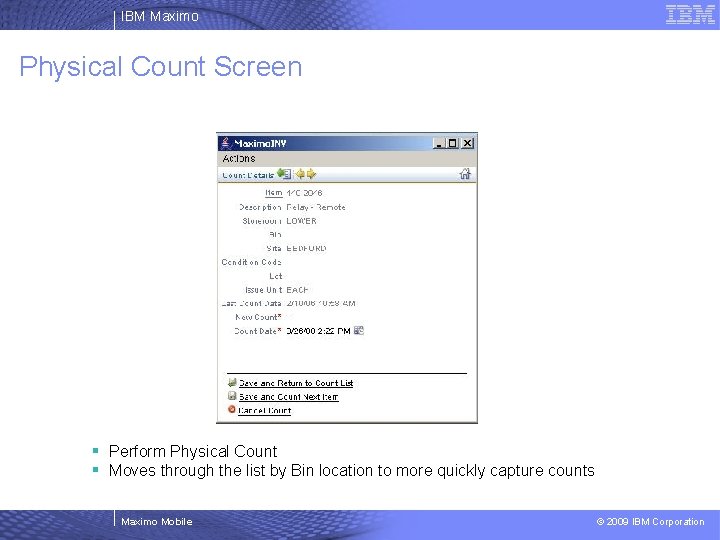
IBM Maximo Physical Count Screen § Perform Physical Count § Moves through the list by Bin location to more quickly capture counts Maximo Mobile © 2009 IBM Corporation
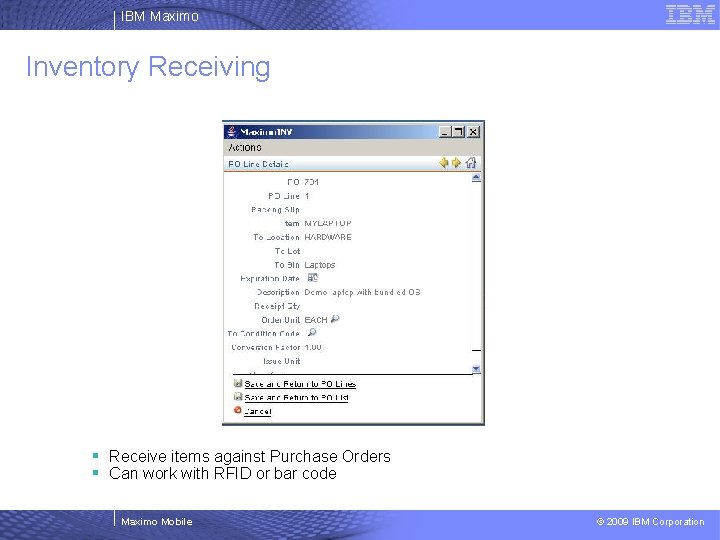
IBM Maximo Inventory Receiving § Receive items against Purchase Orders § Can work with RFID or bar code Maximo Mobile © 2009 IBM Corporation
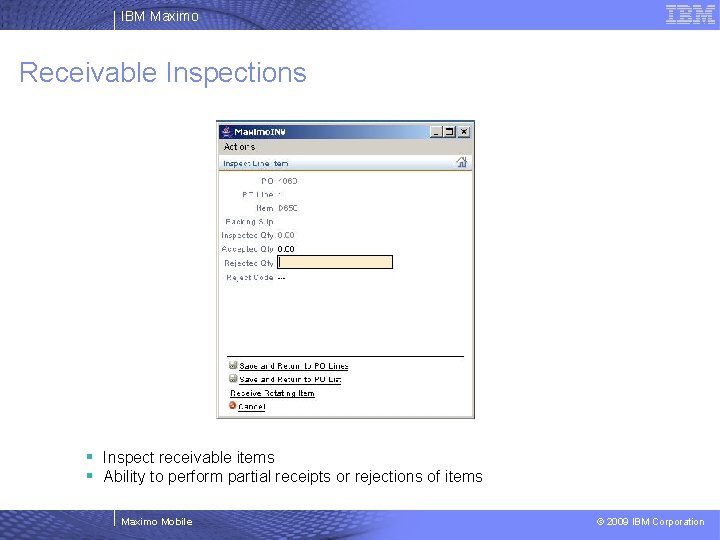
IBM Maximo Receivable Inspections § Inspect receivable items § Ability to perform partial receipts or rejections of items Maximo Mobile © 2009 IBM Corporation
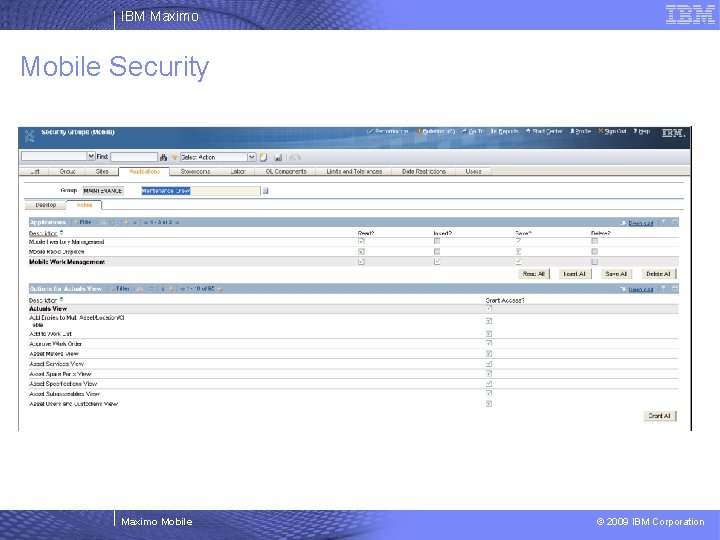
IBM Maximo Mobile Security Maximo Mobile © 2009 IBM Corporation
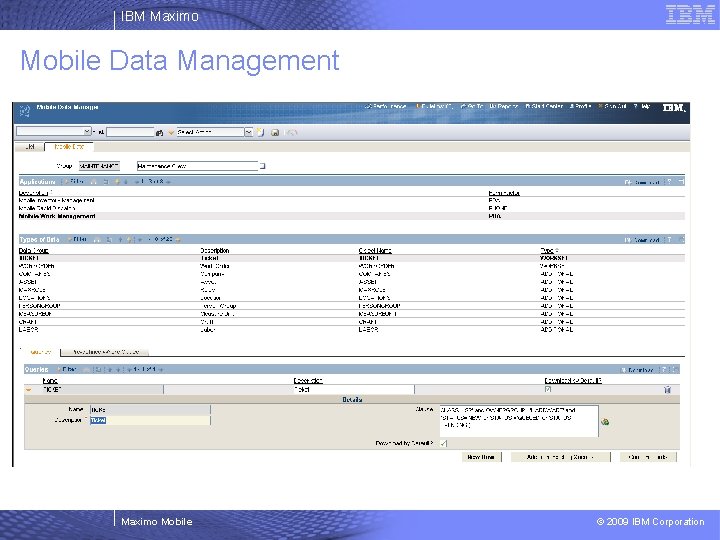
IBM Maximo Mobile Data Management Maximo Mobile © 2009 IBM Corporation
- Slides: 28