
Welcome to Computer Science 457 Networking and the
- Slides: 29
Welcome to: Computer Science 457 Networking and the Internet Fall 2011 Dan Massey
Chapter 1: Foundations • Networking is a very broad topic – How does a wireless card talk to a base station? – How does a message get from Colo. State to Amazon? – How does an application (web browser, IM, P 2 P) work? – What about reliability, resource constraints, security? • First Goal: Learn Big Picture and Terminology – What are the basic network components? – What are network layers? – What is a protocol?
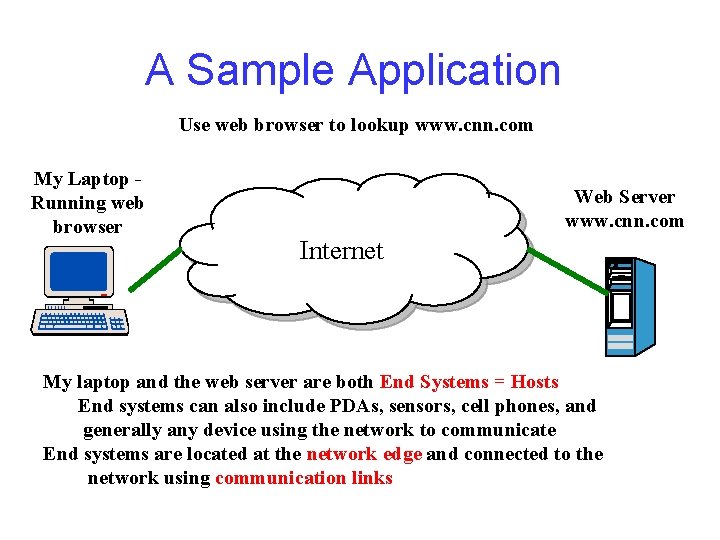
A Sample Application Use web browser to lookup www. cnn. com My Laptop Running web browser Web Server www. cnn. com Internet My laptop and the web server are both End Systems = Hosts End systems can also include PDAs, sensors, cell phones, and generally any device using the network to communicate End systems are located at the network edge and connected to the network using communication links
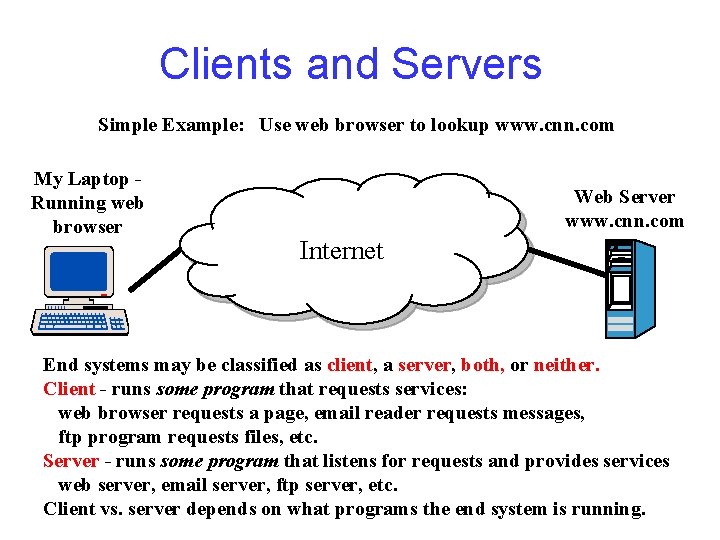
Clients and Servers Simple Example: Use web browser to lookup www. cnn. com My Laptop Running web browser Web Server www. cnn. com Internet End systems may be classified as client, a server, both, or neither. Client - runs some program that requests services: web browser requests a page, email reader requests messages, ftp program requests files, etc. Server - runs some program that listens for requests and provides services web server, email server, ftp server, etc. Client vs. server depends on what programs the end system is running.
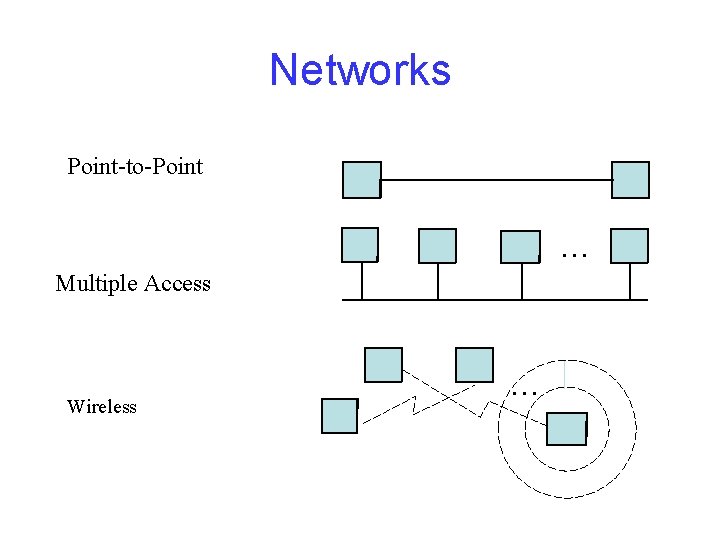
Networks Point-to-Point … Multiple Access Wireless …
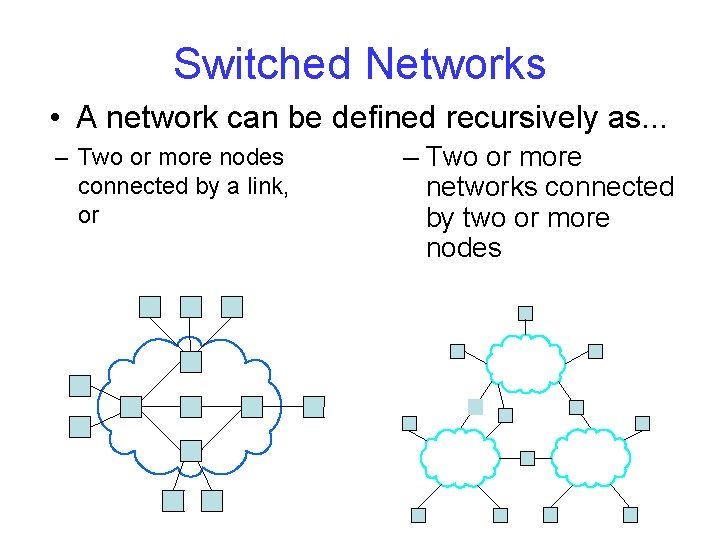
Switched Networks • A network can be defined recursively as. . . – Two or more nodes connected by a link, or – Two or more networks connected by two or more nodes
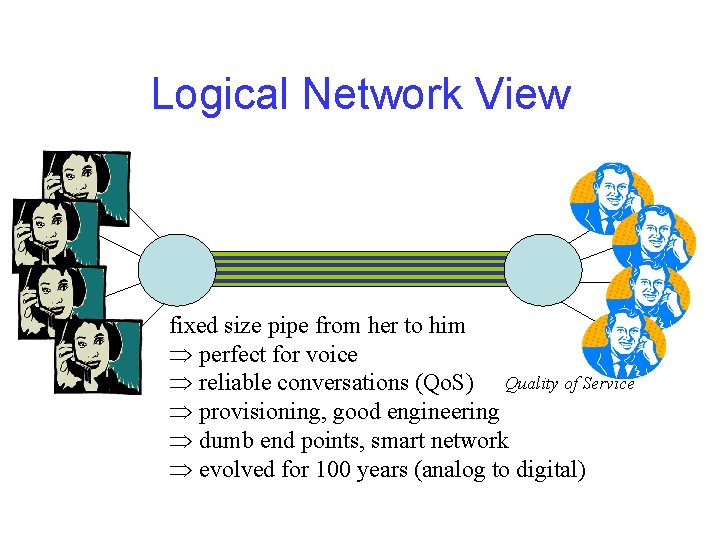
Logical Network View fixed size pipe from her to him Þ perfect for voice Þ reliable conversations (Qo. S) Quality of Service Þ provisioning, good engineering Þ dumb end points, smart network Þ evolved for 100 years (analog to digital)
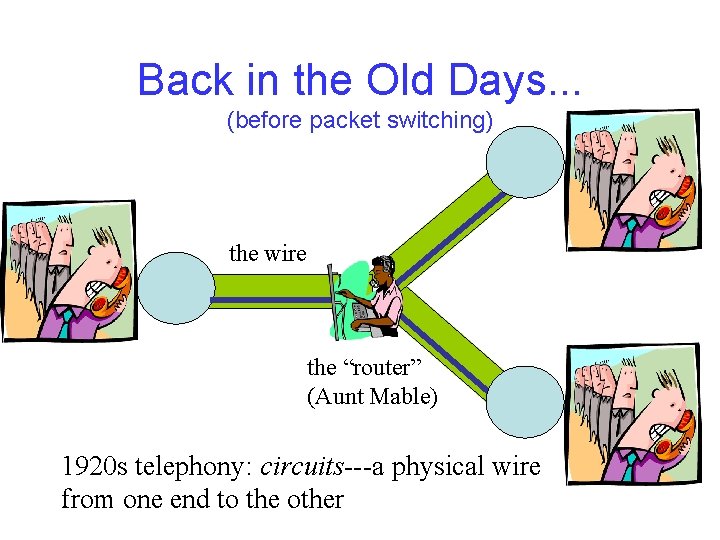
Back in the Old Days. . . (before packet switching) the wire the “router” (Aunt Mable) 1920 s telephony: circuits---a physical wire from one end to the other
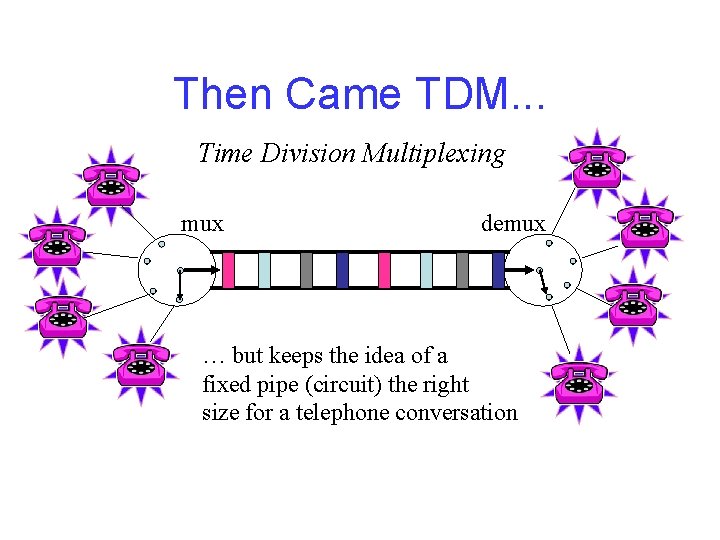
Then Came TDM. . . Time Division Multiplexing mux demux … but keeps the idea of a fixed pipe (circuit) the right size for a telephone conversation
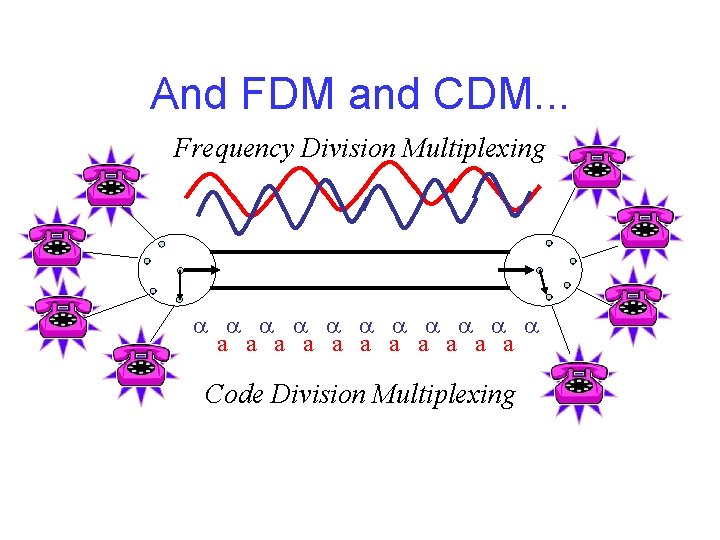
And FDM and CDM. . . Frequency Division Multiplexing a a a a a a Code Division Multiplexing
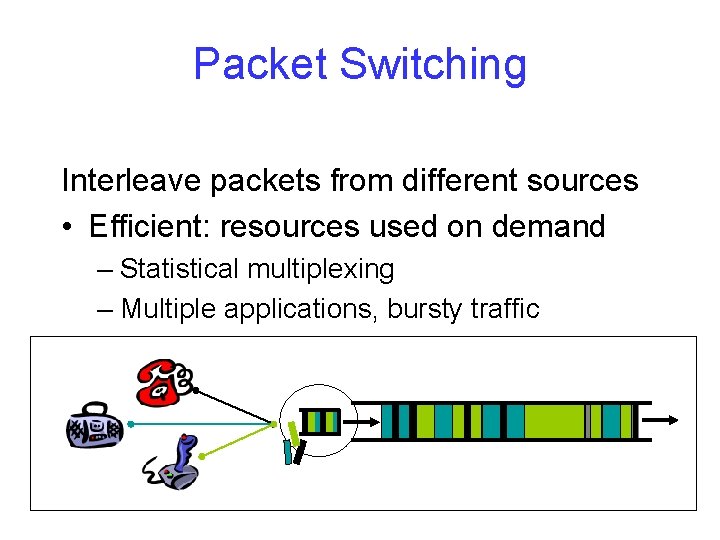
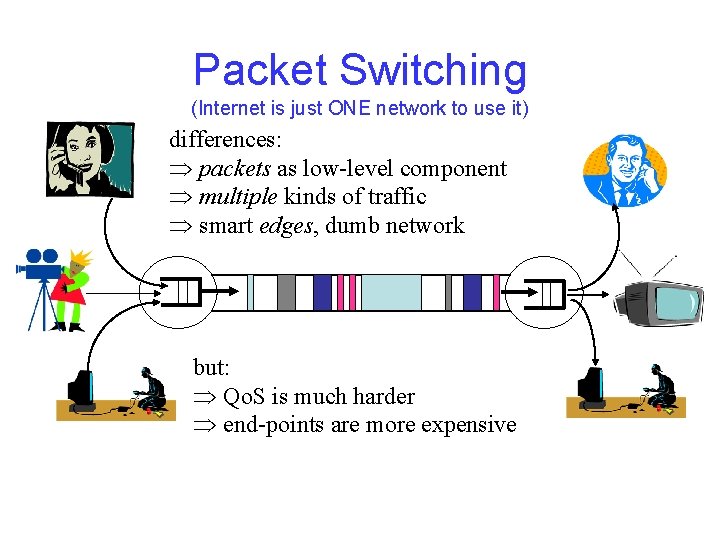
Packet Switching Interleave packets from different sources • Efficient: resources used on demand – Statistical multiplexing – Multiple applications, bursty traffic
What is a Packet? • Self-contained set of bits • Includes a header and (in most cases) user data (payload) • Header: needed by the network contains control information needed to deliver the packet to the destination • User data: can be anything – network does not care
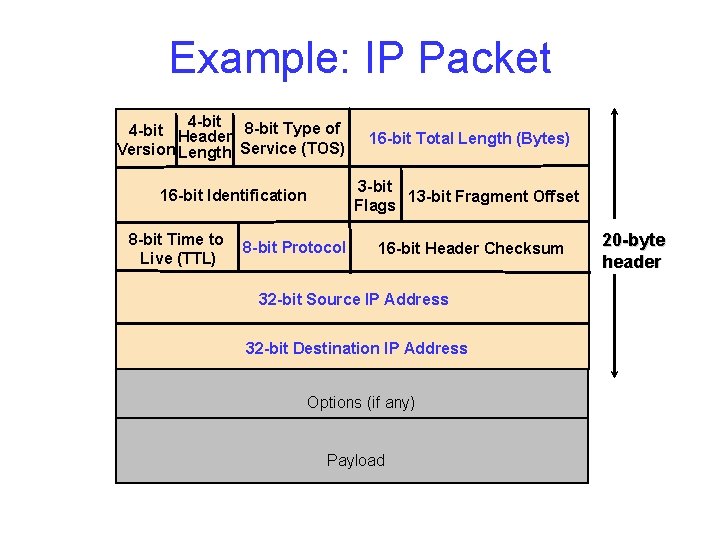
Example: IP Packet 4 -bit Header 8 -bit Type of Version Length Service (TOS) 16 -bit Total Length (Bytes) 16 -bit Identification 3 -bit 13 -bit Fragment Offset Flags 8 -bit Time to Live (TTL) 8 -bit Protocol 16 -bit Header Checksum 32 -bit Source IP Address 32 -bit Destination IP Address Options (if any) Payload 20 -byte header
Packet Switching (Internet is just ONE network to use it) differences: Þ packets as low-level component Þ multiple kinds of traffic Þ smart edges, dumb network but: Þ Qo. S is much harder Þ end-points are more expensive
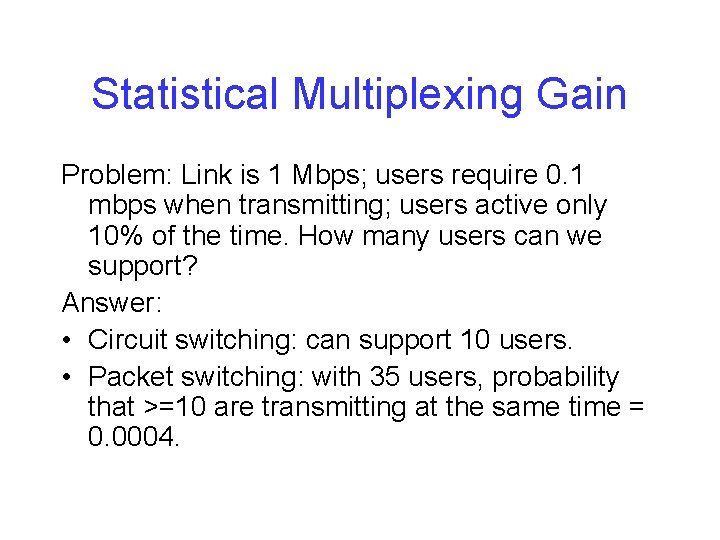
Statistical Multiplexing Gain Problem: Link is 1 Mbps; users require 0. 1 mbps when transmitting; users active only 10% of the time. How many users can we support? Answer: • Circuit switching: can support 10 users. • Packet switching: with 35 users, probability that >=10 are transmitting at the same time = 0. 0004.
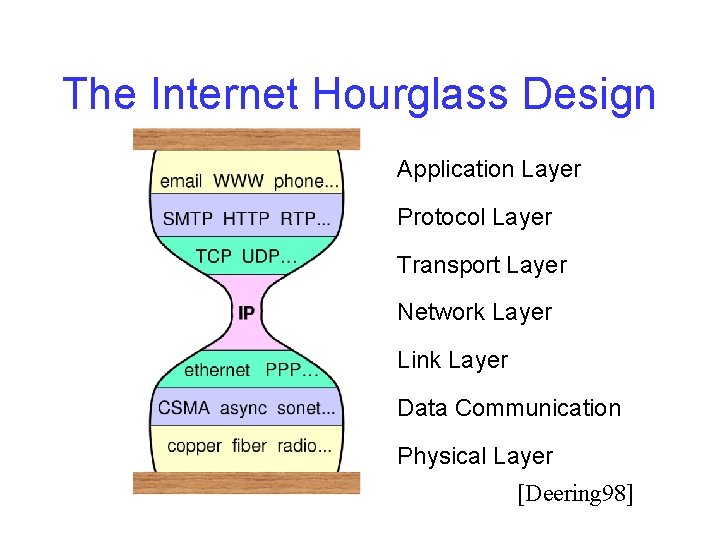
Networking with Layers • Sub-divide the problem – Each layer relies on services from layer below – Each layer exports services to layer above • Interface between layers defines interaction – Hides implementation details – Layers can change without disturbing other layers
The Internet Hourglass Design Application Layer Protocol Layer Transport Layer Network Layer Link Layer Data Communication Physical Layer [Deering 98]
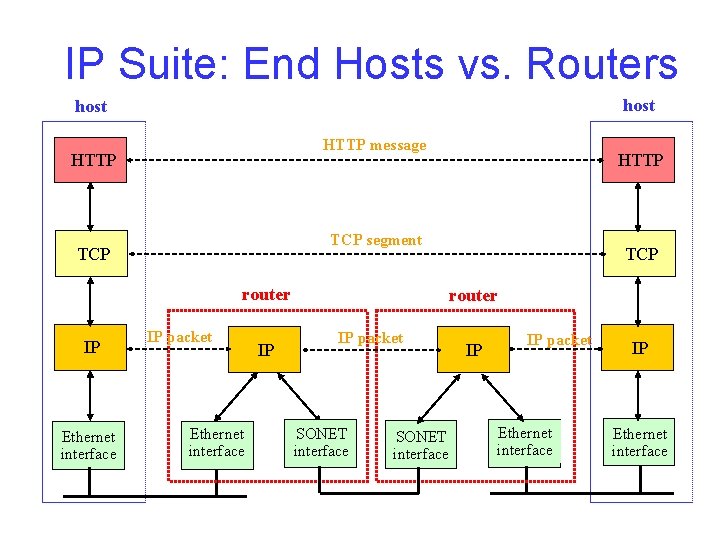
IP Suite: End Hosts vs. Routers host HTTP message HTTP TCP segment TCP router IP Ethernet interface HTTP IP packet Ethernet interface IP TCP router IP packet SONET interface IP IP packet Ethernet interface IP Ethernet interface
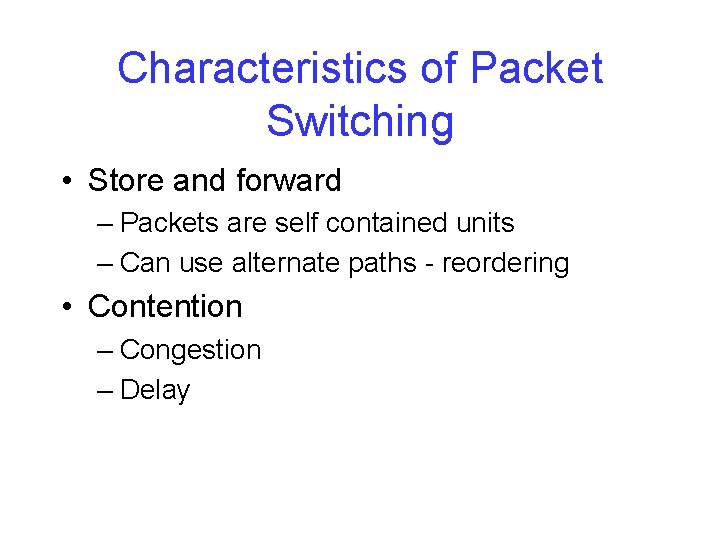
Characteristics of Packet Switching • Store and forward – Packets are self contained units – Can use alternate paths - reordering • Contention – Congestion – Delay
Putting the Network Together • The network is composed of: • Hosts or endpoints (PCs, PDAs, cellphones, laptops, etc. ) • Routers (specialized machines that route packets) • The distinction is often blurred (caches, content servers, etc. )
Host Configuration • Host configuration needs: – a physical network cable (Ethernet, etc. ) – an IP address (often automatic with DHCP) – a network mask – a gateway – a DNS server (and other servers)
An ISP • ISP needs: – – – – a (big? ) block of addresses connections to one or more other ISPs, peerings multiple routers, probably at exchange points servers for your users: mail, web, etc. servers for you: monitoring, etc. competent network admins (recommended) an AUP (Acceptable Use Policy) a lawyer
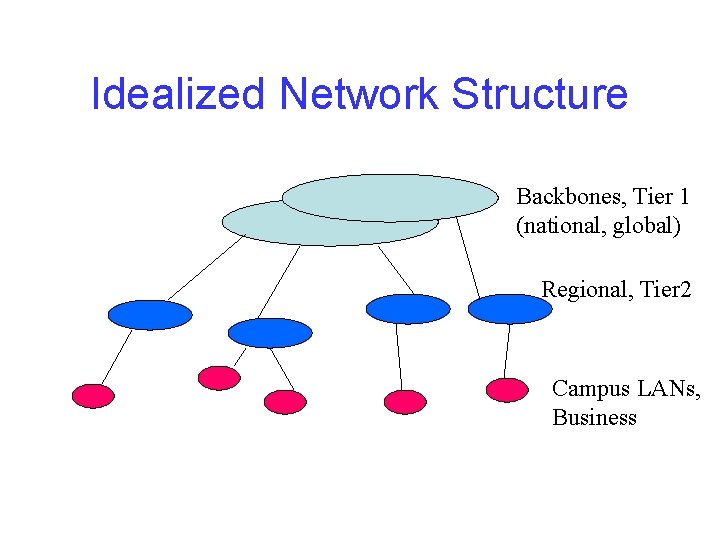
Idealized Network Structure Backbones, Tier 1 (national, global) Regional, Tier 2 Campus LANs, Business
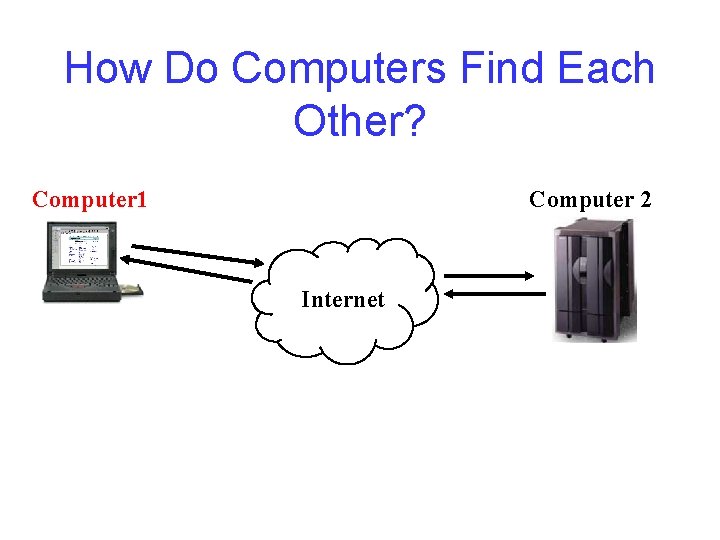
How Do Computers Find Each Other? Computer 1 Computer 2 Internet
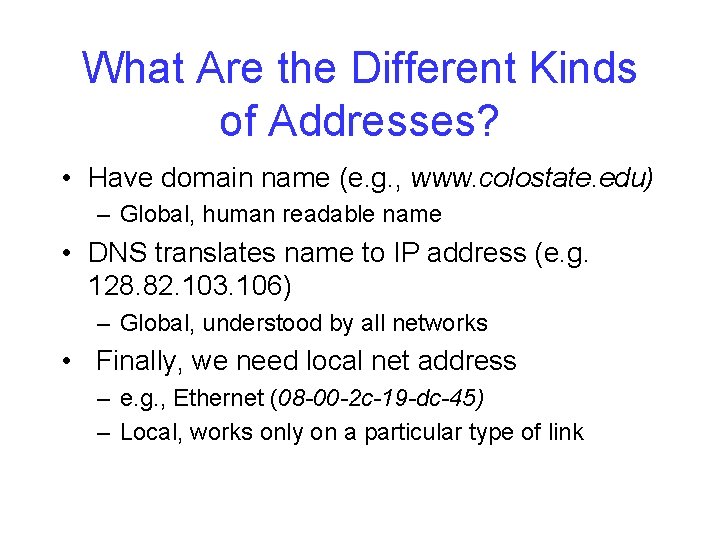
What Are the Different Kinds of Addresses? • Have domain name (e. g. , www. colostate. edu) – Global, human readable name • DNS translates name to IP address (e. g. 128. 82. 103. 106) – Global, understood by all networks • Finally, we need local net address – e. g. , Ethernet (08 -00 -2 c-19 -dc-45) – Local, works only on a particular type of link
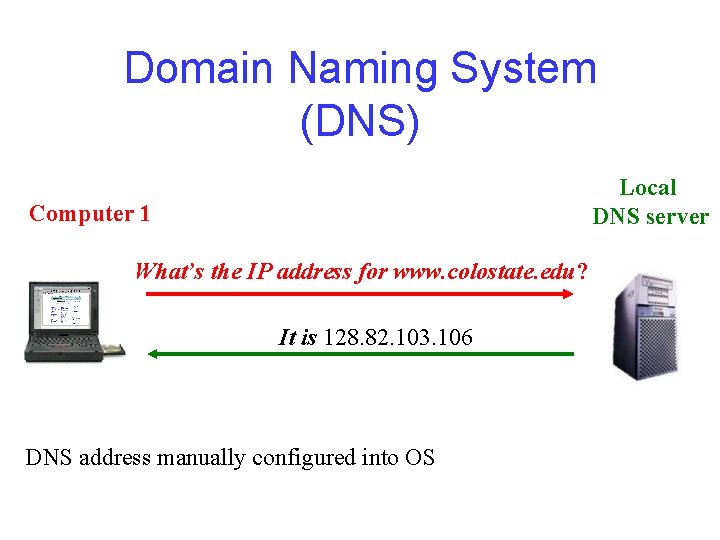
Domain Naming System (DNS) Local DNS server Computer 1 What’s the IP address for www. colostate. edu? It is 128. 82. 103. 106 DNS address manually configured into OS
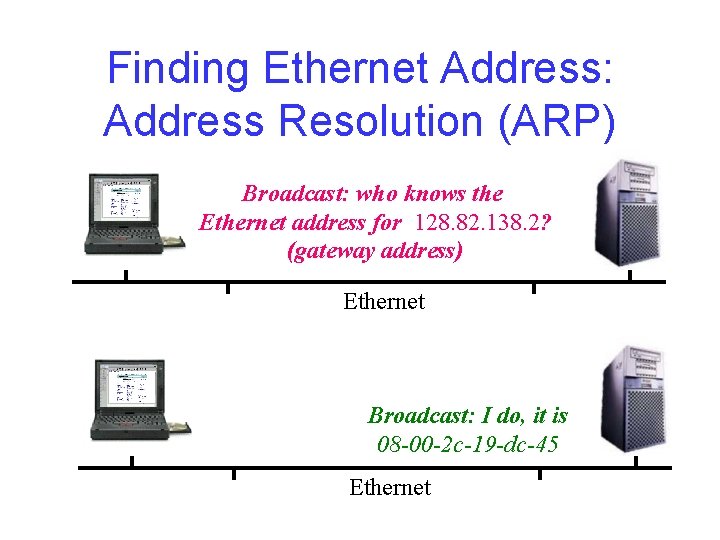
Finding Ethernet Address: Address Resolution (ARP) Broadcast: who knows the Ethernet address for 128. 82. 138. 2? (gateway address) Ethernet Broadcast: I do, it is 08 -00 -2 c-19 -dc-45 Ethernet
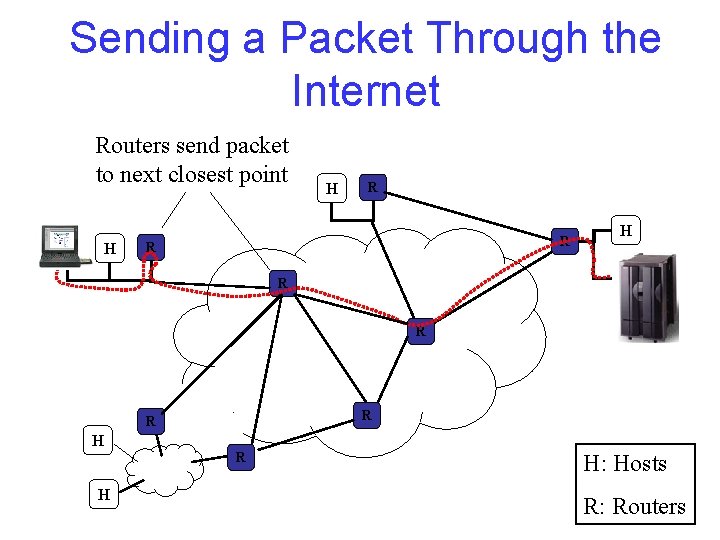
Sending a Packet Through the Internet Routers send packet to next closest point H H H R R R R H H: Hosts R: Routers
How Do the Routers Know Where to Send Data? • Forwarding tables at each router populated by routing protocols. • Original Internet: manually updated. • Routing protocols update tables based on “cost. ” – Exchange tables with neighbors or everyone. – Use neighbor leading to shortest path.