
Welcome to C is Fun at TurbineWarner Bros
Welcome to C++ is Fun at Turbine/Warner Bros. ! Russell Hanson
Syllabus 1) First program and introduction to data types and control structures with applications for games learning how to use the programming environment 2) Objects, encapsulation, abstract data types, data protection and scope 3) Basic data structures and how to use them, opening files and performing operations on files Mini Project 1 Due 4) Algorithms on data structures, algorithms for specific tasks, simple AI and planning type algorithms, game AI algorithms 6) Event-oriented programming, model view controller, map reduce filter Mini Project 2 Due 7) Basic threads models and some simple databases SQLlite 8) Graphics programming, shaders, textures, 3 D models and rotations 7) How to download an API and learn how to use functions in that API, Windows Foundation Classes 8) Designing and implementing a simple game in C++ 9) Selected topics - depth controllers like the Microsoft Kinect Mini Project 3 Due 10) Selected topics 11) Working on student projects 12) Final project presentations
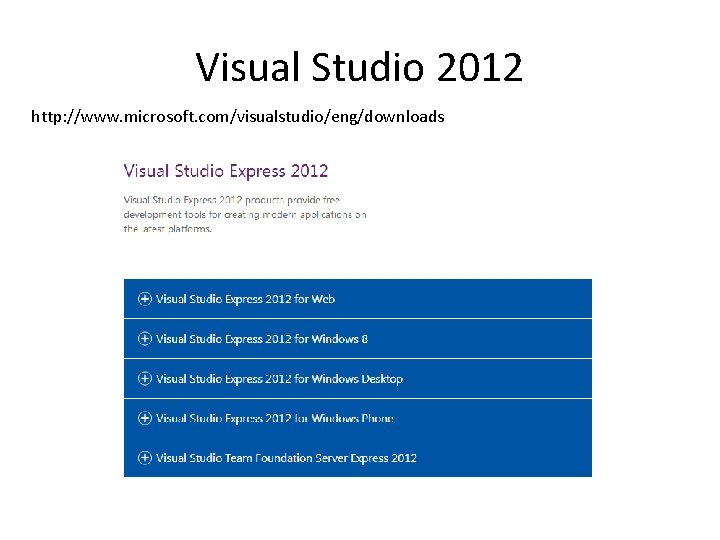
Visual Studio 2012 http: //www. microsoft. com/visualstudio/eng/downloads
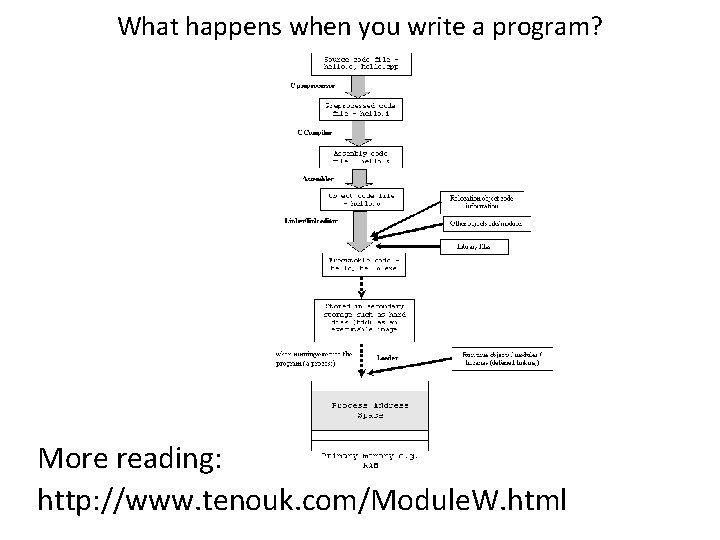
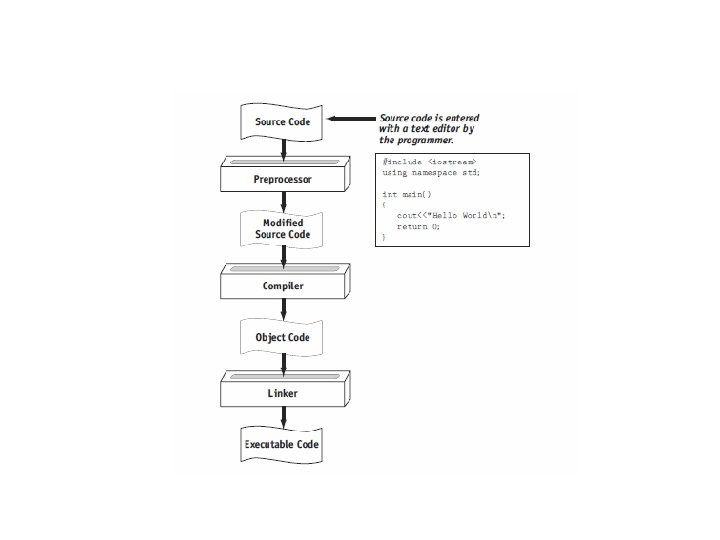
What happens when you write a program? More reading: http: //www. tenouk. com/Module. W. html
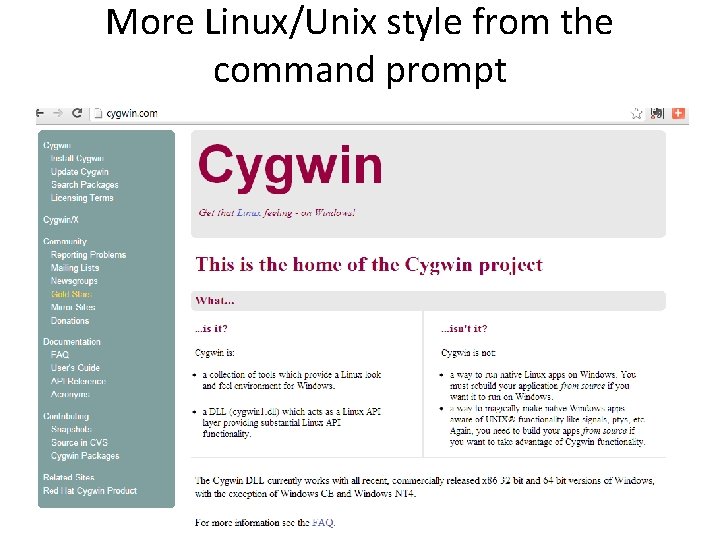
More Linux/Unix style from the command prompt
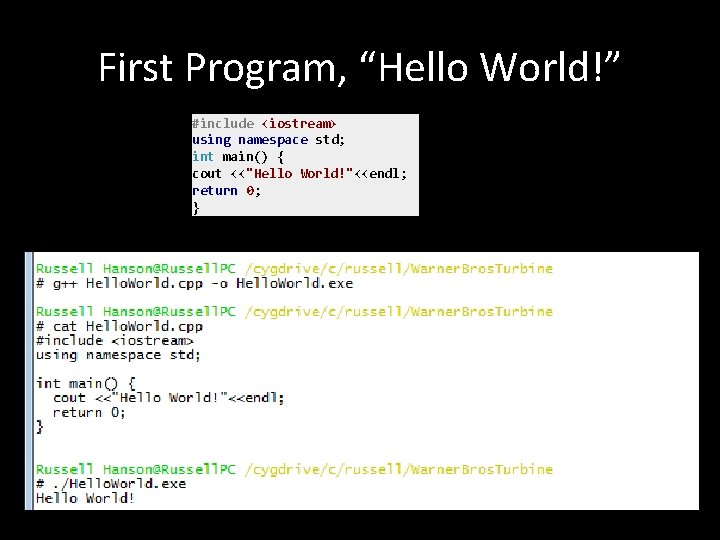
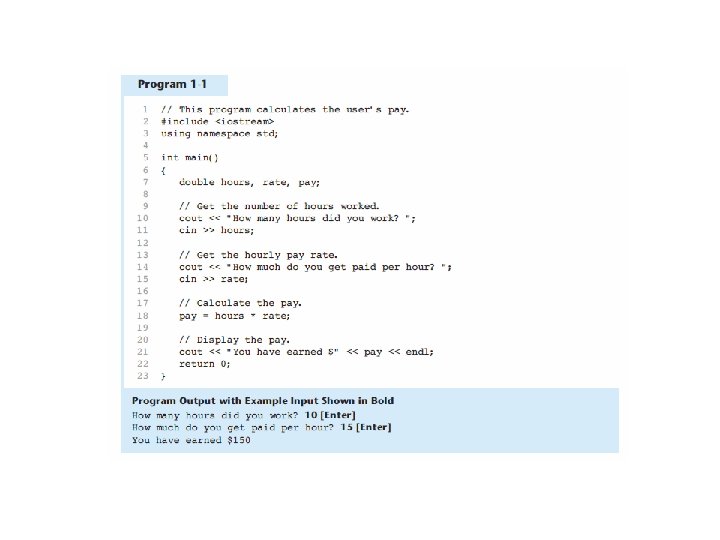
First Program, “Hello World!” #include <iostream> using namespace std; int main() { cout <<"Hello World!"<<endl; return 0; }
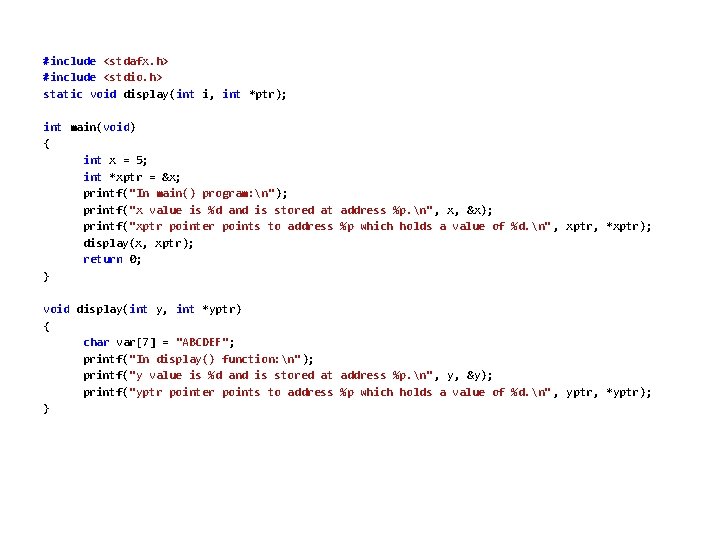
#include <stdafx. h> #include <stdio. h> static void display(int i, int *ptr); int main(void) { int x = 5; int *xptr = &x; printf("In main() program: n"); printf("x value is %d and is stored at address %p. n" , x, &x); printf("xptr pointer points to address %p which holds a value of %d. n" , xptr, *xptr); display(x, xptr); return 0; } void display(int y, int *yptr) { char var[7] = "ABCDEF"; printf("In display() function: n"); printf("y value is %d and is stored at address %p. n" , y, &y); printf("yptr pointer points to address %p which holds a value of %d. n" , yptr, *yptr); }
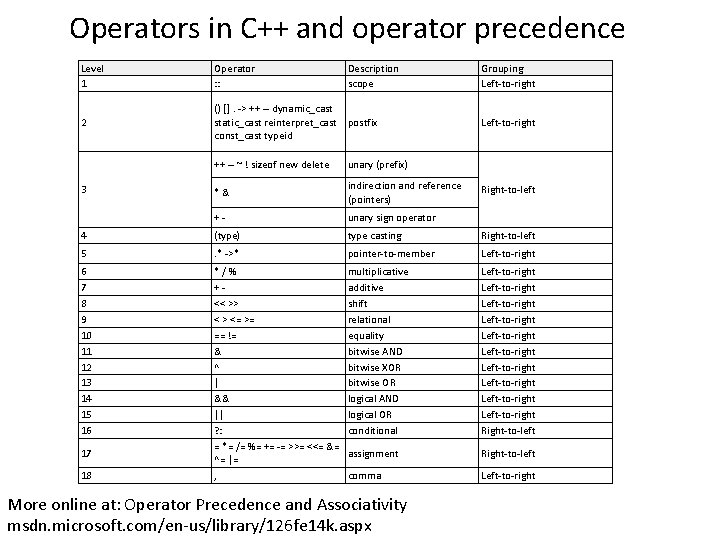
Operators in C++ and operator precedence Level 1 Operator : : Description scope 2 () []. -> ++ -- dynamic_cast static_cast reinterpret_cast postfix const_cast typeid Grouping Left-to-right ++ -- ~ ! sizeof new delete unary (prefix) *& indirection and reference (pointers) +- unary sign operator 4 (type) type casting Right-to-left 5 . * ->* pointer-to-member Left-to-right 6 7 8 9 10 11 12 13 14 15 16 */% +<< >> < > <= >= == != & ^ | && || ? : = *= /= %= += -= >>= <<= &= ^= |= , multiplicative additive shift relational equality bitwise AND bitwise XOR bitwise OR logical AND logical OR conditional Left-to-right Left-to-right Left-to-right Right-to-left assignment Right-to-left comma Left-to-right 3 17 18 More online at: Operator Precedence and Associativity msdn. microsoft. com/en-us/library/126 fe 14 k. aspx Right-to-left
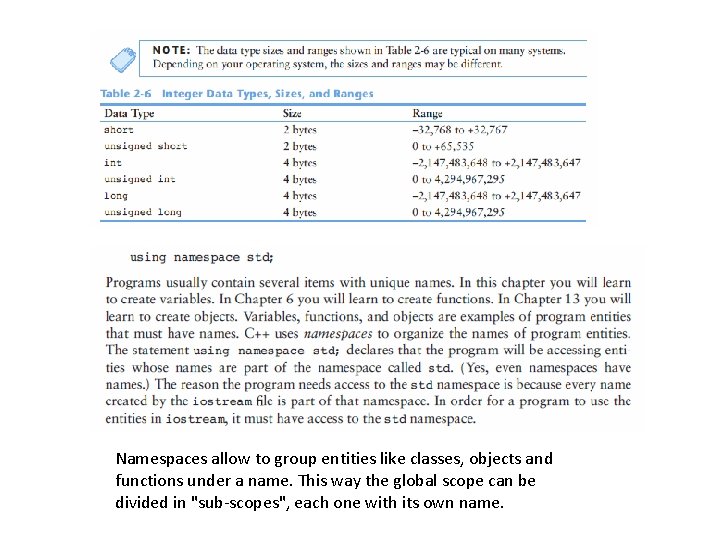
Namespaces allow to group entities like classes, objects and functions under a name. This way the global scope can be divided in "sub-scopes", each one with its own name.
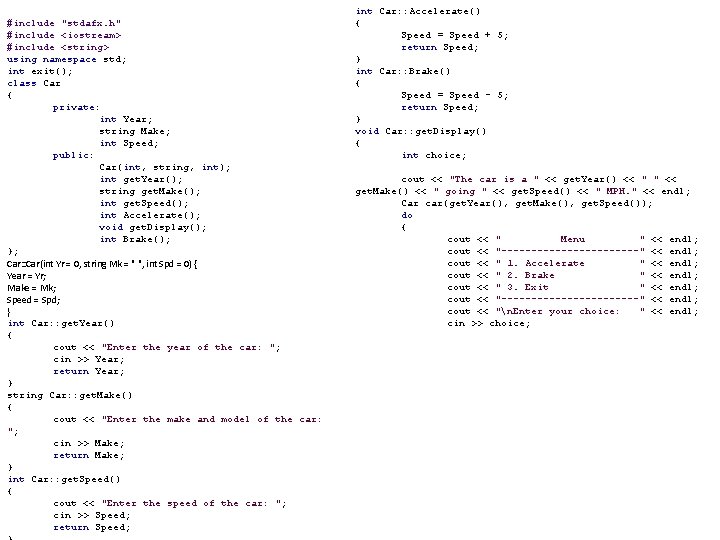
#include "stdafx. h" #include <iostream> #include <string> using namespace std; int exit(); class Car { private: int Year; string Make; int Speed; public: Car(int, string, int); int get. Year(); string get. Make(); int get. Speed(); int Accelerate(); void get. Display(); int Brake(); }; Car: : Car(int Yr = 0, string Mk = " ", int Spd = 0) { Year = Yr; Make = Mk; Speed = Spd; } int Car: : get. Year() { cout << "Enter the year of the car: "; cin >> Year; return Year; } string Car: : get. Make() { cout << "Enter the make and model of the car: "; cin >> Make; return Make; } int Car: : get. Speed() { cout << "Enter the speed of the car: "; cin >> Speed; return Speed; int Car: : Accelerate() { Speed = Speed + 5; return Speed; } int Car: : Brake() { Speed = Speed - 5; return Speed; } void Car: : get. Display() { int choice; cout << "The car is a " << get. Year() << " " << get. Make() << " going " << get. Speed() << " MPH. " << endl; Car car(get. Year(), get. Make(), get. Speed()); do { cout << " Menu " << endl; cout << "------------" << endl; cout << " 1. Accelerate " << endl; cout << " 2. Brake " << endl; cout << " 3. Exit " << endl; cout << "------------" << endl; cout << "n. Enter your choice: " << endl; cin >> choice;
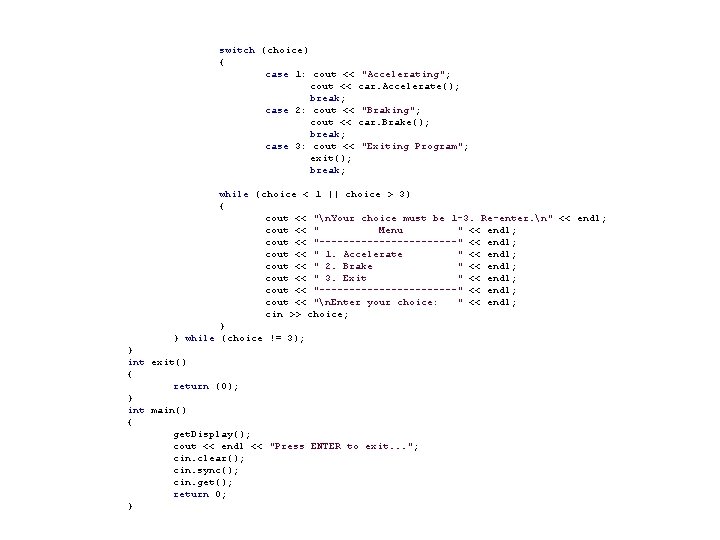
switch (choice) { case 1: cout << break; case 2: cout << break; case 3: cout << exit(); break; "Accelerating"; car. Accelerate(); "Braking"; car. Brake(); "Exiting Program"; while (choice < 1 || choice > 3) { cout << "n. Your choice must be 1 -3. Re-enter. n" << endl; cout << " Menu " << endl; cout << "------------" << endl; cout << " 1. Accelerate " << endl; cout << " 2. Brake " << endl; cout << " 3. Exit " << endl; cout << "------------" << endl; cout << "n. Enter your choice: " << endl; cin >> choice; } } while (choice != 3); } int exit() { return (0); } int main() { get. Display(); cout << endl << "Press ENTER to exit. . . "; cin. clear(); cin. sync(); cin. get(); return 0; }
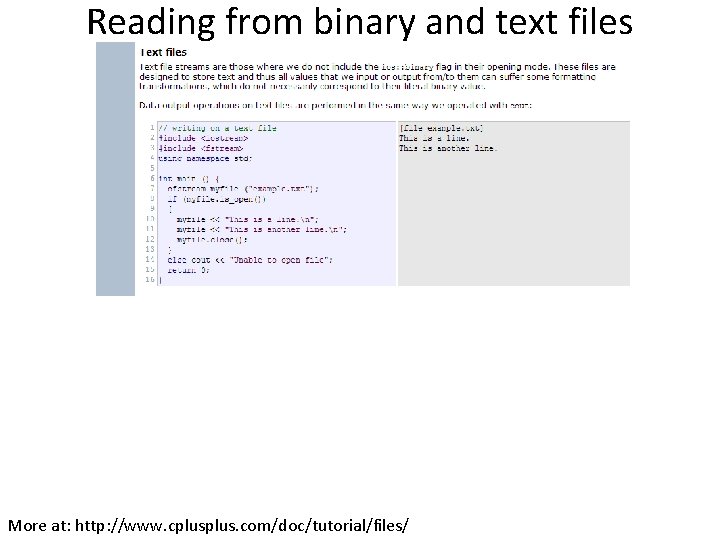
Reading from binary and text files More at: http: //www. cplus. com/doc/tutorial/files/

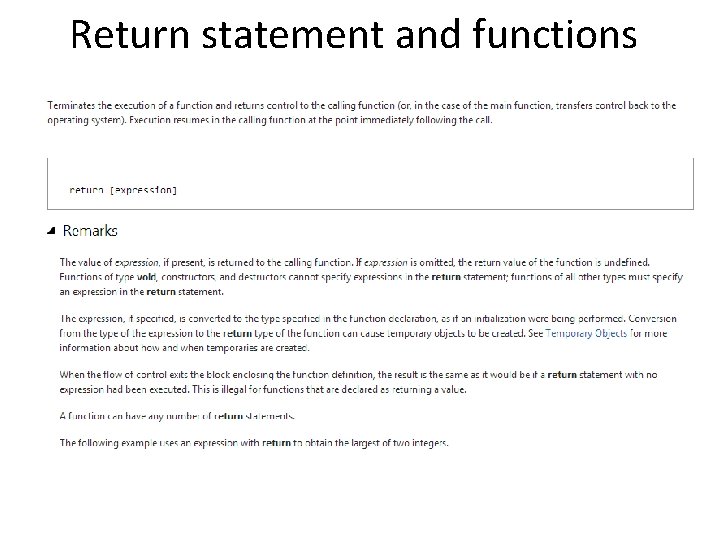
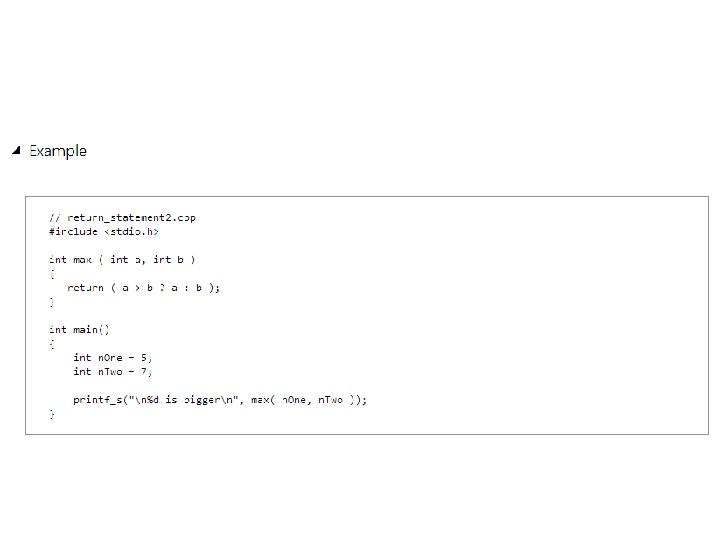
Return statement and functions
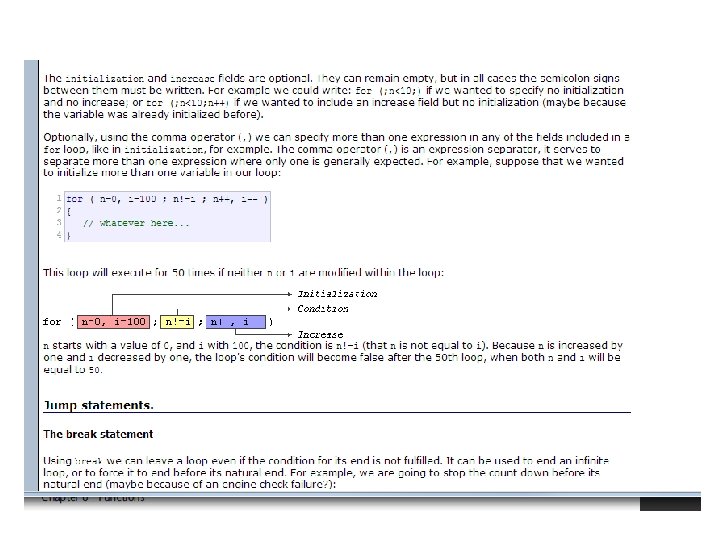
Control Structures • • Conditional structures Iteration structures Jump statements Selective structure
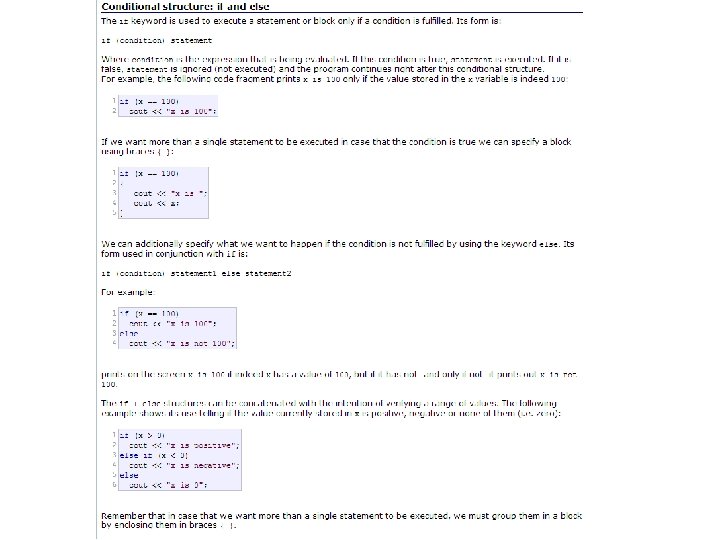
Control Structures
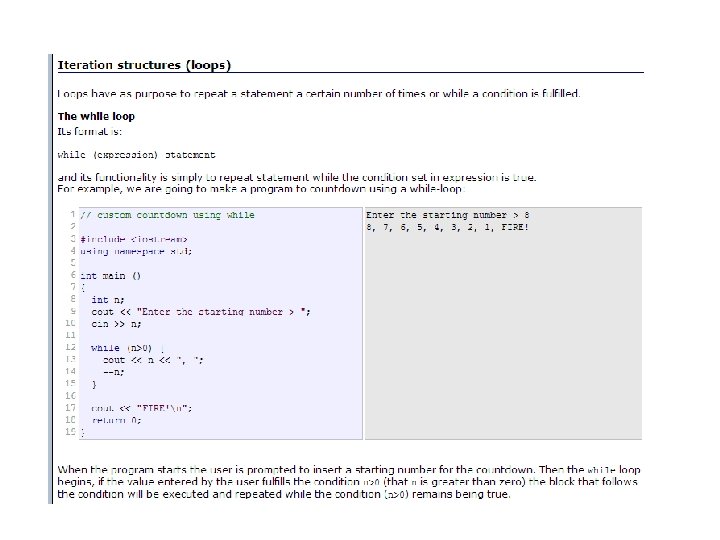
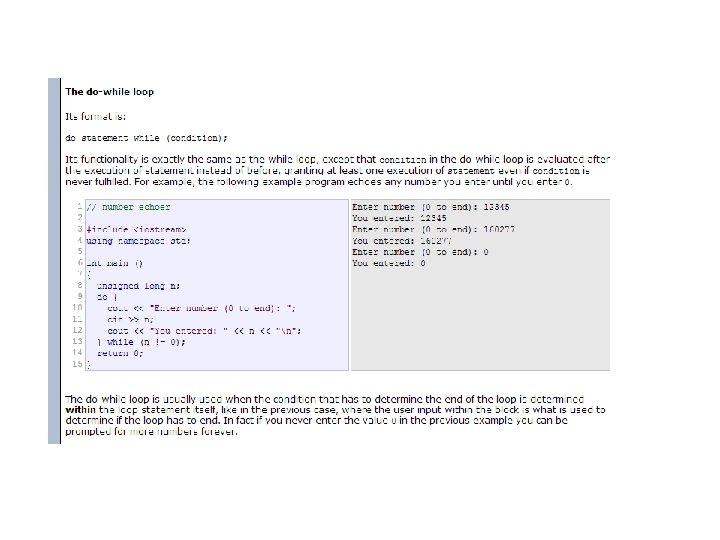
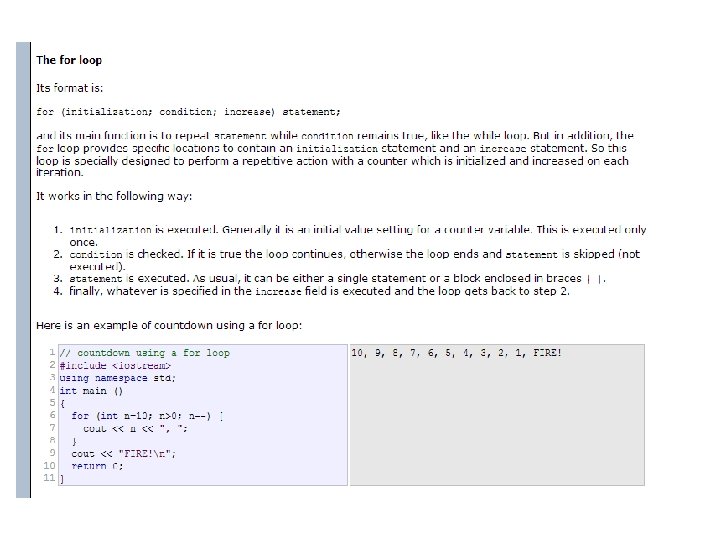
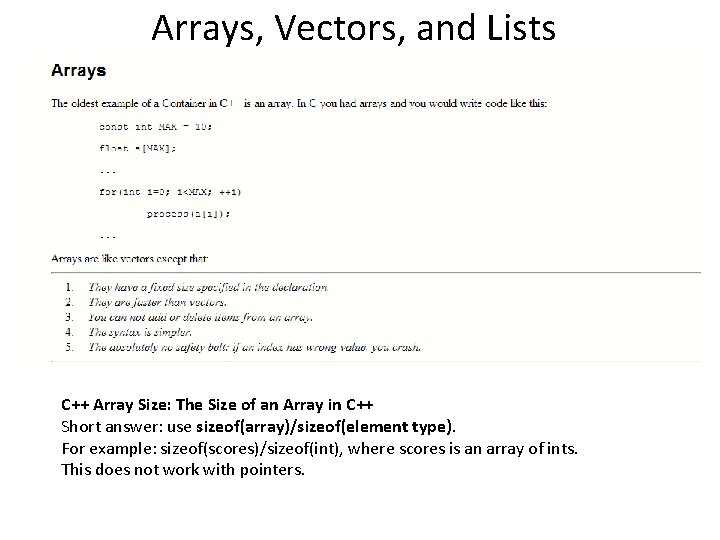
Arrays, Vectors, and Lists C++ Array Size: The Size of an Array in C++ Short answer: use sizeof(array)/sizeof(element type). For example: sizeof(scores)/sizeof(int), where scores is an array of ints. This does not work with pointers.
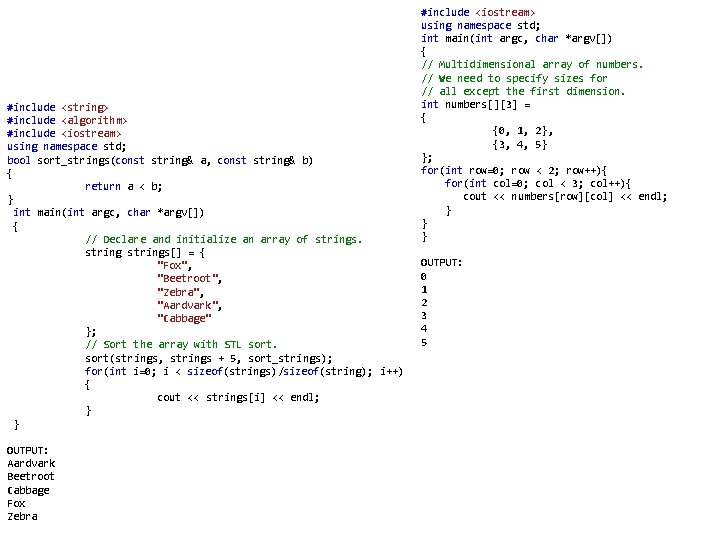
#include <string> #include <algorithm> #include <iostream> using namespace std; bool sort_strings(const string& a, const string& b) { return a < b; } int main(int argc, char *argv[]) { // Declare and initialize an array of strings[] = { "Fox", "Beetroot", "Zebra", "Aardvark", "Cabbage" }; // Sort the array with STL sort(strings, strings + 5, sort_strings); for(int i=0; i < sizeof(strings)/sizeof(string); i++) { cout << strings[i] << endl; } } OUTPUT: Aardvark Beetroot Cabbage Fox Zebra #include <iostream> using namespace std; int main(int argc, char *argv[]) { // Multidimensional array of numbers. // We need to specify sizes for // all except the first dimension. int numbers[][3] = { {0, 1, 2}, {3, 4, 5} }; for(int row=0; row < 2; row++){ for(int col=0; col < 3; col++){ cout << numbers[row][col] << endl; } } } OUTPUT: 0 1 2 3 4 5
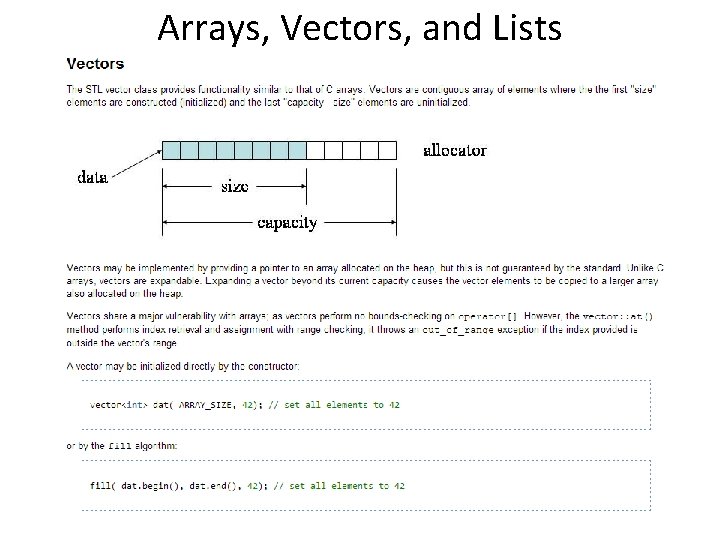
Arrays, Vectors, and Lists
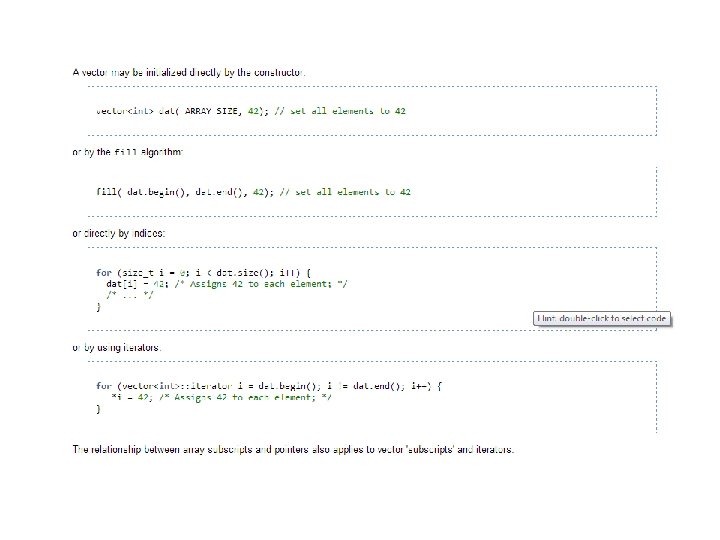
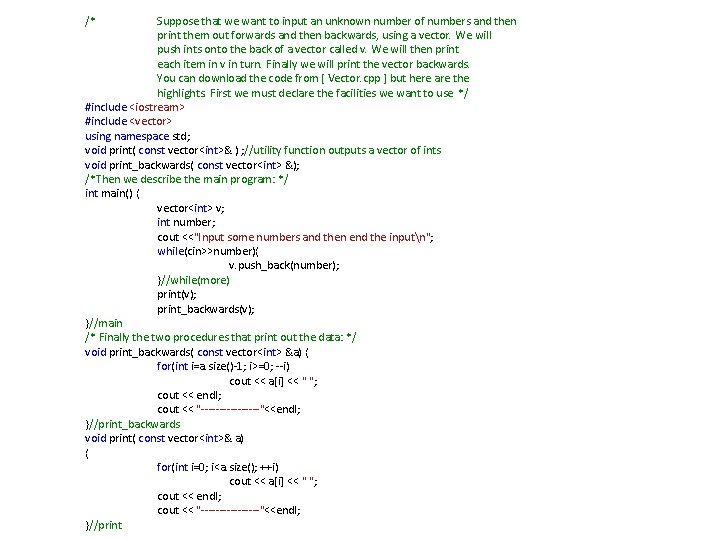
/* Suppose that we want to input an unknown number of numbers and then print them out forwards and then backwards, using a vector. We will push ints onto the back of a vector called v. We will then print each item in v in turn. Finally we will print the vector backwards. You can download the code from [ Vector. cpp ] but here are the highlights. First we must declare the facilities we want to use */ #include <iostream> #include <vector> using namespace std; void print( const vector<int>& ) ; //utility function outputs a vector of ints void print_backwards( const vector<int> &); /*Then we describe the main program: */ int main() { vector<int> v; int number; cout <<"Input some numbers and then end the inputn"; while(cin>>number){ v. push_back(number); }//while(more) print(v); print_backwards(v); }//main /* Finally the two procedures that print out the data: */ void print_backwards( const vector<int> &a) { for(int i=a. size()-1; i>=0; --i) cout << a[i] << " "; cout << endl; cout << "--------"<<endl; }//print_backwards void print( const vector<int>& a) { for(int i=0; i<a. size(); ++i) cout << a[i] << " "; cout << endl; cout << "--------"<<endl; }//print
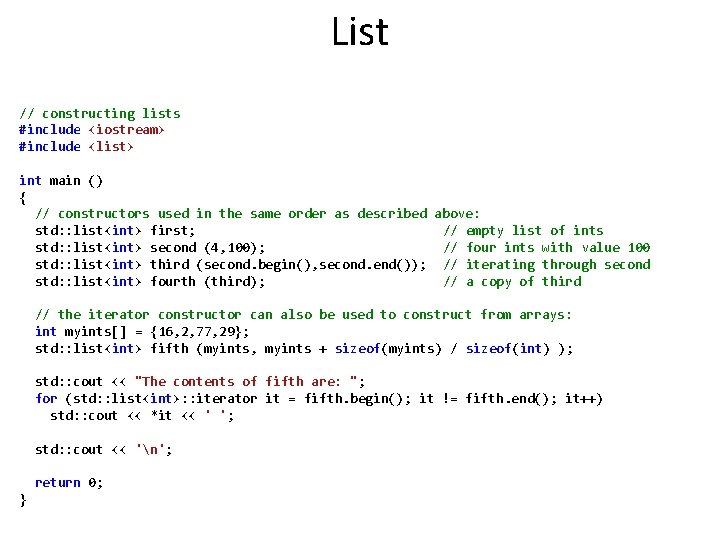
List // constructing lists #include <iostream> #include <list> int main () { // constructors used in the same order as described above: std: : list<int> first; // empty list of ints std: : list<int> second (4, 100); // four ints with value 100 std: : list<int> third (second. begin(), second. end()); // iterating through second std: : list<int> fourth (third); // a copy of third // the iterator constructor can also be used to construct from arrays: int myints[] = {16, 2, 77, 29}; std: : list<int> fifth (myints, myints + sizeof(myints) / sizeof(int) ); std: : cout << "The contents of fifth are: "; for (std: : list<int>: : iterator it = fifth. begin(); it != fifth. end(); it++) std: : cout << *it << ' '; std: : cout << 'n'; return 0; }
Using the MSDN to find the methods of class list: List<T> Class (http: //msdn. microsoft. com/en-us/library/6 sh 2 ey 19. aspx) Represents a strongly typed list of objects that can be accessed by index. Provides methods to search, sort, and manipulate lists.
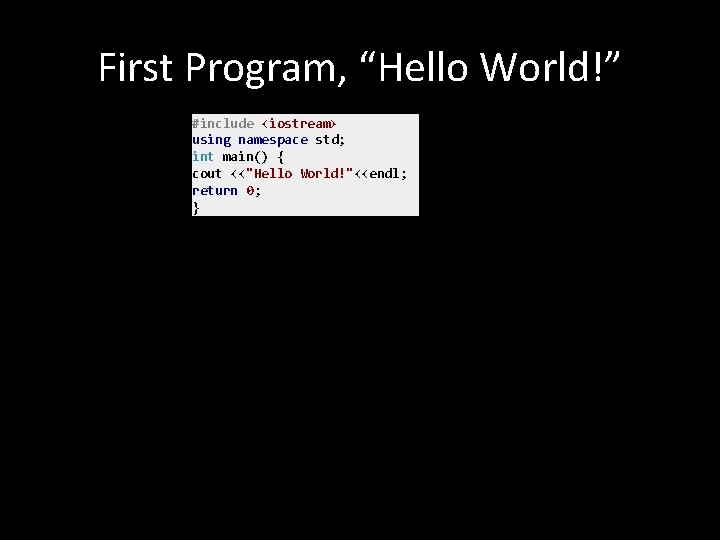
First Program, “Hello World!” #include <iostream> using namespace std; int main() { cout <<"Hello World!"<<endl; return 0; }
- Slides: 36