
Welcome Please fill out the first page of
- Slides: 36
Welcome Please fill out the first page of the faculty avatar handout in your folder
What Do Faculty Do with Technology, Anyway? Preparing for Tomorrow's Technology with Pedagogical Efficacy October 2006 Patricia A. Mc. Gee, Ph. D Associate Professor/2003 NLII Fellow, University of Texas at San Antonio Veronica Diaz, Ph. D Learning Technologies Manager/Adjunct Faculty Eller College of Management, The University of Arizona http: //ltc. eller. arizona. edu/news/pre. Conf. Seminar 2006. aspx
The College Class: Is Inspiration Gone? Reach!
Seminar purpose • Faculty support • Capture instructional practices • Support for planning
Teaching and learning challenges • Large classes • Lack of engagement • Lack of practice/application
Teaching and learning challenges • Lack of good instructional space • Lack of faculty understanding of basic teaching principles • Teaching in a multicultural environment • Different learning styles • Lack of time
Teaching and learning challenges • Lack of support • Lack of incentive to change • Teaching in a multi-dimensional setting • Rapid change • Resistance to change
What are faculty doing? • Creating an online courses? • Learning in an online environment? • Teaching in an online environment? • Using a collaborative online system to work? To present? • Playing online games? Simulations?
Faculty use of technology • Shifts in practice • Sources of national data – NSOPF: http: //nces. ed. gov/surveys/nsopf/ – EDUCAUSE Core Data Survey: http: //www. educause. edu/coredata/ – Campus Computing Project: http: //www. campuscomputing. net/ – Higher Education Research Institute: http: //www. gseis. ucla. edu/heri. html
Technology teaching and learning continuum • Pedagogical objectives • Instructional technology and learning objective • Instructor skill • Student engagement
Determining faculty use of technology • What do you want to know? • Why do you want to know it? • Where’s the data? • 4 strategies
1. Capturing baseline data • Student and faculty surveys about current practices (e. g. , use of tools, where tools are used, teaching approaches, etc; include demographic information) • Student and faculty focus groups • Observation (e. g. , classroom, use of L/CMS) • Document analysis (e. g. , annual reports, tenure review documents, lesson plans, web pages, instructional materials, handouts)
2. Breadth, depth, frequency • Software tracking • Self-reporting (e. g. , time-based surveys, logs) • Shadowing • Interviews
3. Comparative strategies • CEO Forum • TEA Teacher Star Chart
4. Descriptive strategies • Surveys • Teaching styles/adoption • Shadowing • Document analysis • Observation • Snapshot interview
Exercise: Ascertaining faculty practices • What other strategies can be added to this list? – Survey about software –faculty – Survey re pedagogical practice, email, mixed data sets
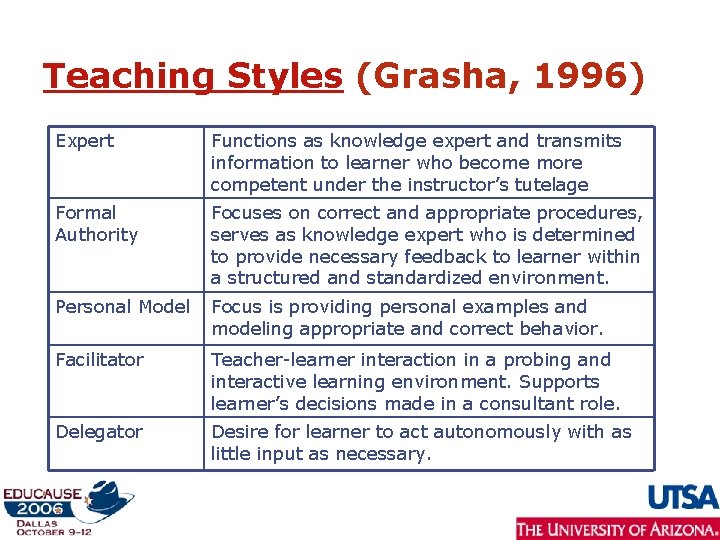
Teaching Styles (Grasha, 1996) Expert Functions as knowledge expert and transmits information to learner who become more competent under the instructor’s tutelage Formal Authority Focuses on correct and appropriate procedures, serves as knowledge expert who is determined to provide necessary feedback to learner within a structured and standardized environment. Personal Model Focus is providing personal examples and modeling appropriate and correct behavior. Facilitator Teacher-learner interaction in a probing and interactive learning environment. Supports learner’s decisions made in a consultant role. Delegator Desire for learner to act autonomously with as little input as necessary.
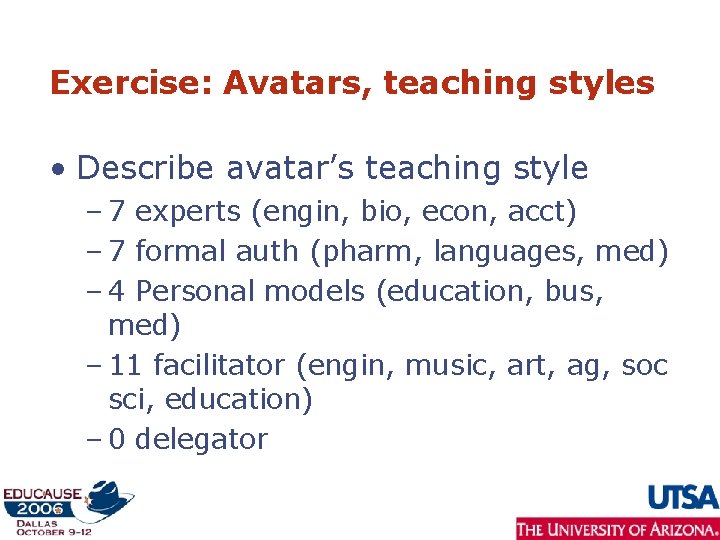
Exercise: Avatars, teaching styles • Describe avatar’s teaching style – 7 experts (engin, bio, econ, acct) – 7 formal auth (pharm, languages, med) – 4 Personal models (education, bus, med) – 11 facilitator (engin, music, art, ag, soc sci, education) – 0 delegator
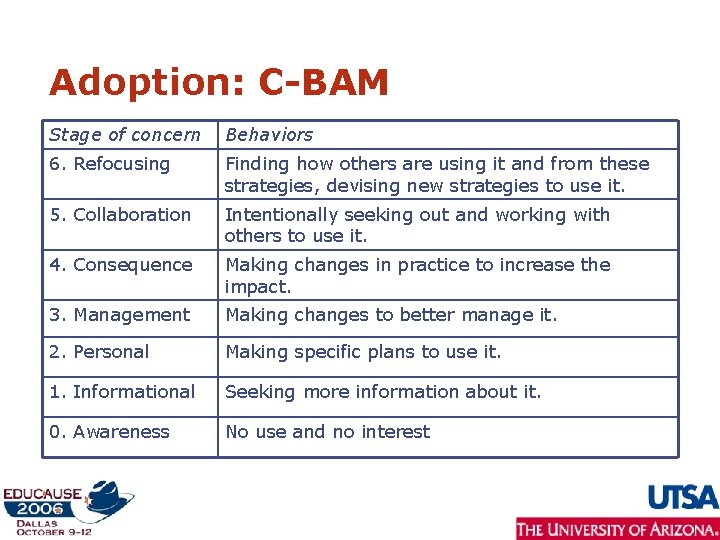
Adoption: C-BAM Stage of concern Behaviors 6. Refocusing Finding how others are using it and from these strategies, devising new strategies to use it. 5. Collaboration Intentionally seeking out and working with others to use it. 4. Consequence Making changes in practice to increase the impact. 3. Management Making changes to better manage it. 2. Personal Making specific plans to use it. 1. Informational Seeking more information about it. 0. Awareness No use and no interest
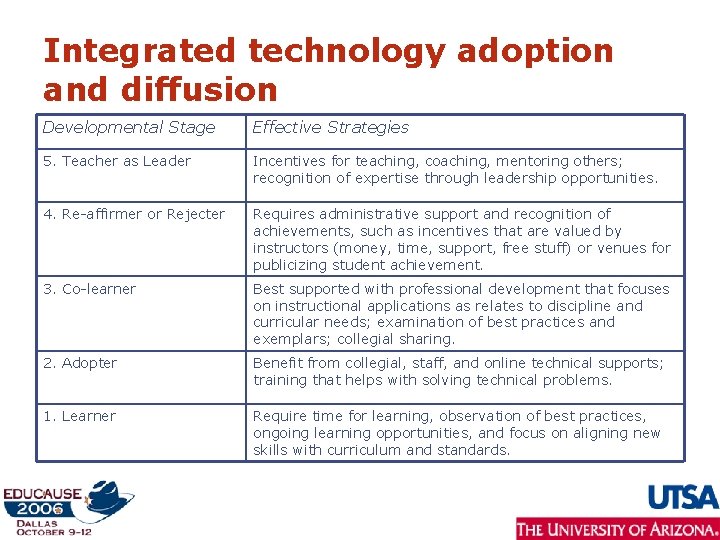
Integrated technology adoption and diffusion Developmental Stage Effective Strategies 5. Teacher as Leader Incentives for teaching, coaching, mentoring others; recognition of expertise through leadership opportunities. 4. Re-affirmer or Rejecter Requires administrative support and recognition of achievements, such as incentives that are valued by instructors (money, time, support, free stuff) or venues for publicizing student achievement. 3. Co-learner Best supported with professional development that focuses on instructional applications as relates to discipline and curricular needs; examination of best practices and exemplars; collegial sharing. 2. Adopter Benefit from collegial, staff, and online technical supports; training that helps with solving technical problems. 1. Learner Require time for learning, observation of best practices, ongoing learning opportunities, and focus on aligning new skills with curriculum and standards.
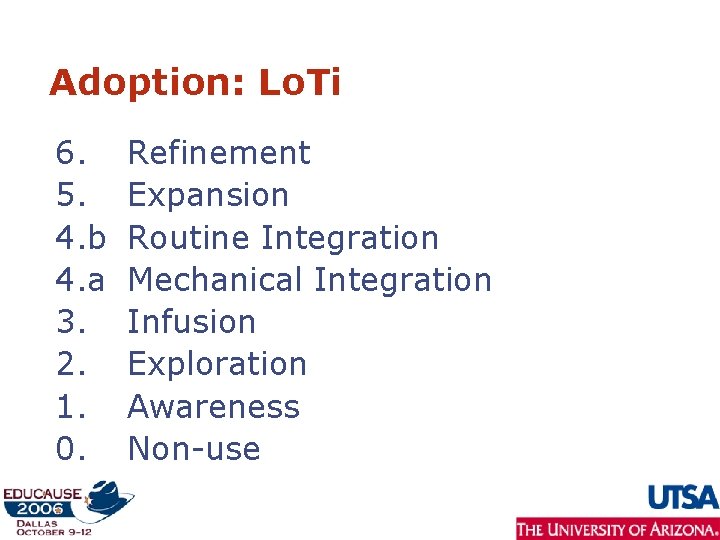
Adoption: Lo. Ti 6. 5. 4. b 4. a 3. 2. 1. 0. Refinement Expansion Routine Integration Mechanical Integration Infusion Exploration Awareness Non-use
Instructional problems • Lack of attendance • Varying levels of student ability/subject competence • Lab/instructional space limitations • Teaching in a multi-dimensional environment • Different learning styles • http: //www. educause. edu/Emerging Practicesand. Learning. Technologies/5 673
Instructional problems • Clickers, podcasts for attendance • Tablet PCs for interaction, engagement • Laptops/tablet PCs/virtual worlds for instructional space
Teaching styles and adoption • Why is style important to adoption? • Re-emergent interest stemming from Roger’s Diffusion of Innovations
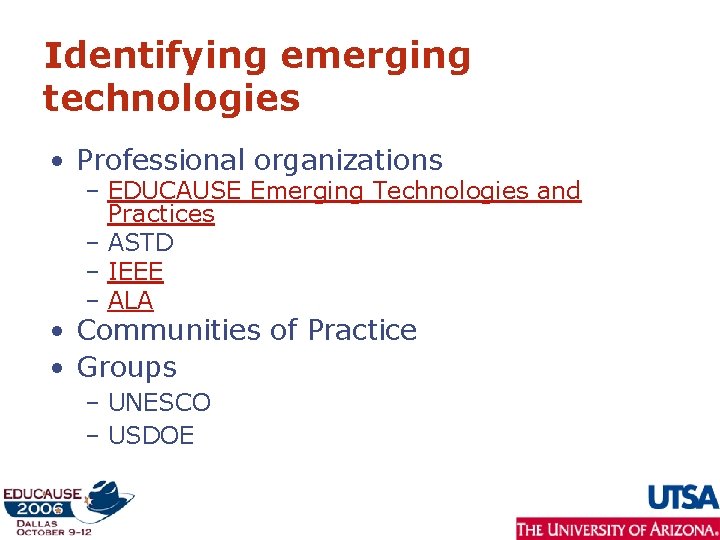
Identifying emerging technologies • Professional organizations – EDUCAUSE Emerging Technologies and Practices – ASTD – IEEE – ALA • Communities of Practice • Groups – UNESCO – USDOE
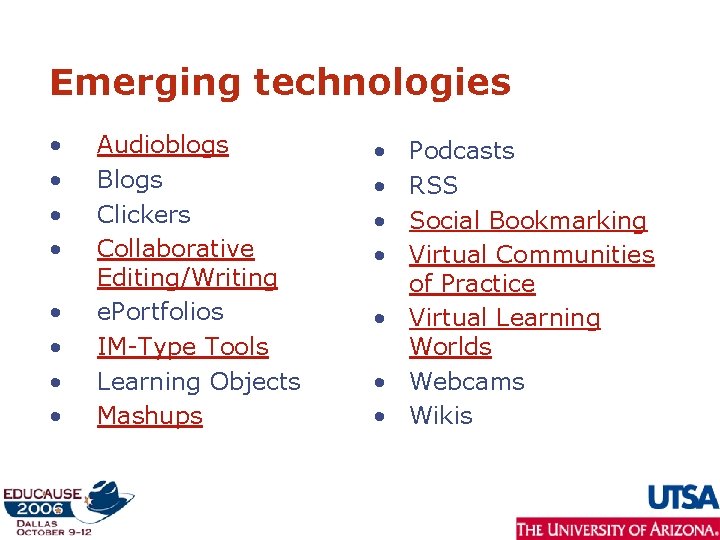
Emerging technologies • • Audioblogs Blogs Clickers Collaborative Editing/Writing e. Portfolios IM-Type Tools Learning Objects Mashups • • Podcasts RSS Social Bookmarking Virtual Communities of Practice • Virtual Learning Worlds • Webcams • Wikis
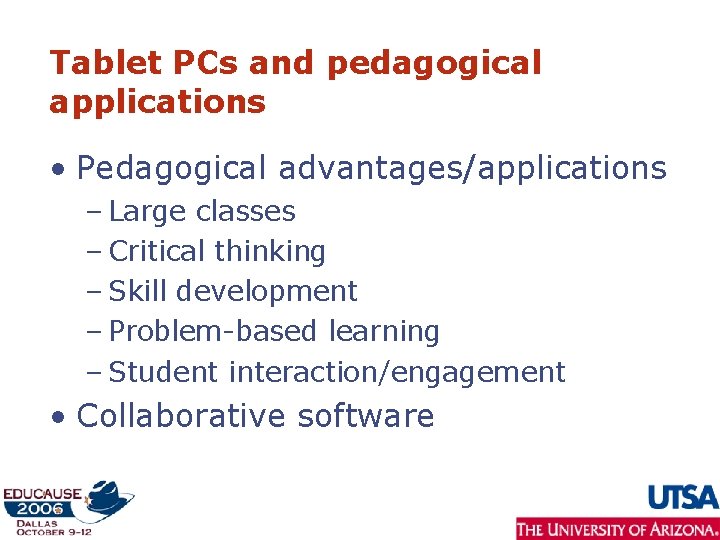
Tablet PCs and pedagogical applications • Pedagogical advantages/applications – Large classes – Critical thinking – Skill development – Problem-based learning – Student interaction/engagement • Collaborative software
Break: 15 minutes
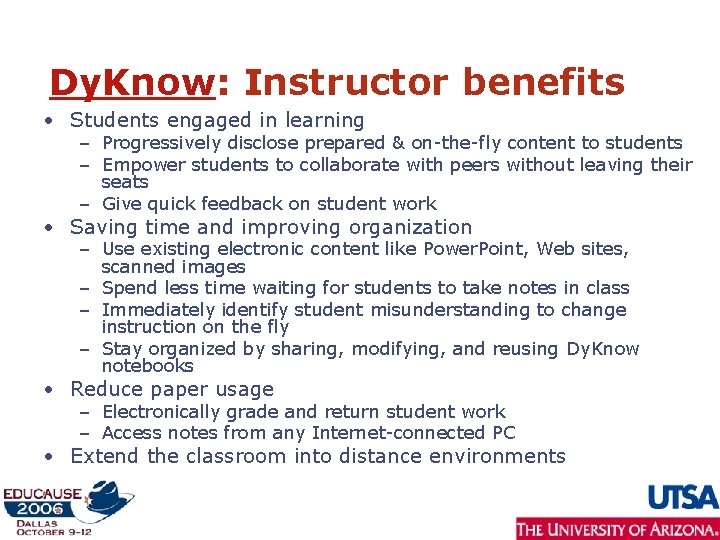
Dy. Know: Instructor benefits • Students engaged in learning – Progressively disclose prepared & on-the-fly content to students – Empower students to collaborate with peers without leaving their seats – Give quick feedback on student work • Saving time and improving organization – Use existing electronic content like Power. Point, Web sites, scanned images – Spend less time waiting for students to take notes in class – Immediately identify student misunderstanding to change instruction on the fly – Stay organized by sharing, modifying, and reusing Dy. Know notebooks • Reduce paper usage – Electronically grade and return student work – Access notes from any Internet-connected PC • Extend the classroom into distance environments
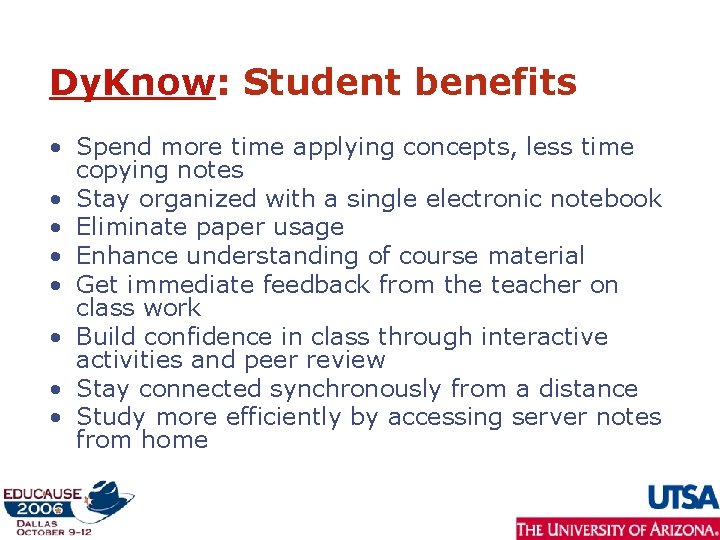
Dy. Know: Student benefits • Spend more time applying concepts, less time copying notes • Stay organized with a single electronic notebook • Eliminate paper usage • Enhance understanding of course material • Get immediate feedback from the teacher on class work • Build confidence in class through interactive activities and peer review • Stay connected synchronously from a distance • Study more efficiently by accessing server notes from home
Exercise: Discussion higher education technology trends • Reference instructional problem • Identify emerging technologies listed or ones that you exploring • Discuss how does this emerging technology may address the needs of your faculty avatar and the instructional problem • Have a laptop? Go to EDUCAUSE emerging practices – http: //www. educause. edu/Emerging. Practicesa nd. Learning. Technologies/5673
Learning principles in technology use • Instructional strategies – Learner perspective – Instructor perspective • Redesign through transformative applications
Exercise: Faculty avatars meet student avatars • Instructional strategy with technology applications • Integrating technology into teaching and learning
Next steps: Transforming the learning environment • What technologies are being explored, planned for adoption, or desired for adoption • Seminar/tools application
Closing • Discussion • Questions
Contact information Patricia A. Mc. Gee Patricia. mcgee@utsa. edu Veronica Diaz, Ph. D vdiaz@eller. arizona. edu http: //ltc. eller. arizona. edu/news/pre. Conf. Seminar 2006. aspx Copyright Veronica Diaz & Patricia Mc. Gee, 2006. This work is the intellectual property of the authors. Permission is granted for this material to be shared for non-commercial, educational purposes, provided that this copyright statement appears on the reproduced materials and notice is given that the copying is by permission of the author. To disseminate otherwise or to republish requires written permission from the author.