
Welcome Maryland High School Assessments Training October 2018

Welcome! Maryland High School Assessments Training October 2018
AGENDA • Introduction • • Contact Information Schedule/Timelines • Computer Based Testing with the HSA Online System • • • HSA Kiosk Test. Monitor (Local Caching) CBT Practice Test • Q&A
Introductions § MSDE § Brianna Creed, Program Manager for High School Assessments § Measured Progress § Shelby Pouliot, Program Manager § e. Metric § Aarti Jagtap, Project Manager § Kaelee Harper, Support Center Manager
Introduction § Contact Information § Schedule/Timelines
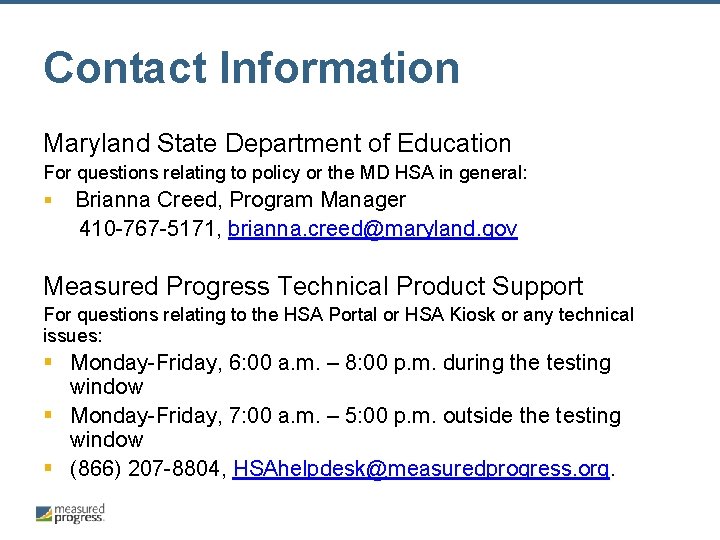
Contact Information Maryland State Department of Education For questions relating to policy or the MD HSA in general: § Brianna Creed, Program Manager 410 -767 -5171, brianna. creed@maryland. gov Measured Progress Technical Product Support For questions relating to the HSA Portal or HSA Kiosk or any technical issues: § Monday-Friday, 6: 00 a. m. – 8: 00 p. m. during the testing window § Monday-Friday, 7: 00 a. m. – 5: 00 p. m. outside the testing window § (866) 207 -8804, HSAhelpdesk@measuredprogress. org.
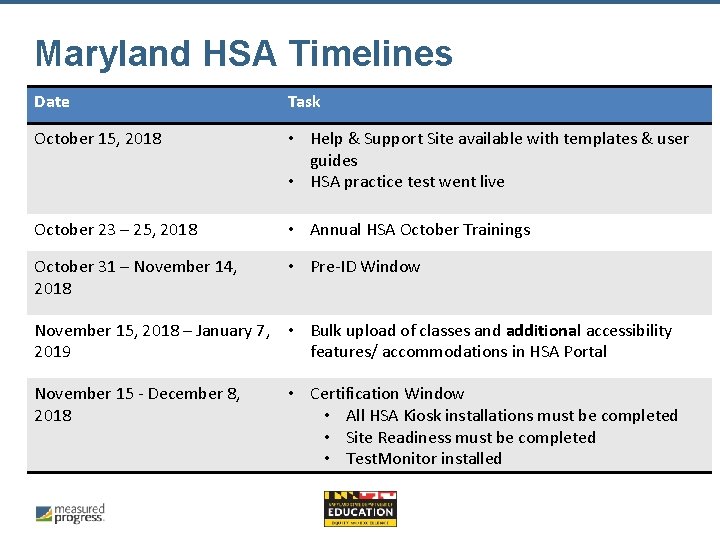
Maryland HSA Timelines Date Task October 15, 2018 • Help & Support Site available with templates & user guides • HSA practice test went live October 23 – 25, 2018 • Annual HSA October Trainings October 31 – November 14, 2018 • Pre-ID Window November 15, 2018 – January 7, • Bulk upload of classes and additional accessibility 2019 features/ accommodations in HSA Portal November 15 - December 8, 2018 • Certification Window • All HSA Kiosk installations must be completed • Site Readiness must be completed • Test. Monitor installed
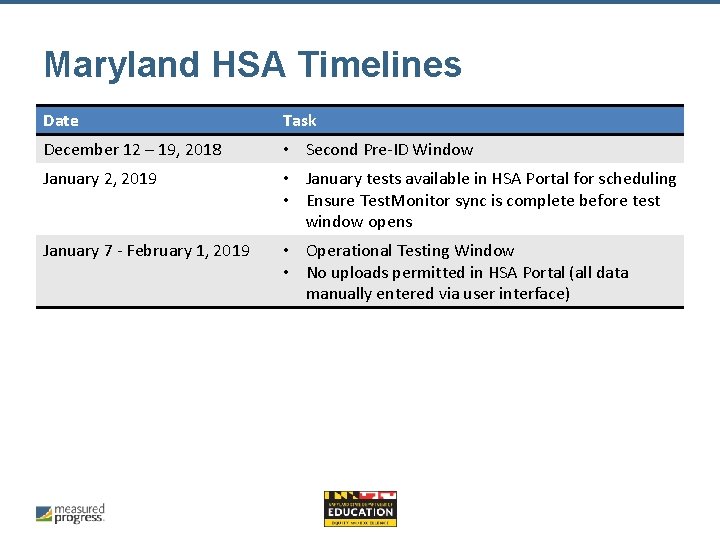
Maryland HSA Timelines Date Task December 12 – 19, 2018 • Second Pre-ID Window January 2, 2019 • January tests available in HSA Portal for scheduling • Ensure Test. Monitor sync is complete before test window opens January 7 - February 1, 2019 • Operational Testing Window • No uploads permitted in HSA Portal (all data manually entered via user interface)
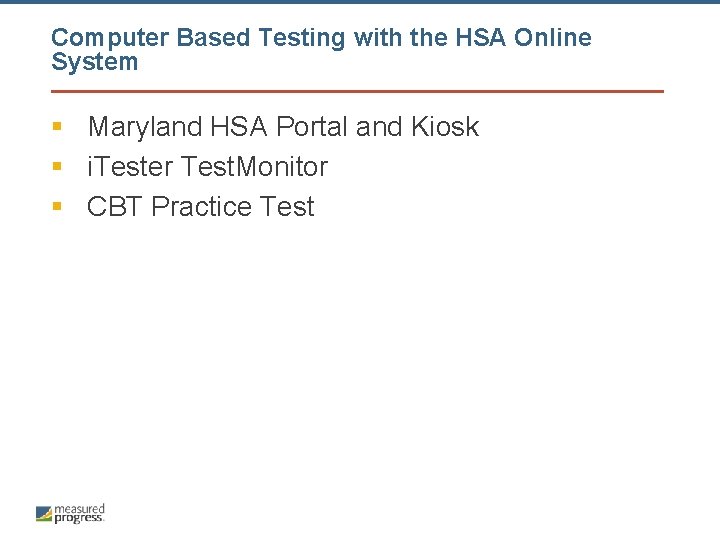
Computer Based Testing with the HSA Online System § Maryland HSA Portal and Kiosk § i. Tester Test. Monitor § CBT Practice Test
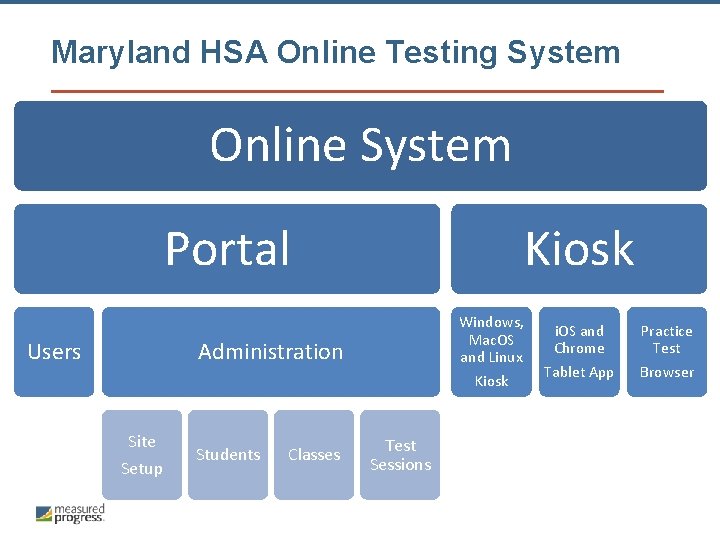
Maryland HSA Online Testing System Online System Portal Kiosk Windows, Mac. OS and Linux Administration Users Kiosk Site Setup Students Classes Test Sessions i. OS and Chrome Tablet App Practice Test Browser
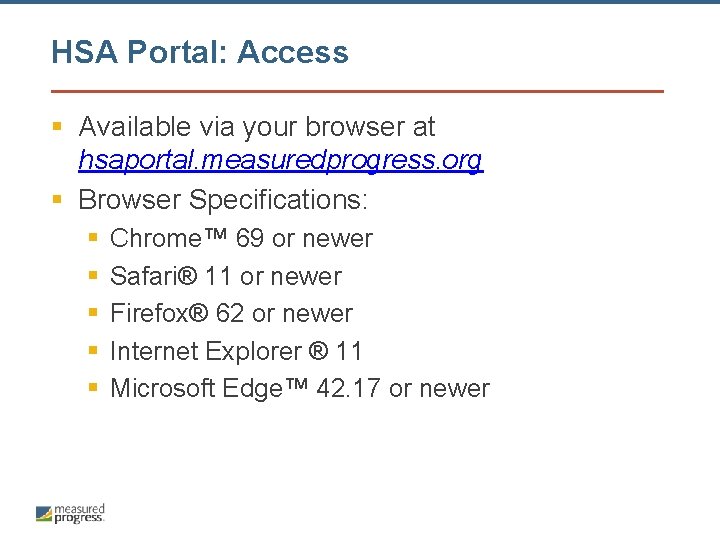
HSA Portal: Access § Available via your browser at hsaportal. measuredprogress. org § Browser Specifications: § § § Chrome™ 69 or newer Safari® 11 or newer Firefox® 62 or newer Internet Explorer ® 11 Microsoft Edge™ 42. 17 or newer
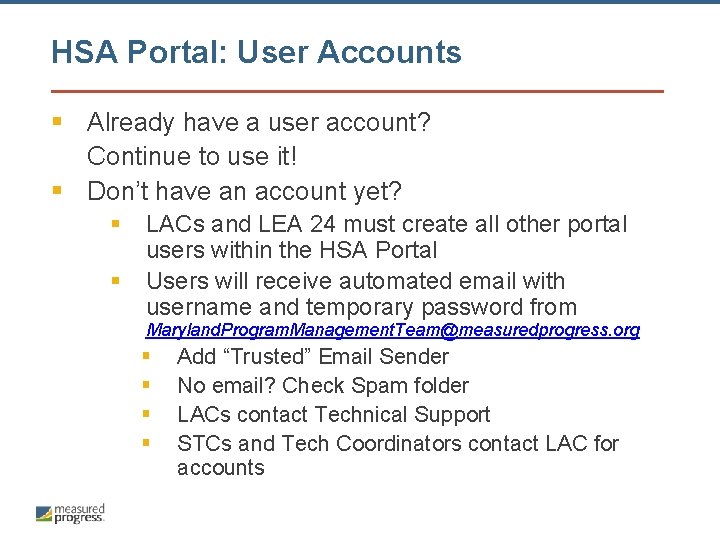
HSA Portal: User Accounts § Already have a user account? Continue to use it! § Don’t have an account yet? § § LACs and LEA 24 must create all other portal users within the HSA Portal Users will receive automated email with username and temporary password from Maryland. Program. Management. Team@measuredprogress. org § § Add “Trusted” Email Sender No email? Check Spam folder LACs contact Technical Support STCs and Tech Coordinators contact LAC for accounts
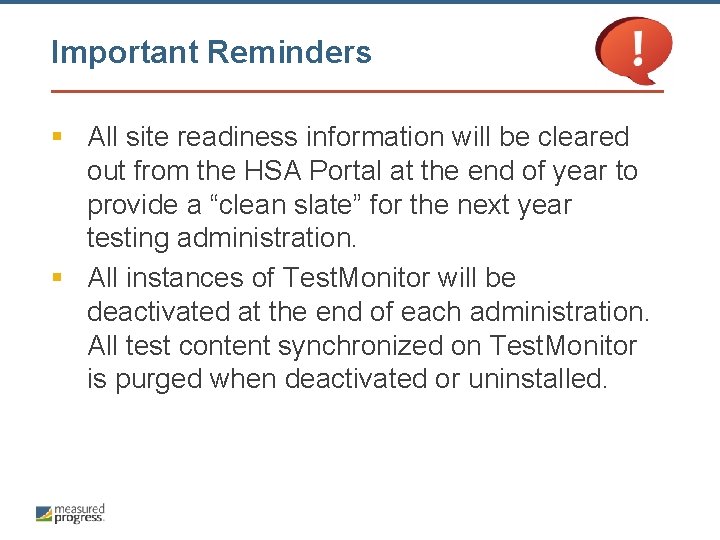
Important Reminders § All site readiness information will be cleared out from the HSA Portal at the end of year to provide a “clean slate” for the next year testing administration. § All instances of Test. Monitor will be deactivated at the end of each administration. All test content synchronized on Test. Monitor is purged when deactivated or uninstalled.
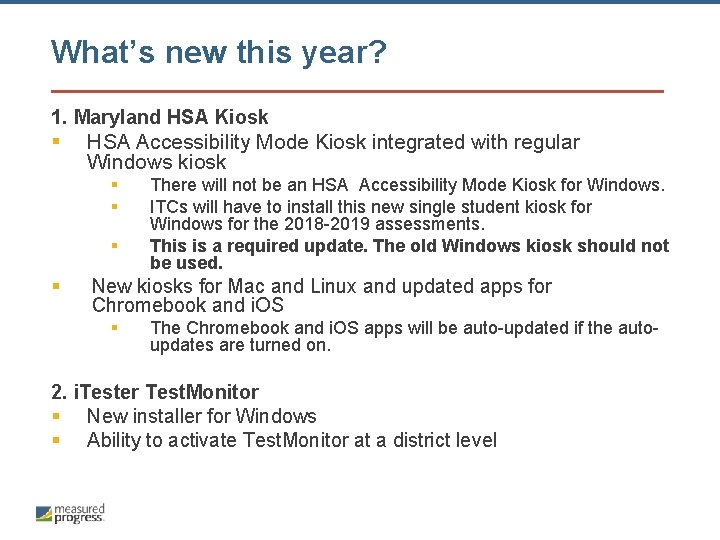
What’s new this year? 1. Maryland HSA Kiosk § HSA Accessibility Mode Kiosk integrated with regular Windows kiosk § § There will not be an HSA Accessibility Mode Kiosk for Windows. ITCs will have to install this new single student kiosk for Windows for the 2018 -2019 assessments. This is a required update. The old Windows kiosk should not be used. New kiosks for Mac and Linux and updated apps for Chromebook and i. OS § The Chromebook and i. OS apps will be auto-updated if the autoupdates are turned on. 2. i. Tester Test. Monitor § New installer for Windows § Ability to activate Test. Monitor at a district level
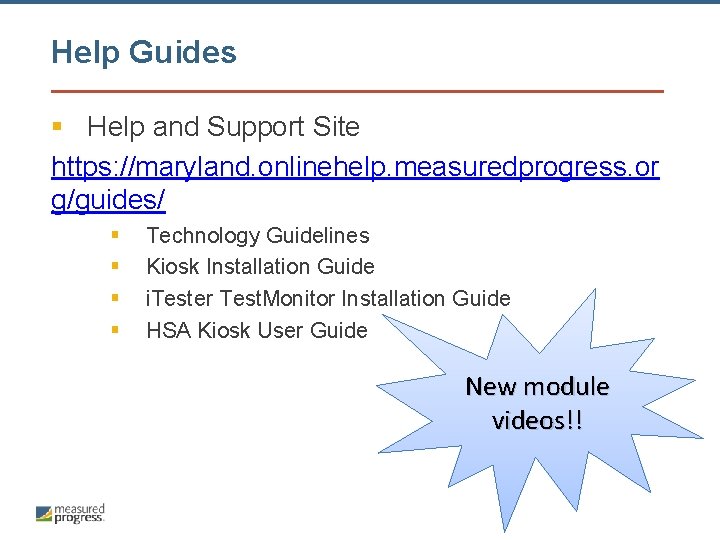
Help Guides § Help and Support Site https: //maryland. onlinehelp. measuredprogress. or g/guides/ § § Technology Guidelines Kiosk Installation Guide i. Tester Test. Monitor Installation Guide HSA Kiosk User Guide New module videos!!
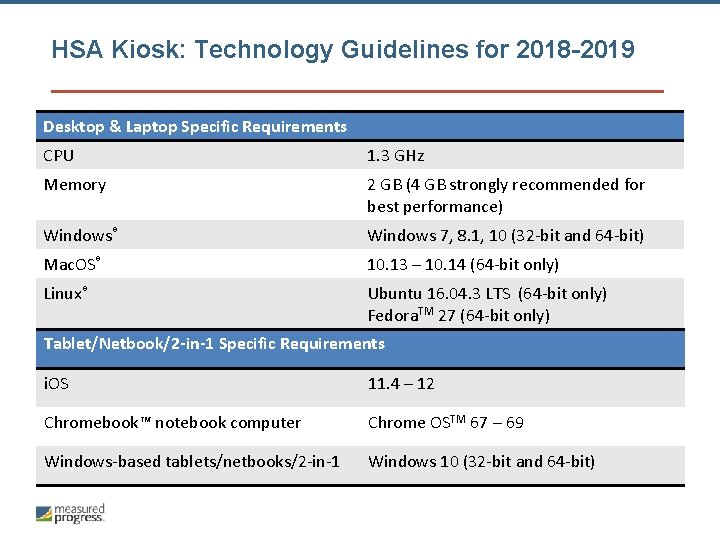
HSA Kiosk: Technology Guidelines for 2018 -2019 Desktop & Laptop Specific Requirements CPU 1. 3 GHz Memory 2 GB (4 GB strongly recommended for best performance) Windows® Windows 7, 8. 1, 10 (32 -bit and 64 -bit) Mac. OS® 10. 13 – 10. 14 (64 -bit only) Linux® Ubuntu 16. 04. 3 LTS (64 -bit only) Fedora. TM 27 (64 -bit only) Tablet/Netbook/2 -in-1 Specific Requirements i. OS 11. 4 – 12 Chromebook™ notebook computer Chrome OSTM 67 – 69 Windows-based tablets/netbooks/2 -in-1 Windows 10 (32 -bit and 64 -bit)
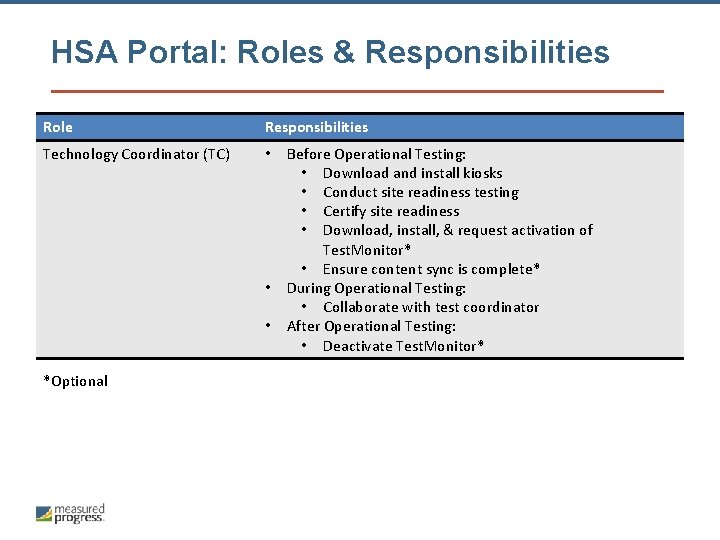
HSA Portal: Roles & Responsibilities Role Responsibilities Technology Coordinator (TC) • • • *Optional Before Operational Testing: • Download and install kiosks • Conduct site readiness testing • Certify site readiness • Download, install, & request activation of Test. Monitor* • Ensure content sync is complete* During Operational Testing: • Collaborate with test coordinator After Operational Testing: • Deactivate Test. Monitor*
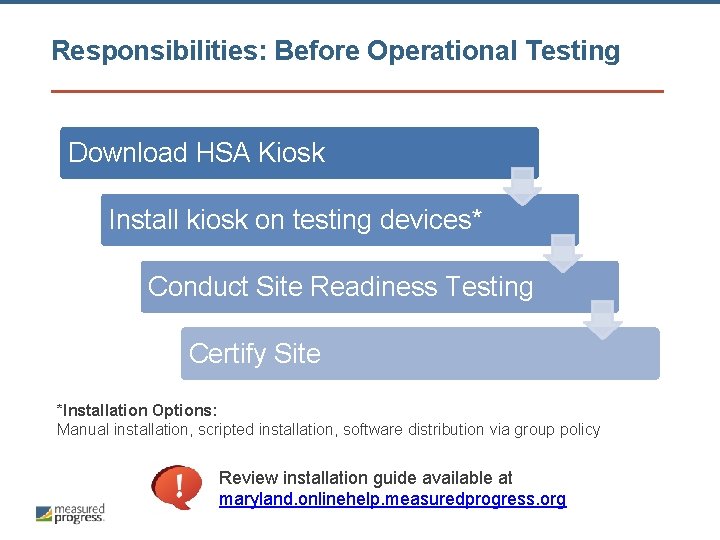
Responsibilities: Before Operational Testing Download HSA Kiosk Install kiosk on testing devices* Conduct Site Readiness Testing Certify Site *Installation Options: Manual installation, scripted installation, software distribution via group policy Review installation guide available at maryland. onlinehelp. measuredprogress. org
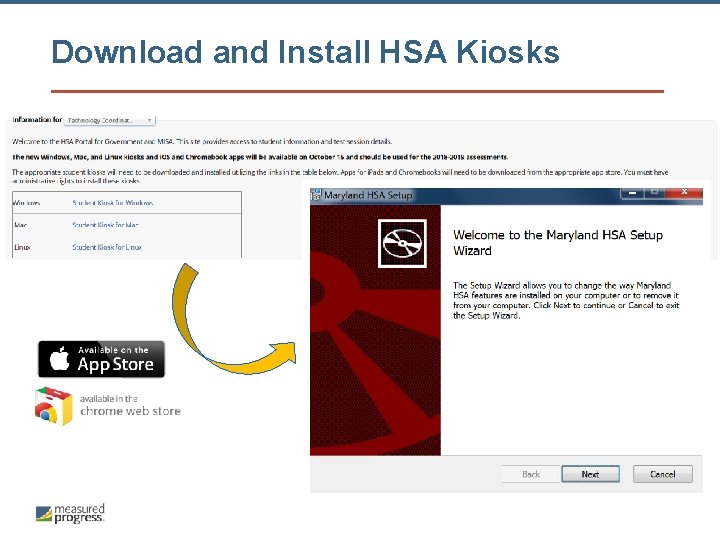
Download and Install HSA Kiosks
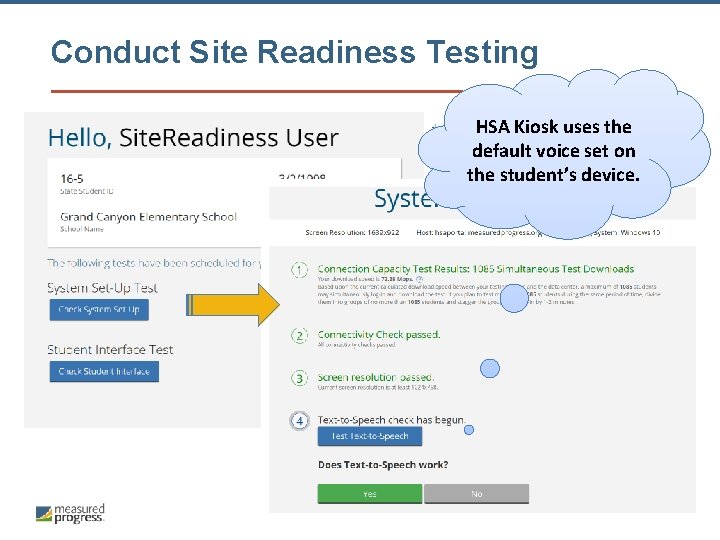
Conduct Site Readiness Testing HSA Kiosk uses the default voice set on the student’s device.
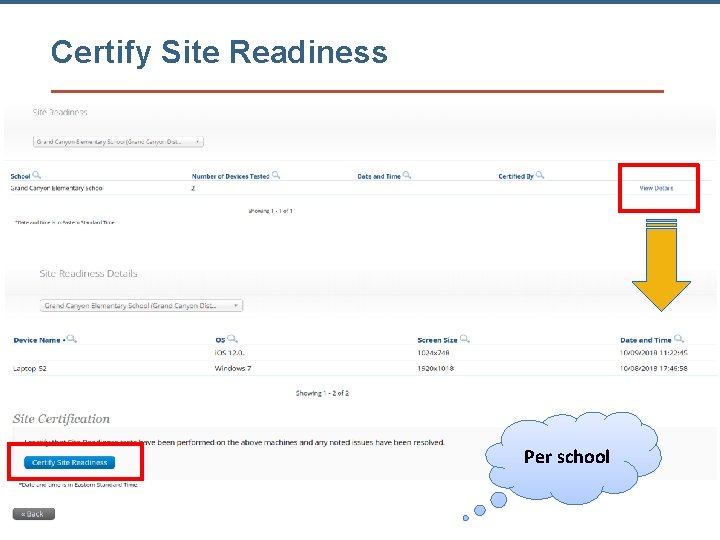
Certify Site Readiness Per school
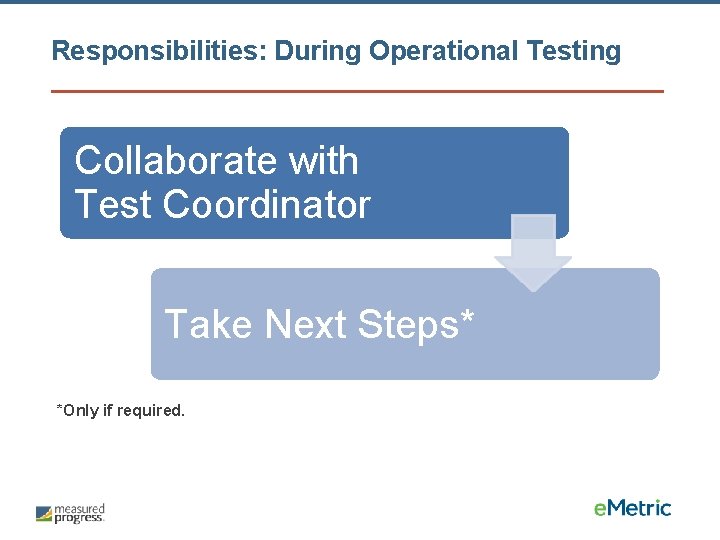
Responsibilities: During Operational Testing Collaborate with Test Coordinator Take Next Steps* *Only if required.
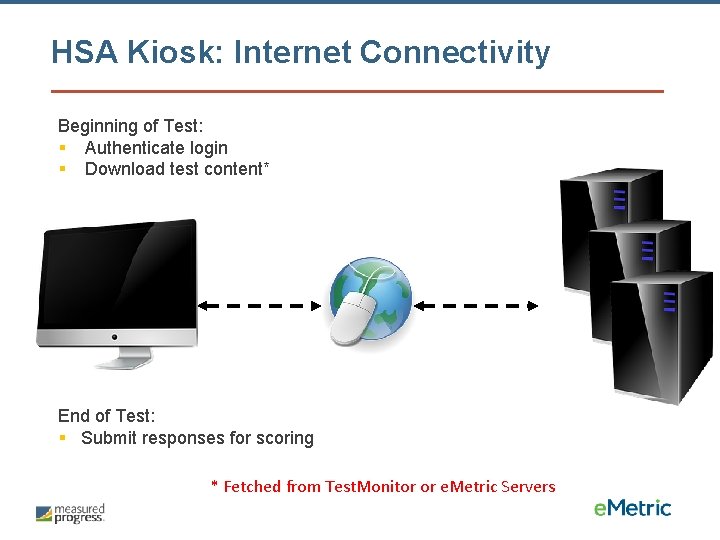
HSA Kiosk: Internet Connectivity Beginning of Test: § Authenticate login § Download test content* End of Test: § Submit responses for scoring * Fetched from Test. Monitor or e. Metric Servers
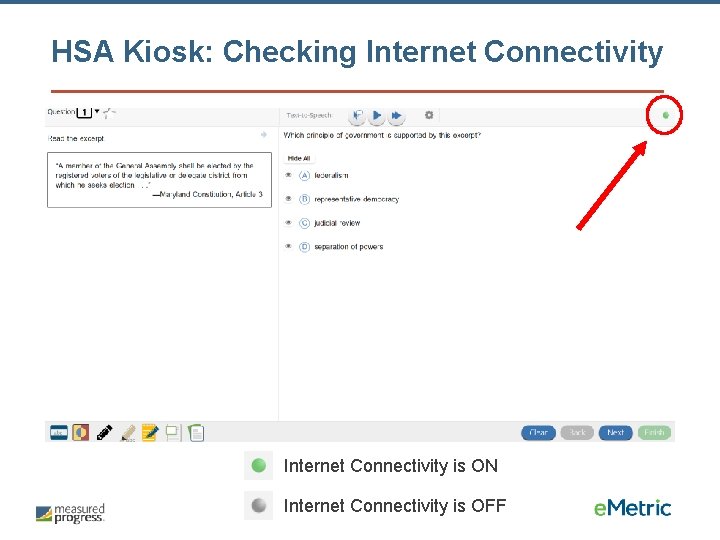
HSA Kiosk: Checking Internet Connectivity is ON Internet Connectivity is OFF
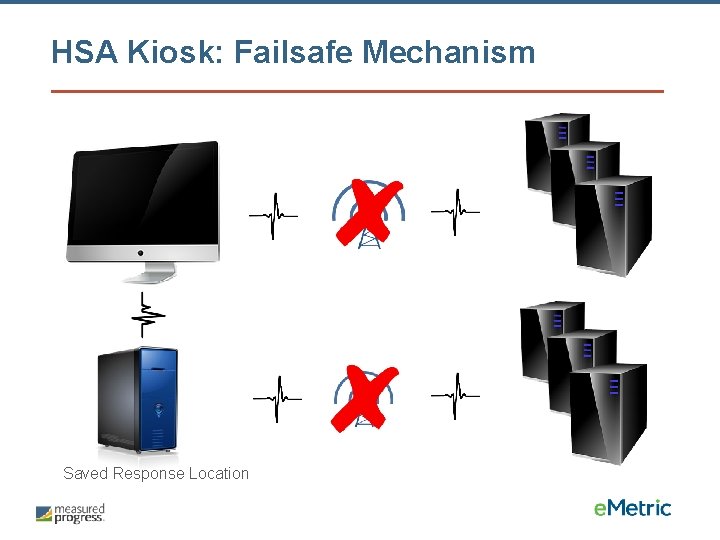
HSA Kiosk: Failsafe Mechanism Saved Response Location
HSA Kiosk: Tech Support Notes § Do NOT move students to a new device when experiencing technical issues if the student has begun testing. § Only move once you are sure all responses synced to servers. Not sure? Call Technical Support. § § (866) 207 -8804 HSAhelpdesk@measuredprogress. org
i. Tester Test. Monitor
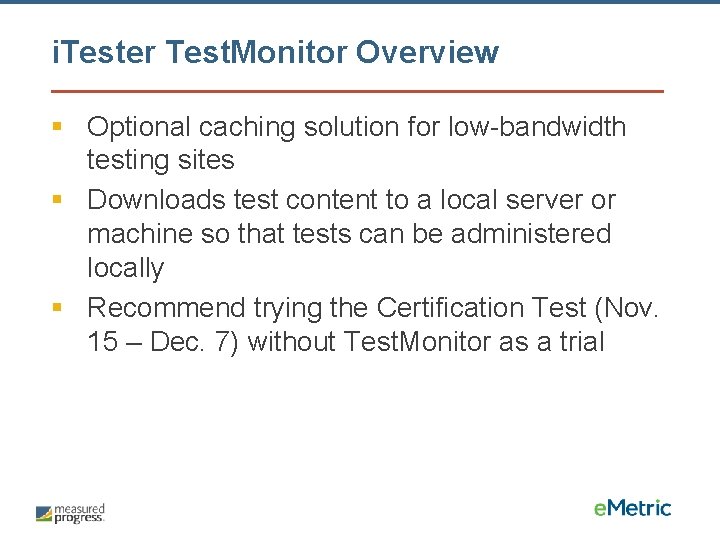
i. Tester Test. Monitor Overview § Optional caching solution for low-bandwidth testing sites § Downloads test content to a local server or machine so that tests can be administered locally § Recommend trying the Certification Test (Nov. 15 – Dec. 7) without Test. Monitor as a trial
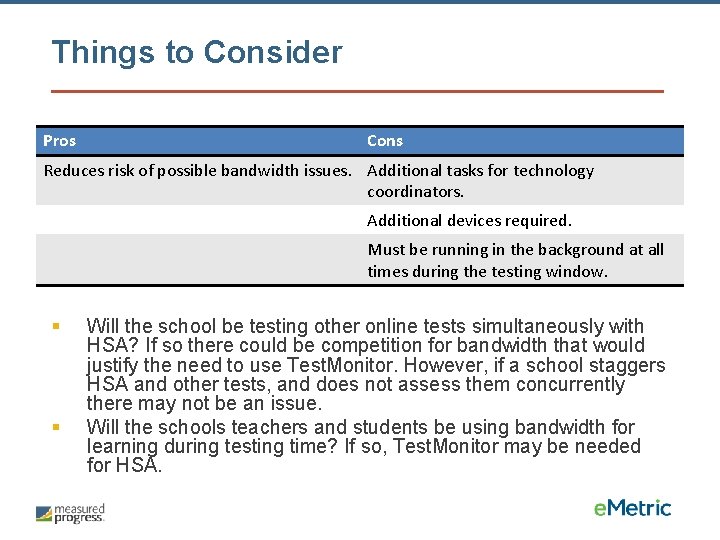
Things to Consider Pros Cons Reduces risk of possible bandwidth issues. Additional tasks for technology coordinators. Additional devices required. Must be running in the background at all times during the testing window. § § Will the school be testing other online tests simultaneously with HSA? If so there could be competition for bandwidth that would justify the need to use Test. Monitor. However, if a school staggers HSA and other tests, and does not assess them concurrently there may not be an issue. Will the schools teachers and students be using bandwidth for learning during testing time? If so, Test. Monitor may be needed for HSA.
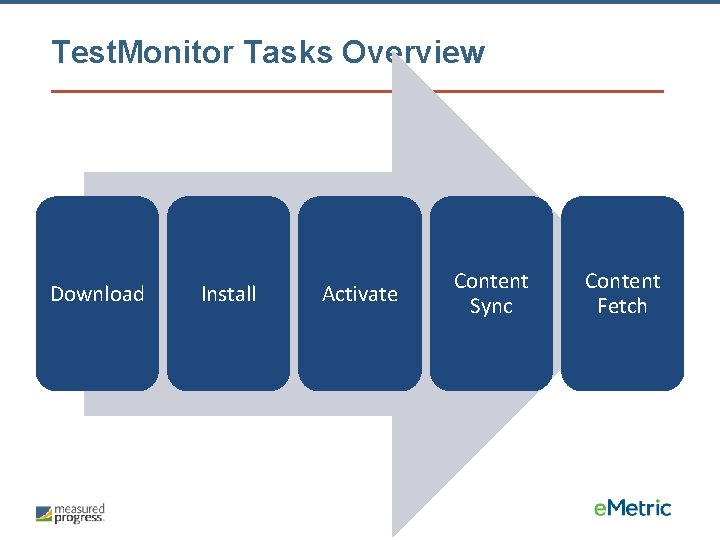
Test. Monitor Tasks Overview Download Install Activate Content Sync Content Fetch
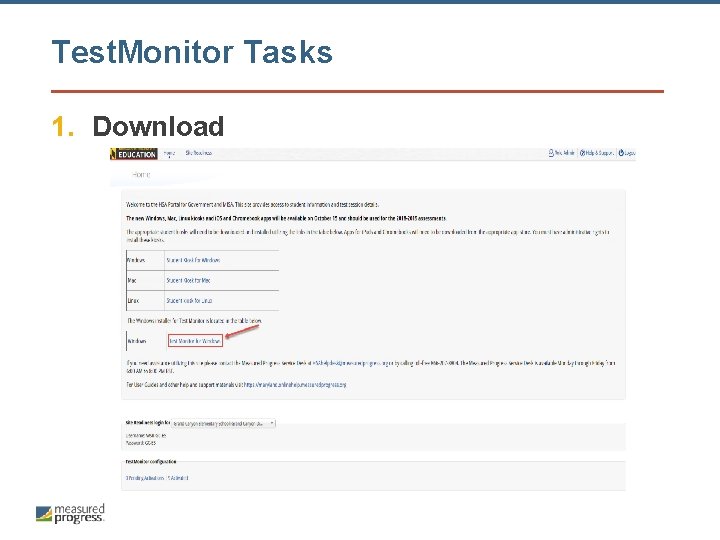
Test. Monitor Tasks 1. Download
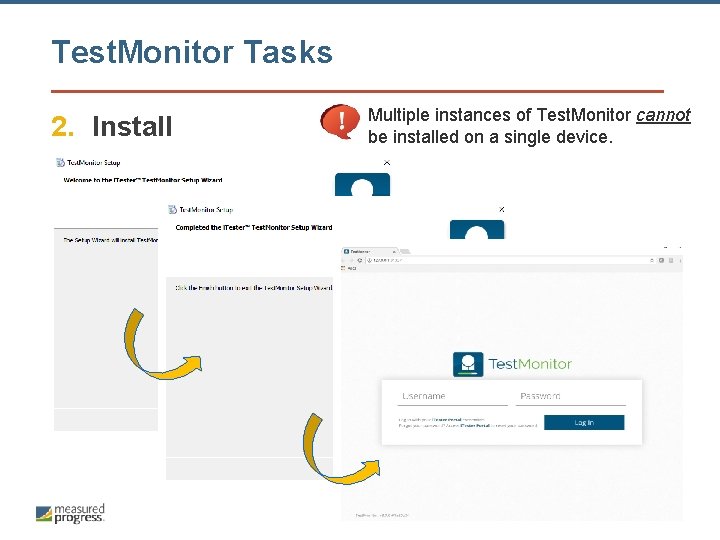
Test. Monitor Tasks 2. Install Multiple instances of Test. Monitor cannot be installed on a single device.
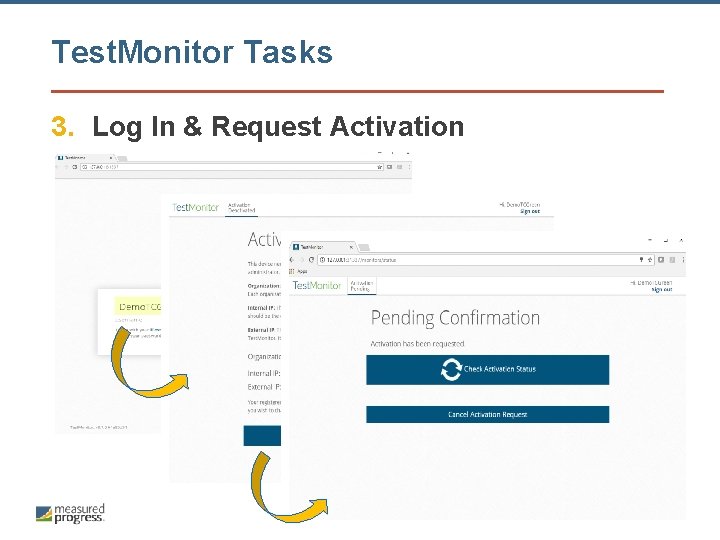
Test. Monitor Tasks 3. Log In & Request Activation
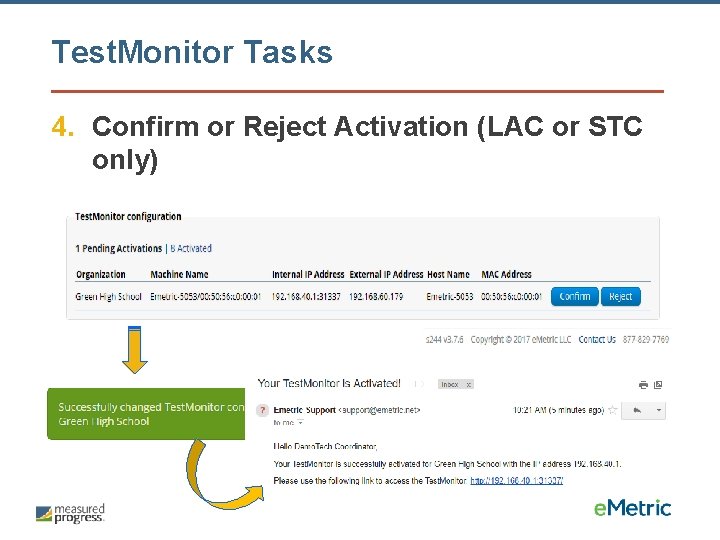
Test. Monitor Tasks 4. Confirm or Reject Activation (LAC or STC only)
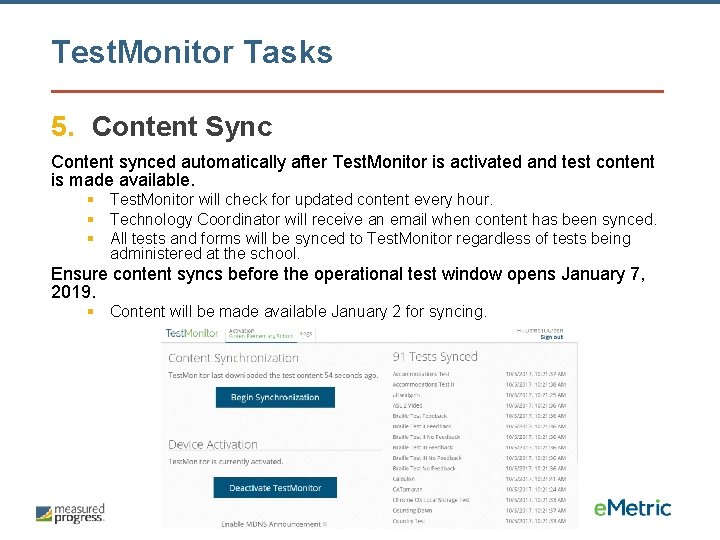
Test. Monitor Tasks 5. Content Sync Content synced automatically after Test. Monitor is activated and test content is made available. § Test. Monitor will check for updated content every hour. § Technology Coordinator will receive an email when content has been synced. § All tests and forms will be synced to Test. Monitor regardless of tests being administered at the school. Ensure content syncs before the operational test window opens January 7, 2019. § Content will be made available January 2 for syncing.
Test. Monitor Tasks 6. Content Fetch § § § Student logs in to HSA Kiosk and kiosk will verify if there is an active Test. Monitor for the student’s school. If Test. Monitor activated, the service will return the IP address of the activated Test. Monitor. Student’s test taking device will find Test. Monitor on local network using IP address. Once connected, the kiosk will fetch test session content from Test. Monitor. If no Test. Monitor is activated or found, test session content will be fetched from e. Metric servers. Test. Monitor supports content fetching for HSA Kiosk on Windows, Mac, i. OS, and Chrome OS. § HSA Kiosk on Linux is not currently supported.
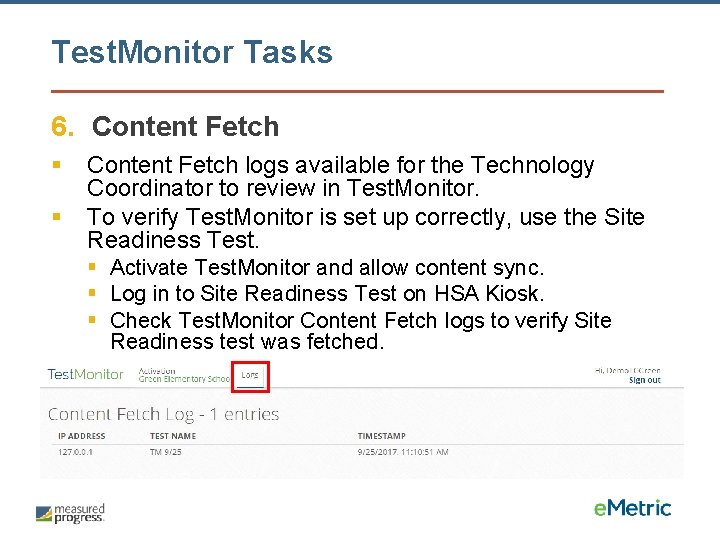
Test. Monitor Tasks 6. Content Fetch § § Content Fetch logs available for the Technology Coordinator to review in Test. Monitor. To verify Test. Monitor is set up correctly, use the Site Readiness Test. § Activate Test. Monitor and allow content sync. § Log in to Site Readiness Test on HSA Kiosk. § Check Test. Monitor Content Fetch logs to verify Site Readiness test was fetched.
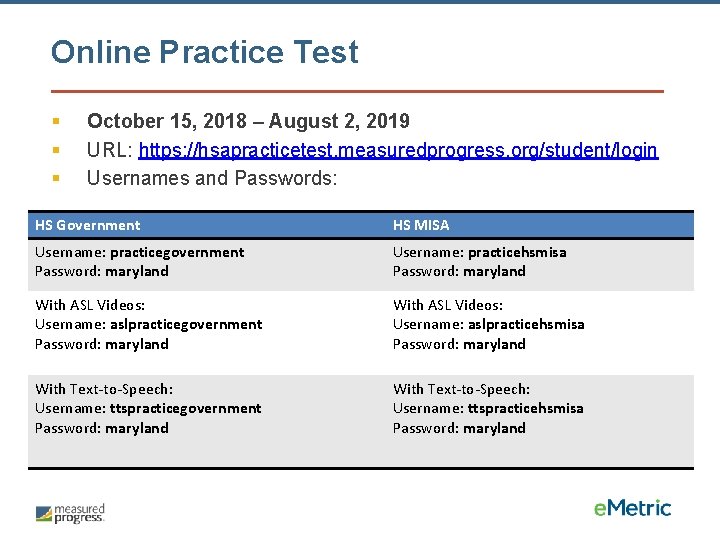
Online Practice Test § § § October 15, 2018 – August 2, 2019 URL: https: //hsapracticetest. measuredprogress. org/student/login Usernames and Passwords: HS Government HS MISA Username: practicegovernment Password: maryland Username: practicehsmisa Password: maryland With ASL Videos: Username: aslpracticegovernment Password: maryland With ASL Videos: Username: aslpracticehsmisa Password: maryland With Text-to-Speech: Username: ttspracticegovernment Password: maryland With Text-to-Speech: Username: ttspracticehsmisa Password: maryland
Online Certification Test § Mock operational test to help you prepare § Must complete all tasks (create classes, schedule tests, print student test tickets) § November 15 – December 7, 2018 § Forms and test length will be identical to operational tests § Completely separate from the Site Readiness Test and Certification
Have Additional Questions? Measured Progress Technical Product Support (866) 207 -8804 or HSAhelpdesk@measuredprogress. org Help & Support Site maryland. onlinehelp. measuredprogress. org

Thank you.
- Slides: 40