
Week 4 Control Structures Repetition BJ Furman 17
Week 4: Control Structures - Repetition BJ Furman 17 SEP 2012
The Plan for Today n Review control structures ¨ Sequence ¨ Selection ¨ Repetition n Repetition structures ¨ While ¨ Do/While ¨ For n Repetition structure example
Learning Objectives n Explain the three basic types of control structures n Explain how the three kinds of repetition structures work n Apply the concept of repetition control structures to a practical problem
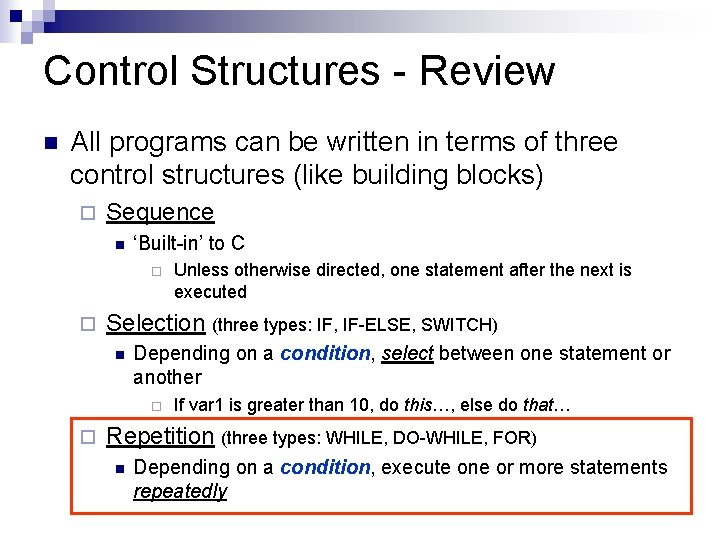
Control Structures - Review n All programs can be written in terms of three control structures (like building blocks) ¨ Sequence n ‘Built-in’ to C ¨ ¨ Selection (three types: IF, IF-ELSE, SWITCH) n Depending on a condition, select between one statement or another ¨ ¨ Unless otherwise directed, one statement after the next is executed If var 1 is greater than 10, do this…, else do that… Repetition (three types: WHILE, DO-WHILE, FOR) n Depending on a condition, execute one or more statements repeatedly
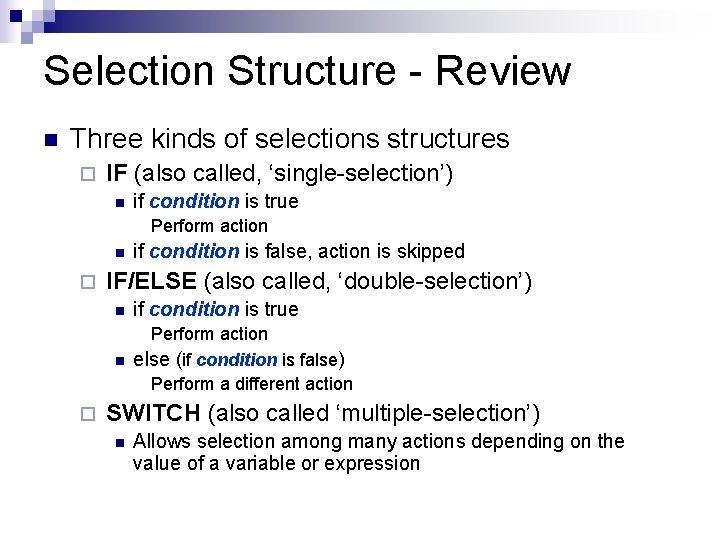
Selection Structure - Review n Three kinds of selections structures ¨ IF (also called, ‘single-selection’) n if condition is true Perform action n ¨ ¨ if condition is false, action is skipped IF/ELSE (also called, ‘double-selection’) n if condition is true n Perform action else (if condition is false) Perform a different action SWITCH (also called ‘multiple-selection’) n Allows selection among many actions depending on the value of a variable or expression

Repetition Structure n ¨ n t=0 Often need to repeat an action or calculation Ex. Find and print the distance traveled by an object dropped from a height at t = 0 sec each second over the next 10 seconds Repetition structures are often called ‘loops’ t=10 A dynamics problem (ME 101) mg Equation of motion
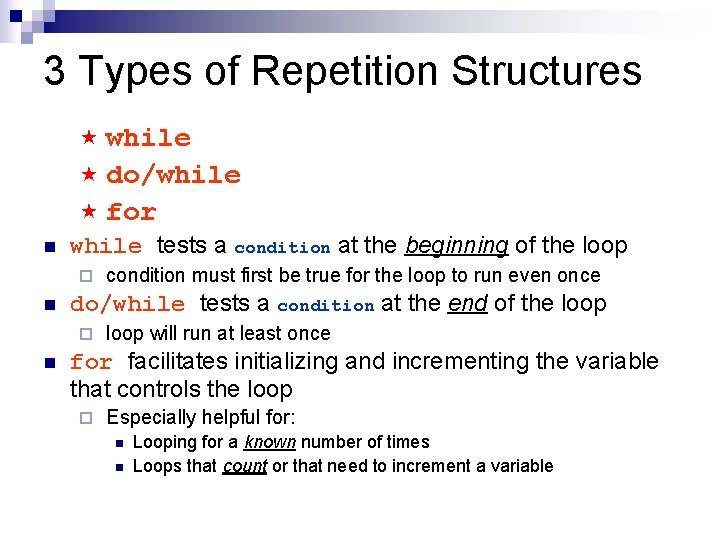
3 Types of Repetition Structures « while « do/while « for n while tests a condition at the beginning of the loop ¨ n do/while tests a condition at the end of the loop ¨ n condition must first be true for the loop to run even once loop will run at least once for facilitates initializing and incrementing the variable that controls the loop ¨ Especially helpful for: n n Looping for a known number of times Loops that count or that need to increment a variable
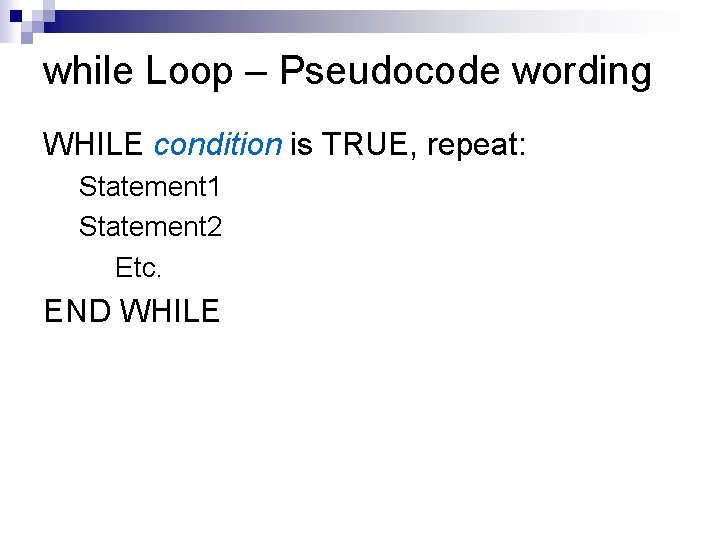
while Loop – Pseudocode wording WHILE condition is TRUE, repeat: Statement 1 Statement 2 Etc. END WHILE
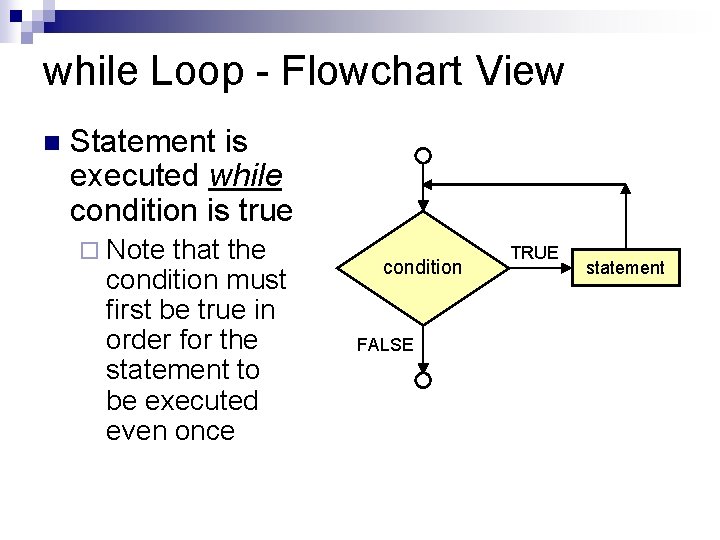
while Loop - Flowchart View n Statement is executed while condition is true ¨ Note that the condition must first be true in order for the statement to be executed even once condition FALSE TRUE statement
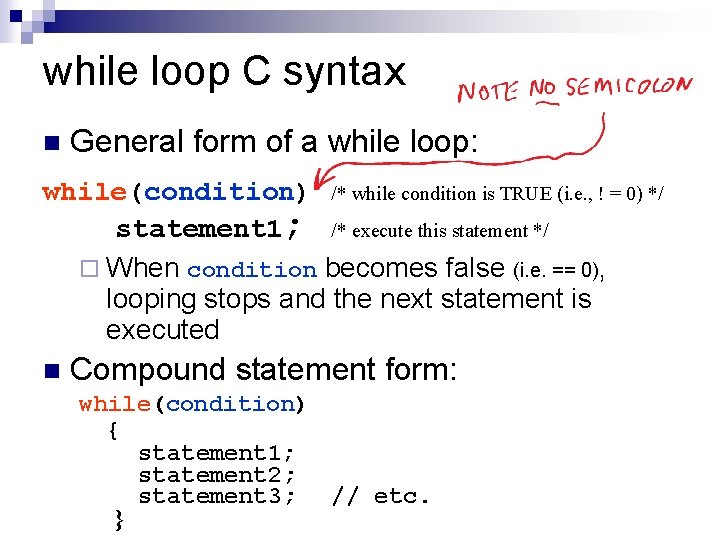
while loop C syntax n General form of a while loop: while(condition) /* while condition is TRUE (i. e. , ! = 0) */ statement 1; /* execute this statement */ ¨ When condition becomes false (i. e. == 0), looping stops and the next statement is executed n Compound statement form: while(condition) { statement 1; statement 2; statement 3; // etc. }
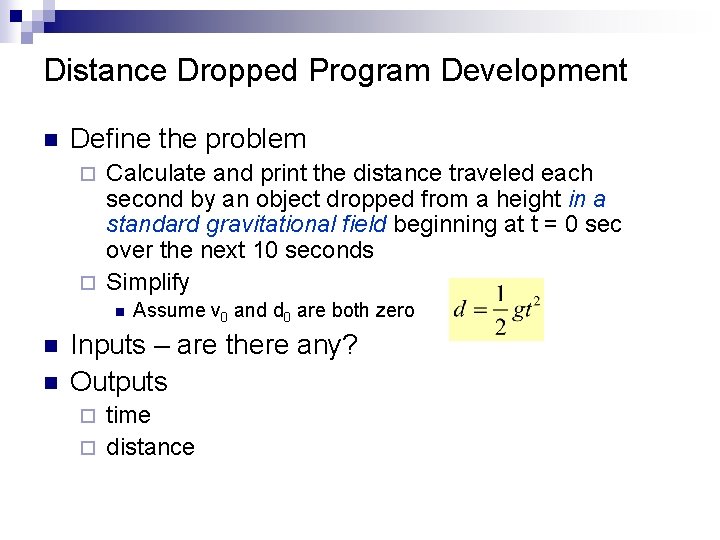
Distance Dropped Program Development n Define the problem Calculate and print the distance traveled each second by an object dropped from a height in a standard gravitational field beginning at t = 0 sec over the next 10 seconds ¨ Simplify ¨ n n n Assume v 0 and d 0 are both zero Inputs – are there any? Outputs time ¨ distance ¨
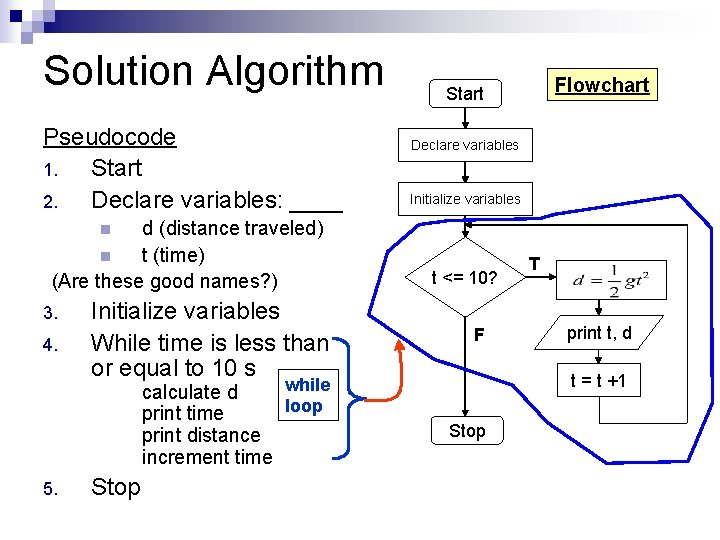
Solution Algorithm Pseudocode 1. Start 2. Declare variables: ____ d (distance traveled) n t (time) (Are these good names? ) Flowchart Start Declare variables Initialize variables n 3. 4. Initialize variables While time is less than or equal to 10 s while calculate d loop print time print distance increment time 5. Stop t <= 10? F T print t, d t = t +1 Stop
Solution Code n free_fall_d_vs_time. c ¨ Implements mass the program for the freely falling
Practice - Procedure n Procedure Divide into groups of 4 ¨ Introduce yourselves ¨ Together (all four in the group) ¨ n n ¨ Split into pairs (sub-groups) n n ¨ n Define the problem Determine inputs and outputs One pair – pseudocode the algorithm Other pair – flowchart the algorithm Swap one from each pair and share pseudocode and flowchart Write code from flowchart or pseudocode
Practice - Problem n Write a program that calculates the average exam score for a class ¨ Specifications Prompts user for the number of scores to average n Prompts user for each score n Echoes each score entered n Calculates the average score n Prints out the average score n
Practice - Solution
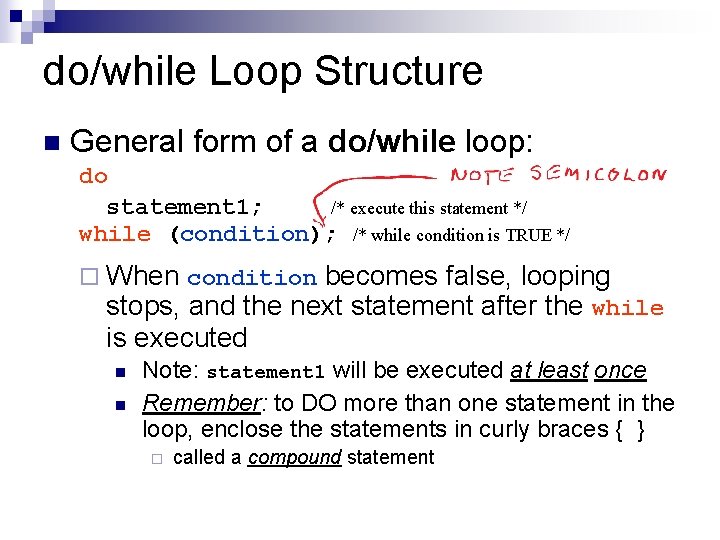
do/while Loop Structure n General form of a do/while loop: do statement 1; /* execute this statement */ while (condition); /* while condition is TRUE */ ¨ When condition becomes false, looping stops, and the next statement after the while is executed n n Note: statement 1 will be executed at least once Remember: to DO more than one statement in the loop, enclose the statements in curly braces { } ¨ called a compound statement
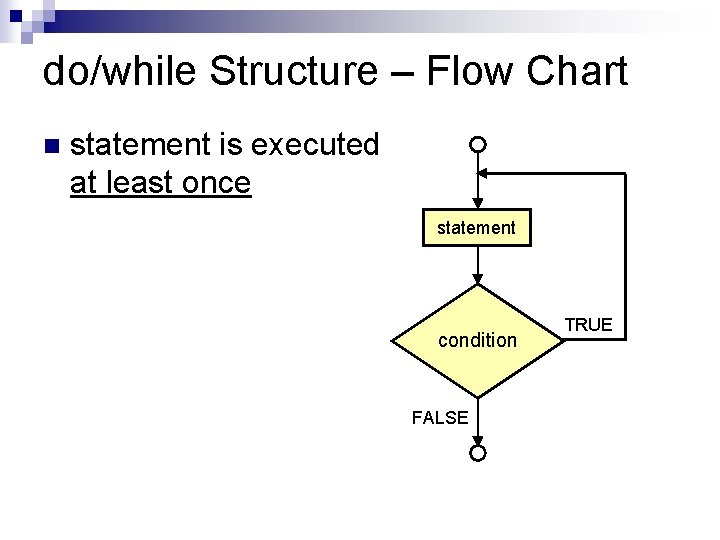
do/while Structure – Flow Chart n statement is executed at least once statement condition FALSE TRUE
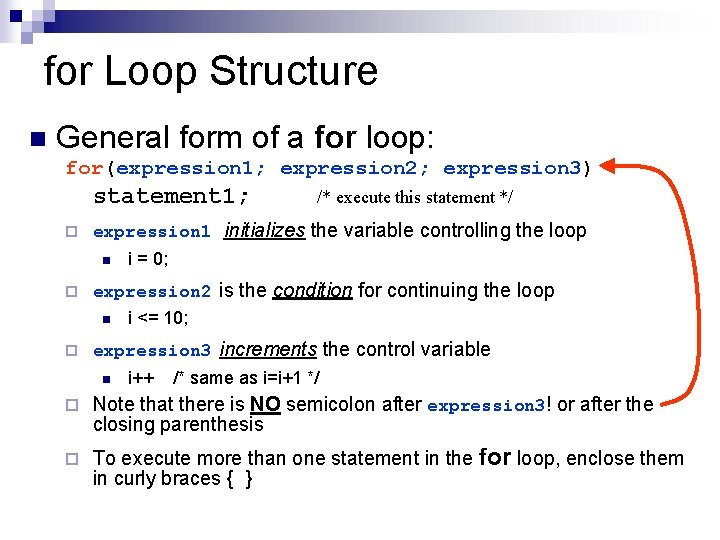
for Loop Structure n General form of a for loop: for(expression 1; expression 2; expression 3) statement 1; ¨ expression 1 initializes the variable controlling the loop n ¨ i = 0; expression 2 is the condition for continuing the loop n ¨ /* execute this statement */ i <= 10; expression 3 increments the control variable n i++ /* same as i=i+1 */ ¨ Note that there is NO semicolon after expression 3! or after the closing parenthesis ¨ To execute more than one statement in the for loop, enclose them in curly braces { }
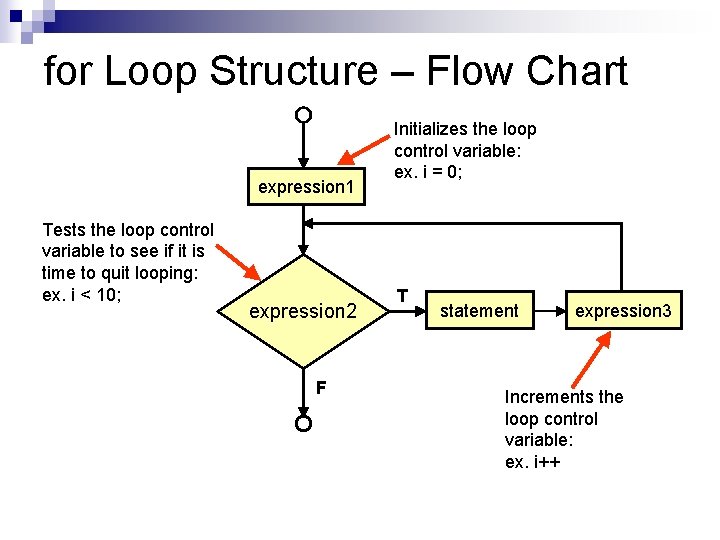
for Loop Structure – Flow Chart expression 1 Tests the loop control variable to see if it is time to quit looping: ex. i < 10; expression 2 F Initializes the loop control variable: ex. i = 0; T statement expression 3 Increments the loop control variable: ex. i++
for Loop Example n double_it. c ¨ Prints out a table of integers from 0 to 10 in one column and twice their value in a second column
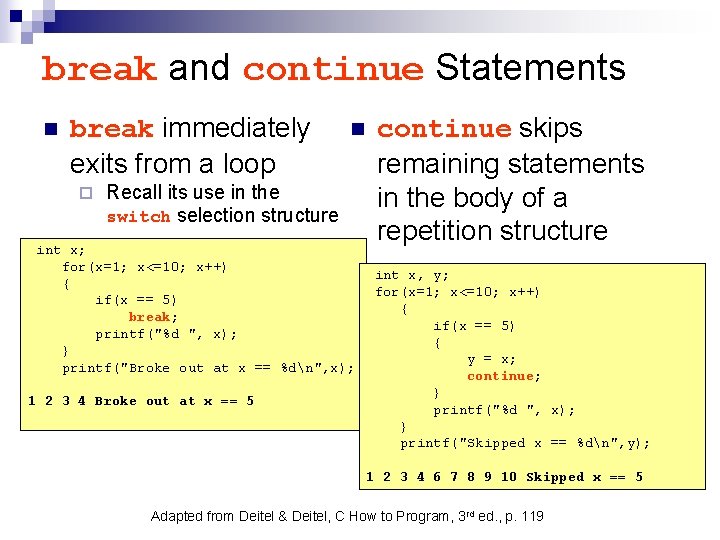
break and continue Statements n break immediately exits from a loop ¨ n Recall its use in the switch selection structure int x; for(x=1; x<=10; x++) { if(x == 5) break; printf("%d ", x); } printf("Broke out at x == %dn", x); 1 2 3 4 Broke out at x == 5 continue skips remaining statements in the body of a repetition structure int x, y; for(x=1; x<=10; x++) { if(x == 5) { y = x; continue; } printf("%d ", x); } printf("Skipped x == %dn", y); 1 2 3 4 6 7 8 9 10 Skipped x == 5 Adapted from Deitel & Deitel, C How to Program, 3 rd ed. , p. 119
Appendix – Recap of Selection Structures
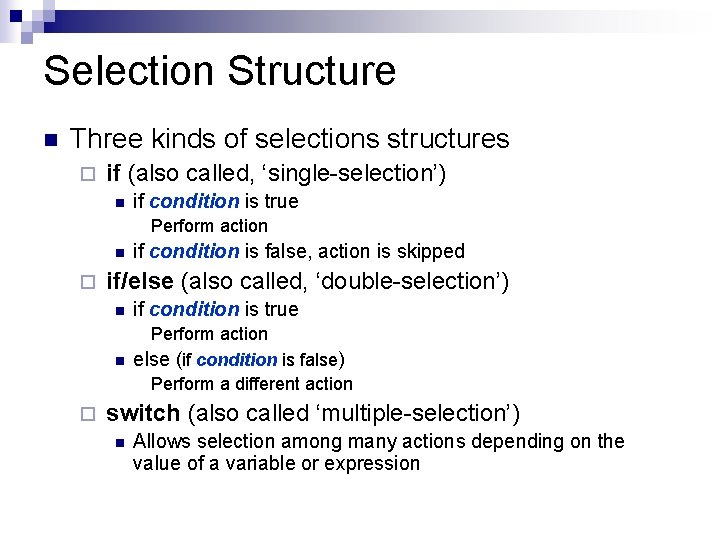
Selection Structure n Three kinds of selections structures ¨ if (also called, ‘single-selection’) n if condition is true Perform action n ¨ ¨ if condition is false, action is skipped if/else (also called, ‘double-selection’) n if condition is true n Perform action else (if condition is false) Perform a different action switch (also called ‘multiple-selection’) n Allows selection among many actions depending on the value of a variable or expression
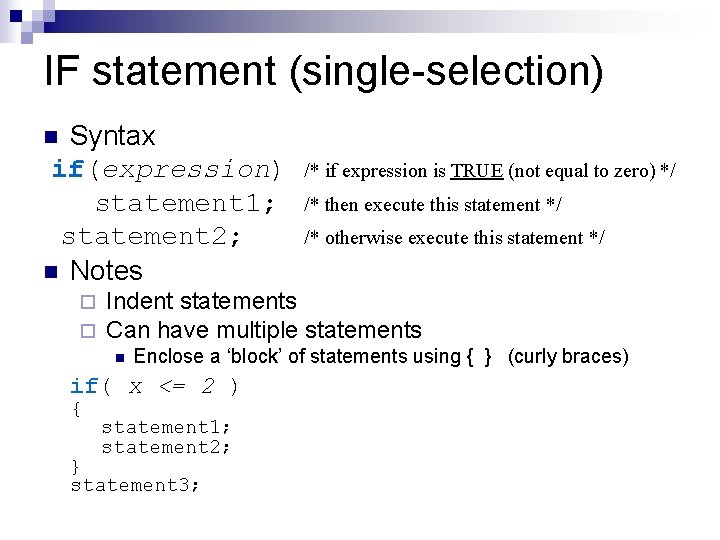
IF statement (single-selection) Syntax if(expression) statement 1; statement 2; n Notes n ¨ ¨ /* then execute this statement */ /* otherwise execute this statement */ Indent statements Can have multiple statements n Enclose a ‘block’ of statements using { } (curly braces) if( x <= 2 ) { /* if expression is TRUE (not equal to zero) */ statement 1; statement 2; } statement 3;
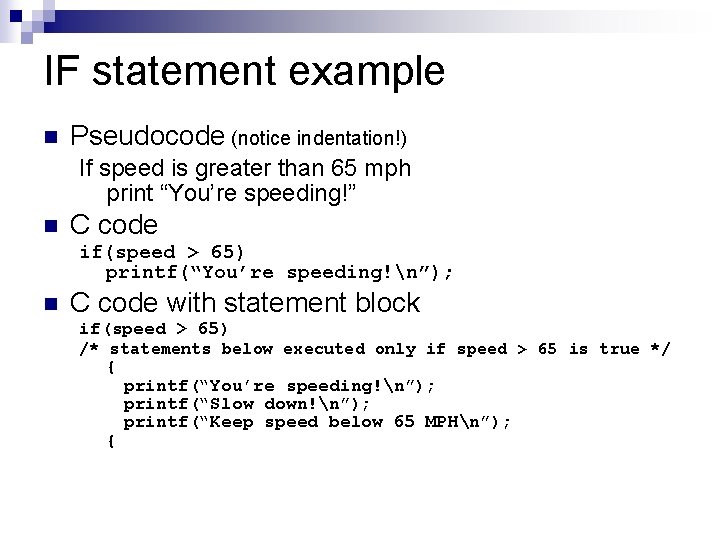
IF statement example n Pseudocode (notice indentation!) If speed is greater than 65 mph print “You’re speeding!” n C code if(speed > 65) printf(“You’re speeding!n”); n C code with statement block if(speed > 65) /* statements below executed only if speed > 65 is true */ { { printf(“You’re speeding!n”); printf(“Slow down!n”); printf(“Keep speed below 65 MPHn”);
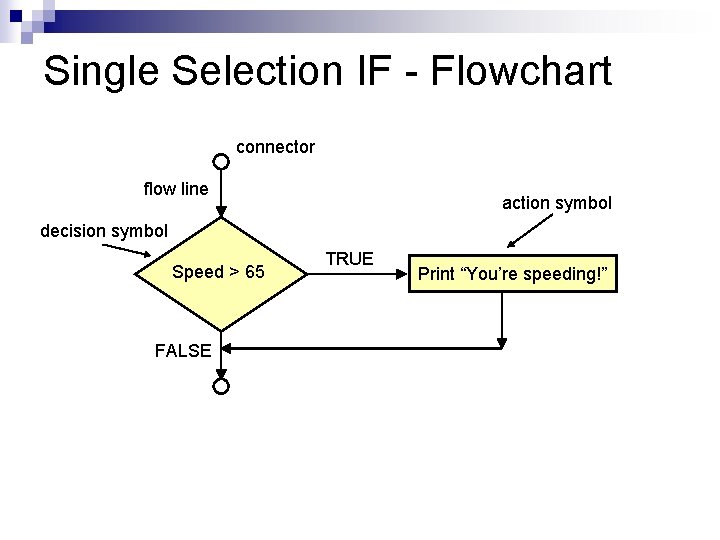
Single Selection IF - Flowchart connector flow line action symbol decision symbol Speed > 65 FALSE TRUE Print “You’re speeding!”
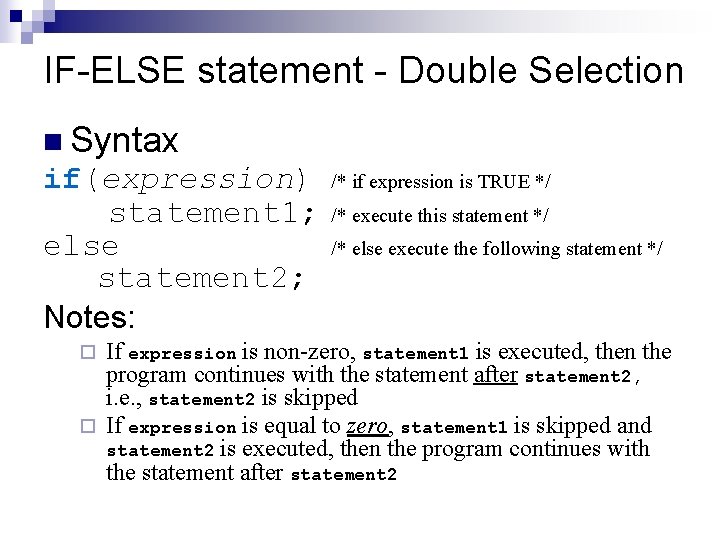
IF-ELSE statement - Double Selection n Syntax if(expression) statement 1; else statement 2; Notes: /* if expression is TRUE */ /* execute this statement */ /* else execute the following statement */ If expression is non-zero, statement 1 is executed, then the program continues with the statement after statement 2, i. e. , statement 2 is skipped ¨ If expression is equal to zero, statement 1 is skipped and statement 2 is executed, then the program continues with the statement after statement 2 ¨
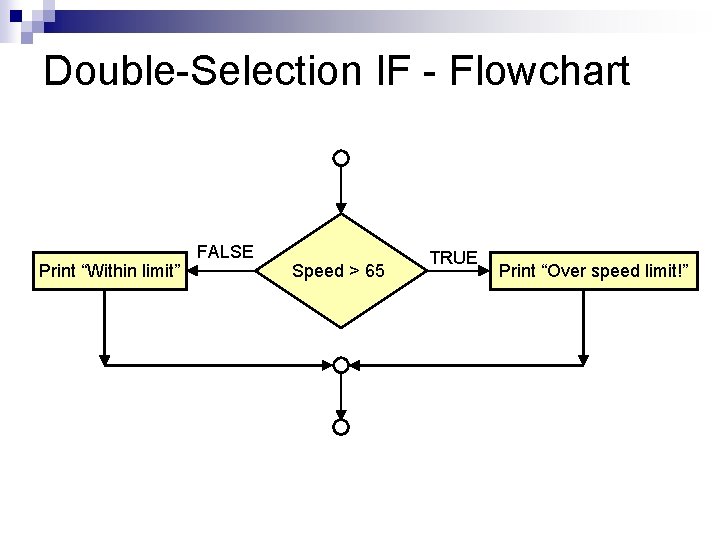
Double-Selection IF - Flowchart Print “Within limit” FALSE Speed > 65 TRUE Print “Over speed limit!”
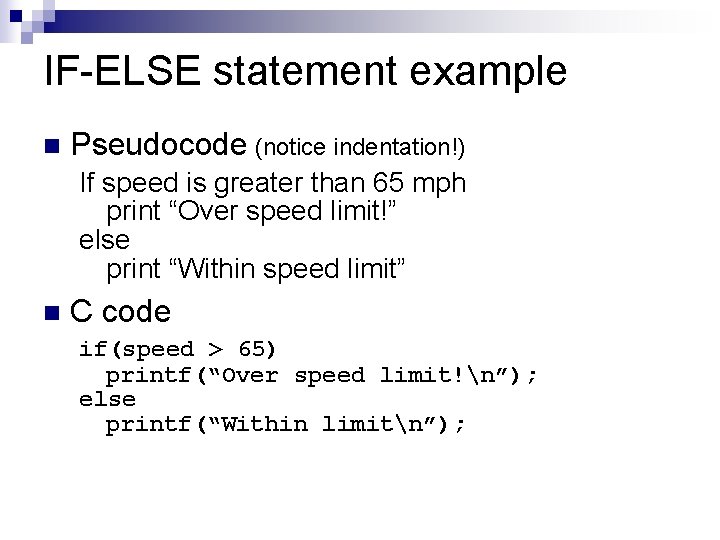
IF-ELSE statement example n Pseudocode (notice indentation!) If speed is greater than 65 mph print “Over speed limit!” else print “Within speed limit” n C code if(speed > 65) printf(“Over speed limit!n”); else printf(“Within limitn”);
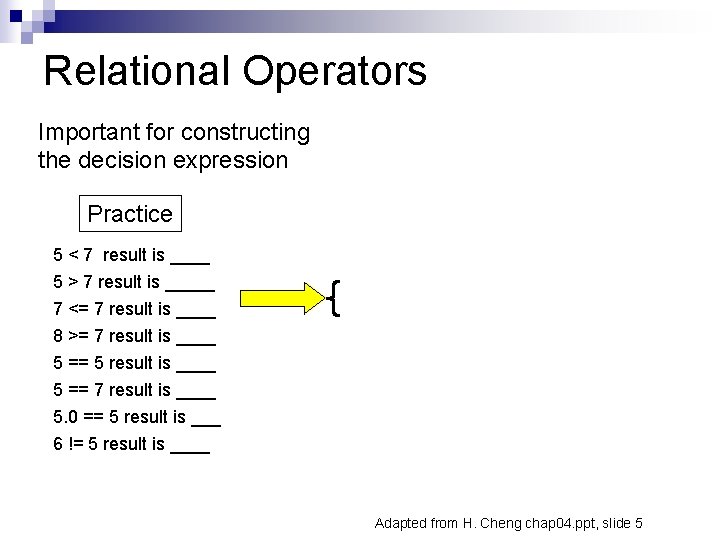
Relational Operators Important for constructing the decision expression Practice 5 < 7 result is ____ 5 > 7 result is _____ 7 <= 7 result is ____ 8 >= 7 result is ____ 5 == 5 result is ____ 5 == 7 result is ____ 5. 0 == 5 result is ___ 6 != 5 result is ____ Adapted from H. Cheng chap 04. ppt, slide 5
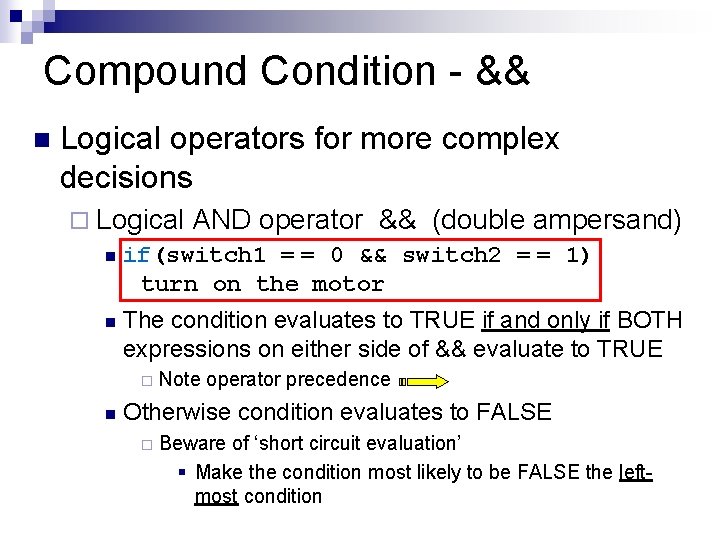
Compound Condition - && n Logical operators for more complex decisions ¨ Logical AND operator && (double ampersand) n if(switch 1 = = 0 && switch 2 = = 1) turn on the motor n The condition evaluates to TRUE if and only if BOTH expressions on either side of && evaluate to TRUE ¨ n Note operator precedence Otherwise condition evaluates to FALSE ¨ Beware of ‘short circuit evaluation’ § Make the condition most likely to be FALSE the leftmost condition
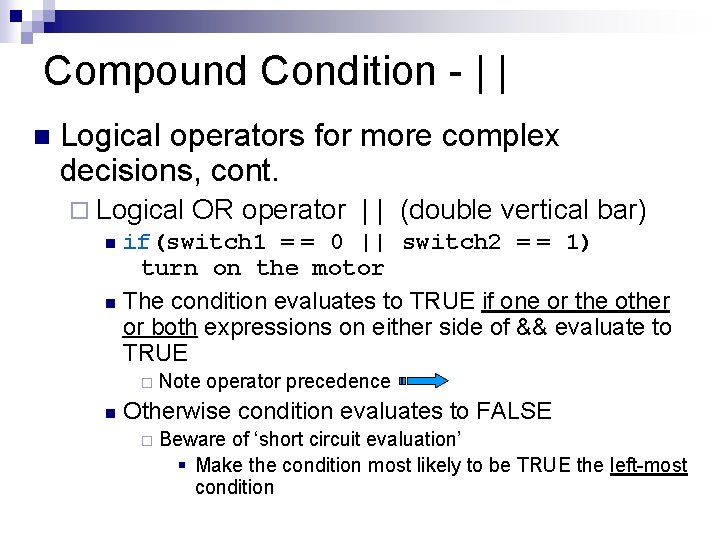
Compound Condition - | | n Logical operators for more complex decisions, cont. ¨ Logical OR operator | | (double vertical bar) n if(switch 1 = = 0 || switch 2 = = 1) turn on the motor n The condition evaluates to TRUE if one or the other or both expressions on either side of && evaluate to TRUE ¨ n Note operator precedence Otherwise condition evaluates to FALSE ¨ Beware of ‘short circuit evaluation’ § Make the condition most likely to be TRUE the left-most condition
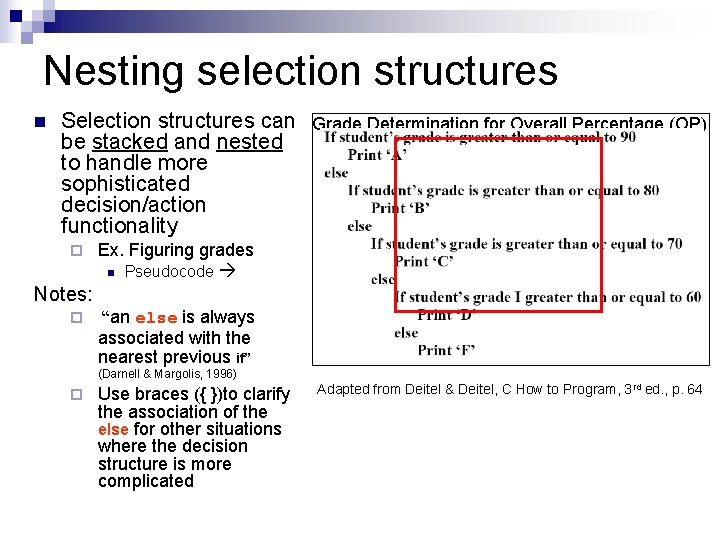
Nesting selection structures n Selection structures can Grade Determination for Overall Percentage (OP) be stacked and nested OP >= 90 ‘A’ to handle more sophisticated 80 <= OP < 90 ‘B’ decision/action 70 <= OP < 80 ‘C’ functionality ¨ Ex. Figuring grades n Pseudocode Notes: ¨ 60 <= OP < 70 ‘D’ OP < 60 ‘F’ “an else is always associated with the nearest previous if” (Darnell & Margolis, 1996) ¨ Use braces ({ })to clarify the association of the else for other situations where the decision structure is more complicated Adapted from Deitel & Deitel, C How to Program, 3 rd ed. , p. 64
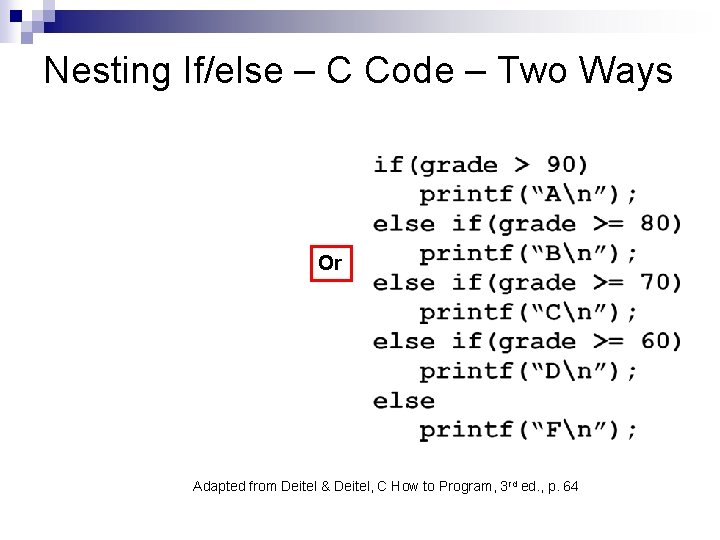
Nesting If/else – C Code – Two Ways Or Adapted from Deitel & Deitel, C How to Program, 3 rd ed. , p. 64
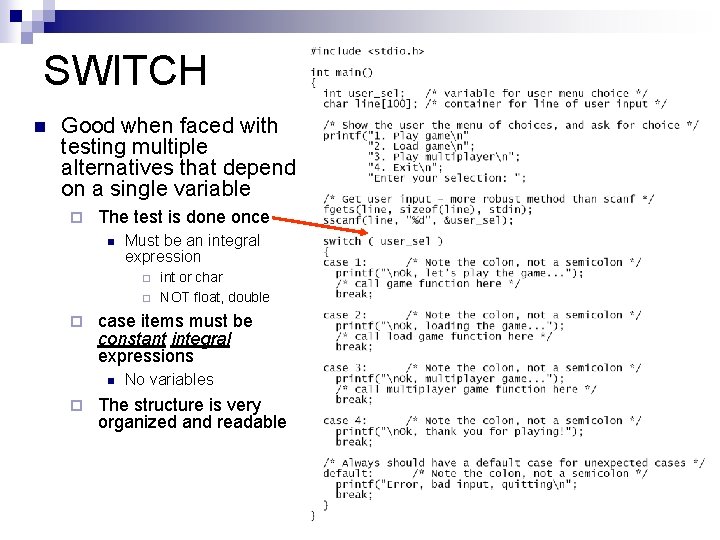
SWITCH n Good when faced with testing multiple alternatives that depend on a single variable ¨ The test is done once n Must be an integral expression ¨ ¨ ¨ case items must be constant integral expressions n ¨ int or char NOT float, double No variables The structure is very organized and readable
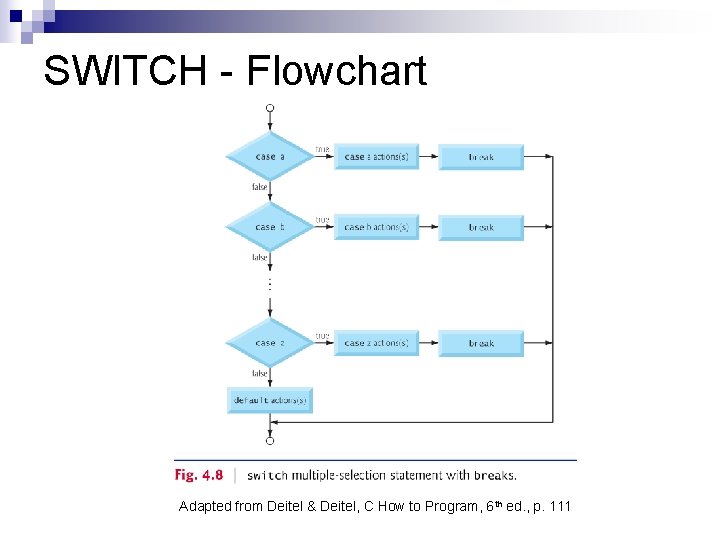
SWITCH - Flowchart Adapted from Deitel & Deitel, C How to Program, 6 th ed. , p. 111

Review
References Darnell, P. A. & Margolis, P. E. (1996) C, a software engineering approach, 3 rd ed. , Springer, New York. n Cheng, H. H. (2010). C for Engineers and Scientists: An Interpretive Approach, Mc. Graw-Hill, New York. n Deitel, H. M. & Deitel, P. J. (2001). C How to Program, 3 rd ed. , Prentice-Hall, New Jersey. n
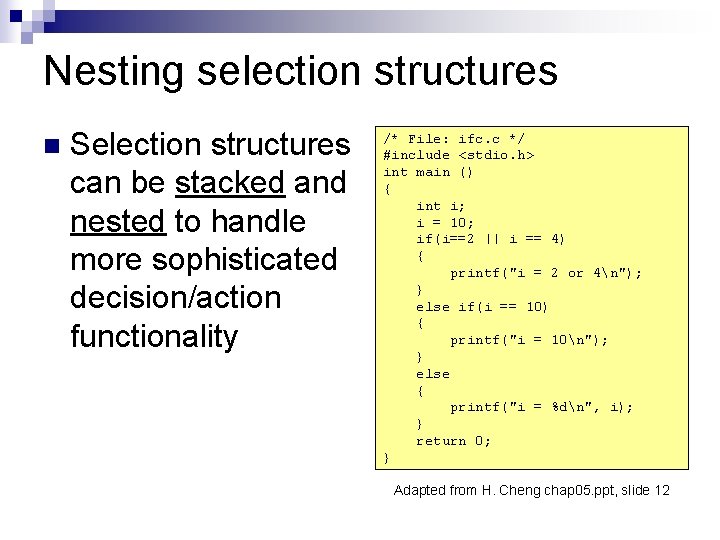
Nesting selection structures n Selection structures can be stacked and nested to handle more sophisticated decision/action functionality /* File: ifc. c */ #include <stdio. h> int main () { int i; i = 10; if(i==2 || i == 4) { printf("i = 2 or 4n"); } else if(i == 10) { printf("i = 10n"); } else { printf("i = %dn", i); } return 0; } Adapted from H. Cheng chap 05. ppt, slide 12
Operators Adapted from H. Cheng chap 04. ppt, slide 5
- Slides: 41