
Week 2 Lesson 2 Introduction to Web Design
Week 2, Lesson 2 Introduction to Web Design & Publishing Biblical Relationship: Gen. 1: 1 https: //sites. google. com/a/babcock. edu. ng/maitanmi-lecture-site/
About this course: • This course will teach you the essential elements of web page development, covering HTML, CSS and Java. Script. No previous experience of these technologies is necessary, although it is helpful if you have some prior programming experience. First, HTML together with CSS are discussed and explored. Then we explore more advanced elements of Java. Script control, including advanced use of functions, event control, array processing, and DOM manipulation.
Course Objectives After completing this course, you will be able to: • Create a web page using HTML elements • Be able to apply CSS (style sheet rules) to parts of a web page, for altering display and behavior • Be able to program interactive Java. Script in a web page
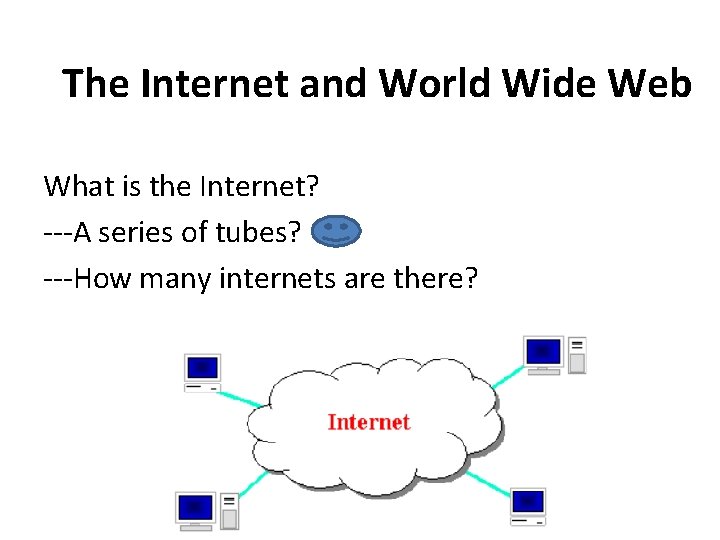
The Internet and World Wide Web What is the Internet? ---A series of tubes? ---How many internets are there?
Solutions from the public domain --a connection of computer networks using the Internet Protocol (IP) --What's the difference between the Internet and the World Wide Web (WWW)? --the Web is the collection of web sites and pages around the world; ---the Internet is larger and also includes other services such as email, chat, online games, etc.
History of the Internet • The Internet came as a result of the crave for a robust, efficient, store and forward, data network based on packets-switching as against the circuit-switching (telephone network) previously in existence. The Internet was developed by Paul Baran and Donald Davis in 1962. This packet switching technology was first implemented in the US Defense Advanced Research Projects Agency (DARPA) as ARPANET, a large area network developed by the Advanced Research projects Agency in late 60 s. By early 70 s ARPANET had spanned the US continent and was extended to some parts of Europe by 1973 and later to the rest of the world.
History of the Internet Cont’d – By 1986, the US Science Foundation (NSF) initiated a network called NSFNET, which later became a major component of the Net. Similarly, other networks were developed throughout the US through which the rest of the world was connected to form a global network of systems and network called the Internet.
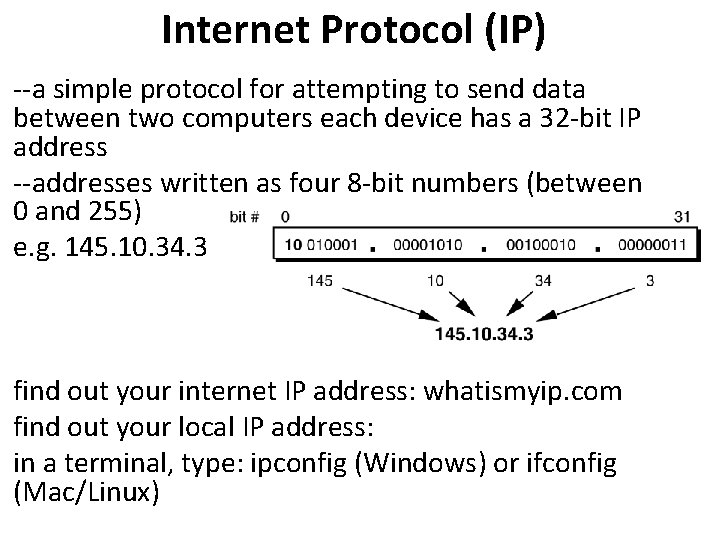
Internet Protocol (IP) --a simple protocol for attempting to send data between two computers each device has a 32 -bit IP address --addresses written as four 8 -bit numbers (between 0 and 255) e. g. 145. 10. 34. 3 find out your internet IP address: whatismyip. com find out your local IP address: in a terminal, type: ipconfig (Windows) or ifconfig (Mac/Linux)
Domain Names and IP Addresses • For the sake of this study, it is important to understand that all the entities and intermediaries of the Net are given unique names for easy identification and delivery of messages. Therefore, all the hosts/nodes on the Internet are identified through a unique identifier called domain names. • NOTE(a symbol which must be explained at the beginning of the text bk): Hosts are the organisation who owns a particular network while nodes are the various computers connecting the Internet via the host.
Domain Names & URL Generally, domain names are composed of 3 to 4 parts namely: Hostname, Organisation, Sub-domains (optional) and Country name. e. g: Hostname. Organisationname. Type of categorisation. Countryname OR Hostname. Domain. Top-level domain. International top-level domain. Where the top-level domains include: • • • . com for commercial. mil for military. edu for education. org for organisation. net for information services/network etc.
and the international top-level domain use a 2 letter country code such as: • . ng for Nigeria • us for United States • . uk for United Kingdom etc. e. g: 1. www. babcock. edu. ng 2. www. 4 shared. com 3. www. google. com 4. www. yahoo. com

• www. umis. babcock. edu. ng • www. babcock. edu. ng/pgadmission/2017. html
Transmission Control Protocol (TCP) --adds multiplexing, guaranteed message delivery on top of IP ---multiplexing: multiple programs using the same multiplexing IP address ----port: a number given to each program or service port ----port 80: web browser port 80 ----port 25: email port 25 ----port 22: ssh port 22 -----port 5190: AOL Instant Messenger port 5190 some programs (games, streaming media programs) use simpler UDP protocol instead of TCP
Organisations & Web Development • World Wide Web Consortium: (W 3 C): web standards • Internet Engineering Task Force: (IETF): internet protocol standards • Internet Corporation for Assigned Names and Numbers (ICANN): decides top level domain names
• The goal of the IETF is to make the Internet work better. • The mission of the IETF is to make the Internet work better by producing high quality, relevant technical documents that influence the way people design, use, and manage the Internet.

Functions of W 3 C, IETF and ICANN Roles of W 3 C Offices A W 3 C Office is a regional arm that helps recruit Members and promote W 3 C technology. The primary roles of a W 3 C Office are to: • Recruit stake-holders in the region by introducing them to W 3 C, developing relationships with local technology or policy leaders, and guiding organizations through the steps for joining W 3 C The W 3 C Offices play an important role in maintaining W 3 C’s Membership base, which is fundamental to W 3 C’s operations. • Provide support for existing W 3 C Members in the region. • Provide feedback to W 3 C on regional issues (for example, in support of W 3 C’s Internationalization Activity). • Promote the adoption of W 3 C Recommendations with a particular attention to the local languages and cultures. Initiate translations and help others translate W 3 C materials and promote their dissemination.
Functions Cont’d What is ICANN? ICANN is a non-profit corporation founded in the US in 1998 that stands for 'Internet Corporation for Assigned Names and Numbers'. Register any domain on the internet using your favorite domain name registrar and one way or another you will be using the services of ICANN and paying a small fee as part of that domain registration process to ICANN via your domain registrar. Role of ICANN • Manage and oversee the domain name registration process and the assignment of Internet Protocol (IP) addresses to Internet Service Providers (ISPs) through its Internet Assigned Numbers. • The other more well known role of ICANN is the assignment of domain names. ICANN authorizes the use of all top level domain names such as . com, . org. . net, as well as country code based domains (like . co. uk, . co. nz). Actual domain name assignments though are carried out by ICANN authorized domain name registrars and you cannot directly register a domain name with ICANN.
• Another significant role ICANN played in the development of the modern internet is the creation of the UDRP or 'Uniform Dispute Resolution Policy' that governs resolution of conflicts concerning domain name ownership. ICANN wanted an inexpensive, fair, and fast resolution system that bypassed the legal court system for disputed domain names and thus UDRP was born with the help of the 'World Intellectual Property Organization'. • Can you register a domain name with ICANN? • You cannot directly register a domain name with ICANN. While all domain registrations have to eventually go through ICANN, the only way you can register a domain name is through an ICANN certified domain registrar.
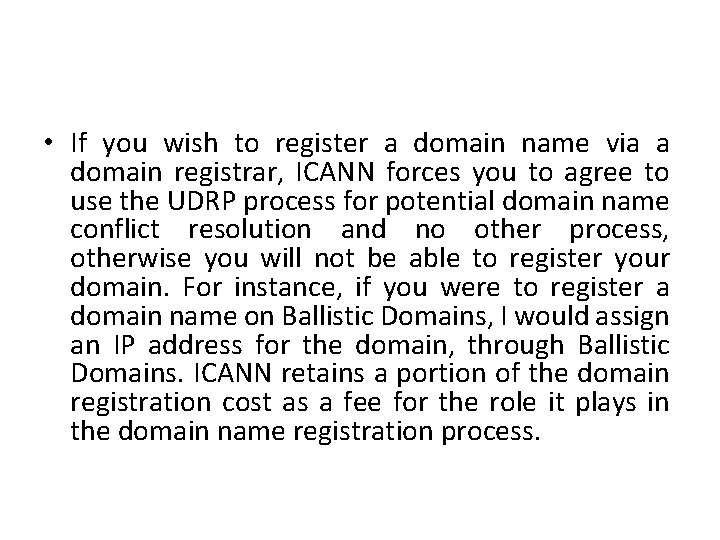
• If you wish to register a domain name via a domain registrar, ICANN forces you to agree to use the UDRP process for potential domain name conflict resolution and no other process, otherwise you will not be able to register your domain. For instance, if you were to register a domain name on Ballistic Domains, I would assign an IP address for the domain, through Ballistic Domains. ICANN retains a portion of the domain registration cost as a fee for the role it plays in the domain name registration process.
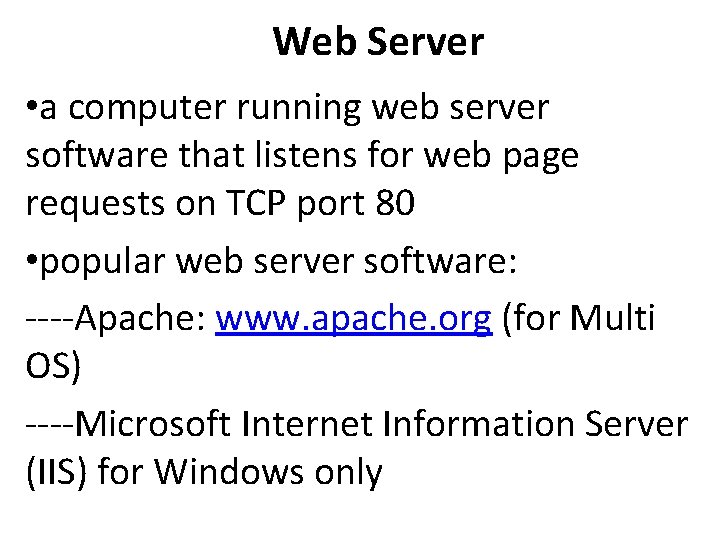
Web Server • a computer running web server software that listens for web page requests on TCP port 80 • popular web server software: ----Apache: www. apache. org (for Multi OS) ----Microsoft Internet Information Server (IIS) for Windows only
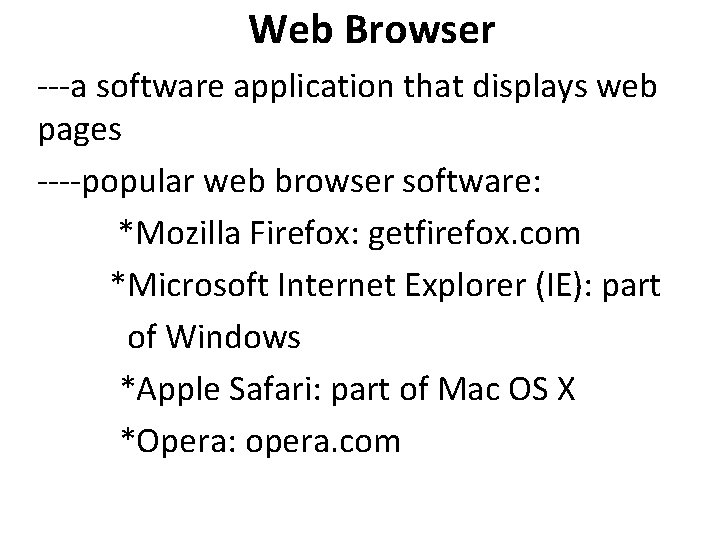
Web Browser ---a software application that displays web pages ----popular web browser software: *Mozilla Firefox: getfirefox. com *Microsoft Internet Explorer (IE): part of Windows *Apple Safari: part of Mac OS X *Opera: opera. com
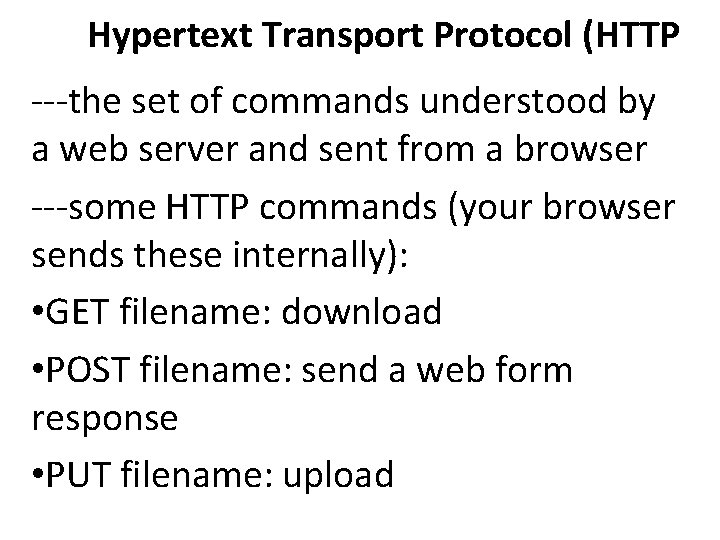
Hypertext Transport Protocol (HTTP ---the set of commands understood by a web server and sent from a browser ---some HTTP commands (your browser sends these internally): • GET filename: download • POST filename: send a web form response • PUT filename: upload

HTTP error codes/acknowledgment * the web server returns a special "error code“/ack number to the browser, possibly followed by an HTML document common error codes/ack: Number Meaning 200 OK 301 -303 page has moved (permanently or temporarily) 403 you are forbidden to access this page 404 page not found 500 internal server error
Web programming technologies Hypertext Markup Language (HTML): used for writing web pages XHTML: A newer, more rigidly standardized specification of HTML Cascading Style Sheets (CSS): supplies stylistic info to web pages Javascript: allows interactive and programmable web pages Asynchronous Javascript and XML (AJAX): allows fetching of web documents in the background for enhanced web interaction Google AJAX Search API: embeds Google services in web pages PHP Hypertext Processor (PHP): allows the web server to create pages dynamically Structured Query Language (SQL): interaction with databases
- Slides: 24