
Webinar All You Need To Know About Datacolor
Webinar: All You Need To Know About Datacolor Paint Datacolor All Rights Reserved 2018 1
Agenda • Why Datacolor? • Datacolor Paint overview • How to work with Datacolor Paint: o Software Installation o Loading a Database o Basic Setup o Software Demo Datacolor All Rights Reserved 2018 2
WHY DATACOLOR In the world of retail paint, success means making sure your customers get their exact color right the first time. Datacolor All Rights Reserved 2018 3
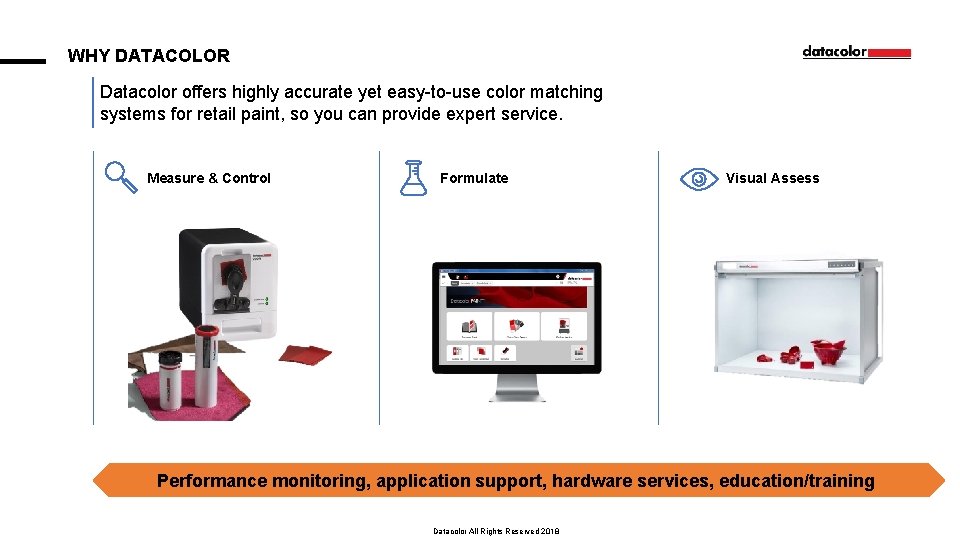
WHY DATACOLOR Datacolor offers highly accurate yet easy-to-use color matching systems for retail paint, so you can provide expert service. Measure & Control Formulate Visual Assess Performance monitoring, application support, hardware services, education/training Datacolor All Rights Reserved 2018 4
OVER 10, 000 CUSTOMERS TRUST DATACOLOR WE UNDERSTAND THAT DETAILS COUNT, COLOR MATTERS, AND TRUST IS EVERYTHING *All product and company names are trademarks™ or registered® trademarks of their respective holders. Use of them does not imply any affiliation with or endorsement by them. Datacolor All Rights Reserved 2018 5
THE DATACOLOR ADVANTAGE We deliver TRUST, RELIABILITY, and ACCURACY to our customers so that you can do the same for yours. YOUR CUSTOMERS: YOUR REPUTATION: YOUR TECHNOLOGY: Drive loyal customers back again and again with innovative ways to find, match, share, and coordinate color right the first time Become the ultimate color design center with accessible and affordable technology that has a proven record to work for you. Make things easier than ever with innovative technology backed by passionate people that truly care about your success. Datacolor All Rights Reserved 2018 6
DATACOLOR PAINT Datacolor offers a simple and accurate turnkey paint matching solution integrated with your customer’s tinting systems that is quickly installed and mastered. Easy-to-use, modular color management software that turns your customer’s vision into reality. FAST AND EASY COLOR LOOKUP WITH A CUSTOMIZABLE USER INTERFACE PERFECTLY MATCH COLORS WITH A LAB QUALITY MATCHING ENGINE EFFICIENT AND MISTINT-PROOF Easy-to-learn, easy-to-use with flexible formula management 30% better first shot matching than competitive solutions Paint matching software and dispenser management from a single computer to save costs as well as automated control to detect the correct base and can size to avoid error Datacolor All Rights Reserved 2018 7
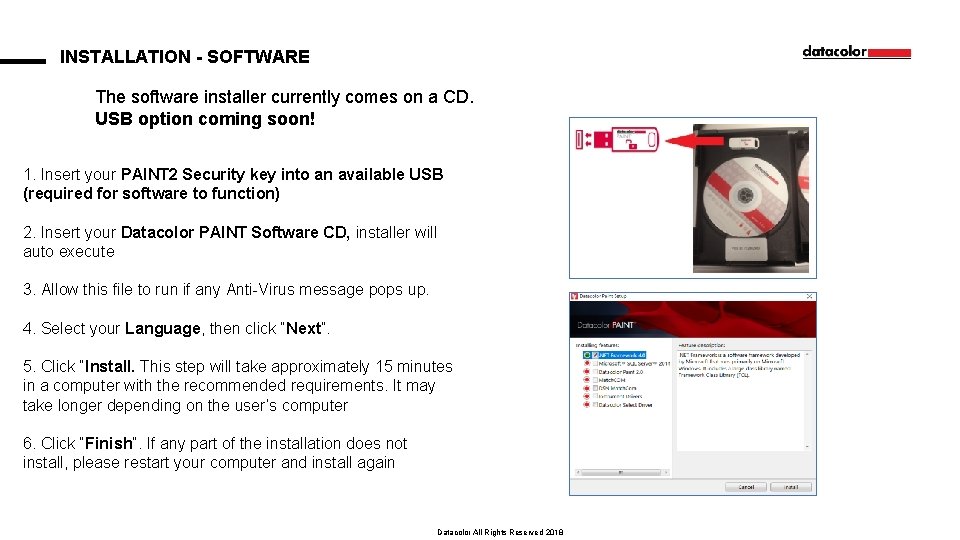
INSTALLATION - SOFTWARE The software installer currently comes on a CD. USB option coming soon! 1. Insert your PAINT 2 Security key into an available USB (required for software to function) 2. Insert your Datacolor PAINT Software CD, installer will auto execute 3. Allow this file to run if any Anti-Virus message pops up. 4. Select your Language, then click “Next”. 5. Click “Install. This step will take approximately 15 minutes in a computer with the recommended requirements. It may take longer depending on the user’s computer 6. Click “Finish”. If any part of the installation does not install, please restart your computer and install again Datacolor All Rights Reserved 2018 8
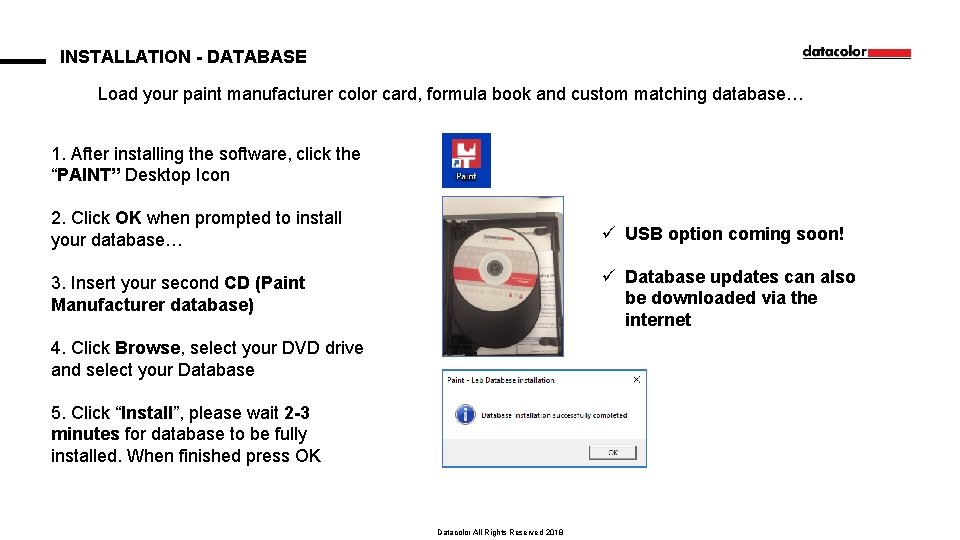
INSTALLATION - DATABASE Load your paint manufacturer color card, formula book and custom matching database… 1. After installing the software, click the “PAINT” Desktop Icon 2. Click OK when prompted to install your database… ü USB option coming soon! 3. Insert your second CD (Paint Manufacturer database) ü Database updates can also be downloaded via the internet 4. Click Browse, select your DVD drive and select your Database 5. Click “Install”, please wait 2 -3 minutes for database to be fully installed. When finished press OK Datacolor All Rights Reserved 2018 9
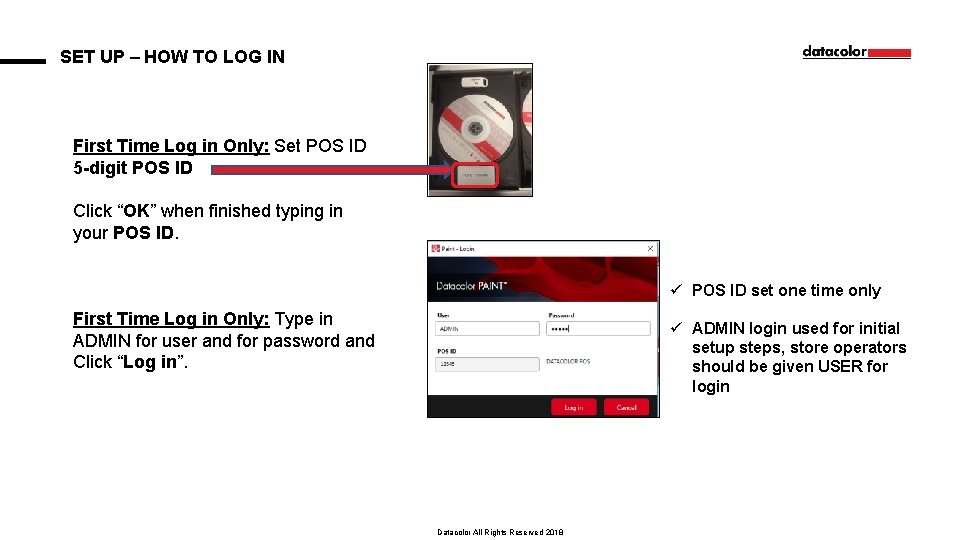
SET UP – HOW TO LOG IN First Time Log in Only: Set POS ID 5 -digit POS ID Click “OK” when finished typing in your POS ID. ü POS ID set one time only First Time Log in Only: Type in ADMIN for user and for password and Click “Log in”. ü ADMIN login used for initial setup steps, store operators should be given USER for login Datacolor All Rights Reserved 2018 10
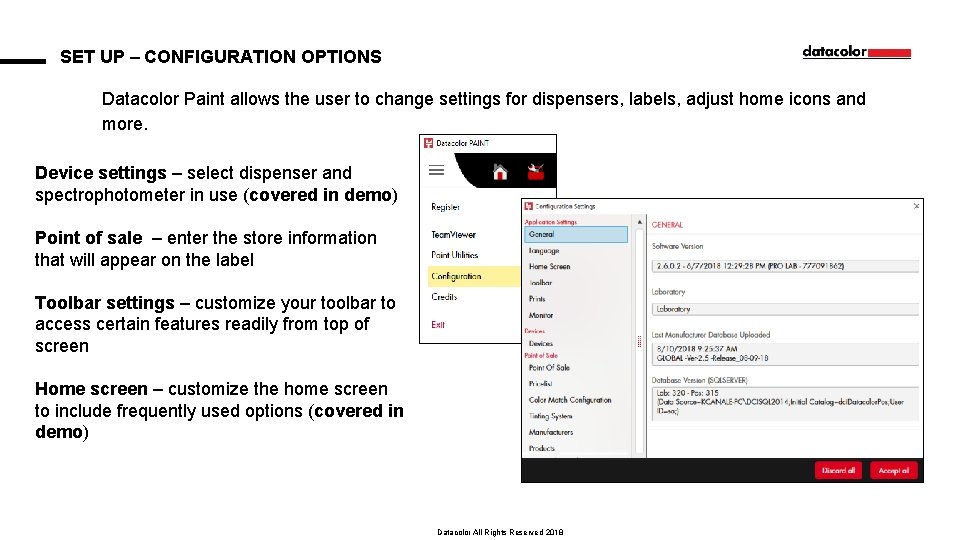
SET UP – CONFIGURATION OPTIONS Datacolor Paint allows the user to change settings for dispensers, labels, adjust home icons and more. Device settings – select dispenser and spectrophotometer in use (covered in demo) Point of sale – enter the store information that will appear on the label Toolbar settings – customize your toolbar to access certain features readily from top of screen Home screen – customize the home screen to include frequently used options (covered in demo) Datacolor All Rights Reserved 2018 11
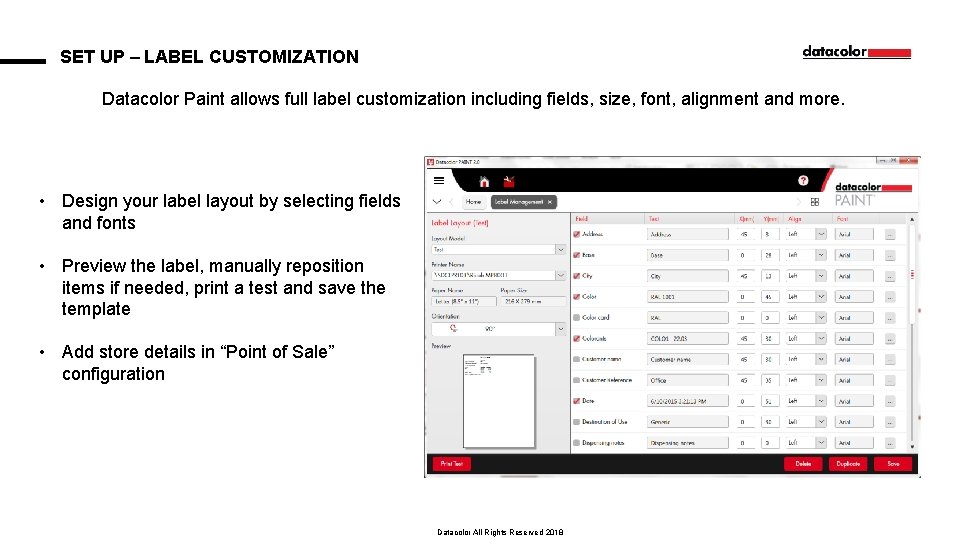
SET UP – LABEL CUSTOMIZATION Datacolor Paint allows full label customization including fields, size, font, alignment and more. • Design your label layout by selecting fields and fonts • Preview the label, manually reposition items if needed, print a test and save the template • Add store details in “Point of Sale” configuration Datacolor All Rights Reserved 2018 12
Datacolor contacts Applications: 1 -800 -982 -6496 Applications Email: NSASupport@datacolor. com Parts/Service : 1 -800 -982 -6496 POS Sales: 1 -800 -227 -7899 POS Email: Sales@datacolor. com POS Fax: 1 -609 -895 -7472 Datacolor All Rights Reserved 2018 13
THANK YOU! Datacolor All Rights Reserved 2018 14
- Slides: 14