
Webbased IDE to create Model and Controller Components
Web-based IDE to create Model and Controller Components for MVC-based Web Applications on Cake. PHP Dec 13, 2010 Sugiharto Widjaja Advisor: Dr. Chris Pollett Committee Members: Dr. Sami Khuri, Dr. Mark Stamp
Outline • • • Introduction Background Design Architecture Implementation Issues Performance Usability Conclusion
Introduction • Why Web-based IDE? • No installation is required • Can be used anywhere • Some free Web-based IDEs are Mozilla Skywriter by Mozilla, php. Anywhere. net, c. Panel, Kodingen, and Shift. Edit • Weakness • Need to write a lot of code • Need to set up the database schema and tables (for databasedriven Web applications) • Our Web-based IDE will allow users to create sophisticated Cake. PHP Web applications without having to write too much PHP code and to set up the database
Introduction • Our IDE is developed using two major technologies: PHP and Java. Script • We use j. Query and j. Query UI as our main Java. Script frameworks • We also use the CKEditor which is a Web-based WYSIWYG text editor. • For this project, I am responsible for the implementation of model and controller components. Swathi Vegesna, another SJSU CS graduate student, is responsible for the implementation of view component
Background What is Cake. PHP? • a PHP framework that is based on MVC (Model, View, Controller) design pattern • is heavily influenced by another Web framework, Ruby on Rails • Every Web application is broken into three components: model, view, and controller • uses “Coding by Convention” paradigm. Cake. PHP Web applications are more structured Challenge: • Users must make sure all components are set properly. • A single mistake in the components setup can lead to long and frustrating debugging session
Background • Our IDE will simplify the creation of Cake. PHP applications by automating most of the processes. • Example: to create an application in Cake. PHP without using our IDE, users need to • Create new folder for the project and copy all required files to that folder • Create the model, controller, and view files • Set up the database configuration file • Set up the database • Create a database table for the model component • With our IDE, users only need to • Click on “Create New Project” button • Enter the project name and the database configuration • Click on ‘Create’ button
Design • Requirements • Automatic setup of files, databases, and database tables • Should support • Model Schema Editing • Add / Delete Model Entries • Construct Find Functions for Models • Associating Models • Creating New Model or Controller
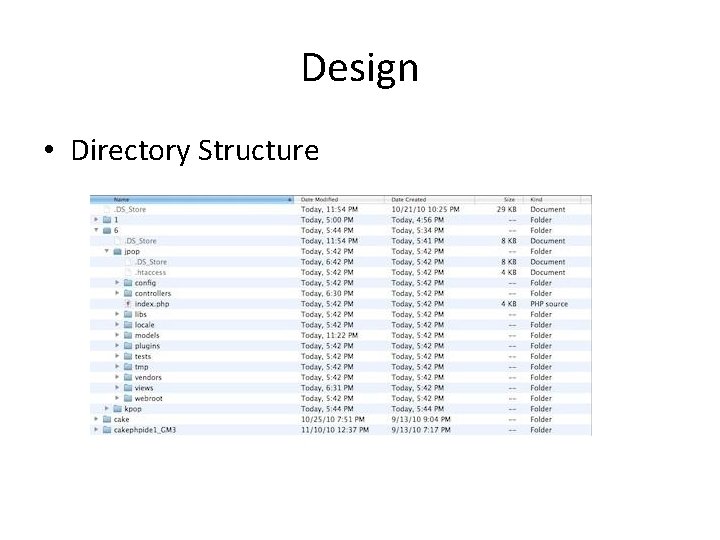
Design • Directory Structure
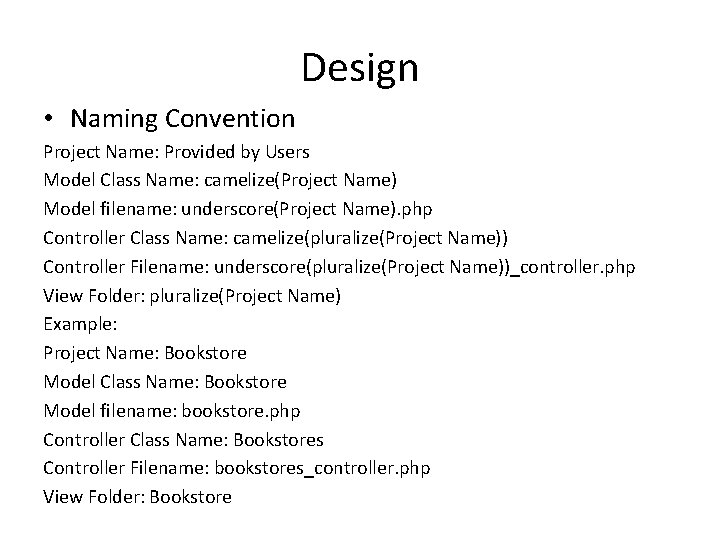
Design • Naming Convention Project Name: Provided by Users Model Class Name: camelize(Project Name) Model filename: underscore(Project Name). php Controller Class Name: camelize(pluralize(Project Name)) Controller Filename: underscore(pluralize(Project Name))_controller. php View Folder: pluralize(Project Name) Example: Project Name: Bookstore Model Class Name: Bookstore Model filename: bookstore. php Controller Class Name: Bookstores Controller Filename: bookstores_controller. php View Folder: Bookstore
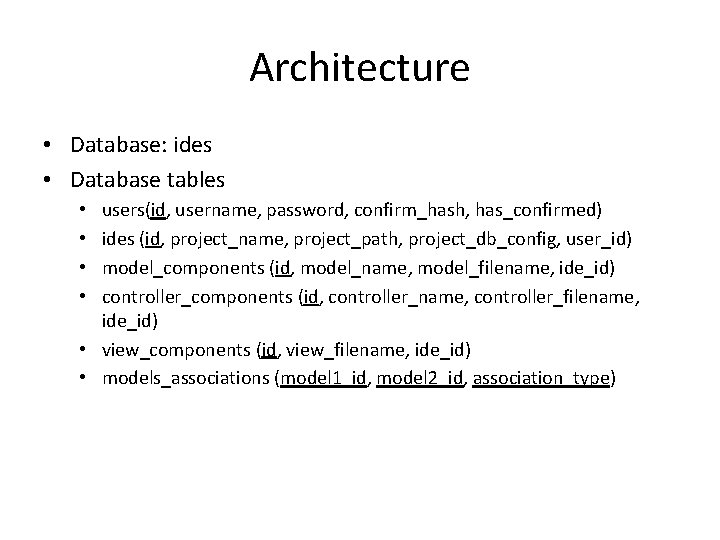
Architecture • Database: ides • Database tables users(id, username, password, confirm_hash, has_confirmed) ides (id, project_name, project_path, project_db_config, user_id) model_components (id, model_name, model_filename, ide_id) controller_components (id, controller_name, controller_filename, ide_id) • view_components (id, view_filename, ide_id) • models_associations (model 1_id, model 2_id, association_type) • •
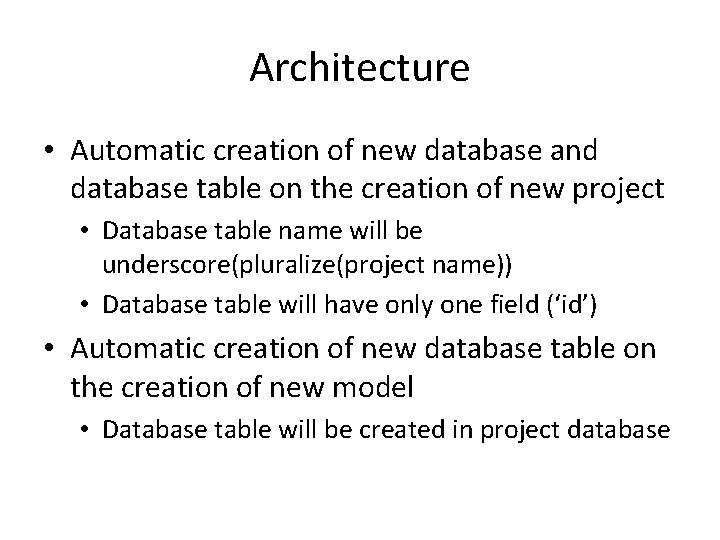
Architecture • Automatic creation of new database and database table on the creation of new project • Database table name will be underscore(pluralize(project name)) • Database table will have only one field (‘id’) • Automatic creation of new database table on the creation of new model • Database table will be created in project database
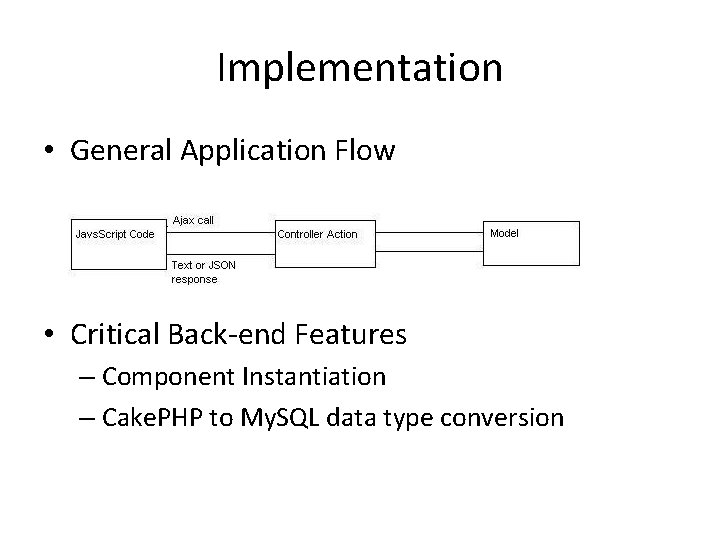
Implementation • General Application Flow • Critical Back-end Features – Component Instantiation – Cake. PHP to My. SQL data type conversion
Component Instantiation /** component_type: Model or Controller component_path: the path of the component php file component_name: the name of the component db_config_name: the name of the database config used by the project that has this component /* App: : import($component_type, $component_name , array('file' => $component_path)); return new $component_name(false, null, $db_config_name);
Cake. PHP to My. SQL data type conversion • We use Cake. PHP-supported data types on front-end GUI • IDE will still need to convert these data types to My. SQL data type. For example, when the user edits model schema
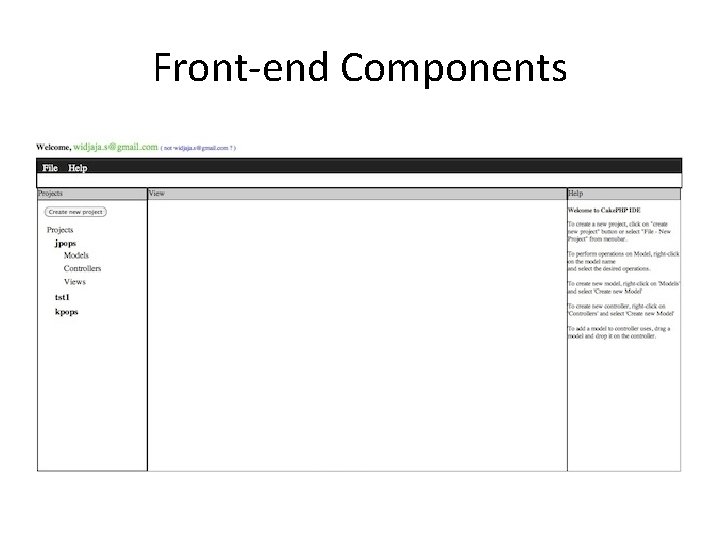
Front-end Components • Left Panel • Projects + MVC components • Center Panel • Edit / Design Mode • Right Panel • Interactive Help System (for Model and Controller) or HTML elements tool (for View)
Front-end Components
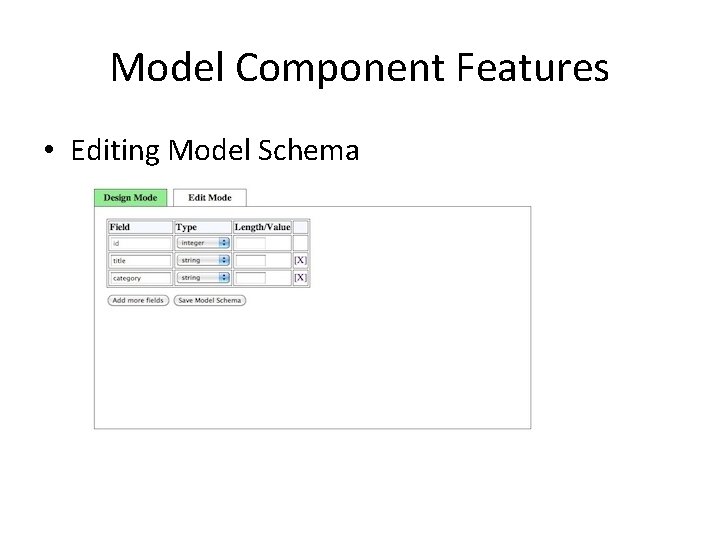
Model Component Features • Editing Model Schema
Editing Model Schema • Users can modify the schema of a model without having to interact with the database table directly • How does it work? • Users right-click on the model name on the left panel and choose “Edit Model Schema”. An interface will be displayed on the center panel • Users can edit the model attributes, delete them, or add new ones. • When user clicks on save button, the Java. Script will send an Ajax call to the IDE controller with the attributes of the model • The IDE controller will process all the attributes and create a list of required alterations to the database table and send it to the IDE model • The IDE model will create an SQL alter statement and execute it. • The model schema is now updated and it will be reflected on the interface
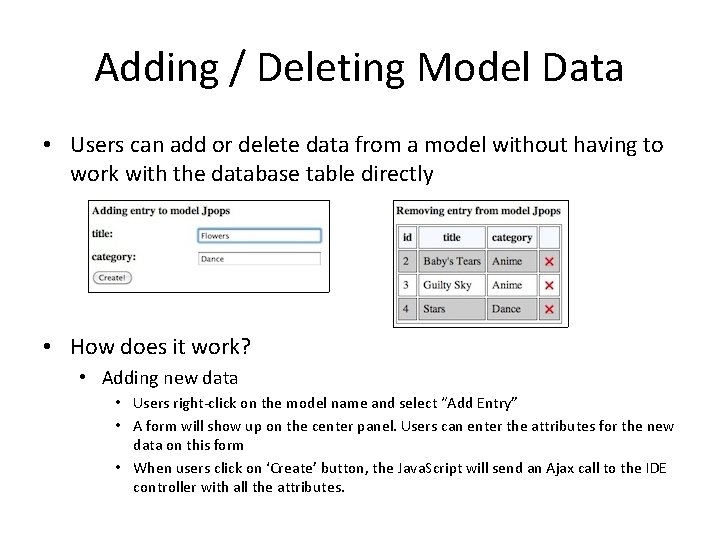
Adding / Deleting Model Data • Users can add or delete data from a model without having to work with the database table directly • How does it work? • Adding new data • Users right-click on the model name and select “Add Entry” • A form will show up on the center panel. Users can enter the attributes for the new data on this form • When users click on ‘Create’ button, the Java. Script will send an Ajax call to the IDE controller with all the attributes.
Adding / Deleting Model Data • The IDE controller will send the attributes to the IDE model • Model will execute an SQL insert statement to add that data to the database. • Deleting existing data – Users right-click on the model name and select “Delete Entry” – A form shows up on the center panel. Users can delete any entry by clicking on the cross image and confirm the deletion – The Java. Script will send an Ajax call to the IDE controller with the id of the deleted entry – The controller will pass that id to the Model – Model will execute an SQL delete statement
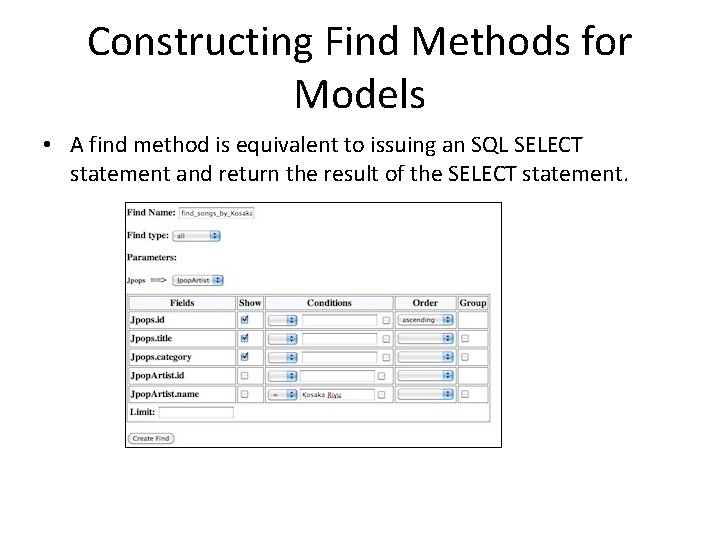
Constructing Find Methods for Models • A find method is equivalent to issuing an SQL SELECT statement and return the result of the SELECT statement.
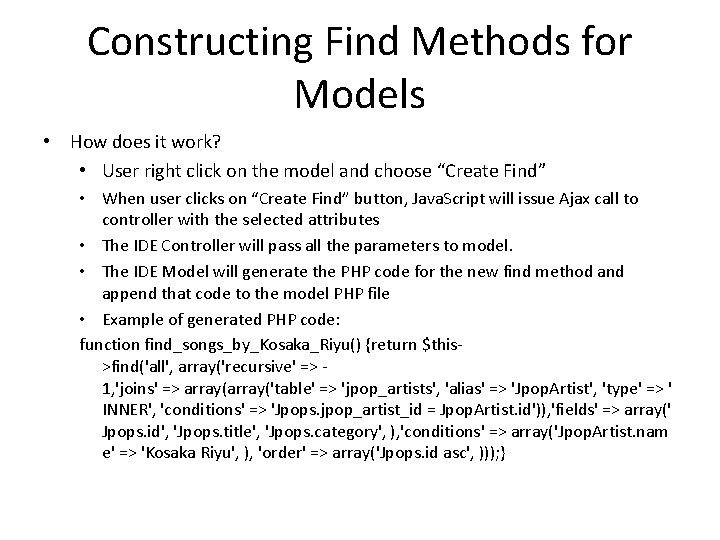
Constructing Find Methods for Models • How does it work? • User right click on the model and choose “Create Find” • When user clicks on “Create Find” button, Java. Script will issue Ajax call to controller with the selected attributes • The IDE Controller will pass all the parameters to model. • The IDE Model will generate the PHP code for the new find method and append that code to the model PHP file • Example of generated PHP code: function find_songs_by_Kosaka_Riyu() {return $this>find('all', array('recursive' => 1, 'joins' => array('table' => 'jpop_artists', 'alias' => 'Jpop. Artist', 'type' => ' INNER', 'conditions' => 'Jpops. jpop_artist_id = Jpop. Artist. id')), 'fields' => array(' Jpops. id', 'Jpops. title', 'Jpops. category', ), 'conditions' => array('Jpop. Artist. nam e' => 'Kosaka Riyu', ), 'order' => array('Jpops. id asc', ))); }
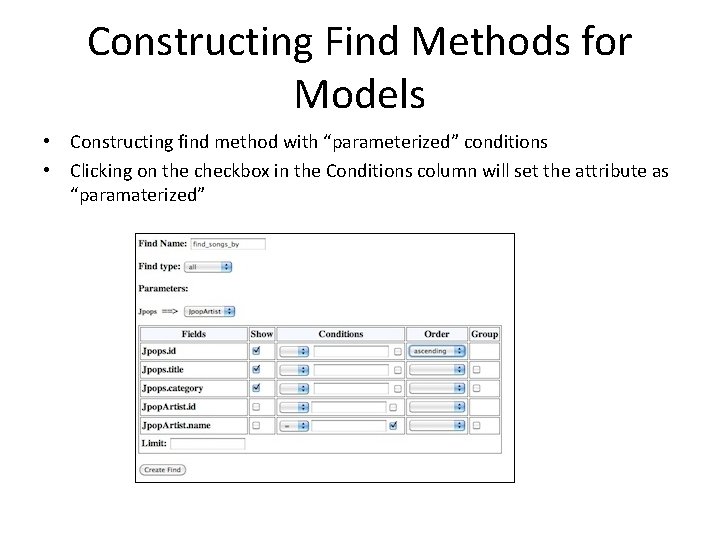
Constructing Find Methods for Models • Constructing find method with “parameterized” conditions • Clicking on the checkbox in the Conditions column will set the attribute as “paramaterized”
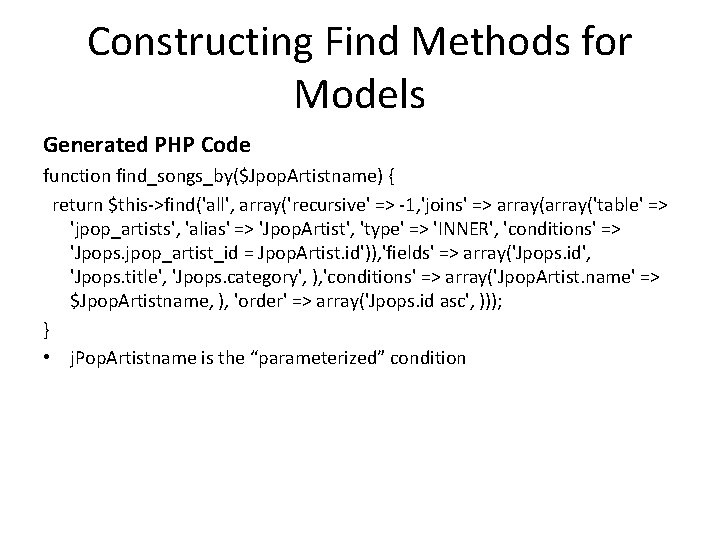
Constructing Find Methods for Models Generated PHP Code function find_songs_by($Jpop. Artistname) { return $this->find('all', array('recursive' => -1, 'joins' => array('table' => 'jpop_artists', 'alias' => 'Jpop. Artist', 'type' => 'INNER', 'conditions' => 'Jpops. jpop_artist_id = Jpop. Artist. id')), 'fields' => array('Jpops. id', 'Jpops. title', 'Jpops. category', ), 'conditions' => array('Jpop. Artist. name' => $Jpop. Artistname, ), 'order' => array('Jpops. id asc', ))); } • j. Pop. Artistname is the “parameterized” condition
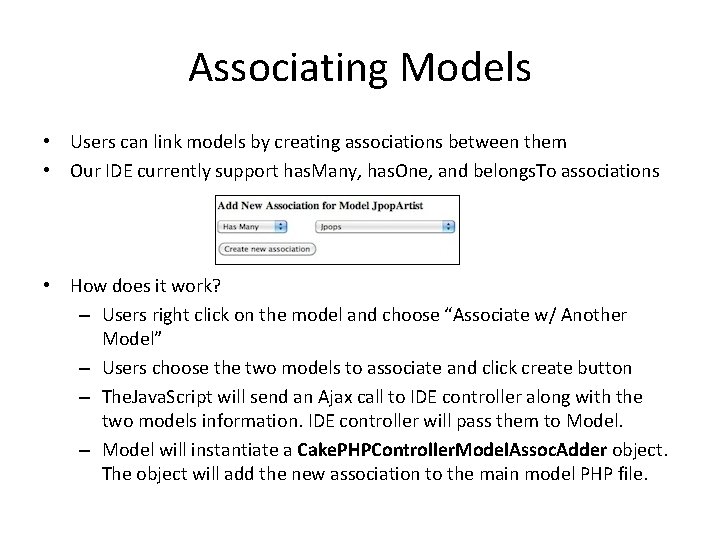
Associating Models • Users can link models by creating associations between them • Our IDE currently support has. Many, has. One, and belongs. To associations • How does it work? – Users right click on the model and choose “Associate w/ Another Model” – Users choose the two models to associate and click create button – The. Java. Script will send an Ajax call to IDE controller along with the two models information. IDE controller will pass them to Model. – Model will instantiate a Cake. PHPController. Model. Assoc. Adder object. The object will add the new association to the main model PHP file.
Adding Models to Controller • Enabling controller to access models other than its primary model • How does it work? – To add a model to a controller, user will drag the model and drop it on the controller – The Java. Script sends an Ajax call to the IDE controller along with the information of the model and controller. The IDE controller passes that information to model – The model instantiates a Cake. PHPController. Model. Uses. Adder object. This object adds the model name to $uses variable in controller class file.
Controller Components Auto-suggest Feature • Our IDE allows users to manually edit the model and controller PHP files. • Auto-suggest feature on editing of controller file • When user types $this->, IDE will display a dialog box of all models that can be accessed by the controller • When user types $this->model_name, IDE will display a dialog box of all methods of model_name. • The Java. Script will send an Ajax call to the IDE controller along with the name of the model to the IDE model. The IDE model uses PHP Reflection to get both the models that can be accessed by the controller and the methods of the models.
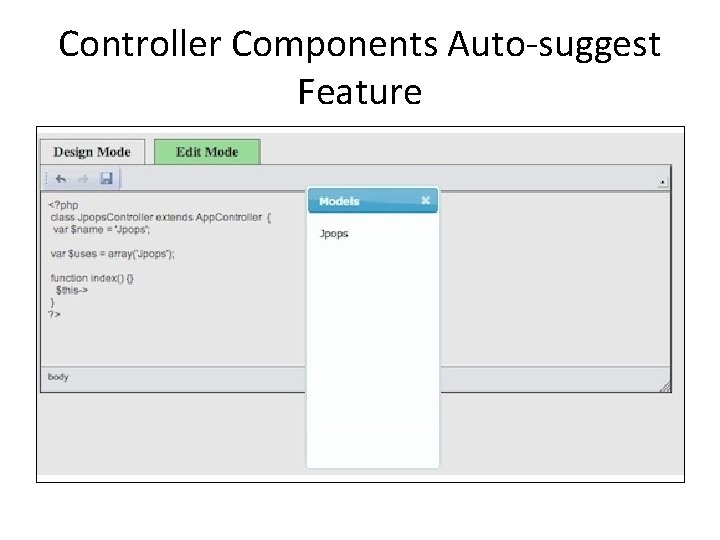
Controller Components Auto-suggest Feature
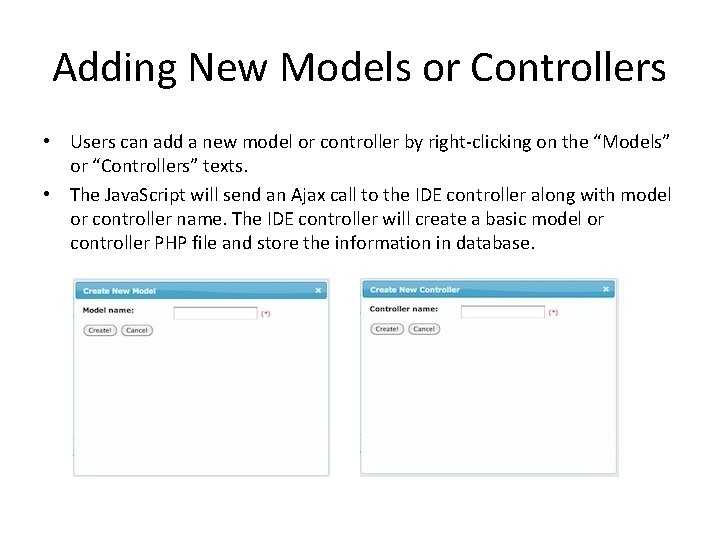
Adding New Models or Controllers • Users can add a new model or controller by right-clicking on the “Models” or “Controllers” texts. • The Java. Script will send an Ajax call to the IDE controller along with model or controller name. The IDE controller will create a basic model or controller PHP file and store the information in database.
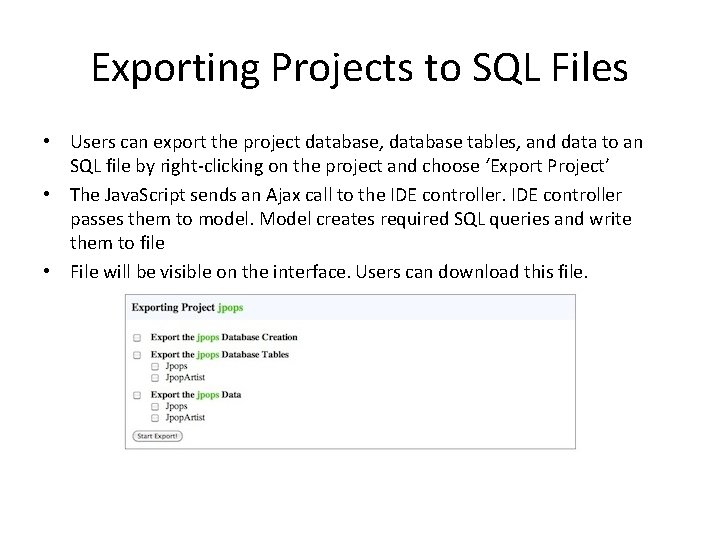
Exporting Projects to SQL Files • Users can export the project database, database tables, and data to an SQL file by right-clicking on the project and choose ‘Export Project’ • The Java. Script sends an Ajax call to the IDE controller passes them to model. Model creates required SQL queries and write them to file • File will be visible on the interface. Users can download this file.
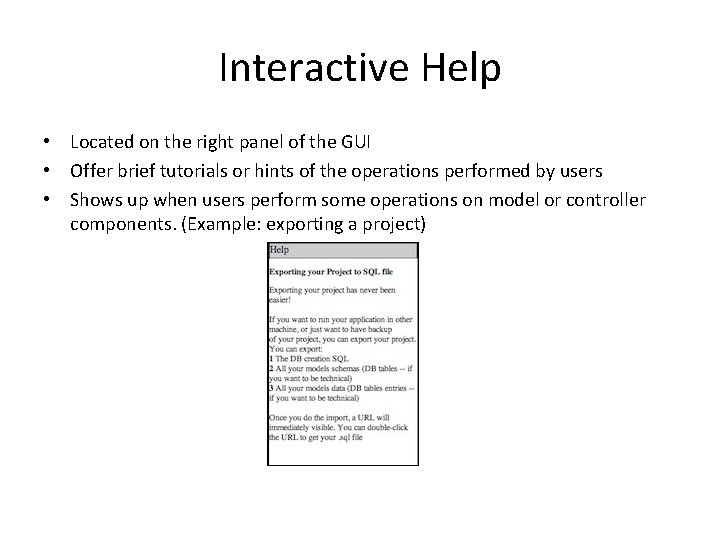
Interactive Help • Located on the right panel of the GUI • Offer brief tutorials or hints of the operations performed by users • Shows up when users perform some operations on model or controller components. (Example: exporting a project)
Issues Instantiating the Model or Controller Components from Users' Created Projects • This is usually accomplished by /** $comp_name – the name of the model/controller component $db_config_name – the name of the database config to be used */ $comp_obj = new $comp_name(false, null, $db_config_name); • Won’t work for model or controller components from users’ projects because Cake. PHP will try to find the database configuration from our IDE directory. • Solution: • get all the users' projects and their DB configurations during the instantiation of the DATABASE_CONFIG object. • For each project, we will instantiate an array variable that holds the DB configuration of that project.
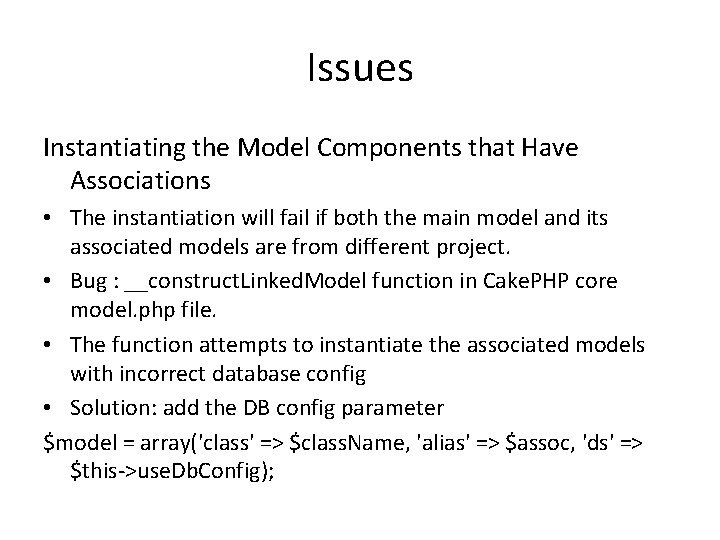
Issues Instantiating the Model Components that Have Associations • The instantiation will fail if both the main model and its associated models are from different project. • Bug : __construct. Linked. Model function in Cake. PHP core model. php file. • The function attempts to instantiate the associated models with incorrect database config • Solution: add the DB config parameter $model = array('class' => $class. Name, 'alias' => $assoc, 'ds' => $this->use. Db. Config);
Browser Compatibility Issue • j. Query live() function does not work with on. Change events on Internet Explorer Web browsers • Live() works through the use of event delegation. It binds a specific handler to the DOM tree. • However, on. Change events do not bubble up in Internet Explorer Browsers. Therefore, event delegation does not occur. • Solution: We use livequery plugin.
Interactivity Issue • It is always a challenge to make a Web-based application to behave interactively as in desktopbased application • We had tried to make our Cake. PHP IDE to be as interactive as possible by using some of the j. Query UI features such as dialog box and drag-and-drop. • We have also added the auto-completion feature for the CKEditor to make our IDE more interactive.
Performance • To analyze the performance of our IDE, we compare it with a desktop-based application called Model. Baker. • Model. Baker lets users create Cake. PHP-based Web applications. It is only available in Mac platform • Our results show that our IDE performs as fast as Model. Baker in all operations except the create project operation • We also measure the time of our IDE to load. On average, the loading time is 1 second.
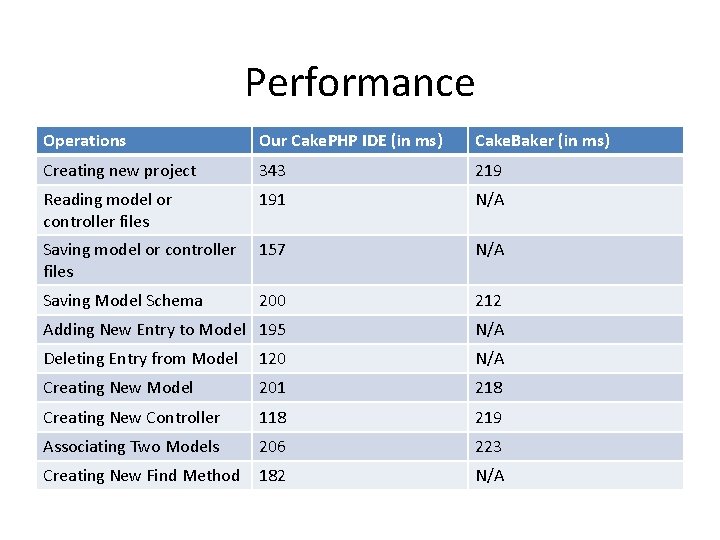
Performance Operations Our Cake. PHP IDE (in ms) Cake. Baker (in ms) Creating new project 343 219 Reading model or controller files 191 N/A Saving model or controller files 157 N/A Saving Model Schema 200 212 Adding New Entry to Model 195 N/A Deleting Entry from Model 120 N/A Creating New Model 201 218 Creating New Controller 118 219 Associating Two Models 206 223 Creating New Find Method 182 N/A
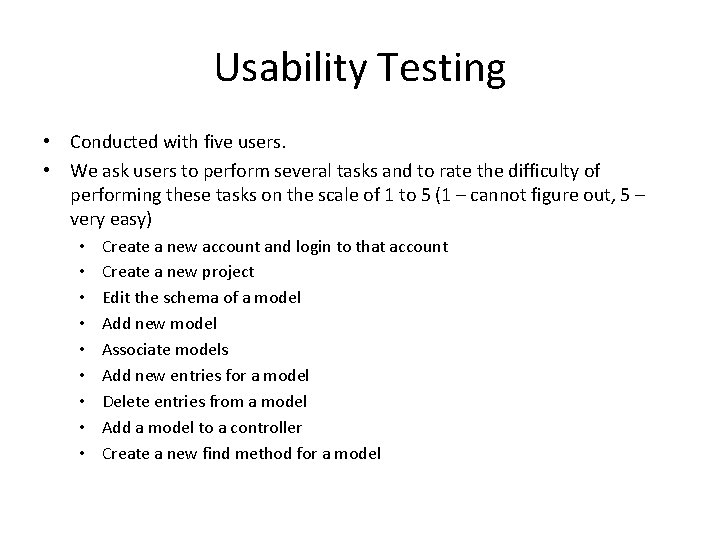
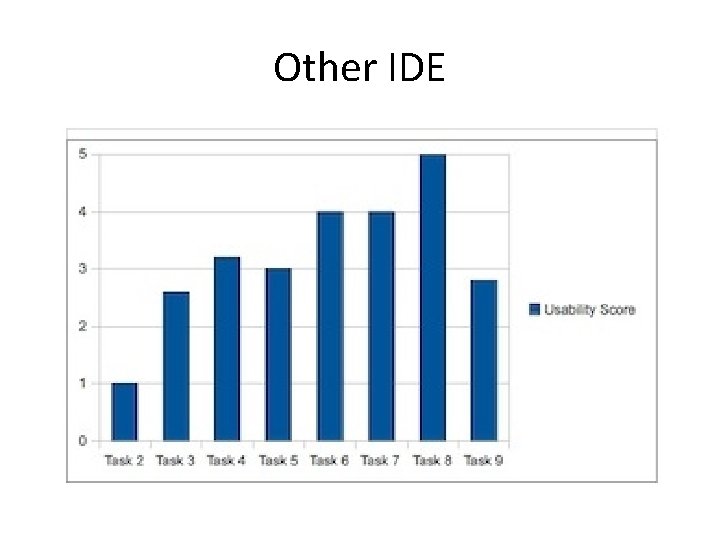
Usability Testing • Conducted with five users. • We ask users to perform several tasks and to rate the difficulty of performing these tasks on the scale of 1 to 5 (1 – cannot figure out, 5 – very easy) • • • Create a new account and login to that account Create a new project Edit the schema of a model Add new model Associate models Add new entries for a model Delete entries from a model Add a model to a controller Create a new find method for a model
Usability Testing • Overall, users found that our IDE simplifies the process of creating a Cake. PHP project with its models and controller components • Users want more tutorials and examples • We ask users to also perform the tasks on their favorite IDE and to rate them. • Our IDE is the clear winner!
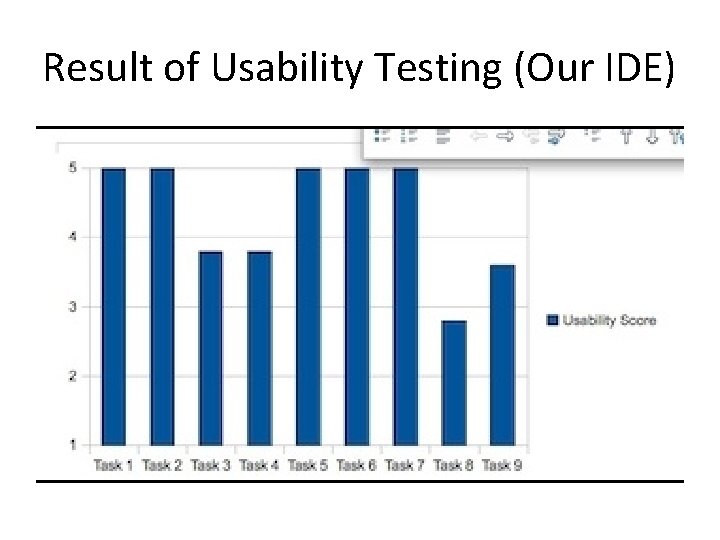
Result of Usability Testing (Our IDE)
Other IDE
Conclusion • We achieved our goal of the project by implementing many features that automates most processes in creating Cake. PHP Web application. • One of the biggest challenge we encountered was the issue of the instantiation of model / controller components from users’ projects. We solved this challenge by fixing the bug in Cake. PHP core model. php file • Our Cake. PHP IDE performs as fast as Cake. Baker in most operations except the create new project • Overall, users found our Cake. PHP IDE to be easy to use • By successfully completing our project, we learnt a lot about the mechanism of MVC-based Web frameworks. We also learnt a lot about building interactive Web applications • We hope that our IDE will help users to understand more about MVCbased Web frameworks and to create Cake. PHP Web applications easily.
Questions?

Thank you
- Slides: 44